Customer Ratings & Reviews
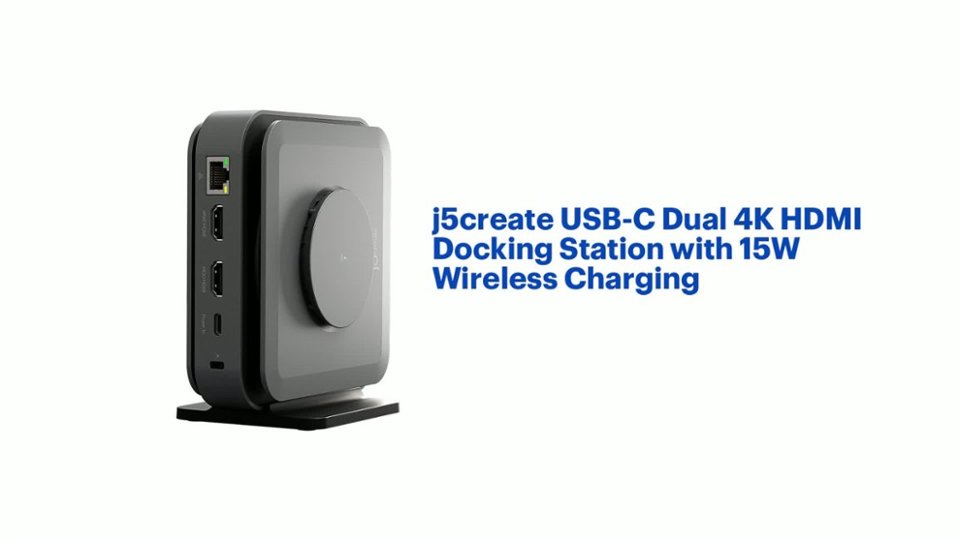
- Model:
- JCD3199
- SKU:
- 10757504
Rating by feature
- Value
Rating 3.6 out of 5 stars
- Quality
Rating 3.7 out of 5 stars
- Ease of Use
Rating 3.8 out of 5 stars
- Cons mentioned:Noise level

Good in theory...but
|Posted . Owned for less than 1 week when reviewed.This reviewer received promo considerations or sweepstakes entry for writing a review.[Employee of bestbuy] Liked what it offered, but didn't work for me. My company's security permissions prevented me from installing the drivers required to properly use. Though HDMI to my monitor worked, the aux to my external speakers did not. After a couple of uses, when connected to power, machine would have a high pitch whinnying. That was the deciding factor to return.
No, I would not recommend this to a friend - Pros mentioned:Ease of use, Wireless charging
Best Dock ever
||Posted . Owned for less than 1 week when reviewed.This reviewer received promo considerations or sweepstakes entry for writing a review.Helpful device, easy to carry can take it anywhere and I’m able to connect everything for my working set up.
I would recommend this to a friend - Pros mentioned:Overall performance
Useful product.
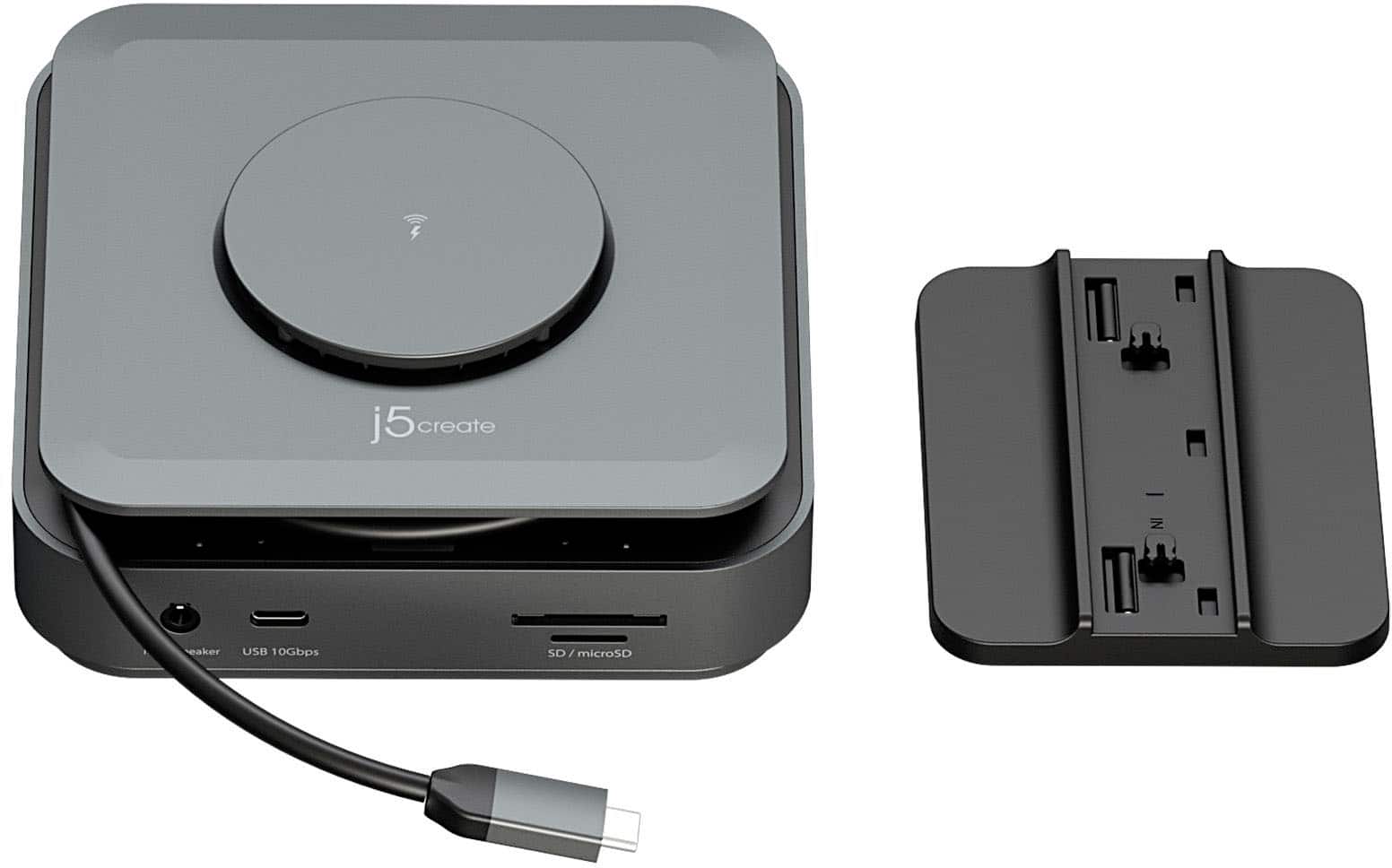
||Posted . Owned for 1 month when reviewed.This reviewer received promo considerations or sweepstakes entry for writing a review.I have purchase it just for the 3.5mm jack output. My idea was to connect a midi keyboard, my ipad and a speaker on the 3.5mm jack...but I couldn't manage it to make it sound. Despite of that, all the features of the hub works perfects, good quality and useful.
I would recommend this to a friend - Pros mentioned:Hdmi, Ports, Wireless charging
Great Docking Station at Great Value!
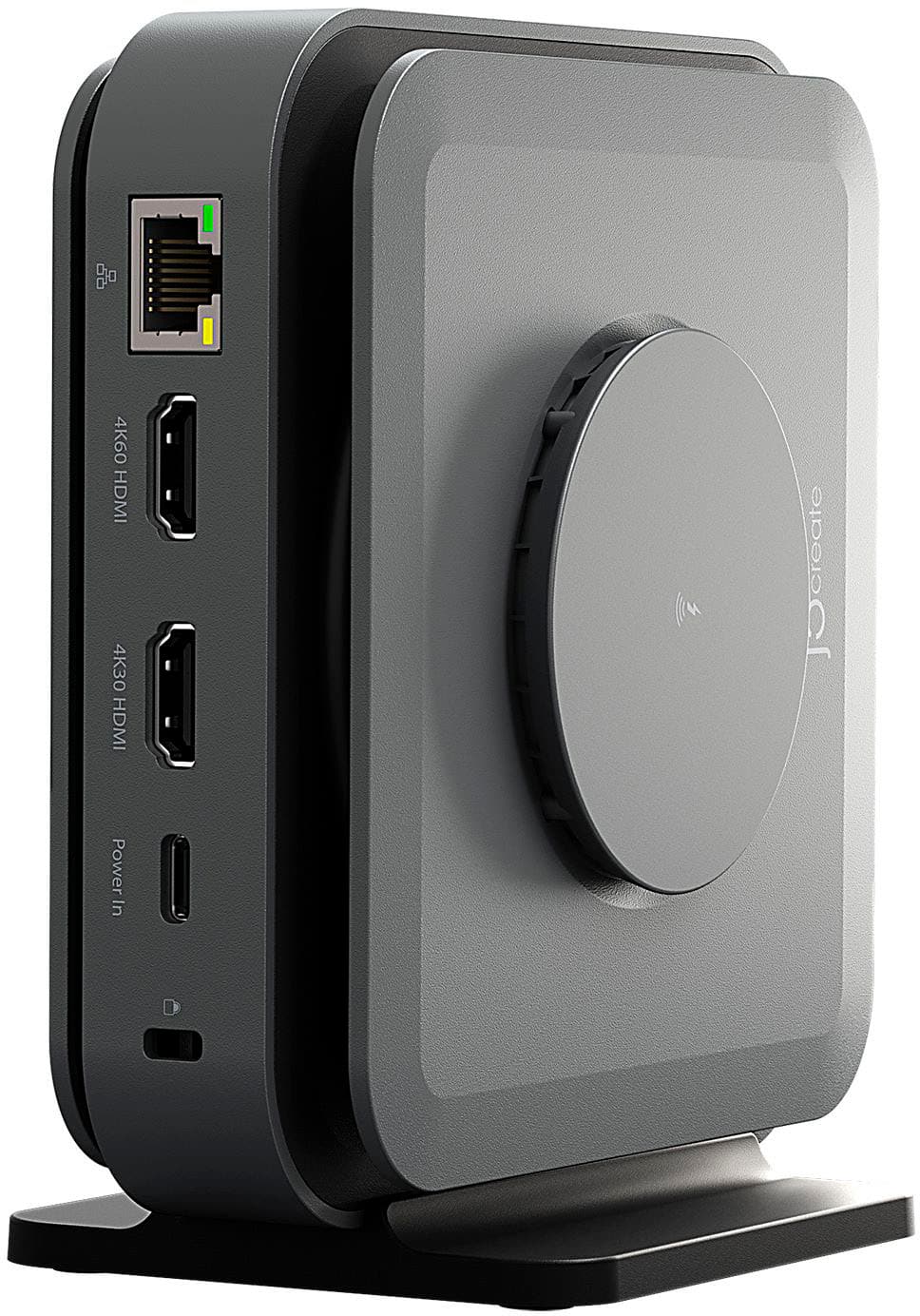
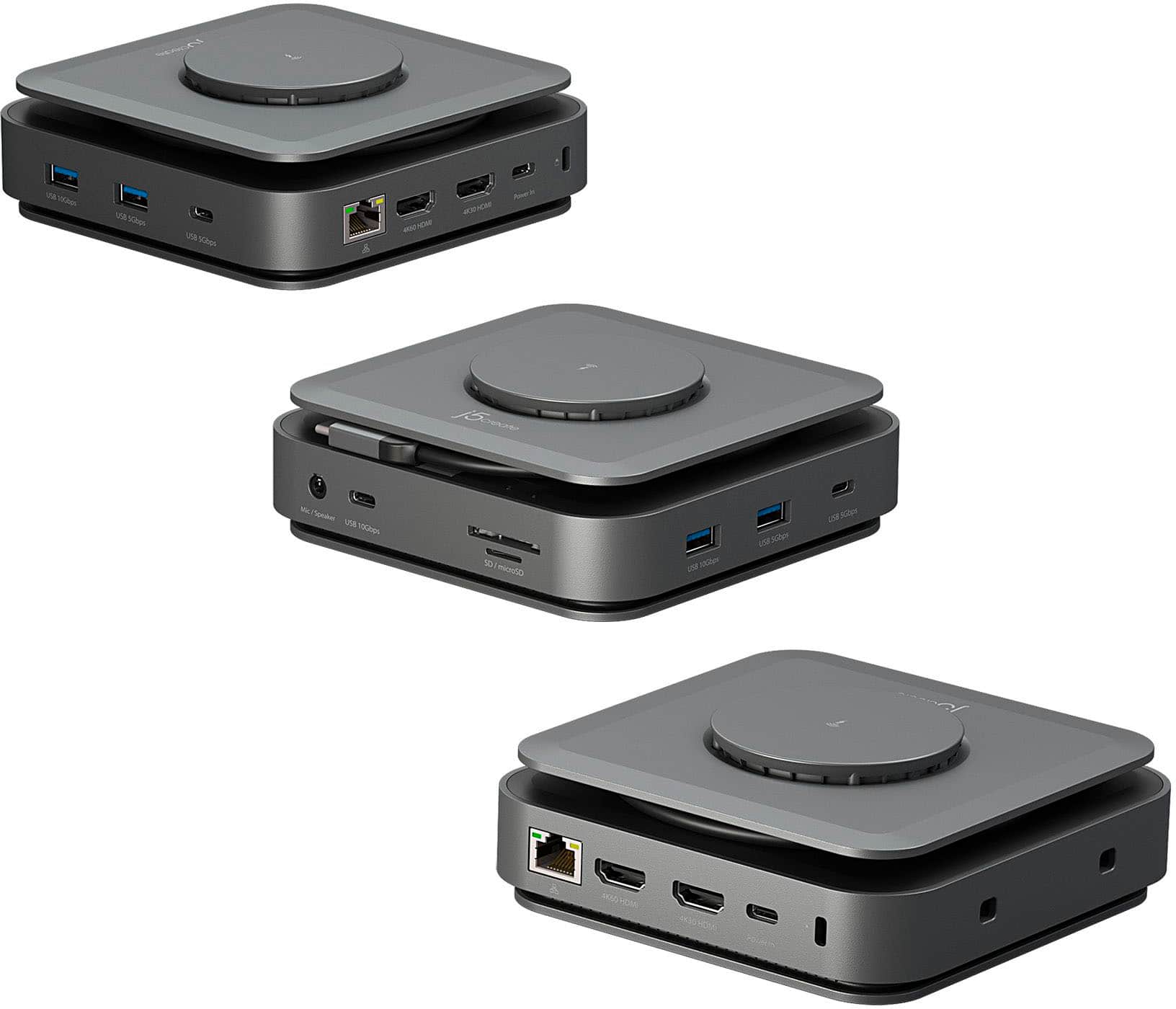
||Posted . Owned for 3 weeks when reviewed.This reviewer received promo considerations or sweepstakes entry for writing a review.Great docking station. It has the enough ports for most any setup, particuarly two HDMI ports. I also like having the option to it stand upright or lay flat on the desk.
I would recommend this to a friend - Cons mentioned:Power supply
Don't Believe the Box
||Posted . Owned for 1 week when reviewed.This reviewer received promo considerations or sweepstakes entry for writing a review.I was hoping for great results with this dock. I needed something that I could connect 2 monitors to my laptop with and offered power delivery. This seemed like the perfect solution. The packaging is deceptive and even though it allows up to a 140W charger, it does not allow enough power to pass through to my laptop using the OEM charger. As a result their support tried selling me on another $100 purchase of one of their higher wattage power adapters. When I questioned him about it and who I talk to because of the deceptive packaging, he disconnected from the chat. The packaging outright lies and mentions nothing of the higher rating needed to run it as well as charge your laptop. Had I not cleaned things out of the house while preparing for a hurricane, to include the box for this product, I would be returning it. Very disappointed and frustrated.
No, I would not recommend this to a friendBrand response from J5create Team
Posted .Please contact our Technical Support Team for further information. Their information can be found on j5create website under the Support tab. Thank you.

- Cons mentioned:Noise level
Returned due to terrible coil whine
||Posted . Owned for 3 weeks when reviewed.This reviewer received promo considerations or sweepstakes entry for writing a review.The dock I picked up technically worked and has a good amount of features. Dock was also reasonably priced. However, it made a high pitched screeching/whining noise when powered on. This coil whine would get louder any time I moved my mouse. For this reason alone I returned the unit. If you can grab one that doesn’t have coil whine, you should be good to go.
No, I would not recommend this to a friend - Pros mentioned:Ease of use, Overall performance
Great mini dicking station!
||Posted . Owned for 2 weeks when reviewed.This reviewer received promo considerations or sweepstakes entry for writing a review.This has worked wonders for me! Very easy to set up and use! Very plug and go! Love the item!
I would recommend this to a friend - Pros mentioned:Ease of use
Great value
||Posted . Owned for 1 month when reviewed.This reviewer received promo considerations or sweepstakes entry for writing a review.Compact, more discreet than others we have purchased and easy to use
I would recommend this to a friend - Pros mentioned:Ports
Pretty good
||Posted . Owned for 1 month when reviewed.This reviewer received promo considerations or sweepstakes entry for writing a review.Overall pretty good. I like how it’s able to stand on its side and it really expands the amount of ports on my MacBook. You have to power it though, but you can’t use it for direct powered connections, such as streaming cameras which is a little frustrating.
I would recommend this to a friend - Pros mentioned:Ease of use, Overall performance
docking station
||Posted . Owned for 3 weeks when reviewed.This reviewer received promo considerations or sweepstakes entry for writing a review.easy to set up, works great take up very little room on my desk
I would recommend this to a friend - Pros mentioned:Overall performance
Works great for my MacBook Pro
||Posted . Owned for 2 weeks when reviewed.This reviewer received promo considerations or sweepstakes entry for writing a review.This was hub works great for my MacBook Pro. You do need to download drivers. It did make a weird ticking noise at first, but I think it was an under powered power supply. Plug a diff one in, and works with zero issues or noise.
I would recommend this to a friend - Cons mentioned:Compatibility
DON'T GET FOOLED BY THE IMAGES
||Posted . Owned for 1 month when reviewed.This reviewer received promo considerations or sweepstakes entry for writing a review.I got this for a gift for my birthday. As I wanted a home office setup. I have 2 displays and laptop screen at work. Images and wording makes it sound as it's capable of this setup. 2 output HDMI. Even the sales rep in store advised the same thing. Nothing is more disappointing then realizing it does not work as expected till you go to the store and they will not return it as it's past the return date. Very unacceptable in my opinion as I am not wanting to return it, I want to exchange it for a product same price as this product. I wouldn't even care if the product I wanted was cheaper than the now paperweight I have. Would be Best Buy gain. If you can't honor even your own policy on "Gift" returns, I will not be purchasing anything further from best buy. As they lead the person who bout this for me In the wrong direction. The product seems like a good product, just not what I need. I stopped at 2 different Best Buy asking to exchange it. One MOD wouldn't even talk to me. Told the Customer Service representative that there is nothing he can do. Which is understandable as I don't have the receipt since it was gifted. Best Buy needs to update their policy wording on this website as what I have screenshot of is not how they explained in store.
No, I would not recommend this to a friendBrand response from J5create Team
Posted .The USB-C Dock Dual 4K HDMI is capable of supporting two displays, but functionality can vary depending on the laptop’s USB-C port specifications and system compatibility.
We’d be happy to help you verify your laptop’s compatibility and suggest the best solution to achieve your dual monitor setup. Please reach out to us directly or through our live chat, our team will gladly assist. Thank you.
https://en.j5create.com/pages/contact-us
- Pros mentioned:Ease of use
One docking station that goes the extra mile!
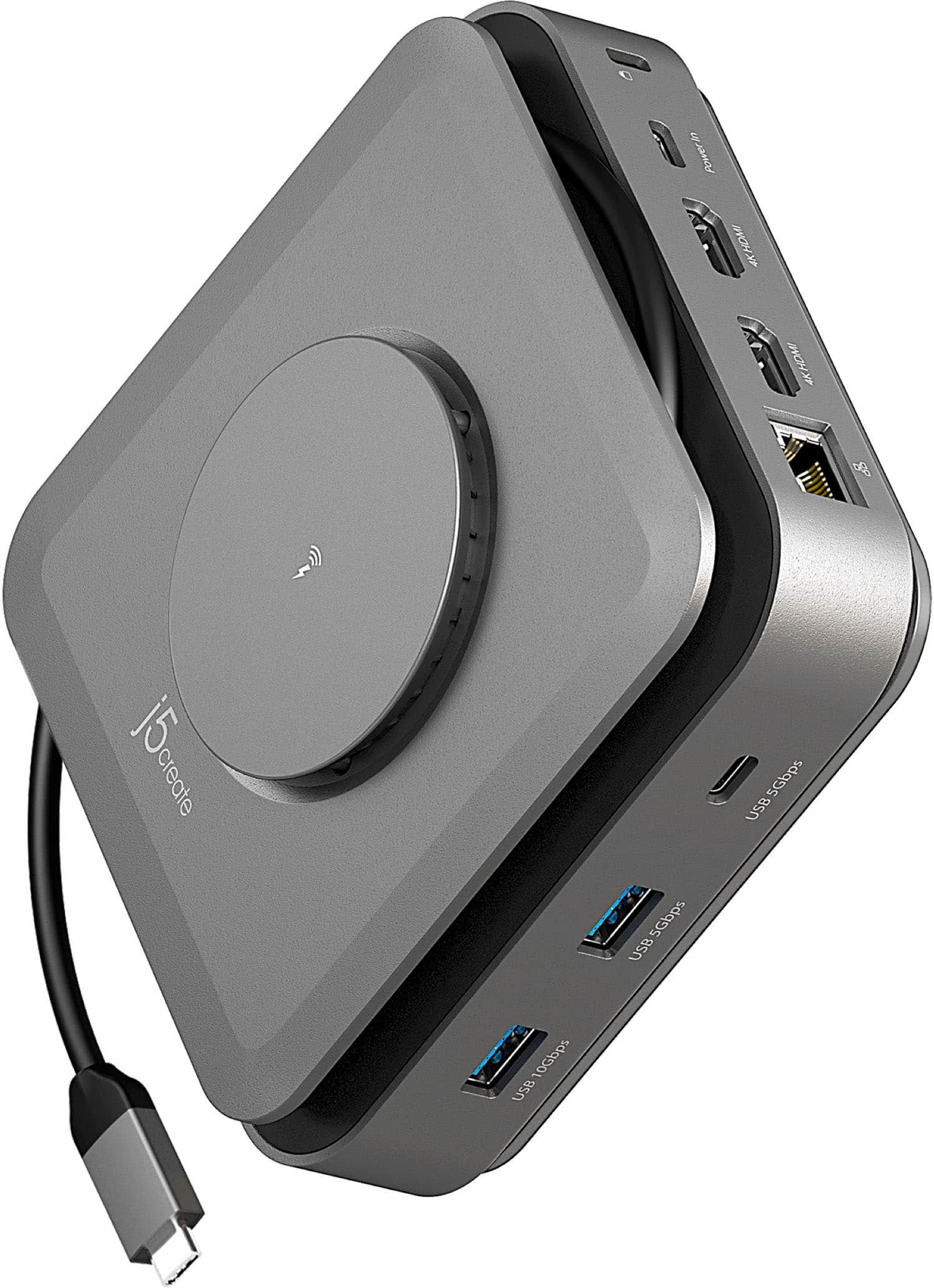
||Posted . Owned for 1 month when reviewed.This reviewer received promo considerations or sweepstakes entry for writing a review.The j5create is a fantastic option for a docking station with all the required features, a must for those who use laptps and tablets, it is very functional, complete, and it even comes with a wireless charger!
I would recommend this to a friend - Pros mentioned:Wireless charging
Great product
||Posted . Owned for 1 week when reviewed.This reviewer received promo considerations or sweepstakes entry for writing a review.Got it for my rog ally and it helps tremendously can connect whatever I want to it
I would recommend this to a friend - Pros mentioned:Wireless charging
I like it
||Posted . Owned for 1 week when reviewed.This reviewer received promo considerations or sweepstakes entry for writing a review.I love this little thing but the only thing that stinks is you have to download a software for the computer in order for this to work. You have to lookup the product on their site and download the software for every computer you use it with. But once it's downloaded and done, it's nice.
I would recommend this to a friend - Cons mentioned:Compatibility
Meh
||Posted . Owned for 1 month when reviewed.This reviewer received promo considerations or sweepstakes entry for writing a review.I'm giving this a 3 star because I think it may have something to do with my Mac Air more than the product. It was sold to me as an option to use for my Mac Air and 2 additonal monitor setup. It "works" in the sense that both displays come up and if I do certain things on the 2nd monitor its ok but then it freezes that monitor. Don't know if its the docking station software or what. Just kinda disappointed.
No, I would not recommend this to a friend - Pros mentioned:Ease of use
Easy to travel with
||Posted . Owned for 1 month when reviewed.This reviewer received promo considerations or sweepstakes entry for writing a review.Lightweight portable enought to fit in your backpack. Can handle 2 monitors no problem. U sed for a Dell precision laptop for thunderbolt connection. Note power supply needs to have a thunderbolt connection and is usually the one supplied with your Dell
I would recommend this to a friend - Pros mentioned:Overall performance
docking station
||Posted . Owned for 11 months when reviewed.This reviewer received promo considerations or sweepstakes entry for writing a review.Bought this to run two monitors and some aux items, it works great for that. There is no power in cable, so I'm not sure how this is supposed to charge my phone using the wireless charger.
I would recommend this to a friend - Pros mentioned:Wireless charging
Sleek, Silent, and Seriously Capable Docking Solut
||Posted . Owned for 9 months when reviewed.This reviewer received promo considerations or sweepstakes entry for writing a review.The j5create docking station delivers exactly what I need for a clean and efficient workspace. Its sleek design fits right into my setup, and the dual 4K monitor support works flawlessly. It offers plenty of connectivity options without adding clutter or noise — it runs silently, which I really appreciate. If you’re looking to expand your desktop without compromising on aesthetics or performance, this dock is a solid choice.
I would recommend this to a friend Review
||Posted . Owned for 3 months when reviewed.This reviewer received promo considerations or sweepstakes entry for writing a review.Not as many outlets as we originally thought. Useful yes, but a docking station would be a lot better.
No, I would not recommend this to a friend