Customer Ratings & Reviews

- Model:
- JCD383
- SKU:
- 6185302
Rating by feature
- Value
Rating 4.2 out of 5 stars
- Quality
Rating 4.4 out of 5 stars
- Ease of Use
Rating 4.6 out of 5 stars
Customers are saying
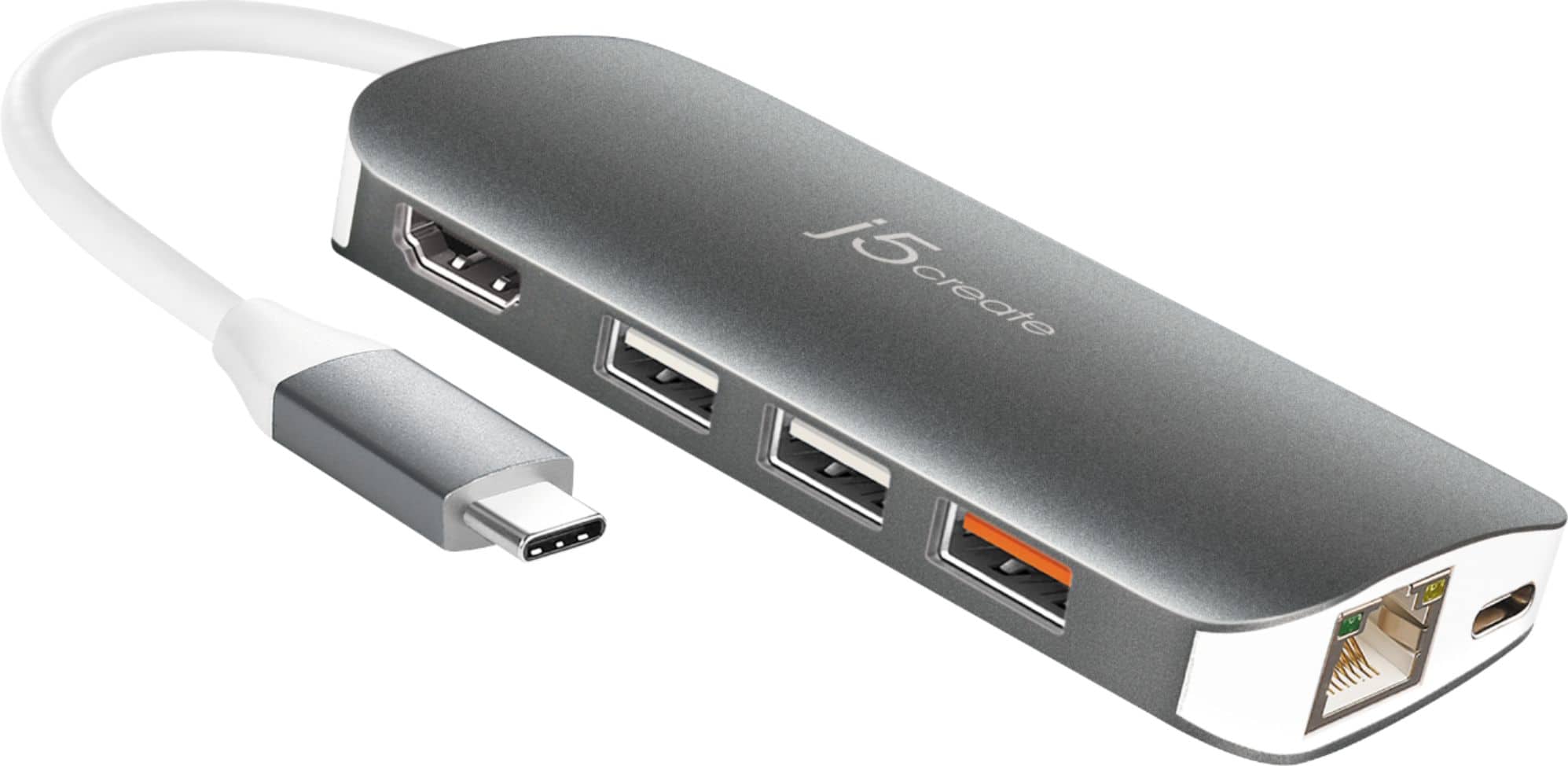
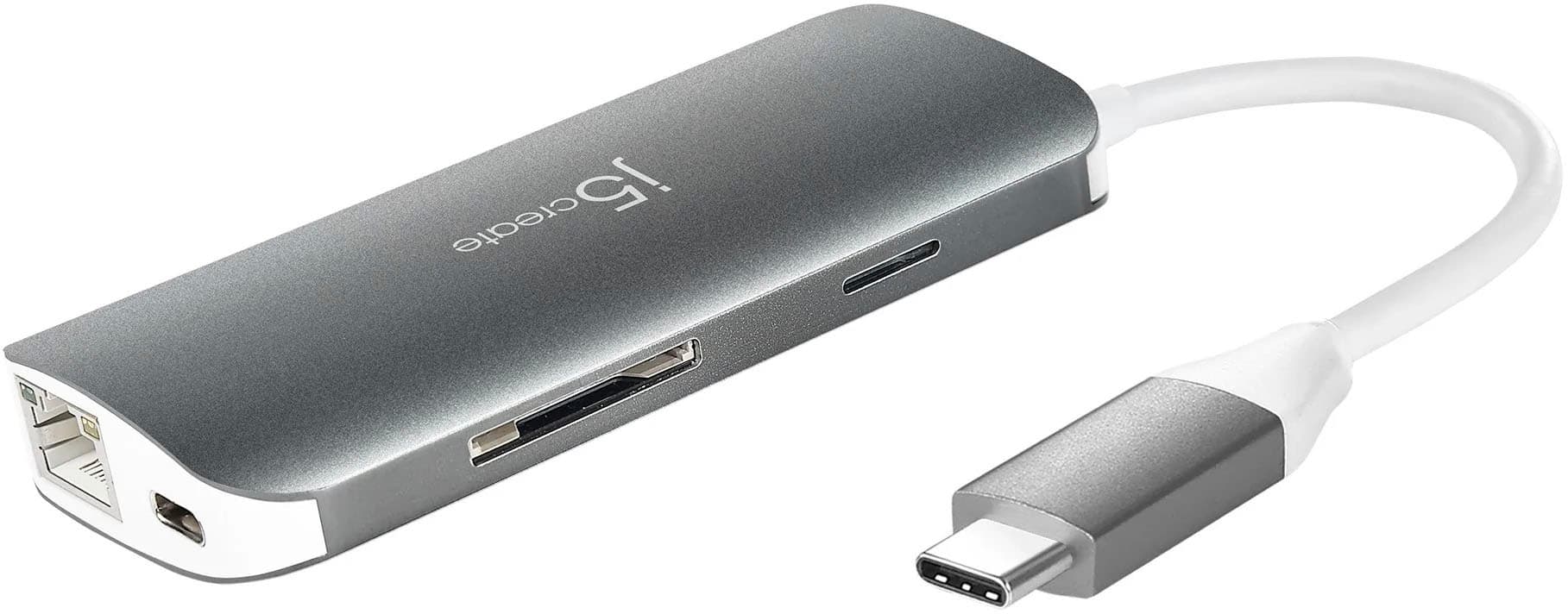
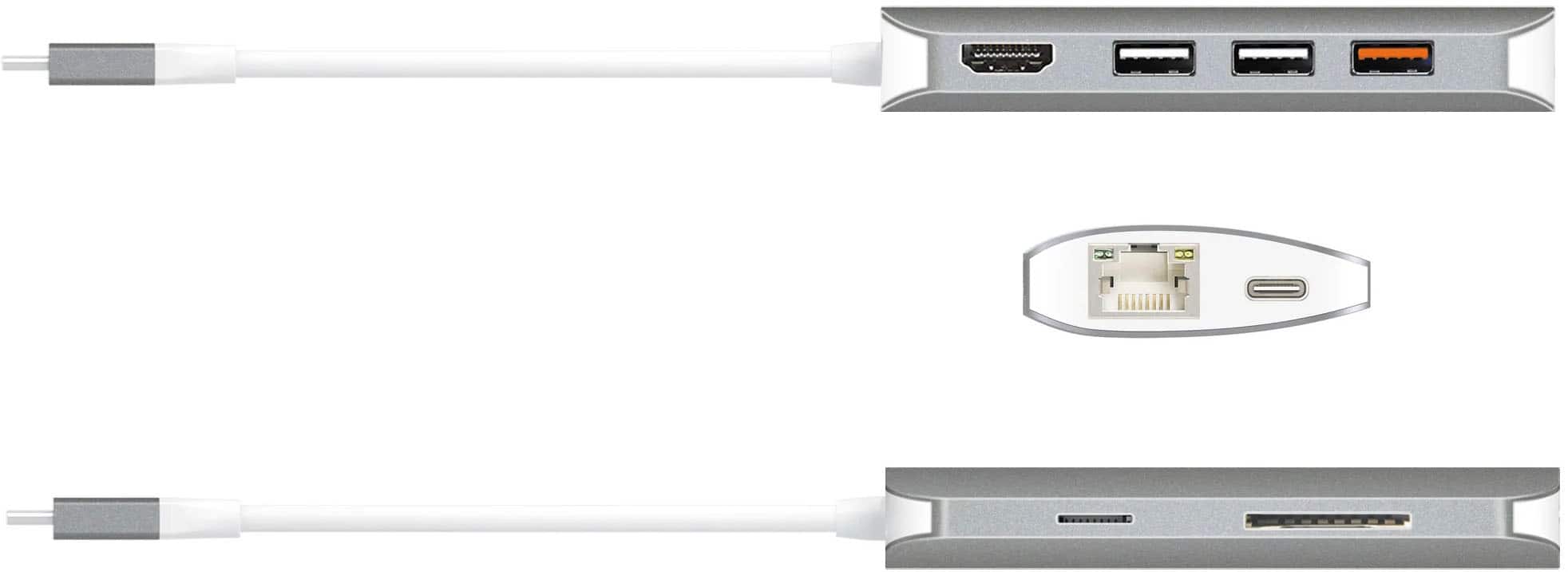
Customers regard the USB-C Multi Adapter favorably for its USB-C connectivity, ease of use, overall performance, and compatibility with devices like Apple products. Its convenient size and variety of ports are also appreciated. However, some customers have expressed concerns about the adapter heating up during use, its price point, and the cable length.
This summary was generated by AI based on customer reviews.
- Cons mentioned:Heat
Overheats After Only 30 Minutes
||Posted . Owned for 3 weeks when reviewed.This reviewer received promo considerations or sweepstakes entry for writing a review.I have used adapters that go directly into the side of my MacBook before and then I had purchased this one because it would plug-in to just one of the USB – C ports. it overheats after only having the computer on for about 30 minutes to where it’s hot to the touch. I have even unfortunately plugged it in to my original side adapter just to have the ethernet connected and it was still getting super hot. I would not recommend if you need to use this adapter for more than an hour a day for your MacBook.
No, I would not recommend this to a friendBrand response from J5create Team
Posted .Hi!
I'm really sorry for the inconvenience this has caused you.We do expect that the device will get warm to moderately hot, but this is well within normal ranges. Our device has been stress tessed and we have found that the average max opeational temperature for this product is ~106 °F / 41 °C, this is also while the adapter is under a full load or is being used continuously for >~ 1hr.Please remember that ambient temperatures can also affect the unit as well as your computer. Manufacturer's recommend that computers be used where the temperature is between 50° and 95° F (10° and 35° C)." If you are finding that your device is exceeding the average temperature of 135 °F/57 °C, for periods > 30 minutes, it may be defective and we'd be more than happy to help with an exchange. While testing, we haven't found this product to run at anything higher than 112°F/44 °C, for periods <10 minutes.If you would like to speak to our customer service representatives, our information can be located on the back of all of our product boxes, as well as on our website on the support page. There you can find links to our livechat, phone and ticketing services.Thanks!j5create
Adapter
||Posted . Owned for 3 weeks when reviewed.This reviewer received promo considerations or sweepstakes entry for writing a review.It's nice to have the extra ports but it is a pain to carry around with the laptop.
I would recommend this to a friend- Cons mentioned:Price
Too Expensive
||Posted . Owned for 1 month when reviewed.This reviewer received promo considerations or sweepstakes entry for writing a review.Overpriced. I was able to get the same thing at half the cost off amazon. I promptly returned this unopened, so not sure of the quality/functionality.
No, I would not recommend this to a friendBrand response from J5create Team
Posted .TravelingConsultant, thank you for sharing your feedback and I understand the JCD383 or any devices can be an investment. We have other adapters that may fit your needs. If you would like to talk to an representative or visit j5create website, we would love to help you find the right device. With gratitude, j5create.
Good with one exception
||Posted . Owned for 3 weeks when reviewed.This reviewer received promo considerations or sweepstakes entry for writing a review.The adapter is essential and does work well, but the very short and stiff connector cable makes it awkward to use. More length and flexibility of that cable and it would have gotten 5 stars.
I would recommend this to a friendBrand response from J5create Team
Posted .Hello, due to signal degradation, we keep our host connector at a respectable length for a proper signal connection. Thank you for your review. Have a nice day.
All the ports you need for your laptop!
||Posted . Owned for 1 week when reviewed.This reviewer received promo considerations or sweepstakes entry for writing a review.A little pricey, but has really nice build quality and it works as advertised. I am getting Gigabit Ethernet speeds while using a gaming keyboard & mouse and external SSD all attached at the same time.
I would recommend this to a friendDid not work with external monitor
||Posted . Owned for 1 week when reviewed.This reviewer received promo considerations or sweepstakes entry for writing a review.Returned, did not detect external monitor from sleep mode.
No, I would not recommend this to a friendBrand response from J5create Team
Posted .If you have more specific details about the issue, please reach out to j5create customer support team for troubleshooting. Thank you.
- Cons mentioned:Heat
adapter
||Posted . Owned for 5 months when reviewed.This reviewer received promo considerations or sweepstakes entry for writing a review.OK, but it gets really warm when you use it for a while. Needs more portals too
No, I would not recommend this to a friendBrand response from J5create Team
Posted .Generally, adapters emit some heat as a normal part of its operation, especially if the USB-C pass-through charging and/or all ports on the hub are utilized. Thank you for your review.
Docking station
||Posted . Owned for 1 month when reviewed.This reviewer received promo considerations or sweepstakes entry for writing a review.Works great. One issue, it's powered by a rechargeable battery. I would have preferred it to plug in.
I would recommend this to a friend- Cons mentioned:Heat
Very Disappointed. Wasting time to replace.
||Posted . Owned for 2 weeks when reviewed.This reviewer received promo considerations or sweepstakes entry for writing a review.Works, but is running hot enough to burn my desk. I'm not taking the risk that this heat from the device will not harm my new laptop. It's not worth the risk when other adapters will get the job done without over-heating. I think it hit the market too soon - they should have diminished the over-heating problem.
No, I would not recommend this to a friendBrand response from J5create Team
Posted .Generally, adapters emit some heat as a normal part of its operation, especially if the USB-C pass-through charging and/or all ports on the hub are utilized. Please note that hotter operating temperatures can be expected. We apologized for the inconvenience.
Good piece of kit
||Posted . Owned for 3 weeks when reviewed.This reviewer received promo considerations or sweepstakes entry for writing a review.Cool little accessory that comes in handy when you have limited i/o on current generation of ultra lights and portables.
I would recommend this to a friend- Pros mentioned:Ease of useCons mentioned:Price
Great hub port!
||Posted . Owned for 2 months when reviewed.This reviewer received promo considerations or sweepstakes entry for writing a review.A little on the pricey side, but works great! Has all the outlets I needed for my remote office
I would recommend this to a friend Awesome addition!
||Posted . Owned for 1 month when reviewed.This reviewer received promo considerations or sweepstakes entry for writing a review.Perfect addition to my new Mac desktop. I use a lot of USB devices with different connectors, so having this WITH the Ethernet port is amazing.
I would recommend this to a friendConnect everything
||Posted . Owned for 1 month when reviewed.This reviewer received promo considerations or sweepstakes entry for writing a review.Seems to be Essential for any MacBook owner. If you are used to having a mouse, second screen and direct connection a Must.
I would recommend this to a friendIs it the Adaptor or Windows 10?
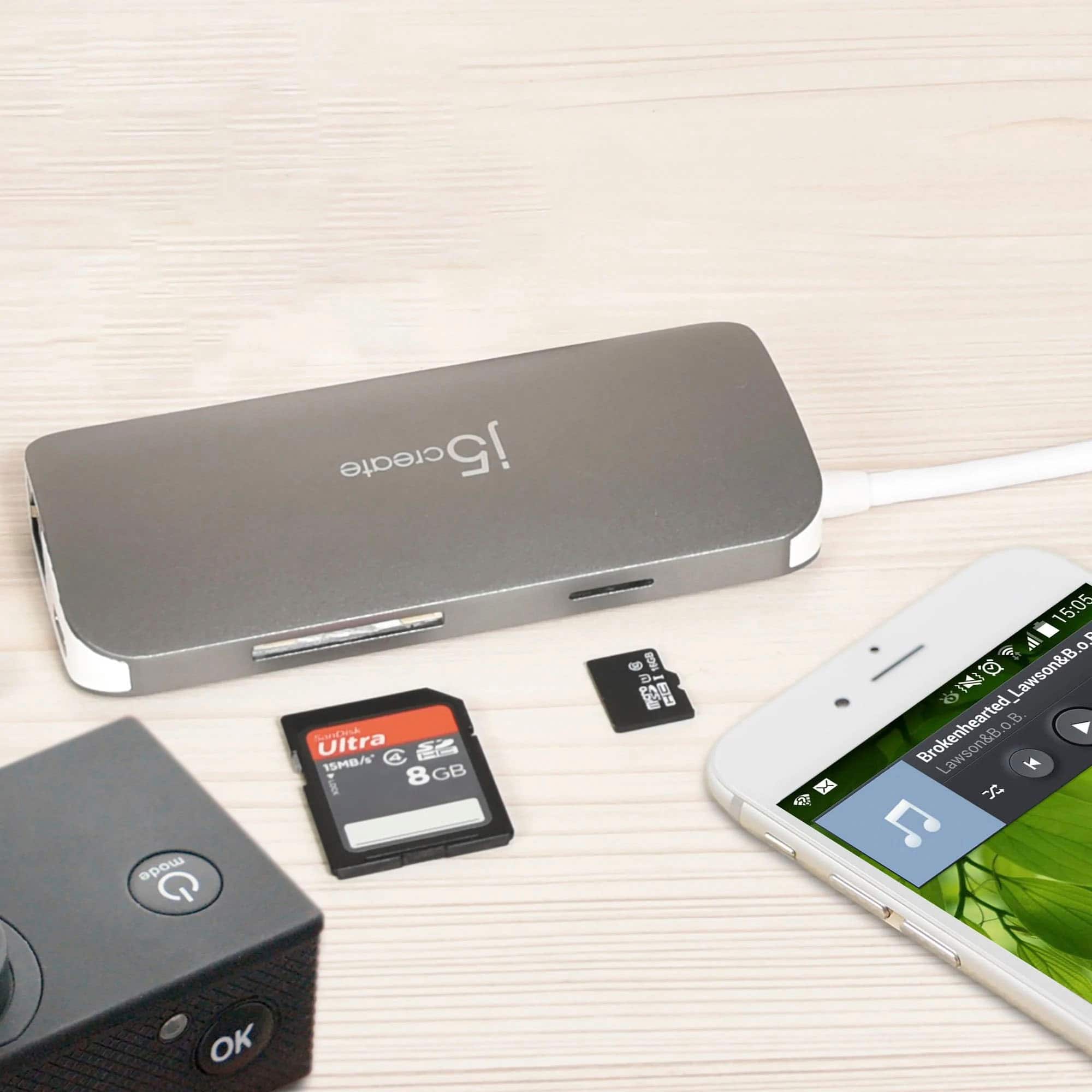
||Posted . Owned for 3 weeks when reviewed.This reviewer received promo considerations or sweepstakes entry for writing a review.Worked well for USB and CD peripherals. But the SD card reader (or maybe Windows 10) wouldn't read my camera's SD card. I had to use the cable for my camera and it worked.
I would recommend this to a friendBrand response from J5create Team
Posted .Hey there, in the scenario where the SD card is not reading, this could be due to formatting needed on the card itself. If needed, representatives are standing by ready to lend a helping hand and narrow down the root of the issue.
Cordially,
j5create
- Cons mentioned:Heat
Works well but gets EXTREMELY HOT
||Posted . Owned for 2 months when reviewed.This reviewer received promo considerations or sweepstakes entry for writing a review.Works well, but gets EXTREMELY HOT very quickly I would recommend disconnecting the unit any time it is not needed
No, I would not recommend this to a friendBrand response from J5create Team
Posted .The Adapter is built with compactness and portability in mind, it is expected to observe that the aluminum shell of the USB-C adapter gets warmer, especially if the USB-C pass-through charging and/or all ports on the hub are utilized. Please note that hotter operating temperatures can be expected. If you have any questions or concerns regarding the unit, please contact our agents and they'll be happy to assist you. Thank you.
Do not buy from j5 create.
Posted .This reviewer received promo considerations or sweepstakes entry for writing a review.I just bought this item today. Plugged it in and it worked for at least an hour. I was doing homework when my laptop suddenly gave me a blue screen of death. It did the same thing immediately after restarting, so I unplugged the device. The laptop worked fine. When I plugged the device back in the laptop immediately blue screened. I highly recommend not buying from j5 create, their devices will likely die on you!
No, I would not recommend this to a friendBrand response from J5create Team
Posted .Hello,
We back our products with a two year limited warranty. If you would like assistance with troubleshooting the adapter and further information on the warranty our customer support team can help. You can find our contact information on the j5create website under the ‘Support’ tab. I hope that you give us the opportunity to make this right.
Thanks,
j5create
very good for daily use
||Posted .This reviewer received promo considerations or sweepstakes entry for writing a review.it is very helpful with 8 ports, but it is kind of heating a lot but still very helpful
I would recommend this to a friendBrand response from J5create Team
Posted .Minemem03, If the JCD383 is becoming warm, this is normal due to electricity running through the hub. If it is becoming hot to the point where it is harming you, we recommend contacting the support team and a rep will diagnose, troubleshoot and offer solutions; if necessary offer an exchange under the manufacturer's warranty.
Respectfully,
j5create
Needed for Additional Ports
||Posted . Owned for 3 weeks when reviewed.This reviewer received promo considerations or sweepstakes entry for writing a review.This was a must when I purchased my new laptop that had limited ports. The cord does make it difficult at times to allow the device to lay flat on a table.
I would recommend this to a friendBrand response from J5create Team
Posted .Thank you for your review. We do keep our host cable to a certain length to avoid signal degradation. We appreciate your feedback, KHardy.
A substitute for docking port
||Posted . Owned for 3 weeks when reviewed.This reviewer received promo considerations or sweepstakes entry for writing a review.So far so good. Works well as docking port for my Samsung Galaxy laptop.
I would recommend this to a friend- Cons mentioned:Heat
Gets hot
||Posted . Owned for 8 months when reviewed.This reviewer received promo considerations or sweepstakes entry for writing a review.I’ve noticed that I have trouble using my DVD player with this adapter into my MacBook Pro. It’s gets really hot during use and loses connection
No, I would not recommend this to a friendBrand response from J5create Team
Posted .High power devices like optical media players are best plugged directly into your computer. Apple even recommends that their Super Drive be plugged into the computer and not through a hub. The adapter may seem warmer than other computer adapters and that is due to the aluminum construction. The aluminum will transfer the heat from internal components while plastic will insulate and keep heat in.