Customer Ratings & Reviews


- Model:
- JVAW53Pro
- SKU:
- 6407848
Rating by feature
- Value
Rating 3.8 out of 5 stars
- Quality
Rating 3.9 out of 5 stars
- Ease of Use
Rating 3.8 out of 5 stars
Customers are saying
Customers are positive about the ScreenCast Wireless Display Adapter's ease of use, overall performance, and connectivity. Many find the setup quick and easy, and appreciate its compatibility with devices like iPhones. However, some customers have concerns regarding lag and video quality issues, particularly when there is movement.
This summary was generated by AI based on customer reviews.
Agrevated
||Posted . Owned for 3 weeks when reviewed.This reviewer received promo considerations or sweepstakes entry for writing a review.I haven't figured out how to get video on my tv. I'm disappointed
No, I would not recommend this to a friendJunk item
||Posted . Owned for 3 weeks when reviewed.This reviewer received promo considerations or sweepstakes entry for writing a review.Piece of junk, does not work. Over priced. Better off with a google chrome cast for 40 bucks.
No, I would not recommend this to a friendBrand response from J5create Team
Posted .You will need to plug the USB into the built-in USB port on your TV or a USB power adapter. Turn on your TV to power up the ScreenCast. Select your TV's input/source until you see the setup screen. ** Feel free to contact j5create Technical Support if you require further assistance. Their information can be found on our website under the "Support" tab. Thank you.

Project to tv
||Posted . Owned for 3 weeks when reviewed.This reviewer received promo considerations or sweepstakes entry for writing a review.Awesome- allows me to project my iphone on the TV. Did not know about this until i found it at Best Buy
I would recommend this to a friendBrand response from J5create Team
Posted .Thank you for your support rating. Cheers!
wireless hdmi
||Posted .This reviewer received promo considerations or sweepstakes entry for writing a review.this thing is awesome works all the way on the other side of the house
I would recommend this to a friend- Cons mentioned:Video quality
Not really a great product
||Posted . Owned for less than 1 week when reviewed.This reviewer received promo considerations or sweepstakes entry for writing a review.t didn't really do what I want. It wasn't a seemless transition to set up and didn't work for Netflix for me or Hulu. Youtube worked ok but I found watching videos and whatnot was laggy
No, I would not recommend this to a friendBrand response from J5create Team
Posted .Hello,
Your feedback is appreciated. There seems to be a couple of issues at play here. First regarding Netflix and Hulu not playing. Subscription based services, such as: Netflix, Hulu, Disney+, HBO Now, and many others, will generally be protected by HDCP. HDCP is a form of protection that is used to prevent video and audio content from being displayed on unsupported devices, to ultimately prevent unauthorized copying of the content. There are few troubleshooting steps that you may want to try:
Ensure your Internet web browser is fully up-to-date
Test with another Internet web browser, e.g. Google Chrome, Mozilla Firefox
Connect the HDMI cable into a different HDMI input port on the display
Restart the computer and display
The general lag that you are seeing can be caused by several factors. Somethings that you can check are:
Interference from other wireless signals in the area
Obstructions between your computer and the device
If there are still issues with the device our customer service team will be more than happy to provide assistance. Contact information is printed on the device packaging and is available on our website in the Support drop down.
Thank you,
j5create
Amazon Firestick
||Posted . Owned for 3 weeks when reviewed.This reviewer received promo considerations or sweepstakes entry for writing a review.Works great. We put it on our RV to use when there is not a cable connection
I would recommend this to a friendBrand response from J5create Team
Posted .Thank you for your review. We're happy the connection worked in your RV. Cheers.
- Pros mentioned:Connectivity, SetupCons mentioned:Lag, Video quality

screencast from ANYTHING
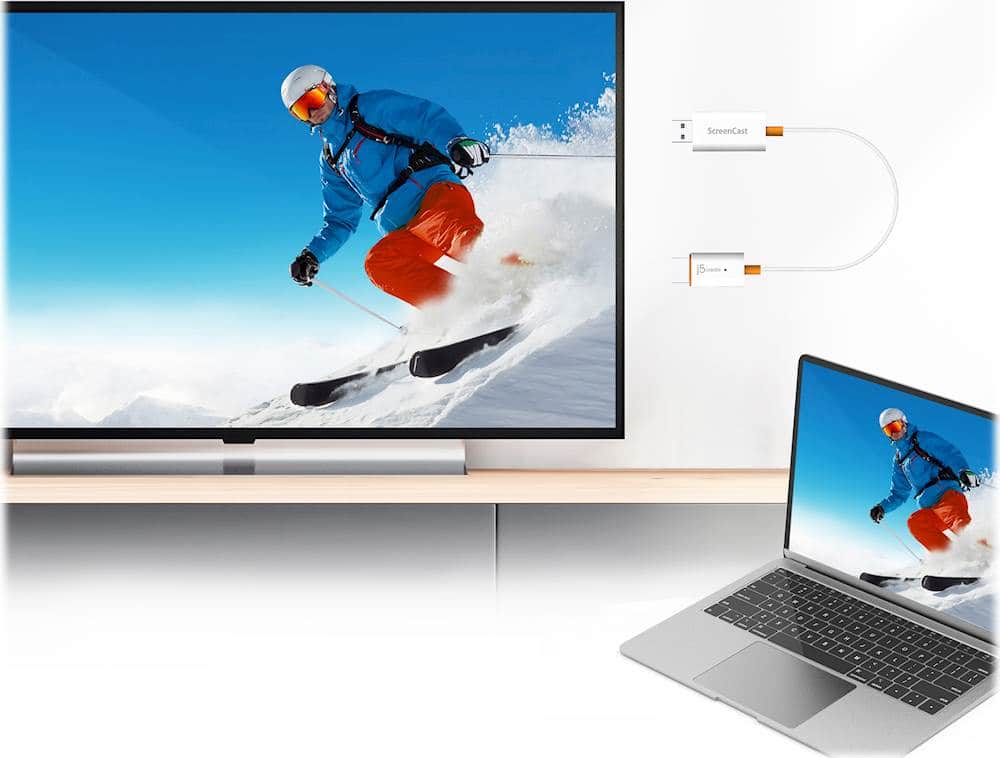
|Posted .This reviewer received promo considerations or sweepstakes entry for writing a review.Love this. You can screencast from anything. Windows PC. Yes. iPhone. Yes. Chromebook. Yes. Setup is straight forward. It's important to note that there are 2 ways to connect. 1. You can connect to the WiFi of the device directly or 2. You can connect this to your WiFi network so it's on your LAN. The latter is more useful if you are using it permanently in one location (home, office) but if you're using it as a portable extender, then go with Option 1 (Option 1 is also good if you're using this in hotels). In my tests, it's only really truly a 5G connection if you connect it to your own WiFi connection. Other things to note. There's a very minor lag on first connection as everything stabilizes (2-3 seconds) and it's much better for work, presentation purposes. It's not perfect for streaming video (watching Netflix) unless you connect iit to your WiFi connection. Personally, I think this is better than a Chromecast as it's detected natively by your operating system (even Apple) and there's no need for any apps - all of the admin functions are done through a Web Interface. Overall, it's a good and useful to have.
I would recommend this to a friendBrand response from J5create Team
Posted .Hello,
It sounds like you are enjoying the j5create screencast. This is a great solution to wirelessly connect to displays and not worry about having to download an extra app or having compatibility issues. Thank you for taking the time to leave this review period
Cheers,
j5create
Good
||Posted . Owned for 6 months when reviewed.This reviewer received promo considerations or sweepstakes entry for writing a review.Perfect for what I needed it for. The length is great as well.
I would recommend this to a friendBrand response from J5create Team
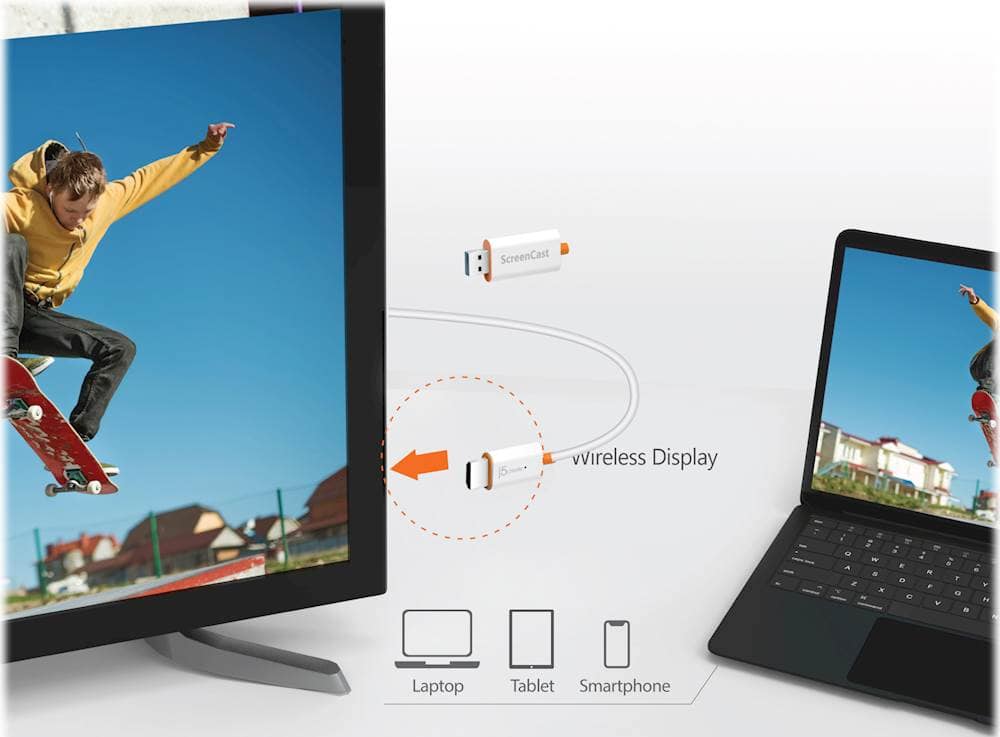
Posted .Wirelessly display content from a phone, tablet, or laptop onto a bigger screen with the ScreenCast Wireless Display Adapter. Thanks Lorraine, enjoy.
Great product
||Posted . Owned for 3 weeks when reviewed.This reviewer received promo considerations or sweepstakes entry for writing a review.Great product that worked well with my projector. Would recommend.
I would recommend this to a friendBrand response from J5create Team
Posted .Thank you Pdoc75, for your feedback and recommending our webcam. With gratitude, j5create.
Not worth it
||Posted .This reviewer received promo considerations or sweepstakes entry for writing a review.Not the least bit intuitive to set up. Cannot access the http://192.168.203.1 address on my iPhone or Macpro. I've never posted a negative review on a product until now. I wasted $50 on the product, plus time, plus $35 on SmartTV cast trying to get it to work. I will be returning this product.
No, I would not recommend this to a friendBrand response from J5create Team
Posted .I apologize for the experience you have had with your ScreenCast Wireless Display Adapter. In order to visit the 192.168.203.1 address you must ensure that you are connecting to the Wi-Fi network of the ScreenCast Wireless Display Adapter. Once you are at the 192.168.203.1 address you can connect the ScreenCast device to your home Wi-Fi network so you that you can cast via Airplay from your Apple devices. For further assistance I recommend contacting our customer support team by visiting the j5create website then click on the "SUPPORT" tab at the top right of the webpage. Thank you.
Great Wireless projection reciever
||Posted . Owned for 3 weeks when reviewed.This reviewer received promo considerations or sweepstakes entry for writing a review.Perfect audiovisual solution to my video projection needs.
I would recommend this to a friendBrand response from J5create Team
Posted .That's great to hear, DGray. Thank you for your review!
Product sucks!
||Posted . Owned for 3 months when reviewed.This reviewer received promo considerations or sweepstakes entry for writing a review.Do not buy this product, it sucks. I tried to cast Netflix, I heard voice, but the screen was black with subtitles. I bought this for my Mac to use a second monitor, but the mouse kept jumping around. I feel like I paid 60 for junk and can't return it.
No, I would not recommend this to a friendBrand response from J5create Team
Posted .Ensure that your browser or Netflix app is up to date.
In some cases, disabling hardware acceleration in your browser settings can resolve video playback issues. Check the settings in your browser and experiment with disabling hardware acceleration.
Verify the screen mirroring settings on your device. Some streaming services and apps may have restrictions or compatibility issues when screen mirroring.
Feel free to contact j5create Technical Support if you require further assistance. Their information can be found on our website under the Support tab. Thank you.
Good deal
||Posted . Owned for 2 months when reviewed.This reviewer received promo considerations or sweepstakes entry for writing a review.Special wire very nicely built and does everything it says it does
I would recommend this to a friendBrand response from J5create Team
Posted .Perfect for home, travel, office, and more. The ScreenCast works with a wide variety of apps. Just connect and share! Thank you, Bscott.
Just What I Was Looking For
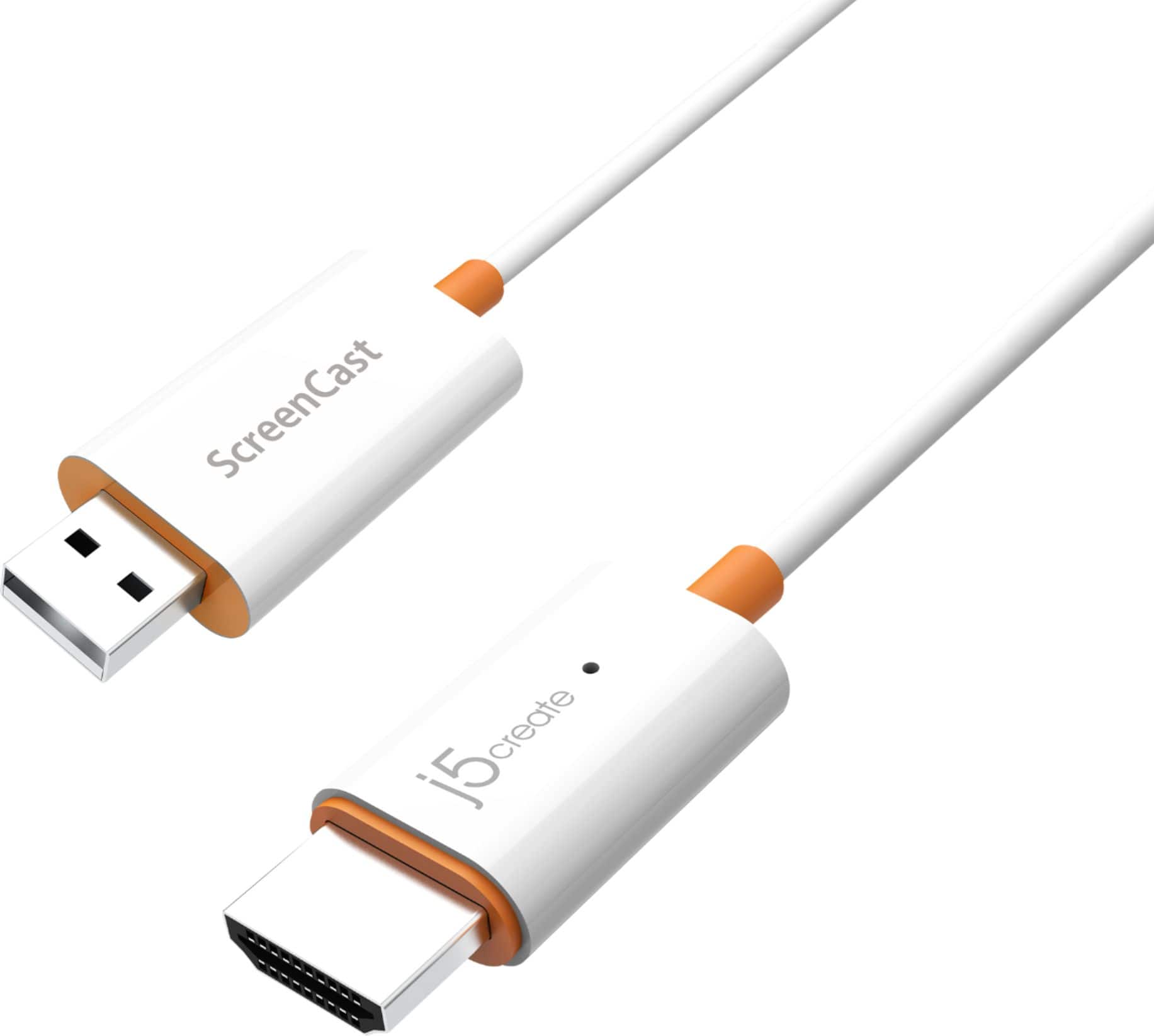
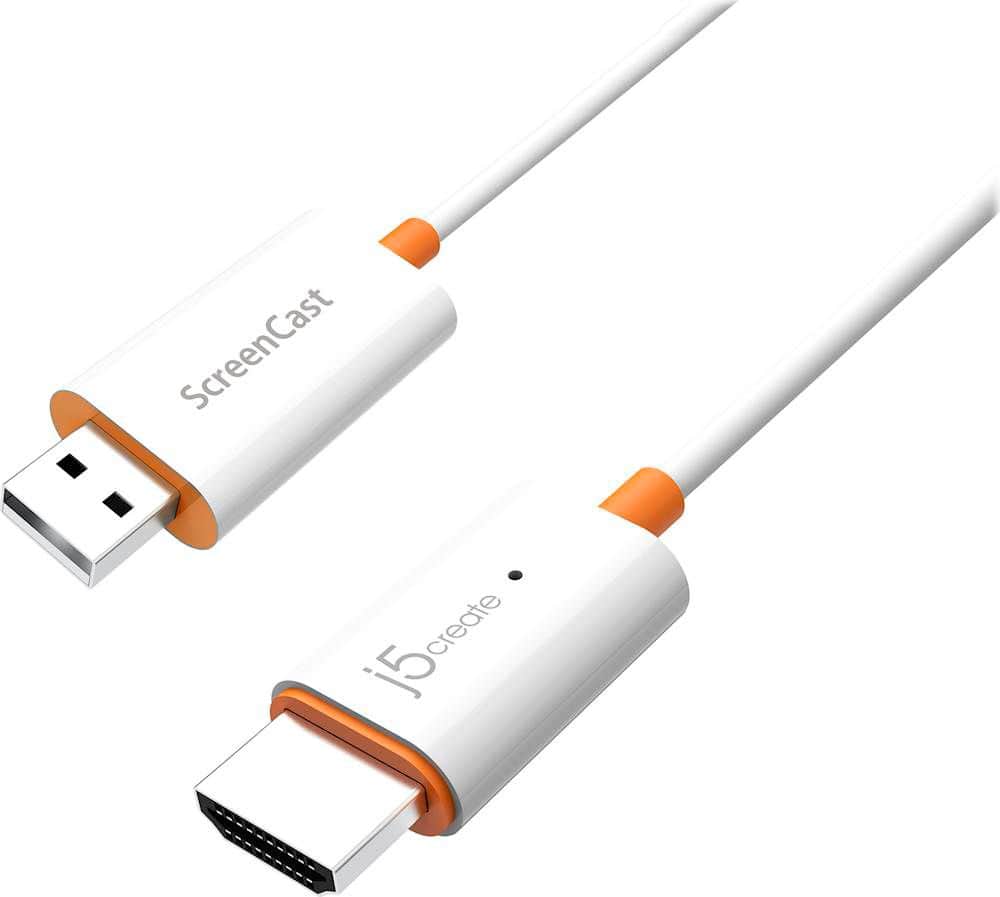
|Posted .This reviewer received promo considerations or sweepstakes entry for writing a review.I recently got a pico projector the size of my iPhone so I can show off my photography to prospective clients wherever I am. Unfortunately this projector doesn't have an SD card slot or any way to use a flash drive so it has to be connected using an HDMI cable to a secondary device like an iPhone. Yes, I could have bought a Lightning to HDMI adapter, an official Apple adapter sells for $49 and then I would have to carry with me an additional HDMI cable to go from the adapter to the projector. Most HDMI cables are rather long and I don't want to carry more than I have to. I tried using a Google ChromeCast that I had and the problem I had with that is that it as well as the iPhone has to be connected to a network. That's fine if I'm at home or in an office but if I'm in a restaurant or other place without WiFi, it wouldn't work. Enter the j5create - ScreenCast 5G Wireless HDMI Adapter. The j5create ScreenCast is a small HDMI to USB cable that plugs into the back of the projector and the USB end also goes into the projector to provide power to the adapter. The Screencast sets up it's own network providing Airplay as well as Mirrorcast (for Android phones). I can then just turn on my iPhone without connecting it to the adapter or projector, go into my WiFi setting and select the Screencast network and then swipe down on the Control Center, click on Screen Mirroring and select the Screencast and my photos will project on the wall. I can also use it to watch videos that are on my phone or from YouTube or other video services but to have a network connection as well as the Screencast network, you have to configure the phone using the settings that are shown on the screen when you first turn on the Screencast. The sound plays through the projector thanks to the HDMI adapter and I can always plug in a speaker into the projector. One thing I discovered is that I can't leave the j5create ScreenCast plugged into the projector when I shut down the projector because it continues to take power from the projector even when it's off and the adapter gets pretty warm. The solution to that? Unplug the adapter and put it away until I need it again. Not a big deal as I wouldn't want to carry the projector with the adapter sticking out for fear of snapping it off as it does protrude about an inch and a half. The package comes with a USB extender cable that I could use if I needed to plug the adapter into the back of a TV in a hotel room and I need to reach a USB jack on the TV or I could also use a USB charging adapter to power the device as well. This is a lot smaller to carry and less expensive than an Apple TV and a great addition to my go bag when I am out and about.
I would recommend this to a friendBrand response from J5create Team
Posted .Hello,
The JVAW56 is a great solution four wirelessly connecting a laptop to a projector for presentations. I always thought it best to bring your own adapters and cables to presentations because you never know what is going to be at the location. I hope you have a great day.
Thanks,
j5create
Don't waste your time or money
||Posted . Owned for 1 month when reviewed.This reviewer received promo considerations or sweepstakes entry for writing a review.Complete Junk! As an IT Professional I've configured thousands of devices, I bought this for my mother as a gift. Configuring it was a nightmare and it just doesn't work no matter how many times I tried to get it running. Took it back to Best Buy and bought a Fire Stick.
No, I would not recommend this to a friendBrand response from J5create Team
Posted .The ScreenCast Wireless Display Adapter is intended to connect to a TV with an available HDMI port and an available USB Type-A port. *If a USB port is not available on your TV, you can connect it into a wall outlet using a USB power adapter. Turn on TV to power up the ScreenCast. Select your TV's input/source until you see the setup screen. Thank you.
Inadequate signal strength
||Posted . Owned for 1 week when reviewed.This reviewer received promo considerations or sweepstakes entry for writing a review.The connection between the cell phone and the HDMI plug wasn’t strong enough to maintain a good connection for the screencasts. (8 feet)
No, I would not recommend this to a friendBrand response from J5create Team
Posted .Signal strength not being strong enough to maintain a connection can be a sign of an update in need. For such discrepancies, we highly recommend contacting the technical support team printed on the casing to speak with a specialist, they will be able to assist you in checking for updates and helping you obtain full functionality of your Screencast device. We apologize for the troubles you experienced and hope it's not too late to help.
Respectfully,
j5create
Don’t bother
||Posted . Owned for 1 month when reviewed.This reviewer received promo considerations or sweepstakes entry for writing a review.Very difficult to get set up and use. Very poor instructions. Had to call twice for help.
No, I would not recommend this to a friendBrand response from J5create Team
Posted .Instructions not being clear is frustrating and we're sorry to hear this was your experience. The JVAW56 offers instructions on the TV screen itself once connected in order to properly configure and setup, in the case where you are unable to get it working, out technical support team is available for troubleshooting via phone, chat, or tickets. We're very sorry to hear you had a hard time with your adapter and hope we can improve. Feel free to contact support for comments, questions, concerns and we will be glad to assist.
Respectfully,
j5create
- Pros mentioned:Compatibility, Ease of useCons mentioned:Lag, Video quality
Easy to use screen cast adapter!!
|Posted .This reviewer received promo considerations or sweepstakes entry for writing a review.Amazing little device! I'll be packing this in my work laptop bag wherever I go as it is perfect for taking on the go to display content wirelessly to most monitors and TV's (those that have HDMI at least). For conference rooms and meetings this is essential as it eliminates the hassle of trying to carry adapters for the various different setups that are out there, and eliminates having to be "in the right spot" to get to the cables for the display which more often than not is not the best spot for presenting to a group. It's an absolute must for devices that don't have many ports or have special ports like display port which require specific adapters. I've used it at home and at work to test out a few scenarios and it works flawlessly from by Windows 10 (my work and home computer) and even my android phone and tablet. To use it is as easy as plugging it in to a free HDMI port on the display you want to cast to and plug it in to a USB port for power (most TV's made within the last 10 years have one and even if not, a simple extension cable which is included with AC adapter you'd use to charge a phone would work too). From there follow the on-screen instructions to connect to the device to the internet (which isn't required but helpful if you need to be connected on Wifi) for whatever device you're connecting from. In Windows/Android and even iOS it's pretty easy to initiate sharing from there. In terms of quality, the picture is great and I'd definitely recommend using the 5 GHZ band, especially if you're doing anything like scrolling through documents or PowerPoints as it makes it smoother. I wouldn't hook it up expecting to play games as there's just too much latency even on the 5GHZ band to make it smooth/lag free. Video even in small frames seems to be okay but not great and when in full screen with lots of movement in the video there's definitely noticeable artifacts like a poor quality VHS/DVD. For everything else, browsing the web, sharing presentations, Zoom meetings and typical presentation type things it works great for me and I will be using it for that for sure! Goodbye to the cluster of cables/adapters for VGA/HDMI/DVI, etc. Overall, it's a great product and does what it should while being super easy to configure/use. I would recommend it for standard types of content like the web, photos, email, presentations, but not for playing 3D games and movies full screen.
I would recommend this to a friendBrand response from J5create Team
Posted .Good day from j5create,
We really appreciate you recommending the wireless screencast adapter. It sounds like you will be getting a lot of use out of it for meetings and conferences. Thank you very much for your detailed review. I hope that it helps other customers in the future contemplating this device.
Have a great day,
j5create
**********
||Posted . Owned for 1 month when reviewed.This reviewer received promo considerations or sweepstakes entry for writing a review.Looks good but I can’t get it to work on what I need
No, I would not recommend this to a friendBrand response from J5create Team
Posted .Please contact our Technical Support Team, so that they can get more information from you; in order to properly answer your issue. Their information can be found on our website under the "Support" tab. Thank you.
It’s okay
||Posted . Owned for 2 months when reviewed.This reviewer received promo considerations or sweepstakes entry for writing a review.There are cheaper products that works just as well or better
No, I would not recommend this to a friendBrand response from J5create Team
Posted .Please contact our Technical Support Team, so that they can get more information from you. Their information can be found on our website under the "Support" tab and a specialist will be ready to assist you if you are having issues with our Adapter. Thank you.