Customer Ratings & Reviews
- Model:
- JVAW53
- SKU:
- 6407839
Rating by feature
- Value
Rating 3.7 out of 5 stars
- Quality
Rating 3.7 out of 5 stars
- Ease of Use
Rating 4.1 out of 5 stars
Customers are saying
Customers appreciate the Wireless Display HDMI Extender for its excellent picture quality and ease of use. The setup is extremely simple, and it works well over considerable distances. However, some customers have reported issues with lag, inconsistent range and connectivity, and overall performance not meeting expectations.
This summary was generated by AI based on customer reviews.
- Cons mentioned:Range
Don’t buy
||Posted . Owned for 2 weeks when reviewed.This reviewer received promo considerations or sweepstakes entry for writing a review.Didn’t work at all and only 40 feet away from each other. Returned
No, I would not recommend this to a friendBrand response from J5create Team
Posted .I'm sorry to hear about your negative experience with the JVAW53. The JVAW53 unfortunately will not work if it is not properly setup. In such situations, we recommend reaching out to the technical support team printed on the packaging and a specialist will be happy to get you up and running in no time. We greatly value your review and time and hope we can still make a difference.
Respectfully,
j5create
Disconnects frequently
||Posted . Owned for 1 month when reviewed.This reviewer received promo considerations or sweepstakes entry for writing a review.I wanted to replace my Action-Tec transmitter and receiver duo I had for 5 yrs. It t worked well at first with my dvd player as the source to my lcd projector. But when connecting my ps4 it disconnects every other minute. Very frustrating. I wouldn’t recommend.
No, I would not recommend this to a friendBrand response from J5create Team
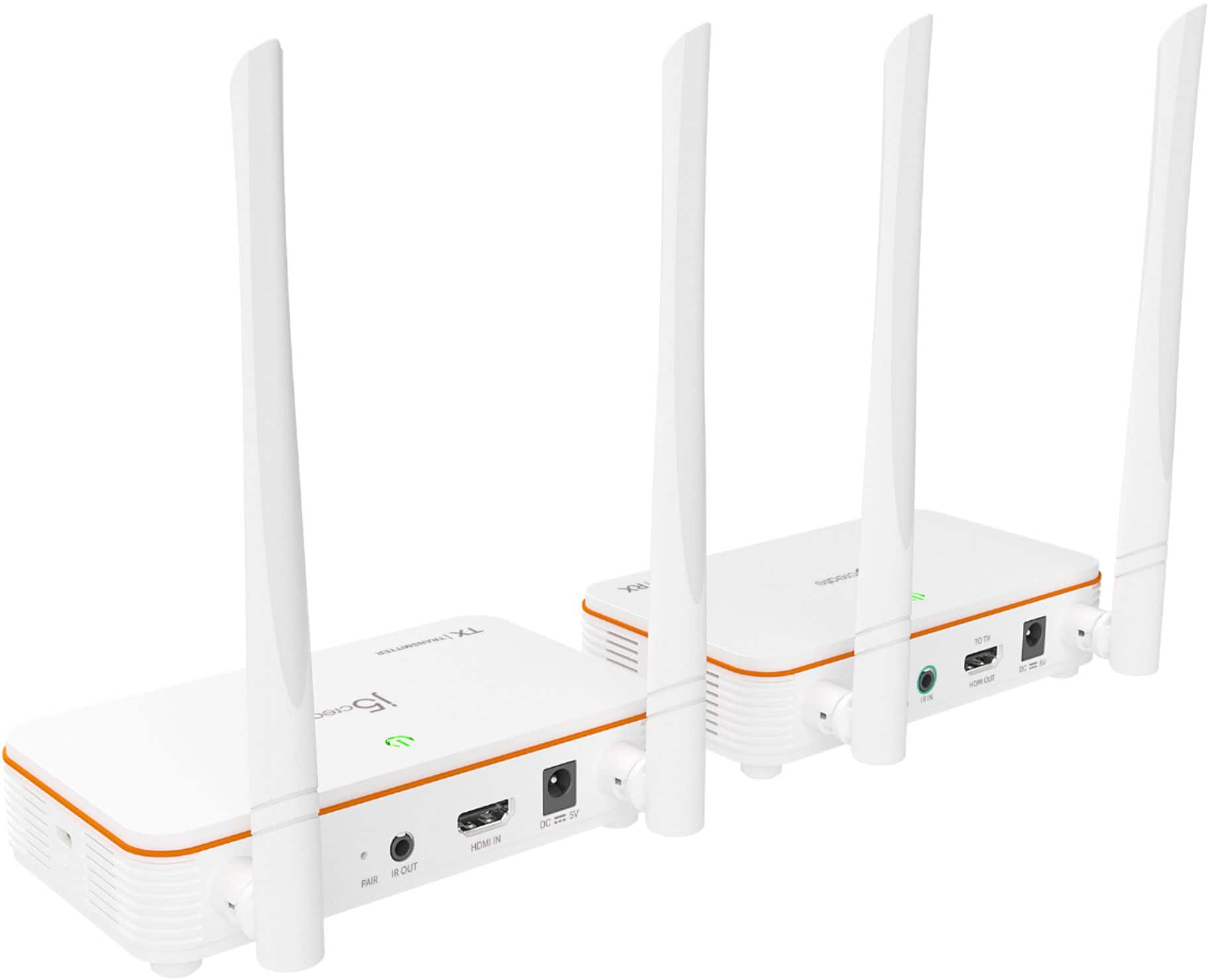
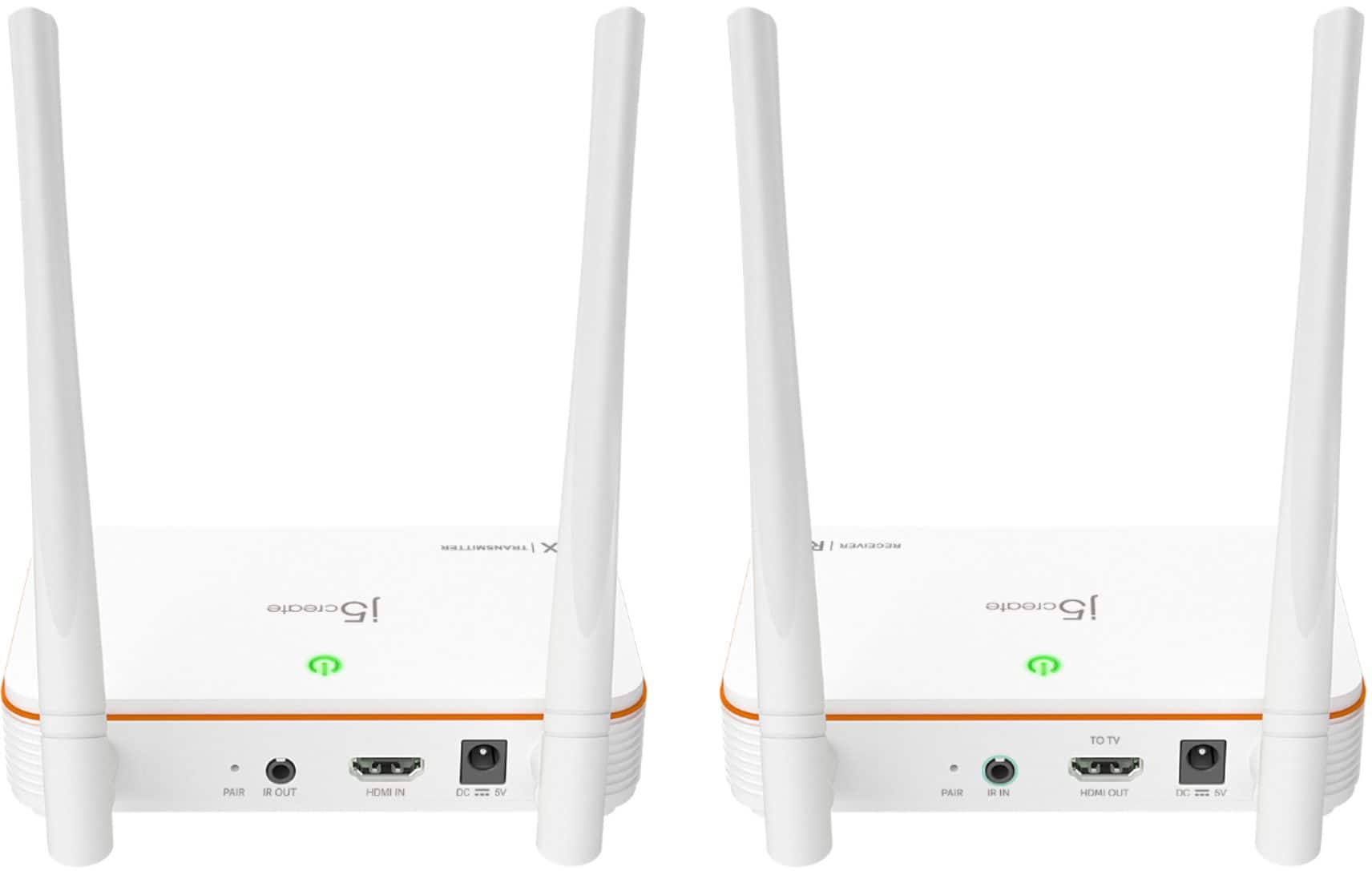
Posted .We recommend re-pairing the Wireless Display HDMI Extender once more. Connect both units to a power adapter and stack them on top of each other. (They must be stacked on top of one another to pair). * In order to do that they have to be literally touching one another. This is because they use NFC (Near-Field Communication) to pair. Once both units are on, press and hold the pair button on the back of the device (you may need a needle to push the button that is inside the hole) until both units’ lights are blinking. They will both flash red or orange, and finally green when they have been paired. ** Feel free to contact j5create Technical Support if you require further assistance. Their information can be found on our website under the "Support" tab. Thank you.
Router
||Posted . Owned for 1 month when reviewed.This reviewer received promo considerations or sweepstakes entry for writing a review.was unable to connect. My verizon router was not compatible. i need to change internet companies
I would recommend this to a friendBrand response from J5create Team
Posted .Connecting monitors or simply watching a movie at a long distance wirelessly is what the JVAW53 does best. We apologize for the misinformation, but the JVAW53 is for sending a signal out to an external monitor, from a computer, or cable box... - it is not intended to work with a router. In order to better grasp what your intentions are, please feel free to contact support printed on the packaging and a specialist will be glad to help.
Thank you,
j5create
Works 5% of the time
||Posted . Owned for 3 weeks when reviewed.This reviewer received promo considerations or sweepstakes entry for writing a review.Picture goes out all the time. From 1 hour it works 5 minutes, then blue screen signal lost, cables are tight, still no picture.
No, I would not recommend this to a friendBrand response from J5create Team
Posted .I apologize for the experience you have had with your Wireless Display HDMI Extender. Our customer support team can assist you with finding the problem and solution. To contact our customer support team please visit the j5create website then click on the "SUPPORT" tab at the top right of the webpage. Thank you.
Did not Work
||Posted . Owned for 3 weeks when reviewed.This reviewer received promo considerations or sweepstakes entry for writing a review.Did not as described online. Called 5 and they said to take it back
No, I would not recommend this to a friendBrand response from J5create Team
Posted .We're sorry to hear the issue with the Wireless kit device. We apologize for the inconvenience. If you have any questions. our contact is available on our website under the "Support" tab.
laggy, spontaniously disconnects
||Posted . Owned for 1 month when reviewed.This reviewer received promo considerations or sweepstakes entry for writing a review.audio slowly lags more and more until the video is unwatchable. Entire system spontaneously freezes and disconects on a regular basis. Don't bother getting this.
No, I would not recommend this to a friendBrand response from J5create Team
Posted .Ensure that both the transmitter (connected to the source device) and the receiver (connected to the display) are properly powered.
Make sure that both devices are securely connected to their respective power sources and that all cables are properly plugged in.
Wireless signals can be affected by interference from other electronic devices. Ensure that there are no strong sources of interference nearby.
Obstacles like walls and furniture can weaken the wireless signal. Ensure a clear line of sight between the transmitter and receiver.
You could also try re-pairing both the transmitter and receiver units as well.
There are better!
||Posted . Owned for 2 months when reviewed.This reviewer received promo considerations or sweepstakes entry for writing a review.This isn’t the best wireless hdmi kit. This kit’s IR control didn’t work unless you had the remote within 1 inch of the receiver and at a certain angle. Also, this kit had a video lag from the audio and no way to sync them together.
No, I would not recommend this to a friendBrand response from J5create Team
Posted .Hello,
If you would like assistance with troubleshooting the wireless HDMI kit the j5create customer support team would be happy to help. Our customer support team’s contact information can be found at the link below:
https://en.j5create.com/pages/contact-us
Thank you,
j5create
- Pros mentioned:Ease of use, Picture qualityCons mentioned:Range

Easy Set Up, Low Latency, NOT 200 ft
|Posted .This reviewer received promo considerations or sweepstakes entry for writing a review.I had actually bought one of these Wireless HDMI Extenders from my Local Best Buy a week before I was given one to review and it worked great! I used it in conjunction with a HDMI splitter for a customer of mine to be able to view their security cameras on TVs in multiple areas of their retail shop. It did exactly what I needed, saved me time and my client labor costs to make a long run of cable. It transmits video without noticeable delay, transmits audio, and extends IR blasters as well! This HDMI wireless transmitter will do exactly what you want it to do and will make your life a lot easier...as long as there arent any obstructions. With their camera system being in an office, but their TV being approximately 70 feet away in another room, I figured that this transmitter would be well within its advertised range of 200 ft, and since it is less than half of the advertised range, this single sheet of 1/2 inch drywall shouldnt cause any fuss. I was wrong. The sender and receiver would not communicate this far with a single sheet of drywall (no insulation, no second sheet of drywall on the other side, just a single piece of drywall) in between. This piqued my interests of what the actual capabilities of this kit was, so with the help of the very easy to read display on the receiving end TV, I moved the transmitter around the building seeing where it would connect and where it wouldnt. The farthest I would get Line of Sight was 122 feet. The farthest I could get with any obstruction was shy of 20 feet. No where near the advertised range, but still a good tool if you have line of sight. When it came to set up, these boxes are plug and play. VERY user friendly. Even the least tech savvy person in the world could handle install of this product. Fortunately, this is also a good looking product. I ended up having to drill a hole in the drywall and mount the transmitter in plain sight on the drywall on the sales floor. But the white case and design of this transmitter keeps it from being an eye sore. Ultimately, this product will save you a lot of work and time, but it will not achieve the lofty claims on the box.
I would recommend this to a friendBrand response from J5create Team
Posted .Hello,
We appreciate your detailed review of the j5create HDMI over wireless extender kit. Another factor that you may want to consider while using this kit other than physical obstructions is other wireless signals in the area. Other wireless signals can interfere with this device. If you have any further questions on this device feel free to contact j5create customer support. Our contact information is printed on our product packaging and is also on our website under the support dropdown.
Thank you,
j5create
Didnt work for me
||Posted . Owned for 1 month when reviewed.This reviewer received promo considerations or sweepstakes entry for writing a review.Terrible didnt work for me. It worked for a few seconds then never worked again.
No, I would not recommend this to a friendBrand response from J5create Team
Posted .Ensure that there is a strong and stable wireless signal between the transmitter and the receiver. If possible, reduce interference by placing the devices closer together or minimizing obstacles. Try re-pairing the units again.
Connect both units to a power adapter and have them close to each other. This is because they use NFC (Near-Field Communication) to pair. Once both units are on, press and hold the pair button on the back of the device (you may need a needle to push the button that is inside the hole) until both units’ lights are blinking. They will both flash red or orange, and finally green when they have been paired.
Not as good as wired HDMI
||Posted . Owned for 3 weeks when reviewed.This reviewer received promo considerations or sweepstakes entry for writing a review.Poor reception. TV picture freezing intermittently.
No, I would not recommend this to a friendBrand response from J5create Team
Posted .I apologize for the experience you have had with your Wireless Display HDMI Extender. The extender only supports a range of up to 200 ft/60m, if place further than this the connection will not be strong. Additionally if there are many obstructions such as walls that can interfere with the signal quality. If you require assistance or have any questions please contact our customer support team by visiting our website and clicking on the "SUPPORT" tab at the top right of the webpage.
Not worth the money
||Posted . Owned for 3 weeks when reviewed.This reviewer received promo considerations or sweepstakes entry for writing a review.Not a good product….transmitter and receiver are 10 feet apart and have poor reception
No, I would not recommend this to a friendBrand response from J5create Team
Posted .Please make sure there are no solid object between the two units, which could cause poor reception or interference (from other electrical/electronic devices or cables). Check there isn't a loose connection on either the source or display end of the HDMI cable. Try disconnecting and reconnecting the HDMI cable at each end. ** Feel free to contact j5create Technical Support if you require further assistance. Their information can be found on our website under the "Support" tab.
Do not waste your time
||Posted . Owned for 1 week when reviewed.This reviewer received promo considerations or sweepstakes entry for writing a review.Does not work! Receiver constantly dropped signal from source, which was about 25' away.
No, I would not recommend this to a friendBrand response from J5create Team
Posted .How far away are the sending and receiving units? Are there any solid object between the two units? Are both units showing a green light as if they have been paired or red/orange? May want to re-pair both units once more. ** Feel free to contact j5create Technical Support if you require further assistance. Their information can be found on our website under the "Support" tab. Thank you.
Didn’t Work
||Posted . Owned for 2 weeks when reviewed.This reviewer received promo considerations or sweepstakes entry for writing a review.Did not transmit for me. Wanted it for image from my cameras for a 10 foot distance. Had to return for something else.
No, I would not recommend this to a friendBrand response from J5create Team
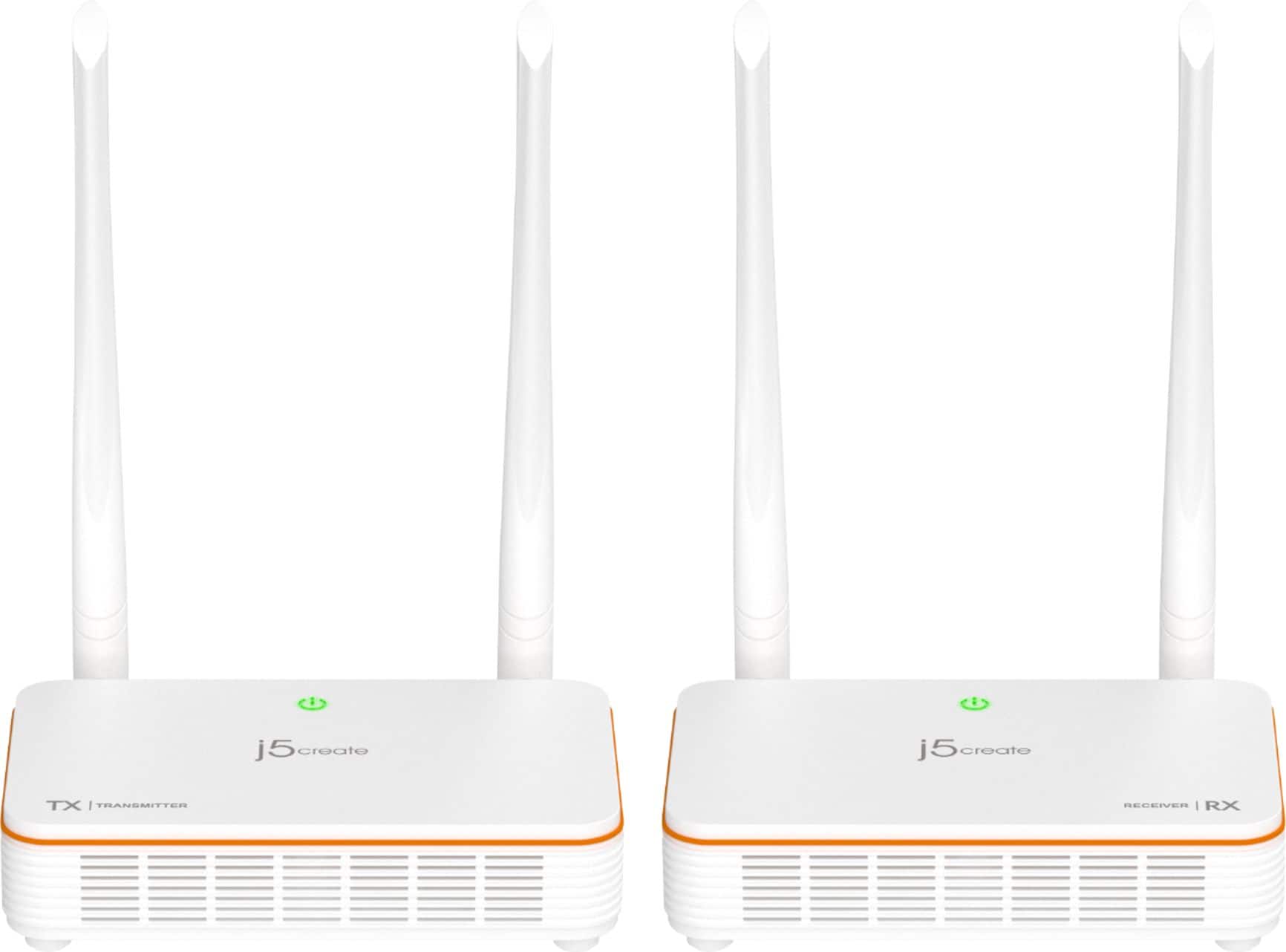
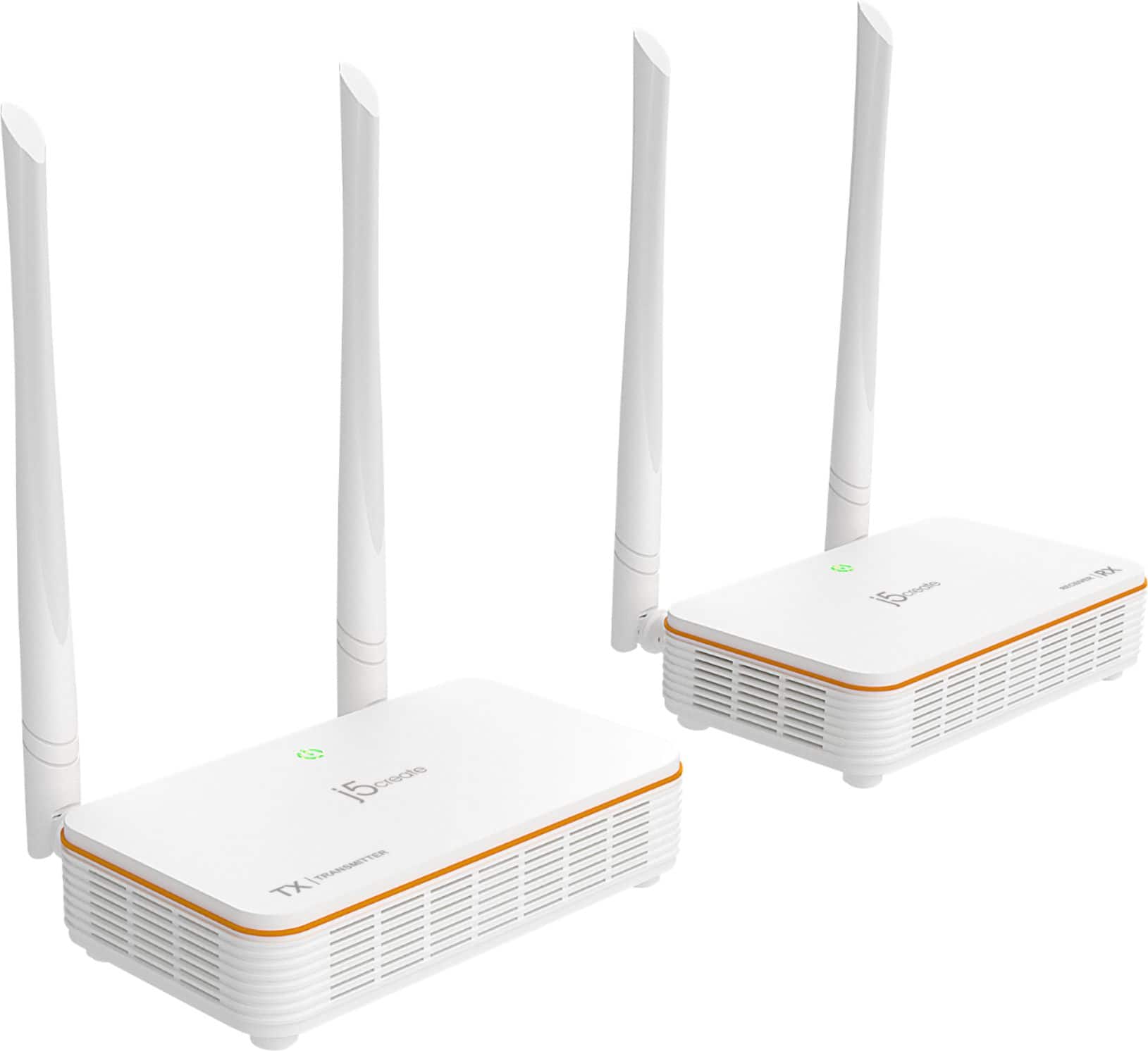
Posted .TX (Transmitter), Computer, DVD Players, Gaming Consoles and Cable Box.
RX (Receiver), TV’s, Monitors, Projectors
Walk away!
||Posted . Owned for 1.5 years when reviewed.This reviewer received promo considerations or sweepstakes entry for writing a review.The range is not that great, and sometimes it will just disconnect.
No, I would not recommend this to a friendBrand response from J5create Team
Posted .The Wireless Display HDMI Extender supports up to 200 ft (60m) wireless range. Please make sure there no solid object between the two units, which could cause Interference including other electrical/electronic devices or cables.** Feel free to contact j5create Technical Support if you require further assistance. Their information can be found on our website under the "Support" tab. Thank you.
- Pros mentioned:Distance, Picture qualityCons mentioned:Lag
Works pretty well for what it is.
|Posted .This reviewer received promo considerations or sweepstakes entry for writing a review.(I received this product in exchange for my fair and honest review.) J5create's HDMI over Wireless extender kit is a pretty handy piece of kit for those of you who fall into either category: 1) You want to use the secondary HDMI output (mirrored or zoned) from your home theater receiver to power a second TV elsewhere in your home, but you don't want to deal with running a HDMI cable or cabling for an HDMI balun kit, and 2) You installed your TV on a mantle or somewhere else not exactly close to where your AV equipment is, and now you want to connect it in a way where wires aren't seen. This kit solves those issues for you, at least if you're okay with (or using equipment that outputs) 1080p video with none of that fancy HDR or Dolby Vision stuff. It also works over decent distances flawlessly; I used it with a HDMI-capable computer monitor with approximately 40 feet between the transmitter and receiver, and the picture quality was nearly as good on the computer monitor as it was on the TV set. Setup wasn't plug and play for me, as I had to re-pair the units with each other out of the box, but re-pairing the units is easy, only requiring a pin to press a reset switch. It also comes with the ability to repeat your remote between the receiver and transmitter, so you can keep equipment in another room or behind a closed door. (Make sure that your AV equipment is always adequately cooled.) Is there a drawback to using the HDMI over wireless extender kit? Yes - the lag is just enough to through off some fast-paced games (Mortal Kombat 11 on PC, for example, wasn't as smooth for single-player over wireless as it was over wired). But even in high-paced action sequences, I didn't notice any motion artifacting like what earlier HDMI over wireless kits or cheap HDMI baluns (devices that connect HDMI over longer distances than HDMI cables should run using a pair of CAT6 or better network cables) can cause. Do I recommend this? If you're good with 1080p and HDMI 1.3 features, then this is fine. If you're using it with AV equipment that only supports 1080p signals, then yes. I'm using this set to run a second zone output from my home theater receiver to a 1080p TV in my basement, so I don't have to deal with running about 75 feet of ethernet cabling to use a Roku, Apple TV, and cable box while I'm down there.
I would recommend this to a friendBrand response from J5create Team
Posted .Hello Bill,
We really appreciate your detailed review on the wireless HDMI extender kit. Thank you for recommending the wireless extender kit. I hope you have a great day.
Cheers,
j5create
Wireless Extender
||Posted . Owned for 3 weeks when reviewed.This reviewer received promo considerations or sweepstakes entry for writing a review.Could not get this to work. It was very disappointing. I plan to return it.
No, I would not recommend this to a friendBrand response from J5create Team
Posted .Hello,
Before you return the Wireless HDMI Extender Kit I would suggest contacting j5create customer support for troubleshooting assistance. You can find our contact information at the link below:
https://en.j5create.com/pages/contact-us
Thank you,
j5create
- Pros mentioned:Picture qualityCons mentioned:Lag, Range
Cut the cord, again.
|Posted .This reviewer received promo considerations or sweepstakes entry for writing a review.Ever since I bought a projector I fell in love. My only hassle would be getting the darn thing to connect right, power cables, AV source and location, etc. in come J5create HDMI over wireless extender. I have been waiting to try something out like this for a long time. And let me tell you, as someone who imagined this would be possible, this doesn’t let down. Especially knowing the technology could only get better. It’s not difficult to set up. Follow the instructions. They’re not meticulous instructions. Just know what you’re transmitting to and set up accordingly to the indications on the device. Now as for picture quality, it’s great. 1080p is still absolutely viable in my opinion. My projector isn’t connected to the TV no other than with the J5create. Doesn’t lag unless you separate receiver and transmitter across one wall. Not noticeable and I’d say it was about 50-60 feet. I don’t recommend this for FPS. It lags just a tiny bit. Nothing noticeable to any average joe, if you play competitively online then you won’t be happy. I was so excited when this came out. It makes such a big difference because I have struggled with this problem and ran into this conundrum time and time again where I couldn’t set up because the cord wouldn’t reach. It’s absolutely satisfying knowing and being able to set up virtually anywhere as long as there’s a power cable. Absolutely recommend this for the day to day AV junkie.
I would recommend this to a friendBrand response from J5create Team
Posted .Hello from j5create,
We really appreciate your recommendation of the wireless HDMI extender kit. We're glad to hear that it has met your expectations for a wireless video transmitter. this device is ideal for wirelessly connecting to a projector.
Thank you,
j5create
Purchase
||Posted .This reviewer received promo considerations or sweepstakes entry for writing a review.Purchased this product easily from your store. Works wonderful!
I would recommend this to a friend- Pros mentioned:Ease of use, Picture qualityCons mentioned:Lag
Wish all electronics set up this easy!
|Posted .This reviewer received promo considerations or sweepstakes entry for writing a review.I am so happy with the ease that this system set up. I got this wireless extender primarily so I could send my PC audio/video signal to my home entertainment system whenever the mood struck me. Hooking up the j5 wireless extender kit to accomplish this was smooth as silk. Video out from my PC connected to the j5 transmitter via an HDMI cable. J5 receiver connected to one of the video-in ports on my A/V amp via an HDMI cable. Plug both in, wait a minute for them to sync and boom, you’re done! Seriously, I don’t remember the last time I hooked up anything electronic dealing with anything wireless or audio/video related that went so quick. The quality of the video is great too! There is a tiny bit of lag when moving my mouse pointer around on my TV, but very little. I played around with a couple other set ups including going from my Blu-Ray player upstairs to my bedroom TV downstairs. This reshuffle of equipment was again quick and easy and worked quite well too. The video and audio seemed on point even now we were sending signal thru the floor and about 50ft away. The device also utilizes IR passthru for any compatible remote controls. Allowing you to control you device producing the image be it a disc player, cable box or whatever from another room you are viewing it from. Just total awesomeness. All in all I am very happy with this product. I do wish they had a power switch or even better automatically shut off when not using them. But this is a small complaint when compared to my love of how well they work, so I still gave it a full 5 stars! Great product that is incredibly easy to set up and use. I would most definitely recommend this to a friend.
I would recommend this to a friendBrand response from J5create Team
Posted .Hello,
We really appreciate the 5-star review of the wireless HDMI extender kit. Glad to hear that it was easy to set up. Thank you for your recommendation as well.
Have a great day,
j5create
- Pros mentioned:Picture quality, Setup
Great wireless kit for all your devices
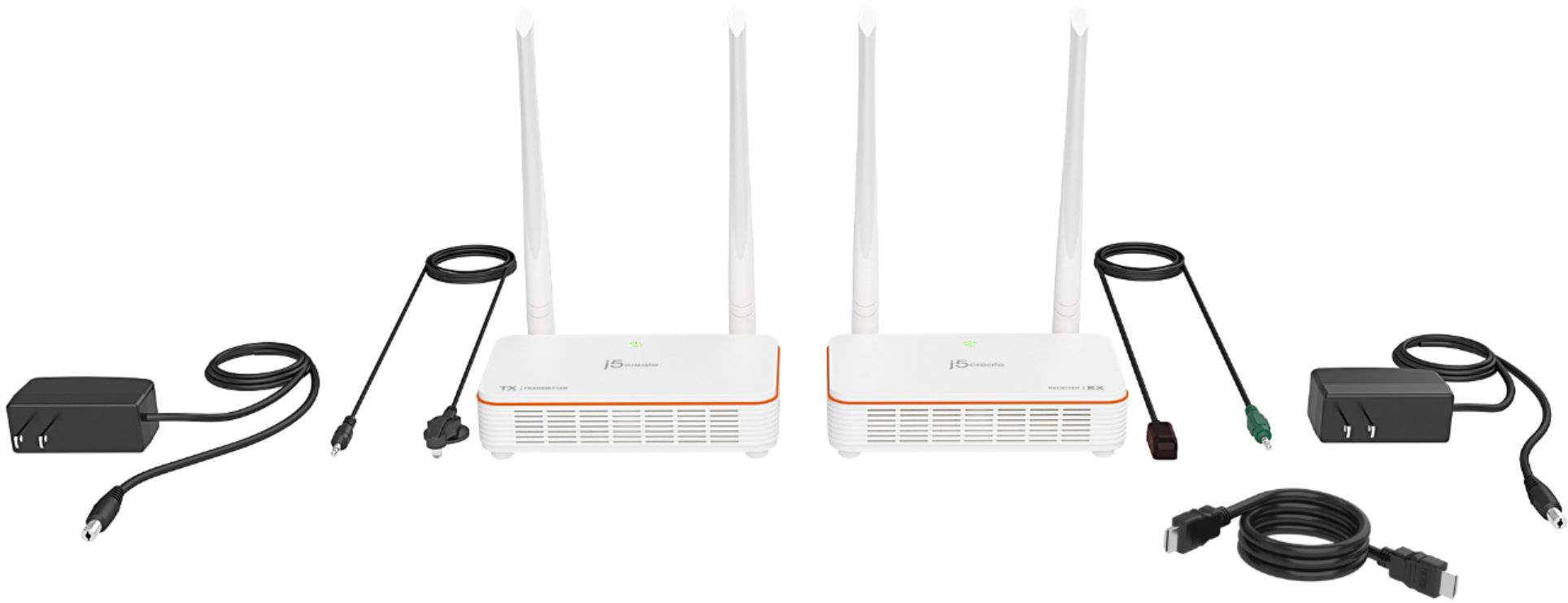
|Posted .This reviewer received promo considerations or sweepstakes entry for writing a review.Packaging: Very clean and simple packaging with wireless devices (transmitter & receiver), 5v power adapters for each device, HDMI cable, IR, blaster, IR receiver and instructions ………. Setup: Extremely easy setup which is really simple plug and play, as long as you pay attention to “transmitter” and “receiver” markings. ………. Experience: Honestly I have been looking for something like this for a while and I am glad that I found this. I live in split level house and it’s nearly impossible to run cords from one floor to other (it would require running cables through walls and 2 separated attics). I am using this primarily for my surveillance system which is located in the basement and to TV in my living room on the main floor, which sits on concrete slab. Beside floor difference itself, 3 walls in between and about 20-25ft distance between transmitter and receiver, device works well, with good picture quality (could get little blurry at times). I also did experienced few random disconnections where device would get blue screen with “connecting” message out of nowhere. Device reconnected back itself 3 times and once I had to power cycle them in order to get them connected to each other, so I will take one star away because of this. ………. Conclusion This wireless device definitely made my life easier. It saved me bunch of work, time and money – not to mention my house walls ………. Pros: Easy setup Wireless Long range Good picture quality Works with almost all devices ………. Cons: Few disconnections Picture loses quality
I would recommend this to a friendBrand response from J5create Team
Posted .Hello,
We really appreciate getting detailed reviews like this from our customers. Regarding the disconnections and loss of video quality. Going through 3 walls is going to cause a loss of signal quality. Also other wireless signals in the area can interfere with the signal between the transmitter and receiver. If you would like any assistance with troubleshooting our customer support team would be more than happy to assist you. Our contact information can be found on our website under the ‘Support’ drop down as well as on the product packaging. We can provide assistance by phone, email, or over live chat.
Thank you,
j5create