Customer Ratings & Reviews
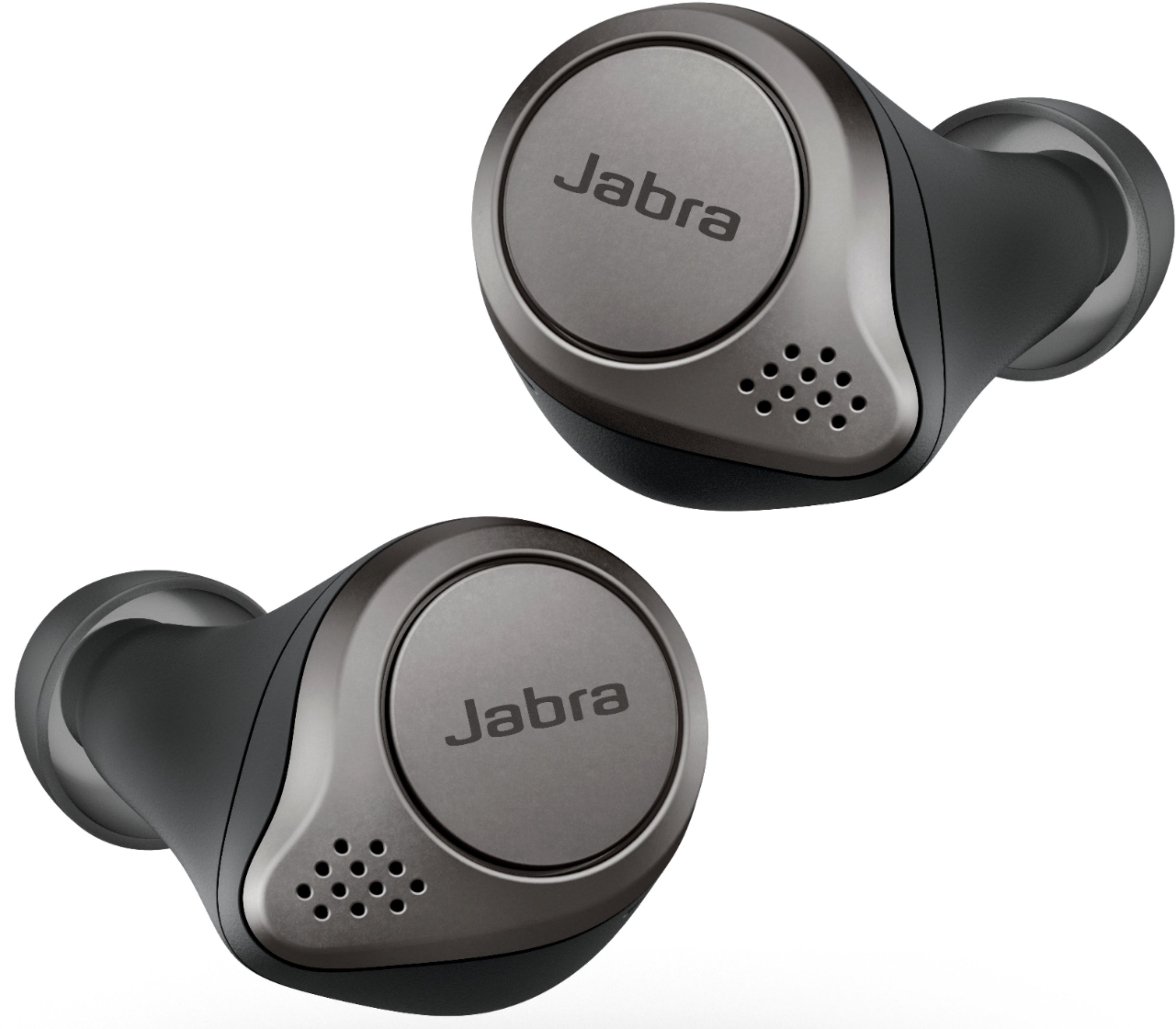
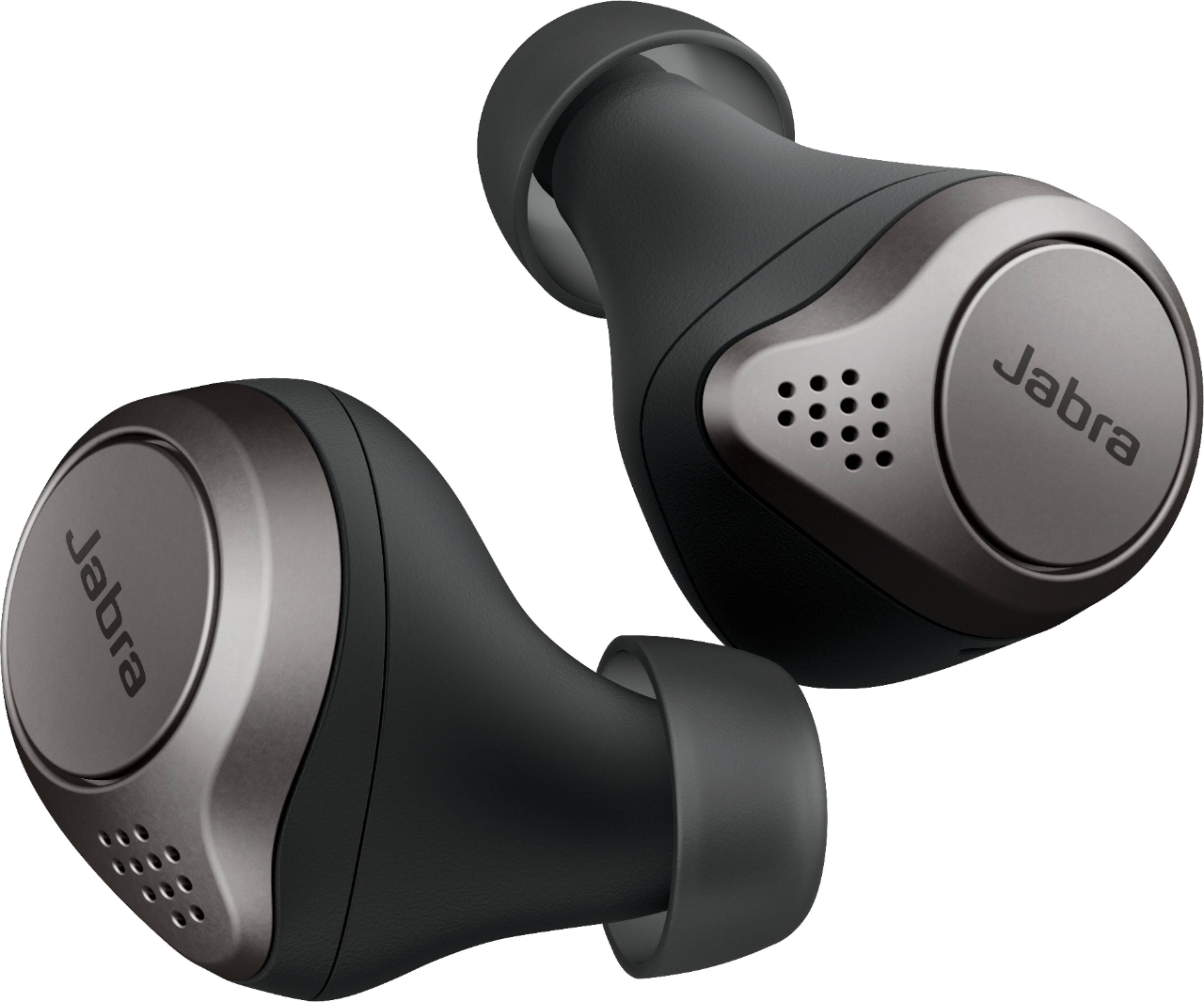
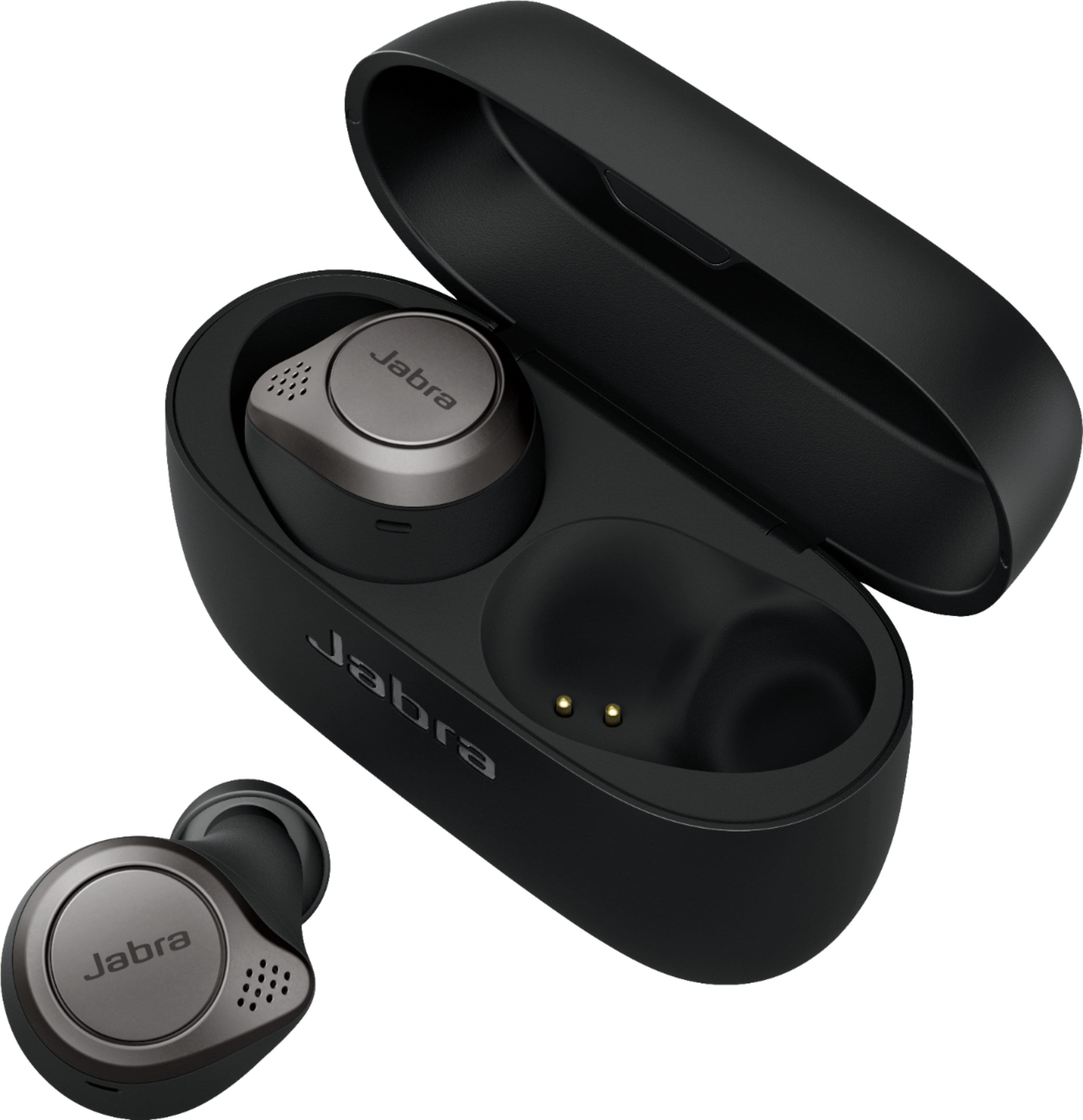
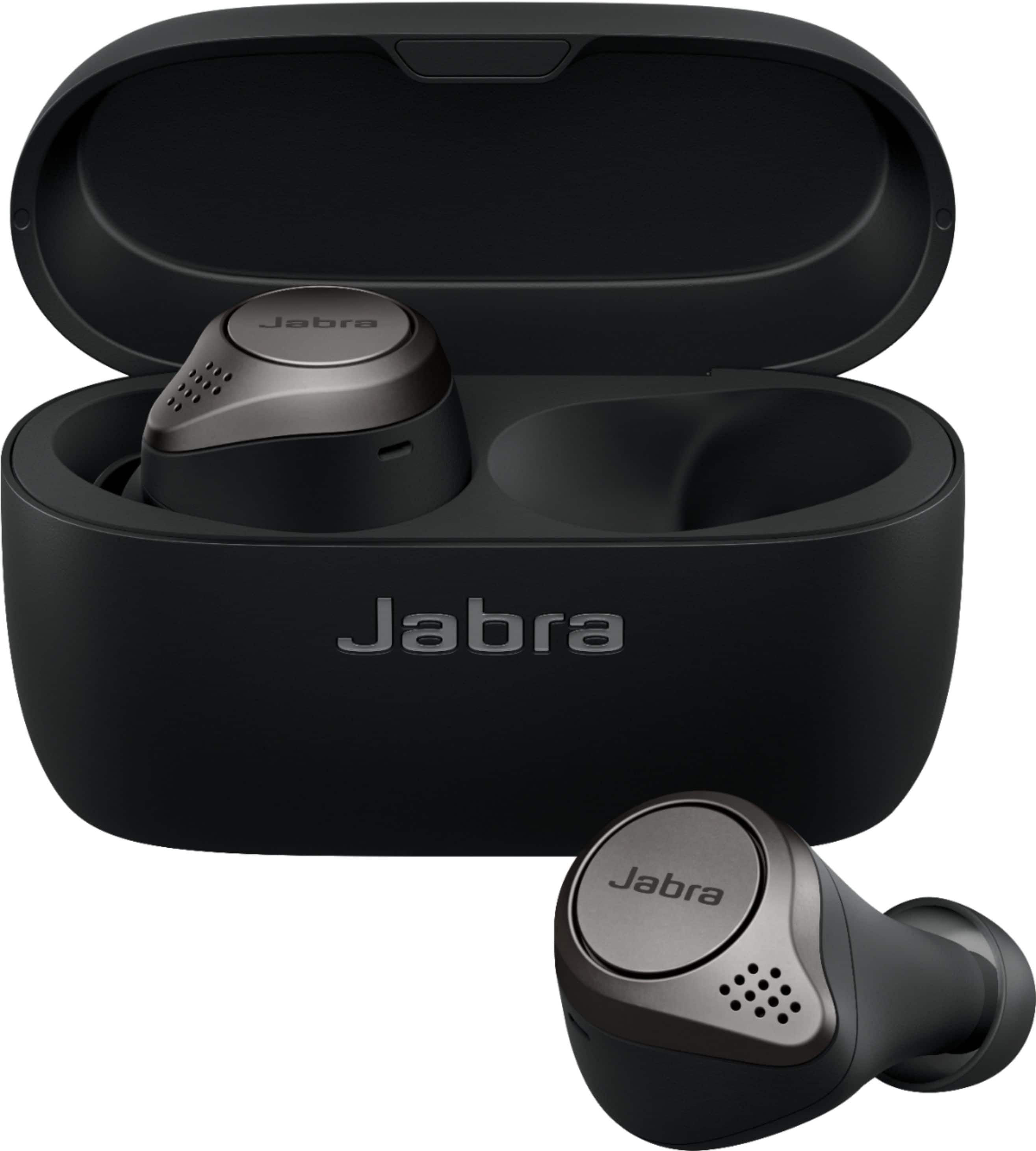







- Model:
- 100-99090000-02
- SKU:
- 6376040
Rating by feature
- Sound Quality
Rating 4.5 out of 5 stars
- Battery Life
Rating 4.4 out of 5 stars
- Connectivity
Rating 4.2 out of 5 stars
Customers are saying
Customers are impressed with the Jabra Elite 75t's sound quality, describing it as excellent and well-balanced. They also appreciate the long battery life, comfort, and secure fit of the earbuds. However, some users have experienced connectivity issues and uneven volume levels between the left and right earbuds.
This summary was generated by AI based on customer reviews.
- Pros mentioned:Comfort, Sound quality
Jabra 75t are still the top of the class
||Posted . Owned for 3 weeks when reviewed.This reviewer received promo considerations or sweepstakes entry for writing a review.Great pair of wireless earbuds.I loved them so much that this is my second set.... Stylish and comfortable.Anc noise cancellation is great and some many more features....Got this set in sale for 80 so that when makes it sweeter....
I would recommend this to a friend - Pros mentioned:Bass, Sound quality
Second pair I get just in case they get discontin
||Posted . Owned for 1 month when reviewed.This reviewer received promo considerations or sweepstakes entry for writing a review.I have the 65T and they are awesome so got the 75t they are way better in sound, for music with lots of bass there perfect . I recommend them hand down ,apple got nothing on these’s, only the price wish are more expensive that the jabra’s 75t.
I would recommend this to a friend - Pros mentioned:Battery life, Sound quality
Jabra
||Posted . Owned for 1 month when reviewed.This reviewer received promo considerations or sweepstakes entry for writing a review.I really liked the color. the sound is great and they are very easy to operate, the Battery life is very long and the portable charger is very efficient.
I would recommend this to a friend - Pros mentioned:Fit
Good things come in small packages
||Posted . Owned for 1 month when reviewed.This reviewer received promo considerations or sweepstakes entry for writing a review.Great pair of wireless earbuds, they are small and don't project as much. The hear through option is awesome when you working outside and listening to your surroundings. And the case is so small and compact. Must have!
I would recommend this to a friend - Pros mentioned:Battery life, Sound quality
Amazing sounds from the jabra headphones
||Posted . Owned for 1 month when reviewed.This reviewer received promo considerations or sweepstakes entry for writing a review.For the price these headphones are awesome. They sound clear and loud.. and they hold a charge for days.. I would recommend them to anyone. Awesome earbuds!!!
I would recommend this to a friend - Pros mentioned:Fit, Sound quality
Jabra ear buds
||Posted . Owned for 1 week when reviewed.This reviewer received promo considerations or sweepstakes entry for writing a review.Fantastic design fit in my ear amazing sound you can adjust in apps whatever you like easy to connect and can connect to my iPad and iPhone at the same time
I would recommend this to a friend - Pros mentioned:Sound quality
The G.O.A.T
||Posted . Owned for 3 months when reviewed.This reviewer received promo considerations or sweepstakes entry for writing a review.This best ear buds on the market, coming from some that get Sennheiser,technics, beats stupid buds 2 pair of jbl buds monster had iPods pro sold them to get the technics… long story short jabra 75 T are better then all above
I would recommend this to a friend - Pros mentioned:Bass, Battery life, Fit

Superb Quality Buds
|Posted .This reviewer received promo considerations or sweepstakes entry for writing a review.I was really looking forward to these buds coming out and they succeeded in meeting my expectations. They are small, they are light and they literally go everywhere with me. I love the fact I can put them in my pocket and take them where ever I am going. One of my main uses for these buds are phone calls when I work from home. I use to keep my phone on speaker but now I just use these. Sound Quality: The sound quality and the bass production through these little buds is pretty amazing. I was not expecting good bass output from these but they succeeded in the bass department. I was listening to an audio book and I did find the voice sounded sort of scratchy almost like when you turn up the treble all the way and the bass all the way down. This doesn’t really bother me though. Build Quality: Build quality is excellent. The case is very nice and feels solid, the buds feel solid as well. You can tell Jabra made a quality product based on the build quality. Excellent job. Fit: This was a top concern for me as I wanted to be able to wear my buds all day long if needed without them hurting my ears. I realize now, that is not very practical and a pretty high expectation for something to sit in your ear all day and not hurt or bother it at all. These fit perfect. I had to increase the size of the ear piece but after that, they fit great. I can consistently wear these for several hours without any issues. I do find myself removing them after a long time of wear though. Not because they bother me but because I just don’t want them in anymore. Battery Life: The battery life on these is excellent. I have yet to have the buds run out of juice on me but it’s nice knowing if they do, you can just pop them in the case to charge them up. Very nice feature. Battery life has been superb so far. App and Features: The features on these buds are great I love the hearthrough mode and it works very well. I also like that if I have both of the buds in, I can hit the button on the left bud to toggle hearthrough on/off. Its very convenient. The app is also very good. It lets you know if there is a firmware update, you can toggle hearthrough and also adjust the level of hearthrough. It also has a location feature that will show you the last known location of your buds. Luckily, I haven’t had to use this yet but it’s a nice additional feature. It also shows you which bud is out of the case and the battery levels. Very well-made app to pair with the product. Issues: I don’t ever like this section of the review. I hate to complain about such a great product but it is the reason these lose a star. My biggest gripe is the fact that the left ear bud can not be used individually like the right-side bud. Similar products have this capability and I think it is super important especially if you frequently only have 1 bud in and want to switch ears due to fatigue or battery level etc. This very well could be a deal breaker for someone and I just don’t understand why Jabra did not include this feature. My second complaint is in regard to the hearthrough mode. This may be able to be resolved via a firmware update but it is quite annoying right now on the latest firmware and that is the hearthrough tends to cut out when the device your paired to does something that should be audible on the device. For example, if I’m scrolling through Facebook and I come across a video that starts playing the hearthrough with cutout real fast and back in. Very annoying. Some people said this came after a firmware update so I’m sure it can be fixed with one. All in all this is a great pair of buds and I would and have recommended them to friends who have purchased them and also love them.
I would recommend this to a friend - Pros mentioned:Battery life
Suitable Airpod Alternative
||Posted . Owned for less than 1 week when reviewed.This reviewer received promo considerations or sweepstakes entry for writing a review.I am an Android user that started with Airpods but recently switched to the Jabra Elite 75t. I am happy with the USB C charging and battery life. The accompanying app has some room for improvement. I am not a fan of the HearThrough feature.
I would recommend this to a friend - Pros mentioned:Battery life, Sound quality
Much improvement from previous model.
||Posted . Owned for 1 month when reviewed.This reviewer received promo considerations or sweepstakes entry for writing a review.Excellent sound improvement design and battery life, drastic upgrade from the T65 model.
I would recommend this to a friend - Cons mentioned:Connectivity, Volume
I Waited for Nothing what a big disappointment
||Posted . Owned for less than 1 week when reviewed.This reviewer received promo considerations or sweepstakes entry for writing a review.I waited many months to get my hands on these. Jabra then pushed the date back. When I finally got them they were easy to set up. The case Redesigned is much better. The size much better. Unfortunately that’s all the good. The call kept dropping. The headphones kept disconnecting. People said I sounded like I was in a tube. The volume is way to low. Very disappointed. I feel Jabra rushed these out. I’ll stick with the Apple AirPods pro.
No, I would not recommend this to a friendBrand response from Jabra
Posted .Hi DelRay Beach - Thank you so much for your review of the Jabra Elite 75t. We are so happy to hear that you are enjoying your EarBuds so far and the improved Charging Case. However, we are sorry to hear that you are experiencing connectivity difficulties with your EarBuds. This is certainly not what we would expect. We kindly ask that you contact our Technical Support Team with any additional concerns or questions that you may have: https://www.jabra.com/contact/support/jabra-support-consumer. We look forward to hearing from you soon!

- Pros mentioned:Sound quality
Great fit and sound
||Posted . Owned for 2 weeks when reviewed.This reviewer received promo considerations or sweepstakes entry for writing a review.These are great. Sounds loud, great bass and fantastic eq app. Returned the Sony xb bass for these..
I would recommend this to a friend - Pros mentioned:Battery life, Fit, Sound quality
True Wireless Earbuds that Tick All The Boxes
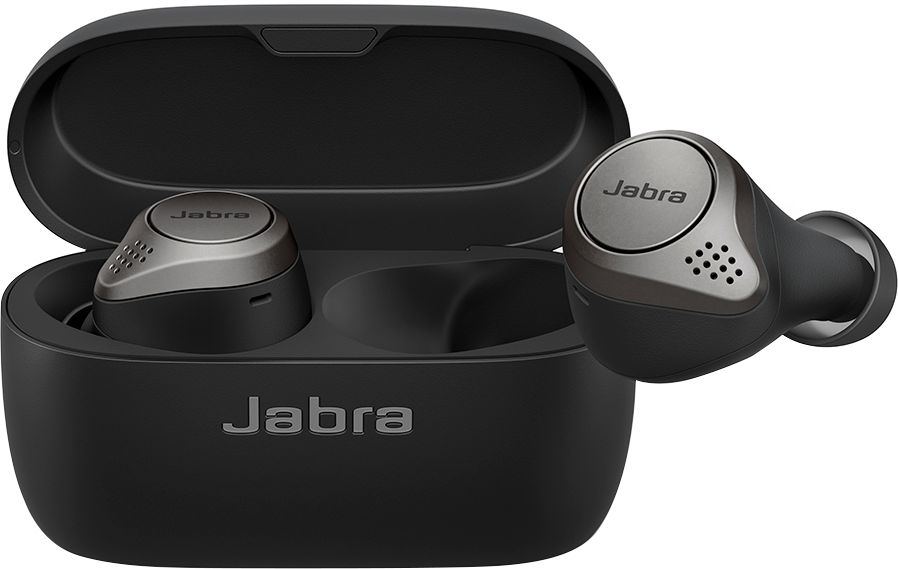
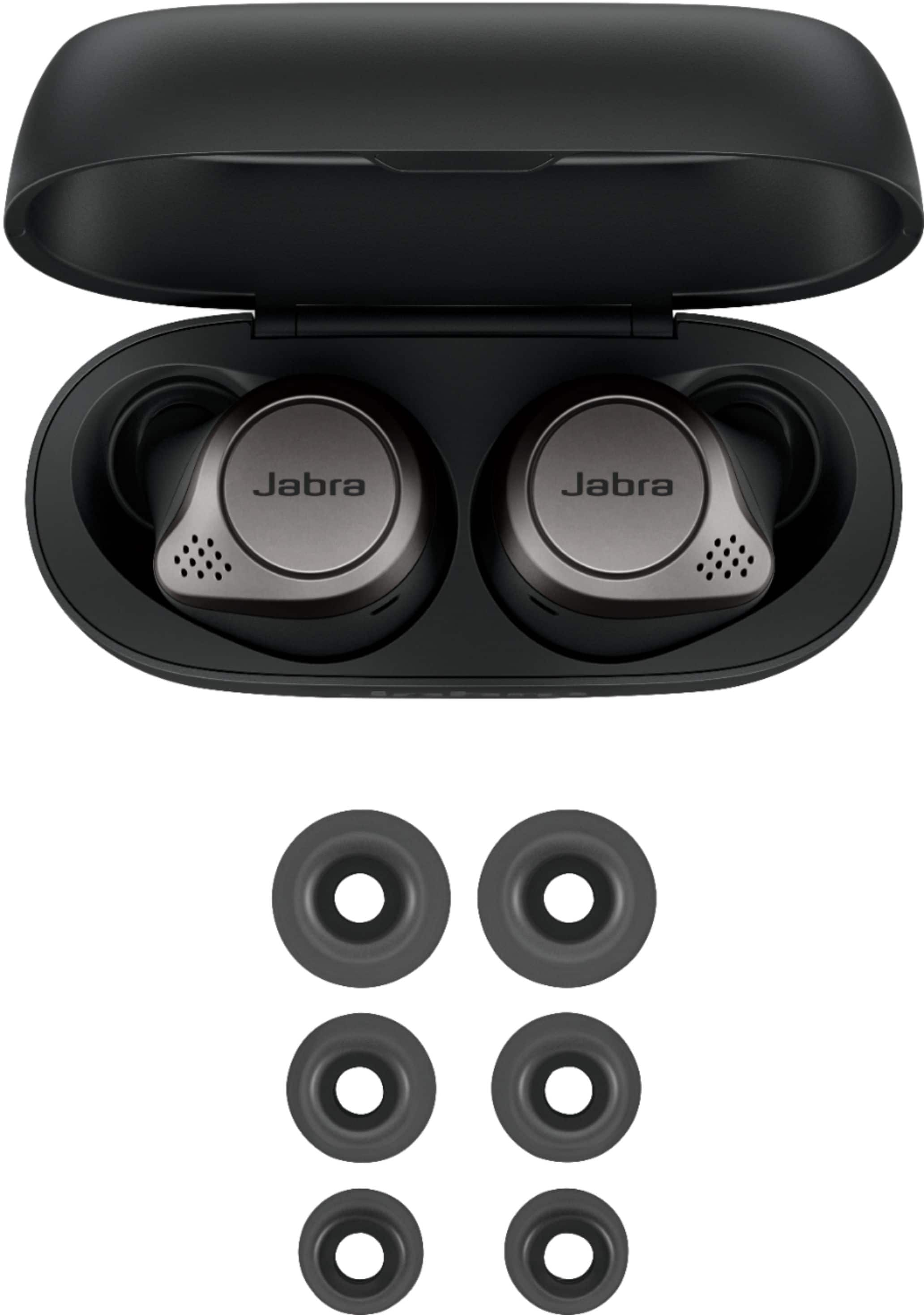
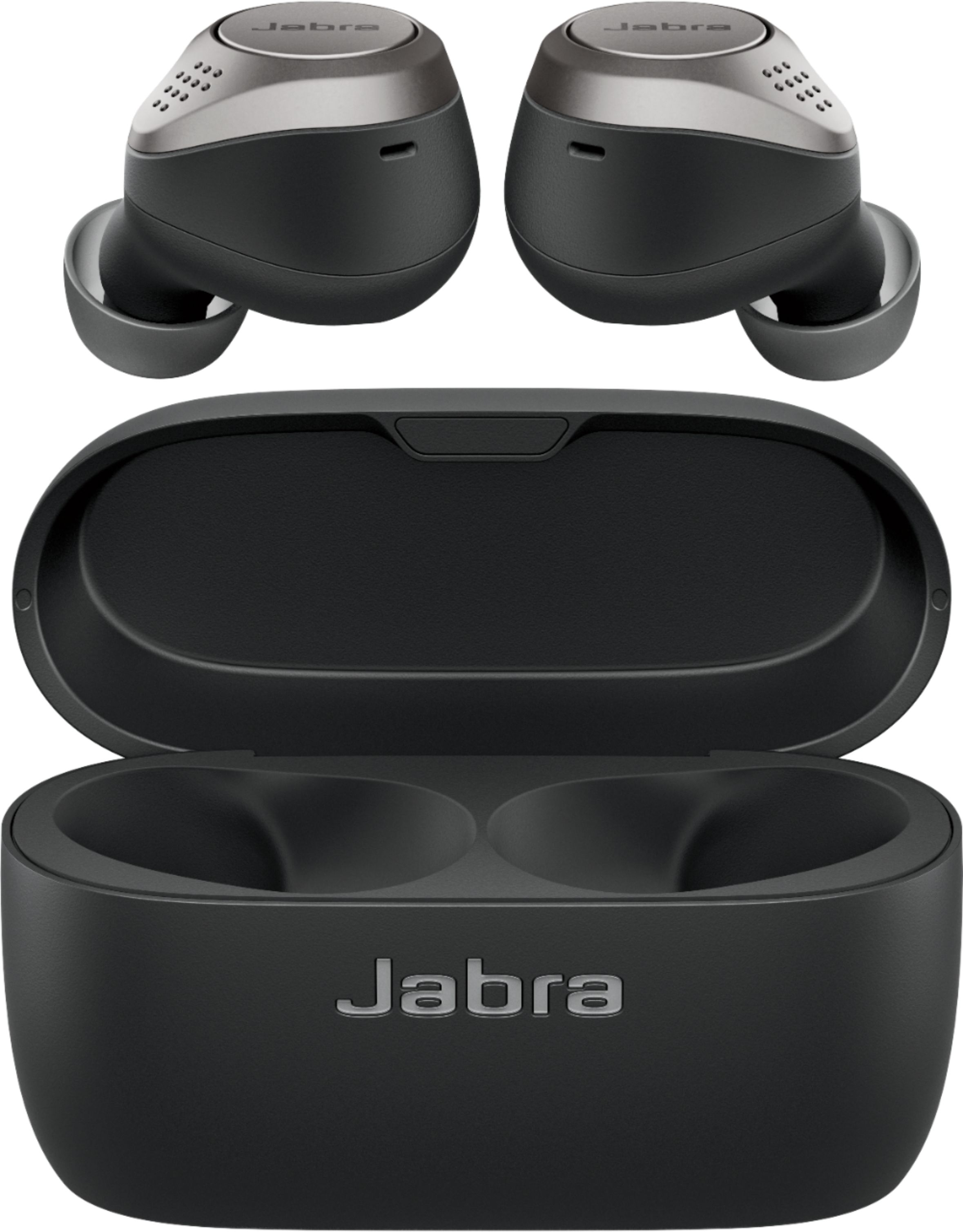
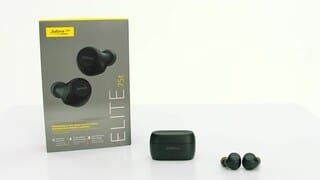
|Posted .This reviewer received promo considerations or sweepstakes entry for writing a review.The Jabra Elite 75t earbuds fill in almost all the voids that I have found with other earbuds and provide an awesome package in the True Wireless earbud space. I'll stop short of calling these perfect in the competitive space they are in, but just short as they really do almost everything well. As is becoming standard fair, the package and presentation of these earbuds keeps in line with the rest of the market competing in the premium space. When you open the box and pull the Elite 75t out you are greeted with the standard minimalist look, with a quick guide on the sheet highlighting the earbuds in the box. The cased is hidden behind the quick guide card, as is a box at the bottom containing the extra tips and the charging cord. The outer sleeve on around the box feels a bit unnecessary, but that's a minor complaint. Everything is straight forward and highlighted with yellow font to help guide you on getting started with using these earbuds when you get into the packaging. Another thing that is becoming common is the use of an app to manage advanced features, and the box holding the charging cord and eartips directs you to the Jabra app to get you going. Removing these from the package makes you aware of a couple key differentiators of these versus the competition: they are small, lightweight, and streamlined, and the charging case is small. Quality wise they feel pretty on par with the other premium true wireless earbuds in this segment. Each earbud sports a single button identified as the Jabra logo, and 1 microphone toward the front and 1 toward the rear. Each earbud is capable of 7.5 hours of play time when fully charged and the case packs another 20.5 hours of charge time in it. The case sports a magnetic hinged cover, a USB C port, and a single status LED next to the charging port. From an overall design perspective, Jabra nailed the simple approach of providing you only what you need in a non-flashy package. Having tested several other pairs of true wireless earbuds, I began immediately comparing these to the others. Using them for a couple days really helped reveal what sets them apart. The most immediate thing that stood out was the portability they offer. With the case being as small as it is, they fit in any pocket really well and hid without bulge or pressure in jeans. There was even a time or two I had to double check I had them. The fit of the earbuds in your ear is similarly comfortable. They aren't the lightest out there, but they are far from heavy. I found them comfortable to wear for extended periods of time, and I even dozed off on a couch or in a chair with them in and no discomfort or pressure from them. The ear tips seal up well when sized properly, and they block out quite a bit of ambient noise. The standard tips fit my ears, but two other pairs provide adjustment for others. An interesting note I made about the additional tips is the sealed blister pack they come in, instead of a bag or loose in the box. I really appreciate the HearThrough feature these provide, allowing me to carry out conversations or listen to my surroundings while also listening to my music. Pressing the button on the left earbud during music playback activates the HearThrough feature which uses the microphones on each earbud to allow you to hear the sounds around you without removing the earbuds. This worked great in my experience. Earbud controls tends to be an area many manufacturers struggle with. I find buttons to be either too soft to press, too hard to press, or not set with enough commands to make it easy for the wearer to use. Unlike my other Jaybird true wireless, these don’t require changing a control profile to have all the controls I desire on a set of true wireless buds. The buttons are borderline too soft for my taste, meaning they get activated sometimes when I try to make an adjustment, but the bonus is they aren’t so hard they push into your ear when pressed like I have experienced on others. It's a small sacrifice for me, though, given the inclusion of call controls, volume controls, and playback (seek, pause, next, prev) controls, along with the HearThrough, voice assistant, and Sidetone control. I can access any specific control on the go because they are always available via button press or hold. Call quality was pretty clear and while people could tell I was using earbuds, the overall consensus was the microphone worked well enough with less background noise carried through than others I have used. With both buds in during a call you can press the left button to turn on Sidetone. This feature allows you to hear your own voice, preventing you from being that yelling person on the phone in public. If you prefer to make calls with only one earbud in, though, these support mono use for both calls and music. And rounding out the in-call features is the ability to handle multiple calls by using the right ear bud to toggle between them, which is a nice addition. Music playback is very good, with good range in the mids and highs, and decent bass notes. These sound amazing compared to the cheaper sets, and compared to like items I think they sound a little better than most. I did play with the equalizer in the app and I was not as impressed with it as I was Jaybird's, but it does give a bit of control. Honestly, though, I think they sounded better to me with the default setting out of the box, or with just a minor tweak to the bass and treble for a custom setting. I tested playback time from a full charge and found they fell within a few minutes on either side of the quoted 7.5-hour time, which is spot on to me. I have not tried running down the case, but a cool feature to note is the Jabra app reports the percentage of case charge along with the earbud charge, which is helpful. One other feature to point out is that these support connection to multiple devices at once. I was able to connect to my computer and phone simultaneously for convenient music listening and call answering when needed, and it worked well. Only one audio channel can be active at a time, but that's typical with multiple connections. For example, while listening to music through my computer, a phone call on my phone would switch the earbuds to that connection. After the call the earbuds would remain on the channel with my phone. If I used the voice assistant feature, it would go to my phone. If I started music playback from my computer, though, it would switch back. Interestingly, when connected to the computer the voice assistant button would trigger Cortana in Windows 10. The only issue I ran into with multiple connections was the Jabra app had trouble identifying the connection of the earbud. When listening to music from the phone while also connected to another device the app had trouble and I couldn't access the feature options that were specific to my earbuds, like the equalizer. When I disconnected them from the other device they would show as connected in the app after waiting about 15 - 30 seconds. Other than that minor caveat, though, this bit of functionality worked great. I have been resistant to using true wireless buds as my daily driver and have been sporting a set of JayBird Tarah Pros since I got them because they did everything better for the cost. The new Jabra Elite 75t, however, seems to finally be the true wireless set that delivers on all the important areas to me. My JayBirds still sport a longer 14hr playtime before charge, and a better IPx7 rating when compared to the IP55 of the Jabra, but when I want to listen to music for less than 7.5 hours and I am not dunking my head under water, these things are hard to beat. The Jabra Elite 75t finally ticks the right boxes for me and fills in almost all the voids that other true wireless earbuds have left behind.
I would recommend this to a friend - Pros mentioned:Sound quality
Jabra Elite 75t wireless earbuds
||Posted .This reviewer received promo considerations or sweepstakes entry for writing a review.Wow these earbuds are great. I own 7 different ones the best one I own are galaxy buds plus and these are a close 2nd. One thing l like about the buds + is wireless charging and price was 20 $ less ... but these also sound great also has an app.
I would recommend this to a friend Impressed so far
||Posted . Owned for 3 weeks when reviewed.This reviewer received promo considerations or sweepstakes entry for writing a review.I've always been a little skeptical when it comes to audio quality and earbuds. On and over the ear headphones of quality, usually have a rich sound that is hard to duplicate with smaller drivers. So far this set has changed my thinking. I'm impressed by the depth of the lows and clarity of mid and high ranges. The downloadable app will let you fine tune to your desired levels. Wireless range, earpiece battery as well as charging case battery have been great. Once the controls on each earbud are learned you really are hands free. They're not true "sport" earbuds but stay put so far during workouts. We'll see how they perform over an extended period of time but as of this review I can't foresee any problems.
I would recommend this to a friendGreat product to fulfill versatile needs
||Posted . Owned for 1 week when reviewed.This reviewer received promo considerations or sweepstakes entry for writing a review.I purchased the Jabra Elite 75t Earbuds with an expectation to hear music and enjoy a quality sound. However, after I started using this earphones, I realized their potential as an allrounder in this space. While the sound quality is great, I now regularly use the earphones for taking meetings and phone calls. The comfortable fit and the amazing battery life ensure that I don't need to keep charging it again and again. The other good thing is the support that the app provides making it easy to customize all the settings based on your needs. I would highly recommend these earphones to anyone who may be in the market to purchase wireless earbuds.
I would recommend this to a friend- Pros mentioned:Battery life, Fit, Sound quality
Excellent earbuds for commuting.
|Posted .This reviewer received promo considerations or sweepstakes entry for writing a review.Unboxing and Setup The Jabra Elite 75t earbuds came in a nice box with clear instructions in the very front. The first step was to download the Jabra Sound+ app to my iPhone. Once loaded it stepped through the Discovery steps about how to use the earbuds. The earbuds paired easily and the Sound+ app found a firmware update automatically. Clear instructions appeared in the app. I put the earbuds in the case and LED blinked during the update, which took around 5 minutes. Rapid flashing indicated download of the update. When the blinking stopped I removed the earbuds from the case and inserted into my ears. The app showed "Configuring headset" and a progress bar. The rest of the update took another 10 minutes. Earbuds The earbuds have a nice solid feel. There is a bright led light at the top of the push button on each earbud which can show six different status conditions. The push button on each earbud is significantly large enough to easily press. The right earbud button controls playing/pausing of music, call answer/reject, increasing volume, and activating the voice assistant. The left earbud button controls the HearThrough toggle, decreases volume, selects next/previous music track, mutes a call, and toggles the Sidetone when on a call. There are three different sizes of pads provided for different ear sizes. I found that the earbuds, though small, fit quite securely and did not come loose during movement or conversations. I also like that music will pause when one of the earbuds is removed. Another nice feature is the earbuds will automatically turn on when removed from the case and will turn off when placed back into the case. The manual says there is 7.5 hours of battery in the earbuds and 20.5 hours in the case for recharging. I'm assuming this means the earbuds will automatically recharge in the case when itself is not plugged into a power source, then both the case and the earbuds will also recharge when plugged back into the provided USB cable. Charging Case The case is solid and has a nice texture for easily gripping. An LED next to the charging port on the back of the case shows the status of charge and status during firmware updates. Magnetic attraction pulls the earbuds into their sockets which is great for preventing the earbuds from falling out of the case - even if held upside down. The only drawback is it's a little tricky to get a firm grip on the earbuds when removing from the case. I found that if I pull from the middle of the case with one finger, the earbud will easily come out. The Jabra App The app is very detailed and has options for control all aspects of the earbuds. Here are some of the aspects of the earbuds which can be controlled and configured: • Turning on/off HearThrough. • Music equalizer settings. • Soundscape settings. • Firmware updates. • Selection of the voice assistant. • Registration. • Find My Jabra earbuds. • Switching of the voice guidance language. • User guides and manuals. • Viewing of active earbuds and battery levels. • Contacting Jabra Support. • Technical specs along with serial numbers. In the Moments section of the app there are three different "moments" (My Moment, Commute, Focus) and a set of widgets to select from for each moment. By tapping on the "Edit widgets" button I was able to select which widgets I wanted for each moment. Music, Calls, and Sound It is important to note that the Jabra earbuds are specifically designed for handling phone calls and using voice commands. The sound is excellent for calls, At first I found that the music playback was a little tinny and not enough bass range for my liking. It greatly improved after I turned off the iPhone music equalizer. It's not of the quality I get with headphones, but the music is clear and crisp. The Sound+ App provides a nice equalizer and some default settings for music playback. I also enjoy the Soundscape generator with a wide range of effects for helping me to focus when working and studying. Rainy day is my personal favorite. Pros • Multiple mics helps to keep calls clear even when in windy conditions. • HearThrough setting for allowing external sounds to come through the earbuds. Can be turned on and off. • Sidetone setting for allowing you to hear your own voice better when on a call. • Removing an earbud will automatically pause music. • One earbud can be used at a time and will switch to mono for music. • The earbuds can be paired to two smartphones at once. • Voice Assistant can be Siri or Alexa. • Multiple languages are available for voice guidance. • Solid and quality feel of the earbuds and the charging case. • Magnetic attraction of the earbuds to the case for snug storage and charging. • Three different Moments settings for personal, commuting, and focus settings with widgets for each. • A Soundscape generator for helping with focus during work and study. • The Sound+ App is amazing and offers everything needed for the earbud settings. Con • No indicators on the earbuds to show right from left, though the manual in the app shows the difference. Overall I am very pleased with the Jabra Elite 75t earbuds. They are perfect for anyone who does a lot of commuting and has to handle phone calls and voice control over their smartphone. The sound quality for voice and calls is excellent. The music playback quality is clear and crisp with good bass response. My primary focus for these earbuds will be for phone calls and device control while driving.
I would recommend this to a friend - Pros mentioned:Sound quality
mr
||Posted . Owned for less than 1 week when reviewed.This reviewer received promo considerations or sweepstakes entry for writing a review.just heat it! purely enjoy your music and it filters out the noises you don't want to hear!
I would recommend this to a friend - Pros mentioned:Sound quality
Ear Buds
||Posted . Owned for 1 year when reviewed.This reviewer received promo considerations or sweepstakes entry for writing a review.Great earbuds excellent sound well made and very clear mic for phone calls
I would recommend this to a friend - Pros mentioned:Battery life, Fit, Sound quality
Quality sound at a comfortable cost
|Posted .This reviewer received promo considerations or sweepstakes entry for writing a review.Setup for these earphones was really quick and easy. Install the Jabra Sound+ app, open case take ear pieces out, place in ear, follow the app to complete setup. Once complete, there is a walk through in the app to help get familiar with the earphones quickly. Highly recommend you take it, especially if you have never used Jabra before or if this is your first set of headphones. Note: Firmware update out of the box, had two and they both took 15 mins to complete. The updates cannot be applied without setting up the earphones. The updates download while the earphones are in use and the app notifies you when it is ready to apply the update. There is a purple light indicator to show the update is being applied, it did stop 2-3 times during the process as though it was finished. If you wait a couple of seconds, it starts back up; not this for when you apply your updates. The doesn’t do a good job of providing an actual percentage or some kind of status as it’s moving forward with the firmware update. When the light does go out, the app does provide a notification of completion, not light indicator on the case of the ear phones. Note: Case is sleek, small in size (L2”xH1”), it’s not very thick and sits well in your pocket. Tested in slim and regular jeans, slacks, and work uniform. Size of earphones are comfortable when in use, the gel pads included help with the comfort (installed size, medium). Sound from calls, music, movies, and outside areas is very good. Calls were very clear; background noise elimination was done very well. Music and movies were very very good. The sound can be adjusted in the app using the equalizer. Background noise is hidden very well, using a feature “Hear Through” to allow outside sounds in when shopping and needed to hear a conversation works very well. One other feature to note that is really good, tested out a few times and actually used in real life one-time. “Find my Jabra”, similar to Apple and Android phone finder features, it records the last time they were online and in use via the Jabra Sound+ app. The battery life on these things are amazing and last quite a while before needing any charge, and the case acts as the charger for on the go charging. I’ve yet to plug these in to charge the case at all since started using and have been using heavily for a week now.
I would recommend this to a friend