Customer Ratings & Reviews

- Model:
- 991-000261
- SKU:
- 6137501
Rating by feature
- Value
Rating 4.0 out of 5 stars
- Quality
Rating 4.1 out of 5 stars
- Ease of Use
Rating 4.2 out of 5 stars
Customers are saying
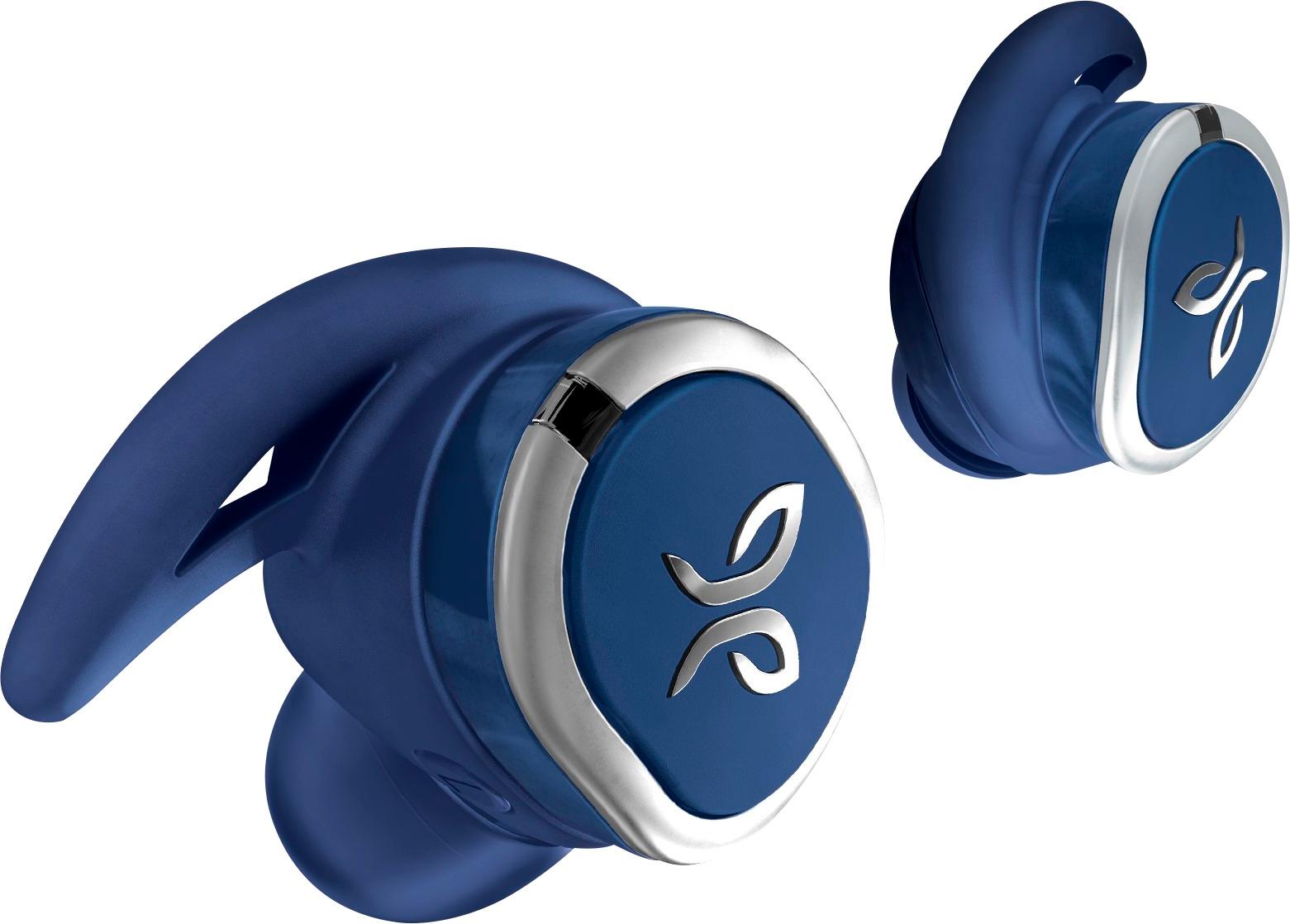
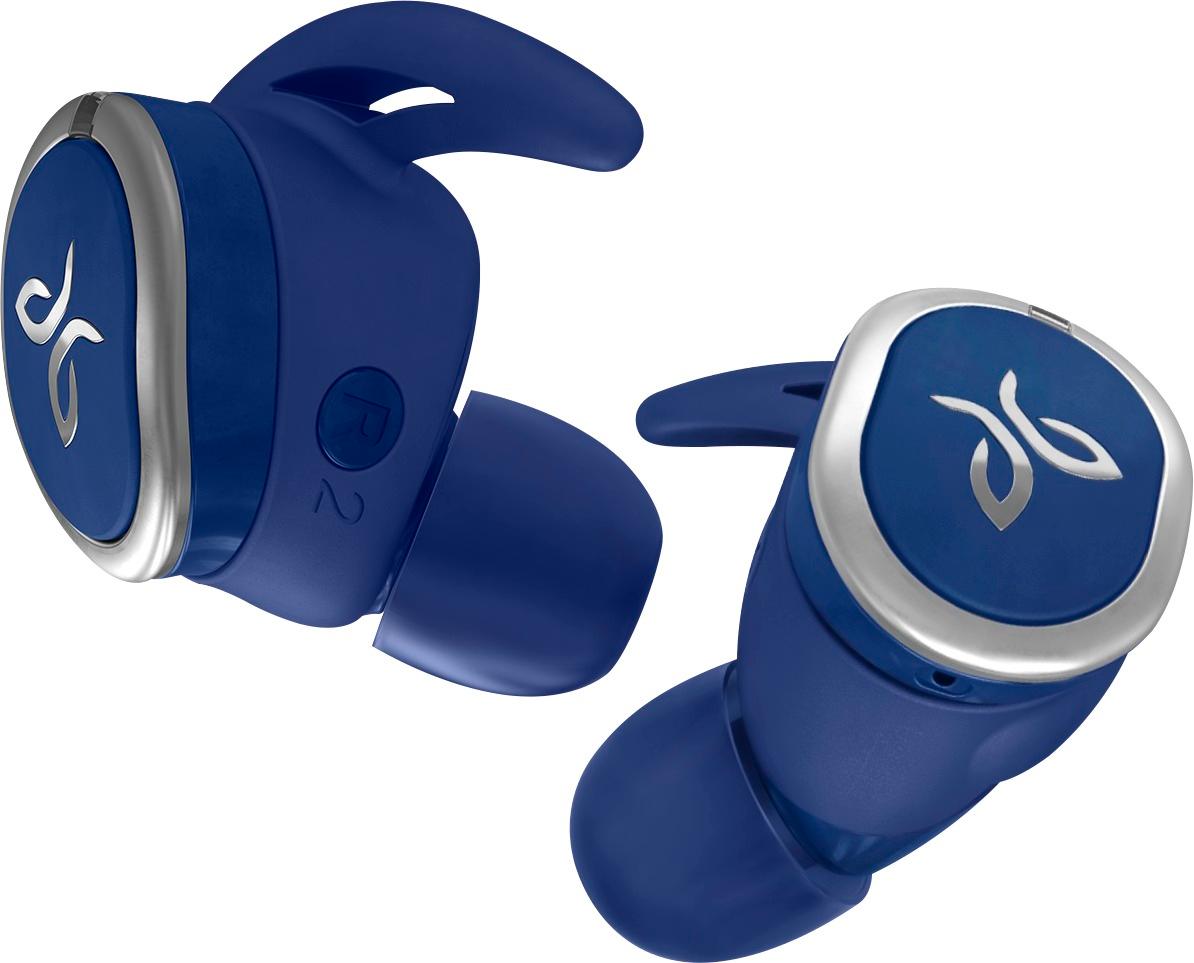
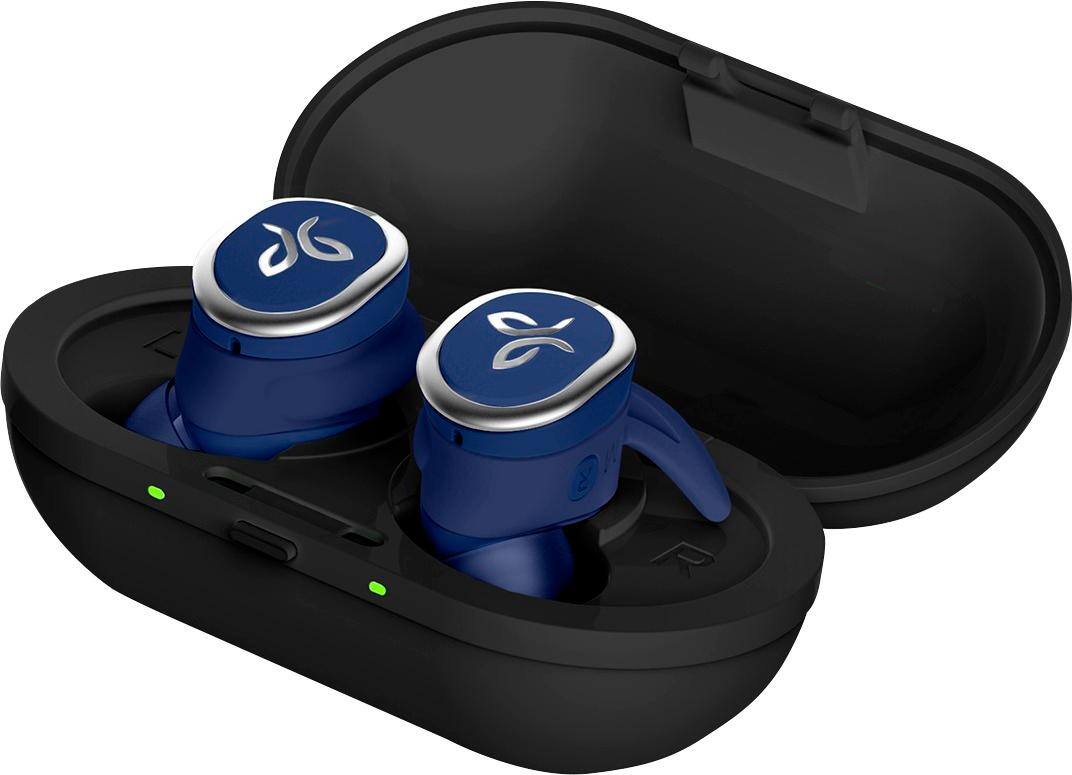
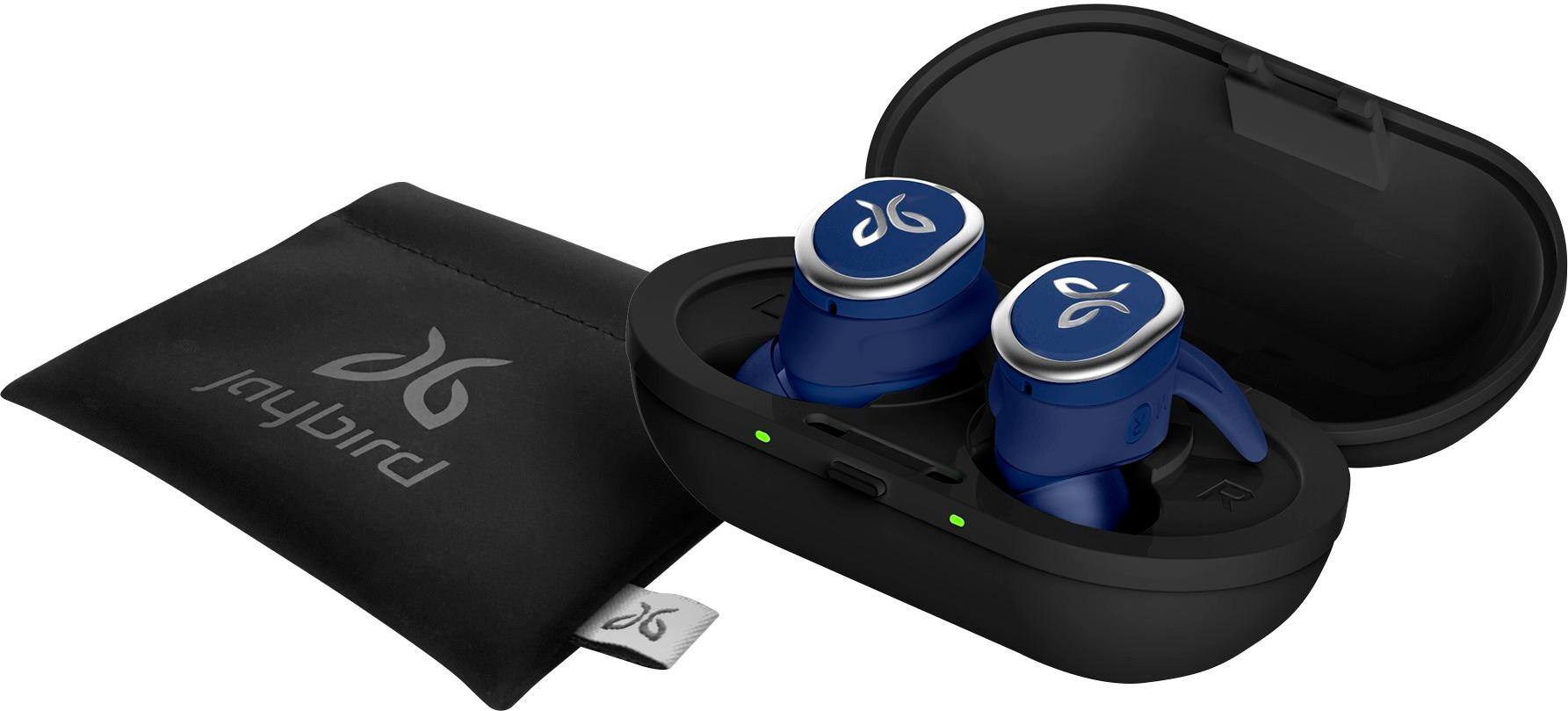
Customers are delighted by the RUN True Wireless In-Ear Headphones for their exceptional sound quality, comfortable fit, and long battery life. Many users have praised the snug fit and variety of ear tip sizes, ensuring a comfortable listening experience. The charging case has also received positive feedback for its functionality and stylish appearance. While some users have mentioned occasional connectivity issues and low volume, the overall sentiment towards these headphones remains highly positive.
This summary was generated by AI based on customer reviews.
- Cons mentioned:Volume
Not up to par
Posted .This reviewer received promo considerations or sweepstakes entry for writing a review.Jaybird rushed this product in my opinion. The connection is poor and the volume is really low. Full volume on runs are about 50% of other headphones. Returning them immediately. Long time Jaybird fan. Have owned ever headphone they have made. These are disappointing.
No, I would not recommend this to a friendBrand response from Jaybird Support Team
Posted .Dear Jaywax,
While we love hearing that you’re a lifetime Jaybird fan, it’s a bummer for us to hear that you’ve had such a poor experience with RUN. However, we’ve worked hard to address the connection issues some users are experiencing, and we’re confident we can still provide you an experience with RUN similar to the other Jaybird headphones you’ve used and loved. Please go to jaybirdsport.com/updates to update your firmware, and if that doesn’t improve your connection, reach out to us at jaybirdlistens@jaybirdsport.com. We’ll do what we can to give you the best experience possible.

Decent wireless headphones
|Posted .This reviewer received promo considerations or sweepstakes entry for writing a review.Took a bit to figure out how to really keep these in my ears when moving around. Good sound, decent "stay" ability, I do feel these are a better upgrade to some other wireless in-ear headphones I have tried!
I would recommend this to a friend- Pros mentioned:Comfort, Sound quality
Easy to pair, great design and comfortable
|Posted .This reviewer received promo considerations or sweepstakes entry for writing a review.Every aspect of the Jaybird RUN Wireless Earbuds are specifically designed for an active lifestyle with sound and comfort rising to the top. Charging the earbuds is super easy as well thanks to the portable charging case. Simply place your earbuds in the holding case and they will recharge. The sound quality is up to par with other high-end earbuds.
I would recommend this to a friend - Pros mentioned:Sound qualityCons mentioned:Connection
connectivity issues
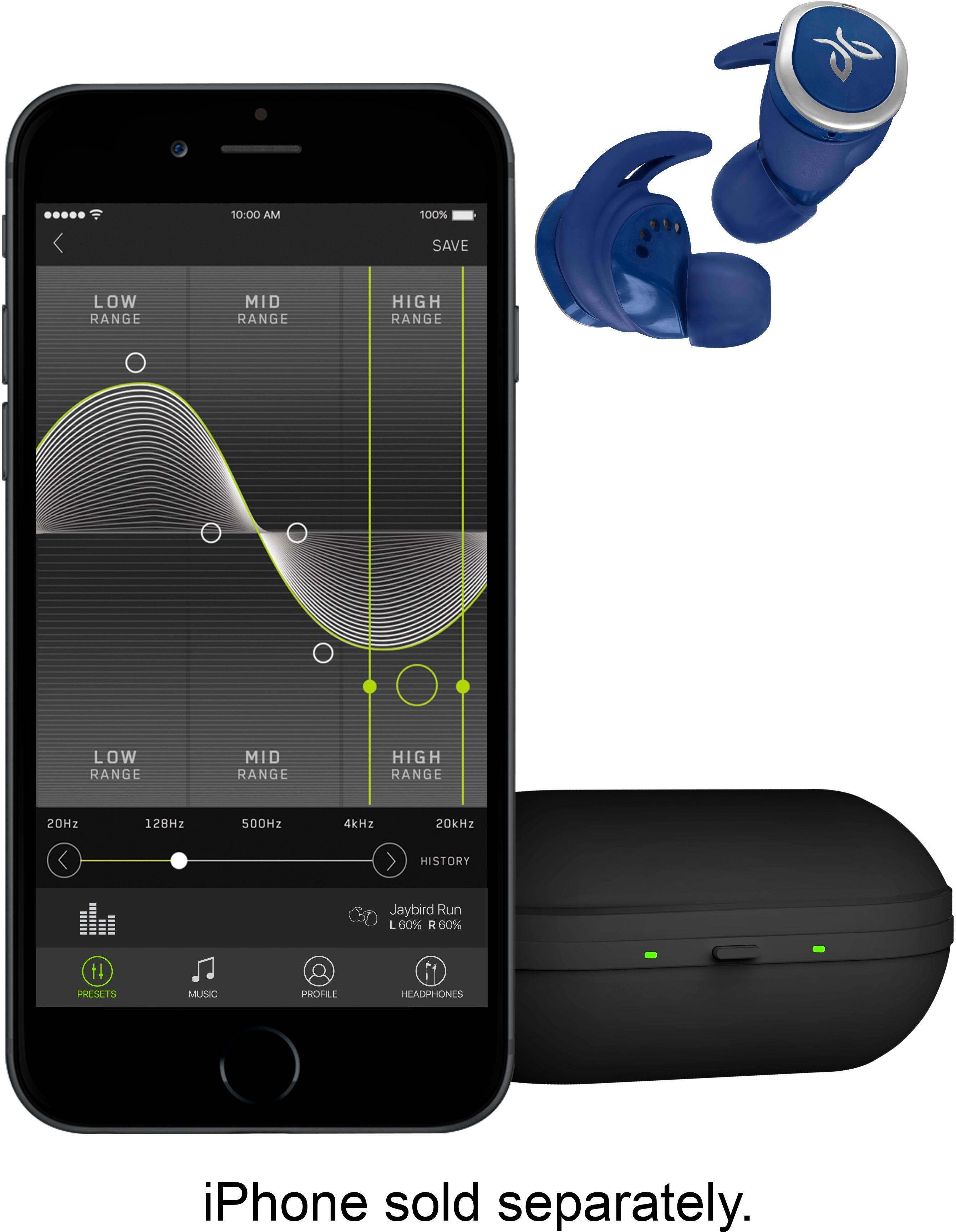
Posted .This reviewer received promo considerations or sweepstakes entry for writing a review.I was super impressed when I bought these last night and toyed around at my desk. Then I tried to run today... First, I had trouble getting the app to find the Run, even though it was connected. A quick search found lots of others had the same trouble and not many got their answers. Once it connected, it auto started some music I don't have. I couldn't find where to click to see what auto Jaybird playlist it was, who it was or what song it was, and I couldn't find a stop button on screen. I had to press stop on the ear piece to use my own music. I finally got it to adjust the EQ, then had trouble pairing with my Apple Watch. I finally got it and went for a run. The real trouble began when I got outside. As soon as I stopped playing with my phone and dropped my arm (watch moving further from my ears) I had a signal drop. It continued intermittently and then the left and right kept going in and out of time and back. I came back inside and tried a factory soft reset (put them in the case) a hard reset (button/light combo), a software update (it was already at the latest), forgetting the device on both the watch and phone and reinstalling. I went back outside and thought, maybe the location? I jogged a 1/4 mile with the horrible signal and quit. I came home and retried options. I tried with just the phone to get my run in and it kept happening! I've had six or seven other wireless sets and have not had this trouble. They sound good when they work, but I can't use them for the advertised purpose... They're going back ...in case of company response... iPhone 8 Plus with latest update Apple Watch 3 with latest update latest update on Jaybird Run Apple Music app Nike+ Run Club app
No, I would not recommend this to a friend - Pros mentioned:Fit
great headphones NO CORD!
Posted .This reviewer received promo considerations or sweepstakes entry for writing a review.Great fitting true wireless headphones. They stay in my ear and my wife's ears. There light enough that they don't bounce or fall out even on a hard sweaty run. Great at work to. Sound does fade a time or 2, But one ear bud is is my ear and the other is in the wife's head next to me. There NOT made to be that far, but still work great!
I would recommend this to a friend - Pros mentioned:Sound quality
Awesome workout earphones
Posted .This reviewer received promo considerations or sweepstakes entry for writing a review.These earphones are great. The sound is great right out of the box, but when you connect them to the Jaybird app you can play and set up the sound however you want it. I would give these a five star rating if not for the short four hour battery time. The charging case makes it fast and easy to charge these earphones however. I would and I have recommended these earphones to my friends and family.
I would recommend this to a friend Do not update firmware!!
Posted .This reviewer received promo considerations or sweepstakes entry for writing a review.I just wanted to put my review out there on these and warn people not to update the firmware. I got these as a Christmas gift and listened to couple songs right out of the box and these sounded amazing. I didn’t really pay any attention to the connection issue people have been talking about. But I did the firmware update as suggested by Jaybird. This firmware update ruins the sound quality of these earbuds to where I don’t want to use them anymore. So you are stuck with a decision. Do you want a good connection or sound quality. Once you do the update I am unaware of a way to revert back to the old firmware. Jaybird please fix this issue. If the update didn’t ruin my earbuds sound quality these would be a easy 5/5. Or come out with a new firmware to fix a issue that you all broke. I am now stuck on deciding to exchange for another brand that doesn’t have these issues or wait and hope it gets fixed. I’m leaning towards the exchange at this point.
No, I would not recommend this to a friendBrand response from Jaybird Support Team
Posted .Hi James,
We are glad to hear that you receive a Jaybird RUN as a gift for Christmas. We appreciate your positive feedback with the audio quality of our product. Please reach out to jaybirdlistens@jaybirdsport.com and we will do what we can to help improve your experience with buds after updating its firmware.
Also, we recommend that you perform a reset by following the steps on the link provided and try changing the EQ settings on the Jaybird App.
- https://jaybirdsport.com/en-us/run-faq.html#reset
----------
#poweryourpassion
The Jaybird Sports Experience Team
If we've solved your issue, we'd appreciate an update to your review.
- Pros mentioned:Battery life
Quite happy using this for hiking and biking
Posted .This reviewer received promo considerations or sweepstakes entry for writing a review.I've used these while hiking and mountain biking and have been pretty impressed. The battery life is pretty good for these little fellas. I do find that I have to rotate these in my ear to get a fit that stays. This isn't that big a deal. First pair of individual wireless ear phones I've had and have been pretty happy.
I would recommend this to a friend - Pros mentioned:Sound qualityCons mentioned:Price
Left ear cuts out all the time
Posted .This reviewer received promo considerations or sweepstakes entry for writing a review.The left earbud cuts out all the time. The right one will occasionally. Otherwise, easy to setup and decent sound. Try something cheaper if its your first wireless earbuds, these arent worth the price.
No, I would not recommend this to a friend - Pros mentioned:Fit, Sound quality
Perfect for any activity
|Posted .This reviewer received promo considerations or sweepstakes entry for writing a review.I couldn't find any wireless headphones that would stay in my ears when I worked out, went hiking our was doing any kind of physical activity. The Jaybird Run True Wireless Headphones are perfect for any activity, Great sound!!
I would recommend this to a friend - Pros mentioned:Sound quality
Great design great quality....but
Posted .This reviewer received promo considerations or sweepstakes entry for writing a review.If you listen to music and do not watch video they are amazing. The quality and the sound is awesome. There is one giant disadvantage though. When watching video there is a giant delay because the left earbud relies on the right earbud to get a signal. When watching any type of video there will be a huge delay when someone talks or when dialogue is spoken. For me that is a deal breaker because I bought these for the purpose of working out and watching videos when I travel. It is just a limit of the technology out right now. The apple airpods and Bose version do not have this issue. I wish there was a firmware update because it would really make it worth keeping
I would recommend this to a friend - Pros mentioned:Sound quality
Great headphones for people who love loud sound
Posted .This reviewer received promo considerations or sweepstakes entry for writing a review.Great sound quality. Has strong bass and vocals. Clear sound quality. Better than anything beats has created so far this year.
I would recommend this to a friend - Pros mentioned:Fit, Wireless
Perfect for any activity that makes you sweat.
Posted .This reviewer received promo considerations or sweepstakes entry for writing a review.Plain and simple if you want wireless look no further. The Jaybird is first you! Sweat and movement are no match for this. These earbuds will not fall out. Don't be lame and buy some cheap knock off!
I would recommend this to a friend - Pros mentioned:Comfort, Sound quality
Love my jaybird
Posted .This reviewer received promo considerations or sweepstakes entry for writing a review.I've had a lot of headphones and these are the best I've ever had they're so comfortable you don't even know you have them on and the sound quality is just awesome. I love my jaybird
I would recommend this to a friend - Cons mentioned:Connection
Connectivity
Posted .This reviewer received promo considerations or sweepstakes entry for writing a review.This is the 3rd true wireless earbuds I have purchased, and like the others, I will be returning these as well. Why? Connectivity issues. An hour or two after purchasing these, I went through the whole setup through the EQ in the Jaybird app, wing tips, and ear bud sizes; however, was disappointed quickly. With my phone being less than 2 feet away from me, the left ear started losing connectivity and would cut in and out of bluetooth. If it's doing this now at 2 feet, I wonder how it'll be when I'm actually using them for workouts.
No, I would not recommend this to a friend - Pros mentioned:Comfort, Sound quality
Garbage Product With Garbage Support
Posted .This reviewer received promo considerations or sweepstakes entry for writing a review.Ok, we'll get the good out of the way first. They fit wonderfully in your ear, are super comfortable and sound great. Of course, that's all completely useless if they don't actually work. Bought a pair a couple days ago and brought them home to try out. Right ear worked flawlessly and the left would cut out every 10-15 seconds. I confirmed they had the latest firmware version, then emailed Jaybird customer support and started searching for possible fixes. Not one thing I found worked. Exchanged them the next day for another pair. The first time I used them they would cut out every 10-15 minutes, which I could almost live with. I used them right out of the box, so I attributed this to the extremely low battery levels. When I went to use them the next day they were fully charged, and they would cut out every minute or so. It would cut out more often if I did silly things like stand up or turn my head to the side. Tried all the same "fixes" again with the same results. Exchanged them again, this time for the Sony WF-SP700N which not only actually work, but also sound better. Eventually I did hear back from Jaybird, asking me to try all the same suggestions that don't work for me or anyone else who tried them.
No, I would not recommend this to a friend - Pros mentioned:Sound quality
Hard to figure out but works great when it does
Posted .This reviewer received promo considerations or sweepstakes entry for writing a review.It took me a while to figure out how to connect them to the app. I had to hard reset (hold right earbud button for 6 secs until it turns off and flashes red, then hold right earbud button for 6 secs again and it will turn on and then go into pairing mode and will flash green; then hold right earbud for 2 secs until an orange light appears and the hard reset is completed). Once I reset it and then went to Bluetooth settings and paired them, I went back to the app and was able to connect them. The customizable sound is great and they cancel noise very well and are very discreet. I love them
I would recommend this to a friend - Pros mentioned:Sound qualityCons mentioned:Connection
Jaybird still hasn't figured it out
Posted .This reviewer received promo considerations or sweepstakes entry for writing a review.This isn't my first foray into Jaybird bluetooth earbud territory. I have a pair of Bluebud X earbuds sitting in a drawer with essentially the same pluses and minuses I'm experiencing with this pair of Run buds; the sound quality is awesome but the connectivity is garbage. The left bud drops CONSTANTLY. Jaybird's various troubleshooting techniques do nothing to address the underlying issue. Connectivity to the right (master) bud works flawlessly, but the communication between the two is the problem. I've sampled at least two other brands (one was a THIRD the price and one was HALF the price) that did not suffer this annoyance. Don't buy into "it's the nature of the beast", because it's not. So close, Jaybird. So close. I really want to love these. These would be 5 star buds and worthy of the price tag if they could get the connectivity issues worked out.
No, I would not recommend this to a friendBrand response from Jaybird Support Team
Posted .Hello there,
We're sorry to hear that you're experiencing connectivity issues with your Jaybird Run buds and we'd like to help, please send us an email at Jaybirdlistens@Jaybirdsport.com and we will get you taken care of.
Here are the Factory Reset instructions that might help resolve this problem:
To soft reset your earbuds:
-Place your right earbud into the charge case and close the lid.
-Open the charge case and remove your earbud.
To hard reset your earbuds:
-Turn off your right earbud by pressing the right multifunction button for 3 seconds.
-With your right earbud off, press and hold the right multifunction button for 6 seconds until the LED flashes green.
-Double press the right multifunction button. The LED will flash orange and the earbud will turn off. Your earbud has now been reset.
-When you hard reset your earbuds, you will lose any saved presets and any saved devices on the paired list. You’ll need to forget Jaybird RUN in your phone's Bluetooth device list, repair your earbuds to your Bluetooth device, See How do I pair my Jaybird RUN earbuds? and reselect your favorite preset from the Jaybird app.
You can check the Firmware update for Jaybird Run as an added solution. You can find the Firmware Update Assistant here:
https://www.jaybirdsport.com/en-us/dfu-download/dfurun-win.html
You can also try re-establishing connection between the left and right earbud using the steps found on this link:
https://www.jaybirdsport.com/en-us/run-faq.html#leftbud
----------
Bruce
Jaybird Customer Experience
#poweryourpassion
Good option
Posted .This reviewer received promo considerations or sweepstakes entry for writing a review.I have had these for a little while now and have used them together and individually. I really like this option during certain runs, activities, and work so that I can also hear others. The two things that I think Jaybird could change is the fit or shape and the controls. The shape is comfortable but can be uncomfortable depending on the size of your ear regardless of the attachments. A shape similar to that of the apple airpods might be nice. As for the controls it is pretty limited. Volume controls would be a nice addition for the left earpiece or adding mini touch pads similar to the Samsung wireless headphones. I would recommend these overall.
I would recommend this to a friend- Pros mentioned:ComfortCons mentioned:Connection
Unusable because of Constant Dropped Connections
Posted .This reviewer received promo considerations or sweepstakes entry for writing a review.I really wanted to like these earbuds. They are the most comfortable of the couple I have tried and stay in the ear very well. But the earbuds are completely unusable. On my last 45 minute run they dropped connection probably 100 times. At least twice every minute the left one would cut out then the right one then they would come right back on. They did not drop for more than 2 seconds, but that happening constantly is a huge defect. I tried updating the firmware (something you should not have to do with an earbud to begin with) but my buds have the latest firmware already. There are many complaints out there about the dropped connectivity, so I guess I should have known better. Its really too bad as they were comfortable and stayed in my ear great. They will be going back to Best Buy this weekend.
No, I would not recommend this to a friendBrand response from Jaybird Support Team
Posted .Hi JohnGA,
We appreciate your feedback on the Jaybird Run's fit and seal. We're sorry to hear that you're experiencing connectivity issues. Just send us an email at Jaybirdlistens@Jaybirdsport.com and we will get you taken care of.
Here are the Factory Reset instructions that might help resolve this problem:
To soft reset your earbuds:
-Place your right earbud into the charge case and close the lid.
-Open the charge case and remove your earbud.
To hard reset your earbuds:
-Turn off your right earbud by pressing the right multifunction button for 3 seconds.
-With your right earbud off, press and hold the right multifunction button for 6 seconds until the LED flashes green.
-Double press the right multifunction button. The LED will flash orange and the earbud will turn off. Your earbud has now been reset.
-When you hard reset your earbuds, you will lose any saved presets and any saved devices on the paired list. You’ll need to forget Jaybird RUN in your phone's Bluetooth device list, repair your earbuds to your Bluetooth device, See How do I pair my Jaybird RUN earbuds? and reselect your favorite preset from the Jaybird app.
----------
Bruce
Jaybird Customer Experience
#poweryourpassion