Customer Ratings & Reviews

- Model:
- 991-000261
- SKU:
- 6137501
Rating by feature
- Value
Rating 4.0 out of 5 stars
- Quality
Rating 4.1 out of 5 stars
- Ease of Use
Rating 4.2 out of 5 stars
Customers are saying
Customers are delighted by the RUN True Wireless In-Ear Headphones for their exceptional sound quality, comfortable fit, and long battery life. Many users have praised the snug fit and variety of ear tip sizes, ensuring a comfortable listening experience. The charging case has also received positive feedback for its functionality and stylish appearance. While some users have mentioned occasional connectivity issues and low volume, the overall sentiment towards these headphones remains highly positive.
This summary was generated by AI based on customer reviews.
- Cons mentioned:Connection
Had potential
Posted .This reviewer received promo considerations or sweepstakes entry for writing a review.These wireless earphones appeared almost perfect. They fit and look great, the Jaybird app is awesome. There’s only one problem... they are not functional! Connectivity is absolutely unacceptable. On a given run, I experience interference ~50 times. I kept my phone on my armband so I don’t want to hear that excuse from Jaybird. It is clear their software update did nothing to fix the root issue (as it is likely a design flaw) and they should recall this product.
No, I would not recommend this to a friendBrand response from Jaybird Support Team
Posted .Hi Dave,
We are glad to hear that you loved the Jaybird App and fit of the Jaybird RUN. We are sorry to hear that you are experiencing connectivity issues even after updating the firmware of the buds. Please reach out to jaybirdlistens@jaybirdsport.com and we will do what we can to help improve your experience.
Also, we recommend that you perform a reset on the Jaybird RUN can help improve the connectivity of the headset.
- Perform a reset: https://jaybirdsport.com/en-us/run-faq.html#reset
----------
#poweryourpassion
The Jaybird Sports Experience Team
If we've solved your issue, we'd appreciate an update to your review.
- Pros mentioned:Wireless
True wireless
Posted .This reviewer received promo considerations or sweepstakes entry for writing a review.I have always been a fan of jaybirds and with jaybird runs it's always been my favorite way to listen to music having no wires gives me that freedom I been looking for.
I would recommend this to a friend - Pros mentioned:Battery life
Great!
Posted .This reviewer received promo considerations or sweepstakes entry for writing a review.So far the best investment I've made in earbuds. Being truly wireless is a plus! Battery life is great for a guy that spends 3-4hrs in the gym, 6 days a week.
I would recommend this to a friend Poor quality, even worse Best Buy customer service
Posted .This reviewer received promo considerations or sweepstakes entry for writing a review.My husband bought these for me as a gift, as I workout like crazy and am always looking for new cool gear. I already own the Bose Soundsports, so I did not need any new headphones, but I love trying new things and saw great things about these on Instagram. They are impressively packaged, but that’s about where it ends for me....right out of the box the sound in the left earpiece was always very low. I looked it up and tried all of the troubleshooting that I could find, and could not get it to work. Obviously these are defective, so I tried to take them back to Best Buy to exchange for a new pair—-this is where it gets bad. Since Best Buy’s return window is so short, and my husband bought these and stashed them away as a gift—I was outside of the return window and they wouldn’t accept a return....which is fine, because all I wanted to do was exchange them for the exact same thing...I just want a pair that actually works. Best Buy’s customer service is horrible though, and would not allow me to do this......SO. Now I’m stuck with a pair of headphones that are cool in theory, but don’t work, so are worthless to me.....I had told my insta followers and friends that I would let them know what I thought about these, and sadly can’t really give a review unless it’s a bad one since I can’t get them to work properly. Guess I’ll stick with my Bose for now....
No, I would not recommend this to a friendBrand response from Jaybird Support Team
Posted .Hi MrsS,
We're sorry to hear that your Jaybird Run's left bud is low. Just send us an email at Jaybirdlistens@Jaybirdsport.com and we will get you taken care of.
Here are the Factory Reset instructions that might help resolve this problem:
To soft reset your earbuds:
-Place your right earbud into the charge case and close the lid.
-Open the charge case and remove your earbud.
To hard reset your earbuds:
-Turn off your right earbud by pressing the right multifunction button for 3 seconds.
-With your right earbud off, press and hold the right multifunction button for 6 seconds until the LED flashes green.
-Double press the right multifunction button. The LED will flash orange and the earbud will turn off. Your earbud has now been reset.
-When you hard reset your earbuds, you will lose any saved presets and any saved devices on the paired list. You’ll need to forget Jaybird RUN in your phone's Bluetooth device list, repair your earbuds to your Bluetooth device, See How do I pair my Jaybird RUN earbuds? and reselect your favorite preset from the Jaybird app.
You can check the Firmware update for Jaybird Run as an added solution. You can find the Firmware Update Assistant here:
https://www.jaybirdsport.com/en-us/dfu-download/dfurun-win.html
You can also try re-establishing connection between the left and right earbud using the steps found on this link:
https://www.jaybirdsport.com/en-us/run-faq.html#leftbud
----------
Bruce
Jaybird Customer Experience
#poweryourpassion
- Cons mentioned:Connection
Poor Connectivity - Low Volume -Poor Bass
Posted .This reviewer received promo considerations or sweepstakes entry for writing a review.The headline says it all. The blue tooth connection is in and out. Volume is low and very poor bass. Taking them back
No, I would not recommend this to a friendBrand response from Jaybird Support Team
Posted .Hi dsulvett,
We just actually came out with an update that should improve the overall connection and improve your experience. Please just head to the link below and that will massively improve your connection.
https://www.jaybirdsport.com/en-us/updates.html
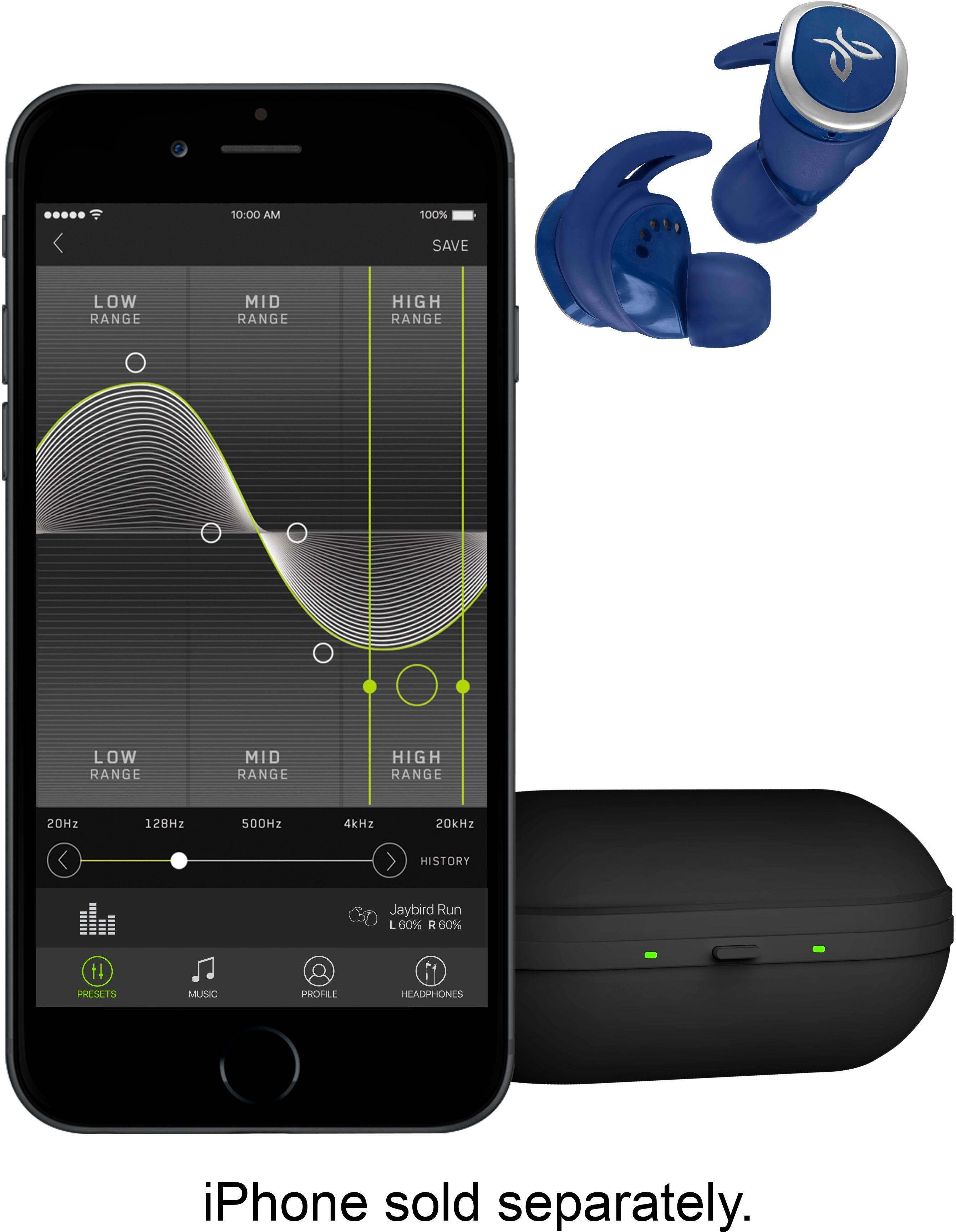
For the bass and volume, 2 things you need to do is use the Jaybird app to customize the EQ and switch the controls in the app settings to volume controls, this will allow you to raise the volume on the RUN itself even further!
Try these things and if you run into any further issues please reach out to us directly at Jaybirdlistens@jaybirdsport.com and we will get to the bottom what is causing the issue.
----------
#poweryourpassion
The Jaybird Sports Experience Team
If we've solved your issue, we'd appreciate an update to your review.
- Pros mentioned:Sound quality
Great true wireless
Posted .This reviewer received promo considerations or sweepstakes entry for writing a review.Awesome sound as always. I have had the X3 and f5 and the only thing I would change is the way the tips attach but otherwise great product.
I would recommend this to a friend - Cons mentioned:Connection
Good audio quality, connectivity not so good
Posted .This reviewer received promo considerations or sweepstakes entry for writing a review.Pros: Build quality, material quality, portability, feel in the ear, audio quality. Cons: Connectivity, period. The minute I got these earpods charged and paired, I was met with immediate dissatisfaction from how much these were cutting out. I returned these the day after I bought them from how inconsistent their connection was, actually.
No, I would not recommend this to a friendBrand response from Jaybird Support Team
Posted .Hi Monty,
We appreciate your feedback on the Jaybird Run's fit, comfort, sound quality and build. We're sorry to hear that you're experiencing connectivity issues. Just send us an email at Jaybirdlistens@Jaybirdsport.com and we will get you taken care of.
Here are the Factory Reset instructions that might help resolve this problem:
To soft reset your earbuds:
-Place your right earbud into the charge case and close the lid.
-Open the charge case and remove your earbud.
To hard reset your earbuds:
-Turn off your right earbud by pressing the right multifunction button for 3 seconds.
-With your right earbud off, press and hold the right multifunction button for 6 seconds until the LED flashes green.
-Double press the right multifunction button. The LED will flash orange and the earbud will turn off. Your earbud has now been reset.
-When you hard reset your earbuds, you will lose any saved presets and any saved devices on the paired list. You’ll need to forget Jaybird RUN in your phone's Bluetooth device list, repair your earbuds to your Bluetooth device, See How do I pair my Jaybird RUN earbuds? and reselect your favorite preset from the Jaybird app.
----------
Bruce
Jaybird Customer Experience
#poweryourpassion
I'm in awe at these headphones!
|Posted .This reviewer received promo considerations or sweepstakes entry for writing a review.There are so many cool things that I love about these earbuds. They have so many uses that they’re pretty easy to love! he portable charging case is fantastic...it charges SO fast! They are sweat proof and dirt proof...hello!! And the best part is they have a great app that come with the earphones that has so many amazing features! My fave is that it helps locate my earphones if they're lost! I highly recommend these earphones. They are really outstanding....I'm really impressed by them.
I would recommend this to a friend- Cons mentioned:Connection
Worst Ear Buds EVER...TOTAL FAIL
Posted .This reviewer received promo considerations or sweepstakes entry for writing a review.So after reading some reviews I had my wife get me these earbuds for Christmas. The first day they were awesome, but then the 2nd day I worked out and they kept cutting off and going between ears and just dropping the connection. The left ear is horrendous. Then it wouldn't connect to the App...I called Jaybird, and of couse, the Tech wasn't American and was no help in trying to get me to reset the buds...I took one set back to Best Buy and got another...Put those ones on today working out and was so disgusted by the cutting in and out of the connectivity, I couldn't even focus on my workout!...Music in one ear sucks in a Stereo World!...I'm taking these ones back and getting the Bose or Sony...This was a total waste of time...
No, I would not recommend this to a friendBrand response from Jaybird Support Team
Posted .Hi wnelson7522,
We're sorry to hear that you're experiencing connectivity issues with your Jaybird Run buds and we'd like to help, just send us an email at Jaybirdlistens@Jaybirdsport.com and we will get you taken care of.
Here are the Factory Reset instructions that might help resolve this problem:
To soft reset your earbuds:
-Place your right earbud into the charge case and close the lid.
-Open the charge case and remove your earbud.
To hard reset your earbuds:
-Turn off your right earbud by pressing the right multifunction button for 3 seconds.
-With your right earbud off, press and hold the right multifunction button for 6 seconds until the LED flashes green.
-Double press the right multifunction button. The LED will flash orange and the earbud will turn off. Your earbud has now been reset.
-When you hard reset your earbuds, you will lose any saved presets and any saved devices on the paired list. You’ll need to forget Jaybird RUN in your phone's Bluetooth device list, repair your earbuds to your Bluetooth device, See How do I pair my Jaybird RUN earbuds? and reselect your favorite preset from the Jaybird app.
You can check the Firmware update for Jaybird Run as an added solution. You can find the Firmware Update Assistant here:
https://www.jaybirdsport.com/en-us/dfu-download/dfurun-win.html
You can also try re-establishing connection between the left and right earbud using the steps found on this link:
https://www.jaybirdsport.com/en-us/run-faq.html#leftbud
----------
Bruce
Jaybird Customer Experience
#poweryourpassion
- Pros mentioned:Sound qualityCons mentioned:Connection
Great sound, BUT
Posted .This reviewer received promo considerations or sweepstakes entry for writing a review.They have great sound but the bluetooth connection is the worse. They will constantly keep disconnecting from your music source. I have tried about three pairs all with the same results. Doesn't matter how great they sound if it won't stay connected.
No, I would not recommend this to a friendBrand response from Jaybird Support Team
Posted .Hello Artylove,
We appreciate your positive feedback on the Jaybird Run's sound quality. We are sorry to hear that you're experiencing connectivity issues with them and we'll be glad to help you out! Just send us an email at Jaybirdlistens@Jaybirdsport.com and we will get you taken care of.
Here are the instructions to factory reset your right earbud:
-Turn off your right earbud by pressing the right multifunction button for 3 seconds.
-With your right earbud off, press and hold the right multifunction button for 6 seconds until the LED flashes green.
-Double press the right multifunction button. The LED will flash orange and the earbud will turn off. Your earbud has now been reset.
-When you hard reset your earbuds, you will lose any saved presets and any saved devices on the paired list. You’ll need to forget Jaybird RUN in your phone's Bluetooth device list, repair your earbuds to your Bluetooth device, See How do I pair my Jaybird RUN earbuds? and reselect your favorite preset from the Jaybird app.
You can try re-establishing connection between the left and right earbud using the steps found on this link:
https://www.jaybirdsport.com/en-us/run-faq.html
Firmware update can also help, you can find the update here:
https://jaybirdsport.com/en-us/dfu-download/dfurun-win.html
----------
Bruce
Jaybird Customer Experience
#poweryourpassion
Top of the line, true sport headphones
|Posted .This reviewer received promo considerations or sweepstakes entry for writing a review.These are the best workout headphones around. The design is great and actually stays tightly on your ears, though they are very comfortable. There's no cord to get pulled. The App is awesome, you can really tweak the sound with the EQ. I also love that they are sweatproof and dirtproof, so they are meant to take a beating and least. Excellent for any type of workout. Hands down one of the best products I've come across in a long while.
I would recommend this to a friend- Cons mentioned:Connection
Not yet
Posted .This reviewer received promo considerations or sweepstakes entry for writing a review.I got these for Christmas. I experienced the connection problem with the left ear bud and the A/V sync problem reported by other users. I updated the firmware. The problem was reduced, but still occurred, just less frequently. The performance is not what I would expect for $180 headphones. I will be returning them.
No, I would not recommend this to a friendBrand response from Jaybird Support Team
Posted .Hi ANMorton,
Wee are glad to hear that you receive a Jaybird RUN as a gift for Christmas. We are sorry to hear that you have experienced audio delays and connectivity issues with our product even after a firmware update. Rest assured that this is not the behavior or performance we expect from our product.
Please reach out to jaybirdlistens@jaybirdsport.com and we will do what we can to help improve your experience.
----------
#poweryourpassion
The Jaybird Sports Experience Team
If we've solved your issue, we'd appreciate an update to your review.
Earbuds Won't Pair Together
Posted .This reviewer received promo considerations or sweepstakes entry for writing a review.I just purchased these earbuds and I cannot get the two earbuds to pair together. The right earbud will pair to my phone but there is nothing I can do to make the left earbud pair to the right earbud. I have read through the instruction manual and searched on Jaybird's website but there is nothing I can do to pair them together. I will be returning these earbuds for a different set.
No, I would not recommend this to a friendBrand response from Jaybird Support Team
Posted .Dear Jason2k2,
Thank you for your purchase of RUN. We’re sorry to hear about your pairing issues, but we have a fix that should solve the issue. Try this specific Left side reset below and it should allow the buds to pair back up -
1. Turn off your Left earbud by pressing the Left multifunction button for 3-5 seconds or till you hear “Power Off”
2. With your right earbud off, press and hold the Left multifunction button for 6 seconds until the LED flashes green.
3. Double press the left multifunction button. The LED will flash orange and the earbud will turn off. Your earbud has now been reset. -
When you hard reset your earbuds, you will lose any saved presets and any saved devices on the paired list. Make sure to go to your bluetooth menu and delete the old device profile then you will need to power the buds back on and put them in pairing mode by again holding the Left/Right side button until the LED starts flashing GREEN. Then, go into your Bluetooth menu and select the buds under BLUETOOTH DEVICES.
If by any chance this doesn’t work, please contact us at jaybirdlistens@jaybirdsport.com and we’ll make sure we take care of you.
- Pros mentioned:FitCons mentioned:Connection
I wish I could give these a higher rating
Posted .This reviewer received promo considerations or sweepstakes entry for writing a review.I wish I could give these a higher rating. The fit is good and the wide range of sound adjustment using the Jaybird app is great but the constant dropping of the left ear bud blue tooth connection makes the Jaybird Run almost useless.
No, I would not recommend this to a friend - Pros mentioned:Sound quality
Great earbuds for any occasion
Posted .This reviewer received promo considerations or sweepstakes entry for writing a review.These are the best earbuds that I have ever invested any money in and worth every penny
I would recommend this to a friend - Pros mentioned:Comfort
Easy to set up, great to use
Posted .This reviewer received promo considerations or sweepstakes entry for writing a review.Love these. Sleek. Use them on a bike ride and they didn’t budge. Awesome purchase
I would recommend this to a friend - Pros mentioned:Sound quality
Dont Buy!!
Posted .This reviewer received promo considerations or sweepstakes entry for writing a review.I purchased my Jaybird Runs not even a year ago with the sales clerk raving how great and popular they are. They are great and sound awesome with the downloaded app when they work. The problem I have is the left one keeps cutting out. I have unpaired, paired, uninstalled the app, reinstalled it, tried downloading the software which is up to date, reposisioning my phone and nothing works but I have found that as long as the buds are charged 100% to 80% they will function correctly...below that the left one will start and keep cutting out which gives me just short of a 2 hour ride. In short these are NOT worth almost $200...I would have never purchased these if I would've known this little glitch can be such a huge pain.
No, I would not recommend this to a friendBrand response from Jaybird Support Team
Posted .Hello there,
We appreciate your feedback with your Jaybird Run's sound quality. We are sorry to hear that the left bud disconnects and we'll be glad to help you out! Just send us an email at Jaybirdlistens@Jaybirdsport.com and we will get you taken care of.
You can try re-establishing connection between the left and right earbud using the steps found on this link:
https://www.jaybirdsport.com/en-us/run-faq.html#leftbud
You can also isolate the issue by connecting to a different device or a device with a different OS.
----------
Bruce
Jaybird Customer Experience
#poweryourpassion
GREAT HEADPHONES!
|Posted .This reviewer received promo considerations or sweepstakes entry for writing a review.These are GREAT, I don't use them for jogging I use them when I am working with my horses and they are the FIRST headphones to stay in my ears! I was a little nervous using them, but not only did they stay put they are comfortable and WOW these sounds great! They are easy to connect and I just love that they are sweat and dirt proof they are by far the best headphones I've ever owned..
I would recommend this to a friendDon’t buy
Posted .This reviewer received promo considerations or sweepstakes entry for writing a review.Very disappointed the Bluetooth connectivity sucks. It keeps dropping. I would not recommend
No, I would not recommend this to a friendBrand response from Jaybird Support Team
Posted .Hi Anahi,
Thank you for your review, however we have a quick fix for this. We released an update that should massively improve the overall connection and improve your experience. Please just head to this link and update your Jaybird RUN it is strongly recommended.
https://www.jaybirdsport.com/en-us/updates.html
If you are still having connection issues after the update please reach out directly at jaybirdlistens@jaybirdsport.com so we can look further into it.
- Pros mentioned:Sound quality
Love these
Posted .This reviewer received promo considerations or sweepstakes entry for writing a review.These are by far the best earphones i've ever had. I love them.
I would recommend this to a friend