Customer Ratings & Reviews



- Model:
- 985-000689
- SKU:
- 5883809
Rating by feature
- Value
Rating 4.0 out of 5 stars
- Quality
Rating 4.1 out of 5 stars
- Ease of Use
Rating 4.2 out of 5 stars
Customers are saying
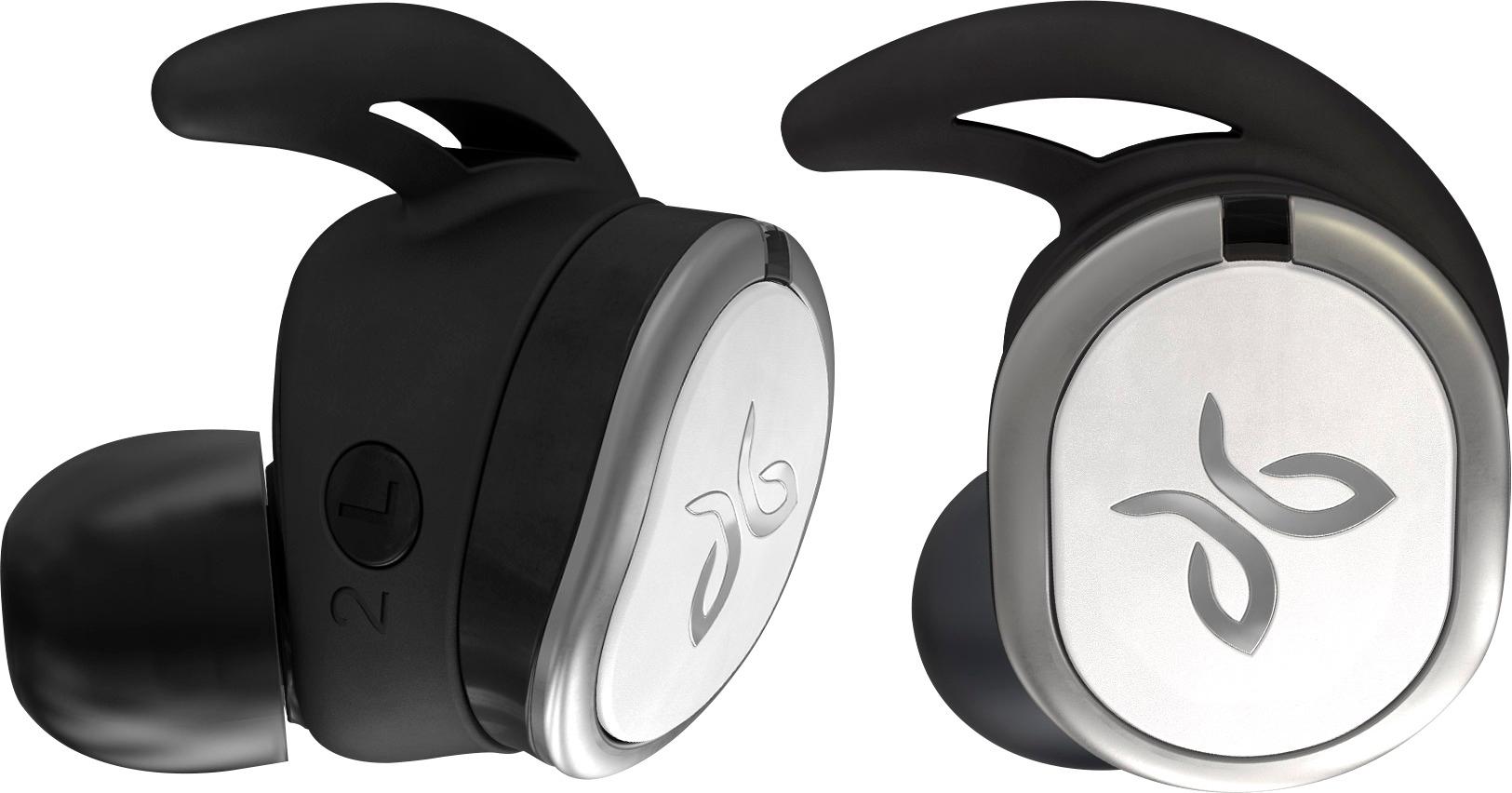
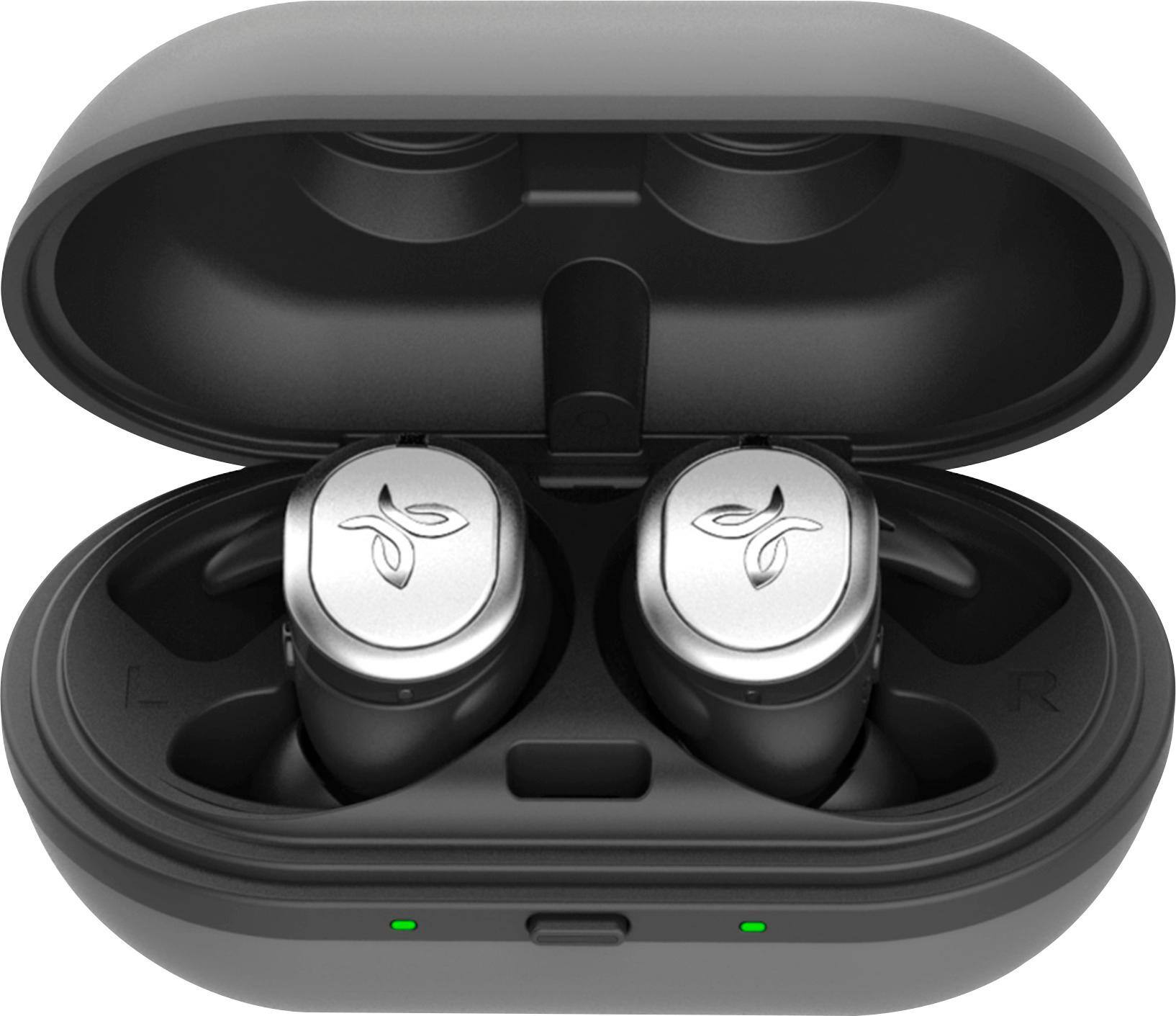
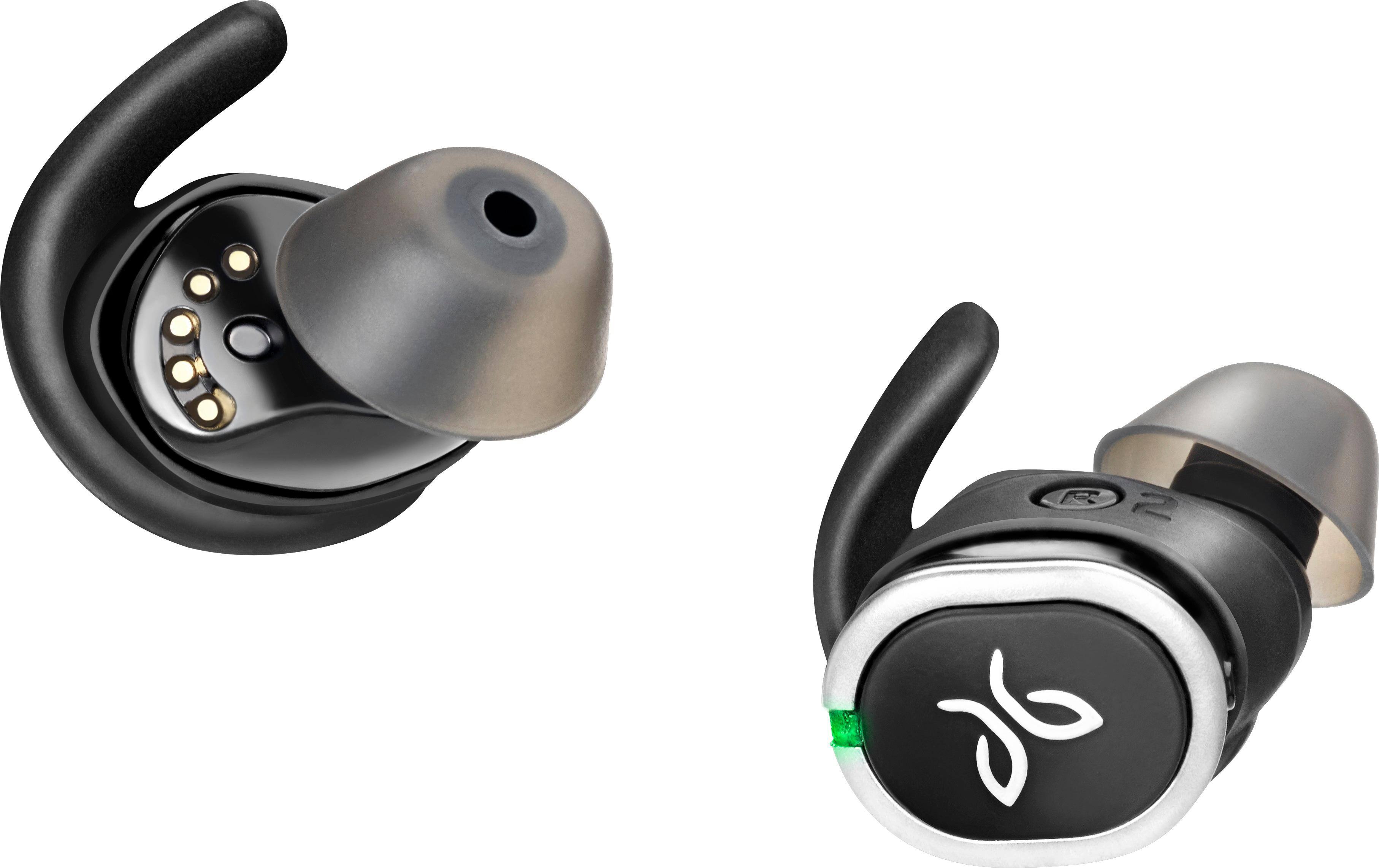
Customers are delighted by the RUN True Wireless In-Ear Headphones for their exceptional sound quality, comfortable fit, and long battery life. Many users have praised the snug fit and variety of ear tip sizes, ensuring a comfortable listening experience. The charging case has also received positive feedback for its functionality and stylish appearance. While some users have mentioned occasional connectivity issues and low volume, the overall sentiment towards these headphones remains highly positive.
This summary was generated by AI based on customer reviews.
not the best
||Posted .This reviewer received promo considerations or sweepstakes entry for writing a review.not the best. there is a lack in receiving phones when listening to music.
No, I would not recommend this to a friendUncomfortable, low-quality sound
||Posted .This reviewer received promo considerations or sweepstakes entry for writing a review.These ear phones provided subpar comfort and sound-quality. I tried my hardest to enjoy using them, but I ultimately decided to exchange for the X4 instead. I would highly recommend you try the X4 earphones instead. Maybe the Bose technology is ready for truly wireless earphones, but Jaybird isn't there yet.
No, I would not recommend this to a friendBrand response from Jaybird Support Team
Posted .Hello Chris,
We're sorry to hear that it did not meet your expectations with the sound quality and comfort for the Jaybird Run and we'll be glad to help you out! Just send us an email at Jaybirdlistens@Jaybirdsport.com and we will get you taken care of.
----------
Bruce
Jaybird Customer Experience
#poweryourpassion
Not so hot
||Posted .This reviewer received promo considerations or sweepstakes entry for writing a review.Didn’t work well. They did not charge in the case. Returned
No, I would not recommend this to a friendBrand response from Jaybird Support Team
Posted .Hi Saucyshopper,
We are sorry to hear that the Jaybird Run does not charge in the case and we'll be glad to help you out! Just send us an email at Jaybirdlistens@Jaybirdsport.com and we will get you taken care of.
Please follow the recommendations below to resolve the issue with your headset:
Kindly try using a different power source/charger and/or a different USB cable. A pulsing green LED on each side means it is charging, solid green light when fully charged. It is recommended to use 5V/500mA-1A charger for 2 hours only.
It would also help to ensure that the lid of the charging case is securely closed and the charger ports and prongs align accordingly and are free from debris.
----------
Bruce
Jaybird Customer Experience
#poweryourpassion
- Pros mentioned:Comfort, Fit, Sound qualityCons mentioned:Volume
loud is how I like it...
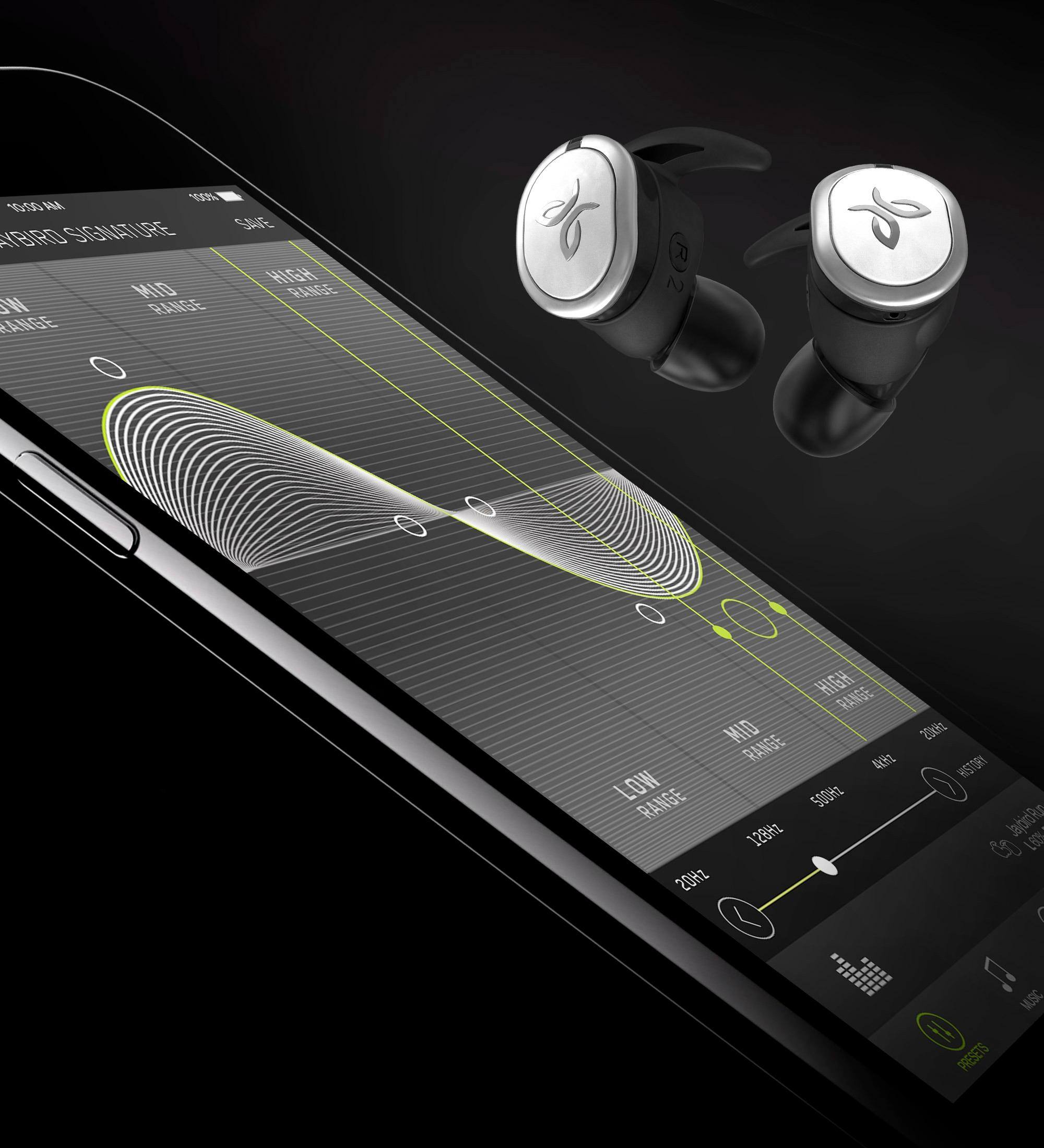
Posted .This reviewer received promo considerations or sweepstakes entry for writing a review.I recently returned my Jabra elite 65t due to one earpiece having issues when turning on the noise canceling feature. I picked up the Jaybird run earbuds since they were on sale for a good price. I took them home and charged them up, paired them, downloaded the app to update the firmware. I tried them on and these earbuds are just as loud as the X3's which are practically the loudest earbuds ever. I used the app to cater the sound to my likings. A lot of bass soft mids and soft highs. I put on some thumping house music and voila! a smile on my face. The sound isolation is pretty good. I can't hear the tv in the other room playing "Solo" the star wars movie. I bought some comply foam tips to replace the silicon versions that came with the earbuds. The comply tips are a much better fit, more isolation, and a better sound environment compared to the silicon tips. These have a louder volume level than the Elite 65t's and are more rugged. The 65t's seem too delicate. I was not happy with the defect and the overall volume of the 65t's. I'll stick with the Jaybirds. I have the X3's and now I have the Jaybird Runs. Both are keepers.
I would recommend this to a friend Eh
||Posted .This reviewer received promo considerations or sweepstakes entry for writing a review.Was not a fan, when I would run they would just fall out
I would recommend this to a friendBrand response from Jaybird Support Team
Posted .Hello Bubba,
We are sorry to hear that your Jaybird Run buds fall off and features and we'll be glad to help you out! Just send us an email at Jaybirdlistens@Jaybirdsport.com and we will get you taken care of.
For future reference, you can try these suggestions for secure fit:
1. Test all combinations of eartips and wings, including different sizes in each ear
2. You may view other helpful tips on this link:
https://www.jaybirdsport.com/en-us/jaybird-support/jaybird-run/faq/find-my-fit.html
----------
Bruce
Jaybird Customer Experience
#poweryourpassion
Not water resistant
||Posted .This reviewer received promo considerations or sweepstakes entry for writing a review.I barely got sweat on it and it stopped working not satisfied
No, I would not recommend this to a friend- Pros mentioned:Comfort, Fit, Sound quality

Straight up Amazing
|Posted .This reviewer received promo considerations or sweepstakes entry for writing a review.I'll preface this by saying I'm straight up against in ear buds, I don't like the pressure they put on my ears. But these, man are so comfortable and once I get a chance, I'll order a pair of the memory foam tips. Pros - Stay in ear, super comfy, nice looking, amazing sound and customization through app. Cons- maybe price, and maybe far fetched but I'd like maybe some kind of activity tracking ability. Overall, the best way to intro into true wireless earbuds, these are hard to pass up.
I would recommend this to a friend falls out
||Posted .This reviewer received promo considerations or sweepstakes entry for writing a review.It falls out of my ear too often, sound quailiy poor.
No, I would not recommend this to a friendBrand response from Jaybird Support Team
Posted .Hi justlindsay,
We're sorry you cannot get the best fit and seal for your Jaybird Run buds and we'll be glad to help you out! Just send us an email at Jaybirdlistens@Jaybirdsport.com and we will get you taken care of.
For future reference, you can try the following for secure fit:
1. Test all combinations of eartips and wings, including different sizes in each ear (silicone and foam tips)
2. You may view the instructional video on this link:
http://www.jaybirdsport.com/support/
As for the sound quality, please try the Jaybird App for a custom sound experience.
----------
Bruce
Jaybird Customer Experience
#poweryourpassion
Only hear out of one earbud.
||Posted .This reviewer received promo considerations or sweepstakes entry for writing a review.They only play out of one earbud. Can't hear well,
No, I would not recommend this to a friendBrand response from Jaybird Support Team
Posted .Hi Earbudlady,
We're sorry to hear that your Jaybird Run only plays on one ear and we'd like to help. Just send us an email at Jaybirdlistens@Jaybirdsport.com and we will get you taken care of.
Here are the Factory Reset instructions that might help resolve this problem:
To soft reset your earbuds:
-Place your right earbud into the charge case and close the lid.
-Open the charge case and remove your earbud.
To hard reset your earbuds:
-Turn off your right earbud by pressing the right multifunction button for 3 seconds.
-With your right earbud off, press and hold the right multifunction button for 6 seconds until the LED flashes green.
-Double press the right multifunction button. The LED will flash orange and the earbud will turn off. Your earbud has now been reset.
-When you hard reset your earbuds, you will lose any saved presets and any saved devices on the paired list. You’ll need to forget Jaybird RUN in your phone's Bluetooth device list, repair your earbuds to your Bluetooth device, See How do I pair my Jaybird RUN earbuds? and reselect your favorite preset from the Jaybird app.
You can also try re-establishing connection between the left and right earbud using the steps found on this link:
https://www.jaybirdsport.com/en-us/run-faq.html#leftbud
----------
Bruce
Jaybird Customer Experience
#poweryourpassion
- Pros mentioned:Battery life, Fit, Sound qualityCons mentioned:Connection
Good & Expensive
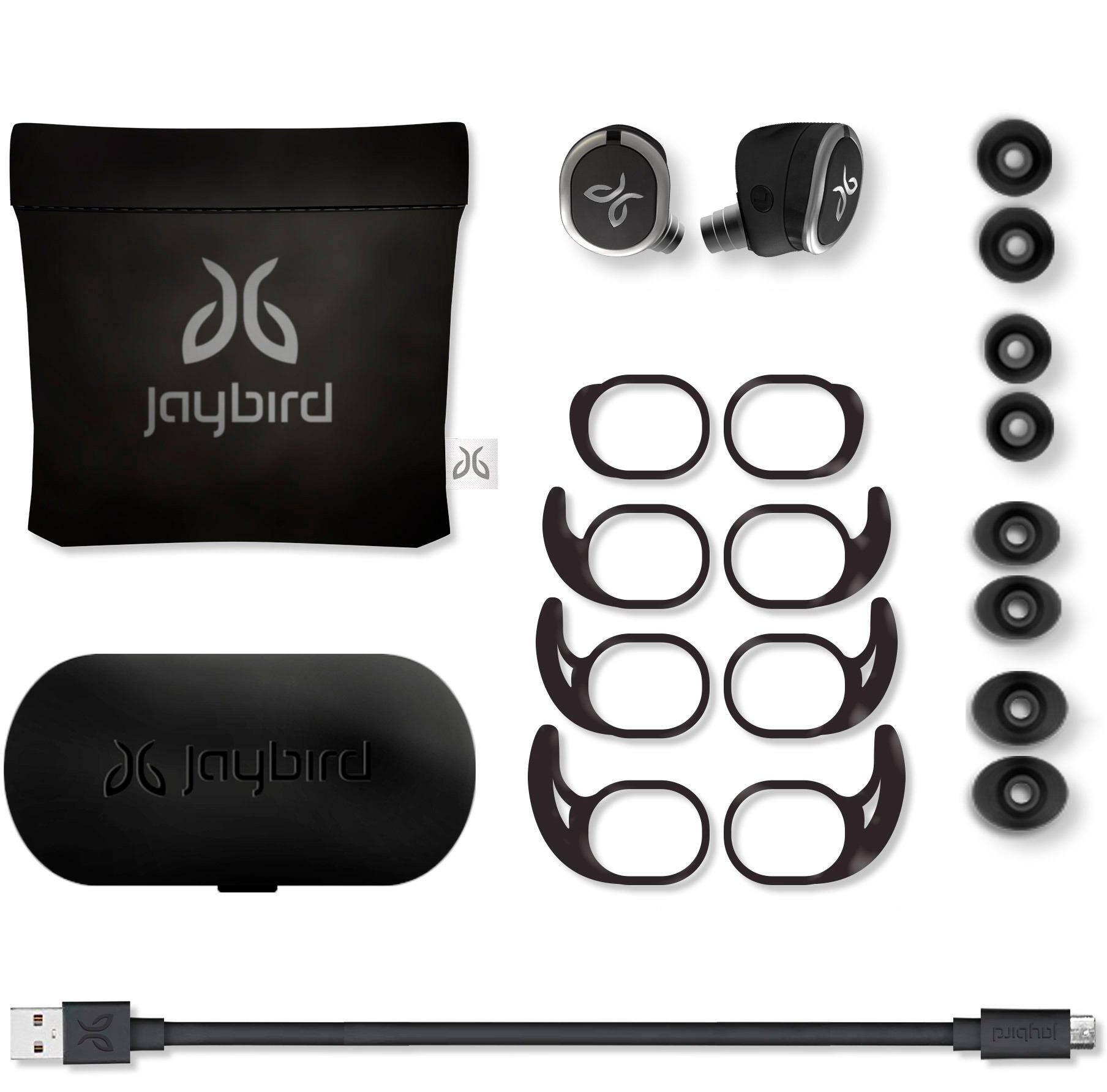
Posted .This reviewer received promo considerations or sweepstakes entry for writing a review.Overall they are good. For the $179.00 price they should be excellent. The sound is excellent. I live that they give a a variety of silicon ears pieces , you are sure to find the one to give you an excellent fit. I ride my bike with them 15-30 miles & have never had an issue with one of them falling out. Once you learn the best way to fit them to your ear they stay put Connectivity is very poor. The Jaybird Run earbuds worked great for about the 1st 2 1/2 months. Then all a sudden the left earbud started to cut in & out. So numerous times I have to reset the earbuds & reconnect to my phone. The recent issue I started having now is that they won’t connect to the Jaybird Run app on my phone. Shows connected to phone but will not connect to the app. That’s a whole other process to fix that. I would have gladly rated them a 5 had I not started & continued to have connectivity issues.
I would recommend this to a friend - Pros mentioned:Battery life, Fit, Sound qualityCons mentioned:Connection
nice for Jaybirds 1st Gen. True wireless
Posted .This reviewer received promo considerations or sweepstakes entry for writing a review.I'm loving these Earbuds! The sound is amazing with an EQ adjustment, they fit nice and secure, they have good sound isolation and the battery life is decent. the two minor issues are the connection between the earbuds cuts off only once in a while and the only part where I notice the sound delay is when I'm playing games. No problem with watching videos
I would recommend this to a friend Bad fit, doesn't stay put, looks cheap
||Posted .This reviewer received promo considerations or sweepstakes entry for writing a review.I tried a few wireless headphones and this was the worst one amongst the group. The tips that came with didn't fit well in the ear. Worst, the fit of the tip on the earbud doesn't completely cover/lock onto the earbud, so it makes it feel cheap/ not made well.
No, I would not recommend this to a friendBrand response from Jaybird Support Team
Posted .Hi wirelesslover,
Thank you for your review with the Jaybird RUN. We are sorry to hear that you have not able to find the perfect fit yet with the buds.
Everyone's ears are different and fit is the biggest part of headphones especially when being used to train or run so this being said we would love to help you get a perfect fit. We have some more ear tip options and fit suggestions that can help. Please reach out to jaybirdlistens@jaybirdsport.com and we will do what we can to help improve your experience and fit.
----------
#poweryourpassion
The Jaybird Sports Experience Team
If we've solved your issue, we'd appreciate an update to your review.
- Pros mentioned:Fit, Sound quality, Wireless
Awesome flawless
Posted .This reviewer received promo considerations or sweepstakes entry for writing a review.I'll get straight to the point. Sound is great, fit is flawless I've been wearing them for a few hours now and no irritation or pain. The one thing I was skeptical about was connectivity because of the early reviews and I'm guessing Jaybird fixed them issues because I've had a flawless connection so far I even sat on my phone and covered both my ears and no signal drop or out of sync what so ever. Great job addressing the issues right away jaybird!
I would recommend this to a friend - Pros mentioned:Fit, Sound quality
Excellent and Awesome Earphones!!!
Posted .This reviewer received promo considerations or sweepstakes entry for writing a review.Let me just start off by saying that I do not regularly write reviews, but I felt like I have to write this review. I know that the truly "wireless" headphones haven't been out on the market that long. I had used several Bluetooth headphones in the past (Jaybird, Plantronics, Sony, and Beats). When Jabra - Elite Sport True Wireless Earbud Headphones came out, I bought them and tried them. I returned them a few days later due to poor fit, horrible sound quality, and connection problems. When Jaybird came out with this headphones, I looked at them and also Sony's new wireless headphones. I read several reviews about poor connection, so I was hesitant to try them. I also have slight Cauliflower Ear from wrestling, so it's hard to find a good fit. Anyway, I figure I give them a try since I could return them within 14days. Well, I am delighted and glad that I gave these earphones a try. I have ZERO problems with connections. I have paired these earphones with iPhones, Android phones, and apple watch. I left the phones and walked to another side of the gym (about 25feet) with zero connection problems. I had worked out and ran (so far indoor only) with ZERO problems. I LOVE these earphones and now leave my Beats Powerbeats 3 in my gym bag. The fit is great too..I did not have to go through a bunch of different fit process. As for sound..when they first get connected to the phones or watch, I can hear very low noise (some hissing sound?), but once I start playing music or phone calls, I don't hear them. Anyway, I'm just REALLY glad; I bought these earphones!!!!
I would recommend this to a friend - Pros mentioned:Fit, Sound quality
amazing!
|Posted .This reviewer received promo considerations or sweepstakes entry for writing a review.I have tried these earphones more than a few times now and once I figured out all the ways to control them, I like them. The only caveat is that I had to change my behavior a bit to use them. I typically use my ipod classic with wired earphones and it all worked well. I just got introduced to this brand while searching for a bluetooth device to add to my ipod classic in order to transmit wirelessly. So, I bought a jaybird Bluetooth transmitter for my ipod and when I got these, it was perfect. I was all set. Well, after using them, I noticed that these earphones can only connect to one device at a time, so controlling them from my smartphone was not an option while on the treadmill. I wanted to change the bass tones and lower the treble...well cant do that with the ipod. So, put some music on my phone and it works great, however, not a fan of keeping my phone with me everywhere, and my phone doesn't hold the same amount or selection of music as my 160GB ipod. Other than that, the range is good. I can walk around the whole house and still hear music, the quality of the sound is really good and full bodied. The fit is pretty darn good too. I changed the ear pads to the small and they do not cause any pain when in my ears for a while. I did not change the ear fin, cause cant feel it anyways. I am assuming it is doing its job. The case is awesome! I love a case that charges as well! These will be my go to earphones when working out or away from the house.
I would recommend this to a friend - Pros mentioned:Fit, Sound quality
Holy S@#!$
Posted .This reviewer received promo considerations or sweepstakes entry for writing a review.I rarely write reviews...I'm one of those that relies heavily on reviews but hardly write, unless it's bad mostly. But, I feel compelled in this instance. Over the years i have ran the gamit of just about every headphone and earbud available. I have been an audiophile way before i was even aware the term existed. Being a gym rat, I currently own the jaybird freedom 2, jaybird x3, and Bose soundsports, earbuds. They each have their place. We have all watched the transformation of the industry from wired headphones to wired earbuds, Bluetooth, and now truly wireless earbuds. About the jaybird runs......These are the shizznet!!! Reading all of the negative reviews concerning the Bluetooth connectivity, I was reluctant to purchase these. After A TON of research, into ALL of the truly wireless earbuds available, I decided to go with these anyway. I just purchased them yesterday, 11/04/2017 went home, plugged them in to laptop to upgrade, ( process was flawless), and immediately went to the gym. I changed the tips to large. The fit and seal we're PERFECT! The sound quality was PERFECT, relative to them being earbuds. And I had ZERO problems with connectivity. To be fare, the gym was fairly empty, being a Saturday at around 4:00pm. So maybe not having to contend with a multitude of Bluetooth devices did help. Will definitely know by Monday at rush hour. So far, I have absolutely nothing bad to say about these earbuds!!!
I would recommend this to a friend I would buy them
||Posted .This reviewer received promo considerations or sweepstakes entry for writing a review.I am actually going to return mine. They do not fit in my ears. I put them in and my right ear one fell right out. Quality of the sound is tinny. Sorry but i would put them back on the shelf and buy another pair.
No, I would not recommend this to a friendBrand response from Jaybird Support Team
Posted .Hi Shann,
Thank you for your review with the Jaybird RUN. We are sorry to hear that you have not able to find the perfect fit yet with the buds.
Everyone's ears are different and fit is the biggest part of headphones especially when being used to train or run so this being said we would love to help you get a perfect fit. We have some more ear tip options and fit suggestions that can also help with the audio quality. Please reach out to jaybirdlistens@jaybirdsport.com and we will do what we can to help improve your experience and fit.
----------
#poweryourpassion
The Jaybird Sports Experience Team
If we've solved your issue, we'd appreciate an update to your review.
New purchase
||Posted . Owned for 9 months when reviewed.This reviewer received promo considerations or sweepstakes entry for writing a review.I bought these for my daughter. These were a new brand and she wanted to try them. She did not like the way they fit. Felt very uncomfortable and we returned them to buy her regular brand.
No, I would not recommend this to a friendBrand response from Jaybird Support Team
Posted .Hello desi,
Thanks for your feedback. We are constantly trying make our products better and appreciate what you have to say.
Please do not hesitate to reach out to us at jaybirdlistens@jaybirdsport.com and we'll be glad to help out.
----------
Bruce
Jaybird Customer Experience
#poweryourpassion
Does not hold charge
||Posted .This reviewer received promo considerations or sweepstakes entry for writing a review.At first, loved product. After 20’days, The power always low, even after all day charge. Left earbud always sayi ‘20% left’, about 5 minutes, ‘low battery, please charge’, earbuds shut off!
No, I would not recommend this to a friendBrand response from Jaybird Support Team
Posted .Hello NotAFan,
We're sorry to hear that your Jaybird Run's battery do not hold a charge and we'll be glad to help you out! Just send us an email at Jaybirdlistens@Jaybirdsport.com and we will get you taken care of.
Kindly try using a different power source/charger and/or a different USB cable. A pulsing green LED on each side means it is charging, solid green light when fully charged. It is recommended to use 5V/500mA-1A charger for 3 hours only.
It would also help to ensure that the lid of the charging case is securely closed and the charger ports and prongs align accordingly and are free from debris.
----------
Bruce
Jaybird Customer Experience
#poweryourpassion
- Pros mentioned:Battery life, Fit
favorite ear buds
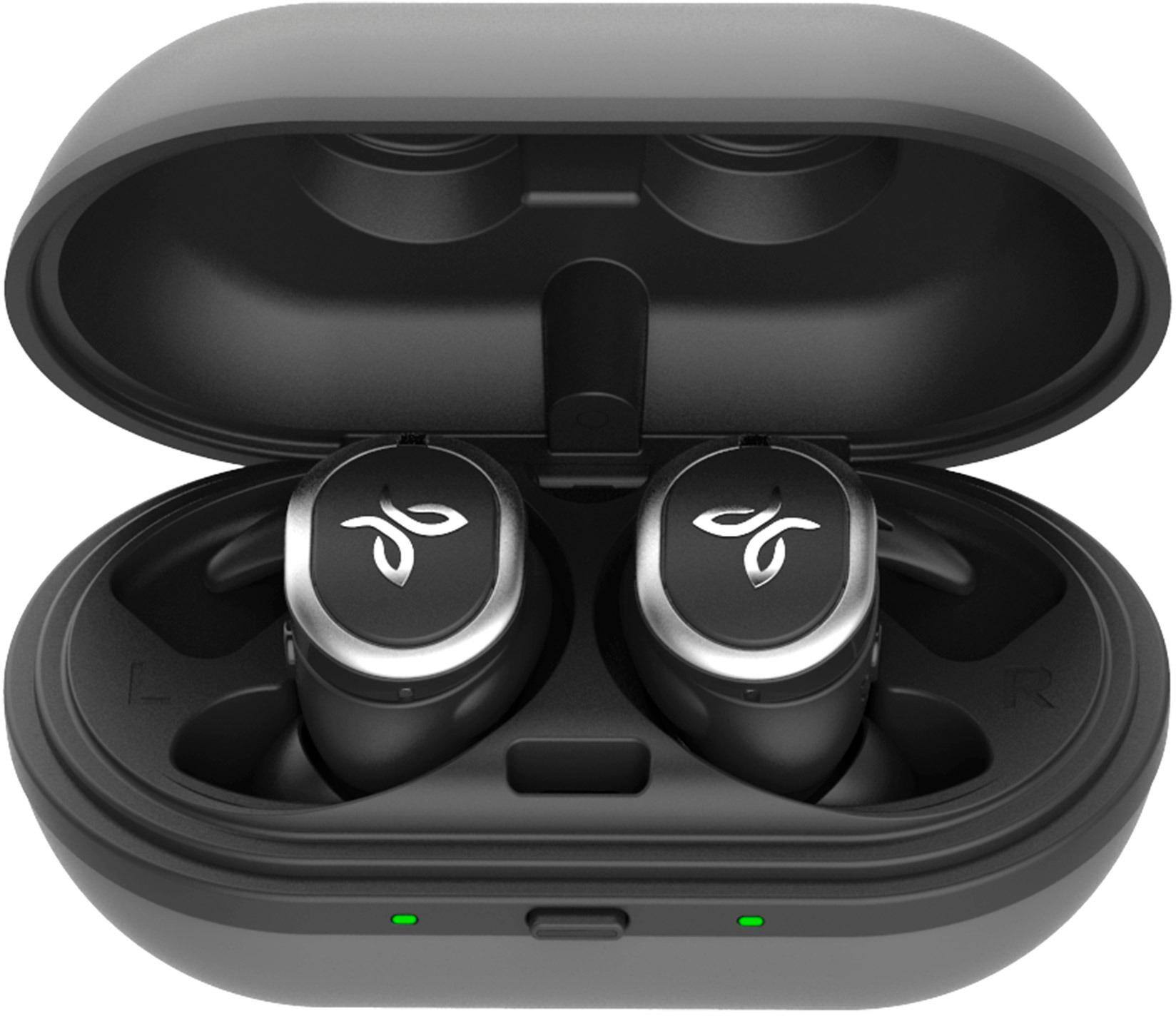
|Posted .This reviewer received promo considerations or sweepstakes entry for writing a review.so far these are my favorite ear buds that I have tried and have that are wireless. I love that they come with 2 cases, one is a hard case that holds the ear buds themselves in. and then another soft case/bag that holds the charging cord and extra tips in. the hard case charges the ear buds when you place them inside and close the lid. what is great is that its also a portable charger so the buds last about 4 hours, and you get 8 hours of charging with the case as well. so you get 12 hours total and it does not take long to charge either. the ear buds are comfortable and fit well. My left ear has a lump and most ear buds I cant use because they wont fit or stay in. had no issues with these. however on that note, I do wish they did have a cord between them just in case one does fall out if walking or jogging. having a cord at least keeps it close by. but have not had that issue with walking yet. the noise is not the best but not the worst. its still pretty high up there. and loud enough to be able to drown out most sounds from around. again so far I prefer these over the many other ear buds I have tried out. my wife says the same thing too. and again I do like that not only did it come with a case for the ear buds, but it also acts as a portable charger as well.
I would recommend this to a friend