Customer Ratings & Reviews
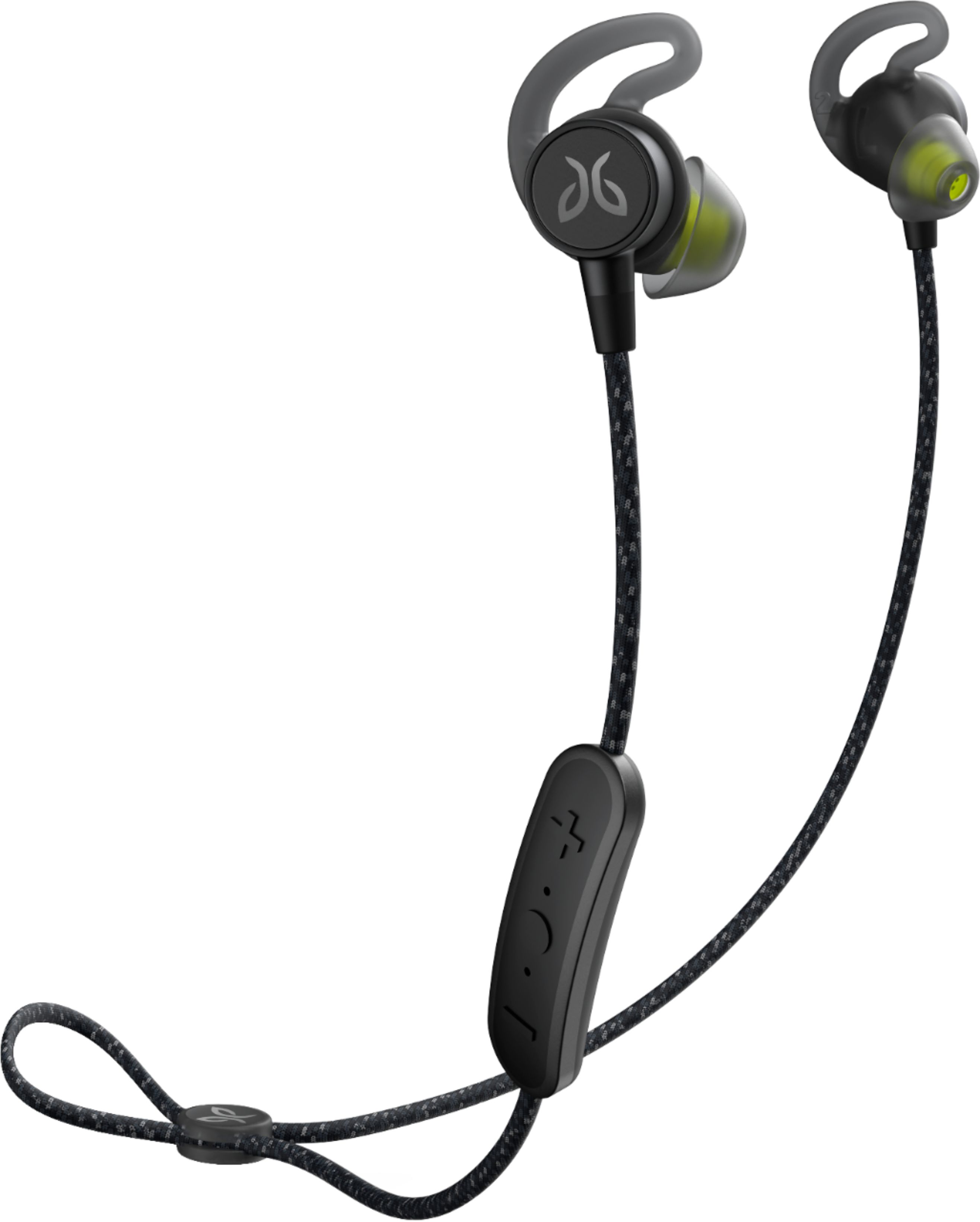
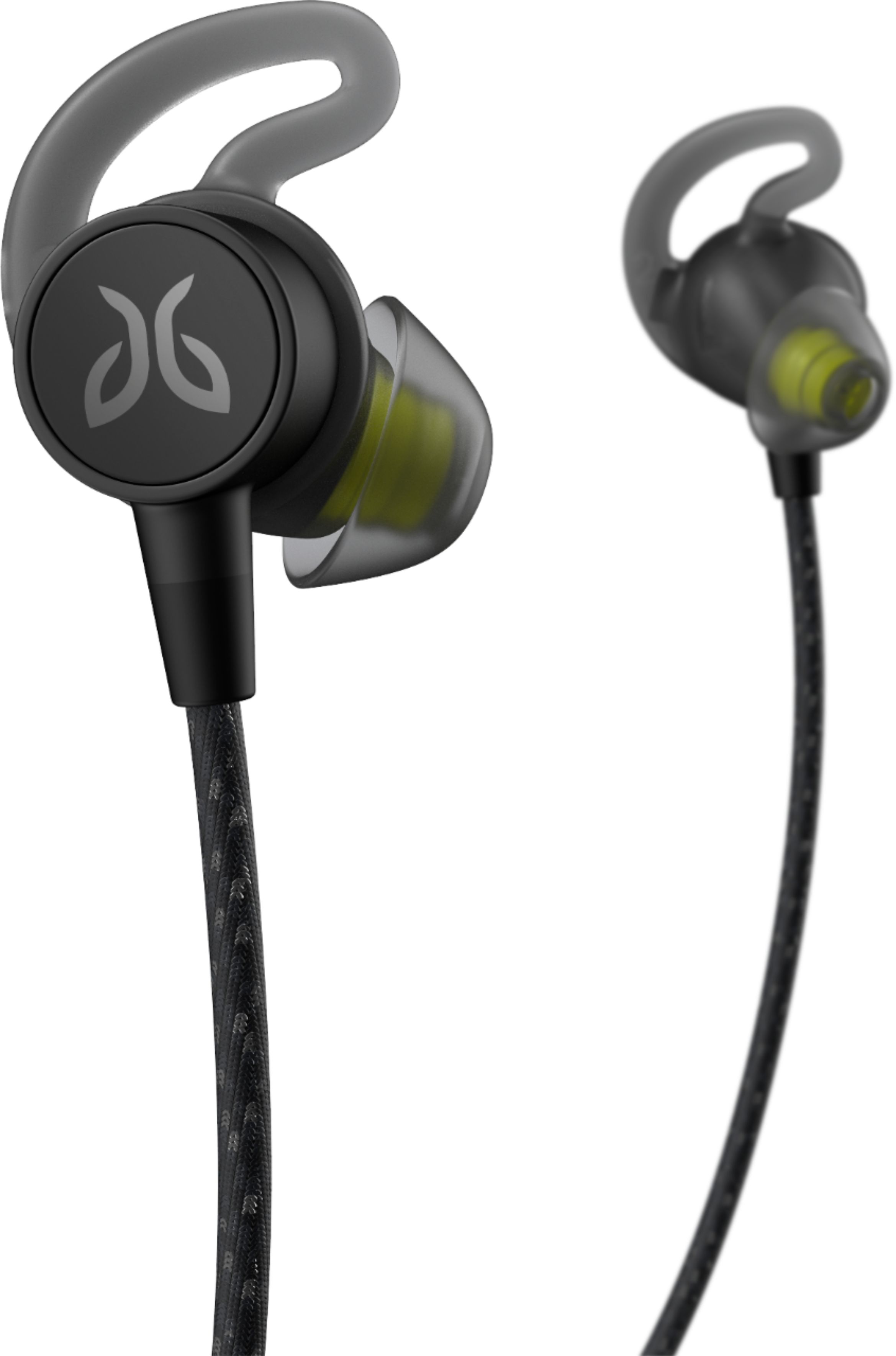
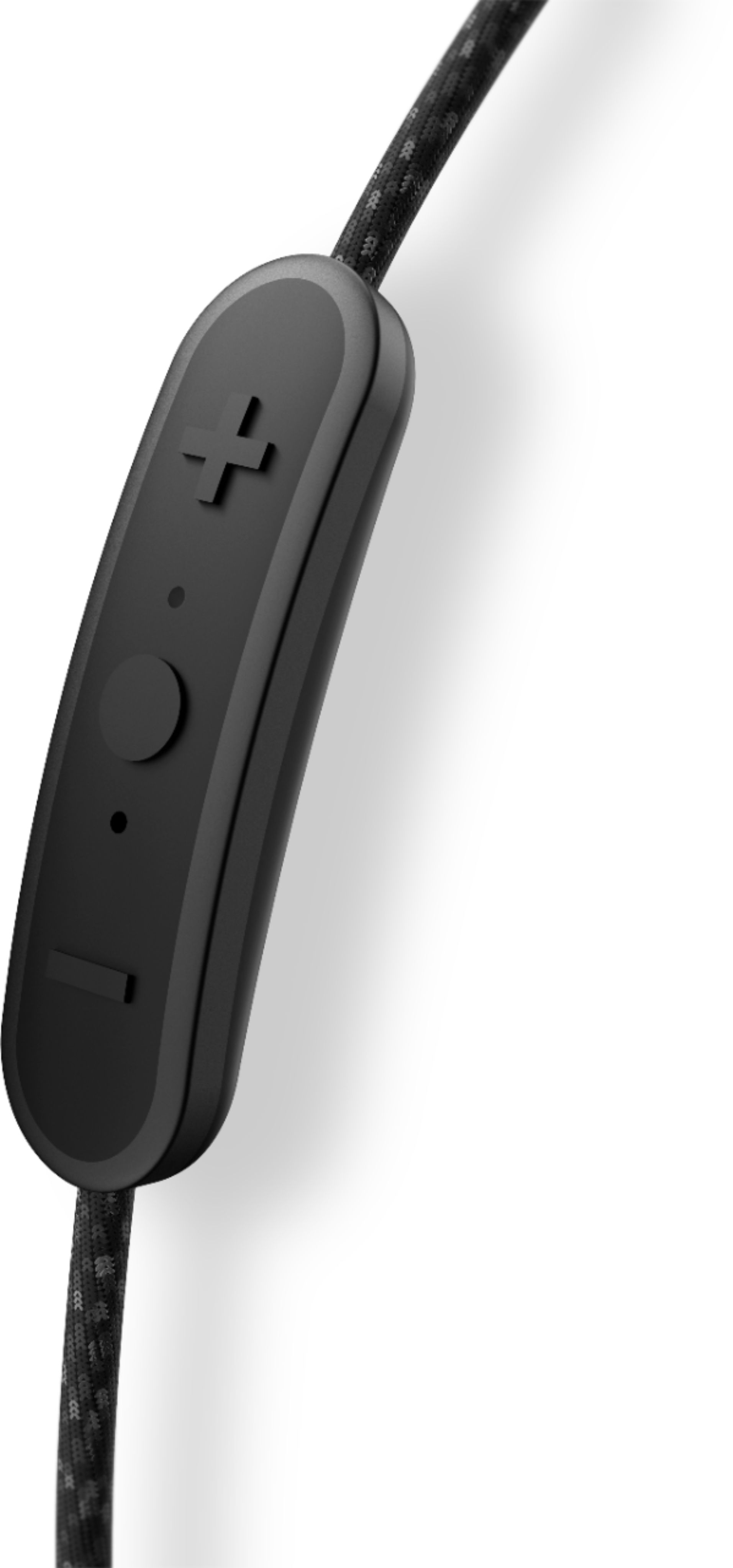
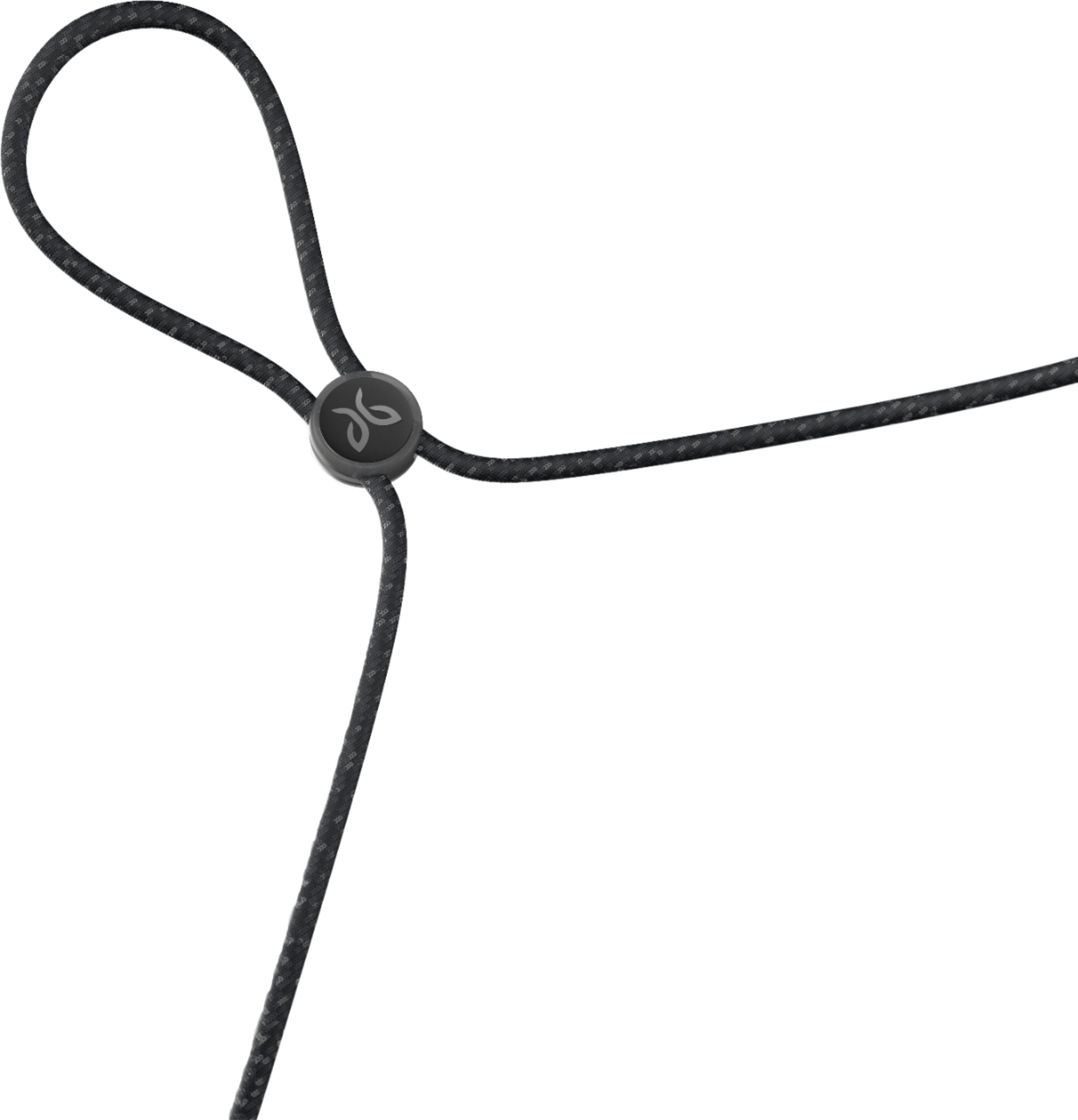

- Model:
- 985-000822
- SKU:
- 6289924
Rating by feature
- Value
Rating 3.9 out of 5 stars
- Quality
Rating 4.2 out of 5 stars
- Ease of Use
Rating 4.3 out of 5 stars
Customers are saying
Customers love the Tarah Pro Wireless In-Ear Headphones for their exceptional sound quality, long battery life, and comfortable fit. Many users appreciate the waterproof design, making them ideal for sports and workouts. However, some users have mentioned minor issues with charging, connectivity, and pricing.
This summary was generated by AI based on customer reviews.
Buyer beware
||Posted . Owned for 1 year when reviewed.This reviewer received promo considerations or sweepstakes entry for writing a review.Stopped charging after a year. Bought a new charger but that wasn’t the problem. Used heavily and often so I’m really bummed that they stopped working because I really loved them
No, I would not recommend this to a friendConnection issues
||Posted .This reviewer received promo considerations or sweepstakes entry for writing a review.I really wanted to love this ones but they had a lot of connection issues. Not recommended.
No, I would not recommend this to a friendBrand response from Jaybird Support Team
Posted .Hi Future Trunks,
We agree, a bad connection is a deal breaker and we'd like to help you out.
Please email [email protected] and we will be more than happy to help.
________
Adam
Jaybird Customer Experience
#poweryourpassion
A junk product that quit working in 8 months
||Posted . Owned for 9 months when reviewed.This reviewer received promo considerations or sweepstakes entry for writing a review.I wasted $160 plus tax on these garbage Tarah Pro headphones. They were used only a couple times a week for 8 months when one of the ear pieces failed and stopped working.....no sound at all.
No, I would not recommend this to a friendNot the best or worst
||Posted .This reviewer received promo considerations or sweepstakes entry for writing a review.The switch failed after about a week. I had insurance and traded up to another brand
No, I would not recommend this to a friendBrand response from Jaybird Support Team
Posted .Hi OldLG,
We are sorry to hear that the Jaybird Tarah Pro's stopped working and we'll be glad to help you out! Just send us an email at [email protected] and we will get you taken care of.
----------
Bruce
Jaybird Customer Experience
#poweryourpassion
Sound is good. But goes flat in about an hour
||Posted . Owned for 1 month when reviewed.This reviewer received promo considerations or sweepstakes entry for writing a review.The Best Buy in atlanta conned me into buying these. Should have gone with my own research. Only tried them a few times. Just about makes it through one workout then they're done. 14 hours? more like 1 hour! Trying to return them. Don't bother with these when there are much more reliable alternatives available.
No, I would not recommend this to a friendBrand response from Jaybird Support Team
Posted .Hello hifipro,
Thanks for your feedback on the Jaybird Tarah Pro. We are constantly trying make our products better and appreciate what you have to say.
Please try these suggestions that can help to resolve the issue of your headset:
- Try a different power source/charger
- Computers are the best and safest method, as is anything 1 AMP or less.
- Car chargers produce a much greater power supply and should be avoided.
- Over-charging the battery will quickly reduce the life of the headphones, so in addition to monitoring the power supply, limit the charge time to 2 hours,
- To get the most out of your battery it is recommended to charge the buds when the low battery status is indicated.
- Avoid charging your headphones after exposure to sweat.
- Make sure charging port/cradle is clear of any debris.
Please do not hesitate to reach out to us at [email protected] and we'll be glad to help out.
----------
Bruce
Jaybird Customer Experience
#poweryourpassion
Defective Pair
||Posted . Owned for 3 weeks when reviewed.This reviewer received promo considerations or sweepstakes entry for writing a review.The pair I bought from Best Buy had a red light that wouldn't turn off straight out of the box. I contacted Jaybird & they sent me a replacement pair which turned out to also be defective, that pair won't turn on or charge. I would like a refund or replacement from jaybird or Best Buy.
No, I would not recommend this to a friend- Pros mentioned:Battery life, Comfort

Perfect sound and battery life
|Posted .This reviewer received promo considerations or sweepstakes entry for writing a review.Rarely do I give 5 stars for a product. But this time it is a must. I have had older versions of this headset (x2) and they were great. But, when I got these, I was blown away to say the least. Yes it has a long battery life is quite comfortable to wear. I love the custom soundscapes you can create/share/download to make them audio perfect for anyone. Best part is that once you load the right sound for you, the headphones remember it when you switch to something else (phone, media player, computer) so it is a win/win for me. I love the braided cord as it does not stick to the back of my neck when sweating during exercise. However, with all great things there is a but... well the cords are good length for either under ear or over ear placement. BUT it is barely long enough to close the earpieces together and feels like a choker. With the adjustable cord cinch you would have thought a few extra inches would be expected. All in all I am happy with them and the long battery life that comes in handy during long travel. Also remember that this has its own charging cable that is not universal. So remember to bring it with you when you travel or on long trips.
I would recommend this to a friend Ehh
||Posted . Owned for 3 weeks when reviewed.This reviewer received promo considerations or sweepstakes entry for writing a review.Not loud enough. I like the x4 way better. They rock
No, I would not recommend this to a friendThe Worst Charging System Ever Invented Ever
||Posted . Owned for 2 months when reviewed.This reviewer received promo considerations or sweepstakes entry for writing a review.The charging mechanism is horrifically bad. Instead of a standard USB insertion, there is a three pin connection that doesn't stay connected. I have to use a clothes pin to keep the electrical connection in order to charge the device. Avoid Jaybird until they hire some decent engineers.
No, I would not recommend this to a friendBrand response from Jaybird Support Team
Posted .Hi UncleMo,
We are sorry to hear that the Jaybird Tarah Pro did not meet your expectations with some of the design and features and we'll be glad to help you out! Just send us an email at [email protected] and we will get you taken care of.
----------
Bruce
Jaybird Customer Experience
#poweryourpassion
Didn't last long
||Posted . Owned for 1 month when reviewed.This reviewer received promo considerations or sweepstakes entry for writing a review.Mine broke after using them twice. I imagine it's some defect with just this pair. None the less. I used them twice. After that they quit turning on. They power up for a few seconds then shut down. If you try to turn them on again it gets a red light.
No, I would not recommend this to a friendUncomfortable design bulky
||Posted . Owned for less than 1 week when reviewed.This reviewer received promo considerations or sweepstakes entry for writing a review.Not good if you’re familiarize with Jaybird old products,think this should be superior than the Freedom 5 (very good) but oh no nothing in comparison, cradle instead of a battery and charging cable to charge anywhere No if you lost the cradle forget it no good.
No, I would not recommend this to a friendJust okay
||Posted .This reviewer received promo considerations or sweepstakes entry for writing a review.Hate the proprietary charger. Make it a hassle to charge
No, I would not recommend this to a friendBrand response from Jaybird Support Team
Posted .Hi Zydeco,
We are sorry to hear that the Jaybird Tarah Pro did not meet your expectations with regard to the charging cradle and we'll be glad to help you out! Just send us an email at [email protected] and we will get you taken care of.
----------
Bruce
Jaybird Customer Experience
#poweryourpassion
Uncomfortable
||Posted .This reviewer received promo considerations or sweepstakes entry for writing a review.Unlike the other Jay birds, these were extremely uncomfortable. They popped out of my ear constantly and hurt my antihelix. I tried all the buds and none fit properly. The wire was extremely uncomfortable on my neck. I returned them after 3 days of use. Terrible product.
No, I would not recommend this to a friendBrand response from Jaybird Support Team
Posted .Hi atkane,
We are sorry to hear that your Jaybird Tarah Pro does not fit and we'll be glad to help you out! Just send us an email at [email protected] and we will get you taken care of.
For setup instructions, follow the steps below so you can fine tune your fit further:
OVER-EAR FIT
1. Put the Tarah Pro earbuds in your ears.
2. Rotate the body of the earbuds towards your cheek until they stop and wrap the cord behind your ears.
3. Adjust the cord using the speed cinch.
UNDER-EAR FIT
1. Put the Tarah Pro earbuds in your ears.
2. Rotate the body of the earbuds towards your ear lobe until they stop.
3. Adjust the cord using speed cinch or shirt clip.
For further instructions, you can also go here:
https://www.jaybirdsport.com/en-us/jaybird-support/jaybird-tarah-pro/faq/find-my-fit/how-do-i-setup-fit-my-tarah-pro-earbuds.html
----------
Bruce
Jaybird Customer Experience
#poweryourpassion
- Pros mentioned:Battery life, Sound quality
Good but not perfect
Posted .This reviewer received promo considerations or sweepstakes entry for writing a review.Excellent sound quality which is customizable through the app. The battery life was good—about 6 to 7 hours. The issue was the braiding closest to the earbuds wore out through extensive use and sweating; the braid started to wear off which exposed the internal wires.
I would recommend this to a friend Ok
||Posted .This reviewer received promo considerations or sweepstakes entry for writing a review.I had issues getting it to fit my ear comfortably.
No, I would not recommend this to a friendBrand response from Jaybird Support Team
Posted .Hi FastGoose,
We are sorry to hear that your Jaybird Tarah Pro does not fit and we'll be glad to help you out! Just send us an email at [email protected] and we will get you taken care of.
For setup instructions, follow the steps below so you can fine tune your fit further:
OVER-EAR FIT
1. Put the Tarah Pro earbuds in your ears.
2. Rotate the body of the earbuds towards your cheek until they stop and wrap the cord behind your ears.
3. Adjust the cord using the speed cinch.
UNDER-EAR FIT
1. Put the Tarah Pro earbuds in your ears.
2. Rotate the body of the earbuds towards your ear lobe until they stop.
3. Adjust the cord using speed cinch or shirt clip.
For further instructions, you can also go here:
https://www.jaybirdsport.com/en-us/jaybird-support/jaybird-tarah-pro/faq/find-my-fit/how-do-i-setup-fit-my-tarah-pro-earbuds.html
----------
Bruce
Jaybird Customer Experience
#poweryourpassion
Disappointed
||Posted .This reviewer received promo considerations or sweepstakes entry for writing a review.I brought to use for running and they worked well but then after 7 months they started to crack. I returned them and got a replacement pair and the charging cable did not charge on replacement headphones. Returned a work later. Will not buy again.
No, I would not recommend this to a friendBrand response from Jaybird Support Team
Posted .Hello Ivns,
Thanks for your feedback. We are constantly trying make our products better and appreciate what you have to say.
Please do not hesitate to reach out to us at [email protected] and we'll be glad to help out.
----------
Bruce
Jaybird Customer Experience
#poweryourpassion
Terrible
||Posted .This reviewer received promo considerations or sweepstakes entry for writing a review.This is the worst headphones I have ever owned. The sound is so bad. I tried to adjust it on the app but nothing helped. I really thought this would be a smart buy but my $30.00 pair has much better sound quality than these jaybird. Wasted money):
No, I would not recommend this to a friendBrand response from Jaybird Support Team
Posted .Hi Jennifer,
We appreciate your detailed review on the Jaybird Tarah Pro. For other concerns, please do not hesitate to reach out to us at [email protected] and we'll be glad to help out.
----------
Bruce
Jaybird Customer Experience
#poweryourpassion
End if the day, I loved these things...
||Posted .This reviewer received promo considerations or sweepstakes entry for writing a review.For about 3 days. The crackling has totally ruined everything. I traded them out with bestbuy in hopes I had a faulty pair. To no avail. It blows. What's the point of having headphones if you can't hear anything but crackles....just really sucks
No, I would not recommend this to a friendBrand response from Jaybird Support Team
Posted .Hi Wall,
We're sorry to hear that your Jaybird Tarah Pro emits a crackling sound and we'll be glad to help you out! Just send us an email at [email protected] and we will get you taken care of.
Please try the following to resolve the issue of your headset:
1.If applicable, “FORGET” or “REMOVE” your Tarah Pro earbuds in your Bluetooth list of discovered devices.
2.Turn your Tarah Pro earbuds off by holding the middle button until the LED illuminates red and turns off.
3.When your earbuds are powered off, press & hold the middle button for 5 seconds until the LED starts blinking white.
4.While the LED is blinking white, quickly double press the middle button. The LED will illuminate red briefly, and then the LED will start blinking white again.
5.Your earbuds are now reset and ready to pair. Go to your audio device’s Bluetooth menu and select ‘Jaybird Tarah Pro’ to pair again.
When you reset your earbuds, you will lose any saved presets and any saved devices on the paired list.
Isolate the issue by testing with a different device or a device with a different OS.
----------
Bruce
Jaybird Customer Experience
#poweryourpassion
Power button malfunction
||Posted .This reviewer received promo considerations or sweepstakes entry for writing a review.The power button on my device was disfunctional and poorly placed. I ended up returning the device after just two uses. I would hesitate to recommend this product because it if the poor design and function. I had high hopes.
No, I would not recommend this to a friendBrand response from Jaybird Support Team
Posted .Hi Mmclaug4,
We are sorry to hear that the Jaybird Tarah Pro did not meet your expectations with regard to the design. Please send us an email at [email protected] and we will get you taken care of to improve your experience.
----------
Bruce
Jaybird Customer Experience
#poweryourpassion
Returned 3 in one month
||Posted . Owned for less than 1 week when reviewed.This reviewer received promo considerations or sweepstakes entry for writing a review.I returned three pair of Tarah Pros in four weeks. Each new pair developed the same issue with the control pad not working. I finally gave up.
No, I would not recommend this to a friend