Save up to 50% on 3-Day Sale deals.Ends 12/7.Shop now

Skip to content
Gift Ideas
Main Content

Customer Ratings & Reviews
Model:
KEPICKEYRBLK4
SKU:
6521119
Your price for this item is $69.99

Customer reviews

Rating 4.5 out of 5 stars with 195 reviews

Rating Filter

Rating by feature

  • Value

    Rating 4.5 out of 5 stars

  • Quality

    Rating 4.5 out of 5 stars

  • Ease of Use

    Rating 4.5 out of 5 stars

Pros mentioned filter

Cons mentioned filter

There aren't enough negative mentions yet.
88%would recommend to a friend

Customers are saying

Customers recognize the Epic Wireless Keyboard's high-quality build and comfortable key feel, frequently praising its long battery life and convenient volume control. Many appreciate the ease of use and wireless connectivity options, including both Bluetooth and a USB dongle. The included number pad is also a frequently cited positive feature. While some users experienced minor initial connection difficulties, overall feedback is overwhelmingly positive.

This summary was generated by AI based on customer reviews.

The vast majority of our reviews come from verified purchases. Reviews from customers may include My Best Buy members, employees, and Tech Insider Network members (as tagged). Select reviewers may receive discounted products, promotional considerations or entries into drawings for honest, helpful reviews.
Page 10 Showing 181-195 of 195 reviews
  • Pros mentioned:
    Connectivity, Keyboard quality
    Tech Insider Network Member

    Rated 5 out of 5 stars

    An Amazingly Wonderful Step Forward

    |
    Tech Insider Network Member
    Posted .
    This reviewer received promo considerations or sweepstakes entry for writing a review.

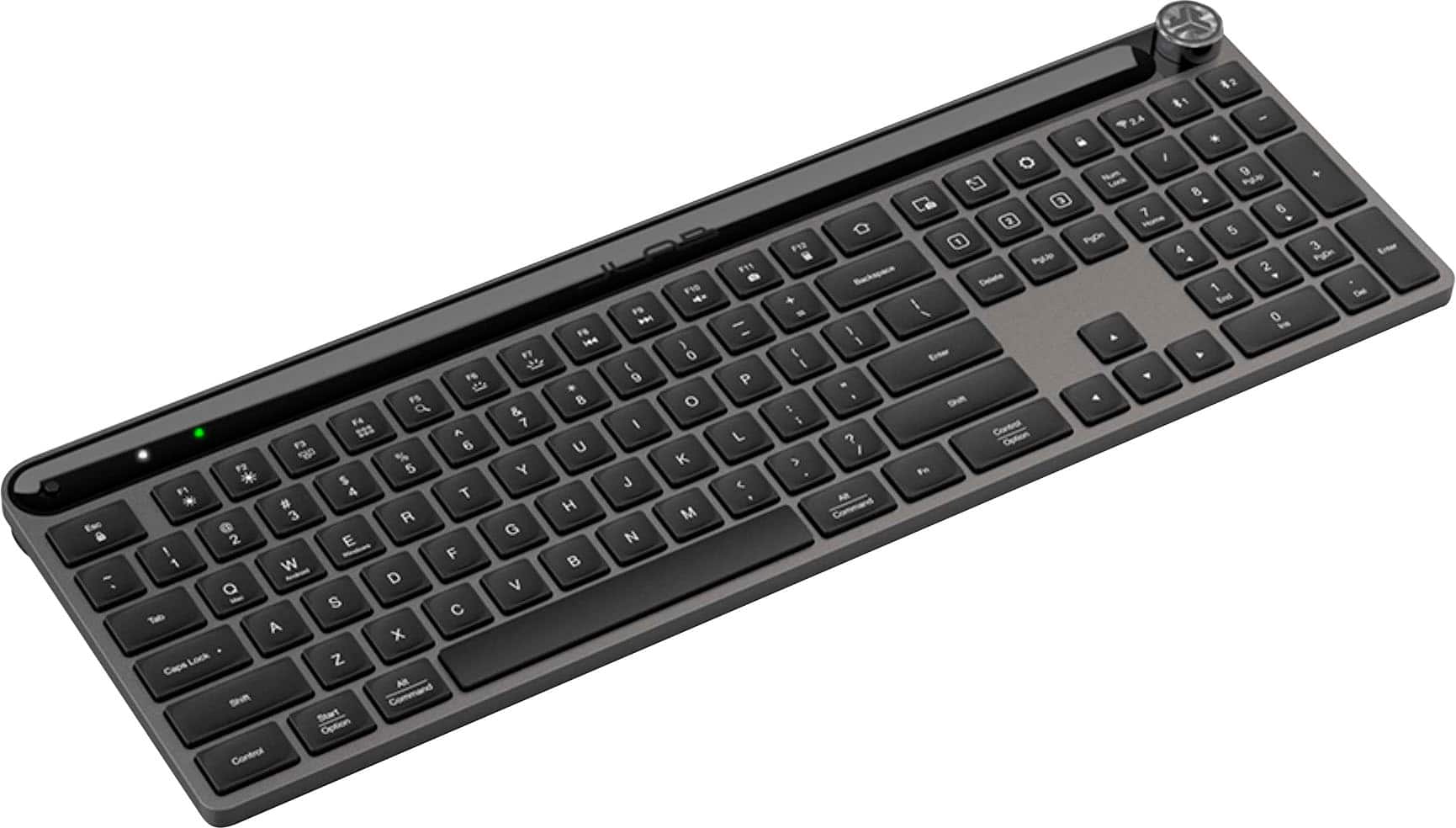
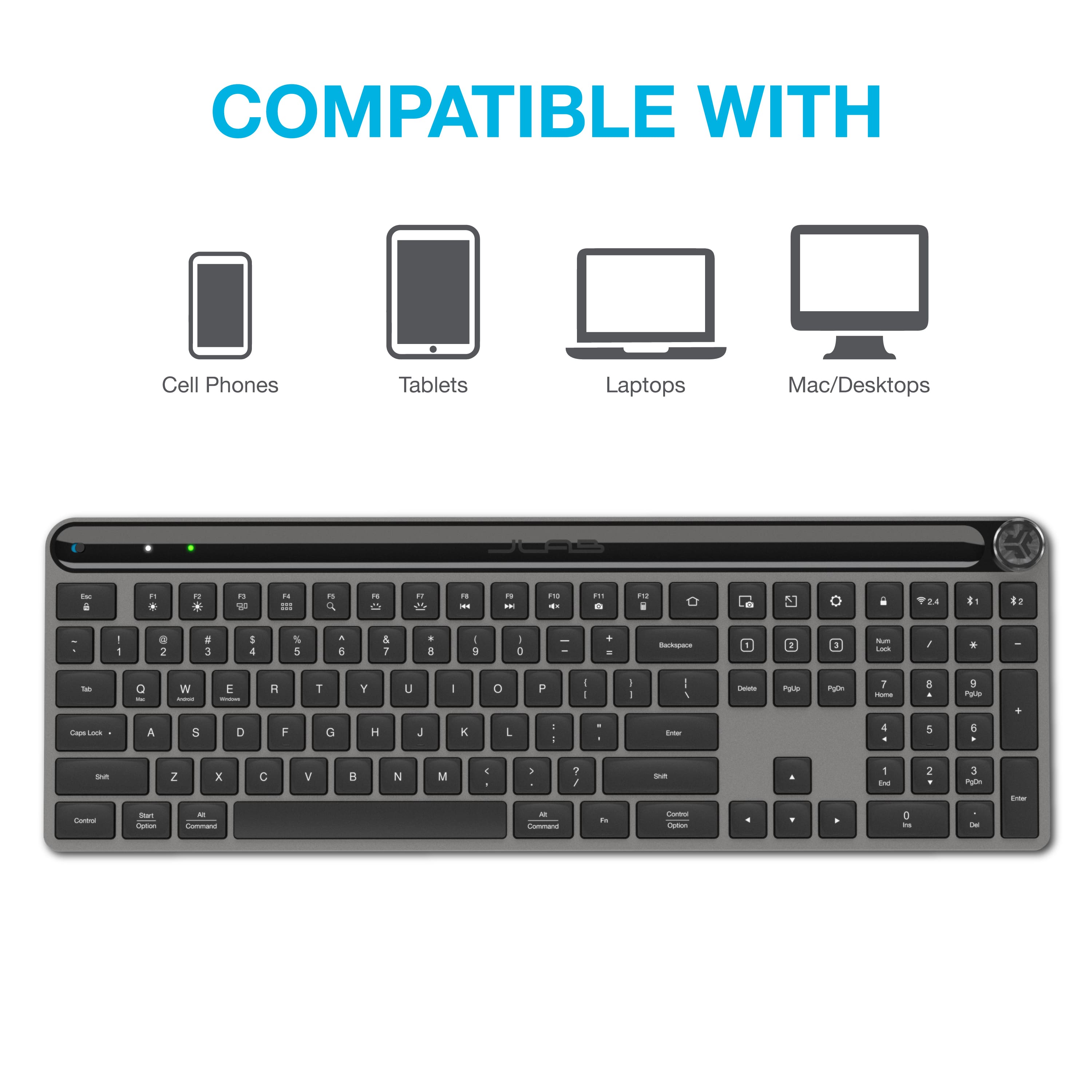
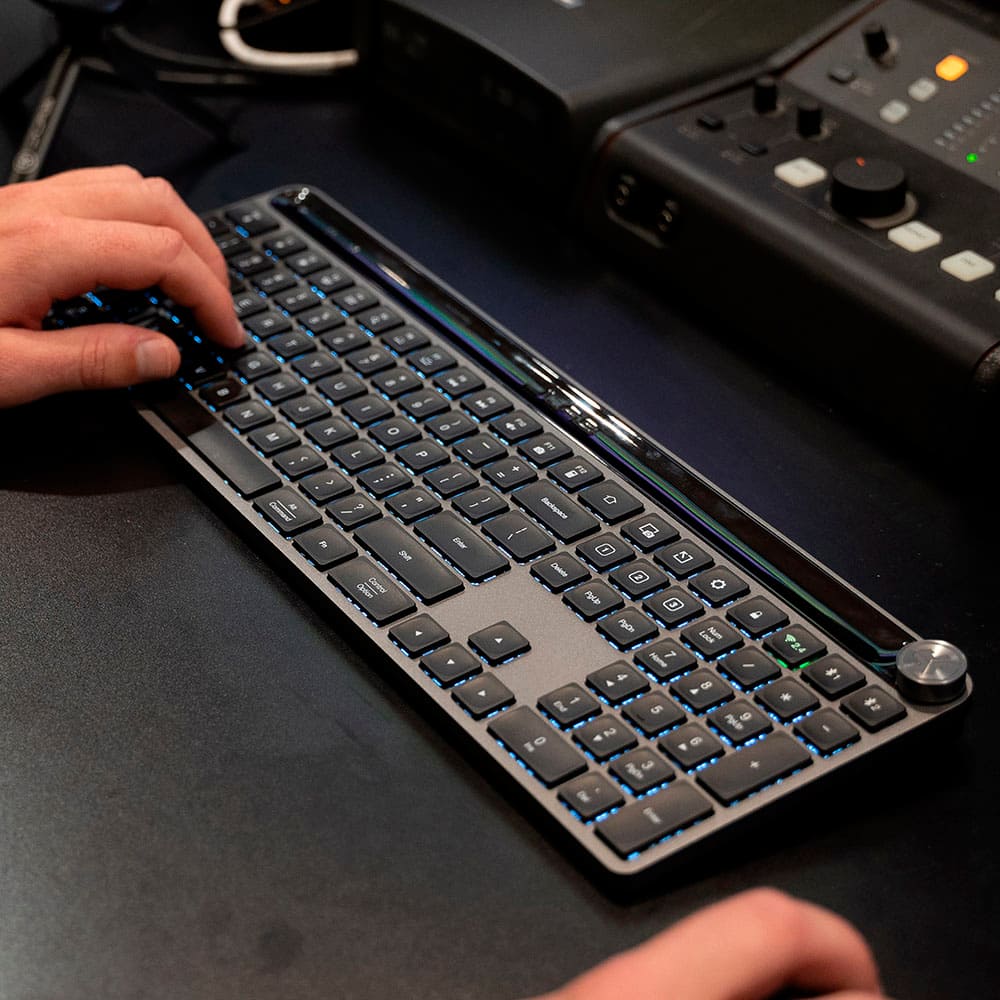
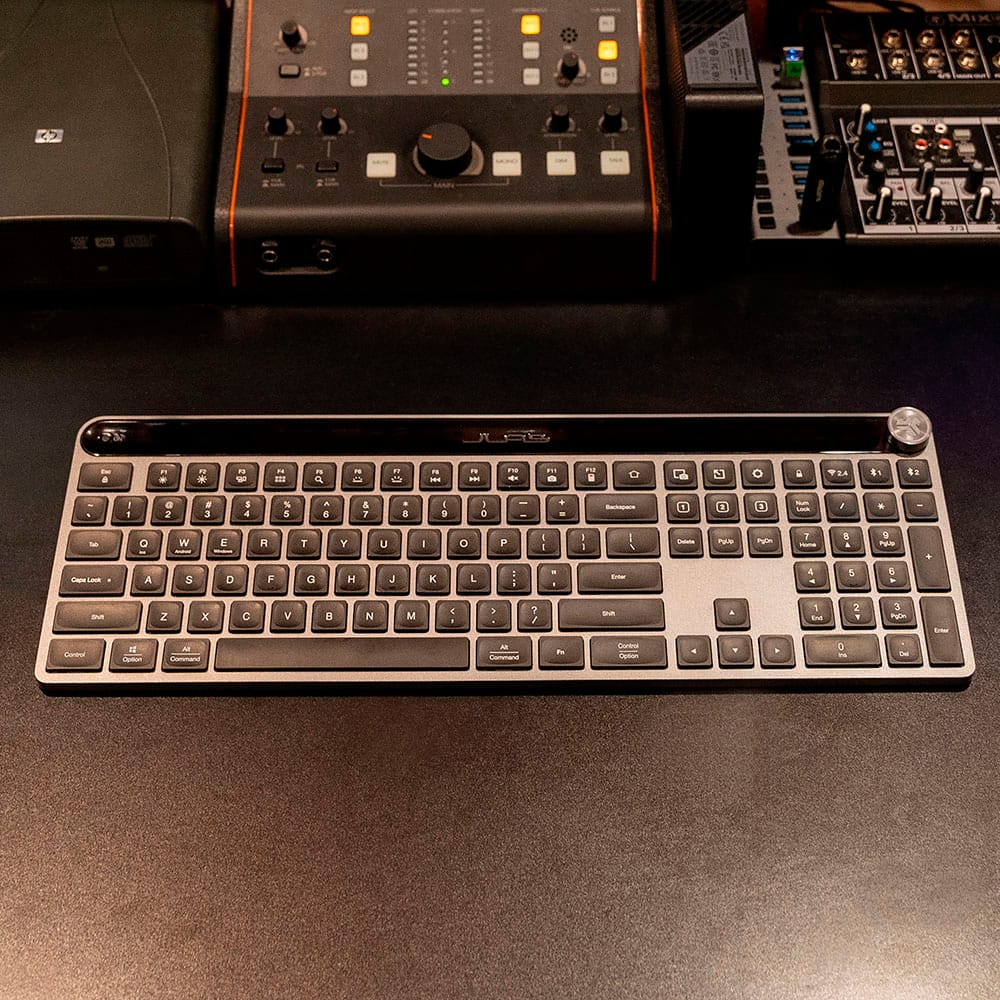
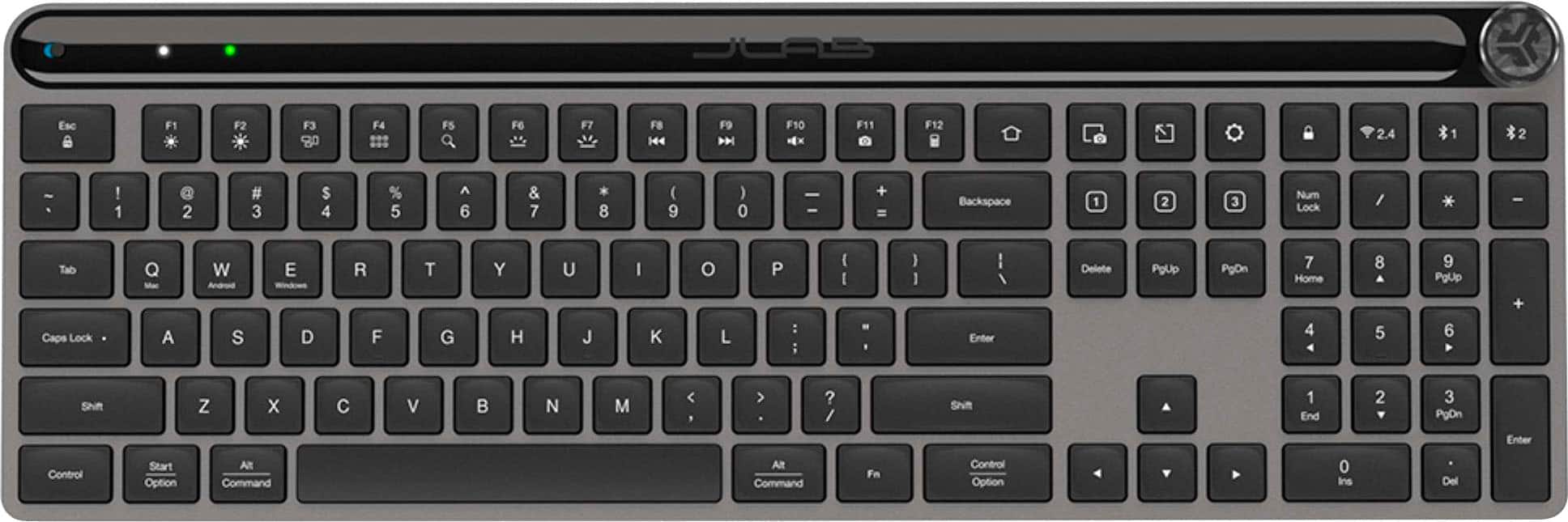
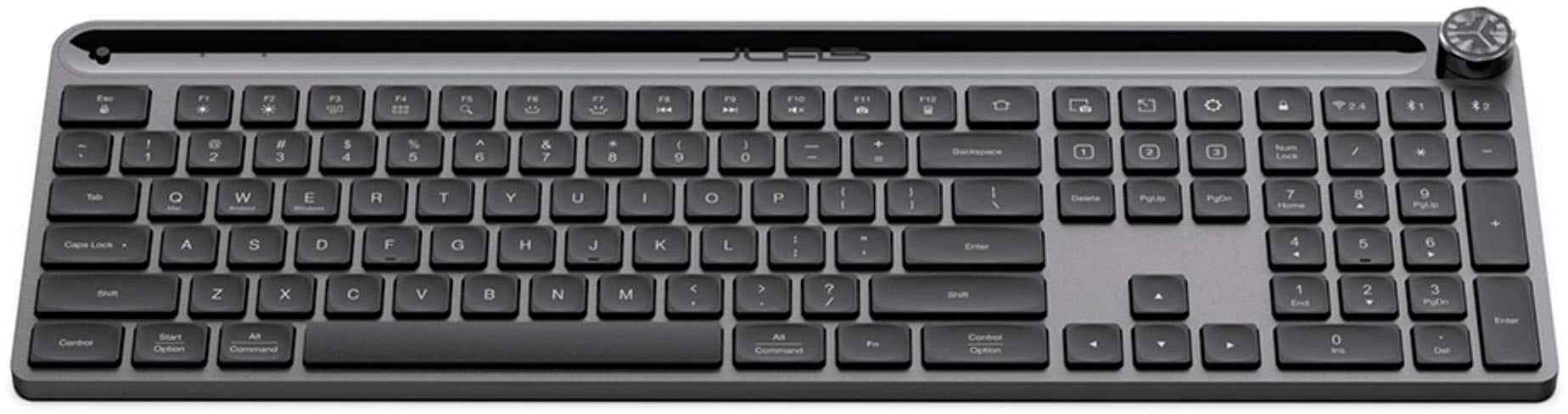
    The very first thing I want to say is that the Jlab Epic Wireless Keyboard is exactly what Jlab says it is. It is a truly wireless, multi-device keyboard. It does everything they claim, and a lot of what they don't. The second thing I want to say is that I am extremely surprised by just how well-built the keyboard is. It is sturdy, made of durable construction, and is truly made to outlast the life of probably everything you connect it to. (Of course I can't really prove that, but it is extremely well-built!) The greatest thing I want to mention is that I am using the Epic Keyboard to write this review! As I said, the keyboard is well-made and appears to be extremely durable. It is a dark metallic-like gray with black lighted keys. I might add that the keys are well-lit and very easy to see in the dark, as well as in well-lit conditions. It comes ergonomically designed, but the angle is non-adjustable. The keyboard has a 108-key layout design. Jlab boasts that the keyboard is easy to connect to three devices. They are quite correct in this as I was able to connect to my iOS phone, Android tablet and Windows laptop with just the touch of a key or two. Connection was amazingly simple and easy. Each device took way less than half of a minute to connect. I really like the way the keys feel as I type. They are responsive, and bounce back quite assertively. Jlab went to a lot of effort to ensure a very tactile experience with this keyboard. The Epic Keyboard is programmable, that is, it has shortcut keys that are able to be programmed to perform certain functions. This is made simple by using the Jlab Work App. And although the keyboard is certainly functional without the app, I would highly recommend installing it to access the full range of features available with the Epic Keyboard. Another great feature of this keyboard is the media knob, which allows the user to control volume, forward, back, etc. I've never seen this on a keyboard before, and for me it is a useful and very unique addition. Hats off to Jlab for this ingenious idea! For me, it has taken a bit of getting used to when it comes to the Epic Keyboard. This is only because I am so used to other keyboards that I have a feel for where the keys are. The Jlab Epic is not the same, so every once in a while my fingers will hit a wrong key. This will of course pass as I get more used to it. I find it difficult to come up with anything negative to say about the Jlab Epic Wireless Keyboard. It is well-made, durable, thoughtfully engineered...and the fact that you can store up to three different devices is mind-blowing. The keyboard is responsive, and feels quite pleasurable to use. And the price is probably one of the most attractive selling points of this keyboard. It is well worth the cost. If you are looking for a keyboard that allows you the ability to use up to three devices with only one keyboard, this is the one. I absolutely and highly recommend it.

    I would recommend this to a friend
    • Brand response from JLab Audio Team
      Posted .

      Thank you so much for taking the time to share your feedback. We are so grateful for your kind words! jlabaudio-conv

  • Pros mentioned:
    Connectivity, Key feel
    Tech Insider Network Member

    Rated 5 out of 5 stars

    Good Basic Keyboard

    |
    Tech Insider Network Member
    Posted .
    This reviewer received promo considerations or sweepstakes entry for writing a review.

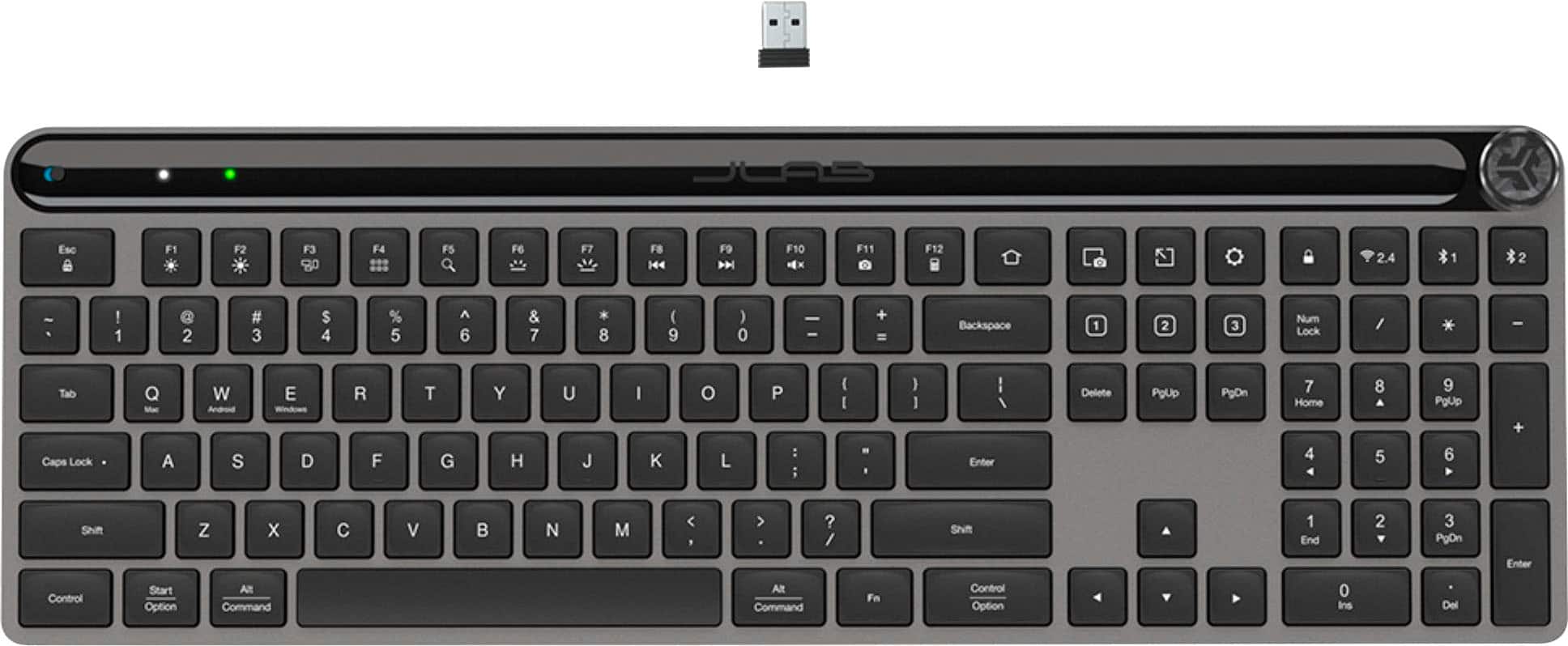
    The JLab Epic Wireless keyboard is a very good basic wireless keyboard. It features laptop style keys, wireless connectivity via dongle and bluetooth, charges via USB-C, and features media control via a volume knob. The keys are nice and tactile and about what you'd expect from this type of keyboard. I had no problem typing on it and was very comfortable the whole time I used it. Connection options are very nice. You can connect using the wireless dongle, or two additional connections via bluetooth. So you can have this connected to a computer, tablet, and another computer, and easily switch between the three with the press of a button. I find this very useful since I work from home and have a work computer and a personal computer both set up on my desk. I used to have to unplug the wireless dongle and plug it back in whenever I wanted to switch between computers, but with this keyboard I just press a key and bam, I'm switched over. It's a really useful feature, and not one I thought I would appreciate so much. One issue I had with the keyboard was the media control. Most other keyboards I've used have separate keys or buttons for play, forward, rewind, etc. But with the JLab, everything is done via the volume control knob. It clicks in for the different actions. So, click in to play/pause, two clicks for fast forward (or rewind, I can't remember), etc. Admittedly, I don't really use media control anyway, so personally I am not too bothered, but it just doesn't seem very intuitive or simple. Additionally, the knob doesn't really turn smoothly. It sort of clicks when turning and it makes it a little tough. Most of the time when I use my volume knob I just do a quick adjustment to hear someone or something. I can usually do that with one finger on other keyboards. With this one I have to physically grab the knob and give it a few good twists to turn the volume down. Not a deal breaker by any means, just not what I'm used to. Lastly, one worth mentioning is that there is no height adjustment. Most other keyboard have those little feet things you can pop out to lift the keyboard and inch or so. Those are nowhere to be found on this keyboard. So overall this is a really nice keyboard. My only issues with it are pretty nitpicky. I would easily recommend this to anyone needing a basic keyboard.

    I would recommend this to a friend
    • Brand response from JLab Audio Team
      Posted .

      Thank you so much for taking the time to share your feedback. We are so grateful for your kind words! jlabaudio-conv

  • Pros mentioned:
    Key feel, Keyboard quality
    Tech Insider Network Member

    Rated 5 out of 5 stars

    JLab - Epic Wireless Scissor Keyboard

    |
    Tech Insider Network Member
    Posted .
    This reviewer received promo considerations or sweepstakes entry for writing a review.

    JLab - Epic Wireless Scissor Keyboard Let me preface this by saying that I recently within the last year purchased a new mechanical keyboard for my home office dual setup of a Mac Mini and an ASUS ROG Strix desktop computer. A very solid and expensive keyboard, top notch quality, though it has a few quirks that, I'm not particularly fond of. Enter the my new JLab Epic Wireless Scissor Keyboard that I received about 2 weeks ago and have been putting it through it's paces. For starters, it's almost two-thirds, less expensive than the mechanical keyboard I purchased last year. Major plus in my book. This keyboard is very simple and easy to use. Upon opening the box, you find the following: * JLab Epic Wireless Scissor Keyboard * USB Receiver * USB-C Charging Cable * User Documentation To get started, simply plug in the USB Receiver into an open port on your computer (compatible with macOS, Chrome OS, or Windows) and that's pretty much it. When I plugged it into my Mac Mini, it was instantly ready. I was pleasantly surprised how quick and responsive this keyboard was. The build quality of this keyboard is amazing. Very sturdy and just as strong as the more expensive keyboard I purchased a year ago. The layout of this keyboard is exactly what I needed for my home office. With a full 108 keys including the side number key to the right. this keyboard will fit perfectly in any home setup. My absolute favorite feature of this keyboard is the volume scroll wheel in the top right corner of the keyboard. It's within perfect reach and the works flawlessly. The keys on the keyboard have a very nice soft touch and are too loud when pressed. The key travel is perfect and the keys light up when pressed. Although the keyboard has most if not all of the usual features amongst other keyboards/operating systems, it also allows you to customize it to your liking.

    I would recommend this to a friend
    • Brand response from JLab Audio Team
      Posted .

      Thank you so much for taking the time to share your feedback. We are so grateful for your kind words! jlabaudio-conv

  • Rated 1 out of 5 stars

    Keyboard

    |
    |
    Posted . Owned for 3 weeks when reviewed.
    This reviewer received promo considerations or sweepstakes entry for writing a review.

    Connection not good. Layout not intuitive and cramped

    No, I would not recommend this to a friend
    • Brand response from JLab Audio Team
      Posted .

      We appreciate your feedback and will use it to improve your experience. jlabaudio-conv

  • Pros mentioned:
    Battery life, Keyboard quality
    Tech Insider Network Member

    Rated 4 out of 5 stars

    Great wireless keyboard

    |
    Tech Insider Network Member
    Posted .
    This reviewer received promo considerations or sweepstakes entry for writing a review.

    After struggling with my older Logitech keyboard, I was looking for something more responsive. My old keyboard kept getting so laggy, and I would constantly find missing letters when typing. So, I jumped on the opportunity to try the JLab - Epic Wireless Scissor Keyboard. Needless to say, it is a vast improvement from my older keyboard. The JLab - Epic Wireless Scissor Keyboard is SO much more responsive. Not only that, but it is so much slimmer. The keys feel great when typing and I have all of the same controls of my previous keyboard. I've got it programmed with both of my computers, which is incredible! When I am not using one, I can easily use the same JLab - Epic Wireless Scissor Keyboard with my other computer. I really love the convenience of not having to go through extra hassles to use the same keyboard for both of my computers. Battery has been holding up great as well. One thing that I did find lacking is the fact that there is no built-in keyboard support pad. Yes, you can go and buy one, but I really wish that this keyboard came with one built-in. It would have really made it so much better. Aside from that minor detail, the JLab - Epic Wireless Scissor Keyboard is great! I would highly recommend it to anyone.

    I would recommend this to a friend
    • Brand response from JLab Audio Team
      Posted .

      Thank you so much for taking the time to share your feedback. We are so grateful for your kind words! jlabaudio-conv

  • Pros mentioned:
    Keyboard quality, Volume control
    Tech Insider Network Member

    Rated 4 out of 5 stars

    Solid Keyboard that looks nice

    |
    Tech Insider Network Member
    Posted .
    This reviewer received promo considerations or sweepstakes entry for writing a review.

    This is a very nice straight keyboard. I love the weight of the keyboard, once you set it down, it doesn't want to move which can be a problem on some desks. The material feels high quality and I really like the sharp lines. I love that the power button is one top so I don't have to try and find it if I need to turn it off before throwing it in my bag. It is compatible with multiple operating systems and can be connected to two different bluetooth devices as well as the wireless USB adapter it comes with, there are three selector buttons to switch in between the different computers you have it hooked to, or phone, tablets, linux consoles, or what not; which is awesome. The keyboard stroke depth is a bit shallow for my ultimate comfort but it's not super shallow either and is comfortable to type on, though this will depend on your personal preferences. I love the volume control, it is a knob at the top that clicks and feels solid. Lastly this charges via USB C. Overall I think this is a solid keyboard that looks awesome. I think the only thing that could look better is the piano black strip at the top, I think that would have been better to just continue the metal. Pros: Compatible with multiple OSs UBC Charging Up to three devices (2 Bluetooth, 1 Wireless) with manual switching capability Knob Volume control Accessible on/off switch Heavy Stays in place on desk numpad Cons: Keystroke depth is a little shallow (User preference) Wireless dongle is USB A versus USB C

    I would recommend this to a friend
  • Pros mentioned:
    Battery life, Key feel
    Tech Insider Network Member

    Rated 3 out of 5 stars

    Keyboard works well-larger & heavier than expected

    |
    Tech Insider Network Member
    Posted .
    This reviewer received promo considerations or sweepstakes entry for writing a review.

    The Jlab keyboard works well and was easy to initially setup for bluetooth and wireless use. I had some difficulty with the keyboard app on my laptop to setup the custom key functions but the JLab tech support was able to help me pretty quickly (I needed to sync up the keyboard for the app to recognize it) My only issues with the keyboard that would move it to 4 or 5 stars is: It's heavier and larger than I expected-I planned to use this for a traveling keyboard and the size and volume know don't fit in my bag. The sleep/wakeup is slow sometimes causing me to start typing before it's awake (& I'll be partway through a sentence before I realize the first half is missing) The key and custom key setup could use some work-there are only 3 keys you can customize and the F-keys are reverse of what I prefer. Quick summary: out of the box easy to start up (except for the app). You can turn on and plug in the wireless dongle or sync up w/ Bluetooth. It comes with the wireless dongle, and a USB charging cable. The keyboard has a fairly typical layout for normal office/home use (not for gaming). It also has a full number pad on the right. They keys have a good feel/response. The app install instructions need some work. After initial install, the app would not recognize my keyboard and I needed tech support to sync them up. (tech was helpful & quick but would be nice to just include it w/ the instructions). There are just 3 keys above the arrow keys to customize. There are plenty of options but typical layout would be Ins/Home/End. You need to set these up in the app while using the wireless dongle. Back to my top comments. The keyboard size is typical for a desktop wired keyboard and does not fit in my laptop bag. Also the volume know on the top sticks out & I fear may be something that breaks off taking in and out of a bag. To save battery life the keyboard goes to sleep when not in use for a while (I have had no battery issues and have not charged it yet after the few days of use). It takes a few seconds to wake up and there is a lag in the initial response. Once awake it is very responsive. Last, I have had this F-key issue with other after market keyboards. I prefer the F-keys to be default (F1-F12), and on this keyboard the alternate functions are the default (i.e. brightness control, search, volume control, play up/back, etc.). In all a good keyboard and I would recommend it. The main issue I have is the size for portability.

    I would recommend this to a friend
  • Pros mentioned:
    Key feel
    Tech Insider Network Member

    Rated 5 out of 5 stars

    Good Wireless Keyboard that Looks Sleek and Good

    |
    Tech Insider Network Member
    Posted .
    This reviewer received promo considerations or sweepstakes entry for writing a review.

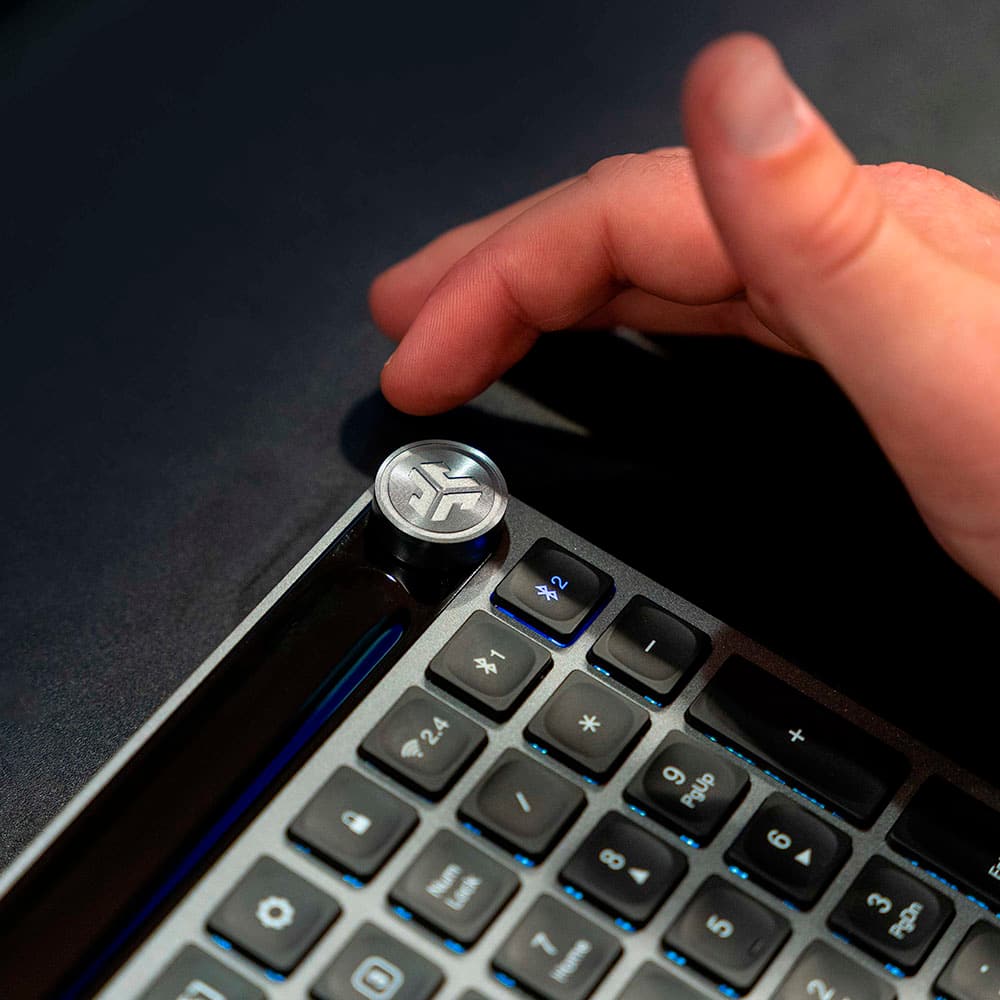
    Overall, this is a good wireless keyboard with amenities and gets the job done. Easily plug and play. Stick the dongle in your computer and turn it on. And it will work. There is also Bluetooth connection, and that involves a couple more steps. It comes with a charging cable and dongle. I actually like the grey and black look of the keyboard. The keys are well spaced and all there, including a numeric keyboard. The keys are easy on the fingers. you can feel yourself typing and you know your fingers are on a key. Although you can't see it, the keys have a depression (concavity) in them, so that's what makes them feel good to the fingers. The dongle, if not in your computer, can live under the keyboard (for transport). You have to turn it all the way over and it is kind of under the top part underneath (the part that lifts the keyboard from being flat). The power switch is on the top left. The top right has an audio knob. I think the one thing that I don't like aesthetically about the keyboard is how fat the audio knob is. It did not need to be that high and stick out that much (the radius of the circle is fine). I understand that they want you to be able to turn it as a dial to control volume, but still. Nonetheless, press it once for pause and un-pause. Press it twice to skip. Press and hold for going back. You can also use the F8-F10 keys for skip back, forward and mute. You can connect this keyboard to three devices. I connected it to my desktop (yes, a desktop; don't worry, I own a laptop) via dongle and to my samsung galaxy android phone via Bluetooth. Connecting to Bluetooth was simple. Hold down Bluetooth 1 or 2 (whichever you choose to use) for a couple seconds and then let go. It will blink blue (you know, like how Bluetooth does). Get in your phone, go to bluetooth and tap on JLab. And it should connect in 1 second. Note: It said "connecting" on my phone and then it disappeared. Also, the blue light on the keyboard disappeared. No worries. It is in fact connected. It really did only take like 1 second. Switching amongst connected devices is nothing but a keypress. You can also download JLab Work (JLab App) to be able to customize some keys and update and such. This is a good wireless keyboard and I would recommend it if you want various options with multiple devices. Peace.

    I would recommend this to a friend
    • Brand response from JLab Audio Team
      Posted .

      Thank you so much for taking the time to share your feedback. We are so grateful for your kind words! jlabaudio-conv

  • Pros mentioned:
    Keyboard quality
    Tech Insider Network Member

    Rated 4 out of 5 stars

    Satisfying to type on

    |
    Tech Insider Network Member
    Posted .
    This reviewer received promo considerations or sweepstakes entry for writing a review.

    What really stands out to me on this keyboard is the satisfying key-feel. It's not super loud clackity, which is important when you're on zoom calls all day, but the keys still have a satisfying click when typing. It's built to support Mac, Windows and Android out of the box. Oddly it has functions on the Q, W and E keys to select the mode, which isn't something I've seen needed on other keyboards, though this doesn't really end up being much of an issue. The backlight on this keyboard is uneven, in other words, some keys are brighter than others. It's not that some keys are not visible in the dark, its that some keys are little brighter, which makes it look odd. If you install the JLab Work software, you can customize the F1-12 function keys, the home key, the 3 keys to the right of that (screenshot, app switch, settings), and the 1 2 3 keys below them. I find this area of key arrangement to be confusing and frustrating. The page up key is where the end key is supposed to be, and the 1 2 3 keys are where insert, home, and page up keys would be. the 1 2 3 keys are default mapped to insert, home, end. Why they didn't configure these keys to be the default keyboard layout is baffling. Worse is you can't remap the delete, page up and page down keys, so there isn't an easy way to fix this layout, and is terrible for muscle memory typing. The dial on the top right of the keyboard also isn't customizable, and will always control the volume, and pushing it will always launch the default media player. So, it's a nice keyboard for typing, but has some odd button configurations that can make it a bit frustrating to use.

    No, I would not recommend this to a friend
  • Pros mentioned:
    Volume control
    Tech Insider Network Member

    Rated 5 out of 5 stars

    Nice keyboard

    |
    Tech Insider Network Member
    Posted .
    This reviewer received promo considerations or sweepstakes entry for writing a review.

    I've had a couple of weeks to utilize the Epic keyboard. I work from home quite a bit and compose a lot of reports. I don't need a super-fancy keyboard, just something that can handle a lot of typing and is laid out to support larger hands. The JLab Epic does a good job with both. I wear an extra large glove, so I do have occasional struggles with smaller keyboards, including some of the ergonomic Wave-style keyboards where the buttons are just about touching. I end up spending a lot of my clicks backspacing to correct errors where my fat fingers hit more than one key. The Epic spaces the keys far enough apart that this isn't a problem. The Epic keyboard has a nice, solid feel to it. It does not have a wrist rest, and it is a flat-style board. Ergonomically, it isn't the most comfortable of keyboards. That being said, I find that I use the Epic keyboard more than some of the more expensive, 'fancier' keyboards that I have because of how accurate I can type on it. It has a separate numbers keypad which is always nice. It can also be connected to multiple components with a press of a button and has both Bluetooth and wireless connectivity. I only have it connected to one PC via Bluetooth, so I haven't had a need for the other functions. The volume know is kind of cool. Bottom line, it is a nice keyboard that I use the most out of my keyboards due to its key layout and accuracy.

    I would recommend this to a friend
    • Brand response from JLab Audio Team
      Posted .

      Thank you so much for taking the time to share your feedback. We are so grateful for your kind words! jlabaudio-conv

  • Pros mentioned:
    Keyboard quality

    Rated 5 out of 5 stars

    Very Nice! Except it's Wireless?

    Posted .
    This reviewer received promo considerations or sweepstakes entry for writing a review.

    I bought this keyboard because they didn't have any wired keyboards. Everyone knows Wireless is not secure. I returned it and got a wired keyboard, however it is a very nice keyboard for those who don't have an issue with WiFi.

    I would recommend this to a friend
  • Pros mentioned:
    Keyboard quality

    Rated 5 out of 5 stars

    Amazing price for quality!

    Posted .
    This reviewer received promo considerations or sweepstakes entry for writing a review.

    I'm on my PC for 10-12 hours per day. Working between running by business, designing, engineering, etc. I have gone through 5-6 different keyboards in the past. I really liked the Microsoft Designer series keyboards but they just have too many issues with Bluetooth connectivity. This keyboard has been a dream! The quality of keys, and body are really great. Not to mention, the overall aesthetic is nice and minimal. Next time, I think that I would opt for the smaller version of the keyboard but this has been one of the best so far.

    I would recommend this to a friend
  • Tech Insider Network Member

    Rated 5 out of 5 stars

    Very good keyboard

    |
    Tech Insider Network Member
    Posted .
    This reviewer received promo considerations or sweepstakes entry for writing a review.

    I’m typing this review from my new keyboard now. I connected to Bluetooth on my iPhone by holding the Bluetooth 1 button in the top left corner and it showed up in my iPhone Bluetooth list immediately. One tap, and I was connected. The main bullet points: The keyboard itself is USB-C rechargeable, which is always nice. It comes with a wireless USB dongle (the super small kind) that tucks into a slot below the keyboard so you don’t lose it, in case your device doesn’t have Bluetooth. The keys are individually backlit and the brightness can be adjusted with the F6/F7 keys. The shortcut keys match those of my Apple keyboard (Expose, Mission Control, Media Buttons, etc) and there are some programmable keys 1,2,3. According to the manual, you have to use the JLab Work App and the USB dongle, which means connecting to a computer. The groove up top is good for storing my pencil. There’s a hardware on/off switch, so no confusing holding of the power button. There are concave, quiet keys with average travel. I’d call it “average” feel. The most unique feature is the media knob. It twists for volume up/down and presses in for play/pause. It’s convenient. The other nice feature is the quick switching between devices with the two Bluetooth profiles. I press Bluetooth 2 and it changes over to being connected to my iPad. Very useful. It’s a good keyboard.

    I would recommend this to a friend
    • Brand response from JLab Audio Team
      Posted .

      Thank you so much for taking the time to share your feedback. We are so grateful for your kind words! jlabaudio-conv

  • Pros mentioned:
    Key feel

    Rated 3 out of 5 stars

    Does NOT stayed charged

    Posted .
    This reviewer received promo considerations or sweepstakes entry for writing a review.

    Does NOT hold battery charge at all! I purchased lunch on Thurs. Left charging overnight. Battery was dead within 3 hours. NOT for work keyboard. Doesnt work while charging/plugged in. Like smooth keys. Would have been a nice keyboard except for the $69 price tag.

    No, I would not recommend this to a friend
  • Rated 5 out of 5 stars

    Easy

    Posted .
    This reviewer received promo considerations or sweepstakes entry for writing a review.

    Its very comfortable using it and he enjoys it very much

    I would recommend this to a friend