Winter SaleEnds 1/19. Limited quantities. No rainchecks.Shop now

Skip to contentGo to Product SearchGo to Footer
Main Content

Customer Ratings & Reviews

Your price for this item is $29.99

Customer reviews

Rating 4.3 out of 5 stars with 202 reviews

Rating Filter

Rating by feature

  • Value

    Rating 4.5 out of 5 stars

  • Quality

    Rating 4.2 out of 5 stars

  • Ease of Use

    Rating 4.4 out of 5 stars

Pros mentioned filter

Cons mentioned filter

86%would recommend to a friend

Customers are saying

Customers are impressed with the GO Bundle's portability, connectivity options, and the quality of the keyboard. The mouse size is suitable for various uses, and the set is compatible with devices like iPads. However, some customers expressed concerns about the key travel of the keyboard.

This summary was generated by AI based on customer reviews.

The vast majority of our reviews come from verified purchases. Reviews from customers may include My Best Buy members, employees, and Tech Insider Network members (as tagged). Select reviewers may receive discounted products, promotional considerations or entries into drawings for honest, helpful reviews.
Page 10 Showing 181-200 of 202 reviews
  • Rated 5 out of 5 stars

    It servers its purpose

    |
    |
    Posted . Owned for 1 month when reviewed.
    This reviewer received promo considerations or sweepstakes entry for writing a review.

    Absolutely loved this product. The feel of the keys is awesome.

    I would recommend this to a friend
  • Rated 1 out of 5 stars

    Keyboard is crap, mouse is good

    |
    |
    Posted . Owned for 3 weeks when reviewed.
    This reviewer received promo considerations or sweepstakes entry for writing a review.

    The keyboard is worthless, it stopped working properly after a week and by the 2nd week the bluetooth connection stopped working completely. The mouse however is still working perfectly fine

    No, I would not recommend this to a friend
  • Pros mentioned:
    Portability

    Rated 1 out of 5 stars

    low quality

    |
    |
    Posted .
    This reviewer received promo considerations or sweepstakes entry for writing a review.

    after a month of used, mouse wont work, the take away is that its quite small and handy.

    No, I would not recommend this to a friend
  • Rated 2 out of 5 stars

    Review

    |
    |
    Posted .
    This reviewer received promo considerations or sweepstakes entry for writing a review.

    The keyboard doesn’t stay connected and I have to continuously reconnect.

    No, I would not recommend this to a friend
  • Rated 1 out of 5 stars

    Keyboard constantly disconnects

    |
    |
    Posted . Owned for 3 weeks when reviewed.
    This reviewer received promo considerations or sweepstakes entry for writing a review.

    The keyboard constantly disconnects. I have to keep reinserting the dongle for it to work. This is for an industrial pc that has no bluetooth so I have to use the dongle. Bad product.

    No, I would not recommend this to a friend
  • Pros mentioned:
    Connectivity, Portability, Size
    Tech Insider Network Member

    Rated 4 out of 5 stars

    Almost A Touchdown Pass...

    |
    Tech Insider Network Member
    Posted .
    This reviewer received promo considerations or sweepstakes entry for writing a review.

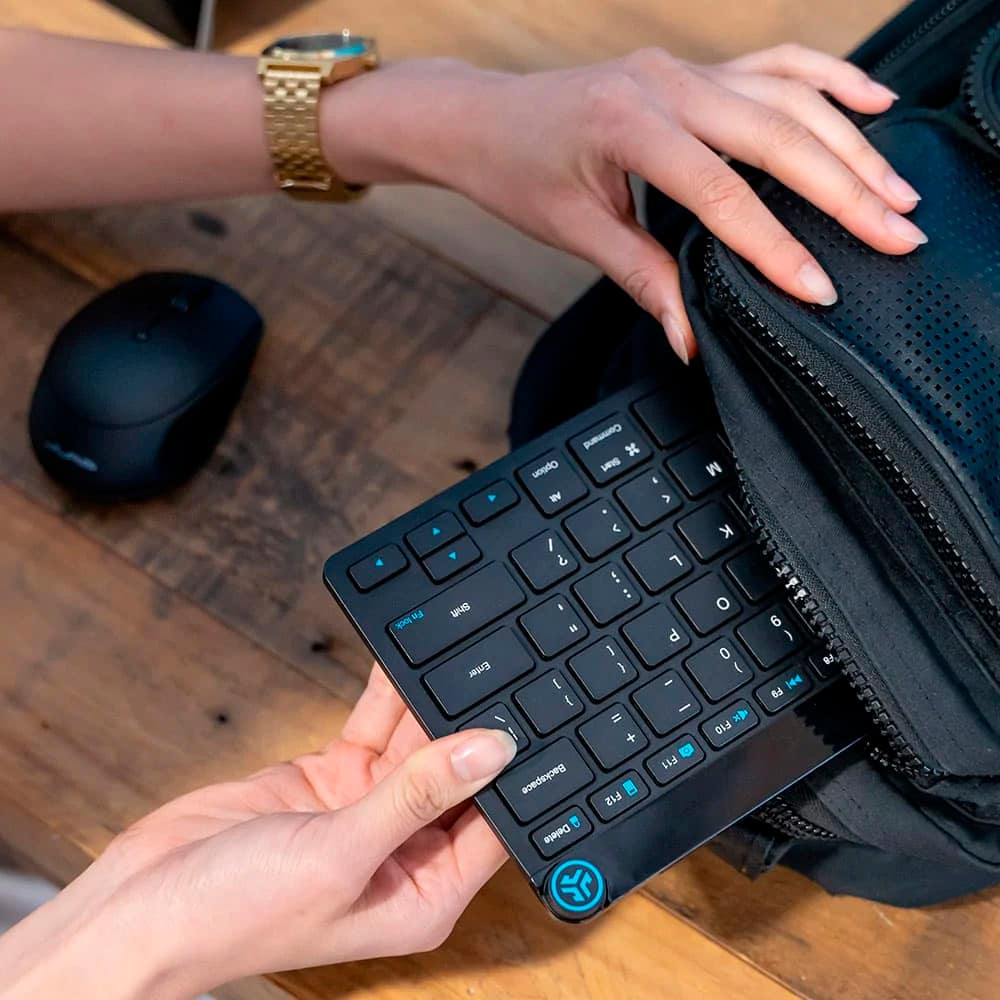
    I am writing this review for the JLab Go Keyboard and Mouse Bundle. While unpacking the JLab keyboard and mouse from the box, it struck me at how seemingly small both the mouse and the keyboard are. But then again, this is a set that is designed for portability. As I studied them, I began to see just how perfect the size of them both are for packing away in my backpack while travelling, or while mirroring a computer to my TV. The minimal footprint of the keyboard allows me to sit comfortably in my Livingroom without being chained to a table or desk. Very nice. I first used the JLab combo on my all-in-one desktop. The thought kept running through my mind about how I was going to be able to set them up. And what I mean is, since they both connect to the computer by using the supplied dongle, how would I proceed if they were not recognized? Well, this issue was laid to rest immediately. This is the most plug and play keyboard and mouse I’ve ever used. As soon as the computer booted up they were both connected and ready to use! I didn’t have to push any buttons, go through any type of setup, just plug and play! Nice… The JLab Go combo is designed to be able to connect up to three different devices. In the past I have had some very mixed experiences when attempting to use other devices that boast of being able to do the same thing, so I wasn’t too excited about jumping through all the hoops that I expected in order to use the Go combo on more than one device. I studied the Quick Start Guide for a couple of minutes and took the plunge. I have to admit that I was not prepared for how easy this was. Just a push of a button or two and both devices were connected to my laptop. I just can’t say enough good about this. EASY!! The function keys will take some time in becoming familiar with the various nuances involved. Most full-sized keyboards typically use the same function keys, that is, they are basically the same from keyboard to keyboard. One of the “nuances” is the media button at the top right of the keyboard. It controls media volume, play/pause, and track forward/back. I guess I can blame it on muscle memory, but when playing various media, my fingers keep reaching for keys that are now assigned to other functions. There is no negatives involved, its simply getting used to something different. But seeing as how I will more than likely be using this combo on the go, this is not a big deal in any sense of the phrase. Now, you may be wondering why I gave the JLab Go Combo a four-star rating. Let me start by saying I almost gave it a three-star rating, but decided this one flaw was not serious enough for such a low rating. The keyboard wobbles. Only slightly, but enough to be aggravating. I don’t know if the wobble is caused by a little too much glue underneath one of the rubber cushions, or if there is a slight warping of the keyboard body itself. All I know is that I am going to have to put a bit of tape on one of the cushions to eliminate this distraction. Other than the slight wobble, I am super pleased with the JLab Go Keyboard and Mouse. I love the compact size and the ability to EASILY connect and use it on up to three devices. This is definitely a product I will be highly recommending!

    I would recommend this to a friend
  • Rated 1 out of 5 stars

    Can't Get It To Connect

    |
    |
    Posted . Owned for 4 months when reviewed.
    This reviewer received promo considerations or sweepstakes entry for writing a review.

    Have been trying for months to get the product to connect to my PC. It will rarely appear in the bluetooth devices and even then it never successfully connects.

    No, I would not recommend this to a friend
  • Pros mentioned:
    Portability
    Cons mentioned:
    Key travel
    Tech Insider Network Member

    Rated 5 out of 5 stars

    Quality combo at budget price

    |
    Tech Insider Network Member
    Posted .
    This reviewer received promo considerations or sweepstakes entry for writing a review.

    Take note when you unbox the JLab Go Keyboard mouse set, a battery is already installed in the mouse, but you will need to pull the small plastic insulator tab out of the battery compartment before you use the mouse. Batteries are included for the keyboard but not installed. Also, the 2.4g usb dongle is packaged separately in the cardboard packaging and not hiding in the mouse or keyboard battery compartment storage area. So be careful you grab the USB before throwing the packing away. The JLab Go keyboard and mouse feel about how I expected, solid but small and compact. The mouse is pretty light and smaller than ‘average’, but sometimes that actually feels better to me at work, when you’re in CAD all day and constantly holding/moving that mouse. Both have physical power switches, so no worries about tossing them in a backpack and having buttons pressed and killing the batteries. The keyboard and mouse are both pre-paired with the 2.4g USB dongle so setup is as simple as plugging in the USB and turning on the mouse/keyboard. Pairing with Bluetooth devices was almost as simple. You have FN keys on the keyboard to choose which of the 2 bluetooth devices you want, and then pair. The mouse has a button underneath and 3 tiny led’s to indicate which device you are on. Quick presses to cycle through the devices and press and hold to enable pairing. Never even had to look at any instructions to use them. The Jlab Go combo feels similar to my Jlab Epic combo. Mouse clicks feel similar, the keyboard feels similar but maybe not quite as quiet and smooth. The tactile bumps on the home keys F and J don't feel quite as pronounced on the Jlab Go as they are on the Epic, so home keys are a little harder to feel for on the Go. I like the JLab implementation of the multimedia knob on their keyboards but on a couple occasions I did find myself pressing the button while just trying to rotate it. The knob is a little bit small and while grabbing it to just rotate for volume, it’s easy to accidentally press it also. Overall this is a nice quality combo set at a budget price, 5 stars from me.

    I would recommend this to a friend
  • Rated 1 out of 5 stars

    keyboard good mouse sucks

    |
    |
    Posted . Owned for 3 months when reviewed.
    This reviewer received promo considerations or sweepstakes entry for writing a review.

    I got this set to replace an old set from another brand. Love the keyboard. I use this set with a pc that is hoked up to a tv to stream. The mouse is JUNK. Smooth sometimes then wont respond. Went back to my old mouse that some of the buttons don't work

    No, I would not recommend this to a friend
  • Pros mentioned:
    Portability, Size
    Tech Insider Network Member

    Rated 5 out of 5 stars

    Dandy Keyboard for Travel and Smaller Desk

    |
    Tech Insider Network Member
    Posted .
    This reviewer received promo considerations or sweepstakes entry for writing a review.

    This keyboard/mouse combo turned out to be just what I needed for my smaller desk in the bedroom (under the TV). This combo is great if you need a small footprint (mouse is 2.51 x 1.52 x 3.89 in and the keyboard is 11.24 x 0.96 x 5.13 in), as it fits a small space really nice. It is battery operated but if you keep a few AAA batteries on hand, you should be fine since both the keyboard and mouse feature an easy to open battery compartment – 1 battery for the mouse and two batteries for the keyboard. The unit is very solid and does have several useful features that many keyboards at this price point do not have. The size makes it easy to take on a plane and since it can connect wirelessly to your cell phone, it was much easier for me to write longer memos or create documents by using my cellphone stand and this keyboard versus using the cell phone keyboard. It also allows you to use built in ‘Shortcut Keys’ to control music play commands. Since it also has a volume control knob on the keyboard this proved to be a simple way to listen to music on the plane. There are also 'Shortcut Keys' for Search, Mute, Brightness and more. I mostly use this keyboard on my smallish desk now and have been very impressed with its functionality. The mouse is smaller too and has performed perfectly. I would very much recommend this keyboard/mouse combo.

    I would recommend this to a friend
  • Pros mentioned:
    Connectivity, Portability
    Tech Insider Network Member

    Rated 5 out of 5 stars

    Great Travel Keyboard and Mouse

    |
    Tech Insider Network Member
    Posted .
    This reviewer received promo considerations or sweepstakes entry for writing a review.

    I like this is a small easily packable keyboard and mouse for travel. Able to connect to three devices easily and switch between them. While not a full size keyboard, it is usuable for tablets and phones, as well as a laptop, runs on standard batteries with some nice battery life, and you can easily slip it into your computer laptop bag and doesn't add a lot of weight. The small mouse is also great, easy to handle and connect between different devices which is good for me as I usually travel with two laptops, my companies and clients device, being able to switch between them on the fly is awesome and huge bonus for me, and same with the keyboard. Also the compact size of the keyboard is great as I can carry it in my hand for presentations/drop on lectrns and move between devices as I am doing it. The downside of the keyboard as its a membrane keyboard and I prefer to type on mechanical keyboard, so the feel is a bit off, but not enough for me to use while travelling because its easier to add to my bag and travel with it and use it. Mouse is perfect for me and works well. I'm very very happy with this and think you will be.

    I would recommend this to a friend
  • Pros mentioned:
    Connectivity, Portability, Size
    Tech Insider Network Member

    Rated 5 out of 5 stars

    A great combo for the go but also for home

    |
    Tech Insider Network Member
    Posted .
    This reviewer received promo considerations or sweepstakes entry for writing a review.

    In a world with more and more home devices (laptops, phones, tablets, TV…) that could benefit from an integrated keyboard and a mouse, this JLab - GO Bundle - GO Mouse and Keyboard Set should be considered. Very compact and wireless connections will be ideal for travel or at home. You can connect to three devices at the same time, switching between them when needed. For connection, I see the USB dongle as my preferred option for the laptop, while TVs and tablets are connected by Bluetooth. From a size perspective, this is ideal for my backpack, and both the keyboard and mouse, while not big, are adequate for long or small office projects (or for this review that I am tipping with it). I always used this for office and house projects, never for video games or regular gaming; probably, this would not be my first option for those needs. I keep in mind that this keyboard operates with scissor technology for the keys. However, I don’t see it fragile so I can see using it for sporadic gaming while traveling. JLab, is a brand that offers a good relation quality price. One aspect that I can not find is the guarantee, that probably means that will be the standard one year.

    I would recommend this to a friend
  • Pros mentioned:
    Connectivity, Portability
    Tech Insider Network Member

    Rated 5 out of 5 stars

    GREAT TRAVEL COMBO

    |
    Tech Insider Network Member
    Posted .
    This reviewer received promo considerations or sweepstakes entry for writing a review.

    First off the size of this combination is perfect for traveling; it's small, lightweight, compact and fits into any bag. I have large hands and this keyboard is still very comfortable to type on, giving me all the functions of a regular large or keyboard. Traveling feedback on each one of the keys when pressing is actually pretty good, it's not top tier but it can work for you at any given moment if you need a keyboard on the go. The mouse feels good when clicking the buttons and scroll wheel is tight and put together well. The hardware of this product is actually pretty decent, it's made of plastic so take that for what it is. But with that said it's actually very strong and very durable and I think it'll maintain his life over time. The fact that you can keep disconnected wirelessly to three different devices is really a great thing, there's not a lot of devices out there that can do this. Another plus is that it's battery powered, so you'll always be prepared with just a quick stop at a store getting new batteries. I tried it on smartphones, tablets and regular computers, and it works just fine. For the price this is an easy win, and an easy recommendation.

    I would recommend this to a friend
  • Rated 1 out of 5 stars

    Poor quality

    |
    |
    Posted . Owned for 3 weeks when reviewed.
    This reviewer received promo considerations or sweepstakes entry for writing a review.

    The left click button on the mouse does not click well and the keys on keyboard fell off after using it just a few times

    No, I would not recommend this to a friend
  • Pros mentioned:
    Portability
    Tech Insider Network Member

    Rated 4 out of 5 stars

    Great Multi-Device Travel Mouse/Keyboard Mac/Win

    |
    Tech Insider Network Member
    Posted .
    This reviewer received promo considerations or sweepstakes entry for writing a review.

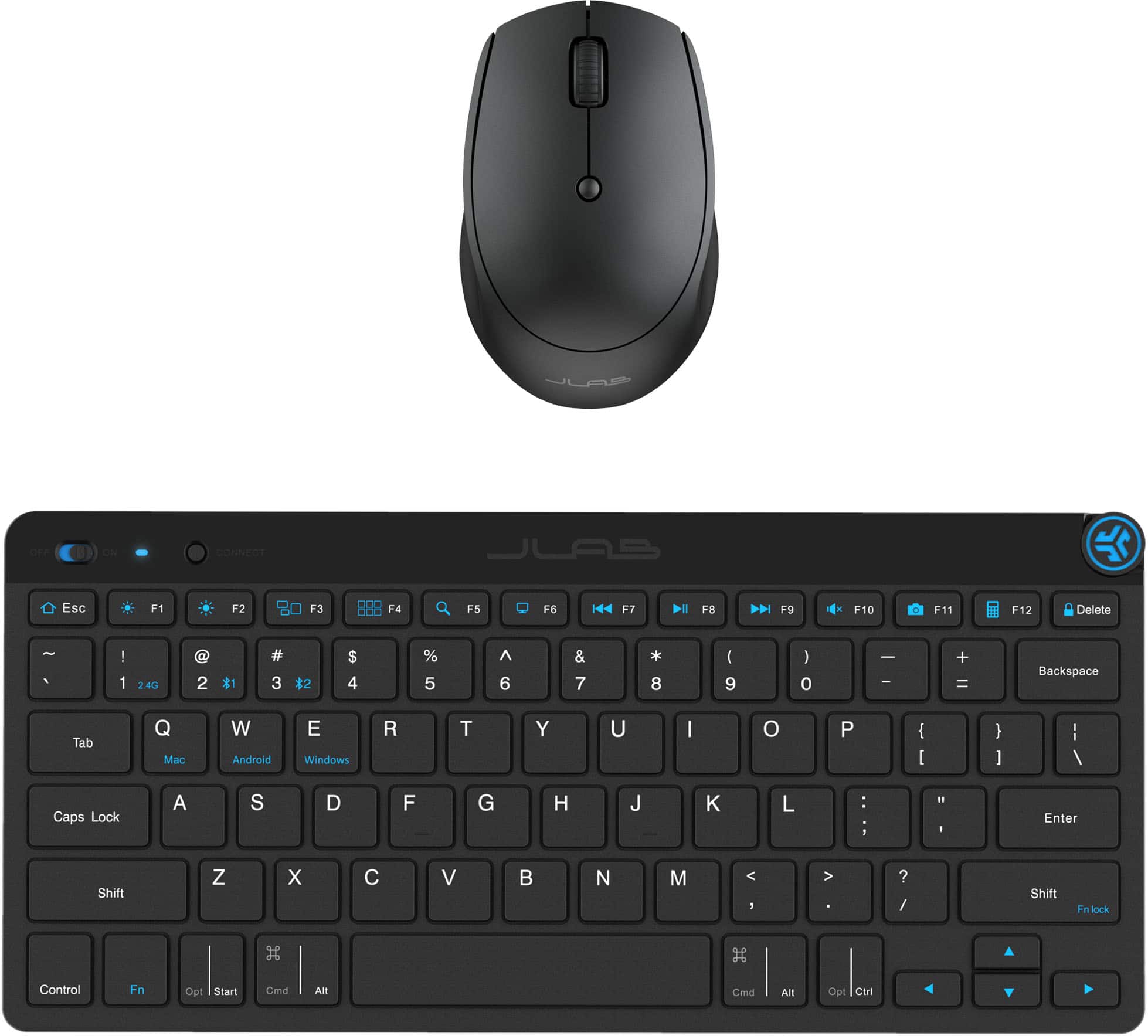
    I am using JLab products more and more and the price to value equation always exceeds my expectations. This JLab Go Mouse/Keyboard bundle is the perfect portable travel keyboard that works on both Windows and Mac devices (and worked perfectly with my iPad Pro too). In the box you get - JLab Go Keyboard powered by 2x AAA Batteries (included) - JLab Go Mouse powered by 1x AA Battery (included) - USB A dongle - various instructions/guides Setup is easy, insert batteries, remove battery protector in mouse and you're ready to go. There's no software to install, no drivers, it just works. I'm typing on the keyboard now and it's a low profile, low travel laptop-like keyboard. Love the volume control, which has as a nice notched turn cycle and it makes the keyboard feel more premium. I wish it had backlights, but that would probably come at the expense of battery life. What I love about the JLab Go Keyboard is you can pair with up to 3 devices at once (2.4Ghz via dongle and 2 more with Bluetooth). The pairing process is easy(ish) - you change to the preferred pairing mode (Fn and either 1, 2, 3) and a multi colored LED lights up on the keyboard. To initiate Bluetooth pairing, you then hold down the connect button until the LED flashes. On the mouse, there's a button underneath that lets you switch between devices - although I do wish that the mouse was a blacklight, as the red LED screeching in your face when you switch between modes is a bit ugh. On the plus side, you can switch the mouse DPI modes by the top button - this where I wish there was software or some top LED so you knew what DPI you were in, as you need to remember the cycles 800/1200/1600. Overall - the Jlab Go is mouse/keyboard set is a great travel option. If you're like me and use a laptop riser when you're traveling so your camera is a better height on Zoom, you probably want a travel keyboard and you can't beat the JLab for value. If the mouse was a blaclight use anywhere mouse, it would be a perfect 5/5

    I would recommend this to a friend
  • Rated 1 out of 5 stars

    Crap

    |
    |
    Posted . Owned for 3 weeks when reviewed.
    This reviewer received promo considerations or sweepstakes entry for writing a review.

    It’s junk. Don’t buy it. Won’t sync with the new i-pad.

    No, I would not recommend this to a friend
  • Pros mentioned:
    Connectivity, Portability
    Tech Insider Network Member

    Rated 5 out of 5 stars

    Quality, budget friendly portable work setup

    |
    Tech Insider Network Member
    Posted .
    This reviewer received promo considerations or sweepstakes entry for writing a review.

    JLab has been on a roll for me lately with providing quality accessories at a budget friendly price point. This GO Bundle of a compact keyboard and mouse are no exception. Post COVID, having a backpack friendly keyboard and mouse setup has been mandatory for me as I no longer have an assigned desk at my office. Being able to use a better quality keyboard (and also one that other people haven't been using) is a big benefit to me over the OEM keyboards provided at every desk in our hoteling setup. Plus, when traveling, having a keyboard and mouse that can easily fit in your carryon (and be taken out to work from the limited workspaces in an airport or on a conference table) is a real boon. JLab have some added features in the GO bundle that make it even better for travel. It supports pairing to up to 3 devices, with one of those devices being the dongle which you could also easily switch to a different computer if you so choose. The other two connections are via bluetooth, so you can use these with an iPad, personal computer, and work laptop with a single button presss while on the road. For me, the JLab bundle are going to be great for use in my home lab as I can easily move the dongle between servers and still be able to switch to bluetooth to use with my desktop PC if needed. The keyboard and mouse themselves are reasonable quality. The keys have a decent feel for a chiclet style keyboard. If you are really hammering on the keyboard while typing you'll feel a bit of flex in the keyboard but it's a considerable step up from the very cheapest keyboards you can buy online. For me, it's enough of a step up from an OEM keyboard that I'd not hesitate to use this JLab setup at the office. Same with the mouse - it's a compact mouse for portability with only two main buttons (and a third for DPI switching) but it works well and has a decent click feel. Also I feel I should note that the packaging was 100% recyclable, using paper wrap around the accessories in the cardboard box. There is a small strip of plastic film protecting the glossy part of the keyboard, but that's it. JLab also include 2 AAA batteries for the keyboard and 1 AA battery for the mouse, and the keyboard has a place to stash the dongle under the battery cover. Overall, it's a great deal for quality accessories, and to me JLab have solidified themselves as a step-up accessory maker.

    I would recommend this to a friend
  • Pros mentioned:
    Portability
    Tech Insider Network Member

    Rated 4 out of 5 stars

    Convenient, compact, wireless keyboard mouse combo

    |
    Tech Insider Network Member
    Posted .
    This reviewer received promo considerations or sweepstakes entry for writing a review.

    The JLab GO Bundle is a convenient, compact keyboard and mouse combo that has been a great addition to my travel bag. It was easy to get started, supports multiple devices, and doesn't take up very much space on a desktop or in a bag. The media/volume knob in the upper right corner of the keyboard is great for quickly starting/stopping music or adjusting the volume. Pros: - Compact and portable form factor - Straightforward, easy setup, no software to install - Keyboard is relatively comfortable despite small size - Keyboard features useful shortcut keys and media/volume knob - On board storage for USB-A receiver Cons: - No keyboard backlighting - Requires batteries that need to be changed, rather than being rechargeable - Supports pairing with up to three devices, but only two can be Bluetooth (one must be via the provided USB-A receiver) Overall, I'm happy with this combo. It's not perfect, and there are a few things that would make it more convenient, but I’d feel confident recommending it to others, especially if they go between multiple devices (computers, tablets, etc.) and need something that can be easily packed and taken on the go.

    I would recommend this to a friend
  • Pros mentioned:
    Portability
    Tech Insider Network Member

    Rated 5 out of 5 stars

    JLab - GO bundle - Go Mouse & Keyboard set awesome

    |
    Tech Insider Network Member
    Posted .
    This reviewer received promo considerations or sweepstakes entry for writing a review.

    Overview - Right size for portability and taking on the road. The mouse and keyboard are inexpensive yet up to the task. I have been using this set for the past week with great delight. Plasticky and lightweight, yet durable and responsive for both the mouse and the keyboard. Connectivity - You have to run through a button to get to connect to multiple devices, which I would call a weakness for both the keyboard and the mouse. On the other hand, I plan to only use this with my Windows 11 laptop. I had my laptop search for the devices and both were found quickly and setup within a few seconds. Keyboard - Keys are very tactile and able to type quickly. Stores the Wi-Fi dongle if you wish to use inside the keyboard as most do. Having the Function keys be versatile is awesome like the brightness and dimming for the laptop display quickly is great. Mouse - is light and soft to click and use and durable. I throw it in my laptop case and off I go. Packaging, labeling and manuals - all are easy to understand and gives me the information I need quickly. I recommend this product for sure.

    I would recommend this to a friend
  • Pros mentioned:
    Connectivity, Overall performance, Portability

    Rated 5 out of 5 stars

    Good compact keyboard with Mouse

    Posted .
    This reviewer received promo considerations or sweepstakes entry for writing a review.

    Works fine. Versatility with bluetooth connectivity or USB dongle. Portable. Plug and play.

    I would recommend this to a friend