Customer Ratings & Reviews

- Model:
- LAP980800F136
- |
- SKU:
- 6261267
Customer reviews
Rating 3.7 out of 5 stars with 829 reviews
(829 customer reviews)Rating by feature
- Value3.9
Rating 3.9 out of 5 stars
- Quality4.2
Rating 4.2 out of 5 stars
- Ease of Use3.6
Rating 3.6 out of 5 stars
Customers are saying
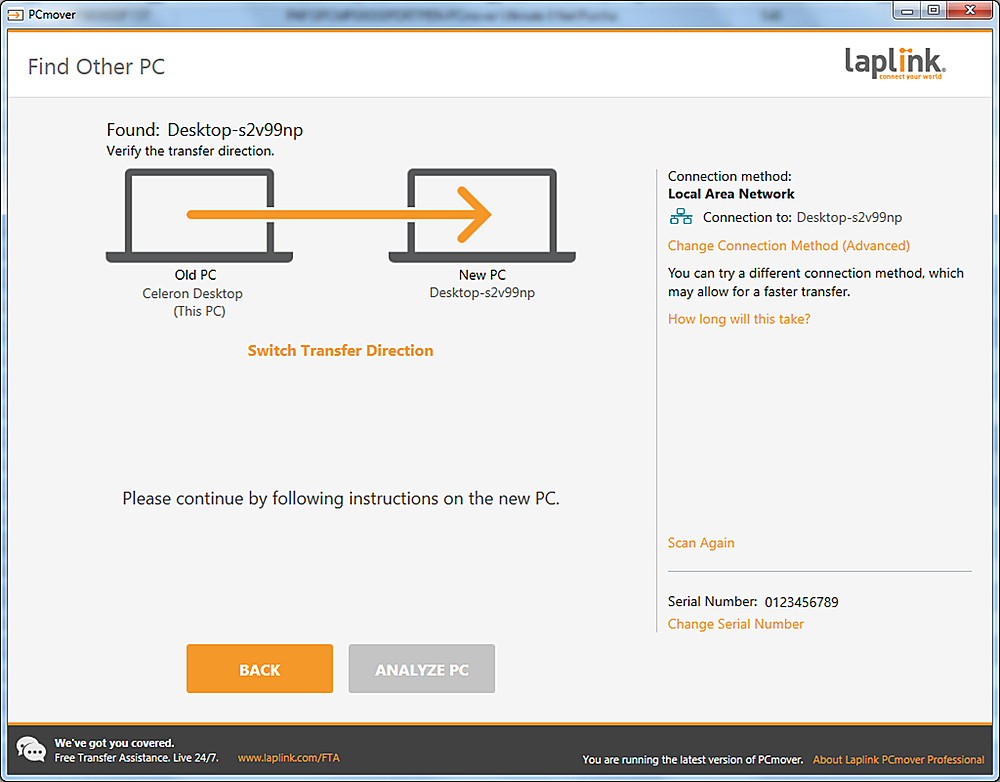
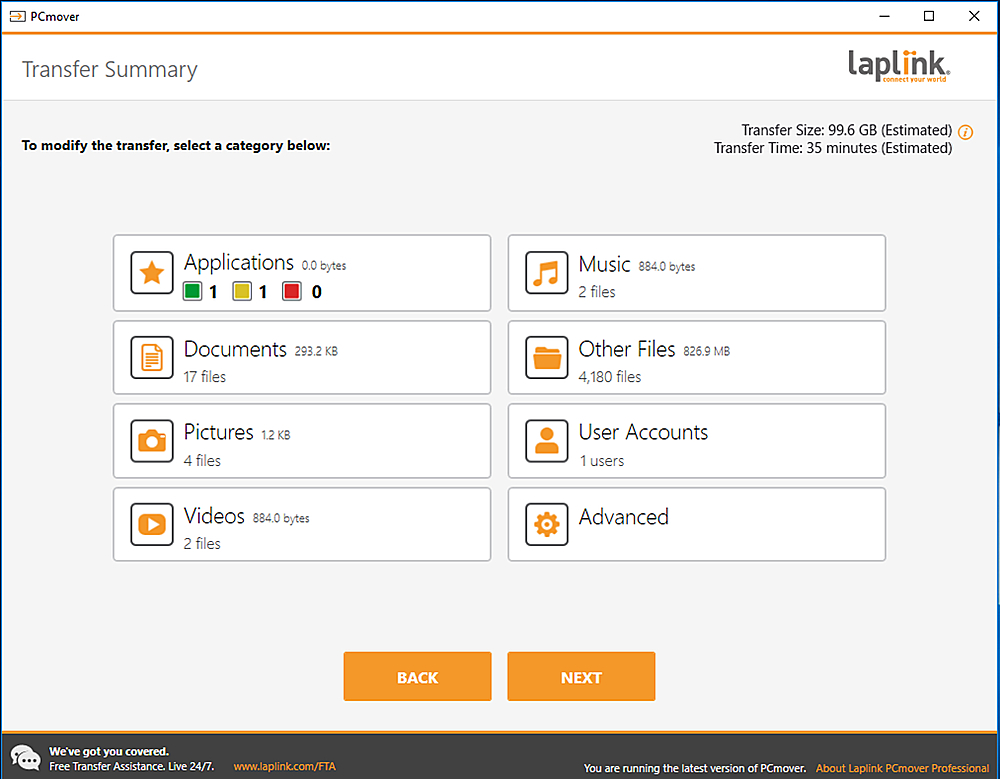
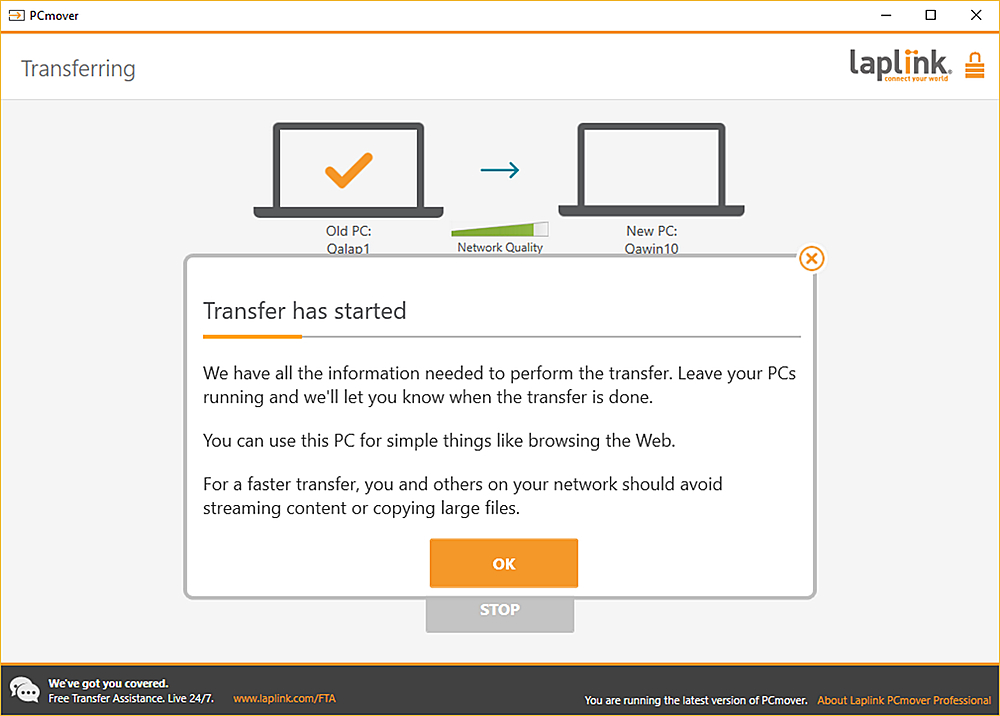
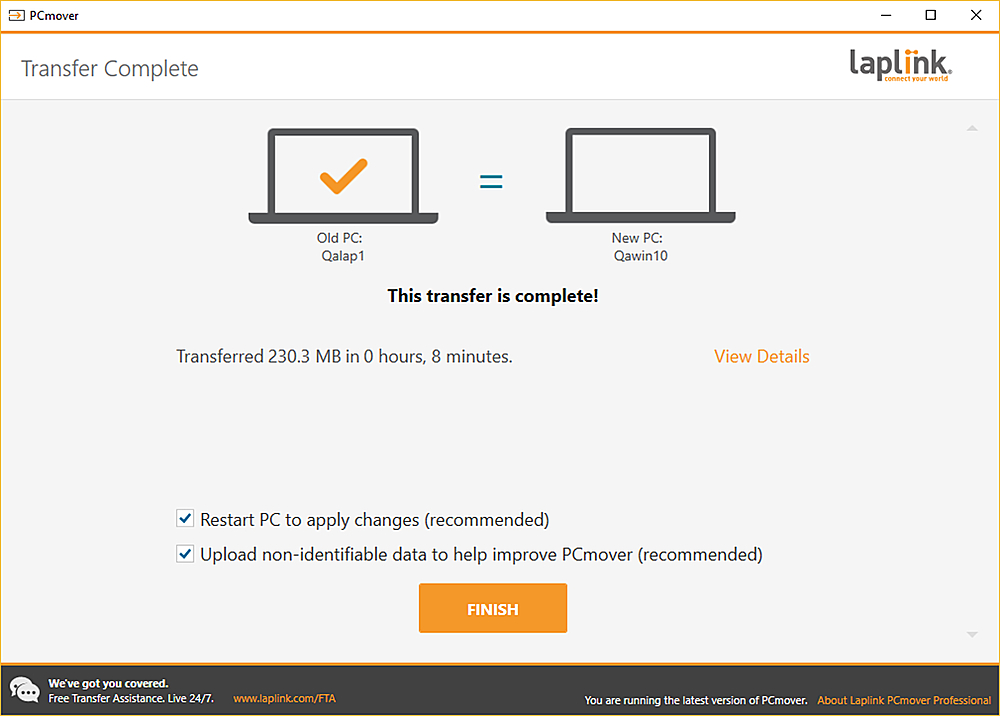
Customers are positive about the ease of use and data transfer capabilities of PCmover Ultimate. Many users found the software convenient and reported successful transfer of their data. However, some customers reported issues with compatibility and unclear instructions. Additionally, a few users experienced problems establishing an ethernet connection.
This summary was generated by AI based on customer reviews.
- Pros mentioned:Ease of use
Rated 5 out of 5 stars
Very easy and worth it
||Posted . Owned for 1 month when reviewed.This reviewer received promo considerations or sweepstakes entry for writing a review.It was very easy and worth it. It did take longer than I thought but it was just a wait not anything hard to do.
I would recommend this to a friend Rated 3 out of 5 stars
Better than nothing
||Posted .This reviewer received promo considerations or sweepstakes entry for writing a review.It took awhile, and the representative's communication skills were time-consuming since different. All the information didn't transfer, which was somewhat annoying, but I understand why. I'd probably do it again since it transferred even the desktop icons, but drivers were an issue (went from Windows 7 to Windows 10).
I would recommend this to a friend- Cons mentioned:Compatibility
Rated 1 out of 5 stars
Not the software I was hoping for.
||Posted .This reviewer received promo considerations or sweepstakes entry for writing a review.The PC Mover does transfer from one PC to another, but I cannot seem to have it done correctly. Will not transfer everything due to compatibility issues. Both PC's use Windows 10 so I don't see what is not compatible. What does transfer is not done correctly. The desktop icons cannot access the transferred programs because they point to an incorrect library. This is just one of several problems. PC Mover does not save time and effort, it creates problems for the new PC. You should just load or copy programs and files the old fashioned way.
No, I would not recommend this to a friend Rated 4 out of 5 stars
Not used at this time
||Posted . Owned for 1 month when reviewed.This reviewer received promo considerations or sweepstakes entry for writing a review.I need to clear computer and move stuff to new laptop. Waiting for son to come see me long enough to get done. Stay at home order has put a hold on the job. Using a tablet until done.
I would recommend this to a friend- Pros mentioned:Data transfer
Rated 5 out of 5 stars
WORKS AS DESCRIBED
||Posted .This reviewer received promo considerations or sweepstakes entry for writing a review.Does what is supposed to do-transfer data. I feel more secure knowing my data is no longer on my old clunker PC,
I would recommend this to a friend Rated 3 out of 5 stars
PC Mover software
||Posted . Owned for 3 weeks when reviewed.This reviewer received promo considerations or sweepstakes entry for writing a review.Not as complete as I expected. I was under the impression that ALL my files, apps, photos, and videos would be transferred over to my new lap top, but unfortunately did not occur.
No, I would not recommend this to a friend- Pros mentioned:Data transfer
Rated 5 out of 5 stars
Works well
||Posted . Owned for 3 weeks when reviewed.This reviewer received promo considerations or sweepstakes entry for writing a review.Complete transfer to a new computer 8 years newer, all applications and data transferred and working. Great product.
I would recommend this to a friend Rated 1 out of 5 stars
Endless hassles...some issues never solved!
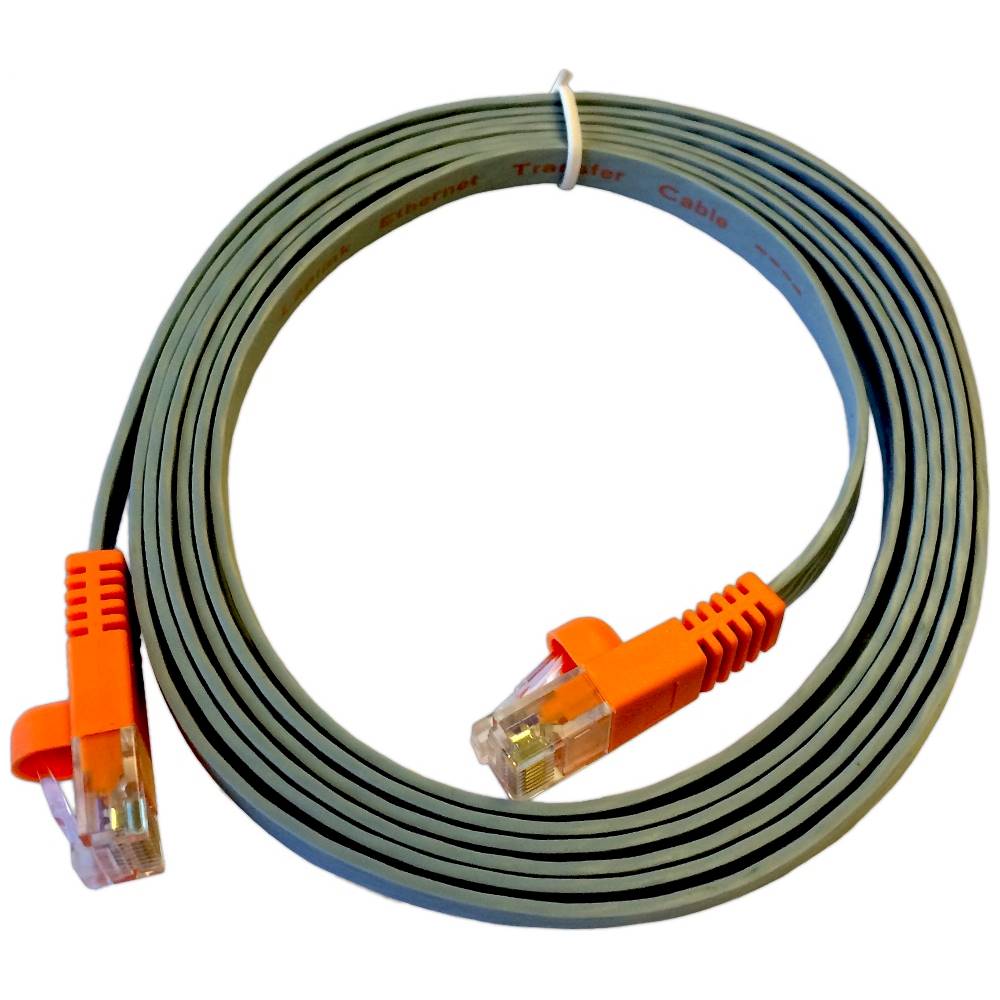
||Posted . Owned for 1 month when reviewed.This reviewer received promo considerations or sweepstakes entry for writing a review.Intention was to use this product to transfer data and programs from an old computer (2010) to a new computer, both HP and both running on Windows 10. Product provides an ethernet cable but new computer did not have an ethernet port. Decided to go with USB cable but product works only with a Laplink branded cable, not the Universal File Transfer Cable I purchased. Tech rep suggested we go with Web transfer, which I didn't realize takes many hours, i.e. over six hours. The company tech assistance was readily available and generous with their time, but two sessions of over an hour and a half each could not resolve simple issues like transferring my emails in Outlook or transferring my favorites in Edge browser. Two calls to MS eventually completed the transfer, and I was left with a recurring error message about a Windows Framework.net incompatibility, which I could not resolve and for which Laplink could not suggest a correction. The popup eventually stopped recurring. I chose this product to reduce the time it would have taken me to copy and move my data files manually and I expected to preserve my desktop and other organization along the way. It ended up being a total time sink and I am most disappointed that some issues never were resolved by Laplink at all.
No, I would not recommend this to a friend- Cons mentioned:Instructions
Rated 3 out of 5 stars
worked ok
||Posted .This reviewer received promo considerations or sweepstakes entry for writing a review.got it on sale. worked ok, instructions not that great
I would recommend this to a friend Rated 4 out of 5 stars
Need better cable
||Posted . Owned for 11 months when reviewed.This reviewer received promo considerations or sweepstakes entry for writing a review.Mostly worked, although the included cable didn't. Did the transfer over wifi, which took longer but got the job done.
I would recommend this to a friendRated 4 out of 5 stars
PC Mover Dell
||Posted .This reviewer received promo considerations or sweepstakes entry for writing a review.Transfer of programs is complicated when transferring between different version of Windows
I would recommend this to a friend- Pros mentioned:Ease of use
Rated 5 out of 5 stars
Fast and pretty idiot-proof
||Posted . Owned for 1 month when reviewed.This reviewer received promo considerations or sweepstakes entry for writing a review.Couldn't have been easier to use! The included etherlink cable is as fast as any USB connection.
I would recommend this to a friend Rated 3 out of 5 stars
Not good product and could not return.
||Posted . Owned for 3 months when reviewed.This reviewer received promo considerations or sweepstakes entry for writing a review.didn't work well. Could not transfer files. And could not return because it was to late.
No, I would not recommend this to a friend- Pros mentioned:Ease of use
Rated 5 out of 5 stars
only one to use takes time
||Posted . Owned for 2 months when reviewed.This reviewer received promo considerations or sweepstakes entry for writing a review.used it twice now, work great only one to use will use again when new computer time, then they tell me its free in the microsft store
I would recommend this to a friend - Pros mentioned:Ease of use
Rated 5 out of 5 stars
Works great
||Posted .This reviewer received promo considerations or sweepstakes entry for writing a review.Simple and intuitive directions and the only issues were getting Office running which requires having all your account information.
I would recommend this to a friend - Pros mentioned:Data transfer
Rated 5 out of 5 stars
Did the job
||Posted .This reviewer received promo considerations or sweepstakes entry for writing a review.I needed another computer. Had to go from Windows 7 to 10. I don't like 10 but the mover program got everything moved. Now if i can just find everything all will be great.
I would recommend this to a friend Rated 5 out of 5 stars
Great product
||Posted . Owned for 3 weeks when reviewed.This reviewer received promo considerations or sweepstakes entry for writing a review.I was impressed that it worked as advertised when I purchased it
I would recommend this to a friendRated 3 out of 5 stars
DISAPPOINTED
||Posted . Owned for 1 month when reviewed.This reviewer received promo considerations or sweepstakes entry for writing a review.I was disappointed with PC Mover in that even though it moved all of the programs and most of the data, it DID NOT MOVE ANY OF 3,000+ email messages. They all had to be moved manually, taking an extreme amount of time and effort.
No, I would not recommend this to a friend- Pros mentioned:Ease of use
Rated 5 out of 5 stars
PC Mover
||Posted .This reviewer received promo considerations or sweepstakes entry for writing a review.When I bought my new PC I wanted to transfer all data from my old unit. I was gun shy of all the hype on this program but I was surprised. It works like a charm and very easy to use.
I would recommend this to a friend Rated 3 out of 5 stars
Does transfer most of my stuff
||Posted . Owned for 1 week when reviewed.This reviewer received promo considerations or sweepstakes entry for writing a review.It did better than the last time I used it but it still didn’t transfer all programs. And I was able to use usb c which helps with the transfer time. I wasn’t able to use wifi and I tried
I would recommend this to a friend