Customer Ratings & Reviews

- Model:
- LAP980800F136
- |
- SKU:
- 6261267
Customer reviews
Rating 3.7 out of 5 stars with 829 reviews
(829 customer reviews)Rating by feature
- Value3.9
Rating 3.9 out of 5 stars
- Quality4.2
Rating 4.2 out of 5 stars
- Ease of Use3.6
Rating 3.6 out of 5 stars
Customers are saying
Customers are positive about the ease of use and data transfer capabilities of PCmover Ultimate. Many users found the software convenient and reported successful transfer of their data. However, some customers reported issues with compatibility and unclear instructions. Additionally, a few users experienced problems establishing an ethernet connection.
This summary was generated by AI based on customer reviews.
Rated 1 out of 5 stars
misleading
||Posted .This reviewer received promo considerations or sweepstakes entry for writing a review.Do not see the purpose for this software. Did not work for me.
No, I would not recommend this to a friendRated 1 out of 5 stars
Not intuitive, never actually got it to work
||Posted . Owned for 1 month when reviewed.This reviewer received promo considerations or sweepstakes entry for writing a review.I never got it to work - and do what I wanted to do
No, I would not recommend this to a friendRated 1 out of 5 stars
ethernet
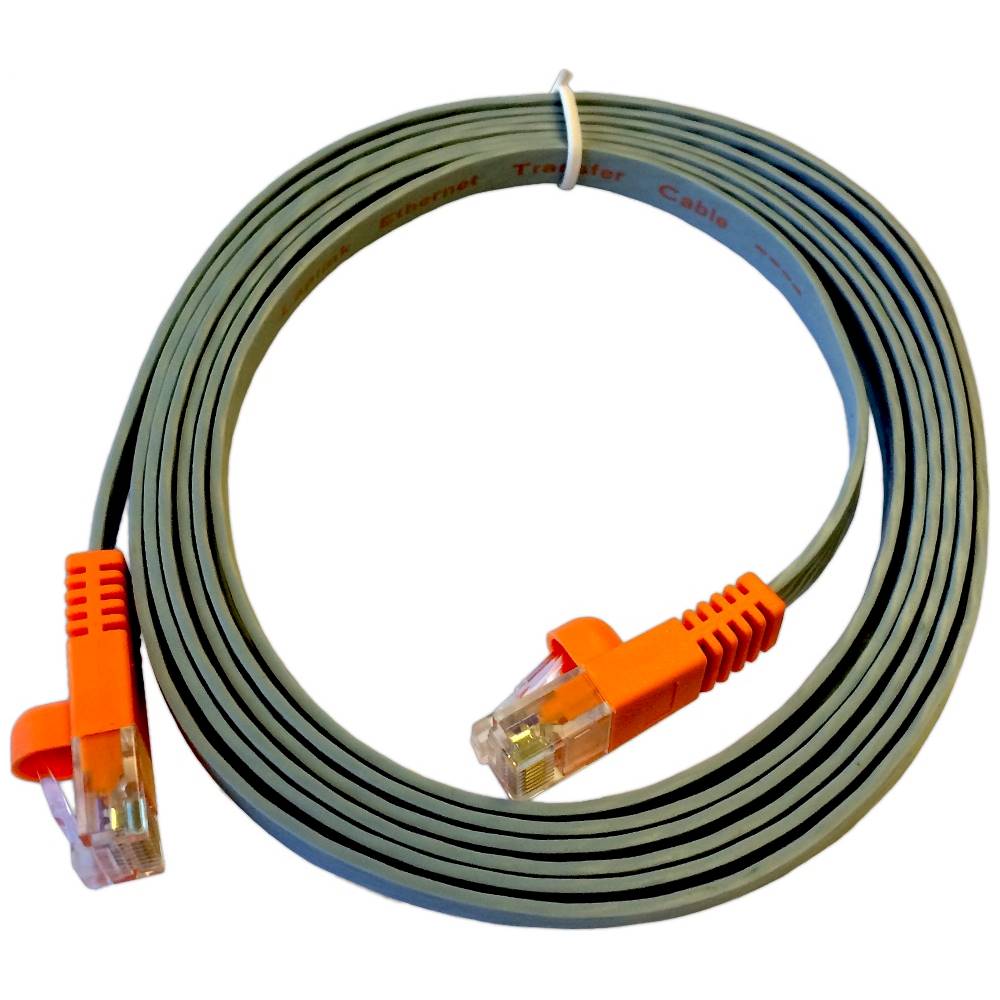
||Posted .This reviewer received promo considerations or sweepstakes entry for writing a review.You need ethernet connections for this. No modern computer has this.
No, I would not recommend this to a friendRated 1 out of 5 stars
Bad bad bad
||Posted .This reviewer received promo considerations or sweepstakes entry for writing a review.It has very limited application you can transfer Do not do it
No, I would not recommend this to a friendRated 1 out of 5 stars
does not work
||Posted .This reviewer received promo considerations or sweepstakes entry for writing a review.don not transfer the program to the new computer at all
No, I would not recommend this to a friendRated 1 out of 5 stars
Never worked!
||Posted .This reviewer received promo considerations or sweepstakes entry for writing a review.Never got the transfer to work wasted money and time!!
No, I would not recommend this to a friendRated 1 out of 5 stars
Terrible Product Does Not Work
||Posted .This reviewer received promo considerations or sweepstakes entry for writing a review.This outfit IMO is a scam, support want $ to help.
No, I would not recommend this to a friend- Pros mentioned:Data transfer
Rated 4 out of 5 stars
PC Mover. Worked fairly well, easy way to migrate
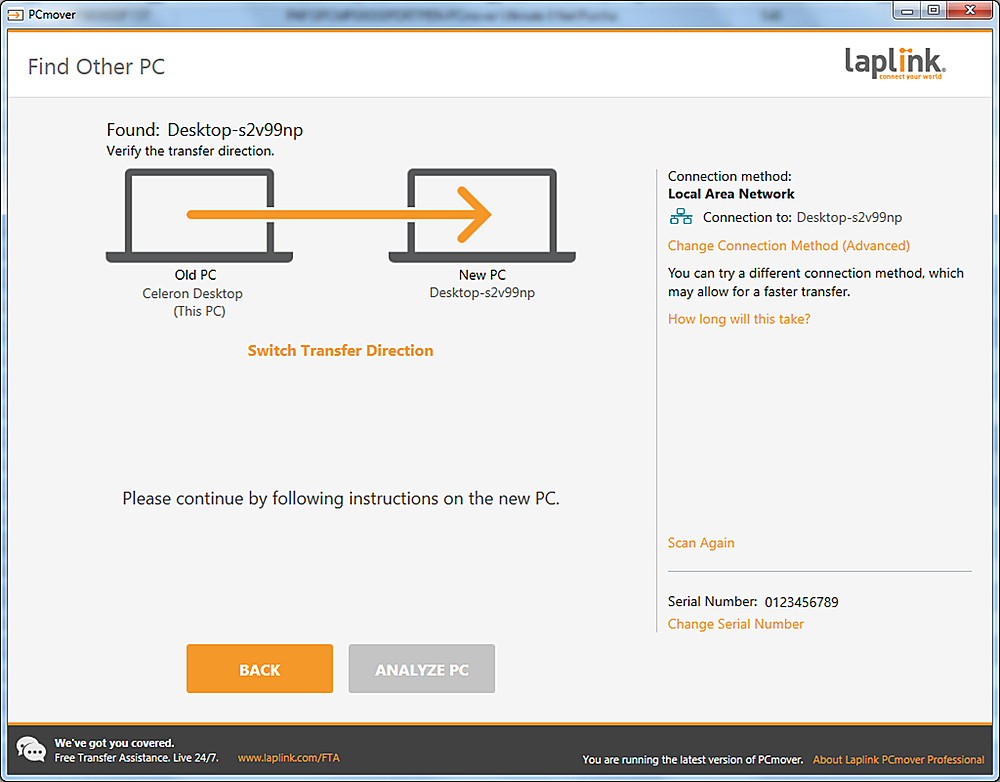
Posted .This reviewer received promo considerations or sweepstakes entry for writing a review.I purchased a new PC to replace my 8 year old, but still working PC. Needed to move software and files. PC mover needed to be downloaded and installed on both PCs. No problem with that. I hooked the two together with a ethernet cable, and started the PC mover. It took almost all day to complete the move of around 500 Gbytes of Software and data files. Most worked fine after install, I had two applications that needed to be reinstalled manually. Overall, much easier that moving by copying to an external storage device, and reinstalling all the applications. Minus one star for not installing all the software successfully. Also, some of the data files ended up in strange places, not where located on the old source PC.
I would recommend this to a friend Rated 1 out of 5 stars
Terrible
||Posted . Owned for 1 week when reviewed.This reviewer received promo considerations or sweepstakes entry for writing a review.I followed the instructions, with very little results. Ended up shutting down. Looking for something else.
No, I would not recommend this to a friendRated 3 out of 5 stars
Needed Additional Tech Support
Posted .This reviewer received promo considerations or sweepstakes entry for writing a review.At first I was unable to transfer my files from my old computer to my new computer using PCMover because the older computer had a larger hard drive. When I called your tech support I was told I needed to get a computer with a lager hard drive. But when I called the company I purchased the computer from they were able to talk me through it and everything transferred fine.
I would recommend this to a friend- Pros mentioned:Data transferCons mentioned:Ethernet
Rated 1 out of 5 stars
Make sure you have lots of patience, and time
Posted .This reviewer received promo considerations or sweepstakes entry for writing a review.Not a fun experience. Bought a new computer and bought 'state of art software' to transfer data from old computer to new. If Laplink is state of art, will go back to manual. Anyway, finally did work, but was no a fun 48 hours. Ethernet cable did not work at all - software kept asking for network, but provided no options, and my computer was not on a network anyway! Then called Tech Support. What a joke. They are not support. They are sales. They run security software, then tell you your old computer is corrupt and that is why not working. Offer to fix for $99.99, then $69.99. Maybe would have gone lower, but at that point hung up, thoroughly disgusted with having been conned into a sales call. Back to computers. Tried usb cable. Did not work first time, then plugged in both usb and ethernet cables, then initiated using ethernet, backed up and switched to usb, did not unplug cables as told to do and did not restart as logic might dictate. Viola - it worked. Said would take 4 hours; took 2. Did not transfer favorites but seemed to do well otherwise. So much for logic.
No, I would not recommend this to a friend - Pros mentioned:Data transfer, Ease of use
Rated 5 out of 5 stars
Worked just as advertised
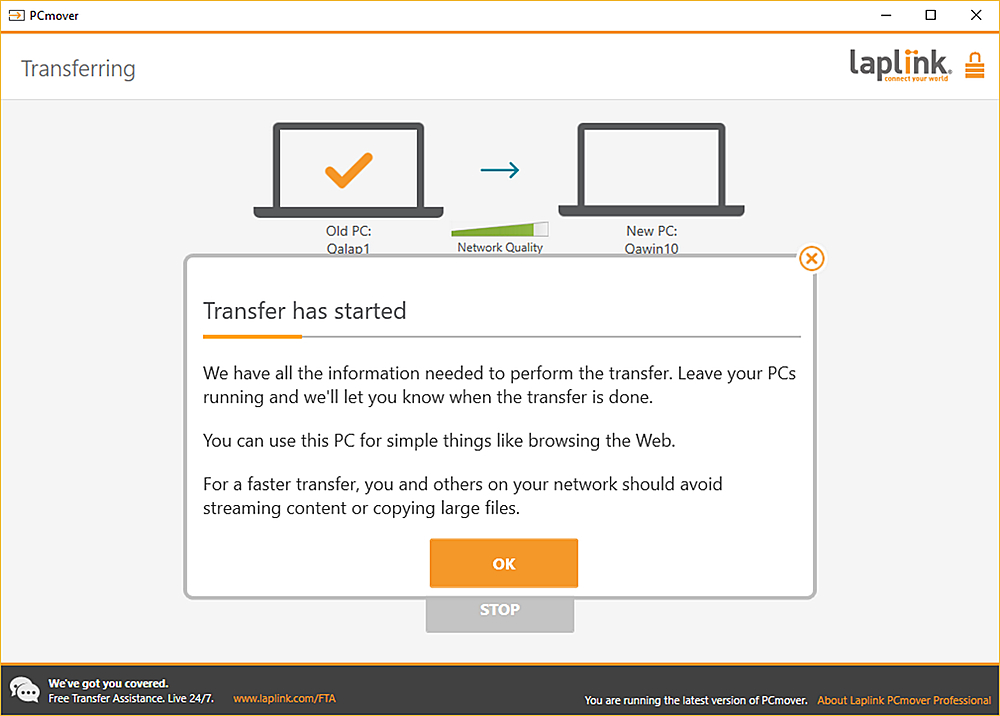
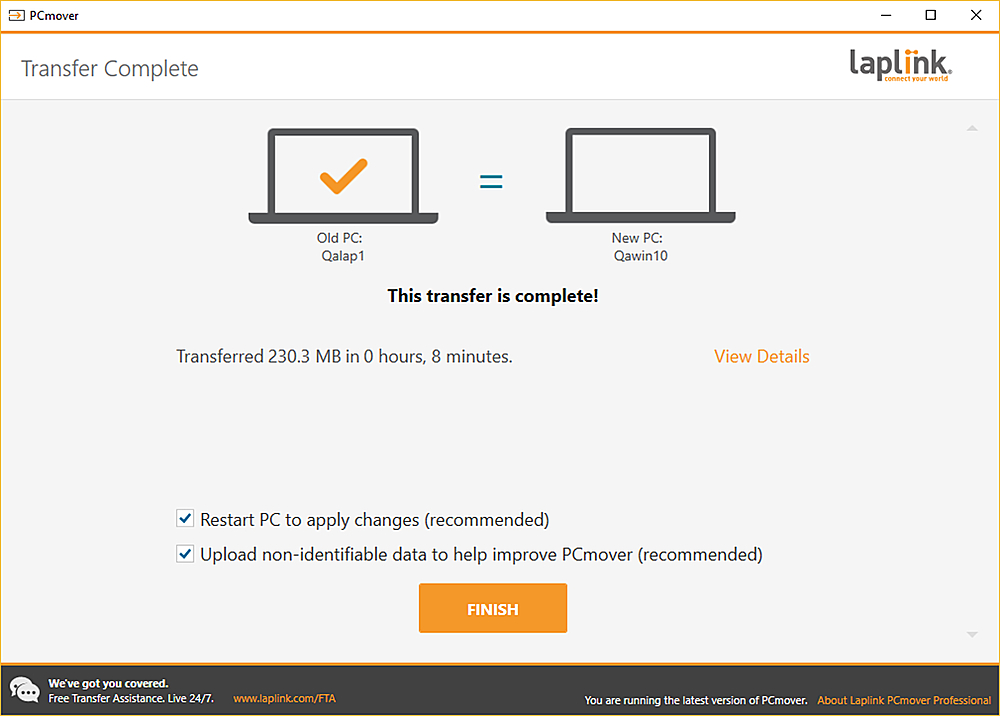
Posted .This reviewer received promo considerations or sweepstakes entry for writing a review.My company bought me a new Dell Windows 10 laptop to replace the HP Windows 7 laptop that I had upgraded to Windows 10 a few years back. I bought this to transfer the programs and files. As with any program you MUST read and follow the instructions exactly for a good transfer. I used the ethernet cable provided to connect the 2 laptops and it worked flawlessly. A few times during the xfer it reported that the network connection was "weak" but this did not affect the overall transfer. It took about 2 hours and I was in business aside from rearranging shortcuts and re-registering some of the programs. I highly recommend. Well worth the $$$ and time!
I would recommend this to a friend - Pros mentioned:Data transferCons mentioned:Compatibility
Rated 5 out of 5 stars
Easy migration
Posted .This reviewer received promo considerations or sweepstakes entry for writing a review.Worked really great for moving data and programs from an older Windows 10 laptop to a new Windows 10 laptop. (MS Office, Quicken, Outlook....). Only a few older programs that PC Mover didn't move automatically. Fortunately I had the install files saved on the old PC, so these were moved, too. (important if your new PC has no optical drive anymore!)
I would recommend this to a friend - Pros mentioned:Data transfer
Rated 5 out of 5 stars
Successful Program and Data Transfer
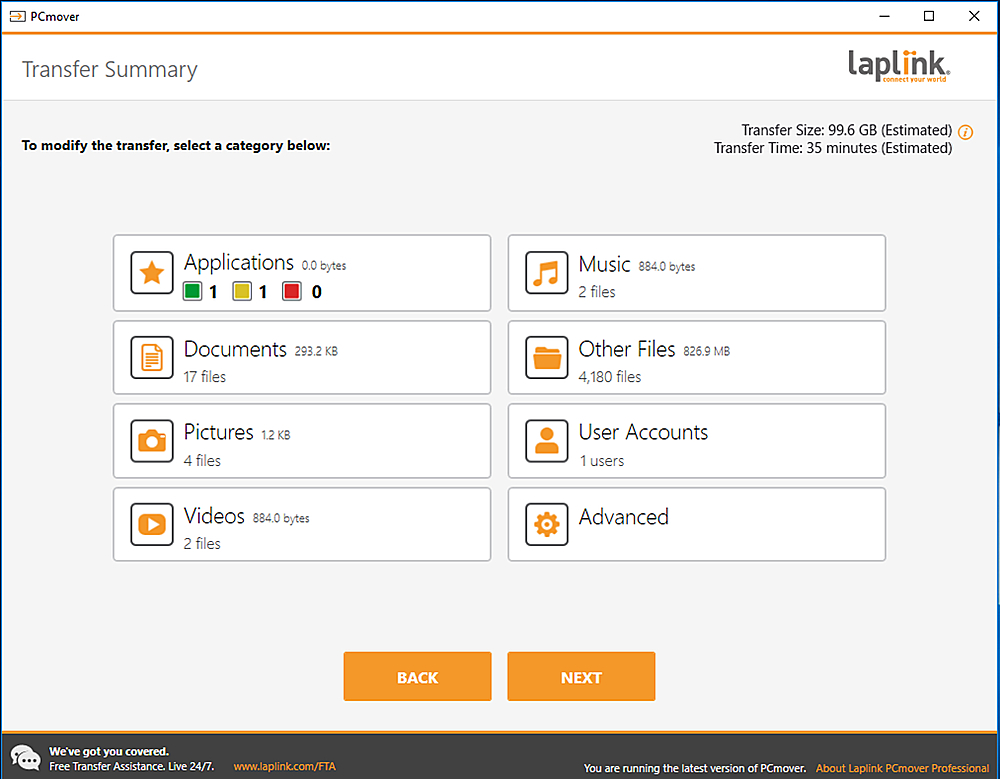
Posted .This reviewer received promo considerations or sweepstakes entry for writing a review.It worked! Our new computer has a bunch of programs and all my data files transferred from my old computer. It took two full days to complete the transfer, even with the Ethernet wire connection. I had a lot of music, photo, and video files, which took the most time. Disabling Power Saving on both computers was key (screen saver was okay to use). Despite that, the transfer stopped twice, and I had to restart the process from the beginning on both computers. Fortunately, the data transfer picked up where it left off. It is important to run the program until everything is transferred. The last thing to transfer are all the licenses and registry settings for the transferred programs. During the transfer setup, I chose to not transfer the D: drive, and I deselected programs that I did not want transferred. I had to manually make those changes, which was pretty easy and intuitive using the LapLink transfer interface. I still ended up transferring one program that I didn't need, so I just uninstalled it later using the Control Panel. Microsoft Office did not transfer. That was fine for me, because I bought a subscription to MS Office 365 beforehand and installed it after the software transfer. I would gladly use this product again the next time I replace our main computer. The software is only good for one-time use, so I will have to purchase another one, hopefully many years from now.
I would recommend this to a friend - Cons mentioned:Compatibility
Rated 1 out of 5 stars
Terrible product
Posted .This reviewer received promo considerations or sweepstakes entry for writing a review.PC Mover comes with a lot of promises but does not deliver. The product is advertised to easily move files from one computer to another. The problem is that they do not tell you about the potential problems that are very likely to arise. If you have an older computer and want to move files, more than likely your old system has some problems. Those problems have to be fixed before PC Mover will work. I called their customer service and spent an hour letting them view the files of my old and new computer. After an hour, I was told that there were too many problems with the old computer for PC Mover to work. Then the other shoe dropped. They could "possibly" fix the old computer for $199! And there was no promise that would work. When I said no, they wanted to pass me off to the manager who was more of a sales closer. Microsoft endorses this product and they should rethink their support. Plus Best Buy should rethink even selling this software. It is horrible.
No, I would not recommend this to a friend Rated 2 out of 5 stars
Does transfer some apps, very bad tech support
Posted .This reviewer received promo considerations or sweepstakes entry for writing a review.I bought PC Mover Professional to transfer applications and files from an old HP PC to a new HP PC, both running Windows 10. The old PC had a 512 GB drive, the new PC had a 256 GB SSD (C:) and a 1 TB hard drive (D:). My goal was to transfer the applications to the SSD and the data files (documents, pictures, music) to the HD. PC Mover moved most of my applications (it said it was unable to move a few), but only about half of them worked on the new PC. This meant uninstalling the faulty programs and cleaning up the Registry before reinstalling them from the original media, which took longer than it would have to just install them on the new PC. When I went back to PC Mover to move the data files to the HD (D:), PCMover ignored the configuration changes and kept trying to put the files on the SSD (C:), then would error that there wasn't enough room on the C: drive. I contacted LapLink tech support by phone and was told this is a "known" problem and that I should contact "level 2" tech support the next day (level 2 tech support only works M-F, business hours). I contacted level 2 support by chat the next day and they kept telling me to do what I'd already done to configure PC Mover to use the D: drive. Then they told me I had to call a number so that someone could remote access my PC, and gave me the number of level 1 tech support. I called them again and they gave me yet another number to call level 2 tech support, Level 2 tech support told me only level 1 tech support could use remote access, which is just bizarre, but I could submit a level 2 support ticket to receive support by email. I did, and later that day received a reply telling me to use the configuration settings that I explicitly said had not worked. I finally gave up and used network sharing and Windows ability to change the location of files to transfer my data files. The PC Mover app is half baked, the tech support is completely useless (they just keep reading from the same script, even when you tell them that did not work), and level 2 tech support apparently does not know about what level 1 tech support described as a "known issue". I would give PC Mover a lower rating except that it did successfully move half my applications. However, I'm not sure it was worth the money or the aggravation.
No, I would not recommend this to a friend- Pros mentioned:Data transfer
Rated 5 out of 5 stars
READ DIRECTIONS!
Posted .This reviewer received promo considerations or sweepstakes entry for writing a review.I have read many reviews good and bad on this version. Here is the most important thing. READ THE DIRECTIONS. You must make sure all updates for windows are done and that you do not have applications running. I did 2 machines ( yes you have to buy one for each) and used the laplink Ethernet cable. Both completed with out issues (about 2 hrs per machine of 90 gb of data per machine) and aside from a few re-certifications, it worked perfectly. ALL my programs, data and setting were perfect. So if you don't want to reinstall every program and re save all your website passwords etc this is a superior product.
I would recommend this to a friend Rated 5 out of 5 stars
Worth the $$$
Posted .This reviewer received promo considerations or sweepstakes entry for writing a review.I just finished using this product successfully, but not for the quoted price. I purchased the download from the link at Microsoft Windows and ran into trouble right away. Like the other reviews that stated that you get a sales pitch to clean your laptop when you contact tech assistance, I got the pitch. I declined initially so I was offered a discount and was ready to take it. (I have no idea how to fix these issues on my own!) I paid the $69 for the tech assistance and it was well worth it. My 6 year-old PC was a windows 8 and was rapidly becoming problematic. The tech cleaned up that old PC and transferred all of my files to my new laptop windows 10. It took an hour on the phone to diagnose everything, 2 hours to clean it up, and almost 4 hours for the transfer which is not bad if you've read the reviews and are prepared for it to take that long. Our session just ended and my new laptop has everything on it, perfectly. My old PC is running so much smoother and the best part is that I didn't spend hours transferring everything by hand. I spent that time playing with my kids instead. I know lots of people have given the tech support negative reviews, but I've had a great experience and hope this review will help others who might be hesitating about spending extra for help
I would recommend this to a friend- Cons mentioned:Compatibility
Rated 1 out of 5 stars
worstbuy ever
Posted .This reviewer received promo considerations or sweepstakes entry for writing a review.This is the second time I’ve purchased a laplink software and this is the second time the program didn’t work for Sh**! I have a new i7 windows 10 computer and wanted to transfer everything from my 8yo computer (also running latest windows10) to the new one. Used this software to attempt to transfer programs and files. The personal files never went to the new computer, laplink only wanted to put them in Drop-box. Of the 77 programs that I have Laplink only wanted to move 7 of them, as it felt the others would be non-compatible (even though both computers are running the same OS). Of the programs it did “move” none of them worked. One went to a new install startup screen (Quicken) and Adobe photoshop only had the welcome page, nothing else would every load. Why Microsoft would recommend this company is beyond my comprehension, the windows 8 built in file transfer program worked perfectly why did Microsoft do away with what works? Then the kicker… they have a help phone number for “free transfer assistance” that is 877-904-9644… the number is not connected. Worst purchase ever from Best Buy and worst recommendation from Microsoft ever (and I even didn’t mind both window 8 or 10) also need to have a zero or minus star rating!!!
No, I would not recommend this to a friend Rated 4 out of 5 stars
90% Effective
Posted .This reviewer received promo considerations or sweepstakes entry for writing a review.Software worked well, only issue was it claimed to transfer all your passwords and it didn't. Had to manually reset them all. Other than that i would use this program again
I would recommend this to a friend