Customer Ratings & Reviews

- Model:
- F0D8001LUS
- SKU:
- 6196003
Rating by feature
- Value
Rating 4.2 out of 5 stars
- Quality
Rating 4.1 out of 5 stars
- Ease of Use
Rating 4.2 out of 5 stars
Customers are saying
Customers have good things to say about the 330-20AST's ease of use, screen size, and price, frequently citing its simplicity, clear picture quality, and affordability. The all-in-one design and compact size are also appreciated. However, some customers report that the performance and memory could be improved.
This summary was generated by AI based on customer reviews.
Nice and simple
||Posted .This reviewer received promo considerations or sweepstakes entry for writing a review.Plugged it in. Turned it on. Couple questions and off you go!
I would recommend this to a friendBrand response from Lenovo Product Expert
Posted .Thank you for choosing the lenovo IdeaCentre 330-20 All-In-One system. We are pleased to hear that the ease of use and performance of the IdeaCentre 330-20 AIO meets your computing needs so well. This is an entry level, light use system with its AMD E2 processor. It is not meant for multi-tasking or demanding programs. It is good for Microsoft Office and light internet browsing. If this describes your computing needs, the IdeaCentre 330-20 AIO would be a good choice.

- Cons mentioned:Speed
not good
||Posted .This reviewer received promo considerations or sweepstakes entry for writing a review.This was slower than my 11 year old laptop that was not working well.
No, I would not recommend this to a friendBrand response from Lenovo Product Expert
Posted .We are sorry to hear that you are having issues with your Lenovo IdeaCentre 330-20 All-In-One system. Be sure any software you installed is compatible with Windows 10. There is no need to install Microsoft Office software. The software is already part of the operating system, you just need to activate the software with a purchased product key. If you have installed a copy of Microsoft Office, this is conflicting with the existing copy on the system and this will slow your system down. If you have installed a 3rd party anti-virus program, be sure that Windows Defender is turned off and that the trial version of McAfee Anti-Virus software is uninstalled. There can only be one anti-virus program on the system. You may need to restore your system to original factory default settings if any of the programing errors have occurred. You can do that by typing "restore" in the Cortana search window. Just click on the magnifying glass icon at the bottom left of your Windows 10 Desktop. Click on "Reset This PC" Then click on "Get Started" and follow the on screen directions to restore to factory defaults. Please keep in mind, this is an entry level, light use system with its AMD E2 processor. It is not meant for multi-tasking or demanding programs. It is good for Microsoft Office and light internet browsing. If this describes your computing needs, the IdeaCentre 330-20 AIO would be a good choice.
Great Computer
||Posted .This reviewer received promo considerations or sweepstakes entry for writing a review.Works Great would recommend. We use in our sales department.
I would recommend this to a friendBrand response from Lenovo Product Expert
Posted .Thank you for choosing the Lenovo IdeaPad 330-20 All-In-One system. This is an entry level, light use system with its AMD E2 processor. It is not meant for multi-tasking or demanding programs. It is good for Microsoft Office and light internet browsing. If this describes your computing needs, the IdeaCentre 330-20 AIO be a good choice.
Great desk top for business
||Posted .This reviewer received promo considerations or sweepstakes entry for writing a review.Great for business easy to navigate monitor great size
I would recommend this to a friendBrand response from Lenovo Product Expert
Posted .Thank you for choosing the lenovo IdeaCentre 330-20 All-In-One system. We are pleased to hear that the features and performance of the IdeaCentre 330-20 AIO meets your computing needs so well. This is an entry level, light use system with its AMD E2-9000 processor. It is not meant for multi-tasking or demanding programs. It is good for Microsoft Office and light internet browsing. If this describes your computing needs, the IdeaCentre 330-20 AIO would be a good choice.

Fine computer
||Posted .This reviewer received promo considerations or sweepstakes entry for writing a review.Excellent service in both the store and the installation.
I would recommend this to a friendLoving my new computer.
||Posted .This reviewer received promo considerations or sweepstakes entry for writing a review.Just purchased a new Lenovo All In One Love it so far.
I would recommend this to a friendBrand response from Lenovo Product Expert
Posted .Thank you for choosing the Lenovo IdeaCentre 330-20 All-In-One system. We are pleased to hear that the IdeaCentre 330-20 AIO is working out so well for you. This is an entry level, light use system with its AMD E2 processor. It is not meant for multi-tasking or demanding programs. It is good for Microsoft Office and light internet browsing. If this describes your computing needs, the IdeaPad 330-20 AIO would be a good choice.
Great buy
||Posted .This reviewer received promo considerations or sweepstakes entry for writing a review.This will give you the basics of everything you need.
I would recommend this to a friendBrand response from Lenovo Product Expert
Posted .Thank you for choosing the Lenovo IdeaCentre 330-20 All-In-One system. We are pleased to hear that the IdeaCentre 330-20 AIO is working out so well for you. This is an entry level, light use system with its AMD E2 processor. It is not meant for multi-tasking or demanding programs. It is good for Microsoft Office and light internet browsing. If this describes your computing needs, the IdeaCentre 330-20 AIO would be a good choice.
Great computer!
||Posted .This reviewer received promo considerations or sweepstakes entry for writing a review.This computer is a great for basic online activity!
I would recommend this to a friendBrand response from Lenovo Product Expert
Posted .Thank you for choosing the Lenovo IdeaCentre 330-20 All-In-One system. We are pleased to hear that the IdeaCentre 330-20 AIO meets your computing needs so well.
- Pros mentioned:Price
Not the best but works.
||Posted .This reviewer received promo considerations or sweepstakes entry for writing a review.Not the best computer but worth the low price tag.
No, I would not recommend this to a friendBrand response from Lenovo Product Expert
Posted .This is an entry level, light use system with its AMD E2 processor. It is not meant for multi-tasking or demanding programs. It is good for Microsoft Office and light internet browsing. If this describes your computing needs, the IdeaCentre 330-20 AIO would be a good choice.
Too Low RAM
||Posted .This reviewer received promo considerations or sweepstakes entry for writing a review.My fault for not reading the specs more thorough but it's advised and assumed that you need a minimum of 8gb of RAM on a 64bit Windows 10 system. This one only comes with 4gb and can barely can surf the web or check emails. My year old cell phone is actually faster than this computer.
No, I would not recommend this to a friendBrand response from Lenovo Product Expert
Posted .This is an entry level, light use system with its Intel Celeron processor. It is not meant for multi-tasking or demanding programs. It is good for Microsoft Office and light internet browsing. If this describes your computing needs, the IdeaPad 330-15 would be a good choice. Here's what Microsoft says you need to run Windows 10: Processor: 1 gigahertz (GHz) or faster. RAM: 2 GB (64-bit) Free hard disk space: 16 GB.
- Cons mentioned:Speed
too slow!
||Posted . Owned for 9 months when reviewed.This reviewer received promo considerations or sweepstakes entry for writing a review.I bought this all in one for my kids. they only needed it to surf the web for scholastic information. the browsers was so slow it felt like old school dial up. we have the fastest internet provider. not worth it.
No, I would not recommend this to a friend No big surprises
||Posted .This reviewer received promo considerations or sweepstakes entry for writing a review.You get what you get. But I needed something cheap in a hurry
No, I would not recommend this to a friendBrand response from Lenovo Product Expert
Posted .This is an entry level, light use system with its AMD E2 processor. It is not meant for multi-tasking or demanding programs. It is good for Microsoft Office and light internet browsing. If this describes your computing needs, the IdeaCentre 330-20 AIO would be a good choice.
Good for regular use
||Posted .This reviewer received promo considerations or sweepstakes entry for writing a review.Had to return for a faster computer. My son is into gaming
I would recommend this to a friendBrand response from Lenovo Product Expert
Posted .This is an entry level, light use system with its AMD E2 processor. It is not meant for multi-tasking or demanding programs. It is good for Microsoft Office and light internet browsing. If this describes your computing needs, the IdeaCentre 330-20 All-In-One would be a good choice.
- Pros mentioned:Screen sizeCons mentioned:Speed
Great price for basic computer.
Posted .This reviewer received promo considerations or sweepstakes entry for writing a review.I bought a Lenovo laptop which I ended up returning the next day to switch to this basic all-in-one PC. I need a larger screen for using reference photographs for doing charcoal/graphic pencil drawings. The larger screen for the laptop made it heavy and cumbersome to use. This desktop was better suited for my needs. Very affordable--$200 less than what I paid for the laptop. However, maybe I should have upgraded to get better photo resolution and speed and an even larger screen. I thought that the speed of this computer would be faster because it was new (I purchased my old computer seven years ago). It may be because this new computer is upstairs and our router is downstairs. Maybe I need a new router? But I find the speed is laggy even when I am not using the internet. Other than the speed, it is a good basic for a beginner. Next purchase I will look for something more advanced in speed and resolution. A bonus in buying a Lenovo is that they respond to its product's reviews. Wondering if there are any suggestions for improving the speed of this desktop.
I would recommend this to a friendBrand response from Lenovo Product Expert
Posted .Thank you for choosing the Lenovo IdeaCentre 330-20 All-In-One system. This configuration is an entry level, light use system with its AMD E2-9000 processor and 4GB of RAM. This system is not meant for multi-tasking or demanding software. It is good for light use of Microsoft Office programs and light internet browsing. We do not believe you need a new router. You may want to contact your internet provider for advice or even have the Best Buy Geek Squad come out and evaluate your complete system, including your internet speed.
- Cons mentioned:Memory
Slow!
||Posted . Owned for 8 months when reviewed.This reviewer received promo considerations or sweepstakes entry for writing a review.Great if you have patience. Love that it’s a complete set up. Just slow due to memory even if you have lightening fast internet.
No, I would not recommend this to a friend - Cons mentioned:Speed
Slow
||Posted . Owned for 1 year when reviewed.This reviewer received promo considerations or sweepstakes entry for writing a review.Very slow would not recommend. Much better options out there.
No, I would not recommend this to a friend - Cons mentioned:Performance
Bad pc
||Posted .This reviewer received promo considerations or sweepstakes entry for writing a review.Slow cheap and just not right I would return it but I didn’t in time
No, I would not recommend this to a friendBrand response from Lenovo Product Expert
Posted .The Lenovo IdeaCentre 330-20 All-In-One system is an entry level, light use system with its AMD E2-9000 processor. It is not meant for multi-tasking or demanding programs. It is good for Microsoft Office and light internet browsing. If this describes your computing needs, the IdeaCentre 330-20 AIO would be a good choice.
I returned this item.
||Posted .This reviewer received promo considerations or sweepstakes entry for writing a review.I did not like this computer. I returned it and purchased a HP instead which is a much better purchase.
No, I would not recommend this to a friendBrand response from Lenovo Product Expert
Posted .This is an entry level, light use system with its AMD E2 processor. It is not meant for multi-tasking or demanding programs. It is good for Microsoft Office and light internet browsing. If this describes your computing needs, the IdeaPad 330-20 AIO would be a good choice.
Chip slower than expected.
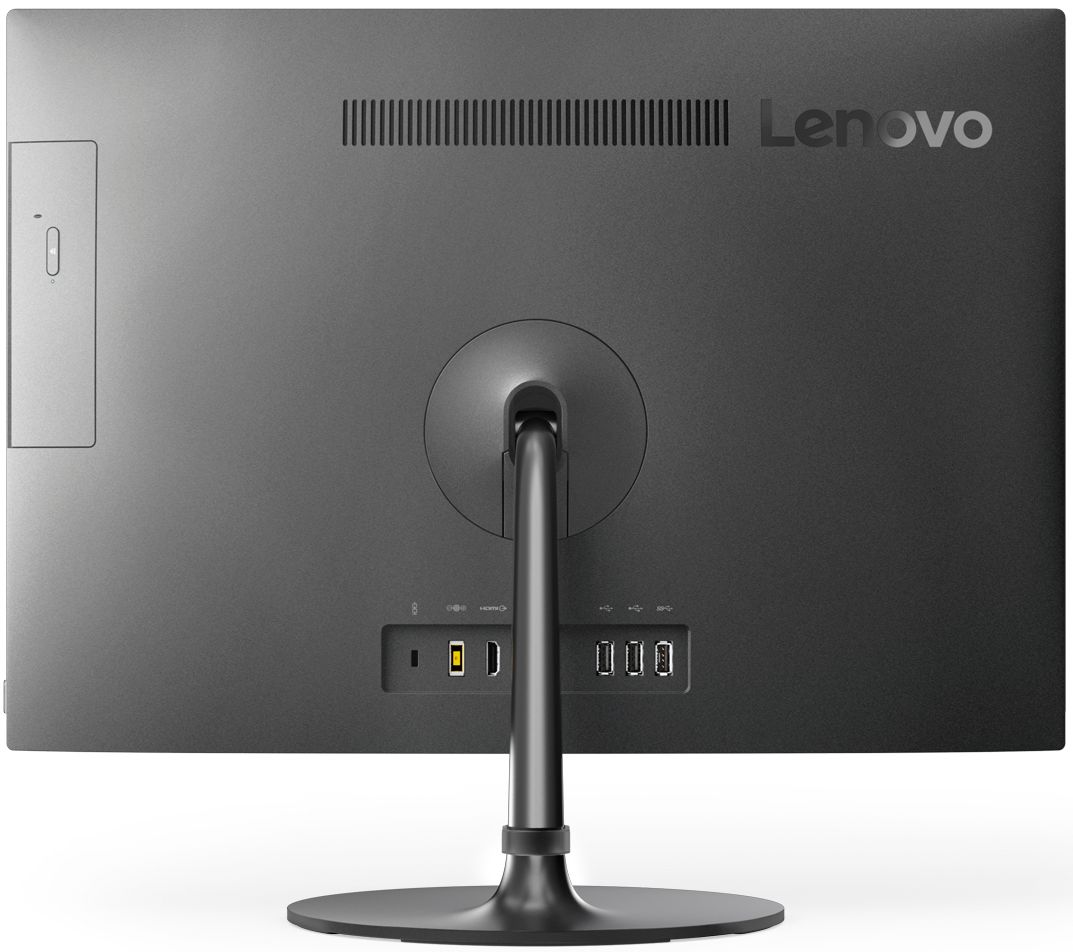
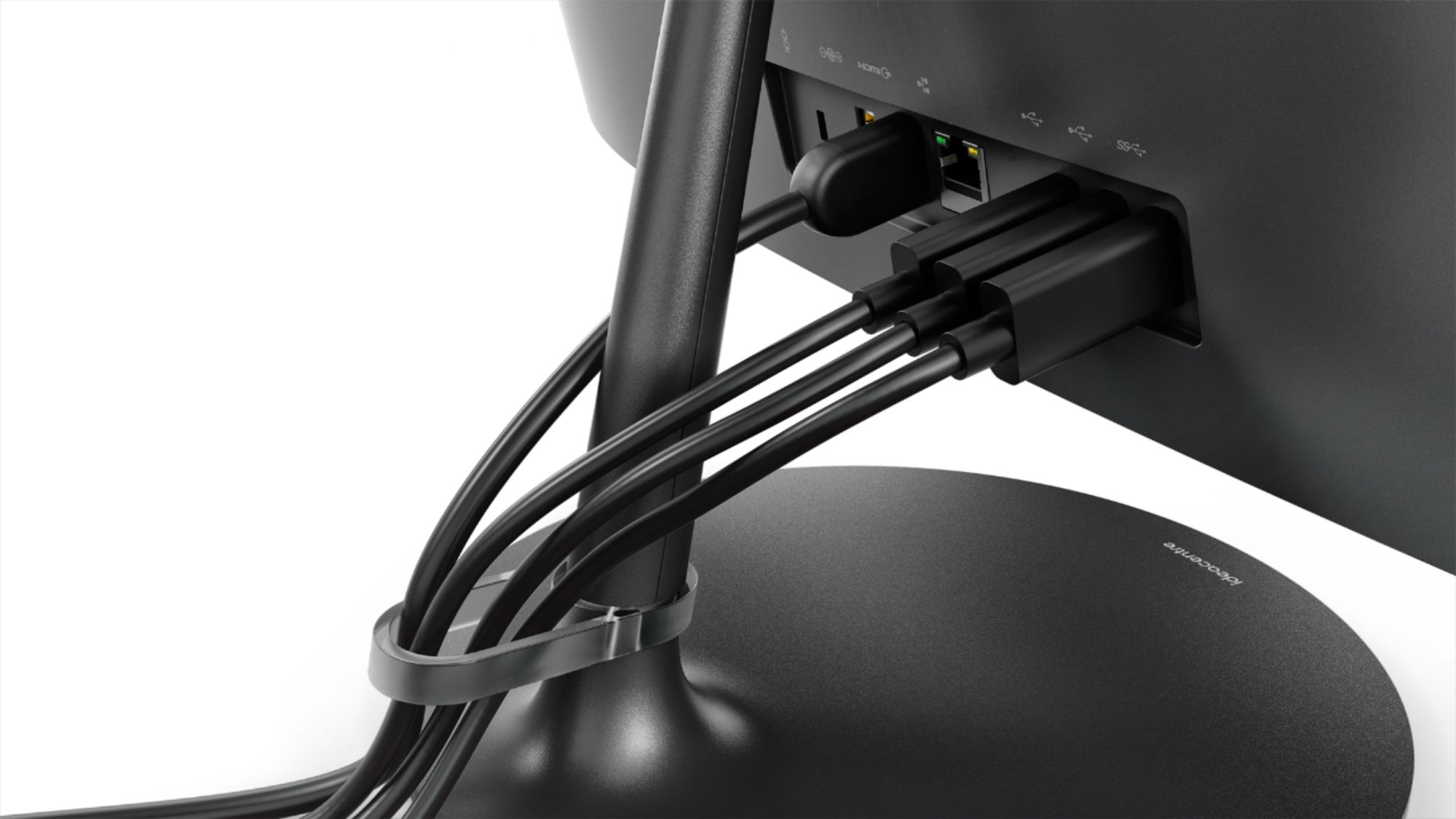
||Posted .This reviewer received promo considerations or sweepstakes entry for writing a review.Two of three slots used by keyboard and mouse. Third open but awkward placement.
No, I would not recommend this to a friendBrand response from Lenovo Product Expert
Posted .This is an entry level, light use system with its AMD E2 processor. It is not meant for multi-tasking or demanding programs. It is good for Microsoft Office and light internet browsing. If this describes your computing needs, the IdeaPad 330-20 AIO would be a good choice. Regarding additional USB ports for this device, if you need more USB ports or what to change the location of the USB ports, you may want to consider using a USB Hub with this device.
poor quality
||Posted .This reviewer received promo considerations or sweepstakes entry for writing a review.returned all in one computer very hard to read symbols letters + numbers
No, I would not recommend this to a friendBrand response from Lenovo Product Expert
Posted .Thank you for trying the Lenovo IdeaCentre 330-20 All-In-One system. We are sorry to hear that the IdeaCentre 330-22 AIO did not work for you.