Customer Ratings & Reviews
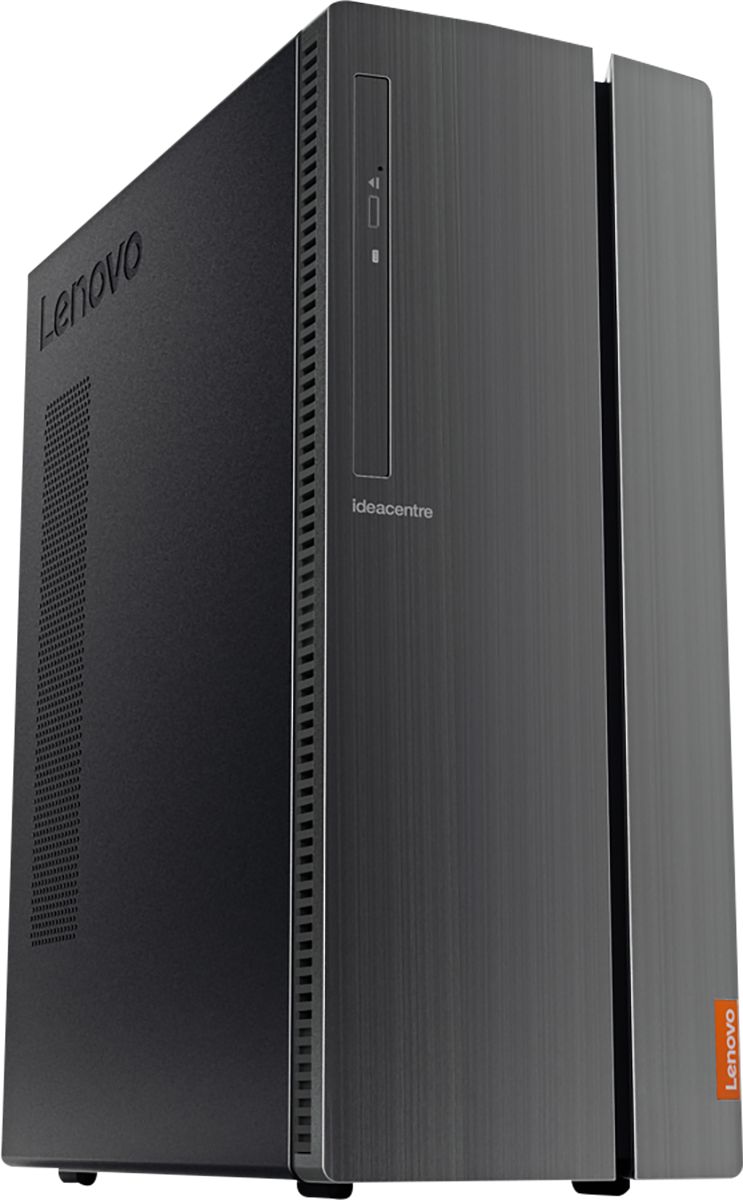
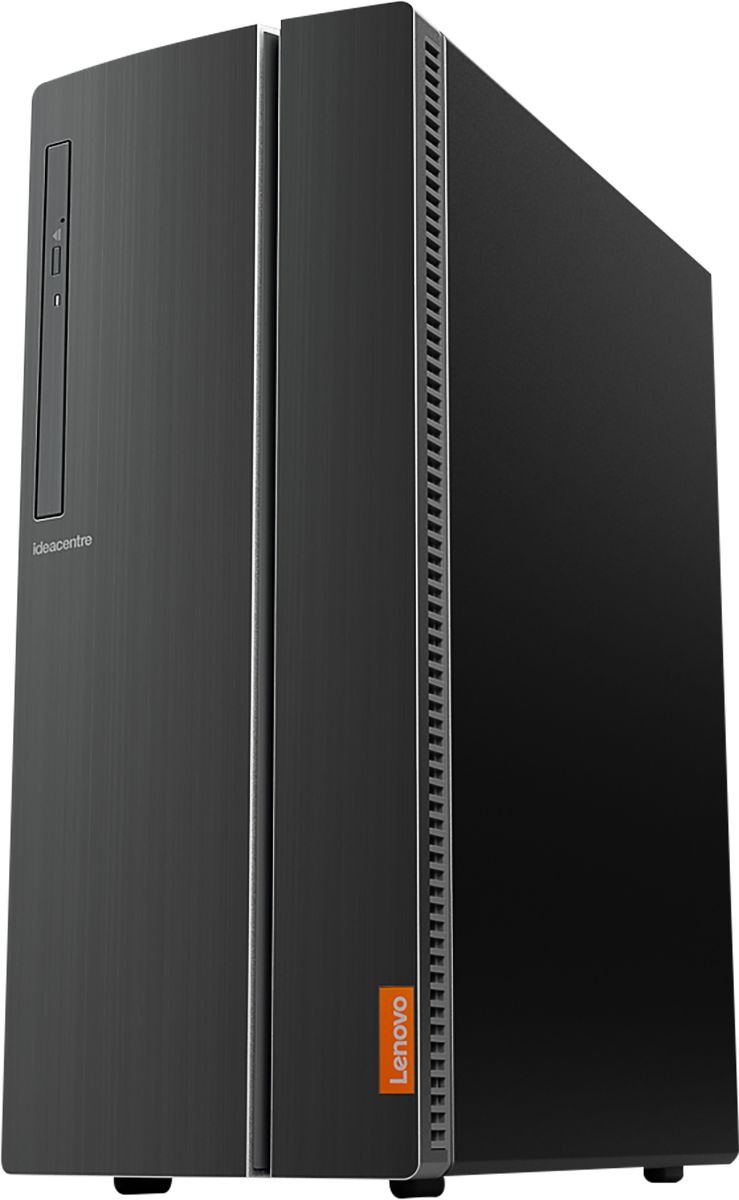
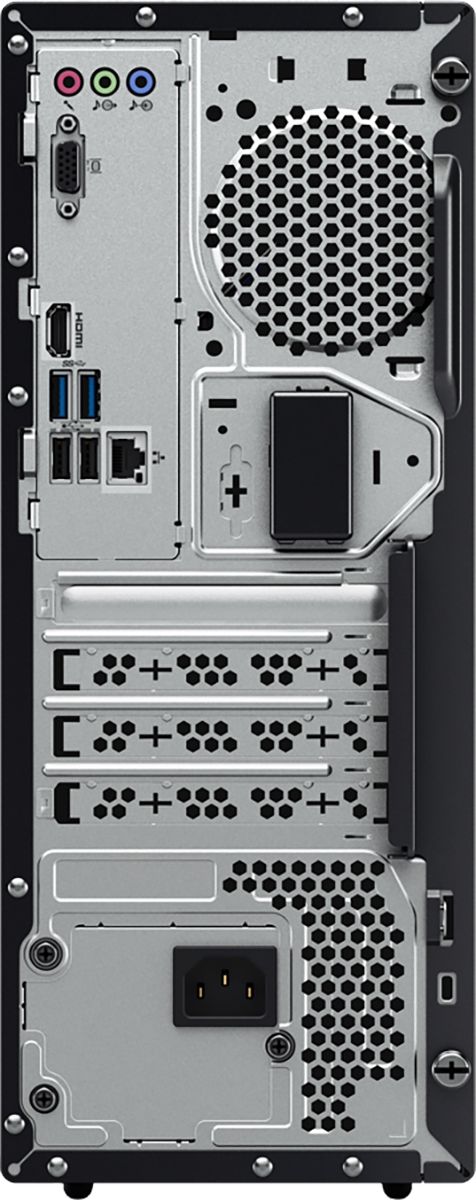
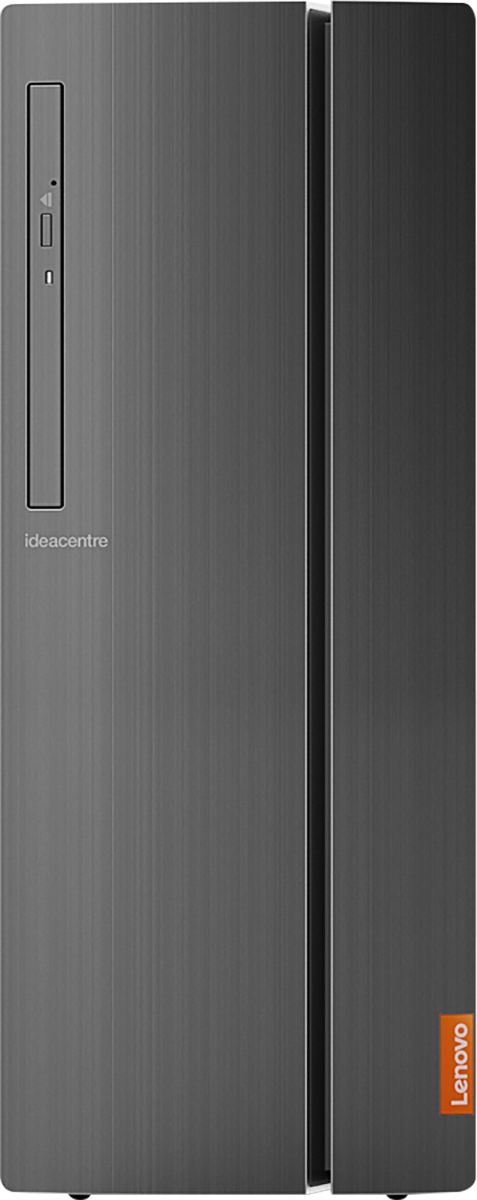
- Model:
- 90HV0005US
- SKU:
- 6203018
Rating by feature
- Value
Rating 4.5 out of 5 stars
- Quality
Rating 4.6 out of 5 stars
- Ease of Use
Rating 4.6 out of 5 stars
Customers are saying
Customers are positive about the IdeaCentre 510A's performance, ease of use, and affordability. Many appreciate its ample storage and memory, along with the straightforward setup process. However, some customers reported that the fan can be noisy. A few also noted limitations with the graphics card for demanding applications.
This summary was generated by AI based on customer reviews.
Good Computer
||Posted .This reviewer received promo considerations or sweepstakes entry for writing a review.Good computer, but startup a little slow. Needs a SSD to be 5 stars
I would recommend this to a friendBrand response from Lenovo Product Expert
Posted .Thank you for choosing the Lenovo IdeaCentre 510A desktop. Here is a link to some tips for speeding up the boot process within Windows 10: https://www.cnet.com/how-to/easy-ways-to-speed-up-windows-10/

- Pros mentioned:Ease of use
Great work station
||Posted .This reviewer received promo considerations or sweepstakes entry for writing a review.I just started using the machine, easy to install and work with.
I would recommend this to a friendBrand response from Lenovo Product Expert
Posted .Thank you for choosing the Lenovo IdeaCentre 510A desktop. We are pleased to hear that the IdeaCentre 510A meets your computing needs so well.

- Pros mentioned:Ease of use
So far so good
||Posted . Owned for 1 month when reviewed.This reviewer received promo considerations or sweepstakes entry for writing a review.Easy to set up! Workin great so far! No complaints.
I would recommend this to a friendBrand response from Lenovo Product Expert
Posted .Thank you for choosing the Lenovo IdeaCentre 510A Desktop, model number 90HV0005US. This configuration ships with the powerful, Six-Core/Twelve-Thread Intel Core i7-8700 processor, with a base speed of 3.2GHz and a Turbo Boost Speed of 4.6GHz. This processor is supported by 12GB DDR4-2666MHz RAM. This system can handle many of today's most demanding programs.
- Pros mentioned:Price
Good for the money
||Posted . Owned for 1 month when reviewed.This reviewer received promo considerations or sweepstakes entry for writing a review.Good overall computer at an affordable price......
I would recommend this to a friendBrand response from Lenovo Product Expert
Posted .Once again, thank you for choosing the Lenovo IdeaCentre 510A Desktop. You can keep your computer running at its best by keeping the Windows 10 Operating System and all supporting BIOS files and drivers up to date. You can easily accomplish this by scanning the computer with the Lenovo Utility software available on this computer. This system has Lenovo utilities installed to help maintain the health of the device and keep the operating system software up to date. Type "Lenovo Vantage" in the Cortana Search window (if Lenovo Vantage is not installed on your device, you can download the APP and install it now). Select Lenovo Vantage from the list. In the window that opens, click on "Health and Support". In the expanded menu, select "Hardware Scan" In the window that opens, select "Run Quick Tests". This will scan your entire system for errors. Follow any directions that may pop up. If the problem continues after this scan, now click on "System Update". First select Windows update from the menu. Scan your system to be sure you have the latest version of Windows 10. Once that scan is complete, select "Additional Updates". This will scan your device to be sure there are no new BIOS/Driver updates needed. Follow any instructions that may pop up. If you ever need additional help with your Lenovo computer, we recommend you call Lenovo Tech Support at: 877-453-6686 for additional help.
Easy to set up except for the slave hard drive
||Posted .This reviewer received promo considerations or sweepstakes entry for writing a review.Haven't been able to get the slave hard drive to work
I would recommend this to a friendBrand response from Lenovo Product Expert
Posted .Thank you for choosing the Lenovo IdeaCentre 510A desktop. With regard to getting a secondary drive to work on your Windows 10 system, this link to instructions for setting up a secondary drive may be of some help: https://smallbusiness.chron.com/connect-sata-hard-disk-slave-56859.html
Excellent follow-up service
||Posted . Owned for 1 month when reviewed.This reviewer received promo considerations or sweepstakes entry for writing a review.Lenovo is an excellent product, have used the brand for a lot of years. Best Buy is a great company offering excellent customer service. JNB PS - The Geek Squad has saved my bacon in the past!s
I would recommend this to a friendBrand response from Lenovo Product Expert
Posted .Thank you for choosing the Lenovo IdeaCentre 510A Desktop, model number 90HV0005US. This configuration ships with the powerful, 6-Core/12-Thread Intel Core i7-8700 processor, with a base speed of 3.2GHz and a Turbo Boost Speed of 4.6GHz. This processor is supported by 12GB DDR4-2666MHz RAM. This system can handle many of today's most demanding programs.
A bit tricky to set up but a good deal
||Posted . Owned for 3 weeks when reviewed.This reviewer received promo considerations or sweepstakes entry for writing a review.In general this particular model was a bit more tricky to set up. Luckily for me my husband is in IT. For someone who isn't as savy I would say find something more user friendly. On the other hand it does the job well, so I have to give it that.
I would recommend this to a friendBrand response from Lenovo Product Expert
Posted .The Lenovo IdeaCentre 510A Desktop ships with both auto as well as on screen step by step setup and Windows 10 activation instructions.
Great Computer
||Posted . Owned for 1 year when reviewed.This reviewer received promo considerations or sweepstakes entry for writing a review.This machine takes a licking and keeps on ticking. It works hard and provides tremendous versatility for all kinds of applications. I highly recommend it.
I would recommend this to a friendUsed for light duty
||Posted . Owned for 2 weeks when reviewed.This reviewer received promo considerations or sweepstakes entry for writing a review.We use this in our office for light to moderate duty and it seems to work fine. It setup a lot faster than other PC's we've used in the past.
I would recommend this to a friendBrand response from Lenovo Product Expert
Posted .Thank you for choosing the Lenovo IdeaCentre 510A Desktop, model number 90HV0005US. We are pleased to hear that the performance of the IdeaCentre 510A meets your computing needs so well. This configuration ships with the powerful, 6-Core/12-Thread Intel Core i7-8700 processor, with a base speed of 3.2GHz and a Turbo Boost Speed of 4.6GHz. This processor is supported by 12GB DDR4-2666MHz RAM. This system can handle many of today's most demanding programs.
No speed demon for gaming, but OK for other use.
||Posted .This reviewer received promo considerations or sweepstakes entry for writing a review.No speed demon for gaming, but OK for other use. I ran almost all programs I had taken from a Win7 32 without problems. Adequate amounts of USB connectors.
I would recommend this to a friendBrand response from Lenovo Product Expert
Posted .This configuration of the Lenovo IdeaCentre 510A desktop is a powerful one, with its Six-Core/Twelve-Thread Intel Core i7-8700 processor, supported by 12GB DDR4-2666MHz RAM and a large capacity 1TB 7200 RPM standard hard drive. This model has integrated graphics processing within the Intel Core i7-8700 processor. It is the Intel UHD Graphics 630 version. This configuration can handle many of today's most demanding programs, is great for streaming video via the WiFi internet connectivity and can easily handle most multi-tasking. We always recommend you check the requirements and compatibility of the games/software you will need to use on your new computer, before you invest. Be sure your new computer will do the work you want to do, before you invest in any new computer. If you are looking for a powerful multi-purpose desktop computer, the Lenovo IdeaCentre 510A is a great choice. Lenovo is the number #1 manufacturer of computers in the World:
https://venturebeat.com/2019/01/10/gartner-and-idc-hp-and-lenovo-shipped-the-most-pcs-in-2018-but-total-numbers-fell/
Great computer
||Posted . Owned for 3 weeks when reviewed.This reviewer received promo considerations or sweepstakes entry for writing a review.I've owned several Loenovo computers and have bought them all from Best Buy and get the Geek Squad service protection plan every time.
I would recommend this to a friendBrand response from Lenovo Product Expert
Posted .Once again, thank you for choosing the Lenovo IdeaCentre 510A Desktop. We appreciate your loyalty to the Lenovo Brand. You can keep new your computer running at its best by keeping the Windows 10 Operating System and all supporting BIOS files and drivers up to date. You can easily accomplish this by scanning the computer with the Lenovo Utility software available on this computer. This system has Lenovo utilities installed to help maintain the health of the device and keep the operating system software up to date. Type "Lenovo Vantage" in the Cortana Search window (if Lenovo Vantage is not installed on your device, you can download the APP and install it now). Select Lenovo Vantage from the list. In the window that opens, click on "Health and Support". In the expanded menu, select "Hardware Scan" In the window that opens, select "Run Quick Tests". This will scan your entire system for errors. Follow any directions that may pop up. If the problem continues after this scan, now click on "System Update". First select Windows update from the menu. Scan your system to be sure you have the latest version of Windows 10. Once that scan is complete, select "Additional Updates". This will scan your device to be sure there are no new BIOS/Driver updates needed. Follow any instructions that may pop up. If you ever need additional help with your Lenovo computer, we recommend you call Lenovo Tech Support at: 877-453-6686 for additional help.
Great Zoom Platform
||Posted . Owned for 8 months when reviewed.This reviewer received promo considerations or sweepstakes entry for writing a review.Bought this for dedicated Zoom Conferencing. Virtual Background works very well with Logitech, Connect Cam conference camera.
I would recommend this to a friendBrand response from Lenovo Product Expert
Posted .Thank you for choosing the Lenovo IdeaCentre 510A Desktop, model number 90HV0005US. This configuration ships with the powerful, 6-Core/12-Thread Intel Core i7-8700 processor, with a base speed of 3.2GHz and a Turbo Boost Speed of 4.6GHz. This processor is supported by 12GB DDR4-2666MHz RAM. This system can handle many of today's most demanding programs.
good desktop
||Posted . Owned for 3 weeks when reviewed.This reviewer received promo considerations or sweepstakes entry for writing a review.Bought this to replace an old computer, its a significant upgrade and works really well for the whole family
I would recommend this to a friendBrand response from Lenovo Product Expert
Posted .Thank you for choosing the Lenovo IdeaCentre 510A Desktop, model number 90HV0005US for your family. We are pleased to hear that the performance of the IdeaCentre 510A meets your family's computing needs so well. This configuration ships with the powerful, 6-Core/12-Thread Intel Core i7-8700 processor, with a base speed of 3.2GHz and a Turbo Boost Speed of 4.6GHz. This processor is supported by 12GB DDR4-2666MHz RAM. This system can handle many of today's most demanding programs.
Powerful desktop
||Posted . Owned for 3 weeks when reviewed.This reviewer received promo considerations or sweepstakes entry for writing a review.This desktop PC has exceeded expectations and the usb 3.0 ports are working great with my external SSD. Great product!
I would recommend this to a friendBrand response from Lenovo Product Expert
Posted .Thank you for choosing the Lenovo IdeaCentre 510A Desktop, model number 90HV0005US. This configuration ships with the powerful, Six-Core/Twelve-Thread Intel Core i7-8700 processor, with a base speed of 3.2GHz and a Turbo Boost Speed of 4.6GHz. This processor is supported by 12GB DDR4-2666MHz RAM. This system can handle many of today's most demanding programs.
Just what I was looking for
||Posted . Owned for 2 weeks when reviewed.This reviewer received promo considerations or sweepstakes entry for writing a review.I needed to new machines for the office that needed to access our web based systems - these worked out great.
I would recommend this to a friendBrand response from Lenovo Product Expert
Posted .Thank you for choosing the Lenovo IdeaCentre 510A Desktops, model number 90HV0005US. We are pleased to hear that the IdeaCentre 510A meets your business computing needs so well. This configuration ships with the powerful, 6-Core/12-Thread Intel Core i7-8700 processor, with a base speed of 3.2GHz and a Turbo Boost Speed of 4.6GHz. This processor is supported by 12GB DDR4-2666MHz RAM. This system can handle many of today's most demanding programs.
Excellent for Small Business
||Posted . Owned for 1 month when reviewed.This reviewer received promo considerations or sweepstakes entry for writing a review.Lenovo products are the best. This is my 3rd Lenovo purchase (2 laptops and 1 tower). Amazing products! Thanks
I would recommend this to a friendBrand response from Lenovo Product Expert
Posted .Once again, thank you for choosing the Lenovo IdeaCentre 510A Desktop. We appreciate your loyalty to the Lenovo Brand. You can keep your new computer running at its best by keeping the Windows 10 Operating System and all supporting BIOS files and drivers up to date. You can easily accomplish this by scanning the computer with the Lenovo Utility software available on this computer. Just type "Lenovo Vantage" in the Cortana Search window (if Lenovo Vantage is not installed on your device, you can download the APP and install it now). Select Lenovo Vantage from the list. In the window that opens, click on "Health and Support". In the expanded menu, select "Hardware Scan" In the window that opens, select "Run Quick Tests". This will scan your entire system for errors. Follow any directions that may pop up. If the problem continues after this scan, now click on "System Update". First select Windows update from the menu. Scan your system to be sure you have the latest version of Windows 10. Once that scan is complete, select "Additional Updates". This will scan your device to be sure there are no new BIOS/Driver updates needed. Follow any instructions that may pop up. If you ever need additional help with your Lenovo computer, we recommend you call Lenovo Tech Support at: 877-453-6686 for additional help.
Inexpensive but a work horse
||Posted . Owned for 1 month when reviewed.This reviewer received promo considerations or sweepstakes entry for writing a review.The computer itself is good. You have to buy speakers for sound and a mic if you want to use it to dictate on the computer. Still a good pc for the price.
I would recommend this to a friendBrand response from Lenovo Product Expert
Posted .Thank you for choosing the Lenovo IdeaCentre 510A Desktop, model number 90HV0005US. We are pleased to hear that the performance of the IdeaCentre 510A meets your computing needs so well. This configuration ships with the powerful, 6-Core/12-Thread Intel Core i7-8700 processor, with a base speed of 3.2GHz and a Turbo Boost Speed of 4.6GHz. This processor is supported by 12GB DDR4-2666MHz RAM. This system can handle many of today's most demanding programs.
Good computer
||Posted .This reviewer received promo considerations or sweepstakes entry for writing a review.Good computer. Start up time to Windows takes a little longer than I would like but I guess that's because of the type of hard drive the computer has.
I would recommend this to a friendBrand response from Lenovo Product Expert
Posted .The Lenovo IdeaCentre 510A Desktop, model number 90HV0005US, will boot from off to the Windows 10 Desktop in less than 40-seconds. If you are getting slower boot times, be sure any software you installed is compatible with Windows 10. There is no need to install Microsoft Office software. The software is already part of the operating system, you just need to activate the software with a purchased product key. If you have installed a copy of Microsoft Office, this is conflicting with the existing copy on the system and this will slow your system down. If you have installed a 3rd party anti-virus program, be sure that Windows Defender is turned off and that the trial version of McAfee Anti-Virus software is uninstalled. There can only be one anti-virus program on the system. You may need to restore your system to original factory default settings if any of the programming errors have occurred. You can do that by typing "restore" in the Cortana search window. Just click on the magnifying glass icon at the bottom left of your Windows 10 Desktop. Click on "Reset This PC" Then click on "Get Started" and follow the on screen directions to restore to factory defaults. If the problem persists, we recommend you contact Lenovo Tech Support at: 877-453-6686.
Loose USB port
||Posted . Owned for 1 year when reviewed.This reviewer received promo considerations or sweepstakes entry for writing a review.The unit runs great. The location of the 3.0 usb ports are only on the front of the case. Why not also on the back? Have to have wires hanging out from the front.
I would recommend this to a friendBrand response from Lenovo Product Expert
Posted .The Lenovo IdeaCentre 510A Desktop, model number 90HV0005US, has four USB ports on the back of the device. There are two standard USB 2.0 ports and two standard USB 3.0 ports on the back of this configuration.
Great Computer
||Posted . Owned for 3 months when reviewed.This reviewer received promo considerations or sweepstakes entry for writing a review.Excellent Computer. Im very happy with it. Great desktop for your daily operations.
I would recommend this to a friend