Customer Ratings & Reviews
- Model:
- 90HV0005US
- SKU:
- 6203018
Rating by feature
- Value
Rating 4.5 out of 5 stars
- Quality
Rating 4.6 out of 5 stars
- Ease of Use
Rating 4.6 out of 5 stars
Customers are saying
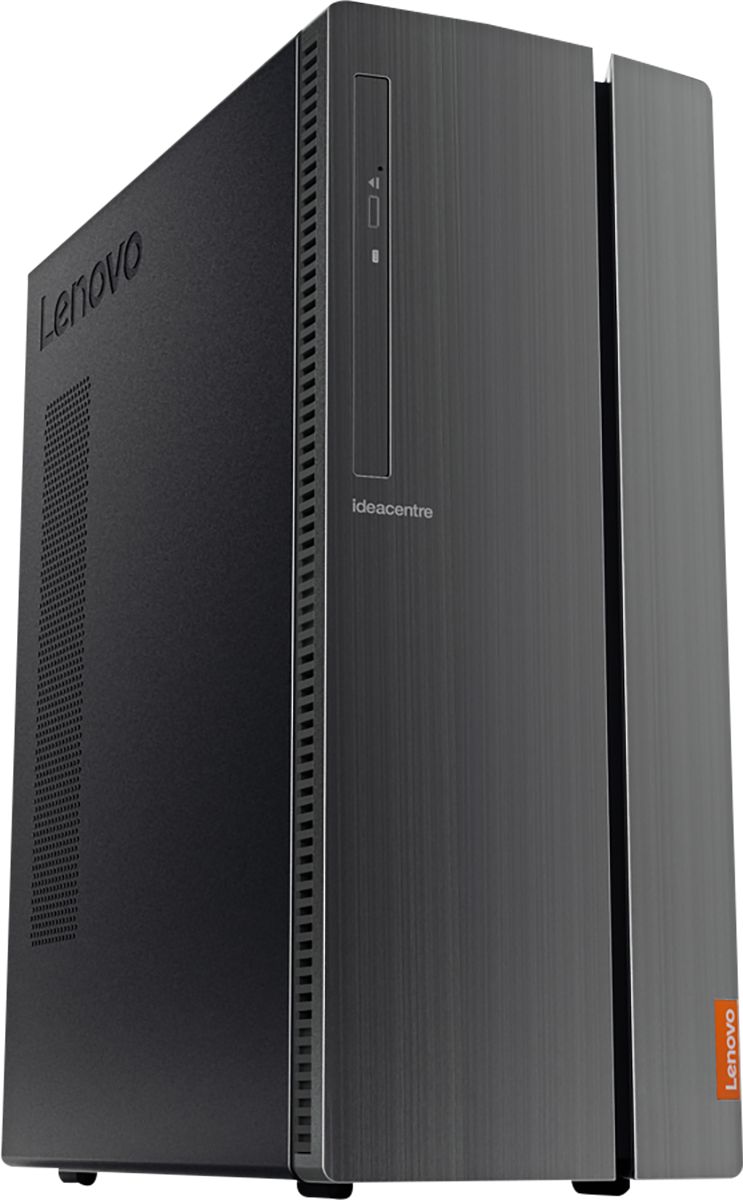
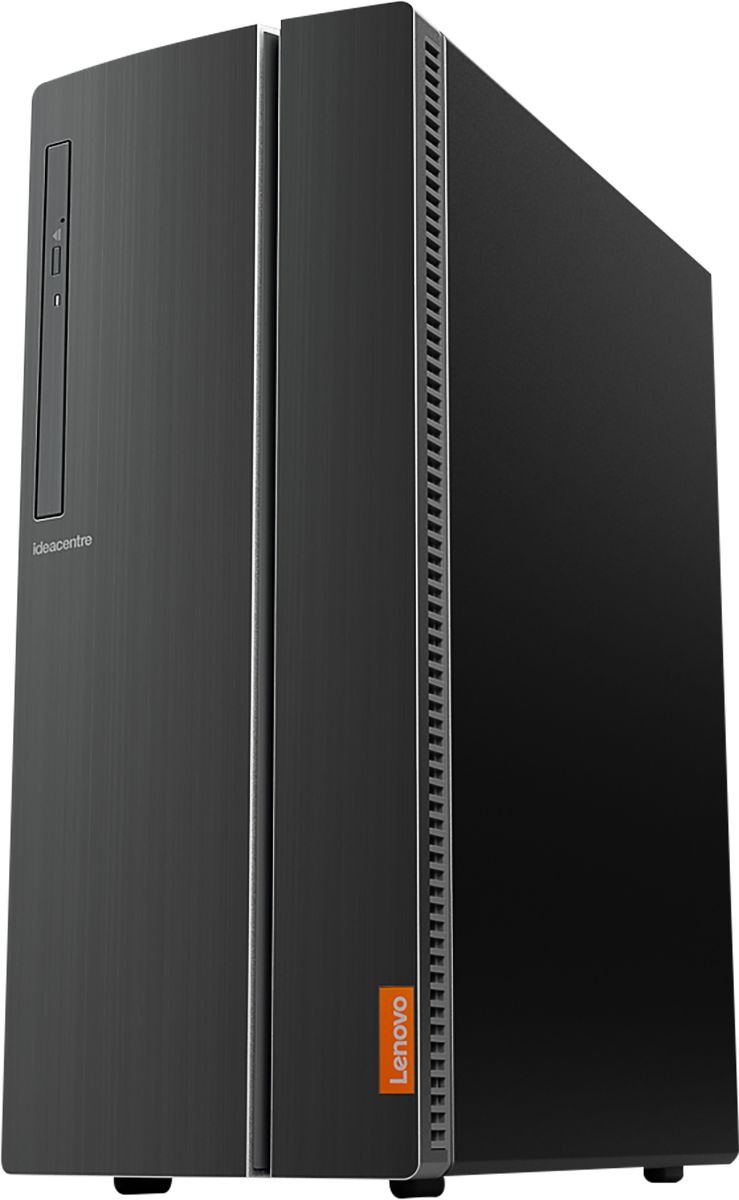
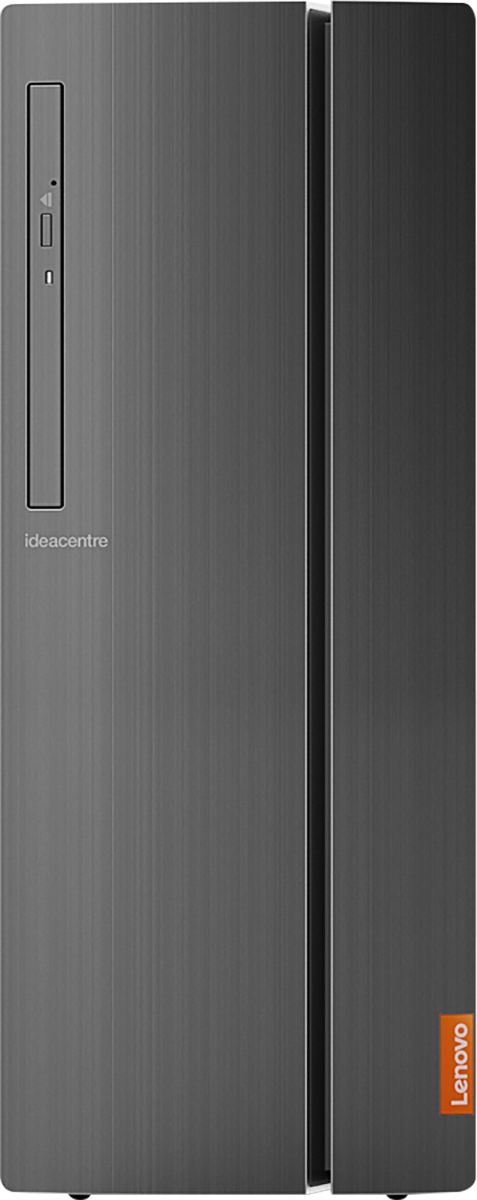
Customers are positive about the IdeaCentre 510A's performance, ease of use, and affordability. Many appreciate its ample storage and memory, along with the straightforward setup process. However, some customers reported that the fan can be noisy. A few also noted limitations with the graphics card for demanding applications.
This summary was generated by AI based on customer reviews.
computer
||Posted . Owned for 3 weeks when reviewed.This reviewer received promo considerations or sweepstakes entry for writing a review.good computer for my needs,,,all i need to wite for your 25 points
I would recommend this to a friendGenerally works ok
||Posted . Owned for 1 month when reviewed.This reviewer received promo considerations or sweepstakes entry for writing a review.Sometimes slower in loading up stuff than I would have expected, but overall ok
I would recommend this to a friendBrand response from Lenovo Product Expert
Posted .The Lenovo IdeaCentre 510A desktop, model number 90HV0005US is a fast configuration with its 6-Core/12-Thread Intel Core i7-8700 processor, with a base speed of 3.2GHz and a Turbo Boost speed of up to 4.6GHz. This processor is supported by 12GB DDR4-2666MHz RAM. Be sure any software you installed is compatible with Windows 10. There is no need to install Microsoft Office software. The software is already part of the operating system, you just need to activate the software with a purchased product key. If you have installed a copy of Microsoft Office, this is conflicting with the existing copy on the system and this will slow your system down. If you have installed a 3rd party anti-virus program, be sure that Windows Defender is turned off and that the trial version of McAfee Anti-Virus software is uninstalled. There can only be one anti-virus program on the system. You may need to restore your system to original factory default settings if any of the programming errors have occurred. You can do that by typing "restore" in the Cortana search window. Just click on the magnifying glass icon at the bottom left of your Windows 10 Desktop. Click on "Reset This PC" Then click on "Get Started" and follow the on screen directions to restore to factory defaults. If the problem persists, we recommend you contact Lenovo Tech Support at: 877-453-6686.

Look for something else
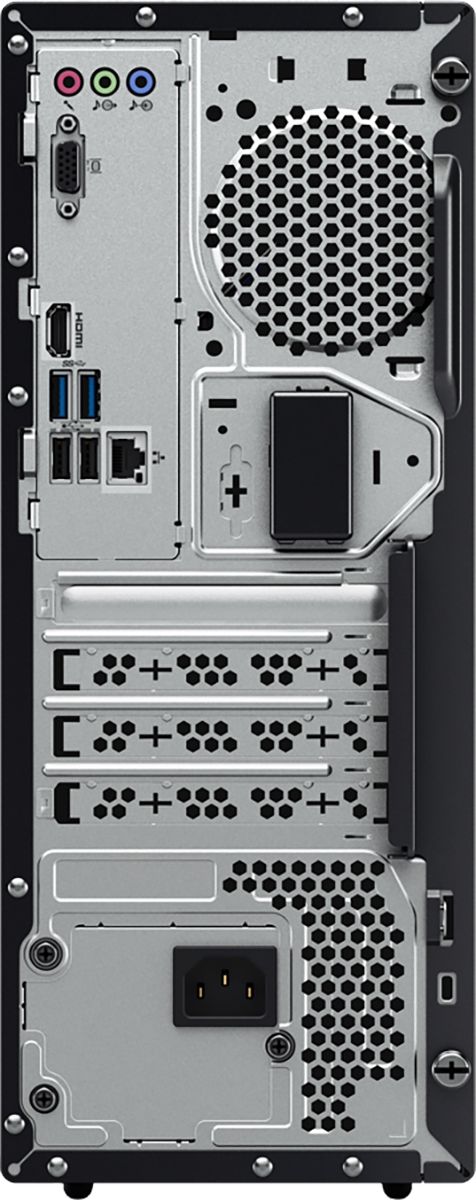
||Posted .This reviewer received promo considerations or sweepstakes entry for writing a review.The description says "give yourself the gift of speed," there is nothing fast about this computer. Turn it on and time it with a calendar! Should you want to add a second monitor, the connection is VGA, technology so old you will be hard pressed to find a monitor or cable to connect it with. Keep moving.....nothing to see here!
No, I would not recommend this to a friendBrand response from Lenovo Product Expert
Posted .Model number 90HV0005US ships with both VGA and HDMI-Out for video out to a monitor. This model ships with the powerful Six-Core/Twelve-Thread Intel Core i7-8700 processor, supported by 12GB DDR4-2666MHz RAM. This is a very fast configuration. It will boot from off to the Windows 10 desktop in less than 40 seconds. If you are experiencing slow performance, be sure any software you installed is compatible with Windows 10. There is no need to install Microsoft Office software. The software is already part of the operating system, you just need to activate the software with a purchased product key. If you have installed a copy of Microsoft Office, this is conflicting with the existing copy on the system and this will slow your system down. If you have installed a 3rd party anti-virus program, be sure that Windows Defender is turned off and that the trial version of McAfee Anti-Virus software is uninstalled. There can only be one anti-virus program on the system. You may need to restore your system to original factory default settings if any of the programing errors have occurred. You can do that by typing "restore" in the Cortana search window. Just click on the magnifying glass icon at the bottom left of your Windows 10 Desktop. Click on "Reset This PC" Then click on "Get Started" and follow the on screen directions to restore to factory defaults. If the problem persists, we recommend you contact Lenovo Tech Support at: 877-453-6686. Lenovo is the number #1 manufacturer of computer in the World: https://www.idc.com/getdoc.jsp?containerId=prUS44385418
Decent computer
||Posted . Owned for 3 weeks when reviewed.This reviewer received promo considerations or sweepstakes entry for writing a review.Decent computerBut it doesn’t come with a sound card which kind of blew my mind. I thought all computers nowadays came with a basic sound card.
I would recommend this to a friendIt’s slow a lot less than what I expected wish I w
||Posted . Owned for 1.5 years when reviewed.This reviewer received promo considerations or sweepstakes entry for writing a review.It’s slow a lot less than what I expected wish I would’ve spent more money and got a better one
No, I would not recommend this to a friendSeem slow for whats inside
||Posted . Owned for 2 weeks when reviewed.This reviewer received promo considerations or sweepstakes entry for writing a review.Not overly impressed with this model. should be faster.
No, I would not recommend this to a friendBrand response from Lenovo Product Expert
Posted .The Lenovo IdeaCentre 510A Desktop, model number 90HV0005US is an extremely fast configuration with its 6-Core/12-Thread Intel Core i7-8700 processor, with a base speed of 3.2GHz and a Turbo Boost Speed of up to 4.6GHz. This processor is supported by 12GB DDR4-2666MHz RAM. If you are getting slower than expected performance, be sure any software you installed is compatible with Windows 10. There is no need to install Microsoft Office software. The software is already part of the operating system, you just need to activate the software with a purchased product key. If you have installed a copy of Microsoft Office, this is conflicting with the existing copy on the system and this will slow your system down. If you have installed a 3rd party anti-virus program, be sure that Windows Defender is turned off and that the trial version of McAfee Anti-Virus software is uninstalled. There can only be one anti-virus program on the system. You may need to restore your system to original factory default settings if any of the programming errors have occurred. You can do that by typing "restore" in the Cortana search window. Just click on the magnifying glass icon at the bottom left of your Windows 10 Desktop. Click on "Reset This PC" Then click on "Get Started" and follow the on screen directions to restore to factory defaults. If the problem persists, we recommend you contact Lenovo Tech Support at: 877-453-6686.
Awful
||Posted . Owned for 1 month when reviewed.This reviewer received promo considerations or sweepstakes entry for writing a review.Got the computer, had it for TWO WEEKS. It shut down randomly and will not turn back on. Contacted geek squad, they were unbelievably unhelpful and rude. Contacted Lenovo, they want ME to pay to send it back to them to fix. I feel like you all stole nearly a grand from me.
No, I would not recommend this to a friendBrand response from Lenovo Product Expert
Posted .We are sorry to hear that you are having issues with your Lenovo IdeaCentre 510A Desktop, model number 90HV0005US. It is possible that restoring your computer back to original factory settings may fix the issue. Here is a link to instructions for resetting your Windows 10 computer back to original factory settings: https://support.microsoft.com/en-us/help/12415. If you can not properly boot the computer any longer, Ensure that your computer is connected to ac power during the recovery process.
The Windows recovery environment on your computer operates independently from the Windows 10 operating system. It enables you to recover or repair the operating system even if the Windows 10 operating system fails to start.
After two consecutive failed boot attempts, the Windows recovery environment starts automatically. Then, you can choose repair and recovery options by following the on-screen instructions. Here is a link to more Windows 10 Recovery options:
https://support.microsoft.com/en-us/help/12415/windows-10-recovery-options. Once you have the computer reset, be sure any software you installed is compatible with Windows 10. There is no need to install Microsoft Office software. The software is already part of the operating system, you just need to activate the software with a purchased product key. If you have installed a copy of Microsoft Office, this is conflicting with the existing copy on the system and this will slow your system down. If you have installed a 3rd party anti-virus program, be sure that Windows Defender is turned off and that the trial version of McAfee Anti-Virus software is uninstalled. There can only be one anti-virus program on the system. You may need to restore your system to original factory default settings if any of the programming errors have occurred. You can do that by typing "restore" in the Cortana search window. Just click on the magnifying glass icon at the bottom left of your Windows 10 Desktop. Click on "Reset This PC" Then click on "Get Started" and follow the on screen directions to restore to factory defaults. If the problem persists, we recommend you contact Lenovo Tech Support at: 877-453-6686.
Don’t buy
||Posted . Owned for 1 year when reviewed.This reviewer received promo considerations or sweepstakes entry for writing a review.Not great would never buy again. Slow. Issues from day one.
No, I would not recommend this to a friendCan’t Connect to Internet - Terrible Service
||Posted .This reviewer received promo considerations or sweepstakes entry for writing a review.I’be been on the phone for and through message boards for over 4 hours trying to connect to the internet with this machine. Embarrrasing service when I call into Lenovo.
No, I would not recommend this to a friendBrand response from Lenovo Product Expert
Posted .The Lenovo IdeaCentre 510A Desktop model number has both the latest 5G, 802.11AC frequency WiFi and cabled ethernet connectivity. Check your internet service provider for any issues. If your internet service is operating properly, be sure you have the latest version of Windows 10 on the computer and then update all of the BIOS files and drivers up to that latest version of Windows 10. You can easily accomplish this by scanning the computer with the Lenovo Utility software installed on the computer. This system has Lenovo utilities installed to help maintain the health of the device and keep the operating system software up to date. Type "Lenovo Vantage" in the Cortana Search window (if Lenovo Vantage is not installed on your device, you can download the APP and install it now). Select Lenovo Vantage from the list. In the window that opens, click on "Health and Support". In the expanded menu, select "Hardware Scan" In the window that opens, select "Run Quick Tests". This will scan your entire system for errors. Follow any directions that may pop up. If the problem continues after this scan, now click on "System Update". First select Windows update from the menu. Scan your system to be sure you have the latest version of Windows 10. Once that scan is complete, select "Additional Updates". This will scan your device to be sure there are no new BIOS/Driver updates needed. Follow any instructions that may pop up. If the issue still continues after these updates, we recommend you call Lenovo Tech Support at: 877-453-6686 for additional help.
- Pros mentioned:PerformanceCons mentioned:Fan noise
Fast machine but loud fan
Posted .This reviewer received promo considerations or sweepstakes entry for writing a review.Setup was easy and the machine performs well. However, the fan is very loud, louder than the fan in any desktop computer I have owned. Also, the fan makes a humming noise, like a dentist's drill. Setting the power setting to Power Saver does seem to help. But what's the point of purchasing a machine with 12GB RAM if you need to run it at reduced CPU speed? The fan problem has been pointed out by owners on the Lenovo website. I wish I had consulted that site before purchasing this computer.
No, I would not recommend this to a friendBrand response from Lenovo Product Expert
Posted .We are sorry to hear that you are having issues with your Lenovo IdeaCentre 510A desktop. We recommend you have the Best Buy Geek Squad inspect your IdeaCentre 510A to is if there is an issue with the system. You can also call Lenovo Tech Support for additional support at: 877-453-6686
- Pros mentioned:Speed
Limit Expandibility
Posted .This reviewer received promo considerations or sweepstakes entry for writing a review.I am a semi-pro photographer and was looking for a desktop to replace my existing MacBook Pro. I opted to go back to Windows do to cost. After a week of research and comparing, I bought this desktop. PROS: Speed: It is very fast in running lightroom. I can convert 400 RAW files to JPG Large in less than 30 mins, it would take forever with the old MacBook. Graphics: The installed graphic card is good enough for what the desktop was intended for, photography. I Storage: The 1TB Hard drive is nice but wish it was bigger. USBs: It has plenty of USBs ports, both in the front and back. CONS: I am disappointed I could not add an additional hard drive. I have a 3 TB I was planning to install, but when I open the unit up, there is no room for an additional hard drive. Overall: I would recommend this desktop.
I would recommend this to a friendBrand response from Lenovo Product Expert
Posted .Thank you for choosing the Lenovo IdeaCentre 510A desktop. With regard to replacing the hard drive, you can replace the existing hard drive with a larger compatible hard drive.
- Pros mentioned:Performance
Best desktop ever
Posted .This reviewer received promo considerations or sweepstakes entry for writing a review.I this desktop for work and school and couldn't have gotten a better one!
I would recommend this to a friend Dead in two months
Posted .This reviewer received promo considerations or sweepstakes entry for writing a review.Bought this back in February 2019 to replace my Lenovo desktop i3. Everything worked fine as expected. But this morning, it won't power on. (I shut down my desktop from time to time when I don't use it.) I called Lenovo and they said I'll have to send it in at my own cost but they'll ship it back after nine days for free. I'm really happy with this desktop but this is disappointing. My Lenovo desktop i3 that acts as an emergency desktop for me works and my new one doesn't. :(
I would recommend this to a friendBrand response from Lenovo Product Expert
Posted .We are sorry to hear that you are having an issue with Windows 10. From the description you provide, it sounds like there was an error with a Windows 10 update. Here is a link to some trouble shooting tips for a Windows 10 system that won't boot, you can try: https://www.makeuseof.com/tag/windows-10-wont-boot/. Lenovo is the number #1 manufacturer of computers in the World:
https://venturebeat.com/2019/01/10/gartner-and-idc-hp-and-lenovo-shipped-the-most-pcs-in-2018-but-total-numbers-fell/
Best price for the spec
Posted .This reviewer received promo considerations or sweepstakes entry for writing a review.I got this PC for my general work along side with Mac mini. This PC is powerful any never had any issues.
I would recommend this to a friendBrand response from Lenovo Product Expert
Posted .Thank you for choosing the Lenovo IdeaCentre 510A desktop. We are pleased to hear that the performance of the IdeaCentre 510A meets your computing needs so well.
Overpriced
Posted .This reviewer received promo considerations or sweepstakes entry for writing a review.This thing is worth like 600 bucks. For its price you could get a gtx 1080 and an SSD.
No, I would not recommend this to a friendA real Dog!
Posted .This reviewer received promo considerations or sweepstakes entry for writing a review.Bought this computer a couple of months ago & I have had nothing but problems! I have 2 restart it at least once a day, every day, sometimes 2 or 3 time cause it is all froze up! never thought I would have 2 pull the plug on a computer like my Dad used 2 do, but I pull the plug on this 1 a couple of time a week! I can't even get 2 the shutdown or restart command!
No, I would not recommend this to a friendBrand response from Lenovo Product Expert
Posted .We are sorry to hear that you are having issues with your Lenovo IdeaCentre 510A desktop. From the description of the issues you are experiencing, it sounds like there is incompatible software installed on your computer. Be sure any software you installed is compatible with Windows 10. There is no need to install Microsoft Office software. The software is already part of the operating system, you just need to activate the software with a purchased product key. If you have installed a copy of Microsoft Office, this is conflicting with the existing copy on the system and this will slow your system down. If you have installed a 3rd party anti-virus program, be sure that Windows Defender is turned off and that the trial version of McAfee Anti-Virus software is uninstalled. There can only be one anti-virus program on the system. You may need to restore your system to original factory default settings if any of the programing errors have occurred. You can do that by typing "restore" in the Cortana search window. Just click on the magnifying glass icon at the bottom left of your Windows 10 Desktop. Click on "Reset This PC" Then click on "Get Started" and follow the on screen directions to restore to factory defaults. If the problem persists, we recommend you contact Lenovo Tech Support at: 877-453-6686.