Customer Ratings & Reviews
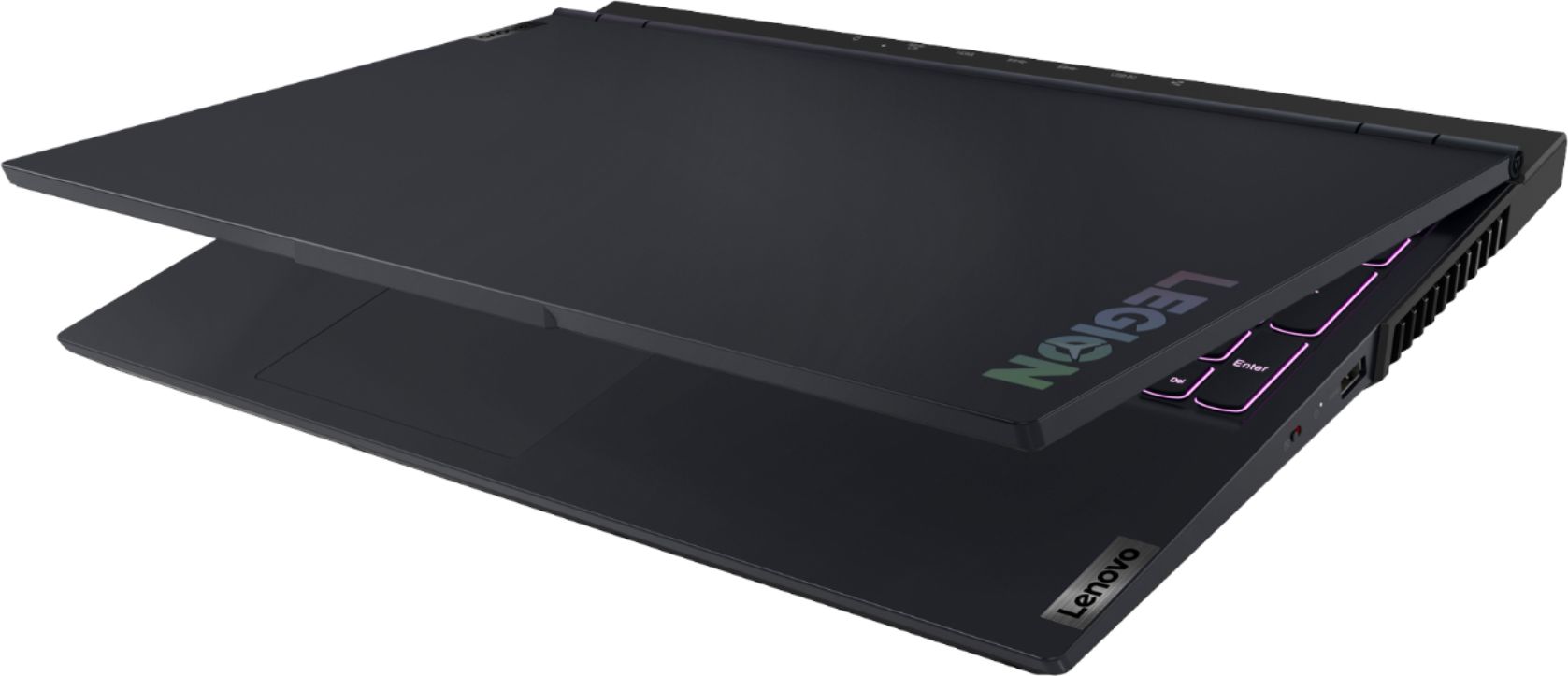
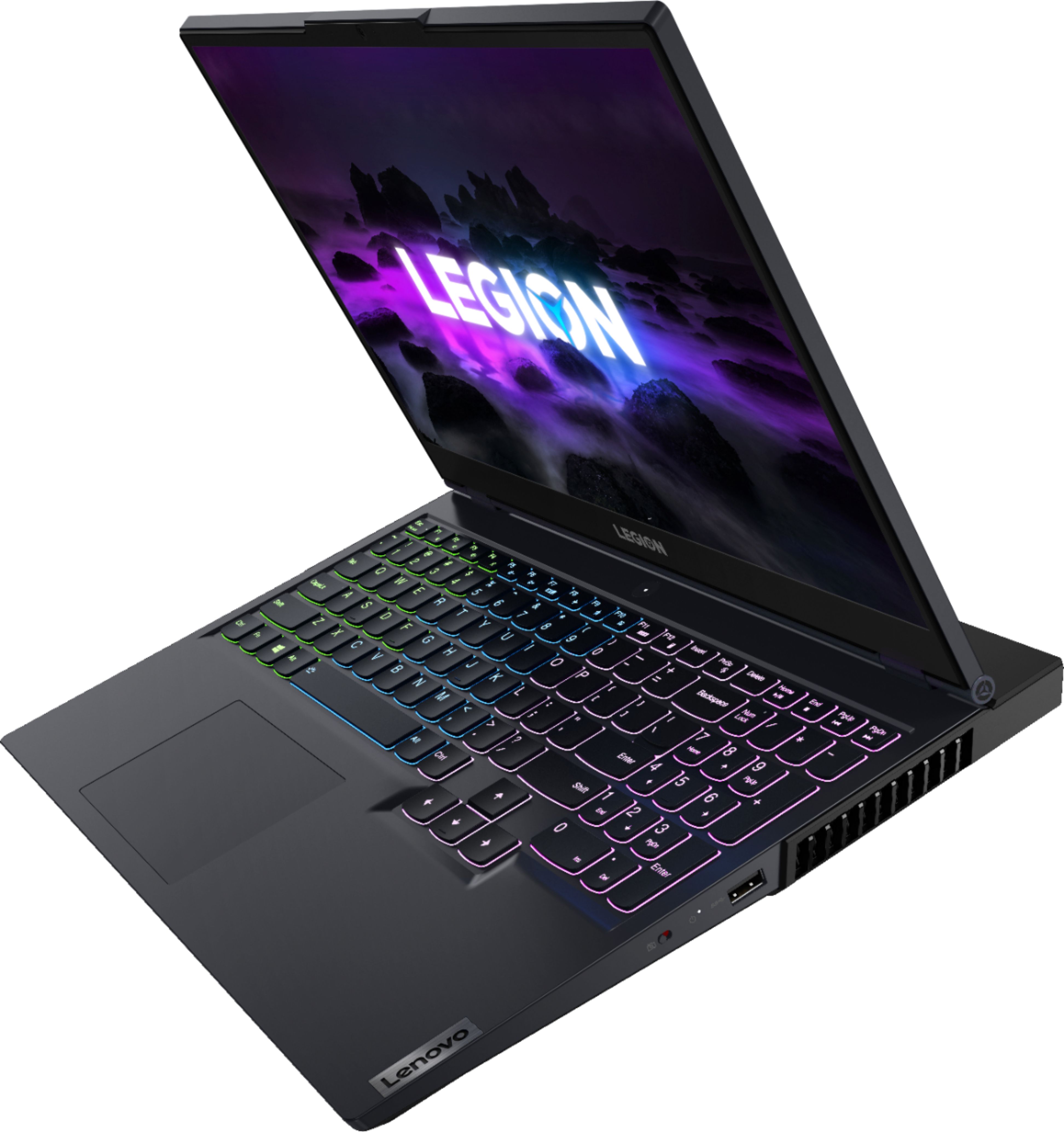
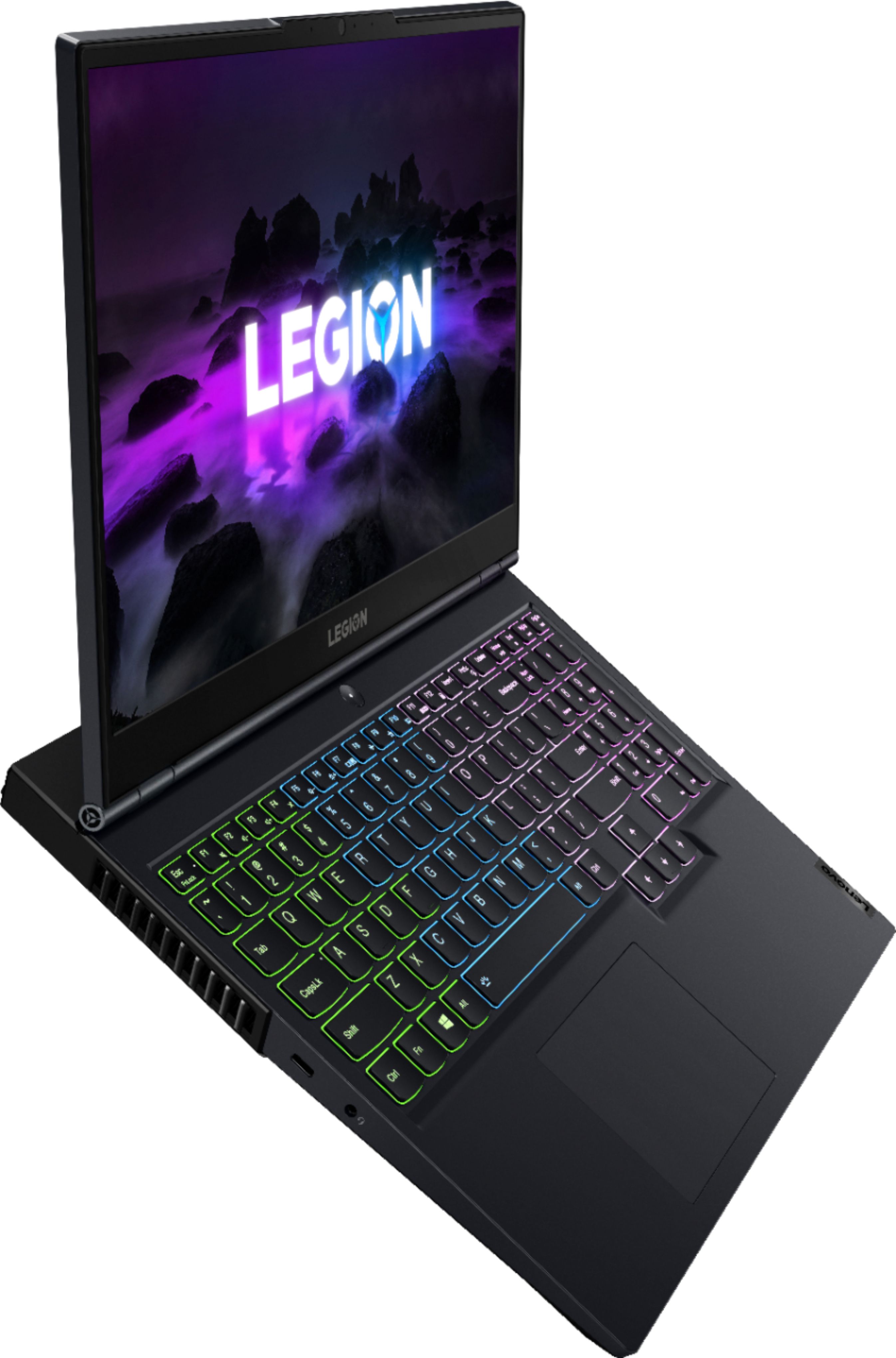
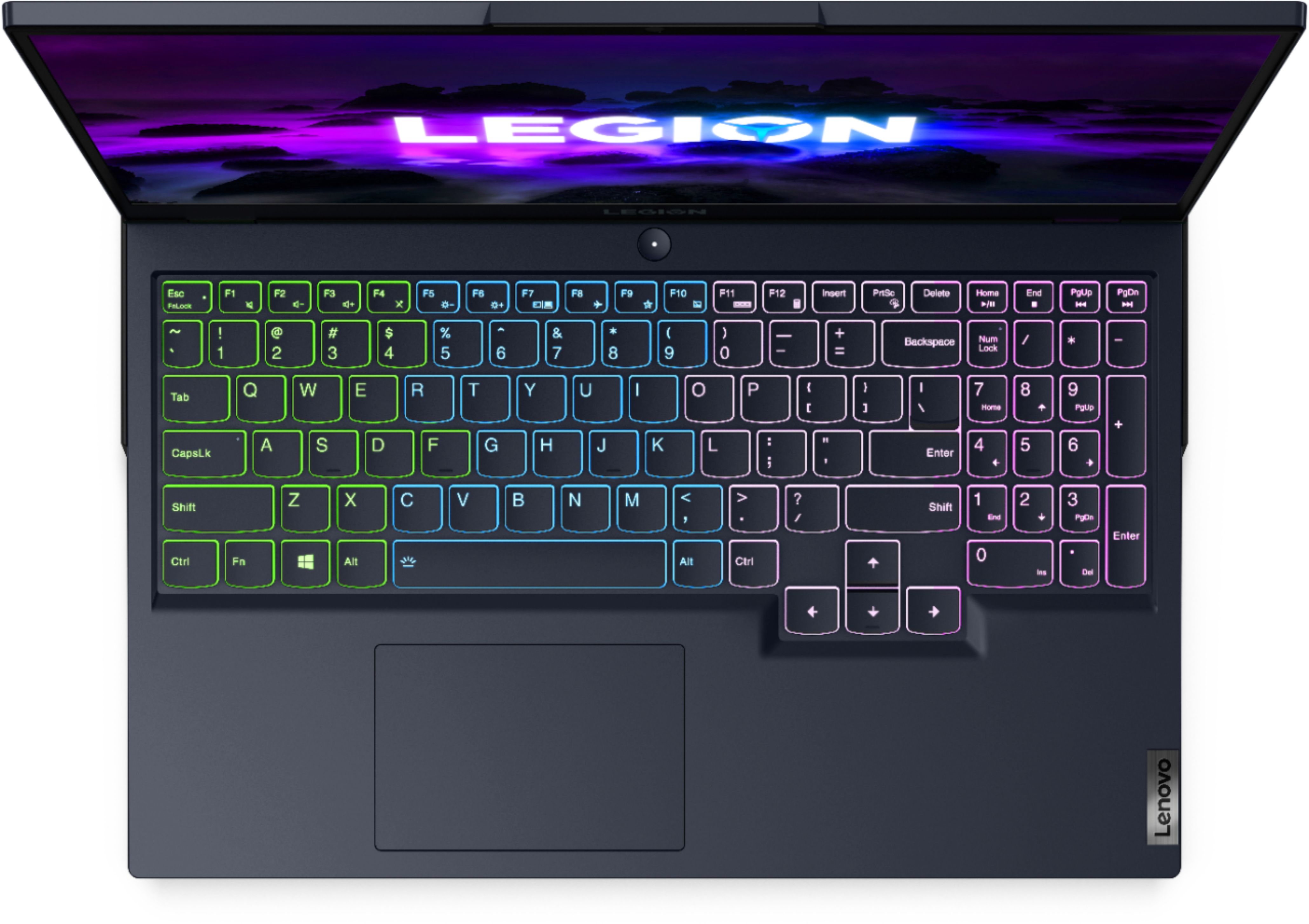
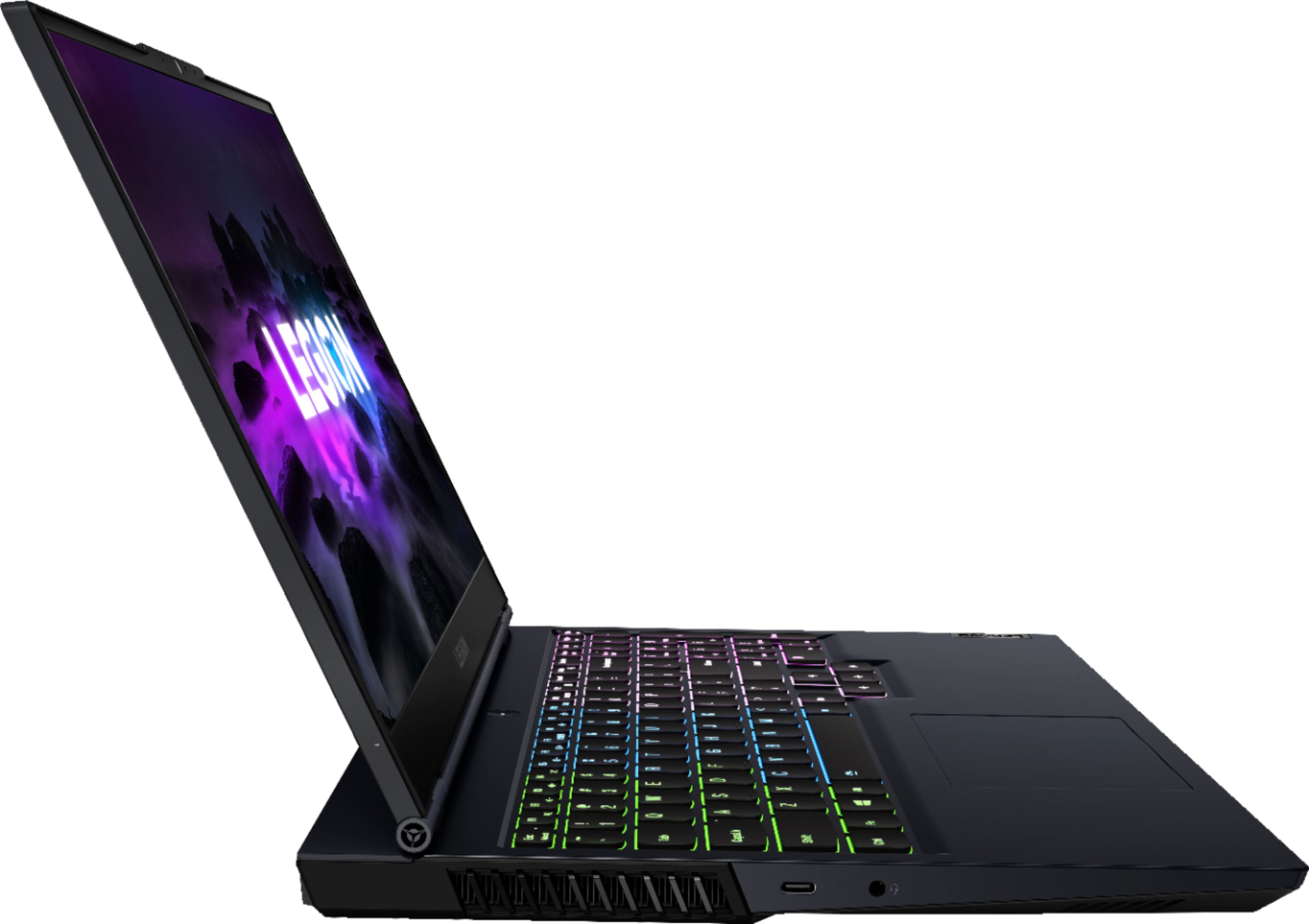
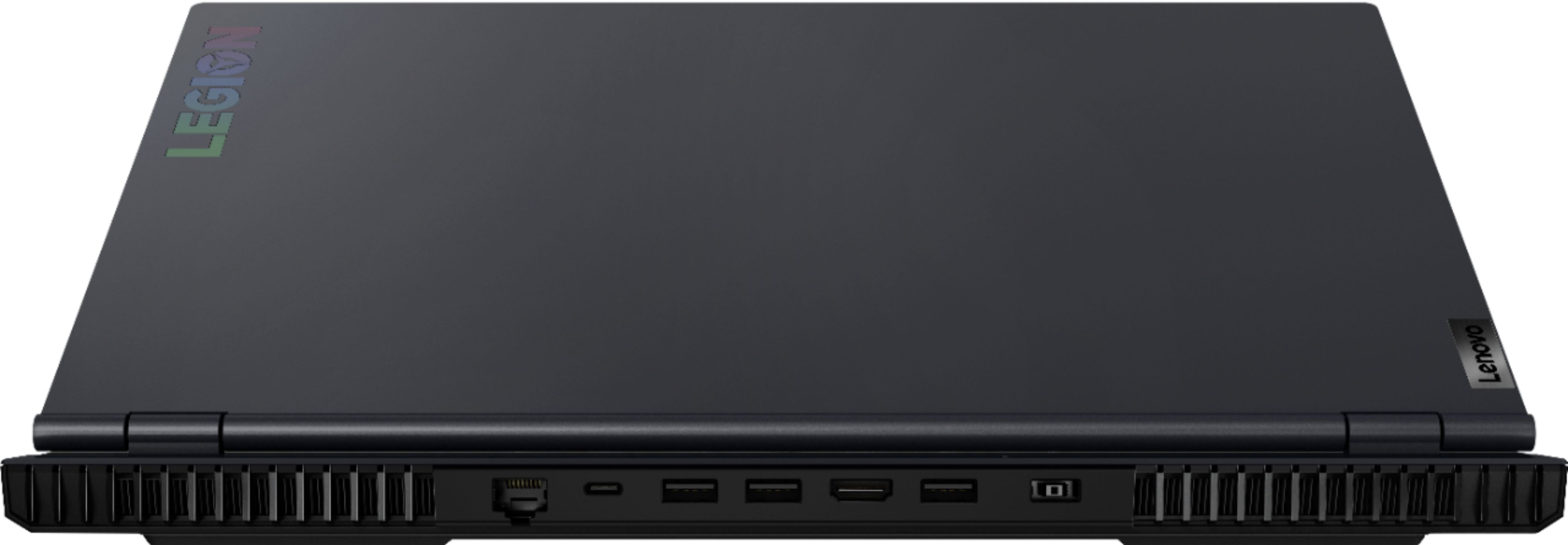

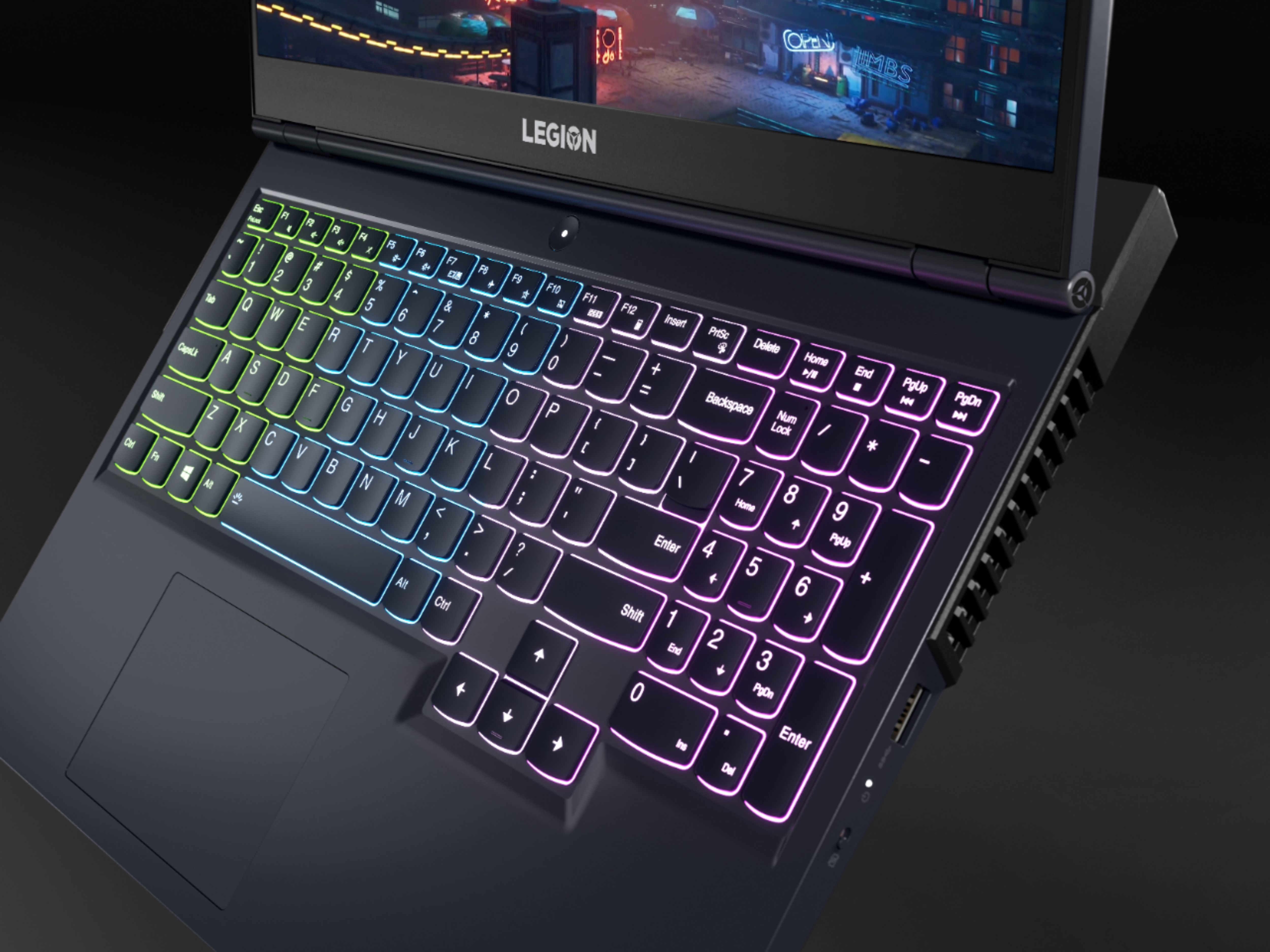
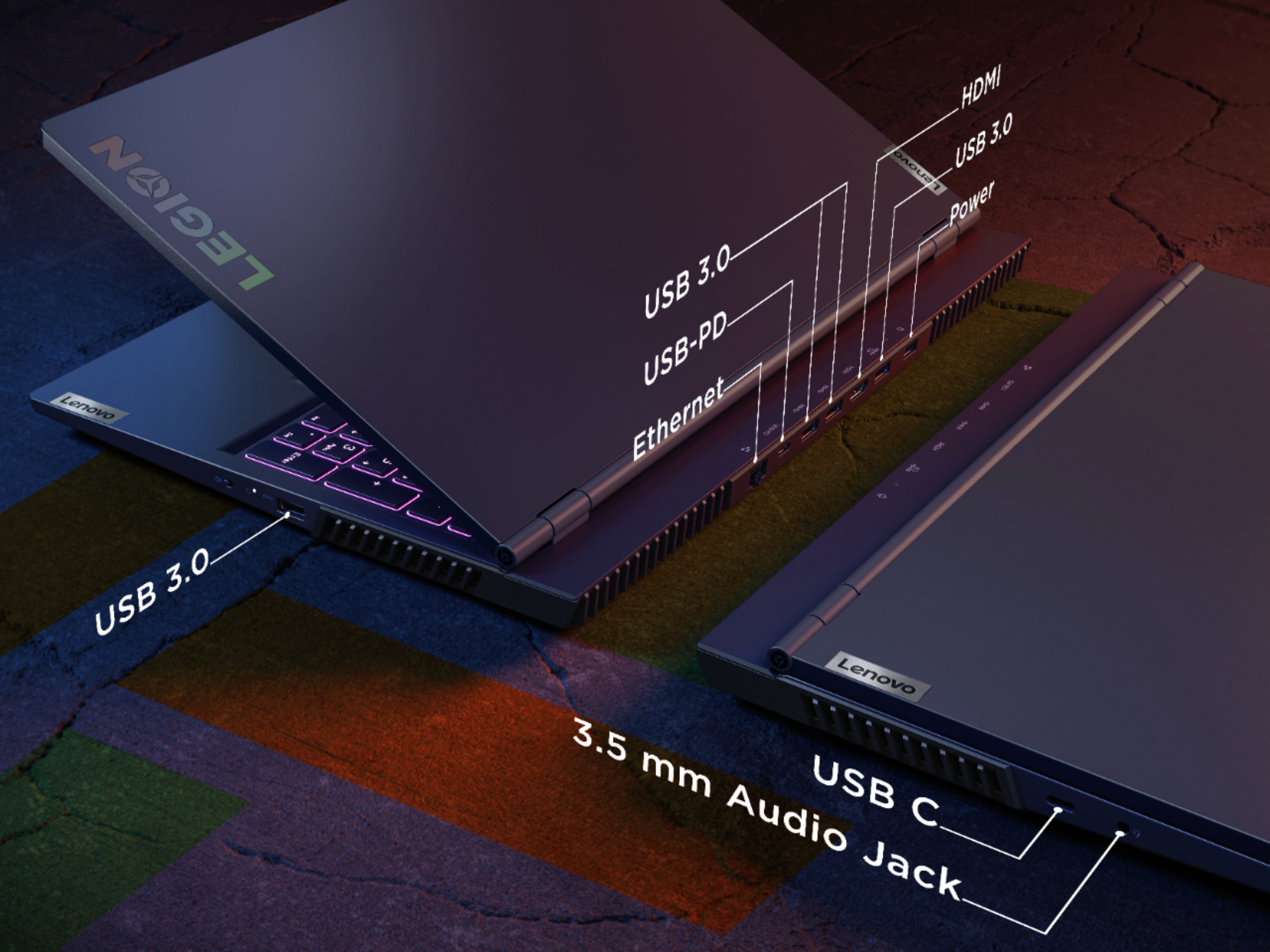




- Model:
- 82JW00BFUS/82JW000XUS
- SKU:
- 6455136
Rating by feature
- Battery Life
Rating 3.9 out of 5 stars
- Speed
Rating 4.6 out of 5 stars
- Display
Rating 4.6 out of 5 stars
Customers are saying
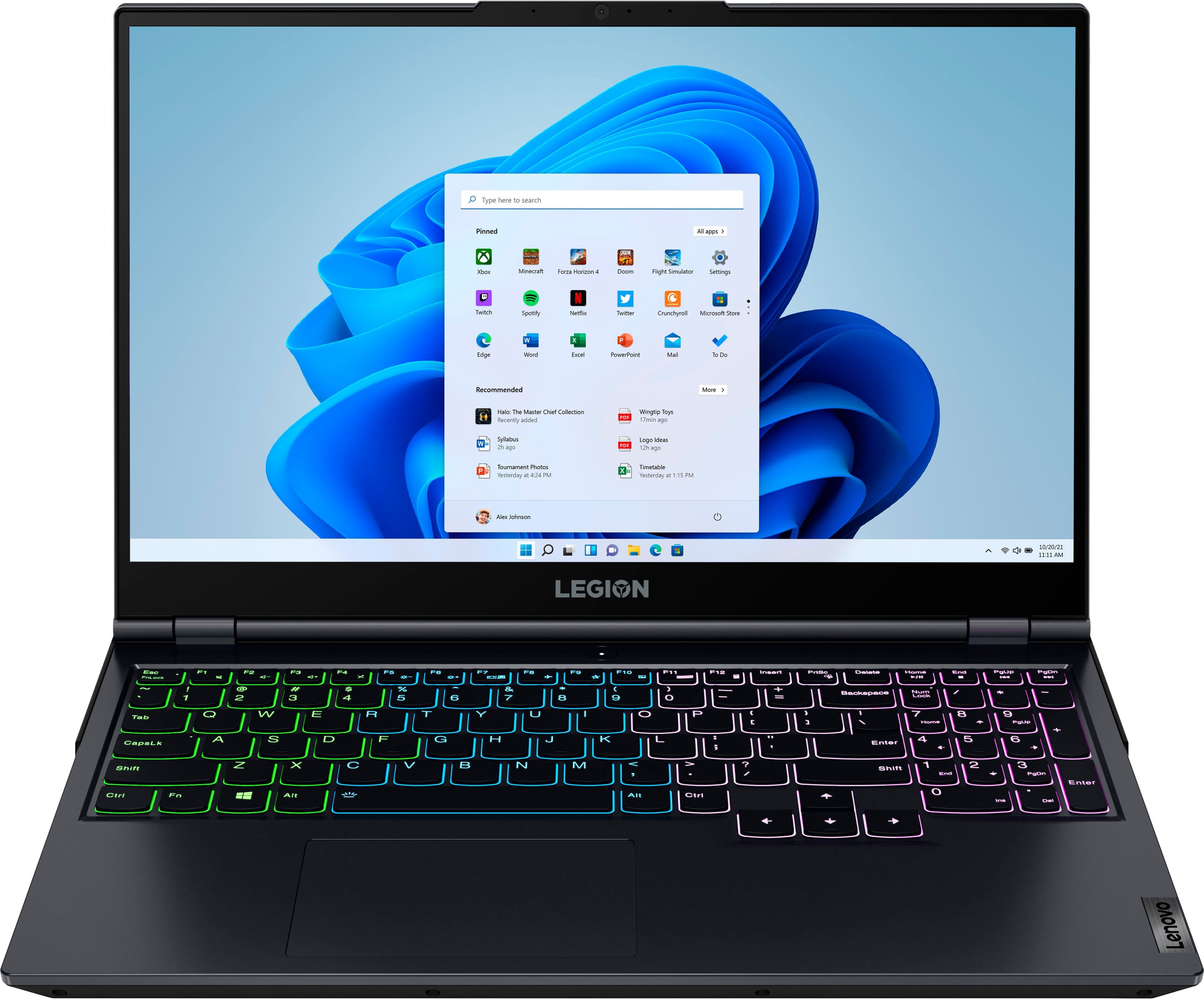
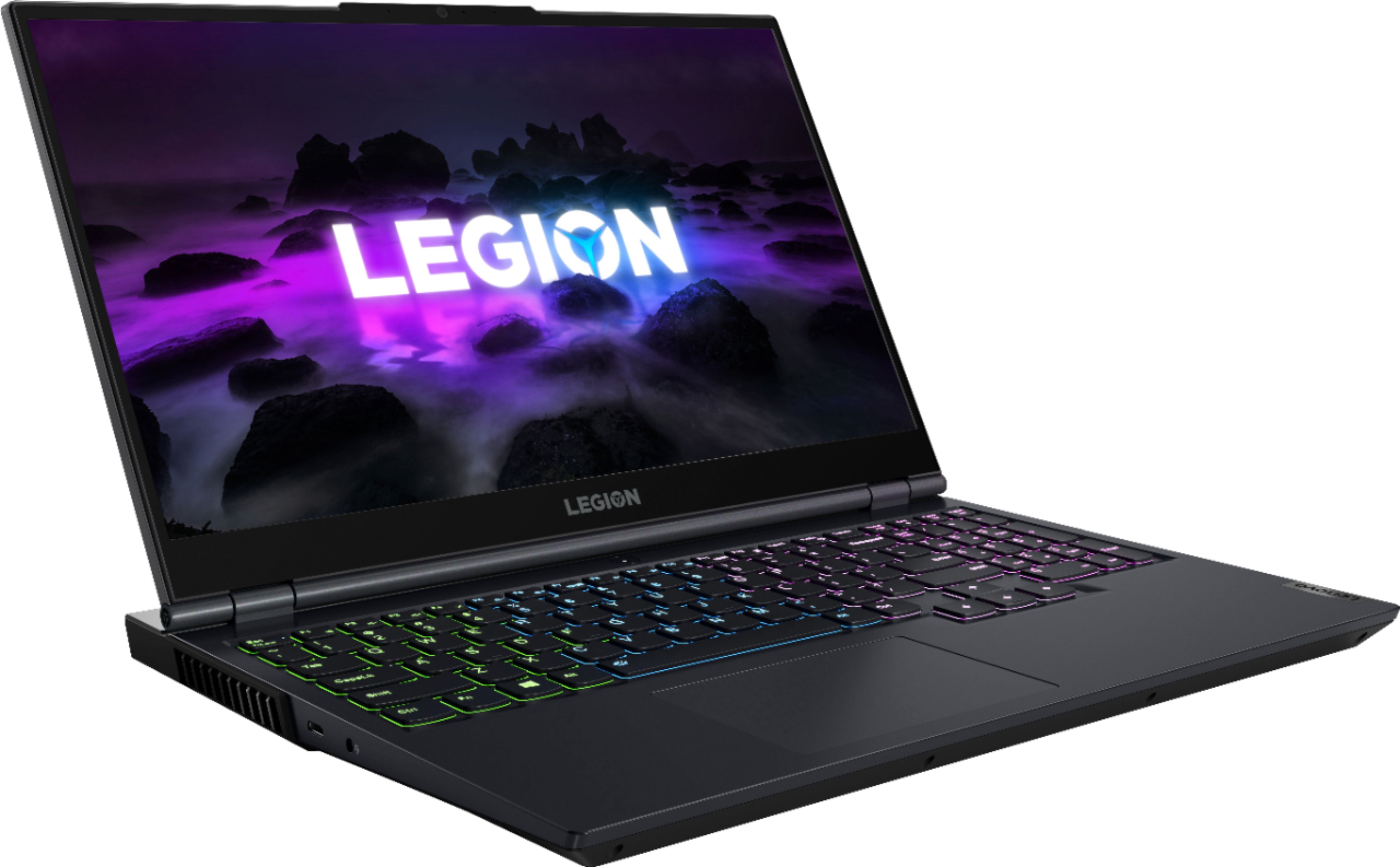
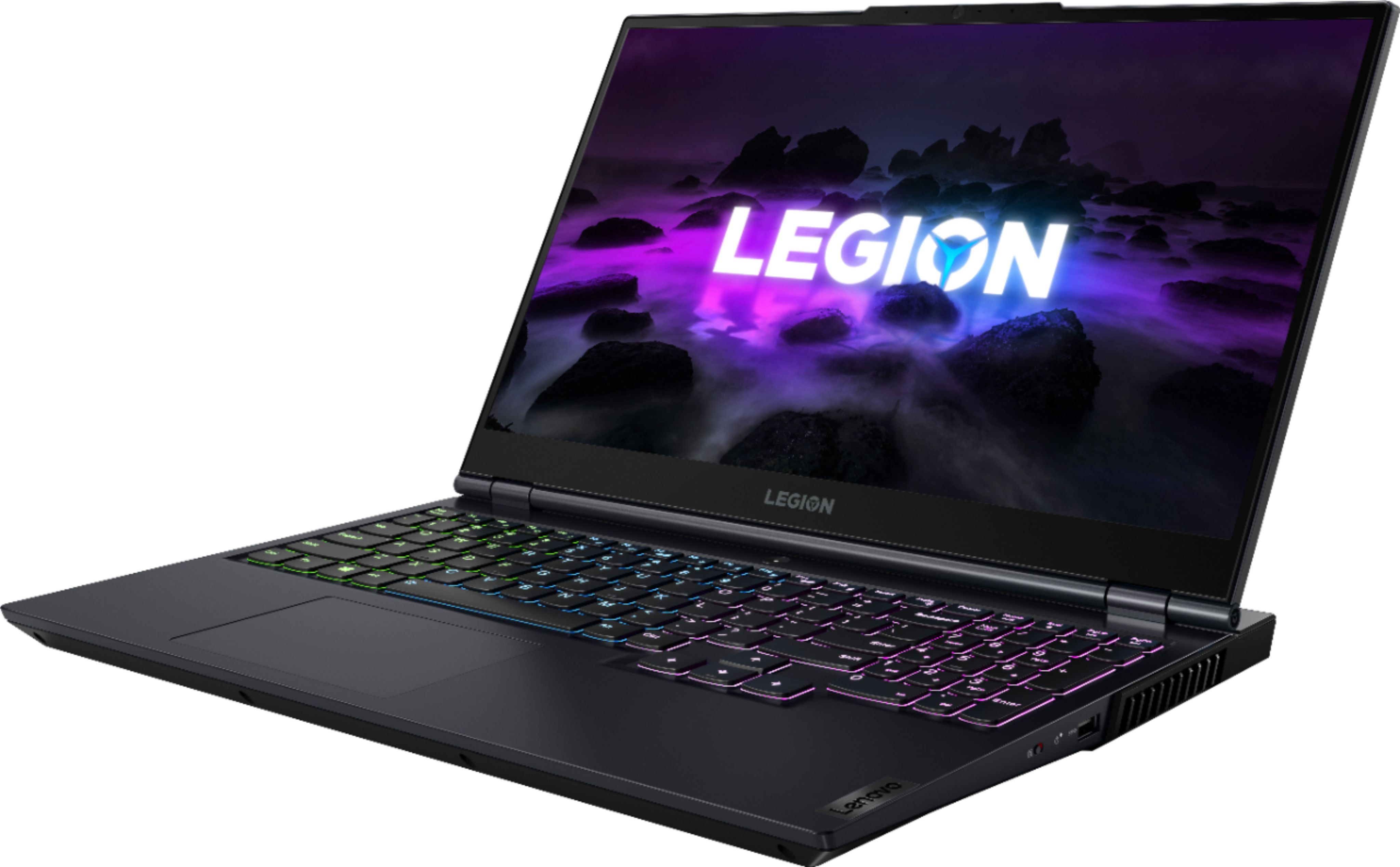
Customers often highlight the outstanding performance and upgradeable RAM as major strengths of the Legion 5 15" Gaming Laptop. Positive feedback also mentions its suitability for gaming and ample storage options, although some users point to limitations in battery life and the graphics processing unit. The laptop's weight and size are also mentioned as potential drawbacks by some users. A few users reported issues with the touchpad.
This summary was generated by AI based on customer reviews.
- Pros mentioned:Performance, Ram
Outstanding low cost gaming option
||Posted . Owned for less than 1 week when reviewed.This reviewer received promo considerations or sweepstakes entry for writing a review.Overall just an excellent laptop for the money. Just be patient after you start your setup as always Windows has to install more updates and patches than you can shake a stick at, then Lenovo throws in a few updates to boot which all takes time and slows the machine down. Give it a day after all the updates are applied to let the machine settle down and should be fine. It has just been an absolute beast in games and benchmarks I have tested. Overall very pleased with this purchase. Pros: * Excellent keyboard * Trackpad is good for a PC laptop * Separate numeric keypad * Just outstanding performance across the board * Very good build quality * Plenty of port options for expansion, device support * Excellent screen with great color accuracy, clarity, and performance * Like the quick options for changing battery/cpu modes * Like the keyboard lighting and easy lighting cycling * battery life is surprisingly very good if you use it in battery saving or even balanced modes... remember this is a gaming laptop Cons * only 8 GB of RAM is weak these days but it has not proven to be an issue with any game I have tried so far. It will however be a much bigger deal if you try to use this for development or photo/video editing. However, checked Crucial and upgrading to 32GB is not that expensive and you will get some faster RAM to boot to make this thing even faster
I would recommend this to a friendBrand response from Lenovo Product Expert
Posted .Thank you for choosing the Lenovo Legion 5 15 Gaming Laptop, model number 82JW000XUS. We are pleased to hear that the features and performance of the Legion 5 15 meets your computing needs so well.

- Pros mentioned:Ram, StorageCons mentioned:Battery life
1yr later & lovin it after easy ram & ssd upgrade
||Posted . Owned for 10 months when reviewed.This reviewer received promo considerations or sweepstakes entry for writing a review.A year into owning and i am Highly satified with this laptop. Besides battery life being short.. but thats expected with a graphics card like this. It plays even top games like Cyberpunk 2072 with no problem at top setting. I upgraded to windows 11 and i also use vmware to run sometimes 2 instances of linux on my external monitor with no problem. Only problem i had was easily rectified... the ammount of storage and ram.. i upgraded to the max 32gb of ram (used a standard midline grade 'crucial' brand ram i got for about 70$) and i add a secondary 1tb ssd (WD - BLACK SN750 Gaming NVMe 1TB PCIe Gen 3) i goy here at bestbuy for 130ish... installing botj was extremely easy and quick .. all in all a great product.. highly recommend
I would recommend this to a friend - Pros mentioned:Performance
Love it the best
Posted .This reviewer received promo considerations or sweepstakes entry for writing a review.It is almost 3 years still working like world class.
I would recommend this to a friend - Pros mentioned:Performance, Speed
This thing is insane, what a beast
||Posted .This reviewer received promo considerations or sweepstakes entry for writing a review.I've had really great experiences with Lenovo before, having used their ThinkPads before (including the T480s) and also having a ThinkCentre in my living room. The Premier support I got from them was absolutely outstanding and worth it on those devices and not too pricy at all. I knew that they would be a name I'd feel comfortable going with on the gaming side, and so glad I made my decision rather than going with another brand like Asus I've never used before. I also use Apple devices, but gaming is kinda lacking on the App Store, so I figured why not take the plunge with this? I haven't had a real console in so many years, and I rarely watch much TV, so a gaming laptop was a no brainer for me where I could still do a lot of regular productivity tasks on there too. Also, I upgraded my machine with an additional 8 Gbs of RAM and an additional NVME 2 TB SSD. With all those upgrades, I'm easily getting 100-200 FPS easy when I was testing this out in Unigen Heaven. This computer also scored around 10,500 or so in Cinebench R20. GTA V also runs super well on here, though I had to order an Xbox controller which will get here soon to really take advantage of it. Not even my M1 Air or Mac Mini have scored this much so I know I'm getting a killer of a machine here. And even when the fans are blazing, this laptop is barely warm if at all. The screen looks absolutely breathtaking too. Sure, it was a bit tricky figuring out how to open up this laptop to add all that stuff in, but it was worth it and I saved a lot of money in the process. I almost went with the 4k version of this one from Best Buy, but figured that I'd rather have higher frame rates and use some of that money on the upgrades. But yeah, I'd highly recommend this laptop to anyone who wants both a productivity and gaming powerhouse, especially if you're willing to learn how to open this baby up. For a gaming laptop, it's priced very reasonably too.
I would recommend this to a friendBrand response from Lenovo Product Expert
Posted .Thank you for choosing the Lenovo Legion 5 15 Gaming Laptop. We are pleased to hear that the value, features and performance of the Legion 5 15 meets your computing needs so well. We appreciate your loyalty to the Lenovo Brand.
- Pros mentioned:Gaming, Performance
Fantastic, but
||Posted . Owned for 1 month when reviewed.This reviewer received promo considerations or sweepstakes entry for writing a review.Very happy with quality and performance of laptop. Plays AAA games better than I thought it would. My only gripe is, It was supposed to come with xbox gamepass ultimate. What I got was Pc gamepass free for a month(huge difference).
I would recommend this to a friend - Cons mentioned:Battery life
Solid gaming laptop
||Posted . Owned for 1 month when reviewed.This reviewer received promo considerations or sweepstakes entry for writing a review.This laptop is great. Runs AAA titles seamlessly on higher graphic settings. Display is sharp and bright and a plus that it's also 165hz. Frame has a solid feel without being too heavy, keyboard and touch pad are very responsive. Battery life is OK, it's a gaming laptop so there shouldn't be a super high expectation here. Only reason for the 4 stars is I feel this is slightly in the higher price point for the hardware you get. There is plenty of upgrade potential however with the ability to add an additional m.2 drive and 2 sodimm spots for ddr4 ram.
I would recommend this to a friend - Pros mentioned:Ram, StorageCons mentioned:Battery life
great item
||Posted . Owned for 3 weeks when reviewed.This reviewer received promo considerations or sweepstakes entry for writing a review.awesome product: I've bot it and right away ordered 64Gigs of RAM So with total costs around 1400 (including taxes) -I got a 8 cores - 16 threads and 64Gb of RAM Mogul. Next - I'll add additional nvme 2Gigs disc. Powerfull, solid body, great extensibility. As of minuses - battery could be better. But it can be better - for around 100 you can get larger battery. definitely would recommend as a working horse, able to play sometimes
I would recommend this to a friend - Pros mentioned:PerformanceCons mentioned:Size, Weight
A good performer for an OK-but-not-so-great price.
||Posted . Owned for 3 weeks when reviewed.This reviewer received promo considerations or sweepstakes entry for writing a review.We needed an AMD machine in our studio and have had good luck with Lenovos general build quality. So far, the Legion 5 has been a good overall performer. However, we did immediately add an 8GB DDR4 memory stick as the stock configuration easily became bogged-down with our typical open applications. It's a big machine - and heavy - especially for the amount of plastic. Heavier than most. It runs warm but not uncomfortably so. Better on your desk then your lap, however! I don't regret buying the machine, but certainly think that depending on your needs, there are better values. A gaming machine with less than 16gb (especially given the normal price of DDR4 sticks) seems chintzy. The NVIDIA RTX3050 is easy to configure (but, you need to do so to optimize its performance) and for our needs is sufficient. Again, for our needs, this is a solid machine. Not outstanding, but we expect it to give us a few years of reliable service. If you can find it on sale then it's a very safe buy.
I would recommend this to a friend - Pros mentioned:Performance, Ram, Storage
Amazing gaming laptop for the price.
||Posted . Owned for 7 months when reviewed.This reviewer received promo considerations or sweepstakes entry for writing a review.Absolutely love this laptop! I bought it with the intent of upgrading the ram and storage immediately to save money, which I definitely recommend. It can handle basically any game you throw at it. Some games may need to have the settings scaled down a little for optimal game play, but this 5hing can definitely handle whatever and gameplay is enjoyable.
I would recommend this to a friend - Cons mentioned:Gpu
Affordable laptop great CPU, satisfactory GPU
||Posted . Owned for less than 1 week when reviewed.This reviewer received promo considerations or sweepstakes entry for writing a review.I had been researching laptops for about a month in the Fall of 2021. I wanted a laptop for high quality 4K UHD HDR streaming and video editing, along with the ability to display a 4K UHD HDR signal to an external display. I am not a gamer at all, so my review contains nothing referencing gaming. Two components became the most important: the CPU and the GPU. This laptop has the AMD Ryzen 7 5800H (CPU) and the Nvidia GeForce RTX 3050Ti (GPU). From my research, I found that this CPU is a higher end one with good speed and performance benchmarks, particularly when compared with those from Intel of the same generation. After starting this laptop for the first time, and connecting it via the HDMI port to an external display, the 4K UHD video quality was not at all what I expected or wanted. I soon realized I had to configure it to send the video signal (via HDMI) through the discreet Nvidia graphics card. This was very simply accomplished via the Nvidia graphics control panel software. After doing so, the quality of the 4K UHD video was superb (both HDR and SDR). There are practically no dropped frames, and both 30 and 60 fps are displayed very well in 4K. I am extremely satisfied with the video output quality on my external display. The drawbacks of this laptop are that the GPU only has 4 GB of video RAM and this is not expandable. There is only 1 stick of 8 GB (3200) supplied RAM. Also is comes with only a single SSD of 500 GB, no HDD. The RAM is expandable, and I plan to add up to 2 sticks of dual channel 16 GB (3200) RAM. I probably will add an internal 1 TB HDD or SSD in the future. Configuring the computer after first startup was very easy. Most of it was brainless. This is my first Windows 11, and it just takes some getting used to. I haven't seen anything so far to convince me that it is a leap forward over my years with Windows 10. There are many USB ports on this laptop including a USB-C. While there are many favorable reviews online of the AMD Ryzen 7 5800H CPU, there are many reviews regarding the Nvidia RTX 3050Ti, and most of them are not very favorable. For my non-gaming uses, I am finding that this laptop performs well for what I want it to, at a reasonable price point.
I would recommend this to a friend - Pros mentioned:Ram, Speed
Very fast. Great for gaming or work.
||Posted . Owned for less than 1 week when reviewed.This reviewer received promo considerations or sweepstakes entry for writing a review.VERY fast. Most games run at the highest graphics settings. Almost no bloat-ware and very easy to add extra DRAM or a larger SSD to. A real winner!
I would recommend this to a friendBrand response from Lenovo Product Expert
Posted .Thank you for choosing the Lenovo Legion 5 15 Gaming Laptop, model number 82JW000XUS. We are pleased to hear that the Legion 5 15 is working out so well for you.
- Pros mentioned:Performance, Speed
Great laptop
||Posted . Owned for 1 year when reviewed.This reviewer received promo considerations or sweepstakes entry for writing a review.It's a nice laptop to own fast and performances good qualities
I would recommend this to a friend - Pros mentioned:Performance, Ram, Storage
Big things comes in small packages
||Posted . Owned for 3 months when reviewed.This reviewer received promo considerations or sweepstakes entry for writing a review.I was skeptical about buying this pc to run the games I play, but since it has arrived I have had no issues whatsoever with running anything and I want on high to ultra settings. I did end up upgrading ram and storage for additional cost but the performance of the pc is unmatched for the price point.
I would recommend this to a friend - Pros mentioned:PerformanceCons mentioned:Battery life
A beast for the Value.
||Posted . Owned for 2 weeks when reviewed.This reviewer received promo considerations or sweepstakes entry for writing a review.Only complaint is the backlit keyboard doesn't have the option to turn off. If you can get it on sale, it's a great deal in my opinion. I have another laptop studio I use for work and this for gaming and I just can't be happier. It plays league at over 100fps without max settings. I recommend you download the geforce app for the graphics and do the updates along with all the window updates. As well as optimize the game settings within the GeForce App to minimize the CPU usage and keep the fan usage and laptap cooler. No need to max the thing out it. Has the RTX 3050ti which is plenty. You are playing better than an xbox one with low settings so why push it. i've only gamed on it, therefore can't comment on the battery life since it's never been unplugged while turned on, Can't comment on longivetity or quality of the laptop as far as how long it'll last. I've only had it a few weeks. I will update though.
I would recommend this to a friendBrand response from Lenovo Product Expert
Posted .Thank you for choosing the Lenovo Legion 5 15 Gaming Laptop with AMD Ryzen 7 5800H processor. We are very pleased to hear that the specifications, features, and performance of the Lenovo Legion 5 15 Gaming Laptop meet your computing needs so well. To turn on/off the back-lit keyboard, please hold the Fn key + Spacebar. Then you can toggle 3 settings, 2 different lighting modes, and off.
- Cons mentioned:Battery life
Could be a great laptop except for few big issues
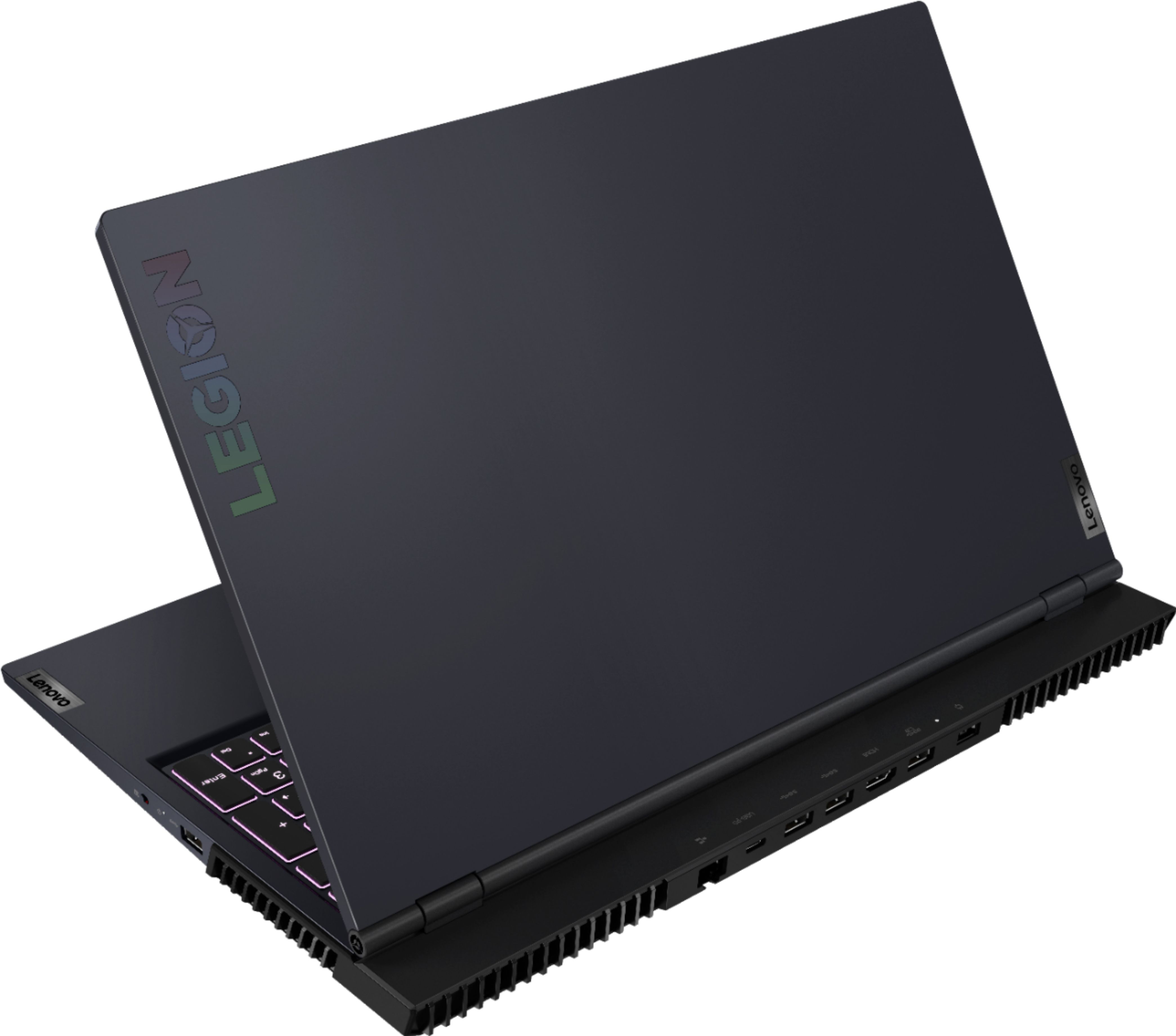
||Posted .This reviewer received promo considerations or sweepstakes entry for writing a review.I bought this when it was on sale for $999 around Labor Day 2021. I was looking for a new computer but ultimately decided to look for a laptop due to limited stock to fit my personal and work needs. I looked at a lot of laptops and reviews, and saw this was the best option, especially with the price. This is my first gaming laptop and my first one of this size so it's a slight adjustment/upgrade from what I'm used to. Pros: - Good process and graphics card (AMDs are better for multiuse, especially with photoshop and gaming) - There are no sharp corners on the laptop (compared to other recent models I looked at) - Seems to be pretty accurate with showing colors on screen (good for photo editing, content creation, etc.) - Webcam comes with an "off" button on the side of the laptop but I would prefer a physical screen that I could move - Not a lot of programs come pre-installed - Can upgrade RAM, SSD, wifi card, and battery - Multiple USB ports, including one for USB-C cable Cons: - Bulky, heavy battery pack. It's larger than your average smartphone - Short battery life, especially when multitasking. I think it's about 3 hours you get without plugging in - Had a lot of mic/camera issues when I set it up. I struggled to get the mic and camera working. I couldn't get the mic to work on an app. It only worked when I plugged in my earphones but I was told I sounded low/distant even though I was right in front of my laptop. The camera sometimes didn't show up or my camera feed wouldn't show up when I was videochatting, and playing around with both device's settings in Device Manager didn't help - Decent storage available but this laptop should hold up for a while. Unsure if that storage would be sufficient longterm without upgrading, especially if you deal with photo editing and content creation, or if you're an avid gamer - These laptops were supposed to have the intel wifi 6 card but due to stock, you end up with the realtek one and there are a lot of issues with wifi connectivity - Laptop is larger and a bit heavier than what I'm used to but that's expected for this model/specs. It barely just fits in my book bag while previous laptops could squeeze into smaller bags I have - There's one USB port on the right side next to the fans. If the USB you're plugging in is a big wide, the fan might block it from going in completely A general note: the wifi card does really suck and you might have to upgrade the card yourself (as many Legion 5 owners have done). I did a few meetings where videos would freeze or I would freeze for a second, and I ended up leaving and re-entering meetings so people's videos could show smoothly on my end. The wifi sometimes drops suddenly, and I noticed that if I open the wifi settings, even that local setting window lags to open. I'll be upgrading my wifi card. I ended up returning this laptop from Best Buy because Microcenter had a slightly better deal. Microcenter offers the same laptop but with 16 GB RAM and 1 TB SSD, and I didn't want to deal with upgrading it myself. I also caught it on a slight sale so I'd say it's a better deal for a laptop that should last for a while.
I would recommend this to a friendBrand response from Lenovo Product Expert
Posted .The Lenovo Legion 5 15 Gaming Laptop, model number 82JW000XUS, ships with a Integrated 60Wh, Lithium-Polymer Battery, which within this configuration, has a battery life of up to 5 hours, depending on the work the device is performing. This model weighs just 5.30 lbs, complete, with the internal battery installed. The Legion 5 15 ships with a 720p (HD) webcam with E-Privacy Shutter and Dual Array microphones build in. Be sure the Privacy Shutter is open before you use the webcam and microphone. Here is a link to the User Guide for the Legion 5 15 which illustrates the location of the Privacy Shutter switch: https://download.lenovo.com/consumer/mobiles_pub/lenovo_legion_5_15_17_6_userguide_en.pdf. The Lenovo Legion 5 15 ships with the latest WiFi-6 2x2 802.11ax frequency WiFi for wide range and high speed connectivity. If you are getting less than expected WiFi speed and connectivity,
check to be sure you have the latest version of Windows 10 on the computer. Then update all BIOS files and drivers up to that latest version of Windows 10. You can easily accomplish this by scanning the computer with the Lenovo Utility software available on this computer. This system has Lenovo utilities installed to help maintain the health of the device and keep the operating system software up to date. Type "Lenovo Vantage" in the Cortana Search window (if Lenovo Vantage is not installed on your device, you can download the APP and install it now). Select Lenovo Vantage from the list. In the window that opens, click on "Health and Support". In the expanded menu, select "Hardware Scan" In the window that opens, select "Run Quick Tests". This will scan your entire system for errors. Follow any directions that may pop up. If the problem continues after this scan, now click on "System Update". First select Windows update from the menu. Scan your system to be sure you have the latest version of Windows 10. Once that scan is complete, select "Additional Updates". This will scan your device to be sure there are no new BIOS/Driver updates needed. Follow any instructions that may pop up. If the issue still continues after these updates, we recommend you call Legion Ultimate Support for additional help at: 888-278-9707.
.
- Pros mentioned:PerformanceCons mentioned:Battery life
A great laptop for the price
||Posted . Owned for 3 weeks when reviewed.This reviewer received promo considerations or sweepstakes entry for writing a review.I am very happy with this laptop. Beautiful screen, snappy performance, respectable gaming chops, quick charging. It has a GREAT keyboard! Comfortable responsive keys and Lenovo managed to squeeze it a number pad (a necessity, imo) w/o making it feel "too" pinched. The price was very reasonable for what you get. Quibbles: Bare minimum RAM, as delivered. (I added another 8GB right from start.) And what's with that plastic wrap on the hinges? I assume it just was a shipping thing, but omg was it difficult to remove and required adhesive cleanup. Maybe I was supposed to leave it on? It just made the rig look cheap tho. The case is otherwise a nice finish, sturdy plastic. I dunno if I'm sold with most of the ports on the rear of the case. Also, while not really hard, opening the unit to add RAM was not simple either. An online tutorial definitely helped there. Battery life is middling at best... a bit disappointing.
I would recommend this to a friend - Pros mentioned:RamCons mentioned:Battery life
Cautiously Optimistic, with Caveats
||Posted . Owned for 2 weeks when reviewed.This reviewer received promo considerations or sweepstakes entry for writing a review.Please note: My review is based on early usage and testing. Ultimately this is a "recommend", but I wanted to share details that could be considered NEGATIVES, but may only be CAVEATS. Software OS: Came with Windows 11. No surprise, I rolled back to Windows 10. "Bloatware" software: Be aware that some of the particular hardware installed on the machine can insist on software that could be considered bloatware. I have not (yet) encountered anything I couldn't deal with/disable. Biggest NEGATIVE: My laptop was missing (from the motherboard PCBA) an SATA connector. The service manual gave no indication that this model was incapable of adding a SATA. BOO BOO BOO. I was able to add a second NVMe drive. I bought this with the expectation of a quick drop-in addition of a legacy SSD SATA drive. Battery system: Casually, the batteries are what I consider to determine life of laptops. The internal battery pack is smaller than previous generation of Legion 5. I have had past lifetime issues with the BIOS battery in Legion 5 systems. I don't typically use this system disconnected from wall power, so I cannot attest to battery life under all circumstances. Power system: I was somewhat surprised that the laptop came with a (required) 230W supply. During periods of intense video activity, it feels like the supply is doing the work (as opposed to internal laptop circuitry - GOOD!) My experiences with Lenovo laptops (Legion 5, Thinkpads), Lenovo docking stations (Thunderbolts), and Lenovo power supplies (65W, 130W, 230W) has been VERY UNEVEN. I don't use this system with a docking station, nor do I use an external monitor, but be aware that the general public does report a variety of issues that appear to have a common root cause of "power demand and distribution is not obviously something Lenovo considers". The ONLY issue I have observed (that might be power system related) is that when loading the "backplane" USB connectors with peripherals (bluetooth, multiple USB drives) that I've seen some unresponsiveness in those USB devices... something to keep an eye on. External connectivity: Generally, I am satisfied with the availability of external connections (Audio, video, USB/USB-C, ethernet). The "backplane" does have two adjacent USB connectors which are required for some external drives (very good!). I have yet to fully exercise some of the connections is all the ways I expect to, but it is nice to not have an immediate "show stopper". I have not tried to exercise internal Bluetooth functionality. Notes on my usage and its limits: I primarily use this device for "office" applications, web connectivity, and audio/video editing. I have verified that I can install/run certain (older generation) of video games (via Steam, personal installs) but I have not logged many hours using this system for that purpose. I would have preferred to also have a touchscreen (for digital recording of signatures) but I can live without it, and don't mind not paying for one (or having something else that could "go wrong") The single internal 500GB SSD would probably have been OK, but I expanded my storage using the second slot (see caveats above). NVMe was the only option. I have not expanded memory: the 8GB (ultimately less) has been ok, although for some of my processing needs I do feel like I could stand to expand... I simply have not done so yet. My purchase was during a "discount" period. This was not an "impulse buy", although I do feel like the sales cost was at the higher end of what I was willing to pay for the hardware. Generally: I have been satisfied with Lenovo laptops, but I don't recommend them unequivocally.
I would recommend this to a friendBrand response from Lenovo Product Expert
Posted .This Lenovo Legion 5 15 Gaming Laptop, model number 82JW00BFUS, ships with the AMD SoC Platform Chipset, (L82JW WINR75800HRTX3050TI4G RM SYSTEM BOARD, Lenovo Part Number - 5B21C41694) and has a 512GB M.2 2280 PCIe 3.0x4 NVMe solid state hard drive installed. The maximum supported storage capacity for this model configuration is: Up to two drives, 2x M.2 SSD: • M.2 2242 SSD up to 512GB • M.2 2280 SSD up to 1TB. Here is a link to the complete parts list for this model configuration: https://pcsupport.lenovo.com/us/en/products/laptops-and-netbooks/legion-series/legion-5-15ach6/82jw/82jw00bfus/parts/display/model. Additionally, here is the link to this model's Hardware Maintenance Manual: https://download.lenovo.com/consumer/mobiles_pub/legion_5_15_17_6_hmm.pdf. This Lenovo Legion 5 15 Gaming Laptop ships with just two adware programs, a 30-day trial of Microsoft Office 365 (as part of Windows 11 operating system) and a 30-day trial of McAfee virus protection. Lenovo computers ship with one of the cleanest factory software installs within the consumer computer industry. This model configuration of the Lenovo Legion 5 15 ships with an Integrated 60Wh, Lithium-Polymer Battery installed. We recommend if you have questions about your Lenovo Legion 5 15 Gaming laptop, you contact Lenovo Legion Ultimate Support for more information at: 888-278-9707.
Nerfed, but can still be upgradable (somewhat)
||Posted .This reviewer received promo considerations or sweepstakes entry for writing a review.First of all, I would like to say that this laptop is great, but is has some problems. The externals first: Build looks and feels solid, a gaming laptop that is stealthy with the only thing visible telling that it is a gaming laptop is the "Legion" wording on the top and the bottom bezel of the screen. Within parameters of regular use: deck flex requires some heavy pressure to show, screen wobble needs heavy typing or a really intense gaming session for it to even move a tiny bit and even at that it is barely noticeable. Hinge it tight, but still 1 finger openable. Weight is reasonable and similar to other 15" gaming laptops. Despite it's plastic build, it feels like a premium laptop while still offering ease of upgradability. The ports are exactly as described, but it is good to note that there is a physical switch to turn on or off the webcam on the right side and that the USB-C on the back part of the laptop does support charging. So for those trips were you don't want to carry that large charging brick around with you, you can opt for a smaller charger; gaming performance will get impacted as you wont be able to get enough power. To give a perspective on how big the charger that comes with this thing comes with... the footprint of the charger is as big as an iPhone 12 pro Max with a thick case on it, but add half an inch around all sides, then add another one on top of that; that is how big the charger of this thing is. Granted this is may or may not be an issue for some people, but at least there is an option when the day doesn't require that much power. Keyboard has RGB zone lighting, 2 levels of brightness. Lenovo put in a really good keyboard on this device. It is not Cherry MX switches, but it has a good feeling to them. Satisfying click to them with just the right amount of travel. However, there is a downside to this keyboard setup; there is no physical control to adjust brightness for it. You must go through Lenovo's Vantage software to adjust brightness, since the macro (Fn + Spacebar) switches profiles instead. But since you can have "profiles", you can set it up where each "profile" is a brightness adjustment instead. Screen is a 1080p 165hz Freesync (G-SYNC capable if set to only GPU use). It can get decently bright (300nits) for outside work, but also dim enough where you don't feel like you are looking at the sun when using it in a dark room. It had decent color gamut for the price, but probably not good enough for any serious work that requires color accuracy. The Vantage software does have an "panel overdrive" option to improve response times, but I personally did not notice any difference with it on or off. The trackpad is large and responsive. It has a nice clickyness to it too. Only thing I can say bad about it is that it is that your hand grease will stick to it quite easily. Now the internals: I'll start with the bad parts about it first to get it out of the way. The fan noise, WiFi chip, the 8GB RAM and the 4GB VRAM. The fans are audible, even with "silent" performance setting, they do not turn off. The Vantage software has no fan speed control. And they do get loud when under heavy load, close to 52-53 decibels estimate. Though this does keep temps low, so that is a trade off. From what I've read online, people who have tried to re-paste the CPU and GPU only helped with decreasing temps and does nothing to reduce fan usage/noise. The WiFi chip. It's a mess, even with the update. There are times where it suddenly cuts out/disconnects, there are also times where it simply slows down to a crawl even when it is less than 4ft away from an access point. Good thing the chip is upgradable, cheap and is easy to get to, but it still sucks that you would need to even do it to begin with. The RAM. While I'm no expert when it comes to PC components; I do have a basic understanding that having a single stick of 8GB RAM performs worse than having 2 sticks of 4GB RAM. Also, this computer being a Ryzen processor, it wants good RAM to perform at it's best. At least the device has no soldered RAM, so it is full upgradeable. Again, easy to upgrade; but still sucks that you have to do it. Now the GPU. The RTX3050 Ti with 4GB of VRAM. This really goes to any laptop with this chip or it's weaker sibling the RTX 3050... That 4GB of VRAM simply nerfs any device with any of these 2 chips equipped. So much performance is lost simply because of it; to put it in retrospect even the previous generation's chips, the RTX2060 and the GTX 1660 Ti, can perform better than the RTX 3050/Ti because of those chips have more VRAM. But with all that said, that doesn't mean that the chip is completely bad. It can run modern AAA near max/high setting on 1080p easily (mostly on medium though), e-sports games like Apex, Valorant, CS-go, DOTA2, LoL, Fortnite etc. run great thanks to DLSS and improvements that this newer generation has. The speakers are inoffensive. It is passable in every sense. Not too loud, but not too quiet. Doesn't distort and sound tinny. Sound quality is decent across the board with nothing standing out. Back to the positives. Cooling is great on this device. On stress tests, it didn't thermal throttle. 95.1 CPU and 81.2 GPU (ambient temp was 23.8C or 75F). High, but that is normal for gaming laptops. The battery. This device has a 60Wh pack inside. While it is not breaking any records with it's run time, on a typical non-gaming use case (some Youtube, emails, and Excel/Word use) and using every single battery saving features turned on (50% screen brightness, reducing refresh rate to 60hz) I'm able to squeeze 6 1/2 hours out of this thing, while gaming only nets me 1 1/3 hours. For those who are seeking more battery run time, it should be known that the battery can be replaced with an 80Wh version quite easily. The Ryzen 7 5800H is great. This is partly the reason why this device is able to have this much battery run time, it is both efficient and powerful enough for demanding tasks be it professional or creative works loads. To me, this device is near perfect with it checking everything I need for my use case of work, some mix of gaming modern AAA titles with some casual ones sprinkled in and that rare occasion that I want to draw something on a Wacom tablet. Since I got this on sale + open-box with the device condition still looking like it was simply pulled out of the box to see what it looks like then put back in the box for $789.99, I can live with it's faults. Original price though, this would be an incredibly disappointing device for its price as the competition has better options for the same money. Overall, the laptop has some issues that some people will not be able overlook. The GPU being the biggest issue, which is a valid reason to be turned away from this device. But if you are the type of gamer that does not need to play the latest games at the highest graphical setting or a casual gamer and is looking for a laptop that can double as a work/school/college laptop, this device might be something to consider (if you can catch it on sale).
I would recommend this to a friendBrand response from Lenovo Product Expert
Posted .Thank you for choosing the Lenovo Legion 5 15 Gaming Laptop, model number 82JW00BFUS. This high performance gaming configuration requires an external 230W slim tip (3-pin), power supply - AC adapter/charger, 100-240V, 50-60Hz, to properly power and charge the internal battery. USB-c can only provide a maximum of 100W and will not properly power or charge the computer under heavy workloads. This model configuration ships with a 15.6 inch (screen size measured diagonally) IPS - FHD (1920x1080) screen, with a brightness level of 300 nits, has an Anti-glare Coating, a refresh rate of 165Hz. This screen provides 100 Percent of the sRGB (72 Percent NTSC) color gamut for excellent color accuracy. This screen is Dolby Vision, Free-Sync and G-Sync Certified. This screen uses DC dimmer for added eye care. You can use Lenovo Smart Power to manually control fan and system performance: ( Fn + Q ) option to change the fan by undervolting the processor. Also use your Power Management settings within Legion Vantage Dashboard Software to set your Power Management Settings for your workload for optimum cooling and system power performance. This model configuration ships with the latest WiFi-6, 2x2 802.11ax frequency WiFi (Realtek - WIRELESS Wireless,CMB,LTN,8852AE M2 Wireless LAN adapters, Lenovo Part Number - 5W10V25797). If you are getting less than expected WiFi performance, check to be sure you have the latest version of Windows 11 on the computer. Then update all BIOS files and drivers up to that latest version of Windows 11, including the BIOS files and drivers controlling WiFi. You can easily accomplish this by scanning the computer with the Lenovo Utility software available on this computer. This system has Lenovo utilities installed to help maintain the health of the device and keep the operating system software up to date. Type "Lenovo Vantage" in the Cortana Search window (if Lenovo Vantage is not installed on your device, you can download the APP and install it now). Select Lenovo Vantage from the list. In the window that opens, click on "Health and Support". In the expanded menu, select "Hardware Scan" In the window that opens, select "Run Quick Tests". This will scan your entire system for errors. Follow any directions that may pop up. If the problem continues after this scan, now click on "System Update". First select Windows update from the menu. Scan your system to be sure you have the latest version of Windows 11. Once that scan is complete, select "Additional Updates". This will scan your device to be sure there are no new BIOS/Driver updates needed. Follow any instructions that may pop up. If you get a message that there are no updates currently available, you can directly update/reinstall the WiFi Driver within the Windows 11 Operating System on this Laptop. Here is a link to instructions for doing this: https://allthings.how/how-to-install-or-update-windows-11-wifi-driver/#:~:text=In%20Settings%2C%20click%20on%20the,Download%20%26%20install'%20under%20it.
- Pros mentioned:RamCons mentioned:Battery life
Good value
||Posted . Owned for 2 weeks when reviewed.This reviewer received promo considerations or sweepstakes entry for writing a review.I was a little concerned about the 8GB slowing the browsing down, but so far so good. I did a side-by-side speed test with an older 16GB machine with about 30 windows open, VPN, and anti-virus x 2 on each, and I can't notice a difference. The backlit keyboard is great and the mouse pad was perfect right out of the box. I do not turn the battery saver on, so after about 3 hours of heavy use, it's down to about 30%. It has a long cord, so battery life hasn't been an issue for me. I really like all the ports (too many to list), but I do wish it had the slot for an SD card. I wish it was an OLED too, but I got this machine for about a grand so really I can't complain. It also has not got hot and it does not make much noise under heavy use. Overall so far so good.
I would recommend this to a friendBrand response from Lenovo Product Expert
Posted .Thank you for choosing the Lenovo Legion 5 15 Gaming laptop. We are pleased to hear that the value, features and performance of the Legion 5 15 meets your computing needs so well.
- Pros mentioned:GamingCons mentioned:Battery life
Good for content creation, decent for gaming
||Posted . Owned for 1 month when reviewed.This reviewer received promo considerations or sweepstakes entry for writing a review.Battery life could be better, the laptop I got came with the smaller 60wh battery instead of the larger 80wh one so I was only able to get about 2-3 hours on battery but I was able to extend that to 5 hours after turning down the CPU to 45% of its total capacity in the power plan settings. As for gaming, expect to turn down a few settings, especially if ray tracing is on, to maintain a stable frame rate. The 8gb of RAM included is the absolute minimum for a laptop advertised for gaming these days, fortunately upgrading it is easy. Overall, this laptop is best when it’s connected to power but can still handle light tasks while on battery.
I would recommend this to a friendBrand response from Lenovo Product Expert
Posted .Thank you for choosing the Lenovo Legion 5 15 Gaming Laptop. We are pleased to hear that the Legion 5 15 is working out so well for you.