Customer Ratings & Reviews




- Model:
- 81FV0002US
- SKU:
- 6219200
Rating by feature
- Value
Rating 4.2 out of 5 stars
- Quality
Rating 4.1 out of 5 stars
- Ease of Use
Rating 4.3 out of 5 stars
Customers are saying
Customers are satisfied with the Legion Y530's performance, design, ample RAM, and graphics card, finding it suitable for gaming and other demanding tasks at a reasonable price. However, some users experienced issues with battery life, hard drive reliability, and overheating, while others noted concerns about the screen and webcam placement. Many felt the machine offered excellent value for its price point. The laptop's weight was also frequently praised as being surprisingly light.
This summary was generated by AI based on customer reviews.
- Pros mentioned:Design, Performance
A great budget gaming laptop. 1 concern though..
Posted .This reviewer received promo considerations or sweepstakes entry for writing a review.So far I'm very pleased with the Y530. I'm upgrading from a 7 year old laptop with a 1366 display with a decent i7 but a dinosaur HD Graphics 4000. The design is what made me lean towards Lenovo in the first place. A laptop that looks like a laptop and not a red and black spaceship that says GAMER on it. The simplicity of the sleek black design and white lit keyboard is perfect. The performance gets the job done for the couple games I play at med-high settings. The display is a little dim at 266nits, 300nits being the sweet spot and the colors are lacking, but comparing to my old laptop it's night and day. The keyboard is soft and quiet and the trackpad is smooth, but roughly 25-50% smaller than the average. What I like about it, one of my other selling points, is that the right and left click are somewhat independent from the trackpad. Makes for not accidentally clicking as you're moving the mouse around. I have a question though, Lenovo. I've been reading a lot of reviews from people stating they've gotten a black screen before any logos even pop up, presumably a backlight issue. Do you have any more information about this problem? Is it software? Are these people just dimming their display or setting up for external monitor on accident? What's the verdict? I don't want to send my laptop in for 2 weeks in just a couple of months.
I would recommend this to a friendBrand response from Lenovo Product Expert
Posted .The Lenovo Legion Y530, model number 81FV0002US ships with a IPS LCD w/LED Backlight (Anti-glare) screen, with a resolution of 1920 x 1080 (FHD) and a bright ness level of 300 nits. Be sure you have auto brightness turned off for the maximum screen brightness. This configuration ships with Intel Optane Memory. If there is a software issue that requires a restore of the Windows 10 operating system, like a screen darkening issue, the Optane Memory must be turned off first. To restore system, Optane must be disabled first in the BIOS
o Power down system, power back on and press F2 to enter BIOS setup
o BIOS setup > Configuration > Storage > Intel® Rapid Storage technology > Intel Optane, 931.5GB > Disable > Are you sure you want to disable > Yes > Disable
o Wait for 3 minutes
o The Disable process should be finished and there will be (2) non-RAID physical disks
o Press F10 to Save and Exit
- The system should now be able to be Restored
- After restoring, you will need to open the Optane UI from the task bar and choose Setup > Enable > Select “Erase all data on Intel “Optane” memory module > Continue > Restart. Now you can restore the Windows 10 operating system to factory original settings by following the instructions at this link: https://www.laptopmag.com/articles/reset-windows-10-pc. Be sure to re-enable the Optane Memory after you restore the system, then restart the device, as listed above. If you continue to have an issue, we recommend you call Lenovo Tech Support at: 877-453-6686.
Had it for 19 days
||Posted .This reviewer received promo considerations or sweepstakes entry for writing a review.Looks like fruit loops,after 19 days it just doesn't work
No, I would not recommend this to a friendBrand response from Lenovo Product Expert
Posted .We are sorry to hear that you are having issues with your Lenovo Legion Y530 laptop. Be sure any software you installed is compatible with Windows 10. There is no need to install Microsoft Office software. The software is already part of the operating system, you just need to activate the software with a purchased product key. If you have installed a copy of Microsoft Office, this is conflicting with the existing copy on the system and this will slow your system down. If you have installed a 3rd party anti-virus program, be sure that Windows Defender is turned off and that the trial version of McAfee Anti-Virus software is uninstalled. There can only be one anti-virus program on the system. You may need to restore your system to original factory default settings if any of the programing errors have occurred. You can do that by typing "restore" in the Cortana search window. Just click on the magnifying glass icon at the bottom left of your Windows 10 Desktop. Click on "Reset This PC" Then click on "Get Started" and follow the on screen directions to restore to factory defaults. Additionally you can check the health of the device by using Lenovo Utility software installed on this device. This system has Lenovo utilities installed to help maintain the health of the device and keep the operating system software up to date. Type "Lenovo Vantage" in the Cortana Search window (if Lenovo Vantage is not installed on your device, you can download the APP and install it now). Select Lenovo Vantage from the list. In the window that opens, click on "Health and Support". In the expanded menu, select "Hardware Scan" In the window that opens, select "Run Quick Tests". This will scan your entire system for errors. Follow any directions that may pop up. If the problem continues after this scan, now click on "System Update". First select Windows update from the menu. Scan your system to be sure you have the latest version of Windows 10. Once that scan is complete, select "Additional Updates". This will scan your device to be sure there are no new BIOS/Driver updates needed. Follow any instructions that may pop up. If the issue still continues after these updates, we recommend you call Lenovo Tech Support at: 877-453-6686 for additional help.


81FV0002US: a very *conditional* "Recommend"
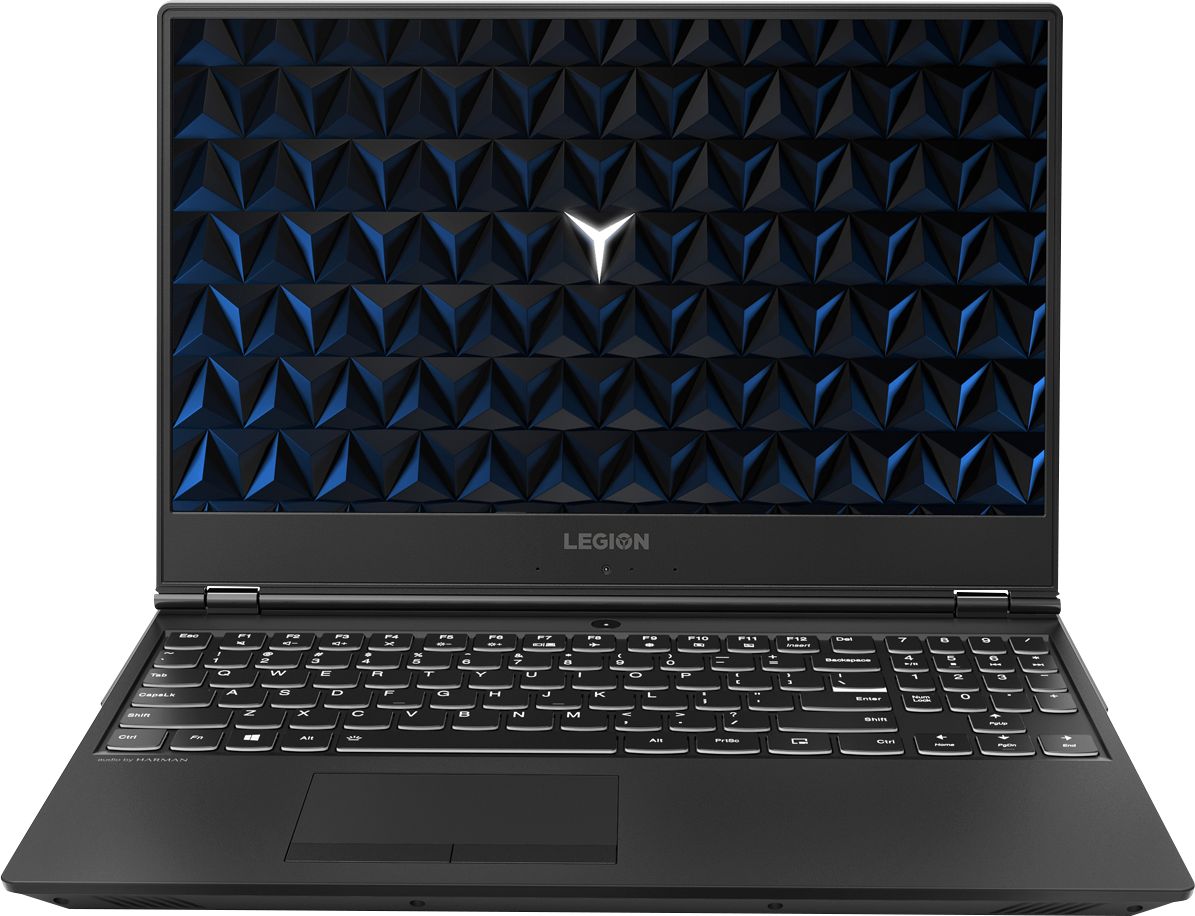
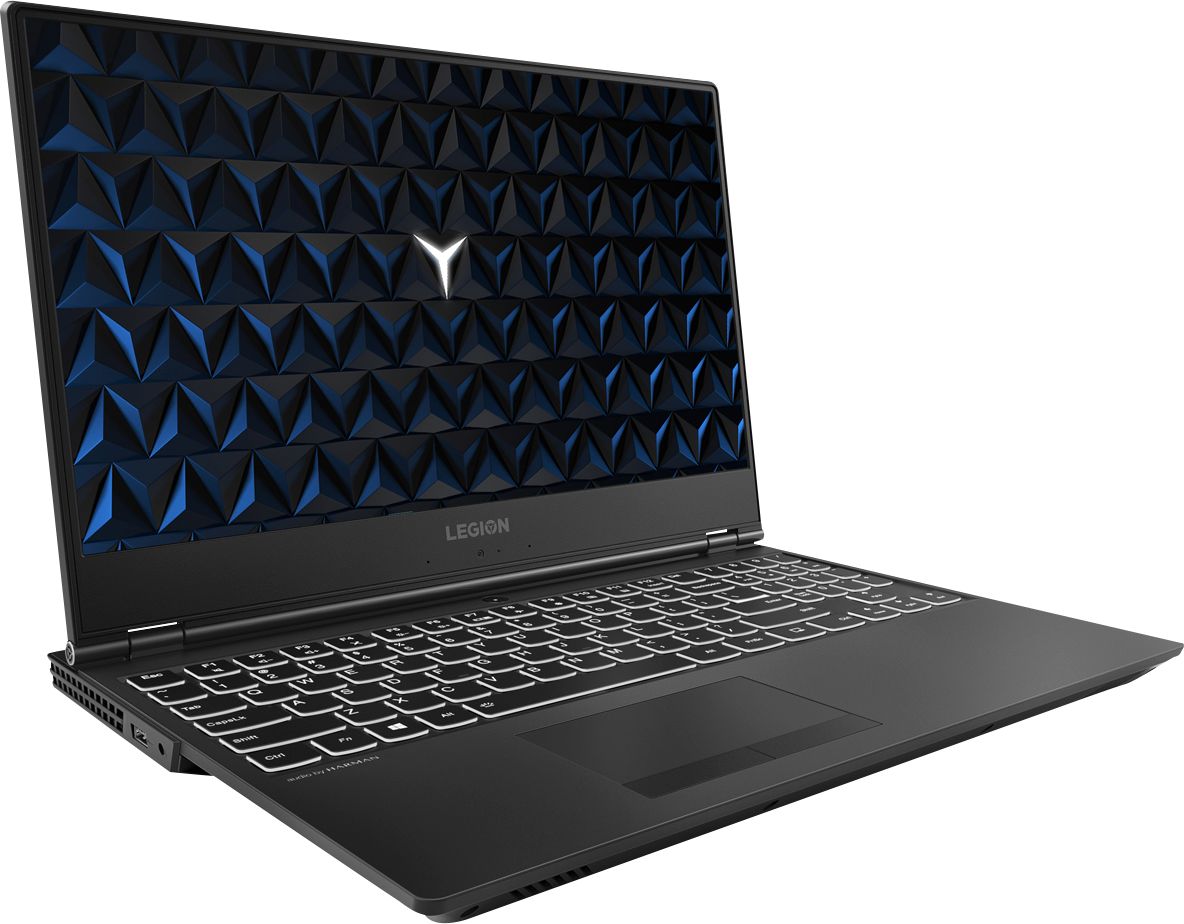
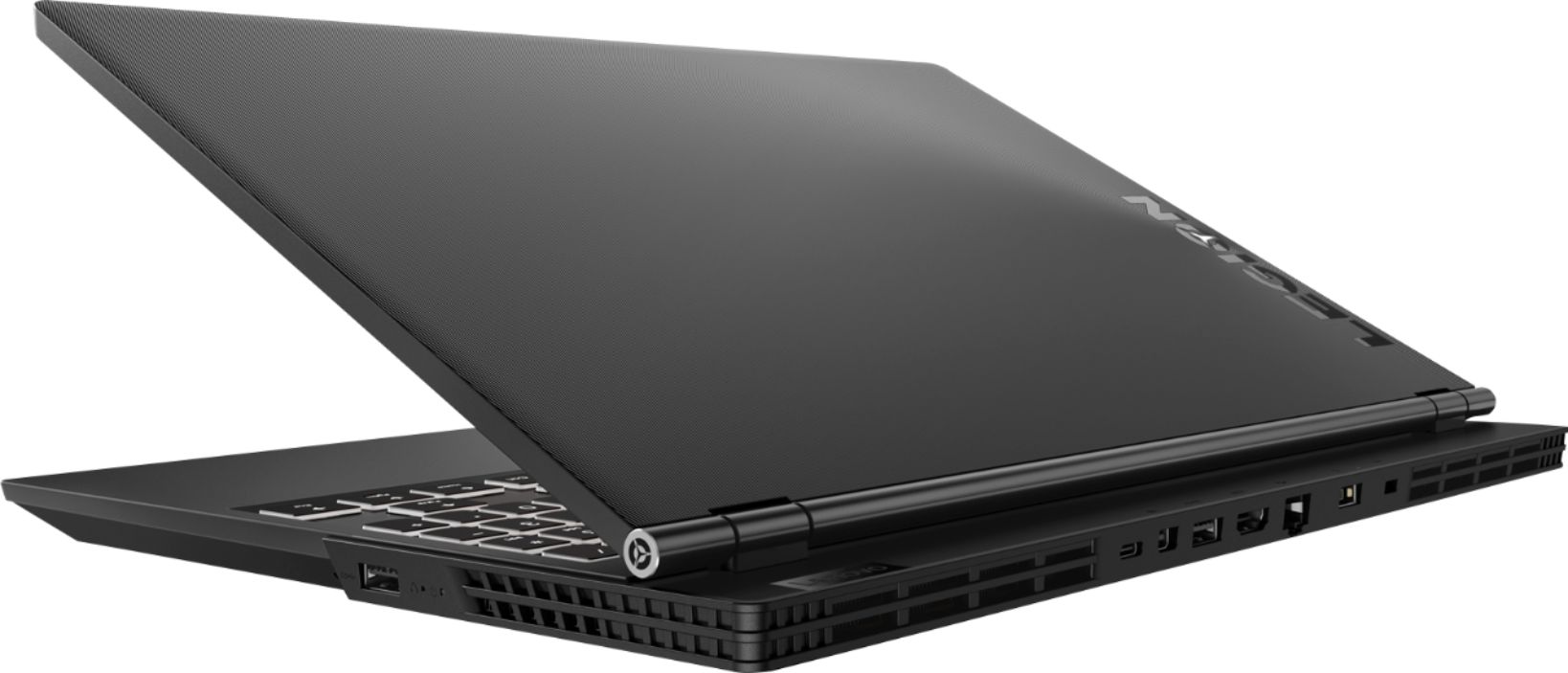
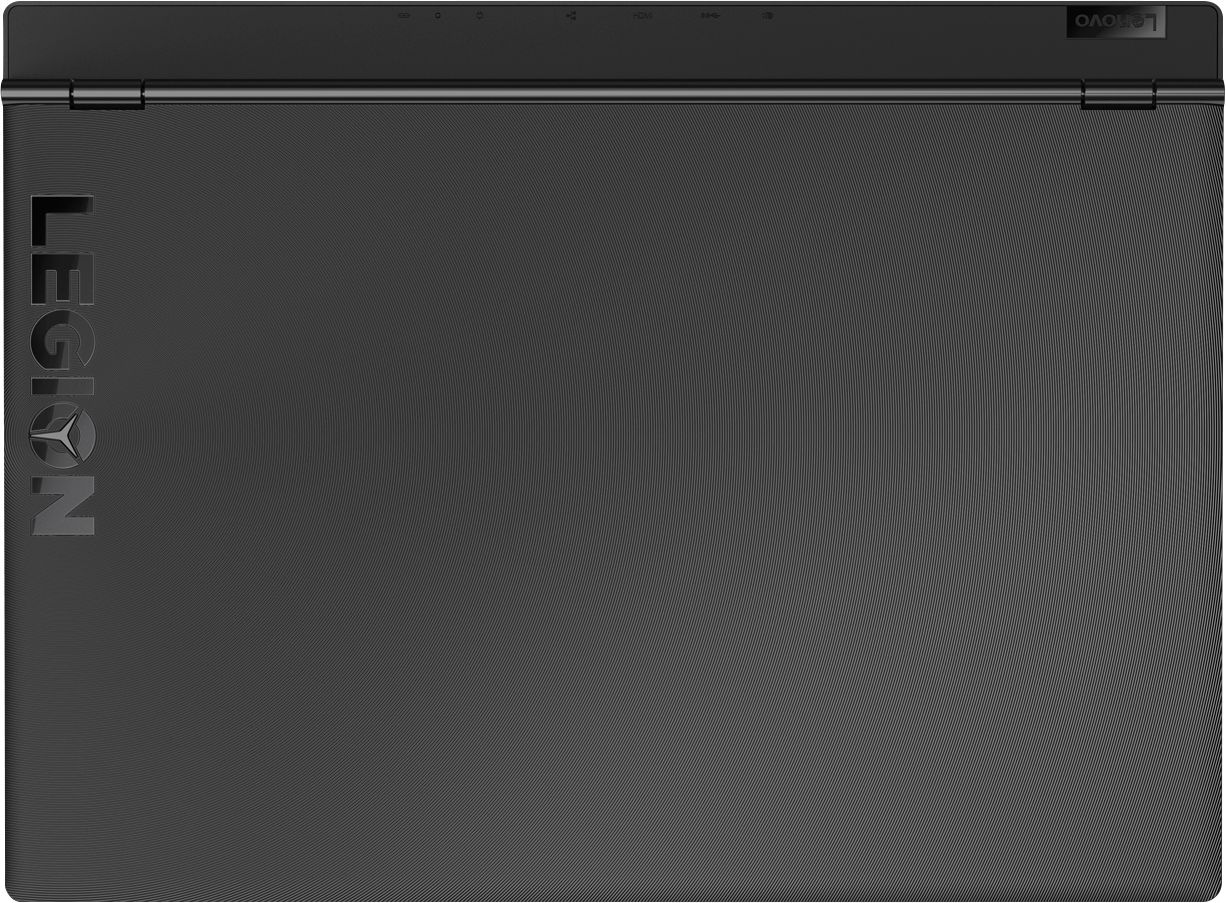
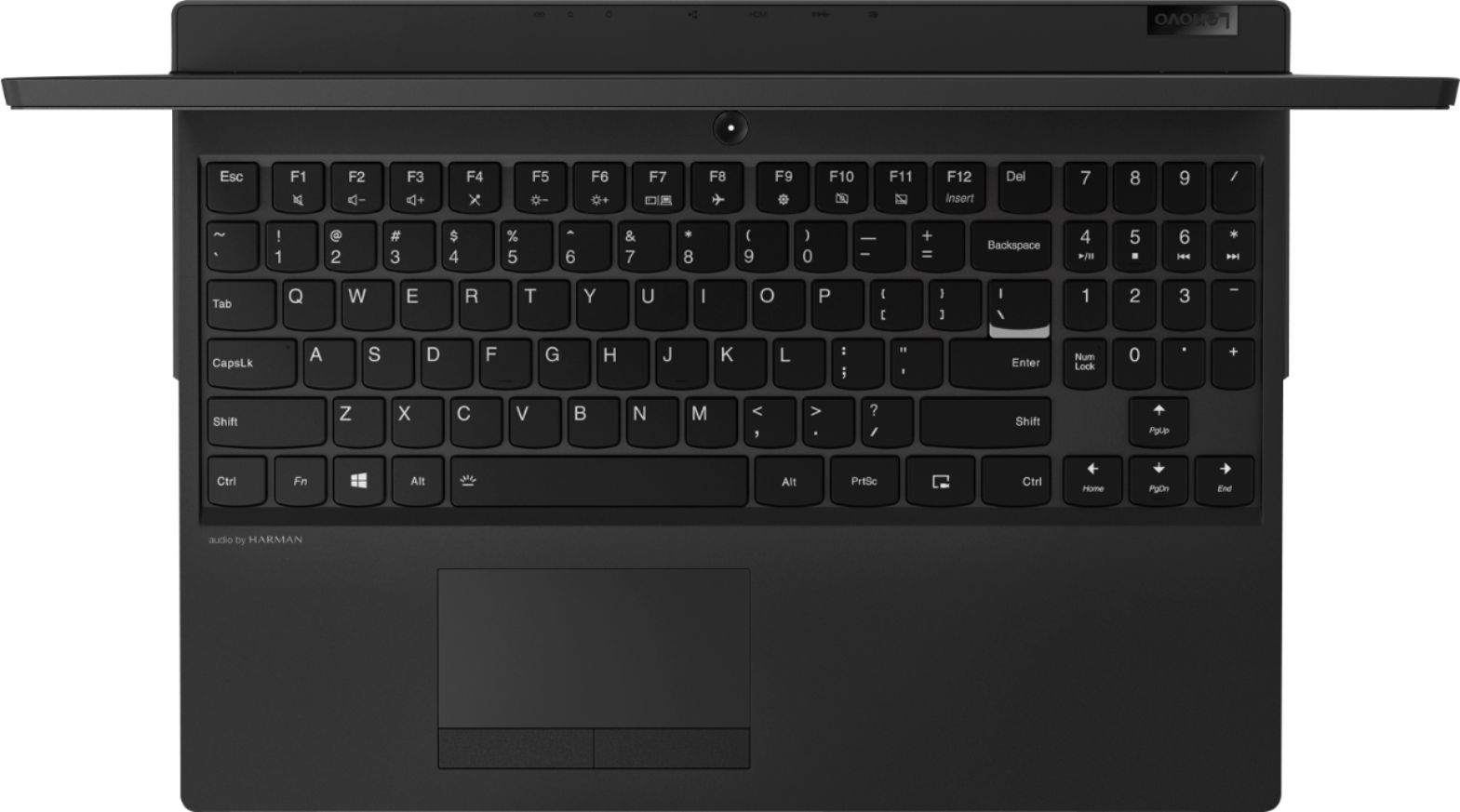
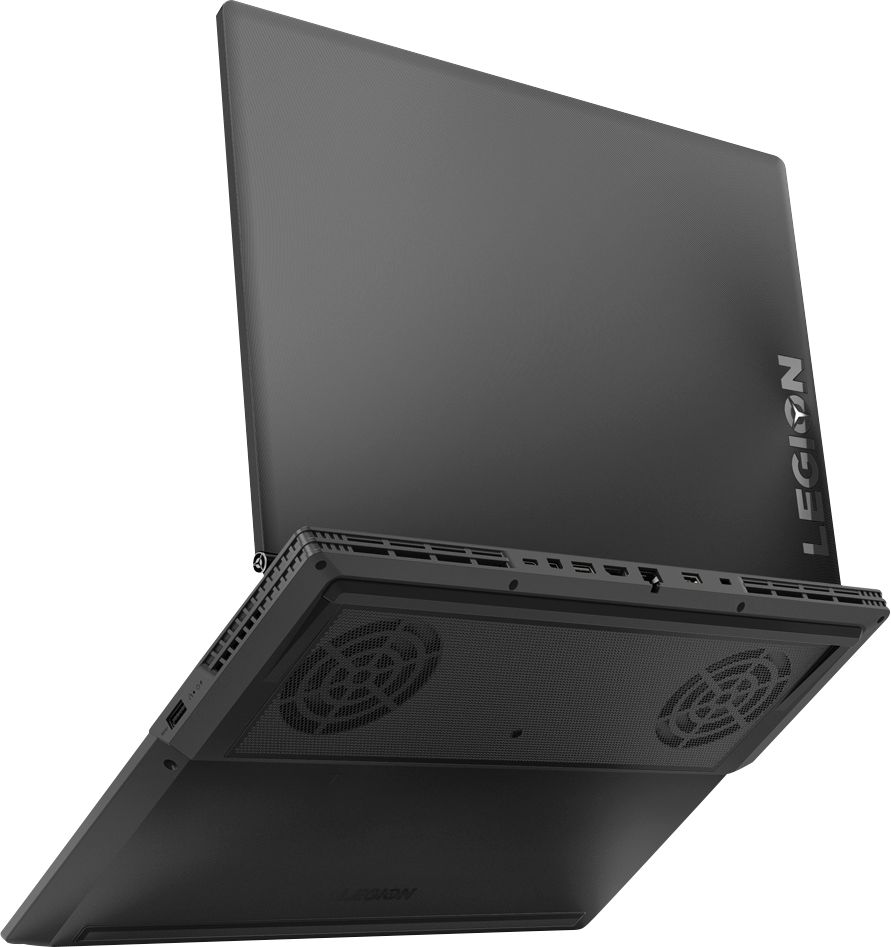
|Posted .This reviewer received promo considerations or sweepstakes entry for writing a review.Lenovo ranks itself in eigth in the PC gaming marketplace. Rather than attempt to directly compete with the established hierarchy for existing gamers (the "zero sum" play), Lenovo intends to *expand* the broader public appeal of "gaming" Windows computers. Lenovo intends their Legion gaming laptops to deliver the best gaming performance for every dollar spent. A very welcomed thing... if it turns out to be true. It really means enticing new customers to spend considerably more than they would for a PS4 or xbox One X in order to play games (and perform most other general computing tasks) on a specialty laptop. I openly questioned Lenovo's original pitching of the Legion Y530 as an "introductory gaming laptop." First, what does "introductory" mean for gaming? You don't need a decicated gaming rig to play Candy Crush, Minecraft or even Fortnight - just about any Core-i5 laptop can do that. Second, "introductory" screams build compromises, of which there are several in the BestBuy exclusive 81FV0002US Y530. An "introductory" gaming laptop needs to present the best dollar proposition for each and every *non-upgradeable* system component, while allowing for other component upgrades, down the road, as any dedication to gaming deepens. The static components have to have real computing/performance legs to walk on. So, you bite the bullet and spend the most that your budget allows on the fixed components and reserve the option to upgrade the other elements, over time, as prices and finances allow. An entry-level laptop isn't a one-year disposable thing for anyone who isn't in the habit of burning money for its own sake. What the Legion Y530 needs to be is a solid initial investment in a respectable, high frame rate, 1080P gaming platform, that can be upgraded to evolve into a decent cinematic, 4K/HDR gaming rig that won't dissapoint through 2019/2020 (at minimum). Lately, Lenovo's been pitching the Core-i7 Y530-s as "pro-sumer" gaming rigs. The truth of that is a resounding... *maybe*. 2018's 81FV0002US Legion Y530 is a significant engineering revision of 2017's Legion Y520. The Legion Y530 was originally released with two 7th Gen Core i7-7700H builds that were customized into Best Buy exclusive SKU-s circa Mar 2018. It wasn't until Aug 2018 that any Legion Y530 models with 8th Gen Core i7-8750H CPU-s turned up in BB stores local to my area. (Various other 8th Gen Intel Core Y530 builds can be ordered directly from Lenovo.) The two Q3/2018 Y530 builds that are Best Buy exclusive Gaming Laptops are designated 81FV0001US and 81FV0002US (Lenovo's reserved 81FV part numbers). Both are Made in China, and both ship domestically from Lenovo out of Morrisville, NC. I am in the position of hands-on reviewing both, side-by-side. There are many, VERY WELCOMED improvements in the Y530 over the predecessor Y520. There are also several build choices that reflect cynical corner-cutting by Lenovo. The decision to offer no better than a 4GB nVidia GeForce GTX 1050Ti undermines the Y530's prospects for cinematic 4k HDR "AAA" gaming. The base platform, across the two builds, are very similar, but with some surprisingly unexpected differences. (See my "Not Recommeded" review of the 81FV0001US elsewhere.) 0) Thermal/heat chassis redesign 1) Rigid plastic physical shell 2) Forward-hinge display design 3) 8th Gen Intel Coffee Lake Rev 07 CPU 4) Rev 10 Intel Cannon Lake-H HM-370 chipset 5) Intel Optane-ready PCIe 3.0 M.2 slot 6) 1TB Seagate Barracuda Pro SATA HD + 16GB Intel Optane module 7) Intel TPM 2.0 security module 8) full sized keyboard 9) touchpad (4-point touch) 10) LG IPS display panel (lackluster) 11) nVidia GeForce GTX 1050Ti 4GB GDDR5 (4k challenged) 12) Widows 10 Home 64-bit ("toy" OS) 13) Lenovo's warranty (restrictions) 14) Dolby ATMOS for Headphones (no license key) 15) Dolby ATMOS for Home Theater (no HDMI eARC) Some of the good things in the 81FV0002US Y530 build: 0) Completely redesigned cooling/heat management system that really works. Very little (transient only) to no thermal throttling observed (by CPU-Z). CPU and discrete GPU have been moved to opposite L-R sides of the motherboard. Two dedicated cooling fans have been similarly separated and now utilitze all metal fan blades for greater air flow and quieter spin at any given speed. L-R crossboard heat pump tubes lead to rear & side-facing heat exhaust ports. To maximize the effectiveness of this redesign, you must keep the Y530 on clean, hard, flat surfaces, to maximize room air intake, and make sure the hot air exhaust ports are not blocked and/or obstructed to inadvertently recircularte hot air back into the Y530. 1) A very rigid black plastic laptop shell that does not flex during handling, despite the overall ultra thinness of the Y530. The aesthetic is a very staid, business look, absent any neon-bright accents that scream "steal this gaming rig" to potential theives. There's only a white LED back lit Legion "Y" accent inside the letter O of the word LEGION that's inscribed on the shell of the display panel. (There are several other competing 2018 gaming rigs that also sport a more quiet/stately look.) The display bezel is ultra-thin, forcing the 720p webcam into a sub-optimal position below the display panel (some call it the nostril cam). 2) Forward-hinge display design that accommodates: a) improved chassis cooling/heat management and b) the rear-facing complement of external hot air exhaust & I/O ports/connectors. Yes, there's smooth, one-handed lid open/close, with satisfyingly resistive and stay-put hinge rotation. 3) Intel Coffee Lake Rev 07 CPUs, in this case the hexa-core/12-thread Core i7-8750H (think baby Xeon/i9). 2018 Rev 07 8th Gen Core CPU-s are fully *hardware patched* against the infamous Meltdown and Spectre #2 CPU vulnerabilities, where firmware/software security patches (for older generation Intel CPU-s) introduced a raft of system reliability and performance losses. (Spectre #1 continues to require software-only mitigations.) Despite the lower clock numbers, on paper, the 8th Gen Core i7-8750H outperforms (in both single core and multi-core execution) the 7th Gen (quad-core/8-thread) Core i7-7700HQ found in 2017's Legion Y520. The i7-8750H ships "partially unlocked" from Intel, meaning Lenovo decides when and by how much to overclock the 8750H on demand. CPU and UEFI BIOS fully support Intel VT-X and Intel SGX extensions. 4) Rev 10 Intel Cannon Lake-H HM-370 motherboard chipset on motherboard model LENOVO LNVNB161216. Motherboard slots: 4xPCI Express x1, 1xPCI Express x4, 1xPCI Express x16. PCI Express version 3.0; USB Version v3.1. Shipped with Lenovo UEFI BIOS 8JCN42WW, which I serially reflashed up to 8JCN46WW by Dec 2018. The system board can suppport up to 32GB of 2666MHz DDR4 SO-DIMMs (in 2x16GB), but Lenovo will not sell you, nor support 2x16GB. (Lenovo does sell and support 1x16GB.) 5) PCIe 3.0 M.2 slot that can support M.2 NVMe3.0 SSD-s or Intel's somewhat controversial 3D XPoint Optane SSD/SATA-HD hybrid Rapid Storage Technology. M.2 SSD and SATA 3.1 SSD-s/HD-s can co-exist as dual drives, stand-alone drives or a RAID array. 6) Fast 1TB Seagate Barracuda Pro [ST1000LM049-2GH172] 2.5" SATA 3.1 HD option. No, it's not sequential or random read faster than a SATA SSD, but it's a lot larger (1TB or 2TB options from Lenovo) and cheaper per GB than SSD. Native Barracuda Pro-s on SATA 3.1 are also way too fast (160MB/sec) for Windows ReadyBoost to help. All Superfecthes can be handled by the Barracuda Pro, alone, and at near SSD speeds when RAID-ed with a cost-effective 16GB M.2/NVMe3.0 Intel Optane module [MEMPEK1J016GAL]. 7) Intel TPM 2.0 security module: manufacture version 401.1.0.0, TPM 2.0 spec, PPI spec 1.3, TPM sub-version spec 1.38, PC client spec 2.59, Attestation Ready, Storage Ready. TPM hardware leverages Windows ButLocker security. Lenovo also binds the TPM to the physical BarracudaPro SATA HD at the factory. If you ever swap out that HD, you will need to reset the TPM module and bind it to the incoming physical drive (or disable the TPM entirely). And, no, it's not Intel "vPro," it's TPM 2.0. 8) The keyboard is full sized, with a dedicated number key pad; but Home/End/PgUp/PgDn are implemented as Fn keys, overlayed on the arrow cursor keys. It's an odd arrangement that takes getting used to. Backlight is white-only LED, with off/low/bright static toggles. I wish that two-levels of *per-key* brightness were programmable to highlight the A/W/S/X hotkeys & any game macro-keys. I have no need for full RGB keyboard lighting. Key travel is 1.7mm, requiring 63gm force to trigger, which translates to a non-tactile, "mushy," but consistent keypress feel. 9) The touchpad uses Windows' Precision Drivers, which are multi-touch (up to 4 points), supposedly zero lag and very reliable/accurate (when not actually lagging). There are also two resistively tactile-click pad buttons. What follows are the seriously disappointing build/design compromises in the 81FV0002US Y530 build: [ TO BE CONTINUED IN COMMENTS ]
I would recommend this to a friendBrand response from Lenovo Product Expert
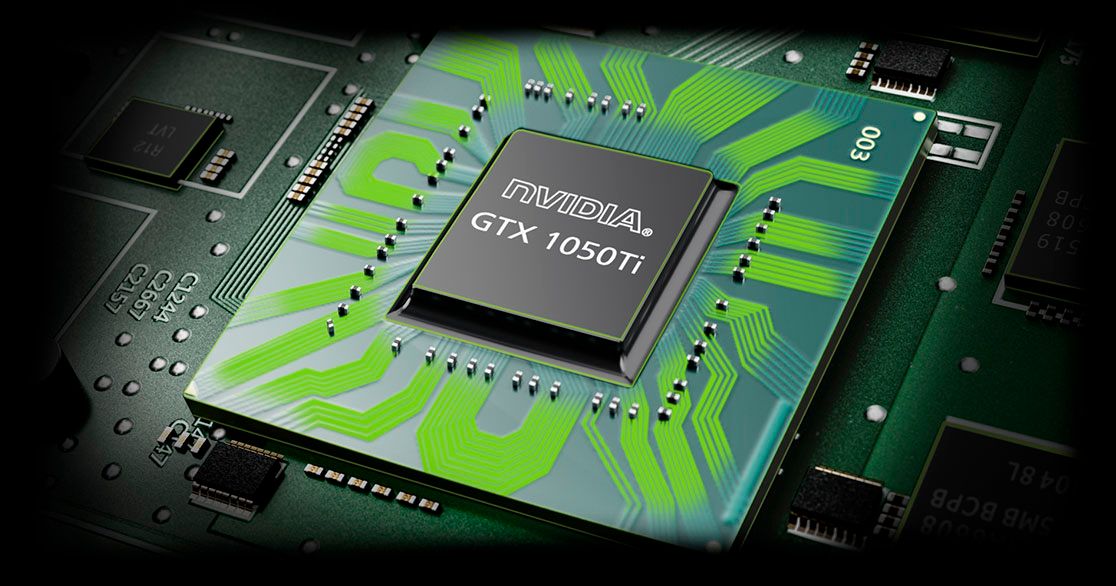
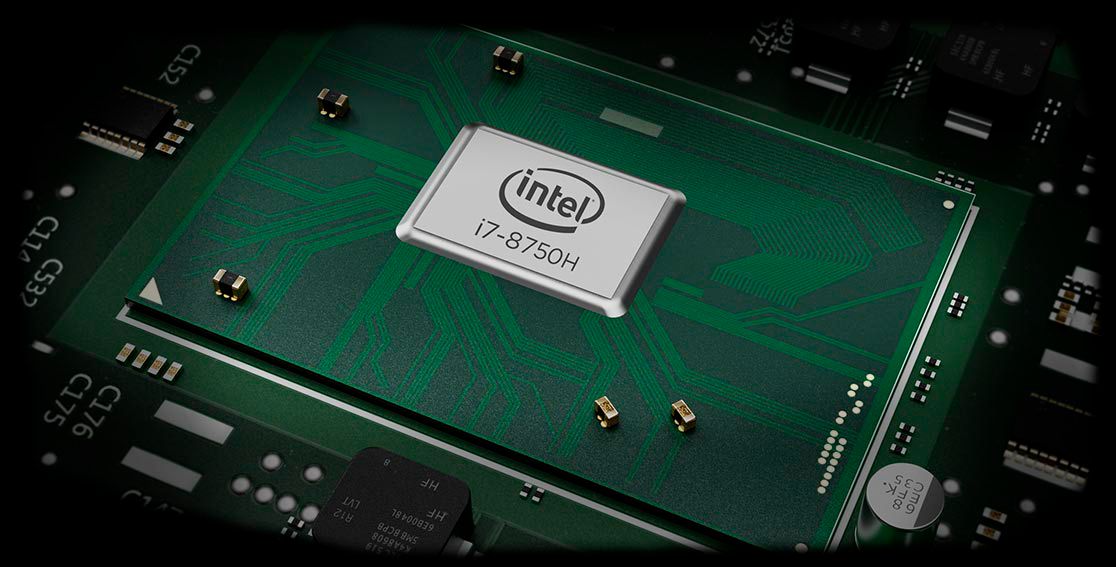
Posted .The Lenovo Legion Y530 laptop ships with the powerful Six-Core/Twelve-Thread Intel Core i7-8750H processor, supported by 16GB of DDR4-2666MHz RAM. This configuration, model number 81FV0002US has a 1TB 7200RPM standard hard drive, supported by 16GB of Intel Optane Memory. The solid state Optane Memory allows fast boot up of Windows 10 and quick recall of files and programs used most frequently by the user. Graphics processing is through the discrete Nvidia GeForce GTX 1050TI GPU. There is 4GB GDDR5 RAM dedicated on the GPU. If this configuration meets your gaming or computing needs, the Lenovo Legion Y530 laptop would be a great choice.
Pretty Good for the Money
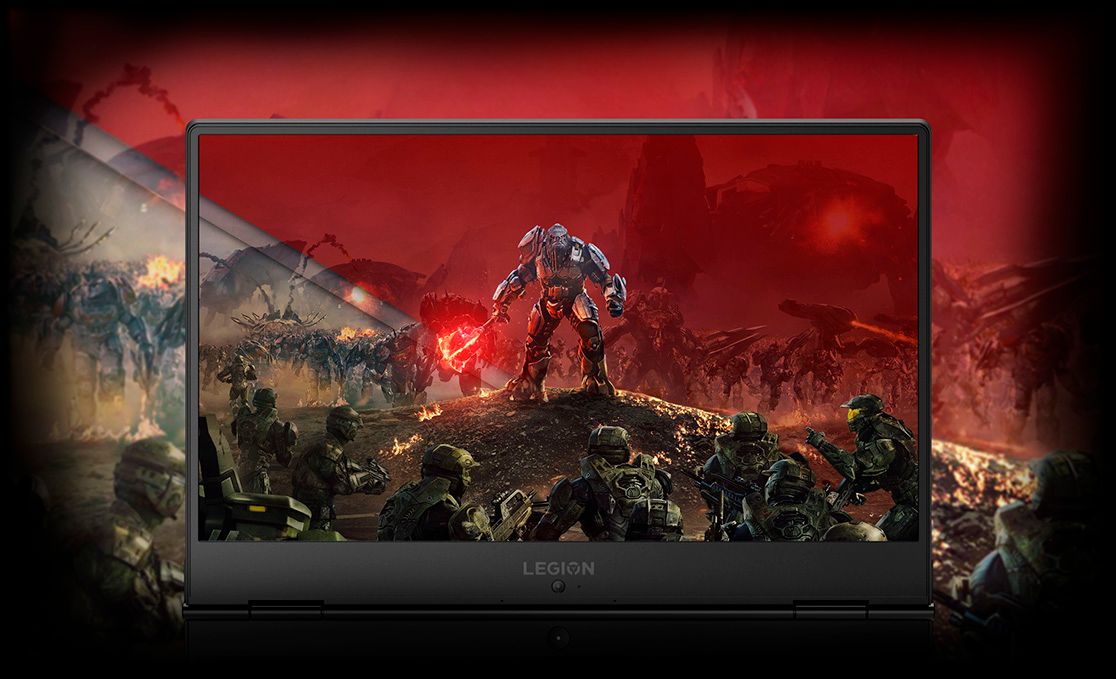
|Posted .This reviewer received promo considerations or sweepstakes entry for writing a review.It's not too heavy. I like the 15.6" screen. I normally game on a 17" laptop and I didn't really notice this one being smaller so I think it's a good compromise. The display is nice. It's not a bright shiny screen but the matte display made it better for gaming since it cut down on the glare. I was slightly annoyed with the border around the screen. There is a big strip at the bottom which I'm just used to the display being more inline with my hands. So move that to the top to hold the webcam up there. Also if the other sides of the border were thinner you'd either get more screen or a smaller laptop. My other laptops have a smaller bezel. Neither of which is bad. I wish it had a finger print reader for quicker log in. Also kind of a nit is that there is about an inch behind the monitor hinge. I'm not sure of the point of that but most laptops hinge at the very back even with all the ports being back there. Overall the design is very blocky. This obviously didn't affect the performance but I would of liked a sleeker look. I like that the keyboard had the number pad but they moved the numbers up one row where num lock and math functions would be supposedly for gaming. So when I'm mindlessly trying to use it I put my fingers one row lower than they need to be. Performance wise it handled most games I tried. It ran about 25% memory most of the time so I would definitely get this 16GB version. It loads fast for not having a SSD so that's great. And 1TB of space is huge, I don't see space ever being a problem for my use. I really like the feel of the keyboard and it being back-lit. I was able to game with is on my lap and it didn't get too hot to handle so the fans worked great.
I would recommend this to a friendBrand response from Lenovo Product Expert
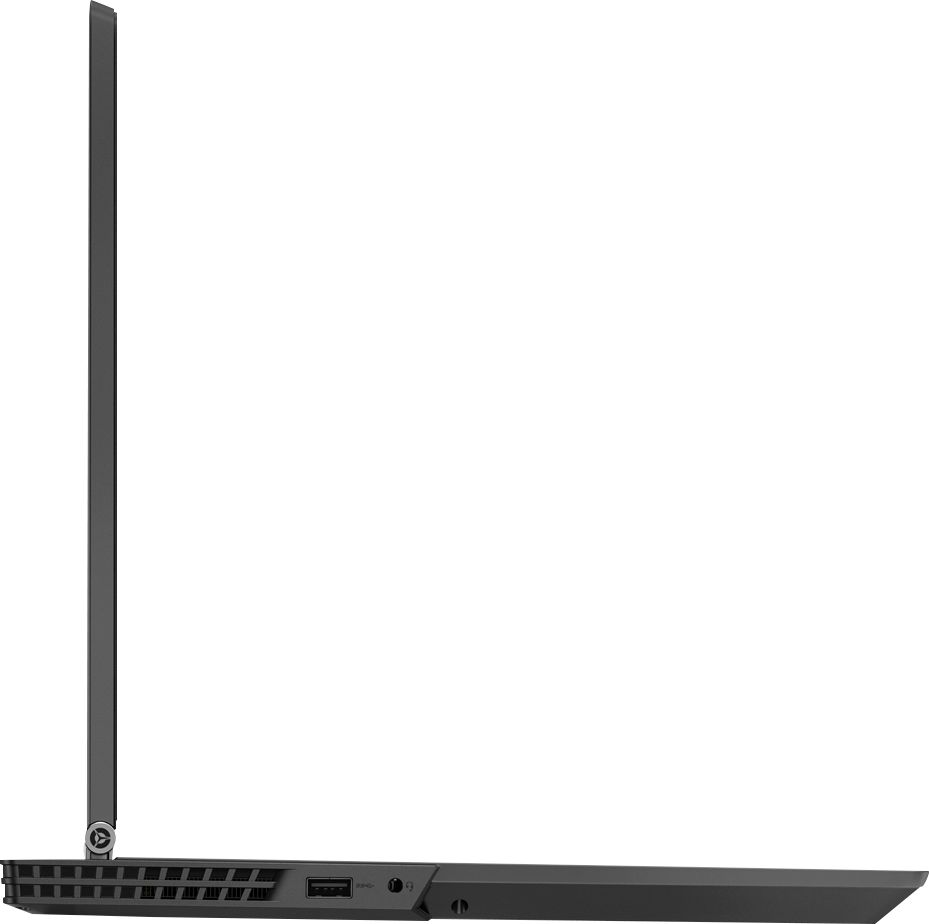
Posted .Thank you for choosing the Lenovo Legion Y530 laptop. The Legion Y530 has screen bezels on the outside edges that are 62% thinner than the previous Y520 version. The web cam is at the bottom of the screen to keep the outside bezels small, giving the largest diagonal viewing area for the screen in a smaller total device. The reason for the one inch off-set of the screen hinge on the base of the computer is to make way in the back for the device ports. Focus groups told us they preferred ports on the back of the laptop rather than the sides. There is one USB port on each side and a 3.5mm audio jack for headphones, also on the side. This configuration, model number 81FV0002US, has a 1TB 7200RPM hard drive and 16GB of Intel Optane Memory for quick boot up and file recall. In essence, the system has a hybrid hard drive.
- Pros mentioned:DesignCons mentioned:Cooling
Great entry level, budget gaming laptop
Posted .This reviewer received promo considerations or sweepstakes entry for writing a review.I bought the Legion Y530 with the i7-8750H, 16GB, 128GB + 1TB HDD, 1050TI. I tested out a lot of different gaming laptops before settling on this one due to the price, aesthetics, warranty, and ability to run all the modern games I play at 60fps. The laptop doesn't have some features more expensive gaming laptops have such as multi-colored keyboard lighting, 120hz display, Thunderbolt 3. But it more than makes up for it with its sleek, slim design, beautiful display, thin bezels only more expensive laptops have, and a 1050TI that is still more than capable in 1080p gaming. I really loved how solid this laptop felt in my hands too, it really feels like it could take a fall with many scruffs and still run. The MSI GS65 I tried was a bit too fragile in the hands in my opinion. I purchased an extended on-site warranty and accidental damage plan for peace of mind too. The keyboard also feels very solid, it has a nice depth to it and is satisfying to press down on. I enjoyed the 2 USB ports on the side of the laptop for a wireless receiver and USB drive. Most other ports are in the back for nice cable management. My gaming desk looks good when I'm not portable - no hanging wires on the side, rather out of sight in the back. The battery will last you about 3-4 hours off the charge realistically. This is enough for my needs but is something to consider if you are frequently without an outlet nearby. You will always want to game with the laptop plugged in for maximum performance, I do not enjoy gaming without the battery plugged in for any gaming laptops. After very light tweaking, I haven't run into any heat issues so far. The i7-8750H do run hot in these slim laptops in general, so be sure to read forums and do your own proper research to understand more about it. I get under 89C for the CPU during gaming, GPU always under 70C. Very acceptable to me. With Lenovo Vantage software you can press Control + Shift + 1 to turn on the Cooler Boost to help with cooling too. I would like to see Lenovo come out with more detailed fan control and the ability to control the Turbo Cooler Boost to your liking. I am able to run most of my games at or around 60fps on high and medium settings, never low. The games I play are Sea of Thieves, Battlefield 4/1, Call of Duty BO4, PUBG, Overwatch, WoW, Skyrim, CSGO, Rainbow 6 Siege and other indie and older games that run it with ease.
I would recommend this to a friendBrand response from Lenovo Product Expert
Posted .Thank you for choosing the Lenovo Legion Y530 laptop. We are pleased to hear that the value, features and performance of the Legion Y530 meets your computing needs so well.
- Pros mentioned:PerformanceCons mentioned:Battery life, Hard drive
Great laptop until it failed to start
Posted .This reviewer received promo considerations or sweepstakes entry for writing a review.This was a great laptop for a few days until the battery ran down and the laptop powered off (instead of a graceful shutdown). After that the laptop was stuck in the Recovery mode claiming a certain DLL was missing or corrupt and could not start. Attempted various fixes including a System Restore from the Novo button, but everything returned to the Recovery blue screen. I returned it to Best Buy for a replacement. Wanting to see if this was a repeatable issue, I let the laptop battery run down again and power off. Same thing happened, stuck in Recovery mode. It appears that something is getting corrupt on the hard drive or Optane memory when the laptop is not shutdown gracefully. I called Lenovo who claimed it was a hardware issue and I needed to send it to them. Not sure its a hardware issue when I can reproduce it on 2 different laptops. There seems to be something wrong with this configuration, or Optane memory, or the OS version or some combination. I had to return it again, this time for a refund. We are sad because we liked everything about the laptop; the look, the feel, the performance. But we cannot have a laptop that cannot survive running out of battery without becoming corrupt. Based on the other reviews, this seems to be a common problem, at least with a more recent batch of this laptop. There was nothing additional installed on the laptop so nothing would be incompatible with Windows 10. I am contemplating buying the lesser Legion from Best Buy and adding my own SSD and more memory. BTW, I am not sure why the Lenovo rep keeps responding that it voids the warranty to add memory/SSD to these machines. The Lenovo forums state it does not void the warranty, just that the added parts are not covered by the warranty. So someone is mistaken.
No, I would not recommend this to a friendBrand response from Lenovo Product Expert
Posted .We are sorry to hear that you are having issues with your Lenovo Legion Y530 laptop. It sounds as though there is a missing file for the boot log within your Windows 10 operation system. If Lenovo OneKey Recovery does not replace this missing boot file, your local Best Buy Geek Squad service department can restore this file via USB restore of the operating system. With regard to user upgrade of the Legion Y530 laptop, this model is not user upgradable. A certified technician must do all of the work, so as to not void the warranty. This includes replacing the hard drive within this configuration.
- Pros mentioned:Ram
1060 would be better but can't complain
|Posted .This reviewer received promo considerations or sweepstakes entry for writing a review.At under $1000 on sale, this is a great deal and helps make up for the lack of a GTX 1060. I'm a more casual user that's not super picky about things, but I do look for solid performance, little to no lag while performing functions, and a decently long battery life for a gaming laptop. This machine pretty much fits all of my criteria. It lasts a solid 5 hours or so when playing games on the go, but typically I'll usually have my laptop plugged in when gaming as I'd like to try and preserve my battery. Not a 4K screen but still nice sharp looking 1080p. The 16GB of RAM is perfect compared to the 8GB model. Still not entirely satisfied with the lack of an SSD. There's a 1TB 2.5" inside that looks like it can be replaced no problem, but I've seen Lenovo post saying it would void the warranty?
I would recommend this to a friendBrand response from Lenovo Product Expert
Posted .Thank you for choosing the Lenovo Legion Y530 laptop. This system ships with a 1TB 7200RPM standard hard drive and an additional 16GB of Optane memory, giving the system Hybrid-drive performance. This model is not user upgradable. A certified technician must do all of the work, so as to not void the warranty. Your certified technician can replace the existing memory for a larger solid state hard drive. Check with your certified technician for options.
Nice laptop
|Posted .This reviewer received promo considerations or sweepstakes entry for writing a review.Great laptop, easy to set up. I had a few problems setting up one of my email accounts, Not recognizing anything I typed. Tried on another machine, no problem, so not sure what was going on. I am not a big gamer, but the game I did install worked pretty well. No lag time and screens loaded with no problems. I like the set up assistant, that talks you through set up. Initially, the machine took a while to start up. Once it did, set up went pretty smoothly. Internet navigation went smoothly, sites loaded with no problems. Overall, a great machine. Enjoying it so far.
I would recommend this to a friendBrand response from Lenovo Product Expert
Posted .Thank you for choosing the Lenovo Legion Y530 laptop. With regard to the setup of your web-based email, be sure the service is compatible with Windows 10 and the new Microsoft Edge browser. You may want to try installing your email by using a different web browser. See if the problem goes away by using a different browser. If this solves the problem, check for Windows 10 updates for your version of Windows 10. You can easily do this by using Lenovo Utilities that are installed on this device. This system has Lenovo utilities installed to help maintain the health of the device and keep the operating system software up to date. Type "Lenovo Vantage" in the Cortana Search window (if Lenovo Vantage is not installed on your device, you can download the APP and install it now). Select Lenovo Vantage from the list. In the window that opens, click on "Health and Support". In the expanded menu, select "Hardware Scan" In the window that opens, select "Run Quick Tests". This will scan your entire system for errors. Follow any directions that may pop up. If the problem continues after this scan, now click on "System Update". First select Windows update from the menu. Scan your system to be sure you have the latest version of Windows 10. Once that scan is complete, select "Additional Updates". This will scan your device to be sure there are no new BIOS/Driver updates needed. Follow any instructions that may pop up.
Good gaming laptop
|Posted .This reviewer received promo considerations or sweepstakes entry for writing a review.I have received both the 8GB ram and the 16GB ram models. My review below is on the 8GB the only difference I can find in the 16GB is that the graphics for whatever reason are even better even though the graphics card is supposed to be the same. The lack of an SSD does slow down the boot time but overall a top notch gaming rig for a decent price. Pros Graphics are very crisp and lifelike. No lag or blur in any games Very fast for any game you throw at it. Sound for computer speakers is very good. Plug ins along back are nice, less cluttered. Boots up quite fast Keyboard has good feel. Keys are easy to access and well spaced. Battery life if not gaming seems to be good. Backlit keyboard is nice. Cons With monitor hooked to HDMI port there is a slight lag in graphics Does run quite hot, pretty common for gaming laptops. Battery life only runs 30-45 minutes before warning about low charge when gaming. Backlit keyboard is nice but it needs to have a longer delay before shutting off. Although it’s not used very often the number pad is not in the best location Overall a very good entry level gaming computer except for the few cons listed. I would recommend a cooling pad to keep the heat down and always keep the power adapter handy to re-juice the battery
I would recommend this to a friendBrand response from Lenovo Product Expert
Posted .The difference between the 8GB and 16GB RAM models not only includes the additional RAM but the 16GB model has 16GB of Intel Optane memory supporting the 1TB 7200RPM standard hard drive, for a hybrid drive-like performance. There should not be any lag to an HDMI connected monitor, check the Nvidia control panel and be sure the settings are correct for your external monitor. Connect the monitor directly to the Legion Y530, do not go through a docking station. Concerning cooling the Legion Y530, it features a dual-channel thermal system, offering multiple benefits: individual CPU and GPU cooling, for cooler system temperatures; four thermal vents, for improved airflow; and 70 individual fan blades per channel, to reduce system noise. The battery life of the Legion Y530 is up to 5 hours depending on the work that the device is performing. If you are getting substantially less battery life, be sure there are no unwanted programs running in the background, draining the battery. Here is a link to some tips for finding out what is draining your battery:
https://www.laptopmag.com/articles/battery-saver-windows-10.
Eye Catcher, and is a beast
|Posted .This reviewer received promo considerations or sweepstakes entry for writing a review.So this is by far one of the most powerful laptops I have used. with 16gb memory, it is going to be able to run every program you can throw at it. Video editing is smooth and easy. Game play with the nvidia card is sold. Windows 10 is Windows 10. This system has the power to run it smoothly... with little delay and a quick boot up. Bigger display screen, but not too much... you won't need a special bag to carry this. The adapter, for me is a little large and bulky... but I have seen worse. The only real negative (and this is probably just me), is the trackpad. I am just not a fan of them, and haven't used many that perform to my satisfaction.... easily fixed with an external mouse or trackpad. Which most gamers will do anyway. The Lenovo brand name, is changing... this is a great system in the home/game usage, away from the older business laptop. This is NOT your office laptop. this is a great machine for the gamer, college student, or someone that needs processing and video power on the go.
I would recommend this to a friendBrand response from Lenovo Product Expert
Posted .Thank you for choosing the Lenovo Legion Y530 laptop. With regard to the touchpad, you can make adjustments to the touchpad in your system settings. You can get there by clicking on the magnifying glass at the bottom left of your Windows 10 screen. Type "touchpad" in the search window. Select "Mouse & touchpad settings" from the list of choices. You can make general adjustments to the touchpad there. You can also select "Additional mouse options" for more detailed adjustments to the touchpad sensitivity by increasing the delay of the touchpad.
- Cons mentioned:Hard drive
Possibly decent for some, but I would steer clear
Posted .This reviewer received promo considerations or sweepstakes entry for writing a review.I bought a Lenovo Legion Y530 w/ 1050 Ti, i7 8750h, 16gig ram, 60hz screen, and intel optane a few months back and after about a month just after I could return it it started pooping out. Disk write errors Windows would have a number of hiccups/errors/performance problems and then after some gaming and file transfers it fails to boot. The recovery partition could not even recover the system. After going to Best Buy they said they could service it but it would take about 1 1/2 months to get it back unless I wanted to upgrade my protection plan, so I thought I would try a reinstall of Windows. I tried to reinstall a fresh copy of Windows 10, but after errors with the Lenovo Vantage software I realize I need to download and use their utility. This is the ONLY laptop I have ever seen that does not allow you to use a standard Windows install and it takes 5 times longer than a standard installation just to install Windows 10. I waited 3-4 hours or so each time 3-4 with error happening halfway through just trying to install Windows 10 with the same thing happening time and time again even after a successful install I contacted Lenovo support and let them know both verbally and written that a reinstall did not fix it and then sent it in for the 1st time. I also told them to hold onto it for as long as necessary and MAKE SURE it works. After about 3 weeks they sent it back having done nothing... except for reinstall Windows, but instead of home they installed windows 10 PRO. The system did not have a license and after yet another call to Lenovo and the tech support not knowing what she was doing I spend about a half hour just trying to tell her that Windows 10 Pro was installed and the system only had a license for Windows 10 Home. She said she would send a flash drive and it would come in about 3-4 days. I said okay using the laptop a couple of days only to have it poop out again. I decided to just stop using it and wait for the flash drive. The flash drive came after about I reinstalled and I think you can guess what happened it failed again. Then I had to contact Lenovo support again and sent it back a 2nd time. Saying the same thing again a reinstall will not fix it and the Indian tech support lady was not very sincere or helpful at all. They replaced the hard drive and took about three weeks again. I installed and boot up and play Street Fighter V and try to play online and after 10 minutes and boom I was banned for 24 hours. I play often on my desktop with worse wireless and it is located further away from the router and have never been banned. I contact Lenovo support again because I can tell it is just a matter of time and sent it back a 3rd time. I am still waiting to see what happens, but the Y530 is built pretty cheaply. I realize this might just be my experience, but I may have ended up with a lemon that I do not know what to do with. I cannot return it, I can guarantee that if I try to use it after a couple of days I will lose all of my data and have to reinstall, and Lenovo support has not really listened or solved the problem yet. I cannot sell it either ethically because I do not want to sell a malfunctioning machine to anyone. I noticed the machine started to warp as from the small amount of use I got with it and sending it back and forth, so from that I can tell it is not built well at all. From the short time I had it, it played games just fine, but this kind of unreliability and Lenovo just sending it back without really checking anything makes me concerned. Personally I would go for the Dell G3 or G7 or the Acer Predator Helios 300. Sure those laptops are bigger and look a tad more gamery, but I see even on Amazon reviews, people have more luck and fewer reliability problems with them. I am at a loss as to what to do with this laptop it is nothing more than an overpriced paperweight at this point and I have never had such a poor experience with a laptop or with customer support. -- summary -- Disappointing to say the least and as a student I could really not afford to waste time like that. At this point if it fails again I will probably sell it for as is condition. Even though I got barely a month of use out of it and it is in near perfect condition. I refuse to buy additional protection on it too if this is all they are willing to do for me. So long story short. 3rd time I have had to send back and 3 months with a paperweight of a laptop and the problem is still not solved. Very long waiting times for service through Best Buy without their upgraded service, Lenovo tech support is often very insincere and unhelpful. They do very little testing and like to just send products back wasting everyone's time. This is also a very cheaply built laptop. I'm not even talking about the plastic construction. There are plenty of plastic laptops out there that are built better than this.
No, I would not recommend this to a friendBrand response from Lenovo Product Expert
Posted .We are sorry to hear that you had issues with your Lenovo Legion Y530 Laptop. The issues you describe may be corrected with a restore of the Windows 10 operating system to original factory settings. This configuration ships with Intel Optane Memory, which contains an image of Windows 10. To restore system, Optane must be disabled first in the BIOS
o Power down system, power back on and press F2 to enter BIOS setup
o BIOS setup > Configuration > Storage > Intel® Rapid Storage technology > Intel Optane, 931.5GB > Disable > Are you sure you want to disable > Yes > Disable
o Wait for 3 minutes
o The Disable process should be finished and there will be (2) non-RAID physical disks
o Press F10 to Save and Exit
- The system should now be able to be Restored
- After restoring, you will need to open the Optane UI from the task bar and choose Setup > Enable > Select “Erase all data on Intel “Optane” memory module > Continue > Restart. Now you can restore the Windows 10 operating system to factory original settings by following the instructions at this link: https://www.laptopmag.com/articles/reset-windows-10-pc. Be sure to re-enable the Optane Memory after you restore the system, then restart the device, as listed above. If you continue to have an issue, we recommend you call Lenovo Tech Support at: 877-453-6686.
- Pros mentioned:Ram
Havent had any issues
Posted .This reviewer received promo considerations or sweepstakes entry for writing a review.Good computer just hate that its so heavy may wanna up the ram
I would recommend this to a friend - Pros mentioned:Graphics card
Great gaming, less so developing
Posted .This reviewer received promo considerations or sweepstakes entry for writing a review.The laptop is magnificent for gaming. It has the brilliant Lenovo screen that really hides flares and reflections, and the processor and graphics card are well suited for all kinds of gaming, including with an Oculus. However, this model doesn’t allow you to toggle function lock, meaning to turn up/down the volume, you have to hold down the function key. Also, the Optane memory prevents you from dual booting altogether.
I would recommend this to a friendBrand response from Lenovo Product Expert
Posted .Thank you for choosing the lenovo Legion Y530 laptop. You can switch the Function Key/HotKey format of the function keys on your Legion Y530 within the BIOS. The Legion Y530, doesn't have a Function Key Lock, so use the BIOS instructions for switching your function keys. Here is a link to instructions: https://www.howtogeek.com/235351/how-to-choose-whether-your-function-keys-are-f1-f12-keys-or-special-keys/
- Pros mentioned:Performance
Fantastic laptop, but known for BSOD errors!
Posted .This reviewer received promo considerations or sweepstakes entry for writing a review.I bought this laptop on sale for about $850, the original price was around $1000, it came out to a total of about $900 including tax. This laptop is known to crash! About 27 or 28 days of owning this laptop, I had began experiencing common crashing issues. I took it in person to customer service, and the manager gave the okay for exchange. The staff was incredibly sweet and understanding. I wanted the same exact one because I do not want to settle for lesser settings/performance. If you are thinking about purchasing this laptop, I highly recommend it, just do yourself a favor and allow Geek Squad to update the hardwares/softwares/BIOS within 24 hours for FREE. They will offer it to you! I know how it is when you want to open up the package, and use it immediately. But please, do yourself a favor and save yourself the trouble of experiencing this inconvenience like I did! It is an AWESOME laptop! I highly recommend it!
I would recommend this to a friendBrand response from Lenovo Product Expert
Posted .We are sorry to hear that you had an issue with Windows 10 updates on your Lenovo Legion Y530 laptop. Your configuration, model number 81FV0002US ships with a 1TB standard hard drive, supported by 16GB Intel Optane Memory. This Optane Memory must be turned off before restoring Windows 10 back to original settings if there is a failure of a Windows 10 update. To restore system, Optane must be disabled first in the BIOS
o Power down system, power back on and press F2 to enter BIOS setup
o BIOS setup > Configuration > Storage > Intel® Rapid Storage technology > Intel Optane, 931.5GB > Disable > Are you sure you want to disable > Yes > Disable
o Wait for 3 minutes
o The Disable process should be finished and there will be (2) non-RAID physical disks
o Press F10 to Save and Exit
- The system should now be able to be Restored
- After restoring, you will need to open the Optane UI from the task bar and choose Setup > Enable > Select “Erase all data on Intel “Optane” memory module > Continue > Restart. Now you can restore the Windows 10 operating system to factory original settings by following the instructions at this link: https://www.laptopmag.com/articles/reset-windows-10-pc. Be sure to re-enable the Optane Memory after you restore the system, then restart the device, as listed above. If you continue to have an issue, we recommend you call Lenovo Tech Support at: 877-453-6686. For 2018, Lenovo retained its place for a second year as the best laptop vendor:
https://www.laptopmag.com/articles/laptop-brand-ratings
- Pros mentioned:Design, Performance
Amazing 60 FPS on an adult computer
Posted .This reviewer received promo considerations or sweepstakes entry for writing a review.I wanted to buy a gaming laptop that I could take to work and not be embarrassed by it. Other gaming laptops have strange designs and bright reds and blue. This laptop looks like a sleek modern laptop but has enough power to play 60 FPS on highest settings. The fans are great, not too loud and don't really kick in for casual computer use. I've had it for a week and I love it, hoping it lasts.
I would recommend this to a friendBrand response from Lenovo Product Expert
Posted .Thank you for choosing the Lenovo Legion Y530 laptop. We are pleased to hear that the features and performance of the Legion Y530 meets your computing needs so well.
The Good and the Bad
|Posted .This reviewer received promo considerations or sweepstakes entry for writing a review.This laptop truly delivers on speed and performance. Right from the start it flew through all the required Windows updates and such that come with getting a new machine. It easily handles videos and games without lag. That's the good. Now for the bad. I got this laptop to not only play games but to do other things as well and the design just doesn't work for me. To type for any length of time starts to wear on my hands and wrists and it's also extremely heavy for a laptop which makes it hard to take anywhere.
No, I would not recommend this to a friendBrand response from Lenovo Product Expert
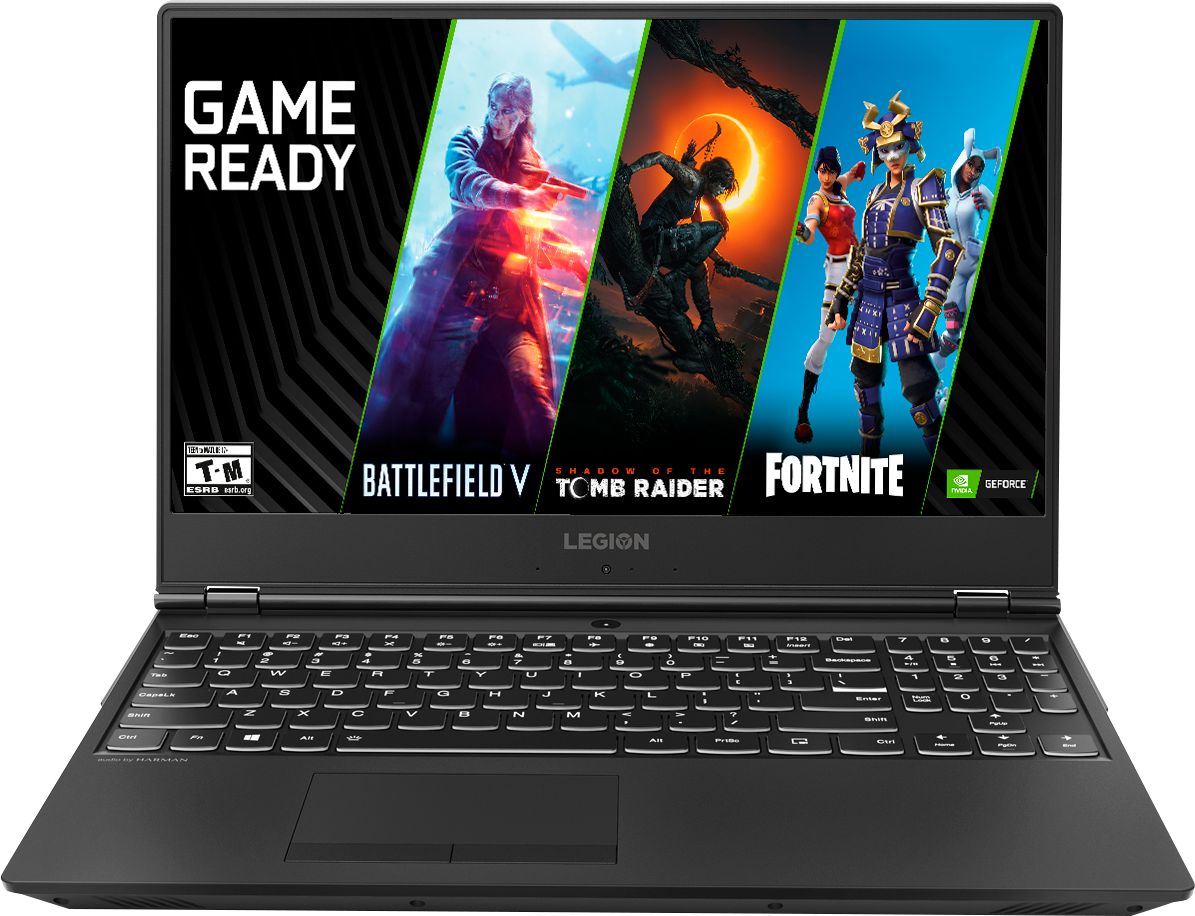
Posted .The Lenovo Legion Y530 laptop is a full-size, 15.6" (measured diagonally) screen, high performance laptop. It weighs just 5.07 lbs. and measures 1" thin.
Great gaming laptop for the price
Posted .This reviewer received promo considerations or sweepstakes entry for writing a review.There are just so many things this laptop does right: -NO RED. For whatever reason most companies who make gaming laptops think everyone wants red all over the keyboard and laptop. This is a clean white touch. -Amazing screen. Picture quality is incredibly sharp. -Price point. Right around $1000 for these specifications is ideal. -Plug in's are on the back of the laptop. It's frustrating when power, Ethernet, USB, etc plug ins are on the side. This one moves it to the back. Areas I wish were better: -There's a separate left and right click button on the track pad. Wish I could just click the track pad, but you get used to it. -Weight. It's slightly heavy here at about 4 lbs. Not the worst but it's noticeable. -Number pad is in a slightly odd place. I dont use this too much but if you do it's something to keep in mind. Overall, It's great for the price. If you want a nice laptop that can play games without breaking the bank, this is the one for you.
I would recommend this to a friendBrand response from Lenovo Product Expert
Posted .Thank you for choosing the Lenovo Legion Y530 Gaming laptop. This full-sized 15.6" gamer's laptop weighs just 5.07 lbs. and measures 1" thin. We are pleased to hear that the features and performance of the Legion Y530 meets your computing needs so well.
- Pros mentioned:Design
Eh, just ok
Posted .This reviewer received promo considerations or sweepstakes entry for writing a review.Bought this to replace a 10 year old slow/outdated laptop. I was in hopes this would be a great machine with all the high specs. I was wrong. After boot up for the first time, i tried to install store bought antivirus software, the laptop froze for almost 30min. Restarted the laptop and tried again, froze again. Did a complete fresh factory reinstall, rebooted froze again. Returned laptop to store. Gave three stars for sleek design, solid casing, and specs. Maybe i got a bum one. Eh.
No, I would not recommend this to a friendBrand response from Lenovo Product Expert
Posted .We are sorry to hear you had issues installing your 3rd party anti-virus software on to your Lenovo Legion Y530 laptop. This model comes with a 30-day trial of McAfee virus protection software installed. You do not need to keep this software. You can install any 3rd party anti-virus software, but you have to uninstall the 30-day trial of McAfee first. Here is a link to information on uninstalling McAfee from Windows 10: https://service.mcafee.com/webcenter/portal/oracle/webcenter/page/scopedMD/s55728c97_466d_4ddb_952d_05484ea932c6/Page29.jspx?wc.contextURL=%2Fspaces%2Fcp&articleId=TS101331&_afrLoop=1355161020222084&leftWidth=0%25&showFooter=false&showHeader=false&rightWidth=0%25¢erWidth=100%25#!%40%40%3FshowFooter%3Dfalse%26_afrLoop%3D1355161020222084%26articleId%3DTS101331%26leftWidth%3D0%2525%26showHeader%3Dfalse%26wc.contextURL%3D%252Fspaces%252Fcp%26rightWidth%3D0%2525%26centerWidth%3D100%2525%26_adf.ctrl-state%3Dx25crirbo_9. For 2018, Lenovo retained its place for a second year as the best laptop vendor:
https://www.laptopmag.com/articles/laptop-brand-ratings
- Pros mentioned:Design
Great job so far
Posted .This reviewer received promo considerations or sweepstakes entry for writing a review.I bought this Lenovo Legion Y530 to replace my MacBook Pro and a PC desktop. I wanted to be able to play video games like Cities: Skylines without taking over the living room tv, where my desktop is placed (serving as an HTPC). My big concern was finding a laptop that could handle the graphics and CPU demands of Cities: Skylines. I couldn't find decent info on this online, so I took a chance with this laptop. I'm glad I did. Three months in and this machine is doing well. No issues. It's comfortable, not loud and it works great. Highly recommend as a overall pc that can handle most games.
I would recommend this to a friendBrand response from Lenovo Product Expert
Posted .Thank you for choosing the Lenovo Legion Y530 laptop. We are pleased to hear that the features and performance of the Legion Y530 meets your computing needs. We always recommend you check the requirements and compatibility of the games/software you will need to use on your new computer, before you invest. Be sure your new computer will do the work you want to do, before you invest in any new computer. For 2018, Lenovo retained its place for a second year as the best laptop vendor:
https://www.laptopmag.com/articles/laptop-brand-ratings
- Cons mentioned:Hard drive
Extended Warranty Highly Recommended
Posted .This reviewer received promo considerations or sweepstakes entry for writing a review.Two time CompTIA A+ giving a review here. Laptop internal HDD no longer works even when switching Hard Drives. I read online someone had similar issue. The only way I got this to work is using external hard drive. Internal HDD no longer can work due to hardware failure.
No, I would not recommend this to a friend