Customer Ratings & Reviews


- Model:
- 81FV0001US
- SKU:
- 6219202
Rating by feature
- Value
Rating 4.0 out of 5 stars
- Quality
Rating 4.0 out of 5 stars
- Ease of Use
Rating 4.4 out of 5 stars
Customers are saying
Customers highly value the Legion Y530's performance and graphics capabilities, with many praising its ability to smoothly run games. The build quality and keyboard also receive positive feedback. However, some users express concerns regarding the battery life and hard drive performance, while others mention issues with screen brightness.
This summary was generated by AI based on customer reviews.

Decent laptop
|Posted .This reviewer received promo considerations or sweepstakes entry for writing a review.This laptop was relatively easy to setup.I found it somewhat slow, when it starts up. Setting up my email accounts was easy. Navigating on the internet went smoothly. I was able to pull up sites without a lot of lag time. I installed a few games to try out, they worked pretty good, however, not enough memory. They were somewhat slow loading. Overall, great little laptop. Not too heavy, considering the size.
I would recommend this to a friendBrand response from Lenovo Product Expert
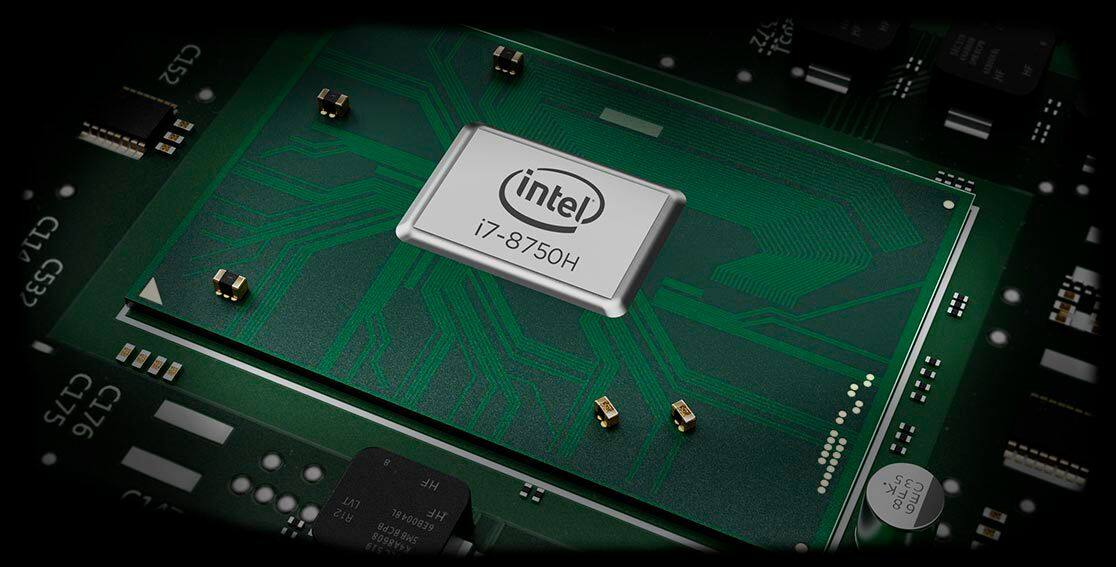
Posted .Thank you for choosing the Lenovo Legion Y530 laptop. This is a fast system with its six-core/twelve-thread Intel Core i7-8750H processor, 8GB of RAM and the Nvidia GeForce GTX 1050Ti GPU. The processor has a base speed of 2.2GHz and a Turbo Boost speed of up to 4.1GHz across six-cores. Be sure any software you installed is compatible with Windows 10. There is no need to install Microsoft Office software. The software is already part of the operating system, you just need to activate the software with a purchased product key. If you have installed a copy of Microsoft Office, this is conflicting with the existing copy on the system and this will slow your system down. If you have installed a 3rd party anti-virus program, be sure that Windows Defender is turned off and that the trial version of McAfee Anti-Virus software is uninstalled. There can only be one anti-virus program on the system. You may need to restore your system to original factory default settings if any of the programing errors have occurred. You can do that by typing "restore" in the Cortana search window. Just click on the magnifying glass icon at the bottom left of your Windows 10 Desktop. Click on "Reset This PC" Then click on "Get Started" and follow the on screen directions to restore to factory defaults.

- Cons mentioned:Screen
Love it
Posted .This reviewer received promo considerations or sweepstakes entry for writing a review.Powerful laptop, for gaming and work, slim and beautiful. The weak point is the screen.
I would recommend this to a friend - Pros mentioned:Graphics
Best Budget Laptop
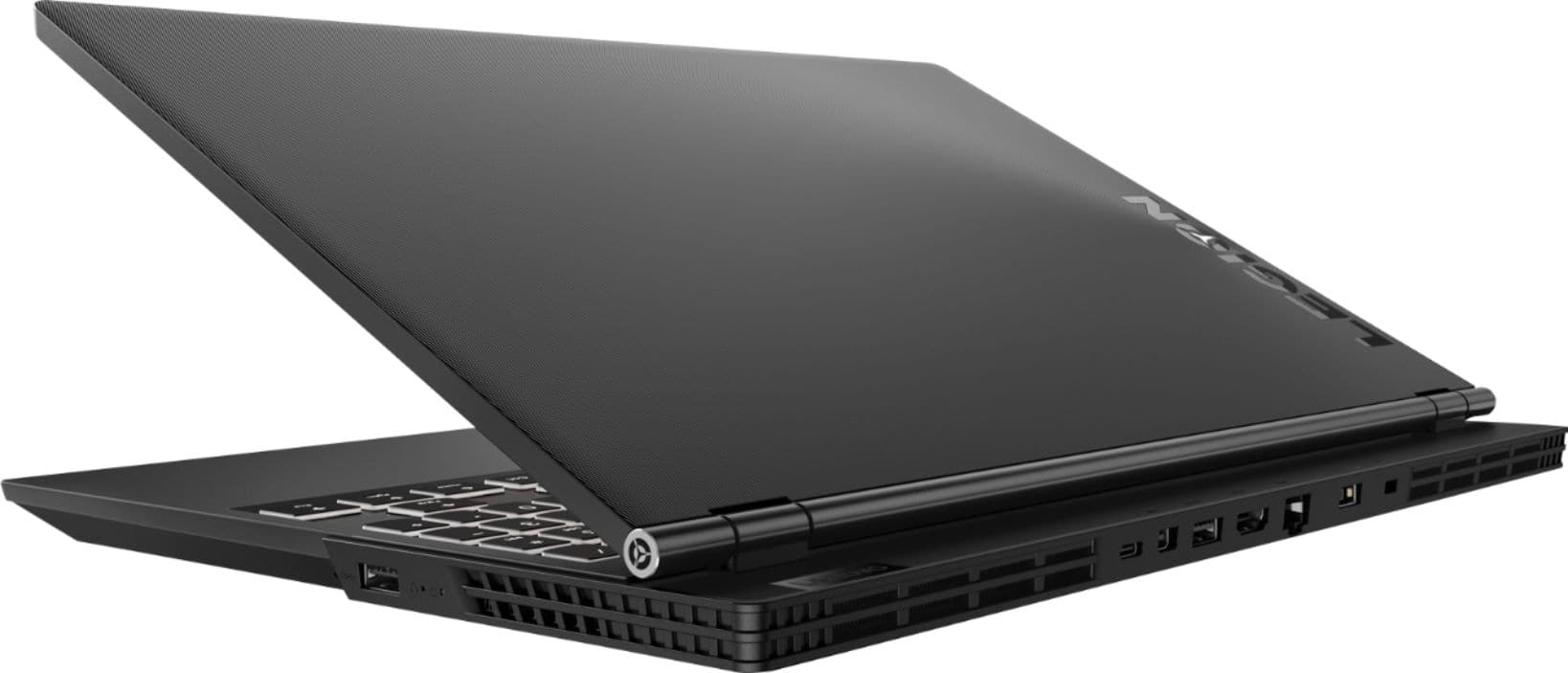
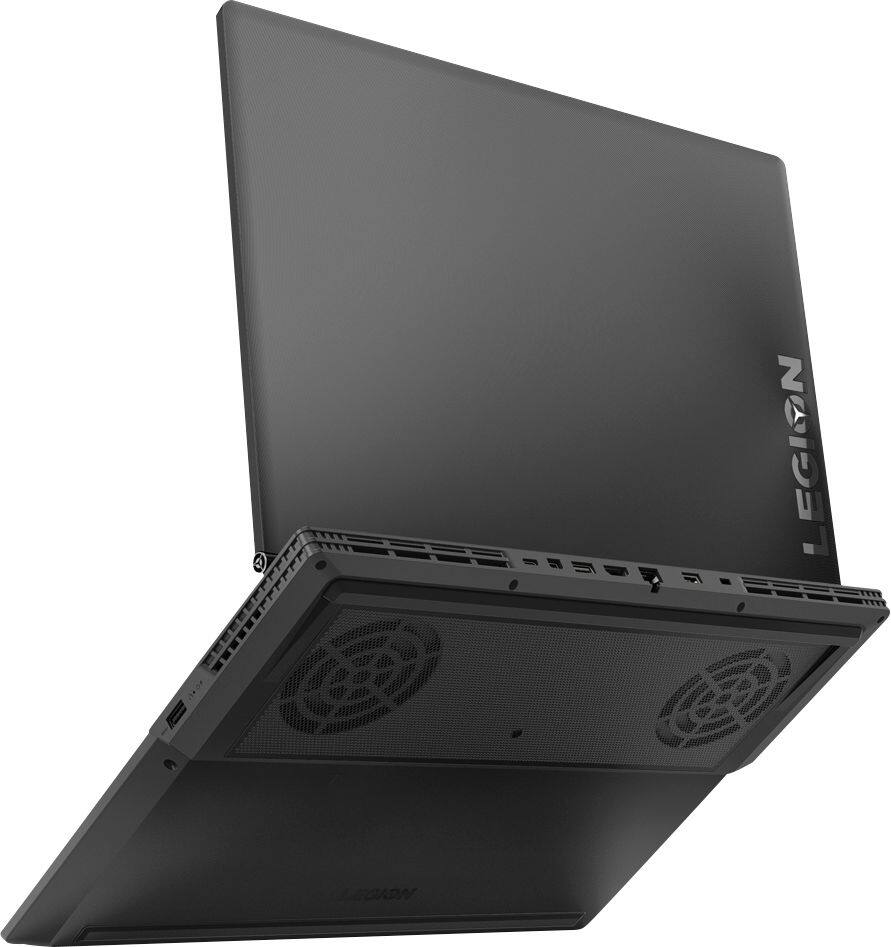
Posted .This reviewer received promo considerations or sweepstakes entry for writing a review.For the price and its specifications, it is the best you can have. Plus, I liked the design for the back part of the connectors it helps a lot to manage the cables.
I would recommend this to a friend - Pros mentioned:Performance
Great for Multi-tasking
|Posted .This reviewer received promo considerations or sweepstakes entry for writing a review.This laptop is really fast and can run several programs at once so it's great for work or play. The only negative I've found is that it is very heavy which doesn't make it very easy to carry along with you like most other laptops.
I would recommend this to a friendBrand response from Lenovo Product Expert
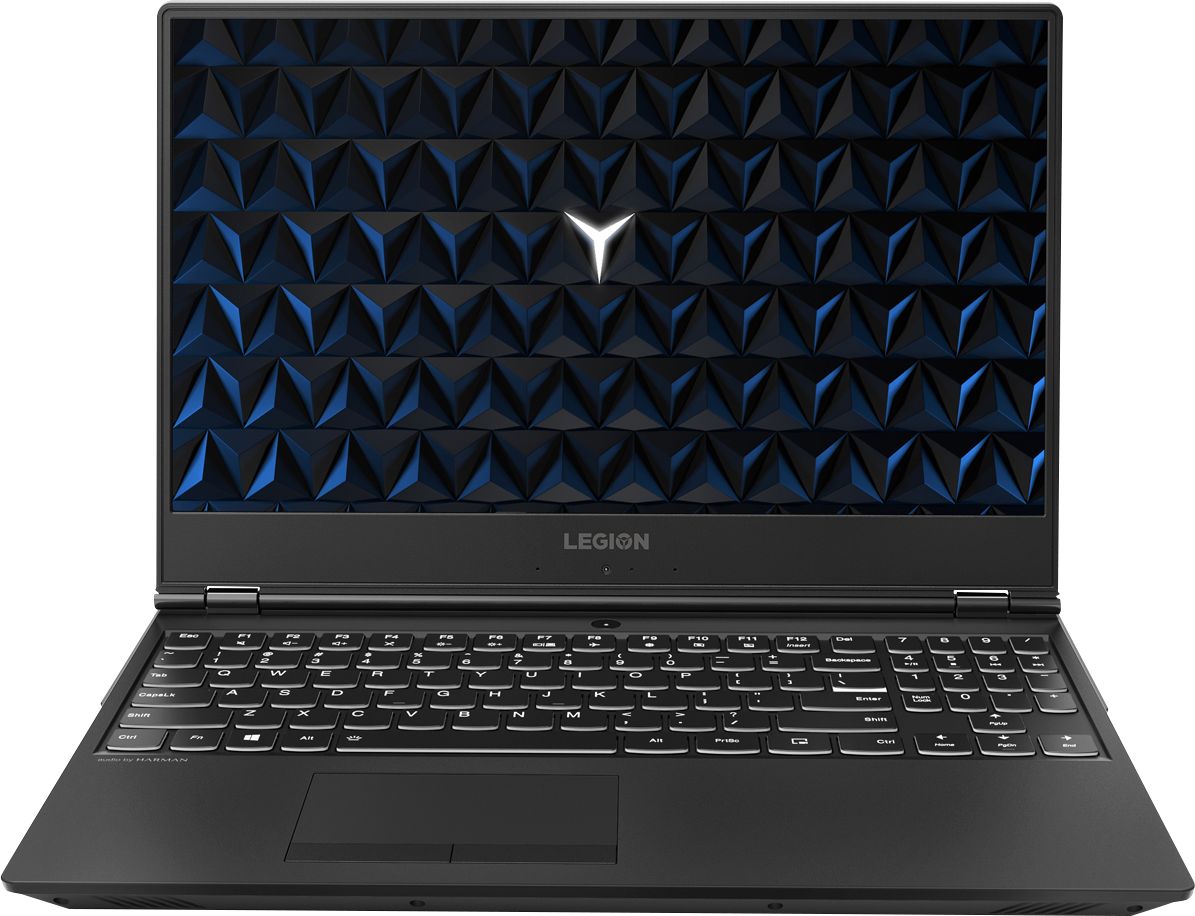
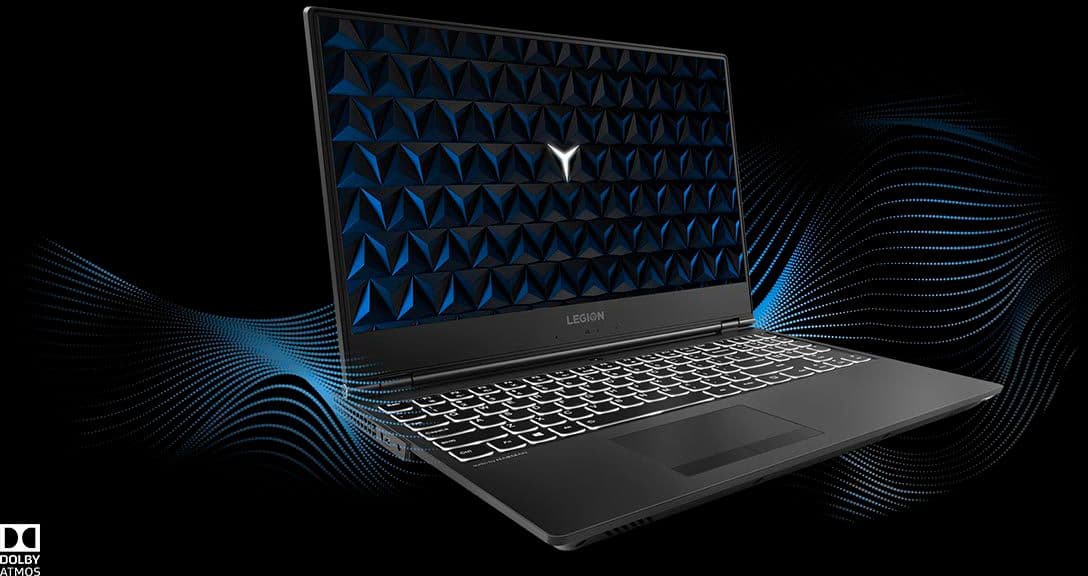
Posted .Thank you for choosing the Lenovo Legion Y530 laptop. This full-sized 15.6", high performance computing system weighs just 5.07 lbs. and measures 1" thin.
Not too bad, could be better.
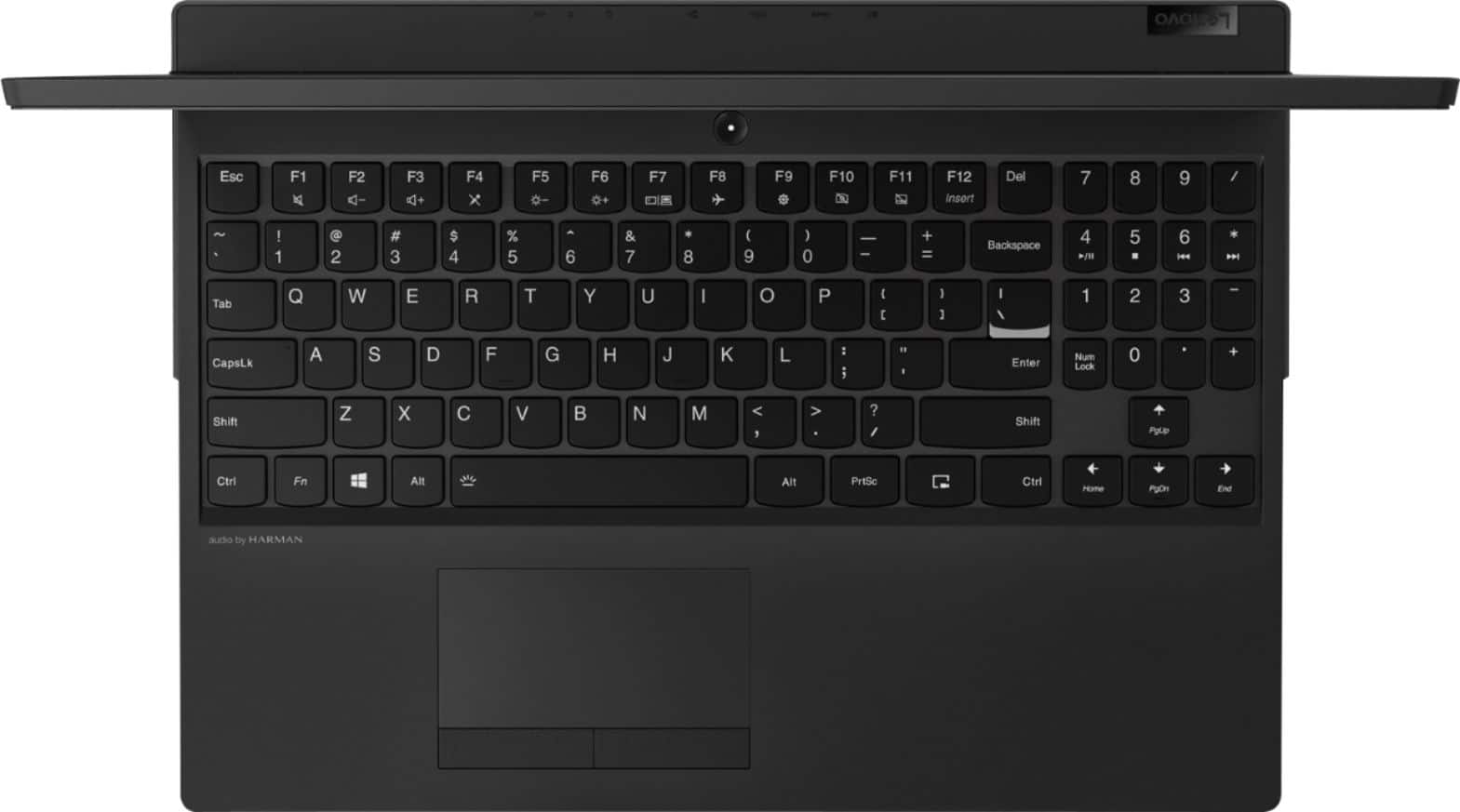
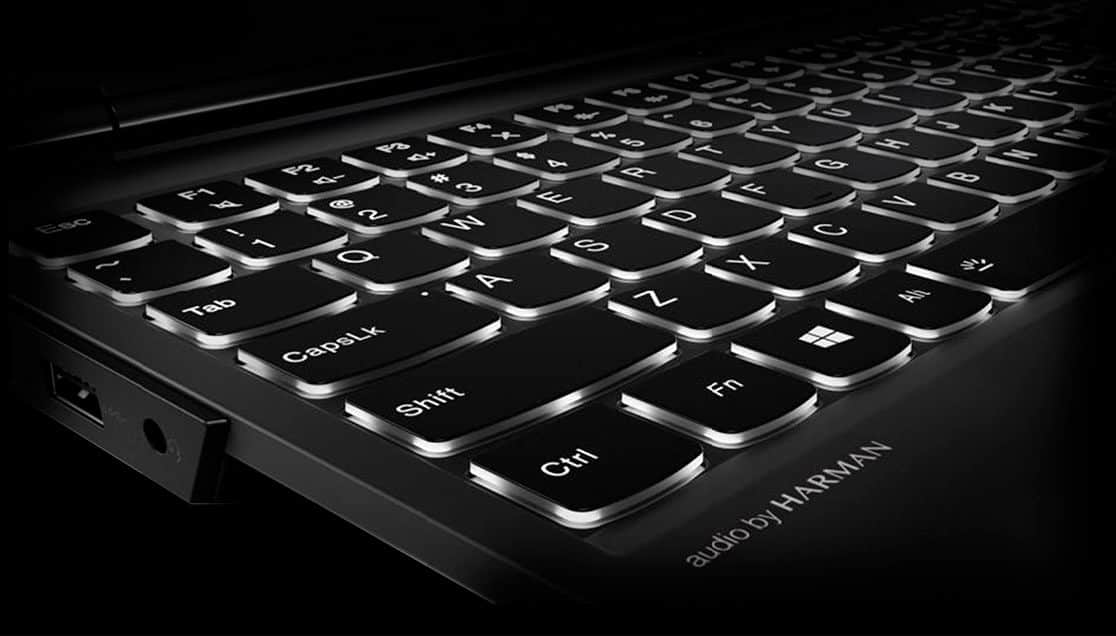
|Posted .This reviewer received promo considerations or sweepstakes entry for writing a review.Not a bad little laptop. It's not too heavy. I like the 15.6" screen. I normally game on a 17" laptop and I didn't really notice this one being smaller so I think it's a good compromise. The display is nice. It's not a bright shiny screen but the matte display made it better for gaming since it cut down on the glare. I was slightly annoyed with the border around the screen. There is a big strip at the bottom which I'm just used to the display being more inline with my hands. So move that to the top. Also if the other sides of the border were thinner you'd either get more screen or a smaller laptop. Neither of which is bad. I wish it had a finger print reader for quicker log in. Also kind of a nit is that there is about an inch behind the monitor hinge. I'm not sure of the point of that but most laptops hinge at the very back. Overall the design is very blocky. This obviously didn't affect the performance but I would of liked a sleeker look. I like that the keyboard had the number pad but for some reason they moved the numbers up one row where num lock and math functions would be. So when I'm mindlessly trying to use it I put my fingers one row lower than they need to be. I didn't see a reason for this since there's room to have the numbers where they belong. Performance wise it handled most games I tried. It did run about 50% memory most of the time so I would suggest upgrading after buying or buy the 16GB version. The description claimed that the fan was quiet but it wasn't. Not that big of a deal to me but don't advertise that when it's humming away trying to keep up with the games. It loads fast for not having a SSD so that's great. And 1TB of space is huge, I don't see space ever being a problem for my use. Also a little weird is that all the inputs are on the back. I would of liked to have at least a few usb on the sides. Since the fans were chugging along I didn't notice it get very hot. I really like the feel of the keyboard and it being back-lit.
No, I would not recommend this to a friendBrand response from Lenovo Product Expert
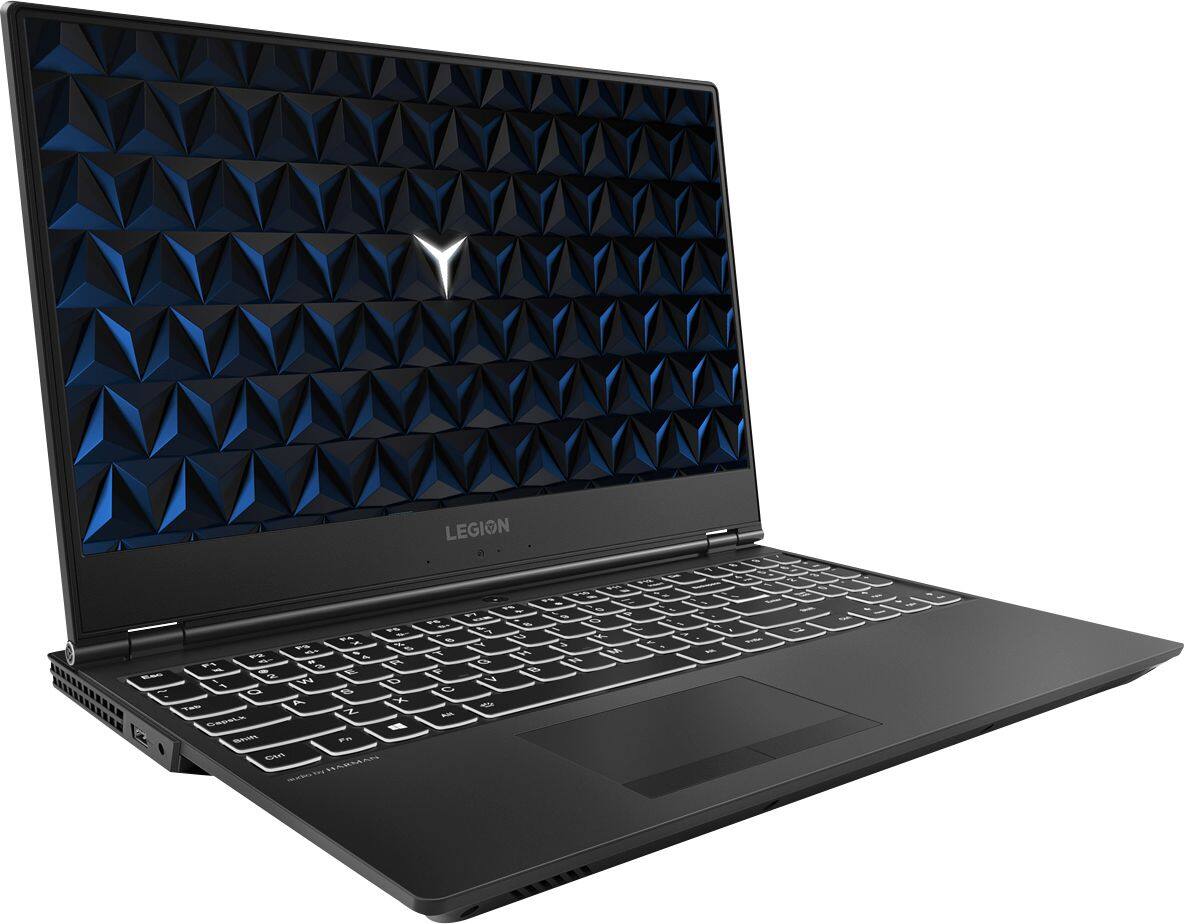
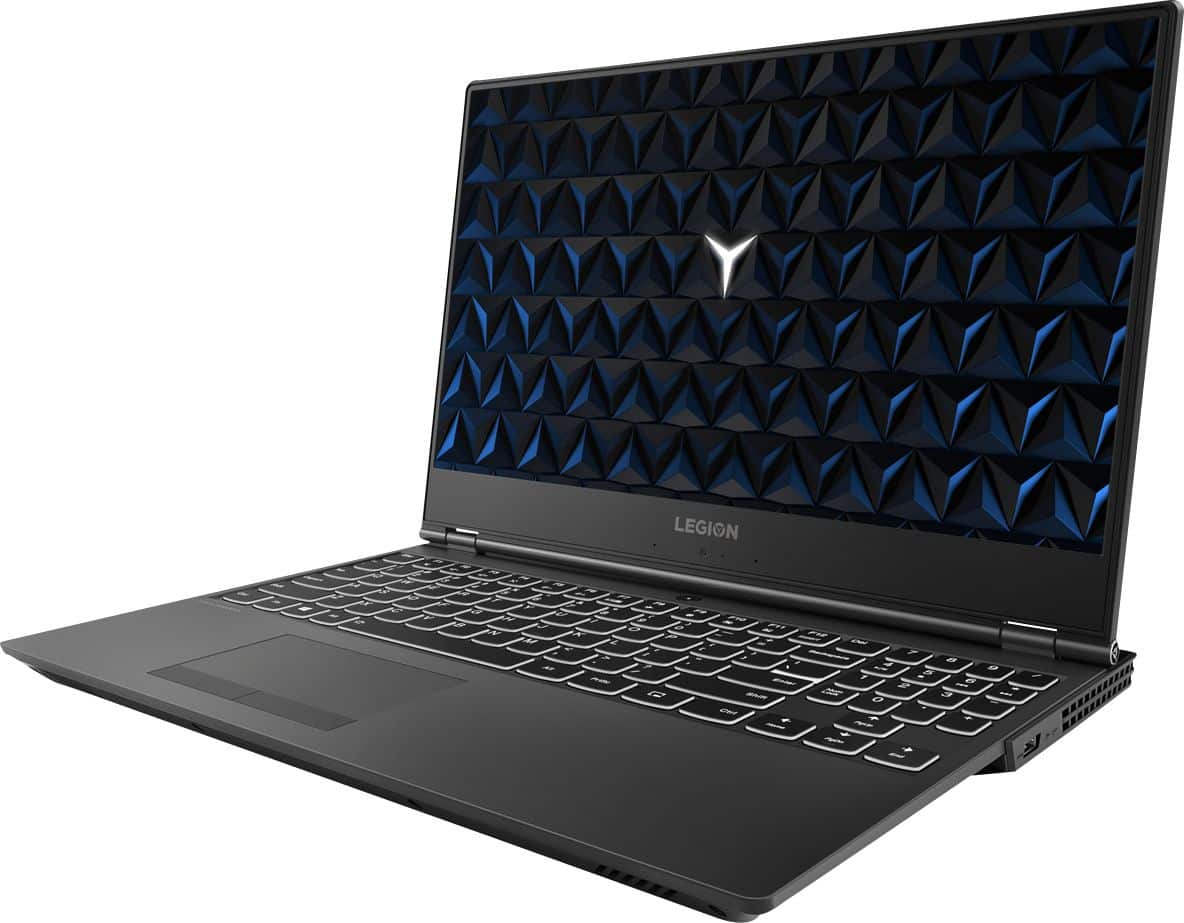
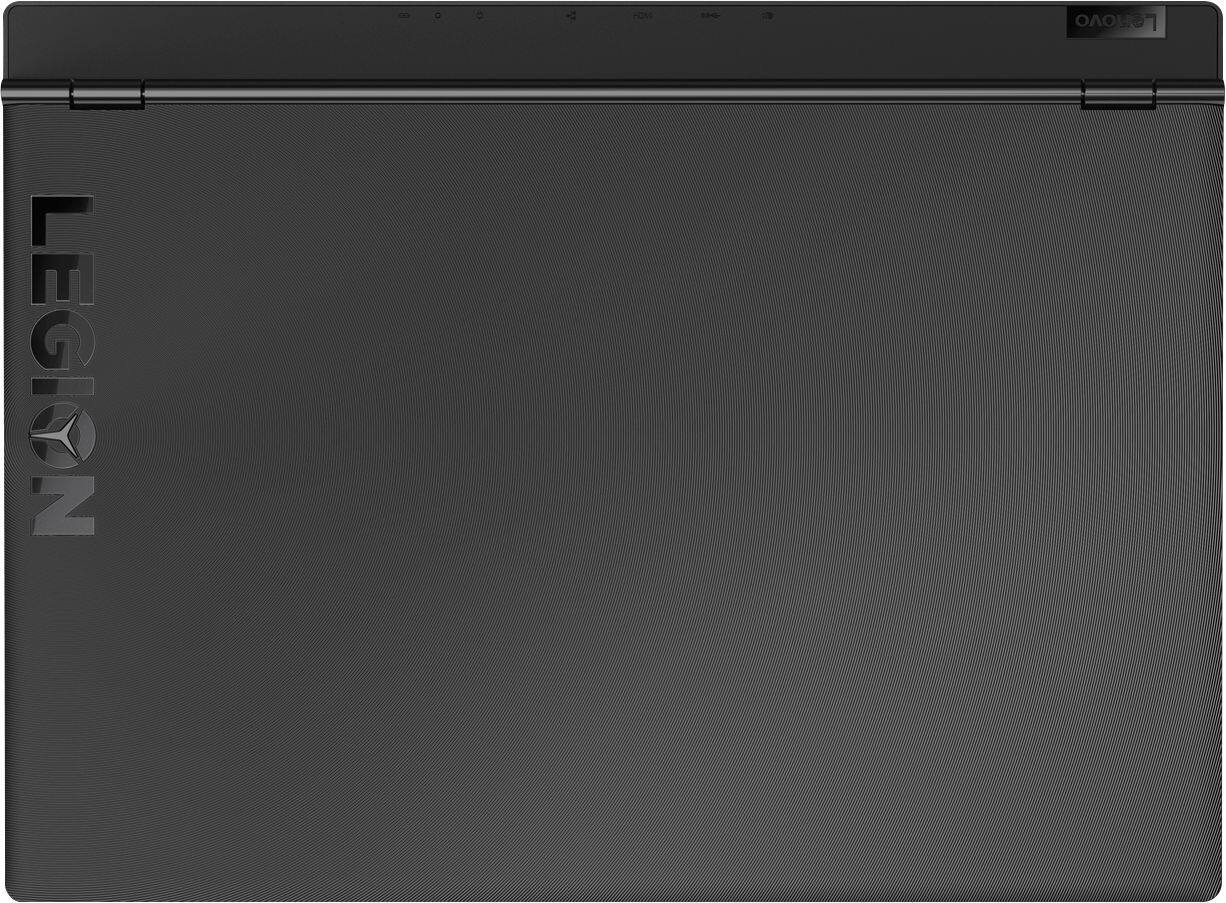
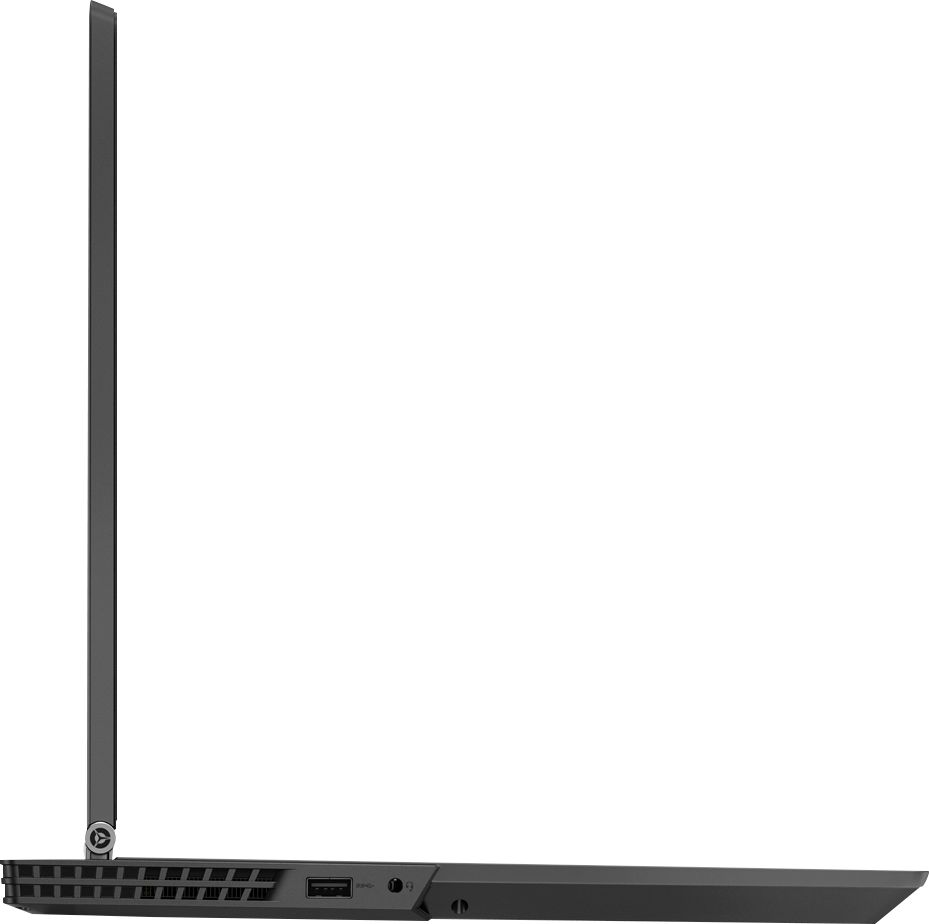
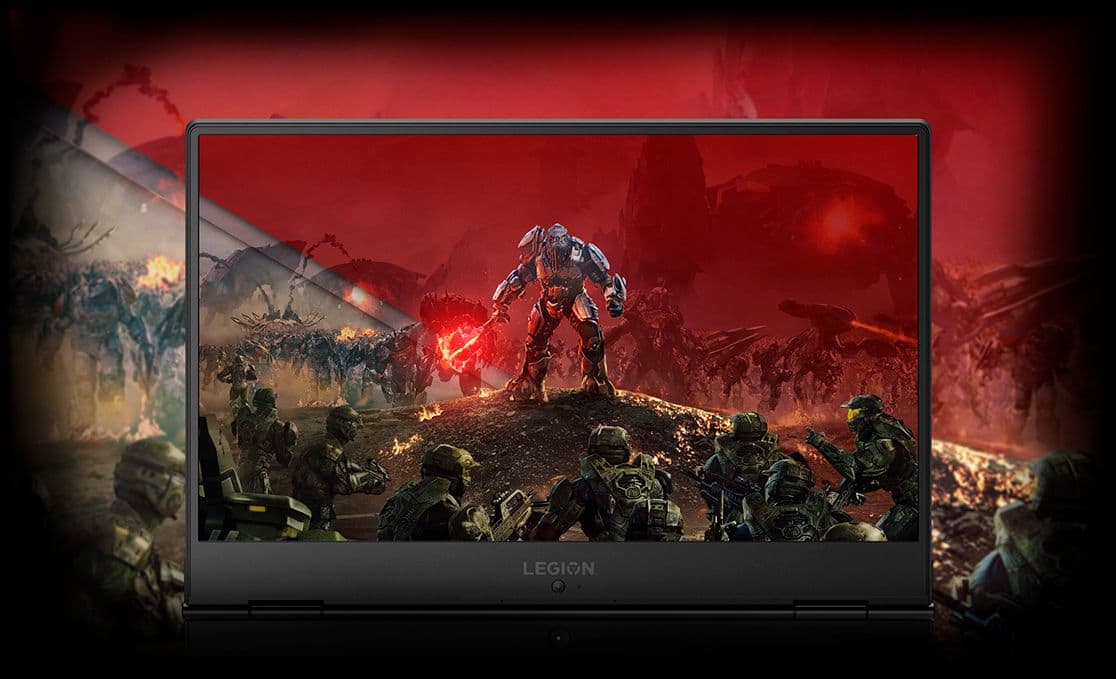
Posted .The Lenovo Legion Y530 features screen bezels on the outside edges that are 62% thinner when compared to previous gaming laptops. The base of the screen holds the web cam and the anchors for the hinge system, this is the reason for the thicker base. First and foremost, the Legion Y530 is configured for gaming, so the arrow keys under the 10-key numeric pad are positioned to optimize the gaming experience. Heat is the main issue for high performance systems like the Legion Y530. The Legion Y530 has redesigned cooling architecture. The Legion Y530 features a dual-channel thermal system, offering multiple benefits: individual CPU and GPU cooling, for cooler system temperatures; four thermal vents, for improved airflow; and 70 individual fan blades per channel, to reduce system noise, when compared to other gaming systems. The location of the ports on the back of the Legion Y530 is to keep the wires out of the way while you are on the Y530. There are USB ports (one on each side) on the side of the Y530 for added accessibility. The Headphone 3.5mm port is also on the side for easier access.
Great Laptop
|Posted .This reviewer received promo considerations or sweepstakes entry for writing a review.The Lenovo Y530 is a great laptop compared to many others in the price range. The GTX 1050Ti is fast enough to play most games at high settings, with a few exceptions. The screen is bright and has good enough color and detail for any game or video/movie. The speakers sound good but are definitely lacking when it comes to bass. The I/O is actually very good when compared to any laptops on the market. Finally, the keyboard is a bit mushy, but my personal preference is for a manual clicky keyboard which you are not going to get on a laptop. It is still great to use and has a bright white backlight. Overall, love the laptop and can play the games I like, which is 1st person shooters.
I would recommend this to a friendBrand response from Lenovo Product Expert
Posted .Thank you for choosing the Lenovo Legion Y530 laptop. We are pleased to hear that the value, features and performance of the Legion Y530 meets your computing needs so well.
Spend the extra money and get an SSD version
|Posted .This reviewer received promo considerations or sweepstakes entry for writing a review.This is a perfectly decent laptop. It does what its specs say very well. However, in this day, if you want a gaming laptop, it has to have an SSD. It makes a world of difference in the performance. Background tasks like software updates or antivirus processes don't make your hard disk read/write speeds to come to a crawl. Which is exactly what happens with this laptop. Pros - Pretty light, considering its size Handles games pretty well, with the Graphics Card and Processor Combo it has Vents are pretty great, and offer good cooling. Cons - Multi-tasking is not really its forte, 8 GB RAM is consumed pretty quickly and the HDD is not fast enough for quick swaps in the memory. Other - The styling of this laptop is pretty unique, and might take some time getting used to, or some people might love the quirkiness - Looks cool, but the keyboard layout is all over the place with the num pad and the arrow keys Overall
No, I would not recommend this to a friendBrand response from Lenovo Product Expert
Posted .This configuration of The Legion Y530 laptop is extremely fast and is made for multi-tasking, with the 8th Generation Intel Core i7-8750H processor. This is a 6-core/12-thread processor with 9MB of onboard cache memory. The processor has a base speed of 2.2GHz and a Turbo Boost speed of up to 4.1GHz. This configuration has 8GB of DDR4-2666MHz RAM. The standard 1TB hard drive has a speed of 7200RPM. This configuration is made for demanding programs and multi-tasking.
no dual SO-DIMMs, no Optane, NO GO for 81FV0001US
|Posted .This reviewer received promo considerations or sweepstakes entry for writing a review.This review focuses on the 81FV0001US build of Lenovo's Legion Y530 (81FV) gaming laptop. (I will be posting a far more detailed review of the 81FV000US2 build of the Legion Y530 elsewhere.) The 81FV0001US has these build distinctions: Intel Core-i7 8750H hexa-core CPU; 1x8GB (8GB as single-channel) Samsung, 2667MHz, DDR4, SO-DIMM (M471A1K3CB1-CTD); 1TB Seagate, 7200RPM, Barracuda Pro (ST1000LM049-2GH172), SATA 3.1 HD. [Aside from using the same CPU and SATA HD, the 81FV0001US is the significantly lesser sibling to build 81FV0002US. The 81FV0002US has 2x8GB (16GB as dual-channel) DDR4 SO-DIMMs and the 1TB Seagate Barracuda Pro HD is RAID accelerated by a 16GB Intel Optane Memory m.2/NVMe 3.0 module. These differences are VERY significant improvements over the 81FV0001US' build.] After *four* Lenovo UEFI/BIOS firmware updates, after *five* months of driver updates, there is very little to recommend the 81FV000US1 build... Simply put, the 81FV000US1 build is a *gaming* and *general computing* failure for several reasons: A) The 8GB of system memory exists as one single SO-DIMM module. The system board is *designed* for DUAL CHANNEL system memory. While using only one SO-DIMM slot will function, it will do so using a 64-bit channel width, rather than a 128-bit dual-channel (that would result from installing 2x4GB SO-DIMM modules). The limited memory bandwidth is unlikely to directly affect nVidia 1050Ti game play, but it will slow down memory copy operations and diminish Intel UHD Graphics 630 performance, among other useful things (like Hyper-V). B) That same 8GB memory constraint causes many AAA games to hang during startup, even with a Win 10 auto-spec-ed 8GB pagefile, simulating 16GB of total system memory. 4k-capable AAA titles that never loaded for me: Halo 5 Forge, Final Fantasy XV, Rise of the Tomb Raider. C) You will never come close to experiencing Seagate's 160MB/sec Barracude Pro data transfer rates on a 81FV000US1 and it's not the SATA HD's fault. The 8GB of SO-DIMM as single channel, combined with the absence of an Optane Memory module, is going to cripple the Barracuda Pro's overall performance. Every dip into the Win10 Pagefile is going to massively tie up I/O resources. Instead of 100MB/sec transfers, you're going to get 20MB/sec (or less). Pagefile I/O demands will also cause very annoying and prolonged disappearances of the on-screen mouse pointer (lasting as long as 5 minutes per disappearance). You can still Tab-key around the UI, so, Win 10 is NOT hung. (Sometimes, invoking and cancelling Ctrl-Alt-Del will quickly recover a spuriously lost mouse pointer.) It turns out that Optane Memory is not just a SATA HD RAID accelerator, Optane also augments system memory, doubly reducing the overall system resource pain of going to the Pagefile. [The 81FV000US1 "passes" every Lenovo Vantage diagnostic, so no component part is broken/marginal. But the I/O contention is so bad that the 81FV000US1 takes 5-7 times longer to complete the exact same "deep" Lenovo Vantage HW diagnostic than a 81FV000US2!] D) There is an ongoing driver bug in the Win 10 driver for the Intel(R) USB 3.1 eXtensible Host Controller - 1.10 (Microsoft). You won't run into the problem until/unless you continuously connect any USB Mass Storage device into one or more of the external USB ports. This driver does not properly support Hybrid Sleep (aka Hibernation/Faststart) mode, resulting in mysterious system hangs during Hibernation. (Troubleshooting this required the use of Reliability History, Event Viewer logs and command line, "powercfg -energy".) Of course, Lenovo ships Win 10 Legion Y530s with Hybrid Sleep enabled (as specified in Advanced Power Settings). Once you manually disable Hibernation/Faststartup, these mysterious Hibernation hangs will abate. The Y530 is always able to go into Sleep Mode S3 without hanging. This bug only happens with semi-permanently attached USB storage (like those nifty, low profile USB 3.0 "Fit" drives). E) Other annoying sources of ongoing system instability: the installation of Windows 10 Home on 81FV0001US IS NOT THE SAME as the installation on 81FV0002US. The 81FV0001US Win10 installation looks as though it was sysprep-ed from a sloppy Win7-to-Win10 upgrade, not sysprep-ed from a *clean* Win10 install. Hence, idiotic things, like the previously mentioned Hybrid Sleep Hybernation enabled system hangs and TONS of Windows Side-by-Side code, lingering from a Win7-to-Win10 upgrade-in-place, waiting to be run (and crashing) on this 81FV0001US - like LockApp.exe and FilePicker.exe (executables that are NEVER INVOKED To RUN on a 81FV0002US). There are also Lenovo code assemblies crazily installed into \Windows\system32\drivers on the 81FV0001US, when equivalent Lenovo assemblies are more properly installed into \Program Files and/or \Program Files (x86) and/or [User]\AppData on 81FV0002US. This is massively sloppy work on Lenovo's part, of which Lenovo Techincal Support is largely unaware of. While a grand mal reinstalltion of Windows 10 would solve the problem, end users can't be certain of auto-magically pulling down all of the necessary Lenovo drivers and support software to make that grand mal redo work smoothly. That's why sysprep is supposed to be used, take a factory sanctioned, clean OS install, plus OEM drivers and utilities, and then roll it all up for mass deployment. The only way buying a 81FV0001US build from Lenovo makes reasonable sense might be if you think you can upgrae it yourself, at a lower price, than what Lenovo is charging for the "missing" components (second 8GB DDR4 SO-DIMM, 16GB m.2/NVMe 3.0 Optane module), which, pricewise, is unlikely. The main problem with post-purchase upgrades in 2018/2019 is component prices of memory. The idiotic block-chain mining craze continues unabated, driving memory (and GPU) prices to obscene levels. I really don't think that quality components can be had for lower prices than what Lenovo is charging for 2x8GB of system memory and a 16GB Optane m.2/NVMe. So, then, why not just buy the 81FV0002US? Recommended minimum upgrades to 81FV000US1: - matched pair of quality 8GBx2 (=16GB) DDDR4 2666MHz SO-DIMMs - 16GB Optane m.2/NVMe 3.0 module - Windows 10 Pro Ultimate 81FV000US1 upgrades: - matched pair of quality 16GBx2 (=32GB) DDR4 2666MHz SO-DIMMs - 32GB Optane m.2/NVMe 3.0 module - 2TB Barracuda Pro SATA 3.1 HD - Windows 10 Pro The latter memory and Optane configuration is not sold by Lenovo, even though the Legion Y530 could run with them. Dual channel SO-DIMMs will not speed up game play, but Windows 10 Pro performance will improve, especially as you enable Optional Features that expand the uselfulness of the Y530 beyond just gaming. Veteran system builders will tell you that matched SO-DIMM pairs (from the same manufacturing wafer batch) will reduce the odds of memory problems as the chips age in use. With 16GB of system memory and a Win 10 auto-sized 16GB pagefile, you will be able to load and play most AAA games. 32GB is highly recommended if you want to venture into the realm of gaming on Hyper-V. (Surprisingly, that works with on a Hyper-V Host accessing 16GB of physical system memory, with very little performance differences, as long as a 16GB Optane m.2/MVME3.0 is augmenting the Barracuda Pro HD and system memory.) While Lenovo only sells the 16GB Optane m.2/MVMe module, that 16GB MVMe brings the Barracuda Pro's sequential and random reads pretty darn close to pure SSD speeds. Win 10 boots faster, programs load very quickly and Win 10 runs smooth as silk with many things running all at once. (The 32GB version of Optane allows for permanent pinning of highly used data inside the m.2/NVMe module. 32GB is the most reviewed consumer Optane module and permanent pinning further closes the HD gap with native SSDs.) The performance of the 1TB and 2TB Seagate Barracuda Pro-s are nearly identical. In combination with Optane, that's akin to 1TB or 2TB of very near SSD storage at a fraction of the price. No one ever finds that they have enough storage and the "game library" is where the local bits will runs from. While Microsoft grudingly ports more functionality to Windows 10 Home in dribs and drabs, Home is still a crippled platform. System management and System Security are leveraged in tandem on Pro. The minimum OS to run in a reliably secure manner over time is Win 10 Pro. I will just assert that without further elaboration. Lenovo will sell Pro for only US$50 more. A legally "free" upgrade from Home to Pro can still be had with any legally licensed and currently unused Windows 7 Pro product key.
No, I would not recommend this to a friendBrand response from Lenovo Product Expert
Posted .There are several configurations of the Lenovo Legion Y530 laptop available. Model number 81FV0001US ships with 8GB of RAM and no Intel Optane Memory. This model is not user upgradable. A certified technician must do all of the work, so as to not void the warranty. We recommend you select the configuration of the Lenovo Legion Y530 Laptop that suits your computing needs.

Great product, wish the 1050ti was faster
Posted .This reviewer received promo considerations or sweepstakes entry for writing a review.Ok so I purchased this laptop and messed around with it for most of this past weekend. Here are my thoughts. Pros: i7-8750h - this thing is a MONSTER and has no problem running whatever you throw at it, also the laptop keeps it around 80c while on load during game sessions in a room that is about 25c. Not bad, but I may redo the thermal paste of the chip. Lenovo WiFi 2x2 - a HUGE reason for my purchase, the WiFi card is outstanding and I have no problem playing any game on the 5ghz connection to my router. LG screen - Fantastic looking screen, the thin bezel design really makes the monitor "pop" to the eye, another huge reason I chose this as most similarly priced laptops have up to 1/2" bezels surrounding the screen making it look small. 1TB 7200 HDD - I know this isn't an SSD and at first I was worried about a long load time into windows as my desktop PC loads windows in under 30 secs with an SSD installed, however I was pleasantly surprised that this laptop loads windows quite faster, i'd say around 45 sec or less, very nice! Keyboard - Great feeling, nice travel distance, back-lit keys in white instead of "gamer" colors, haven't noticed any keyboard flex. 8G Samsung 2666 ram - excellent memory, I have noticed that I am sometimes reaching the max amount of mem installed when running some applications but as far as I can tell my system isn't suffering, I may add some more in the future as this laptop allows that luxury. Cons: (only 1 that I can really think of) Nvidia 1050ti 4GB - Unfortunately this laptop has a very slow GFX card in comparison to how fast the CPU is. It is the only bottleneck on this machine when gaming, I'd love to get a 1060 or better gfx card in here but doing so would probably make this laptop well over $1000 and that is just too expensive IMO in 2018 for a laptop. I can run demanding games (hunt: showdown, PUBG, overwatch) at 900p on low settings and get over 60 fps average. This is ok as the monitor is only 60hz and most game server tickrates are 60hz or lower, however I worry that new releases in the future may not run at or above 60fps unless I drastically lower resolution/GFX details further. In conclusion I'd absolutely recommend this machine to anyone looking to do heavy CPU work loads as their main priority and also casual/non-competitive gaming.
I would recommend this to a friendBrand response from Lenovo Product Expert
Posted .Thank you for choosing the Lenovo Legion Y530 laptop. We are pleased to hear that the Legion Y530 is working out so well for you. With regard to a faster GPU within this configuration, as you point out, this would drive up the price of the system beyond the target price point Lenovo is trying to achieve with this configuration.
Best laptop for the money
Posted .This reviewer received promo considerations or sweepstakes entry for writing a review.To start out with let me say that previous Laptops that i have owned by Lenovo have been hit or miss. Always had that "gaming" red back lighting and generally would thermal throttle which affected performance drastically. This is definitely a step in the right direction for the gaming line of laptops. Pro's and Con's Right off the back the biggest pro for me was the form factor of this laptop. It is thin but not too thin that it would really impact the cooling performance or the structure of the laptop. There is a bit of flex in the wrist rest/keyboard area but nothing to be concerned about. Keyboard: Personally love the feel of the keyboard. Having used Macbook's and Asus gaming laptops this keyboard feels pleasant to type on. Nice key press and actuation point is clearly felt. Not mushy like some other keyboard. Backlighting is excellent with 3 levels of brightness. Off, low brightness, and high. Numberpad is a bit weird with size and placement but no biggie. Touchpad: Its a laptop touchpad. Not anything like a Mac touchpad in terms of feel and size but its pretty good for a gaming laptop. A bit small though. Left and right click are nice and not mushy. Screen: Screen is a bit washed out but still has relatively good colors. Viewing angles are pretty great actually. Lowest brightness the screen can go completely dark while staying "on", not usable though. Max brightness was enough for outdoor viewing. IO: Plenty of ports, not having thunderbolt 3 isn't a deal breaker whatsoever. Love having most of the ports on the back and then 1 usb port on each side as well as the combo headphone jack. No issues here. Hinge: Very sturdy so far. It can lay flat if you needed it for but not really useful. Can open with 1 hand no problem. Webcam: Probably the worse thing about this laptop honestly. Placement isn't great but works and quality is good enough for basic Skype chats and what not. Gaming/general performance: Not going to get into benchmarks(plenty of those online). Gaming wise this thing really can not be beat for the price. I use vsync because the display is 60hz. Fortnite max everything maintains over 60fps even in situations with lots going on. LOL easily can stream and play this game over 60fps. PUBG medium high settings 60fps with some drops. Most games you will be able to run 60fps no problem with just playing with settings. Triple A games with be tough. Biggest thing to think about is the heat. This thing gets HOT. Graphics card not so much but the I7 in this get super toasty. Hot to the point where the bottom of the laptop in-between the fans is too hot to touch. CPUID showed a max of 98c on most of the cores. Fan boost works very well though and probably throws out more air than any other laptop i have owned. You can turn the fans on max speed at any point by hitting ctrl+shift+1. this is user configurable. Overall this laptop is excellent. Having the 7200rpm hard drive is nothing to complain about and is easily replaceable by the user. I will post back about this once i put liquid metal on the processor and gpu to see how the temps drop.
I would recommend this to a friendBrand response from Lenovo Product Expert
Posted .Thank you for choosing the Lenovo Legion Y530 laptop. Please keep in mind, this model is not user upgradable. A certified technician must do all of the work, so as to not void the warranty. We are pleased to hear that the Legion Y530 is working out so well for you.
- Pros mentioned:Graphics
Best All Around Performer for the Price
Posted .This reviewer received promo considerations or sweepstakes entry for writing a review.It has the power to game, edit,render. It also comes with a great (non red) design while also being pretty light in weight. Having most of the connections in the back of it is also nice. I've looked for a laptop that can do it all and have it be under two thousand dollars. This is definitely a product I'm happy with.
I would recommend this to a friendBrand response from Lenovo Product Expert
Posted .Thank you for choosing the Lenovo Legion Y530 laptop. This device weighs 5.07 lbs. and measures 1" thin. We are pleased to hear that the features and performance of the Legion Y530 meets your computing needs so well.
Great Computer for gaming, browsing, and for apps.
Posted .This reviewer received promo considerations or sweepstakes entry for writing a review.This computer is more than what I expected. The screen is very good and colorful. For watching movies it is also very good! If you are looking to getting into gaming but you aren't willing to spend much money on a 1.5k gaming computer then this is the laptop I would recommend. It is good for starters and it can handle a lot of games at either high settings or medium. It is also a good laptop for college if that is what you're looking for. It is not a thick laptop, but neither very skinny. It is a normal laptop which looks great. The LED white color keyboard feels very nice. The laptop also boots up very fast, it only takes me about 10 seconds or less to turn on. Now talking about the airflow, it is the best airflow I have ever seen on a computer. It is very well cooled and it will not overheat (unless you do not place your computer on the correct spot, as in your laps, during gaming at least. For casual use you will be fine and not burn yourself.) I would recommend this laptop to anyone if you are looking for something fast and not so expensive. Negatives-------------------- There is not much negatives about this computer besides that it is a plastic computer (not cheap plastic, actually super stable). The camera placement is bad and if you regularly do face calls then you are not going to be pleased with it. Although if you do not care about the camera itself then you will be fine. The speakers are good but not the best if you are looking for speakers that will sound super high quality, they do get the job done (no they do not sound bad they are very good, just not high end speakers).
I would recommend this to a friendBrand response from Lenovo Product Expert
Posted .Thank you for choosing the Lenovo Legion Y530 laptop. The placement of the web cam is to keep the outside bezels of the screen as narrow as possible.
- Pros mentioned:Performance
Good laptop overall.
Posted .This reviewer received promo considerations or sweepstakes entry for writing a review.Very good laptop for gaming. Ran all games since 2019 but not with the best graphics. Also a very solid laptop for school. Since it is a gaming laptop, it needs to be connected most of the time when it's being used.
I would recommend this to a friend - Pros mentioned:Performance
Eh
Posted .This reviewer received promo considerations or sweepstakes entry for writing a review.Ive had constant issues. Crashed on me 1st week. Best buy tried charging me to fix it but after complaining enough they didnt. They fixed and it worked for a month. Now has issues again. This time it says "Preparing Auto Repair" and has sat on that screen for hours. It's just a glitchy computer at times. I gave 3 stars because when it decides to work it runs great. Im invested at this point so im just dealing with it. So sad honestly.
No, I would not recommend this to a friendBrand response from Lenovo Product Expert
Posted .We are sorry to hear that you are having issues with your Lenovo Legion Y530 laptop. The issues you are having may be due to a Windows 10 update that has not installed properly and is causing a malfunction of the Windows 10 operating system. The fix for this is to restore the Windows 10 operating system back to factory original settings. To do this, you can use the Lenovo Utility software installed on the device. This system has Lenovo utilities installed to help maintain the health of the device and keep the operating system software up to date. Type "Lenovo Vantage" in the Cortana Search window (if Lenovo Vantage is not installed on your device, you can download the APP and install it now). Select Lenovo Vantage from the list. In the window that opens, click on "Health and Support". In the expanded menu, select "Hardware Scan" In the window that opens, select "Run Quick Tests". This will scan your entire system for errors. Follow any directions that may pop up. If the problem continues after this scan, now click on "System Update". First select Windows update from the menu. Scan your system to be sure you have the latest version of Windows 10. Once that scan is complete, select "Additional Updates". This will scan your device to be sure there are no new BIOS/Driver updates needed. Follow any instructions that may pop up. If the issue still continues after these updates, we recommend you call Lenovo Tech Support at: 877-453-6686 for additional help.
Its good but issues I've experienced lowers rating
Posted .This reviewer received promo considerations or sweepstakes entry for writing a review.Pros: - Thin Bezels for the screen - Build quality is above your average laptop - Minimal amount of bloatware and easily removable - Cooling solution is "good enough" - Keyboard feels is great and touchpad as well for most laptop standards - Comes with an Intel Core i7-8750H at 2.20GHz base clock and 6 cores 12 threads for good performance Cons: - Gaming performance is under expected performance of a GTX 1050 Ti Mobile - Dedicated GPU (GTX 1050 Ti) seems to fail every so and then after a couple of game sessions - Intel DPTF which is supposed to help with CPU temperatures was only making my gaming experience worse I play games such as Black Ops 4 (which i received free with the purchase of the laptop), CSGO and PUBG the most, i do play other games, but not as often as these 3. The issues i have with each game vary, for example with Black ops 4 at lowest settings (modified files to lower resolution of shadows to 128 and force game to use all threads since it would do bad at its original set of 4 threads, later tested at 6 and 8 but only does its best using all 12 threads) and even lowering resolution from 1080p to 720p the game heavily stutters. For CSGO the only issue is after each new game it stutters a bit but after a certain time it stops stuttering. As for PUBG, i have lowered the graphics to the lowest possible, set resolution to 1600x900 to be able to achieve a constant frame rate above 50, however with this game in particular is where i get the most issues. The game HEAVILY stutters in comparison to the rest, for some reason GPU usage jumps between 50 to 95% usage taxing on my game performance heavily and after a couple of game session with this game it will start to use all of the system's memory of 8GB and eating away my set pagefile of 12288MB (which could be an optimazation issue) so to fix this all i do is reboot the game to fix the memory issue, BUT after a couple game reboots the GTX 1050 Ti stops working, checking Device Manager only gives an error code 43 stating it is a hardware issue and cannot start the GPU again, so then I am forced to uninstall GPU drivers, reboot laptop and reinstall drivers to latest update AGAIN and that fixes the issue but only temporarily. I have done this process of reinstalling the GPU drivers at least 4 times by now. For the i7-8750H, within the first 5 days i received the laptop the CPU would only get hot but not even automatically turn on the fans to lower the temperatures, instead it would undervolt or clock the CPU at 1.9Ghz during a game causing immense under performance (keep in mind i play games while plugged to the charger) so instead i went to the BIOS and turned off Intel DPTF feature and after that the laptop would finally automatically use fans as a way to reduce heat. There has also being a concern with the software, in particular Windows 10 every so and then after a boot it will have the HDD stuck at 100% use even after SuperFetch has already being disabled, rebooting seems to fix the issue, and the other being a supposed BIOS update for the laptop that i must supposedly do, but looking for the update i receive results of peoples laptops breaking after the "urgent" BIOS update from Lenovo. It is December 11th, 2018 and I received this laptop in November 20th, 2018, not even a month and I'm only getting issues with this thing so far. Would like to see a response back soon.
No, I would not recommend this to a friendBrand response from Lenovo Product Expert
Posted .We are sorry to hear that you are having issues with your Lenovo Legion Y530 laptop. We recommend you call Lenovo Tech Support with help with your specific issues at: 877-453-6686.
<2y.o. "gaming" ~$1000+ laptop w/sale=TERRIBLE BUY
Posted .This reviewer received promo considerations or sweepstakes entry for writing a review.TLDR; don't buy this laptop and don't expect any in this series to be worthwhile. My wife and I both have laptops in this series, this and then one with slightly better specs. We have both had several problems in [the less than 2 years of] owning them with little resolution. Clearly we aren't so poorly off, considering we both have these "mid-higher" end laptops. At the same time, we're not that well off and rely on our investments paying off (especially such long ones). Sure the software becomes outdated as soon as you buy because technology is constantly evolving, but such products should still be viable options less than 2 years of purchase. These aren't shoes or a toothbrush, laptops shouldn't have to be replaced that often. We aren't Apple/Mac fans, but at least with them you can expect longevity. I bought my laptop with going back to school in mind and my wife hers with starting a job where she needed a quick go-to for start up and ease of use. We were both hoping for something to transport easily for business with no issues in use that could also be used for at least some light-to-moderate gaming. All in the hopes that they would last a few years or[hopefully] even more (as renters, one student, not looking to invest in updating/building new desktops yet, and wanting to have something to simply sit on the couch and play games while binging some tv). Unfortunately, these laptops don't do the trick. For reference, my wife has the slightly lower specs laptop (I believe this one in the review, still ~$1000 dollars on sale said and done) and me the slightly higher specs version. For gaming, my wife mostly does less-intensive/lighter gaming, such as League of Legends, Minecraft, etc. I run some more intensive games that hers appear to struggle with, such as Star Wars Squadrons or the Witcher 3. A complaint right there is that this struggles with a lot of games, like the two I just mentioned, despite being a "gaming laptop". Another side note, we both have the 2-year Geek Squad Protection Plans, but they only helped so much, and, sadly, just not enough. My experience: In under a year the battery depleted, needing to stay plugged in almost always (less than ~40 minutes of battery power), so my ability to use it for school instantly decreased and I've had to sit in awkward areas of the classrooms to have plug access. Eventually (~1 year of ownership?) it began overheating constantly. Who knows what additional damage this could have done. We waited for a school break, then, with our plan (and an extra $100 because they couldn't fix the problem in store), got my laptop sent in and a couple weeks later got it back without anymore reheating issues. Battery was also replaced and is just ehh now. My wife's experience: Annoyingly so, her laptop has very slow startup time. Lengthy time for overall startup, doesn't let her sign in with windows/google despite appearing loaded up, long time to open various programs (varying demands), even upwards of 15 minutes to open Chrome (yes she has a couple plug-ins), etc. I'll say, it sometimes varies, and she learned the trick of ctrl+alt+del to force it to let her sign in, but this is still so problematic for such a laptop. She has run antivirus programs (e.g. Windows Defender, Malware Bytes) and cleared up any start-up programs, as well as had my brother that's a computer software engineer take a look at it. Sadly, it continues to show problems running. Unfortunately the protection plan has shown to be useless for these issues (told can't fix it without paying ANOTHER $150+ to check for software issues). Shared experience: Both of our laptops have constant connectivity issues. It seems the wireless cards are bad because they improve greatly when hardwired in. Frequent lags in games, disconnecting from servers, etc. We both have this issue and we have "fiber optic" internet, frequently use our laptops in the same room as the router, as well as have issues in other homes, etc. This was not repaired (not even properly addressed?) when my laptop was sent in for repair and was brushed off and told we'd have to pay for a software plan/check-in to even attempt addressing this and other issues for my wife's laptop. This may be contributed to by a software issue (I'm computer savvy, but no expert), but the wireless issues appear to be related to a hardware issue, such as poor wireless cards. I'm annoyed by these issues and overall poor quality across two laptops from Lenovo (technically three if you consider the very first one I returned within 24 hours due to dead spots on the screen). Though I have always had good customer service and have almost always used BestBuy in the past (disclaimer, use a lot because we have the BB CC), I am a bit turned off given these laptops we were guided in buying and from disappointing service with Geek Squad. Maybe we'll take our business to NewEgg for the next set of laptops, since these were a bust and apparently can't be fixed, maybe we'll return. Who knows. Doubt we'll ever be buying Lenovo again. Employees, feel free to reply to help us out, because these laptops are still under 2 years old and under our extended Geek Squad warranties.
No, I would not recommend this to a friendIf you want to install Windows yourself, GOOD LUCK
Posted .This reviewer received promo considerations or sweepstakes entry for writing a review.If you are content using the hard drive it comes with, and using the bloated Windows 10 installation it comes with, you're all set. That works at least. I installed two known working drives in the machine, and loaded my own Windows 10 installation from a USB drive. For whatever reason it did not recognize the touchpad on the laptop at all, so I had to use a mouse with it. Lenovo actually does not have the drivers for a touchpad on their site; why not? Also, even the software for this laptop on Lenovo's driver page for this machine will not install on the computer. You get a prompt telling you they installed, but of course they don't. Tried re-installing Windows 10 again using a fresh ISO image, and it still did not find the touchpad. I tried putting the original hard drive back in with the original Windows 10 installation, and what do you know! Touchpad works fine. So I backed up the drivers using a third party program to load them onto a fresh installation of Windows, and for whatever reason, Windows fails to boot EVERY single time I try installing from new Windows 10 images. Have to use the old hard drive again.. So apparently you *have* to use the bloated Windows 10 they give you, or else good luck getting anything to work properly, and horrible driver support on Lenovo's website. I cannot recommend this to anyone unless you are perfectly okay with the OEM installation of Windows 10 that it comes with. All in all, avoid this thing.
No, I would not recommend this to a friendBrand response from Lenovo Product Expert
Posted .We are sorry to hear that you are having issues with your Lenovo Legion Y530 laptop. We recommend you call Lenovo Tech Support for help with your specific issue at: 877-453-6686.
- Pros mentioned:Ram
Slow noisy and crashes
Posted .This reviewer received promo considerations or sweepstakes entry for writing a review.I've had this computer since 2019 now and its sucked since day one. I upgraded the ram and SSD card thinking it was slow because of that but even with 1TB SSD and 32 gb ram it's super slow. I only play the sims and occasionally edit video on adobe premier pro. This computer crashes all the time with either of those open. Also I already had to replace the backlight because it blew out last year. The only reason I haven't upgraded to something else is because i now have trust issues with "gaming" laptops. Also when it's on it sounds like a jet engine is on for no reason. I mean before any applications are even open its LOUD.
No, I would not recommend this to a friend - Cons mentioned:Hard drive
Lenovo not what it used to be
Posted .This reviewer received promo considerations or sweepstakes entry for writing a review.We bought this expecting a great machine, in the three years we've had it it's had nothing but issues. Hard Drive crashed within the first month, and it's all been down hill from there..
No, I would not recommend this to a friend - Pros mentioned:Graphics
It Broke
Posted .This reviewer received promo considerations or sweepstakes entry for writing a review.Got everything loaded and transfered from the OLD dell laptop no issues. Liked the way it worked, lights, sound, GRAPHICS FOR WOW. Downside. Less than 24 hours into owning it, it stopped charging.
No, I would not recommend this to a friendBrand response from Lenovo Product Expert
Posted .Be sure all the programs you installed are compatible with Windows 10. If there are no incompatible programs loaded, you can try a hard reset of a nonremovable battery. Here is a link to instructions for resetting a non-removable battery. If you need further assistance, we recommend you call Lenovo Tech Support at: 877-453-6686. Here is the link: https://www.techwalla.com/articles/how-to-reset-a-laptop-battery