Last-Minute SavingsLimited quantities.Shop now

Skip to content
Gift Ideas
Main Content

Customer Ratings & Reviews

Your price for this item is $299.99
The comparable value price is $399.99

Customer reviews

Rating 4.5 out of 5 stars with 571 reviews

Rating Filter

Rating by feature

  • Value

    Rating 4.5 out of 5 stars

  • Quality

    Rating 4.5 out of 5 stars

  • Ease of Use

    Rating 4.5 out of 5 stars

Pros mentioned filter

Cons mentioned filter

89%would recommend to a friend

Customers are saying

Customers are impressed with the sound quality, ease of use, and setup of the 5.1-Channel S60TR Home Theater Soundbar. Many also appreciate the strong bass and the overall value for the price. However, some users experienced issues with wireless connectivity, particularly concerning the rear speakers and occasional dropouts. A few customers also mentioned difficulties with the instructions and compatibility with certain older TV models.

This summary was generated by AI based on customer reviews.

The vast majority of our reviews come from verified purchases. Reviews from customers may include My Best Buy members, employees, and Tech Insider Network members (as tagged). Select reviewers may receive discounted products, promotional considerations or entries into drawings for honest, helpful reviews.
Page 27 Showing 521-540 of 571 reviews
  • Rated 2 out of 5 stars

    Returned

    |
    |
    Posted . Owned for 3 weeks when reviewed.
    This reviewer received promo considerations or sweepstakes entry for writing a review.

    OPEN BOX Item. Returned because item was missing remote.

    No, I would not recommend this to a friend
    • Brand response from LG Digital Customer Care
      Posted .

      Hi, there. Thank you for letting us know about your experience with the LG Soundbar (S60TR) model. We appreciate your feedback and understand how important it is to receive all included accessories with your purchase.

      Since this was an open box item, the remote may not have been included in the packaging. For future purchases, we recommend verifying the accessory list on the product page to ensure all components are provided. You can find more details about the S60TR and its included accessories here: https://www.lg.com/us/support. If you’d like further assistance with obtaining a replacement remote or accessory guidance for the S60TR, please send us an email at lgdigitalcare@lg.sprinklrsupport.com so we can help you directly. ^Juvy LG

  • Rated 2 out of 5 stars

    Lasted 4 months

    |
    |
    Posted . Owned for 3 months when reviewed.
    This reviewer received promo considerations or sweepstakes entry for writing a review.

    It was good for the cost but it lasted 4 months amd the speaker goes out

    No, I would not recommend this to a friend
    • Brand response from LG Digital Customer Care
      Posted .

      Hi, there. Thank you for reaching out to us regarding your LG Soundbar (S60TR) model. We understand the importance of delivering consistent audio performance for the full lifespan of the unit. A sudden loss of sound can sometimes be resolved by resetting the unit's internal electronics. Perform a Factory Reset. Also, check to see if there is a specific button combination on the main soundbar unit or remote to initiate a reset. This will return the sound bar's settings to the original factory configuration. For more help, visit https://www.youtube.com/watch?v=0e1WaU6GWEc. If the speaker issue persists after performing the reset, please send us an email at lgdigitalcare@lg.sprinklrsupport.com. We're here to help in any way we can. ^Juvy LG

  • Cons mentioned:
    Wireless connectivity

    Rated 2 out of 5 stars

    Not bad but not great

    |
    |
    Posted . Owned for 1 month when reviewed.
    This reviewer received promo considerations or sweepstakes entry for writing a review.

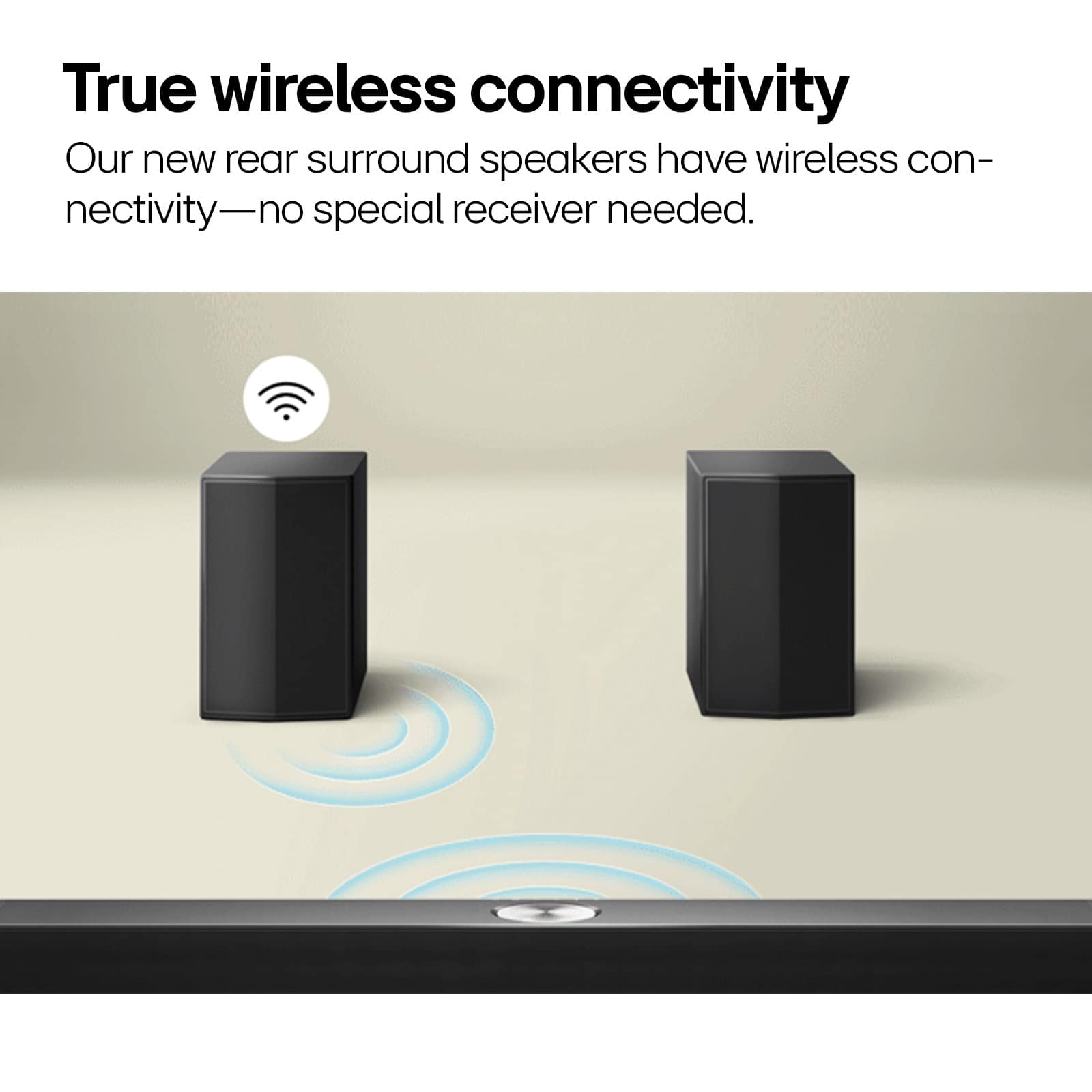
    Okay for the price but rear wireless speakers have static

    No, I would not recommend this to a friend
    • Brand response from LG Digital Customer Care
      Posted .

      Hi there, Chilo. Thank you for sharing your experience with the LG S60TR soundbar. We understand how concerning it must be to hear static from the rear wireless speakers, especially after investing in a premium audio setup.

      To help reduce the static, we recommend ensuring that both rear speakers and the wireless receiver are placed at an appropriate distance from Wi-Fi routers or other electronic devices that might cause interference. Also, confirm that the speakers are firmly connected to the wireless receiver with the included cables and that the receiver itself is not obstructed or too far from the main soundbar. Performing a quick reset of the system can also help re-establish a clean connection. You may access this link related to your concern:https://www.lg.com/us/support/help-library/lg-sound-bar-how-to-reset--20153193962273.

      We’d love the chance to look into this further for you. Please send us a private message on social media @LGUSSupport so we can help find a solution. We appreciate your patience and feedback.

      —Avril LG

  • Cons mentioned:
    Wireless connectivity

    Rated 1 out of 5 stars

    Not told the truth by sales person

    |
    |
    Posted . Owned for 1 month when reviewed.
    This reviewer received promo considerations or sweepstakes entry for writing a review.

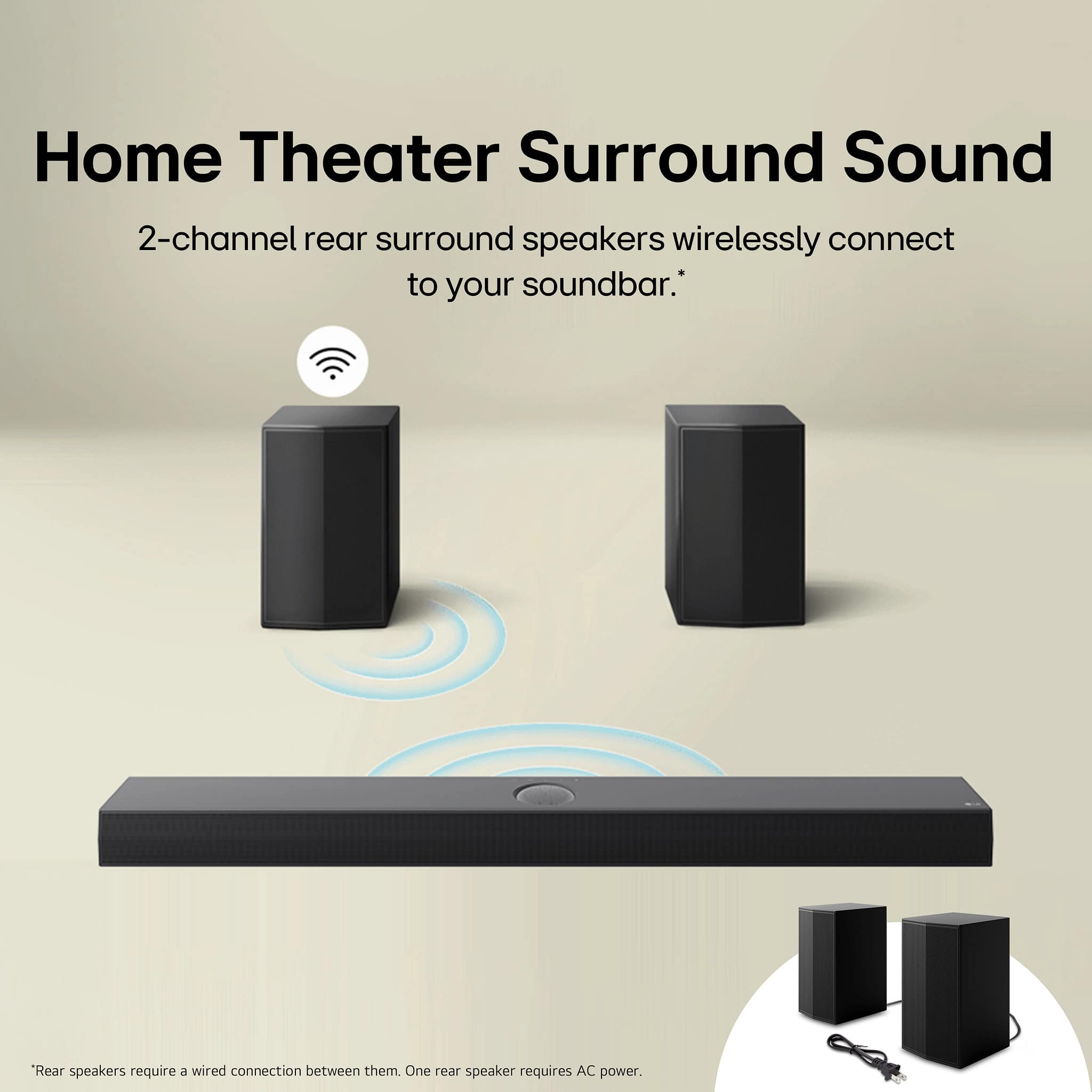
    We were told at the store that the sound bar would hook up to our international internet radio as well as tv. Well surprise. Installer said it doesn’t. So ending up w 2 soundbars Speakers on soundbar are wireless. Not so there is a wire connecting the 2 speakers. Also they don’t work very well.

    No, I would not recommend this to a friend
    • Brand response from LG Digital Customer Care
      Posted .

      Hi, Ralph. Thank you for sharing your experience with LG Soundbar (S60TR.) model. We understand your concern about the soundbar that doesn’t meet the expectations set by the store and installer. We strive to provide exceptional customer service and ensure our customers are well informed and supported throughout their purchase journey.

      It seems like there might have been some miscommunication regarding the features of the soundbar, especially when it comes to the wireless rear speakers. While some models may advertise wireless connectivity, there can still be a need for a wired connection between the speakers and the soundbar. We’d be happy to help you explore any additional settings or connectivity options to get the best sound experience. For more information, about the product, you may visit https://www.lg.com/us/sound-bars/lg-s60tr-sound-bar.

      Please send us a private message on social media @LGUSSupport with your order details, and we’ll work with you to address any further issues or possible solutions, including troubleshooting and recommendations for improving your experience with the system.

      We appreciate your patience and are here to assist. ^Juvy LG

  • Rated 3 out of 5 stars

    Not what I was expecting

    |
    |
    Posted . Owned for 1 week when reviewed.
    This reviewer received promo considerations or sweepstakes entry for writing a review.

    For the price it’s not too shabby, of course it was on sale, but not quite the “boom” I was expecting. It is louder connected by the cable rather than Bluetooth.

    No, I would not recommend this to a friend
  • Rated 3 out of 5 stars

    Sound is okay

    |
    |
    Posted . Owned for less than 1 week when reviewed.
    This reviewer received promo considerations or sweepstakes entry for writing a review.

    Sound is okay. Can barely hear side speakers unless sound is med-high. Side speakers were a little hard to setup. Instruction not the best.

    No, I would not recommend this to a friend
  • Rated 2 out of 5 stars

    LG 5.1 not all that

    |
    |
    Posted . Owned for 1 month when reviewed.
    This reviewer received promo considerations or sweepstakes entry for writing a review.

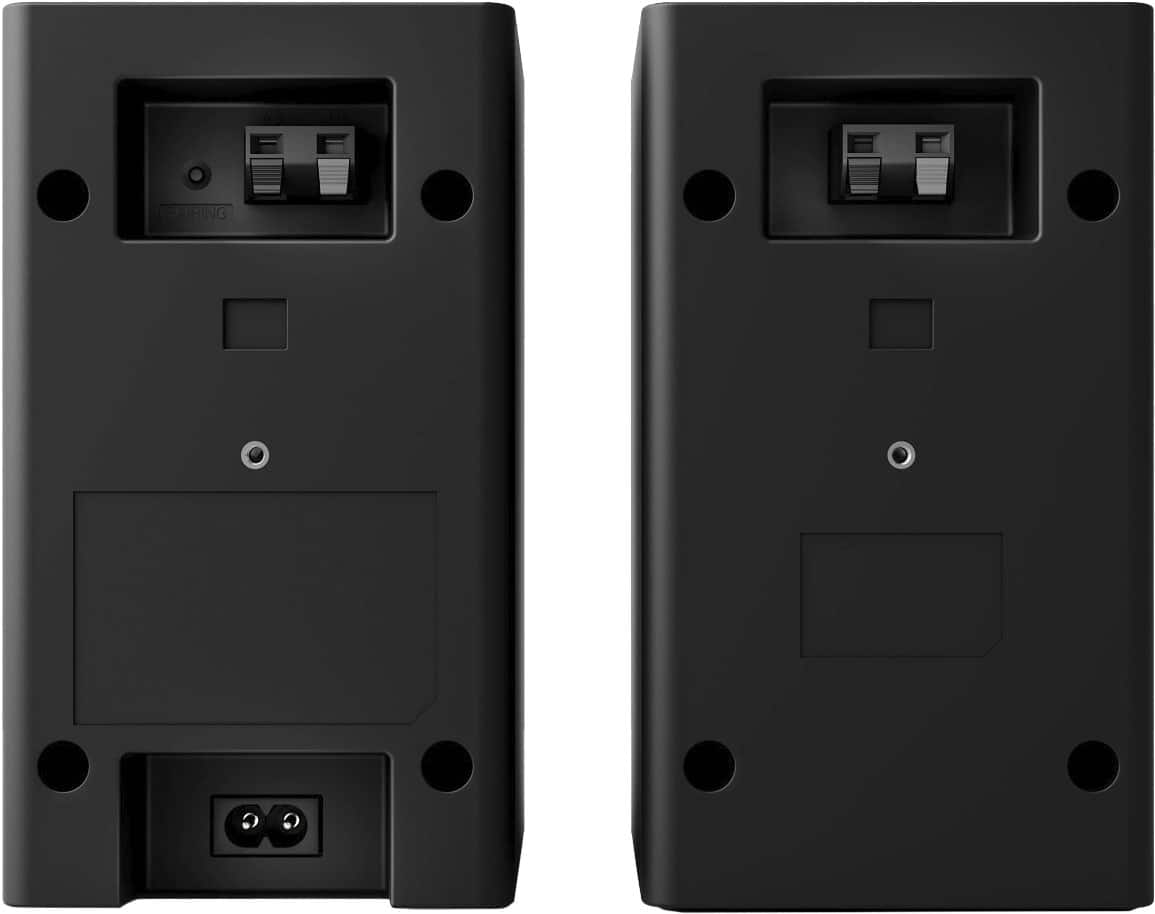
    perhaps I should have invested w/ a more expensive soundbar. The sound often fluctuates greatly and the remote is not simple but still not very user friendly. The rear speaker wires are short and I will need to purchase additional ones; and the rear speakers cannot be easily hung on walls or otherwise. Pretty disappointed.

    No, I would not recommend this to a friend
    • Brand response from LG Digital Customer Care
      Posted .

      Hi, Dave. Thank you for sharing your experience with us. We understand your concern about the LG Soundbar (S60TR) model and the issues you’ve encountered with sound fluctuations, remote usability, and the rear speakers. We strive to provide high-quality products and exceptional service, and want to help you make the most of your LG soundbar.

      As a troubleshooting step, we recommend checking the sound settings on your unit, particularly the "Sound Mode" and "Auto Volume" settings. These can help stabilize the audio and reduce fluctuations. Additionally, make sure the rear speakers are properly connected, as loose connections can sometimes cause inconsistent sound.

      Regarding the rear speaker wires, we understand the need for longer cables. You can purchase third-party speaker wires that are compatible with your system to ensure the speakers reach the desired location.

      Please send us a private message on social media @LGUSSupport, and we’ll be more than happy to assist you with any other questions or offer additional troubleshooting steps. We’re here to help ensure you have the best sound experience possible. ^Juvy LG

  • Rated 1 out of 5 stars

    Sound system

    |
    |
    Posted . Owned for 1 month when reviewed.
    This reviewer received promo considerations or sweepstakes entry for writing a review.

    Could not get the rear speakers to work. Did not sound as good as it did in the store.

    No, I would not recommend this to a friend
    • Brand response from LG Digital Customer Care
      Posted .

      Hi, William. Thank you for sharing your experience with the LG Soundbar (S60TR) model. It's crucial for your speakers to provide the same immersive sound at home as in the store. To fix the rear speakers not working, ensure they are paired with the soundbar. The rear speakers connect wirelessly through the receiver module, which should be powered on with speaker cables securely attached. Press the PAIRING button on the receiver until the LED blinks to sync with the soundbar. For more help, visit https://www.lg.com/us/support/help-library/lg-sound-bar-troubleshooting-audio-missing-from-some-speakers--1429107643672. For better sound quality, set the mode to Surround or Cinema instead of Standard to activate the rear channels. For further assistance, email lgdigitalcare@lg.sprinklrsupport.com. ^Juvy LG

  • Rated 2 out of 5 stars

    Don’t make the same mistake!

    |
    |
    Posted . Owned for 3 weeks when reviewed.
    This reviewer received promo considerations or sweepstakes entry for writing a review.

    The product is connected correctly, Best Buy techs came out to my home (after paying additional for them to do so) and the sound pops and bass goes in and out!

    No, I would not recommend this to a friend
    • Brand response from LG Digital Customer Care
      Posted .

      Hi there, DavidLM. We understand your inquiry about the S60TR 5.1-channel soundbar and want to help you get uninterrupted, high-quality audio. It sounds like you’re experiencing intermittent popping and bass dropout despite correct setup, so let’s walk through a few steps to troubleshoot and optimize your system.

      1. Verify Wireless Subwoofer and Rear Speaker Pairing:
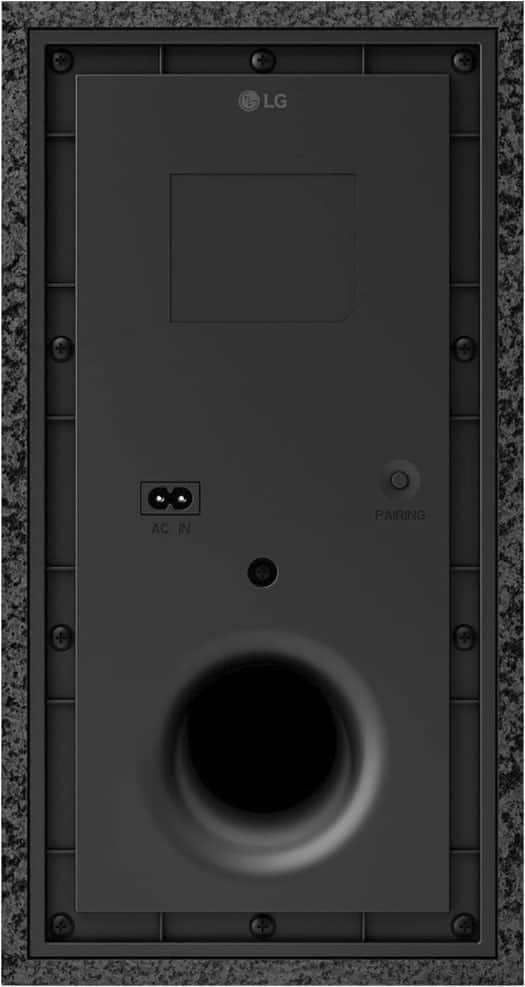
      Ensure that both the wireless subwoofer and rear speakers are properly paired to the main soundbar unit. To do this, power off all components, then power on the soundbar first. Next, plug in the subwoofer and wait for its LED indicator to blink, then press the pairing button on the back of the subwoofer (usually located near the AC cord) until the light turns solid. Repeat a similar pairing process for the rear speakers if they are wireless. A weak or dropped wireless link can cause bass to cut in and out; re-pairing often restores a stable connection.

      2. Check for Wireless Interference:
      Since the S60TR uses a 2.4 GHz wireless link for the subwoofer and rear speakers, nearby Wi-Fi routers, cordless phones, or other 2.4 GHz devices (even microwave ovens) can disrupt the signal. If possible, move your Wi-Fi router or other electronics at least 3–5 feet away from the subwoofer and speaker modules. You can also try changing your router’s channel to 1 or 11 to minimize overlap. Finally, verify that the soundbar’s vent slots aren’t pressed against a wall or cabinet; restricted airflow can cause thermal issues that may manifest as audio artifacts.

      3. Update Soundbar Firmware and App Settings:
      Run the LG Soundbar app on your smartphone or tablet (available for iOS and Android) and connect it to your S60TR. Within the app, check for any available firmware updates. Updating to the latest firmware can resolve audio stability issues and improve wireless performance. While you’re in the app, confirm that the subwoofer and rear speakers show as “Connected” under the “Speaker Setup” section—if they appear as “Disconnected” or “Weak,” try re-pairing as described above.

      4. Inspect Audio Source and Connection Type:
      If you’re using an HDMI eARC or optical cable from your TV or media player, confirm the cable is rated for high-speed audio (for HDMI, HDMI 2.1 or at least High-Speed HDMI). A loose or damaged cable can introduce pops and cutouts. Try swapping cables or using a different port (for example, use the optical input instead of eARC, then back to eARC) to see if the issue persists. Also, check your TV’s audio settings: ensure “PCM” or “Auto” is selected rather than “Dolby Digital Plus” if your TV sometimes transmits an unsupported format. Mismatched bitstream formats can lead to audio glitches.

      5. Verify Speaker Placement and Isolation:
      Place the subwoofer on a solid, level surface (not directly on carpet), ensuring it’s at least 6 inches from walls or corners. This helps prevent rattling that can sound like pops. Likewise, confirm the rear speakers are positioned symmetrically behind the listening area—if one speaker is too far from the soundbar, the wireless link may weaken. You may also try moving them slightly closer to the soundbar (within 20 feet) to test whether bass dropout subsides.

      Because you’ve already enlisted Best Buy’s technicians, we want to make sure there isn’t an underlying accessory or environmental factor causing these interruptions. If, after trying these steps, you still encounter popping or bass dropouts, please send us a private message on social media @LGUSSupport with details such as:

      Confirmation of your source device (TV or receiver model) and connection type (HDMI ARC/eARC vs. optical)

      Photos of your installation layout (speaker and subwoofer placement relative to walls and electronics)

      Any error codes, LED blink patterns, or steps you’ve already tried
      https://www.bestbuy.com/site/lg-5-1-channel-s60tr-home-theater-soundbar-with-wireless-subwoofer-and-rear-speakers-dolby-audio-black/6579924.p?skuId=6579924
      Our team can then work with you directly to schedule additional support—whether that means walking through advanced diagnostics, facilitating an authorized service check, or coordinating a replacement if a component is malfunctioning. We appreciate your patience as we strive to restore your S60TR to full performance. —Renzo LG

  • Rated 1 out of 5 stars

    Awful sound quality

    |
    |
    Posted .
    This reviewer received promo considerations or sweepstakes entry for writing a review.

    This is a sound bar yes, but it actually sounds worse than my cheap TV’s speakers. Very disappointing.

    No, I would not recommend this to a friend
    • Brand response from LG Digital Customer Care
      Posted .

      Hi, Joshua. Thank you for reaching out to us. We understand how importance your LG Soundbar (S60TR) model is for enhancing your audio experience, and we want to help improve its performance.

      As a first step, please check that the sound bar is set to the correct sound mode. Press the Sound Effect button on the remote and try switching to modes such as Cinema or Bass Blast, which are designed to deliver fuller sound compared to the default settings. Also, ensure the sound bar is connected via HDMI ARC or Optical cable rather than Bluetooth, as wired connections typically provide better audio quality. For more guidance, visit https://www.youtube.com/watch?v=0e1WaU6GWEc. If the issue continues, kindly send us an email at lgdigitalcare@lg.sprinklrsupport.com so our team can assist you further. We're here to help. ^Juvy LG

  • Rated 2 out of 5 stars

    Poor sound quality for the price Bass is not good

    |
    |
    Posted . Owned for 2 months when reviewed.
    This reviewer received promo considerations or sweepstakes entry for writing a review.

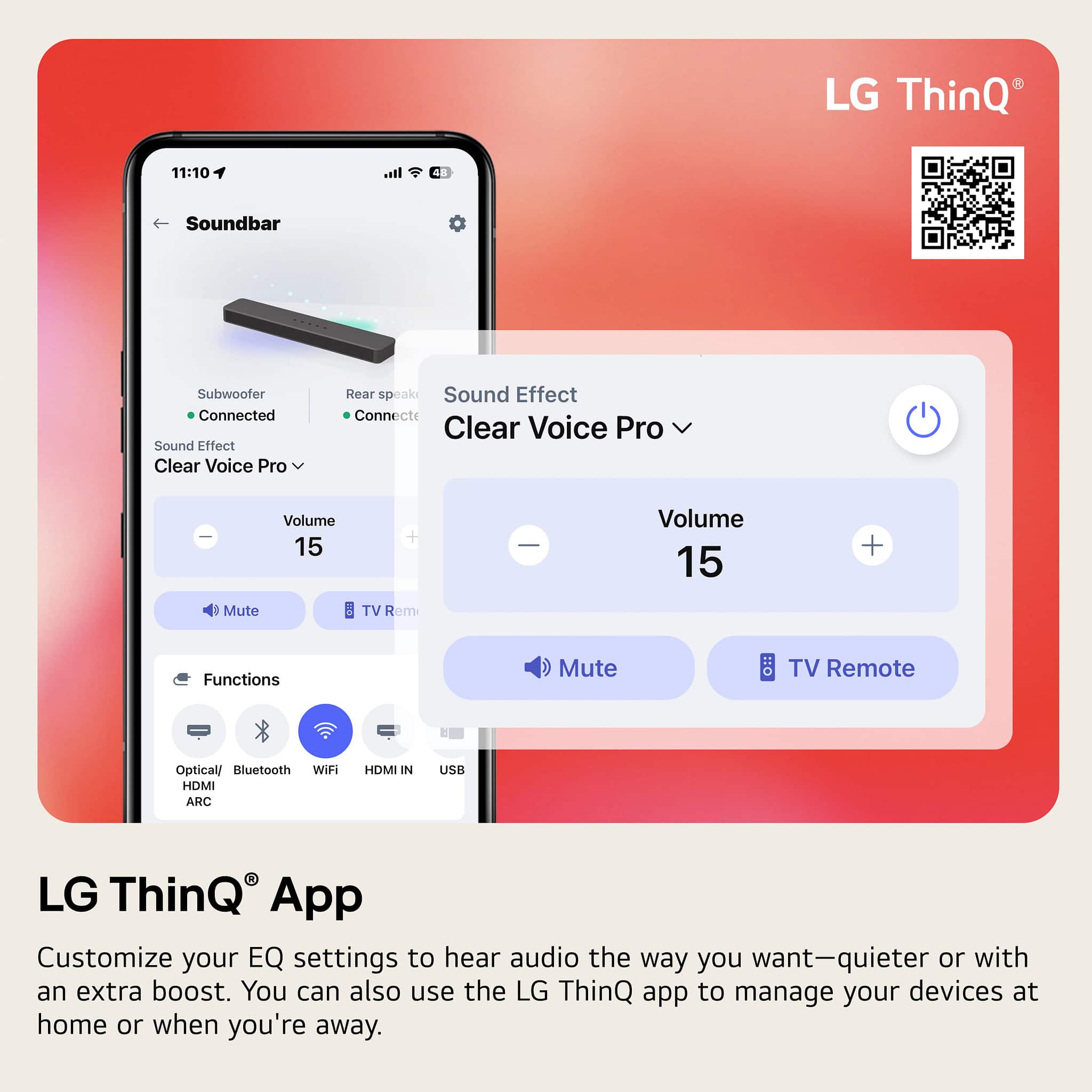
    Hooked this up to my 85 inch LG TV You have to download the app onto your phone to be able to operate the unit.I have an older Vizio surround on my other large tv and it blast this system out the water .

    No, I would not recommend this to a friend
    • Brand response from LG Digital Customer Care
      Posted .

      Hi, there. We appreciate you sharing your feedback on the LG Soundbar (S60TR) model. We understand that setting up the app on your phone can feel like an extra step, but it's designed to give you more control over the system. If you're finding that the sound isn't as powerful as your Vizio surround sound, we recommend checking the sound settings on the app to ensure they are optimized for your listening environment. Adjusting the sound modes or increasing the bass might improve the experience. For some extra tips, you may visit https://www.lg.com/us/support/help-library/lg-sound-bar-how-to-reset--20153193962273.

      If you'd like additional support or have more questions, please send us a private message on social media @LGUSSupport, and our team will be happy to assist you. ^Juvy LG

  • Rated 3 out of 5 stars

    Not as I wished

    |
    |
    Posted . Owned for 3 weeks when reviewed.
    This reviewer received promo considerations or sweepstakes entry for writing a review.

    The Sound output is not as good as I had hoped. Subwoofer not as I wished.

    No, I would not recommend this to a friend
  • Cons mentioned:
    Wireless connectivity

    Rated 1 out of 5 stars

    Dissatisfied

    |
    |
    Posted . Owned for 3 weeks when reviewed.
    This reviewer received promo considerations or sweepstakes entry for writing a review.

    Terrible. Difficult to install, everytime I shut it off I have to pair the system with my TV. Rear speakers work less than half the time

    No, I would not recommend this to a friend
    • Brand response from LG Digital Customer Care
      Posted .

      Hi, Jay. Thank you for sharing your experience with us. We understand your concern about your LG Soundbar (S60TR) model system isn’t performing as expected, especially with the frequent pairing issues and the inconsistency of the rear speakers. We strive to provide high-quality products and ensure a smooth experience. To resolve the pairing issue, we recommend ensuring that both the soundbar and your TV are connected via Bluetooth or HDMI ARC and checking for any software updates for both devices. You may also want to try unpairing and repairing the system to refresh the connection. For guidance, you may visit https://www.lg.com/us/support/help-library/lg-sound-bar-how-to-update-the-software--1428604854142.

      If the issue with the rear speakers persists, please send us a private message on social media @LGUSSupport, and our team will be happy to assist you further. We appreciate your patience. ^Juvy LG

  • Rated 1 out of 5 stars

    Disappointed

    |
    |
    Posted .
    This reviewer received promo considerations or sweepstakes entry for writing a review.

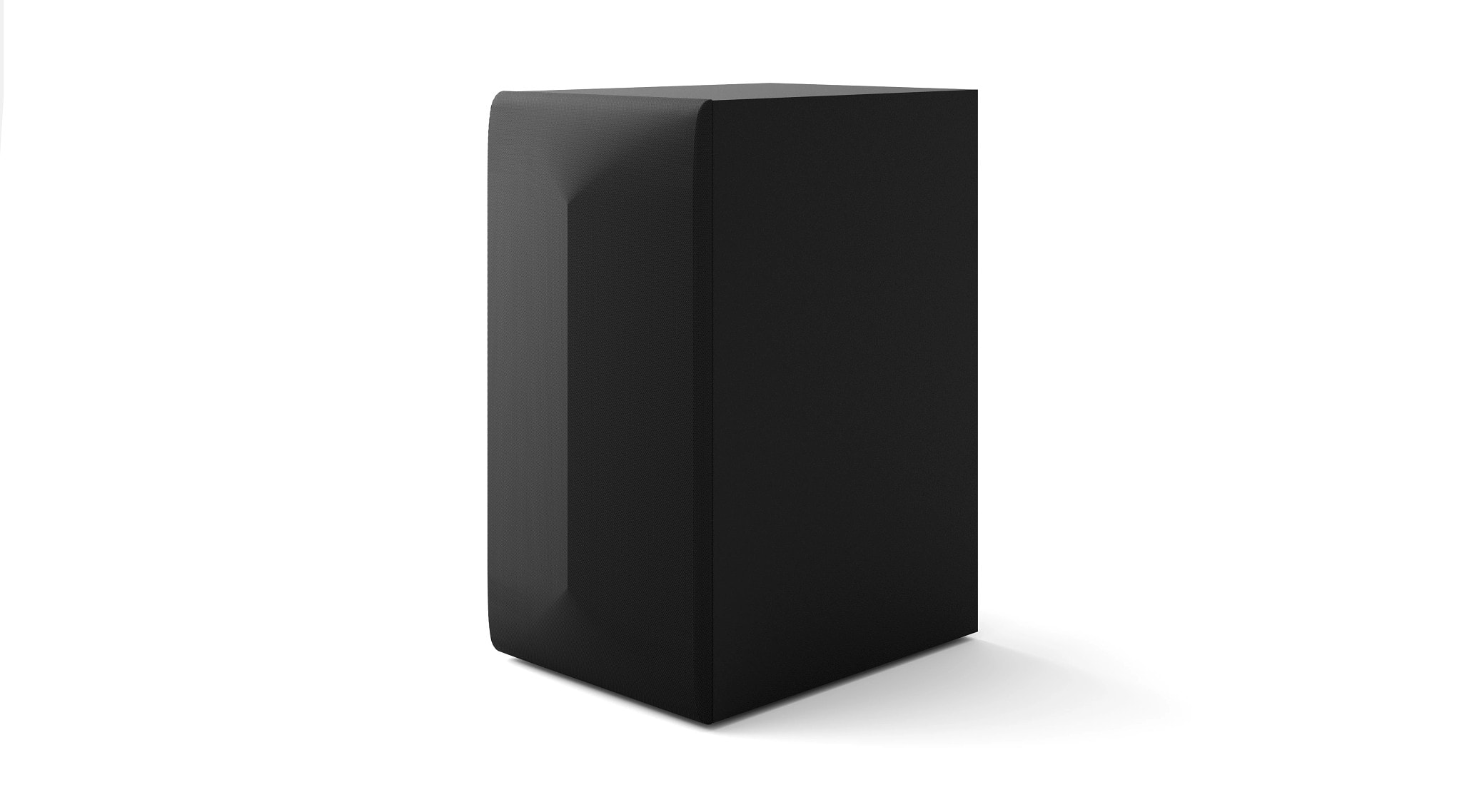
    Bought the LG 5.1 soundbar expecting solid bass, but the subwoofer is barely audible. I adjusted all the settings and even placed it near me — still no improvement. Very disappointing for a 5.1 system. Ended up returning it to Best Buy.

    No, I would not recommend this to a friend
    • Brand response from LG Digital Customer Care
      Posted .

      Hi, there. Thank you for sharing your experience with us. We appreciate you taking the time to tell us about your LG Soundbar (S60TR) model, and we’re here to help you get the most out of your audio setup.

      This model includes a 220W wireless subwoofer for rich bass. If the bass isn't strong enough, check the sound mode settings—Cinema Mode or Bass Boost may enhance low frequencies. Ensure the subwoofer is paired correctly and positioned near a wall or corner for better acoustics. For more help, visit https://www.lg.com/us/support/help-library/lg-sound-bar-why-isnt-my-subwoofer-connect-to-my-lg-sound-bar--1422391675816.

      We'd love to assist you further for a full surround sound experience. Just message us on social media @LGUSSupport. ^Juvy LG

  • Cons mentioned:
    Wireless connectivity

    Rated 1 out of 5 stars

    No

    |
    |
    Posted . Owned for 3 months when reviewed.
    This reviewer received promo considerations or sweepstakes entry for writing a review.

    I returned the item.It was not easy to connect and I didn't like the sound quality

    No, I would not recommend this to a friend
    • Brand response from LG Digital Customer Care
      Posted .

      Hi, Deal. Thank you for sharing your feedback with us. We understand that the LG Soundbar (S60TR) model did not meet your expectations, especially regarding the ease of connection and sound quality. We strive to provide the best possible experience with our products, and we appreciate your insights.

      If you have any further questions about the product or need help with other LG products, we’re more than happy to assist. Sometimes, adjusting certain settings or configurations can enhance the sound quality, and we'd be happy to walk you through it if you're open to it. However, we respect your decision in returning the unit.

      Please feel free to send us a private message on social media @LGUSSupport, and our team will gladly assist you further with any troubleshooting or help you find a product that fits your needs. ^Juvy LG

  • Rated 3 out of 5 stars

    Not loud

    |
    |
    Posted . Owned for 1 week when reviewed.
    This reviewer received promo considerations or sweepstakes entry for writing a review.

    The sounds not good and dont like the booster sounds its that not loud.

    No, I would not recommend this to a friend
  • Rated 1 out of 5 stars

    Dont buy

    |
    |
    Posted .
    This reviewer received promo considerations or sweepstakes entry for writing a review.

    Garbage, when it was turned on, it constantly turned off then back on then off. It will not stay on. I believe it is a manufacturer problem. I purchased this with an LG television hooked it in with the optical cable but the soundbar itself is malfunctioning constantly.

    No, I would not recommend this to a friend
    • Brand response from LG Digital Customer Care
      Posted .

      Hi, Brian. Thank you for sharing your experience with us. We understand your concern about dealing with the constant power cycling issue on your LG Soundbar (S60TR) model. We strive to provide reliable, high-quality products that exceed our customers' needs and expectations.

      It seems there might be a connection or settings issue. Try unplugging the soundbar from the power outlet and the TV for a couple of minutes, then plug them back in. Also, ensure the optical cable is securely connected. For more help, visit https://www.lg.com/us/support/help-library/lg-sound-bar-how-to-reset--20153193962273.

      If that doesn’t work, check for firmware updates on the LG website or via the LG Soundbar app. Feel free to message us on social media @LGUSSupport for further assistance. ^Juvy LG

  • Rated 2 out of 5 stars

    Not worth it

    |
    |
    Posted . Owned for 1 month when reviewed.
    This reviewer received promo considerations or sweepstakes entry for writing a review.

    Am returning waist of money, no sound when tv is turned on I have to every time switch to Bluetooth then back to HDMI this is a pain, sound is ok

    No, I would not recommend this to a friend
    • Brand response from LG Digital Customer Care
      Posted .

      Hi, William. Thank you for sharing your experience with us. We understand your concern about dealing with sound issues on your LG Soundbar (S60TR) model, especially when you have to switch back and forth between Bluetooth and HDMI to get it working properly. We strive to provide reliable, high-quality products and ensure a smooth experience.

      We recommend checking the audio settings on the TV to ensure that the correct output option is selected, as this might help with the sound issue. Additionally, you could try performing a reset on the TV to restore factory settings, as this can sometimes resolve connectivity problems. For more help, you may visit https://www.lg.com/us/support/help-library/lg-sound-bar-troubleshooting-no-audio-from-external-sound-system--1422464978777.

      Please send us a private message on social media @LGUSSupport with your details, and we’ll be happy to assist you further to get this sorted out. ^Juvy LG

  • Rated 1 out of 5 stars

    do not buy this garbage

    |
    |
    Posted . Owned for 4 months when reviewed.
    This reviewer received promo considerations or sweepstakes entry for writing a review.

    would constantly have distortion sounds on my sony tv even after swapping the HDMI cable. recently got a LG C4 and now it cant seem to find a signal while using eArc. tried replacing the HDMI cable and resetting it 3x and it works for maybe a day before not finding a signal again. trash. absolute trash.

    No, I would not recommend this to a friend
    • Brand response from LG Digital Customer Care
      Posted .

      Hi, Garrett. Thanks for sharing your feedback with us. We understand your concern about experiencing persistent signal issues with the LG Soundbar (S60TR) model, especially after trying different HDMI cables and resetting the system. We strive to provide high-quality products that exceed our customer's needs and expectations. Since you’re using eARC, we recommend ensuring that both your LG C4 TV and the soundbar have the most up-to-date software/firmware. Sometimes, an update can help resolve connectivity issues. For guidance, you may visit https://www.lg.com/us/support/help-library/lg-sound-bar-how-to-update-the-software--1428604854142. Additionally, make sure eARC is properly enabled on both devices, as some settings may need to be configured in the TV’s menu.

      If you continue facing issues, we’d be happy to help further. Please send us a private message on social media @LGUSSupport, and we’ll work together to find a solution for you. ^Juvy LG

  • Rated 1 out of 5 stars

    frustrated

    |
    |
    Posted . Owned for 1 month when reviewed.
    This reviewer received promo considerations or sweepstakes entry for writing a review.

    I purchased this as an excellent open box. However, it came with many items missing; when I visited to ask them for the missing items, they instructed me that I could purchase them from Amazon, and for that reason, I am returning the unit.

    I would recommend this to a friend
    • Brand response from LG Digital Customer Care
      Posted .

      Hi, there. Thank you for sharing your experience with us. We understand your concern about receiving your LG Soundbar (S60TR) model with missing items. We are committed to ensuring that our products are delivered with all necessary components to provide a seamless experience.

      If you're considering keeping the unit, we recommend checking LG’s official website or contacting LG Customer Support for assistance in ordering replacement parts to ensure compatibility and quality. You can also contact Best Buy customer service at 888-237-8289 to address your concerns, offer assistance, and discuss potential solutions. However, if returning the unit is your final decision, we respect your choice and appreciate your consideration of LG.

      Should you have any further questions or need assistance, please send us a private message on social media @LGUSSupport, and we’ll be happy to help. ^Juvy LG