Customer Ratings & Reviews
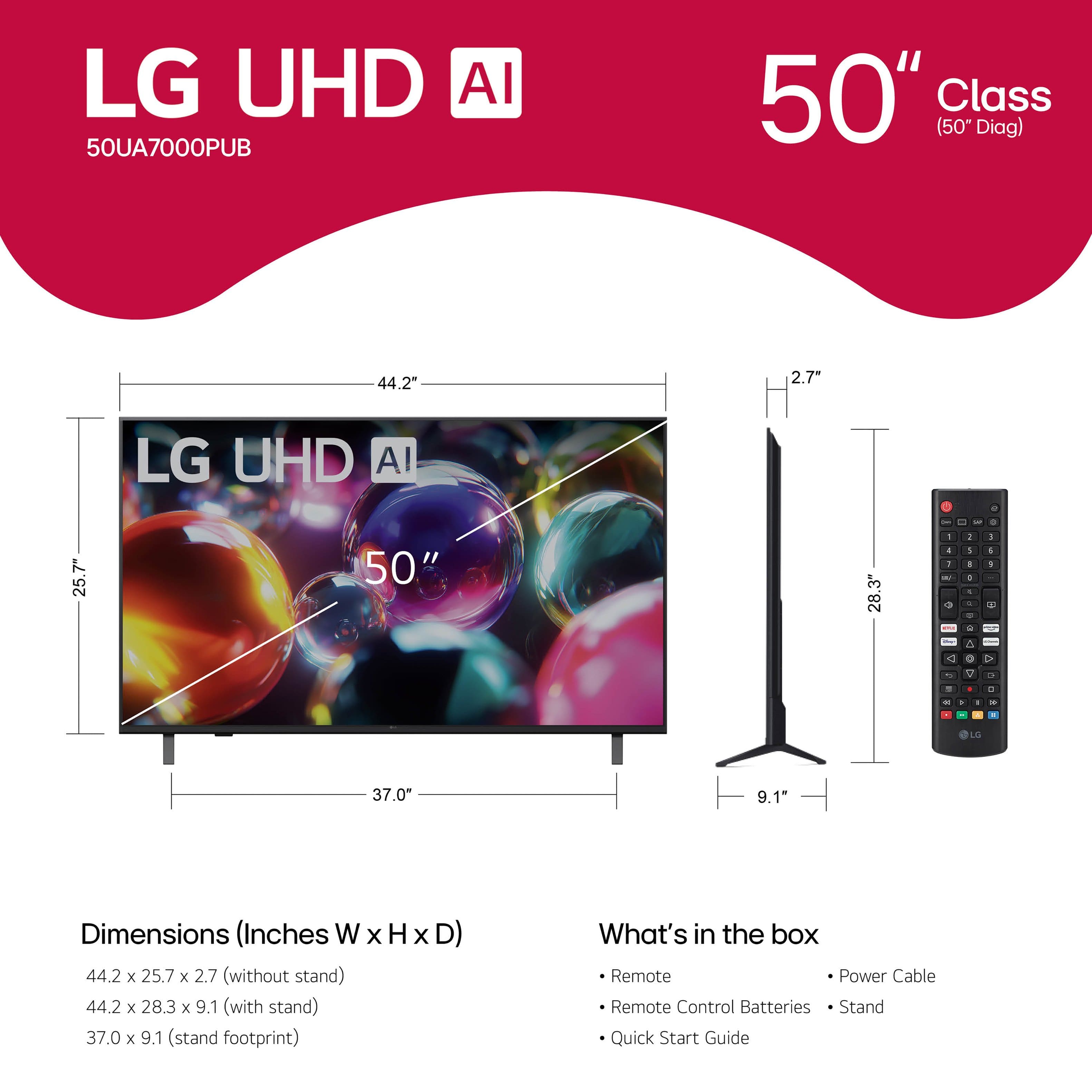






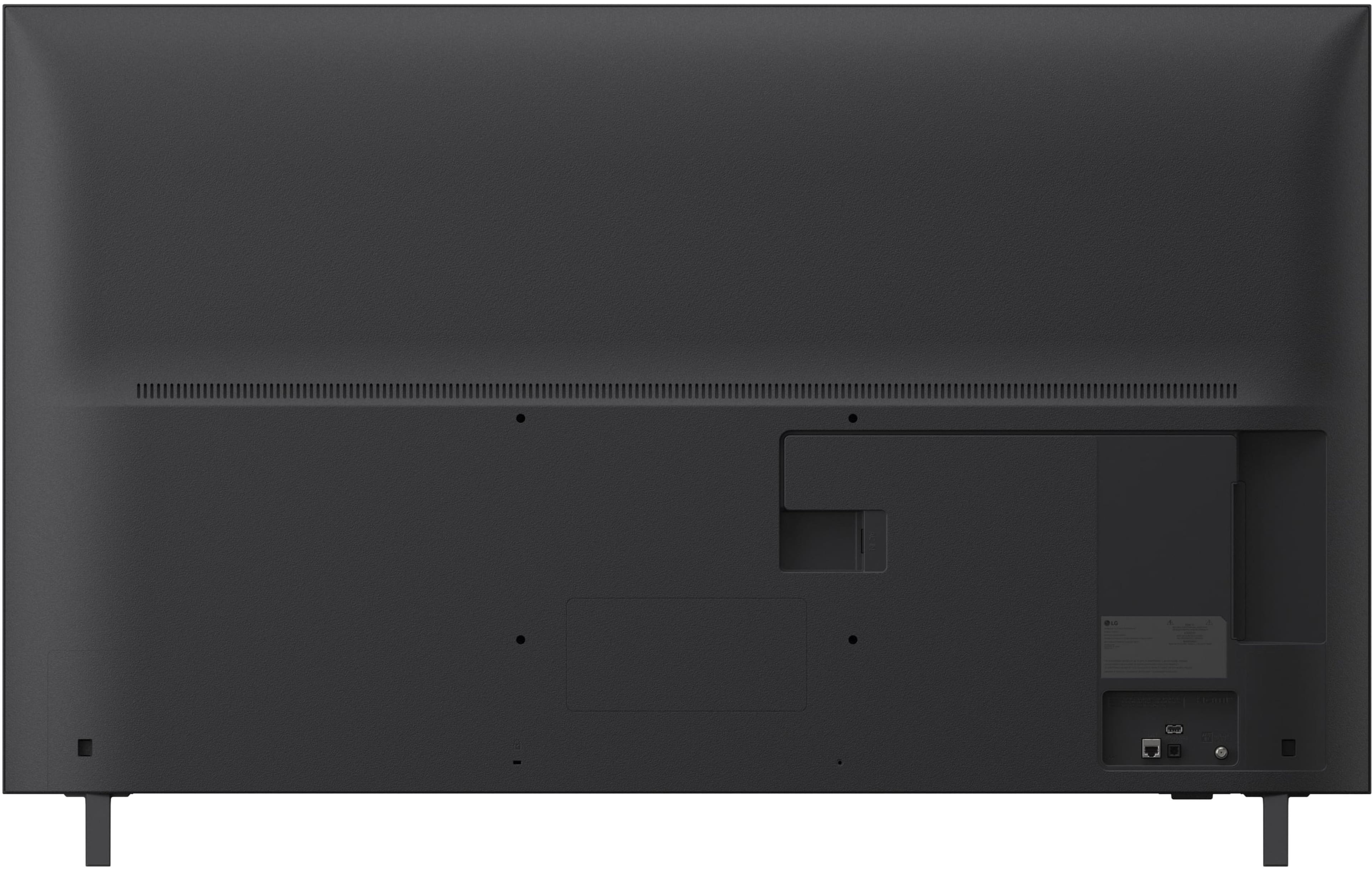
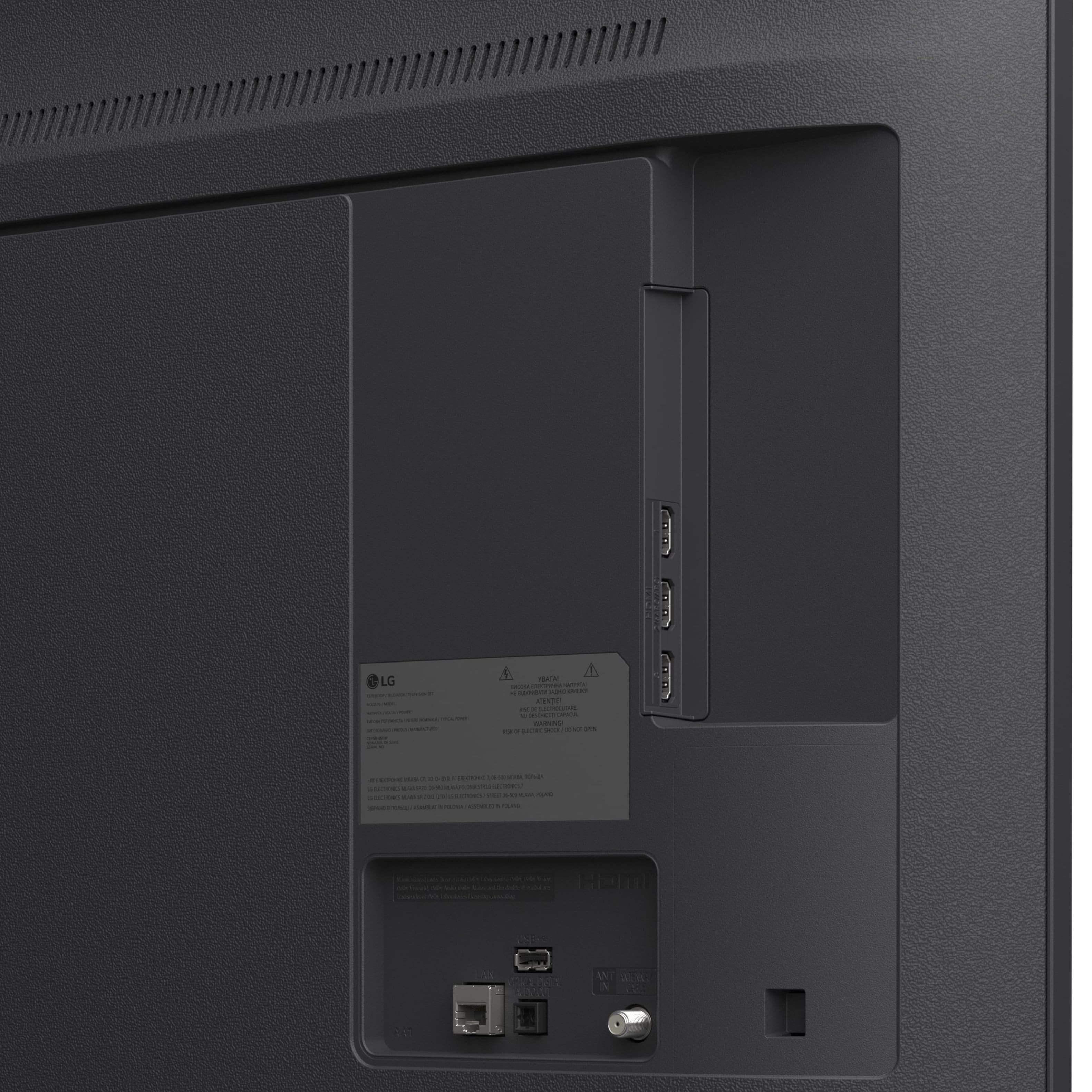
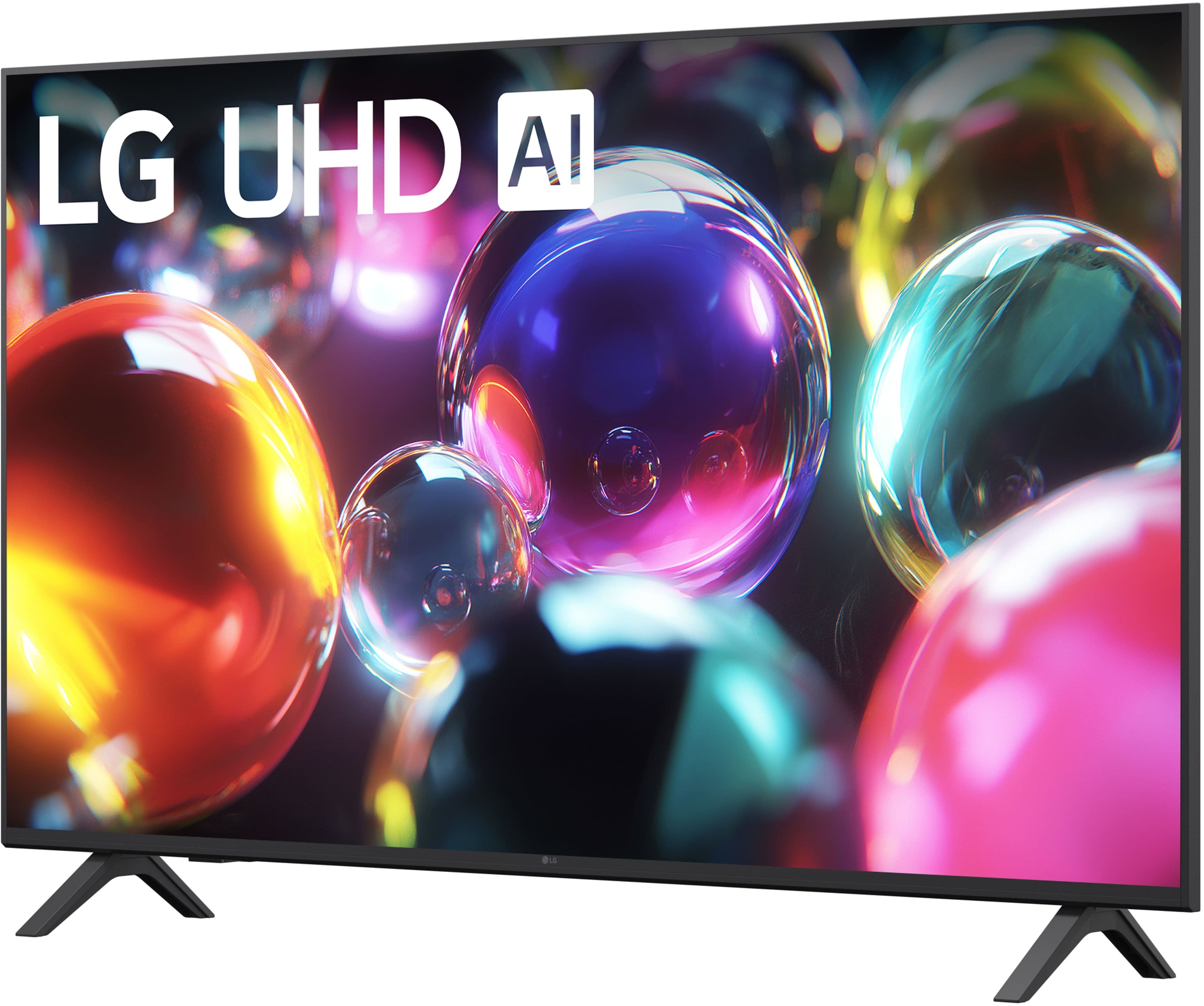

- Model:
- 50UA7000PUB
- SKU:
- 12376746
Rating by feature
- Picture Quality
Rating 4.7 out of 5 stars
- Sound Quality
Rating 4.6 out of 5 stars
- Brightness
Rating 4.7 out of 5 stars
to a friend
OkAY TELEVISION
||Posted . Owned for 3 weeks when reviewed.This reviewer received promo considerations or sweepstakes entry for writing a review.pictures not that great i would recommend another one
No, I would not recommend this to a friendAverage quality
||Posted .This reviewer received promo considerations or sweepstakes entry for writing a review.The price is great for what you pay for. Sound and picture is average. Not the quality I’m looking for.
No, I would not recommend this to a friendOk TV
||Posted . Owned for 2 weeks when reviewed.This reviewer received promo considerations or sweepstakes entry for writing a review.Not that great picture quality. Not a LG fan of TV’s
No, I would not recommend this to a friendBrand response from LG Digital Customer Care
Posted .Hello there, SuzieQ. Thank you for sharing your experience with us regarding your LG 50 Class UA7000 Series LED AI 4K UHD Smart webOS TV. We understand that the picture quality didn't meet your expectations, and we appreciate your honest feedback. We understand your inquiry and want to ensure you get the best viewing experience possible.
https://www.bestbuy.com/product/lg-50-class-ua7000-series-led-ai-4k-uhd-smart-webos-tv-2025/JJ8VPZW5K4
For further assistance and any specific concerns you may have, please contact us on lgdigitalcare@lg.sprinklrsupport.com, and our team will be more than happy to assist you. —Renzo
sound
||Posted . Owned for 1 month when reviewed.This reviewer received promo considerations or sweepstakes entry for writing a review.had tv for only a week and sound stopped working tried to rest tv still no volume would not recommend this tv. lg use to be a good tv manufacturer but there making junk tvs anymore
No, I would not recommend this to a friendBrand response from LG Digital Customer Care
Posted .Hi, there. Thank you for reaching out. We understand the importance of having your LG TV (50UA7000PUB) model deliver consistent performance. One helpful step you can try is checking the Sound Output setting to ensure the TV isn’t set to an external audio device like Bluetooth or HDMI‑ARC. You can also try disconnecting the TV from power for about 30 seconds to reset the audio processor, then test the built‑in speakers again. Additional audio troubleshooting steps can be found here: https://www.lg.com/us/support/help-library/lg-tv-troubleshooting-no-audio-on-an-lg-tv--20153110596213. We’d be glad to take a closer look and assist you further. Please send us an email at lgdigitalcare@lg.sprinklrsupport.com so our team can help right away. ^Juvy
Don’t like this tv
||Posted . Owned for 3 weeks when reviewed.This reviewer received promo considerations or sweepstakes entry for writing a review.This product don’t have Netflix,Apple TV ,prime nothing of that apps
No, I would not recommend this to a friendBrand response from LG Digital Customer Care
Posted .Hi. German. Thank you for sharing your experience with the LG TV (50UA7000PUB) model. We understand how important it is to have access to your favorite streaming apps.
This model runs on LG’s webOS platform, which supports apps like Netflix, Prime Video, Apple TV, and more. To install them, press the Home button on your remote, navigate to the LG Content Store, and search for the desired app to download. If apps aren’t appearing, we recommend checking your region settings and ensuring your TV is connected to the internet. For more troubleshooting steps, visit https://www.lg.com/us/support/help-library/lg-tv-netflix-is-not-working--1423685795027. If you need further assistance, feel free to email us at lgdigitalcare@lg.sprinklrsupport.com. We’re here to help. ^Juvy
Bad tv
||Posted . Owned for 3 weeks when reviewed.This reviewer received promo considerations or sweepstakes entry for writing a review.Set the tv up. And the screen went black still heard noises on the tv but the screen was black
No, I would not recommend this to a friendBrand response from LG Digital Customer Care
Posted .Hi, there. Thank you for reaching out and sharing what happened with your LG TV (50UA7000PUB) model. We understand the importance of having your TV display properly right from setup. If the screen goes dark but sound persists, try a power reset by unplugging the TV for 60 seconds, then plugging it back in and turning it on. This refreshes the internal components and may restore the display. Also, ensure that the Picture Mode or Energy Saving settings aren't dimming the screen. For more guidance, visit https://www.lg.com/us/support/help-library/lg-tv-troubleshooting-a-tv-with-sound-but-no-picture--1380902746888. We’d be glad to take a closer look at your experience. Please send us an email at lgdigitalcare@lg.sprinklrsupport.com. We're here to help. ^Juvy
Don’t buy
||Posted . Owned for 1 month when reviewed.This reviewer received promo considerations or sweepstakes entry for writing a review.TV went out after 2 weeks had to call the manufacturer for a repair
No, I would not recommend this to a friendBrand response from LG Digital Customer Care
Posted .Hello there, and thank you for taking the time to share your experience with the LG 50" Class UA7000 Series 4K UHD Smart TV (2025). We understand how important it is for your new TV to perform reliably, and we appreciate you letting us know what happened.
If the screen is not displaying as expected, it can help to unplug the TV for about a minute and plug it back in to refresh the system. Making sure the power cord is firmly connected on both ends can also help restore stable operation. Once the TV powers back on, checking for any available software updates can support overall performance moving forward.
You can revisit the product page here:
https://www.bestbuy.com/product/lg-50-class-ua7000-series-led-ai-4k-uhd-smart-webos-tv-2025/JJ8VPZW5K4
If you need further assistance, feel free to email lgdigitalcare@lg.sprinklrsupport.com. ^Rich
Bad Deal
||Posted .This reviewer received promo considerations or sweepstakes entry for writing a review.IT is awefull TV. I wish I could return it. It keeps waiting to load the signal. Programs are frequently interupted
No, I would not recommend this to a friendBrand response from LG Digital Customer Care
Posted .Hi, Philip. Thank you for reaching out about your LG TV (50UA7000PUB) model. We understand the importance of having a TV that delivers a smooth, uninterrupted viewing experience, especially when you’re trying to enjoy your favorite programs.
A helpful step you can try is to reset the TV’s signal input by going to Settings > All Settings > Channels & Programs > Channel Tuning, then running Auto Tuning again. If you’re using an external device, try switching to a different HDMI port and replacing the HDMI cable, as unstable signal paths can cause repeated loading or interruptions. More guidance here: https://www.youtube.com/watch?v=3ly9dK3PSSY. If you need further assistance, please send us an email at lgdigitalcare@lg.sprinklrsupport.com. We're here to help. ^Juvy
Horrible network
||Posted .This reviewer received promo considerations or sweepstakes entry for writing a review.I've had non-stop issue with the network on the TV since I bought it. I've tried every suggestion to get it to work, but haven't had any luck. Which is a shame since the TV looks great.
No, I would not recommend this to a friendBrand response from LG Digital Customer Care
Posted .Hi, Jeff. Thank you for reaching out and sharing your experience with the LG TV (50UA7000PUB) model. We’re glad to hear you’re enjoying the picture quality, and we’re here to help with the network issue. For persistent connectivity problems, one helpful step is to perform a full network reset on the TV. To do this, go to Settings > All Settings > General > Network > Wi-Fi Connection, then select your network and choose “Forget.” After that, restart your TV and router, then reconnect to your network. Also, make sure your TV’s software is up to date by checking Settings > Support > Software Update. For more information, visit https://www.lg.com/us/support/help-library/lg-tv-how-to-update-an-lg-smart-tv--1430510575535. If you’d like further assistance, feel free to email us at lgdigitalcare@lg.sprinklrsupport.com. We’re happy to help. ^Juvy
Arrived with cracked screen
||Posted .This reviewer received promo considerations or sweepstakes entry for writing a review.Can't really say how TV was but the TV arrived via fedex with a cracked screen. I am returning it today, hopefully will get it all sorted.
No, I would not recommend this to a friendBrand response from LG Digital Customer Care
Posted .Hi, Russ. Thank you for sharing your experience with the LG TV (50UA7000PUB) model. We appreciate your feedback and understand how important it is for your new TV to arrive in perfect condition.
Since the screen got damaged during delivery, the best thing to do is to keep going with the return process through your retailer so you can get a proper replacement. You can reach out to Best Buy customer service at 888-237-8289 to let them know about the damage. Once your new unit arrives, it’s a good idea to take a moment to check the packaging and product before you set it up, just to make sure everything's all good. If you need any more help with your unit or have questions about the replacement process, feel free to shoot us an email at lgdigitalcare@lg.sprinklrsupport.com, and we’ll be happy to assist you directly. ^Juvy
Poor choose
||Posted .This reviewer received promo considerations or sweepstakes entry for writing a review.Came open box with other people’s information on it. They did nothing to satisfy me over the situation
No, I would not recommend this to a friendBrand response from LG Digital Customer Care
Posted .Hi, Mary. Thank you for reaching out regarding your LG TV (50UA7000PUB) model. We understand that finding previous customer information on an open-box unit is an unpleasant experience, and we acknowledge your desire for a resolution.
For this model, one helpful step is to perform a factory reset to clear any previous user information and restore the TV to its original settings. You can do this by going to Settings > All Settings > General > System > Reset to Initial Settings. This ensures the device is secure and ready for your use. You can review more details here: https://www.lg.com/us/support/product/lg-50UA7000PUB. If further assistance is needed, please send us an email at lgdigitalcare@lg.sprinklrsupport.com so our team can provide tailored support for your unit. ^Juvy
returned item
||Posted . Owned for 1 week when reviewed.This reviewer received promo considerations or sweepstakes entry for writing a review.Mother board failed two days after purchase; would not work. Returned for a more expensive model.
No, I would not recommend this to a friendBrand response from LG Digital Customer Care
Posted .Hi, Allan. Thank you for sharing your experience with your LG TV (50UA7000PUB) model. We understand how important it is to have your TV working reliably from the start. While a motherboard failure is uncommon, one helpful step before replacement is to perform a power reset by unplugging the TV for a few minutes and then plugging it back in, as this can sometimes clear startup issues. You can find more guidance here: https://www.lg.com/us/support/help-library/lg-tv-troubleshooting-power-issues--20154720146719. If you’d like further assistance, please send us an email at lgdigitalcare@lg.sprinklrsupport.com and a brief description of the issue so our team can review next steps. ^Juvy
For ME only LG
Posted .This reviewer received promo considerations or sweepstakes entry for writing a review.There is nothing like an LG television for reliability, sharp images. An LG smart TV is easy to use and it is easy to switch from streaming to regular tv
I would recommend this to a friendLG-50" Class UA7000 Series LED AI 4K UHD
Posted .This reviewer received promo considerations or sweepstakes entry for writing a review.Love the clarity of the picture and the ease of setting up the TV with my cable connector
I would recommend this to a friendSmart
Posted .This reviewer received promo considerations or sweepstakes entry for writing a review.The color is excellent easy to tune in channels I have had one before and just loved it
I would recommend this to a friendLG TV
Posted .This reviewer received promo considerations or sweepstakes entry for writing a review.Good Customer service answered all questions also help in setting up Visa credit card.
I would recommend this to a friendGood Value for Price
Posted .This reviewer received promo considerations or sweepstakes entry for writing a review.Excellent TV for the price and easy to set up. Definitely recommend purchasing a separate sound bar.
I would recommend this to a friend