Customer Ratings & Reviews
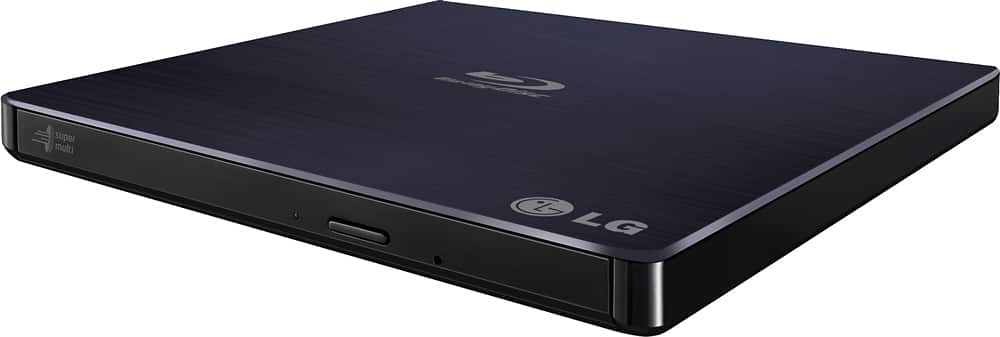
- Model:
- BP50NB40
- SKU:
- 9243009
Rating by feature
- Value
Rating 4.3 out of 5 stars
- Quality
Rating 4.4 out of 5 stars
- Ease of Use
Rating 4.5 out of 5 stars
Customers are saying
Customers love the 8x External USB 2.0 Blu-ray Disc Double-Layer DVD±RW/CD-RW Disc Rewriter for its ease of use, Blu-ray capabilities, and excellent performance in reading and writing discs. The product is also praised for its light and portable size, good speed, and compatibility across operating systems. However, some customers have expressed concerns about the included software and the noise level during operation. Overall, the product is well-received for its features and reasonable price.
This summary was generated by AI based on customer reviews.
Second one in 6 weeks neither work
||Posted .This reviewer received promo considerations or sweepstakes entry for writing a review.After spending nearly 2 hours returning the first one and geek squad not able to get it to function correctly either. I upgraded to this one. Geek squad was VERY helpful and patient no complaints with squad. Product only has worked twice. Will return again ASAP
No, I would not recommend this to a friendBrand response from LGAnswers
Posted .We hate to hear you are having trouble with your drive. We would be happy to see what is going wrong. Please contact our computer specialist at 800-243-0000 for assistance. ^CP

Unable to view dvd
||Posted .This reviewer received promo considerations or sweepstakes entry for writing a review.Do not want to put files in one location. No user manual
No, I would not recommend this to a friendBrand response from LGAnswers
Posted .We apologize you are having troubles using this DVD drive. We would be happy to help you with this. Please reach out to a computer specialist directly by calling 800-243-0000. ^CP
Poor quality
||Posted . Owned for 5 months when reviewed.This reviewer received promo considerations or sweepstakes entry for writing a review.Used twice and third time wasn't operational. Too far past purchase date to return. Poor quality..too.many ksssues with blu ray tranfers. Qaste of money. Recommend get warranty if gonna attempt to buy
No, I would not recommend this to a friendBrand response from LGAnswers
Posted .We hate hearing your unit is not working properly. We’d like to gather more information to see if we can determine the issue. Please contact LG Customer Support via private message on Facebook @LGUSSupport and use #VOC in your first message to our social media support team. Also include your contact information, model/serial numbers and date of purchase so that we can investigate and explore all options to provide you with quick assistance and expedite a resolution. We will do everything in our power to help and apologize for any inconvenience experienced. Thank you. ^Daphane
Not What We Were Told
||Posted .This reviewer received promo considerations or sweepstakes entry for writing a review.We were told this would play blu ray DVD’s, which was totally not true. It cost us several hours with the Geek Squad and on our own not to mention two trips to another town in order to purchase and return.
No, I would not recommend this to a friendBrand response from LGAnswers
Posted .We are sorry to hear that your unit did not meet your needs/expectations. This is not the quality we expect from our products. We are continuously working to improve the quality of our products and anticipate market demands that drive customer satisfaction. If you ever have any questions please reach out to our support team on Facebook at @LGUSSupport. To speak with an agent via phone, you can call 800.243.0000 We apologize for any inconvenience this caused. ^Venette
NO 4K
||Posted . Owned for 1 month when reviewed.This reviewer received promo considerations or sweepstakes entry for writing a review.The store employee said it does 4k. it doesn't. what a waste of time.
No, I would not recommend this to a friendBrand response from LGAnswers
Posted .We are sorry to hear that your unit did not meet your needs/expectations. This is not the quality we expect from our products. We are continuously working to improve the quality of our products and anticipate market demands that drive customer satisfaction. If you ever have any questions please reach out to our support team on Facebook at @LGUSSupport and use #VOC in your first message to our social media support team.. To speak with an agent via phone, you can call 800.243.0000 We apologize for any inconvenience this caused. ^Venette
External Blu-ray drive
||Posted . Owned for 2 weeks when reviewed.This reviewer received promo considerations or sweepstakes entry for writing a review.Not worth the time. Have to keep turning off and on to get it to work.
No, I would not recommend this to a friendBrand response from LG Digital Customer Care
Posted .Hi, Ruben. Thank you for sharing your feedback on the LG Blu-ray Drive (BP50NB40) model. We're sorry to hear about the challenges you've experienced with the product. We strive to provide top-notch products that meet our customer's needs. Please visit https://www.lg.com/us/support/help-library/bluray-discdvd-playback-issues-or-disc-stuck-bluray--1430839720368. For further assistance, please reach out to us on social media @LGUSSupport. ^Juvy
Not usb 3.0
||Posted .This reviewer received promo considerations or sweepstakes entry for writing a review.This unit is ok it just needs to be updated to the newest specs...
No, I would not recommend this to a friendDon’t work
||Posted . Owned for 3 months when reviewed.This reviewer received promo considerations or sweepstakes entry for writing a review.Downloaded the program on a laptop and on my home pc and it would not read any of my discs. Had to return it
No, I would not recommend this to a friendBrand response from LG Digital Customer Care
Posted .Hi there. Thank you for taking the time to review our product. We're sorry that the product did not meet your overall needs. Let us help you with that by sending us a private message on Facebook or Twitter using @LGUSSupport, and we would be pleased to assist. ^Cris
Extremely slow read times!
||Posted .This reviewer received promo considerations or sweepstakes entry for writing a review.Maybe I just got a lemon but this thing is terrible. The read times are so slow it's unusable. My system times out trying to read discs. I didn't even try Blu Ray's. If it can't read a CD or a DVD I doubt it can read Blu rays. Will definitely be returning.
No, I would not recommend this to a friendBrand response from LGAnswers
Posted .We hate to hear you are having difficulty using your drive. We would be happy to help you with this. Please give our computer specialist a call at 800-243-0000. ^CP
Worhtless
||Posted .This reviewer received promo considerations or sweepstakes entry for writing a review.Although the box states that softwares is not included for Mac computer this equipment is worthless because the Mac software for this could not be located. Furthermore, Besybuy staff had no clue how to locate the software online nor could it be located by myself.
No, I would not recommend this to a friendBrand response from LGAnswers
Posted .We would love to help you find the software you are looking for. If you're still experiencing issues, give our computer specialist a call at 800-243-0000. ^CP
Not for playing Blu rays
||Posted .This reviewer received promo considerations or sweepstakes entry for writing a review.Bought for my kids to play Bluray DVDS. Does not play them
No, I would not recommend this to a friendLg Blu-ray DVD horrible garbage
||Posted . Owned for 1 month when reviewed.This reviewer received promo considerations or sweepstakes entry for writing a review.Thing is garbage keep your money get the Dell one much better although the dell is not blue ray it read Much better without problems then the LG
No, I would not recommend this to a friendBrand response from LGAnswers
Posted .We are continuously working to improve the quality of our products and anticipate market demands that drive customer satisfaction. Your feedback is especially important to us and your concerns will be shared with our product team. If you have questions or further concerns, please reach out to our support team on Facebook at @LGUSSupport and use #VOC in your first message to our social media support team. We apologize for any inconvenience this caused. ^Venette
Exteranal Drive
||Posted .This reviewer received promo considerations or sweepstakes entry for writing a review.Does not play Blu Ray DVD is only a writing player
No, I would not recommend this to a friendDoesn’t work on my Mac...
||Posted .This reviewer received promo considerations or sweepstakes entry for writing a review.I was told in the store this would work on my Mac and it wouldn’t. It showed up every other time (if that) and then wouldn’t read the blu Ray disks I put in. I returned it.
No, I would not recommend this to a friendBrand response from LGAnswers
Posted .Hey Mary, thank you for your review it is extremely important to us. I hate to hear that your Blu-Ray Disk Rewriter was not compatible with your Macbook resulting in returning. I can understand how frustrating this situation may be for you. If there is anything we can do to assist in the near future feel free to reach out to us directly at 1(800)243-0000 via Facebook https://www.facebook.com/LGUSSupport or Twitter @LGUSSupport. ^TH
Can’t play blu-rays
||Posted . Owned for 1 year when reviewed.This reviewer received promo considerations or sweepstakes entry for writing a review.Best But could never get this to play boy-rays from my Dell laptop. Their tech suggested this player and then they could never get it to play and would not let me return it since it was past their return policy.
No, I would not recommend this to a friendBrand response from LGAnswers
Posted .We are sorry to see you are having trouble getting your disc drive to play Blu-ray discs. For assistance, please give our computer specialists a call at 800-243-0000. ^CP
Don’t buy
||Posted .This reviewer received promo considerations or sweepstakes entry for writing a review.During installation the product would not install due to claiming about a missing an LG device. Product was fully plugged into the computer
No, I would not recommend this to a friendBrand response from LGAnswers
Posted .We are disappointed to see that you were not satisfied with your recent purchase and would like to learn more from you. However we need to move to a platform that supports back and forth messaging. Please send us a private message on Facebook or Twitter using @LGUSSupport and use #VOC, and share your feedback with us. Thank you. ^Jennifer
Bought two, both worthless
||Posted .This reviewer received promo considerations or sweepstakes entry for writing a review.The first one was trash because the port wasn't even connected inside, and the second one has catastrophic failure errors every time I use it, so I have to have my registry repaired each time I try to use it. Worse than garbage.
No, I would not recommend this to a friendBrand response from LGAnswers
Posted .We hate to hear you are having this trouble with our drive. Please reach out to a computer specialist so we can look into this for you. One can be reached by calling 800-243-0000. ^CP
not useful for most computers
||Posted . Owned for less than 1 week when reviewed.This reviewer received promo considerations or sweepstakes entry for writing a review.requires 2 USB that must be side by side and what computer today has that?? and this part of web site wasting my time I guess to try and discourage feed back I selected poor and it will not accept. Imagine that.
No, I would not recommend this to a friendBrand response from LGAnswers
Posted .Thank you for your review of this LG disc drive. I am sorry to hear that it did not meet your expectations due to requiring 2 USB ports. There are many adapters that have 2 USB ports beside each other.
Your feedback is very important to us and the USB concerns will be shared with our product team.
If you have concerns or questions, you can contact our Computer Specialists by calling: 1-800-243-0000
The LG Community Forum is also a great resource for getting help from other LG customers: https://lgcommunity.us.com/
Again, thank you for sharing your feedback about your LG disc drive. We hope to hear from you soon. ^CP
Wont Let Me Watch Blu Ray
||Posted .This reviewer received promo considerations or sweepstakes entry for writing a review.It will let me watch regular DVDs but when i connected it to my computer it wanted me to buy the Blu ray capability...? I just bought the thing why should i buy something else to use the thing???
No, I would not recommend this to a friendDVD
||Posted . Owned for 2 weeks when reviewed.This reviewer received promo considerations or sweepstakes entry for writing a review.asked for upgrade cost to much to install. does not work
No, I would not recommend this to a friendBrand response from LG Digital Customer Care
Posted .Hi, ArthurLawrence. Thank you for sharing your experience with the LG DVD (BP50NB40) model. We are sorry to hear about the challenges you've faced with the installation and functionality of the DVD drive. We strive to provide reliable, high-quality products that meet our customer's expectations and satisfaction, but unfortunately, we have fallen short of your case. We're here to help. Please visit this link: https://www.lg.com/us/support/help-library/bluray-player-wont-play-any-discs-bluray-CT10000020-1429624859816. If you find that the issue persists after following the instructions on the link provided, please reach out to us on social media @LGUSSupport so we can help you further. ^Juvy