Customer Ratings & Reviews
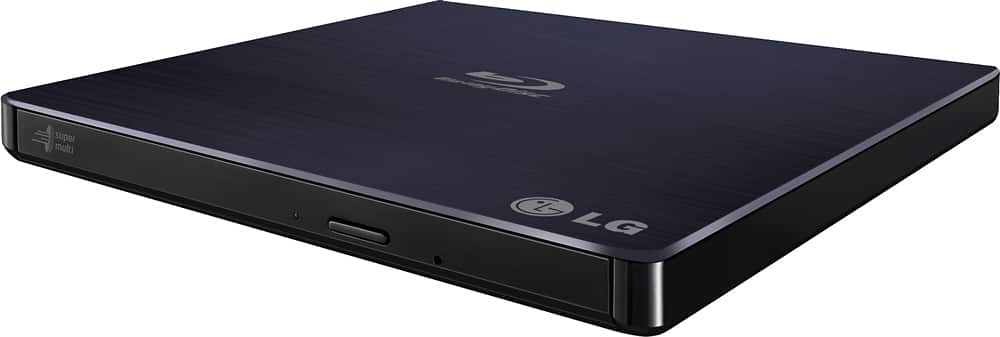
- Model:
- BP50NB40
- |
- SKU:
- 9243009
Customer reviews
Rating 4.4 out of 5 stars with 4448 reviews
(4,448 customer reviews)Rating by feature
- Value4.3
Rating 4.3 out of 5 stars
- Quality4.4
Rating 4.4 out of 5 stars
- Ease of Use4.5
Rating 4.5 out of 5 stars
Customers are saying
Customers love the 8x External USB 2.0 Blu-ray Disc Double-Layer DVD±RW/CD-RW Disc Rewriter for its ease of use, Blu-ray capabilities, and excellent performance in reading and writing discs. The product is also praised for its light and portable size, good speed, and compatibility across operating systems. However, some customers have expressed concerns about the included software and the noise level during operation. Overall, the product is well-received for its features and reasonable price.
This summary was generated by AI based on customer reviews.
Rated 4 out of 5 stars
READ THIS IS YOU HAVE A MAC LAPTOP (OR ANY LAPTOP)
Posted .This reviewer received promo considerations or sweepstakes entry for writing a review.I just bought this Blu-Ray optical drive yesterday, I needed something to rip my Blu-Ray collection as my Apple SuperDrive is only capable of reading / writing DVDs. This was really the only one they had to offer at my local BestBuy and the reviews online were decent, so I thought I'd give it a try. A couple of things right off the bat - some reviews on here are confusing, after reading and doing research, I wasn't sure if this drive had two separate USB cables, or just one, the manufacturer's description wasn't helpful at all. However, I discovered that it is technically one cable, but it DOES SPLIT AT THE END into two USBs, one for data transfer and the other to provide additional power to the drive. The main drawback here is that the split in the cord itself is very short, only a few inches, so if you have a 15-inch MacBook Pro (like I do) this is a major problem because the only 2 USB ports are on opposite sides of the computer... At first I tried plugging both into one of my 4 port USB hubs, I thought it was going to work but then the rips kept failing because the drive didn't have enough power. So, HERE WAS MY WORKAROUND: even though every LG document says not to, I plugged the shorter split end of the cable into a USB extension cable, which I then plugged into one of my iPhone USB power adapters. It is working great now, have ripped 6 Blu-Rays and am doing more as I type. So basically even though LG advertises "No AC power needed! Convenient!" it's not exactly so, I'd almost rather they provide an AC cable, but my workaround seems to be doing just fine and I can live with it. I assume this will affect almost all Mac laptop users and probably a lot of PC notebooks as well. (SEE PHOTOS) Other than that I am pretty happy with the drive, I realize Blu-Ray drives in general are going to be more expensive, but honestly for $100 it does feel a little cheap. All plastic and the slot that pops out to put the disc into seems kinda flimsy, so I'll be extra careful about that. Oh and Mac users: I was able to plug and play with this drive, I am ripping the Blu-Rays using MakeMKV and it worked fine, no drivers to install or anything. I imagine if you download a Blu-Ray playing software for Mac you might have to download some drivers, but probably not. Shouldn't have any problems.
I would recommend this to a friend- Pros mentioned:Ease of useCons mentioned:Software
Rated 5 out of 5 stars
BD-RE BP50NB40 review
||Posted .This reviewer received promo considerations or sweepstakes entry for writing a review.I got this drive (LG - 8x External USB 2.0 Blu-ray Disc Double-Layer DVD±RW/CD-RW Disc Rewriter - Black ) because I wanted something portable that I could use with either my desktop or laptop PC. The hardware works great. The software, by Cybermedia, also works as expected. However, I was disappointed to find that the PowerDVD player software is only licensed for ONE computer, which makes no sense to me when being sold with a portable USB drive. As a workaround, I use the Leawo free Blu-ray DVD player software, easily found on the internet. I've also read that VLC (VideoLan) can play blu-ray disks, but I found Leawo was easier to use for this. If you wish to backup your Blu-ray DVD's, I recommend MakeMKV (free, although always in beta, but the beta key is repeatedly made available). I have also found (free) Handbrake to be very useful, converting backed up blu-ray DVD info to mp4. The software that came with the drive was rather old. PowerDVD was version 12 and version 16 is out now. The Cybermedia software updates/upgrades were not free, but I feel they should have been since I had just bought the drive brand-new. Also, they should have been perhaps locked to my drive's serial number, but usable on both my desktop and laptop (2 PC's at least). I mostly paid to get the burning software upgrades, since this drive is also a writer, but I have not yet bought blu-ray blanks or tried burning anything to blu-ray DVD, so I can't say anything about how the burning works. I'm pretty sure it will, though. I highly recommend the drive. I would advise waiting to decide about paying for the software updates until after trying the free programs mentioned. Cybermedia needs to make portable software for portable drives and offer updates free at least up to the purchase date. Getting a brand-new drive packaged with 5 year old software and having to pay as much for updates as for the drive, was disappointing - especially after finding it only would run on one PC. I have no affiliation with any of the free software I mentioned. Backups are only legal for private use of DVD's you own and hold. Do not make illegal backups.
I would recommend this to a friend - Pros mentioned:Overall performance
Rated 5 out of 5 stars
Affordable dvd player/reader
||Posted .This reviewer received promo considerations or sweepstakes entry for writing a review.Setup was quick and straightforward, and it worked perfectly right out of the box. The picture quality is clear and sharp, and playback is smooth with no lag or noise. I really appreciate how reliable and easy it is to use. The menus are simple, the remote is responsive, and it plays both DVDs and Blu-rays without any issues. It does exactly what it’s supposed to do and does it well. The price was also a great value. For the quality and performance LG delivers, this felt like an excellent deal and a solid purchase. If you’re looking for a dependable Blu-ray player without spending a fortune, this one is a great choice.
I would recommend this to a friend - Pros mentioned:Blu-ray, Ease of use
Rated 4 out of 5 stars
functional & good quality
||Posted . Owned for 1 month when reviewed.This reviewer received promo considerations or sweepstakes entry for writing a review.This Blue ray player works pretty well. We ordered it to be able to stream our Blu-ray and DVD collection. The blue ray player works for both our Blue ray and DVD disks. That being said, I took one star off because on all blue rays there's a watermark that appears in the center of the screen. In order to remove the watermark it cost an additional $30 for a supplemental software that removes the watermark to play the blue rays through an apple device. DVDs do not show the watermark and when connected to a non apple device it doesn't show the Blu-ray watermark. BUT, since we're an apple family this is an issue we've noticed. The Blu-ray player is easy enough to hook up. It's essentially plug and play. The thing to keep in mind is if you intend to plug this into a monitor you'll have to make sure your monitor actually has speakers or connected speakers. since our monitors are all gaming monitors we connected the player to our MacBook which is connected to our monitor. Which enabled us to use the speakers off our MacBook. Moving beyond connectivity the Blu-ray player works really well. The image looks great and stream flawlessly. It suites our needs well and breaths life into our old blueray and DVD collection again. Despite the watermark logo on bluerays we're still very happy with this blue ray player and would absolutely recommend it!
I would recommend this to a friend - Pros mentioned:Blu-ray, SpeedCons mentioned:Noise level
Rated 4 out of 5 stars
Works great, though its your only real choice.
||Posted .This reviewer received promo considerations or sweepstakes entry for writing a review.Well years ago I wanted a Bluray played/writer for my PC but didn't bother because I had a Bluray player already. Well it seems now internal Bluray players/writers are very hard to find. Most are external. Which is not the end of the world, I just like internal instead. I bought this one and mostly am happy with it. It connects easily using a USB/Mini USB cord it comes with. And while they say it will work with anything you plug it into, its not always the case. My computer read it and used it fine right after I plugged it in. But if you want to watch Bluray movies or write Bluray discs you have to install the software it comes with. Again not the end of the world but it means its not exactly "Use it on anything" since you have to install stuff. It does spin fast and work fast. I love it! It does get noisy sometimes but nothing I can't handle. There is a "quiet mode" option so it keeps it pretty quiet when using it for movies. Also the 3D Blurays look great! So if your looking for Bluray on your PC, laptop, 2 in 1... this is the one to get!
I would recommend this to a friend - Pros mentioned:Blu-rayCons mentioned:Noise level
Rated 5 out of 5 stars
Working great so far
||Posted .This reviewer received promo considerations or sweepstakes entry for writing a review.I was a little concerned about this drive because I saw some negative reviews for it. I've put this drive through the paces, and I think it's a good product. I bought this for use with my new laptop which did not come with a built-in optical drive. I read some complaints about not being able to play DVD's or Blu-Rays. I installed the software onto my Windows 10 Pro laptop, and Blu-Rays do work. I haven't sat through a whole movie yet, but the discs that I've popped into this drive do load up and appear in the PowerDVD software bundled with the drive. I did not have to pay any extra fees. Maybe because I have Windows 10 Pro instead of Windows 10 Home? I also used the drive to install Linux on my laptop. In this case, I decided to put the drive through the paces of burning a DVD-R (yeah, I know, I could've used a USB stick, but there are advantages to keeping an optical disc on your shelf for emergency recovery). The bundled software burned the Linux ISO image files I downloaded to three discs without a hitch. Then Linux installed just fine from the completed discs. I think this drive does a fine job. I like that it doesn't need a dedicated power supply - it draws all the power it needs from the USB port. As other reviewers pointed out, it is a bit loud, but not much more so than any other optical disc drive. Hopefully this drive will ll last, but so far it hasn't let me down.
I would recommend this to a friend - Pros mentioned:Blu-ray, Ease of use, Size
Rated 5 out of 5 stars
Works as Advertised
||Posted .This reviewer received promo considerations or sweepstakes entry for writing a review.There really isn't much to say about this Blu-Ray player, other than to say it works as it is supposed to. It's plug-and-play in Windows 10, plays Blu-Ray discs, writes to Blu-ray, and boots from Blu-ray. I've read some CD data discs as well, installing software. The included Cyberlink media installs and works. The player is powered from my USB 3.0 ports, it's small and light. I'd buy it again.
I would recommend this to a friend - Pros mentioned:Overall performanceCons mentioned:Noise level
Rated 4 out of 5 stars
The drive is great, software included.. not so
||Posted . Owned for less than 1 week when reviewed.This reviewer received promo considerations or sweepstakes entry for writing a review.Grabbed this to be able to watch my movies on my desktop and rip my old cd’s. Its pretty straight forward a plug and play device for everything but bluerays. To get bluerays to work you have to either install the included cyberlink studio disk which installs a bunch of junk that most will not use or find the codex needed to play bluerays through VLC. The softeare it installs to play bluerays is extremely slow and really prone to crashing and constantly gives pop ups saying “loading Blueray”. It had some nice features but when all you want to do is pop a movie in to play, this isnt very inuitive. Using VLC is a much better solution and it allows everything to load much faster but it does mean you have to head over to vlc’s website and manually download the correct files needed to play bluerays. Aside from the software stuff the drive works great, hough is a little on the loud side on initail loading of your content but then quiets up to a low hum. Overall the drive is 5 stars but the software is 3 stars.
I would recommend this to a friend - Cons mentioned:Noise level, Software
Rated 5 out of 5 stars
Great for archiving important files
||Posted . Owned for less than 1 week when reviewed.This reviewer received promo considerations or sweepstakes entry for writing a review.Bottom Line: The LG Ultra Slim Portable Blu-ray Writer is great for archiving to BD-R and BD-R XL M-discs. Pros: M-disc compatible; included Windows software; direct TV connectivity Cons: no software for Mac; M-disc writing is slow; noisy Review: I had largely moved away from optical discs until I read that the M-disc was the best way to archive/preserve digital data. Promising to last a lifetime (up to 1,000 years), the M-disc is a write-once BD-R (Blu-ray recordable) that comes in 25, 50, and 100GB (BD-R XL) sizes. Given my interest in preserving about 200GB of data, I picked up the LG Writer to connect to my 2012 MacBook Pro. First, The Writer is USB-A bus powered, so it comes with a Y-cable (two USB-A connectors) in case a single USB port does not provide enough power (note that the Blu-ray laser requires more power than a DVD writer, so the power requirements are higher). Fortunately, a single port on the MBP was enough power to the drive. Second, the drive comes with a software disc that includes PowerDVD, which allows you to watch Blu-ray movies on your computer, and some disc creation software. Unfortunately, the software suite is Windows only, so Mac users need to find their own playback and authoring programs. Despite the lack of Mac-specific software, Mac OS 10.14 recognizes the drive as a Blu-ray writer and allows you to burn right from the Finder. My first archive was 22.5GB of data burned to a 25GB BD-R M-disc, which is rated for 4x speed. If the Writer could sustain that speed, the disc should be completed in about 23 minutes. However, my disc took a little over 40 minutes to create, and, coupled with disc verification took over an hour to eject. Additionally, M-disc burning is pretty noisy as my drive did a fair amount of chirping and high pitch whining (its sounds exactly what I thought a laser burning through a disc would sound like). My second archive was 90.2GB of data burned to a 100GB BD-R XL M-disc. Once again, MacOS had no issue burning to the disc, but it took a while to complete.
I would recommend this to a friend - Pros mentioned:Overall performanceCons mentioned:Noise level
Rated 5 out of 5 stars
Works fantastic for backing up 4K UHD collection
||Posted . Owned for 1 month when reviewed.This reviewer received promo considerations or sweepstakes entry for writing a review.Im using this drive with MakeMKV to backup my movies. The LG it replaced died after just 447 movies! I just have 4K UHD’s left and this drive has done a little over 40 movies so far. Have had zero read issues and the drive performs fantastic. Now you should be realistic when considering the noise this thin and portable drive makes. I have it in another room, obviously it is going to be more noisy than a fullsize drive in a desktop chassis. If speed is not an issue, you could always lower the speed and tame down the whine i guess, but it completely normal for a drive this size. Avg 1.5+ hours to rip a 4K UHD less for standard Blu-Ray obviously.
I would recommend this to a friend - Pros mentioned:Blu-ray, Ease of use, Size
Rated 5 out of 5 stars
Easy to use, plug-and-play Blu-ray burner
||Posted . Owned for 1 month when reviewed.This reviewer received promo considerations or sweepstakes entry for writing a review.Plug and play, small, light, and quick (to burn). Good little Blu ray burner.
I would recommend this to a friend - Pros mentioned:Blu-ray, Ease of use, Overall performance
Rated 4 out of 5 stars
Good for PCs without disc drive.
||Posted . Owned for 1 month when reviewed.This reviewer received promo considerations or sweepstakes entry for writing a review.Very easy to hook up to a new PC without a disc drive. The price was good and quality seems very good so far. Blu-ray adds additional capability for watching movies on the PC.
I would recommend this to a friend - Pros mentioned:Ease of use, SizeCons mentioned:Software
Rated 5 out of 5 stars
The little Blu-ray player that could...
||Posted . Owned for less than 1 week when reviewed.This reviewer received promo considerations or sweepstakes entry for writing a review.This little LG Blu-ray player is a simply fantastic addition to your PC setup. Since most PCs and cases do not come with optical disc slots amymore, something like this is perfect if you want to watch Blu-ray or DVD, install disc-based games, etc... it's so slim that it fits right into any setup. It works well even though the included software is a bit outdated. The drive isn't exactly silent, but you likely won't notice when you're watching a movie either. Highly recommended!
I would recommend this to a friend - Pros mentioned:Ease of use, Overall performanceCons mentioned:Noise level
Rated 5 out of 5 stars
Great little disk drive
||Posted . Owned for 4 months when reviewed.This reviewer received promo considerations or sweepstakes entry for writing a review.So far this has been an extremely easy to use player. Plugged in, connected automatically and was up and running in just a few moments. I’ve used this to install older software that I still use and have disks for as well as watched DVDs and Blu-Rays with it. The quality is very good. It’s pretty quiet except for when initializing the disk on startup. I usually keep in my back pack with my laptop and it makes it very easy to to be able to watch movies while. traveling. Would definitely recommend. My only complaint after months of use is that it takes up two USB ports to operate.
I would recommend this to a friend - Pros mentioned:Size, Speed
Rated 4 out of 5 stars
Satisfactory
||Posted . Owned for 1 week when reviewed.This reviewer received promo considerations or sweepstakes entry for writing a review.After some brief research I found this drive best suited to my needs for physical media. Not only do I appreciate its speed, it has handled everything I've thrown at it thus far save for old discs that are beyond saving. It works well with the suite of software I use for digital media playback, and for more thorough usage, it can quickly, and reliabily reach and hold its top speeds for clean discs. If I may deride the product for one reason, it is for its choice of material for the exterior. I do not appreciate it being made of plastic, even if I realistically do not have qualms about its build quality. I also happen to appreciate its size as it slots in quite nicely on a small desk. It has certainly been some time since I've ever needed to use a disc drive, but so far I am content with it. I only hope it continues to serve me well going forward.
I would recommend this to a friend - Pros mentioned:Overall performance
Rated 5 out of 5 stars
Awesome add on
||Posted . Owned for 1 year when reviewed.This reviewer received promo considerations or sweepstakes entry for writing a review.Awesome addition to new PC, most do not come with disc drive anymore. I love this is still available, works great, and writes to blank Blu-ray discs. Reads CDs, DVDs, and Blu-rays.
I would recommend this to a friend - Pros mentioned:Blu-ray, SpeedCons mentioned:Noise level
Rated 4 out of 5 stars
Overall works as advertised
||Posted .This reviewer received promo considerations or sweepstakes entry for writing a review.Plays DVD/Blu-Rays, works as mentioned. Haven't tried the burner functions on it at this time. The drive can be a little loud when starting it up at least playing movies, but quiets down after the initial load. Seems relatively quick. Though the cheap feel of the plastic is a little put off and seems a little flimsy when putting disks in it seems like its constructed pretty well. Software included, its a shame they haven't updated it. Still on a really old version of the software so right when installing they want you to update. Can ignore it just a little annoying is all.
I would recommend this to a friend - Pros mentioned:Overall performanceCons mentioned:Connectivity
Rated 5 out of 5 stars
Awesome Drive
||Posted . Owned for less than 1 week when reviewed.This reviewer received promo considerations or sweepstakes entry for writing a review.This drive performs as advertised. Ive used it so far to watch DVDs, Blu-rays and to view pictures/burn pictures onto a CD with zero issues. The drive runs mostly quiet outside of hearing the rotation speed change, and even then I dont find it to be an issue. My one complaint with this drive is the continued use of Micro-USB. Because of this choice, you have to have two open USB-A ports close to one another to provide adequate power/data transfer capabilities to the drive. This, in my opionion, is not a deal breaker.
I would recommend this to a friend - Pros mentioned:Blu-ray, Ease of use, Size
Rated 5 out of 5 stars
Really Good
||Posted .This reviewer received promo considerations or sweepstakes entry for writing a review.I have a new laptop and unfortunately it does not have any ide drives. I picked up this drive because of bluray codecs and I could watch high def movies. It was easy to connect via usb to my laptop without having to using any of included software. It is lightweight and fits easily into my thin computer bag. This would be a good addition, if you are looking to add bluray functionality to your computer or mac.
I would recommend this to a friend - Cons mentioned:Connectivity
Rated 5 out of 5 stars
Great Slim Blu-Ray Drive
||Posted . Owned for 4 months when reviewed.This reviewer received promo considerations or sweepstakes entry for writing a review.I've had this LG Slim Blu Ray Drive for about 4 months now. In that time, I've used it to read dozens of discs (CD, DVD, Blu-Ray). If you flash it with new firmware, you can even get it to play 4K UHD blu-ray discs! Overall, I'm very satisfied--my only complaint is that the cable is fairly short and requires two USB-A ports (one for power and one for data from what I understand). Other than that, it's great, especially if you can get it on sale!
I would recommend this to a friend