Customer Ratings & Reviews
- Model:
- 32GS95UV-W.AUS
- |
- SKU:
- 6595425
Customer reviews
Rating 4.6 out of 5 stars with 575 reviews
(575 customer reviews)Rating by feature
- Display Quality4.8
Rating 4.8 out of 5 stars
- Ease of Use4.7
Rating 4.7 out of 5 stars
- Features4.6
Rating 4.6 out of 5 stars
Customers are saying
Customers value the UltraGear 32" OLED monitor's exceptional picture quality, high refresh rate, and vibrant colors, frequently praising its immersive visual experience. The dual mode feature and surprisingly good built-in speakers also receive positive feedback. While some find the price high and have noted areas for HDR improvement, the overall response highlights the monitor's strengths.
This summary was generated by AI based on customer reviews.
- Cons mentioned:Finish
Rated 2 out of 5 stars
MATTE COATINGS ARE BAD
||Posted . Owned for 1 month when reviewed.This reviewer received promo considerations or sweepstakes entry for writing a review.PLEASE BE CAREFUL, there is a noticeable matte coating on this monitor which in most white or brighr backgrounds cause the scene to have grain and give the image a blurry sharp look, please keep this in mind.
This review is from LG - UltraGear 32" OLED Dual Mode (4K UHD 240Hz,FHD 480Hz), 0.03ms NVIDIA G-SYNC Compatible, AMD Freesync Pro Gaming Monitor - Black
I would recommend this to a friendBrand response from LG Digital Customer Care
Posted .Hi, Aaron. Thank you for sharing your feedback about the LG Monitor (32GS95UE-B) model. We understand that the matte coating and its impact on bright or white backgrounds may not meet your expectations, and we appreciate you bringing this to our attention. We aim to provide high-quality products and ensure a smooth viewing experience.
The matte coating is designed to reduce glare and reflections, which can be helpful in well-lit environments. However, we understand that it may cause the effect you’re describing in certain scenarios. To improve the display experience, try adjusting the monitor’s sharpness and brightness settings through the on-screen display menu. This can sometimes reduce the grainy appearance you’re noticing. For more help, you may visit https://www.lg.com/us/support/help-library/lg-tv-the-best-picture-settings-for-your-lg-tv--20150577528034.
If you have further questions or would like additional assistance, please don’t hesitate to send us a private message on social media @LGUSSupport. We would be happy to help. We appreciate your feedback and patience. ^Juvy
Rated 5 out of 5 stars
Great end game monitor
||Posted . Owned for 1 week when reviewed.This reviewer received promo considerations or sweepstakes entry for writing a review.Great monitor, didn't think id end up keeping it but here we are! make sure to install the drivers!
This review is from LG - UltraGear 32" OLED Dual Mode (4K UHD 240Hz,FHD 480Hz), 0.03ms NVIDIA G-SYNC Compatible, AMD Freesync Pro Gaming Monitor - Black
I would recommend this to a friendRated 5 out of 5 stars
Amazing purchase
||Posted . Owned for 2 weeks when reviewed.This reviewer received promo considerations or sweepstakes entry for writing a review.Thank you for Best Buy for the 1 of 1 experience!!
This review is from LG - UltraGear 32" OLED Dual Mode (4K UHD 240Hz,FHD 480Hz), 0.03ms NVIDIA G-SYNC Compatible, AMD Freesync Pro Gaming Monitor - Black
I would recommend this to a friendRated 5 out of 5 stars
OLED
||Posted . Owned for 2 weeks when reviewed.This reviewer received promo considerations or sweepstakes entry for writing a review.Amazing, The pixels in the oled are clean and they are clear
This review is from LG - UltraGear 32" OLED Dual Mode (4K UHD 240Hz,FHD 480Hz), 0.03ms NVIDIA G-SYNC Compatible, AMD Freesync Pro Gaming Monitor - Black
I would recommend this to a friendRated 5 out of 5 stars
Monitor
||Posted . Owned for 1 week when reviewed.This reviewer received promo considerations or sweepstakes entry for writing a review.perfect monitor, the 4k is just amazing on my pc i recommend this monitor 100%
This review is from LG - UltraGear 32" OLED Dual Mode (4K UHD 240Hz,FHD 480Hz), 0.03ms NVIDIA G-SYNC Compatible, AMD Freesync Pro Gaming Monitor - Black
I would recommend this to a friend- Cons mentioned:Brightness
Rated 1 out of 5 stars
Matte screen and dim lighting for gaming?
||Posted . Owned for less than 1 week when reviewed.This reviewer received promo considerations or sweepstakes entry for writing a review.I bought this monitor to replace a three year old 32” 4K LCD gaming monitor. Hooked it up and started playing World of Warcraft. Yes the blacks were better then my LCD, but the blurry text, dim lighting, and awful screen coating ruined the experience. Honestly it looks like someone took an oily rag and wiped it on the screen. There’s no point buying a 4K monitor then blurring everything with a poor screen coating. Even in a completely dark room it wasn’t even close to the brightness and sharpness of my old LCD monitor. I returned this monitor the next day.
This review is from LG - UltraGear 32" OLED Dual Mode (4K UHD 240Hz,FHD 480Hz), 0.03ms NVIDIA G-SYNC Compatible, AMD Freesync Pro Gaming Monitor - Black
No, I would not recommend this to a friendBrand response from LG Digital Customer Care
Posted .Hello, John. Thank you for sharing your feedback regarding your experience with the LG monitor model 32GS95UE-B. We appreciate your detailed observations about the display quality and understand your disappointment. To address this issue effectively, please send us a private message on our social media platform via @LGUSSupport. Our team is committed to understanding your needs and ensuring you find a monitor that meets your expectations for brightness, sharpness, and text clarity. Your feedback helps us improve our products, and we're dedicated to providing solutions that enhance your gaming and viewing experiences. We look forward to assisting you further. ^Sam
Rated 1 out of 5 stars
Received Wrong Product
||Posted .This reviewer received promo considerations or sweepstakes entry for writing a review.Bought this monitor "Open Box Excellent" but actually received a 32GQ750-B that someone clever even took the effort to put a 32GS95UE-B.AUS sticker on. Still this should've been caught in the inspection process for having the wrong ports/design on the back (as well as clearly not being OLED when turned on). Extremely disappointed with Best Buy.
This review is from LG - UltraGear 32" OLED Dual Mode (4K UHD 240Hz,FHD 480Hz), 0.03ms NVIDIA G-SYNC Compatible, AMD Freesync Pro Gaming Monitor - Black
No, I would not recommend this to a friend- Pros mentioned:Dual mode, Picture qualityCons mentioned:Brightness
Rated 4 out of 5 stars
Pixel Sound is impressive! But no USB-C or Dolby V
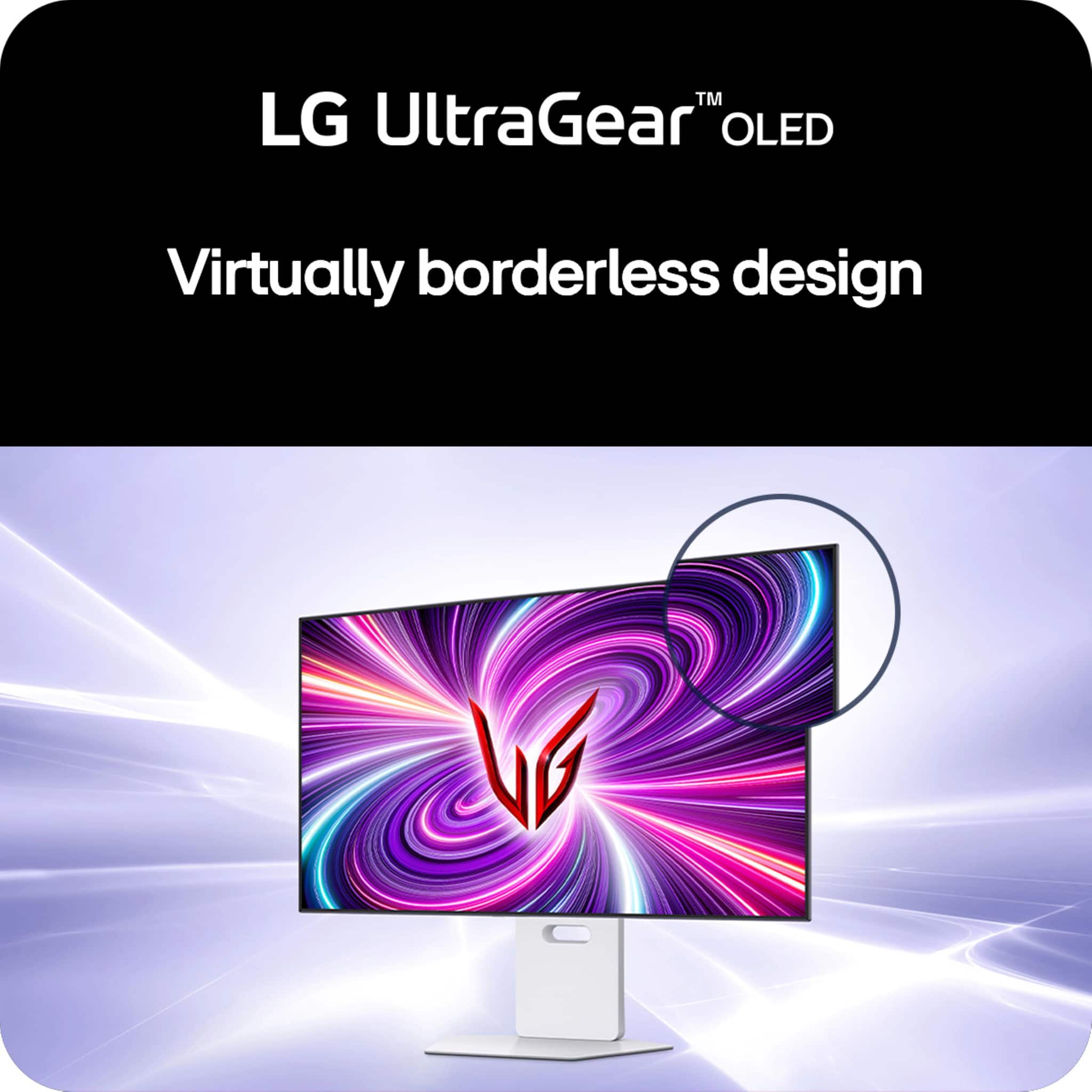
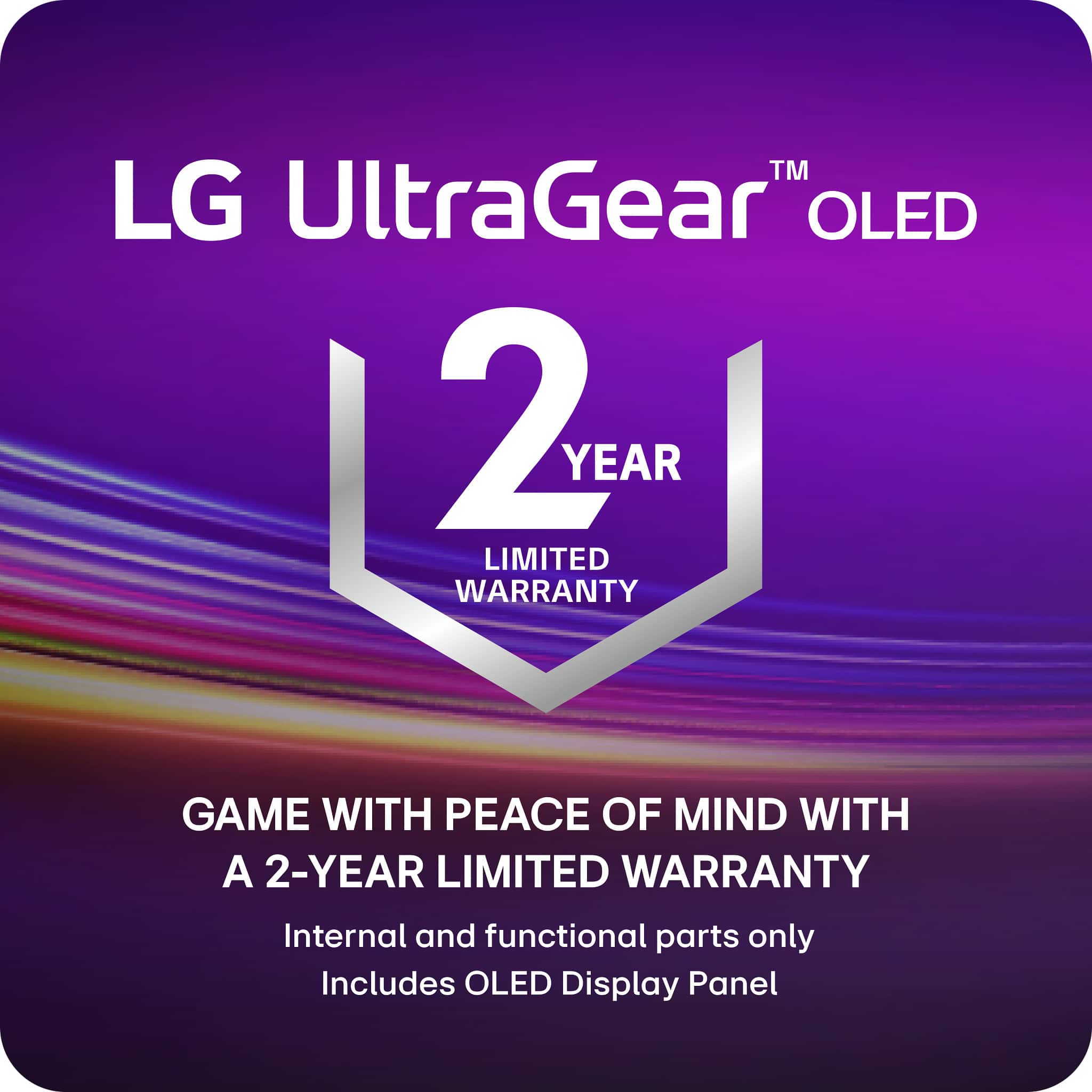
|Posted .This reviewer received promo considerations or sweepstakes entry for writing a review.-Installation- Simple and toolless if using the stand. It comes in 3 parts: the display, the neck of the stand, and the base of the stand. The stand is assembled by 2 D-ring screws found underneath the base that screw into the neck half. The display snaps into the assembled base securely with tabs. Removing the display from the stand is as simple as pushing a spring button on the back of the display down and pulling the display off it at an angle. You can also easily mount the monitor but you’ll need a Phillips head screwdriver to remove the four screws that cover the mounting holes. It uses the standard VESA 100x100 mount. -Appearance- Understated in an attractive way, distraction-free with a flair of gamer aesthetics designed to be minimal in distractions. The gamer aesthetics I’m referring to are the 2 LED light strips, which LG calls “Hexagon Lighting” on the back of the monitor that are customizable to 21 different colors across the spectrum. You can set 4 different static color presets, cycle between those 4 colors, or turn off the lighting. With the lights off, it looks really professional, and would fit right in an office work environment. With the lights on, it’s best utilized on an island desk if you’re trying to show it off, or against a wall in a dark setting. The lights will reflect off the wall and emit a glow of that color from behind your monitor. There is no branding on the display itself, and the bezels are slim at ¼” with the bottom bezel slightly wider at 3/8”. There is no chin. The branding you’ll find on the monitor is glossy logo on the back of the display that does not light up, the neck of the stand, and the foot of the stand. The branding on the stand is so understated though, you’ll have to look hard to see it. The only branding that pops is a Nvidia G-Sync sticker on the bottom of the neck of the stand, which you can always peel off, but is also somewhat out of the way as it is. There is no Power/standby LED -Stand- Functional, practical, and rock solidly sturdy. The base is metal that gives it substantial weight but is covered in a hard plastic. It still looks and feels premium. Nothing about it is flimsy. There’s no creaking or flexing when I move the monitor around or make adjustments to it. The stand has a hole in the neck of the stand for cable management that measures 3” across, and 7/8” vertically. The monitor can pivot so you can view the display in portrait mode. From landscape to portrait, it clockwise, with the inputs being on the left side. It can tilt and swivel but the angle adjustment allowed was clearly designed for a single seated person. It doesn’t tilt enough for you to view it comfortably while standing looking down at it. And even more disappointingly, the swivel angle is even more limited; not enough to share the screen with someone sitting right beside you. At its lowest height adjustment in landscape, its height is 19.75”. But since the vent is on the top, you’ll need more clearance than that. The space between the bottom of the monitor and the stand at its lowest height adjustment is about 3.25”. It won’t get as low as the stand. At its highest adjustment, that space is 7.875”, with a height of 24.57”. Since the base of the stand is flat and solid, you can put stuff on top of it. -Cooling- The monitor is cooled by a fan that is inaudible during actual use since it gets easily drowned out by a premium quality quiet computer fan like my Noctua NF-A20. You’d only hear it in complete silence. The exhaust vent is located on the top of the monitor, though you won’t feel any breeze; just exhaust heat. The intake vent is on the bottom. You won’t feel any heat around most of the monitor except for the center, where the heat is clearly concentrated to. Within that heat zone, it’s coolest on the bottom, hottest in the absolute center, and hot in the top. -Burn-in measures- There are 4 different OLED Screen Move modes, where the display will periodically shift the pixels in a different direction but seemingly never in a way you notice it happening after the first initial shift when you make the selection. Curiously, by default, this option was turned off. As previously mentioned, it’s cooled by a fan. I can’t tell if it’s in combination with a heatsink but the sides of the monitor are cool to touch with no heat from the front or back of the display. The center may be a concern because that’s where the heat lies, including the front of the display. Sadly, the warranty coverage for burn-in pales in comparison to its competitors offering just a 2-year coverage. The warranty does cover burn-in, as confirmed with several LG representatives I’ve contacted myself but they’ve been more coy about it compared to the competition, that proudly advertise a 3-year OLED burn-in coverage. -Inputs- 2 x HDMI 2.1 1 x Displayport 1.4 2 x USB-A (5Gbps) 1 x USB-B (5Gbps) to connect to PC and allow data connection to the USB-A ports and to update firmware 1 x headphone jack I found it disappointing that it didn’t have USB-C, which could’ve been used to daisy chain USB-C monitors. USB-A doesn’t support Displayport Alt. -Display- It uses a matte coating, which does an excellent job preventing reflections and glare. I have my monitor diagonally adjacent to my 65” TV, which is behind me. I also have my monitor almost directly underneath a ceiling light, of which there are 4 in the room. Unlike with a glossy display, I never see any reflections, just the content on my screen. Colors look accurate and do not appear muted although it may seem that way out of the box due to the manufacturer default settings combined with Windows 11’s default settings. However, it does not match up with a glossy panel if you’re looking for vibrancy. But here’s the thing that I experience: reflections ruin my enjoyment of a glossy display because I can see myself on the screen. So there is a market for matte displays. And the 32GS95UE is great because it’s matte coating has little to no noticeable negative impact on color. The coating is also resistant to oily substances like fingerprints and makes the screen easy to clean. Contrast is excellent, with no blooming. Blacks appear as true blacks. Whites are more accurate than the Whites on my S22 Ultra, which uses a glossy panel and looks more yellow by comparison. However, if you’re looking at a largely white screen, the matte coating does appear more evident. Otherwise, it’s largely unnoticeable unless you’re actively looking for it. Brightness is average. It’s not poor nor is it great. It struggles against natural light even with peak brightness set to high and the brightness set to 100, diminishing contrast quality the brighter it is. But with indoor lighting that wasn’t an issue for me. Windows 11 will have SDR brightness set to 40 by default if you have HDR enabled, which makes your desktop appear dark (in my case, too dark) since Windows 11 objects such as its Desktop is still SDR content. You’ll want to adjust the SDR content brightness to your liking from the Windows 11 Settings. Text quality is great and legible, even at 100% scaling. There’s hardly any text fringing except for white fonts (such as the default Windows system text color) but you’d have to be really up close to the monitor (like about 5 inches or closer) to notice it. At higher scaling, it’s even less noticeable even from up close. I never felt any eye strain or fatigue after several hours of continuous use. HDR with HDR content looks great. I didn’t experience black crush with my display. I used a “Black Clipping 4k UHD HDR 10 Calibration” video on YouTube and 64 was a true black. 68 was dimly flashing. This was while I was on Gamer 1 mode. -Sound- Expected Pixel Sound to be a gimmick, but it isn't. It's one of the best sounding speakers on a monitor. They're actually front firing, and sound immersive. They also get plenty loud at just 30%. And still clear at 100%. They don't sound tinny. Bass is present and not muddy. With stereo speakers sounding this great and on the monitor, it makes for a clean setup as opposed to desktop speakers. -Gaming- It has a crosshair feature, which wouldn’t be detectable by software. It also has an FPS counter, which actually reports the refresh rate. The only way for it to report actual frame rate is if you have Adaptive-Sync (which is variable refresh rate, or VRR) on. Gameplay was smooth on 4K at 200fps. I haven’t experienced any input lag, screen tearing, or flickering. With HDR gaming, such as Shadow of the Tomb Raider, I’m able to see the dark details without any kind of overexposure. Dual-Mode allows you to switch between 4K 240Hz to a 1080p 480Hz with the press of a button, as opposed to switching out 2 different such monitors. The switch takes just under 4 seconds after you press the button. Each mode is seen in Windows as different monitors, so their display settings are independent of each other. 1080p 480Hz also gives you the option to switch to a 27” or 24” sized display which helps with your field of vision for games where you need full screen awareness like first person shooters. It’s clearly the mode designed for competitive coming. However, for some reason, both display in 27” and 24” modes is not as sharp as the full screen 1080p. It’s not a huge deal with games but it’s pretty noticeable in Windows, where everything looks softer. -Conclusion- You should only consider a monitor this if you’re a gamer that's in the market for a Dual-Mode monitor. This is the first one to market. The visuals look great in SDR and HDR after calibration. The monitor itself looks great and professional. If your lighting environment handles glossy well, then you’re probably better off waiting. Pixel Sound sounds amazing and a serious standout feature. The 2 year warranty when competitors offer 3, lack of USB-C, and lack of Dolby Vision were really disappointing to me for such an expensive device that should be future proofing itself. 3.5 stars
This review is from LG - UltraGear 32" OLED Dual Mode (4K UHD 240Hz,FHD 480Hz), 0.03ms NVIDIA G-SYNC Compatible, AMD Freesync Pro Gaming Monitor - Black
I would recommend this to a friend - Pros mentioned:Oled quality, Picture quality, Refresh rate
Rated 5 out of 5 stars
Big, Bold, Beautiful
|Posted .This reviewer received promo considerations or sweepstakes entry for writing a review.A great display is going to have superb color accuracy, ultra fast refresh rates, and as high a resolution as you can manage. Unfortunately the majority of gaming displays out there will only really be able to deliver two out of the three. LG's latest OLED UltraGear displays make a solid attempt at delivering all three, and mostly succeeds. The first thing pretty much everyone will notice is that this is a beast of a display. While many have chosen to design OLED displays to be more space efficient than their LCD counterparts LG seems to have chosen to keep most of the size and heft of their LCD based designs. While this does make unpacking it somewhat unwieldy (I was just about able to do it on my own - but those with shorter arms might want to plan to ask for help moving it into position.) Once it was set up though I ended up being very much on board with this. The stand is highly adjustable, with the only feature missing being the ability to rotate it (which, truthfully, probably wouldn't be practical anyway given the size of the panel.) And with the OLED taking up less space LG's managed to find space for some astonishingly decent speakers firing directly through the display rather than beneath it, making it the first monitor where I feel you could actually forgo a soundbar or external speaker setup entirely and just use the built-in audio. As far as performance goes... well, it probably doesn't come as a surprise to anyone that the image is gorgeous. I can't say it's the best looking OLED I've ever seen. Black levels are fantastic as you'd expect but colors don't quite reach the same vibrancy you might get from a phone or TV - something I attribute almost entirely to the matte screen coating. But it'll still handily beat the vast majority of LCDs, and frankly I think most will be fine accepting a little less color saturation if it means not having to deal with constant reflections and glare. And when running at its full resolution you don't notice a common complaint with OLEDs where the pentile pixel arrangement causes the edges of text to look blurred, making it ideal for daily use as well as gaming. When you do get into gaming though, the monitor shines. Frankly even at 240hz everything feels ridiculously smooth, but when switched over to 480hz mode it's almost unreal. If you're regularly playing competitive shooters or racing games this is definitely one of those features where once you've gotten a taste of it you'll probably never be able to go back. It's not entirely without cost - switching to 480hz does require you to drop down to FHD resolution and on a panel this big you'll be able to see every pixel once you do. And even at FHD, pushing close to 500 frames per second on modern games is going to take a pretty beefy GPU. But even if you can only get part of the way I imagine a lot of people would consider it to be worth it, particularly with variable framerate support eliminating the risk of tearing. And if you just can't bear to drop down to a quarter of the panel's native resolution, you'll find that even the relatively "slow" 240hz mode is plenty twitchy. Assuming you've got the desk space and the budget for it, this is an easy recommendation for pretty much any gamer.
This review is from LG - UltraGear 32" OLED Dual Mode (4K UHD 240Hz,FHD 480Hz), 0.03ms NVIDIA G-SYNC Compatible, AMD Freesync Pro Gaming Monitor - Black
I would recommend this to a friend Rated 3 out of 5 stars
Not that great!
||Posted .This reviewer received promo considerations or sweepstakes entry for writing a review.Not that great for be costing so much. I have LG oleds and these pale in comparison to them.
This review is from LG - UltraGear 32" OLED Dual Mode (4K UHD 240Hz,FHD 480Hz), 0.03ms NVIDIA G-SYNC Compatible, AMD Freesync Pro Gaming Monitor - Black
No, I would not recommend this to a friend- Cons mentioned:Brightness
Rated 1 out of 5 stars
Terrible OSD and peak brightness w/ HDR
||Posted . Owned for 2 weeks when reviewed.This reviewer received promo considerations or sweepstakes entry for writing a review.It's a beautiful screen, but the model I got was stuck at 580 nits with HDR on. Not the advertised screen brightness. I did try firmware updates and looking online. Nothing worked and the fact I would have to look myself to fix this issue is the issue to begin with. Fix the firmware and the bad OSD.
No, I would not recommend this to a friendBrand response from LG Digital Customer Care
Posted .Hi there, Chase. Thank you for sharing your experience with us. We understand your situation regarding the peak brightness and OSD of your LG 32GS95UV-W.AUS monitor.
To enhance HDR performance, we recommend adjusting the monitor's settings:
Set Peak Brightness to High: Navigate to the OSD menu and set the Peak Brightness to High. This adjustment can help achieve a peak brightness closer to the advertised 1300 nits.
Switch to Gamer 1 Mode: For optimal HDR experience, select the Gamer 1 mode, which is designed to deliver accurate color and brightness settings.
Additionally, LG has released firmware updates that address various performance aspects of the 32GS95UV-W.AUS model. Updating to the latest firmware can improve HDR brightness and OSD functionality. You can find the latest firmware and update instructions on the official LG support page for your monitor - https://www.lg.com/us/support/product/lg-32GS95UV-W.AUS
If you need further assistance or have additional questions, please send us a private message on Social Media @LGUSSupport. Our team is here to help and explore possible solutions with you.
We appreciate your patience.
—Renzo
Rated 2 out of 5 stars
Burn in
||Posted . Owned for 3 weeks when reviewed.This reviewer received promo considerations or sweepstakes entry for writing a review.Product condition was listed as good but had a massive burn in mark across the middle. Would recommend staying away from this as open box unless you are okay with that. Return was easy though.
This review is from LG - UltraGear 32" OLED Dual Mode (4K UHD 240Hz,FHD 480Hz), 0.03ms NVIDIA G-SYNC Compatible, AMD Freesync Pro Gaming Monitor - Black
No, I would not recommend this to a friendBrand response from LG Digital Customer Care
Posted .Hello there, DavidJ. Thank you for sharing your experience with us. We understand that the 32GS95UE-B.AUS monitor you received had a burn-in mark. Your feedback is important, and we'd like to assist you further.
While burn-in can occur, especially with OLED displays, LG monitors are designed with features to help prevent this under normal usage. Since this was an open-box unit, the previous usage may have contributed to the issue you experienced.
https://www.bestbuy.com/site/lg-ultragear-32-oled-dual-mode-4k-uhd-240hzfhd-480hz-0-03ms-nvidia-g-sync-compatible-amd-freesync-pro-gaming-monitor-black/6575402.p?skuId=6575402
Please send us a private message on Social Media @LGUSSupport and our team will be more than happy to explore possible solutions. We appreciate your patience. —Renzo
Rated 3 out of 5 stars
Goo but not worth it now
||Posted . Owned for 3 weeks when reviewed.This reviewer received promo considerations or sweepstakes entry for writing a review.Id wait for more dual modes with DP2.1 for future proof i retuned and got a Asus PG27UCDM
No, I would not recommend this to a friendBrand response from LG Digital Customer Care
Posted .Hello there, Preston. Thank you for sharing your thoughts on the LG UltraGear 32" OLED Dual Mode Gaming Monitor. We appreciate your feedback regarding the DisplayPort 2.1 connectivity for future-proofing your setup.
We're always working to bring the latest technology to our monitors to provide the best possible gaming experience, and we understand that features like the full-bandwidth DisplayPort 2.1 are important to advanced users for maximizing performance at the highest resolutions and refresh rates. We're glad to hear you are looking ahead with your gaming monitor choices.
https://www.bestbuy.com/product/lg-ultragear-32-oled-dual-mode-4k-uhd-240hzfhd-480hz-0-03ms-nvidia-g-sync-amd-freesync-pro-gaming-monitor-hdmi-dp-white/JJ8VPZTLXW
For further assistance and any specific concerns you may have, please send us a private message on Social Media @LGUSSupport. We appreciate your patience. —Renzo
Rated 3 out of 5 stars
Cold be something
||Posted . Owned for 1 month when reviewed.This reviewer received promo considerations or sweepstakes entry for writing a review.There was just something off with the monitor that my eyes did mot agree with.....went with Samsung g8 odyssey no eye issues.
I would recommend this to a friend- Cons mentioned:Finish
Rated 1 out of 5 stars
Matte finish is terrible :(
||Posted . Owned for 1 week when reviewed.This reviewer received promo considerations or sweepstakes entry for writing a review.I got sick of waiting for the ROG PG32UCDM to come back in stock at Micro Center so I decided to get this, thinking the matte finish wouldn't be a big deal, but it is. If you're looking at a page with a white background, it literally looks like the screen is smeared with a ghetto coating. I can't stand it and am bummed out because I want a 4k OLED but I gotta return this one and just keep waiting for the ROG QD-OLED to come back in stock. Hope this review helps you if you're picky like me.
This review is from LG - UltraGear 32" OLED Dual Mode (4K UHD 240Hz,FHD 480Hz), 0.03ms NVIDIA G-SYNC Compatible, AMD Freesync Pro Gaming Monitor - Black
No, I would not recommend this to a friendBrand response from LG Digital Customer Care
Posted .Hi, Brian. Thank you for taking the time to share your feedback with LG Monitor (32GS95UE-B) model. We value your honesty and understand your disappointment with the matte finish. We aim to offer top-notch products and user experiences, and we take your feedback seriously. Your comments about the matte finish will be passed on to our team for review and enhancement. If you need more help or have more feedback, feel free to reach out to us on social media @LGUSSupport. ^Juvy
Rated 2 out of 5 stars
Used Monitor
||Posted .This reviewer received promo considerations or sweepstakes entry for writing a review.At first the Monitor worked great but i’m not sure if there’s some sort of issue with the core but sometimes the screen turns black or the screen with turn staticky
This review is from LG - UltraGear 32" OLED Dual Mode (4K UHD 240Hz,FHD 480Hz), 0.03ms NVIDIA G-SYNC Compatible, AMD Freesync Pro Gaming Monitor - Black
I would recommend this to a friendBrand response from LG Digital Customer Care
Posted .Hello there, GiovanyM. Thank you for sharing your experience with us. We understand your inquiry regarding the screen intermittently turning black or static on your 32GS95UE-B.AUS monitor. Your feedback is important, and we'd like to assist you further. Please send us a private message on Social Media @LGUSSupport and our team will be more than happy to explore possible solutions.
https://www.bestbuy.com/site/lg-ultragear-32-oled-dual-mode-4k-uhd-240hzfhd-480hz-0-03ms-nvidia-g-sync-compatible-amd-freesync-pro-gaming-monitor-black/6575402.p?skuId=6575402
We appreciate your patience. —Renzo
- Cons mentioned:Brightness
Rated 2 out of 5 stars
Brightness Not Good
||Posted . Owned for less than 1 week when reviewed.This reviewer received promo considerations or sweepstakes entry for writing a review.I try every settings and hdr color calibration not work like Brightness problem all oled monitor qd oled and wolen very sad i go back again my ips panel
This review is from LG - UltraGear 32" OLED Dual Mode (4K UHD 240Hz,FHD 480Hz), 0.03ms NVIDIA G-SYNC Compatible, AMD Freesync Pro Gaming Monitor - Black
No, I would not recommend this to a friendBrand response from LG Digital Customer Care
Posted .Hi, Jasbir. Thank you for taking the time to review the LG Monitor (32GS95UE-B) model. We're sorry to hear about the unit's brightness and HDR color calibration. We strive to provide top-notch products and ensure a smooth and seamless experience. Please visit https://www.lg.com/us/support/help-library/lg-monitor-troubleshooting-a-dark-picture--20153185248037. For further assistance, you can reach out to us on social media @LGUSSupport. ^Juvy
Rated 3 out of 5 stars
Vertical banding
||Posted . Owned for 1 month when reviewed.This reviewer received promo considerations or sweepstakes entry for writing a review.Vertical banding on my unit, had to return. I'm sure I just had a bad unit. Overall great monitor but I expected better QC for this price.
This review is from LG - UltraGear 32" OLED Dual Mode (4K UHD 240Hz,FHD 480Hz), 0.03ms NVIDIA G-SYNC Compatible, AMD Freesync Pro Gaming Monitor - Black
I would recommend this to a friend- Cons mentioned:Brightness
Rated 1 out of 5 stars
Anti reflection screen sucks
||Posted . Owned for 1 month when reviewed.This reviewer received promo considerations or sweepstakes entry for writing a review.I returned if the next day. The features are great but the screen sucked. The Matte screen makes the oled not look as great.
This review is from LG - UltraGear 32" OLED Dual Mode (4K UHD 240Hz,FHD 480Hz), 0.03ms NVIDIA G-SYNC Compatible, AMD Freesync Pro Gaming Monitor - Black
No, I would not recommend this to a friendBrand response from LG Digital Customer Care
Posted .Hi, there. Thank you for sharing your feedback with us. We understand your concern about the LG Monitor (32GS95UE-B) model and the screen not meeting your expectations. The matte finish on this model is designed to reduce glare and improve visibility in bright rooms. We strive to provide high-quality products and ensure a smooth experience.
We really appreciate you giving it a shot, and we hope you find a model that fits your viewing style better. If you're still curious about an OLED experience with even better picture quality, we're here to help you explore some other options that might work for you. For more info, feel free to check out https://www.lg.com/us/support/help-library/lg-tv-picture-quality-and-optimization--20152175493545.
Don’t hesitate to reach out to us on social media @LGUSSupport if you need anything else—we're always happy to help.
Thanks again for your feedback; we're here for you. ^Juvy
Rated 1 out of 5 stars
Bad QC & Issues Abound
||Posted . Owned for less than 1 week when reviewed.This reviewer received promo considerations or sweepstakes entry for writing a review.I should have taken the fact that the display model at my local store was cooked into consideration before buying this garbage. The "hotkeys" for switching between 4K and FHD don't work at all. This is one of the main selling points of the monitor... Text clarity at 4K is shockingly bad, and VRR flickering on this display is awful. There is no active cooling solution on this monitor, which is a pretty crazy choice as well. The build quality is questionable at best, and for the price I expected this to be so much more than it is. This isn't worth it even on sale, and I will be returning it for a refund.
This review is from LG - UltraGear 32" OLED Dual Mode (4K UHD 240Hz,FHD 480Hz), 0.03ms NVIDIA G-SYNC Compatible, AMD Freesync Pro Gaming Monitor - Black
No, I would not recommend this to a friendBrand response from LG Digital Customer Care
Posted .Hi, Anjeth. Thank you for sharing your detailed feedback with us. We understand your concern about your LG Monitor (32GS95UE-B) model doesn’t meet your expectations, especially with issues like the hotkeys not working, poor text clarity at 4K, and flickering with VRR. We strive to provide reliable, high-quality products that exceed our customer's needs and expectations.
To start, we recommend checking if your monitor's firmware is up to date, as updates can sometimes resolve issues like VRR flickering or improve functionality with display modes. For guidance, visit https://www.lg.com/us/support/help-library/lg-monitor-how-to-update-monitor-firmware--20153819322140. Additionally, for the text clarity issue, adjusting the scaling settings on your device might help improve the sharpness when using 4K resolution.
If these steps don’t resolve the concerns, we’d love to help you further. Please send us a private message on social media @LGUSSupport, and our team will work with you to explore other solutions or options for your monitor.
We appreciate your feedback and are committed to assisting you every step of the way. ^Juvy