Customer Ratings & Reviews
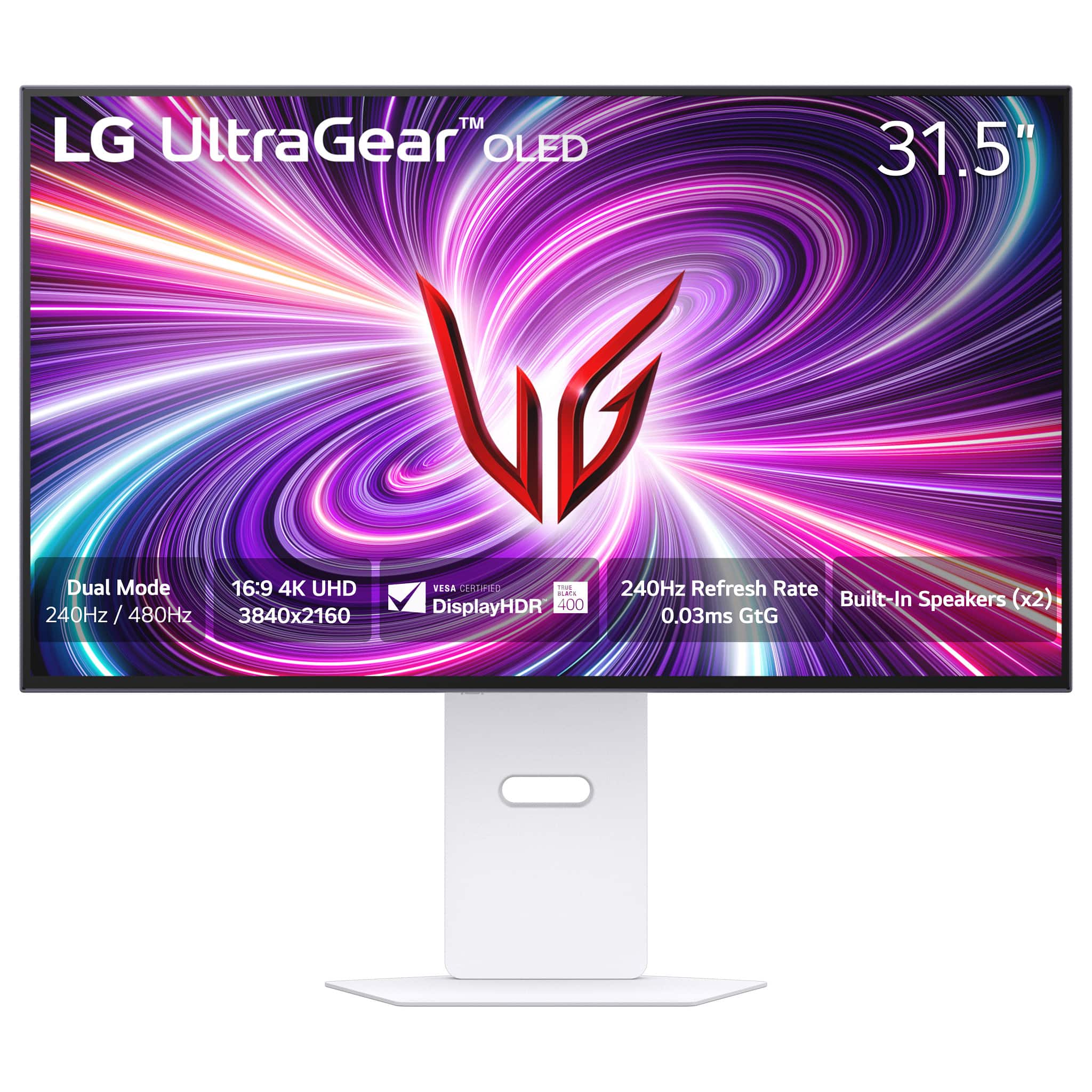


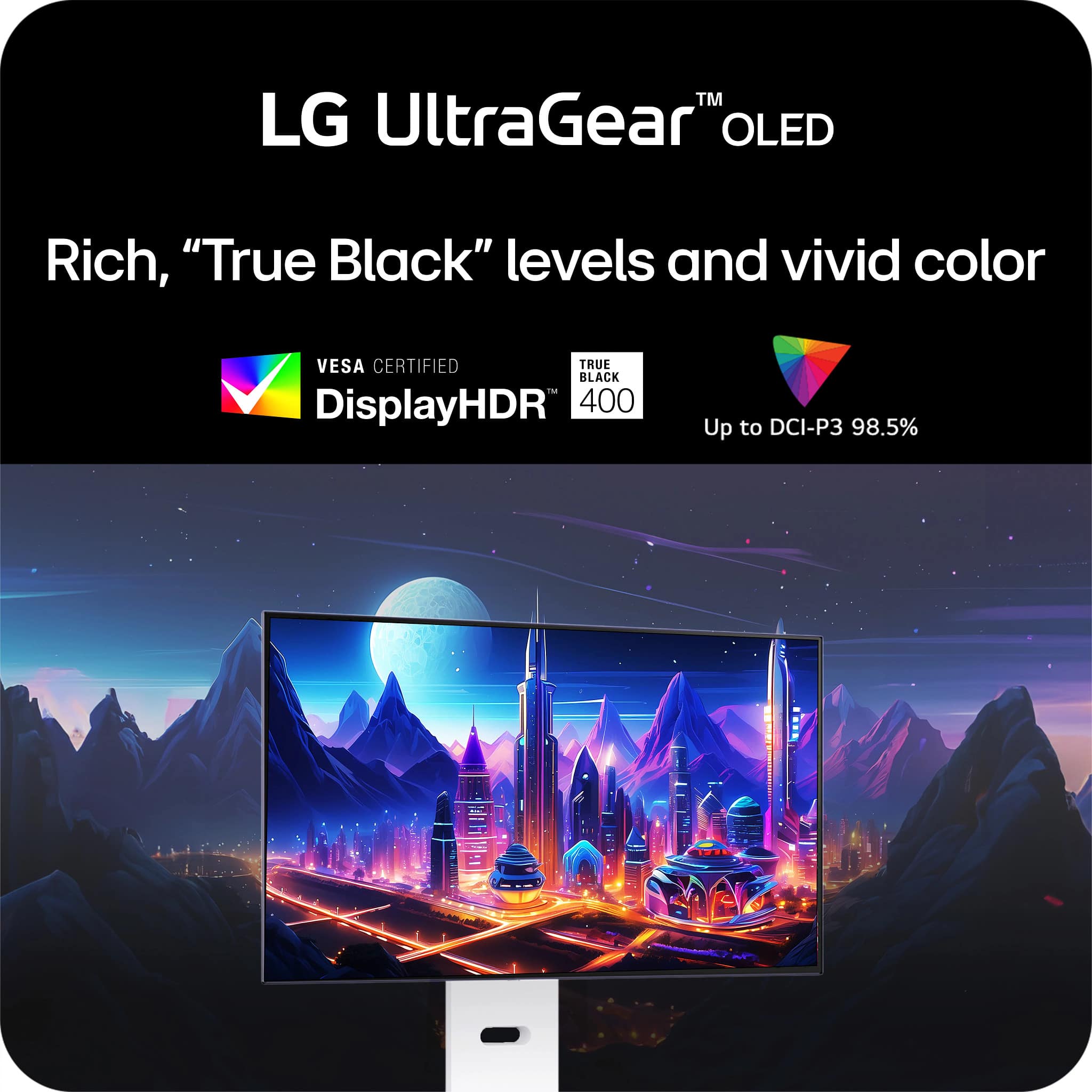
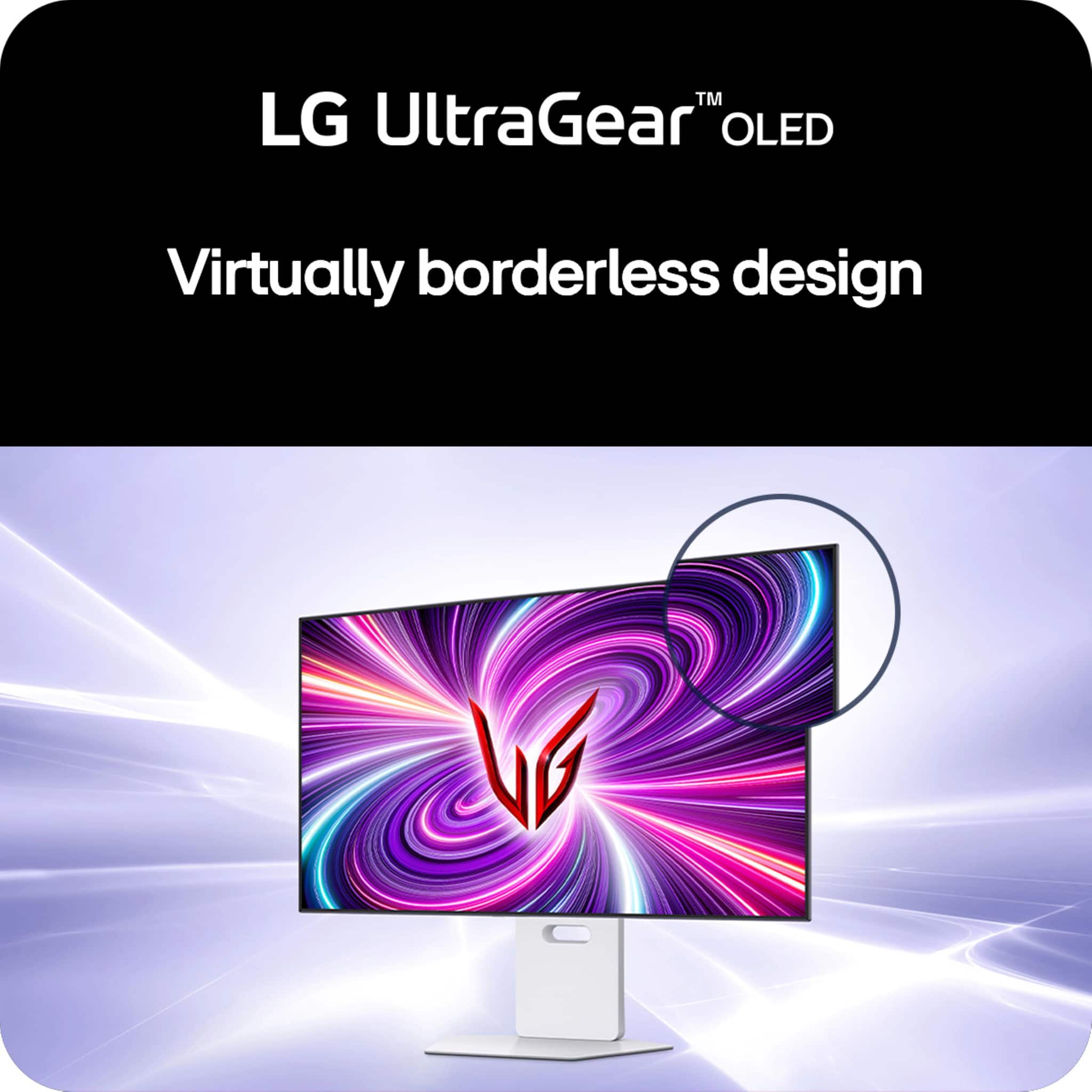





- Model:
- 32GS95UV-W
- SKU:
- 6595425
Rating by feature
- Display Quality
Rating 4.8 out of 5 stars
- Ease of Use
Rating 4.7 out of 5 stars
- Features
Rating 4.6 out of 5 stars
Customers are saying
Customers are enthusiastic about the UltraGear 32" OLED Dual Mode Gaming Monitor, particularly its exceptional picture quality, high refresh rate, and impressive OLED quality. The dual mode feature and inclusion of speakers are also appreciated. Some customers feel the monitor could be brighter and find the price to be high, while others are not completely satisfied with the finish or the stand.
This summary was generated by AI based on customer reviews.
Matte finish is terrible :(
||Posted . Owned for 1 week when reviewed.This reviewer received promo considerations or sweepstakes entry for writing a review.I got sick of waiting for the ROG PG32UCDM to come back in stock at Micro Center so I decided to get this, thinking the matte finish wouldn't be a big deal, but it is. If you're looking at a page with a white background, it literally looks like the screen is smeared with a ghetto coating. I can't stand it and am bummed out because I want a 4k OLED but I gotta return this one and just keep waiting for the ROG QD-OLED to come back in stock. Hope this review helps you if you're picky like me.
No, I would not recommend this to a friendBrand response from LG Digital Customer Care
Posted .Hi, Brian. Thank you for taking the time to share your feedback with LG Monitor (32GS95UE-B) model. We value your honesty and understand your disappointment with the matte finish. We aim to offer top-notch products and user experiences, and we take your feedback seriously. Your comments about the matte finish will be passed on to our team for review and enhancement. If you need more help or have more feedback, feel free to reach out to us on social media @LGUSSupport. ^Juvy

- Cons mentioned:Brightness
Brightness Not Good
||Posted . Owned for less than 1 week when reviewed.This reviewer received promo considerations or sweepstakes entry for writing a review.I try every settings and hdr color calibration not work like Brightness problem all oled monitor qd oled and wolen very sad i go back again my ips panel
No, I would not recommend this to a friendBrand response from LG Digital Customer Care
Posted .Hi, Jasbir. Thank you for taking the time to review the LG Monitor (32GS95UE-B) model. We're sorry to hear about the unit's brightness and HDR color calibration. We strive to provide top-notch products and ensure a smooth and seamless experience. Please visit https://www.lg.com/us/support/help-library/lg-monitor-troubleshooting-a-dark-picture--20153185248037. For further assistance, you can reach out to us on social media @LGUSSupport. ^Juvy
Cold be something
||Posted . Owned for 1 month when reviewed.This reviewer received promo considerations or sweepstakes entry for writing a review.There was just something off with the monitor that my eyes did mot agree with.....went with Samsung g8 odyssey no eye issues.
I would recommend this to a friendVertical banding
||Posted . Owned for 1 month when reviewed.This reviewer received promo considerations or sweepstakes entry for writing a review.Vertical banding on my unit, had to return. I'm sure I just had a bad unit. Overall great monitor but I expected better QC for this price.
I would recommend this to a friendBurn in
||Posted . Owned for 3 weeks when reviewed.This reviewer received promo considerations or sweepstakes entry for writing a review.Product condition was listed as good but had a massive burn in mark across the middle. Would recommend staying away from this as open box unless you are okay with that. Return was easy though.
No, I would not recommend this to a friendBrand response from LG Digital Customer Care
Posted .Hello there, DavidJ. Thank you for sharing your experience with us. We understand that the 32GS95UE-B.AUS monitor you received had a burn-in mark. Your feedback is important, and we'd like to assist you further.
While burn-in can occur, especially with OLED displays, LG monitors are designed with features to help prevent this under normal usage. Since this was an open-box unit, the previous usage may have contributed to the issue you experienced.
https://www.bestbuy.com/site/lg-ultragear-32-oled-dual-mode-4k-uhd-240hzfhd-480hz-0-03ms-nvidia-g-sync-compatible-amd-freesync-pro-gaming-monitor-black/6575402.p?skuId=6575402
Please send us a private message on Social Media @LGUSSupport and our team will be more than happy to explore possible solutions. We appreciate your patience. —Renzo
Received Wrong Product
||Posted .This reviewer received promo considerations or sweepstakes entry for writing a review.Bought this monitor "Open Box Excellent" but actually received a 32GQ750-B that someone clever even took the effort to put a 32GS95UE-B.AUS sticker on. Still this should've been caught in the inspection process for having the wrong ports/design on the back (as well as clearly not being OLED when turned on). Extremely disappointed with Best Buy.
No, I would not recommend this to a friendBad QC & Issues Abound
||Posted . Owned for less than 1 week when reviewed.This reviewer received promo considerations or sweepstakes entry for writing a review.I should have taken the fact that the display model at my local store was cooked into consideration before buying this garbage. The "hotkeys" for switching between 4K and FHD don't work at all. This is one of the main selling points of the monitor... Text clarity at 4K is shockingly bad, and VRR flickering on this display is awful. There is no active cooling solution on this monitor, which is a pretty crazy choice as well. The build quality is questionable at best, and for the price I expected this to be so much more than it is. This isn't worth it even on sale, and I will be returning it for a refund.
No, I would not recommend this to a friendBrand response from LG Digital Customer Care
Posted .Hi, Anjeth. Thank you for sharing your detailed feedback with us. We understand your concern about your LG Monitor (32GS95UE-B) model doesn’t meet your expectations, especially with issues like the hotkeys not working, poor text clarity at 4K, and flickering with VRR. We strive to provide reliable, high-quality products that exceed our customer's needs and expectations.
To start, we recommend checking if your monitor's firmware is up to date, as updates can sometimes resolve issues like VRR flickering or improve functionality with display modes. For guidance, visit https://www.lg.com/us/support/help-library/lg-monitor-how-to-update-monitor-firmware--20153819322140. Additionally, for the text clarity issue, adjusting the scaling settings on your device might help improve the sharpness when using 4K resolution.
If these steps don’t resolve the concerns, we’d love to help you further. Please send us a private message on social media @LGUSSupport, and our team will work with you to explore other solutions or options for your monitor.
We appreciate your feedback and are committed to assisting you every step of the way. ^Juvy
- Cons mentioned:Brightness
Anti reflection screen sucks
||Posted . Owned for 1 month when reviewed.This reviewer received promo considerations or sweepstakes entry for writing a review.I returned if the next day. The features are great but the screen sucked. The Matte screen makes the oled not look as great.
No, I would not recommend this to a friendBrand response from LG Digital Customer Care
Posted .Hi, there. Thank you for sharing your feedback with us. We understand your concern about the LG Monitor (32GS95UE-B) model and the screen not meeting your expectations. The matte finish on this model is designed to reduce glare and improve visibility in bright rooms. We strive to provide high-quality products and ensure a smooth experience.
We really appreciate you giving it a shot, and we hope you find a model that fits your viewing style better. If you're still curious about an OLED experience with even better picture quality, we're here to help you explore some other options that might work for you. For more info, feel free to check out https://www.lg.com/us/support/help-library/lg-tv-picture-quality-and-optimization--20152175493545.
Don’t hesitate to reach out to us on social media @LGUSSupport if you need anything else—we're always happy to help.
Thanks again for your feedback; we're here for you. ^Juvy
- Pros mentioned:Oled quality, Overall performance, Refresh rate

Beautiful looking 4K gaming monitor!!
|Posted .This reviewer received promo considerations or sweepstakes entry for writing a review.The LG UltraGear 32" OLED gaming monitor is an absolutely amazing gaming monitor, with great performance and great picture quality, this monitor fully delivers on everything you would want from a gaming monitor. This monitor is G-Sync and FreeSync compatible meaning whichever popular graphics card you have you will have a seamless gaming experience. The Dual Mode allows you to switch between 4K (3840 x 2160) 240Hz and 1080p (1920 x 1080) 480Hz. This allows you to choose between better FPS for more competitive games or a more immersive experience for other games or media. You can quickly and easily switch between the modes with a switch located on the bottom of the screen, there is also an option to change the screen size from the full 32" down to either 27" or 24" to get even better performance while in 1080p mode. Speaking of the menu options, you have the full complement of options that you would expect from a gaming monitor; FPS counter, crosshair, etc. My only complaint with the menu is the physical location of the menu button is on the bottom and behind the monitor making it difficult to have anything located directly under the monitor if you need to access the menu frequently. I typically have my center speaker directly under the monitor and had to move it slightly behind so that I could access the menu button of the monitor. The OLED display is absolutely stunning, I have seen many reviews and videos about how much nicer OLED looks compared to an IPS or LED monitor and you really can't appreciate the difference in picture quality until you actually use it. I have an older version of an LG UltraGear that I use as a second monitor and the difference between the two displays is astounding, the LG UltraGear OLED monitor is the best looking and best performing monitor I have ever used. I will be getting a second to add as my second monitor because it is just that good looking. I would absolutely recommend this display to anyone that is looking for a gaming or productivity monitor.
I would recommend this to a friend - Pros mentioned:Refresh rate
Fantastic monitor, I love it!
Posted .This reviewer received promo considerations or sweepstakes entry for writing a review.I ordered my LG 32GS95UE-B through LG.com, picking it up at my local Best Buy My first few dozen hours with this monitor have been a dream. There are so many things I like about this monitor that I am thrilled with. I did buy a G80SD from Samsung in October of last year, and while the panel is great, there were a number of things I did not like, and the DSC black screen issues I had caused me to return that monitor, and scared me away from buying another OLED monitor for a few months. Here are some of the big differences between the Samsung and the LG monitors: First, when taking the monitor out of the box, the Samsung jumps into some Smart TV menus that wants me to create an account, log into my different streaming apps and download firmware before I could do anything with the monitor. I use a wired keyboard and wired mouse, and I do not want a remote for anything, especially a small, easily to misplace one that requires USB-C charging to be able to use it. When I plugged the LG in, it just turned on and worked. Both panels are beautiful. At 31.5", I kept them more than arms length away from me on my desk. I was worried I'd have potential concerns with text or see some visual difference between the two monitors based on panel technology or sub pixel structure. I don't. At this distance made both monitors look clear and crisp to me. One thing I love is how well the LG sleeps and wakes up. I don't have to touch it. I just put the PC in sleep mode and the monitor puts itself into a sleep mode as well. That's what I wanted. My Samsung needed fiddling with the remote and waking up took longer. The LG will sometimes tell me that it has done pixel cleaning, so it looks like it's taking some proactive care steps automatically, without being disruptive, which I like. One thing I really missed moving from my old 2017 Acer Predator was the lack of an on screen FPS counter on the Samsung. The LG lets me turn on a FPS counter, and put it in any corner I want. Unlike my old Predator, which was a solid yellow FPS number, this number is a slightly transparent light grey, which is nice. I was really glad to have this feature back, as I find it very useful to know what the monitor's actually getting. I know DSC usually works, but I had periodic black screens with my 3090Ti FE card and the Samsung. I used the high quality DP1.4 cable I already had and the one Samsung shipped with the monitor, and with both, there'd be a 2-3 black screen once every 3-10 hours of use. It was rare and unpredictable, but it was also common enough that it was the main reason I returned the monitor. The LG has gone through a few dozen hours of use in all kinds of settings and has not hiccuped once, which I really appreciate. The small black bezel is also very nice. The Samsung has a silver trim that does look nice in photos, but it shows up in the dark room I game in. The black bezel lets everything but the screen disappear in a dim room. One other nitpick is that I do like that the three inputs put into the monitor like a traditional monitor, plugging up from the bottom, and the hole in the stand allowing you to route the cables through the center of the stand is a nice touch to keep cables where they belong. The on screen aiming reticles are basic, but work well. The Samsung options were huge. Something I rarely use, but another case where the LG options are better. But all of that is secondary to how much I love a feature I did not expect to love as much as I do. The 1080p 480Hz mode is amazing! I did not expect blur busters to show me anything at 480 that I found visually superior to 240Hz, but you can see the difference, and I was surprised by how clean 480Hz 1080p looks. The fact that there's a dedicated button on the bottom of the monitor that I can press and Windows seamlessly jumps back and forth between 2160p 240Hz and 1080p 480Hz is amazing! It works better than I expected, and the 480Hz is a wonderful option to have. The speakers aren't supposed to be great, but pixel sound is better than my old Acer Predator, so that's useful for when I want to share something with a friend or family member with audio. I don't remember the Samsung audio quality. I'm struggling to think of something the Samsung did better, and I want to say that the monitor can be lowered closer to the bottom of the stand. The LG height works well for me, but I think this is one thing Samsung did better. One key reason for my purchase was I wanted to make sure I had something that was an upgrade for Street Fighter 6. Street Fighter 6 locks you in to 60Hz for online matches, so image lag at 60Hz was key for me. According to Rtings, using DP, my old Acer was a pretty solid 2017 performer at 12.7ms (@60Hz Native), the Samsung is 11.8Hz, and the LG is 9.1 ms. I honed in on the LG this time because my pre-Covid LG OLED TV has been flawless, and this monitor was the lowest 60Hz image lag of any Rtings monitor to get at least a 9 or better as a gaming monitor. But I really was expecting something similar to the Samsung, and I'm shocked at how much all the small differences add up to monitor I enjoy so much more. All-in-all, I am so glad I finally upgraded. My Acer Predator will move to my daughter's gaming PC, and I very happy to have joined the OLED gaming gang for good this time.
I would recommend this to a friend Im sure its nice, but don't buy from BestBuy
||Posted . Owned for less than 1 week when reviewed.This reviewer received promo considerations or sweepstakes entry for writing a review.I am extremely disappointed with the service I received. My $1,500 package, which was supposed to require a signature upon delivery, was incorrectly left in a different building without any signature. The item was in the OEM box, which clearly displayed it as a high-end monitor, making it an obvious target for theft. Despite the clear error, Best Buy has refused to take responsibility, leaving me with a $1,500 charge and no monitor. This has been a very frustrating experience.
No, I would not recommend this to a friendBrand response from LG Digital Customer Care
Posted .Hi, Tony. Thank you for taking the time to review your experience with the LG Monitor (32GS95UE-B) model.
We understand how important it is to receive your package safely and in the condition you expect. We aim to give you great service and make sure everything goes smoothly. Please call Best Buy customer service at 888-237-8289 with your order details so we can look into this and find a solution that works for you. For more help, you can also reach out to us on social media @LGUSSupport. ^Juvy
- Pros mentioned:Refresh rate
Beautiful OLED with Options for Any Gamer
|Posted .This reviewer received promo considerations or sweepstakes entry for writing a review.~~~~Display~~~~ LG makes beautiful displays, and they didn’t pull any punches with this one either. The ultra gear OLED has vibrant colors while having those deep blacks that OLED panels are known for. There’s several presets to go through including optimized settings for first person shooter or role playing games. You can also go in and make your own adjustments to customize your color preferred tone. One of the things that makes this display unique is it’s ability to switch from 4K UHD at 240hz, which in itself is impressive, but if your more into competitive gameplay, you might find the 1080p at 480hz advantageous to your gameplay. It really is just a simple as hitting a button as well. Using the dedicated button on the bottom you can toggle between the two modes. A good use case for me is playing a game like New World Aeternum, where you have a game world diverse with color, floral and ethereal elements, and occasional competitive where the 240hz keeps everything very smooth. I then transition to battlefield 2042 where playing to the strengths of the 480hz at the lower, yet still high definition 1080p, can give a slight advantage. I’m not sure if I’m skilled enough for it to make a difference, but I need all the help I can get. The cherry on top is LG also advertises it’s a 0.03ms response time. This, along with freesync and G-sync technology, you have the full gamer package no matter what you play. ~~~Design~~~~ The design is solid. There’s an adjustable base that snaps into place on the back. The base of the stand is sturdy and I have no concern of it being easily toppled. When it’s all setup, the monitor and base together is a bit heavy, but given the size, you wouldn’t want any accidental knock overs. You can also opt to mount it using a VESA mount. I/O isn’t bad. You have two HDMI and one Display Port, a cable for each is included. You can also use the monitor as a USB hub with two USB 3 ports. The ports are located just off the back facing down. There’s a cover that covers the cables coming down for a cleaner look and they can be routed through the eye of the stand. Not a big bullet point but I thought it was nice LG included the VESA screws with the monitor. There is also a LED accent on the back that you can adjust in the settings for a few different colors. It’s little details like this that makes me have respect for a brand. ~~~Menu and Features~~~ The menu can be accessed from the button on the back, just above the bottom of the monitor. It’s easy to get to but I noticed the way I have my cables routed, they’re getting in the way. I would have liked to see the control on the bottom or off to one side. From the menu you have your standard contrast, brightness, and mode control. You can also adjust preset picture settings as well as on screen information such as an FPS counter and different style crosshairs to be placed in the center. In the general section you’ll find several settings for maintaining your OLED panel to prevent burn in and pixel fatigue. Something I’m seeing more manufacturers do is include software to control the display settings from the desktop. LG has done this as well although I’m not sure when I noticed the installer icon on my desktop. A link for the software on the box or on a sticker on the panel would have been enough for most. Aside from this, the software is intuitive and easy to use. It doesn’t offer as many settings as the on screen menu from the button will allow which I thought was a little strange since a mouse and app is a bit more intuitive. They have a bit of work to do here. There is also a screen split option not found in the built in menu on the app that basically serves as an app launcher but will place the app in specific zones on the screen. For me this would be useful to launch teams and outlook when I’m connected with my work PC or OBS and Discord when I’m gaming. LG continues to make very impressive monitors and I can appreciate they continue to give consumers choice. Without much effort you can lean into the immersive world at 4k UHD resolution, still at an impressive 240hz or cut the limits away of technology by playing at 480hz at 1080p resolution for FPS game types.
I would recommend this to a friend - Pros mentioned:Oled quality, Refresh rate
Fast Response & Refresh, Great Image & Sound
|Posted .This reviewer received promo considerations or sweepstakes entry for writing a review.The LG 32" UltraGear OLED Gaming Monitor has incredible image quality, fast response time and refresh rate, great sound for a monitor, and lots of extra features! Design The base was easy to put together. The on-screen display is controlled using a nub back that can be pressed in, as a button, or up, down, left, and right. It's at the bottom of the back of the monitor in the middle. I find it easy to find blindly. There's one more button that's facing down about an inch or two left of the center. That's a button to switch between 1080p @ 480 Hz and 4K @ 240 Hz modes (LG calls this Dual Mode - and it does really behave like two different monitors, each supporting either 4k or 1080p resolution). The monitor mounts to the back pillar with a mount that lets you tilt the display up, down, left, or right. It also allows you to pivot the monitor from landscape to portrait orientation. This is a rare feature but so helpful for long web pages, documents, or spreadsheets. The monitor height can be easily adjusted by lifting it or lowering it to the desired height. There are about 5 inches of vertical range. There's a trim piece that goes on the back to cover the area where the cables connect. There are two release buttons, which is great, because the trim piece is easy to take off and put back on as needed. There are two HDMI 2.1 ports and one DisplayPort 1.4 port. Other than those, there are also two USB 3 Type A ports and a USB 3 Type B (device) port. I was glad when I realized it had a built-in USB hub since I use this monitor with laptops and can sometimes use a few extra USB ports. There's a headphone jack too. It has a clip that can be snapped into the bottom of the monitor, on the left or right side, for you to run a mouse cable through. Image Quality The quality of this screen is amazing. The OLED screen is bright with rich color, as it should be with a 1.5 million to 1 contrast ratio, thanks to it being OLED. True blacks are completely black (keep in mind this will depend on how the content displayed was created) because there is no light shining from those pixels. It's not just rich and vibrant, but it also has lots of color controls. It's got more common ones, like for temperature, but it also has six settings for adjusting color hue and saturation. I found the default color settings to be good most of the time. I did change it to "vibrant" for one movie. Colors look perfect to me with great flesh tones and again, that high contrast ratio, which makes subtle images in shadows, for instance, visible. With my graphics subsystem supporting 1080p at 480 Hz as well as 4K at 240 Hz and high frame rates (often 200 to 400 and sometimes closer to 500 fps) it looked excellent. I played a number of different kinds of games and I have a hard time picking a favorite. Even on the 32" screen 1080p looks excellent with the incredibly high refresh rate. Then again, at 4K it looked excellent even with the lower 240 Hz refresh rate - I can't say that seemed like the motion was less smooth. Anyway, they both looked incredible. I'd image if I play one of my games that supports 4 player local multi-player, I might prefer the 4K resolution for that. Otherwise, I'll need to switch back and forth more because they both look so good!!! My graphics are AMD. I didn't experience an tearing while playing 3D games so their support of AMD "FreeSync Premium Pro" (never saw that before) must be good. So, in summary, the images were not just accurate but motion is incredibly smooth! In fact, I can really notice the smoothness just dragging application Windows around the screen in Windows 11 compared to my work computer. Do make sure you check your Windows settings first!!! By default, Windows 11 didn't set either resolution to the correct refresh rate. Once I set them, they stayed correct through reboots and switching between the display modes on the monitor. The consistency of image quality and brightness looked absolutely perfect to me across the entire display, from edge to edge. I almost forgot to mention that this monitor has a fast 0.03ms response time! You can save two display settings to have them recalled easily. I should also note that I was able to enable HDR in Windows 11 with this monitor. Gaming This is clearly designed to be a gaming monitor and it has not disappointed me! Playing games at 240 Hz and 4K or 1080p on a 32" screen is awesome! I tried a number of games. I made the mistake of playing a 3D space shooter on this large display, big and close, which actually made me a little motion sick. It looked amazing though - and did support both high refresh modes. I was not expecting that but I guess all the looping around and fast turns messed with my head too much. So while the motion is excellent, I need to remember that with a display this large and close I need to be careful to not feel ill. I didn't feel sick with other 3D shooters or racing games, thankfully. They all looked incredible with excellent color and smooth motion, but a few did let me select, or sometimes detected, the 4K at 240 Hz or 1080p at 480 Hz. The audio is also nice for gaming! I use a headset most of the time, but if not, it's great sound compared to any other monitor or laptop built-in speakers that I've used! You can also enable an FPS counter in any corner of the screen or display cross hairs. I tested the monitor with some movies as well. Colors were always appeared rich and accurate. Audio - Pixel Sound This monitor has some type of speakers, behind the display, facing forward. LG calls it "Pixel Sound". I was skeptical, expecting the audio to be tinny or muffled. I was actually impressed! I played a number of games and some different types of music. I thought everything sounded very good! Bass was not strong but it's there and overall, I thought it produced very good sound and it sounds like it's coming right at you, so you can tell it's not firing down or back like on other monitors, if they have speakers built in at all. It even has DTS that's enabled by default but can be turned off. This is definitely the best audio I've ever heard from built-in speakers on a monitor! The headphone jack also supports a mic. Features There are really a lot of features for this monitor so I'm just going to list some here. - At 1080p switch to a 27" or a 24" display size on screen (I guess it could be useful if you're second monitor is a 24" or 27" and you want to compare images...I'm not sure what else it would be for) - The headphone jack supports a mic too! - "Image Cleaning", it's recommended to run this when you first get it (you can run in manually anytime) but it also runs automatically when you turn off the monitor sometimes, or when it goes to sleep. It takes up to 10 minutes, it says, but it seems more like 5 to me. I haven't timed it though. It doesn't run every time after use but here and there, probably based on how long it's been on - There are some other settings too that you can adjust that help prevent burn-in, which is a problem that OLED displays are all susceptible to. - Lighting, it has lights that aim backwards. You can select the color or have it cycle between four. There are four defaults chosen but you can pick any colors you want. It displays one color at a time (there are two light bars in the back but they're always the same). I liked having the light shine on the wall behind the monitor in a dark room. It would be cool to see them add support for it to sync with Windows 11 Dynamic Lighting. Included Software After detecting the monitor, the next time I rebooted a utility was automatically installed that can be used to install three optional programs. - OnScreen Control is included to control some/many of the monitors hardware settings. It's not identical to the on-screen display built-in to the monitor but very similar. It also allows you to snap application Windows to parts of the screen and have it remember the locations. - LG Calibration Studio allows you to use an external light meter/sensor hardware (not included) to calibrate the color of the display - Dual Controller lets you share one keyboard and mouse with another computer as long as they're both connected to an LG UlraGear monitor (or other that supports this) and on the same network. The display of the monitor doesn't change when you switch control, it just moves keyboard and mouse control to the other PC when you move the mouse to the desktop of that PC. I used two laptops connected to the monitor at the same time. I set the one laptop to extend the desktop, so it had the built-in display plus the UltraGear monitor, and set the other laptop to mirror the display. That did work, allowing me to use the monitor as a second display for one laptop but have the second laptop use the same mouse and keyboard as the first, with auto switching by moving the mouse or using a hotkey, I think <CTRL>-<Right Arrow> is the default). It also provides some functionality to transfer files between the two computers. The setup felt a bit odd. You need to define one PC as the main PC and then put in the IP address of the other, which the application shows you on that PC. It did work though and I think it's a cool add-on. Summary This monitor impresses me more than any other monitor I've used! I think the extremely high refresh rates, very low response time, and incredible image quality make it a great gaming monitor alone. The Pixel Sound, built-in USB 3 hub, ability to do portrait orientation, and the other ways you can adjust it make the LG 32" UltraGear OLED Gaming Monitor an excellent package!
I would recommend this to a friend - Pros mentioned:Refresh rate
An amazing display for games and everything!!
|Posted .This reviewer received promo considerations or sweepstakes entry for writing a review.This monitor is pretty amazing and has the most vivid colors and deepest of black you can have on a monitor based on my experience so far. For gaming, many games really pop even more on this monitor due to the quality of the picture where the deep blacks and no bleeding make everything feel like there's more depth in the image. It's really hard to describe but it's almost like having a 3D display in certain instances without the glasses, it's really quite good. Out of the box, it's super simple to setup and you get full adjustability in this monitor's stand allowing you to orient it horizontal or vertical. It even has tilt so you can dial it in just right. In terms of how this thing looks, it's great with a minimal bezel (but enough to put a web cam and light bar on without interfering with the display as I did). The cable management is great and hides the cords while not restricting movement should you reorient the display (provided you have long enough cables). In the box cables are included, HDMI, display port and USB but they were all standard length and may be short depending on your setup and is something I wish LG would have considered. Larger displays like this tend to take up more room so if your tower or dock is near the monitor (or under your desk near the monitor) the included cables will be just right, otherwise they will be short. If you have an adjustable height desk and your tower is on the floor and your desk moves up to 48", you will most definitely want to get longer cables if you don't have them. On the bright side it does make cable management easy because there's not a bunch of excess to hide but it's something to note if your setup requires longer than standard cables. The monitor does NOT have a built-in power supply so there is a fairly large brick you have to hide under your desk. This monitor has a built-in USB hub so you can connect your keyboard/mouse to it rather than your tower or dock to help with cable management so there's some tradeoffs. It has built-in speakers which frankly are very much welcomed though not loud but perfect if you want sound outside of your normal sound system for causal entertainment, video calls or system sounds. They are decent and surprisingly good for built-in speakers but don't expect them to replace a good sound bar or desktop speaker with sub. Setup out of the box to tweak the image was easy and I found that all of the preset color modes fit my needs but there's an ability to calibrate this display and tweak it your way. The on screen display navigation isn't too hard once you get the hang of it but like with most monitors you can set it and forget it for the most part. This monitor has an AWESOME dual mode which will let you run it at 480hz at the press of a button so that you can go right in to FPS games with the top refresh rate, and paired with a high-end graphics card you would have a serious edge with this hardware. That said, even aside, the 240hz just by default is great for most games and makes everything snappy and buttery smooth. The only thing that took me a few days to get used to is this display felt like it had a slight curve jumping toward you but I think that was just me adjusting from my old display and now a few days in I don't even notice that any more and notice how much better this displays image is than every other display in the house except my Sony OLED TV and I'd definitely say this has a sharp vivid image on par with that except it's on my gaming computer at my desk. I'd definitely recommend this display and if you see it jump on sale, I'd say go for it, you won't be disappointed, it's a huge upgrade over a normal high refresh rate LCD display!
I would recommend this to a friend - Pros mentioned:Overall performance, Refresh rate
Excellent Gaming Monitor!
|Posted .This reviewer received promo considerations or sweepstakes entry for writing a review.This monitor is a remarkable monitor for gaming and I highly recommend it to anyone looking for a 32” 4K OLED monitor. The gaming experience is excellent. I’ve been using LG monitors and TV’s going back many years and they have consistently offered reliability, great image quality, and a refined product. This monitor is no different. The monitor ships in a standard brown monitor box. The box comes with the stand pieces, a box of cables, and the monitor itself. The white color is excellent. For those looking for a white PC setup, the white extends to not only the monitor back and stand, but also the cables and power adapter. The stand is high quality and the base is made of metal. You can push the monitor fairly far back on the desk with this stand. I have a 25” deep desk and find the stand allows the monitor to be pushed back enough for a comfortable viewing distance. Of course there is a VESA mount for those interested. The display uses W-OLED and is a semi-matte coating. Much commentary exists online about glossy vs matte displays. Ultimately it’s a personal preference, but I am used to my PC displays being matte so this fits right in. It’s a little bit less grainy than a typical matte display; I find that it looks great. The display image quality is also excellent. The WOLED sub pixel layout has no color fringing and the text clarity looks nice even at 125% windows display scaling. The 240hz refresh rate is amazing for gaming, especially games like first person shooters. The display supports G sync and I saw no tearing or artifacts. I personally use the display with peak brightness set to high because for real world content, the brightness is a bit higher. I also hooked up a PS5 to the monitor via HDMI and had no issues at all with high refresh rate, VRR, and HDR support. For even higher refresh rate at the expense of downgrading to 1080p you can even set it to 480hz 1080p which for some gamers will be a welcome addition. Speaking of HDR, the monitor does work with HDR and the implementation seems pretty good. Windows HDR looks washed out on SDR content but that’s not the monitor’s fault, it’s how the process works. Once you open up an HDR application, it looks great. For me, I generally prefer to just leave it in SDR. On the PS5 the HDR does work well also, and it would be personal preference if you want to use it or not in the PS5 settings. The monitor has a built in USB hub which works great and also allows you to update the monitor’s firmware. LG sometimes puts out an update to improve the HDR curves or fix small bugs, so it can be useful to have that. Personally I find this monitor better than other QD-OLED based monitors on the market because it doesn’t have the typical text color fringing found on the glossy QD oled monitors. Additionally, perhaps more importantly, in a medium or brightly lit room, the blacks look black. On many of the QD oled monitors, the blacks in that situation have a bit of a purple look to them, which defeats a lot of the benefit of OLED for me. This would be personal preference for people, but it is something to think about. Personally, I find the LG to be perfect for my use case of a gaming PC used throughout the day or night. Overall this is an excellent monitor I can’t recommend enough. It’s good for both console and PC gaming, or productivity. It offers excellent build quality and excellent image quality at a reasonable price.
I would recommend this to a friend - Pros mentioned:Dual modeCons mentioned:Brightness
Pixel Sound is impressive! But no USB-C or Dolby V
|Posted .This reviewer received promo considerations or sweepstakes entry for writing a review.-Installation- Simple and toolless if using the stand. It comes in 3 parts: the display, the neck of the stand, and the base of the stand. The stand is assembled by 2 D-ring screws found underneath the base that screw into the neck half. The display snaps into the assembled base securely with tabs. Removing the display from the stand is as simple as pushing a spring button on the back of the display down and pulling the display off it at an angle. You can also easily mount the monitor but you’ll need a Phillips head screwdriver to remove the four screws that cover the mounting holes. It uses the standard VESA 100x100 mount. -Appearance- Understated in an attractive way, distraction-free with a flair of gamer aesthetics designed to be minimal in distractions. The gamer aesthetics I’m referring to are the 2 LED light strips, which LG calls “Hexagon Lighting” on the back of the monitor that are customizable to 21 different colors across the spectrum. You can set 4 different static color presets, cycle between those 4 colors, or turn off the lighting. With the lights off, it looks really professional, and would fit right in an office work environment. With the lights on, it’s best utilized on an island desk if you’re trying to show it off, or against a wall in a dark setting. The lights will reflect off the wall and emit a glow of that color from behind your monitor. There is no branding on the display itself, and the bezels are slim at ¼” with the bottom bezel slightly wider at 3/8”. There is no chin. The branding you’ll find on the monitor is glossy logo on the back of the display that does not light up, the neck of the stand, and the foot of the stand. The branding on the stand is so understated though, you’ll have to look hard to see it. The only branding that pops is a Nvidia G-Sync sticker on the bottom of the neck of the stand, which you can always peel off, but is also somewhat out of the way as it is. There is no Power/standby LED -Stand- Functional, practical, and rock solidly sturdy. The base is metal that gives it substantial weight but is covered in a hard plastic. It still looks and feels premium. Nothing about it is flimsy. There’s no creaking or flexing when I move the monitor around or make adjustments to it. The stand has a hole in the neck of the stand for cable management that measures 3” across, and 7/8” vertically. The monitor can pivot so you can view the display in portrait mode. From landscape to portrait, it clockwise, with the inputs being on the left side. It can tilt and swivel but the angle adjustment allowed was clearly designed for a single seated person. It doesn’t tilt enough for you to view it comfortably while standing looking down at it. And even more disappointingly, the swivel angle is even more limited; not enough to share the screen with someone sitting right beside you. At its lowest height adjustment in landscape, its height is 19.75”. But since the vent is on the top, you’ll need more clearance than that. The space between the bottom of the monitor and the stand at its lowest height adjustment is about 3.25”. It won’t get as low as the stand. At its highest adjustment, that space is 7.875”, with a height of 24.57”. Since the base of the stand is flat and solid, you can put stuff on top of it. -Cooling- The monitor is cooled by a fan that is inaudible during actual use since it gets easily drowned out by a premium quality quiet computer fan like my Noctua NF-A20. You’d only hear it in complete silence. The exhaust vent is located on the top of the monitor, though you won’t feel any breeze; just exhaust heat. The intake vent is on the bottom. You won’t feel any heat around most of the monitor except for the center, where the heat is clearly concentrated to. Within that heat zone, it’s coolest on the bottom, hottest in the absolute center, and hot in the top. -Burn-in measures- There are 4 different OLED Screen Move modes, where the display will periodically shift the pixels in a different direction but seemingly never in a way you notice it happening after the first initial shift when you make the selection. Curiously, by default, this option was turned off. As previously mentioned, it’s cooled by a fan. I can’t tell if it’s in combination with a heatsink but the sides of the monitor are cool to touch with no heat from the front or back of the display. The center may be a concern because that’s where the heat lies, including the front of the display. Sadly, the warranty coverage for burn-in pales in comparison to its competitors offering just a 2-year coverage. The warranty does cover burn-in, as confirmed with several LG representatives I’ve contacted myself but they’ve been more coy about it compared to the competition, that proudly advertise a 3-year OLED burn-in coverage. -Inputs- 2 x HDMI 2.1 1 x Displayport 1.4 2 x USB-A (5Gbps) 1 x USB-B (5Gbps) to connect to PC and allow data connection to the USB-A ports and to update firmware 1 x headphone jack I found it disappointing that it didn’t have USB-C, which could’ve been used to daisy chain USB-C monitors. USB-A doesn’t support Displayport Alt. -Display- It uses a matte coating, which does an excellent job preventing reflections and glare. I have my monitor diagonally adjacent to my 65” TV, which is behind me. I also have my monitor almost directly underneath a ceiling light, of which there are 4 in the room. Unlike with a glossy display, I never see any reflections, just the content on my screen. Colors look accurate and do not appear muted although it may seem that way out of the box due to the manufacturer default settings combined with Windows 11’s default settings. However, it does not match up with a glossy panel if you’re looking for vibrancy. But here’s the thing that I experience: reflections ruin my enjoyment of a glossy display because I can see myself on the screen. So there is a market for matte displays. And the 32GS95UE is great because it’s matte coating has little to no noticeable negative impact on color. The coating is also resistant to oily substances like fingerprints and makes the screen easy to clean. Contrast is excellent, with no blooming. Blacks appear as true blacks. Whites are more accurate than the Whites on my S22 Ultra, which uses a glossy panel and looks more yellow by comparison. However, if you’re looking at a largely white screen, the matte coating does appear more evident. Otherwise, it’s largely unnoticeable unless you’re actively looking for it. Brightness is average. It’s not poor nor is it great. It struggles against natural light even with peak brightness set to high and the brightness set to 100, diminishing contrast quality the brighter it is. But with indoor lighting that wasn’t an issue for me. Windows 11 will have SDR brightness set to 40 by default if you have HDR enabled, which makes your desktop appear dark (in my case, too dark) since Windows 11 objects such as its Desktop is still SDR content. You’ll want to adjust the SDR content brightness to your liking from the Windows 11 Settings. Text quality is great and legible, even at 100% scaling. There’s hardly any text fringing except for white fonts (such as the default Windows system text color) but you’d have to be really up close to the monitor (like about 5 inches or closer) to notice it. At higher scaling, it’s even less noticeable even from up close. I never felt any eye strain or fatigue after several hours of continuous use. HDR with HDR content looks great. I didn’t experience black crush with my display. I used a “Black Clipping 4k UHD HDR 10 Calibration” video on YouTube and 64 was a true black. 68 was dimly flashing. This was while I was on Gamer 1 mode. -Sound- Expected Pixel Sound to be a gimmick, but it isn't. It's one of the best sounding speakers on a monitor. They're actually front firing, and sound immersive. They also get plenty loud at just 30%. And still clear at 100%. They don't sound tinny. Bass is present and not muddy. With stereo speakers sounding this great and on the monitor, it makes for a clean setup as opposed to desktop speakers. -Gaming- It has a crosshair feature, which wouldn’t be detectable by software. It also has an FPS counter, which actually reports the refresh rate. The only way for it to report actual frame rate is if you have Adaptive-Sync (which is variable refresh rate, or VRR) on. Gameplay was smooth on 4K at 200fps. I haven’t experienced any input lag, screen tearing, or flickering. With HDR gaming, such as Shadow of the Tomb Raider, I’m able to see the dark details without any kind of overexposure. Dual-Mode allows you to switch between 4K 240Hz to a 1080p 480Hz with the press of a button, as opposed to switching out 2 different such monitors. The switch takes just under 4 seconds after you press the button. Each mode is seen in Windows as different monitors, so their display settings are independent of each other. 1080p 480Hz also gives you the option to switch to a 27” or 24” sized display which helps with your field of vision for games where you need full screen awareness like first person shooters. It’s clearly the mode designed for competitive coming. However, for some reason, both display in 27” and 24” modes is not as sharp as the full screen 1080p. It’s not a huge deal with games but it’s pretty noticeable in Windows, where everything looks softer. -Conclusion- You should only consider a monitor this if you’re a gamer that's in the market for a Dual-Mode monitor. This is the first one to market. The visuals look great in SDR and HDR after calibration. The monitor itself looks great and professional. If your lighting environment handles glossy well, then you’re probably better off waiting. Pixel Sound sounds amazing and a serious standout feature. The 2 year warranty when competitors offer 3, lack of USB-C, and lack of Dolby Vision were really disappointing to me for such an expensive device that should be future proofing itself. 3.5 stars
I would recommend this to a friend 1 star
||Posted .This reviewer received promo considerations or sweepstakes entry for writing a review.Was broke on sight after seeing / research this isn’t good
No, I would not recommend this to a friendBrand response from LG Digital Customer Care
Posted .Hello there. Thank you for sharing your experience with us. We understand your inquiry regarding your LG UltraGear OLED Gaming Monitor (Model #32GS95UE-B.AUS) and that it was not working as expected upon receipt. Your feedback is important, and we'd like to assist you further.
When a new monitor isn't working right out of the box, it's often related to the connection cables or initial power. Please ensure all display cables (DisplayPort or HDMI) are firmly seated in both the monitor and your PC's graphics card, and that the monitor's power adapter is securely connected to a working outlet.
https://www.bestbuy.com/site/lg-ultragear-32-oled-dual-mode-4k-uhd-240hzfhd-480hz-0-03ms-nvidia-g-sync-compatible-amd-freesync-pro-gaming-monitor-black/6575402.p?skuId=6575402
Please send us a private message on Social Media @LGUSSupport, and our team will be more than happy to explore possible solutions. We appreciate your patience. —Renzo
- Pros mentioned:Overall performanceCons mentioned:Speakers
A lot of flexibility with some room for upgrades.
|Posted .This reviewer received promo considerations or sweepstakes entry for writing a review.This LG UltraGear monitor is all about flexibility. At 32-inches, it's a little larger than the iMac desktop I use daily, but it can still easily be paired (adapter required on the Mac side for USB-C to HDMI) to extend the display, enhancing productivity bi-fold. You can also adjust the height of the display which is nice because my iMac is elevated for standing usage. I can also easily pair my MacBook to it, but this introduces one of the cons, which is a lack of switching functionality. The monitor itself is very clean with nearly edge-to-edge display and no noticeable chin. Branding is not very prevalent, although it is present. But this minimalistic approach makes this display work well for both work and play, even with the RBG lighting. Adding to the flexibility of this display are the ports: you have 2 HDMIs. So in theory, I could run my Apple TV to this display and have a "TV" in the office; however, another con is the lack of support for picture-in-a-picture. Technically, if you're using the Mac [macOS] natively, many video apps and sites support this functionality natively so you may even be better not using the Apple TV in this use case. You also have an upstream and downstream USB port, although they are of the A/B variety and the lack of USB-C at this point is a little surprising and a questionable omission. The menu system is easy enough to navigate and there's an OLED image cleaning screensaver to help prevent image retention. The OLED technology and resulting image quality is on true display here. Colors pop and blacks are as deep as they are rich. You can argue for or against the anti-glare/non-glossy display, although it's a little bit of an adjustment when your other devices are all glossy displays. It should also be noted that the display was well-calibrated out of the box and there is a toggle button for the dual mode functionality although you loose quite a bit of resolution to boost the refresh rate and for the type of games I play, this trade-off was not worth it IMO. The speakers are probably the worst thing about this display. Having an above-average sound system built into my desktop, these were simply just not up to par, even with toggling the presets (game, entertainment, sports and off). I guess the good news here, is that there is an included headphone jack so you could always go headset or external speakers, but for a monitor clearly marketed towards gamers, another questionable choice. There's also no webcam, which would've been nice to make this more of a work and play display. In summary, you get a lot of flexibility with this display due to its expansive I/O offerings, refresh rate mode toggling and height adjustability; however, there are some clear omissions and trade-offs like a lackluster sound system, lack of USB-C and webcam, lack of switching capability and lack of picture-in-a-picture support. It's still a solid monitor for everyday usage and media and the picture quality and clean aesthetic make it easy to recommend.
I would recommend this to a friend - Pros mentioned:Overall performance, Refresh rate
One of the Best 4K Gaming Monitor in the Market rn
Posted .This reviewer received promo considerations or sweepstakes entry for writing a review.As an avid gamer and tech enthusiast, I recently made an exciting addition to my gaming setup with the purchase of the LG UltraGear 32" OLED gaming monitor. After spending some time testing and evaluating its features, I am eager to share my experiences and insights about this high-end device. Display Quality The first thing that stands out with the LG UltraGear is its OLED panel. The colors are vivid and accurate, offering a visual treat that enhances any game or video. The Ultra High Definition resolution sharpens every detail, making graphics appear incredibly crisp and immersive. Whether I'm exploring vast landscapes in open-world games or editing high-resolution videos, the quality of the display consistently impresses me. Performance What truly enhances my gaming sessions is the monitor’s 240Hz refresh rate. The fluidity with which the images move is astonishing—it's a game-changer for fast-paced genres where every millisecond counts. Coupled with an exceptionally quick 0.03ms response time, the monitor eliminates motion blur and ghosting, allowing for precise and timely reactions during intense gameplay. HDR and Color Supporting HDR, the LG UltraGear elevates the visual experience further by intensifying the contrast and enriching the color spectrum. Games and videos that support HDR content look more dynamic and realistic, with enhanced brightness and shadow details that add depth to every scene. Design and Connectivity The monitor sports a sleek, modern design that fits perfectly into my gaming environment. It offers multiple connectivity options, including HDMI and DisplayPort, which makes it easy to connect to various devices. The versatility in connections is practical for my setup, as it accommodates my PC, gaming console, and other media devices without the need for constant reconfiguration. However, one drawback is the visibility of the cables. Although the design is streamlined, the wires are not completely concealed, which can detract slightly from the overall aesthetic of my gaming setup. Gaming Features Equipped with both NVIDIA G-SYNC and AMD FreeSync Premium Pro, the LG UltraGear ensures that screen tearing and stuttering are problems of the past. These features synchronize the display’s refresh rate with my graphics card, providing a smooth and uninterrupted gaming experience. Other thoughtful inclusions like dynamic action sync and black stabilizer enhance visibility and responsiveness, which is particularly beneficial in competitive gaming scenarios. Conclusion In conclusion, the LG UltraGear 32" OLED gaming would be an outstanding investment for anyone serious about gaming or in need of a high-performance monitor for creative work. Its superior display quality, combined with advanced gaming features, provides a competitive edge and enriches the overall user experience. If you're in the market for a monitor that offers both top-notch performance and breathtaking visuals, I highly recommend considering this remarkable piece of technology, despite the minor inconvenience with the cable management.
I would recommend this to a friend - Pros mentioned:Oled qualityCons mentioned:Speakers
Beauty!
|Posted .This reviewer received promo considerations or sweepstakes entry for writing a review.What a beauty! The monitor is a work of art. It was just a few years ago, when I had 32" TVs and now we have a 32" monitor to place on your computer table. And boy did I have to think twice about keeping it on the table. This thing is heavy, the included monitor stand itself is hefty. But that's a good thing - it needs to be of the best quality for us to trust this behemoth of a monitor on it. Inlcuded in the box are ofcourse the power brick for the monitor (its a 210W brick, isn't that a crazy number for a screen), a display port, an HDMI cable, the monitor stand, and a cover for the back of the monitor to hide the ports. Once you turn it on, you are striken by the quality of the OLED screen immediately. The blacks on the boot screen itself highlight the contrast, and the deep blacks. By default its in the 4k, 240hz mode, and that's the best one for all your normal activities on the computer. There is a shortcut button, at the bottom edge, just left of center, that flips it to the 1080p 480hz mode. At this screen size 1080p looks horrible, so it should only be used in situations like playing esports or fps games where that extra (double) refresh rate would actually matter. But, atleast you can quickly flip back and forth with a simple button. The backlight looks sweet and you have options to choose a few colors, or let it cycle through a band of colors. The speakers are better than they have any right to be on a monitor, even at a volume of 30 they sound about as loud as my old ASUS at full volume, and as clear as a backfiring speaker would be. But as we have stated again and again in this review already, the star of the show is the screen, in a dimly lit room, while watching high res content, or playing a single player game with great graphics, the image just oozes out. OLEDs truly deliver the best of all worlds, the color accuracy, the contrast, the response times. On its merits its a definite recommend, but you have to think about whether you need the dual mode.
I would recommend this to a friend