Customer Ratings & Reviews







- Model:
- 32GS95UV-W
- SKU:
- 6595425
Rating by feature
- Display Quality
Rating 4.8 out of 5 stars
- Ease of Use
Rating 4.7 out of 5 stars
- Features
Rating 4.6 out of 5 stars
Customers are saying
Customers are enthusiastic about the product's amazing overall performance, high refresh rate, and excellent OLED quality, noting its crystal clear 4K resolution and fantastic black levels. However, some users express concerns regarding its brightness, which they find dull, and its steep price. Other drawbacks include issues with HDR, limited speaker range, and outdated connectivity.
This summary was generated by AI based on customer reviews.
- Pros mentioned:Oled quality
amazing oled gaming experience
||Posted .This reviewer received promo considerations or sweepstakes entry for writing a review.10/10 oled screen, nothing compares it to the market of oled monitor right now.
I would recommend this to a friend - Cons mentioned:Price

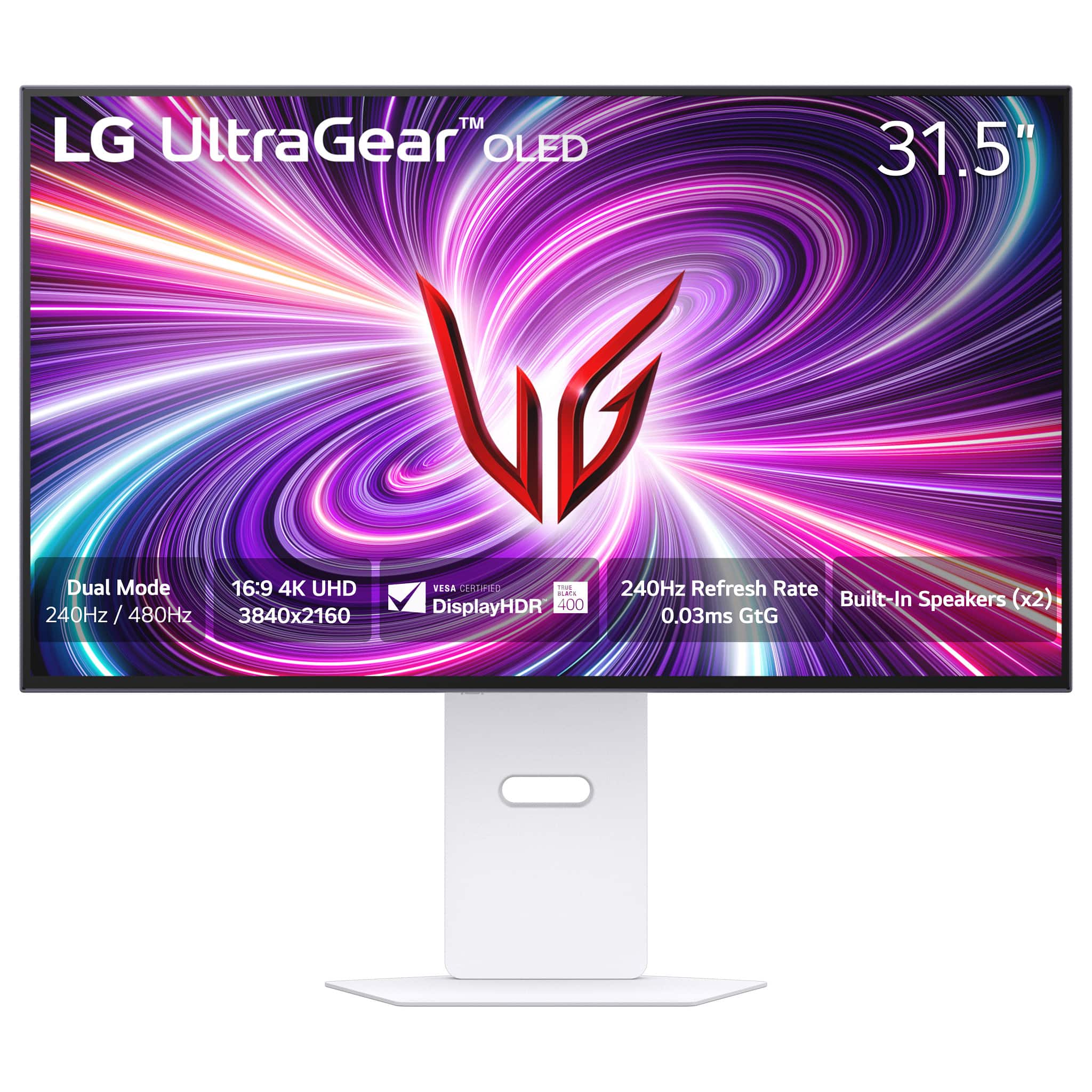
4K 240Hz WOLED Monitor with 480Hz Mode
|Posted . Owned for 3 weeks when reviewed.This reviewer received promo considerations or sweepstakes entry for writing a review.[Employee of bestbuy] Good color and good build quality especially the stand. Occasionally has issues with the deep sleep mode but it’s easy to turn off. Great monitor for console gaming at 4k 120 and Pc gaming. Con would be the price. At 1199 this would be a no brainer.
I would recommend this to a friend - Pros mentioned:Overall performance
Outstanding Monitor
||Posted . Owned for 3 months when reviewed.This reviewer received promo considerations or sweepstakes entry for writing a review.Great Quality and Picture Zero Complaints. Wanna get to next level with Gaming Get you One.
I would recommend this to a friend - Pros mentioned:Oled quality
Great dual monitor
||Posted . Owned for 1 week when reviewed.This reviewer received promo considerations or sweepstakes entry for writing a review.Pretty good my first oled but i don't know if its me but it looks l way more pixelated on 1080p compared to my 240hz 1080p monitor for some reason
I would recommend this to a friend Best deal ever!!!
||Posted . Owned for 3 weeks when reviewed.This reviewer received promo considerations or sweepstakes entry for writing a review.Got it on a killer deal, clearance discount plus open box discount brought the price down to 639.84 with tax. The monitor was in mint condition with a few smudges on the screen and when I booted it up and checked the run time it was only ever on for 46 hours. This thing was brand new. Best Buy has the best deals!
I would recommend this to a friend- Pros mentioned:Oled quality
LG Ultragear 32GS95UE for the win
||Posted . Owned for 2 weeks when reviewed.This reviewer received promo considerations or sweepstakes entry for writing a review.Loving this Monitor it looks amazing. Was in the market for my first Oled and I’m very happy with this LG Oled
I would recommend this to a friend Best Monitor
||Posted . Owned for 4 months when reviewed.This reviewer received promo considerations or sweepstakes entry for writing a review.Runs perfectly and has very vivid colors. Better frame rate than my old monitor and amazing HDR
I would recommend this to a friend- Pros mentioned:Overall performance
Best monitor ever
||Posted . Owned for 3 weeks when reviewed.This reviewer received promo considerations or sweepstakes entry for writing a review.The best monitor out on the market. I would recommend this to any console or of gamer as it supports both needs
I would recommend this to a friend Best 4k monitor ever!
||Posted . Owned for 3 weeks when reviewed.This reviewer received promo considerations or sweepstakes entry for writing a review.10/10 image quality. It’s a great monitor with great response time.
I would recommend this to a friendLg Monitor
||Posted . Owned for 3 months when reviewed.This reviewer received promo considerations or sweepstakes entry for writing a review.This is the best monitor ever. Omg This is insane now I can enjoy COD at 120 FPS with insane graphics
I would recommend this to a friendBest Bang for Buck
||Posted . Owned for 1 month when reviewed.This reviewer received promo considerations or sweepstakes entry for writing a review.Beautiful 4K Monitor, However im not a fan of the 1080p dual mode, just seems a bit too blurry because of the pixel count… Definitely feel like a 1440p mode would have been a better choice compared to 1080p but regardless, this monitor is a masterpiece! The color depth is insane, the response rate is unbelievable, and the design is very sharp. AND! The DTS sound implementation is phenomenal.
I would recommend this to a friendLG
||Posted . Owned for 1 week when reviewed.This reviewer received promo considerations or sweepstakes entry for writing a review.Monitor is lovely love the quality thank you guys!
I would recommend this to a friend- Pros mentioned:Refresh rate
Best monitor out
||Posted . Owned for 3 weeks when reviewed.This reviewer received promo considerations or sweepstakes entry for writing a review.Works great have it paired with a 7800x3d and rtx 4090 perfect together also has vrr for the PS5
I would recommend this to a friend Black color depth makes colors more vivid
||Posted . Owned for 1 month when reviewed.This reviewer received promo considerations or sweepstakes entry for writing a review.Color depth and contrast is amazing. The black color is so black it makes all the other colors stand out so vividly. Watching movies on this screen is just amazing. I prefer watching movies on this screen over my TV.
I would recommend this to a friendBest Gaming Monitor on the Market
||Posted . Owned for 2 months when reviewed.This reviewer received promo considerations or sweepstakes entry for writing a review.I recently upgraded to the LG UltraGear 32" OLED Dual Mode Gaming Monitor, and it has completely transformed my gaming experience!
I would recommend this to a friendBurn in..
||Posted . Owned for less than 1 week when reviewed.This reviewer received promo considerations or sweepstakes entry for writing a review.Purchased open box, burn in upon turning the monitor on was super noticable. Crazy to me that best buy takes returns and doesnt even give it a simple test before wasting someones time. Slightly more concerning to me is the fact that the burn in happened... definitely going with a different monitor now.
No, I would not recommend this to a friendBrand response from LG Digital Customer Care
Posted .Hi, Kriptonik. Thanks for sharing your feedback with us. We understand your concern about receiving a monitor like the LG Monitor (32GS95UE-B) model with noticeable burn-in, especially after purchasing it open box. We strive to provide high-quality products that exceed our customer's needs and expectations. Sometimes, burn-in can happen with certain displays, but we’re here to help make sure you’re happy with what you bought. If you haven’t tried it yet, maybe give the screen settings a little tweak or use a screensaver to help reduce the effect.
Since this is concerning for you, we recommend reaching out to Best Buy customer service directly at 888-237-8289 regarding their open box policy. However, please send us a private message on social media @LGUSSupport, and our team will be happy to assist in finding a possible resolution for you. ^Juvy
- Pros mentioned:Dual mode, Refresh rate, ResolutionCons mentioned:Speakers

Versatile for those who love FPS
|Posted .This reviewer received promo considerations or sweepstakes entry for writing a review.Great Fast Good color accuracy Anti-glare doesn’t affect contrast Bright Built in speakers Maintains clarity at 1080P mode Pixel arrangement still works well for productivity Small footprint Clean design Border is nearly invisible Includes FreeSync Premium Pro and G-Sync Fully adjustable stand Not So Great No USB-C Speakers are loud but have no range Backlighting doesn’t sync with third party tools Matte finish not for everyone The LG UltraGear 32” OLED Dual Mode is an interesting monitor that targets a niche of gamers. The reason it is niche is most gamers would be perfectly happy with the 240Hz refresh rate. Most gamers wouldn’t notice the difference and would struggle to go much above 240 on modern games without a hefty system. While you can lower the resolution on other gaming monitors and increase refresh rate it isn’t always with a perfect scaling. When this monitor scales down to 1080P from 4K it combines 4 pixels into one which allows clarity to be maintained. LG includes 2 HDMI 2.1 ports and 1 DisplayPort 1.4 port. All ports are listed capable of handling the full 4K 240Hz throughput required. It also has a built in USB-3 hub with 2 USB-A connections. There are no USB-C ports or power delivery. The stand is fully adjustable for height, tilt, and rotation. The monitor can also rotate to portrait mode. Setup 10/10 While basic monitor setup is simple, this monitor makes it easy by having a factory calibration. Out of the box you just turn one thumbscrew to attach the base the stand, click in the Vesa mount, and plug it into the computer. Straight out of the box the colors of the monitor were well balance and didn’t require any adjustments. While the color calibration probably isn’t going to impress a graphic designer, the overall calibration is very good. The entire setup process takes less than 5 minutes. Sound 4/10 There is no detailed description of what Pixel Sound speakers are. The best guess is that the speakers are right behind the screen playing through it gives a clean look with no speaker grills on the front and the sound is directed at you instead of down. However, the sound isn’t very satisfying. The speakers do get very loud, but they have almost no range to them. Surprisingly they don’t sound like you would expect playing through something but there is no bass. Only lots of high with a little bit of a hollow midrange thrown in. They get the job done and sound ok at lower volume but, you will want to save some money in your budget for some discrete speakers if you don’t already have them. Productivity Work 9/10 With OLED monitors starting to be more affordable for the average person, most people don’t have a dedicated gaming monitor. One of the downsides of some OLEDs is the pixel arrangement doesn’t render text well in Windows making productivity work challenging. LG chose an arrangement that allows you to use the monitor for productivity work as color fringing is reduced to the point where it is not visible with the naked eye. The display also has an anti-glare which helps with visibility in a brightly lit room. Unlike older anti-glare coatings, the finish doesn’t destroy contrast as text and images. It would be nice if the maximum brightness was a little higher for those areas with a lot of light pollution. Gaming 10/10 No surprise that gaming is where OLEDs shine and this monitor is no exception. In Halo Infinite details were clearer and enemies could be spotted quicker. Using dual mode, it was hard to tell any significant change in graphics quality, but the system was able to push out a peak of just under 300fps on the high preset. If you stopped to look carefully textures, they were slightly software but thanks to the 4 to 1 mapping of pixels in dual mode the loss of quality was unnoticeable in gameplay. What was noticeable was how smooth the gameplay was. It was particularly noticeable when performing flick shots. It was subtle but big improvement where it was easier to see movement and be able to accurately fire. The previous monitor never seemed to be an issue, but the fast response time and fps brought to light not all misses were a result of a better player. The nice part about the dual mode setup is when you switch to slower paced games you can turn off dual mode and see more detail. Forza Horizon 5 never looked back on the old monitor but it pales in comparison to playing Forza on an OLED. Foliage was more vibrant, textures were crisper, and it overall made it feel like it was a refresh of the game. Trying out something even slower paced, details in Minecraft was noticeably better. Textures were easier to see an you could easily tell the types of blocks apart whereas on the old monitor it was hard to see the difference between iron, gold, and copper particularly in dark settings. Unfortunately, Complimentary Shaders was messed up on the Java install so there was no time to try out realistic texture packs to see just how far the image quality difference went. While the quick access button to Dual mode is convenient, it would be nice for LG to add an auto switching option to their monitor software. When you first plug it in Windows installs the LG monitor app giving you control of the monitor in Windows, but the process is as manual as it is from the hardware buttons. The issue is that switching modes in game often causes game glitches and instability. One time the screen completely froze. If LG updated the monitor app with game profiles, you could configure the screen to automatically change profiles when a particular game is selected making the process seamless. It would be great if LG would add this feature. Final Thoughts The LG UltraGear 32” Dual Mode OLED monitor is a solid monitor for those who want it’s specific features. If you aren’t the type who plays fast past games and 240fps is enough, LG has other options that may be a better value. However, if you like fast pace games and want a single monitor that handles work and play then this monitor is worth a look.
I would recommend this to a friend Nothings beats an OLED Monitor
||Posted . Owned for 2 weeks when reviewed.This reviewer received promo considerations or sweepstakes entry for writing a review.Best Buy and LG are some of my new favorite things now
I would recommend this to a friend- Pros mentioned:Dual mode, Oled quality, Refresh rate
Multiple modes for gaming and everyday use
|Posted .This reviewer received promo considerations or sweepstakes entry for writing a review.The LG UltraGear 32” Dual-Mode is the first OLED 4K monitor I own, and the first LG brand monitor (or TV for that matter) ever. I never really cared too much about LG products, but the specs for the LG UltraGear seemed enticing. So far so good, I think the colors are great, response times phenomenal, refresh rate vs. resolution very good. Overall, besides having to adjust from a 34-inch-wide curved monitor to this 32-inch one, I’d say that I find this to be a solid monitor for gaming, design, media consumption, and for everyday use as well. In fact, I’ve been using it for everyday use for the past several days, and well of course, for gaming on my spare time. This is not a smart monitor, just in case you’d thought you’d bought one. There are LG apps that you can install to access settings and content associated with this device, which I guess is a plus. I wish it came with a remote control, though, to make it easier to configure the different settings. It has the App to Control some of the settings, but if you need to change the input to some other device (I own a few desktops and laptops) then you’d need to reach to the back side of the monitor for the Settings Button with a not so intuitive interface. There are a few things that could be improved on this monitor, and although I was initially giving it a 4 rating, perhaps a 5 would be more just. - Pros: OLED, 4K, vivid colors, high refresh rate. - Cons: no USB-C connector, heavy. >> Setup << Nothing out of the ordinary to assembly the monitor, you can follow the Quick Setup Guide as I did to make sure all is in place. Upon connecting it to my Windows Gaming Machine, all was autodetected fine. I downloaded a couple of LG Apps and then I was ready to go. Something to note is that there is not really any mention of where the Settings button is for this device (the button that allows accessing the different options in the monitor itself, not Windows.) There is a small reference of what looks like some button in the Quick Setup Guide, but nothing else. At the end I was able to find it, the said button is at the back of the monitor main panel, in the bottom middle area, push once and you’ll get a menu to configure the monitor, including which video Input to select. Since this monitor doesn’t have a remote, I assume because it is not a smart monitor, having easy access to the configuration is very important, and this device falls a little short on that. >> G-Sync Compatibility << I own a gaming PC hosting an Nvidia GeForce RTX 3080 graphics card (yeah a little old for what an “avid” gamer would have), so this G-Sync compatible device seemed like a good match for my gaming adventures, that is why I decided to grab one. I used both, HDMI and DP cables to connect the monitor to my PC, and when playing games, I’d say the results when using either cable felt about the same. Also, using the NVIDIA G-Sync pendulum demo Application showed no difference I could notice in video enhancement using either cable. Now, using the NVIDIA App or the NVDIA Control Panel shows the monitor as not being “validated as G-SYNC Compatible” when connecting it through the HDMI cable. If I connected the monitor using the DP cable, both Apps would show the monitor as being “G-SYNC Compatible.” Why this discrepancy? Well, going to the support site https://www.lg.com/us/support/contact, I could find the answer: “Ensure that your monitor is connected via DisplayPort, as G-SYNC typically requires this connection type.” As a result, I decided to have it connected through DP to my gaming PC. >> Dual mode << You can read references about Dual- mode support for this monitor everywhere, i.e. 4K at 240Hz and FHD at 480Hz settings. But you need to go to the web, or tinker with the different buttons you discover on the monitor, to learn that to switch from 4K with a maximum refresh rate of 240Hz to a 480Hz refresh rate in FHD mode and vice versa. The button to access Dual-mode is located just a little to the left of the center at the bottom edge of the monitor. Not even the Quick setup guide mentions this button (well the guide also barely shows the location of the Settings button.) You can also access the FHD at 480 Hz mode by pressing the Settings Button to access the Monitor Configuration menu, then going to “Game Adjust”, then “Dual Mode” and next “On (Full Wide)”. This is not something very intuitive. I have one picture showing the Dual-mode settings in the NVIDIA App. In terms of which modes are preferred. I played Forza in FHD-480Hz and 4K-240Hz and I should say that I have fun and enjoyed the scenery in both modes. FHD at 480Hz was, of course after having configured Forza to use 480Hz video, one awesome experience, details looked great, motion felt very realistic, something I had fun with. It could be that one mode or the other works better for one game or another, and I really like the fact that this monitor allows a wide range of options for different games, very versatile in the video arena. >> Software << I am not keen on installing extra/additional software to what I already have and need, especially for monitors, but it turns out LG has a couple of very useful apps that can let you take advantage of the monitor. One is the OnScreen Control App, which initially I was very reluctant to install, but after using it for some time, I see it can be very useful. There are predefined profiles or modes (well you can customize the default settings). For example, there is one Gaming mode for FPS that comes in handy if you need to play games without needing to customize the settings each time. There is another General Mode called “Reader” which I find extremely useful whenever I need to review documents since the screen configures itself to be easy on my eyes. Again, I was ready to discount the LG software, and I only installed it in the spirit of reviewing it, but I see myself resorting on the OnScreen Control App to more frequently, specially to change from gaming to reading mode. Very useful indeed. There is another Calibration App, for which you need the USB-A cable to connect to the computer to be able to calibrate the colors in this monitor. If you are eager to tweak with the colors and such, well get the money to buy a good sensor and have this device calibrated the way you want. I haven’t tried this App as it looks like it is for more advanced users than what I am (full time designers.)
I would recommend this to a friend Display Burnt in.
||Posted .This reviewer received promo considerations or sweepstakes entry for writing a review.Sold me a broken burnt in monitor, which was titled as refurbished, but it was a display monitor, it released july 2024, and within 11 months, it had 4000 hours of usage time (an insane amount, to put that in perspective, that's around 12 hours a day, for 11 months straight. embarrassing that it was sold.
No, I would not recommend this to a friendBrand response from LG Digital Customer Care
Posted .Hi there, LandonP. Thank you for sharing your experience with us. We understand your inquiry regarding the LG 32GS95UE-B.AUS monitor and the concerns about its condition. Since this purchase and refurbishment details are managed by Best Buy, we recommend contacting them directly for assistance with this issue. If you need help with any LG product features or support, please send us a private message on Social Media @LGUSSupport.
https://www.bestbuy.com/site/lg-ultragear-32-oled-dual-mode-4k-uhd-240hzfhd-480hz-0-03ms-nvidia-g-sync-compatible-amd-freesync-pro-gaming-monitor-black/6575402.p?skuId=6575402
Our team will be glad to assist you. We appreciate your feedback and patience. —Renzo