Skip to contentGo to Product Search
Main Content

Customer Ratings & Reviews
$2,156.99

Customer reviews

Rating 4.7 out of 5 stars with 383 reviews

Rating Filter

Rating by feature

  • Display Quality

    Rating 4.9 out of 5 stars

  • Ease of Use

    Rating 4.8 out of 5 stars

  • Features

    Rating 4.8 out of 5 stars

Pros mentioned filter

Cons mentioned filter

94%would recommend to a friend
The vast majority of our reviews come from verified purchases. Reviews from customers may include My Best Buy members, employees, and Tech Insider Network members (as tagged). Select reviewers may receive discounted products, promotional considerations or entries into drawings for honest, helpful reviews.
Page 19 Showing 361-380 of 383 reviews
  • Rated 5 out of 5 stars

    Best gaming monitor

    |
    |
    Posted . Owned for 2 weeks when reviewed.
    This reviewer received promo considerations or sweepstakes entry for writing a review.

    Picture quality is a lot better than last year’s model. I also got it priced matched and saved 400 dollars.

    I would recommend this to a friend
  • Rated 5 out of 5 stars

    Amazing!

    |
    |
    Posted .
    This reviewer received promo considerations or sweepstakes entry for writing a review.

    Amazing, but I still rather my 4K monitor, is just more sharp!

    I would recommend this to a friend
  • Rated 5 out of 5 stars

    Love that 45 5k2k

    |
    |
    Posted .
    This reviewer received promo considerations or sweepstakes entry for writing a review.

    It's fast and bright and vibrant. I use it as my only monitor and I love it so!

    I would recommend this to a friend
  • Rated 5 out of 5 stars

    Amazing

    |
    |
    Posted . Owned for 1 week when reviewed.
    This reviewer received promo considerations or sweepstakes entry for writing a review.

    Amazing! The amount of options you have with this monitor

    I would recommend this to a friend
  • Rated 5 out of 5 stars

    LG Monitor

    |
    |
    Posted .
    This reviewer received promo considerations or sweepstakes entry for writing a review.

    My grandson loves the monitor and the quality is awesome

    I would recommend this to a friend
  • Rated 5 out of 5 stars

    Perfect so far.

    |
    |
    Posted .
    This reviewer received promo considerations or sweepstakes entry for writing a review.

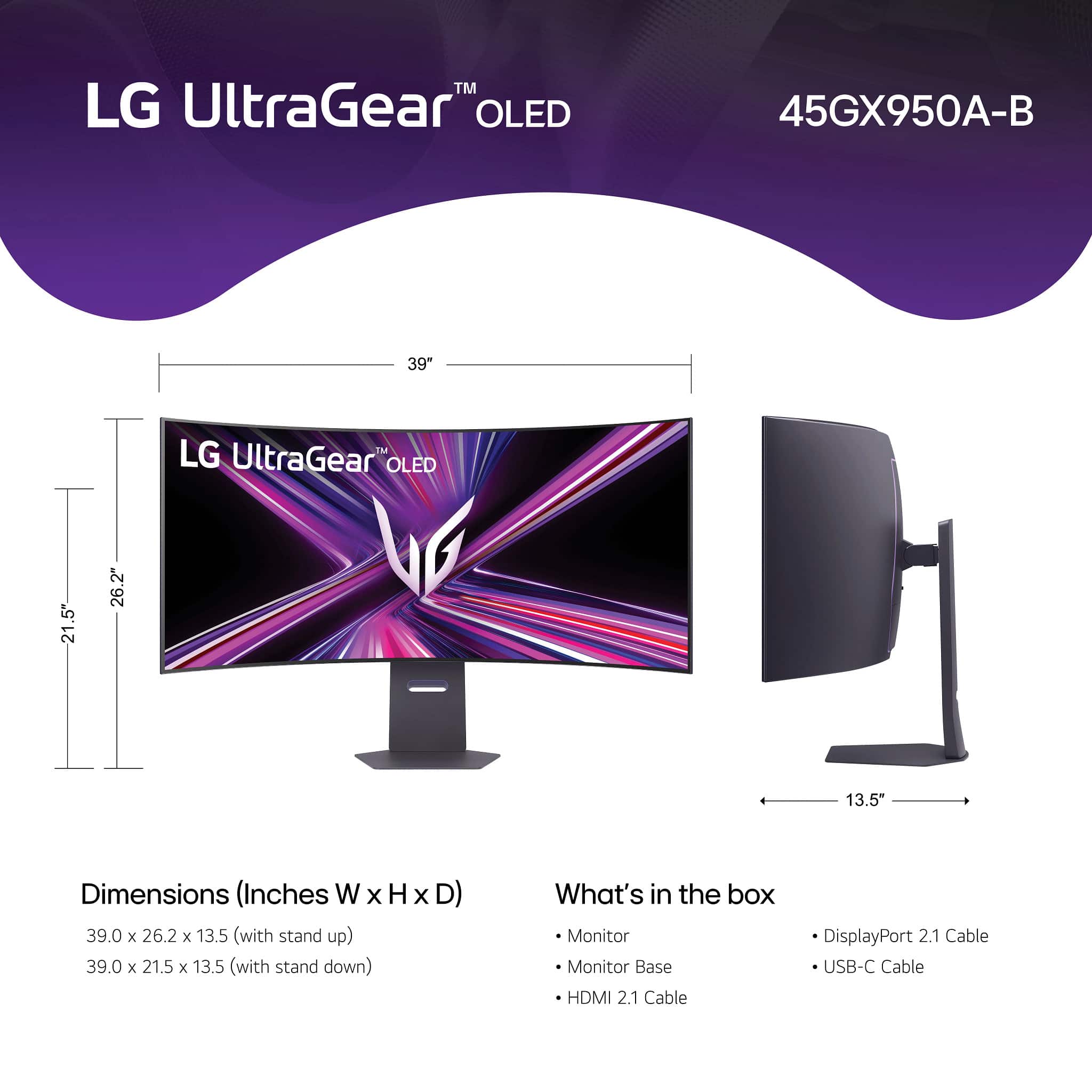
    The dimensions are great for whatever you are doing

    I would recommend this to a friend
  • Rated 2 out of 5 stars

    Skip this montior. Do not buy.

    |
    |
    Posted . Owned for 3 months when reviewed.
    This reviewer received promo considerations or sweepstakes entry for writing a review.

    Bought 1, one of two speakers was broken. Against my better judgement i brought it back and swapped it for a new monitor. Now, 3 months later it died. LG is going to pick it up and repair it, will take at least a month to get it back. It's pretty, but not worth it. DO NOT BUY THIS MONITOR.

    No, I would not recommend this to a friend
    • Brand response from LG Digital Customer Care
      Posted .

      Hello there, DanielF. Thank you for sharing your experience with us. We understand your inquiry regarding the hardware issues you've encountered with your LG UltraGear Gaming Monitor. We understand that this unit has not met your expectations, and we’d like to assist you further. To ensure the best connection once your unit is returned, we recommend checking that you are using the high-quality DisplayPort or HDMI cables provided with the monitor to maintain stable power and signal delivery. We would like to look into this more closely with you via private message to ensure your repair process is moving forward smoothly.
      https://www.bestbuy.com/product/lg-ultragear-45-oled-dual-mode-5k2k-wuhd-165hz-wfhd-330hz-0-03ms-g-sync-freesync-premium-pro-gaming-monitor-black/JJ8VPZWPY9
      For further assistance and any specific concerns you may have, please contact us on lgdigitalcare@lg.sprinklrsupport.com. —Renzo LG

  • Pros mentioned:
    Oled quality, Refresh rate, Resolution

    Rated 5 out of 5 stars

    Best monitor I've ever owned

    Posted .
    This reviewer received promo considerations or sweepstakes entry for writing a review.

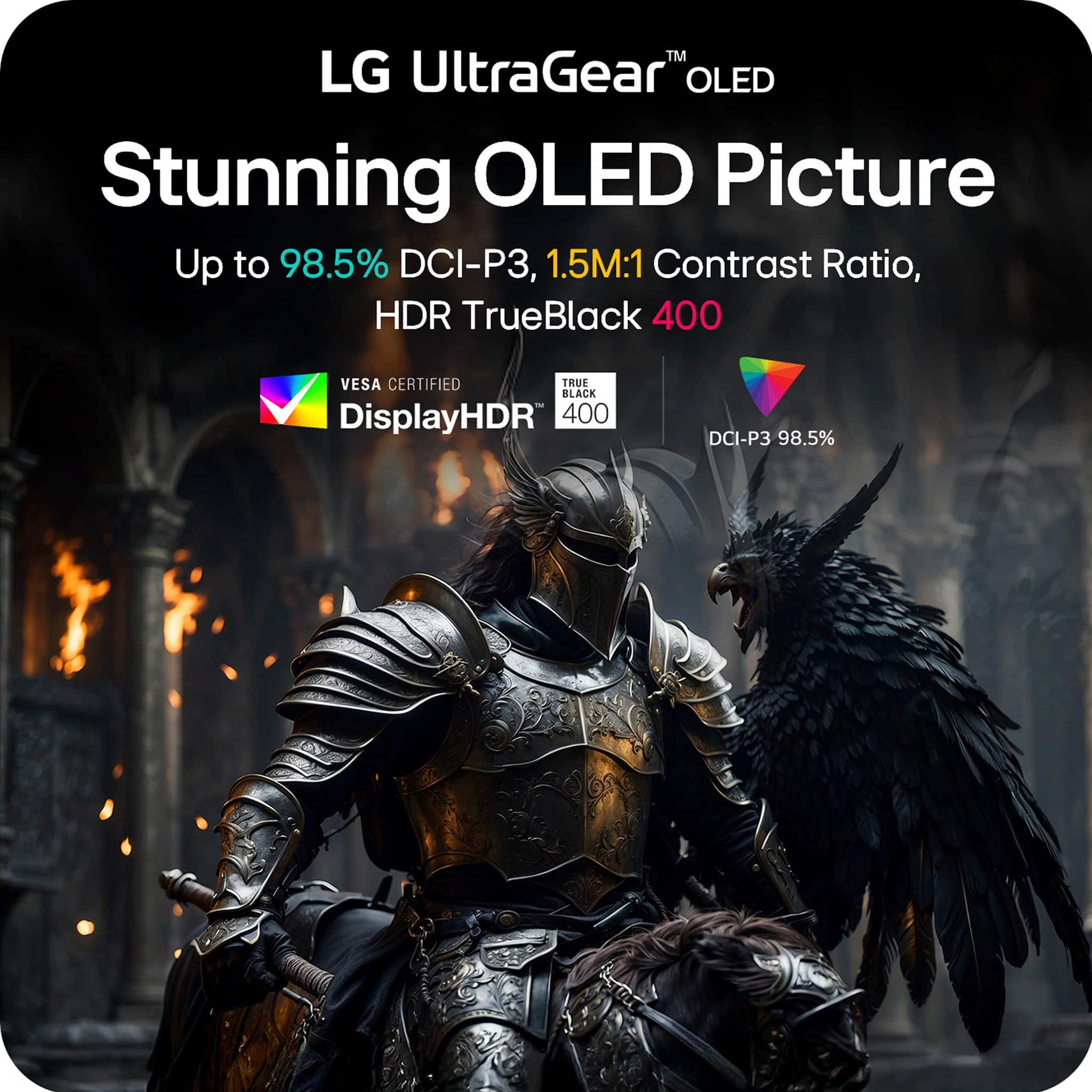
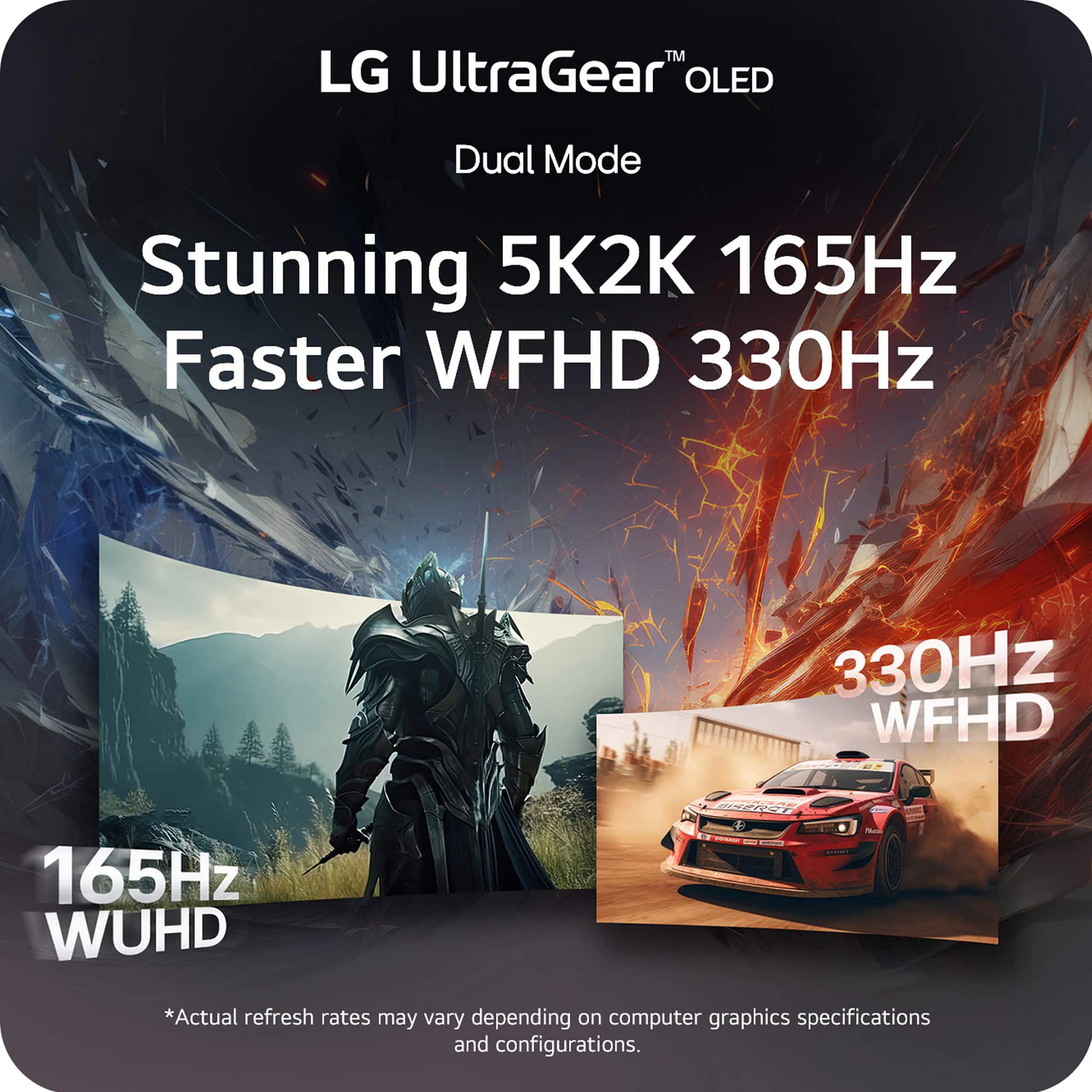
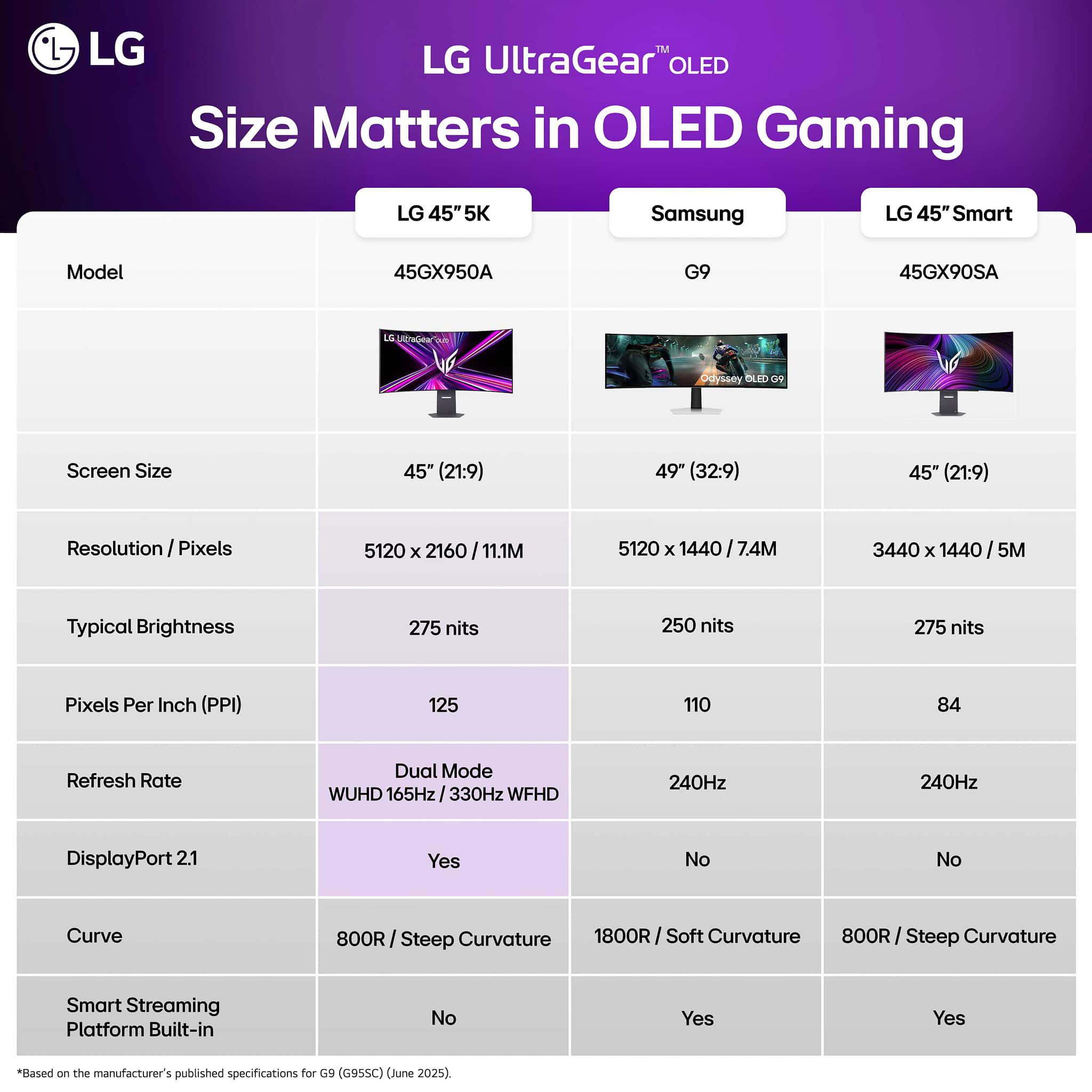
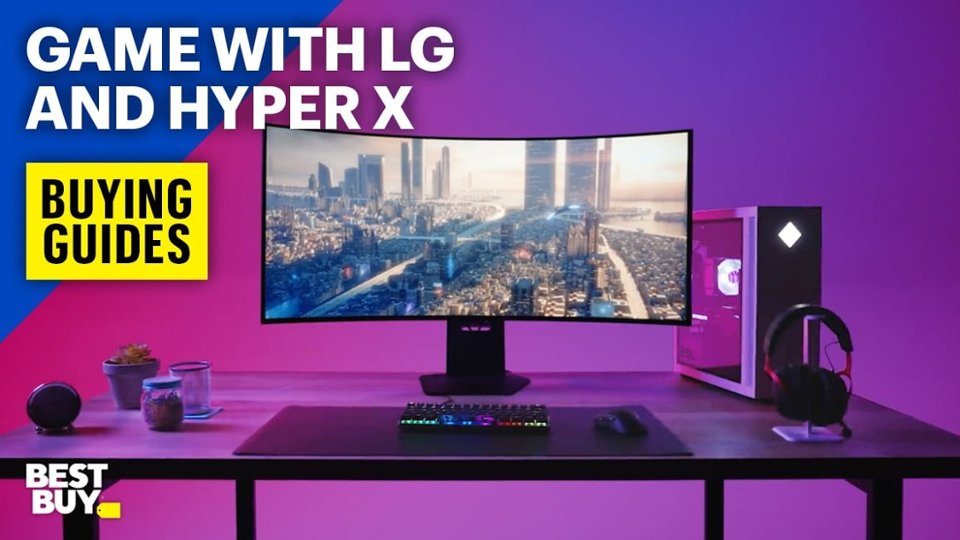
    This monitor is end-game for me, truly a jack of all trades, while also being the most innovative in terms of pushing boundaries of what hasn't been done before. Firstly, it's an OLED screen with about 1300 nits of peak brightness + around 800 nits in a 10% window. The highest mark an OLED monitor has ever hit in brightness thus far. Impressive, but it gets way better, the resolution is a masterpiece and a true sight to behold. The immersion and clarity from the 5k2k UW resolution is insane. Comparatively speaking in regards to my old LG C1 48", this was more immersive for any and all singleplayer games, while also boosting smoothness due to the 165hz refresh rate compared to just 120. You think the magic stops there? It doesnt. The MOST impressive and truly game-changing feature the monitor boasts is the dual mode either - 16:9, 1080p 330hz or the UW 1080p 330hz at different sizes such as 24", 27", 34" UW, 39" UW etc... now typically this would be extremely blurry even in game, but especially bad on the desktop. However, DLDSR can be used if you are rocking with an Nvidia card. Let me tell you, DLDSR 2.25x with the lower 1080p res + 330hz makes these various modes CRAZY good. Because of this, they all look good and from this one monitor, we have a 5k2k 165hz screen, a 1080p 34",39" 330hz ultrawide, and a 27" 24" 16:9 330hz. This monitor has satisfied every itch that I had for a monitor, whether it be the immersive 4k ultrawide, the 330hz ultrawide for competitive, or the 24 inch 330hz for ultra-sweat mode. This monitor does it all, while providing the response time, clarity, colors, depth, contrast, and beauty that resides in an OLED panel. It also includes some speakers that while are not great, I would rather have them than not. Overall this monitor is a 10/10 for me. All you need is to get your settings correctly on the monitor and in Nvidia control panel, boost the digital vibrance a bit to help close the gap with the QD-OLEDs with colors, and setup windows HDR with the calibration tool for 1300 nits
    I would recommend this to a friend
  • Rated 4 out of 5 stars

    Good but will wait for a glossy version someday

    |
    |
    Posted . Owned for 1 week when reviewed.
    This reviewer received promo considerations or sweepstakes entry for writing a review.

    It’s a good form factor, just don’t like the coating on it.

    I would recommend this to a friend
  • Rated 2 out of 5 stars

    Questionable

    |
    |
    Posted . Owned for 1 month when reviewed.
    This reviewer received promo considerations or sweepstakes entry for writing a review.

    Does not switch to current HDMI in use. For the price not impressed.

    No, I would not recommend this to a friend
    • Brand response from LG Digital Customer Care
      Posted .

      Hi, Antonio. Thanks for sharing your experience with the LG Monitor (45GX950A-B) model. We understand the importance of having an efficient and responsive setup for your workspace and gaming needs.

      To ensure your monitor correctly detects active signals, please verify that the Auto Input Switch feature is enabled in the settings menu; you can typically find this under General or Input in the On-Screen Display (OSD). Additionally, check that your HDMI cables are HDMI 2.1 certified to maintain consistent communication between your devices and the monitor, as older cables can sometimes fail to trigger the automatic handshake required for switching. For more guidance, visit https://www.lg.com/us/support/help-library/lg-monitor-how-to-change-the-signal-input--20153247899736. For further assistance, please send us an email at lgdigitalcare@lg.sprinklrsupport.com so we can look into this for you. ^Juvy LG

  • Rated 2 out of 5 stars

    Great resolution, lacking everywhere else

    |
    |
    Posted . Owned for less than 1 week when reviewed.
    This reviewer received promo considerations or sweepstakes entry for writing a review.

    Matte finish dulls everything on the screen. It makes a relatively the dim display look even duller. Still reflects absolutely everything off of it, and I would argue that it is more reflective than the glossy monitors and televisions that I own. Cool for being the first 5k2k OLED, but the window sticker is absolutely all it has going for it. What a disappointment.

    No, I would not recommend this to a friend
    • Brand response from LG Digital Customer Care
      Posted .

      Hi, there. We appreciate you taking the time to share your thoughts with the LG Monitor (45GX950A-B) model. We understand how the screen's matte finish can impact the viewing experience, especially if you're expecting richer contrast or brighter visuals. We strive to provide reliable, high-quality products that exceed our customer's needs and expectations. While the anti-glare coating is designed to reduce reflections under bright lighting, it can occasionally create the perception of a softer or dimmer image, particularly when ambient light is strong or the display settings aren’t optimized.

      To enhance your display’s performance, we recommend adjusting the OLED Pixel Brightness and switching to a more vivid Picture Mode such as Game or HDR Effect, which can help amplify color and contrast. You can find these settings under Settings > Picture > Picture Mode Settings. For more help, visit https://www.lg.com/us/support/help-library/lg-tv-the-best-picture-settings-for-your-lg-tv--20150577528034.

      We’d like to help you get the best out of your OLED monitor. Please send us a private message on social media @LGUSSupport so we can explore more in-depth adjustments or provide additional support. We’re here to turn your experience around. ^Juvy LG

  • Rated 3 out of 5 stars

    Good but not great

    |
    |
    Posted . Owned for less than 1 week when reviewed.
    This reviewer received promo considerations or sweepstakes entry for writing a review.

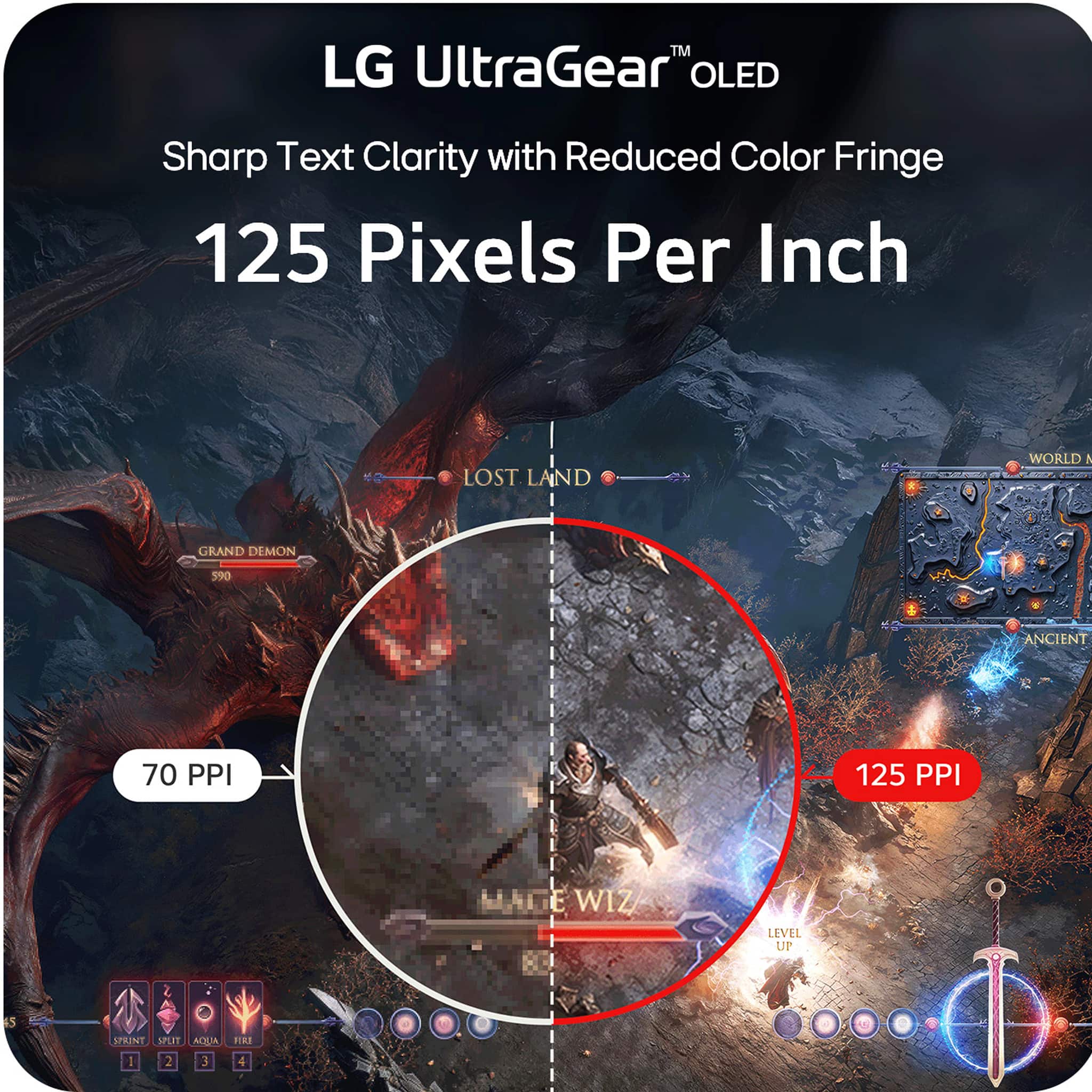
    Good overall gaming monitor. The only and main reason for returning was low ppi.,Gaming was great but couldn’t use it for anything else.

    I would recommend this to a friend
    • Brand response from LG Digital Customer Care
      Posted .

      Hello there, RobertP. Thank you for sharing your experience with us regarding your LG UltraGear 45" OLED Dual Mode Gaming Monitor. We understand your inquiry regarding the pixel density and how it affects your various tasks. To optimize the display for non-gaming use, we suggest adjusting the Windows scaling settings or the "Sharpness" level within the monitor's OSD menu.
      https://www.bestbuy.com/product/lg-ultragear-45-oled-dual-mode-5k2k-wuhd-165hz-wfhd-330hz-0-03ms-g-sync-freesync-premium-pro-gaming-monitor-black/JJ8VPZWPY9
      For further assistance and any specific concerns you may have, please contact us on lgdigitalcare@lg.sprinklrsupport.com. We appreciate your patience. —Renzo LG

  • Cons mentioned:
    Connectivity

    Rated 1 out of 5 stars

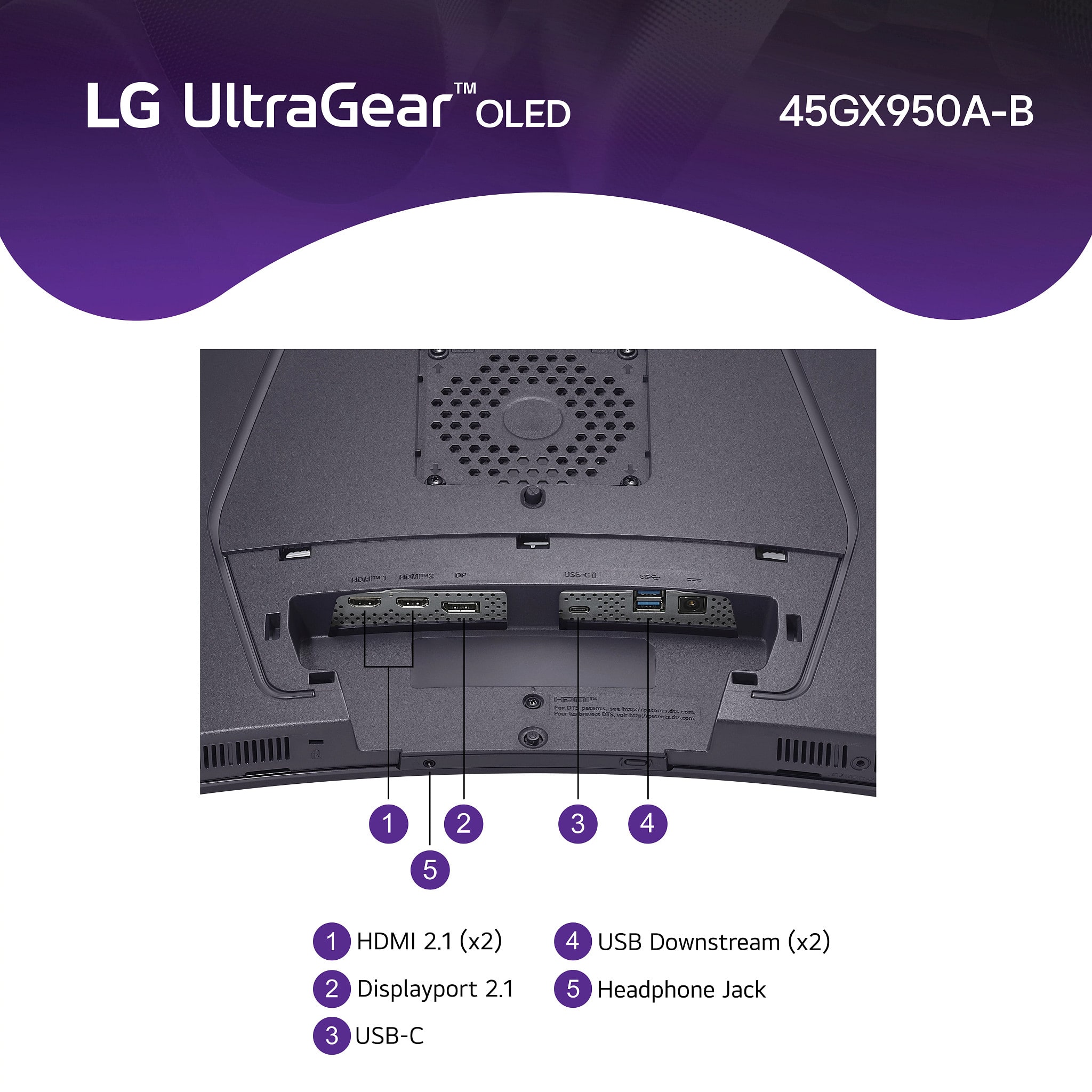
    Displayport 2.1 works every blue moon

    |
    |
    Posted .
    This reviewer received promo considerations or sweepstakes entry for writing a review.

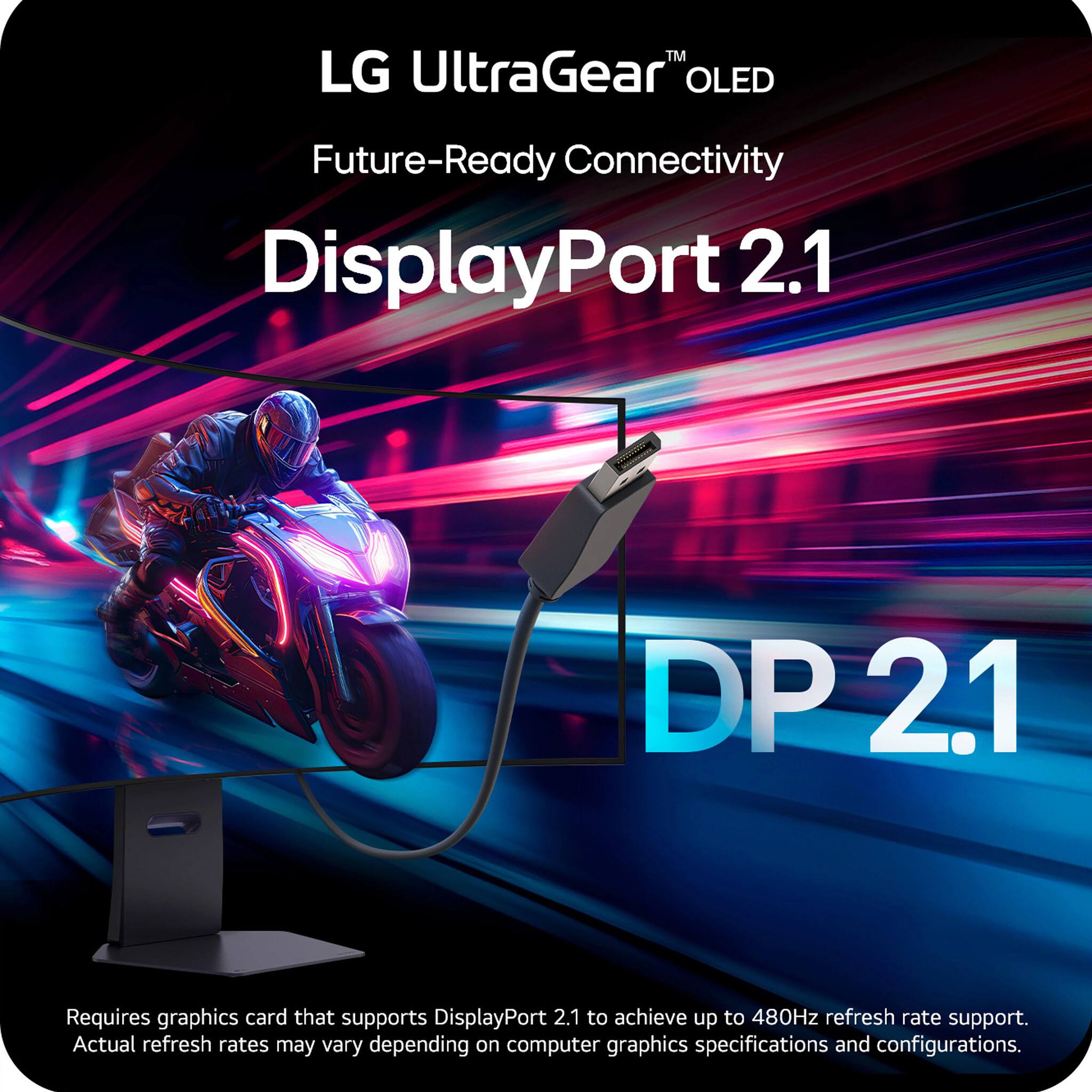
    guys save your money. Monitor is a beauty when it works no doubt. But good luck getting Displayport 2.1 to work. Works like once in 30 tries if your lucky. OH it easily works in dual 2K duel mode without any issues. But second you try for 5120X2160.all bets are off. Pathetic they release a $1999 monitor in this condition

    No, I would not recommend this to a friend
    • Brand response from LG Digital Customer Care
      Posted .

      Hi, there. Thank you for sharing your experience with the LG Monitor (45GX950A-B) model. We understand your concern about DisplayPort 2.1 functionality not meeting your expectations, especially at higher resolutions. We strive to deliver reliable, high-performance products and value your feedback.

      If you're having some trouble with DisplayPort 2.1, it might help to check that your graphics card drivers and monitor firmware are up to date. You can find any updates you need on the official LG support website. For a quick guide, just hop over to https://www.lg.com/us/support/help-library/lg-monitor-how-to-update-monitor-firmware--20153819322140. Also, using a good quality certified DisplayPort 2.1 cable can sometimes clear up those pesky connectivity issues.

      If you’re still running into problems, we’d love to help out more! Just send us a private message on social media @LGUSSupport, and our team will be super happy to assist you in troubleshooting and finding some solutions. Take care! ^Juvy LG

  • Rated 1 out of 5 stars

    Broke on the last day of my return period

    |
    |
    Posted . Owned for 2 weeks when reviewed.
    This reviewer received promo considerations or sweepstakes entry for writing a review.

    I owned it for 15 days and it was amazing until it wouldnt power on anymore and best buy wouldnt help. Working with LG support is also a nightmare as they make it impossible to schedule your own warranty repair without talking to an underqualified support person first.

    No, I would not recommend this to a friend
    • Brand response from LG Digital Customer Care
      Posted .

      Hi, Bryce. Thank you for sharing your experience with the LG Monitor (45GX950A-B) model. We understand how important it is for your new unit to work reliably and for support to be accessible when needed.

      If your TV won’t power on, we recommend trying a basic reset: unplug the unit from the wall outlet for about 60 seconds, then plug it back in and press the power button directly on the TV (not the remote). Also, ensure the power cord is securely connected and try a different outlet if possible. You can find more troubleshooting steps here: https://www.lg.com/us/support/help-library/lg-monitor-troubleshooting-no-power--20150893043202. If you’d like us to take a closer look or need further assistance with scheduling a warranty repair, feel free to send us an email at lgdigitalcare@lg.sprinklrsupport.com. We’re here to help. ^Juvy LG

  • Rated 1 out of 5 stars

    Not worth the money

    |
    |
    Posted .
    This reviewer received promo considerations or sweepstakes entry for writing a review.

    The Curve was excessive and the dual mode did not function as claimed, I have a liquid cooled 5090 and it never could force the switch to 330hz

    No, I would not recommend this to a friend
    • Brand response from LG Digital Customer Care
      Posted .

      Hi Jim, thank you for sharing your experience with the LG TV. Noticing an unexpected curve and having dual‑mode features behave differently than expected can definitely affect how the monitor fits into your setup, especially with powerful hardware like your 5090. Your feedback on the 330Hz switching behavior is valuable, and we appreciate you taking the time to call it out.

      You may access this link related to your concern: https://www.lg.com/us/support/help-library/lg-monitor-monitor-not-detected-when-using-on-screen-control--20153187900083.

      If you run into anything else or want us to take a closer look at your specific configuration, feel free to send us a DM at @LGUSSupport anytime.
      - Avril LG

  • Rated 1 out of 5 stars

    Nongooddddds

    |
    |
    Posted .
    This reviewer received promo considerations or sweepstakes entry for writing a review.

    Don’t buy these monitor is bad just like lg I return 2 monitors with the same problem ffff lg couldn’t solve it

    No, I would not recommend this to a friend
    • Brand response from LG Digital Customer Care
      Posted .

      Hi, Raul. Thank you for reaching out to us about your LG Monitor (45GX950A-B) model. We understand how important it is for your display to perform consistently, especially after multiple replacements.

      As a first step, please try performing a factory reset on the monitor by navigating to Settings → General → Reset to Initial Settings. This can clear any configuration issues that may affect performance. Also, ensure that the monitor’s firmware is up to date, as updates often improve stability and compatibility. You can find more guidance here: https://www.lg.com/us/support/help-library/lg-monitor-how-to-update-monitor-firmware--20153819322140. If the issue continues, please send us an email at lgdigitalcare@lg.sprinklrsupport.com so we can assist you further. ^Juvy LG

  • Rated 1 out of 5 stars

    Will not power on.

    |
    |
    Posted . Owned for less than 1 week when reviewed.
    This reviewer received promo considerations or sweepstakes entry for writing a review.

    Dead on arrival. Will not power on. Tried everything.

    No, I would not recommend this to a friend
    • Brand response from LG Digital Customer Care
      Posted .

      Hi, Narek. Thank you for sharing your experience with the LG Monitor (45GX950A-B) model. We understand your concern about the unit not powering on right out of the box. Our goal is to make sure you have a great experience with our products and services.

      For the power issue, it might be worth checking that the power cable is snugly connected to both the monitor and a working outlet. Trying out a different power cable or outlet could also help figure things out. And don’t forget to press and hold the power button for a few seconds; sometimes that little reset can do wonders! We also recommend contacting Best Buy customer service at 888-237-8289 to address your concerns, offer assistance, and discuss potential solutions. If you need more assistance, feel free to check out this link: https://www.lg.com/us/support/help-library/lg-monitor-troubleshooting-no-power--20150893043202.

      We’re here to help! Just drop us a private message on social media @LGUSSupport, and our team will be happy to look into this for you. ^Juvy LG

  • Pros mentioned:
    Overall performance, Screen size

    Rated 5 out of 5 stars

    Incredible

    Posted .
    This reviewer received promo considerations or sweepstakes entry for writing a review.

    If you have the horsepower in your pc to power this thing just get it. Its incredible. I thought i would hate the curve but after i went to my local BB and saw it in person i bought it on the spot.

    I would recommend this to a friend
  • Pros mentioned:
    Oled quality

    Rated 5 out of 5 stars

    THE GREATEST EXPERIENCE YOU WILL EVER HAVE

    Posted .
    This reviewer received promo considerations or sweepstakes entry for writing a review.

    UNBELIEVEABLE EXPERIENCE.... ONCE YOU GO OLED... YOU WILL NEVER WANT TO EXPERIENCE ANYTHING ELSE. TRULY REMARKABLE. EVERY GAME, EVERY PIECE OF MEDIA I HAVE CONSUMED WITH THIS MONITOR HAS LEVELED UP. I CRY EVERYTIME I TURN IT ON

    I would recommend this to a friend
  • Pros mentioned:
    Resolution

    Rated 5 out of 5 stars

    Very good 5K2K monitor

    Posted .
    This reviewer received promo considerations or sweepstakes entry for writing a review.

    This is a monitor that has very good resolution to run with Mac mini M4. The price a little on the high side.

    I would recommend this to a friend