Customer Ratings & Reviews


- Model:
- 988-000521
- SKU:
- 6507830
Rating by feature
- Value
Rating 4.6 out of 5 stars
- Quality
Rating 4.7 out of 5 stars
- Ease of Use
Rating 4.7 out of 5 stars
Customers are saying
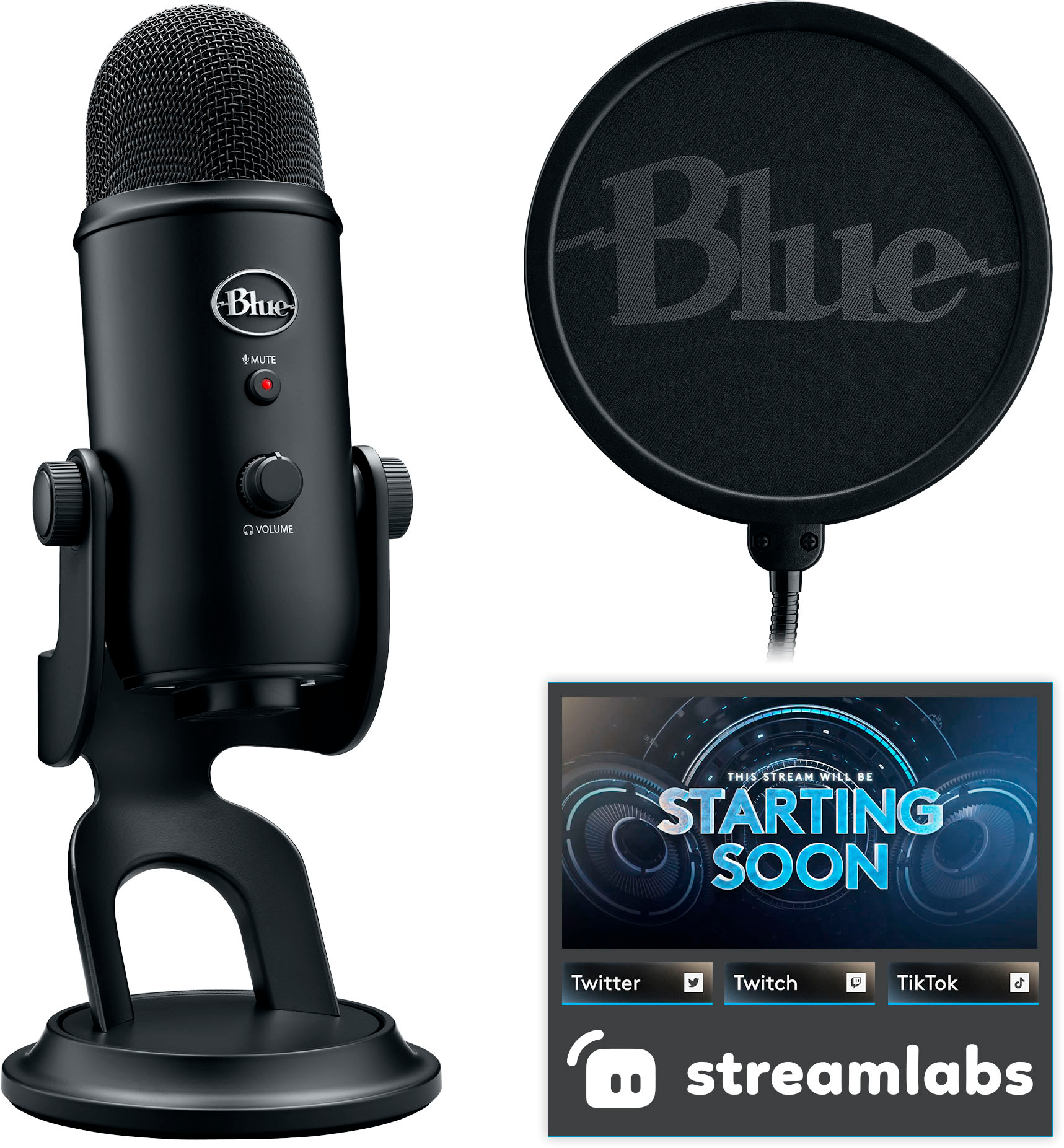
Customers appreciate the Blue Yeti USB microphone's exceptional sound quality and ease of use. Many also highlight the included pop filter and find the microphone to be a good value for its price. However, some users note that the microphone's size is substantial, and a few express a preference for a more modern USB-C connection.
This summary was generated by AI based on customer reviews.
- Pros mentioned:Pop filter, Sound quality
Professionally Certified Microphone
||Posted . Owned for 3 months when reviewed.This reviewer received promo considerations or sweepstakes entry for writing a review.The Logitech Blue Yeti Game Streaming USB Condenser Microphone Kit is a game-changer for streamers and content creators. With its outstanding Blue VO!CE technology delivers crystal-clear audio quality, making your streams sound professional and engaging. The included Streamlabs themes and custom pop filter add extra value, making it a must-have for anyone serious about their streaming setup.
I would recommend this to a friend - Pros mentioned:Sound quality
Awesome device
||Posted . Owned for 1 week when reviewed.This reviewer received promo considerations or sweepstakes entry for writing a review.This microphone is excellent. I love that you can adjust the gain and range so that any background noise can be easily supressed or blocked out with this microphone. It sounds professional and it’s perfect for any situations!
I would recommend this to a friend - Pros mentioned:Sound quality
Sr
||Posted . Owned for 1 month when reviewed.This reviewer received promo considerations or sweepstakes entry for writing a review.Perfect This item works well and does the job for which it was purchased. I thank the manufacturer for this product. Thank you very much.
I would recommend this to a friend - Pros mentioned:Ease of use
10/10 would recommend
||Posted . Owned for 3 weeks when reviewed.This reviewer received promo considerations or sweepstakes entry for writing a review.A very reliable and effective microphone. So easy to set up and easy to learn. Best mic on the market, Best money I’ve spent on it.
I would recommend this to a friendBrand response from Logitech
Posted .We're glad to hear the Blue Yeti is working well for you! It’s designed to be user-friendly and deliver exceptional audio quality. Thank you for choosing Logitech!
- Pros mentioned:Sound quality
Absolutely great purchase
||Posted . Owned for 1 month when reviewed.This reviewer received promo considerations or sweepstakes entry for writing a review.Love the quality of this microphone! I use it for podcasts and streaming, it’s an absolute beast!
I would recommend this to a friend - Pros mentioned:Ease of use, Mute button, Sound quality

Amazing Mic for Content Creators
|Posted .This reviewer received promo considerations or sweepstakes entry for writing a review.OMG! My new favorite microphone. I record video tutorials and this is awesome for creating high quality voice overs. So how do you get started? So this is basically a plug and play microphone. Plug in the USB cable to your microphone and to an open USB port on your computer and you are ready to go. Likely you will be prompted to download and install the Q Hub software. This is a must if you want to enjoy the advanced controls and really have fun with controlling how your voice sounds. Let's be honest, that is probably one of the reasons you are looking at this microphone anyway. So download and install the Q hub software. This will allow you to fine tune your settings and get your voice sounding exactly as you want it. You also get a url to download streamlabs. This with the Q hub is all you need to set up your microphone exactly as you want it. There is a port on the bottom of the microphone that you can plug headphones directly into, this will allow you to monitor your voice. You have a volume control on the front, this is for use when you have the headphones directly attached. The mute button is also on the front, which is handy for those moments you need to quickly mute yourself. There is also a button that allows you to set the direction for the mic to pick up sounds. You also get a pop filter. Okay there is my one and only complaint. The connection end of the pop filter is funky. I did not really understand how I was supposed to attach it to the mic or the stand. I see all kinds of different connections and there was zero guidance in the set up manual for this either. Kind of figure it out on your own. SO that is my one and only issue. It works great, but has a strange connection end and no clear guidance on how you are supposed to connect it for use. The set up instructions in general are a but lacking. That is really my only issue and the reason I did not give a full 5 stars. Once you have all the software downloaded you are ready to begin sampling your voice and checking out all the presets. I think I spent like 2 hours just listening to and checking out all the presets to see which one I liked and how I might use them. That was a lot of fun. The mic and stand are super sturdy and well built. And I am looking forward to years of use with this to help me with my content creations.
I would recommend this to a friend Super
||Posted . Owned for 3 weeks when reviewed.This reviewer received promo considerations or sweepstakes entry for writing a review.It is an excellent microphone, it has good sound quality. it's great
I would recommend this to a friendBest affordable mic
||Posted . Owned for 3 months when reviewed.This reviewer received promo considerations or sweepstakes entry for writing a review.Excellent sounding mic I use this to stream and mic quality is amazing
I would recommend this to a friendThey say yeti isn’t the way to go
||Posted . Owned for 3 weeks when reviewed.This reviewer received promo considerations or sweepstakes entry for writing a review.I enjoy it, especially when you integrate it with a boom bar
I would recommend this to a friendBe better on computer
||Posted . Owned for 1 month when reviewed.This reviewer received promo considerations or sweepstakes entry for writing a review.I was trying for my PS5... It's okay, I just feel like maybe if I used it for something else it would be better... I scream a lot when I play video games now. I was hoping this would fix it.
I would recommend this to a friend- Pros mentioned:Ease of use, Sound qualityCons mentioned:Size
Should cost so much more
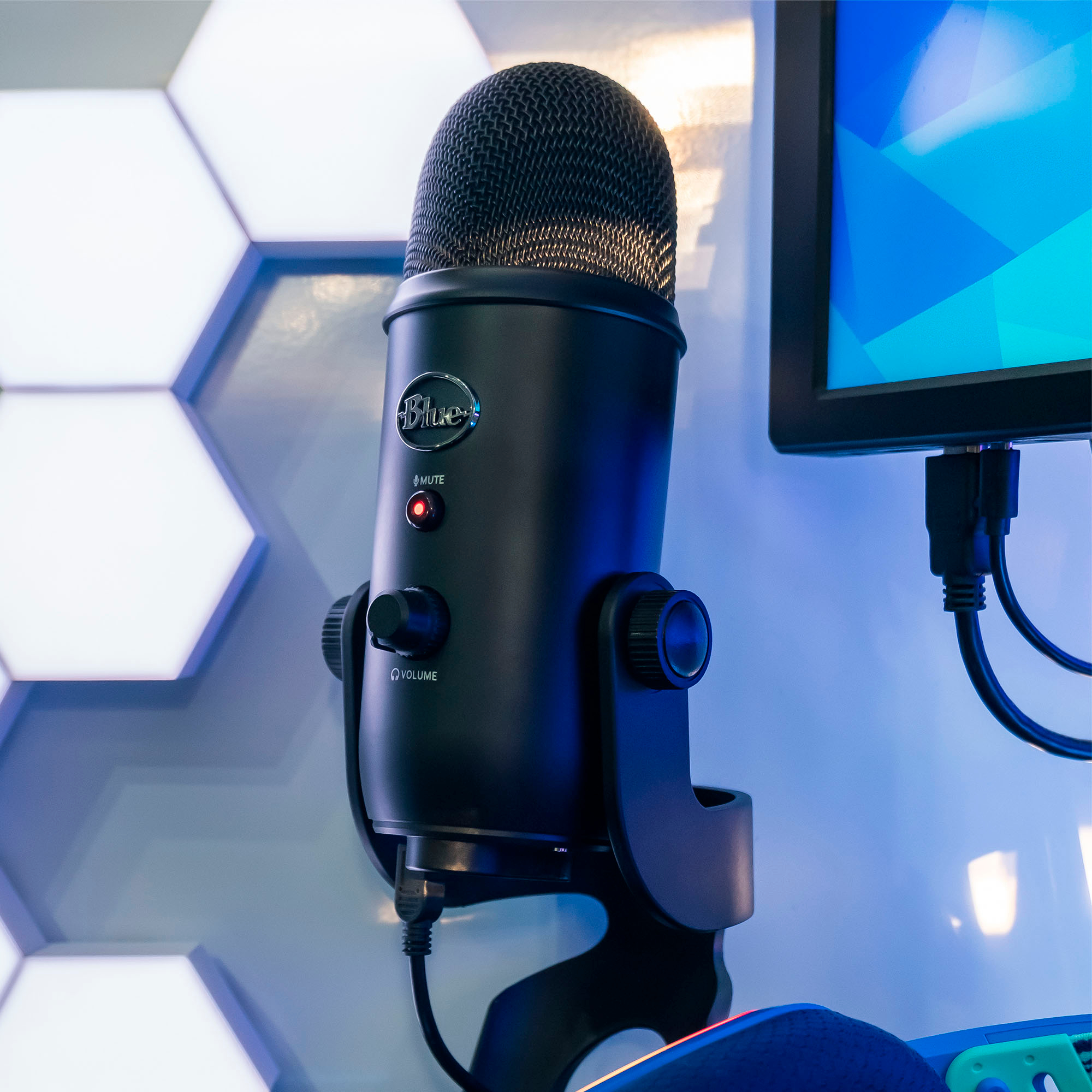
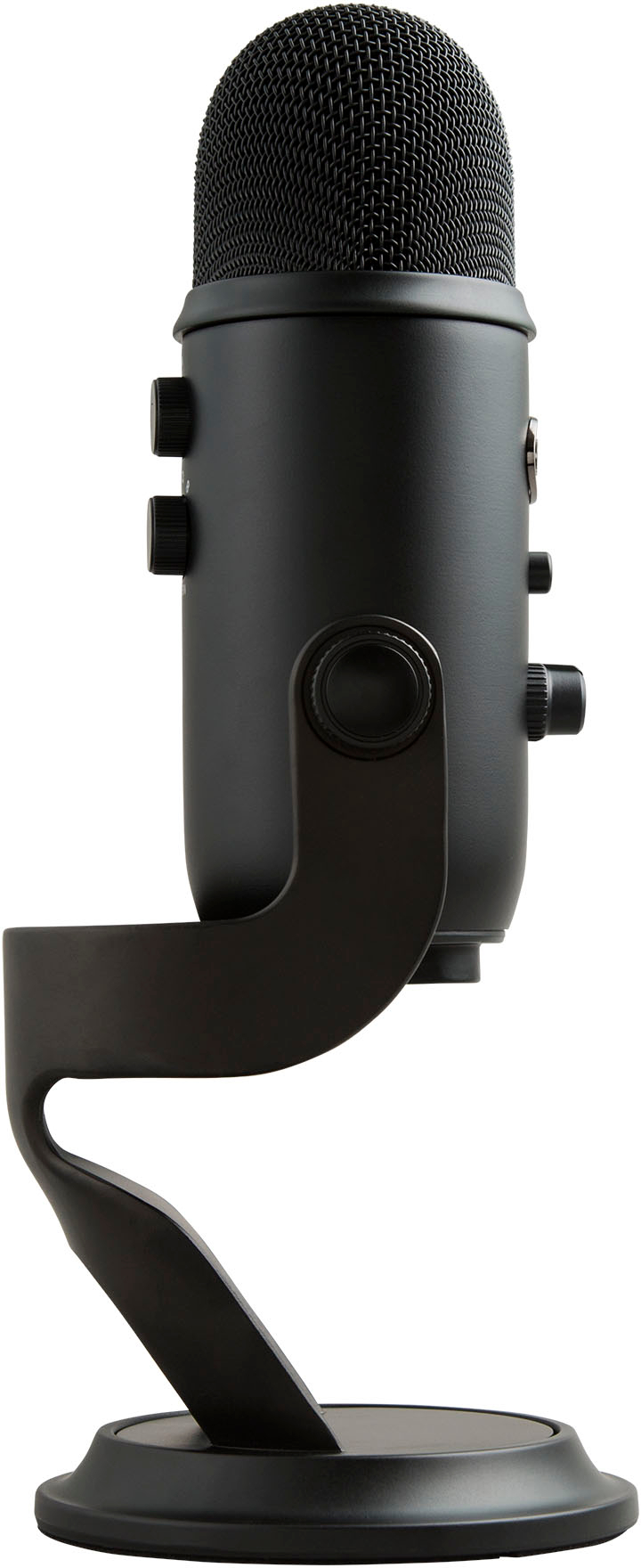
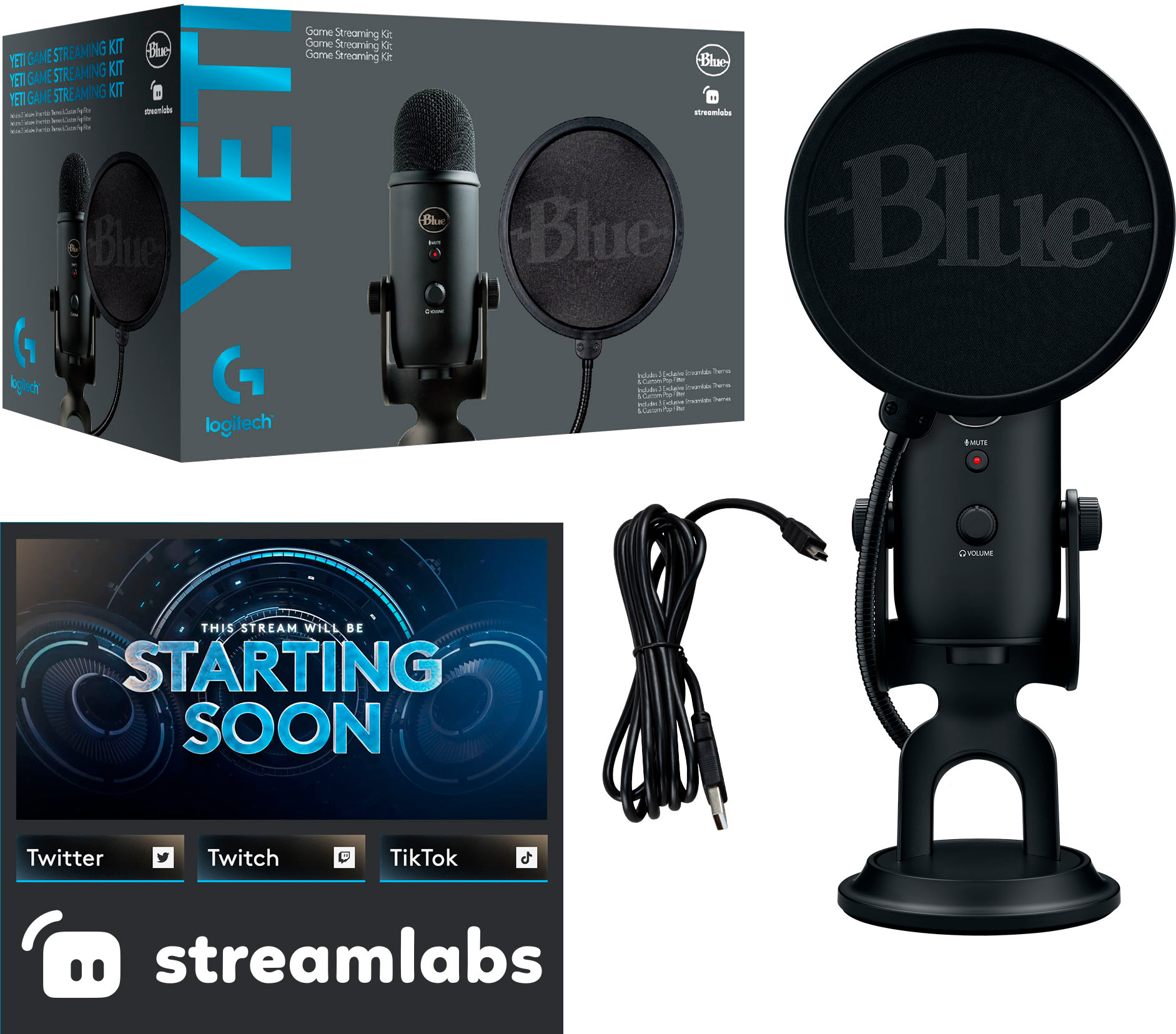
|Posted .This reviewer received promo considerations or sweepstakes entry for writing a review.This usb microphone is absolutely incredible. Out the box you get the microphone which is quite hefty and feels as solid as any microphone I've ever used. This thing feels like you can run it over with a car and would still work. Then you get a wind deflector and the usb cable. The microphone can be turned downwards to make it a little more compact when not in use but this mic is big and will still take up some real estate either way. Operation is so easy. Plug and play, literally. Couldn't be any simpler and perfect for those not needing or wanting the the fanciest microphones. On the front of the microphone is the mute and volume button for your headset. At the bottom you have the cable plug, a headset plug and thread mount to use for different mike stands. On the back you have a gain switch to set the different levels of how high a volume you want the microphone to pick up of your voice. Also there is a pattern button to set the many directions the microphone will pick up sound from. Audio recordings, imo, is on par with microphones that costs much more than this. And with all the functions that this unit comes with, it's a no brainer. Definitely a great purchase for those that want a good recording microphone but doesn't want to break the bank or for those first stepping their toes into streaming or podcasting.
I would recommend this to a friend - Pros mentioned:Ease of use, Mute button, Sound quality
Weighted, High Quality Voice Reception, Flexible
|Posted .This reviewer received promo considerations or sweepstakes entry for writing a review.I have been in search of a mic to be able to perform some voice recording on my videos and streams. I decided to try out this mic and was impressed with the quality of the Mic for the price. This Mic was easy to setup out of the box and provided everything needed to quickly start recording. I like how the stand is weighted to allow stability of the mic when placing around the desk. I was impressed with the flexibility of moving the mic and setting the directional voice patterns by a simple nob on the back of the mic. The volume nob and mute button located on the mic are easy to use / find and understand. However the mute light indicator is opposite of what one things when its in "Mute Mode" (Although that could just be myself with using so many different products) I like how it provides four different voice patterns for the mic to pick up to allow for perfect placement to capture wide range of voice. The USB cable is long enough to allow for placement far enough away from the PC. The BlueMic software is very basic and not recommended to use with the MIC. I rather recommend to use another voice software to help modify the pitches better. Overall the Mic works great , I like the quality of it, the voice clarity and the weighted stand to allow great recordings of my work!
I would recommend this to a friend - Pros mentioned:Pop filter, Sound qualityCons mentioned:Usb c
Quality Microphone
|Posted .This reviewer received promo considerations or sweepstakes entry for writing a review.It really is nice to have come across this microphone. I was able to put it through the ringer with multi-use scenarios from recording quality audio for YT, Twitch, joining work meetings on Teams, and chatting with friends on Zoom. Now I will say that any external microphone will always be better than an internal laptop microphone so given the choice, always get an external microphone. Logitech has always been a step up in the game when it comes to its peripheral devices. They just seem to listen to their target audience. Who is there target audience with this Blue Yeti you might ask, it's for the streamer. It is a streaming kit after all, meaning you get an included pop filter, vocal effects and Stream Lab themes (if you use Stream Labs). The pop filter is probably the one that is most interesting to have included. It will provide you with a more professional sounding voice when you are using it. You want to know why I give this 5 stars? It goes above being a microphone for your PC. You can connect this to your ps4 or ps5 as well and get even better sound if you do not have a gaming headset. It also deserves it for it's quality look and feel. It has a very solid stand and heavy knobs for pattern control and a tactile mute button. I will say, my only gripe with this is the fact that it uses a MINI USB cable, get with the times and change it to USB-C already.
I would recommend this to a friend - Pros mentioned:Ease of use, Pop filter, Sound quality
A good thing gets better
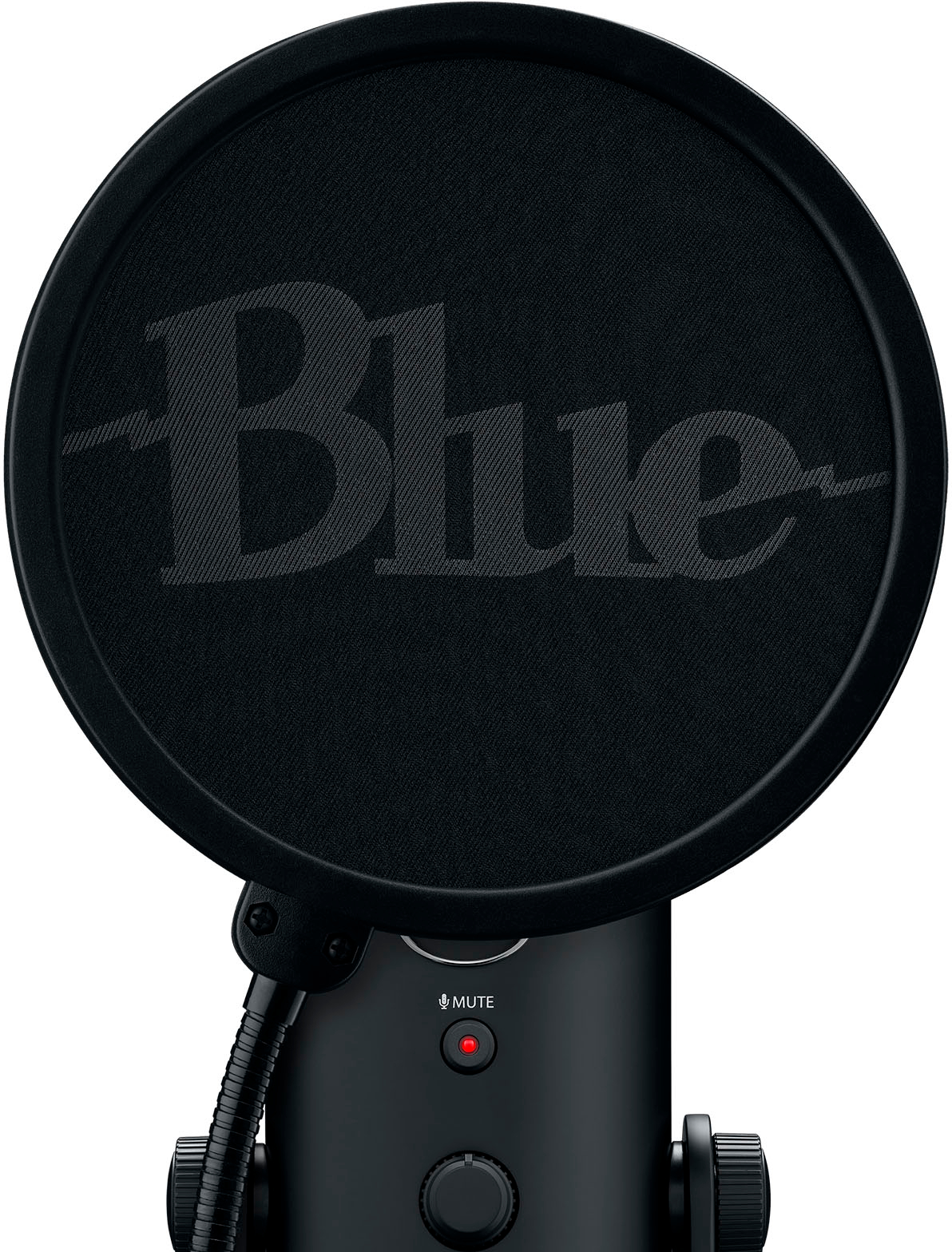
|Posted .This reviewer received promo considerations or sweepstakes entry for writing a review.I don't think there's a legit competitor in this sector- that is- home/small business user microphones. The Logitech Blue Yeti Microphone is very well-built and so very easy to use. The quality of recording and ease of adjustment for performance ensures good results every time. This model includes a Pop Filter and access to Streamlabs themes for gamers. The pop filter is useful for just about every occasions, eliminating or reducing the popping sound that can occur when pronouncing 'p', 't', 'k', 'd', 'b' and 'g' sounds. The Streamlabs themes allow you to "brand" yourself graphically and sonically (via voice modulation). Fun for gaming and also podcasts and other streaming environments. Also included are High-def audio samples and effects to accentuate your ambience or make a point. Fun. The Blue Yeti is easy to set-up. I plugged it into the USB port of my laptop and it was ready to go in a few seconds. It has a Mute button with status LED and a Volume dial on the "front". The rear of the device features Gain and Pattern dials. I like the simple graphics for the Pattern modification setting. Valuable because this is an omnidirectional microphone - at allows you to control the sources of recording by location relative to the device. As I said, quality of recording was very good, and it looks good enough to leave on your desk.
I would recommend this to a friend - Pros mentioned:Sound qualityCons mentioned:Usb c
Excellent USB mic! Really large size though
|Posted .This reviewer received promo considerations or sweepstakes entry for writing a review.I would say Yeti are pretty good and dependable mics for the most part. They last a while, and I expect this one to be with me for a few years at least. I mostly use this mic for audio voiceovers and auditions, and my husband uses it for his live-streaming. The sound is crisp, clear, and the ambient noise is almost non-existent. In fact, I would say keep the mic a small distance away from your mouth because even with the filter, it is super sensitive to any sound. I also wish the power cord was a bit longer, but it gets the job done. Also, another con to this mic is that it is a mini-USB ----- doesn't everyone know USB-C is the standard by now? Oh well, again just a personal preference, not a huge deal. Nonetheless, the physical voice gain control is a huge plus; not having to go into the software to adjust the gain is a big help and I think makes it much more user and amateur friendly as well. While it is sufficient for basic, professional sound, I wouldn't recommend it for experienced audio technicians or experts.
I would recommend this to a friend - Pros mentioned:Mute button, Sound quality
Easy and Quality Mic
|Posted .This reviewer received promo considerations or sweepstakes entry for writing a review.Set up was easy using the USB connection. You might have to go into your volume settings to select this mic. This is my first mic of this type. I found the quality excellent. I also like the fact that it is USB plug and play. No extra audio interface needed. Love the easy controls, Mute, and Headphones Volume on the front and Gain function and Sound Pattern Direction button on the rear. Sound pick-up mode options: CARDIOID - This mode records sound sources that are directly in front of the microphone. STEREO - Uses both the left and right channels to capture more realistic sound range. OMNIDIRECTIONAL - Picks up sound equally from all around the mic (Round table) BIDIRECTIONAL – Sounds from Front and rear of the microphone – Good for one on one interview Logitech G-HUB software lets you fine tune and even add special voice effects, EQ settings, Limiter and Noise Removal functions. Since I am a newbie, I mostly used it to test my mic through its easy audio testing section. Here you can record your yourself speaking and hear it back, offering you a way to fine tune the microphone. I use the microphone mostly for conference calls currently but will be using it more as I start up a YouTube channel. I did find it picks up ‘everything’. I had to remove a clock from my office as it picked up the tick-tok in the distance. I think I need to mess with the noise filter or try another plug-in to remove distant noise. Again. I am new with this, so need to figure it out a bit. The Pop filter is nice, but I do wish there was an optional way to attach it to the mic stand. This package also comes an unlock code for three Exclusive Streamlabs Themes which is a nice bonus. Since my daughter is a gamer, I also had her test it. Here are her comments below: I really like having a mic that can pick up volume well and I don’t need to adjust my speaking level so that the person I’m talking to can hear me. I also don’t have problems with connections or my voice fizzing out if I get too far or loud, which can sometimes happen with microphones. Works seamlessly with all programs so far. The different options that go with the mic are also a nice touch, I personally don’t need to adjust them since I feel like it’s perfect left alone. Was nice having a mic that worked good enough to where I didn’t hear “what” from a friend during the whole time using it because of connection failures. Overall super reliable, especially if you want to use it for computer gaming, since having something that won’t disconnect can be vital in those games. Pros: • Comes with extra mic accessories • Audio is clear and accurate and picks up well • Can plug headphones into it and hear self • Is useable on both laptops and desktops easily • Has an easy mute button and different toggles including a gain toggle along with pattern • The mic rotates easily • Base is very sturdy, won't tip over. Cons: • Has an older style Mini USB connector Overall, both myself and my ‘online gaming’ daughter are quite impressed with this Logitech Blue Yeti Microphone. The pick-up and quality are great, and the look is excellent as well. If you are jumping into Gaming or Streaming, I don’t think you can go wrong here.
I would recommend this to a friend - Pros mentioned:Pop filter, Sound quality
A Full-Featured Toolbox for Content Creators
|Posted .This reviewer received promo considerations or sweepstakes entry for writing a review.The Blue Yeti Game Streaming Kit from Logitech G is not just a superb desktop microphone. The Yeti Kit is a full-blown set of tools for creating video recordings and streams. Unboxing and Setup The easy part is removing the microphone, tilting it into position, tightening the side thumb screws, and attaching the included USB cable. A URL for Streamlabs and a code for the Yeti Themes came in the box, and a small document illustrating the microphone controls is included. The hard part was the disappointment there was no documentation for installing the Logitech G-Hub, the NVIDIA BROADCAST, Streamlabs desktop, and how to configure the microphone settings in G-Hub. I was able to find instructions on the Logitech website, the Streamlabs website, and tutorials for Streamlabs on YouTube. Using the Products Fortunately, I have years of experience in creating video content with multiple products. The microphone with G-Hub works well with Zoom, MS Teams, OBS, and iMovie. The audio is clean and crisp, and the Broadcaster filter works well with my recordings. I know I'll grow to utilize the wealth of features, themes, and editing capabilities of the Streamlabs OBS Desktop. It has everything I need to make my recordings more professional, possibly become a monetary source, and increase my audience. Overview The Blue Yeti Game Streaming Kit from Logitech G is a sophisticated set of tools combined with a full-featured microphone intended to create recorded and stream content. It has everything you need to begin creating content or improving your ongoing content for a very reasonable cost. The only reason I'm taking a star off the review is the lack of configuration instructions or at least some pointers where these steps can be found. That being said, I still recommend this excellent product to content creators willing to take the time to learn how powerful this kit can be. Features • Cardioid three-capsules 14mm array microphone in an internal shockmount for a clean and crisp sound capture • Streamlabs unlock code for three exclusive themes • Downloadable Streamlabs Desktop software for recording and streaming • Works with Windows®, macOS, and PlayStation® compatible • Sturdy desktop stand with adjustable mic angles • Integrates with YouTube, TikTok, Discord, Twitch, and many other video streaming services • Multiple VO!CE effects, HD samples, EQ, Limiter, and Noise Removal • Advanced modulation effects including helium Chipmunk, de-tuning, cavernous cathedral, warm ambiance, and many more • G-Hub interface for VO!CE settings and effects • Optional download of the NVIDIA BROADCAST in G-Hub for noise reduction and room echo removal • Custom Blue Pop filter • USB cable • Sample Rate: 48 kHz • Bit Rate: 16-bit • Polar Patterns: Cardioid, Bidirectional, Omnidirectional, Stereo • Frequency Response: 20Hz - 20kHz • Max SPL: 120dB • Gain control • Mute button with status light • Headphone volume control • 3.5mm headphone jack • Multiple pattern selector control • Mic stand adapter
I would recommend this to a friend - Pros mentioned:Pop filter, Sound quality
The Kit To Have
|Posted .This reviewer received promo considerations or sweepstakes entry for writing a review.Ok. Yes. There are other mics out there to to fullfill your gaming streaming and podcast needs. But I think you'd be hardpressed to find one that does it better than the Logitech ad their Blue Yeti series of mics. This one, however, is a special case, because it not only gives you that iconically awesome Blue Yeti Blackout mic. But it also gives you a sweet looking, branded pop filter and 3 new themes for your Streamlabs account. So you prettify your game streaming/postcasting background. All of this and at a very affordable price. I really think this is a great deal. considering the fact that you do get one of the best mics out today and the kit. Which, in turn , gives you everything you need to set up your system to go live and create grat content. The mic, as I said, is one of the best, soo sound is great. coming from multiple angles, if that's what you prefer. Or you can just have great sound coming straight from you. the stand is well padded so you don't have to worry about shock noises, unless you are just that rowdy while you game. Honestly, just give yourself some space and you'll be fine. The pop filter keeps your speech nice and clean sounding , while also keeping your mic clear of word spray( you know what I mean). Many people call the pop filter a spit guard, if that helps any. The only 2 problems I do have with this is the connctivity. I wish it wereupdated to utilize a USB-C connection vs micro USB, but it is what it is. And there's also the Logitech G HUB. That thing only works when it want's to. And you have to have it to fully utilize the Blue-Voice features. It's still a great mic without it, but that's not the point, is it?In any case, this is a solid setup and would be a great jumping off point for any streamer. Also, it makes for great all around system have for any of your needs. In the end, II definitely recommend this kit to any and all of my friends.
- Pros mentioned:Sound quality
Great streaming microphone with lots of function
|Posted .This reviewer received promo considerations or sweepstakes entry for writing a review.This is the second Yeti microphone that I've gotten for my kids who stream online. Once the other one had a Yeti microphone and enjoyed using it so much I had to get my other daughter a microphone to stream. So with the functionality of the first yeti microphone and how happy she was with the quality I figured it was a no-brainer to get another Yeti for my other daughter. One thing that impresses me about these microphones is how solid they feel. Taking it out of the box you can really see how heavy this thing is which tells me it's made with quality components. There's multiple different sound field options which works well in our house to allow it to pick up her voice while she's close to the microphone versus other noises going on in the background around our house. It has multiple options as well with the headphone jack you can plug right into it as well as different sound settings for the studio program if you use it. My kids tend to just stream on twitch or YouTube and this microphone works great for that. They also record and edit videos and filmora and their voices in the audio with these microphones comes across very clear. Overall for the price these microphones offer very solid craftsmanship along with many different options for voice modulation or sound settings within multiple different programs.
I would recommend this to a friend - Pros mentioned:Sound quality
Great microphone for newbies
|Posted .This reviewer received promo considerations or sweepstakes entry for writing a review.The Blue Yeti Game Streaming USB Condenser Microphone allows you to record your voice while streaming a game. In addition this is great for those just starting out on making their own channels. With the Yeti you are able to do interviews, have surround sound, or have the microphone only pick up from one direction. You have the ability to plug in a headset to the microphone and/or use your computer to hear the replay of your recording. You may have to edit videos after recording the sound. Did run a fan in the background when using the microphone in my living space. For my setup would recommend to use central air instead. You are able to mute the microphone. This is indicated with the flashing red light in front of the mic. Additionally you can adjust the volume on the same side. On the other side of the microphone has the different setting of the microphone that I mentioned early that allow you to do interview style, pick up sound from all around, or the setting to mainly focus on your voice only. Setting up the mic was pretty easy. It comes with a screen to assist with noise canceling. That is a plus too. Yes, I would recommend this micphrone.
I would recommend this to a friend