Customer Ratings & Reviews


- Model:
- 988-000521
- SKU:
- 6507830
Rating by feature
- Value
Rating 4.6 out of 5 stars
- Quality
Rating 4.7 out of 5 stars
- Ease of Use
Rating 4.7 out of 5 stars
Customers are saying
Customers appreciate the Blue Yeti USB microphone's exceptional sound quality and ease of use. Many also highlight the included pop filter and find the microphone to be a good value for its price. However, some users note that the microphone's size is substantial, and a few express a preference for a more modern USB-C connection.
This summary was generated by AI based on customer reviews.
- Pros mentioned:Pop filter, Sound qualityCons mentioned:Usb c

Perfect mic for your streaming dreams
|Posted .This reviewer received promo considerations or sweepstakes entry for writing a review.I was in the market for a mic to use on my not yet ready youtube channel. I had heard of this brand before but it was out of my meager budget at the time. Well, now it is a different story and I will tell you the deets. The Good: Heavy duty construction with balanced stand to keep it where I put it. Gain control for time where I want to whisper and not shout (not that I need to with this) Volume control for headphones, So you can monitor your sound and get the right levels before you commit to the stream. Variable mic patterns. So you can have it all to yourself, or switch to one that lets the whole gang be hear on all sides. Pop screen is like whispering through pantyhose, but t does work well with the S and P and the occasional sneeze (ewww boogies). USB cable is good length and should fit most needs when connecting to nearby computer. Sounds this thing picks up are warm,smooth and handy if you have asperations of being a jazz DJ. The Bad: Almost no instructions to operate this thing. I mean, yes I can look online, but sometimes it is nice to read about different options you choose from before you seek more advances stuff. USB is old tech. I mean like 90's usb mini (your old cell phone charger). Which is fine, except if you forget it, or it gets damaged, you will have a hard time replacing it quicky. Should have been more like a USB-C or even USB mini so at least I can go to the store to get a spare if needed. USB plugs in the bottom, which works fine, but does not leave a lot of room for the clearance of the table and stand, My fear is it will get knocked around and either break or come loose. With streamlabs code, I had no idea what this was or how I would use it. I know now, but leaving people in the dark with random insert is confusing to me. The Ugly: nothing of reall note on this subject as it does what it is supposed to do. The only problem ( I am sure it is just me) is the software I downloaded would not let me get things setup with a webcam involved. So I have to make sure my cam is on to even start using it, With all that being said, I would recommend this to all my streaming friends and family. This is a welcome addition to my growing podcast/streaming/voice over visions of grandeur.
I would recommend this to a friend - Pros mentioned:Ease of use
Awesome gift
||Posted . Owned for 1 week when reviewed.This reviewer received promo considerations or sweepstakes entry for writing a review.Very happy with this purchase. Easy to use and worth every cent.
I would recommend this to a friend Not all Yeti are the same.
||Posted . Owned for 3 weeks when reviewed.This reviewer received promo considerations or sweepstakes entry for writing a review.I am not nearly as happy with this microphone as my other Yeti... Doesnt appear to be near as sensitive.
No, I would not recommend this to a friend- Pros mentioned:Sound quality
Iteam
||Posted . Owned for 2 weeks when reviewed.This reviewer received promo considerations or sweepstakes entry for writing a review.Nice product with good quality, definitely recommend for other.
I would recommend this to a friend - Pros mentioned:Ease of use, Pop filter, Sound qualityCons mentioned:Size
I Love Yeti Mics
|Posted .This reviewer received promo considerations or sweepstakes entry for writing a review.I love Yeti microphones, as they are always such high quality without a giant price tag. While I am a streamer, I am also an educator, and I do a lot of live video sessions, as well as prerecorded instructional sessions. The mic itself is quick and easy to setup, has a mute button right on the front of it, comes with a pop filter, to prevent bursts of air from your mouth making annoying sounds for your viewers or listeners. The quality is fantastic, no matter what your use. Do keep in mind that this is a pretty large mic, and will take up some decent desktop space, but any good mic is going to face this same issue. I have an articulating arm that I have mine mounted to, which allows me to keep it off of the desk. For newer streamers looking to jump in and get serious, the Streamlabs themes for your channel. That paired with the professional quality of the Yeti Blue mic will ensure that right out of the gate, your stream is professional and high quality. In fact, using the Logitech G Hub, you get access to tons of audio samples to help enrich your stream, and they can even be great for podcasts.
I would recommend this to a friend Not great
||Posted . Owned for 3 weeks when reviewed.This reviewer received promo considerations or sweepstakes entry for writing a review.Lots I don’t like about this mic. Hard to use must have room with good surfaces . The mics isn’t recognizable by it’s app, which you have to download. Catches all background noise even on the recommended settings. Don’t recommend.
No, I would not recommend this to a friendBrand response from Logitech
Posted .We apologize for the inconvenience you have experienced with the microphone. Please feel free to contact our support team so that we can assist you further in this case.
- Pros mentioned:Pop filter
nice mic
||Posted .This reviewer received promo considerations or sweepstakes entry for writing a review.Nice mic package. Glad to have the pop guard. Recommend.
I would recommend this to a friend It’s okay
||Posted . Owned for 3 weeks when reviewed.This reviewer received promo considerations or sweepstakes entry for writing a review.It’s a good mic but for the price it’s not all that great I suggest to get this if ur in a quite household but for me being in an opposition situation of loud noises etc it’s simply doesn’t have good enough noise suppression.
No, I would not recommend this to a friendBrand response from Logitech
Posted .Thanks so much for your insights. We're sorry to hear about your negative experience with the product. Your feedback is crucial to us. Therefore, we'll make sure to share it with the right team for them to further review this and consider in the future updates.
Horrible management
||Posted . Owned for 1 month when reviewed.This reviewer received promo considerations or sweepstakes entry for writing a review.The Downey management sucks. They wouldn’t let me return the product after 16 days, yet when I bought the product; I explained to the manager if I don’t like it can I return and he said yes of course you have 30days to return product. Spoke to a manager at that store and told them my situation and they denied my refund when I told them this, they didn’t even want to hear me out and I told them that i literally got word from a supervisor of this and nothing.
No, I would not recommend this to a friendBrand response from Logitech
Posted .That's disappointing to hear. We understand your displeasure and apologize for any issues that arise. We value your input, therefore we will forward it along to the appropriate team so they can look into it. Thanks a lot!
He loves it
||Posted . Owned for 1 week when reviewed.This reviewer received promo considerations or sweepstakes entry for writing a review.My son loved it and thats all i was concerned about. It was a good deal for me compared to the others.
I would recommend this to a friendMutes my Macbook Pro M3
||Posted . Owned for 3 weeks when reviewed.This reviewer received promo considerations or sweepstakes entry for writing a review.I did a lot of research before going for this one. I really wanted it to work but it has some bug with the drivers I believe. It keeps muting my Mac out of the blue and I did everything to solve the problem. Many have similar experiences, unfortunately.
No, I would not recommend this to a friendBrand response from Logitech
Posted .We sincerely regret if our product provided you with a inferior experience. We understand your displeasure and apologize for any issues that arise. Please provide your information to our support team by emailing socialcare@logitech.com. Name – Email address – Country – Product name – Brief description of the issue –
Gaming Microphone
||Posted . Owned for 1 week when reviewed.This reviewer received promo considerations or sweepstakes entry for writing a review.Great product fo gaming.my nephew loved it for his Birrhday.
I would recommend this to a friend
Outdated
|Posted . Owned for 2 months when reviewed.This reviewer received promo considerations or sweepstakes entry for writing a review.[Employee of bestbuy] The Yeti mic we received did not work properly. Utilizing the cable provided seemed to cause static and the gain was overly sensitive. It is hard to recommend this product as it just seems outdated by many standards. Go with a mic that uses USB C connections like Elgato Wave 3 or Hyper X Quadcast.
No, I would not recommend this to a friendBrand response from Logitech
Posted .Thank you for sharing your feedback, and we apologize for the experience you had. We greatly appreciate your input, and we will make sure to pass it along to our team.
- Pros mentioned:Pop filter, Sound qualityCons mentioned:Usb c
Proven and Still Works
|Posted .This reviewer received promo considerations or sweepstakes entry for writing a review.The Blue Yeti mic has been out for a number of years. It has undergone some very minor tweaks under the hood since it's inception, but it remains relatively unchanged. As far as build quality, construction seems to be sturdy, however, I would have loved for the connection cable to be updated to USB C. Alone, the Yeti is a decent microphone. However, the software brings everything together. Setup of the microphone is simple. Instructions are just to plug the microphone into your computer or whatever device you're planning to use. From there, I installed the Logitech G Hub (which replaces a standalone app) in order to take full advantage all of the adjustments needed to give myself the best possible sounding voice for streaming and chatting. After doing some tuning, I was very pleased with my voice sounded. I had great clarity and background noises didn't get picked up. In addition, the pop filter helped my experience, but the additional Streamlabs Theme didn't add much value. Outside of my cable complaint, I don't have much negative to say about it. Quality is good and the settings are ample enough to cover the needs for streaming, podcasting, and chatting. Overall, this is a great product.
I would recommend this to a friend it’s okay
||Posted . Owned for 1 week when reviewed.This reviewer received promo considerations or sweepstakes entry for writing a review.it works but not on certain games and kinda crappy quality for price
No, I would not recommend this to a friendBrand response from Logitech
Posted .Sorry about the unpleasant experience. We'd recommend to get in touch with the Logi Support Team in this case and the team will definitely walk you through all the available options, next steps, and best possible solution.
- Pros mentioned:Price, Sound quality
Pro-level performance at a semi-pro price
|Posted .This reviewer received promo considerations or sweepstakes entry for writing a review.What a great sounding microphone! It is VERY sensitive and picks up everything so be sure you do not have other things making noise around you. I am still experimenting with the proper gain settings, but have settled on the pattern where you sit directly in front of it. A small amount of tweaking is necessary depending on the distance from your mouth to the microphone. It is tolerant of some distance and does not require you to be right on top of it. So far, I have not used the screen, but want to see what difference it makes. My use is streaming and video conferences and it is well suited to that use. It comes with a heavy duty stand but includes a standard microphone mount if you wish to mount it on a boom. So far, I have not needed an isolation mount. I am very impressed they can produce this quality of microphone for this little amount of money. Only suggestion to improve is to put a power on/off switch on it. It is powered on all the time when connected. Not sure if that is a bad thing, just a personal preference.
I would recommend this to a friend - Pros mentioned:Pop filter, Price, Sound quality
Great sound, a little heavy
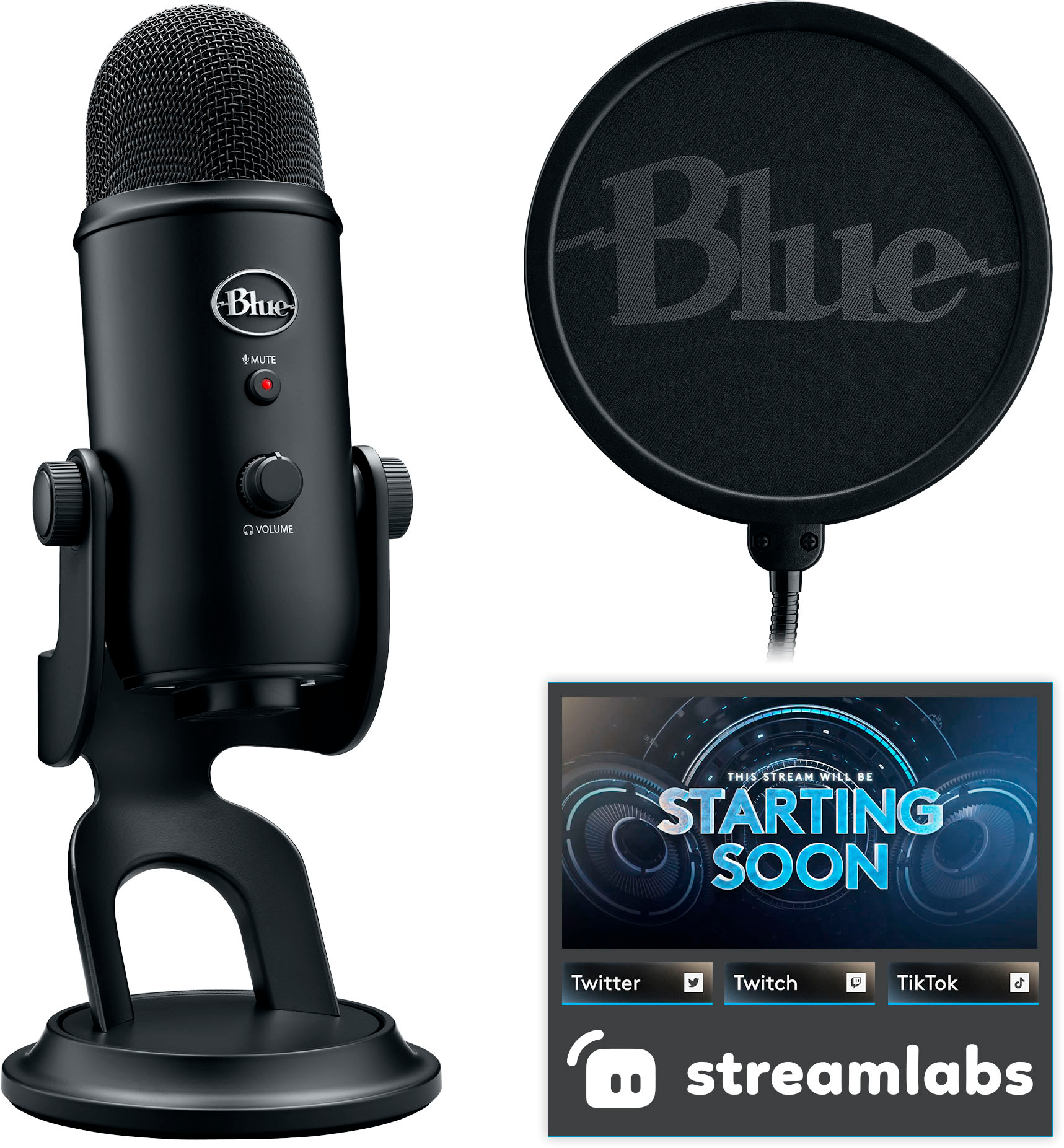
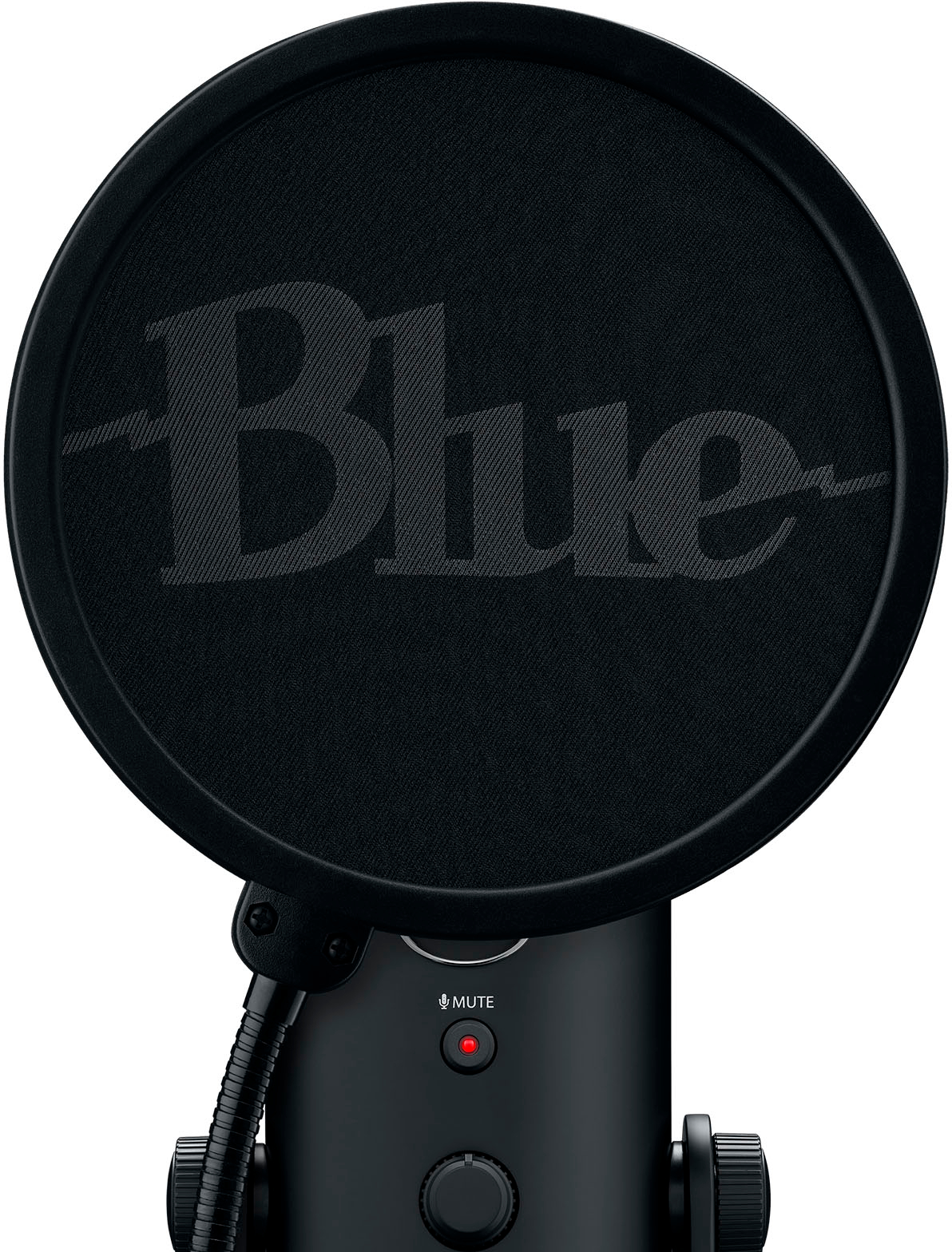
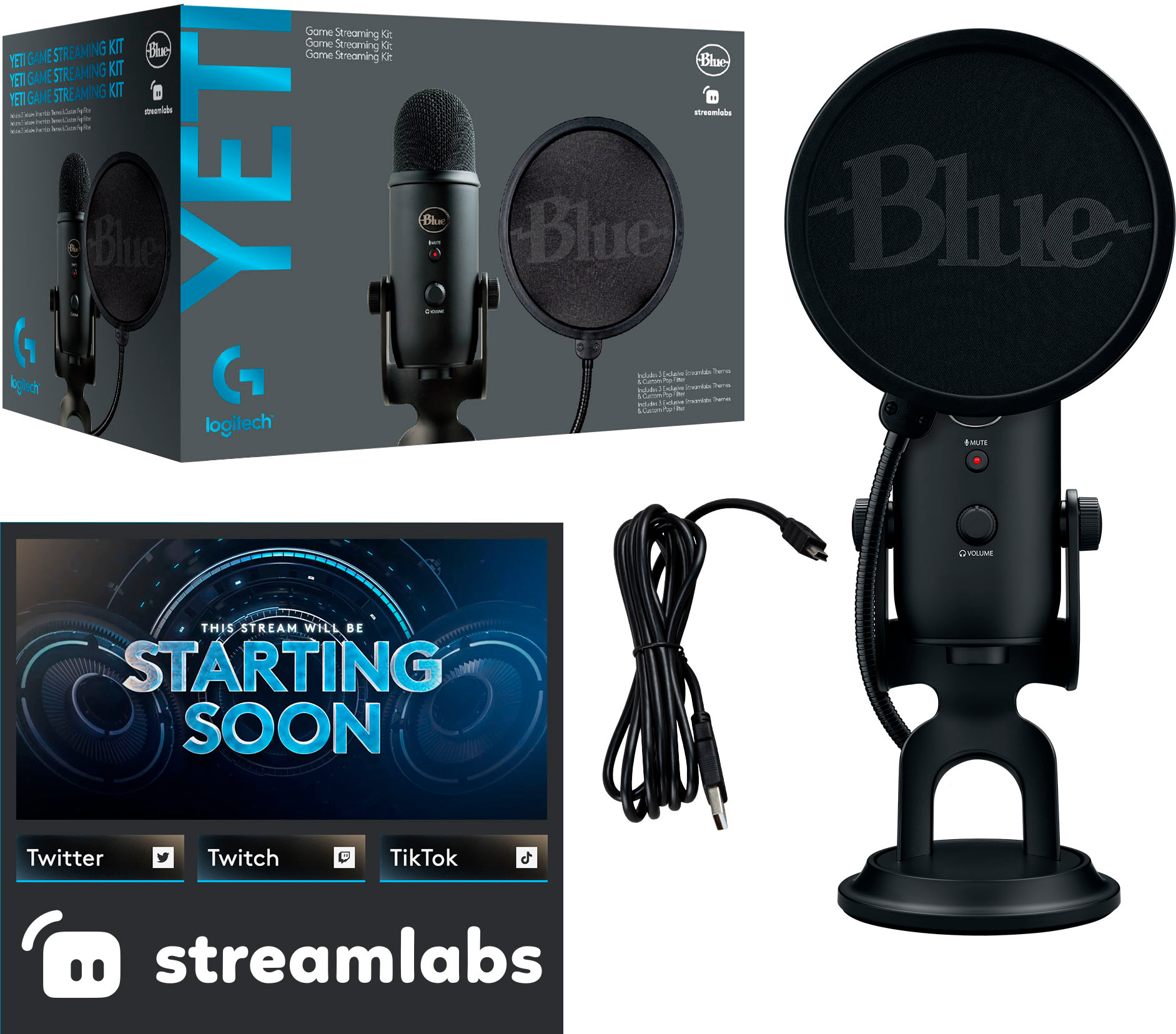
|Posted .This reviewer received promo considerations or sweepstakes entry for writing a review.This package deal comes with a Blue Yeti Professional microphone, a 2-ply pop filter and streamlab software to get set up for streaming. On opening the box, the first thing I noticed is how heavy the mic is. This is a non issue if you are using the stand, but if you want to attach it to a boom, make sure your boom stand can handle the weight. Mine worked fine, but I can see some of the more inexpensive models may find this challenging. Once I had the mic set up, I was impressed with the sound quality compared to the price of the mic. The included 2 ply pop filter works well for voiceovers or streaming. The mic also supports 3 polar patterns (cardioid, omnidirectional and bidirectional) for more versatile use. For me this is a big plus, since I use a mic for multiple purposes and allows me to have only one mic. Overall, this a great mic and works great for home and for those starting to stream. The price point is very affordable from a well known company. I would recommend this mic to my friends and family.
I would recommend this to a friend Non functioning mic
||Posted . Owned for 5 months when reviewed.This reviewer received promo considerations or sweepstakes entry for writing a review.Bought this for my son for Christmas. Unfortunately the product was not functional. My son didn't realize til the return timeline expired
No, I would not recommend this to a friendBrand response from Logitech
Posted .Hello, We're very sorry to hear that the Logitech Blue Yeti Game microphone wasn't functional for your son, especially after Christmas. We understand how disappointing it is to receive a malfunctioning product, especially after the return window has closed. In order to help you effectively, please provide your information to our support team via email at socialcare@logitech.com with your
- Name:
- Email Address:
- Country:
- Product Name:
- Brief description of issue:
- Pros mentioned:Sound quality
Hard to beat Blue Yeti.
|Posted .This reviewer received promo considerations or sweepstakes entry for writing a review.The Blue Yeti Game Streaming kit is the 3rd Blue Yeti I have owned and they have never failed to disappoint. Great quality, high value and superb software. For this review, I am not going to go over most of the specs – you can see that in the description and some other the review. I think the most important thing to look form and function. In review: Build quality - Yeti has always nailed the build quality. The microphone is very premium looking and solid as a tank. The nearly all metal build has a top notch fit and finish. fit and finish are top notch. It is heavy but you want that in microphone (less chance of vibration pick up, it keeps it in place etc..) The buttons have a slight tactile feel to them and I found them to be accurate. Setup, software and performance – The initial set up was literally a matter of plugging it into my laptop. I was up and running in a few seconds. Sound out of the box was superb but you need to pay attention to the buttons on the back. One is for gain ( think of that as an amplifier for your voice) and other is for the sound pattern. The sound patterns are which direction the sound is being picked up from. It makes a vast difference in the sound quality and I would suggest using “cardioid “for most uses. Cardioid will mostly pick up the sound from directly in front of the mic. With those features alone, the sound was excellent. However, there is a whole other world that opens up when you download the Logitech’s G Hub software. I already had it installed but did need to update. In the software, there are a myriad of the usual adjustments, but some are more important than others. For me, that was a section called signal clean up. There you can clean up sound and reduce the annoyances with mics. For example, if there is more background noise, you can increase the noise reduction. How about that microphone pop if you are speaking too close and have deeper voice? There is a “de-popper” function. Of course, the included pop shield helps with that but would not necessarily help if you are using a different sound pattern. While the software is not necessary to use the Blue Yeti mic, there is a significant and noticeable difference in when you adjust. Conclusion The performance of this microphone is stellar and there are almost no discernable flaws. It is amazingly good, especially for the price. I cannot believe the quality you get for your money for really any of the Blue Yeti microphones. The only downside is this is not really an upgrade over prior versions. That is not for a lack of progress , it is just Blue Yeti nearly perfected the USB microphone years ago. In my view, Blue Yeti has set the standard that all other should measure themselves against.
I would recommend this to a friend - Pros mentioned:Sound quality
The De Facto Standard
|Posted .This reviewer received promo considerations or sweepstakes entry for writing a review.When it comes to streaming microphones, there's a few decent options out there, however, the one that has become the recognized de facto standard is the Blue Yeti. Whether you're a new streamer or one that has been doing it for years, the Blue Yeti tends to be the workhorse on which most streamers started and established themselves, and the one with which most streamers use for their day-to-day streams. To start, this is a bundle, it comes with some custom Streamlabs skins, a Pop Filter with the Blue logo on it, and of course the microphone itself. The microphone is mounted on a small desktop stand, but can be attached to a standard microphone arm through the threaded port on the bottom. It connects to your machine via USB. Initial setup is extremely straightforward, plug in the USB to your PC, attach the pop filter and start playing around with it. For most people, the software of choice is OBS, Streamlabs has their own custom version of OBS which integrates with the Streamlabs overlays, skins, tools, filters and merchandising platform. It's easy to start for a beginner, but has numerous advanced settings to really customize your broadcast. OBS immediately recognizes the microphone and applies a set of settings to it, which... aren't the best. I wont go too much into OBS settings as it can range from simple to complex, and not only that, each person has their own goals for their own sound.. Instead, I'll focus on the microphone itself. For me it took a little bit of learning to get it to have the sound I wanted without any distortion (be careful with that gain dial, it's better to adjust the volume in the software). It's important to note that you want to talk at the SIDE of the microphone, not into the top of it like we all believe to be correct after watching live TV and music over the years. This is a 360' microphone which means you can adjust the direction that it picks up sound from, either everywhere, or in one, or a small number of directions (this is handled through the 'pattern' dial. Imagine the images around the dial as representations of where the sound is picked up). I'd strongly recommend researching what works best for your environment, style and type of content you plan on creating to determine the best settings both in Streamlabs OBS and with the various dials on the microphone as well. Final thoughts, this is the microphone that will carry you well into your streaming career. I strongly recommend this microphone.
I would recommend this to a friend