Black Friday is hereShop new DoorbustersShop now

Main Content

Customer Ratings & Reviews

Customer reviews

Rating 4.6 out of 5 stars with 729 reviews

Rating Filter

Rating by feature

  • Value

    Rating 4.7 out of 5 stars

  • Quality

    Rating 4.6 out of 5 stars

  • Ease of Use

    Rating 4.7 out of 5 stars

Pros mentioned filter

Cons mentioned filter

94%would recommend to a friend
The vast majority of our reviews come from verified purchases. Reviews from customers may include My Best Buy members, employees, and Tech Insider Network members (as tagged). Select reviewers may receive discounted products, promotional considerations or entries into drawings for honest, helpful reviews.
Page 3 Showing 41-60 of 729 reviews
  • Rated 5 out of 5 stars

    Great little camera

    |
    |
    Posted . Owned for 1 month when reviewed.
    This reviewer received promo considerations or sweepstakes entry for writing a review.

    This is a great little camera. Works well and is at a great price point.

    I would recommend this to a friend
    • Brand response from Logitech
      Posted .

      We're glad to hear that the Logitech Brio 100 webcam is a great fit for your needs! Its affordable price and solid performance make it a great choice for everyday use. Thank you for your positive feedback.

  • Tech Insider Network Member

    Rated 5 out of 5 stars

    Stellar 1080p performance from a budget webcam!

    |
    Tech Insider Network Member
    Posted .
    This reviewer received promo considerations or sweepstakes entry for writing a review.

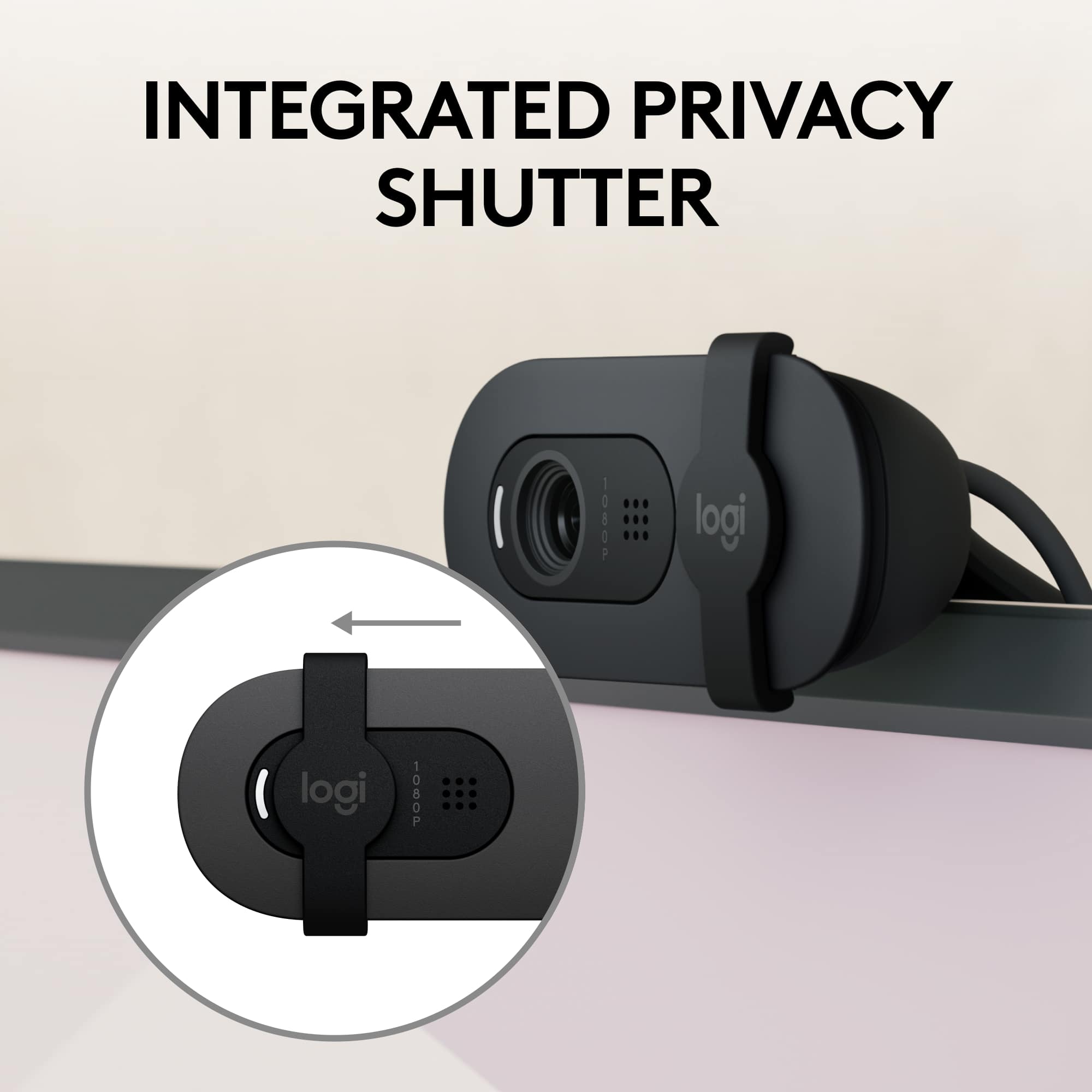
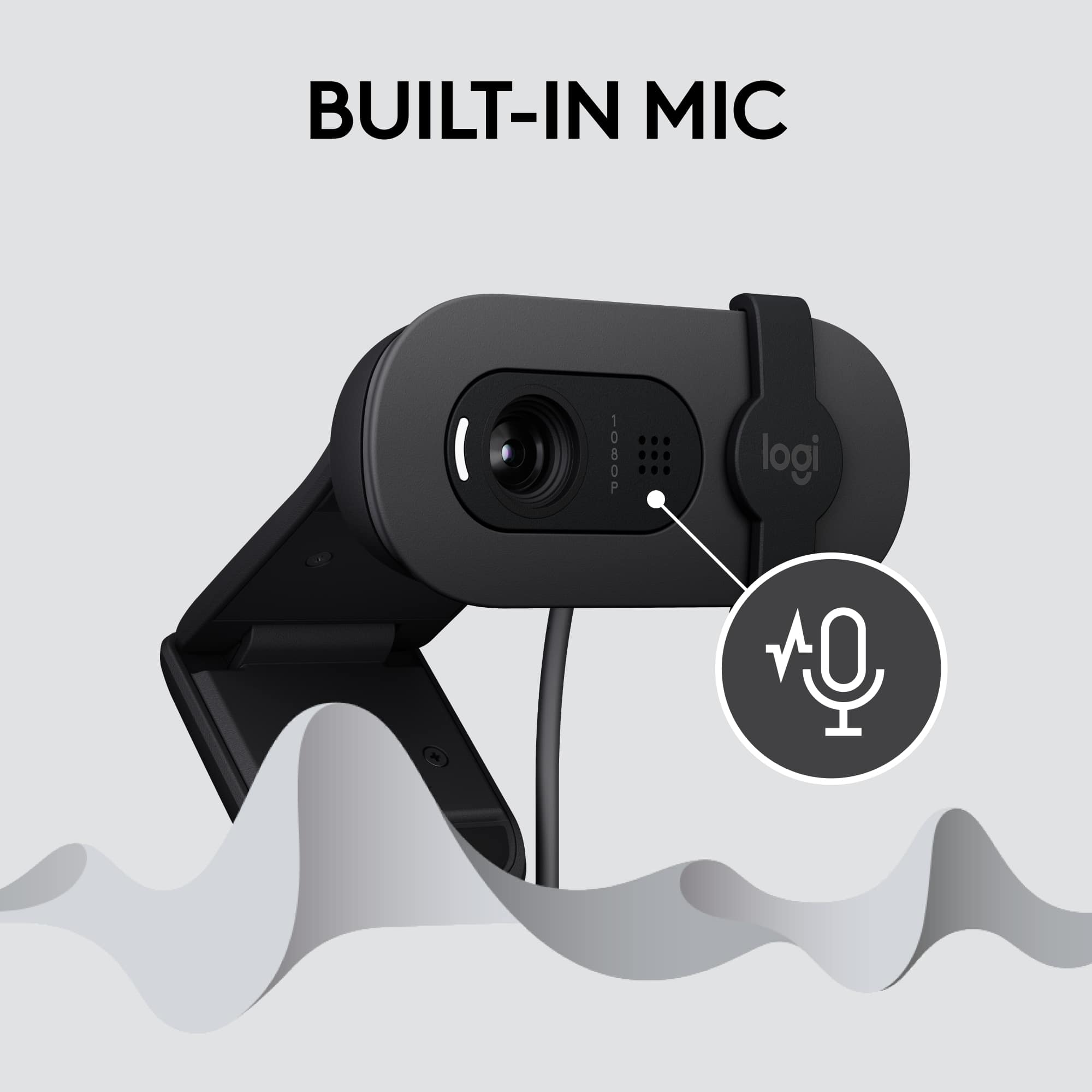
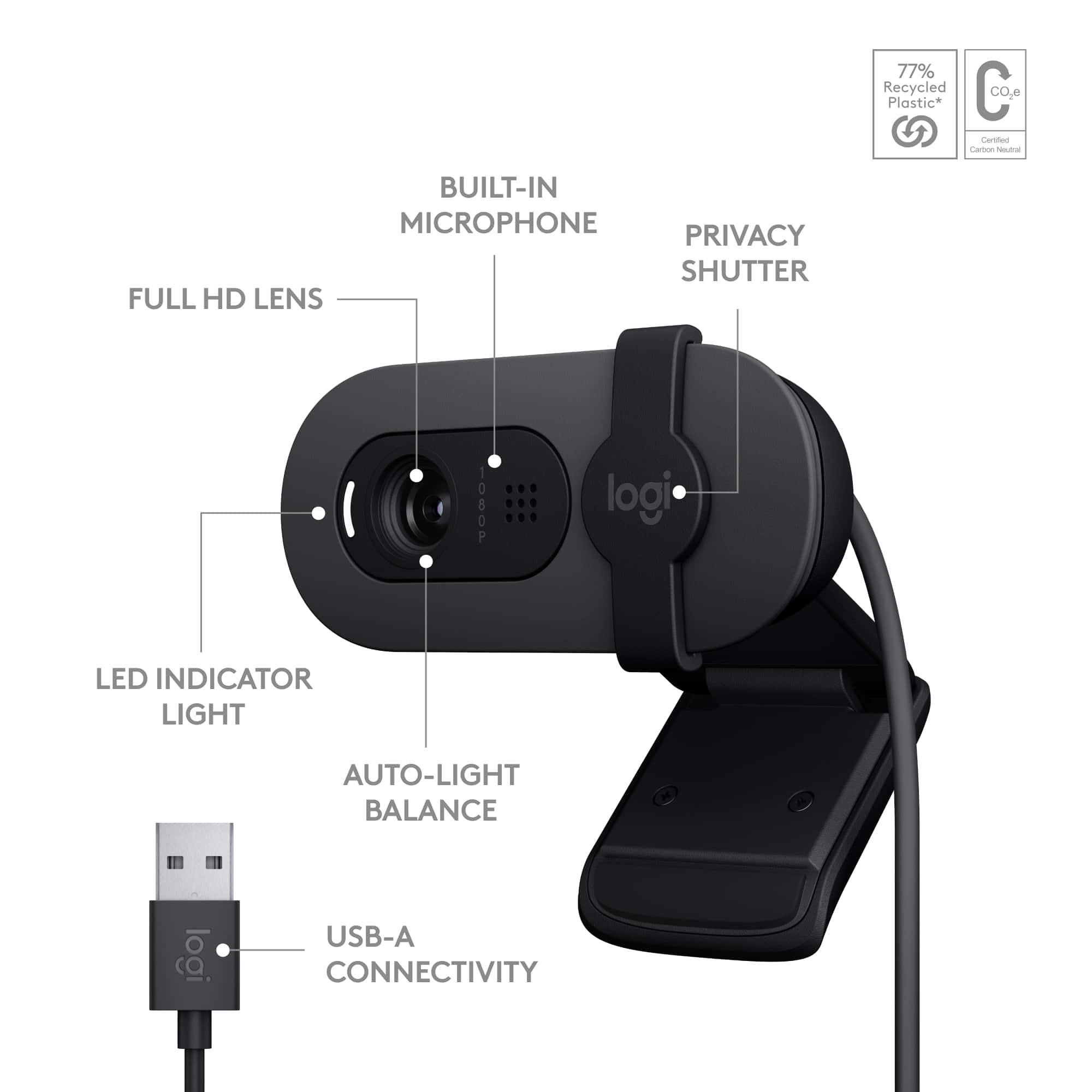
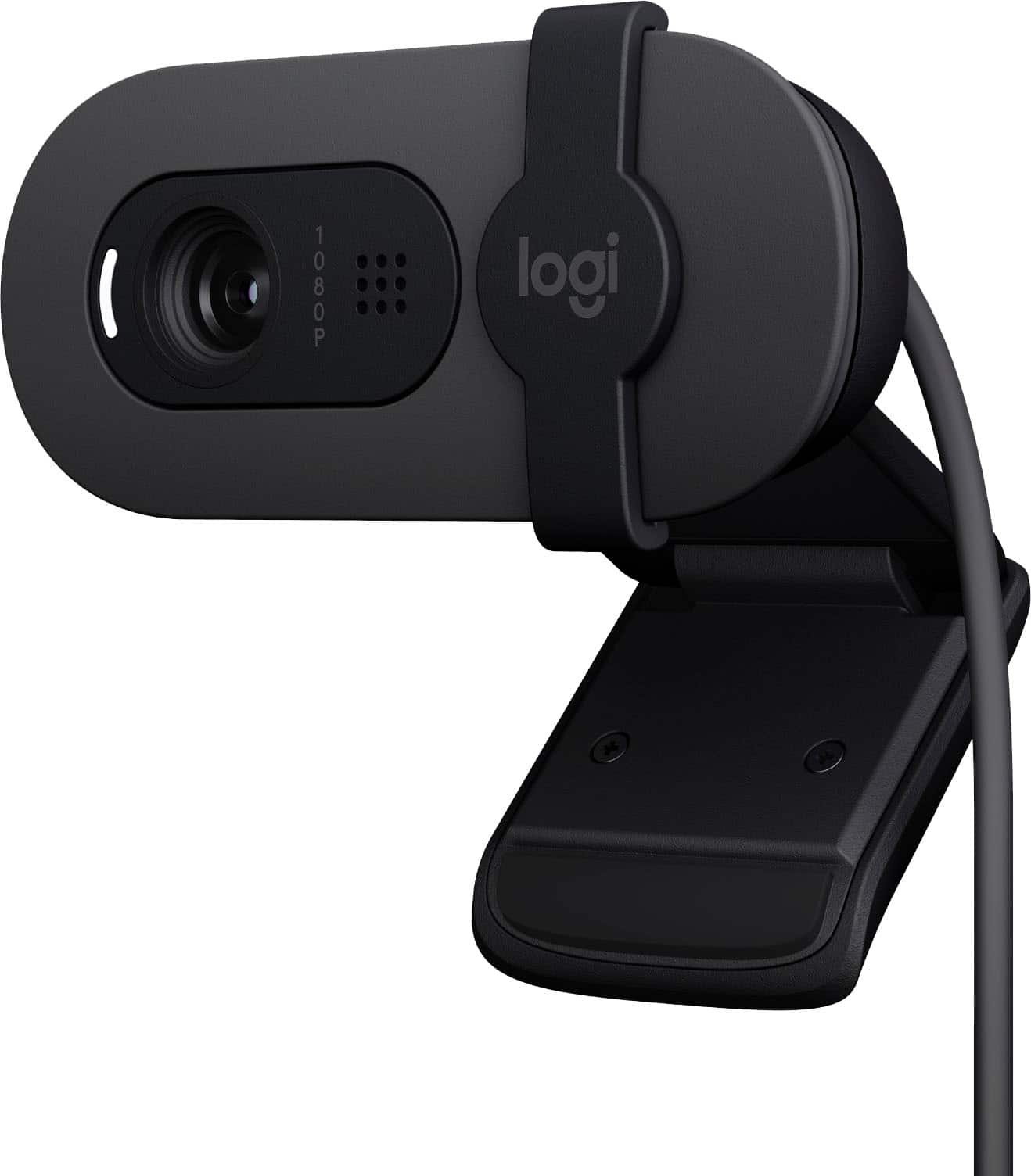
    I’ve lost track of how many Logitech products I’ve used over the past 30+ years that I’ve been computing and gaming–mice, trackballs, keyboards, joysticks, microphones, headsets…and in virtually every respect along every product line I’ve tried, Logitech has routinely knocked it out of the park, especially with their budget-friendly offerings. Enter the Brio 100…another entry in Logitech’s value-oriented line of unassuming webcams with relatively little in the way of bells and whistles, and a bargain-basement price to match; and yet I was supremely impressed by the picture quality and noise rejection it offered for your run-of-the-mill video conferencing capabilities, even besting the video quality offered by a rival’s 2K webcam I recently auditioned. As it should be, operation was totally plug and play; the webcam was instantly recognized by my Windows laptop, home PC, and even my work computer which is completely locked down for installation of any third-party applications or external devices that require a separate driver download. Windows recognized the options for 2.1MP 1920x1080 image capture or 1080p/30fps video. Construction is all plastic, but the tilt, sliding shutter, and monitor clamp actions are all reassuringly dampened with enough “bite” to ensure that the webcam and its mount will not slowly droop and slump out of place or shutter action become so loose that the shutter slides around without provocation. A white, though thankfully not blindingly bright, activity LED lets you know when the camera is active; the sliding shutter is large enough to block out all image/video signals even if you don’t get placement precisely over the lens/aperture. Auto-exposure worked well to maintain a stable and pleasing image quality in low, moderate, and even bright lighting conditions. Picture quality was surprisingly solid for a webcam clocking in so cheaply with no obvious color banding, digital noise, or intrusive grain. Colors seemed natural and reds especially were not overblown the way I’ve seen some webcams produce fleshtones that always look a bit sunburned. Audio quality is…good enough. It’s definitely not broadcast quality and there is just a hint of compression-related hollowness to voices, but it’s perfectly listenable and intelligible for the receivers provided you’re sitting at “normal” viewing distances from your monitor. While I was testing out the webcam doing some video and sound captures, my wife was busy in the chair across from me (about 4 feet away) separating out some vitamins and pills. She was shaking the pill bottles rather loudly when it occurred to me to see what kind of effect nearby background noise would have on audio quality during an active call. She shook the bottle for 30 seconds while I recorded my own voice speaking with her. When I played the clip back, I was surprised that I could BARELY make out the sound of the rattling pills at all. At least in my artificial testing setup, errant audio beyond the sides or to the back of the microphone had very little discernible impact on speaker audio quality. However, Logitech’s own specs indicate the mic is only good to about 3 feet anyway–clearly, the Brio 100 is designed for use primarily with a single speaker sitting at a desk or in front of a laptop; you would not want to use it for a larger conference room or open venue where the speaker was not already up-close-and-personal with the webcam. It would have been fine if Logitech had stopped there, but if you elect to download Logitech’s Logi+ companion app, there are actually additional controls and settings opened up to you. A handy overview image of the Brio 100 is provided on the Logi+ landing page that indicates exposure status and all current image adjustment settings. Logi+ will check for any available firmware updates (none were ready as of this writing) and give you the option to set scanning frequency to match local powerline standards (50 or 60Hz) to reduce flicker in live video. But keep your eye on that firmware download option because the Logi+ app reported that features are “Coming soon” which will allow you to fine-tune exposure and tweak settings for shutter speed, ISO, and low light compensation. Immediately available however are image adjustment settings including a toggle for auto white balance as well as manual sliders for brightness, contrast, saturation, and sharpness. A live video feed is provided on screen so you can see the results of your image adjustments in real time–nice! Of course, there’s always room for improvement, and a few nice-to-haves would have made the Brio 100 even better. The captive USB-A cable is about 5 feet long…that’s fine if you’re using a laptop, but cable length may be an issue if your main PC sits WAY out of sight from your monitor…a detachable cable would allow for more flexibility, and would make it easier to use on laptops or tablets that only offer a USB-C port. The privacy slider is definitely appreciated in this day and age, but a flip-down shutter would have made it easier to see or remember if you had inadvertently left your webcam open for prying cyber eyes. The shutter also only covers the lens, it does not cover or mute the mic nor does it temporarily pause or deactivate the camera. The webcam is captive on the monitor clip and there are no threads provided for a tripod mount; however, you can fold the monitor clip under into a makeshift desk or shelf stand and the webcam will remain upright. Finally, although the profile is relatively slender, the front lip of the monitor clip and the shell of the webcam descend far enough into the screen that those of you with frameless or bezel-less monitors may lose just a little of screen image near the top (though this is not uncommon for virtually any monitor-mounted webcam). All told, the Brio 100 is a fantastic upgrade for most built-in laptop webcams or those of you with regular Zoom or MS Teams meeting requirements but don’t want to break the bank. If your needs aren’t so modest, you are probably looking for something with heartier specs anyway…for the rest of you, the Brio 100 checks about all the boxes you’ll probably ever want or need at a surprisingly reasonable price point. HIGHLY RECOMMENDED!

    I would recommend this to a friend
  • Rated 5 out of 5 stars

    Inexpensive Good Quality

    |
    |
    Posted . Owned for 3 weeks when reviewed.
    This reviewer received promo considerations or sweepstakes entry for writing a review.

    I don't need to use often, so wanted an inexpensive camera. Quality exceeds expectations.

    I would recommend this to a friend
    • Brand response from Logitech
      Posted .

      Hi there! Thanks for the review of the Logitech Brio 100 webcam! We appreciate you mentioning that it offers good quality at an inexpensive price. That's exactly what the Brio 100 is designed for - to be a webcam that meets basic video calling needs at an affordable price. We're glad it exceeded your expectations!

  • Rated 5 out of 5 stars

    Nice Camera

    |
    |
    Posted . Owned for 1 month when reviewed.
    This reviewer received promo considerations or sweepstakes entry for writing a review.

    Picture quality is good. I am using it from last 1 month no issues till now .

    I would recommend this to a friend
    • Brand response from Logitech
      Posted .

      I hear you! That's a great experience with the Logitech Brio 100. It's fantastic to hear that the picture quality is good and you haven't had any issues in the past month. Many reviewers agree that the Brio 100 offers clear, sharp Full HD video for the price, making it a solid choice for everyday video calls.

  • Rated 5 out of 5 stars

    Great webcam. Great value.

    |
    |
    Posted . Owned for 3 weeks when reviewed.
    This reviewer received promo considerations or sweepstakes entry for writing a review.

    Excellent product. Works well for workplace meetings with Zoom.

    I would recommend this to a friend
  • Rated 4 out of 5 stars

    Web camera

    |
    |
    Posted . Owned for 1 month when reviewed.
    This reviewer received promo considerations or sweepstakes entry for writing a review.

    Works good for the price. Sits on the monitor ok nice camera

    I would recommend this to a friend
  • Rated 1 out of 5 stars

    Not a great mounting design blocks part of the scr

    |
    |
    Posted . Owned for 2 weeks when reviewed.
    This reviewer received promo considerations or sweepstakes entry for writing a review.

    Weird mounting, sticks straight out Instead of sitting on top of the monitor mount and Blocks part of the computer screen at the top

    No, I would not recommend this to a friend
    • Brand response from Logitech
      Posted .

      Hi there! We appreciate your feedback on the Logitech Brio 100 mounting design. We apologize for the inconvenience caused by the way it blocks part of your computer screen. We'll take your feedback into account for future designs.

  • Tech Insider Network Member

    Rated 5 out of 5 stars

    Works Great and better than built in webcams

    |
    Tech Insider Network Member
    Posted .
    This reviewer received promo considerations or sweepstakes entry for writing a review.

    Logitech has always made solid computer products. We started doing more zoom/teams meetings at work. I have computer monitor that has a built in webcam, which works okay but not great. This webcam is way better in every way. I was able to try this out with a recent zoom meeting. In zoom I found a setting to change the camera to HD as it wasn't already setup for that in zoom. When I made this change the clarity was great and looked so much better than my prior camera. My office has no natural light and the overhead lights are not great. The built in webcam on my monitor was not able to compensate for this bad lighting in my office. The Brio camera was able to adjust the lighting and make my face be fully visible. The microphone worked as anticipated, just make sure you slide the camera cover fully to the right to not cover the microphones. Setup was very easy as you just plug it into the USB port and windows does the rest. I do also have the Logi Options + software on my computer. This software allows you to make adjustments brightness, saturation, etc. Overall this is a solid webcam that is very portable and has great video quality. If I needed a second one I wouldn't hesitate to select this one because of the price point and how well it works.

    I would recommend this to a friend
  • Tech Insider Network Member

    Rated 5 out of 5 stars

    Great webcam for the at home working professional!

    |
    Tech Insider Network Member
    Posted .
    This reviewer received promo considerations or sweepstakes entry for writing a review.

    Logitech has been known for their vast line of PC accessories for decades, and has been one of the best selling webcam manufacturers having released various HD webcams for both consumer & business. With the shift to “distributed working,” many professionals are now either traveling for work, or working from home more often. Having a standard built in webcam often leads to blurry or overly processed images that leave a lot to be desired. Welcome the Logitech Brio 100 to the chat! In the box you’ll find the camera with attached (non-replicable) USB A cable, a privacy cover installed, and a simple warranty guide. The camera is plug & play, offers full HD resolution, and also includes a small LED light to let you know when it’s on. It works on both PC & Mac and doesn’t require any additional software to function If you’d like to tweak the picture for the camera, you’ll need to install the Logitech Options+ software, which is free from Logitech directly. As of now, there are still some features “coming soon,” such as change to the auto-exposure, shutter speed, ISO, and eventually you’ll be able to adjust the low-light compensation. The app allows you to toggle the auto white balance (on by default), adjust brightness, contrast, saturation, and sharpness. For those users that require it, you can also toggle between 50hz and 60hz (60 is default). You also have the benefit of using your Logi account to back up your device settings. The attached stand makes it easy to setup on your desk, or mounted above your monitor. I will say this lacks the threading on the stand, so you won’t be able to use some of those fancier camera mounts. However, hanging over my desktop monitor and on my laptop worked without issue, not once shifting around when I would bump into my desk. This device has worked for Microsoft Teams, Zoom, and for those that use it for work Meta’s Workplace Chat application, all without any issues. When you first power the camera on with any of those apps, you’ll notice the camera image adjust automatically to the lighting environment. I did notice that in lower light settings, the camera would automatically adjust the picture to enhance the brightness. This worked well when I had a small key light on, but you’ll notice near black out if you’re in a dark environment. The microphone works extremely well, with others even commenting how clear I sound during conference calls. It worked so well, I made it the default mic, instead of using my headset mic. Overall, the camera offers a great value, given the 1080P resolution, clear microphone, and the privacy slide attachment allowing you to block the camera when not in use. The small form factor makes this easy to stow and go in your every day carry back with your laptop, and the included cable is long enough for most applications. I do wish this offered a USB C option, as my laptop lacks a USB A port, but this was easy to rectify with a USB hub and/or a USB A to C adapter. This is a solid choice for the working professional!

    I would recommend this to a friend
  • Tech Insider Network Member

    Rated 4 out of 5 stars

    Good picture, simple to use, privacy shutter!

    |
    Tech Insider Network Member
    Posted .
    This reviewer received promo considerations or sweepstakes entry for writing a review.

    I have been using the Logitech Brio 100 webcam for the past few weeks and I have to say it is a fantastic little webcam! The setup couldn't be any easier, you take it out of the box, connect it to your computer's USB, jump into a meeting, slide the privacy shutter to uncover the lens, and you're set! The built-in stand is perfect for clamping to the top of your monitor and there's a little room for adjustments up and down. The lens has fixed focus, so you'll be clear in the frame if you don't stand too far away, but I used this in our conference room a few times and even those at the other end of the 15-foot table were still clear. The Brio 100 is not without faults, though. The cable is about 3ft long, long enough for laptops under monitors but can come up a little short in larger or more spread-out workspaces. The clamp mount works great on top of a monitor with slightly larger bezels, but is attached at the middle of the mount, so it tends to block a small portion of the top of the screen (see picture with 2 other webcams). Speaking of the mount, it does not have a 1/4-inch mount on the bottom, so using it with ring lights, mounts, or tripods is difficult (we used gaffer's tape, worked fine). The final negative is the software... it is recognized by LogiTune, but there are few adjustments and nothing you can change with the zoom or position of the camera in the software, a feature I use all the time with my Logitech C920e. Overall, this is still a great webcam, especially for the price! The software issue could easily be fixed in an update and the mounting woes can be solved with a little tape and some creativity (we accountants are known for that lol). I would still recommend this for the office worker or student who is looking for a reasonably priced webcam that is better than most laptop webcams and can be positioned high enough to avoid multiple chins on Teams call!

    I would recommend this to a friend
  • Tech Insider Network Member

    Rated 5 out of 5 stars

    The new budget webcam king

    |
    Tech Insider Network Member
    Posted .
    This reviewer received promo considerations or sweepstakes entry for writing a review.

    This is really just a refresh of the old C270 camera that was getting a little long in the tooth. The old camera did a perfectly adequate job for things like video meetings. The new camera just takes that formula and adds a couple of improvements. It keeps the same housing, but ups the resolution to full HD, and adds a privacy shutter. Comparing them, the new one has the same list price, but is just a little bit sharper, and has a slightly wider field of view. This is still not a top-notch camera, but you are not paying a top-notch price either. This is for somebody who just wants a web cam for phone calls and video conferences. Although it has a microphone, I strongly suggest using some kind of headset, and no microphone three feet away can do a better job than one two inches away. Not that this has a USB-A cable, but desktop computers should have this. Laptop users probably have a webcam built in. The only real issue is that the case design has not changed in quite a while. When the case was designed, a bezel of around 1/2" was the rule. If your monitor has a very thin bezel then the camera will certainly cover part of the monitor when it is pointed at you. If you angle it up, the occlusion is reduced to 1/4" but that can still be a problem for some monitors. Other than that, this is a great budget camera.

    I would recommend this to a friend
  • Tech Insider Network Member

    Rated 4 out of 5 stars

    Decent budget-friendly 1080p webcam.

    |
    Tech Insider Network Member
    Posted .
    This reviewer received promo considerations or sweepstakes entry for writing a review.

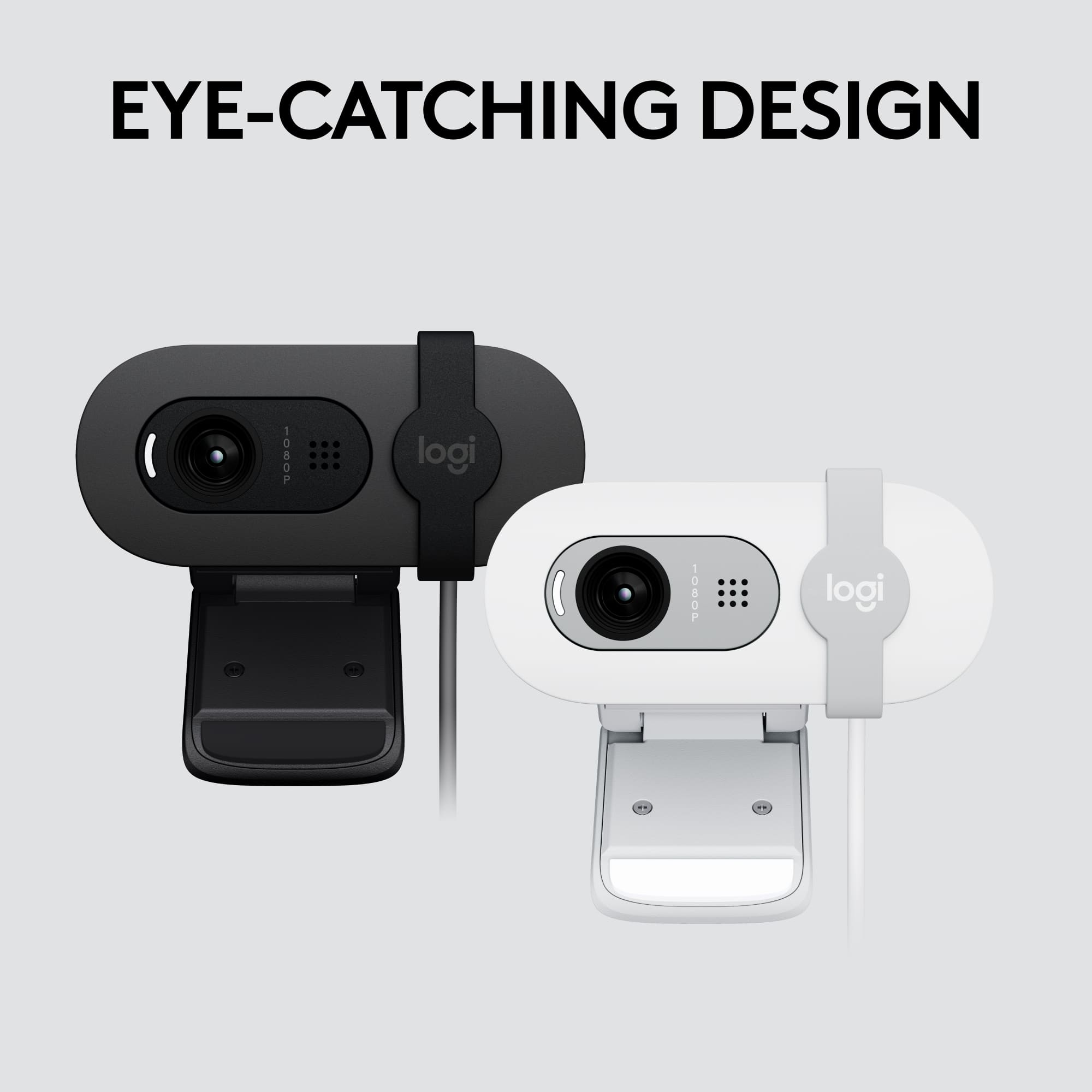
    The Brio 100 is a rather cute-looking webcam. It’s certainly compact. It’s also well-built. The hinges have decent resistance and do not wobble. This is all great, but once I placed it on top of the monitor or my laptop’s screen, I immediately had an issue. Unfortunately, the camera itself extends too far down, obstructing the screen. This may not affect anyone with thick bezels, I was also surprised that there was no tripod support, which might’ve helped. The privacy shutter was a welcome feature. The good news is that the picture quality is pretty good. I did notice some noise, especially in darker areas. The light adjustment works well but takes some time to adjust when the light source suddenly changes. The picture is on the warm side, and thankfully there wasn’t much oversaturation. The angle is good and there was no warping on the corners. The microphone picks up nicely at about 3-4 feet and will work in a pinch, but I would rather recommend a dedicated mic or headset. This webcam is also compatible with the Logi Options + app, offering some adjustments. Now, keeping in mind that this is a budget-friendly webcam, I think it’s a decent 1080p option.

    I would recommend this to a friend
  • Tech Insider Network Member

    Rated 4 out of 5 stars

    The Webcam for Everyone

    |
    Tech Insider Network Member
    Posted .
    This reviewer received promo considerations or sweepstakes entry for writing a review.

    I've been using Logitech's C270 webcam at home for the past few years and never really thought about upgrading until I saw the new Brio 100, the company's new entry into the budget webcam market. Of course, there has been an influx recently of new webcams at all price points due to people working from home (myself included). While the Brio 100 might not be as flashy as some of the premium options, there's a good chance that it will be the only webcam you'll need for many years to come. === PROS === - Like any webcam, the Brio 100 is incredibly easy to set up. The attached USB-A cable is 3 feet long, which is just long enough to reach the USB hub on my desk. It works perfectly with Microsoft Teams, Zoom, Cisco Webex, and every other Windows application that I've used. - You can adjust webcam options through the Logitech Options+ app, which allows you to adjust white balance, image brightness, contrast, saturation, and sharpness. There is an area to adjust exposure settings and low light compensation, but that area of the Options+ app say "Coming Soon." - This is a 1080p webcam, which is a nice upgrade over other webcams in this category. Compared to the 720p resolution of my C270, video appears a bit sharper and more detailed. - There is a built-in privacy shutter that easily slides left and right. This definitely beats the piece of black tape I previously used to cover my old webcam when not in use. - The microphone is pretty good - better than my C270 but obviously not as good as some high-end webcams or dedicated microphones. It seems to capture my voice with no issues and without any distortion. I haven't had any complaints on my many Teams calls so far. ===CONS=== - The USB-A cable is not detachable, which makes traveling with the Brio 100 a bit of a pain. Similarly, I wish the cable was USB-C. If your laptop only has USB-C ports (like one of mine), then you'll have to use an adapter. - Logitech says that the Brio 100 has "RightLight technology" that automatically boosts brightness in low lighting. It works to an extent, but I've noticed the image flicker a bit as the webcam tried to adjust to the proper brightness. It eventually settles on a decent brightness, but my recommendation would be to use this webcam in a well-lit room. In a dark room, the image looks dull and washed out. - I love the privacy shutter, but you need to remember to slide the shutter far enough over so as to not cover the microphone (directly to the right of the camera lens). If you leave the shutter over the microphone, people will have a very hard time hearing you (I've already made this mistake twice). ===OVERALL=== Minor gripes aside, this is a great webcam for the vast majority of people. It's a nice upgrade over an old 720p webcam and has some very nice customization options through the Options+ application. The privacy shutter is also a very nice addition at this price range. Power users, YouTubers, and streamers will probably want to look at other, more premium options. But for everyone else, there's a lot to like about the Brio 100.

    I would recommend this to a friend
    • Brand response from Logitech
      Posted .

      Thanks for the feedback. We are grateful that you took the time out to leave us a review. Have a great day!

  • Rated 5 out of 5 stars

    Webcam

    |
    |
    Posted . Owned for 3 months when reviewed.
    This reviewer received promo considerations or sweepstakes entry for writing a review.

    This webcam completely exceeded my expectations! The picture quality is super clear, even in low light, and the built-in microphone picks up my voice perfectly without background noise. It’s easy to set up — literally plug and play — and works flawlessly for Zoom, gaming, and streaming. The design feels sturdy and professional, and it stays in place on my monitor. Definitely one of the best webcams I’ve owned, and perfect for anyone working or studying from home.

    I would recommend this to a friend
    • Brand response from Logitech
      Posted .

      We’re really grateful for your thoughtful review. It’s wonderful to know that our product is delivering the performance and ease of use you were hoping for. Hearing from satisfied users like you keeps us motivated. Thanks for choosing Logitech! Logitech

  • Tech Insider Network Member

    Rated 5 out of 5 stars

    Inexpensive but high quality 1080P webcam

    |
    Tech Insider Network Member
    Posted .
    This reviewer received promo considerations or sweepstakes entry for writing a review.

    My last stand-alone webcam (from Logitech) was spirited off to a college campus a few years ago, never to return. Luckily, every laptop, iPhone, and iPad comes with one, so those needs were fortunately covered throughout the pandemic period when video conferencing of various sorts were de rigueur for the times. Now, in an attempt to utilize a nice comfy chair in front of a speedy, new desktop computer that needn’t be concerned with a battery charge, like portable devices, the Brio 100, at less than half the cost of my previous camera and at the same resolution and relative size, can replace it. This newer, USB-A equipped camera also has a few new features like the auto brightness function and the manual privacy shutter to block the physical lens of the camera when not being used. Back in the days when a tin foil hat would suffice for all your privacy protection, a privacy shutter on a camera you point at yourself would have seemed rather counter-intuitive. But a privacy shutter that only shields video, but does not include audio, seems to be only a half-hearted attempt at thwarting the nefarious out there. I will probably just unplug it when I am not using it. In use, the camera seems to be a little zoomed (it’s a good thing not a bad thing) compared to a new laptop from a major manufacturer that has a lower native resolution. Comparing that 720p camera to the 1080p resolution of the Brio 100 in normal household brightness, surprisingly did not result in that much of a noticeable difference in perceived quality. The foreground image is very much in the dark on the Brio, when there is a bright background like a window, in comparison to the laptop’s camera. However, when you move around in the frame, the automatic brightness adjustment in the Brio will salvage a good image, providing you can stay in that location within the frame. In a more ideal, normally lit environment, the Brio’s performance improves considerably. RightLight is the technical trade-name that Logitech has applied to its ability to brighten up or even up a normally darker image with shadow-brightening capabilities to make you look more evenly lit on your next video communication. If you want to touch up that image further, you can also manually adjust brightness, resolution, and other settings for both video and the camera function with the Logitech Logi Options+ app. The app also manages functions for a variety of Logitech’s other products such as webcams, keyboards, mice, and other products. When perusing Logitech’s website to see how the Brio 100 fits into the product lineup, I was shocked to see the sheer quantity of webcam models on offer. Why so many? What makes them different enough to keep all of these models in the sales channel? I don’t know the answer beyond perhaps the physical attributes that allow certain models to fit in different physical locations. But, if I was again in the market for a webcam, I would probably buy the Brio 100, as it is relatively small, has good video performance, and has a reasonably low cost.

    I would recommend this to a friend
  • Tech Insider Network Member

    Rated 5 out of 5 stars

    Work at home essential

    |
    Tech Insider Network Member
    Posted .
    This reviewer received promo considerations or sweepstakes entry for writing a review.

    In today’s world of remote work, a good webcam goes a long way. Not too long ago, I remember hunting for anything that could be used as a webcam. Those days are gone, but some of us have yet to return to the office. The Brio 100 reminds me of the older Logitech C505 in terms of the webcam's shape, size, and color, made with the same recyclable plastics. The difference between the C505 and the Brio 100 is the output resolution and the availability of a lens shutter built into it. The webcam is built for a particular price point, and it shows. The C505 was a good 720P webcam, but the Brio 100 is a better 1080P webcam at a similar price. So, where does this Brio 100 stand among webcams? It's a basic, no-frills webcam designed for the end user looking for something for work, study, or entertainment. The Brio 100 has a 2-megapixel, fixed focus lens with a roughly 60* field of view, a single microphone up front that can pick up clearly up to a 4-foot distance, and nothing else. The lens in front of the sensor looks plastic and works well. The image quality from the 2-megapixel sensor is sharp and relatively clear, but because it's a fixed focus, you have to be at a minimum of 18-24 inches from the webcam. Any closer, and it will be a blurry image. Due to the 60* field of view, you can only see one person (shoulder up) in the webcam. If you use any sort of ‘virtual background,’ as I do on Microsoft Teams, note that the original 16:9 widescreen image is more likely a 4:3 crop. The performance from the webcam is pretty darn good, it is a bit saturated but does well with a backlit subject. I use a Logitech C920s as my primary webcam for my work from home, requiring additional light to light up my face when I have a backlight. I also use an older Logitech Quickcam Pro 9000, which is 15 years old as of this review and requires additional supplemental light. The Brio 100 does not, but when provided extra light, it can cause hotspots or wash out in the image; overall, the quality without supplemental lighting is better than my C920s or the Quickcam Pro 9000. The onboard microphone is decent, but it's not noise canceling, and it's only in mono. It's okay for quick calls, but generally not the best microphone out there, but it will work in a pinch. Should you get this? Yes.. if you need a new webcam and are on a budget, there is no reason why you shouldn't have a Brio 100; for the price, it is a great value. The image quality is more than acceptable, and it's sharp, the colors are good, and the microphone works well.

    I would recommend this to a friend
  • Tech Insider Network Member

    Rated 5 out of 5 stars

    A nice step up in audio and video quality!

    |
    Tech Insider Network Member
    Posted .
    This reviewer received promo considerations or sweepstakes entry for writing a review.

    I work from home and am constantly on video calls, so I typically have to just settle for the classic on-board webcam and microphone quality of my laptop, which usually suffices just fine for video calls, but I'm super pleased with the quality difference between my Macbook's webcam and microphone and this webcam and it's microphone! The Logitech Brio 100 provides a really nice, clear 1080p picture and crisp audio quality, and can enhance any virtual presence you may have with both video and audio vs. a standard onboard pair of microphones and webcams. In comparison to a newer Macbook Pro, computers known for their better-than-average audio and webcam quality, you will get an even sharper, clearer video and sound using the Brio 100, something that once you see and hear, you won't want to go back to the standard onboard mic/webcam! By no means will it beat out a normal digital camera or a dedicated desk microphone, but it definitely enhances your computer's video/input audio nonetheless. The Brio 100 also has a nice rounded design and high quality plastic construction that fits in nicely to any setup, and has a built-in privacy shutter to cover the camera for extra peace of mind when not using the camera. The mounting mechanism for the webcam is really interesting (has two rubber pads that form a secure joint) and works well to securely rest the camera anywhere desired, be it on top of a monitor, desk lamp above your computer, or even on your computer itself! Logitech also has software to tune both the camera and onboard microphone you can download online called Logi Options+! If you're looking to achieve a bit higher quality audio and video in your online presences, the Brio 100 is definitely worth the try!

    I would recommend this to a friend
  • Tech Insider Network Member

    Rated 5 out of 5 stars

    Better than the built in camera

    |
    Tech Insider Network Member
    Posted .
    This reviewer received promo considerations or sweepstakes entry for writing a review.

    Simple and quick webcam. Just plug it up, open the software that you need to make your video with and off you go. I hooked this up on a computer that already had a built-in webcam and the clarity difference was noticeable despite the other one claiming it is full HD. The auto-light balance is really noticeable as well, especially in low lit areas or a bad backlight. It might take it a second, but when you are back in frame, it is almost like you turned that background light off. I took a picture I found online, printed it and then took a picture of it with the camera and besides some expected degradation of a picture of a print, it turned out pretty good. See comparison below. The physical privacy shutter is a nice feature, but besides the record light not being on, there is no way to know that it is turned off other than unplugging it. A lot of smart speakers and things that have microphone access, usually have a physical switch for that as well. The base can technically stand on its own if you want to put it on a flat surface, but works best on top of a monitor or ledge of practically any thickness. It doesn’t fold away like one of their other models, so it isn’t as portable, but doesn’t take up a lot of space as it is. Overall an effective webcam for general use in practically any lighting condition.

    I would recommend this to a friend
  • Tech Insider Network Member

    Rated 5 out of 5 stars

    Great Value Webcam with Easy Set-up

    |
    Tech Insider Network Member
    Posted .
    This reviewer received promo considerations or sweepstakes entry for writing a review.

    The new Brio 100 webcam from Logitech is an impressive little webcam that delivers great results and comes at an inexpensive price. I am a remote worker and must use webcams for most of my meetings and this webcam was a breeze to get into. I plugged it into my USB port on my laptop and it installed superfast. I liked the fact that it was built to be compatible with various video meeting software such as Microsoft Teams, Zoom, and many others. I was able to use it for my meetings and had no issues with the sound or video quality. It was even good at adjusting to the lower lighting in my office area so that I did not have to turn on extra lights to use it properly. A good part of the webcam design was that they included a nice privacy shutter, so you have control over what is viewable. It also is built with the typical clam shell type of design so you can freely move it around on your monitor. I even used it on one of my laptops with a built-in webcam and it was a little more impressive with the quality of the images it produced. The built-in microphone on it also picks up your audio easily so that you do not have to worry about other people hearing you easily or not. So if you need an inexpensive webcam with great overall features this is a great option to consider.

    I would recommend this to a friend
  • Tech Insider Network Member

    Rated 5 out of 5 stars

    Great Value

    |
    Tech Insider Network Member
    Posted .
    This reviewer received promo considerations or sweepstakes entry for writing a review.

    What a great value. This webcam does a really nice job. Set up is simply a breeze – Plug and play. I use the webcam with Microsoft Teams, so I also went in to the Device setting within the app to select the Audio to use the mic as well. The 1080p Video the Brio 100 produces beat my last webcam as far as quality of image goes. It also did a better job masking out the background when using the background effects in Microsoft Teams. The advanced automatic light adjustment works great. I simply don’t have to worry about my lighting as much as I did before. The Brio 100 just takes care of the lighting for me. The built in Mic is a nice feature and does a good job projecting my voice clearly. The privacy shutter is great for privacy when not on a call. Simply slide to the left to cover the lens when not in use. FYI – this does not have the screw mount on the bottom so you can’t mount to a stand of foot. Overall, this is a great value for someone like me who works from home and am frequently on video calls.

    I would recommend this to a friend
Sponsored