Customer Ratings & Reviews

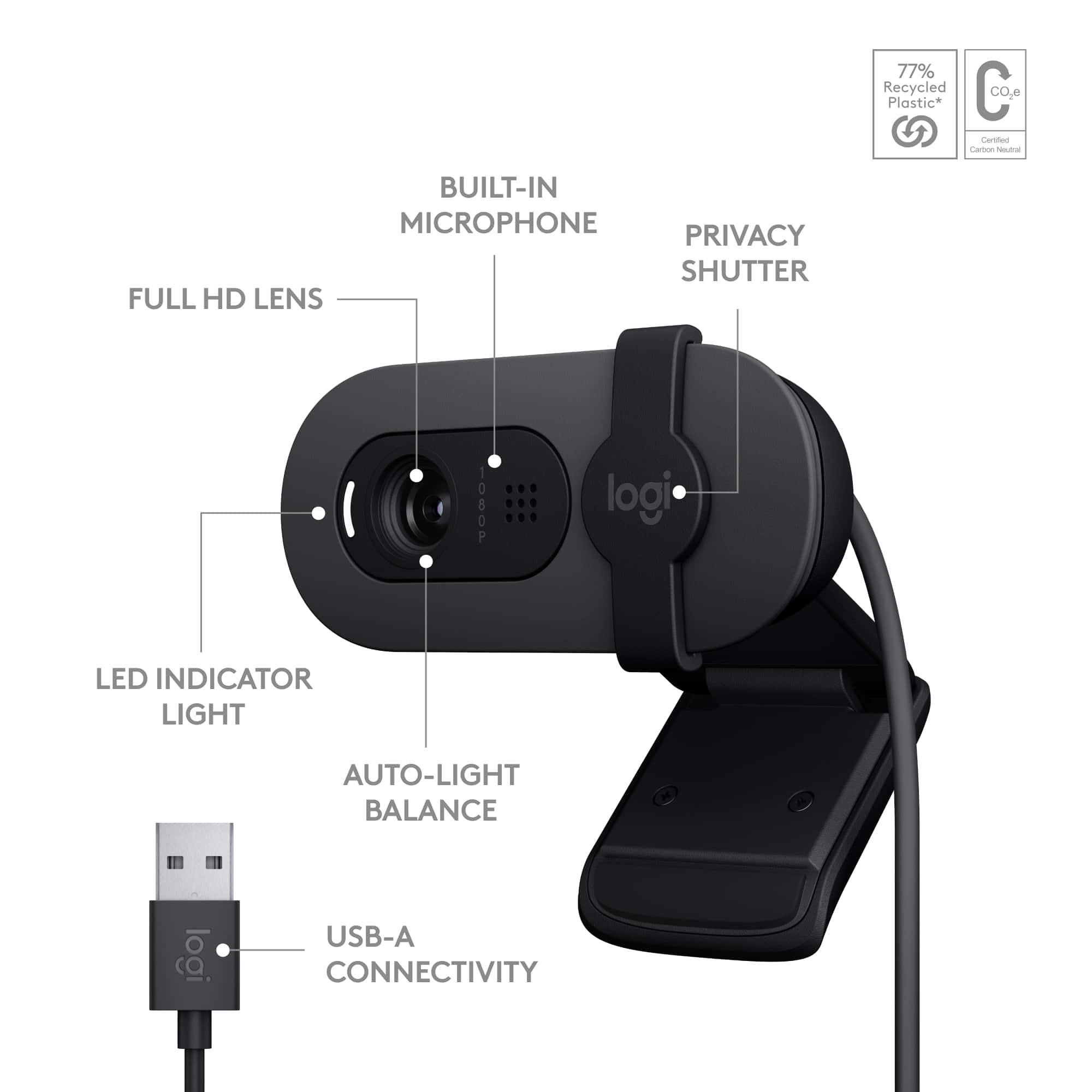

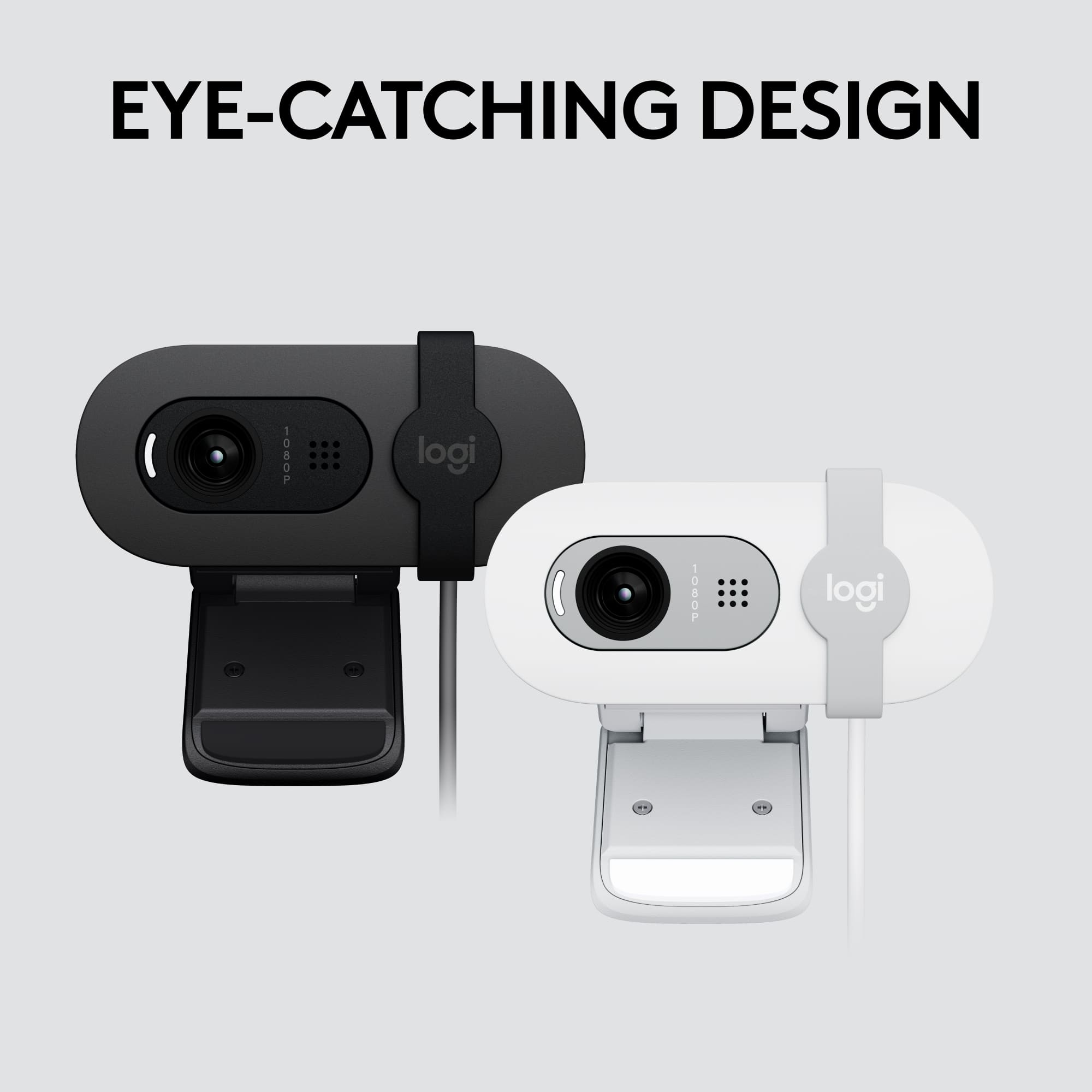

- Model:
- 960-001580
- SKU:
- 10952614
Rating by feature
- Value
Rating 4.7 out of 5 stars
- Quality
Rating 4.5 out of 5 stars
- Ease of Use
Rating 4.7 out of 5 stars
Customers are saying
Customers admire the product's outstanding image and video quality, noting its remarkable ease of use and plug-and-play setup. Conversely, some users have expressed dissatisfaction with the mounting solution and adjustability, alongside concerns about focus, connectivity issues, and a narrow field of view.
This summary was generated by AI based on customer reviews.
Logitech Brio 100 Webcam is fantastic!
||Posted . Owned for 1 month when reviewed.This reviewer received promo considerations or sweepstakes entry for writing a review.This camera is great. It's affordable, high quality, and efficiently posable. It's also quite durable and the shutter is very convenient. I like using it because it's the perfect size and quality for my needs (recording for video games, joining video calls).
I would recommend this to a friendBrand response from Logitech
Posted .The Logitech Brio 100 sounds like a fantastic webcam! Its combination of affordability, quality, and versatility is impressive. It's great that it meets your needs perfectly.
Going Live with Logitech Brio 100
||Posted .This reviewer received promo considerations or sweepstakes entry for writing a review."OBSESSED with my Logitech Brio 100! Perfect 1080p clarity for TikTok vids! #LogitechBrio #TikTokFam"
I would recommend this to a friendBrand response from Logitech
Posted .That's absolutely fantastic to hear! We're thrilled that you're "OBSESSED" with your Logitech Brio 100 and that its perfect 1080p clarity is making your TikTok videos shine. We love seeing our products help you create great content! Thank you for sharing your enthusiasm!

webcam
||Posted . Owned for 3 weeks when reviewed.This reviewer received promo considerations or sweepstakes entry for writing a review.Love my webcam ! does everything i could hope for!!!
I would recommend this to a friendBrand response from Logitech
Posted .We're absolutely thrilled to hear you love your Logitech Brio 100 Full HD Webcam! It's fantastic that it's doing everything you hoped for, making your meetings and streaming great. Thanks for sharing your enthusiastic feedback!
Very happy with purchase
||Posted . Owned for 3 weeks when reviewed.This reviewer received promo considerations or sweepstakes entry for writing a review.The picture quality is very good especially for the price point.
I would recommend this to a friendBrand response from Logitech
Posted .Hey! Your review helps us stay aligned with our users’ needs. We’re grateful for your support and insight. Thank you for choosing Logitech.
It works perfectly except for the clamp
||Posted . Owned for 2 weeks when reviewed.This reviewer received promo considerations or sweepstakes entry for writing a review.Still learning how to use this. Really like the clarity and ease of use. The only downside is that the thing does not attach to the Mac mini i bought it for so i extend the non camera part and place a book on top of it.
No, I would not recommend this to a friendBrand response from Logitech
Posted .Thank you for your insightful review of the Logitech - Brio 100. We appreciate your comments on the clarity and ease of use. Our Logitech Support team is always available for further assistance if needed. You can find the user manual or contact us directly through our website.
Small and functional
||Posted . Owned for 1 month when reviewed.This reviewer received promo considerations or sweepstakes entry for writing a review.Love it! I needed a webcam for my monitor for some classes and zoom meetings, and I needed it asap. This was perfect in size and in price.
I would recommend this to a friendBrand response from Logitech
Posted .Thank you for your positive feedback about the Logitech Brio 100 webcam. We're glad to hear that it was a perfect fit for your needs and that you appreciated its size and price. Your satisfaction is our top priority.
It’s a webcam
||Posted .This reviewer received promo considerations or sweepstakes entry for writing a review.There is apparently a minimum character requirement here so there, product did its job.
I would recommend this to a friendBrand response from Logitech
Posted .Glad to know the Logitech Brio 100 1080p did its job for you! Sometimes, simple and effective is exactly what's needed.
Focusing problems with this webcam!
||Posted . Owned for 3 months when reviewed.This reviewer received promo considerations or sweepstakes entry for writing a review.The Brio webcam does not perform as expected. It has focusing problems. For example, it has a fixed focal point, and it is very difficult to get it to take a photo of my ID for school before a test.
No, I would not recommend this to a friendBrand response from Logitech
Posted .Thank you for sharing your thoughts on the Logitech - Brio 100 1080p Full HD Webcam. We’re glad to hear what you liked, and we’ll definitely work on the areas you mentioned
- Pros mentioned:Ease of use, Image qualityCons mentioned:Mounting

Stellar 1080p performance from a budget webcam!
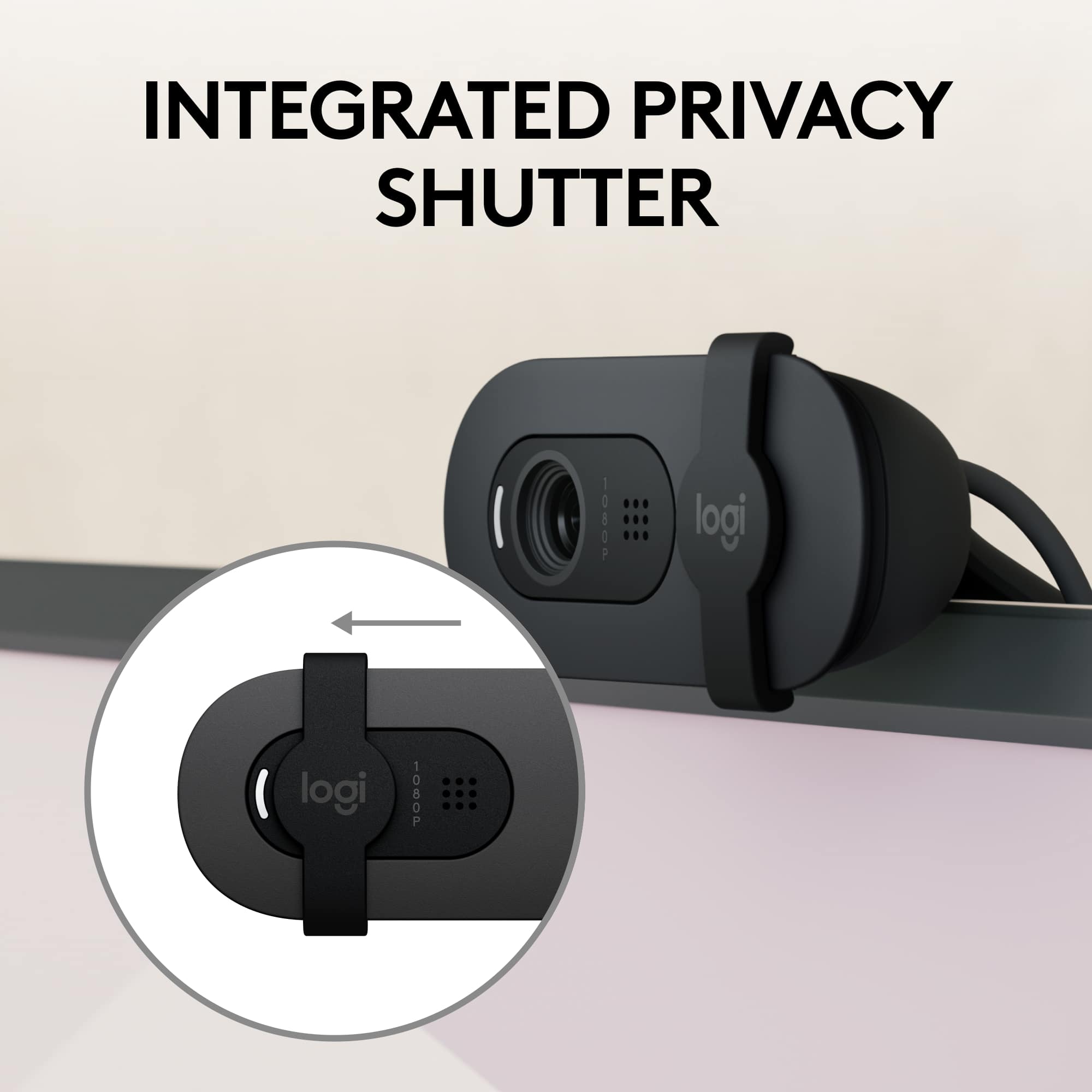
|Posted .This reviewer received promo considerations or sweepstakes entry for writing a review.I’ve lost track of how many Logitech products I’ve used over the past 30+ years that I’ve been computing and gaming–mice, trackballs, keyboards, joysticks, microphones, headsets…and in virtually every respect along every product line I’ve tried, Logitech has routinely knocked it out of the park, especially with their budget-friendly offerings. Enter the Brio 100…another entry in Logitech’s value-oriented line of unassuming webcams with relatively little in the way of bells and whistles, and a bargain-basement price to match; and yet I was supremely impressed by the picture quality and noise rejection it offered for your run-of-the-mill video conferencing capabilities, even besting the video quality offered by a rival’s 2K webcam I recently auditioned. As it should be, operation was totally plug and play; the webcam was instantly recognized by my Windows laptop, home PC, and even my work computer which is completely locked down for installation of any third-party applications or external devices that require a separate driver download. Windows recognized the options for 2.1MP 1920x1080 image capture or 1080p/30fps video. Construction is all plastic, but the tilt, sliding shutter, and monitor clamp actions are all reassuringly dampened with enough “bite” to ensure that the webcam and its mount will not slowly droop and slump out of place or shutter action become so loose that the shutter slides around without provocation. A white, though thankfully not blindingly bright, activity LED lets you know when the camera is active; the sliding shutter is large enough to block out all image/video signals even if you don’t get placement precisely over the lens/aperture. Auto-exposure worked well to maintain a stable and pleasing image quality in low, moderate, and even bright lighting conditions. Picture quality was surprisingly solid for a webcam clocking in so cheaply with no obvious color banding, digital noise, or intrusive grain. Colors seemed natural and reds especially were not overblown the way I’ve seen some webcams produce fleshtones that always look a bit sunburned. Audio quality is…good enough. It’s definitely not broadcast quality and there is just a hint of compression-related hollowness to voices, but it’s perfectly listenable and intelligible for the receivers provided you’re sitting at “normal” viewing distances from your monitor. While I was testing out the webcam doing some video and sound captures, my wife was busy in the chair across from me (about 4 feet away) separating out some vitamins and pills. She was shaking the pill bottles rather loudly when it occurred to me to see what kind of effect nearby background noise would have on audio quality during an active call. She shook the bottle for 30 seconds while I recorded my own voice speaking with her. When I played the clip back, I was surprised that I could BARELY make out the sound of the rattling pills at all. At least in my artificial testing setup, errant audio beyond the sides or to the back of the microphone had very little discernible impact on speaker audio quality. However, Logitech’s own specs indicate the mic is only good to about 3 feet anyway–clearly, the Brio 100 is designed for use primarily with a single speaker sitting at a desk or in front of a laptop; you would not want to use it for a larger conference room or open venue where the speaker was not already up-close-and-personal with the webcam. It would have been fine if Logitech had stopped there, but if you elect to download Logitech’s Logi+ companion app, there are actually additional controls and settings opened up to you. A handy overview image of the Brio 100 is provided on the Logi+ landing page that indicates exposure status and all current image adjustment settings. Logi+ will check for any available firmware updates (none were ready as of this writing) and give you the option to set scanning frequency to match local powerline standards (50 or 60Hz) to reduce flicker in live video. But keep your eye on that firmware download option because the Logi+ app reported that features are “Coming soon” which will allow you to fine-tune exposure and tweak settings for shutter speed, ISO, and low light compensation. Immediately available however are image adjustment settings including a toggle for auto white balance as well as manual sliders for brightness, contrast, saturation, and sharpness. A live video feed is provided on screen so you can see the results of your image adjustments in real time–nice! Of course, there’s always room for improvement, and a few nice-to-haves would have made the Brio 100 even better. The captive USB-A cable is about 5 feet long…that’s fine if you’re using a laptop, but cable length may be an issue if your main PC sits WAY out of sight from your monitor…a detachable cable would allow for more flexibility, and would make it easier to use on laptops or tablets that only offer a USB-C port. The privacy slider is definitely appreciated in this day and age, but a flip-down shutter would have made it easier to see or remember if you had inadvertently left your webcam open for prying cyber eyes. The shutter also only covers the lens, it does not cover or mute the mic nor does it temporarily pause or deactivate the camera. The webcam is captive on the monitor clip and there are no threads provided for a tripod mount; however, you can fold the monitor clip under into a makeshift desk or shelf stand and the webcam will remain upright. Finally, although the profile is relatively slender, the front lip of the monitor clip and the shell of the webcam descend far enough into the screen that those of you with frameless or bezel-less monitors may lose just a little of screen image near the top (though this is not uncommon for virtually any monitor-mounted webcam). All told, the Brio 100 is a fantastic upgrade for most built-in laptop webcams or those of you with regular Zoom or MS Teams meeting requirements but don’t want to break the bank. If your needs aren’t so modest, you are probably looking for something with heartier specs anyway…for the rest of you, the Brio 100 checks about all the boxes you’ll probably ever want or need at a surprisingly reasonable price point. HIGHLY RECOMMENDED!
I would recommend this to a friend Great little camera
||Posted . Owned for 1 month when reviewed.This reviewer received promo considerations or sweepstakes entry for writing a review.This is a great little camera. Works well and is at a great price point.
I would recommend this to a friendBrand response from Logitech
Posted .We're glad to hear that the Logitech Brio 100 webcam is a great fit for your needs! Its affordable price and solid performance make it a great choice for everyday use. Thank you for your positive feedback.
Inexpensive Good Quality
||Posted . Owned for 3 weeks when reviewed.This reviewer received promo considerations or sweepstakes entry for writing a review.I don't need to use often, so wanted an inexpensive camera. Quality exceeds expectations.
I would recommend this to a friendBrand response from Logitech
Posted .Hi there! Thanks for the review of the Logitech Brio 100 webcam! We appreciate you mentioning that it offers good quality at an inexpensive price. That's exactly what the Brio 100 is designed for - to be a webcam that meets basic video calling needs at an affordable price. We're glad it exceeded your expectations!
Nice Camera
||Posted . Owned for 1 month when reviewed.This reviewer received promo considerations or sweepstakes entry for writing a review.Picture quality is good. I am using it from last 1 month no issues till now .
I would recommend this to a friendBrand response from Logitech
Posted .I hear you! That's a great experience with the Logitech Brio 100. It's fantastic to hear that the picture quality is good and you haven't had any issues in the past month. Many reviewers agree that the Brio 100 offers clear, sharp Full HD video for the price, making it a solid choice for everyday video calls.
Great webcam. Great value.
||Posted . Owned for 3 weeks when reviewed.This reviewer received promo considerations or sweepstakes entry for writing a review.Excellent product. Works well for workplace meetings with Zoom.
I would recommend this to a friendWeb camera
||Posted . Owned for 1 month when reviewed.This reviewer received promo considerations or sweepstakes entry for writing a review.Works good for the price. Sits on the monitor ok nice camera
I would recommend this to a friend- Pros mentioned:Ease of use, Image qualityCons mentioned:Connectivity
Great webcam for the at home working professional!
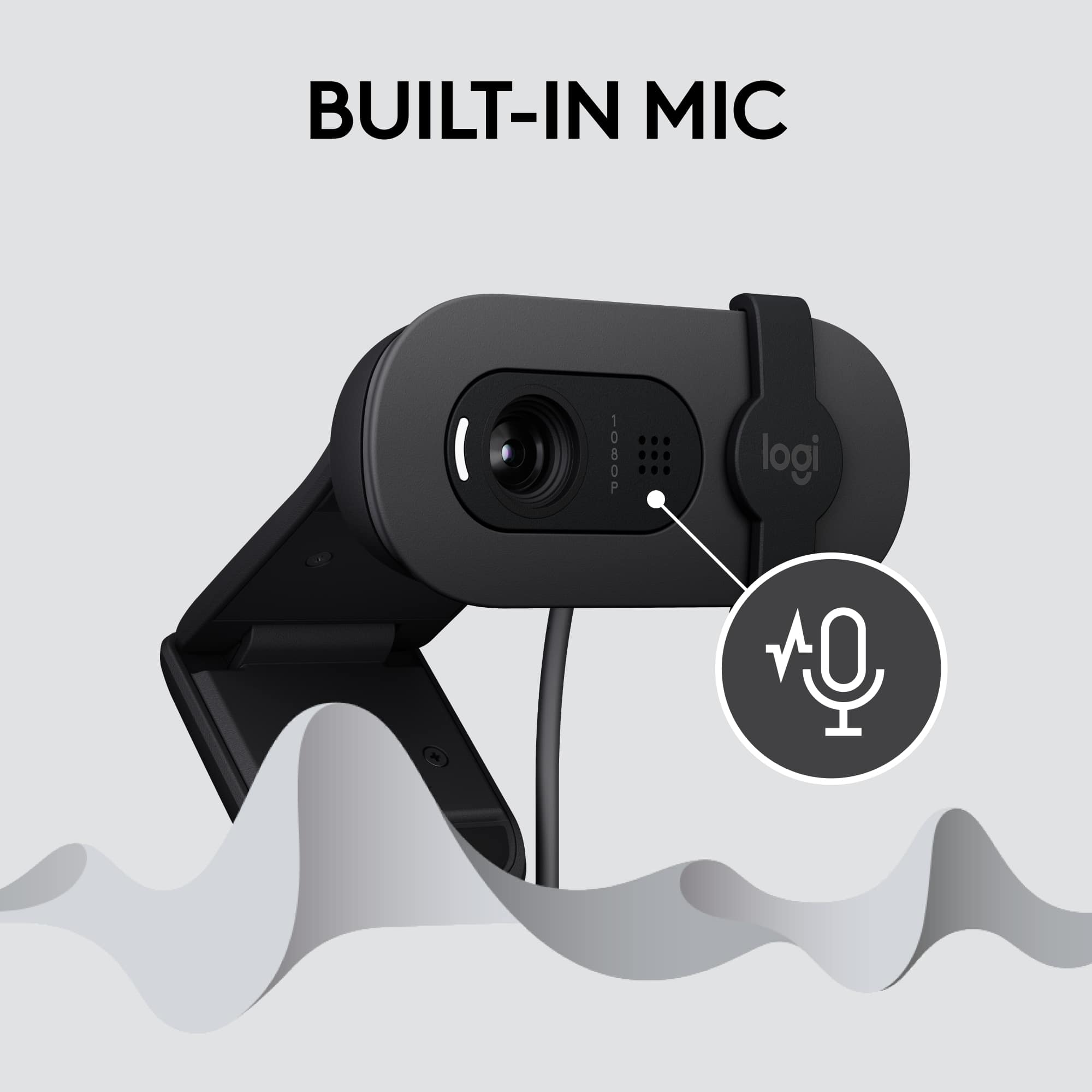
|Posted .This reviewer received promo considerations or sweepstakes entry for writing a review.Logitech has been known for their vast line of PC accessories for decades, and has been one of the best selling webcam manufacturers having released various HD webcams for both consumer & business. With the shift to “distributed working,” many professionals are now either traveling for work, or working from home more often. Having a standard built in webcam often leads to blurry or overly processed images that leave a lot to be desired. Welcome the Logitech Brio 100 to the chat! In the box you’ll find the camera with attached (non-replicable) USB A cable, a privacy cover installed, and a simple warranty guide. The camera is plug & play, offers full HD resolution, and also includes a small LED light to let you know when it’s on. It works on both PC & Mac and doesn’t require any additional software to function If you’d like to tweak the picture for the camera, you’ll need to install the Logitech Options+ software, which is free from Logitech directly. As of now, there are still some features “coming soon,” such as change to the auto-exposure, shutter speed, ISO, and eventually you’ll be able to adjust the low-light compensation. The app allows you to toggle the auto white balance (on by default), adjust brightness, contrast, saturation, and sharpness. For those users that require it, you can also toggle between 50hz and 60hz (60 is default). You also have the benefit of using your Logi account to back up your device settings. The attached stand makes it easy to setup on your desk, or mounted above your monitor. I will say this lacks the threading on the stand, so you won’t be able to use some of those fancier camera mounts. However, hanging over my desktop monitor and on my laptop worked without issue, not once shifting around when I would bump into my desk. This device has worked for Microsoft Teams, Zoom, and for those that use it for work Meta’s Workplace Chat application, all without any issues. When you first power the camera on with any of those apps, you’ll notice the camera image adjust automatically to the lighting environment. I did notice that in lower light settings, the camera would automatically adjust the picture to enhance the brightness. This worked well when I had a small key light on, but you’ll notice near black out if you’re in a dark environment. The microphone works extremely well, with others even commenting how clear I sound during conference calls. It worked so well, I made it the default mic, instead of using my headset mic. Overall, the camera offers a great value, given the 1080P resolution, clear microphone, and the privacy slide attachment allowing you to block the camera when not in use. The small form factor makes this easy to stow and go in your every day carry back with your laptop, and the included cable is long enough for most applications. I do wish this offered a USB C option, as my laptop lacks a USB A port, but this was easy to rectify with a USB hub and/or a USB A to C adapter. This is a solid choice for the working professional!
I would recommend this to a friend - Cons mentioned:Mounting
Not a great mounting design blocks part of the scr
||Posted . Owned for 2 weeks when reviewed.This reviewer received promo considerations or sweepstakes entry for writing a review.Weird mounting, sticks straight out Instead of sitting on top of the monitor mount and Blocks part of the computer screen at the top
No, I would not recommend this to a friendBrand response from Logitech
Posted .Hi there! We appreciate your feedback on the Logitech Brio 100 mounting design. We apologize for the inconvenience caused by the way it blocks part of your computer screen. We'll take your feedback into account for future designs.
- Pros mentioned:Ease of use
Good picture, simple to use, privacy shutter!
|Posted .This reviewer received promo considerations or sweepstakes entry for writing a review.I have been using the Logitech Brio 100 webcam for the past few weeks and I have to say it is a fantastic little webcam! The setup couldn't be any easier, you take it out of the box, connect it to your computer's USB, jump into a meeting, slide the privacy shutter to uncover the lens, and you're set! The built-in stand is perfect for clamping to the top of your monitor and there's a little room for adjustments up and down. The lens has fixed focus, so you'll be clear in the frame if you don't stand too far away, but I used this in our conference room a few times and even those at the other end of the 15-foot table were still clear. The Brio 100 is not without faults, though. The cable is about 3ft long, long enough for laptops under monitors but can come up a little short in larger or more spread-out workspaces. The clamp mount works great on top of a monitor with slightly larger bezels, but is attached at the middle of the mount, so it tends to block a small portion of the top of the screen (see picture with 2 other webcams). Speaking of the mount, it does not have a 1/4-inch mount on the bottom, so using it with ring lights, mounts, or tripods is difficult (we used gaffer's tape, worked fine). The final negative is the software... it is recognized by LogiTune, but there are few adjustments and nothing you can change with the zoom or position of the camera in the software, a feature I use all the time with my Logitech C920e. Overall, this is still a great webcam, especially for the price! The software issue could easily be fixed in an update and the mounting woes can be solved with a little tape and some creativity (we accountants are known for that lol). I would still recommend this for the office worker or student who is looking for a reasonably priced webcam that is better than most laptop webcams and can be positioned high enough to avoid multiple chins on Teams call!
I would recommend this to a friend - Pros mentioned:Image quality
The new budget webcam king
|Posted .This reviewer received promo considerations or sweepstakes entry for writing a review.This is really just a refresh of the old C270 camera that was getting a little long in the tooth. The old camera did a perfectly adequate job for things like video meetings. The new camera just takes that formula and adds a couple of improvements. It keeps the same housing, but ups the resolution to full HD, and adds a privacy shutter. Comparing them, the new one has the same list price, but is just a little bit sharper, and has a slightly wider field of view. This is still not a top-notch camera, but you are not paying a top-notch price either. This is for somebody who just wants a web cam for phone calls and video conferences. Although it has a microphone, I strongly suggest using some kind of headset, and no microphone three feet away can do a better job than one two inches away. Not that this has a USB-A cable, but desktop computers should have this. Laptop users probably have a webcam built in. The only real issue is that the case design has not changed in quite a while. When the case was designed, a bezel of around 1/2" was the rule. If your monitor has a very thin bezel then the camera will certainly cover part of the monitor when it is pointed at you. If you angle it up, the occlusion is reduced to 1/4" but that can still be a problem for some monitors. Other than that, this is a great budget camera.
I would recommend this to a friend - Pros mentioned:Image quality, Setup
Works Great and better than built in webcams
|Posted .This reviewer received promo considerations or sweepstakes entry for writing a review.Logitech has always made solid computer products. We started doing more zoom/teams meetings at work. I have computer monitor that has a built in webcam, which works okay but not great. This webcam is way better in every way. I was able to try this out with a recent zoom meeting. In zoom I found a setting to change the camera to HD as it wasn't already setup for that in zoom. When I made this change the clarity was great and looked so much better than my prior camera. My office has no natural light and the overhead lights are not great. The built in webcam on my monitor was not able to compensate for this bad lighting in my office. The Brio camera was able to adjust the lighting and make my face be fully visible. The microphone worked as anticipated, just make sure you slide the camera cover fully to the right to not cover the microphones. Setup was very easy as you just plug it into the USB port and windows does the rest. I do also have the Logi Options + software on my computer. This software allows you to make adjustments brightness, saturation, etc. Overall this is a solid webcam that is very portable and has great video quality. If I needed a second one I wouldn't hesitate to select this one because of the price point and how well it works.
I would recommend this to a friend - Pros mentioned:Ease of use, Image quality
Clear Video and Easy Setup
||Posted .This reviewer received promo considerations or sweepstakes entry for writing a review.I’ve been using the Logitech Brio 100 1080p Full HD Webcam for meetings and it’s been a solid choice. The video quality is clear and sharp for a 1080p webcam, especially in decent lighting. It’s a noticeable upgrade over a built-in laptop camera. Setup was simple, just plug and use, and it worked right away without any issues. It’s lightweight and compact, which makes it easy to position on top of the screen. For regular video calls and basic streaming, it does exactly what it’s supposed to do. The only thing to keep in mind is that performance depends a bit on lighting, so it looks best in a well-lit room. Other than that, no complaints. Overall, great value for the price and works well for everyday use.
I would recommend this to a friendBrand response from Logitech
Posted .Thank you for sharing your experience with the Brio 100! We’re thrilled to hear that the 1080p clarity and easy setup have made your daily meetings more efficient. It is wonderful to know the compact design is working well for your workspace.