Presidents’ Day SaleEnds February 16. Limited quantities. No rainchecks.Shop now

Skip to contentGo to Product SearchGo to Footer
Gift Ideas
Main Content

Customer Ratings & Reviews
Your price for this item is $28.99
The comparable value price is $39.99

Customer reviews

Rating 4.6 out of 5 stars with 959 reviews

Rating Filter

Rating by feature

  • Value

    Rating 4.7 out of 5 stars

  • Quality

    Rating 4.6 out of 5 stars

  • Ease of Use

    Rating 4.7 out of 5 stars

94%
would recommend
to a friend
The vast majority of our reviews come from verified purchases. Reviews from customers may include My Best Buy members, employees, and Tech Insider Network members (as tagged). Select reviewers may receive discounted products, promotional considerations or entries into drawings for honest, helpful reviews.
Page 47 Showing 921-940 of 959 reviews
  • Tech Insider Network Member

    Rated 5 out of 5 stars

    Easy to use and great picture and mic quality.

    |
    Tech Insider Network Member
    Posted .
    This reviewer received promo considerations or sweepstakes entry for writing a review.

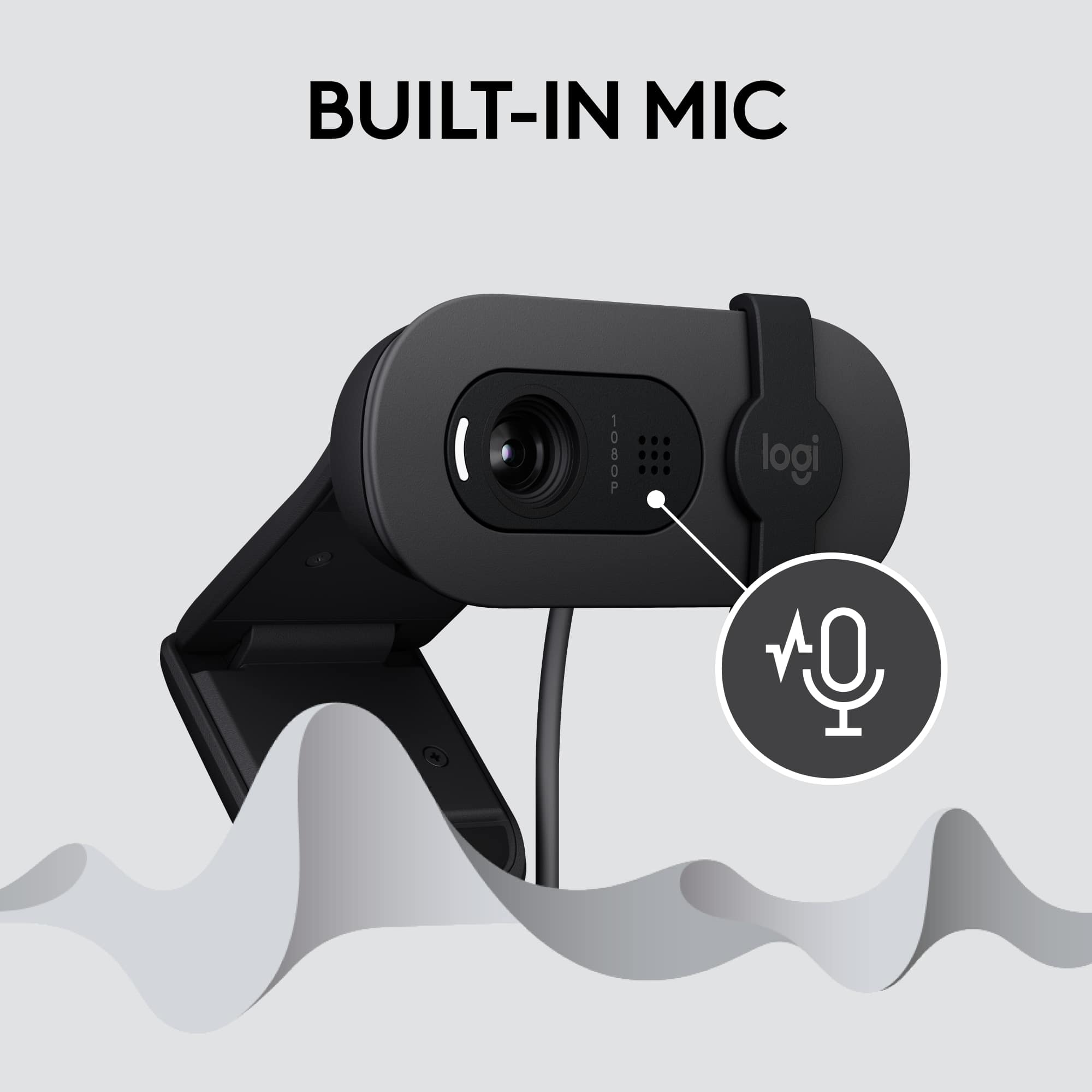
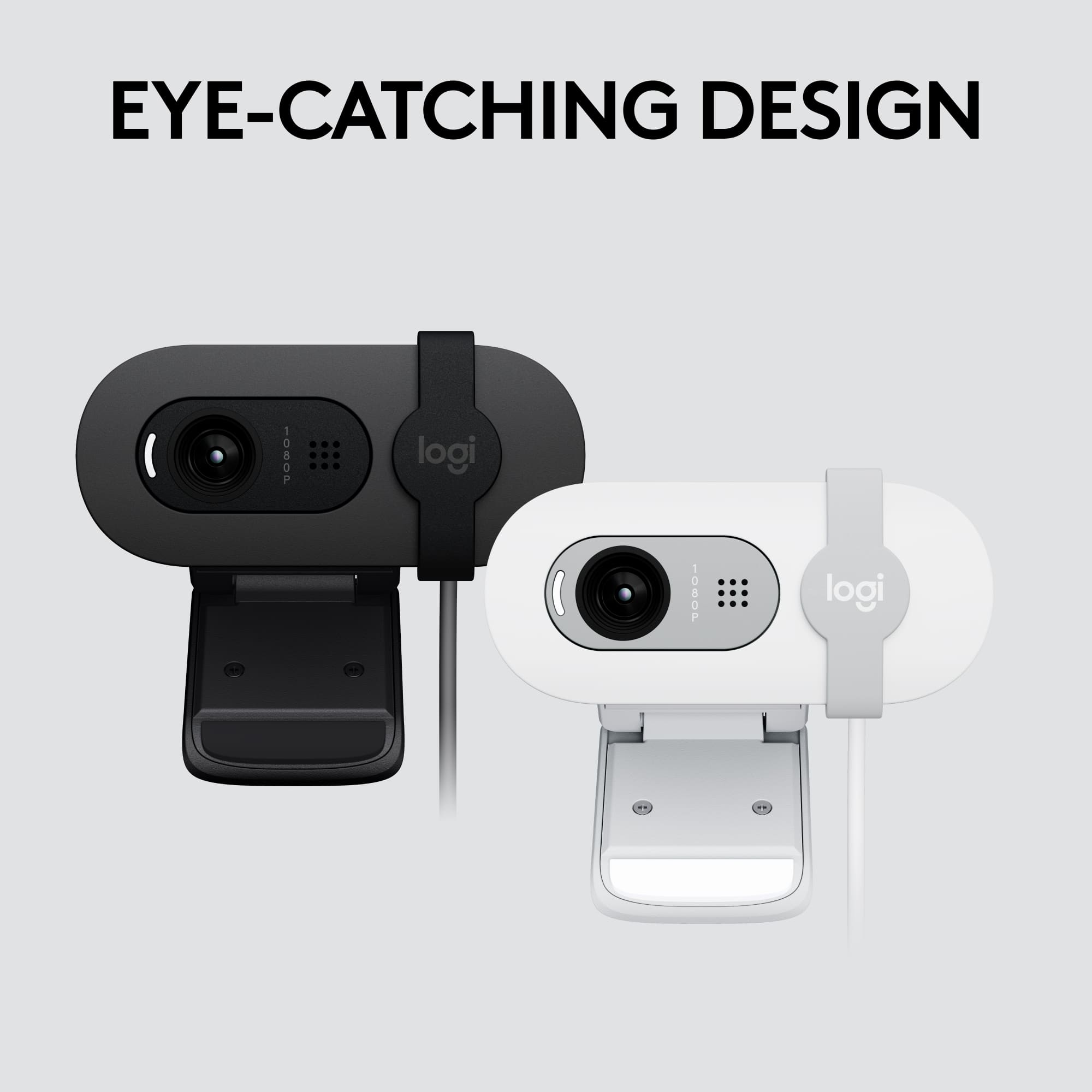
    I needed a webcam for my new work setup in my office. I already have a Logitech webcam in my home setup, but this one would be exclusively for the office. I like the simplicity of this camera and the unique design with the camera cover that slides. The very first thing I noticed was that is uses a traditional USB connector. I have mixed feelings about this. My other webcam uses USB type C. I suppose the traditional connector makes it more universal to use, but just feels a little outdated. When I plugged the webcam into my computer, it took a little over a minute to install the drivers and be ready to use. I then made sure that the HP camera app was installed on my work computer. For some reason I have to "activate" a camera on my work computer. I then tested it out in the camera app that is built in. I was able to record videos and take some photos. I must say that I was very happy with the results. I can tell you that it is truly 1080p, full HD. My next test was on a Microsoft Teams conference call, or meeting. Everyone on the call was able to hear me better than when I used my computer's built in microphone and the image quality was way better than the built in webcam on my laptop. What also makes this better is that I have this mounted on my center monitor and can leave my laptop closed as it is connected to a dock. This is the main reason I got this. I must say that I am very happy with this webcam and it has delivered on all the features as promised. I recommend this to anyone who needs an easy to use webcam with great definition and a very good microphone.

    I would recommend this to a friend
  • Tech Insider Network Member

    Rated 5 out of 5 stars

    Excellent camera for the price

    |
    Tech Insider Network Member
    Posted .
    This reviewer received promo considerations or sweepstakes entry for writing a review.

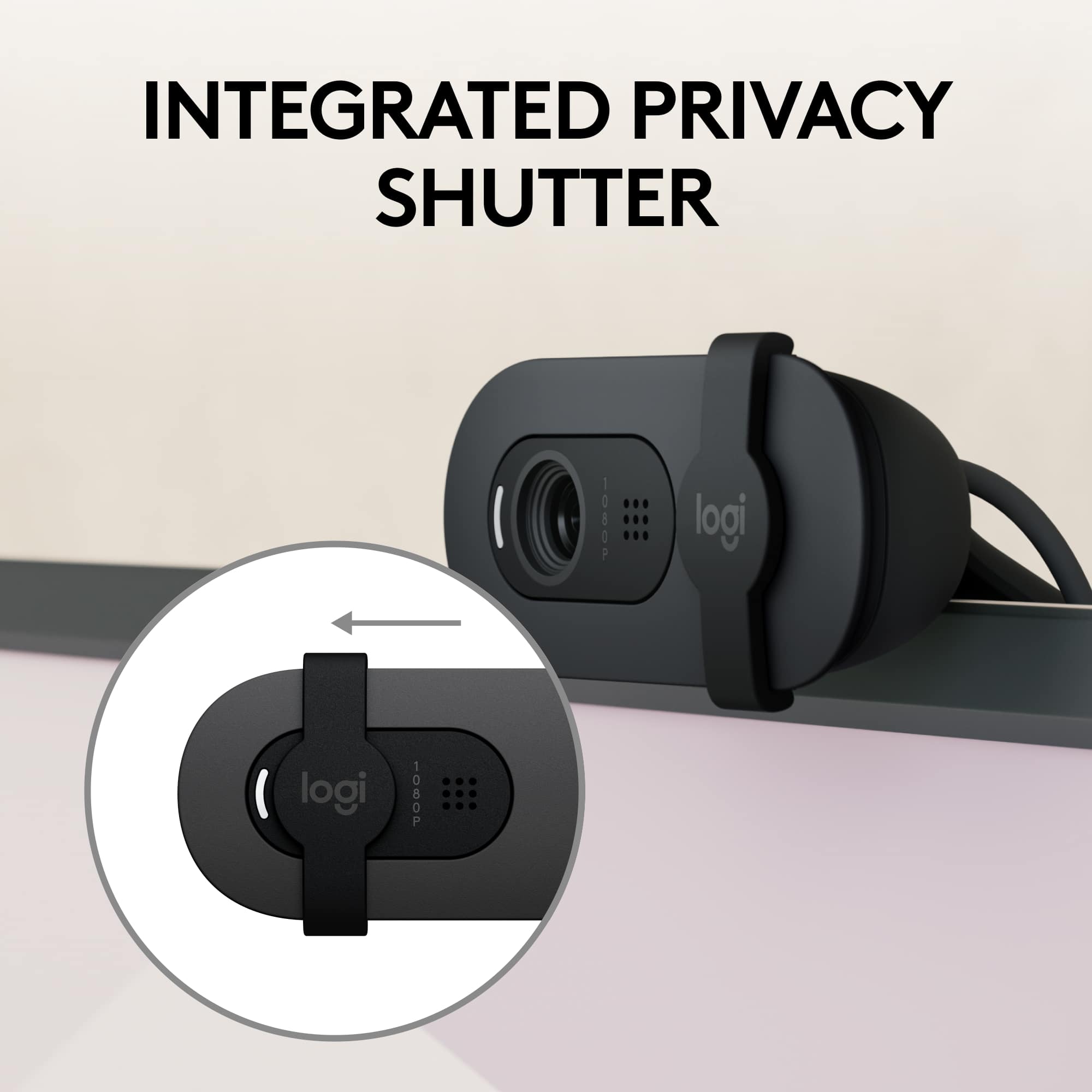
    This is an excellent, budget friendly external webcam with microphone. Setup: This camera can literally be plug and play and work without any configuration straight out of the box, or you can install software to tweak it a little more. Setup on a corporation owned computer with locked down install rights is just fine, as you can plug in this camera and off you go! Use: The clamshell type design on the back makes it a pinch to set on top of your monitor, and then adjust the viewing angle up and down. It simply rests on top of the monitor, and doesn't pinch it, which I like. It is sturdy enough that I don't feel like it will fall down though. You cannot adjust the viewing angle to the left or right, though. So you have to be able to put it in front of you, and can't really angle it off to the side. Quality: I've had a few other budget web cams, and this one is on par with them video quality, and better with the built in microphone quality. It does seem to be a bit more "zoomed" in though, than some other cameras. But that is fine for teams or zoom meetings where you really just need head shots anyway. The built in microphone works very well, and picks me up from a natural sitting position in my chair quite well. I don't get any comments that I am in a tunnel or anything like that like I have with some other web cams. The picture quality is 1080p, but not crazy clear. It is not bad by any means though. Overall: This is an excellent camera for the price, with good audio to boot. The built in privacy shutter is easy to use, and slides back and forth.

    I would recommend this to a friend
  • Tech Insider Network Member

    Rated 5 out of 5 stars

    Great, Inexpensive HD Webcam

    |
    Tech Insider Network Member
    Posted .
    This reviewer received promo considerations or sweepstakes entry for writing a review.

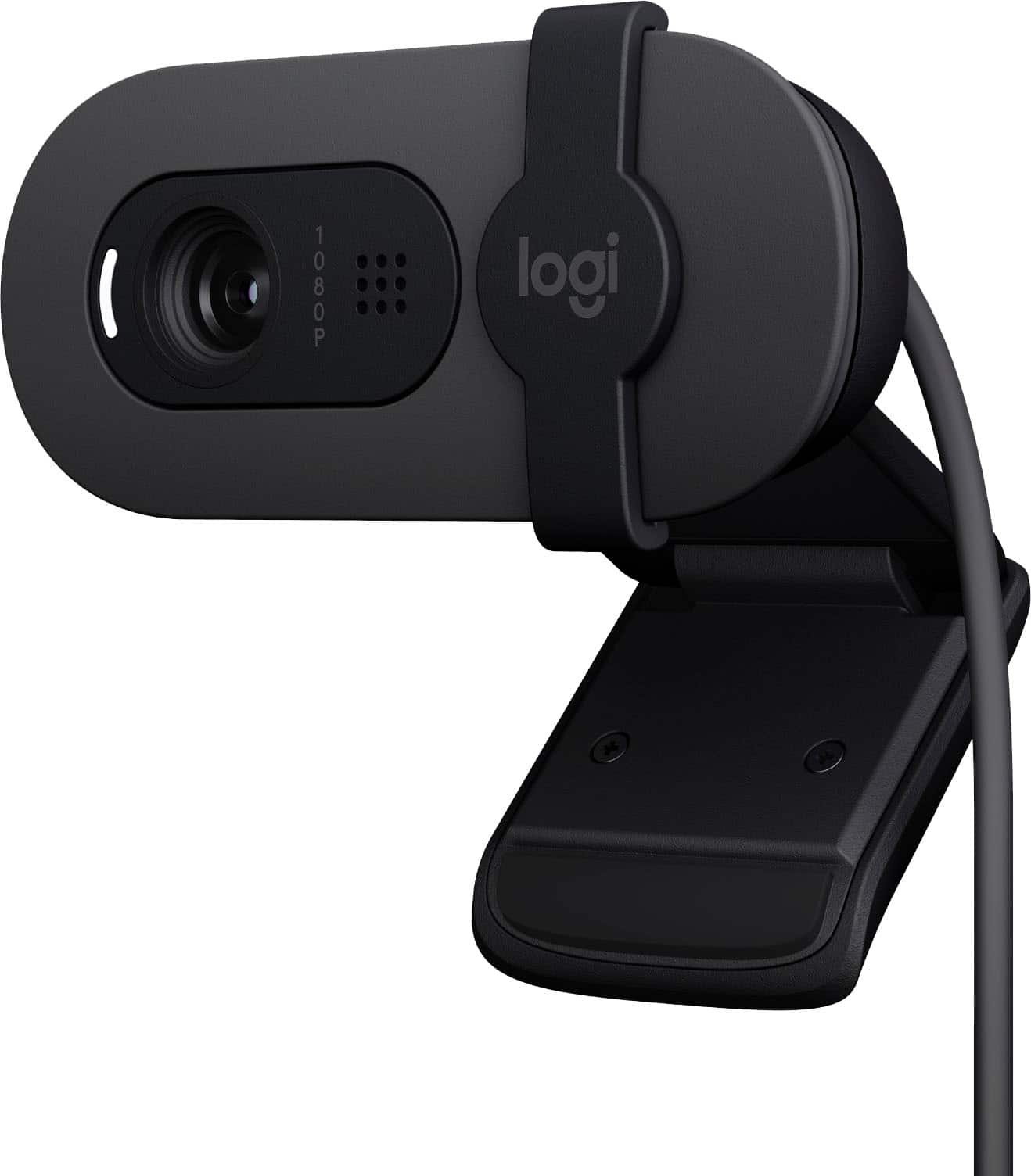
    The Logitech Brio 100 is a great solution for those needing a full HD (1080p) webcam. It comes neatly packed in a small box, and when plugged into both my PC and my Mac, was immediately available for use. Since I was using a laptop in both instances, I had to visit settings to select the Brio 100 in lieu of the onboard webcams and microphone, but after that, it was smooth sailing. I tried the Brio with FaceTime on the Mac, and Zoom on both the Mac and PC, and found audio and video quality to be very good. I swapped computers with my wife, so I could also see how it looked and sounded on the receiving end, and again quality was very good. Of course, this will depend on the quality of each internet connection. I have very good WiFi and 1000/40 Mbps cable connection. Other notable things about the Brio: -Build quality seems solid, as expected from Logitech. -The camera cover is very simple, but also very effective. It simply slides into place. -The little piece that hooks over the top of the monitor is a little deep for some. It is about 3/8" deep, so if you have a true edge-to-edge display (no border or bezel), then it will cover part of the display image. A quick workaround could be as simple as using double sided tape and a small piece of wood to raise the camera's perch above the screen. Not enough of an issue to dock a star for such an otherwise excellent and inexpensive webcam.

    I would recommend this to a friend
  • Tech Insider Network Member

    Rated 5 out of 5 stars

    A solid starter camera

    |
    Tech Insider Network Member
    Posted .
    This reviewer received promo considerations or sweepstakes entry for writing a review.

    Web cams are essential now. Whether you're working from home and need to jump into Zoom meetings, gaming and streaming online, or just looking to catch up with family, having a web cam is essential. The Logitech Brio 100 is a solid option as a starter web cam. Set up was instant via plug and play. The webcam connected pretty solid to the top of my monitor and after plugging it in, it was ready for use. The design is smooth, but very lowkey. There's a privacy cover on the front that slides over the camera for those that feel the need for privacy. The Logitech Brio 100 is listed as a full HD webcam and after using it for a bit, the image quality is certainly solid. I've paid far more for other web cams that in the end produced image quality not that much better then the Brio 100. While the mic is good, like most web cams, I'd recommend using another mic for better audio quality. All in all, especially for the price point, the Brio 100 is a great web cam for most. For business, family, or even gaming, I'd strongly recommend this camera.

    I would recommend this to a friend
  • Tech Insider Network Member

    Rated 5 out of 5 stars

    Great webcams value

    |
    Tech Insider Network Member
    Posted .
    This reviewer received promo considerations or sweepstakes entry for writing a review.

    This thing is great for using on your desktop for video calls like on zoom or what's app or etc with your desktop. It works with windows and MacOS as well.simply plug in and use right away you don't need to download any software to start using it. Quick and easy just like that. It is a 1080P camera and can also 720p if your computer doesn't have 2GB of ram. You can also download Logitech Options plus app to tinker with the camera but to be honest for basic needs the options right out of the box is fine. It's also cheap with a MSRP of $40 and for that this is great. Definitely better than most webcams on laptops in the budget market and better than some premium laptops as well. The mic quality isn't amazing but for what most people will use it for the mic does the job quite ok. As far as video goes I find it takes in enough light that the video doesn't look dark at all and you can see everything clearly. You can also record in 720p as well if you want to stream with it and use less memory as well .

    I would recommend this to a friend
  • Tech Insider Network Member

    Rated 5 out of 5 stars

    Great webcam for everyday use

    |
    Tech Insider Network Member
    Posted .
    This reviewer received promo considerations or sweepstakes entry for writing a review.

    I am using the Brio 100 webcam has worked flawlessly on my Window 11 desktop and Windows 10 laptop. It states that it is also compatible with MacOS and ChromeOS which I did not test but presume it would work as just easy. Plugged it in and was detected right away and usable with no other drivers or software to install. I use a USB switching hub to go back and forth between my desktop and laptop docking station. No issues whatsoever switching back and forth as needed. The HD 1080 picture is bright and clear with a perfect angle. I can’t really say that I notice the 50% brightness claim for the “RightLight” feature, but it looks great, nonetheless. The microphone works well from anywhere in the room and sounds great when on video calls, or at least so I’m told. I use it routinely with Microsoft Teams. I also like the easy to use privacy slider. It’s simple but very effective. Would recommend this webcam as it gets the job done and is super simple to start using right out of the box.

    I would recommend this to a friend
  • Tech Insider Network Member

    Rated 4 out of 5 stars

    Logitech - Brio 100 Webcam

    |
    Tech Insider Network Member
    Posted .
    This reviewer received promo considerations or sweepstakes entry for writing a review.

    Overall Impressions - Easy to setup and use. Plug it in, Enter a meeting and you are up and running in seconds. Video - Picture is a bit bright, glasses were an annoyance as it was hard to see my eyes according to others in the session. Not crisp, I had my lights in my room on as usual and was not as impressed with the camera. There was no lag or issues with stuttering. Microphone - Worked as expected no one I asked said they had any issues hearing me. They said my voice was clear and as I adjusted the microphone, it worked as expected quick to respond. Quality - Video is where it fell a bit short - I was hoping as with other Logitech products that the video would be crisp and clear. I am using Windows 11 and other webcams do a great job on the meetings I have attended over the past few weeks. Crisp, clear and pretty impressive. However the Logitech left me a little disappointed and wanting to receive more favorable feedback. It isn't the worst camera I have used, I gave it 4 starts, hoping I might be able to dial in the camera on other meetings to see if I can't get a better user experience.

    I would recommend this to a friend
  • Rated 5 out of 5 stars

    Nice webcam for its price

    Posted .
    This reviewer received promo considerations or sweepstakes entry for writing a review.

    Clear and concise audio. Video quality is great. Also budget friendly. What else could you ask for?

    I would recommend this to a friend
    • Brand response from Logitech
      Posted .

      It’s wonderful to hear that our Logitech Brio 100 Webcam is meeting your needs. Your feedback is incredibly valuable and helps us continue to innovate. Thanks for being part of the Logitech community. Logitech

  • Rated 5 out of 5 stars

    Great buy!

    Posted .
    This reviewer received promo considerations or sweepstakes entry for writing a review.

    Great little camera.I was a bit worried about this camera as it was my first clamp on. But its great and has a very good resolution. Very satisfied!

    I would recommend this to a friend
    • Brand response from Logitech
      Posted .

      The Logitech Brio 100 is a great webcam for everyday video calls, with Full HD resolution, auto light balance, and a built-in microphone, all at a budget-friendly price. It's easy to use and clamps securely to your monitor.

  • Rated 5 out of 5 stars

    Great quality webcam at a very affordable price

    Posted .
    This reviewer received promo considerations or sweepstakes entry for writing a review.

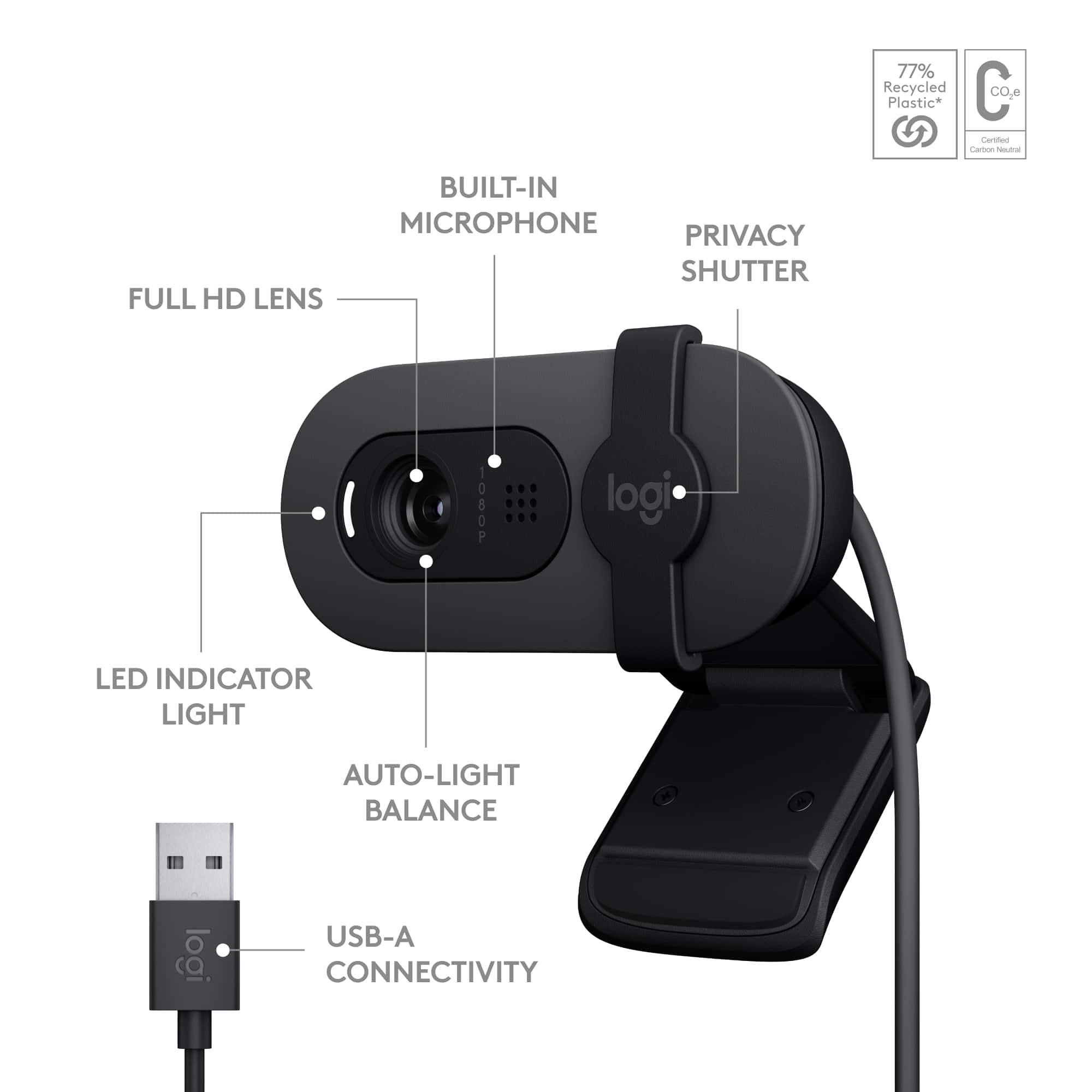
    I was surprised at how small this camera is. The picture quality is great and the focus is sharp. Microphone works well and the unit sits nicely on top of the computer monitor with a clamp action. The lens cover is handy and the white LED comes on when you slide it open to indicate that the camera is on. Setup was automatic when I plugged in the USB connector into my Windows 10 computer. No need for a user’s manual. Perfect for my Zoom meetings. The price was a bargain compared with other cameras.

    I would recommend this to a friend
  • Rated 5 out of 5 stars

    The best webcam I've every had

    Posted .
    This reviewer received promo considerations or sweepstakes entry for writing a review.

    The title says it all. I've used webcams built into laptops, separate webcams such as this, and webcams at work but this tops all of them. I love the sliding cover and the activation light. A great feature of this is while I'm taking video screen grabs my system will use the webcam's microphone so I can add audio during the video so this actually cut out the need for a separate microphone.

    I would recommend this to a friend
    • Brand response from Logitech
      Posted .

      Hello there! Thanks for the great review of the Logitech Brio 100 webcam! We're thrilled to hear you consider it the best webcam you've ever had. It sounds like you especially love the privacy shutter, indicator light, and built-in microphone that even works when capturing screen recordings. That's fantastic feedback to hear how it meets your needs!

  • Tech Insider Network Member

    Rated 2 out of 5 stars

    OK performer, tight focal length....

    |
    Tech Insider Network Member
    Posted .
    This reviewer received promo considerations or sweepstakes entry for writing a review.

    I selected this webcam to replace the existing webcam I was using with my Mac Studio as that was a few years old and I'm on Zoom meetings for a good part of the day, every work day. When it arrived, I was amazed that they managed to get the webcam into that small of a package - the packaging is excellent and looks to be 100% recyclable cardboard, and there's not mouch of it at all. As webcams go, it's about as basic as it gets - built in mic, USB-A connector, and an adjustable stand. Also a nice inclusion is a manual, external shutter to physically cover the lens when you need to ensure video privacy. As the performance of the camera goes, the picture itself is OK. Perfroms well in my slighly dim office. Colors seem to lean a bit to the red side of the scale. Unfortunately, this camera has a flaw that renders it essentially unusable for me - the focal length on the lens. When I moved to this camera, on every Zoom call I joined, my colleagues immediately commented on how zoomed in I was. I have the camera mounted on top of my monitor that is slightly longer than an arm's length away when I'm sitting at my desk - I am unable to get an image that doesn't chop off either the top of my head or show only a view of my face and just the tops of my shoulders. It seems un-naturally zoomed in comparted to most other fixed focal length webcams that I use on other devices currently or in the past. When I toggle back and forth between this camera and my previous camera, the difference in focal length is plainly evident. On my Mac, I was not able to get the latest versino of the Logi Options software to detect this camera as a device that could be configured. If you're looking for a camera with a tight crop, I would recommend you take a look at this model. Unfortunately the focal length was a show stopper for me so I'll be either sticking with my old camera or looking for a new replacement.

    No, I would not recommend this to a friend
    • Brand response from Logitech
      Posted .

      We're sorry to hear about the experience. We'll definitely make sure that this is communicated with the relevant team for them to check it out. Thanks so much!

  • Rated 4 out of 5 stars

    Older user

    Posted .
    This reviewer received promo considerations or sweepstakes entry for writing a review.

    Easy to used for an older remote end user. Quick shipping and free

    I would recommend this to a friend
    • Brand response from Logitech
      Posted .

      We’re grateful for your kind words. It’s wonderful to know our product is helping you out. Thanks for choosing Logitech! Logitech

  • Rated 5 out of 5 stars

    Logitech - Brio 100 1080p HD Webcam Review

    Posted .
    This reviewer received promo considerations or sweepstakes entry for writing a review.

    At age 80 I am less interested in technolgy and more interested in easily usable function. I neded to attend a Zoom birthday party and had no camera. At the recomendation of the salesperson at Best Buy, I purchased this camera. I read the directions, plugged in the camera and it worked effortlessly. To me, that earned a 5 star rating.

    I would recommend this to a friend
  • Rated 5 out of 5 stars

    As described

    Posted .
    This reviewer received promo considerations or sweepstakes entry for writing a review.

    It works! Connection was simple plug and play. I cannot attest to the quality of sound coming from the microphone, but I received zero complaints!

    I would recommend this to a friend
    • Brand response from Logitech
      Posted .

      Thanks for sharing your experience! We're glad you found the Brio 100 easy to set up. If you have any questions about optimizing microphone performance, feel free to reach out to our support team. We're here to help you get the most out of your webcam. Logitech

  • Rated 5 out of 5 stars

    Great camera!

    Posted .
    This reviewer received promo considerations or sweepstakes entry for writing a review.

    This camera is easy to use with good picture quality! It's also easy to carry around. The way it attaches to a laptop is a little weird, but it works! I highly recommend.

    I would recommend this to a friend
    • Brand response from Logitech
      Posted .

      Awesome! Glad the Brio 100's portability and ease of use are making your video conferencing a breeze. The picture quality sounds great too! Thanks for the recommendation!

  • Rated 5 out of 5 stars

    Great little webcam

    Posted .
    This reviewer received promo considerations or sweepstakes entry for writing a review.

    So far so good! Image quality is great and the microphone works well too. It has been perfect for zoom meetings

    I would recommend this to a friend
    • Brand response from Logitech
      Posted .

      Happy to hear you're enjoying the Brio 100! It delivers clear video and good audio quality, making it perfect for meetings.

  • Rated 5 out of 5 stars

    good, I approve

    Posted .
    This reviewer received promo considerations or sweepstakes entry for writing a review.

    it's a fine webcam, nobody complains about the mic, it's not changing the world but it does the job

    I would recommend this to a friend
    • Brand response from Logitech
      Posted .

      Brio 100: good webcam for video calls. Not fancy, but affordable and gets the job done.

  • Rated 5 out of 5 stars

    Purchaser

    Posted .
    This reviewer received promo considerations or sweepstakes entry for writing a review.

    Good and clear image. Just the right size for my desk top

    I would recommend this to a friend
    • Brand response from Logitech
      Posted .

      Hello there! We're thrilled to hear the Logitech Brio 100 webcam is a perfect fit for your desk! Crisp image quality and a compact design sound like a winning combination for your workspace.

  • Rated 4 out of 5 stars

    Good little webcam

    Posted .
    This reviewer received promo considerations or sweepstakes entry for writing a review.

    Good little webcam if you need to add video as an option. We use it for zoom and it works well. Built in Microphone and all

    I would recommend this to a friend
    • Brand response from Logitech
      Posted .

      Thank you for your positive review of the Logitech - Brio 100 webcam. We're glad to hear that it effectively fulfills your video conferencing needs on meetings.