Customer Ratings & Reviews



- Model:
- 960-001580
- SKU:
- 6550199
Rating by feature
- Value
Rating 4.7 out of 5 stars
- Quality
Rating 4.5 out of 5 stars
- Ease of Use
Rating 4.7 out of 5 stars
Customers are saying
Customers admire the product's outstanding image and video quality, noting its remarkable ease of use and plug-and-play setup. Conversely, some users have expressed dissatisfaction with the mounting solution and adjustability, alongside concerns about focus, connectivity issues, and a narrow field of view.
This summary was generated by AI based on customer reviews.
Nice inexpensive web cam
||Posted . Owned for 2 weeks when reviewed.This reviewer received promo considerations or sweepstakes entry for writing a review.Nice inexpensive camera. There is an app to help adjust the color temperature and other things (Logi Tune is the app). The stand it’s on did not come with it that is my own.
I would recommend this to a friendBrand response from Logitech
Posted .Thanks for the thoughtful review! We’re glad to hear our product is delivering the quality and convenience you were looking for. Your feedback helps us keep improving, and we’re grateful for your trust in Logitech.

- Pros mentioned:Image quality
Best for interviews
||Posted . Owned for 3 weeks when reviewed.This reviewer received promo considerations or sweepstakes entry for writing a review.Easy to connect you can set it up using logitech plus app and can set it up easily camera quality is decent depends on the room lighting overall god product for the price
I would recommend this to a friendBrand response from Logitech
Posted .We're happy to hear that you're pleased with the Brio 100 webcam! Thank you for the feedback on the setup process and camera quality. We're always working to improve our products, so your input is valuable.
- Pros mentioned:Image quality
Quality of the product
||Posted . Owned for 2 months when reviewed.This reviewer received promo considerations or sweepstakes entry for writing a review.was a very good product, affordable price and a good quality and it’s very small and it’s look good. I’m using since I bought it. It’s a Best WebCam.
I would recommend this to a friendBrand response from Logitech
Posted .Thank you for your feedback on the Logitech Brio 100 webcam! We appreciate you highlighting its affordability, compact size, good quality, and stylish design. We're glad that you're satisfied with the product and are using it regularly.
- Pros mentioned:Image quality
Great first webcam
||Posted . Owned for 2 months when reviewed.This reviewer received promo considerations or sweepstakes entry for writing a review.Great first webcam, needed something affordable and quickly. When using it, my image is clear compared to everyone else’s webcam image.
I would recommend this to a friendBrand response from Logitech
Posted .Thank you for your review of the Logitech Brio 100! We're glad to hear that it's providing a clear and sharp video image for your video calls. The Brio 100 is designed to deliver high-quality video, even in low-light conditions. We're pleased that it's meeting your needs and providing a better video conferencing experience.
- Cons mentioned:Focus
Great with one small flaw
||Posted . Owned for 1 week when reviewed.This reviewer received promo considerations or sweepstakes entry for writing a review.Fantastic webcam that has great resolution and smoothness for meetings and calls. Only one minor issue and it’s that the webcam has some struggles focusing on things close to it.
I would recommend this to a friendBrand response from Logitech
Posted .Hi! Thanks for the detailed review of the Logitech Brio 100 webcam! We appreciate you highlighting the great resolution, smoothness, and overall positive experience for meetings and calls. We'll take your feedback about the close-up focusing into consideration for future product improvements.
- Pros mentioned:Setup
Great Camera
||Posted . Owned for 3 months when reviewed.This reviewer received promo considerations or sweepstakes entry for writing a review.Great camera - easy to install - easy to use - good price
I would recommend this to a friendBrand response from Logitech
Posted .That's great to hear! It sounds like the Logitech Brio 100 hits the sweet spot with its ease of installation and use, good performance, and attractive price point. Thanks for sharing your positive experience!
Owner
||Posted . Owned for 1 month when reviewed.This reviewer received promo considerations or sweepstakes entry for writing a review.Works really well. The old one only lasted 15 YEARS!
I would recommend this to a friendBrand response from Logitech
Posted .Thanks for the great review! We’re thrilled our product is meeting your expectations. Your support helps us continue to innovate and improve.
Simple and easy
||Posted .This reviewer received promo considerations or sweepstakes entry for writing a review.Works nicely without any lag. Just plug and play. No fancy settings needed other than switch to this new camera instead of default computer camera. Shipping was fast from BB.
I would recommend this to a friendBrand response from Logitech
Posted .We’re thrilled to know you’re satisfied with your Logitech product. Your input helps us shape better experiences for everyone. Thanks for your continued support!
Great customization in the Logi Options software!
||Posted . Owned for less than 1 week when reviewed.This reviewer received promo considerations or sweepstakes entry for writing a review.The associated Logitech Options+ software is a must, and gives it lots of video customization as the default setting might not work well with every PC. Being able to customize the shutter speed, ISO, Brightness, contrast, saturation, and sharpness right from the program makes it a great pick!
I would recommend this to a friendBrand response from Logitech
Posted .That's fantastic! We're thrilled you're enjoying the Brio 100 and utilizing the Logitech Options+ software to its fullest. Having that level of customization for shutter speed, ISO, and other settings really puts you in control of your video quality!
Great Affordable Webcam
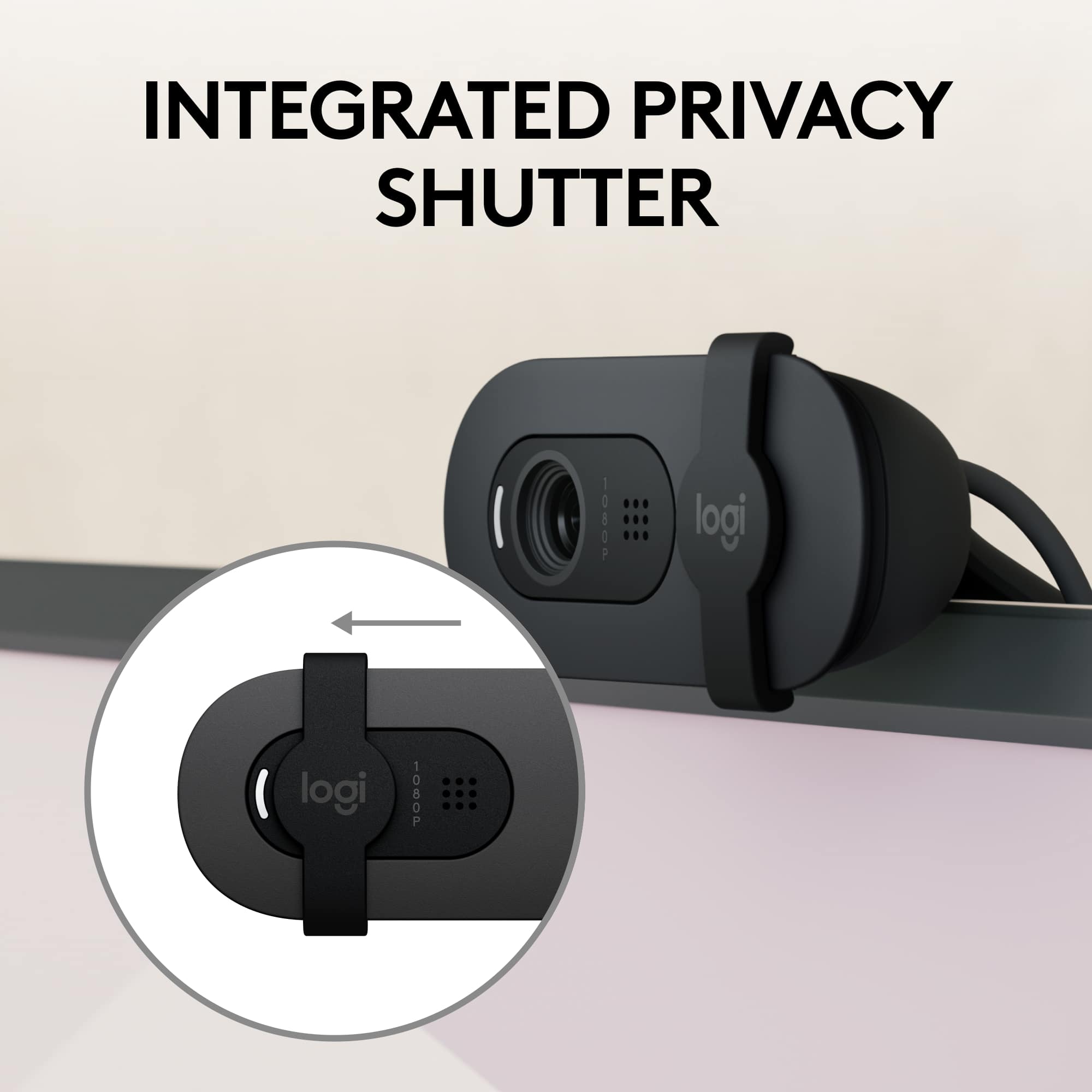
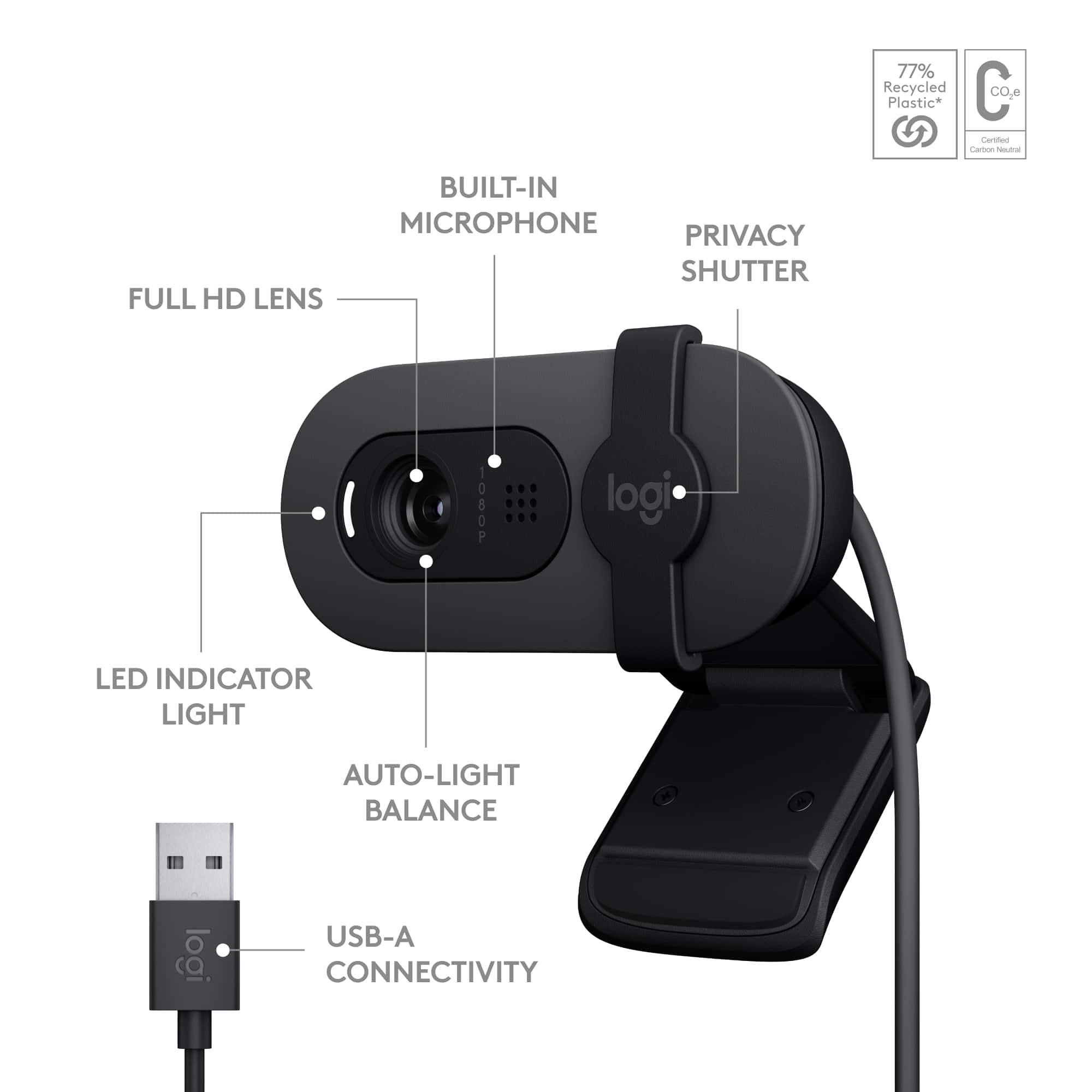
||Posted . Owned for 1 month when reviewed.This reviewer received promo considerations or sweepstakes entry for writing a review.I quite like this webcam. I've used it for a few calls, the quality is solid. It fit my fat monitor easily, and it has a nice physical lens cover for privacy, which I appreciate.
I would recommend this to a friendBrand response from Logitech
Posted .That's excellent to hear you're quite pleased with your Logitech Brio 100 webcam! It's great that you find the quality solid for your calls and that it easily fits your monitor. We especially appreciate you noting the inclusion of the physical lens cover for privacy – that's a feature we know many users value for peace of mind.
- Pros mentioned:Image quality
Great for starter streaming
||Posted . Owned for less than 1 week when reviewed.This reviewer received promo considerations or sweepstakes entry for writing a review.Good Quality and Responsive. 1080p for streams on Xbox and PC.
I would recommend this to a friendBrand response from Logitech
Posted .Hey! Thank you for the review. The Logitech Brio 100 is a good quality, responsive, and affordable webcam that can be used for streaming on Xbox and PC.
Great camera!
||Posted . Owned for 1 month when reviewed.This reviewer received promo considerations or sweepstakes entry for writing a review.Camera works perfectly great resolution for streaming!
I would recommend this to a friendBrand response from Logitech
Posted .It’s great to hear your experience has been positive. Your feedback helps us refine and improve our products. Thanks for choosing Logitech!
Good camera
||Posted . Owned for 1 month when reviewed.This reviewer received promo considerations or sweepstakes entry for writing a review.Very good little stream cam. Really works for streaming and or discord calls with friends. Really good for Zoom and Skype calls with work or family
I would recommend this to a friendBrand response from Logitech
Posted .We’re glad to hear it’s working so well for you! It sounds like the camera is versatile for both streaming and professional or personal calls.
- Pros mentioned:Image quality
Made for Zoom, Google, and Teams
||Posted . Owned for 2 weeks when reviewed.This reviewer received promo considerations or sweepstakes entry for writing a review.This is an excellent camera, and it works very well with Zoom, Google Chat, and Teams.
I would recommend this to a friend Canera
||Posted . Owned for 1 month when reviewed.This reviewer received promo considerations or sweepstakes entry for writing a review.This is a cheap camera I should of naught a better quality
I would recommend this to a friendBrand response from Logitech
Posted .Thanks for taking a moment to share your experience. We’re so glad the product is working well for you. Your support means a lot and helps us keep improving.
Good pick
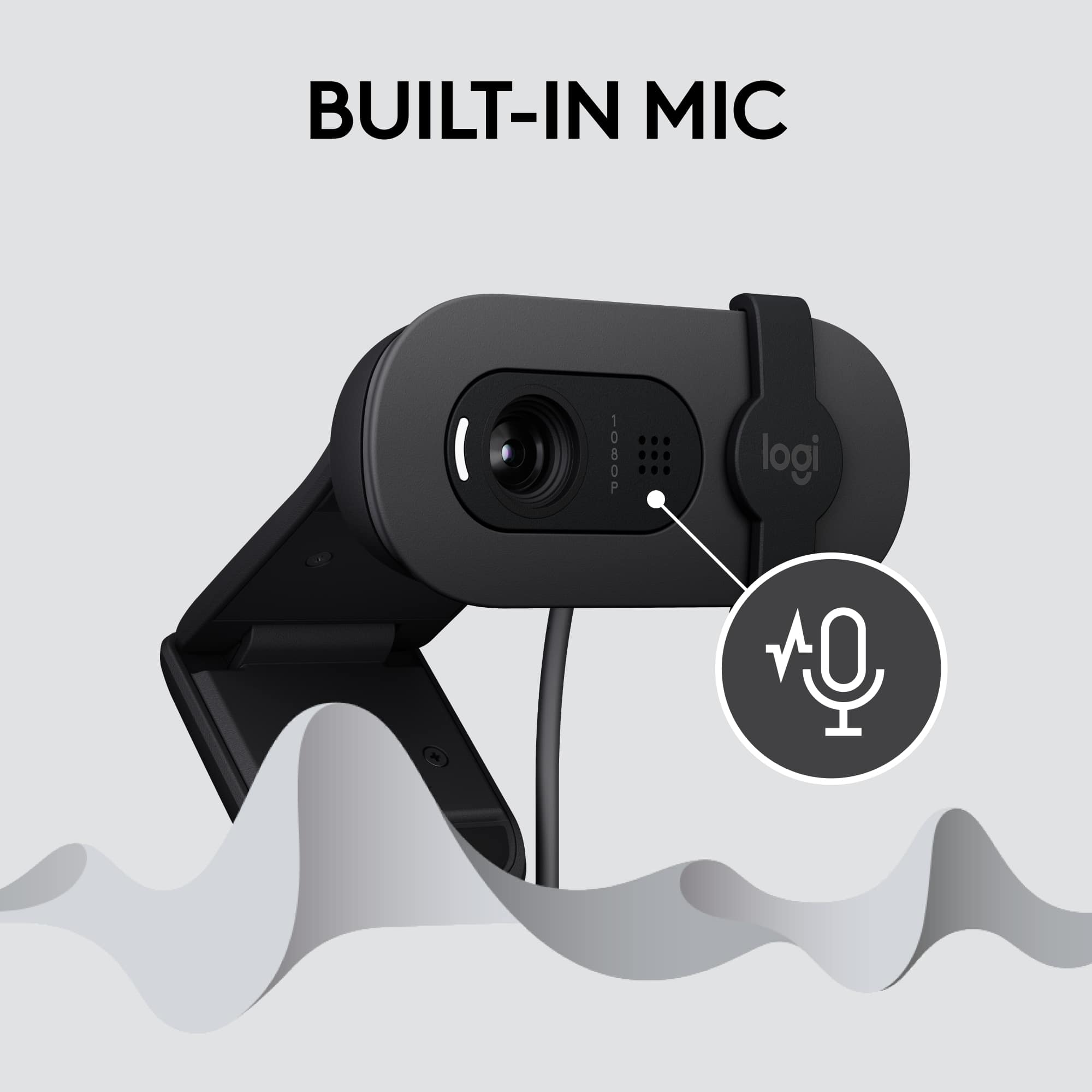
||Posted . Owned for 3 months when reviewed.This reviewer received promo considerations or sweepstakes entry for writing a review.It’s great for what it is, I use it as a streaming camera and it also has a built in mic which is useful if you don’t plan on spending alot on one separately. Overall good quality picture and can adjust to dark environments quite well.
I would recommend this to a friendBrand response from Logitech
Posted .We appreciate your feedback on the Logitech Brio 100. We're glad to hear that it's a good option for streaming and that it performs well in low-light conditions. Your satisfaction is our top priority. Thank you for choosing Logitech!
Weird Camera, Solid Performance.
||Posted . Owned for 3 weeks when reviewed.This reviewer received promo considerations or sweepstakes entry for writing a review.I bought this to use as a second camera for hard to reach views on my YouTube channel. It';s great!
I would recommend this to a friendBrand response from Logitech
Posted .Thanks for taking a moment to share your experience. We’re so glad the product is working well for you. Your support means a lot and helps us keep improving.
Great Buy!
||Posted . Owned for 4 months when reviewed.This reviewer received promo considerations or sweepstakes entry for writing a review.GREAT CAMERA, I DEFINITELY RECOMMEND IT IF YOU GO TO SCHOOL AND THE SCHOOL REQUIRES A LOT OF RECORDING, TAKING VIDEOS OF YOUR SELF, ETC
I would recommend this to a friendBrand response from Logitech
Posted .Thank you for your positive feedback on the Logitech Brio 100. We're glad to hear it's meeting your recording needs for school. Your recommendation is greatly appreciated.
Brio External Camera
||Posted . Owned for 1 month when reviewed.This reviewer received promo considerations or sweepstakes entry for writing a review.I like it. The only downside is it feels zoomed in, so I have to put it a little further away.
I would recommend this to a friendBrand response from Logitech
Posted .Thank you for sharing your feedback on the Logitech Brio 100 webcam. We appreciate you letting us know about your experience, including the zoomed-in feel.
Webcam
||Posted .This reviewer received promo considerations or sweepstakes entry for writing a review.It was easy to place and I also like that you can cover it, very nice!
I would recommend this to a friendBrand response from Logitech
Posted .Thanks for the great feedback! We're glad to hear the Brio 100 was easy to set up and that you're enjoying the built-in privacy shutter. Designed for simplicity and peace of mind—just the way it should be.