Customer Ratings & Reviews


- Model:
- 960-000733
- |
- SKU:
- 2588445
Customer reviews
Rating 4.5 out of 5 stars with 4489 reviews
(4,489 customer reviews)Rating by feature
- Value4.5
Rating 4.5 out of 5 stars
- Quality4.6
Rating 4.6 out of 5 stars
- Ease of Use4.7
Rating 4.7 out of 5 stars
Customers are saying
Customers are satisfied with the C615 1080 Webcam's video quality, ease of use, and price. Many appreciate its compact size and straightforward setup. While some users found the cable length too short and experienced minor software issues, the overall positive feedback highlights the webcam's value for its intended purpose. The clarity and resolution were also frequently praised.
This summary was generated by AI based on customer reviews.
Rated 1 out of 5 stars
not good
||Posted .This reviewer received promo considerations or sweepstakes entry for writing a review.picture is not clear and look dark trying to adjust the brightness not working.
No, I would not recommend this to a friendBrand response from Logitech
Posted .Hello. Thank you for taking the time to write your review of the C615 webcam. I'm sorry to hear that you're not happy with the image quality of the webcam. Do you have the Logitech Camera Settings program downloaded and installed on your computer? You can find it here: https://support.logi.com/hc/en-us/articles/360024846573--Downloads-HD-Webcam-C615
This will give you the ability to adjust the parameters of the image capture on the C615. If you have any other questions or issues, please visit our support site.
-Charlton at Logitech
Rated 1 out of 5 stars
Sucks
||Posted .This reviewer received promo considerations or sweepstakes entry for writing a review.Doesn't work need to return it the whole ordering process was problamtic as well.
No, I would not recommend this to a friendBrand response from Logitech
Posted .Hello, I am so sorry to hear the webcam did not work for you. This webcam does come with a 2 year warranty through Logitech, so we can get that replaced for you! Here is the link to file a warranty claim: https://support.logi.com/hc/en-us/articles/360025077633-Warranty-HD-Webcam-C615. I hope this helps! Thank you for taking the time to write this review, we appreciate the feedback.
Rated 1 out of 5 stars
View coverage is not good
||Posted . Owned for 1 week when reviewed.This reviewer received promo considerations or sweepstakes entry for writing a review.Purchase My Best Buy® Elite Plus Member Too expensive View coverage is not good
No, I would not recommend this to a friend- Pros mentioned:Video quality
Rated 5 out of 5 stars
Logitech HD Webcam C615
Posted .This reviewer received promo considerations or sweepstakes entry for writing a review.Great camera for the clarity and HD quality. A few feature sets not 100% stable and that's the reason I did not give the "video Quality" an overall Excellent rating. One great feature is that you can disable the on-board mic and use the headset with ease. I originally had a Microsoft - LifeCam Cinema Webcam - Loved the clarity but hated the fact you cannot disable the on-board mic, you disable the whole camera. The Microsoft unit broke during a cube move and took this opportunity to check out the competitor Logitech in the same price point style of cameras. There seems to be a bluish tinge on the overall video - only on close ups in lower light level because of the Power-on LED light on the front of the camera. I like the blue - some may not enjoy the color offset. Cons: The special effects - little cute characters that transform your face close-up into an animal or Aliens etc, its great if your 10 years old, but face it - I was using Skype, MSN, and Yahoo conversing with friends from work and online games. I never would use any of the camera special effects. The wide angle aspect ratio sometimes pops in and out from wide angle to tight aspect ratio on face in front of the camera. It is annoying when I was chatting with work related contacts and then suddenly they frame pops into wide-angle mode - displaying almost all of my office and not what I was especially wanted the contact to only view. it would do it in every session, but in every chat program and it even looks like a small bug or malfunction when it hops to a wide angle - I know it’s a feature (once you see it - you can get the idea what the wide angle would be used for) , but I did not want it showing business clients my whole house. Pros: Great in low light level - Blue LED aids in low light levels. Personally, I liked the blue indicator light (When on and the camera is active). The easiest Camera install EVER!!! Connect the camera to WIndows 7 and it downloaded the software and drivers automatically - on DSL connection after a few minute download I was chatting in no time. Can disable the on-board Mic and use the headset or different incoming audio source. Software that controls the camera can move up, down, left, right with the camera being fixed and it is an electronic zoom. the Zoom is really great - from my desk it can zoom to the other side of the room. Note: the software is independent of Skype, MSN, Yahoo, etc. I liked this feature for using it in provocative situations that makes using this camera more fun during video conferencing. The video was extremely clear - not as clear as the Microsoft Camera but the Zoom makes up for it -along with controlling the camera via software. Demographics: This web cam is for someone wanting a clear HD camera for Skype-ing their significant other with easy installation and a few feature sets that are in the software to make the camera easy to control. Fun web cam for video conferencing and capturing all the action on the net. If you are going to use the camera for work related projects such as looking at a board layout or electronic equipment please note:: (remote technical support) my previous Microsoft Camera was better for that - since the color was not altered in any way during video streams. In a nutshell I enjoy this camera tremendously - due to the "fun factor" that I have on Skype - I would undeniably recommend this one to all my friends. I really like the video and software control of this camera.
I would recommend this to a friend - Pros mentioned:Video quality
Rated 4 out of 5 stars
Much better than I expected!
Posted .This reviewer received promo considerations or sweepstakes entry for writing a review.I have been a long time Mac user and have come to enjoy the simplicity of running a Mac eco-system in my house. Everything is connected, everything is Apple and everything just works. I was rather skeptical of the Logitech camera with regards to ease of use and ease installation. Let me suffice it to say this HD camera was much better than I expected in both regards! WIth regards to ease of installation/set up, I don't see how it could've been any easier. The included software installation disc (which works for both Mac and Windows) installed in less than 3 minutes. After that and a few mouse clicks, I plugged the camera into the USB port on the back of my iMac and I was up and running. All in total, I'd say I had this camera operating in around 5 minutes. One of the first things the Logitech software did was check for downloads. The updater found one such update and it downloaded in less than 5 minutes. The installation was very straightforward and, to be honest, didn't require looking at the instruction manual. I did it simply by inserting the disc into my iMac and then following the on-screen prompts. With regards to ease of operation, the camera was a snap! The picture capture was VERY similar to Photo Booth on my iMac. Although there weren't any funny effects to add to my photos, it did allow me to instantly start snapping pictures and capturing video. It was also extremely easy to toggle between resolutions. I found 720p to be excellent on my large iMac. The pictures were very clear as was the video. Also, once a picture or video is captured, icons for sharing via email, twitter, Facebook and YouTube appear in a side menu on the right. I emailed a video very quickly and, although it was compressed, the quality as I played it back on my iPhone and iMac was super. It's at least every bit as good as the iSight camera on my iMac. However, I found the quality of this camera edged the iSight out with regards to clarity and detail - especially with close proximity to the camera lens. For instance, when I placed my fingers extremely close to the Logitech camera lens, I could clearly make out the ridges which form the swirls of my finger print. However, this detail was not nearly as clear with the same distance on my iSight camera. Another nice detail about the Logitech is that is contains an auto-focus. So, once I pulled my hand back from in front of the lens, the camera re-focused on me seated in my chair in front of the computer. The camera is easy to maneuver, position and swivel and that's a plus over the iSight camera in that, if I want to change the camera angle when using my iMac, I have to turn the entire computer around. With this camera, its quite easy to maneuver around. The microphone in the camera also did a very good job at picking up sound. In this area, I'd also say the Logitech edged past the iSight camera. The microphone was able to pick up several soft sounds clearly as well as conversation. I used the Logitech in place of my iSight on a Skype call and, happily, it was very easy to use in place of the iSight. The quality of the call was better due to the improved microphone and picture quality. I was able to set the Logitech to a widescreen mode which is something I can't do with the iSight. It was a pleasure to use this camera in place of the iSight on my Skype calls! This webcam is great for somebody who doesn't already have a built in camera in their laptop or desktop. However, its portability and compatibility with both Mac and Windows makes it great to take from home to office or vice versa. It's also very easy to upload pictures and video to the various social networking websites as well as email. In summary, I found this camera to be far better than I expected and am happy to have found it exceeded my expectations in almost every way!
I would recommend this to a friend - Pros mentioned:Ease of use, Overall performanceCons mentioned:Cable length
Rated 3 out of 5 stars
It's OK, particularly for the price point
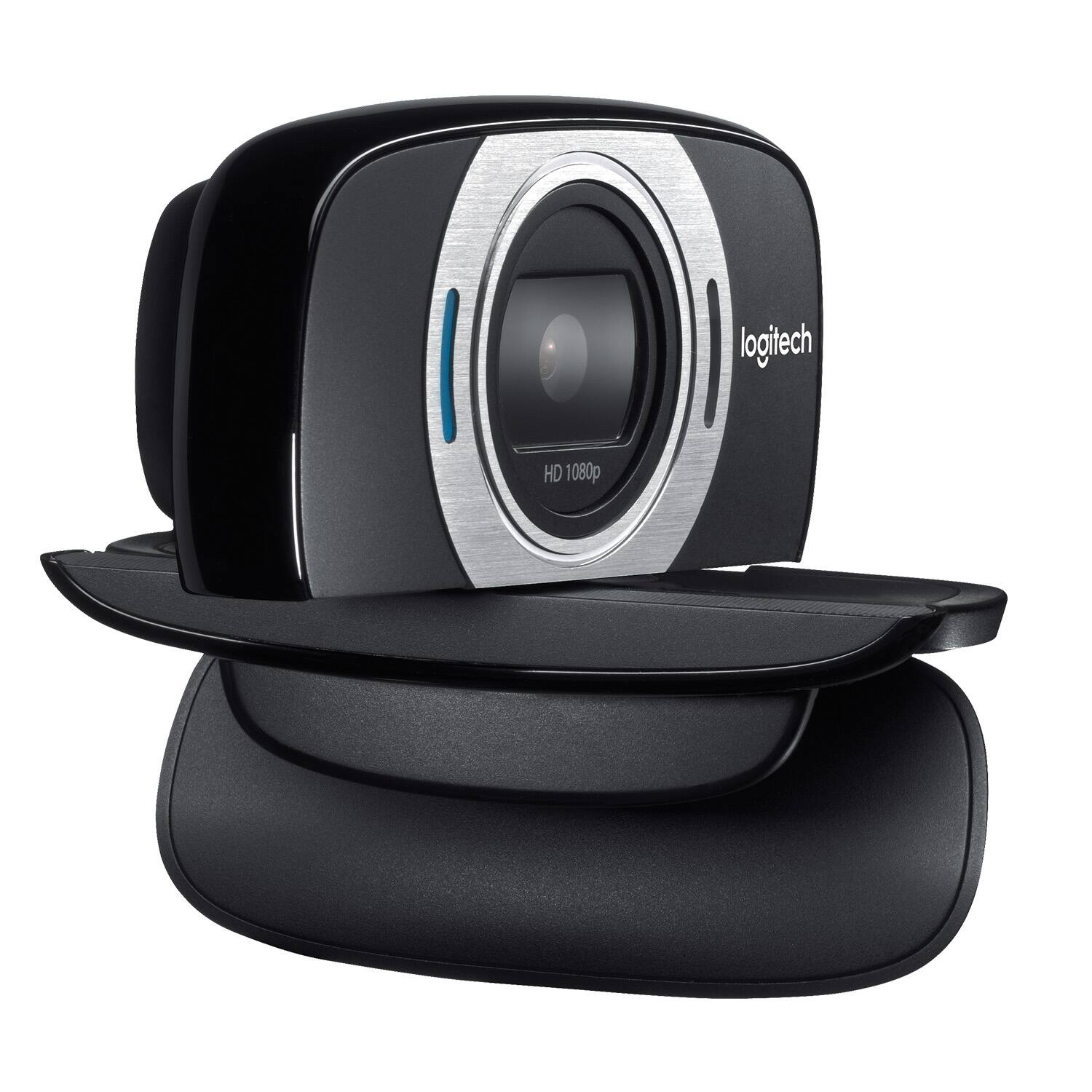
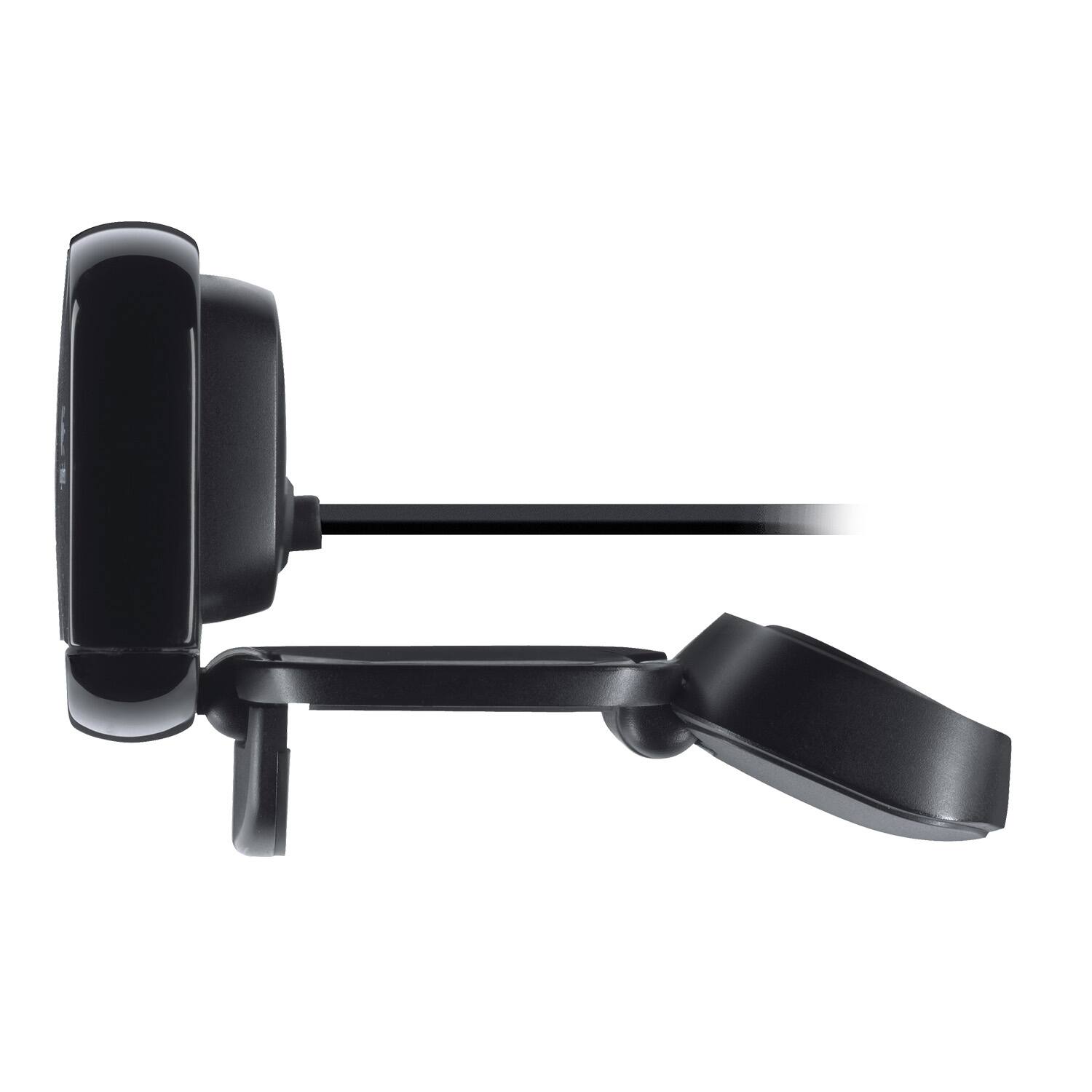
Posted .This reviewer received promo considerations or sweepstakes entry for writing a review.Pros: -Plug and play with Win10. -I did download the control software, which is easy to use -The mounting options and folding camera are nice. Will set on a desk or mount on a monitor or elsewhere. I really like that it folds up to protect the lens during travel. -Decent (speaking) voice and picture quality -Decent price point for what you get. Cons: -I see some don't like the short cord. Works OK for me, because I have a USB hub on my desk anyway -The "foot" of the mic covers part of the screen for thin bezel monitors. Annoying if you are trying to click an obscured browser tab or if the window controls are under it. -The video control software is really simplistic -Controlling the mic through windows is also very limited. -The mic is mono and must have some sort of noise reduction capabilities (which is normally good), but I also use my camera mic to record music/singing. It sounds like it's going through a chorus effect. Straight speaking or Acapella singing seems ok/ though. The mics on my ancient MS Lifecam are much better and stereo. Summary: Almost 4 stars (would have been if I didn't use my webcam to record music). Decent little webcam, that I will use for travel and backup.
I would recommend this to a friend Rated 1 out of 5 stars
Not working
||Posted .This reviewer received promo considerations or sweepstakes entry for writing a review.SmartTV does not recognize camera. I need to take this back. Salesperson recommended wrong item
No, I would not recommend this to a friendRated 1 out of 5 stars
cyndi
||Posted . Owned for 3 weeks when reviewed.This reviewer received promo considerations or sweepstakes entry for writing a review.I returned it because it would not reach my computer
No, I would not recommend this to a friendBrand response from Logitech
Posted .Hello cyndi, we are so sorry to hear that the C615 did not meet your expectations. The C615 has a shorter cable because it was built and designed with portability in mind. You can check out other great 1080p options on our website as well. I'll attach a link to our C920 webcam. I think you'll love that one a lot. Have a great day! -Ricky from Logitech. https://www.logitech.com/en-us/products/webcams/c920-pro-hd-webcam.960-000764.html
Rated 1 out of 5 stars
Color quality not good
||Posted . Owned for 3 weeks when reviewed.This reviewer received promo considerations or sweepstakes entry for writing a review.The video color quality is not well, too much brightness
No, I would not recommend this to a friendBrand response from Logitech
Posted .Hello, I am sorry to hear you are not satisfied with the product. Thank you for taking the time to write this review, we appreciate the feedback.
- Pros mentioned:Overall performance, Video quality
Rated 5 out of 5 stars
Great webcam out of the box.
Posted .This reviewer received promo considerations or sweepstakes entry for writing a review.I got this webcam 2 weeks ago from best buy close by my place and it was on sale. I was planning to get the Webcam C920 but sadly ,did not fit my budget that time,so i decided to get this webcam to try. I try to install the software from logitech.com and i never had any problems with it. Install the webcam on the spot took me only less than 10 mins im already using. Pictures are great and no problem using it on skype and yahoo. Mic works really well same as the video. So far til now i never had any problems with it on a window 7 pro. Happy and very satisfied with it and will recommend this webcam. Well priced at BestBuy.
I would recommend this to a friend - Pros mentioned:Resolution, Video quality
Rated 5 out of 5 stars
The First External Web-Cam that I have ever liked
Posted .This reviewer received promo considerations or sweepstakes entry for writing a review.The camera was easy to install. Comes with instructions, and also a tutorial when you plug it into your Windows 7 operating system. They take you step by step through the install and operations of the camera, as well as how to use the software and how to test for picture and sound. The camera has great resolution even in low light, which is the way it will probably be used. The mic was great and I tried it using SKYPE with my nephew about 1000 miles away. He was using his laptop camera, so what I saw was slower, choppier, and the sound was a little garbled at time. He said that I came across very clear, no jerkyness, and the sound was very good. The 'auto-focus' was pretty quick considering the low light. Once I tried it thru my windows, it took some great pictures of the surrounding mountains and trees. The 'auto-focus' was very quick in full light, and the 360 rotation was pretty smoothe. The software that comes with the unit allows lots of fun with backgrounds and special effects. He got a kick out of seeing me as an 'alien' using one of the effects. When I used it for still pics of myself, as well as other things around the room, they came out clear and concise. The MAGIX software was fairly easy to use, once I took a few minutes to learn how to use it and read some of the HELP files. To sum it up, I never had thought of using one of these, but after actually having one to try, I found I used it for lots of things and was able to save the pics and alter them easily with the software that is included. NOTE: With more and more ALL-IN-ONE desktops and most newer notebooks having web-cams installed, you may be tempted to pass up an external web-cam. However, the versitility and convienience of THIS cam, plus the superb video quality, should give you a reason to try this unit and see for yourself.
I would recommend this to a friend Rated 1 out of 5 stars
Ok
||Posted .This reviewer received promo considerations or sweepstakes entry for writing a review.The product is ok, I might take it back because I don't need it.
I would recommend this to a friend- Pros mentioned:Overall performance, Setup
Rated 5 out of 5 stars
Great webcam for the price
Posted .This reviewer received promo considerations or sweepstakes entry for writing a review.I bought this webcam for some business and personal use and it works great. Setup was easy and the quality is great for a $50 webcam
I would recommend this to a friend Rated 1 out of 5 stars
Difficult to Set Up
||Posted .This reviewer received promo considerations or sweepstakes entry for writing a review.It is not easy to set this camera up with a MAC Pro
No, I would not recommend this to a friend- Pros mentioned:Video quality
Rated 5 out of 5 stars
Logitech c615 is a very good webcam
Posted .This reviewer received promo considerations or sweepstakes entry for writing a review.The Logitech HD Webcam is a very good Webcam which would get 4.5 stars if I could rate it that way. Prior to this webcam I had a Logitech - HD Webcam c525. The c615 makes various improvements over the c525 while keeping the same form factor. Setup: Setup was a easy and the camera works on both formats (PC and MAC) Making it easy for people like myself to take this webcam to family members houses and Skype to other family members when times they can't make it to a holiday party and stuff like that. it comes with instructions and a tutorial which walks you through the entire process. I don't think you will have a headache setting this up. HD Videos: The videos on this Webcam is crystal clear, much better then I expected when Video blogging. It captures Full HD 1080p at a very good frame rate with the perfect aspect ratio for playback for TVs, Phones, and etc. Personally I wasn't use to 1080p since I only had a 720p video webcam, I will never go back to my old c525 the auto focus seems much better on this version too. Auto light correction is good but it's not the best. it does adapt to the lighting situation just a little slower then expected. HD Video Web Calling: This is where this Webcam shines. I've tried it with various Messengers like Windows Live, Yahoo Messenger and Skype and all were FANTASTIC! Especially in HD 720. The mic picks up everything you say even if you talk really low. I could be all the way in the bedroom from my living room and speak. My friends could still hear what I say, They also said that the camera had no problems with choppy frame rates with my movements. Every messenger I've used picked the webcam quickly. HD 8MP Photos: Loved it. I take goofy pictures all the time and it picked up on my quick movements and capture the picture clear. Its very fun to use when you want to take self portraits. If your using the Logitech software provided it gives you a count down to take the pictures. More then likely though your not buying this webcam for stills but its a nice added bonus. Software: The software comes with backgrounds and special effects. It's fun to use and the kids love taking pictures with these and here is the fun part...All of this comes with The 1-click upload making your social network life easy. Once setup you can click buttons that allow you to upload to Facebook, YouTube, Twitter and E-mail. This is perhaps one of my favorite features of this whole package. it also comes with MAGIX software, Webcam controller and other "APPS" you can add. Overall: You should really check out the c615 because it in the perfect price range for what it offers. Webcam like this is perfect for desktop setups which most of my family has but I highly recommended to anyone with a Laptop or Mac . It is very clear at capturing HD videos to HD Webcam conferencing. My only gripe about it is that sometimes the Logitech HD Pro Webcam C920 goes on sale from $99 to the price of this c615. If you want more features like a Carl Zeiss Lens at the same price look out for the C920 from time to time. Other then that this is a must buy.
I would recommend this to a friend - Pros mentioned:Ease of use, Video quality
Rated 5 out of 5 stars
Quality HD Under $100 with Huge Functionality
Posted .This reviewer received promo considerations or sweepstakes entry for writing a review.My C615 Is Awesome I don't use it for audio much as I have a great PC microphone, but the video is crisp and records well. Only issue is recording video in 1080p has some weird format issue from the compression, but 720 is good enough for most occasions. I also video chat and live stream with it and it looks great there, and then the 1080p formatting isn't such a problem.The other great features are it comes with an extension cable and its easily adjustable as well as nicely folding up for portability that can also protect the lens. It usually sells for $75 but I got it for $50 and I would've happily paid $25 more for it.
I would recommend this to a friend - Pros mentioned:Overall performance, Video qualityCons mentioned:Cable length
Rated 4 out of 5 stars
Really good, but short cord
Posted .This reviewer received promo considerations or sweepstakes entry for writing a review.This was really good quality, but the cord was a little short. I use it on a Mac and use it for stop motion animation projects for school. I use it for clay, objects, chalk, and even live action stop motion and it works great for all. You have to be careful with lighting, because it is not easy to get it perfect, but still good quality.
I would recommend this to a friend - Pros mentioned:Overall performance, Video qualityCons mentioned:Cable length
Rated 5 out of 5 stars
Perfect camera for the price
Posted .This reviewer received promo considerations or sweepstakes entry for writing a review.Camera view is clear, the sound is clear. The cable is short but isn’t an issue with my set up. I got this camera last minute and it was on sale. Really really happy with it.
I would recommend this to a friend - Pros mentioned:Video quality
Rated 5 out of 5 stars
Great Webcam and Quick Set Up
Posted .This reviewer received promo considerations or sweepstakes entry for writing a review.Bought this as a Christmas present and the person loved it. It set up in minutes and has crystal clear picture as long as your internet can handle uploading the video feed. Great camera for any type of user!
I would recommend this to a friend - Pros mentioned:Video quality
Rated 5 out of 5 stars
Very good quality video
Posted .This reviewer received promo considerations or sweepstakes entry for writing a review.The video quality is very nice, It comes with other features as well such as face detection so you don't have to keep your face at one place. The camera actually moves with the movement of your face.
I would recommend this to a friend