Customer Ratings & Reviews


- Model:
- 920-012658
- SKU:
- 6583981
Rating by feature
- Value
Rating 4.3 out of 5 stars
- Quality
Rating 4.4 out of 5 stars
- Ease of Use
Rating 4.5 out of 5 stars
Customers are saying
Customers commend the product's solid and well-built keyboard, effective protection, and precise fit for their device, alongside its user-friendly design and sturdy kickstand. However, some users have noted concerns regarding the increased weight and occasional connectivity issues. Additionally, while the case material has received some criticism, the price point is generally appreciated.
This summary was generated by AI based on customer reviews.
Review
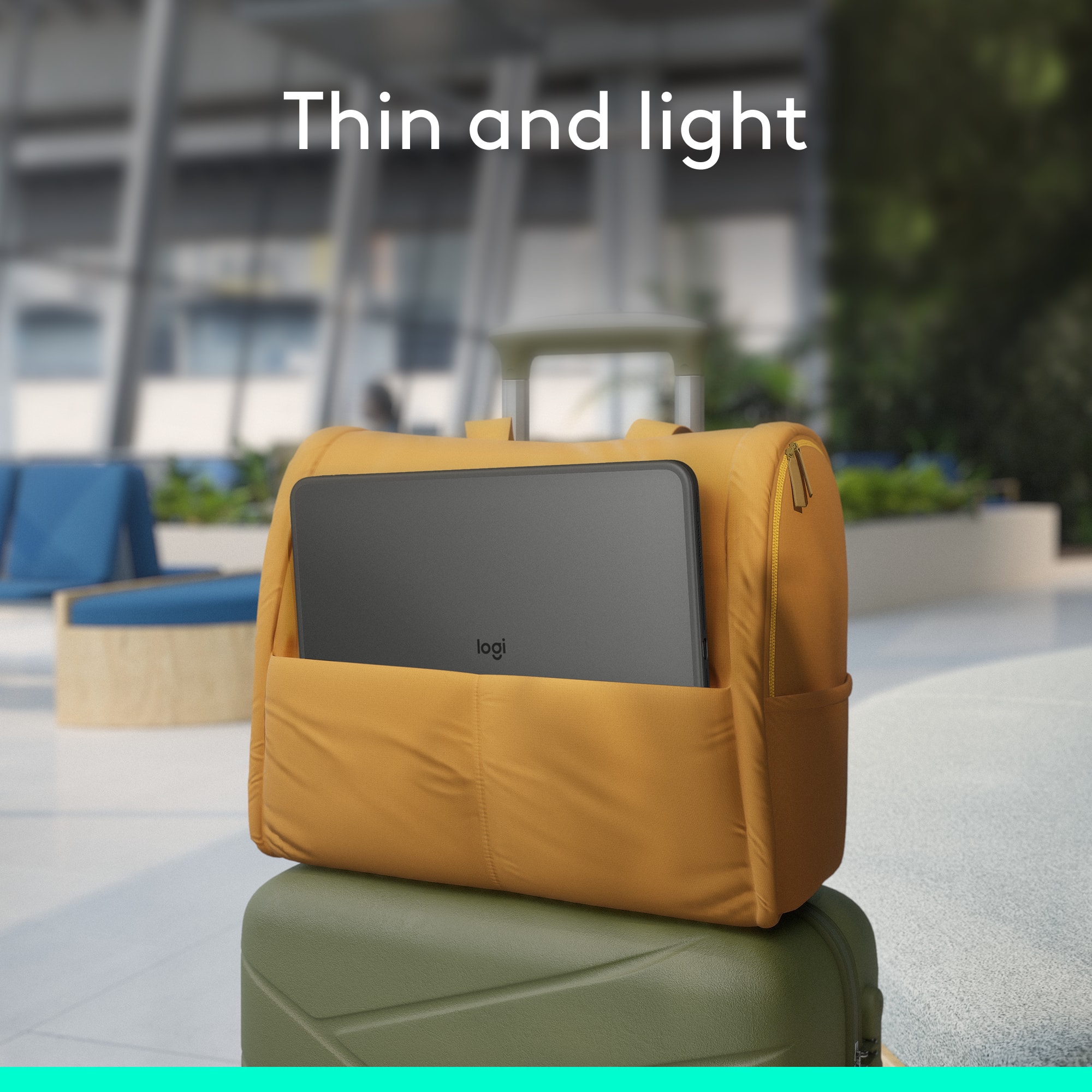
||Posted . Owned for 1 month when reviewed.This reviewer received promo considerations or sweepstakes entry for writing a review.Excellent Product! Would buy again!! Perfect for travel
I would recommend this to a friendBrand response from Logitech
Posted .Thanks for the great review of the Combo Touch for iPad Pro! We're thrilled to hear it's perfect for travel and that you'd buy it again.
Not what Logitech used to be
||Posted . Owned for 1 month when reviewed.This reviewer received promo considerations or sweepstakes entry for writing a review.Always had good results with Logitech but not this one. It was redesigned from my earlier one. The iPad Pro did not fit into the case well and only with an extraordinary stretch. Then the charging port did not line up with the case outlet so the charging cord would not fit in very well. We’re very disappointed and returned.
No, I would not recommend this to a friendBrand response from Logitech
Posted .We're truly sorry to hear about your experience with the Logitech Combo Touch for iPad Pro 13-inch (Latest Model) Keyboard Case. We regret that it didn't meet your expectations. We'll share your feedback with our team to help us improve.

Edges fall apart
||Posted . Owned for less than 1 week when reviewed.This reviewer received promo considerations or sweepstakes entry for writing a review.When you take the iPad out of the case, the rubber edges start coming apart from the plastic. You need to be very careful if you ever remove the iPad from the case. I only had my case for 10 days and the edges started coming apart. I do not recommend it for the price.
No, I would not recommend this to a friendBrand response from Logitech
Posted .We're so sorry to hear about the edges of your case coming apart after only 10 days. That's definitely not the quality we expect, and we understand your disappointment, especially considering the price. We appreciate you bringing this to our attention and will take your feedback seriously. To address this issue, we recommend reaching out to our social care team via email at socialcare@logitech.com with your
- Name:
- Email Address:
- Country:
- Product Name:
- Brief description of issue:
Good but not so good...
||Posted . Owned for 2 weeks when reviewed.This reviewer received promo considerations or sweepstakes entry for writing a review.Good product but not easy to keep clean. Also the material where the kickstand is looked like it was liffting and would eventually start to tear. If they had used or if they will use a different material in the future may consider. But for the price tag and not feeling lile it would last me long with out the material tearing.
No, I would not recommend this to a friendBrand response from Logitech
Posted .We appreciate your feedback on the Logitech Combo Touch for iPad Pro. We understand your concerns about keeping it clean and the potential for tearing near the kickstand due to the material used. We apologize for any concerns about its long-term durability and the inconvenience this has caused. We will take your feedback into consideration for future product development.
Nice but?
||Posted . Owned for 4 months when reviewed.This reviewer received promo considerations or sweepstakes entry for writing a review.Nice cover but it keeps separating along bottom. I wish Logitech would fix this. Have replace this 3 times.
No, I would not recommend this to a friendBrand response from Logitech
Posted .We appreciate your honest feedback. It helps us identify where we can improve and provide a better experience with the Logitech - Combo Touch for iPad Pro 13-inch
Clumsy
||Posted . Owned for 3 weeks when reviewed.This reviewer received promo considerations or sweepstakes entry for writing a review.Not an easy device to work with due to this piece.
No, I would not recommend this to a friendBrand response from Logitech
Posted .We appreciate your honest feedback. It helps us identify where we can improve and provide a better experience with the Logitech - Combo Touch for iPad Pro 13-inch
Not recommended
||Posted . Owned for 10 months when reviewed.This reviewer received promo considerations or sweepstakes entry for writing a review.Side buttons don’t work. Does not last long Very over priced for short life
No, I would not recommend this to a friendBrand response from Logitech
Posted .Thank you for sharing your experience. We’re sorry to hear about the issues with the side buttons and product lifespan, as well as your disappointment regarding the value. To address this issue, we recommend reaching out to our social care team via email at socialcare@logitech.com with your
- Name:
- Email Address:
- Country:
- Product Name:
- Brief description of issue:
Terrible
||Posted .This reviewer received promo considerations or sweepstakes entry for writing a review.If I could give this keyboard negative start I would. I have lost buttons, the buttons I do have, have to be pressed extremely hard or multiple times to work. This keyboard is terrible.
No, I would not recommend this to a friendBrand response from Logitech
Posted .Hey! We are very sorry to hear that your Logitech Combo Touch is not working as expected and caused you such frustration. To help resolve this, we recommend contacting our social care team at socialcare@logitech.com. Please include the following information in your email:
- Name:
- Email Address:
- Country:
- Product Name:
- Brief description of issue:
Terrible
||Posted . Owned for 1 year when reviewed.This reviewer received promo considerations or sweepstakes entry for writing a review.Border is getting lose, the glue used was probably not the proper one. For the price it is unacceptable. it literally is falling apart after 12 months. The case part this is, the keyboard is fine.
No, I would not recommend this to a friendBrand response from Logitech
Posted .We’re really sorry to hear about your experience with the Logitech - Combo Touch for iPad Pro 13-inch. That’s not what we aim for. Please contact us at socialcare@logitech.com with your details so we can assist you directly.
Terrible Keyboard Touchpad
||Posted . Owned for 1 month when reviewed.This reviewer received promo considerations or sweepstakes entry for writing a review.Can’t rest palms on the palm rest. Palms hit touchpad and moves the mouse while typung. Do Not Buy this if you want a keyboard.
No, I would not recommend this to a friendBrand response from Logitech
Posted .Hey! Apologies for the experience you had. I will take this as a feedback and share it with the dedicated team. Thanks!
iPad keyboard
||Posted . Owned for 7 months when reviewed.This reviewer received promo considerations or sweepstakes entry for writing a review.The keyboard only works part of the time. The spacebar doesn’t work at all. I can’t keep it on the ipad
No, I would not recommend this to a friendBrand response from Logitech
Posted .Thank you for sharing your feedback on the Logitech Combo Touch for iPad Pro. We're sorry to hear that the keyboard is only working intermittently and that the spacebar is completely non-functional. To address this issue, we recommend reaching out to our social care team via email at socialcare@logitech.com with your
- Name:
- Email Address:
- Country:
- Product Name:
- Brief description of issue:
GARBAGE
||Posted . Owned for 7 months when reviewed.This reviewer received promo considerations or sweepstakes entry for writing a review.Garbage, the hinge loosens up after a few weeks and slips open in your bag. The keyboard is cheap and should never have been used. The track pad jumps around, it even moves when not touching it.
No, I would not recommend this to a friendBrand response from Logitech
Posted .Thank you for your feedback, and we're sorry to hear about your experience. We apologize for the inconvenience caused and appreciate you sharing your concerns—it helps us improve.
Cheap, poorly constructed and falling apart
||Posted . Owned for 1 month when reviewed.This reviewer received promo considerations or sweepstakes entry for writing a review.Very poor craftsmanship. Mine is already separating at the edges after one month. Mouse pad is too large and easily activated accidentally while trying to type. Will not buy another one ever again.
No, I would not recommend this to a friendBrand response from Logitech
Posted .We are very sorry to hear about the issues you are experiencing with the construction and durability of your keyboard case, as well as the accidental trackpad activation. We apologize for the poor quality and the inconvenience this has caused. To address this issue, we recommend reaching out to our social care team via email at socialcare@logitech.com with your
- Name:
- Email Address:
- Country:
- Product Name:
- Brief description of issue:
Eh
||Posted .This reviewer received promo considerations or sweepstakes entry for writing a review.It’s ok at best. It sometimes doesn’t work when you want to type it has to be at just the right angle. I wish I spent the extra money.
No, I would not recommend this to a friendBrand response from Logitech
Posted .We appreciate your feedback regarding the Combo Touch for your iPad Pro. We understand that the typing angle is not consistently meeting your expectations, and this input is valuable as we continuously strive for product improvement. Please know we're committed to delivering a reliable experience for all our customers.
- Pros mentioned:Keyboard quality, Kickstand, Protection

Stylish, functional protection
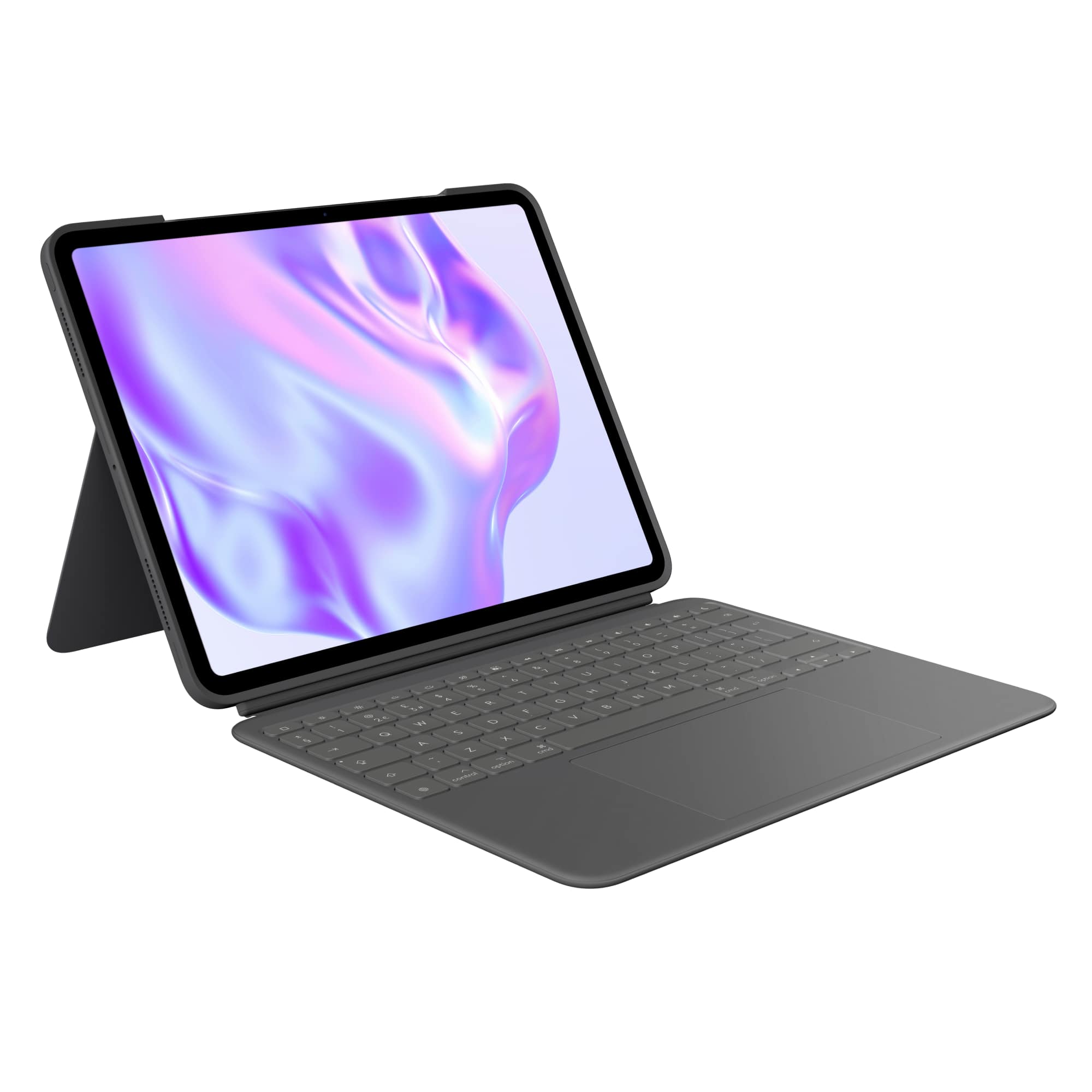
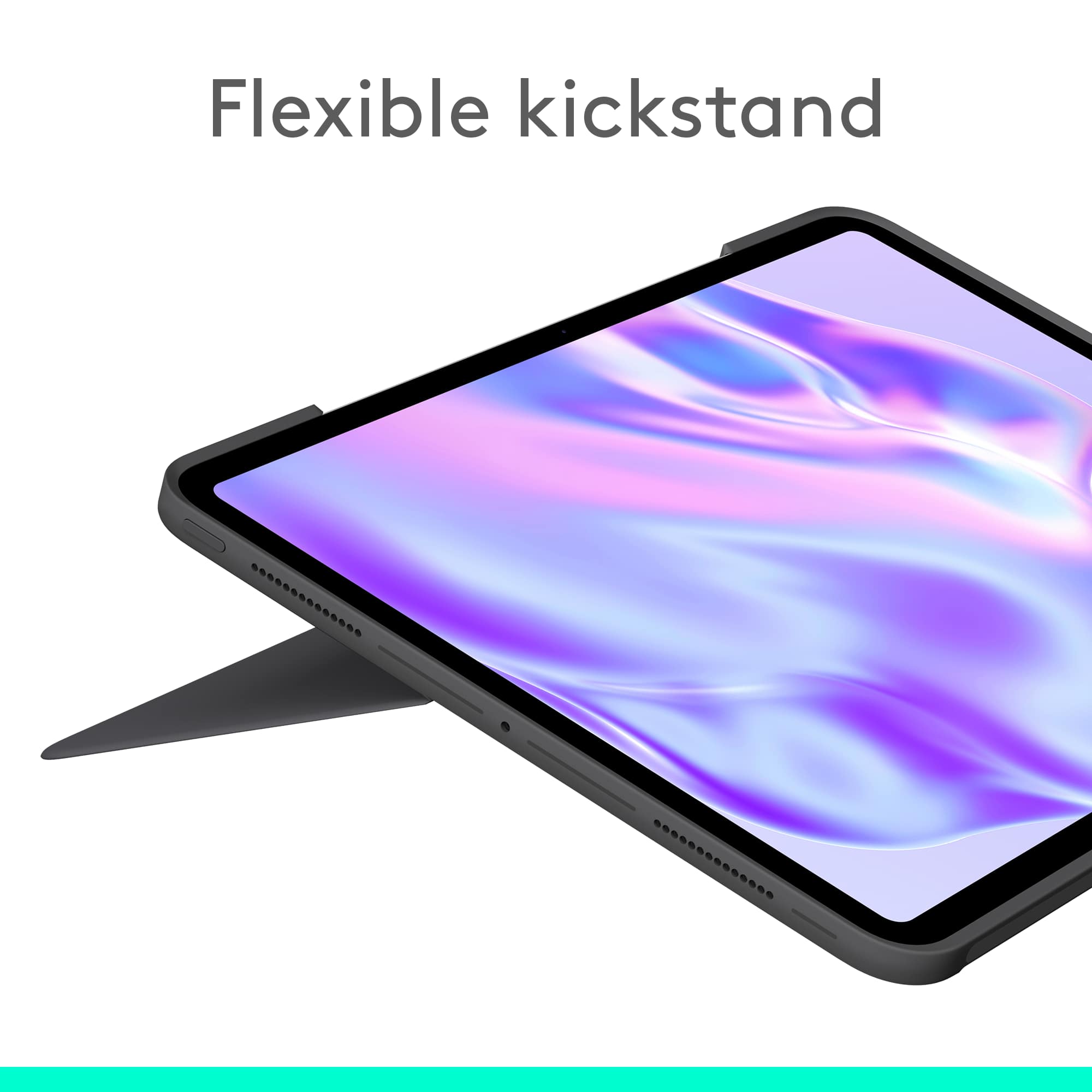
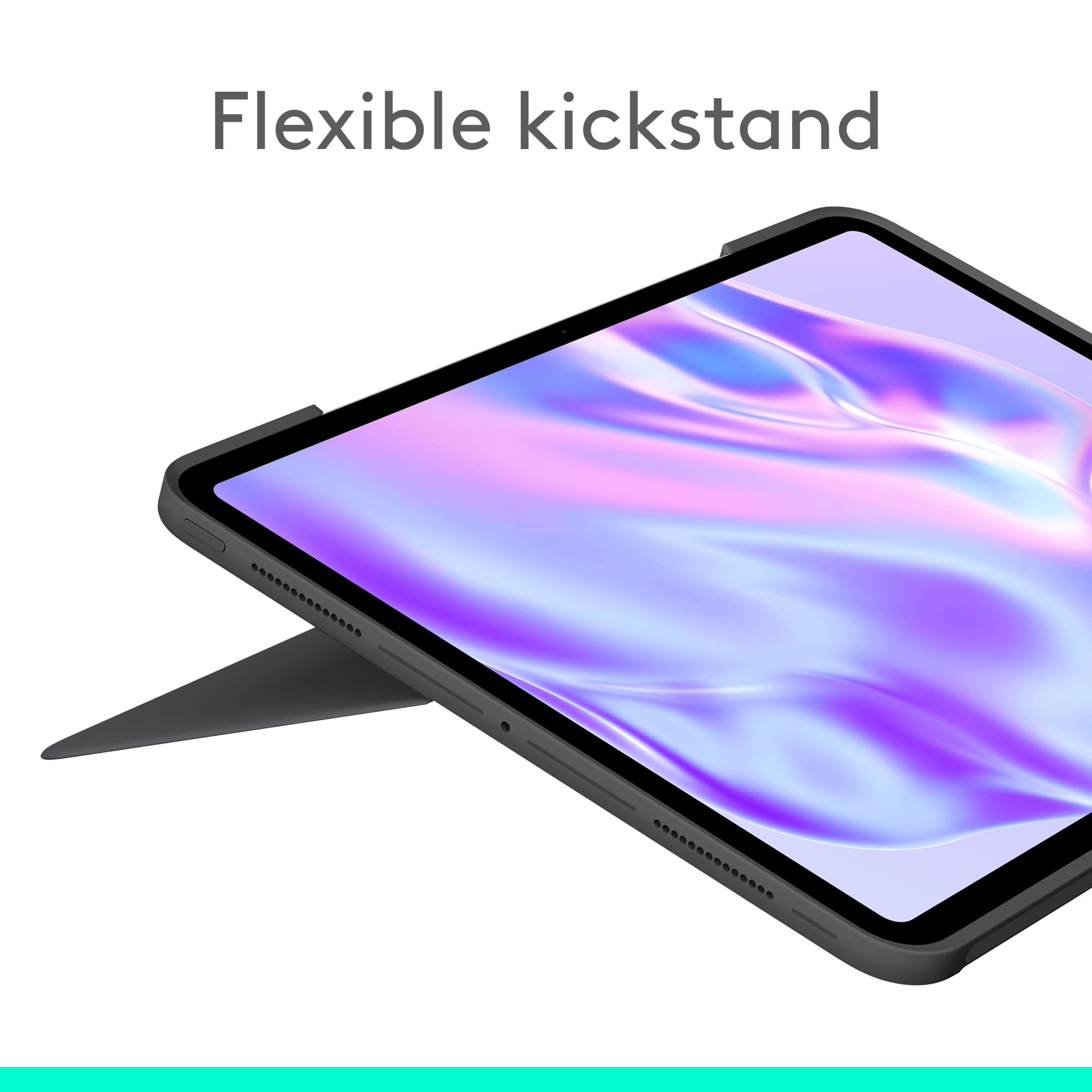
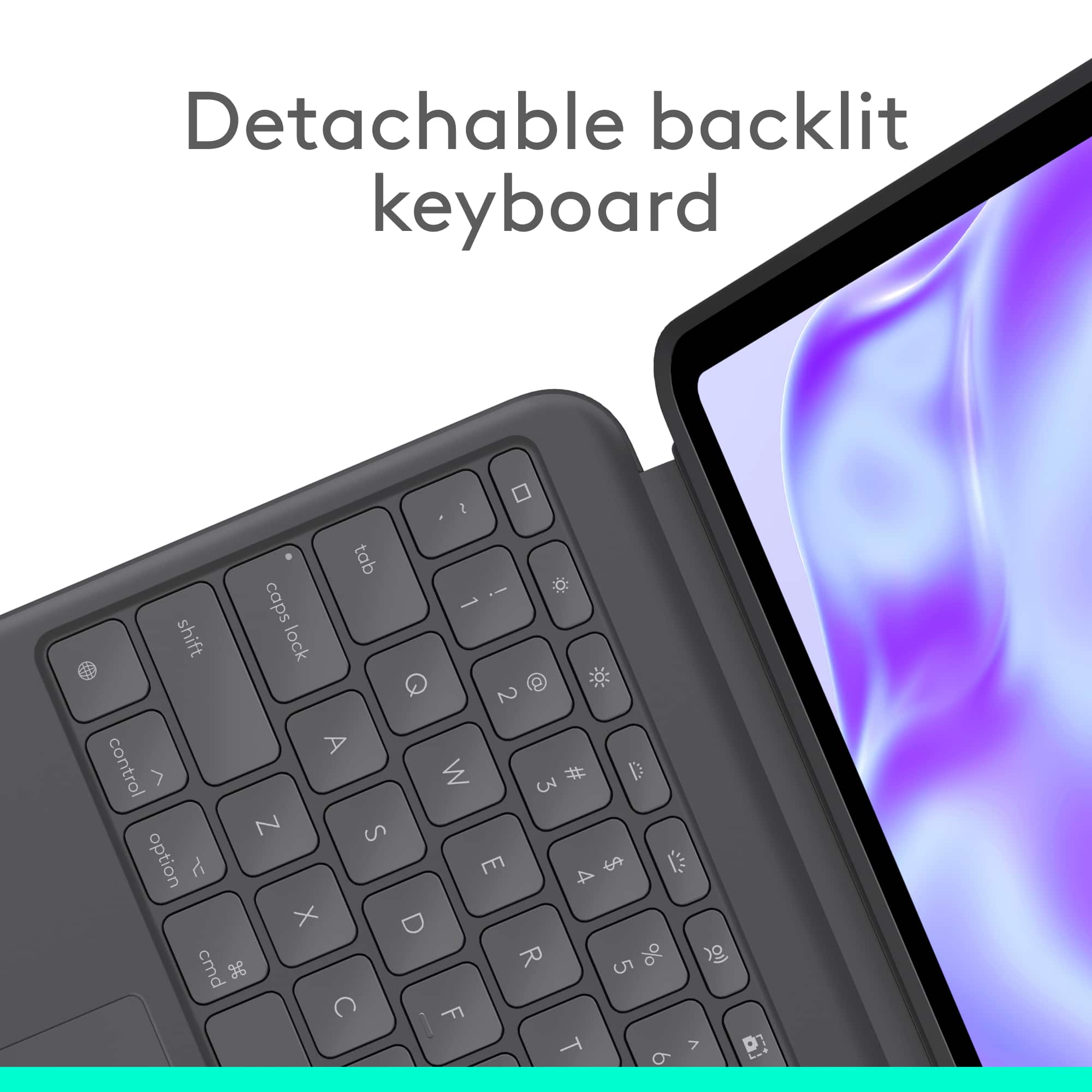
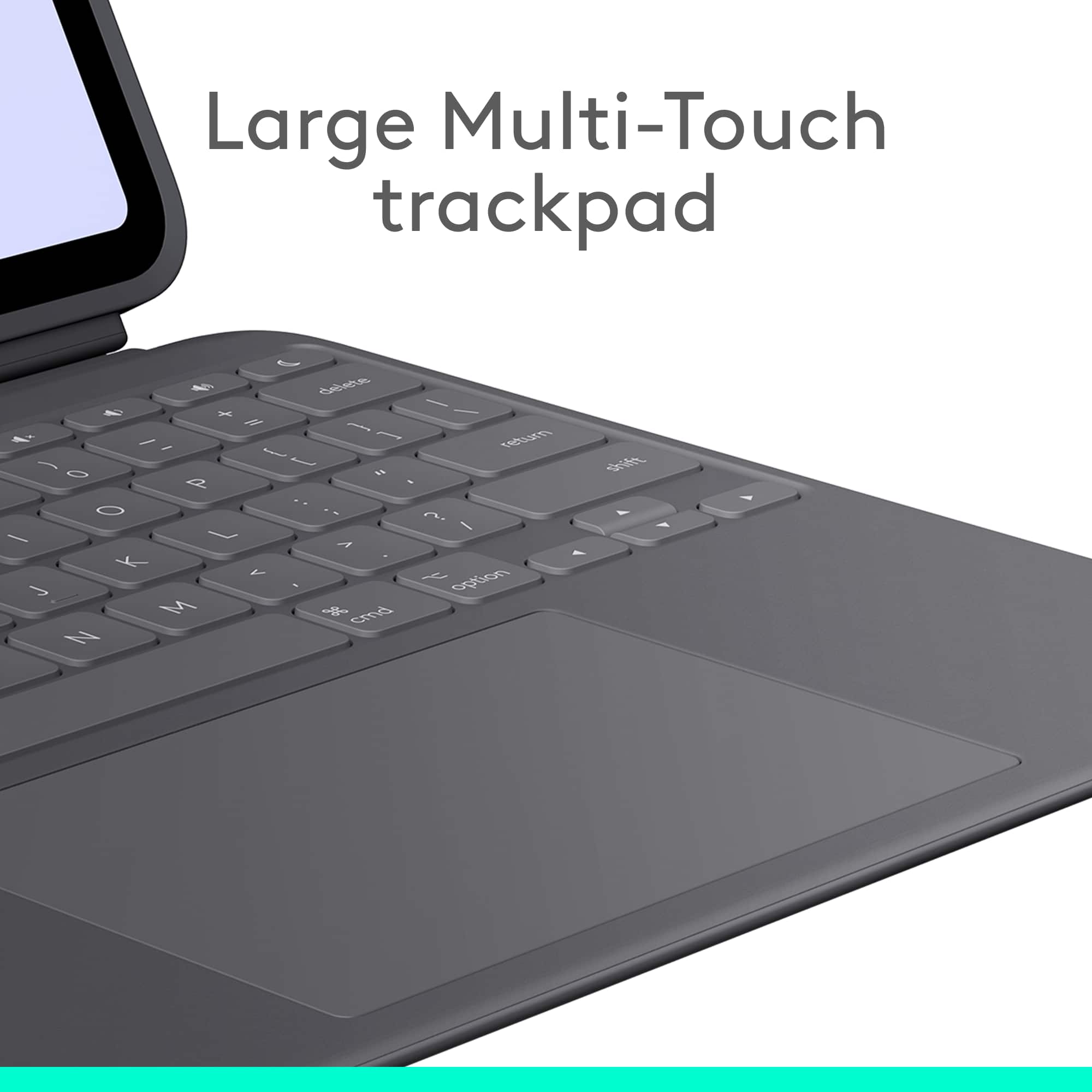
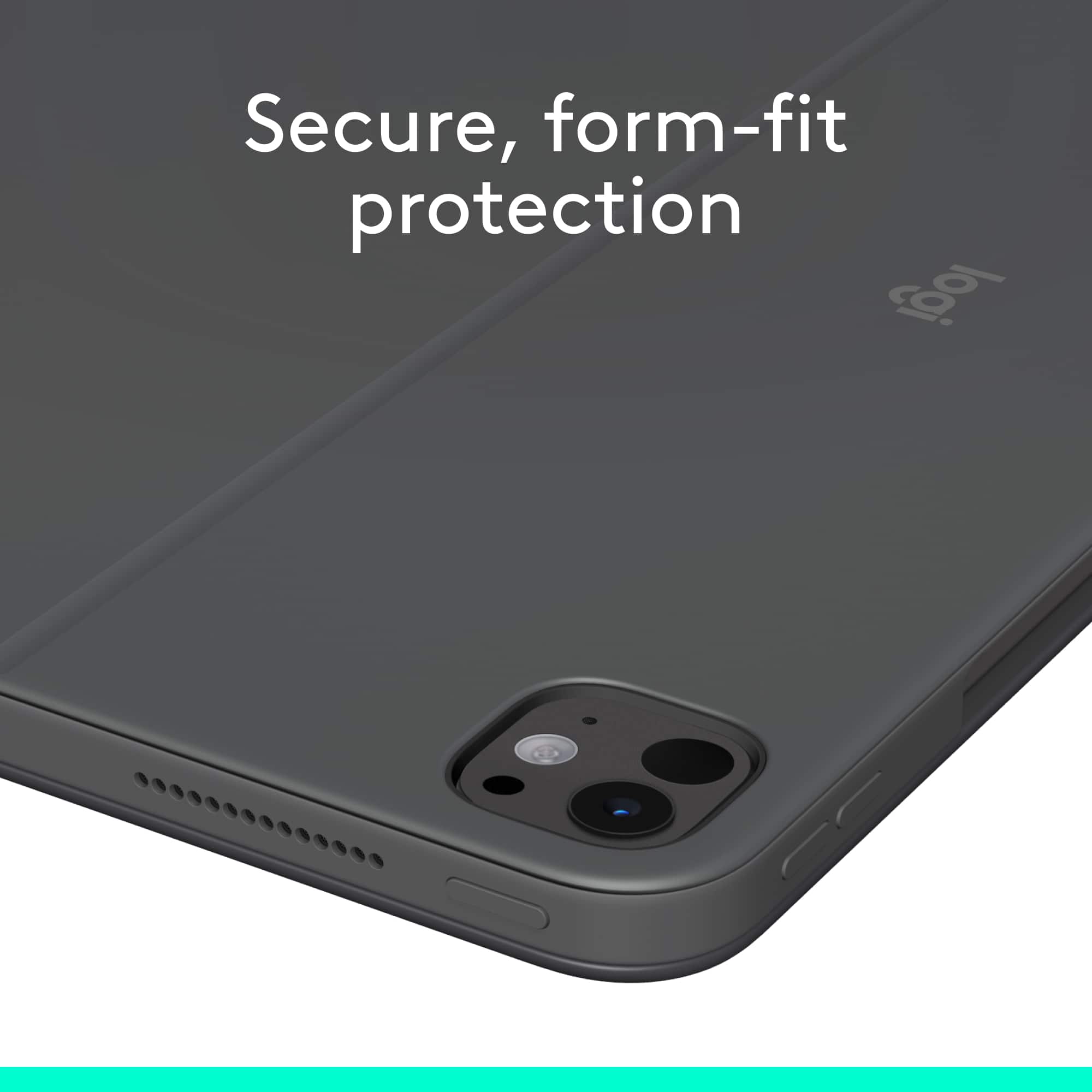
|Posted .This reviewer received promo considerations or sweepstakes entry for writing a review.The Logitech combo touch keyboard case for the iPad pro 13-in model with the m4 chip gives tons of flexibility and convenience for using your iPad. Aesthetically, it offers a sleek look to the iPad, making it look more like an actual laptop, and it gives it a very professional look. The case features a kickstand which is excellent, especially if you want to use your iPad at a convertible desk that can be both standing and sitting. It has a wide range of flexibility, giving you many viewing angle options. The keyboard is also removable if you are watching movies on a small surface, using your iPad more as an ebook reader, or drawing on it. Being able to remove the keyboard is a nice feature, when you need it, but for the most part you will probably just leave the keyboard connected. Another feature that I absolutely have to have on keyboards these days is being backlit. The keyboard is backlit and features a multi-touch trackpad with excellent sensitivity. All of these great features are fantastic, accompanied by the fact that this case also adds protection for your iPad to help protect it from drops and other accidents.
I would recommend this to a friendBrand response from Logitech
Posted .We're thrilled to hear that you're so impressed with the Logitech Combo Touch Keyboard Case! You positive feedback about its design, functionality, and protective features is fantastic. Thank you for choosing Logitech.
Damaged via extremely bad packing
||Posted . Owned for 1 week when reviewed.This reviewer received promo considerations or sweepstakes entry for writing a review.Arrived damaged. Packaged badly without enough packing materials. Box got wet and collapsed, had to be retaped, and arrived as a tangled mess with holes.
No, I would not recommend this to a friendBrand response from Logitech
Posted .We sincerely apologize for the damaged package and the condition of your Logitech Combo Touch Keyboard Case for iPad Pro 13-inch (M4 chip). Please contact your place of purchase to request a replacement.
Keyboard
||Posted . Owned for 1 month when reviewed.This reviewer received promo considerations or sweepstakes entry for writing a review.Not like it use to be and I couldn’t keep it to stay in place. The old one for 12.9 was better
No, I would not recommend this to a friendBrand response from Logitech
Posted .We appreciate your feedback regarding the keyboard case and are sorry to hear that it didn't meet your expectations in terms of stability and overall design compared to the previous model. We apologize for any inconvenience this may have caused.
- Pros mentioned:Keyboard quality, Protection
Good unit, but there is a trade-off...
|Posted .This reviewer received promo considerations or sweepstakes entry for writing a review.Anyone with an iPad who is interested in replacing their laptop or have a much better typing experience needs to purchase a case that also incorporates a keyboard. Given the charging ports built in to the iPad Pro, having a stand alone bluetooth keyboard may be a solution, but it can also be a pain as it will not maintain a charge through the iPad, meaning one more charging cable to carry around. Additionally, the iPad needs to be propped up (unless you want to use the iPad flat on a desk, your lap, or some other surface). Apple does make a case/keyboard combo that works great and really bridges the gap between laptop and iPad. However, this solution directly from Apple is not perfect as the keyboard is an integral part of the setup, so if you want to prop up your iPad and watch a movie (without having to worry about the bulk associated with a deployed keyboard), you are out of luck. That is where the Logitech Combo Touch comes into play. The Combo Touch has a case that envelops the sides and back of the iPad. While I did not subject my personal iPad to a drop test to see just how good the protection is, I am fairly confident it is better than with Apple's solution as this case goes around the entirety of the iPad (as opposed to just magnetically attaching to the back of the iPad without any protection for the sides/edges. The Logitech Combo Touch also has a kickstand off the rear that allows for positioning of the iPad vertically (you can stand it up, just as it shows in the picture). One other feature of the Combo Touch is that the keyboard can be completely removed or folded back so that the iPad can be used without the keyboard. Also, when attached, the keyboard is powered by the iPad itself, so no separate charging concerns exist. The problem that arises, however, is that the flexibility to remove the keyboard also diminishes the functionality of. the Combo Touch when trying to use it with an iPad in a laptop fashion. The Combo Touch must be used on a flat surface that has ample space to accommodate the keyboard (and the kickstand off the rear). Personally, this means no using it in bed because I cannot set the unit down on my lap without it falling over. I also cannot use it on an airplane because the trays are too short and, as I just mentioned, I also cannot place it on my lap without it falling over. (This is not a problem with Apple's solution, however, as the hinge mechanism results in the iPad resting over the keyboard, which serves as the base of the iPad in quasi-laptop mode, for lack of a better thing to call it.) The top row of function keys on the Combo Touch are also just slightly different than included in Apple's solution. This is not a big deal, personally. The user just has to be familiar with the function keys on his or her particular solution and go from there. The keyboard is comfortable to type on and the touchpad works well. Again, on a flat surface with adequate room, the Combo Touch works great. If your surface is not flat/stable, however, there are issues.
I would recommend this to a friendBrand response from Logitech
Posted .Thank you for your detailed review of the Logitech Combo Touch for iPad Pro 13-inch (M4 chip) Keyboard Case! We appreciate your insights into the product's features and your comparison with other options. We'll continue to work on improving our product offerings to address potential limitations and cater to diverse user preferences.
- Pros mentioned:Keyboard quality, Protection
Worthy competitor to the Magic Keyboard
|Posted .This reviewer received promo considerations or sweepstakes entry for writing a review.Coming from the Apple Magic Keyboard, which I used on my three previous generation iPad Pro 12.9, I was hesitant to change anything with my routine. I was especially hesitant because I generally trust Apple OEM products but when I heard that Logitech, a company that I know puts out good products, was taking a fully integrated stab at the keyboard market for iPad, I dove right in. The most obvious difference between my Magic Keyboard and the Logitech Combo Touch is that the keyboard is detachable, and the back case stays on my iPad at all times. My general workflow with my iPad Pro at home is that I use it naked when I'm watching tv on the couch or sitting up in bed, but always magnetized to my Magic Keyboard when I'm outside the house. The Logitech case stays attached to my iPad, offering edge protection when not using the keyboard, with all proper port openings, magnetic connections, and a slot for my Apple Pencil to magnetically charge. The touchpad feels similarly responsive to the Magic Keyboard and the keyboard/backlight are equally useable, but the touchpad on the Logitech is significantly larger - maybe double the size. I never had any problem with the Magic Keyboard touchpad but bigger is better in this case. The two cases look almost identically sized. Of note, there's no integrated charging port on the Logitech like there is on the Magic Keyboard, which gives you a place to plug in the USB-C cable on the hinge. You'll have to plug in your iPad via the normal port, which isn't as sleek as having the wire sticking out of the corner when using on a desk. The only major thing I like better about the Magic Keyboard is the way that the floating hinge works. It brings the iPad screen closer to my face right behind the keyboard and that little bit of elevation makes using it on a desk slightly more comfortable. On an airplane, it also means that you'll end up with more space to use it. The depth of the Magic Keyboard in use is significantly smaller. Also, anyone who uses the Magic Keyboard knows that it doesn't have much play in terms of viewing angle, even though it generally doesn't feel like a detriment because the small range seems like it's perfect no matter where I'm using it. For some people, the Logitech's kickstand might be a positive, as it gives you a much bigger range of viewing angles. All in all, I'm happy with the keyboard because it's more important to me to have a case on it when I'm using it without the keyboard. The edge protection when it's in my bag is another huge positive for me.
I would recommend this to a friendBrand response from Logitech
Posted .Thank you for your detailed review of the Logitech Combo Touch for iPad Pro 13-inch (M4 chip) Keyboard Case! We appreciate your insights into the product's features and your comparison with the Apple Magic Keyboard. We'll continue to work on improving our product offerings to address potential limitations and cater to diverse user preferences.
Disappointing purchase
||Posted . Owned for 3 weeks when reviewed.This reviewer received promo considerations or sweepstakes entry for writing a review.The keyboard is too big to use unless on a table. Tried to return and Best Buy refused
No, I would not recommend this to a friendBrand response from Logitech
Posted .We apologize for any inconvenience caused by the Logitech Combo Touch Keyboard Case not meeting your expectations in terms of size. We understand that portability is important. If you're still within the return window, please contact Best Buy customer support to discuss potential resolution options.