Customer Ratings & Reviews


- Model:
- 920-010095
- SKU:
- 11209154
Rating by feature
- Value
Rating 4.5 out of 5 stars
- Quality
Rating 4.7 out of 5 stars
- Ease of Use
Rating 4.7 out of 5 stars
to a friend
Keyboard
||Posted . Owned for 4 months when reviewed.This reviewer received promo considerations or sweepstakes entry for writing a review.Broke in about 2 months so this is not a good quality
No, I would not recommend this to a friendBrand response from Logitech
Posted .We're sorry to hear that you've had a negative experience with our product. We take quality very seriously and we apologize for falling short in this area. We will investigate this further and take steps improve.

The app is useless just says your updated
|Posted .This reviewer received promo considerations or sweepstakes entry for writing a review.I have an ipad 11 2nd generation that i had in a full body clear case with no screen protector as the case included a built in screen protector. I was a bit apprehensive to remove my case and place into the logi keyboard case and close said keyboard onto my unprotected ipad screen. But the logi keyboard ipad holder section has a nice border around the screen with a raised lip that keeps the glass screen off the keyboard. Jon insertion of the iPad into the case, you get a message on your ipad saying you need and ipad, download of the app only says your updated.WASTE OF AN APP. The case is solidly built, adds some bulk to my slim ipad, as well as some weight. The ipad case holder part detaches easily and so I once shed of the keyboard, the ipad feels thin and light again and easy to handle again. Would it survive a fall, doubtful but the corners are reinforced so maybe a short drop. The keyboard has nice feel and travel, not sure about the use of what seems like Mac keyboard commands on the keypad like option key, control key, cmd key and so on. The backlight is easily controllable in brightness level but when off, makes the keys especially the top row nearly impossible to read the keys. I left the backlight at about 60 percent or thereabouts. I have been on the keyboard for over one hour as I type this review and my ipad has gone from 95% to 93%… 4 stars as i do not see the functionality of a mouse/track pad given. The ipad is a touch screen and much quicker to touch icons that slide across a trackpad. The typing on the keyboards though is the really star.
I would recommend this to a friendBrand response from Logitech
Posted .Hi, we're glad to see you're enjoying the Combo Touch! This is an amazing accessory to have with you iPad! Continue to enjoy your wireless freedom!
My New Favorite Case
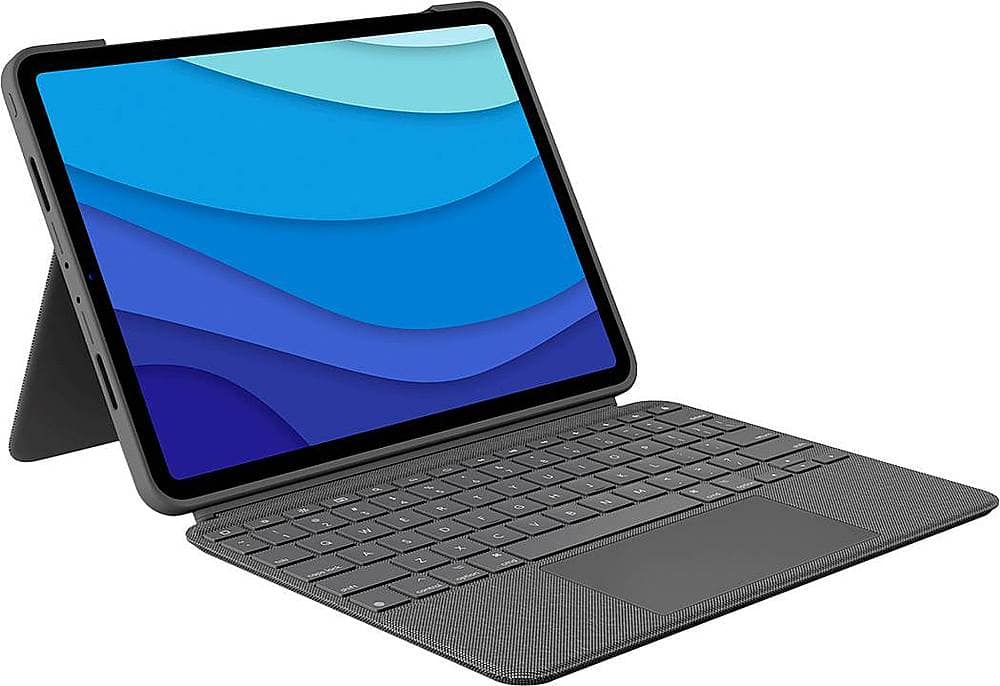
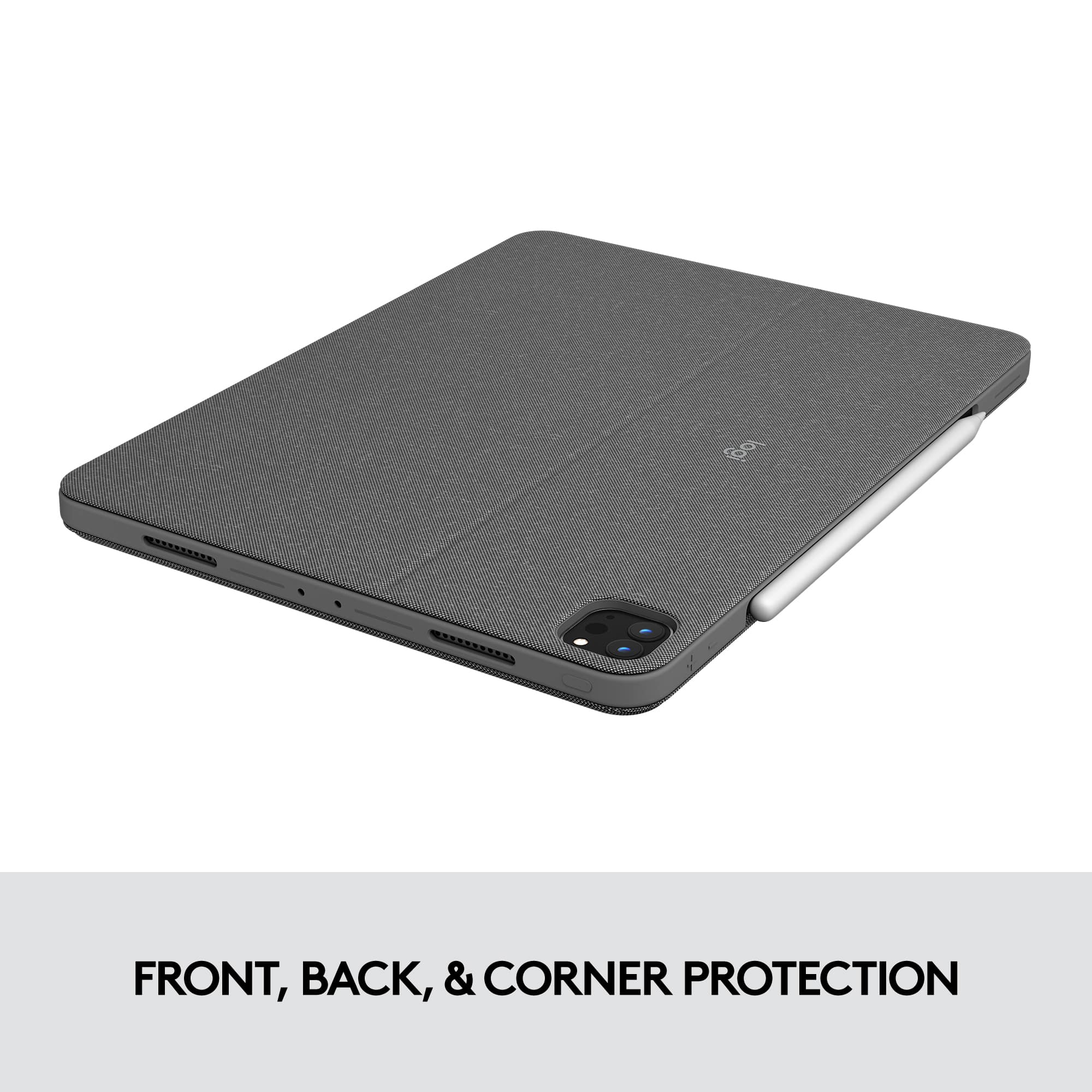
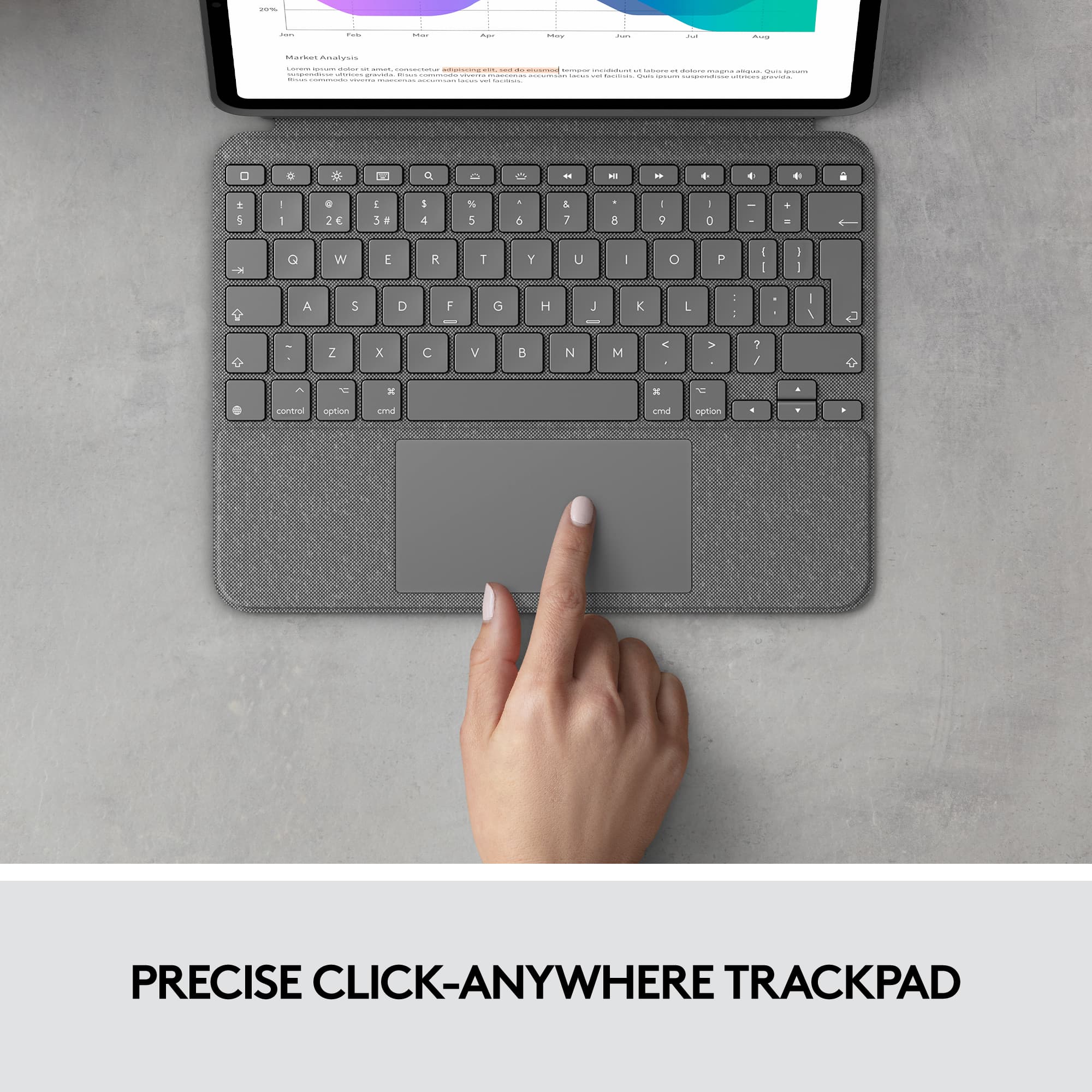
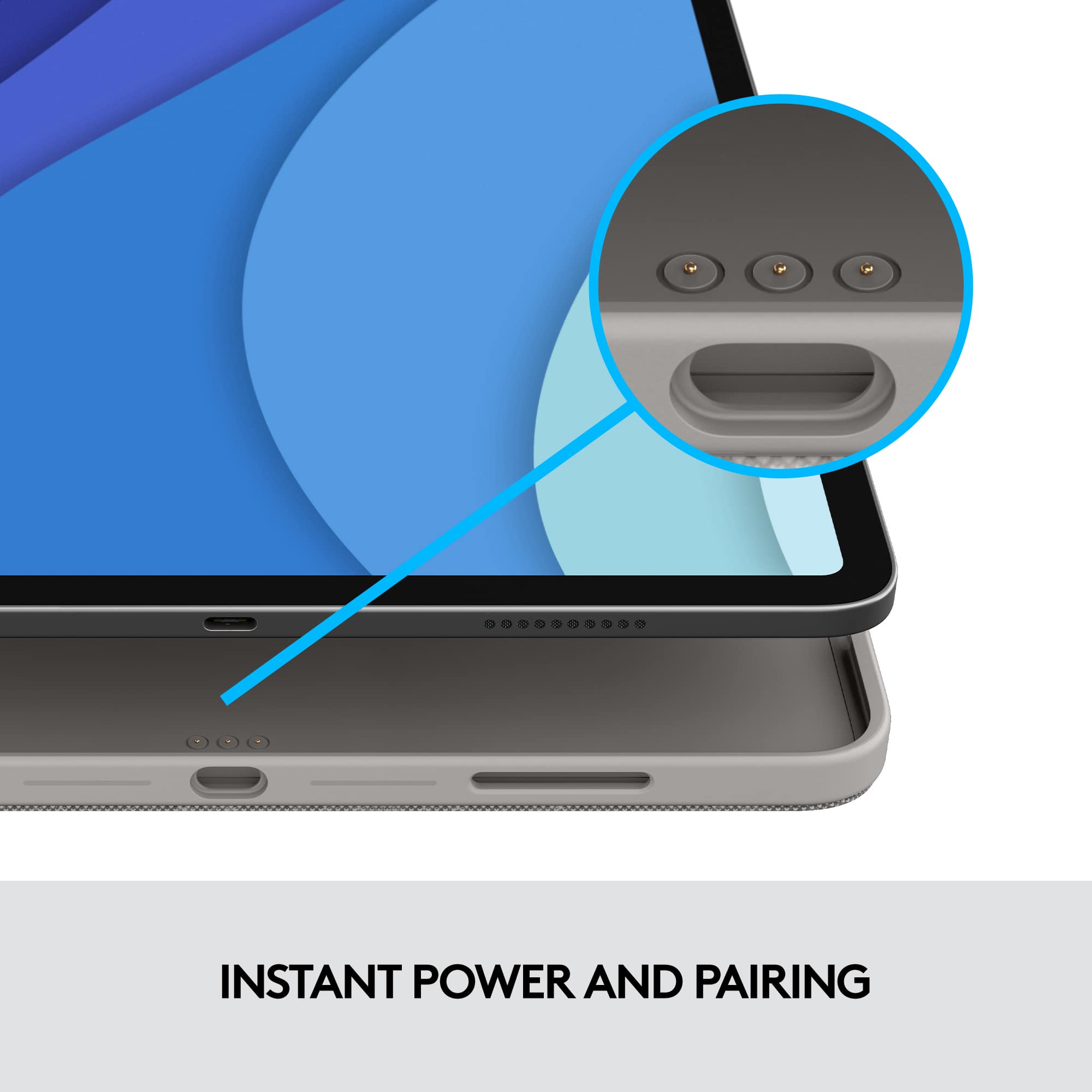
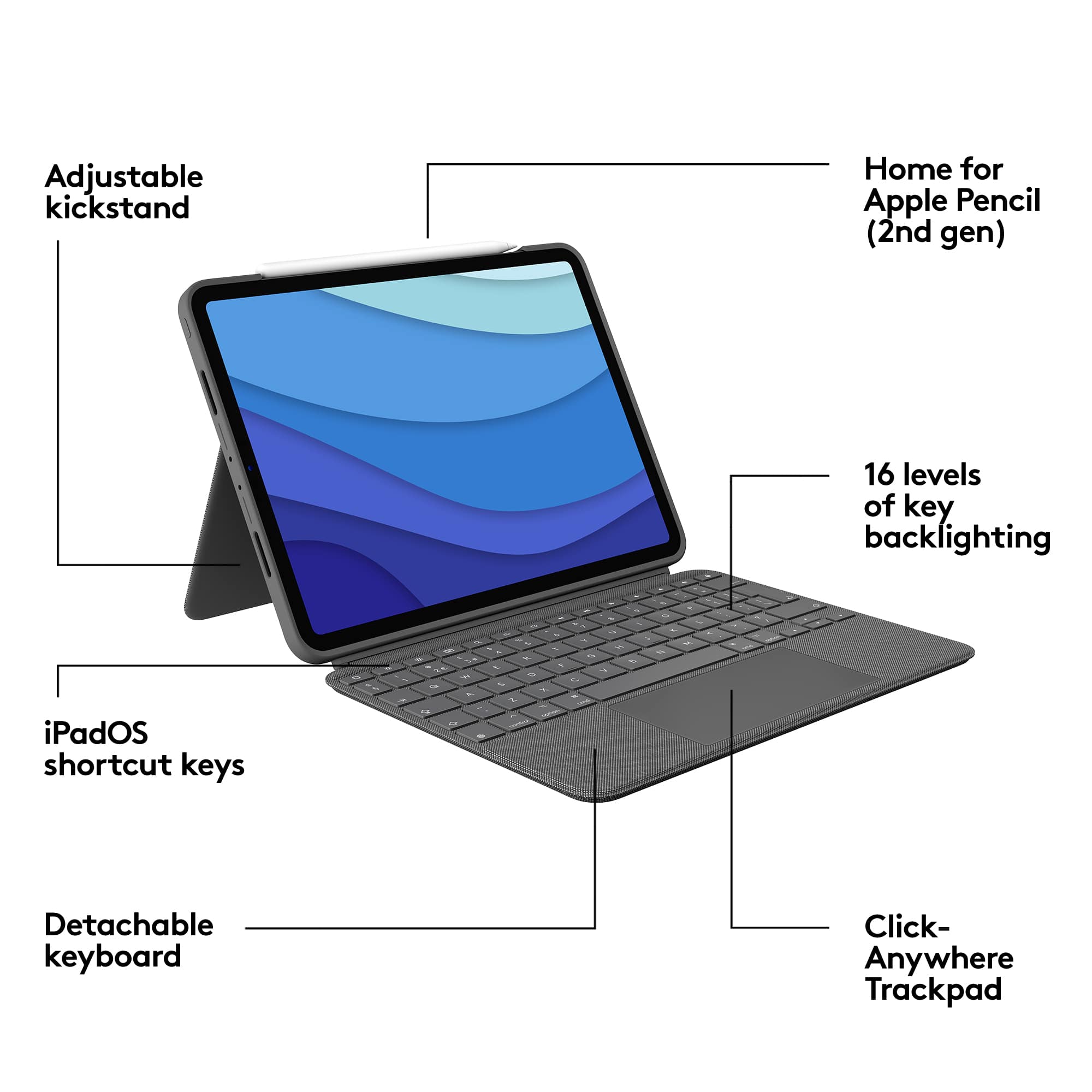
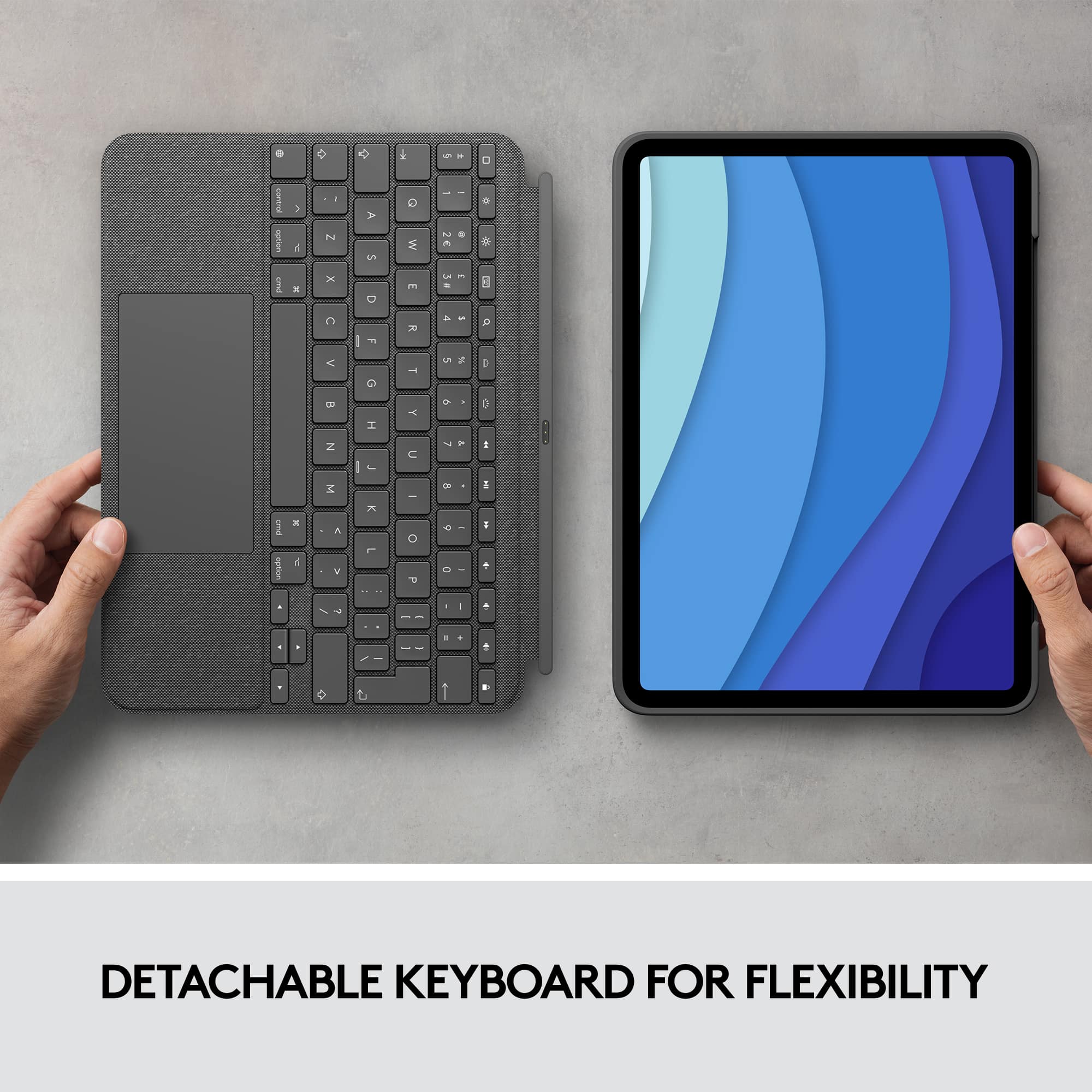
|Posted .This reviewer received promo considerations or sweepstakes entry for writing a review.Overall: An excellent case with pros & cons depending on your usage style I am a relatively casual iPad user with a 2020 iPad Pro, which I purchased to replace an ancient iPad 3 (part of my intent being the Pro model would stay “up to date” longer than the other models available at the time). I bought a simple folio case to go with my iPad but quickly realized if I wanted to use my tablet for anything more than casual social media scrolling, I’d need a keyboard. A few months later I bought a deeply-discounted keyboard-only, laptop-style case, and while I was impressed with the quality and convenience of the keyboard, I found myself wondering if I should have splurged for a case with a trackpad, now that Apple’s latest OS has system-level support. Enter the Logitech Combo Touch, from which I’m writing this review. This latest model from a longtime accessory maker features not only a keyboard, but a trackpad, powered by the iPad Pro’s Smart Connector and designed in such a way that the keyboard/trackpad half of the case can be magnetically detached from the rest of the case. Unlike Apple’s Magic Keyboard + Trackpad (or many competing models), this keeps your iPad in a case at all times, leaving you protected and free to use the case’s built-in kickstand with or without the keyboard attached. Setup is astonishingly simple: you pop the iPad into the case, snap on the keyboard … and that’s it. With Logitech using the built in Smart Connector there’s no need to pair via Bluetooth; things just work from the get-go. Settings menus appear in your iPad’s native Settings app to adjust the keyboard and trackpad, and upon first use a pop-up window asks you if you’d like to download Logitech’s app for the Combo Touch. I did so and found a simple app that’ll automatically notify you of any available firmware updates for the Combo Touch. Everything else is controlled from your iPad’s Settings menu, much like first-party accessories from Apple. Nice! The Combo Touch is well-built, with all parts feeling high-quality and manufactured in a smooth gray fabric weave covering which feels both durable and easy-to-clean. The keys and trackpad are rendered in a matching gray, with automatic key backlighting in a white color. I was immediately impressed by the spacing and key travel, with a typing experience not far off from a regular laptop. I especially appreciate the row of function keys above the number keys and the traditional “inverted-T” arrow keys which are easier to use by feel alone than some other designs. The keys are clicky without being too loud, and unlike my previous keyboard case they don’t wiggle while you’re typing. The trackpad is a joy to use. It’s nearly as large as a laptop trackpad and has a smooth surface with a good balance of traction and slick-ness to make gestures feel natural. As promised it supports all the native MultiTouch gestures with no stuttering or lag. If you’ve never used a trackpad with your iPad prepare to be pleased; it really does add a lot to the experience without getting in the way. I find myself bouncing between the trackpad and the touchscreen depending on what I’m doing in a pretty natural way and I appreciate that iOS is designed in such a manner that the cursor fades away when you’re not using it but always pops right back up when you need it, and that it snaps to icons and buttons throughout the interface to make usage a bit easier on a touch-centric machine. I had no trouble with unintentional inputs while typing either. All around an excellent trackpad experience. The Combo Touch case itself is a nice TPU/plastic/fabric combo that fits my iPad Pro tightly. It’s not heavy persay but it definitely adds some weight and bulk to the machine. All the port and speaker cutouts are present and accounted for, and the buttons are covered but plenty clicky through the case. There’s plenty of room to dock and charge your Apple Pencil, which I don’t have but now find myself wanting more and more. Here’s where Logitech draws a clear line between the Combo Touch and Apple’s Magic Keyboard + Trackpad: the Combo Touch props your iPad up for typing with a kickstand built into the case, much like Microsoft’s Surface computers. Depending on your needs, you may love or hate this. When typing with your machine on a desk or table, the kickstand is very stable and provides a high degree of adjustability. When you move to a softer surface or an uneven one like your lap, things are a little less table. I have to say I’m impressed with how sturdy the whole package is in my lap or on a couch cushion; the kickstand stays where you put it for the most part and the keyboard/trackpad piece is remarkably solid, much more so than Microsoft’s Type Covers, if I’m being honest. That being said, you’re not going to get the solidness of a laptop on your lap like you will with some of the all-aluminum cases with hinges from other case makers. However, Logitech is betting that you’ll appreciate the high degree of flexibility the Combo Touch offers you. The Kickstand adjusts through a wide range of viewing angles (wider than Apple’s offering) and the great thing is that you can snap the keyboard/trackpad right off and you’re left with a well-protected iPad in a case with a versatile kickstand. For me, this was a great feature, as it allowed me to go from typing emails to scrolling Twitter on the couch in one easy motion, but without being left with a naked iPad in my hands — I still had all the protection of the case and a kickstand to perch my tablet at any angle I needed. Depending on how you use your iPad you may find this case to be exactly the flexible companion you need, or an overlay complicated way to type and scroll with a trackpad. I’m betting you’ll be pleased with the design and the advantages it has over Apple and other offerings, not the least of which because it’s more like two cases in one because of the detachable keyboard. As long as you’re comfortable with the setup Logitech offers with the Combo Touch I think you’ll find a well-built and tightly-integrated accessory that really leans into the “iPad as a laptop replacement” usage model without forcing you to choose between “always as a laptop” or “totally naked iPad” like many other options do. For me, across all the iPads and accessories I’ve had, this is by far my favorite accessory. I’m already using my iPad more than I have in the last year and it all has to do with the flexibility offered by the Logitech Combo Touch.
I would recommend this to a friendBrand response from Logitech
Posted .Hi, we're glad to see you're enjoying the Combo Touch! This is an amazing accessory to have with you iPad! Continue to enjoy your wireless freedom!
I’ve tried Apple’s offerings, the Logitech is best
|Posted .This reviewer received promo considerations or sweepstakes entry for writing a review.So I’ve tried Apple’s Magic keyboard for iPad Pro as well as the Smart Keyboard Folio. This Logitech offering is better than both of those. For me, the most desired aspect of this is the detachable nature of the keyboard from the iPad - that is a game changer. You have the convenience and functionality of the keyboard and the trackpad when you need it but the versatility of detaching the iPad from the keyboard when you don’t need to type or use the trackpad The function keys up top are great as is the use of the Smart Connector so no charging is needed If I had to pick one small thing to nitpick about it would be to make it just a tad bit lighter. I understand the need to give the keyboard and case a premium feel because it’s definitely being sold at a premium price, but I’m wondering if the case part of the unit could have been made a bit lighter, this would have made this the absolute perfect product Regardless though I would not hesitate to buy this again if anything ever happened to my current unit
I would recommend this to a friendCost Effective Alternative to the OEM Option!!
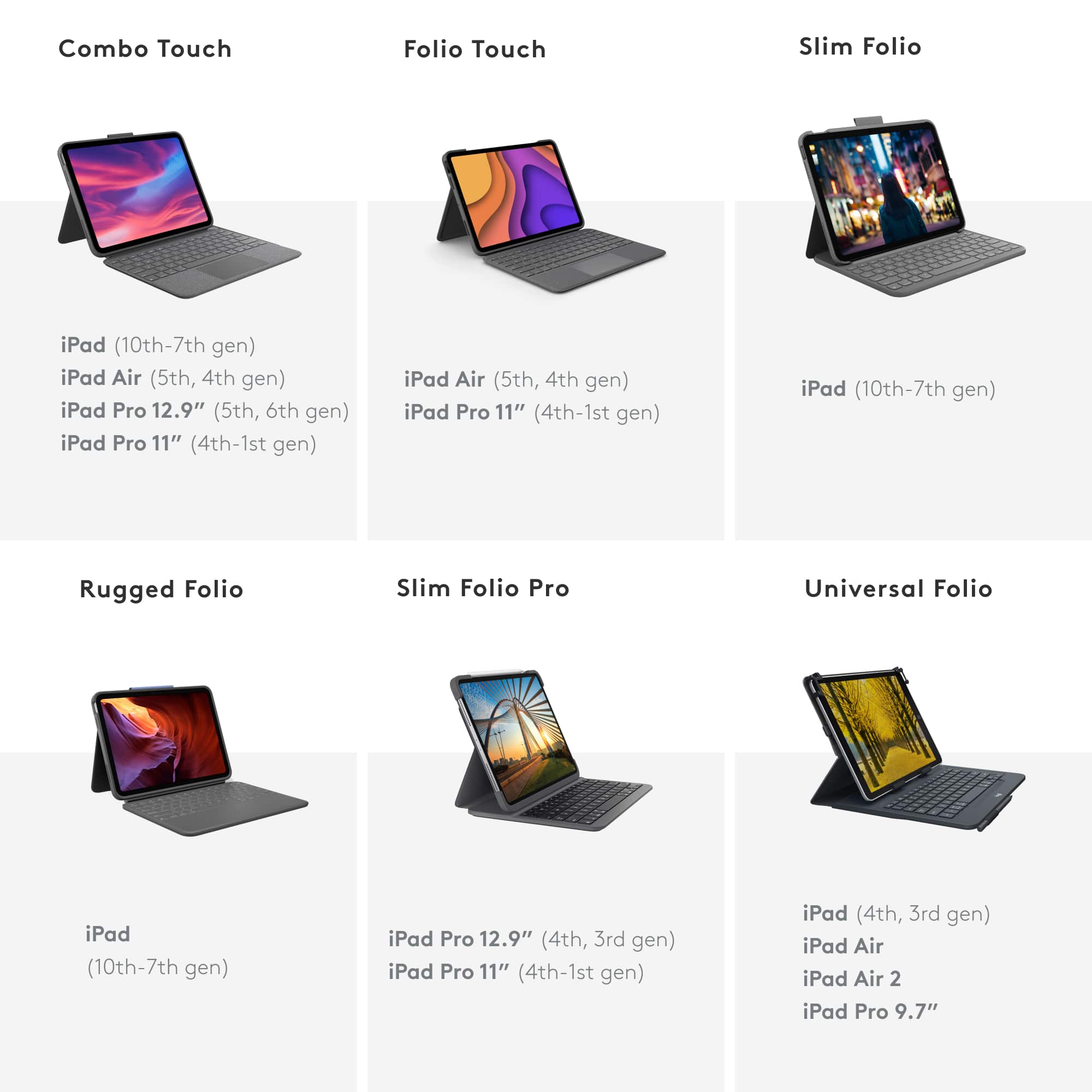
|Posted .This reviewer received promo considerations or sweepstakes entry for writing a review.The Logitech - Combo Touch iPad Pro 11" (1st, 2nd, and 3rd Generation) Keyboard Case, Backlit Keyboard, Trackpad - Oxford Gray is the perfect alternative to the costly OEM option form the manufacturer. Providing protection, useful keyboard, and touch pad gives you laptop flexibility without the bulk and cost. Use your iPad Pro 11" with all the conveniences. I found this cover to be a great complement to my iPad! I do have the OEM version and I honestly like the Logitech version better. It offers better protection and the same functionality. Also, the angles are better on the logitech that the OEM! PROS - Logitech quality, value, and design - Great protection - Easy to use keyboard and touch pad - Better viewing angles than OEM version CONS - None at this time
I would recommend this to a friendBrand response from Logitech
Posted .Hi there, we are glad to hear that you are enjoying your Combo Touch! We are always looking for ways to improve our products, so we appreciate your review. I have one myself and I love the smart connector, which is amazing for fast, reliable connection vs. a bluetooth based case. It even has a Logitech Crayon sleeve insert on the side on the the case, if you were ever planning on purchasing. If you ever have additional feedback or questions regarding Logitech products, feel free to visit https://support.logi.com/hc/en-us Thanks, -Logitech
Cool appearance, easy to use & value for money
Posted .This reviewer received promo considerations or sweepstakes entry for writing a review.This Logitech Combo Touch iPad Pro keyboard is really easy to use with an inbuilt tracking pad, and gives users the opportunity to use their ipad in two different ways, one as a simple ipad where you do not want the weight of the keyboard hanging around all the time and secondly as a cool looking laptop with it’s easily detachable keyboard folio. At the same time Logitech has made sure of the appearance and the material of the keyboard folio to give it a very nice touch. Not to say it is absolute value for the money.
I would recommend this to a friendAwesome!!
Posted .This reviewer received promo considerations or sweepstakes entry for writing a review.Wanted the Apple Magic Keyboard for my iPad 11 Pro. Received this as a gift instead. I love this case due to the keyboard being able to disconnect when not needed or no room. Case protects the sides of iPad unlike the Magic Keyboard would have. Keyboard works great and trackpad is spot on. Keys are soft to touch unlike the cheap case I had for the time being.
I would recommend this to a friendGreat case/keyboard albeit overpriced
Posted .This reviewer received promo considerations or sweepstakes entry for writing a review.This keyboard case/cover is really really good. The keys are great to type with, with great travel, and a nice clicky feel, and the trackpad works pretty well also. The integrated kickstand makes it awesome for a desk/lap use, and a detachable keyboard lets you keep your ipad protected when you want to use it as a tablet only. My only gripe with this is that the $200 price tag is way too steep. I would highly recommend buying this on sale or open box if possible and saving some money on it.
I would recommend this to a friendExcellence with Few Imperfections
|Posted .This reviewer received promo considerations or sweepstakes entry for writing a review.This is not my first Logitech keyboard case with trackpad. That gives me the opportunity to compare both. There is a lot to like about this new model but there are some annoyances that I wish weren’t there. The first is the lack of protection for the Apple Pencil, which I use a lot to draw with Procreate. Logitech’s Portfolio model, which has most of the same features has a built-in holder that keeps the Pencil from falling off when carrying the iPad. That is very handy but it is missing on this model. I understand this has a slightly different goal than the Portfolio but I believe most people do have the Pencil with their Pro models. Thus it would be great if it had a holder for it, while still allowing to charge on top of the iPad. With that out of the way, everything else is useful and welcome. The keyboard uses the smart connector, which means you don’t need to pair it with your iPad or charge it ever. The only annoying inconvenience is that it detaches too easily even when you don’t intend it to. The best way to avoid that is by working on a flat surface, which is logical when you’re using the keyboard. Otherwise, save yourself frustration and remove it altogether until you need it again. I like the flexibility of removing it when you only need the screen and still keep the iPad mostly protected. That was not possible with the portfolio model. One thing I didn’t like about the Portfolio version was that it didn’t turn off the screen automatically once you closed it. This model does, so it saves battery. Being able to control the level of brightness is also great. It can even do that automatically based on ambient light. Multi-touch pads should be mandatory and the Logitech Combo Touch iPad Pro 11 Keyboard Case took that seriously. It works well and is large; you can zoom in/out (pinch), swipe, tap anywhere and it is very responsive. Look and feel is very important to many and I like it that it is slim, fits very well and won’t slip easily. With its stand, it does feel like a laptop as much as an iPad can. Despite a few annoyances, this is definitely a premium case and keyboard. It does more than just protect your iPad. It adds functionality. I definitely recommend it and didn’t give it five stars only because of the missing Pencil holder but the case does have a slot for you to charge it and it is a great product if not the best case with keyboard out there.
I would recommend this to a friendBrand response from Logitech
Posted .Hi we're glad to see you're loving the premium feel and protection of your Combo Touch Keyboard case for Ipad Pro 11! The built in trackpad makes it even easier to work on the go with is a huge plus! Continue to enjoy!
Great case, keyboard and of course the Trackpad
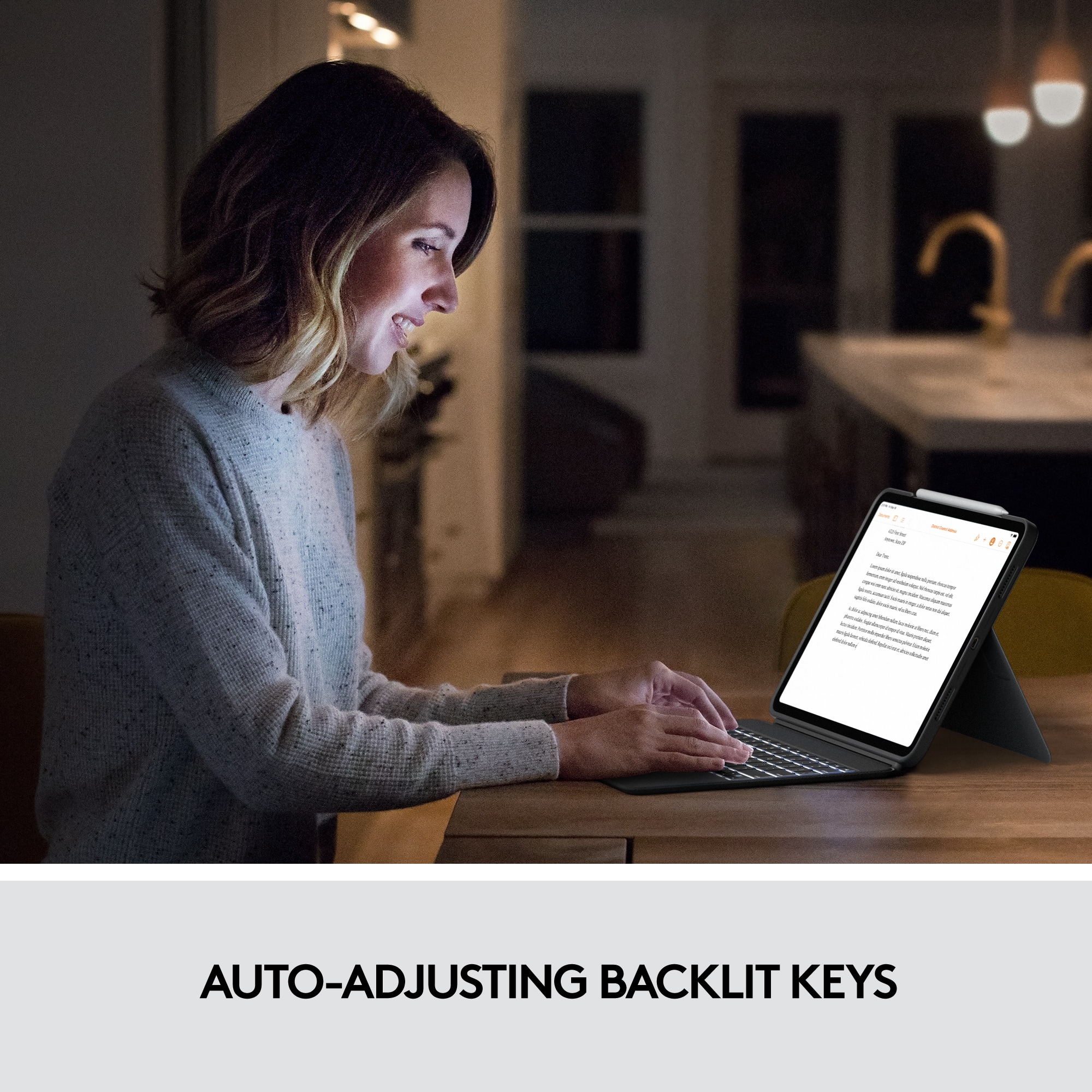
|Posted .This reviewer received promo considerations or sweepstakes entry for writing a review.It is a great time to enjoy technology and most specifically, personal tech such as tablets and phones. I have an iPad Pro but have been thinking it’s just inconvenient pairing my Bluetooth mouse to it to use it as a pointer on my screen. Maybe a bit clunky and as well since it is an extra item to carry around. This case solves my problem and does it really well. Not only did it work instantly, it worked seamlessly. I was able to use the trackpad right away as if I had been using a mouse or other device at the time and it just switched to it. I’ve grown to expect instant results but, like many things, you have to troubleshoot a bit to get things just right. Not with this. We are getting closer and closer to having an iPad take the place of a MacBook for some of the lesser cpu intensive tasks (and even some of those work pretty well these days)… The trackpad is almost the same size as it is on the MacBook Pro that I use. I jumped right to the trackpad because that is what I was looking forward to the most however, you instantly notice the feel of the case. The color is what Logitech calls Oxford Gray; it is soft to the touch, nearly flat to the surface you are on and, very comfortable to type on for an extended period of time. The fit is snug as expected and the cut out for the camera is perfect. It leaves the exact amount of space for your Apple Pencil to sit on top and of course, opening and closing the main keyboard to the screen turns the device on or off. The keyboard is backlit which I cannot do without during those times when I (used to) travel or work in my bedroom with my wife sleeping next to me. The controls are across the top and very easy to identify and use, lined up as you would see them on any other case or the MacBooks. It connects via the iPad’s smart connect and is seamless. Did I mention the trackpad? Yeah, certainly my favorite part of the case. Highly recommend this for your iPad Pro!
I would recommend this to a friendGreat keyboard with touchpad for the iPad Pro
|Posted .This reviewer received promo considerations or sweepstakes entry for writing a review.The Logitech Combo Touch keyboard for the iPad Pro 11” is an upgrade from previous versions. It’s noticeably lighter than the version for my iPad Pro 10.5. The keyboard can be detached for those times when you need just the iPad only. The kickstand is awesome, and allows you to adjust to nearly any angle. The touchpad is accurate and smooth, and does not have issues like other 3rd party keyboards I’ve tried using. This is a great alternative to the OEM keyboard offered by Apple.
I would recommend this to a friendA Different Way to iPad
|Posted .This reviewer received promo considerations or sweepstakes entry for writing a review.At first sight, I loved this new Logitech Combo Touch for 11-inch iPad Pro! Then, I began using it, and while I still really really like it, there are a few things about this keyboard which may prove bothersome. Right out of the box, I could begin using the keyboard, which was great. Once I’d placed my iPad into the half of the case which holds the tablet, and after connecting the keyboard part, immediately a prompt appeared on-screen directing me to the App Store in order to install the Logitech Control app. No ‘sign up’ or ‘create an account’ was necessary. I guess the app simply needs to be installed on your iPad, and it just works. As far as looks go, this keyboard/case is beautiful! I’m partial to a gray color palette anyway, plus there’s a definite “texture” to the surface, which is especially lovely to rest your wrists upon while typing. Oh, the case fit perfectly, too, and was easy to fit the iPad into it. No excessive ‘force’ or frustrating “fiddling with” was needed, thankfully. As can happen with some iPad cases. This Logitech Combo Touch is way more responsive in comparison to my previous Logitech iPad keyboard/case. And it’s comfortable to type on, too. I don’t know what else to say. It’s just got a really really nice feel to it. The ‘fold-out’ stand allows for different viewing angles. You can adjust the brightness level of your display screen, and control the iPad’s audio volume, with ease directly from the keyboard. Which is a plus. However, the backlit keys feature is completely underwhelming, even at their highest brightness setting, or while typing in the dark. Shame that. Cause it’s always cool, to me, when keyboards are backlit, or customizable with colors (such as with gaming keyboards). At one point, the screen I was viewing appeared to just “float” or slide across the display, and it was a tricky process getting it to go back to what it should be. It’s almost as if the trackpad is clashing with the iPad’s inherent touch controls, which could become problematic and take away from functionality, if this were to continue occurring. One other thing of note - the edge around the lower half of the set (the actual keyboard part, not the case that sheaths your iPad), feels slightly “sharp”. It’s not a smooth edge. Though not likely something you’re going to cut yourself on, or anything. But that’s something I think Logitech could, and should, definitely improve upon. This new Logitech Control Touch iPad keyboard will definitely take some getting used to. It’s just force of habit to use the traditional ‘touch gestures’ that have become standard when using an iPad. Switching that up with the trackpad and “cursor” which I’m familiar with from a laptop, will take time and practice. Overall, this is a great keyboard/case for your iPad. I can, and do, recommend.
I would recommend this to a friendExcellent Quality Case
Posted .This reviewer received promo considerations or sweepstakes entry for writing a review.I love everything about this case. It’s well thought out and quality constructed, offering solid protection to my iPad whether I detach or use with the keypad. The flexible stand is great. I like that it’s not notched, you decides the angle. On top of it all, it’s great looking. I’m so glad that I didn’t automatically go with the Apple case, this is a better option and at a much more affordable price.
I would recommend this to a friendWhy buy the apple keyboard at double the price
Posted .This reviewer received promo considerations or sweepstakes entry for writing a review.Better than the apple keyboard at double the price!!!!! Added protection and looks great in the light colour
I would recommend this to a friendBrand response from Logitech
Posted .Thanks for sharing! We're happy to hear you're enjoying the Combo Touch and its features, especially at a more affordable price point than the Apple alternative.

A Most Excellent Keyboard
|Posted .This reviewer received promo considerations or sweepstakes entry for writing a review.This Logitech iPad keyboard is perhaps the absolute best keyboard for an iPad I have used to date, and I've used a lot of them over the years going back to the original iPad a decade ago. First off, the feel of this one is 1000% better than any I've used before. I can't tell if it is real fabric or some sort of fake but it's great. Provides a nice feel and the texture makes it easy to hold on to. The two piece assembly is another nice feature and the fact that it's powered via the smart connector on the iPad means I don't have yet another thing in my life that I need to worry about charging. The built in back lighting is sufficient for those times I'm typing in a dimly lit environment. I don't know about the app it prompts you to install upon first use. I'm guessing it's for keeping the firmware updated as it doesn't seem to have any options other than turning on notifications for alerts. So, this is a keyboard and typing is where it's at. I can safely say the typing experience is much better than one would expect from a keyboard this thin. Key travel is just about perfect for this type of keyboard with some nice tactile feed back. Before using this keyboard I thought a trackpad on an iPad was gimmicky but now I'm seeing the real potential for it. I like it and this was the one feature I expected to hate. Like any piece of technology it's not all rainbows and unicorns though. The kickstand part of the case could stand some improvement. It feels a bit flimsy and I am not sure how it will hold up over a couple of years of use. On a flat surface such as a desk or table it's fine. I would not recommend using this on your lap. Overall another excellent Logitech product!
I would recommend this to a friendLogitech - bring back the pencil flap!!!!
Posted .This reviewer received promo considerations or sweepstakes entry for writing a review.i wanted to love this keyboard. I read countless reviews. the keyboard itself is great - but i kept losing my apple pencil in my bag (i did have a slim sleeve in my pencil). The old folio version of this had a pencil flap. Without it, this became useless for me and I ended up giving it to a friend that barely uses their pencil. Logitech, please fix this!!!!
No, I would not recommend this to a friendDurable and Attractive keyboard touchpad
|Posted .This reviewer received promo considerations or sweepstakes entry for writing a review.Continuing Logitech's line of quality iPad accessories that enable the "iPad as a primary device" idea, this keyboard touchpad combo case fits the bill nicely. Logitech's durable and attractive "faux canvas" does a nice job of feeling solid and sturdy, but looking professional and is easy to clean. Trackpads are always a very personal choice, and I like the design and feel of the included one here. Magnetic connectors allowing the separation of the keyboard and case so you can use them separately, and well thought out integrated case buttons, make the case alone a solid choice. Integrating the kick stand and recessing the Apple Pencil storage slot are more ways that Logitech shows this isn't their first rodeo and makes their accessories my first choice for my iPad.
I would recommend this to a friendGreat keyboard/case option
Posted .This reviewer received promo considerations or sweepstakes entry for writing a review.Fits my needs and works perfectly for me. Keyboard is nice, and the case is perfect to protect my iPad when I draw.
I would recommend this to a friendKEY BOARD
||Posted . Owned for 3 weeks when reviewed.This reviewer received promo considerations or sweepstakes entry for writing a review.I returned this keyboard because the space bar quit working.
No, I would not recommend this to a friendBest Keyboard Case
Posted .This reviewer received promo considerations or sweepstakes entry for writing a review.This product is perfect! Keys are ractile. Simple and sleek design. Protects iPad perfectly.
I would recommend this to a friend