Customer Ratings & Reviews







- Model:
- 920-010165
- SKU:
- 6468041
Rating by feature
- Value
Rating 4.5 out of 5 stars
- Quality
Rating 4.7 out of 5 stars
- Ease of Use
Rating 4.7 out of 5 stars
Customers are saying
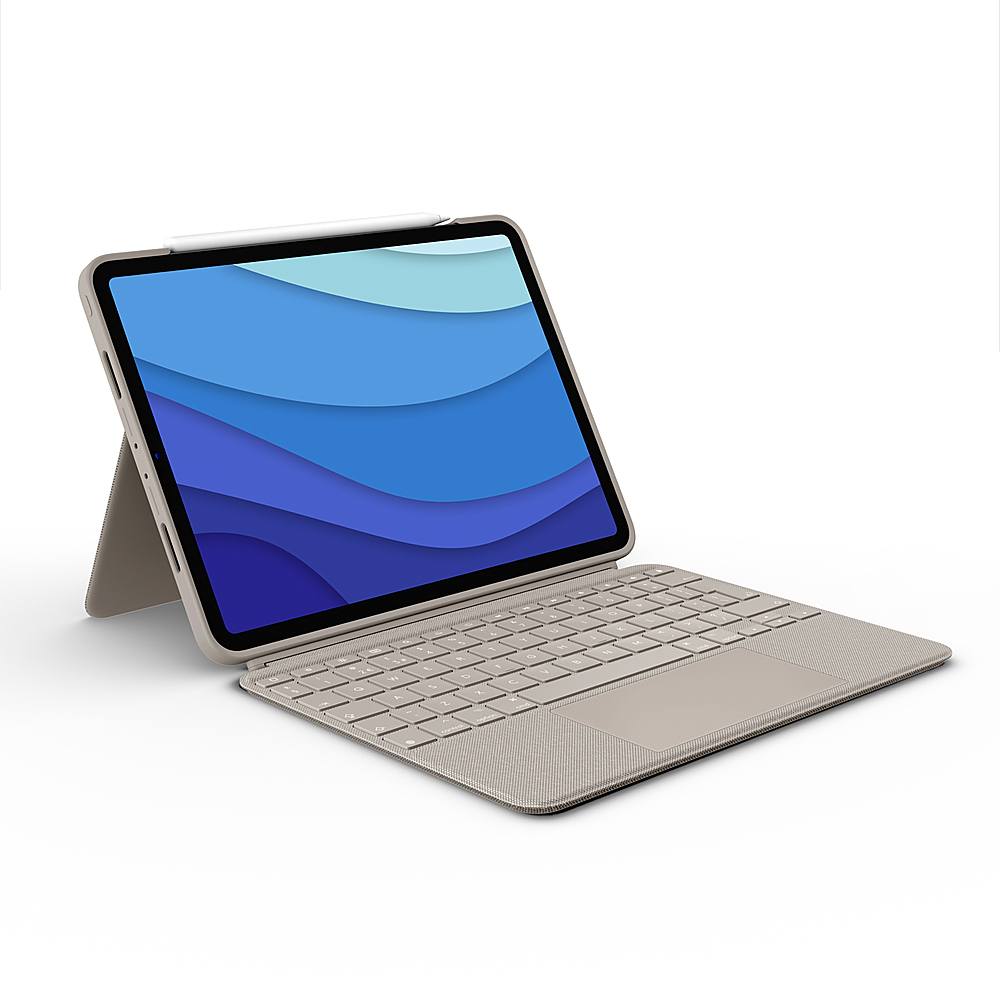
Customers commend the Combo Touch iPad Pro Keyboard Folio for its excellent keyboard quality, ease of use, and protective design. The kickstand is also a frequently praised feature. However, some customers mention the added weight and size may take some getting used to, and some customers have expressed concern about the design and how it affects the Apple Pencil.
This summary was generated by AI based on customer reviews.
LOGcaseMJO
||Posted . Owned for 1 week when reviewed.This reviewer received promo considerations or sweepstakes entry for writing a review.Didn’t really like this keyboard combo case for my iPad. It’s kinda expensive and is really and item only to get if you have other cases already. My iPad was already bought with the apple magic keyboard so this was a little unnecessary.
No, I would not recommend this to a friendBrand response from Logitech
Posted .Hi SanuswallmountMJO, we're sorry to see you were unsatisfied with the Combo Touch for Ipad Pro 11. If you ever feel like you need a great keyboard case option in the future, be sure to check out all the great Bluetooth portable keyboard options Logitech has available! -N with Logitech
- Pros mentioned:Keyboard quality, Kickstand, Protection

Out of the park!
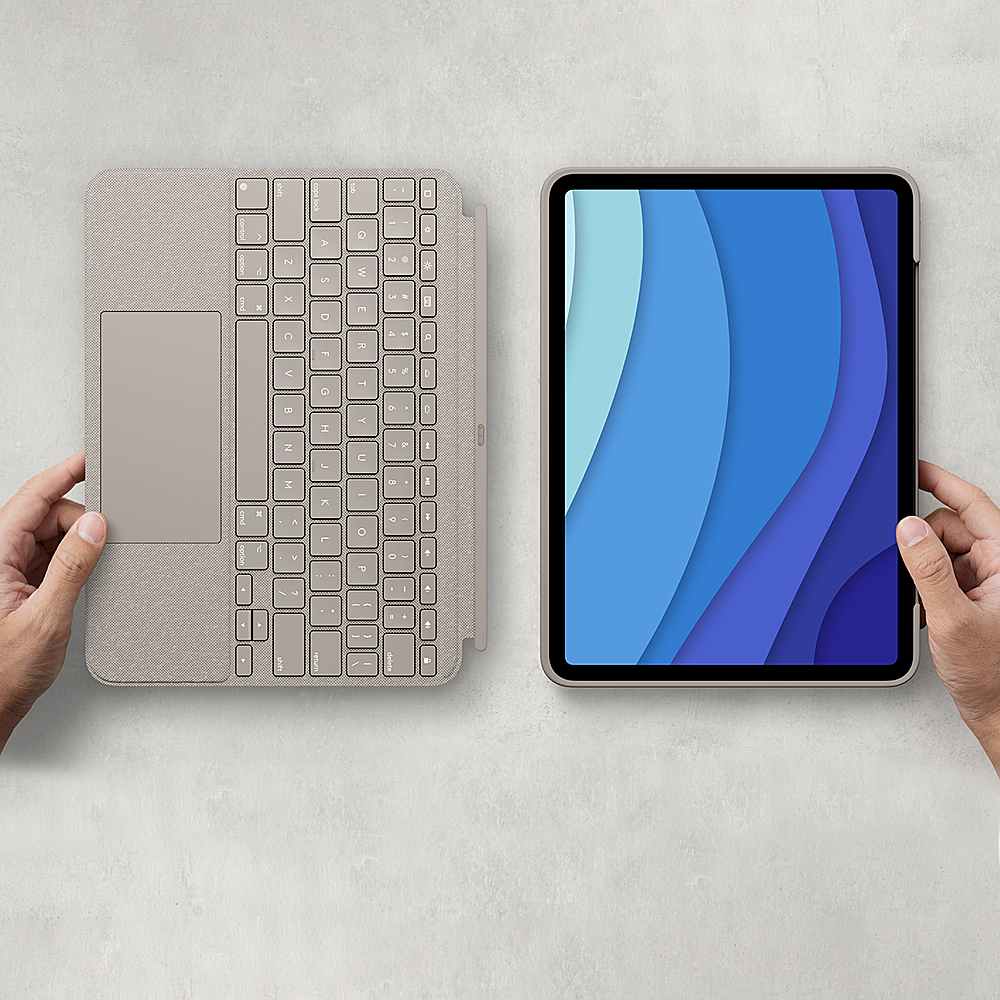
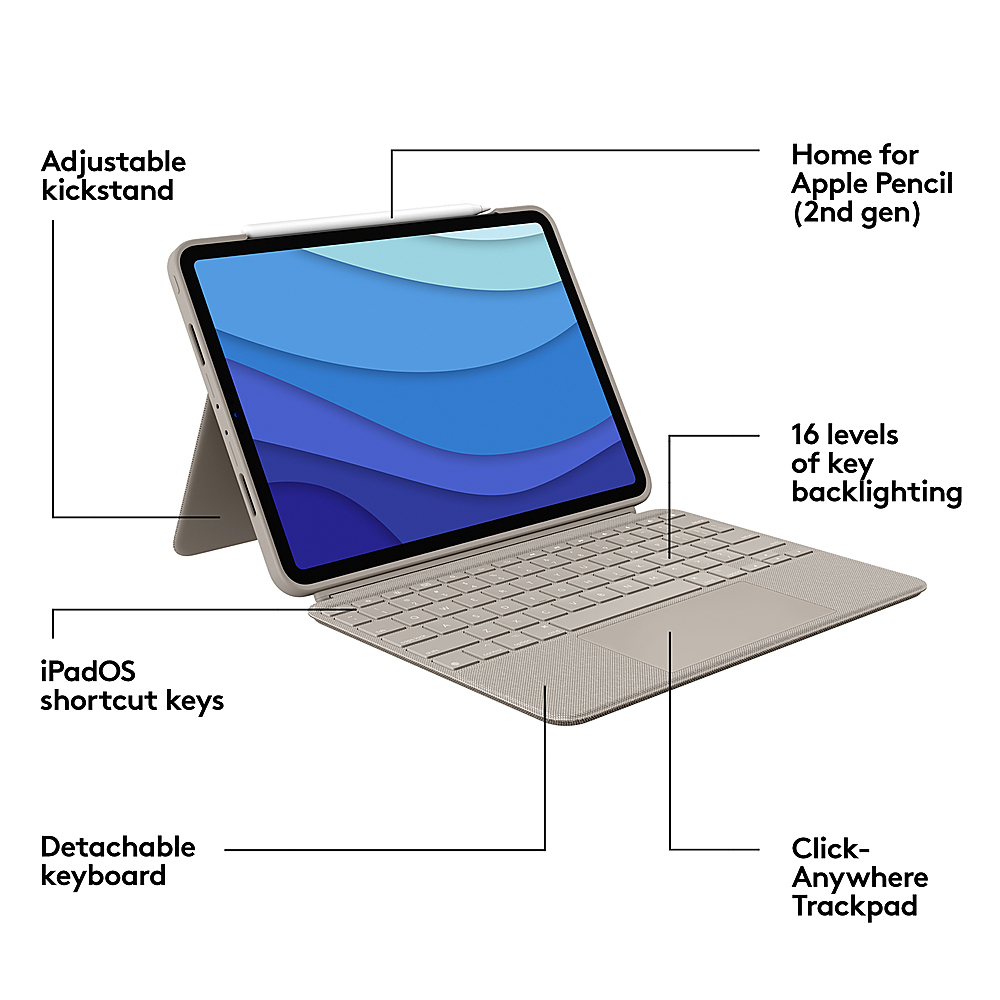
|Posted .This reviewer received promo considerations or sweepstakes entry for writing a review.Review for Logitech - Combo Touch iPad Pro 11" (1st, 2nd, and 3rd Generation) Keyboard Case, Backlit Keyboard, Trackpad - Oxford Gray I confess, I love most everything Logitech makes, but this iPad Combo Touch case is a thing of beauty. The first thing I noticed was the feel of the material - cloth like - somewhere between silk and canvas. It’s just so nice to hold! Then I noticed how well made, yet compact it is. There’s great edge and corner protection, but the footprint is extremely slim. You can use it in multiple modes with or without the detachable, magnetic keyboard. The display portion of the case has a versatile kickstand for viewing or drawing. The keyboard has a wonderfully large track pad that supports click-anywhere as well as gestures like pinch and tap. The keys have just the right response for typing at speed and my favorite thing, they are backlit! Some of the little features are also worth noting. The case draws its power from your iPad itself, so there are no batteries to charge. You can also charge your Apple Pencil when the case is on using the notch at the top of the case. The magnet that holds the display to the keyboard is very strong and yet, it’s easy to separate the two when you want. You can use them separately, together, or by flipping the keyboard over, as a solid unit for reading, with the keys safely tucked *inside*! Overall, with the features of the iPad Pro and this case, you have all the power of a laptop in an incredibly compact design.
I would recommend this to a friendBrand response from Logitech
Posted .Hi TechSavvy55Plus,
Thank you for your five-star review! It is greatly appreciated. Continue to enjoy your device. If you ever need assistance, please contact Logitech Support on the website.
LaShonda from Logitech
LogiTech Combo Touch iPad Pro Keyboard Folio
||Posted . Owned for less than 1 week when reviewed.This reviewer received promo considerations or sweepstakes entry for writing a review.This is a great keyboard case for the iPad Pro 11" with detachable keyboard!
I would recommend this to a friendKeyboard
||Posted . Owned for 1 year when reviewed.This reviewer received promo considerations or sweepstakes entry for writing a review.had the apple version and bought this one and i love it would recommend
I would recommend this to a friendiPad Pro
||Posted . Owned for 1 week when reviewed.This reviewer received promo considerations or sweepstakes entry for writing a review.Great suggestion from the Sales rep… works seamlessly with my IPad Pro.
I would recommend this to a friendMouse drops constantly
||Posted . Owned for 1 month when reviewed.This reviewer received promo considerations or sweepstakes entry for writing a review.The mouse constantly drops while navigating which of course defeats the purpose of having a keyboard with a trackpad. Everything else is great. If they fixed that, I’d give it 5 stars. There are hundreds of complaints about it dating at least 6 months ago so I’m not optimistic about a fix. It’s not worth the money until they fix this issue.
No, I would not recommend this to a friendBrand response from Logitech
Posted .Hello TDog,
I am sorry that the Combo Touch Pro is not working as expected. I will record your product insight and pass it along for further investigation. Logitech appreciates your product review. - Leo from Logitech
Could be great, but falls short
||Posted . Owned for 2 weeks when reviewed.This reviewer received promo considerations or sweepstakes entry for writing a review.This tablet keyboard would be better than Apple’s by far if it were more reliable. Have had multiple instances of the cursor and/or keyboard freezing and being unresponsive for inordinate amounts of time. Not sure if my particular unit is defective or if it’s common among these, but I can’t recommended it if the latter.
No, I would not recommend this to a friendDon't buy this unless you like zooming.
||Posted . Owned for 5 months when reviewed.This reviewer received promo considerations or sweepstakes entry for writing a review.I traded my Air 3 in because of a zooming issue. The zooming issue continues with the new combo touch and a 11" iPad Pro. The zooming issue makes using this frustrating that I ordered the Apple Magic Keyboard and when here this one is going to Ebay or the trash. I do have zooming turned off on the iPad and it still happens. ;^P
No, I would not recommend this to a friendHmm!
||Posted . Owned for 3 weeks when reviewed.This reviewer received promo considerations or sweepstakes entry for writing a review.I don’t like this too much, it’s very expensive and seems very flimsy. I will be returning.
I would recommend this to a friendHorrible
||Posted . Owned for less than 1 week when reviewed.This reviewer received promo considerations or sweepstakes entry for writing a review.Says it fits ipad pro 11 but does not. Detachable keyboard falls off no magnetusm
No, I would not recommend this to a friendBrand response from Logitech
Posted .We sincerely apologize that the Logitech Combo Touch Keyboard Folio did not fit your iPad Pro 11" as advertised and that the detachable keyboard is not securely attached. We understand your frustration and appreciate you bringing this to our attention. This is not the experience we want our customers to have.

Logitech iPad cover review
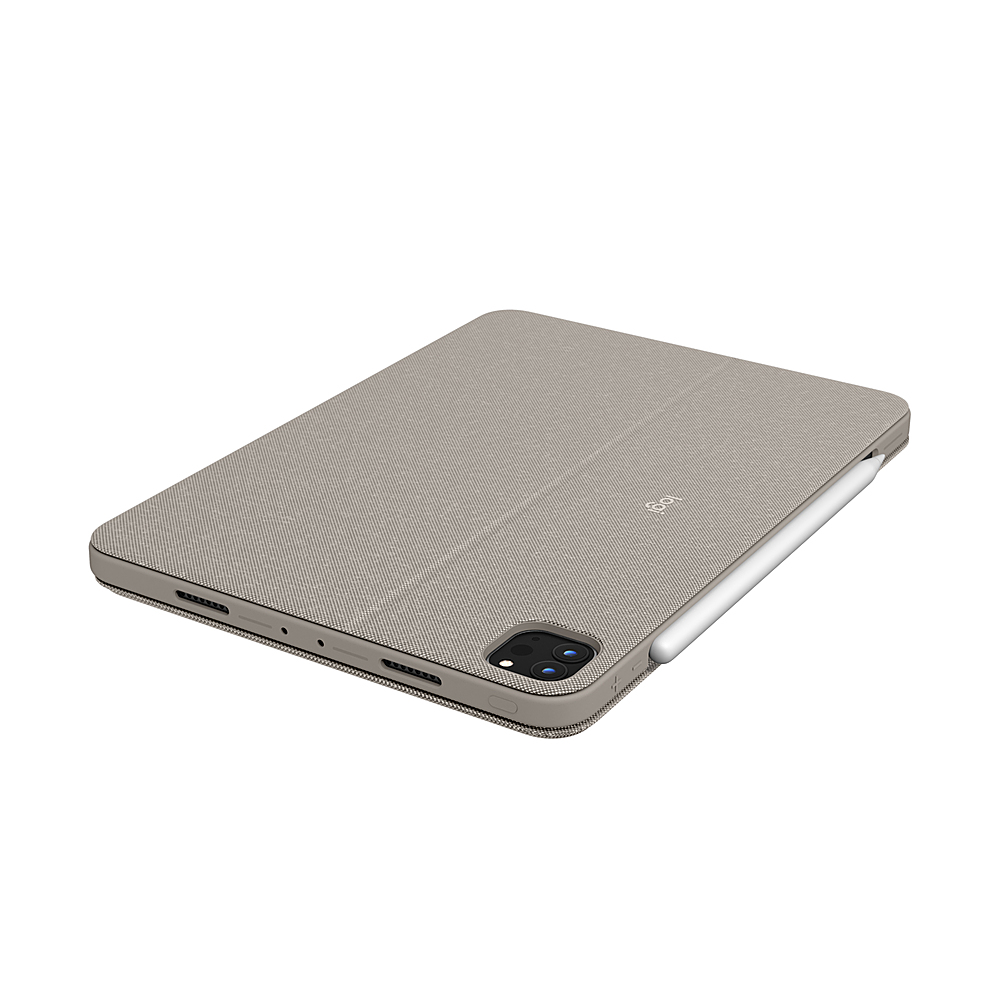
||Posted . Owned for 1 week when reviewed.This reviewer received promo considerations or sweepstakes entry for writing a review.Needs a place or area to fix or attach the pencil.
I would recommend this to a friend- Pros mentioned:Keyboard quality, Kickstand, Protection
Perfect
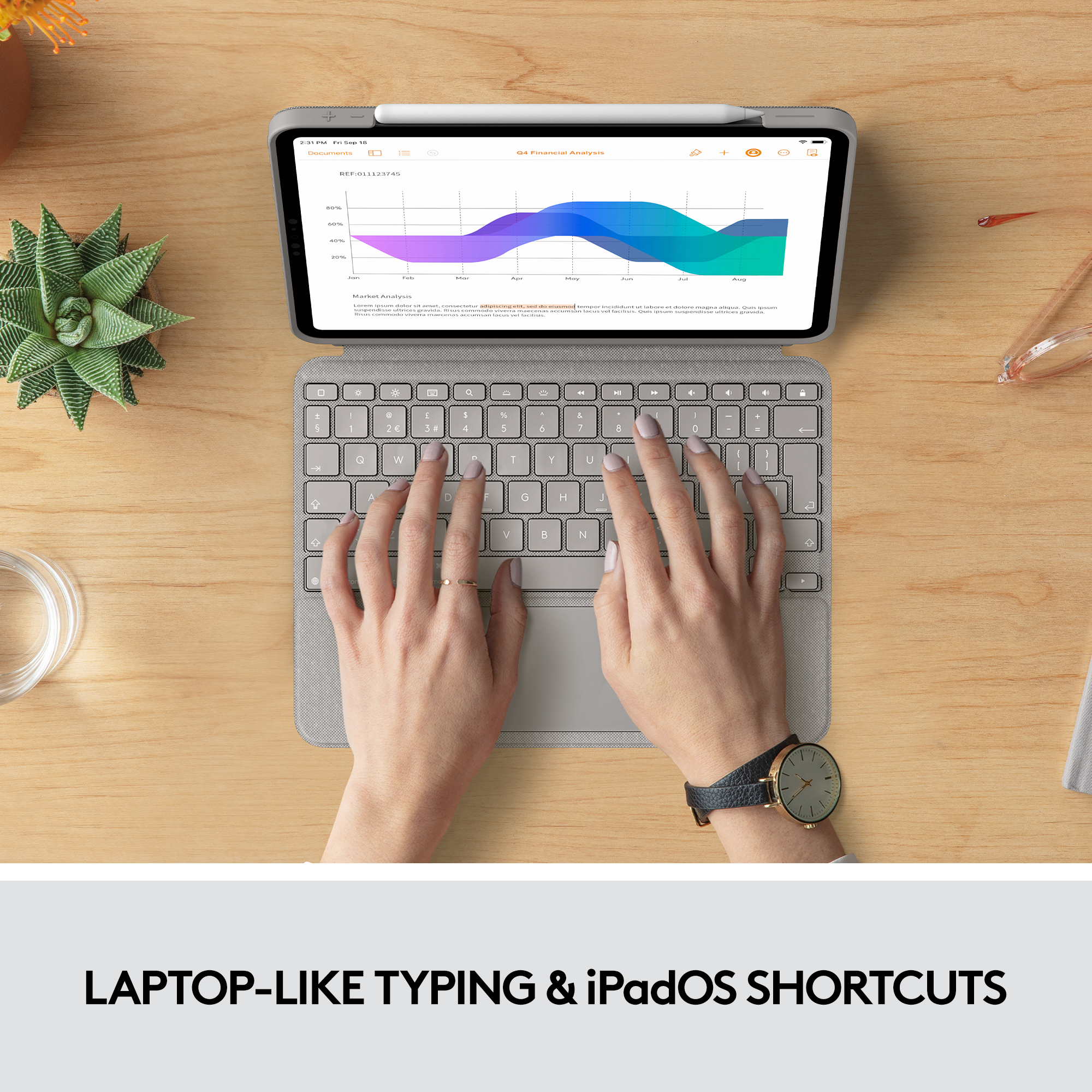
|Posted .This reviewer received promo considerations or sweepstakes entry for writing a review.Logitech combo touch for iPad is awesome, 1st love that it has ton off brightness settings & the keyboard is back light which is great at night when I’m doing stuff in bed I prefer a dark room so this is perfect. It’s super thin & light weight doesn’t add much thickness to your iPad yet protection is all around front back & corners my iPad fits snugly so no worries about it falling out, it was super easy to connect I love the track pad works great, the cover it’s self is a nice grey tone color material, has volume control & short cut keys which are convenient. It is comfortable to type keys are soft to touch when type, this is great for small stuff not for hours of use need my regular size ergonomic keyboard for that type of work, but this keyboard/ protector has been awesome for travel & getting small things done. Easy for the kids to use for one the go for car rides. Has a little kickstand so it looks like a laptop, holds you iPad pencil, FYI no batteries needed cause it runs off your iPad power!
I would recommend this to a friend Great
||Posted . Owned for 3 months when reviewed.This reviewer received promo considerations or sweepstakes entry for writing a review.A+++ product is great n works perfect. We recommend
I would recommend this to a friendBrand response from Logitech
Posted .Hey there, thanks for this great review! If you have issues in the future please feel free to visit our support site for more assistance, and thank you for choosing Logitech! -Weston from Logitech
- Pros mentioned:Keyboard qualityCons mentioned:Apple pencil
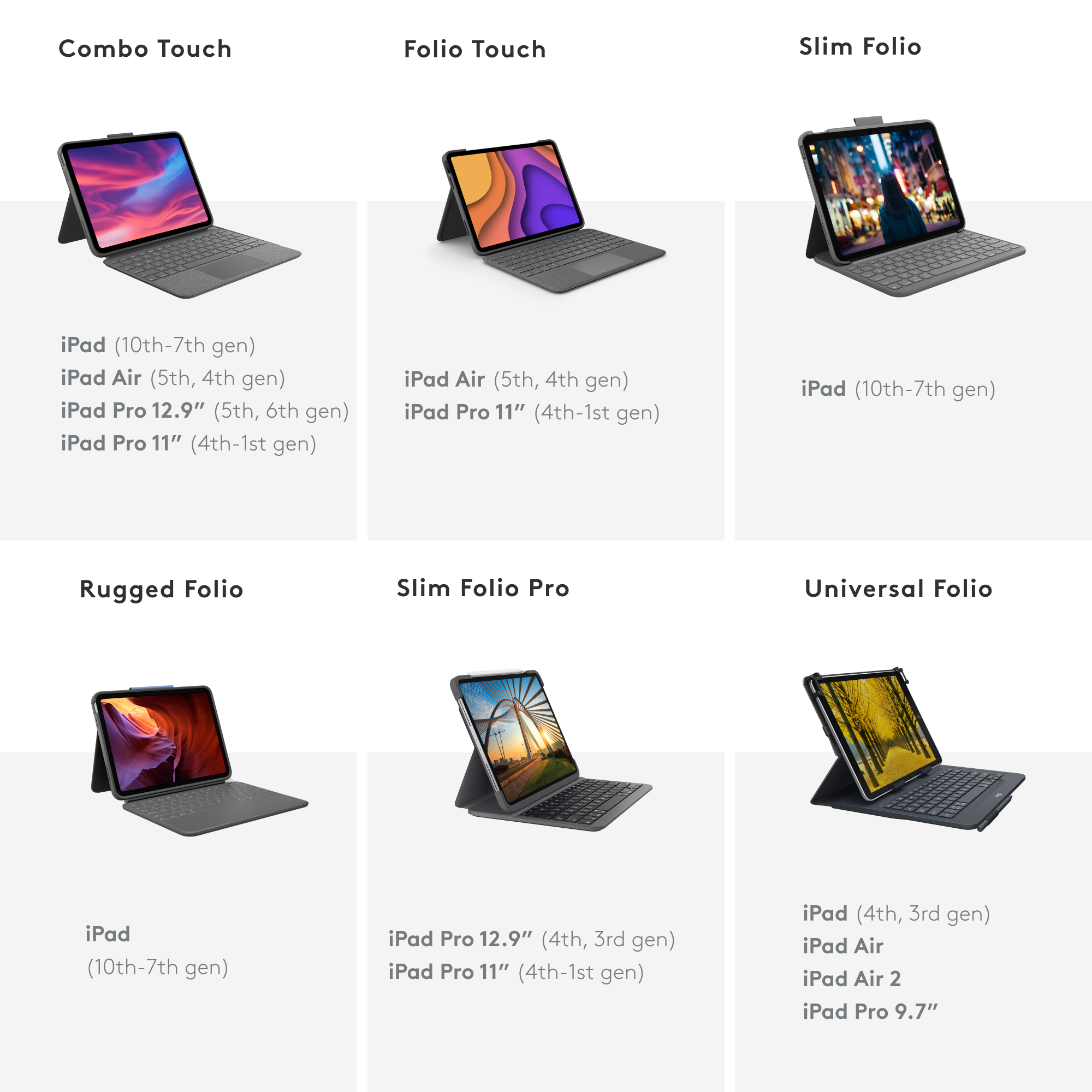
decent upgrade from Folio Touch
|Posted .This reviewer received promo considerations or sweepstakes entry for writing a review.As someone who has used both the Logitech Folio Touch and the more expensive Apple offering , I must say I prefer this model for a few reasons but at the same time, it is missing one thing ,that I feel, would make it close to perfect, Compared to the Folio Touch, this "combo" feels so much lighter while keeping the same protection that is sorely missing from the "official" product offered by Apple. Pros: -Weight. The Folio Touch just felt like a beast in terms of size. Logitech managed to slim down the bulk AND keep the same amount of protection -The trackpad is now completely usable AND enlarged! The days of having to use only the bottom half of the trackpad are gone!! It keeps the same great responsiveness of the Folio Touch, but gives you a much bigger surface to use. -All the swiping gestures work as expected and the function keys are still a huge bonus. Things like volume, brightness (keyboard and screen), play/pause, lock and home are all controlled with the extra row of keys on the top, instead of through settings or screen taps. Certain things like cursor color or size are still controlled through the settings but the most used keys, are right there and easy to access -Plenty of viewing angles thanks to the flap that opens on the back and props up your device. The flap is functional and tight, but it also brings me to one of the inherent negatives about using it, which I will describe later -The keyboard is detachable!!!! This was one of my big gripes with the last model. In order to use some of the viewing angles, the keyboard needed to be folded under the device, which did not sit well with me. Sure the keys were deactivated in this position, but resting your device on the keys just felt...off. Now if you want to read an e-book or color and draw or watch a movie, just remove the keyboard and away you go! -This combo utilizes the smart connector, on both the device, and the keyboard and let me tell you..the magnets on the bottom where the keyboard connects...boy do they hold in place well. Also, using the smart connector allows for more responsive keypresses and trackpad usage. This connection also powers the backlit keyboard, so there is no plugging it in to charge it (which other bluetooth connected products like this rely on but as I know from the past, those other keyboards can lose connection often and require a separate charging source) Cons: -The flap. One of the viewing angles is known as "Sketch" mode. In this mode, the keyboard is removed and the flap is fully extended, allowing the user to draw or write and so on. The idea is good BUT at the same time, applying any sort of pressure also moves the iPad in sort of a springy motion. Also, because of this "flap" design, the enlarged trackpad and the extra function keys, the space used on a desk or table, is increased (this was also the case with the Folio Touch). To be honest, this is the only area where I preferred the Apple offering over the Logitech ones. -It relies on the strength of the magnet in the iPad and the Apple Pencil. The Folio Touch had a strap that you could use to cover a portion of the pencil when the case was closed. I liked this myself because my iPad goes in and out of my bag multiple times a day, and that strap helped keep them connected. For some reason, the strap was removed, so expect it to pop off when placed in a bag or even just picked up wrong (just happened to me when I sat down at my desk to write this. My hand knocked the pencil off) The cons I listed are tolerable because the pros far outweigh them, and I would recommend this to anyone looking to save a few bucks while keeping the functionality of the more expensive models out there. -
I would recommend this to a friendBrand response from Logitech
Posted .Hey there, thank you so much for this awesome and greatly detailed review of the Combo Touch! Your feedback is greatly appreciated. I hope you continue to enjoy your Combo Touch, and thank you for choosing Logitech!
Key stuck.
||Posted . Owned for 1 month when reviewed.This reviewer received promo considerations or sweepstakes entry for writing a review.“I” key stuck on. This happened one week after the return deadline so I am out of luck to return it and obtain a refund. $165 wasted.
No, I would not recommend this to a friendBrand response from Logitech
Posted .Thank you for your feedback. I’m sorry to hear the “I” key malfunctioned so soon after purchase and just past the return window, leaving you unable to obtain a refund. I understand how frustrating it must feel to spend $165 on a product that failed so quickly, To address this issue, we recommend reaching out to our social care team via email at socialcare@logitech.com with your
- Name:
- Email Address:
- Country:
- Product Name:
- Brief description of issue:
- Pros mentioned:Keyboard quality, Protection
Turn your iPad Pro into a Laptop
|Posted .This reviewer received promo considerations or sweepstakes entry for writing a review.SUMMARY -------------- This is the second time using the keyboard case from logitech and I am impressed. Logitech makes quality product, be it an inexpensive mouse or a case like this one. Best part is the connectivity, no pairing needed and it's a snap on play type of setup. All you do it snap this on and the iPad pro detects the keyboard and you can start using it. The keypad is now wider and bigger and much more user friendly. What's in the box ------------------------- Combo Touch Keyboard Case for Apple® iPad® Pro 11" (1st, 2nd, and 3rd Generation) Owner's manual Pros ------ Excellent trackpad and a functional keyboard Moderate protection for the iPad pro Backlit keyboard Detachable keyboard Adjustable stand for viewing No need to charge, charges when connected to iPad Space to charge Apple Pencil (2nd generation) Cons ------ It's not a rugged case, can survive some minor drops. DETAILS ----------- Setup -------- Setup on this one is a breeze, you can just snap on and play. No pairing needed. I have another logitech case for my iPad (this one is for iPad pro) and works the same way. It does not require charging as it draws power from the iPad. The drawback I noticed with the original iPad model is that the keyboard is not detachable which made this quiet bulky when carrying this around. They have fixed it in this mode for the iPad pro and love the magnetic detachable iPad keyboard. Love the fact that the case also has a slot for the apple/logitech pencil. Usage ------ This thing can turn your iPad pro into a laptop. Literally. I do not miss the number keys, and I don’t miss certain functionals on the regular mouse. The click anywhere trackpad works great. In addition to gesture controls, it can also does the swipe, tap, pink and scroll. The backlit has 16 levels so you can adjust it based on the need. There are shortcut keys at the top to adjust it. Note that, the keyboard automatically adjusts the backlit based on the lighting in your room which is an important feature. Its got auto on/off i.e opening it turns the keyboard on. Only concern I have is with the fabric, with my prior iPad case, I always used to get some threads coming off, hopefully they have fixed it in this model.
I would recommend this to a friendBrand response from Logitech
Posted .Hello Indiaj0nes! I'm happy to hear you're enjoying the Combo Touch for iPad Pro 11 inch! Feel free to reach out to our support team here https://support.logi.com/hc/en-us/requests/new?ticket_form_id=360000621393 if you ever need any assistance or if something happens in the 1-year limited hardware warranty. Thank you so much for this in-depth review and for shopping Logitech! - Maggie from Logitech
Stop
||Posted . Owned for 1 month when reviewed.This reviewer received promo considerations or sweepstakes entry for writing a review.Really just a waste of money, don’t go anywhere this!
No, I would not recommend this to a friendBrand response from Logitech
Posted .Thanks for you feedback. Your feedback is important to us, and we'll make sure to share it with the right team.
0 got too stock to press...
||Posted . Owned for 3 months when reviewed.This reviewer received promo considerations or sweepstakes entry for writing a review.It barely works the cero "0" anymore, is like stuck. I didnt have the keyboard for 5 months yet and a key doesn't work anymore....
No, I would not recommend this to a friendBrand response from Logitech
Posted .Hey there Caro, I'm very sorry to hear you've been having some issues with your combo touch. If you still have it, please feel free to contact us via our support site for warranty information, as your device may still be within it's warranty period. -Weston from Logitech
It stopped working
||Posted . Owned for 8 months when reviewed.This reviewer received promo considerations or sweepstakes entry for writing a review.It completely stopped working 8 months after purchased. The keyboard won’t connect anymore.
No, I would not recommend this to a friendBrand response from Logitech
Posted .That's disappointing! Please reach out to Logi support and our team will look into this to come up with the best possible solution.
It doesn’t work with IPadPro New model
||Posted . Owned for less than 1 week when reviewed.This reviewer received promo considerations or sweepstakes entry for writing a review.Bought it 5 days ago and attached to iPad PRO. It doesn’t work. Tried speaking to bestbuy but nonhelped offered so going to return it.
No, I would not recommend this to a friendBrand response from Logitech
Posted .Hello Ashish, Very sorry that the Combo Touch you got for your iPad Pro isn't working. This model Combo Touch is for all iPad Pro 11" generations and uses the Smart Connection which instantly pairs with your iPad once it's turned on. Make sure that you have the iPad lined up correctly. Here's a link to the product support page that will have troubleshooting FAQs, live technical support, warranty information, and more: https://support.logi.com/hc/en-us/articles/1500007959862-FAQ-Combo-Touch-for-iPad-Pro-12-9-inch-5th-gen-and-iPad-Pro-11-inch-1st-2nd-and-3rd-gen-and-iPad-Air-4th-gen-. Hope that you found this helpful and that all is going well. Thank you for choosing Logitech. - Richard from Logitech