Customer Ratings & Reviews
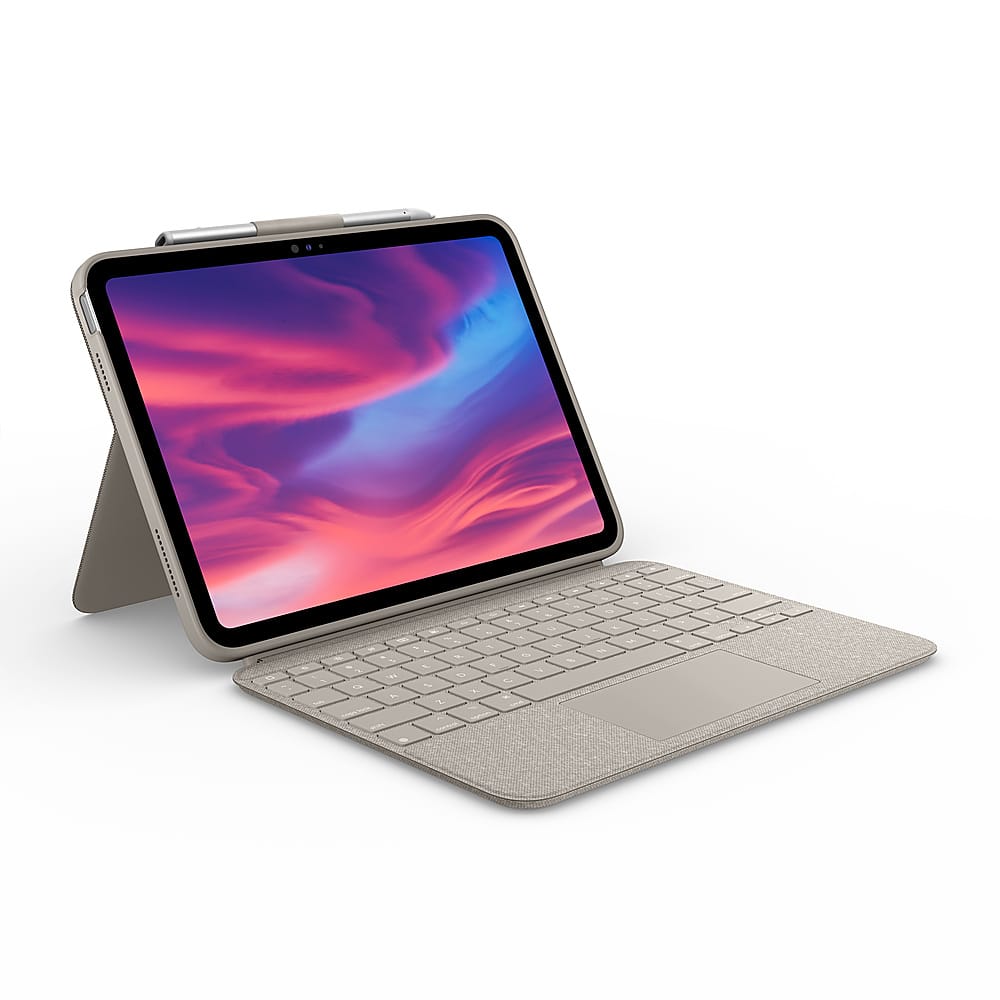





- Model:
- 920-012420
- SKU:
- 6537788
Rating by feature
- Value
Rating 4.7 out of 5 stars
- Quality
Rating 4.8 out of 5 stars
- Ease of Use
Rating 4.7 out of 5 stars
Customers are saying
Customers love the product's excellent keyboard quality, ease of use, and the added protection it provides for their iPad. They also appreciate its perfect fit, good design, lightweight nature, and seamless connectivity. However, some customers find the price to be a bit high and have noted occasional compatibility issues with their iPad.
This summary was generated by AI based on customer reviews.
- Pros mentioned:Keyboard quality
Keyboard
||Posted . Owned for 1 week when reviewed.This reviewer received promo considerations or sweepstakes entry for writing a review.It was really nice. I got it for myself for school, overall very great
I would recommend this to a friendBrand response from Logitech
Posted .Hey there! We're so glad to hear that you love the Logitech Combo Touch Keyboard and Trackpad Case for your iPad (10th Gen)! It's designed to make your school life easier and more productive.
- Pros mentioned:Keyboard quality
Great Product!
||Posted . Owned for 2 months when reviewed.This reviewer received promo considerations or sweepstakes entry for writing a review.Great keyboard and case! I love the pencil / crayon holder to easily transport and protect the iPad.
I would recommend this to a friend - Pros mentioned:Keyboard quality
Great overall
||Posted . Owned for 3 weeks when reviewed.This reviewer received promo considerations or sweepstakes entry for writing a review.Trackpad works very well. It makes the iPad experience almost like a laptop.
I would recommend this to a friendBrand response from Logitech
Posted .Thank you for your positive feedback on the Combo Touch Keyboard and Trackpad Case. We're glad to hear that the trackpad enhances your iPad experience and makes it feel more like a laptop.
Great keyboard/case for the iPad
||Posted . Owned for 1 month when reviewed.This reviewer received promo considerations or sweepstakes entry for writing a review.My daughter enjoys her new keyboard/case for her iPad. Much better price than the Apple brand.
I would recommend this to a friendBrand response from Logitech
Posted .We’re thrilled to know you’re satisfied with your Logitech product. Your input helps us shape better experiences for everyone. Thanks for your continued support!

- Pros mentioned:Ease of use
iPad keyboard
||Posted . Owned for 3 weeks when reviewed.This reviewer received promo considerations or sweepstakes entry for writing a review.User friendly fully functional and practical features
I would recommend this to a friendBrand response from Logitech
Posted .Hey! Thanks for checking out the Logitech Combo Touch Keyboard. We designed it with user-friendliness in mind, so you can get the most out of your iPad.
New Keyboard
||Posted . Owned for 1 month when reviewed.This reviewer received promo considerations or sweepstakes entry for writing a review.Love this new keyboard I got for my iPad this helps me get school work done efficiently without have to type on the screen save me a lot of time!
No, I would not recommend this to a friendBrand response from Logitech
Posted .That's awesome to hear how much you're loving your Logitech Combo Touch Keyboard and Trackpad Case! It's fantastic that it's such a game-changer for your schoolwork, making typing and navigating so much more efficient than using the on-screen keyboard. Saving you time is exactly what we aim for!
Awesome case with backlit keyboard!
||Posted . Owned for 1 month when reviewed.This reviewer received promo considerations or sweepstakes entry for writing a review.Very Thick case! initial set up was awkward installing. Great case overall the backlit keyboard is awesome and useful! I would recommend this item compared to the $399 for apples brand case.
I would recommend this to a friendBrand response from Logitech
Posted .Thanks for the great review! We're glad to hear the Combo Touch is proving to be a solid choice—especially with that backlit keyboard making things easier and more enjoyable. We appreciate your recommendation and love that it’s delivering value and functionality for your setup!
- Pros mentioned:Ease of use
iPad case
||Posted . Owned for 1 month when reviewed.This reviewer received promo considerations or sweepstakes entry for writing a review.The best purchase I’ve made I really love it works great
I would recommend this to a friend - Pros mentioned:Keyboard quality
Good quality
||Posted . Owned for 2 months when reviewed.This reviewer received promo considerations or sweepstakes entry for writing a review.The keyboard is very useful. Good price for the quality of product.
I would recommend this to a friend - Pros mentioned:Keyboard quality
Keyboard Case for Ipad Combo Touch
||Posted . Owned for 1 month when reviewed.This reviewer received promo considerations or sweepstakes entry for writing a review.The keyboard case is essential to operating your Apple IPad at optimum capacity.
I would recommend this to a friend Great piece of equipment
||Posted .This reviewer received promo considerations or sweepstakes entry for writing a review.Great little piece of equipment. The case on the iPad is very tight. It’ll take a little effort to take off
I would recommend this to a friendBrand response from Logitech
Posted .That's great feedback! We are happy to hear you find the Logitech Combo Touch Keyboard and Trackpad Case to be a great piece of equipment. We appreciate the note about the case's tight fit on the iPad; it's designed that way to ensure secure protection!
- Pros mentioned:Fit, Keyboard quality
Key board for 10th Gen.
||Posted . Owned for 1 month when reviewed.This reviewer received promo considerations or sweepstakes entry for writing a review.Works well. Seems to be made well. It fits my I pad well.
I would recommend this to a friendBrand response from Logitech
Posted .Hey! Thanks for the feedback! We're glad to hear the Combo Touch works well, seems well-made, and fits your iPad well. Those are all important qualities in a keyboard case!
Birthday gift
||Posted . Owned for 1 week when reviewed.This reviewer received promo considerations or sweepstakes entry for writing a review.Great deal to go with the iPad for an early birthday gift!
I would recommend this to a friendBrand response from Logitech
Posted .That's a fantastic early birthday gift! The Logitech Combo Touch Keyboard and Trackpad Case is truly a game-changer for iPad users, blending the best of tablet portability with laptop-like productivity.
It's known for its versatility with multiple use modes (typing, viewing, sketching, reading), a full-size backlit keyboard, and a precision trackpad that supports Multi-Touch gestures. Plus, it offers excellent protection for the iPad and conveniently connects via the Smart Connector, so no charging or pairing is needed.
It sounds like you found a truly valuable and practical gift for your daughter. We hope she enjoys it and that it enhances her iPad experience significantly!
Ipad 10th generation
||Posted . Owned for 1 month when reviewed.This reviewer received promo considerations or sweepstakes entry for writing a review.I’m very happy eith my new Ipad. It helps me see better than using my Iphone.
I would recommend this to a friendBrand response from Logitech
Posted .It's great to hear the iPad is enhancing your viewing experience. We appreciate you sharing your feedback about the Combo Touch. It helps us understand how our products fit into daily use.
Awesome
||Posted . Owned for 2 weeks when reviewed.This reviewer received promo considerations or sweepstakes entry for writing a review.Great products and fits well with my iPad, definitely recommend this to everyone !
I would recommend this to a friendBrand response from Logitech
Posted .We're thrilled to hear you're loving the Combo Touch! It's fantastic that you're enjoying its compatibility with your iPad and would recommend it to everyone. We appreciate your enthusiastic feedback and are glad it's meeting your needs.
Happy with our purchase!
||Posted . Owned for 1 month when reviewed.This reviewer received promo considerations or sweepstakes entry for writing a review.My son bought this with his Christmas money! He uses it every day and love it.
I would recommend this to a friendBrand response from Logitech
Posted .It's wonderful to hear your son is enjoying the Combo Touch daily! Seeing it bring joy is the best feedback.
Next Level
||Posted . Owned for 3 weeks when reviewed.This reviewer received promo considerations or sweepstakes entry for writing a review.This is a great product very flexible easy to detach the keyboard and reattach. It’s perfect for my business on the go.
I would recommend this to a friendBrand response from Logitech
Posted .We love to hear you find the Combo Touch so flexible and perfect for your business on the go! The easy-detach keyboard and trackpad give you the versatility you need to stay productive wherever you are.
Great product
||Posted . Owned for 2 weeks when reviewed.This reviewer received promo considerations or sweepstakes entry for writing a review.Great product! Honestly worth it 100%. Quick and easy
I would recommend this to a friendBrand response from Logitech
Posted .Thank you for your kind words about the Logitech Combo Touch Keyboard and Trackpad Case for iPad! We're thrilled to hear that you're finding it a valuable addition to your iPad experience. We strive to create products that enhance your productivity and make using your iPad more enjoyable.
Logitech
||Posted . Owned for 3 months when reviewed.This reviewer received promo considerations or sweepstakes entry for writing a review.This protect my Ipad and feel more better when I use this because i can use without fear that broken the screen
I would recommend this to a friendiPad
||Posted . Owned for 1 month when reviewed.This reviewer received promo considerations or sweepstakes entry for writing a review.Excellent piece of technology! I use this everyday to easily text, use streaming services, and work.
I would recommend this to a friend