Customer Ratings & Reviews


![The text on the image is a keyboard layout, which includes the letters, numbers, and symbols typically found on a keyboard. The layout is as follows:
1. ALT 3C
2. ALT Ctrl
3. Option
4. Command
5. Command
6. Option
7. Command
8. Shift
9. Z
10. X
11. C
12. V
13. B
14. N
15. M
16. <
17. >
18. ?
19. /
20. 1
21. 2
22. 3
23. 4
24. 5
25. 6
26. 7
27. 8
28. 9
29. 0
30. -
31. =
32. +
33. -
34. dolet e fob
35. Q
36. W
37. E
38. R
39. T
40. Y
41. U
42. I
43. O
44. P
45. [
46. ]
47. \
48. caps lock
This layout is commonly found on Apple keyboards and is designed to provide easy access to frequently used keys and symbols.](https://pisces.bbystatic.com/image2/BestBuy_US/images/products/6408/6408725cv14d.jpg)





- Model:
- 920-009610
- SKU:
- 6408725
to a friend
Customers are saying
Customers are pleased with the keyboard quality, ease of use, and the protection offered by the Combo Touch Keyboard Case. Many appreciate the adjustable kickstand and the snug fit of the case with their iPad. However, some find the added weight and bulk to be drawbacks. The price point is also frequently cited as reasonable.
This summary was generated by AI based on customer reviews.
Turn your iPad into a laptop!
||Posted . Owned for 2 weeks when reviewed.This reviewer received promo considerations or sweepstakes entry for writing a review.This is a great lightweight but durable case for your ipad!
I would recommend this to a friendI like it very much
||Posted . Owned for 1 month when reviewed.This reviewer received promo considerations or sweepstakes entry for writing a review.The performance of this product is very good and I recommend this product of other people
I would recommend this to a friend- Pros mentioned:Keyboard quality
Great form factor, sadly 2 keys do not function
||Posted . Owned for 1 week when reviewed.This reviewer received promo considerations or sweepstakes entry for writing a review.I would have given a 5 if the “&” (shift 7) and the single quote key worked. Plan to return as defective. Touch pad and keyboard are excellent otherwise. Also, I am puzzled why Logitech did not find a clever way to stow the gen 1 pencil charger adapter somewhere on the unit.
I would recommend this to a friendBrand response from Logitech
Posted .Hello, I am sorry to hear about the faulty keys. Please make sure your iPad is updated to the latest IOS, sometimes that fixes the issue. If that does not work and you would like to file a claim for a new one, please visit the support page for this item on Logitech.com. i hope this helps! Thank you for taking the time to write this review, we appreciate the feedback.
Good
||Posted . Owned for 1 week when reviewed.This reviewer received promo considerations or sweepstakes entry for writing a review.It’s a good quality product and serves my needs. It’s durability and looks appeals to me.
I would recommend this to a friendQuality product from Logitech
||Posted . Owned for 1 week when reviewed.This reviewer received promo considerations or sweepstakes entry for writing a review.This is a great keyboard case for the iPad and iPad Pro.
I would recommend this to a friendGreat Product
||Posted .This reviewer received promo considerations or sweepstakes entry for writing a review.Great Product. Impressed with touchpad functionality.
I would recommend this to a friendGreat iPad
||Posted . Owned for 3 weeks when reviewed.This reviewer received promo considerations or sweepstakes entry for writing a review.Love it! Great item I recommend it ! Thanks !
I would recommend this to a friendVery simple and easy to use
||Posted . Owned for 3 weeks when reviewed.This reviewer received promo considerations or sweepstakes entry for writing a review.Great help for my iPad, it turned it like a laptop.
I would recommend this to a friendVery good product
||Posted . Owned for 1 week when reviewed.This reviewer received promo considerations or sweepstakes entry for writing a review.Support for my ipad very good. I like it...........
I would recommend this to a friendGreat keyboard for myself love it
||Posted . Owned for 1 week when reviewed.This reviewer received promo considerations or sweepstakes entry for writing a review.I use this for my own personal information and my business works great
I would recommend this to a friendGood product
||Posted . Owned for 2 weeks when reviewed.This reviewer received promo considerations or sweepstakes entry for writing a review.Some times the aplications not repont, to the keyboard
I would recommend this to a friend- Pros mentioned:Keyboard quality, Kickstand

The Perfect Case
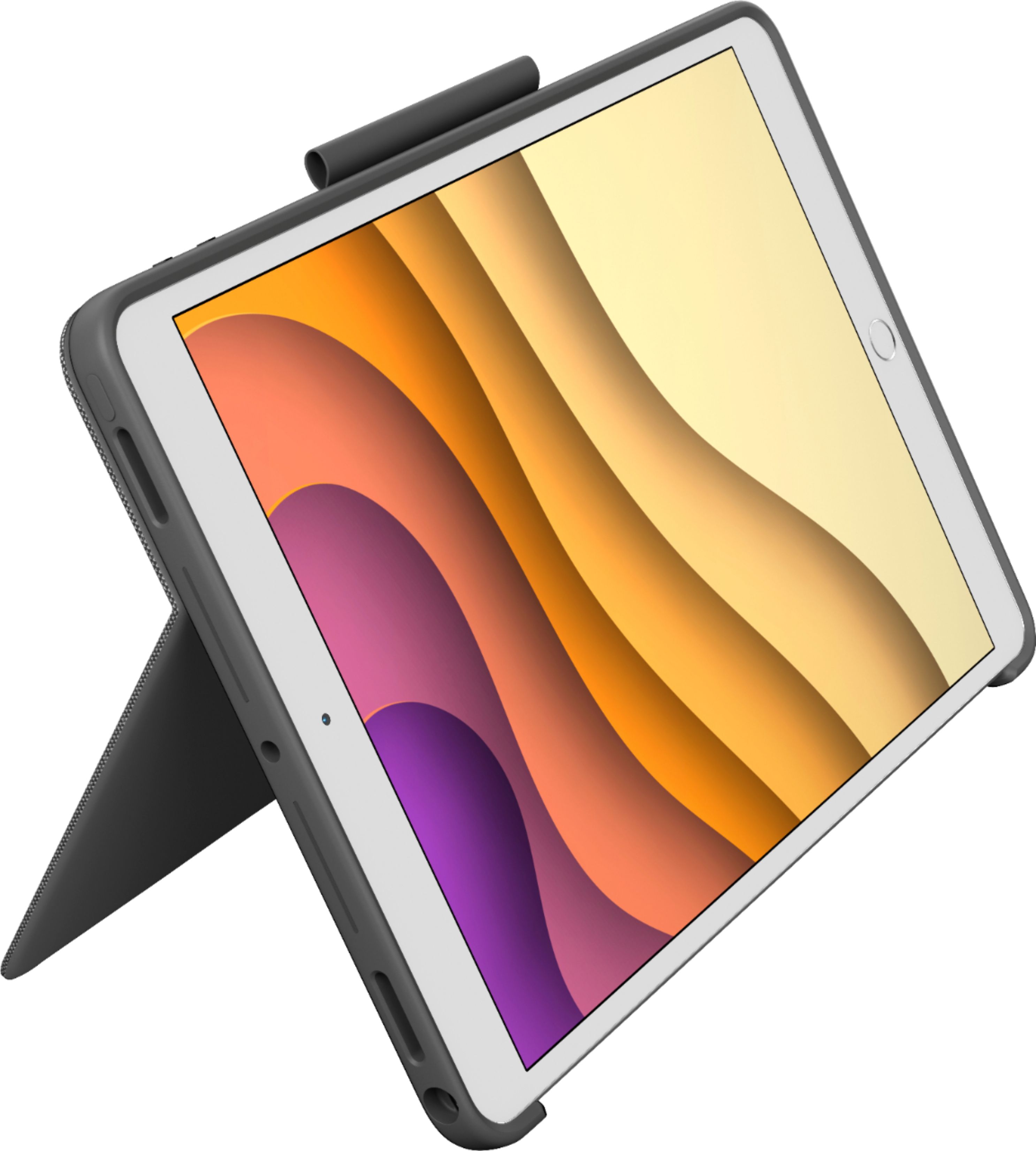
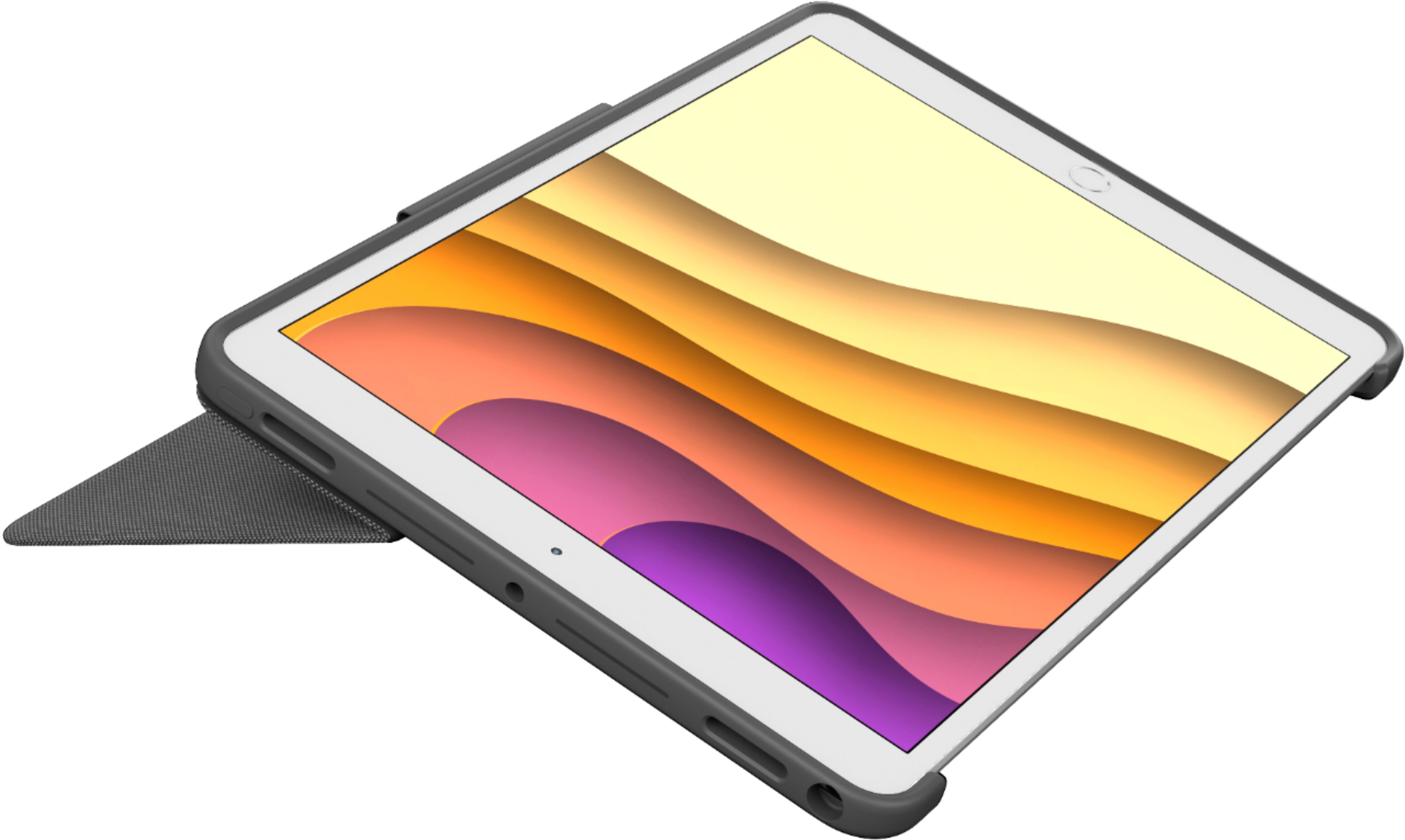
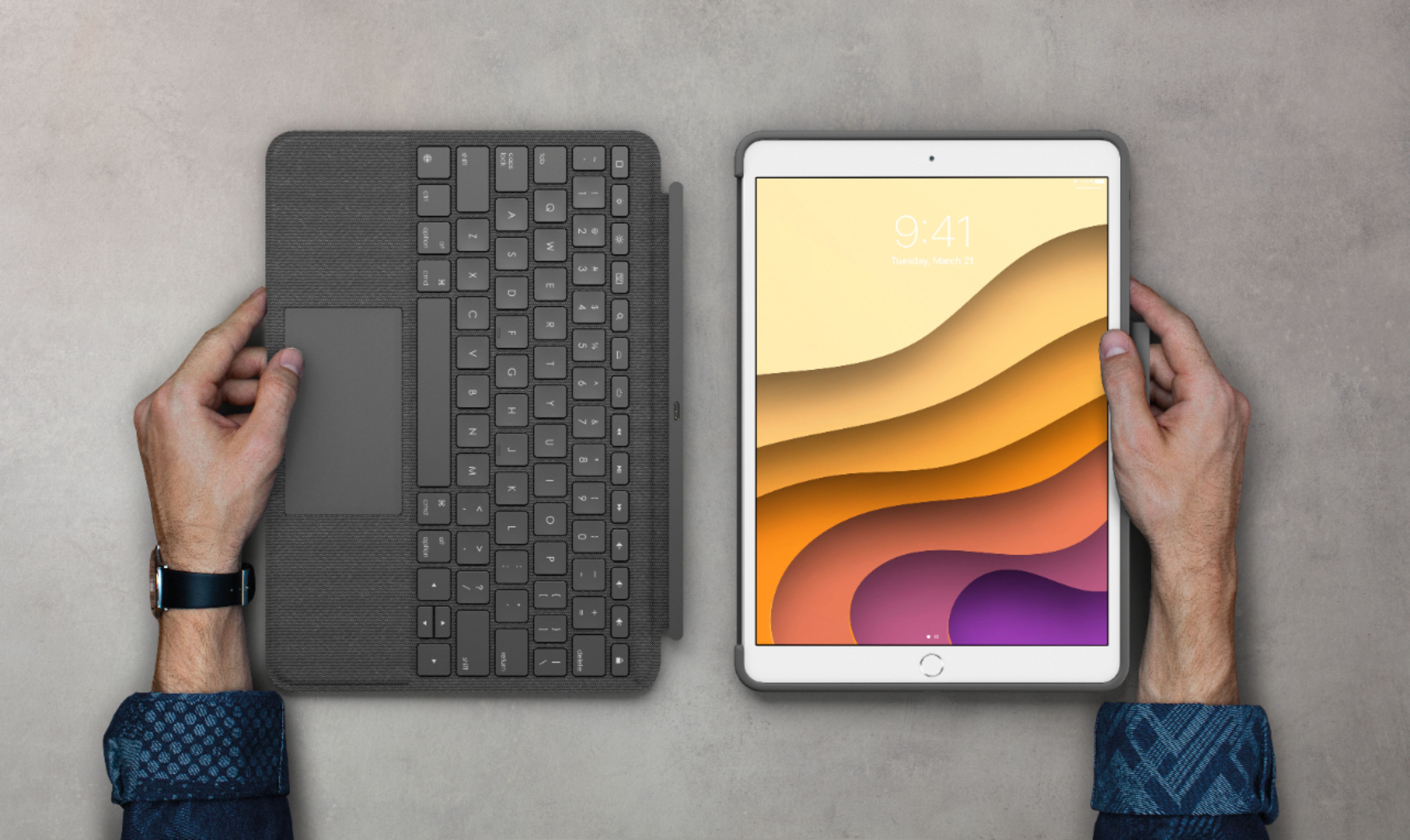
|Posted .This reviewer received promo considerations or sweepstakes entry for writing a review.The Logitech Combo touch keyboard case is hands down the best case I have ever used for any tablet. Logitech really hit a home run with this case. This case has every feature imaginable and they all work flawlessly. For starters the main cover that the iPad sits in, is made up of great quality material. It’s made up of a hard type of fabric and the boarders are a solid rubber, which feels great to touch. The home and volume buttons are cutout precisely, which make them easy to press. The face cover, which is also the keyboard and touchpad, connects to the magic connecter and attaches on magnetically. This is the first 3rd party case (that I know of), that utilizes the magic connector. This is a huge bonus, because when using the magic connector, it eliminates the need to use bluetooth or have to charge it. The cover has a built in kickstand that works really well. It’s flat enough, that it makes the iPad very slim while closed, and it stays in place when extended. I never had any issues with it folding up on me when using the kickstand. The keyboard is backlit, which has 3 different settings of brightness making it perfect to type in a dark environment. The keys feel great to type with, they used the popular mechanical type keys that work perfectly. The top row of the keyboard has all the shortcut keys for iOS such as, Vol, brightness, media playback controls, and theres even a lock button. There is also a touchpad that supports multitouch gestures. Logitech really did a great job with the touchpad, the size of it is just right for using multitouch gestures like scrolling, zooming, etc. The touchpad is also one big button to press, which feels very smooth. A side note - you can customize the touchpad in settings to utilize the button, or if you want to you can just tap it to click. Both methods work really well. Lastly, there is a small loop located on the top of the case that is used for a pencil holder. Unlike most pencil holders, this holds the pencil very snug to where is doesn’t slip out no matter how you’re carrying your iPad. Overall, this combo keyboard case is fantastic. With this case, it makes my iPad actually feel like its a laptop. Logitech incorporated every feature that I was looking for in a combo case - Detachable keyboard, great kickstand that still makes the iPad slim, backlit keyboard, mechanical keys, utilizing the smart connector, and multi gesture touchpad. I can’t say enough good things about this case, Logitech really set the bar to a new standard with this case. I would definitely recommend this case to anyone who has an iPad pro 10.5”, iPad 7th gen, or iPad Air 3rd gen.
I would recommend this to a friend Dont but. It comes defect
||Posted . Owned for 1 month when reviewed.This reviewer received promo considerations or sweepstakes entry for writing a review.I want to be so desperate to use this keyword for my business. But my logo requires me to use the “and” symbol. I also cannot user quotes. I must remove my keyboard and use the on screen one to use these basic symbols. I also have to unattached the logic act keyboard and reattach it for some features to work. Sometimes the brightness or volume doesn’t work. Gotta take it off and put it back on. Waste of 150 dollars. (I also bought this waiting for my iPad so by the time i found it sucks hte return isn’t available. SO logictech and bestbuy is trash together)
No, I would not recommend this to a friendBrand response from Logitech
Posted .Hi Power, thank you for your feedback! You should be able to use the special symbols along the number keys with "Shift + 7 = &." For support, please refer to: https://support.logi.com/hc/en-us/articles/360044742334 - Will, Logitech.
Didn't work for me
||Posted . Owned for less than 1 week when reviewed.This reviewer received promo considerations or sweepstakes entry for writing a review.I really wanted to love this keyboard! It's heavy, feels well built, and the mousepad is great! Unfortunately, the keyboard did not work for me. I tried changing settings, connecting, disconnecting, updating the software, and it wasn’t consistent. I owned it for 3 days (I needed to prepare some documents while my MacBook Pro is being fixed so I bought it). Complete waste of money and my time trying to get it to work. Extremely disappointed.
No, I would not recommend this to a friendBrand response from Logitech
Posted .Hello MelRN, we are so sorry to hear the Combo Touch did not meet your expectations. We know sometimes connectivity can be a big headache with our folios. I have attached a FAQ list that will help you troubleshoot your connectivity issues. At Logitech, it is our goal to ensure you are completely satisfied with your Logitech purchase. We take pride in the products and services we offer, and want our customers to enjoy them just as much as we do. We are so excited to hear from you soon! Have a great day. -Ricky from Logitech. https://support.logi.com/hc/en-us/articles/360044742034-FAQ-Stub-COMBO-TOUCH-for-iPad-7th-gen-iPad-Air-3rd-gen-and-iPad-Pro-10-5-inch
- Pros mentioned:Keyboard quality, Protection
Logitech Has Figured It Out
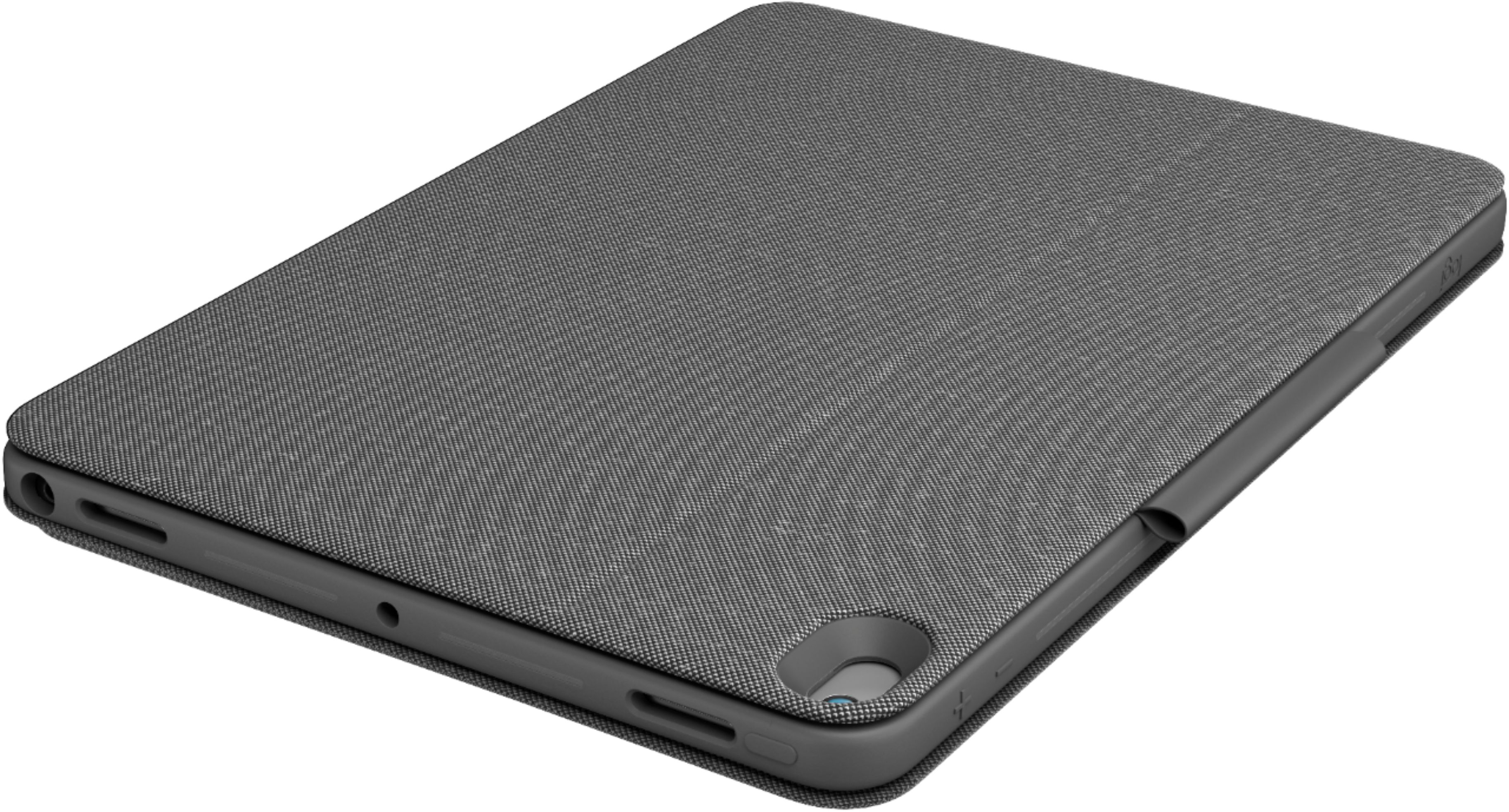
|Posted .This reviewer received promo considerations or sweepstakes entry for writing a review.The Logitech Combo Touch Keyboard Case fort the Apple iPad Air/Pro 10.5" is another great Logitech product. This is the 3rd Logitech case I have had for my iPads and they just keep getting better every time. First off, the Logitech workmanship is great as usual. The case is textured to give it a really nice feel. The openings for the camera and flash are perfect. Even though the buttons are covered, they worked with no problems at all. The openings for the speakers and the lighting connector were perfectly placed as well. There are a couple of things that I love with connecting this to my iPad. First off, the case two separate pieces, not one. One portion houses the iPad itself. The iPad fits snugly in this part of the case. It offers strong protection for the back of the unit. The iPad is not going to slide out of this case easily either. It takes a little force to remove it. The second piece is the keyboard portion. It magnetically attaches on the side of the iPad. I always wondered what those little dots on the side of the iPad did. They form the connection to this case. No Bluetooth setup required. Just attach the keyboard on the side and you are good to go. The keyboard portion really gives you a laptop feel. There is a track pad which allows you to move the mouse where ever you want it to go. Then the keyboard has backlit keys as well which I absolutely love. So you really have a laptop. However, if you want to switch back to an iPad, just easily detach the keyboard and you are free to use it as usual. Going back and forth between the two options is literally a snap. As usual, Logitech has included a flap to hold an iPencil if you like to use those., Also, the back cover has an adjustable flap that you can move out to hold the screen in position for laptop mode. I jus love what Logitech has done here. I recommend this to anyone wanting a case for there iPad. This is the best case I have seen yet.
I would recommend this to a friend - Pros mentioned:Keyboard quality, KickstandCons mentioned:Weight
Best Keyboard case for Ipad so far
|Posted .This reviewer received promo considerations or sweepstakes entry for writing a review.I like how this is very universal in offering a keyboard/trackpad that is backlit and detachable. I like that there is a kick stand for the Ipad that can be used for media consumption. The drawbacks are that the keyboard detaches easy. The mouse seems to have little value. The case with keyboard adds a ton of weight. I think this is best for work/school applications but there are better for home use/media consumption as the Ipad can be heavy in the case.
I would recommend this to a friend - Pros mentioned:Keyboard qualityCons mentioned:Weight
Keyboard makes iPad laptop-like
|Posted .This reviewer received promo considerations or sweepstakes entry for writing a review.The Logitech Combo Touch Keyboard Case for Apple® iPad® Air 10.5" and iPad Pro 10.5" is an upgrade since last year's version. This new keyboard case is easy to set up, has a backlit keyboard, and offers four different viewing angles. Since the stand is attached to the iPad's back, you can use it without the keyboard for sketching. Pros: - Simple to use... attach the case to the back of the iPad, click the magnetic keyboard onto the iPad, and you're ready to go. - The keyboard case does not require batteries or a charger. - You can adjust the keyboard brightness via the free Logitech app or by using the brightness keys. - The keyboard has a trackpad and shows a small round cursor on the iPad; this is a new feature compared to the earlier model. - The case holds an Apple Pencil or Logitech Crayon securely. - The keyboard has generous spacing and has a nice touch. - The case is sturdy and its magnetic closure turns off the iPad when closed. - The keyboard has arrows, a delete key, and an Apple Keyboard key for emojis and alternate keyboards. - A lock key turns off the keyboard instantly to lock your iPad screen and protect your data. - The case allows access to all iPad ports, switches and cameras. You can charge the Apple Pencil or the iPad with the case attached. Cons: - The case is very heavy. - If you pick up the case by the top (non-keyboard portion), the keyboard sometimes falls off. - If you choose to use the case in sketching mode, the keyboard is detached, and you must use the "soft" keyboard on the iPad screen. - The cursor is a gray dot; additional color options would be beneficial. - The cursor does not work on some sites and apps. - There is no stand setting for portrait mode; this would be beneficial for reading Kindle e-books and for using certain iPad apps that come only in portrait mode. I recommend this keyboard. It makes the iPad a good substitute for a laptop computer when using the Internet, office apps, social media, and more.
I would recommend this to a friend - Pros mentioned:Keyboard qualityCons mentioned:Weight
An iPad Air User's Needed Accessory!
|Posted .This reviewer received promo considerations or sweepstakes entry for writing a review.The Logitech Combo Touch is a great case if you’re an Ipad Air owner. The case itself sports a classy look with dark gray fabric that screams professionalism. Additionally, the case is robust, but heavy. The case is multi-faceted in so much that it can be used in multiple ways that includes detaching as well. The keypad can easily turn into a laptop-like experience. I personally like using it during video-conferenced meetings as it offers flexibility with great support due to its sturdiness. For some, it may be a bit heavy, but I have discovered it to work well for my computing needs. Additionally, there are some notable features such as backlit keys, a precision track pad, the keys are well spaced and very tactile which equate to a nice typing experience. I really cannot speak enough to how Logitech keeps elevating their products in order to enhance users’ computing needs. My hat goes off to them as being the dominant force when it comes to accessories of all sorts
I would recommend this to a friend - Pros mentioned:Keyboard quality, Protection
Excellent but heavy
|Posted .This reviewer received promo considerations or sweepstakes entry for writing a review.Excellent keyboard case. I have been using it for about a week. The case is very protective. The keyboard keys feel great and the overall construction is rock solid. That's where I had a conflict. It's super durable which is great but me personally would have preferred they tone that down a bit to shave off some of the thickness and weight as it's heavier than I expected. The keyboard clips on tight and the keys are backlit. The material is durable and stain resistant. They have the best case hinge stand on the market. I hope they always use it as I have other Logitech cases that use the hinge design also and it's always the star of the show so to speak for me. Overall if you don't mind the added weight there is nothing to complain about as it does the job and does it well.
I would recommend this to a friend - Pros mentioned:Keyboard qualityCons mentioned:Weight
Great Touch Pad, Lighted Keyboard
|Posted .This reviewer received promo considerations or sweepstakes entry for writing a review.The Logitech Combo Touch Keyboard Case converts the IPad Air 3 into a laptop as well as it can be and easily competes with the Apple combo keyboard at a much lower price. The keyboard is lighted, has a good typing feel, and the touchpad is as good as any pc touchpad that I have used. The case, however, does add considerable weight. I say that it converts the Air 3 as well as currently possible because the IPad operating system and applications are still not up to pc level for some uses. If you are looking for a protective keyboard case for the Air 3 that also provides an accurate touch pad, I highly recommend the Logitech.
I would recommend this to a friend