Customer Ratings & Reviews


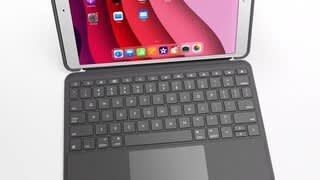
- Model:
- 920-009608
- SKU:
- 10736767
Rating by feature
- Value
Rating 4.6 out of 5 stars
- Quality
Rating 4.8 out of 5 stars
- Ease of Use
Rating 4.7 out of 5 stars
Customers are saying
Customers consistently note the Combo Touch Keyboard Folio offers a great keyboard experience and is easy to use. Users appreciate the protection it provides and the multi-angle stand. Some find it adds weight to the iPad, and a few mention the price and battery life could be improved.
This summary was generated by AI based on customer reviews.
Can't Get Its Backlight or App to Work
||Posted . Owned for 3 weeks when reviewed.This reviewer received promo considerations or sweepstakes entry for writing a review.We still have not figured out how to get the backlight feature to work, and the app they tell you to download does nothing other than give you a page with the name of the app and keyboard. It lets you do nothing relative to controlling the keyboard or its operation.
No, I would not recommend this to a friendBrand response from Logitech
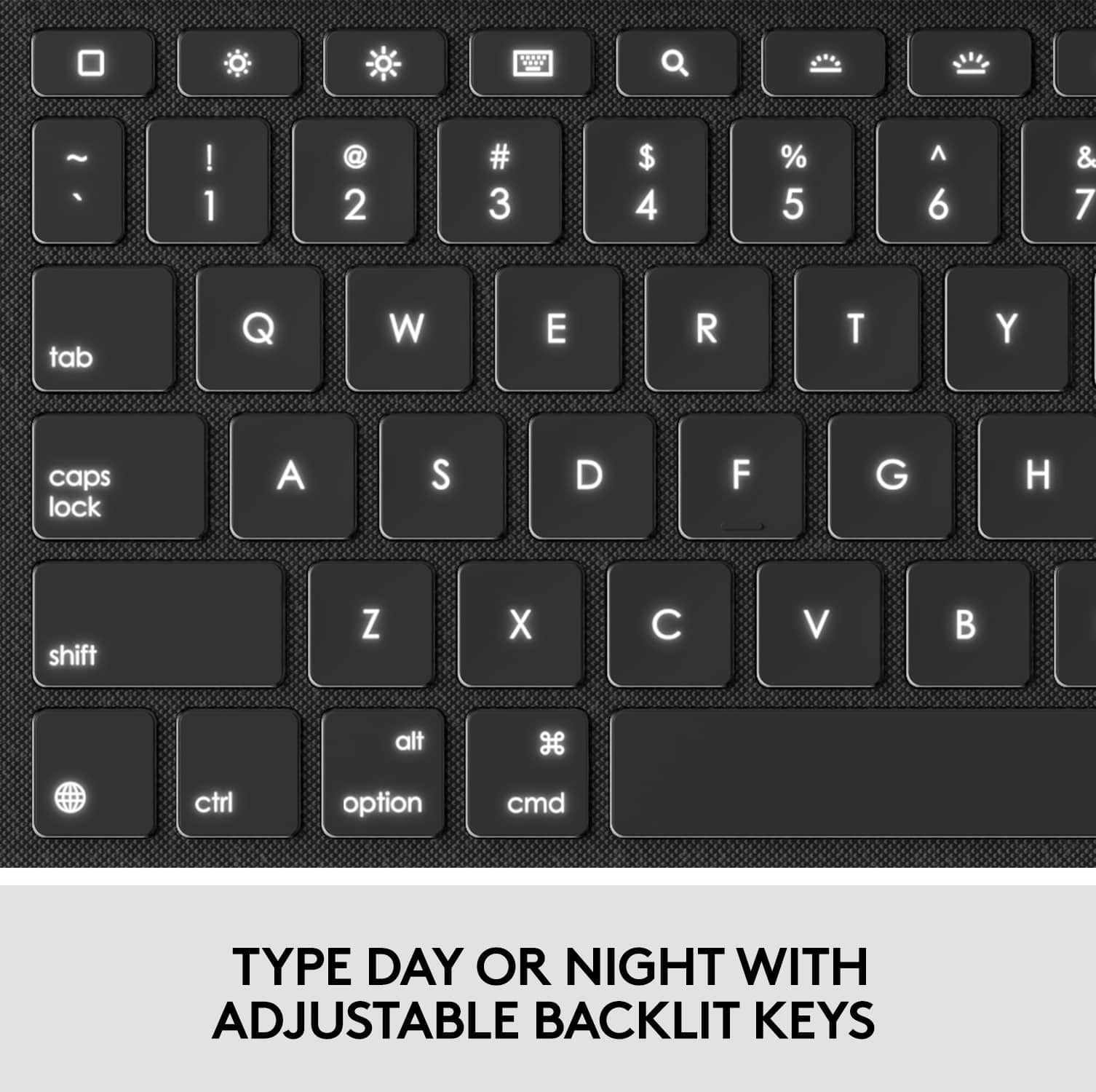
Posted .Hello, I am sorry to hear you are unable to get the back lighting to work. The keys to adjust the backlighting are on the top row, and they are number 6 & 7 from the left. I hope this helps! Thank you for taking the time to write this review, we appreciate the feedback.
Disappointing
||Posted . Owned for less than 1 week when reviewed.This reviewer received promo considerations or sweepstakes entry for writing a review.Does not stay together good and very awkward and doesn’t do what I need it to
No, I would not recommend this to a friendBrand response from Logitech
Posted .That's disappointing and we apologize for the inconvenience. We'd recommend you to get in touch with Logi support team and check for available options, next steps, and best possible solution in this case.
- Pros mentioned:Keyboard quality

The iPad Keyboard I've Been Waiting For!
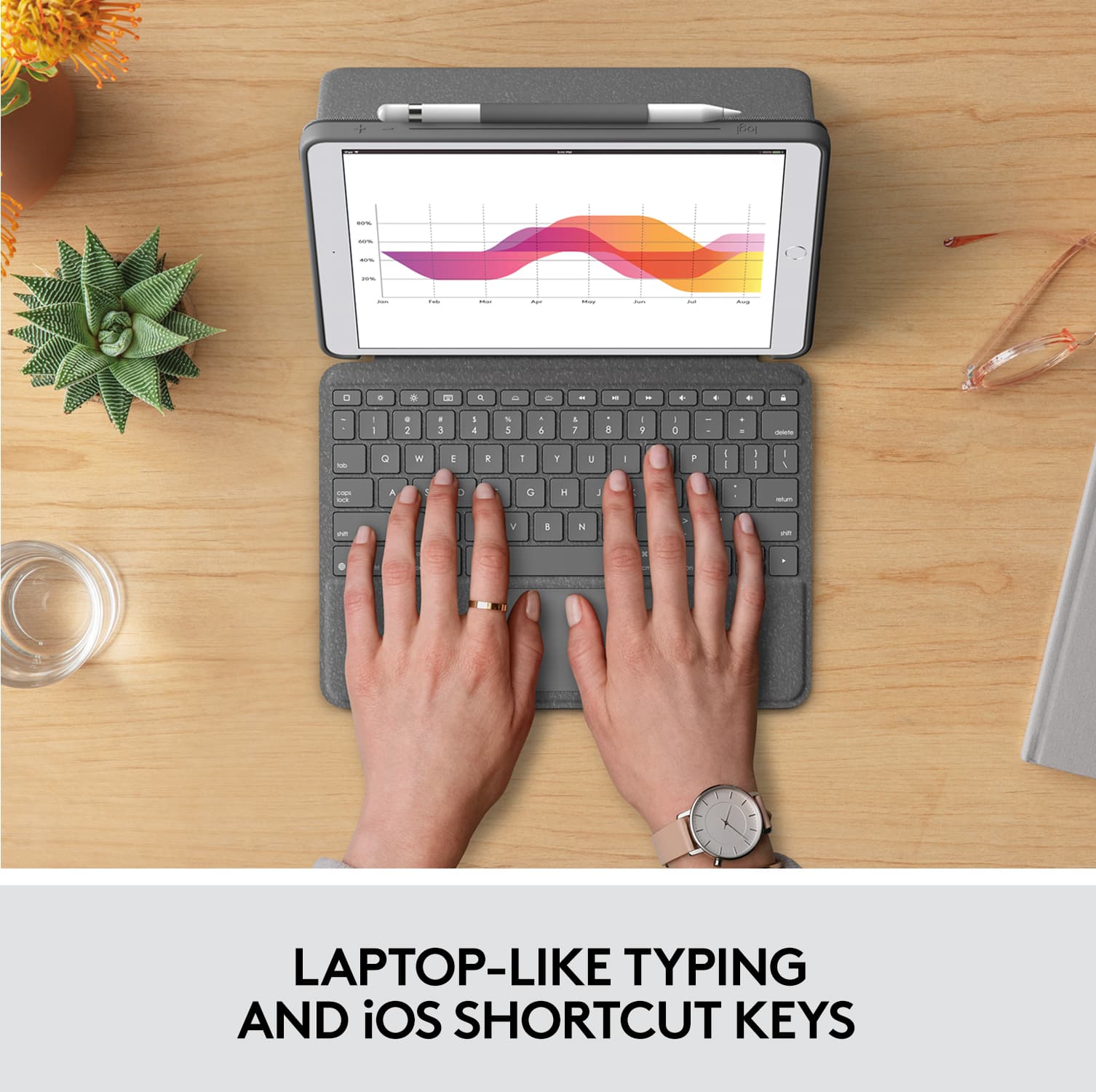
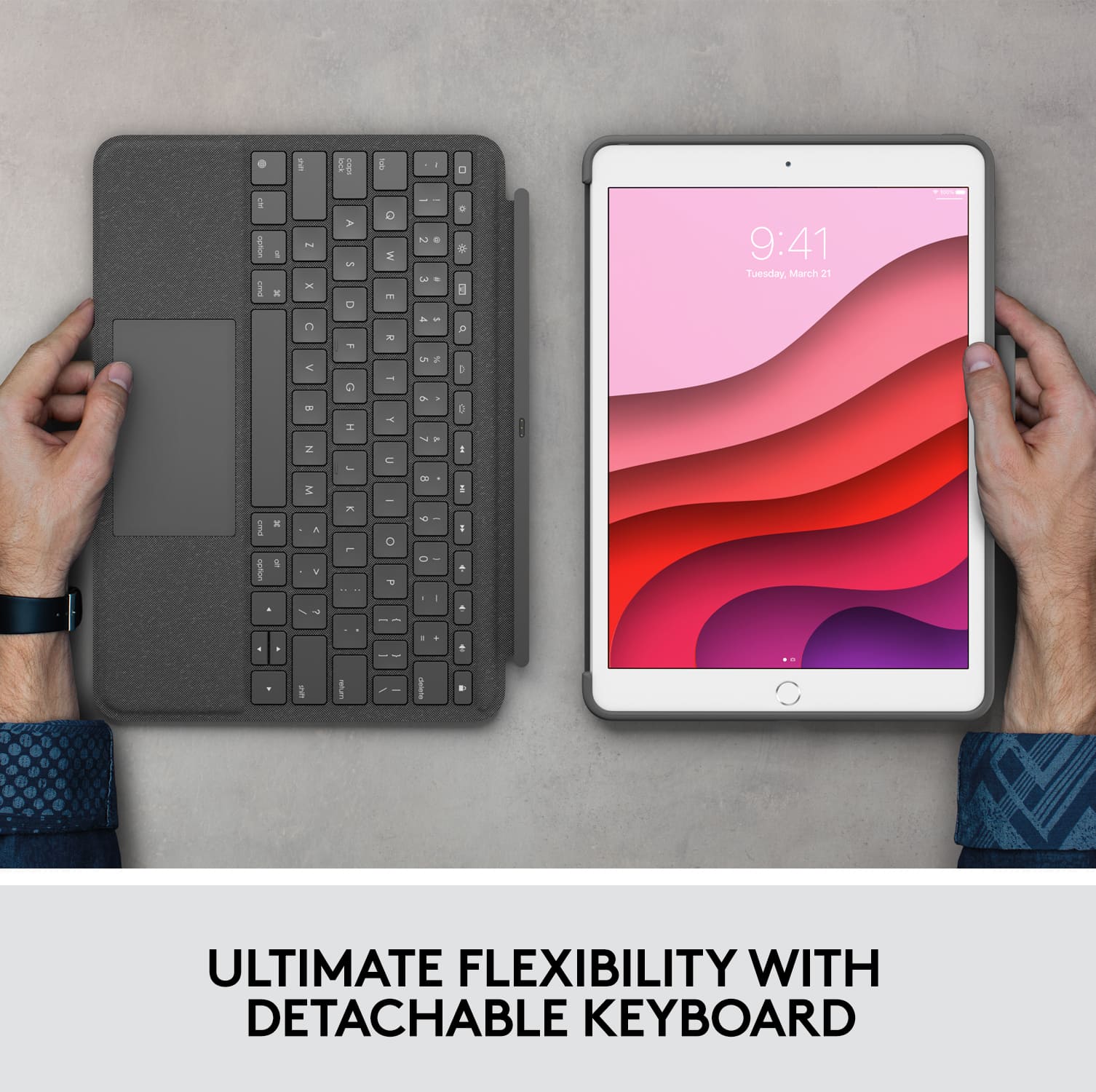
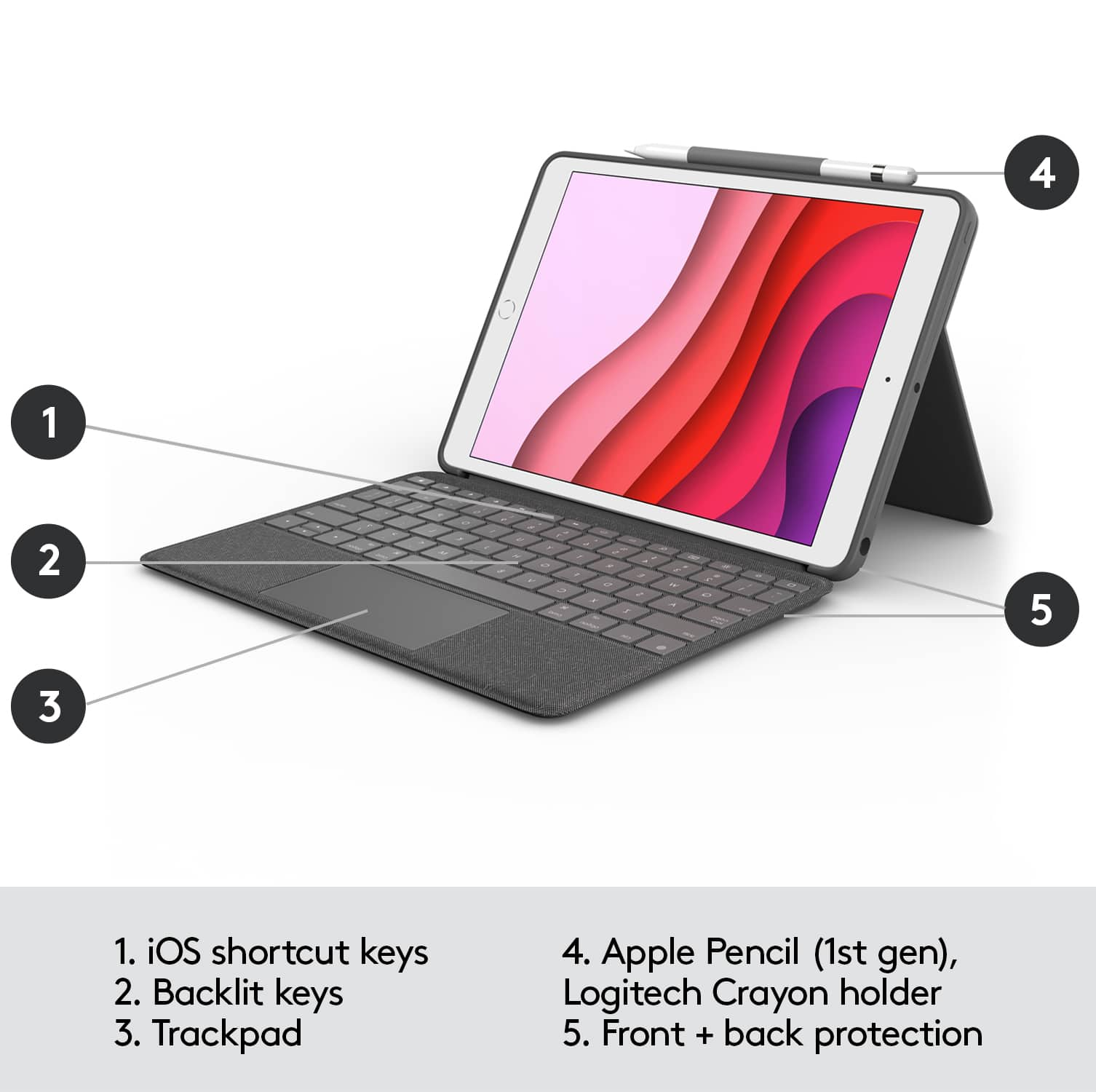
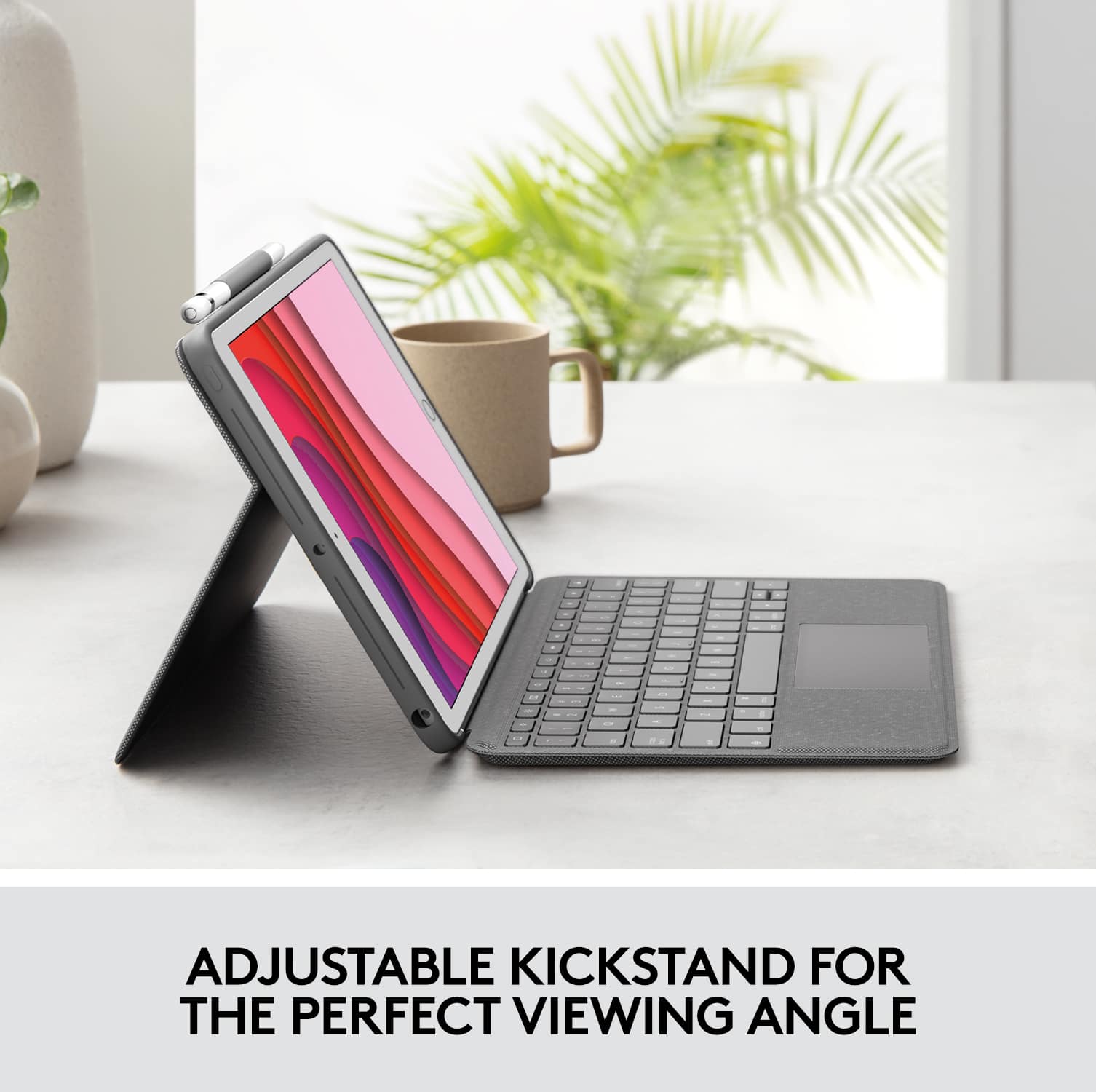
|Posted .This reviewer received promo considerations or sweepstakes entry for writing a review.This is a super easy review to write, not only because I'm able to type it on my iPad with the Logitech Combo Touch Keyboard but because all I really have to do is fill it with a bunch of superlatives and be done with it. No really, I have had an iPad since the first generation and have owned several different keyboards for them ranging in price from cheap to blindingly expensive (almost the cost of the iPad itself), and this is the ONLY one I have not just liked, but actually LOVED! Here are some of the things I truly love about the Logitech Combo Touch Keyboard: 1. Typing feels good on this thing. This has always been my number one priority and this is the first that I have tried that has nailed it for me. The Apple branded keyboards have always felt 'mushy' which is strange since I want my keyboard to feel like their Magic Keyboards for my Mac. 2. Has a trackpad! When I was working conferences and had to use a keyboard case for my iPad to collect visitor info; people would always get screwed up with the fact that there wasn't a trackpad to move the cursor. Always had to stand there and tell them to touch the screen or tab between the fields, but it was a pain. I'm no longer doing conferences but man would this have made my job easier! The trackpad is responsive and has a solid right/left click. I will have to dig into the settings to see if I can get the 'tap to click', because I use that a lot. 3. Doesn't need to be linked or charged! Now the Apple keyboards have had this for a while (mushy keys and all), this is the first I've owned from an accessory company that uses it and it is great. 4. Backlighting! This is not needed for me most of the time since I tend to use my iPad in well lit places, it has come in handy a few times already and I've only had it for a week. It has variable brightness levels too. 5. Texture of the case and keyboard feel great and the protection from the case side is solid. 6. Kickstand! Microsoft has had this on their Surface devices for a while now and I always thought it was a cool mechanism and now I have it on my keyboard case. It works great and provides a solid platform when typing on a flat surface (in case you need to use the pencil or your finger to work on the screen). I only have two things that I wish the Logitech keyboard had or could change: 1. I wish it had a matching magnetic cover for when you just want to have the iPad in a case and don't need the keyboard. I could probably get an Apple Smart Cover but then it wouldn't match. I would be cool with paying extra for that. Just put matching covers in Best Buy and I'll pick one up. 2. Wish the case side was a tad lighter. Now I understand that it has to be solid enough to protect the iPad as well as incorporate the kickstand that I really like, but this case will add quite a bit of weight to your iPad set-up. That being said, it is nothing egregious and I would rather the case be on the solid side than the flimsy one. If you are looking for what I believe to be the best keyboard case around for the iPad, look no further than the Logitech Combo Touch Keyboard Case. Yet again, Logitech knocking it out of the park.
I would recommend this to a friend terrible experience
||Posted . Owned for 3 weeks when reviewed.This reviewer received promo considerations or sweepstakes entry for writing a review.This item was purchased to go along with an ipad ordered, Received this which I have no use for and did not receive the ipod.I guess I will just trash it since I have no time for the return process.
No, I would not recommend this to a friendBrand response from Logitech
Posted .Hello. The Logitech Combo Touch is a great accessory for the iPad, this model fits the 7th or 8th generation iPad. I am not sure of the status of your iPad/iPod order, but I would like to help you with your Logitech Combo Touch. I have attached a link to the “Getting Started” support page for this Combo Touch. Please visit the Logitech support page for further assistance with this Combo Touch or any Logitech products.
Best regards,
John at Logitech
https://support.logi.com/hc/en-us/articles/360044742334-Getting-Started-COMBO-TOUCH-for-iPad-7th-gen-iPad-Air-3rd-gen-and-iPad-Pro-10-5-inch
- Pros mentioned:Keyboard quality
Nice Trackpad Keyboard, Best for Table Top
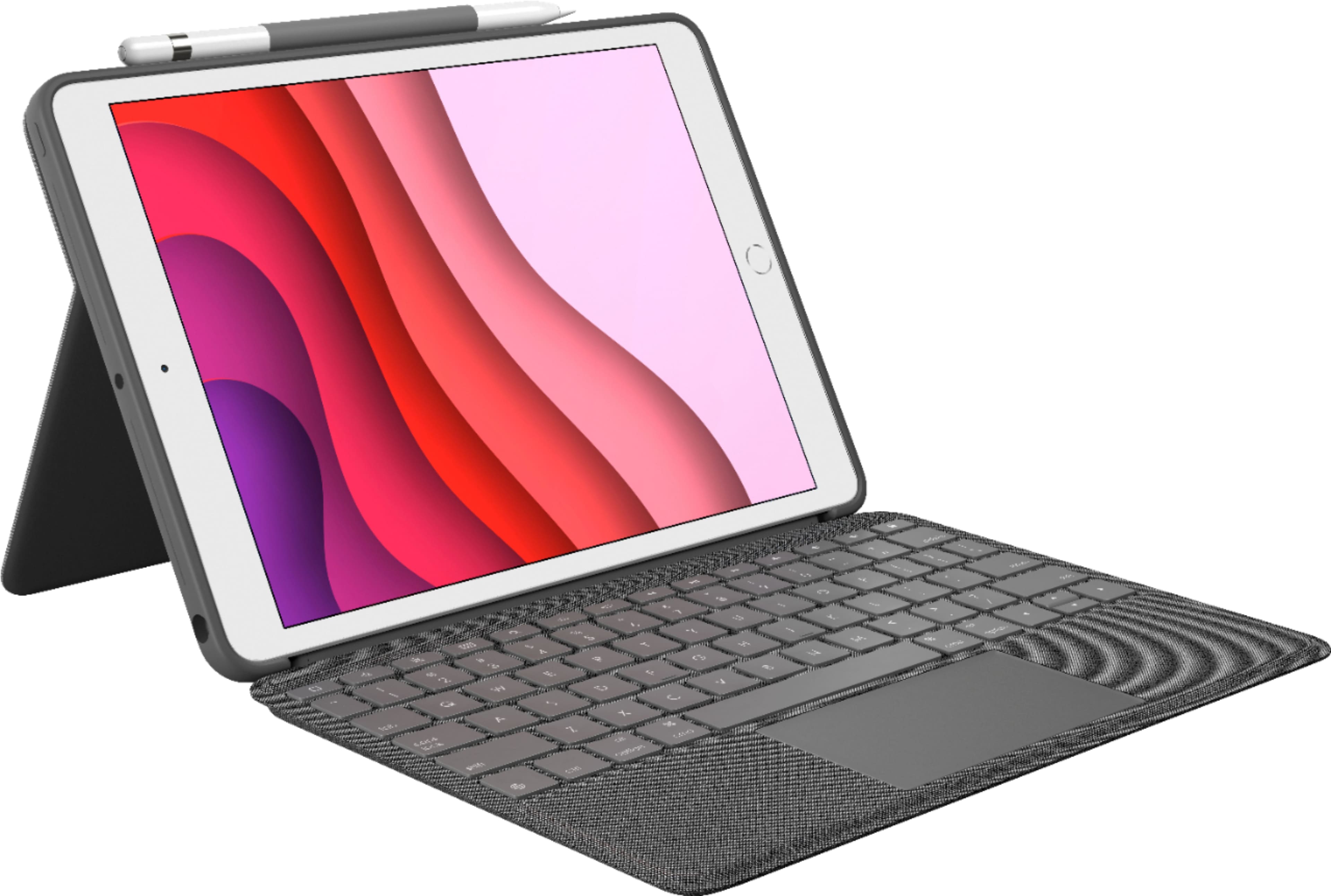
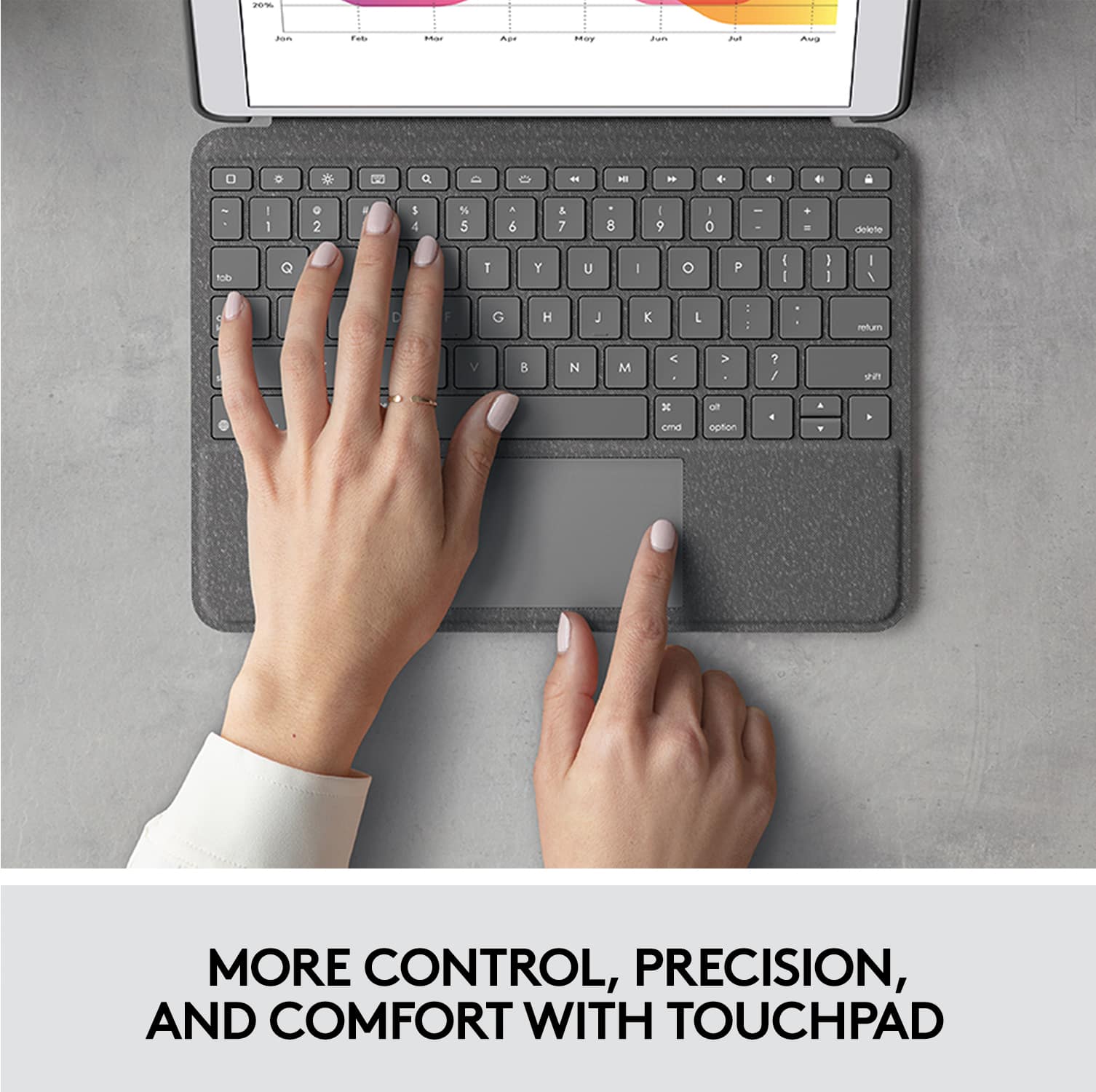
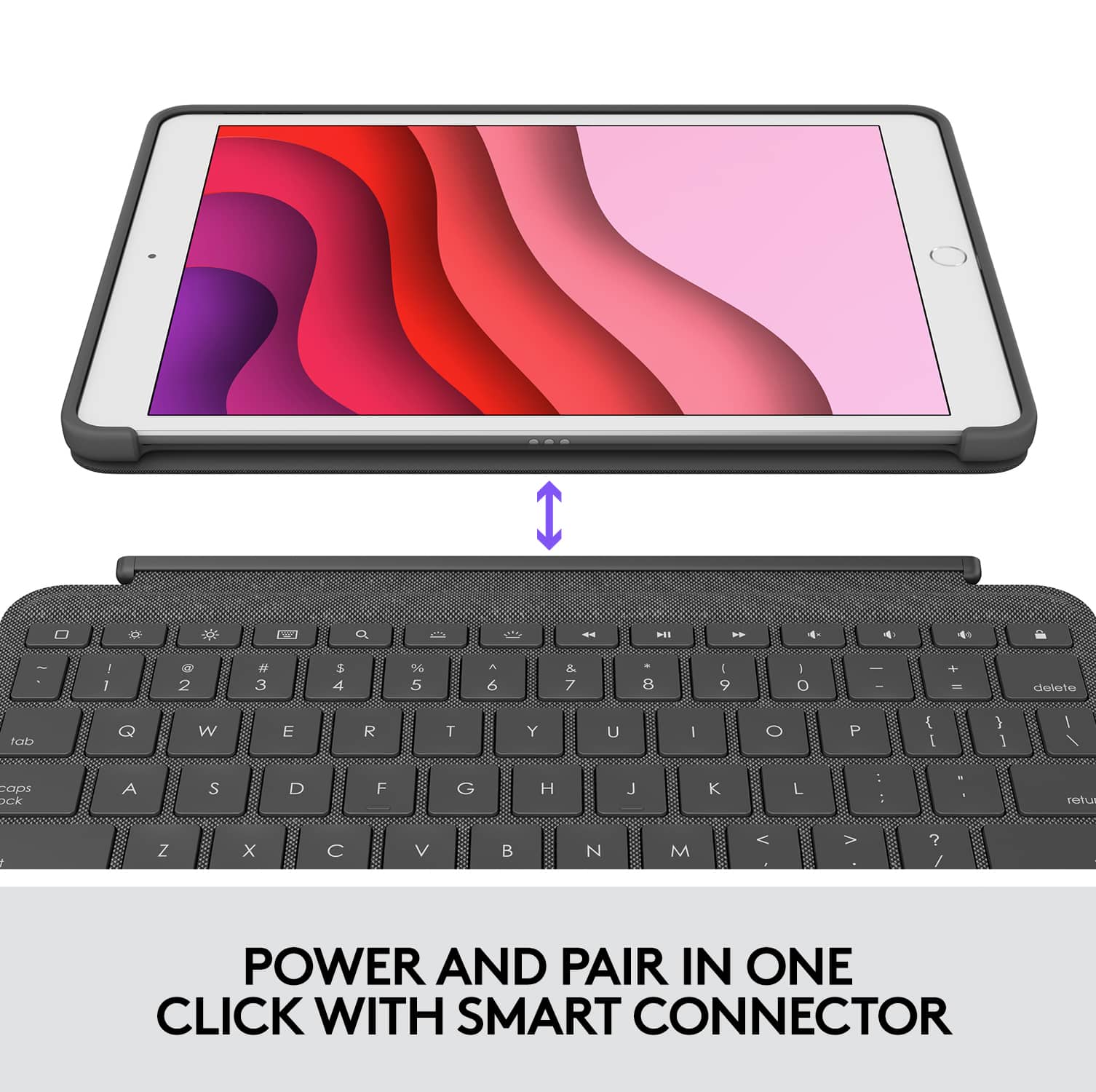
|Posted .This reviewer received promo considerations or sweepstakes entry for writing a review.The Logitech Combo Touch Keyboard case pretty much expands on Logitech's line of keyboard cases for the iPad, adding a trackpad. A trackpad allows usage of the cursor in the new iPadOS. This lets you take your iPad to the next step of being a laptop replacement. How well does it work? Let's find out. Full disclosure, I received this keyboard case as part of a program in exchange for honest, unbiased review. The keyboard case is a two piece design, one part being the keyboard itself (with trackpad) that attaches magnetically to the iPad. The other being a cover that protects the rear and sides of the iPad and is held in place by friction, you pretty much press the iPad down into it. The rear cover has the kickstand which supports the iPad while in use. I like this version of a two piece case. I've had others which use magnetic attachment for both the keyboard portion and kickstand/case and inevitably at some point the heavier device slips or falls away from the kickstand portion.This is sturdy, your iPad isn't slipping away and at least you can be sure the back and sides will always be protected. The keyboard and case itself are a nice dark gray/slate color. While this is about par for the course, it looks good and of similar quality to the iPad itself. It also has a loop on the case portion to hold an Apple pencil.That said, this keyboard/combo is on the bulky side. So, making your iPad more laptop like will. . .well, give it more laptop like proportions. One of the immediate things you'd notice is that the keyboard plugs into the iPad itself via smart connector. This is big because that means no batteries or Bluetooth pairing required. The keyboard is powered from your iPad and talks directly to it. The keyboard can be used without the case to save bulk, but then you'd have to find some other way of propping up the iPad. Moving on to typing - the keyboard does a decent job. The keys are spaced as well as they can be given the physical dimensions available. As the case is not that much wider than the iPad, you are limited in how "full" it can be. Running my normal typing speed test yielded 72 wpm adjusted with errors. While the key travel felt nice, the size definitely slows you down or makes you prone to higher typing errors at speed. That said, for casual browsing and maybe writing comments or tweet length messages, the keyboard does a great job. If you're going to attempt word processing, I think you can get away with some light work but anything where you're spending more than 30 minutes at a time typing would make you want a larger keyboard. In that regard, this is not quite enough to turn the iPad into a laptop replacement, but perhaps a decent competitor to a Chromebook. The trackpad works great and supports multi-touch. "Clicking" with the trackpad requires actually pressing down, it's like a big keyboard key in that regard. This brings me back to the later years of palm PDA keyboards! It works, but it definitely takes some getting used to as most modern trackpads are now fully touch. The multi-touch gestures work well also. Interestingly enough, I think the trackpad is an underrated feature. It allows you do do many thing via scrolling and selecting verus reaching up to the touch screen. Now, that may seem strange given that the iPad itself is a touchscreen device, but I've found that when using a keyboard, I tend to want to keep my hands at the keyboard. There are still some things where it feels natural to reach and touch, but otherwise navigating using a trackpad (or mouse) is more convenient and faster, as you're not making a context switch between a keyboard/trackpad/mouse workflow and touch workflow. The trackpad just greatly enhances your productivity on the iPad and in a way, nicely compliments the keyboard which couldn't quite do it on its own. So, while I still don't quite think this is laptop replacement ready, I can definitely see the appeal. The keyboard case folds and adjusts in a few different ways to facilitate just reading, typing, watching video, or drawing. The kickstand adjusts pretty well, going back at least 45 degrees. This is a critical point for kickstands because when you're limited to a 30 degree recline or less, it gets to be difficult to use the device on your lap and get a good angle for reading the screen while you type. That said, by not having a solid mechanical connection between the kickstand/case and the keyboard, this is inevitably a bit unstable on your lap. Good enough for use in cramped spaces but over a longer period, unless you're just naturally very still and don't generate too much force while typing, you'd be better off and more comfortable using this on a table or other flat and solid surface. My overall rating is 4 stars. There's some pros and cons here as I've outlined but I think the trackpad functionality expands the usability enough to make this a strong recommendation.
I would recommend this to a friend Paid full price for open box return
||Posted . Owned for 3 months when reviewed.This reviewer received promo considerations or sweepstakes entry for writing a review.Paid full price for this and it looked like an open box return. The period key was broken and I didn’t realize it until after the 30 day return window.
No, I would not recommend this to a friendterrible
||Posted . Owned for 5 months when reviewed.This reviewer received promo considerations or sweepstakes entry for writing a review.it’s been four months since i got it and i barely use it. some keyboards don’t even work, it slides my mouse just by me pressing a letter
No, I would not recommend this to a friendBrand response from Logitech
Posted .Hello amer! We're sorry to hear your Combo Touch is having so many issues. I would recommend reaching out to our support team here https://support.logi.com/hc/en-us/requests/new?ticket_form_id=360000621393 to get a warranty claim started, as it sounds like this one is defective. We greatly appreciate the feedback and will be noting these issues. Thank you so much! - Maggie from Logitech
hard to type
||Posted . Owned for 2 weeks when reviewed.This reviewer received promo considerations or sweepstakes entry for writing a review.I bought this because of the good reviews. but i returned this keyboard because it was hard to type. maybe i got the bad one
No, I would not recommend this to a friendBrand response from Logitech
Posted .Hi John, sorry to hear that you are unsatisfied with your Combo Touch Keyboard Case with Smart Connector. We are always looking for ways to improve our products, so we appreciate your review. i have one myself and have not experienced any issues with typing, however comfort is personal. Perhaps the Folio Touch or Rugged Folio maybe better for you. If you ever have additional feedback or questions regarding Logitech products, feel free to visit https://support.logi.com/hc/en-us Thanks, -Logitech
- Pros mentioned:Keyboard quality
iPad as a Laptop replacement now w/ Trackpad!
|Posted .This reviewer received promo considerations or sweepstakes entry for writing a review.I've previously used other Logitech iPad cases and keyboards, and this was the first opportunity I've had to use one that now takes advantage of the pointing capabilities of the new iPad! As a case - Logitech cases are sturdy and well made. The synthetic material canvas material that this case is made of looks nice and cleans up nice too while resisting stains and such. Ample bump space and buffers on the ends and corners will help it survive drops, as well as the built-in kickstand and pencil holder, which are nice touches. The keyboard connects magnetically, and if you had kids who did distance learning you might recognize this case as similar to some of the ones utilized in schools. The trackpad has similar touch and sensitivity to other Logitech pointing products, while the way that your iPad responds to the trackpad might take some adjustment. Backlit chiclet keys with a nice touch help complete the transition for me from needing a laptop while traveling or on a plane, to being able to use my iPad exclusively, which I would prefer. I sometimes use my iPad as a reader or play games while lounging and I like that I can simply snap off the keyboard to get it out of the way. Most of the other keyboard cases that I've had where the keyboard was worth its salt wasn't removable. Overall this thing is well made and definitely worth investing in. Even if you're a casual keyboard user and need a good case, with the occasional itch to type, this will serve you well. Well made and sturdy it will protect your iPad.
I would recommend this to a friend Keyboard falls off easily.
||Posted .This reviewer received promo considerations or sweepstakes entry for writing a review.The keyboard falls off so easily. Would expect more from such a pricy purchase.
No, I would not recommend this to a friendBrand response from Logitech
Posted .Hello Kenn, I am sorry if there was any confusion regarding this device. This combo is made so you are able to take the keyboard off. If you do not like this feature, our folios have a keyboard that does not detach. It will stay connected, and you just fold it behind when you do not want to use it. I hope that clears things up. Thank you for taking the time to write this review, we appreciate the feedback.
-Danielle from Logitech
- Pros mentioned:Keyboard quality
Great accessory
|Posted .This reviewer received promo considerations or sweepstakes entry for writing a review.Logitech - Combo Touch Keyboard Case for Apple® iPad® 10.2" (7th Gen 2019) - Graphite Included- Detachable keyboard case, 1 year limited warranty The Logitech Combo Touch Keyboard case is the is the perfect accessory for your iPad. It's a full case that covers the front and back of your iPad but it is also a full size keyboard with a trackpad, so you are able to convert your iPad into more of a laptop feel and function. It gives you the option to remove the keyboard if you don't want to use it and have attached at the moment. It will leave the screen unprotected but not as cumbersome. The case is textured and has a cloth feel. It reminds me of tweed. It feels somewhat heavy in weight because of the keyboard, but also seems durable. The keyboard keys are smooth and easy to type with. I am picky about keyboards and like this one. It's also backlit so visibility is easy in low light. The adjustable kickstand gives you 4 different modes- typing, watching, sketching and reading for full range of use. If you have a Apple Pencil, there's a loop on the side for your to store it for easy accessibility. There are no batteries included because they aren't needed. The keyboard pairs and then powers directly from the iPad. I would highly recommend you run out and buy this for your iPad if you use it to do any typing, sketching, watching or reading. The Logitech Combo Touch Keypad Case will help you be productive while being comfortable.
I would recommend this to a friend Returned
||Posted . Owned for 1 month when reviewed.This reviewer received promo considerations or sweepstakes entry for writing a review.Wasn’t what I needed but was told it would fit my iPad had to return it but overall pleased with it
No, I would not recommend this to a friendBrand response from Logitech
Posted .Hi Alona, I'm sorry that this Combo Touch Keyboard Case did not work for your iPad. I hope that you were able to pick the correct case for the iPad you have. I hope that your return process was smooth. Thank you for being a Logitech customer. Kristi from Logitech
Where is my purchase!?
||Posted . Owned for 3 weeks when reviewed.This reviewer received promo considerations or sweepstakes entry for writing a review.Where is my purchase!? I haven’t received it yet. And, it is almost a month. Please advise
No, I would not recommend this to a friendNice but doesn't work
||Posted . Owned for 1 month when reviewed.This reviewer received promo considerations or sweepstakes entry for writing a review.It doesn't stay pair with my keyboard, keep saying it doesn't work with ipad
No, I would not recommend this to a friendBrand response from Logitech
Posted .Hello, NONE! I'm sorry to hear about your experience with the Combo Touch keyboard case. I would recommend reaching out to our support team here https://support.logi.com/hc/en-us/requests/new?ticket_form_id=360000621393 to get assistance with your pairing issue. Thank you for this review! I will be passing this feedback along. - Maggie from Logitech
- Pros mentioned:Keyboard qualityCons mentioned:Weight
Good keyboard and case combo with some flaws
|Posted .This reviewer received promo considerations or sweepstakes entry for writing a review.I loved the idea of having an ipad case for tablet mode and the detacheable keyboard like the Surface Pro. The downfall is that combined it is heavy and the trackpad offers little value for the Ipad. It is just easier to touch the screen. The keyboard is nice and being able to just pull it off is great. I also like the built in kickstand in the case which makes watching content more convenient. So far the best combo case yet. Just need to see more tweaks to ipad os and the case needs to shed some weight.
I would recommend this to a friend Wrong
||Posted .This reviewer received promo considerations or sweepstakes entry for writing a review.I never bought this item. You must be using the wrong email address.
No, I would not recommend this to a friend- Pros mentioned:Keyboard quality
Gem of a Case
|Posted .This reviewer received promo considerations or sweepstakes entry for writing a review.I’ll be up front and say that I’ve been a devoted fan and consumer of Logitech products for a long time. As usual, Logitech does not disappoint. This Combo Touch Keyboard Case for Apple® iPad® 10.2" (7th Gen 2019) has managed to combine all of my favorite attributes from the other 3 IPad cases that I own into one sleek, feature-loaded, professional looking case. This product is high quality and has a solid feel/construct. I love that is has a storage spot for my Apple Pencil and open sides that let you charge the Pencil while it’s closed. The full-sized keyboard has backlit keys that are handy in dim lit conditions and a highly responsive trackpad that allow my tablet to function like a laptop. The keyboard on the case is detachable, so you can tote just the IPad in its protective cover but when attached it functions as part of the protective case. It charges via attachment to the IPad instead of requiring a separate charger and pairs quickly and easily using Smart Connector technology. The keyboard/case with adjustable kickstand can be positioned 4 different ways for use. I definitely advise investing a little extra money and buying this gem.
I would recommend this to a friend - Pros mentioned:ProtectionCons mentioned:Weight
Great case with one or two flaws.
Posted .This reviewer received promo considerations or sweepstakes entry for writing a review.I didn’t get the case from Best Buy but Apple directly that being said, I“m very happy with my purchase and would buy again! I got a new IPad 7th generation for Mother’s Day from my hubby and daughter for the purpose of not having to carry my MacBook Pro everyday to the office. This has lighten the load and now I carry in my iPad in my purse. The issue is the break away keyboard easily comes off, so be careful that you don’t drop your IPad and it does add weight to an already weighty iPad. But still lighter than my pro and I am extremely happy with this keyboard case!It feels super protected , definitely worth the money! Need more girly colors though.
I would recommend this to a friendBrand response from Logitech
Posted .Hello, I am glad to hear like the product despite a few design flaws. Thank you for being a Logitech customer, and taking the time to write this review. We appreciate it!
- Pros mentioned:Keyboard quality
Incredibly Convenient and Versatile
|Posted .This reviewer received promo considerations or sweepstakes entry for writing a review.The Logitech Combo Touch Keyboard Case for iPad is a great product. It’s well-designed, easy to set up, convenient, and very functional. Set up was simple. I snapped my iPad into the case, connected the keyboard, and was typing and using the trackpad immediately. No need to install anything (although the Logitech Control app is available if you want to have a couple more settings to adjust). As someone who’s never used a keyboard or trackpad with my iPad before, I only wish the in-box documentation had directed me to the Keyboard and Trackpad sections of the iPad OS Settings app. That’s where I was able to increase the pointer speed and turn on “tap to click” mode, which really boosted my efficiency. There are a few different use modes, making this really versatile. With the keyboard/trackpad attached, this product makes my iPad experience feel much more like a notebook computer. I’m taking notes, writing emails, editing documents, entering data, and updating spreadsheets like I never imagined I would with an iPad. In fact, I’m probably going leave my notebook computer at home a LOT more often thanks to this product. When work is done, the keyboard and trackpad pop off, and the kickstand adjusts for watching video at a range of angles. With the kickstand fully extended, the screen is angled at about 15 degrees, which seems comfortable for sketching with a stylus device (although I don’t have one so I can’t really confirm). Finally, the kickstand folds flat for handheld use, which is a bit bulkier than a “naked” iPad, but still comfortable. The keyboard typing experience is great. There’s good bounce-back, and I never feel like I’m bottoming out hard against the surface below. It’s compact, but there’s some spacing between each key, and I’m typing at around the same speed I do on a notebook computer. Backlighting the keys was a really nice touch, and the timeout can be customized using the Logitech Control app. Finally, the row of function keys just pushes the convenience factor over the top. I could take or leave the media playback keys, but I’m already getting a ton of use out of the brightness, volume, and home keys. I’ve also discovered that holding down the Cmd key brings up a window with app-specific keyboard shortcuts. That seems to be an iPad feature, not specific to this Logitech product, but it still makes this product that much more convenient. The trackpad is responsive. Pointing, tapping, and multi-finger gestures just plain work as expected. I’ve noticed there’s some sort of “accidental touch” protection, because my fingertips move the pointer, but dragging my palm across the trackpad does not. Clicking is most responsive near the bottom edge, a little less responsive in the middle, and almost impossible at the top edge. If you’re like me, and prefer tap-to-click, you might not ever notice, but you’re a clicker who needs to be able to click *anywhere* on the trackpad, this will probably be an issue. My only other concerns are all very minor — certainly not dealbreakers for me: First, this isn’t very lap-friendly. I am finding that it works best with a flat, stable surface to keep the kickstand, iPad, and keyboard all in reasonable alignment. Trying to use this on my lap resulted in the screen wobbling a lot and the keyboard occasionally disconnecting. Second, this provides some protection for sure, but it’s not exactly “rugged.” The iPad fits securely in the case and I don’t expect it to pop out. The keyboard/trackpad side is held in place only with magnets. It stays closed through some minor bumps, but I wouldn’t expect it to hold in place if dropped. I’m a bit clumsy, so some sort of clip or clasp might have been nice. Third, the caps lock key doesn’t have an indicator light, so you just have to remember whether you’ve turned it on, or find out when you start typing and it’s all caps. Overall, the features and benefits far outweigh these minor issues for me. I’m very happy with the Logitech Combo Touch Keyboard Case for iPad, and I’d feel comfortable recommending it to others.
I would recommend this to a friend - Pros mentioned:Protection, Stand
Love it!
Posted .This reviewer received promo considerations or sweepstakes entry for writing a review.This iPad case exceeded my expectations! The sleek design not only enhances the device's aesthetics but also provides excellent protection. The precise cutouts ensure easy access to all ports, and the tactile buttons feel responsive. I appreciate the built-in stand for versatile viewing angles. Overall, a durable and stylish case that perfectly complements my iPad.
I would recommend this to a friend