Customer Ratings & Reviews


- Model:
- 920-009608
- SKU:
- 10736767
Rating by feature
- Value
Rating 4.6 out of 5 stars
- Quality
Rating 4.8 out of 5 stars
- Ease of Use
Rating 4.7 out of 5 stars
Customers are saying
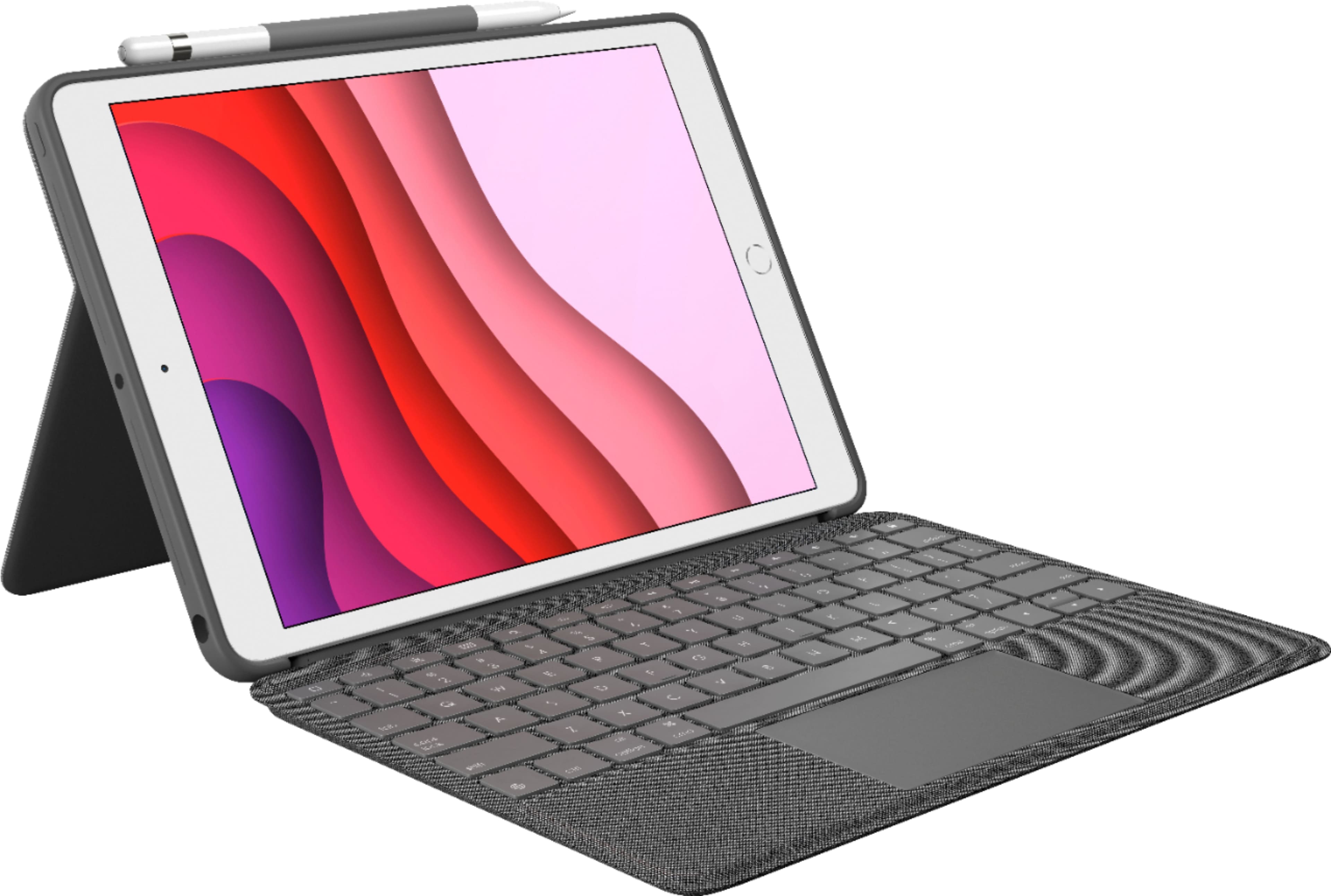
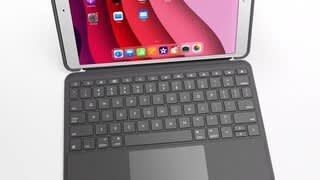
Customers consistently note the Combo Touch Keyboard Folio offers a great keyboard experience and is easy to use. Users appreciate the protection it provides and the multi-angle stand. Some find it adds weight to the iPad, and a few mention the price and battery life could be improved.
This summary was generated by AI based on customer reviews.
- Pros mentioned:Keyboard quality, Protection
Keyboard/trackpad great; just don't drop it.
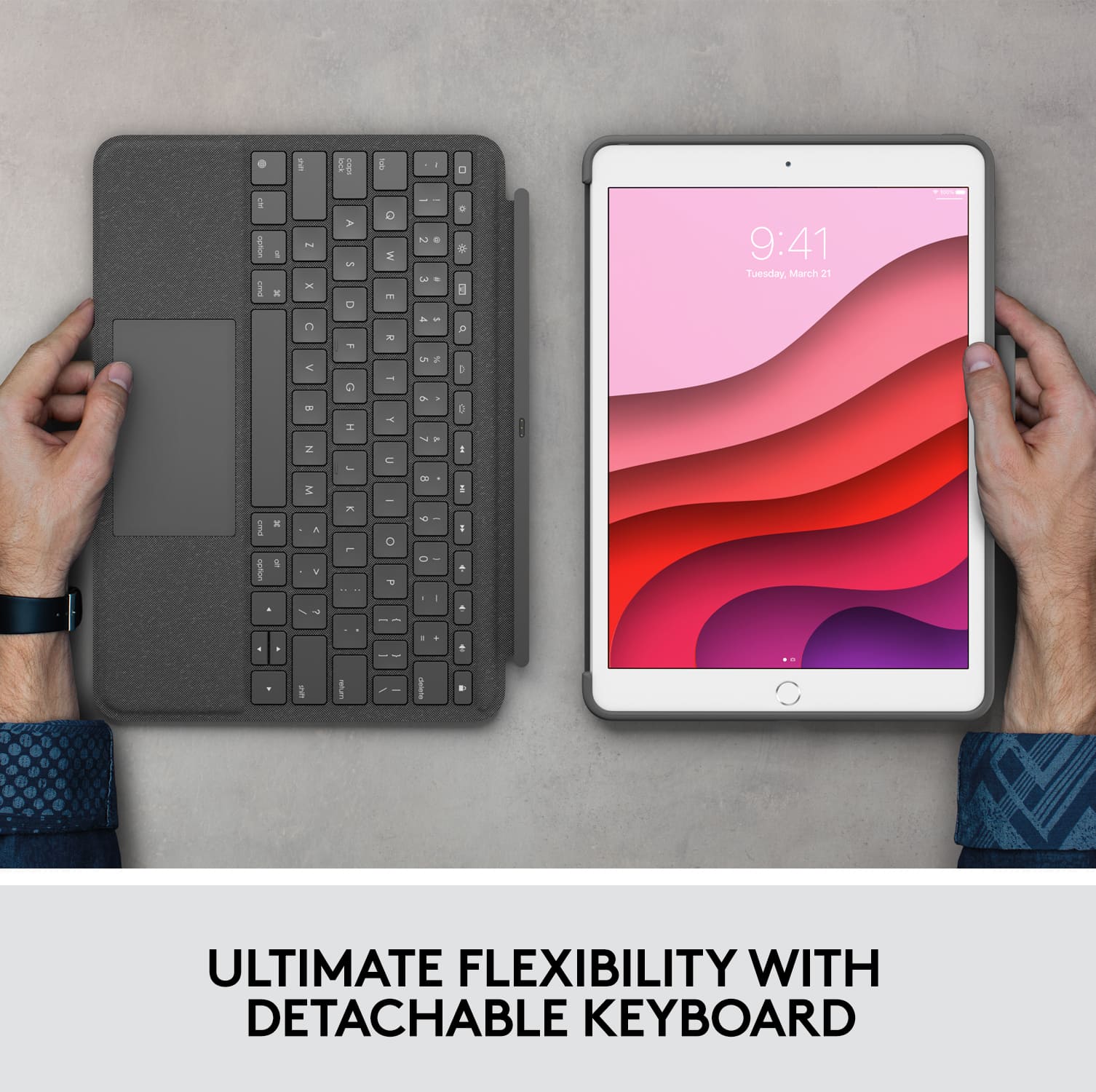
||Posted . Owned for 2 months when reviewed.This reviewer received promo considerations or sweepstakes entry for writing a review.The keyboard works flawlessly, the trackpad works as well as a notebook. My only issue with this is I'd like a little more rugged protection. It will slip and fall and the keyboard falls off and the screen is then exposed. I did get a good screen protector- so far-so good, but I had a zagg heavy duty case earlier. I liked the protection better, but no trackpad and the device becomes 1/2 as useful to me with no trackpad - so I compromised operations for protection.
I would recommend this to a friend - Pros mentioned:Keyboard quality, Stand
Best Accessory For Your IPAD
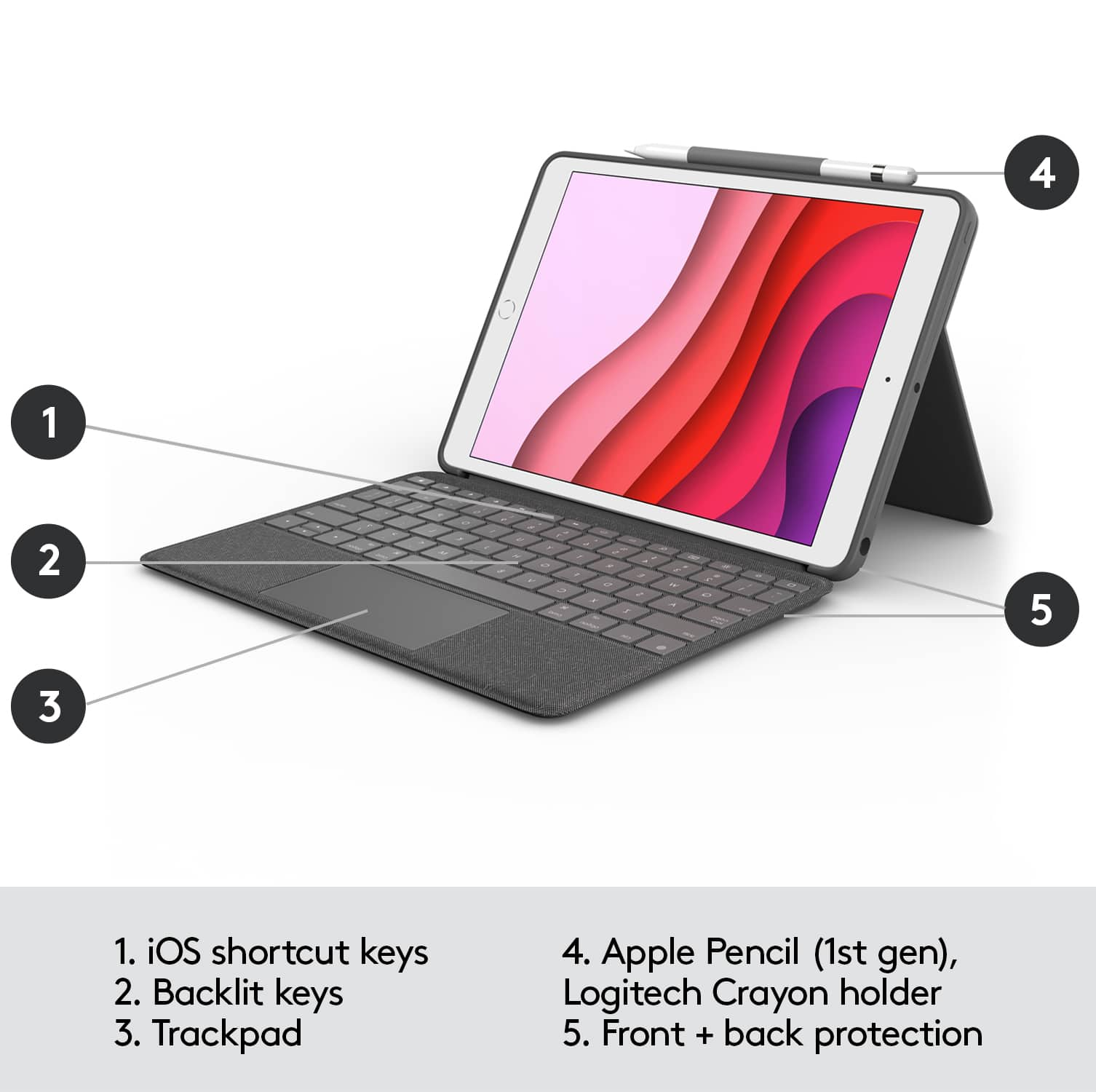
||Posted . Owned for 1 week when reviewed.This reviewer received promo considerations or sweepstakes entry for writing a review.Best accessory out there for your Ipad. It has a spot for your stylus, it has a keyboard and folding stand and it serves as a cover for your Ipad. It might be expensive but it would be more expensive to buy all of these things separately. Great invention Logitech! Logitech is a good name too. Very good quality materials.
I would recommend this to a friend - Pros mentioned:Ease of use, Keyboard quality
Excellent product fast and efficient sales service
||Posted . Owned for 3 weeks when reviewed.This reviewer received promo considerations or sweepstakes entry for writing a review.Logitech brand of high quality as usual... easy to use on Ipad8... top keyboard material, ease of typing letters and character ... large size keys like standard typewriter... compatibility with Ipad8, excellent.. sales service at Bestbuy store.. fast and efficient... courteous and knowledgeable sales staff..
I would recommend this to a friend - Pros mentioned:Keyboard qualityCons mentioned:Weight
Great Accessory with a few Flaws!
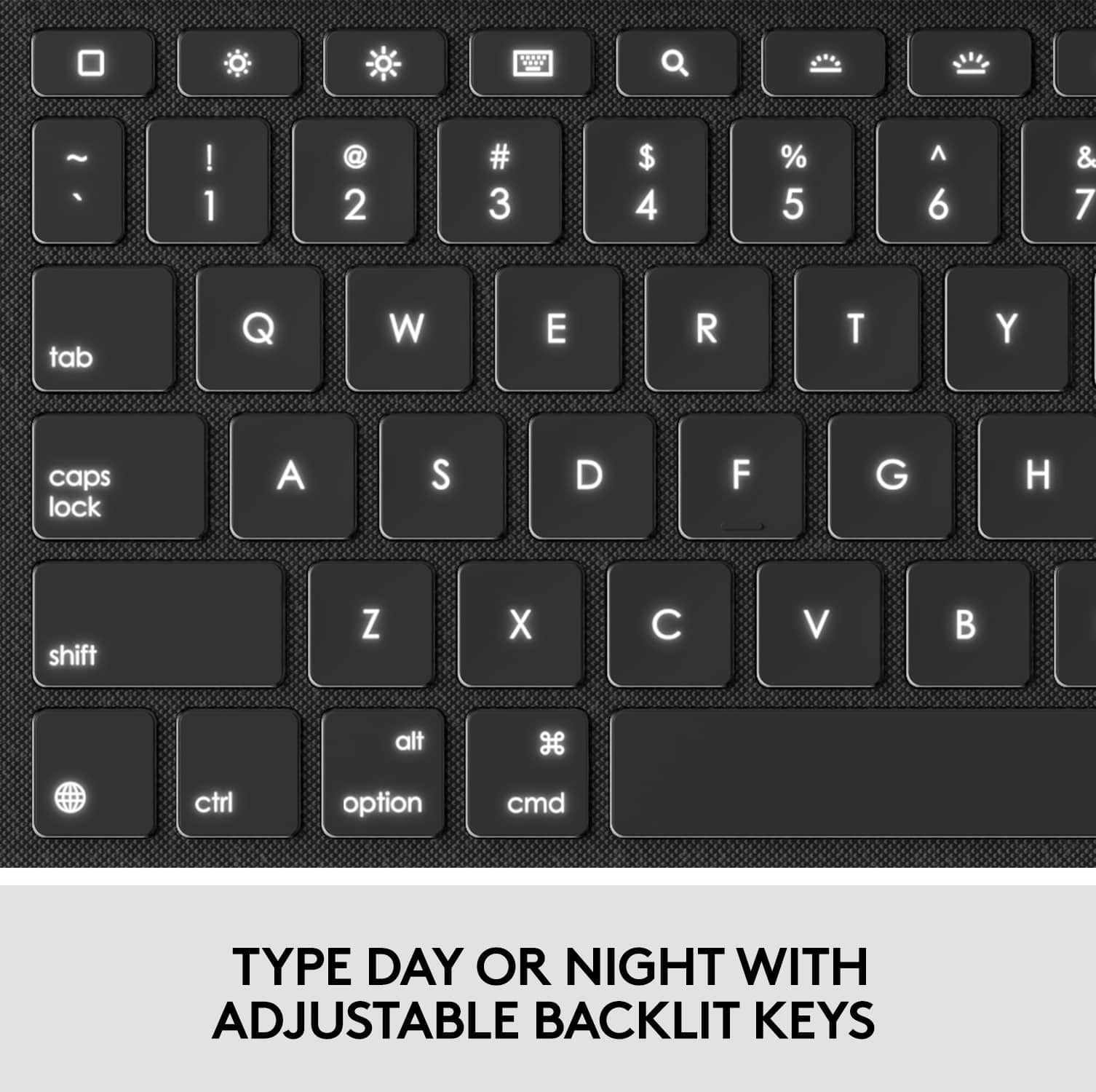
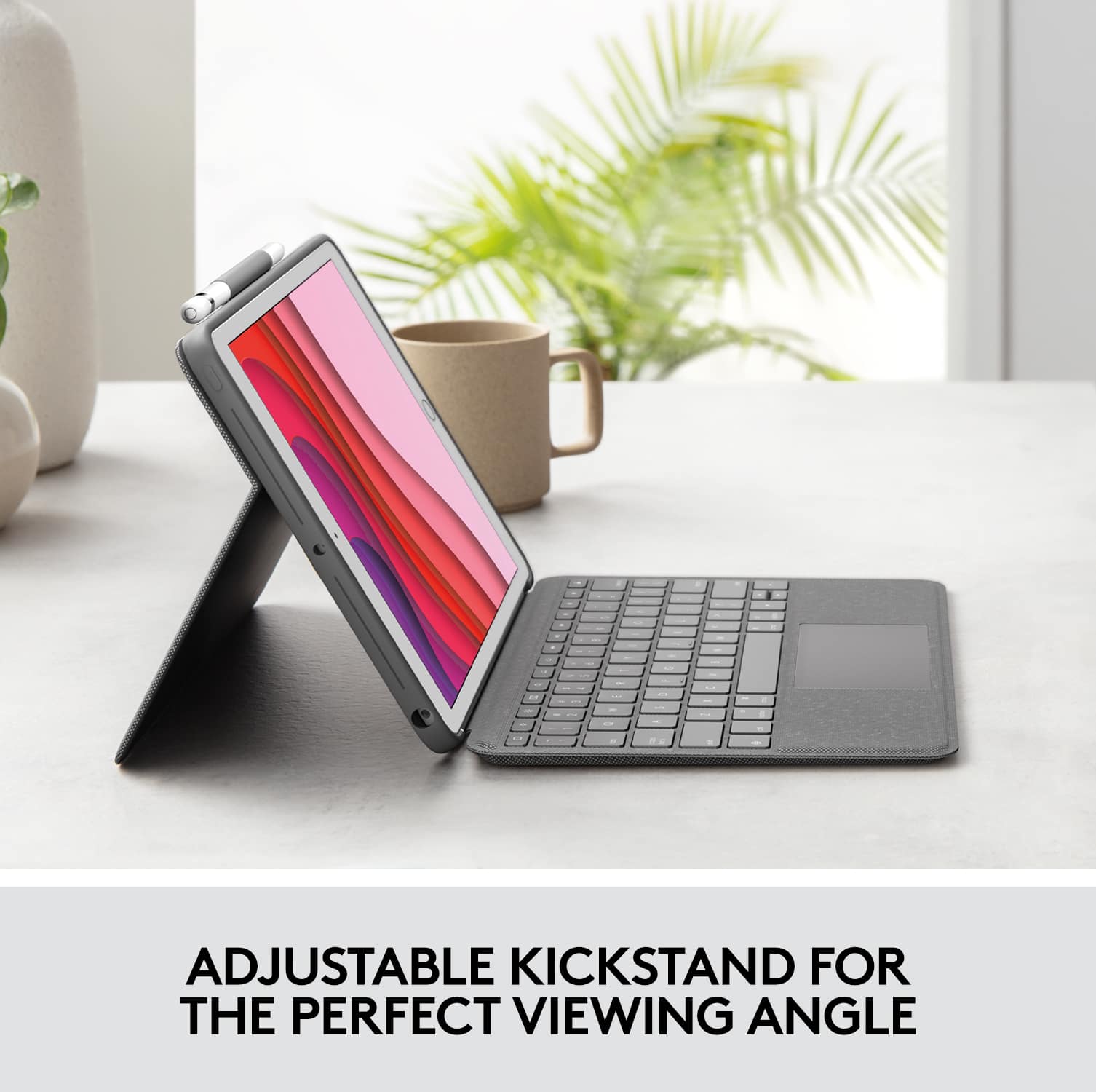
||Posted . Owned for 1 month when reviewed.This reviewer received promo considerations or sweepstakes entry for writing a review.The Logitech Combo Touch Keyboard is an excellent accessory for the iPad. It significantly improves productivity, particularly for those who enjoy typing. I appreciate the design, tactile keys, backlit keyboard, and accurate trackpad, as well as the added Mac shortcuts. However, I have experienced a few issues with it. Firstly, when the assistive touch is turned on, the trackpad does not respond as well. Secondly, the keyboard can detach, which can be useful at times, but I do not like having to search for it when it is not attached to the iPad. Additionally, the entire product makes the iPad feel quite heavy. The kickstand is good, but it is not sturdy in one position, so it can move while taking notes or drawing. I would also prefer to have a portrait mode kickstand.
I would recommend this to a friend - Pros mentioned:Protection
Sturdy
||Posted . Owned for 1 year when reviewed.This reviewer received promo considerations or sweepstakes entry for writing a review.Sturdy, a little on the heavy side if you travel with it although it does protect your iPad from screen cracking should it fall.
I would recommend this to a friendBrand response from Logitech
Posted .Thanks for sharing your thoughts. We're glad to hear the folio feels sturdy and offers solid protection for your iPad. Your note about its weight while traveling is appreciated.

- Pros mentioned:Ease of use, Fit
Perfect Keyboard attachment
||Posted . Owned for 5 months when reviewed.This reviewer received promo considerations or sweepstakes entry for writing a review.I bought this for my granddaughter who has an Apple iPad 10.2". She said her iPad fits perfectly into it and it's just like using a regular laptop.
I would recommend this to a friendBrand response from Logitech
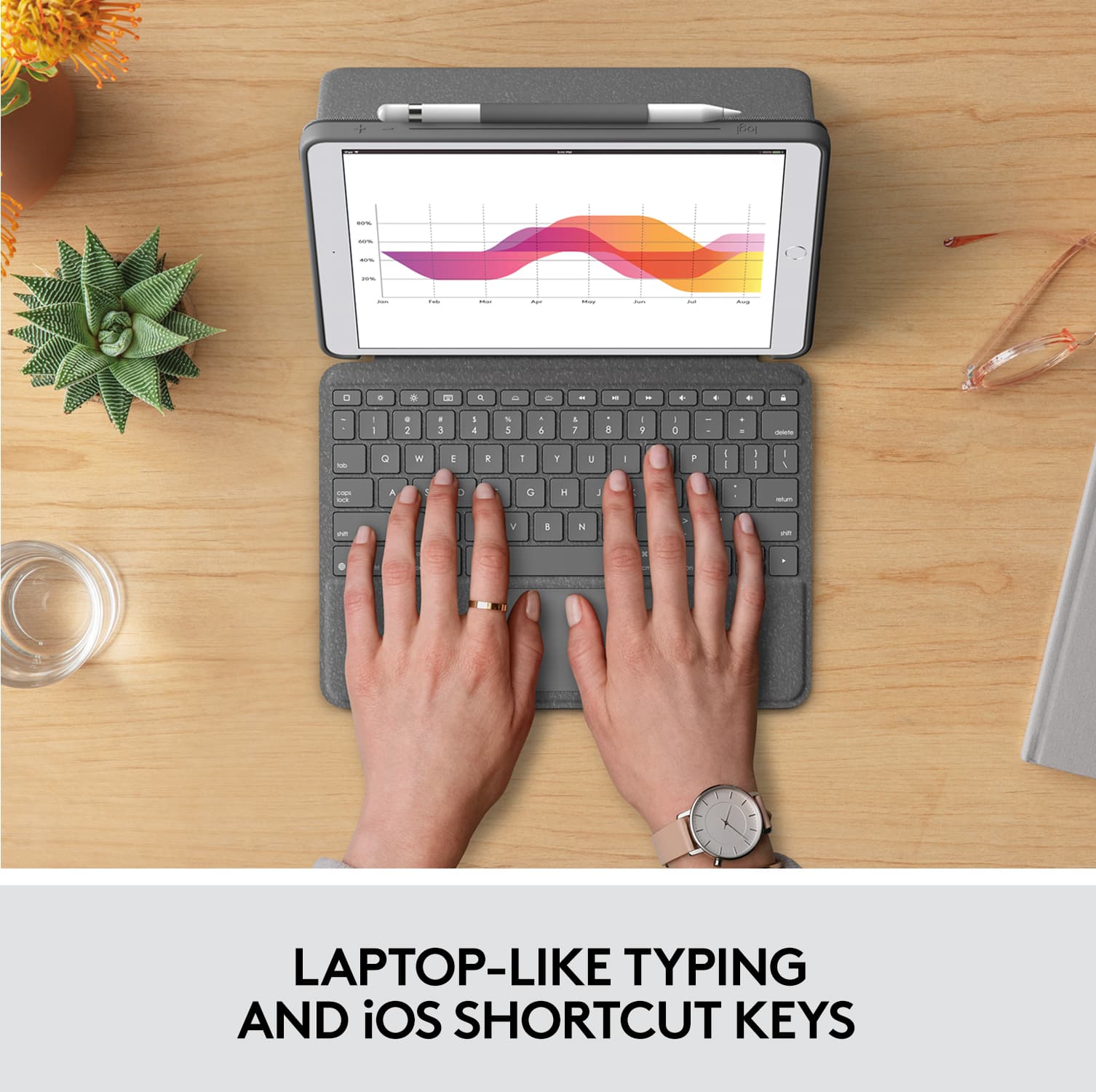
Posted .Thanks for letting us know! The Combo Touch is a great choice for a laptop-like experience on an iPad.
- Pros mentioned:Keyboard quality
Great Keyboard+Trackpad
||Posted . Owned for 2 weeks when reviewed.This reviewer received promo considerations or sweepstakes entry for writing a review.I actually purchased the Apple and this Logitech keyboards together so I could compare them. The Apple keyboard is much lighter in weight since it doesn't have a case. The Logitech case is thick and rubbery and should protect the device if/when it's dropped onto a hard surface. This adds some weight/bulk of course. The Apple keyboard is a little thin but works fine. The Logitech keyboard is better and the keys had a bit more travel. It too is also a little heavier. The final straw is the trackpad that the Apple keyboard lacks. This essentially converts your iPad into a thin MacBook. The Logitech keyboard wins the three most important categories hands down except for the additional weight. I returned the Apple keyboard two days later.
I would recommend this to a friendBrand response from Logitech
Posted .Hello KC, we are so happy to hear the Combo Touch Keyboard is working great for you! Thank you for the 5 star review, we greatly appreciate all feedback. If you didn't already know. The Combo Touch keyboard comes with a 1 year limited hardware warranty. If anything happens to your Combo Touch, reach out to us on our Logitech Support website. Thank you for being part of the Logitech family, Have a great day! https://support.logi.com/hc/en-us/articles/360044742114-Warranty-COMBO-TOUCH-for-iPad-7th-gen-iPad-Air-3rd-gen-and-iPad-Pro-10-5-inch
- Pros mentioned:Keyboard quality
Almost Perfect iPad Case
||Posted . Owned for 3 weeks when reviewed.This reviewer received promo considerations or sweepstakes entry for writing a review.I'd like to give this 5 stars but can't quite get there. Case fits perfectly. Up and down volume buttons are not always responsive with this case so it takes a little to get used to it. Dropped it only once about 1 foot. The case cracked and left and opening with a small piece the broke off where the keyboard meets the bevel that holds the iPad itself. It did not fall on a corner or with very much force. It should be able to withstand more than that kind of force. It really should be engineered a bit better for protection for the price you pay. The keyboard works well and is comfortable. The detachable magnetic keyboard is pure genius and functions wonderfully except for an issue reported by many with the touchpad (which does not respond to any taps - a downside) when the cursor occasionally disappears from the screen and you must detach the keyboard for a moment and then reattach it for the keyboard to reappear. Their seems to be no rhyme or reason for why this occurs and frankly it happens a bit too often and is really annoying. If anyone figures out what is causing this during regular operation they should let the rest of us know. In short, if it were a bit less brittle material to be able to handle even a small amount of abuse and they could figure out the two touchpad issues then I'd give this keyboard 5 stars.
I would recommend this to a friend - Pros mentioned:Keyboard quality
Excelent!
||Posted . Owned for 1 year when reviewed.This reviewer received promo considerations or sweepstakes entry for writing a review.The product offers a high level of quality. The keyboard completely matches with my expectations.
I would recommend this to a friendBrand response from Logitech
Posted .It’s fantastic to hear that you’re satisfied with your Logitech product. We strive to deliver quality and reliability, and your feedback reassures us that we’re on the right path. Thanks for your continued support—we’re lucky to have you with us.
Works for iPad Pro 10.5
Posted .This reviewer received promo considerations or sweepstakes entry for writing a review.I really like this case. It’s very clean and professional looking. I actually have an iPad Pro 10.5, and this case fits on it. HOWEVER, it does slightly cover up the headphone Jack and camera. The camera is still usable, but it does kind of cast a light shadow, but it doesn’t cover it up to where you can’t use the camera.
I would recommend this to a friend- Pros mentioned:Keyboard quality
Turns my iPad into a touchscreen laptop!
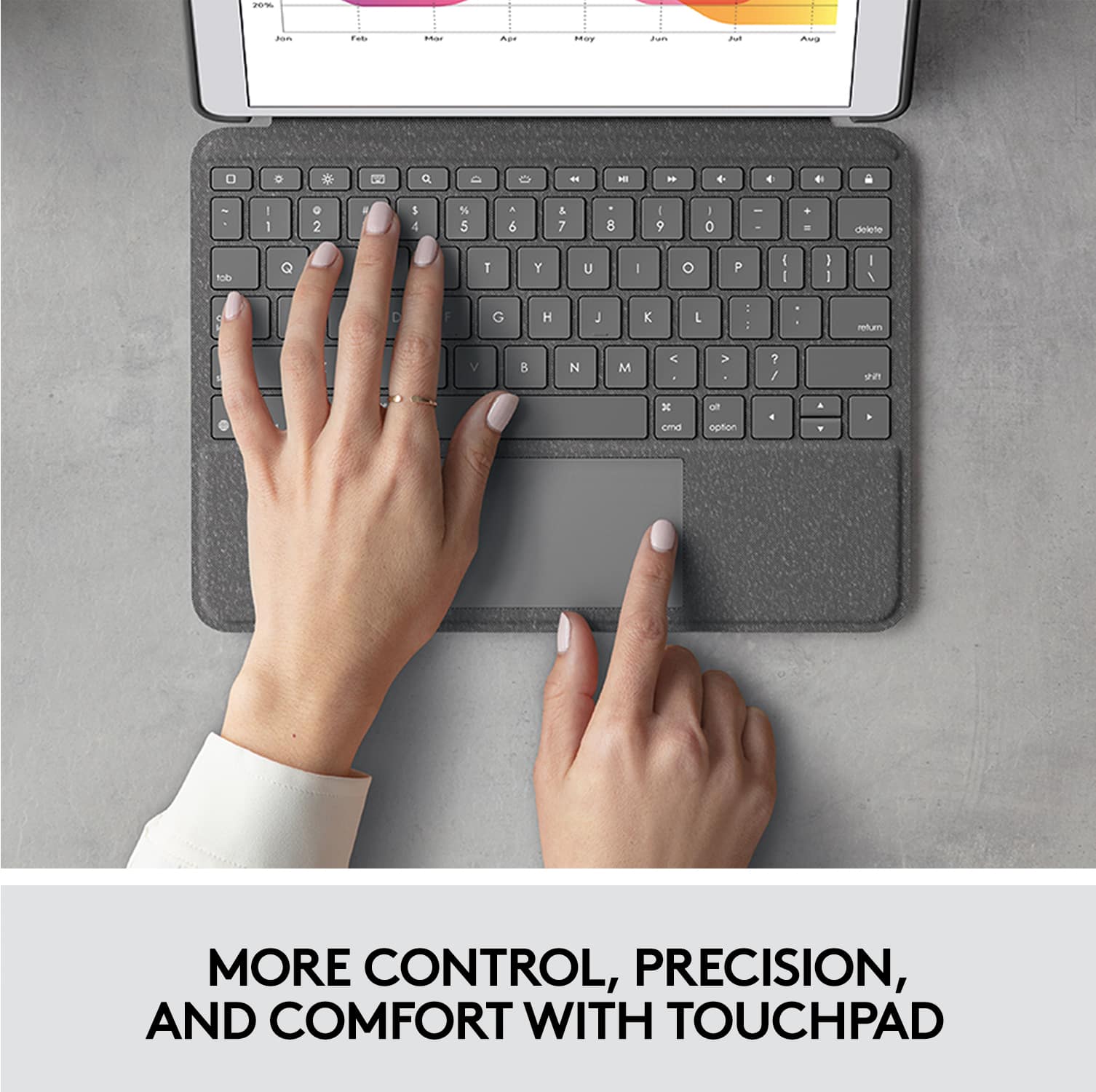
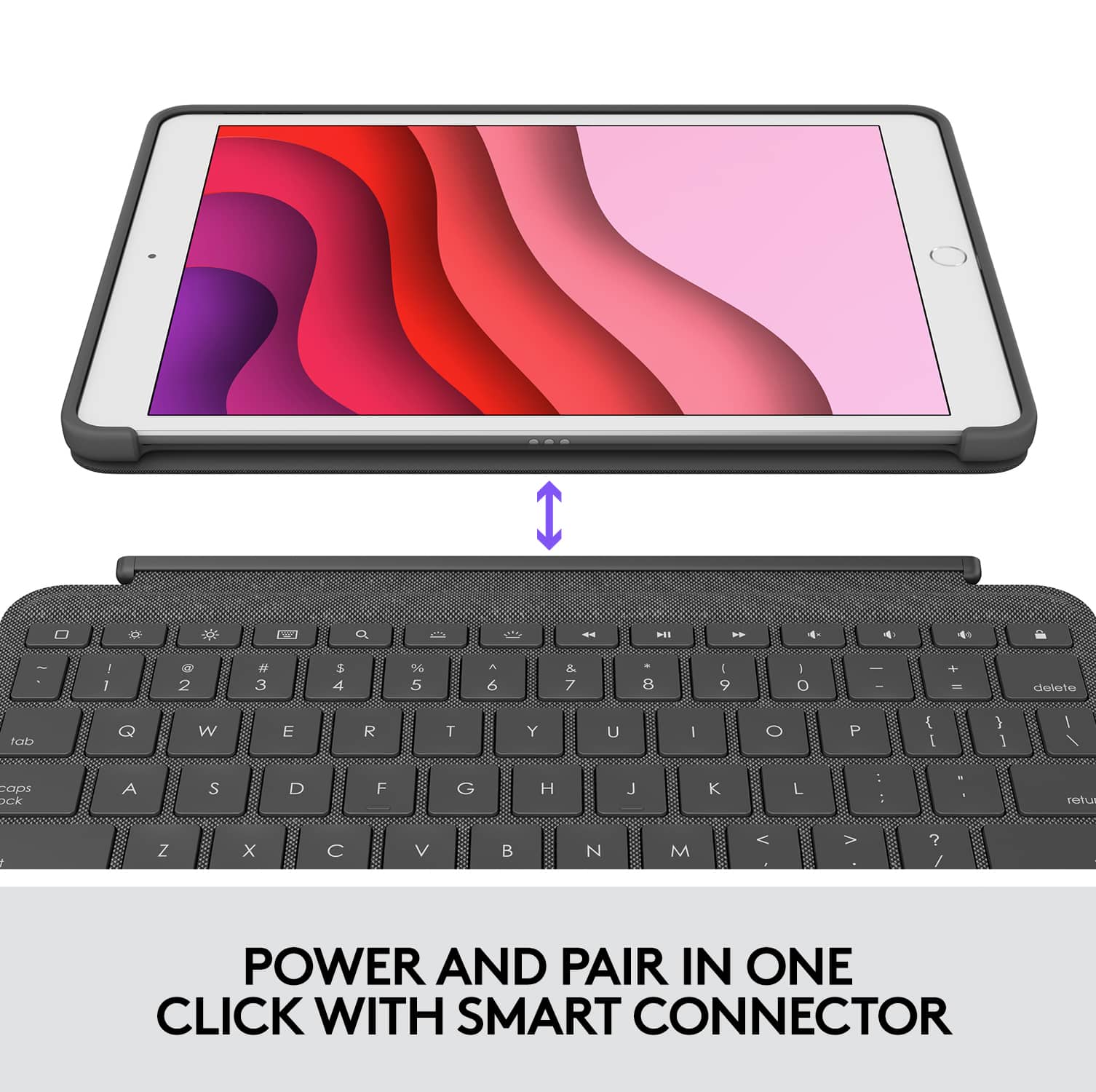
||Posted . Owned for 3 weeks when reviewed.This reviewer received promo considerations or sweepstakes entry for writing a review.Easily connects and pairs with the 7th generation iPad. The small touchpad allows you to navigate, open and close apps just as you would on a laptop. The back of the case folds out as a kickstand to hold the iPad at the perfect angle for reading and typing. By far the best keyboard for an iPad I’ve ever purchased!
I would recommend this to a friend - Pros mentioned:Keyboard quality, Protection
Great iPad keyboard
||Posted . Owned for 1.5 years when reviewed.This reviewer received promo considerations or sweepstakes entry for writing a review.Love this iPad keyboard! Bought this to use for school and love it! Typing is smooth, the keyboard is also a protective cover for the iPad.Received many compliments on this keyboard!
I would recommend this to a friend - Pros mentioned:Keyboard qualityCons mentioned:Battery life
EXCELLENT
||Posted . Owned for 1 month when reviewed.This reviewer received promo considerations or sweepstakes entry for writing a review.This keyboard works exceptionally with the iPad. I like that I do not need to charge it like other models.
I would recommend this to a friendBrand response from Logitech
Posted .This is what exactly what we strive for. Glad you're enjoying the product. Thank you and have an amazing day!
- Pros mentioned:Keyboard quality
Perfect Case with keyboard
||Posted .This reviewer received promo considerations or sweepstakes entry for writing a review.I looked at this gif a very long time. I am really pleased with the sturdiness of the cover and keyboard was just what I was looking for. I can interact between keyboard and screen easily. Great purchase
I would recommend this to a friendBrand response from Logitech
Posted .It's wonderful to hear you're so pleased with the sturdiness of the Combo Touch and that the keyboard is exactly what you were looking for! We're especially happy that you find it easy to switch between using the keyboard and the screen. Thanks for the great feedback! Enjoy your iPad even more with the Combo Touch!
- Pros mentioned:Ease of use, Keyboard quality
Worth Every Penney
||Posted . Owned for 3 weeks when reviewed.This reviewer received promo considerations or sweepstakes entry for writing a review.Purchased for our daughter to use in virtual school this fall. Easy to use - nice that it is easily detached from the iPad itself. Track pad works better than expected. It was the second attempt to find a keyboard for this iPad but it is a keeper. It is expensive, but worth it. Highly recommend.
I would recommend this to a friend - Pros mentioned:Keyboard quality
“That’ not a bug, that’s a feature.”
||Posted . Owned for 2 weeks when reviewed.This reviewer received promo considerations or sweepstakes entry for writing a review.I found myself in an Apple store while visiting family out of state, and purchased an iPad Smart Keyboard on impulse without my usual on-line research. I’m picky with keyboards, and I’m really a PC guy – no better keyboard on the market than the on on my Surface Studio Laptop. But I wanted an iPad and got one for Christmas (9th Gen, 64GB). After using it for several weeks I wanted a keyboard, because, well I loved this thing and was convinced it could serve as a light and thin travel laptop. I spent a lot of time trying out the Smart Keyboard from Apple, and the Combo Touch from Logitech. Between the two I liked the Smart Keyboard better for touch typing. I don’t like keyboards that get in the way. The Apple Smart Keyboard is very good for touch typing. But after a few weeks using it I didn’t like that the back of the iPad was unprotected and there was no convenient place to keep my Apple Pencil. After looking at comparison reviews I spent even more money on the Logitech keyboard (at BestBuy) with a back cover and a pencil holder. So here’s my comparative review between the Logitech Combo Touch, and the Apple Smart Keyboard – both are available at Best Buy. First, both keyboards are adequate for typing, but the Smart Keyboard is the clear winner here. It is quite comfortable and you can type with it on a table or on your lap. The case has a fold out design that creates a triangle easel that props up the iPad. The Logitech also features of backlit keyboard, that in theory makes it easier to see keys in the dark, but in reality just drains your iPad batter faster - it didn't really help me much, and I would let that feature make the decision for you. The Logitech comes with a built in track pad, that is quite useful when scrolling, tabbing in a browser, and launching apps. But it is horrible for typing because your hand will invariably brush up on it, sending your cursor careening out of control. No amount of fussing with the settings will correct this. They need a simple toggle command on the keyboard or in iPad OS that will disable that thing and THEN this would be the better keyboard. But with that Track Pad it makes touch typing almost impossible. So the Smart Keyboard wins here, and it's smaller size without the trackpad makes it easier to use on your lap. I’m not really sure why a tablet needs a track pad anyway. When you’re typing on the Apple Keyboard your fingers are quite close to the screen and you can easily tap the screen and return to the keys. The Track Pad works, but it is flat out horrible to type with due to that track pad. I scrolled through the Logitech forums on the subject and there is no fix for this. The official Logitech support response was, “don’t let your hands brush on the trackpad while you type.” In other words, “That’s not a bug, that’s a feature.” By the way, tapping on the screen for selecting text is far more intuitive and faster than that track pad is. The Smart Keyboard is also lighter, keeping some of that elegant small screen feel with an iPad. There’s almost a full pound difference between the two, and I think that’s what the Apple engineers were going for here, light and elegant. But it also leaves the back of the iPad exposed, making you nervous when you throw it in your bag. So the Logitech wins on protection. The Logitech is also easier to fold out than the Smart Keyboard, and it too comes with an easel – a fold out Surface type panel. Two steps and your ready to go, and it also is usable on your lap but is perhaps slightly less stable than the Smart Keyboard. The Smart Keyboard requires a kind of unrolling to get it up and working. So for quick setup, the Combo Touch wins. Both keyboards turn the screen on and off automatically when they open and close. Both keyboards attach using the magnetic connector built into the iPad. This works AMAZINGLY well. With the Logitech you pop the iPad into the case that protects the back, much like a phone case, and then the keyboard magnetically attaches and covers the front, and your pencil goes into a loop holder. You can fold the keyboard around back for reading, though it is kind of heavy. But here’s the genius of that magnet connector: a quick twist of the keyboard and it will pop off the magnet greatly reducing the weight of the iPad for simple reading – my main use of this thing. But that connector got me thinking – would the Apple Smart Keyboard still fit with the tablet popped into the back case of the Logitech Combo Touch? YES IT WILL! So if you’re dumb enough like me to buy two` expensive keyboards for one tablet you can easily switch between those keyboards, and the Apple Smart Keyboard will work fine to cover the tablet and protect the screen with the Logitech back and give you a better typing experience. Would I recommend purposely doing this: no, save your money. The Apple Keyboard wins by a large margin for typing. The Logitech wins for protection and perhaps for browsing, reading, and watching videos. And maybe you can type on it without touching the track pad but I sure can’t and apparently neither can a lot of other people. (This review was typed using both keyboards, but mostly with the Apple Smart Keyboard)
No, I would not recommend this to a friend - Pros mentioned:Ease of use, Keyboard quality
Amazing Combo Keyboard Case
||Posted .This reviewer received promo considerations or sweepstakes entry for writing a review.In short, I bought this Combo Touch Keyboard Case, and the Logitech Pebble M350 Mouse for my iPad Gen 8 and now have an amazing portable unit. I also installed Microsoft Office 365 Personal for iPad which is amazing as well. I highly recommend this.
I would recommend this to a friend - Pros mentioned:Ease of use, Keyboard quality
Works just as well as it's Apple counterpart
||Posted . Owned for 3 months when reviewed.This reviewer received promo considerations or sweepstakes entry for writing a review.I was surprised at how high quality this is and how easily it connects and functions. Usually with non-apple accessories they don't tend to work as well as their apple counter parts. That's not the case with this case. Very happy with the purchase
I would recommend this to a friend - Pros mentioned:Ease of use, Keyboard quality
High quality feel
||Posted . Owned for 1 month when reviewed.This reviewer received promo considerations or sweepstakes entry for writing a review.Sorry nice keyboard, high quality feel, works good with ipad, easy to connect. Only thing is that you can't flip it with keyboard on the back when not using..
I would recommend this to a friend - Pros mentioned:Ease of use, Protection
Super case.
||Posted . Owned for 1 month when reviewed.This reviewer received promo considerations or sweepstakes entry for writing a review.Solid product. My 9th generation iPad fits easily. Very satisfied with the protection it provides and how easily the keyboard attaches and detaches when needed. I prop up on a slim pillow when using while sitting in my recliner.
I would recommend this to a friend