Customer Ratings & Reviews


- Model:
- 920-010260
- SKU:
- 10783148
Rating by feature
- Value
Rating 4.6 out of 5 stars
- Quality
Rating 4.7 out of 5 stars
- Ease of Use
Rating 4.7 out of 5 stars
Customers are saying
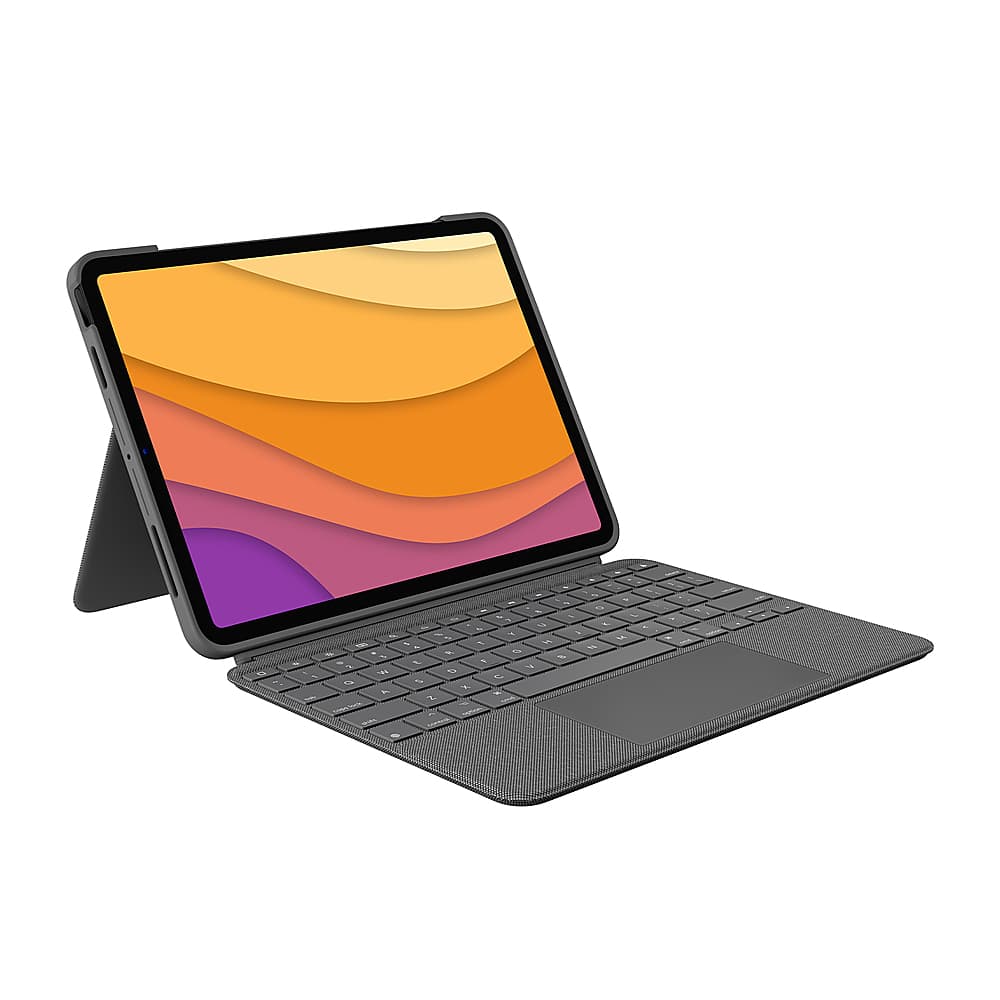
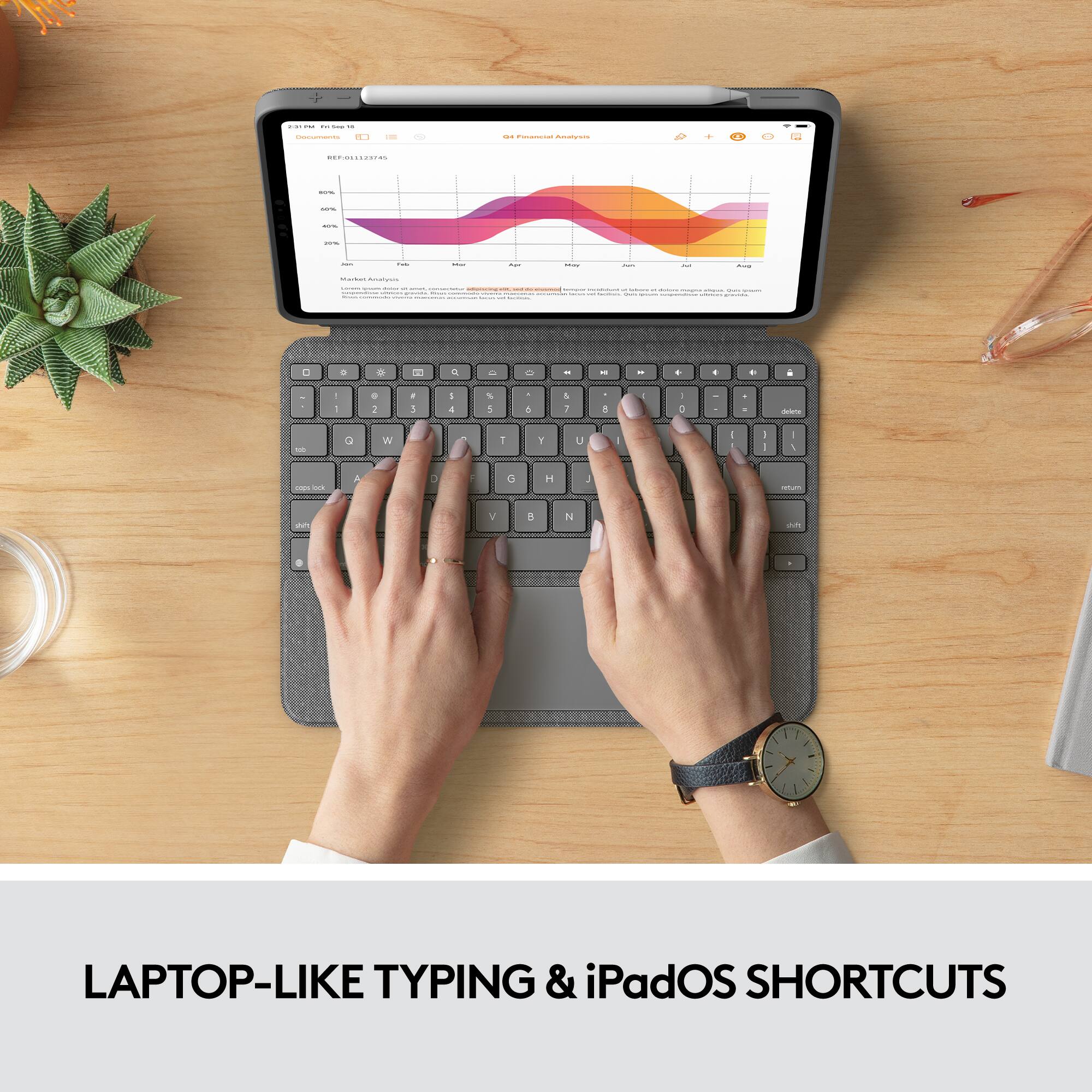
Customers highly value the Combo Touch Keyboard Folio for its excellent keyboard quality and ease of use. The product is also appreciated for the protection it offers to the iPad and its efficient design. However, some customers find that it adds noticeable weight and the stand stability can be a bit quirky.
This summary was generated by AI based on customer reviews.
Do NOT recommend
||Posted . Owned for 1 month when reviewed.This reviewer received promo considerations or sweepstakes entry for writing a review.Not a fan of this case. It always detaches when you try to flip open the case and cannot easily fold behind the iPad - it needs to be fully opened like a book or it comes off. Painful user experience.
No, I would not recommend this to a friendBrand response from Logitech
Posted .Apologize about the experience and it's surely not what we expect to deliver. We understand your displeasure and we will forward it along to the right team so they can look into it. Thanks for bringing this to our attention.
This keyboard is bad
||Posted . Owned for 9 months when reviewed.This reviewer received promo considerations or sweepstakes entry for writing a review.The stop working without any warning I gusted using for 2 months
No, I would not recommend this to a friend- Pros mentioned:Keyboard quality, Protection

Impressive case-keyboard!
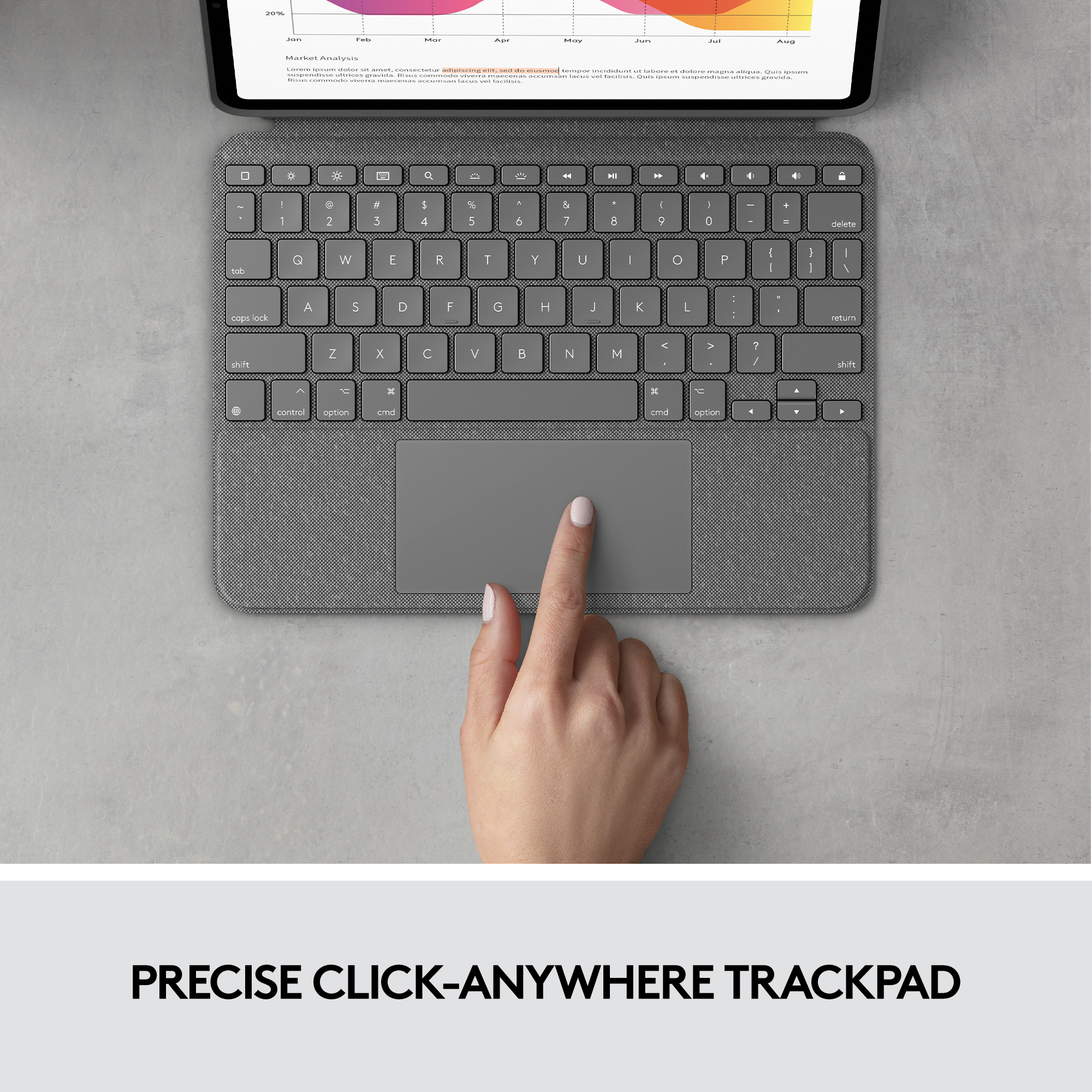
|Posted .This reviewer received promo considerations or sweepstakes entry for writing a review.I think we have gone from just getting an iPad case to a case that seems to turn it into a laptop, I think it's great that there are products with very useful features at a relatively accessible price. In practice, the use of this case-keyboard makes it possible to give more uses to an iPad, it seems to me that it is designed very precisely except for the screen lock button, which I insist, does not convince me that it is at the top of the delete button xd. One of the things that impresses me the most is the trackpad, having a function that seemed exclusive to Apple products in a Logitech case is something that is appreciated, it is comfortable to use and easy to handle since you can even detach the keyboard from the case. And that helps a lot when you only want to consume multimedia content beyond the day-to-day tasks. The weight is something that personally I am already used to, I have used several cases of this brand and I must say that I have not been disappointed, in fact quite the opposite, I am satisfied with such functions and features that I would definitely recommend this case to anyone who needs to protect their iPad but at the same time give it a more extended use, even on the outside it looks great and keeps my iPad well protected at a price that as I mentioned is accessible compared to a case directly from the Apple brand. In conclusion, if you are looking for protection for your iPad and at the same time you are interested in having a keyboard to be able to use your iPad as if it were a laptop even with a very good trackpad, this is one of the options that you cannot miss, simply well done Logitech.
I would recommend this to a friendBrand response from Logitech
Posted .Hi Serv, we're glad to see you're getting the most out of your Combo Touch for iPad Air 10.9! It's also a huge plus knowing your iPad is being protected with out the loss of functionality for a great price! Continue to enjoy!
Dont buy this
||Posted . Owned for 3 weeks when reviewed.This reviewer received promo considerations or sweepstakes entry for writing a review.Crap the app doesnt work took me forever to figure out how to grt this to work.
No, I would not recommend this to a friendBrand response from Logitech
Posted .We're sorry to hear about the experience. We'll definitely make sure that this is communicated with the relevant team for them to check it out. Thanks so much!
- Pros mentioned:Keyboard qualityCons mentioned:Apple pencil
An Easy Way to Transform Your iPad Into a Laptop
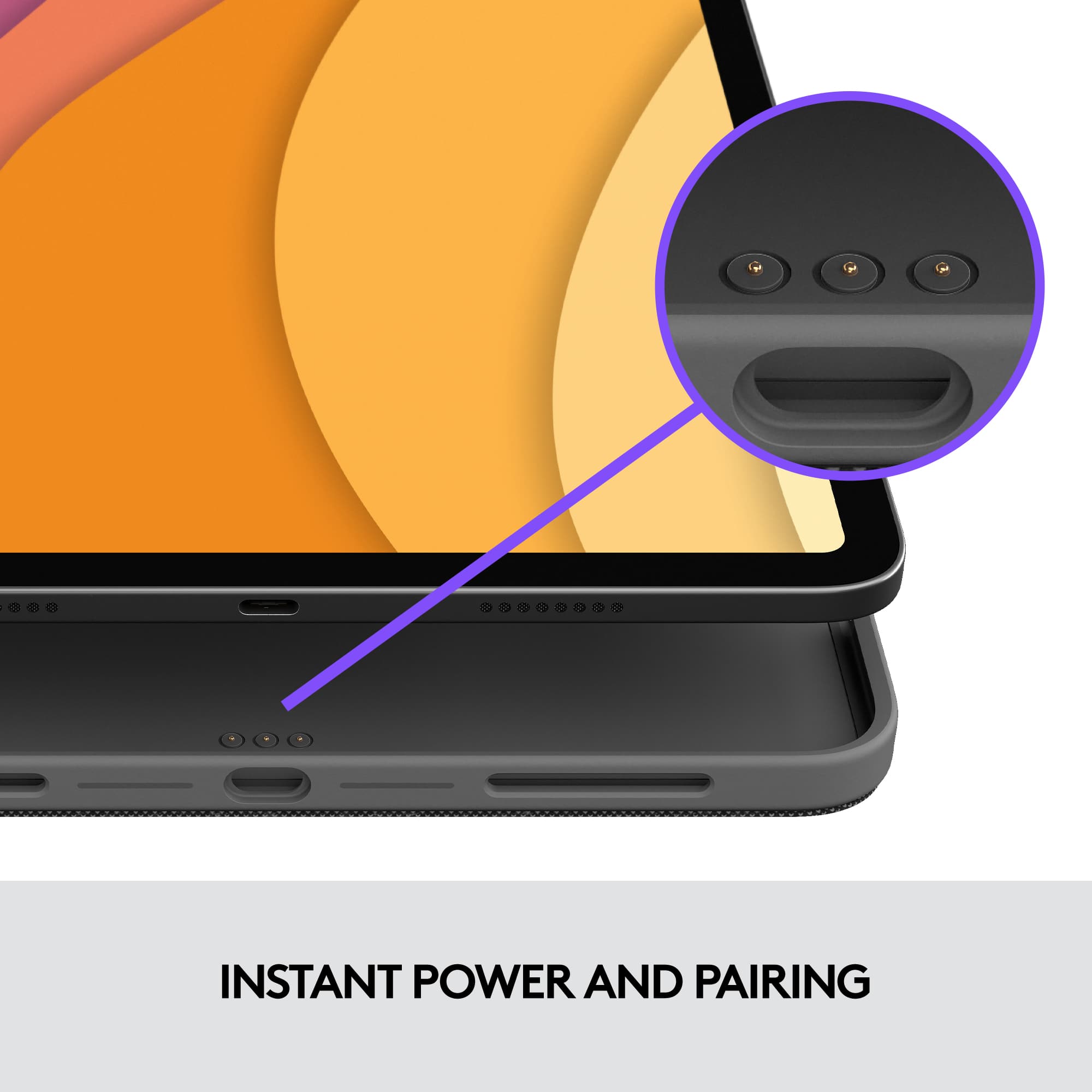
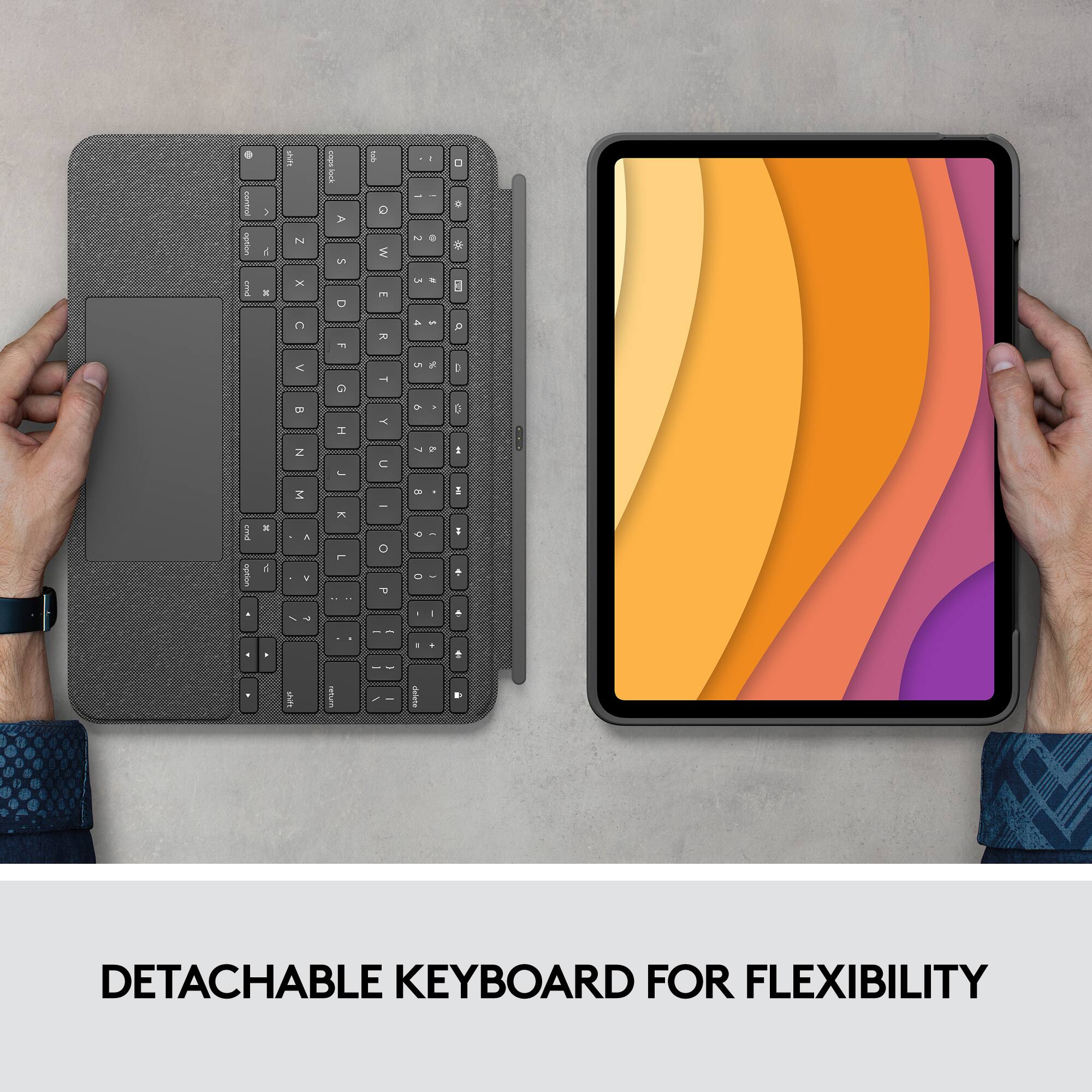
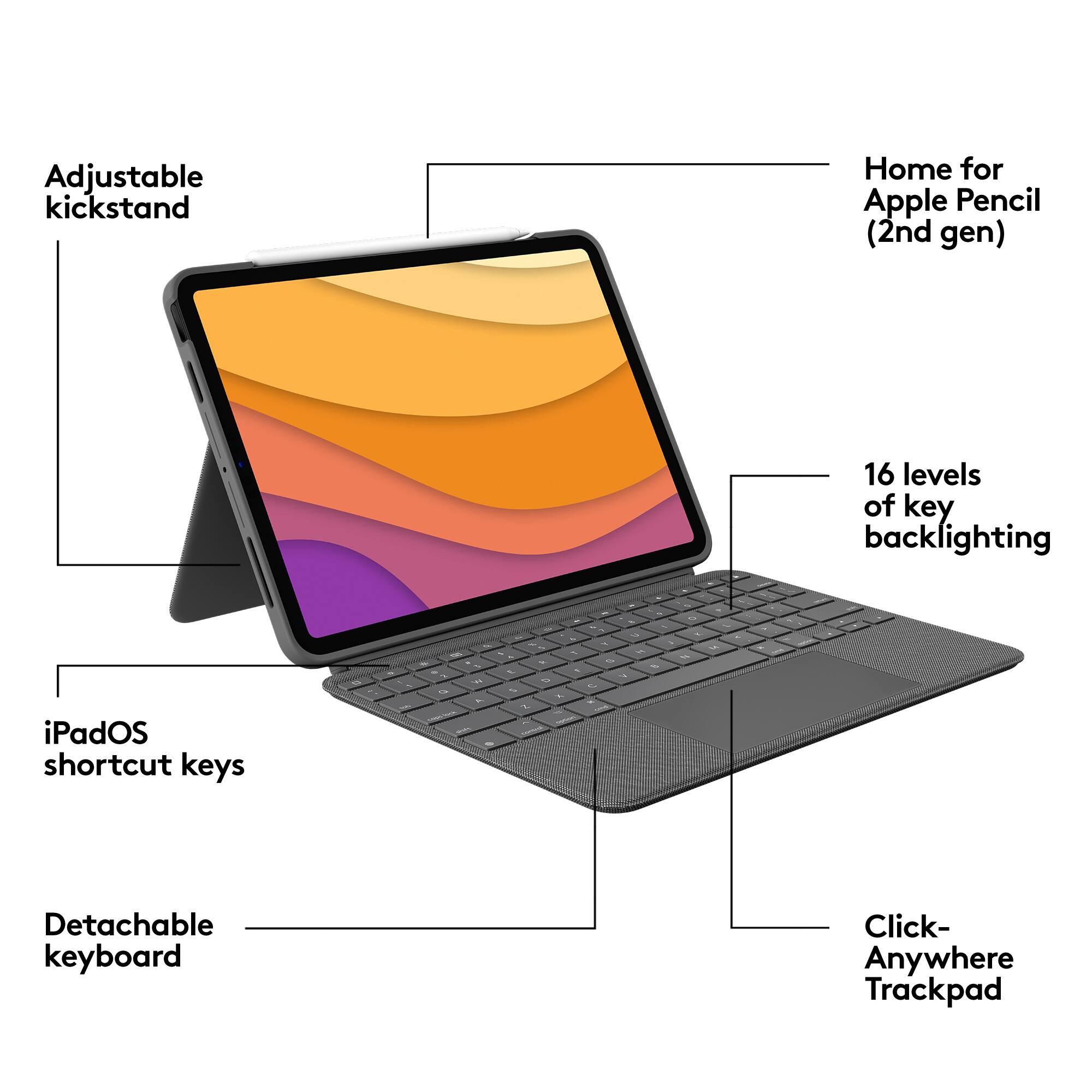
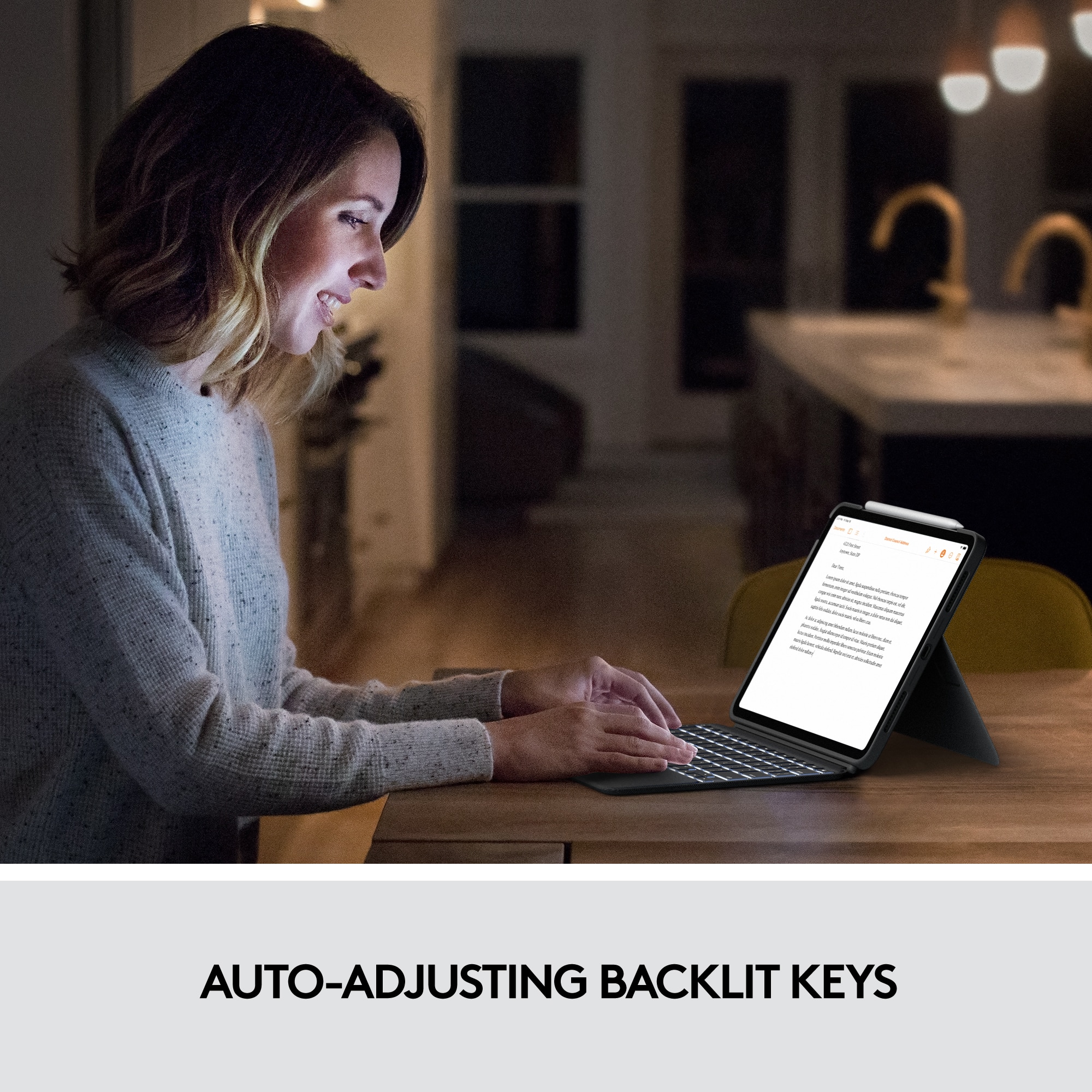
|Posted .This reviewer received promo considerations or sweepstakes entry for writing a review.If you are looking for a way to transform your 10.9” iPad Air into a laptop, consider the Logitech Combo Touch. This is a detachable case complete with keyboard and trackpad. This Combo Touch has just two parts (1) Case and (2) Keyboard with trackpad. Installation could not be easier. Just insert your iPad into the case and then attach the keyboard into case via the magnetic Smart Connector and you’re done. This device bypasses Bluetooth and power completely. Your iPad alone powers and automatically connects to the Combo Touch! The keyboard features backlit keys so working in a low-light environment should not be a problem. The illumination can be controlled with 2 keys on the top row of the keyboard. The top row also features all the media keys you may ever need including volume, screen brightness, onscreen keyboard, etc. The trackpad on the Combo Touch is slightly larger than those found on similar devices—including laptops. It has a solid feel. There is also a space on the top of the screen for your Apple Pencil, magnetically held in place. My only criticism is that this device should have a closed loop found on earlier devices instead to insure a more solid grip on the Pencil. One of the best features of this device is its weight. It weighs just over 22 ounces with slightly less weight than Logitech’s Folio version. I compared it to my generic plastic case and the Combo Touch weighs only 4 ounces more. Total weight of the Combo Touch and the iPad Air is only 2 lbs. and 2 oz. To add a keyboard and trackpad with such a low weight differential is just amazing if weight is a paramount consideration for purchasing this item. The magnetic Smart Connector makes it very simple to remove the keyboard if you want to use the iPad for gaming. Just separate the keyboard with a slight tug and you’ve got a standalone iPad! Some may be put off with the $200 price for this Combo Touch. But Apple wants $100 more for their Magic Keyboard for the iPad Air. That’s a lot of price difference to consider! This Logitech Combo Touch is not for everyone. But if you’re wanting to add more functionality to your iPad Air, this is the device to buy!
I would recommend this to a friend DUD
||Posted . Owned for 3 weeks when reviewed.This reviewer received promo considerations or sweepstakes entry for writing a review.This device completely failed after two weeks of use. Very disappointed in Logi Tech
No, I would not recommend this to a friendBrand response from Logitech
Posted .Sorry about the experience! We'll surely take this feedback and make sure to share it with the right team. Also, contact our Logi Support for further assistance.
- Pros mentioned:Keyboard quality, Protection
Ditch the Laptop
|Posted .This reviewer received promo considerations or sweepstakes entry for writing a review.2 Minute review ----------------------- This is the 2nd time I am getting a keyboard case and this time it is for the iPad air and Logitech does not disappoint. I am in love with the iPad air now so much that I have now ditched the laptop for the iPad air for my daily tasks. Pros ----- 1. Full sized backlit keyboard 2. Sturdy keyboard case 3. Super-sized track pad which works great 4. Detachable keyboard Cons ------ 1. A little bulky Design and Fit -------------------- The case fits snugly to the iPad Air 4th gen and its offers good protection for the iPad air. The keyboard case connects automatically to the iPad and the fact that I don’t have to change the battery makes it better than ever. The material looks good, made of good quality made up of plastic and fabric. Usage -------- This keyboard case actually makes me not look for my MacBook Air. Its got a full keyboard and also has the shortcuts. Love the various modes - Type mode, View mode, Sketch Mode and the Read mode , lot of things you can do with the kickstand and the detachable keyboard. The keyboard is large and highly responsive and love the fact that unlike your computer you can actually pinch and scroll. The iPad OS shortcut is very functional. The color is good, and fabric keyboard is good to touch and beautiful. Conclusion --------------- Ditch the Laptop get this.
I would recommend this to a friend Poor manufacturing
||Posted . Owned for 1.5 years when reviewed.This reviewer received promo considerations or sweepstakes entry for writing a review.Bulky, doesn’t connect well, my buttons started falling off within the year.
No, I would not recommend this to a friendBrand response from Logitech
Posted .We're sorry to hear that. For a quick resolution, please email the following information to socialcare@logitech.com. Our team is dedicated to assisting you.
Full Name –
Email address –
Country –
Product name –
Brief description of the issue –
Magnetic keyboard
||Posted . Owned for 1 month when reviewed.This reviewer received promo considerations or sweepstakes entry for writing a review.The keyboards falls off easily which can get annoying.
No, I would not recommend this to a friendSpace we stopped working
||Posted .This reviewer received promo considerations or sweepstakes entry for writing a review.Space bar stopped working the same day I bought it
No, I would not recommend this to a friend- Pros mentioned:Keyboard quality, Protection
Transform your iPad
|Posted .This reviewer received promo considerations or sweepstakes entry for writing a review.The Logitech Combo Touch keyboard case transforms your iPad in to essentially a miniature laptop. The case provides an excellent keyboard and trackpad as well as full-frame coverage for the iPad it. Pros: - Effortless set up - Physical keyboard with a relatively sturdy feel - Excellent trackpad - Good overall protection (fully encases iPad) - Increases productivity in apps where using a mouse/trackpad is essential - Great angle when set up landscape like a laptop Cons: - The "stand" part of the case is a little bit on the flimsy side; when you have the iPad set up in the upright position, the back stand tends to fatigue after a little while and the screen tends to start to slide back. It's also a bit on the dangerous side if you're using it on something like a TV tray - one small move too far and your iPad is on the floor - The design of the case is great - but the material is fabric-like and I am concerned about it's longevity. Overall, the Logitech Combo Keyboard/Touchpad is a great addition to iPad. It increases usability, especially for business apps (think Excel or Word) where having both a physical keyboard and trackpad make work easier. Aside from the not-so-sturdy back stand, this really is a great productivity and protection tool for iPads. I would recommend this product.
I would recommend this to a friend - Pros mentioned:Keyboard quality
Great keyboard. Versatile. Protects. Looks good.
|Posted .This reviewer received promo considerations or sweepstakes entry for writing a review.I have been a fan of these Logitech keyboards for some time. This one is more of the same with a few improvements. It protects, is well-built, is versatile, looks good, and, most importantly to me, has a great keyboard and trackpad. As I mentioned, I like the build. I really am a fan of the fabric material on the exterior. It feels good, it looks good, and I think it will last over time. As for the case, it is sturdy, and it protects. That said, it seems a bit slimmer, and a bit lighter. I think that is a definite improvement. I like that it is just a bit easier to toss it in a bag and go while still not worrying about it getting damaged. Beyond that, connectivity is very easy, just works, and has never been an issue. I don’t have to think when changing tasks. Going from emails at the desk to movies on the couch is nothing more than a quick detach and go. Whether I am doing one or the other, there a few different modes and viewing angles to choose from. All of this is very convenient. Versatile. I like it. Lastly, charging is much of the same. Just not something you really have to think about. You’re connected, it’s charging, that is it. I should note, you can also charge the Apple pencil via the iPad, with a space in the case, but I not certain this holds it securely for travel. Just something to be aware of. While everything I talked about to this point is important to me, for me…it is all about the keyboard. If this was not good, it would be a dealbreaker for me. Yes, I am looking for protection for my iPad, but I am mainly looking for something that allows me to really take advantage of what I can do with it. Get the most out of it. This keyboard does that and turns my iPad into a better device. It is a nice size, has good spacing, and the keys are responsive and have a nice feel. There is a dedicated “function” row of iOS shortcuts, and the entire thing is backlit (variably). All of this is only enhanced by the sizable and great trackpad they have included. Great size. Responds well. Clicky feel. Supports gesture controls. Couldn’t really ask for more here. Going in, the keyboard/trackpad were what I was looking for, as I spend more time doing that kind of stuff on my iPad than anything else. I couldn’t be happier. Typing is great with it. In the end, I think it is pretty clear that I really like this keyboard. It protects and the keyboard is fantastic. Everything else is done well. Of course, you’ll need to look at what you want out of your iPad. What you are looking for. I think most would like what is offered here, but especially those on the go and who are also looking to really use their iPad for all it can do. There is absolutely value here for what you get, straight up, but I think it also stacks up very well with other solutions in the space.
I would recommend this to a friend Very very disappointed
||Posted . Owned for 1 month when reviewed.This reviewer received promo considerations or sweepstakes entry for writing a review.VERY, VERY DISAPPOINTED! I’m a huge Logitech fan once worked for them had one of the best career experiences. However this case, leaves an impression on the iPad screen where the touch pad starts. I am not sure if I can get it off I think it has ruined my iPad which will royally tick me off!
No, I would not recommend this to a friendBrand response from Logitech
Posted .Truly sorry to hear about your experience with the product. This is not the experience we want you to have. We'll surely make sure to share it with the right team. However, we'd recommend you to get in touch with Logi support team and check for available options, next steps, and best possible solution.
- Pros mentioned:Keyboard quality
Logitech has made a durable and trustworthy Case!
|Posted .This reviewer received promo considerations or sweepstakes entry for writing a review.I have recently bought an ipad air 4th generation and I was having trouble finding a case for it. The first case I bought didn't even fit my ipad well and left fingerprint marks on the case, but buying this logitech case really made a difference. At first glance I thought it would be heavy and uncomfortable to carry around but that cannot be farther from the truth. It is a slimming fit for my ipad and very light to carry, especially when I use it without the keyboard, and the material makes a good grip when I hold it. That is the first thing that I loved about the logitech case. It gives you the option to easily remove the keyboard when you are using it for more simple matters like reading or playing games and the keyboard won't get in the way, but if you need your ipad for work or your studies then the keyboard easily attaches to the case and automatically connects. This case has allowed me to get the best use out of my ipad. The iPad stands up by an adjustable kick stand in the back of the case which can be used with or without the keyboard. The trackpad on the keyboard is surprisingly big and allows me to navigate more comfortably around the screen. The keyboard also comes with auto-adjusting backlit keys which allow me to work more comfortably on those late night assignments. There is no complex setup. The only step needed is to attach the keyboard to the case and automatically start working. It perfectly fits the ipad and gives it a sleek look and the material even feels well made. I also have an apple pencil as well and this case allows me to charge it and keep it there by directly touching the ipad without the hassle of having a case in the way. The case has four different positions which are used to type, sketch, view, and to read. The case doesn't require any bluetooth or battery charging which I love because it means that it doesn't take away from my ipad's battery while using it. Overall this case has improved the way I use my ipad and I would recommend it to anyone looking for a durable and trustworthy case.
I would recommend this to a friend - Pros mentioned:Keyboard qualityCons mentioned:Weight
Great case/keyboard!
Posted .This reviewer received promo considerations or sweepstakes entry for writing a review.I love this case! I like how I can have the keyboard when I need it, but also detach it when I don’t. It’s also great that when I take the keyboard off, the iPad is still protected and has a case on it. I seriously use this every single day in college. It does add some weight to the iPad, but it is definitely worth it.
I would recommend this to a friend - Pros mentioned:Keyboard quality
Best Combo Case for iPad Air
|Posted .This reviewer received promo considerations or sweepstakes entry for writing a review.With three iPads at home, even my 12-year-old has one, we are an Apple fan family when it comes to tablets and phones. To me, keyboards should be always bundled with iPads, but Logitech has proven to me that having the flexibility of using non-Apple accessories might be beneficial. I have been very fortunate to use only Logitech keyboards and none has let me down. They fit well and are of superb quality. This Combo iPad is almost like a dream come true. Yep. I have become an Logitech fan too. And for good reason. I must be honest about the pen slot. I’ve complained about this before and will continue to do so until Logitech can implement the solution that they have for the portfolio model. Yes, iPads have a somewhat strong magnet to hold that pen on top of it. However, I’ve knocked it off many times. This keyboard combo doesn’t interfere with the charging of the pen, but it does nothing to protect it either. If the iPads drops, it will most likely be okay, but I wouldn’t say the same about the pen. My main complaint, though, it is that it doesn’t anything to prevent you from accidently knocking it off, which happens all the time in my case. The Portfolio model locks it there when not in use. My complaints stop right there. I love everything else about it. It requires no charging, it is thin, has a great design, is backlit, and the trackpad is very responsive. It does protect your iPad without making it bulky and is very functional. No paring necessary either. It just works and requires no cable, so the USB-C port is always available. Although I still don’t think iPads are ready to replace laptops just yet, this keyboard/trackpad/case combo certainly contributes towards that direction. Highly recommendable. Sorry Apple, this Logitech keyboard is better than your and iIt has shortcut keys not offered anywhere else. Great Product.
I would recommend this to a friend - Pros mentioned:Keyboard quality
Improved over the last version
|Posted .This reviewer received promo considerations or sweepstakes entry for writing a review.The combo touch is perfect for the person who doesn't always need a keyboard but still wants one and still have protection for your iPad air (4th generation) with all the features. The case feels and looks great with a gray cloth material. The keyboard connects instantly to your iPad and pairs with the smart connector (no batteries or Bluetooth to mess with). The keyboard is also covered with the same material as the case with plastic, backlit keys (auto adjust). It also has a trackpad that you can use with your iPad which makes it very similar to a macbook/pc. The trackpad is also super responsive and large making it feel just like a full macbook. The case has many functions and features including a muti-func. stand that pops out from the back allowing you to stand up your iPad in variety of ways and you can also operate without the keyboard. The keyboard easily disconnects so you can have less weight and not have a keyboard fumbling around in the back as you try to use your iPad. Another perk is that the keyboard magnetically connects to the back of the case so it doesn't flop around and makes this case better than the rest in my opinion. When the keyboard is needed for use or screen protection simply reconnect (magnets) and your set. This is an improvement over my last generation Logitech case/keyboard because the case and keyboard were connected and could not be detached from each other. Finally, the case does add some weight to your iPad air but with how well Logitech has refined their keyboard combo case it is well worth it. I also don't think the case weighs that much more and it adds a preferable amount of weight making me feel like I wont drop my iPad air (if that makes sense). If you are looking for the perfect all around case for your iPad air (4th Gen.) look no further as you just found it.
I would recommend this to a friend - Pros mentioned:Keyboard quality
A Must Have for the iPad Air 10.9"
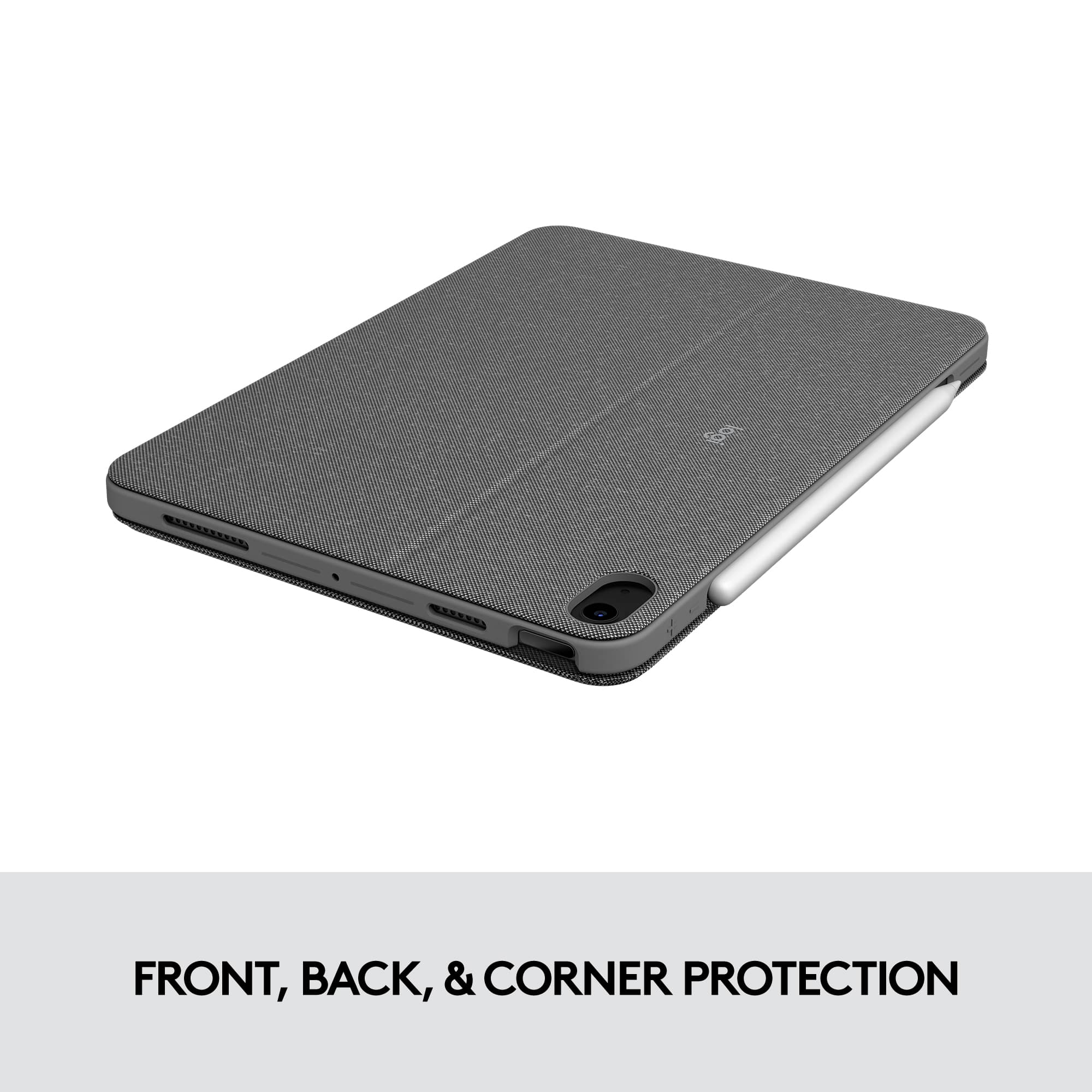
|Posted .This reviewer received promo considerations or sweepstakes entry for writing a review.The Logitech - Combo Touch iPad Air 10.9" Keyboard Case is amazing. This case exceptionally enhances your experience using the iPad Air. Every detail of this case lends towards providing you more convenience and reliability when using your iPad. The design is incredible. The iPad fits snuggly and securely in the case. You can mount the screen at comfortable viewing angles. The keyboard is very responsive and best of all, they are backlit so you can see what you're doing even in low light situations. The backlight is also adjustable, making it easy to find that perfect amount of illumination for your surroundings. The battery maintains a charge which is very handy when using the iPad & case on long trips. It's just nice to not have to charge the case after every use. You can literally go days between charges with moderate use of 3-4 hrs per day. Very much appreciated. I love the color of the case and the way it matches with my iPad Air. They blend so beautifully. The case is also pretty slim, so it does not make your iPad Air feel bulky, without sacrificing protection. The screen is protected along with the sides and corners. The case easily fits into a bag or back pack, or you can carry it around since it's so light. Also, the trackpad is superb. It is very precise and supports gestures native to the iOS, so you can intuitively move between applications, zoom and pinch, and more. You really can't go wrong with the Logitech - Combo Touch iPad Air 10.9" Keyboard Case for Apple iPad Air. It does everything you need and more. I highly recommend this case.
I would recommend this to a friend - Pros mentioned:Keyboard quality
Practical, versatile, illuminated keyboard combo
|Posted .This reviewer received promo considerations or sweepstakes entry for writing a review.The Logitech - Combo Touch iPad Air 10.9" Keyboard Case for Apple iPad Air (4th Gen) - is a versatile combo case with kickstand and keyboard with touchpad. It reminds me a bit of an older Microsoft Surface with an add-on keyboard/touchpad add-on I used to have. The case is slick and fits the iPad perfectly, with precise cutouts for everything, while offering solid protection from drops. The adjustable built-in kick-stand comes in handy when you just want to set your iPad on your desk or countertop and watch some videos, have a conference call or do some sketches if you use an Apple Pencil. The detachable keyboard is my favorite part of this combo though. It pretty much turns your iPad into a laptop computer. They keys have just enough travel and a bit of a click, so you feel like you’re typing on a thin laptop keyboard. I don’t know if this is a first of its kind, but amazingly enough, this keyboard is also backlit. It senses the lighting intensity in your room and has 16 levels of brightness. It also includes a huge touchpad with “click-anywhere” and “multi-touch” gestures that makes it so you don’t have to use the touchscreen as much when it’s all at your fingertips. Part of this great design is the “Smart Connector Technology” that automatically connects and also gets power from the iPad, so you don’t have to worry about charging the keyboard separately. All in all a very practical addition to any iPad that’s not only used for entertainment but also productivity apps and typing.
I would recommend this to a friend - Pros mentioned:Keyboard quality, Protection
Better than Apples
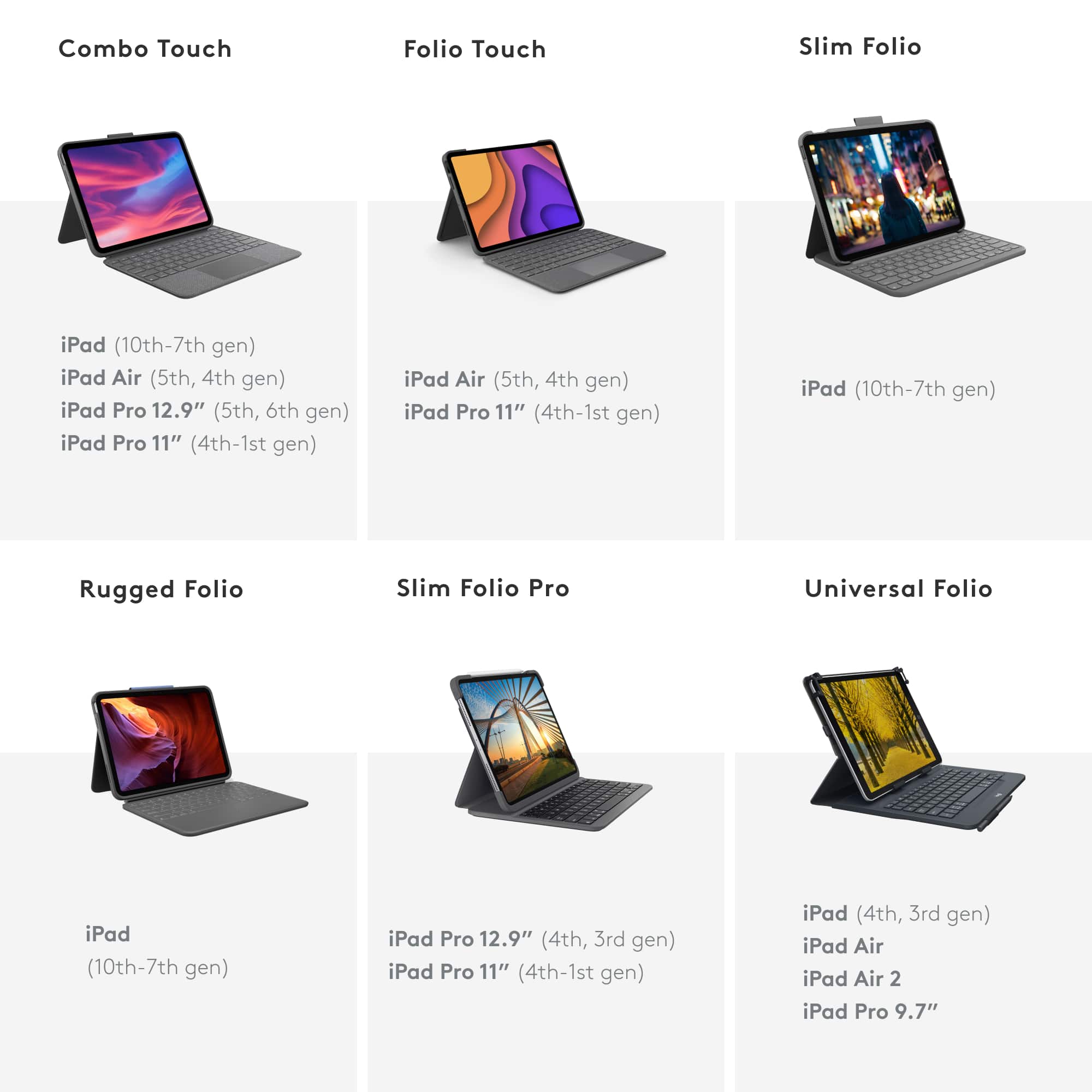
Posted .This reviewer received promo considerations or sweepstakes entry for writing a review.I owed this for my previous ipad 7th gen and bought again for my ipad air 5. This newer version is thinner and lighter than the last. I prefer these to apples version because they offer full protection and the keyboard is detachable. The kickstand case is great. keyboard is responsive and the keys have enough travel.
I would recommend this to a friend