Customer Ratings & Reviews


- Model:
- 920-010097
- SKU:
- 6461997
Rating by feature
- Value
Rating 4.4 out of 5 stars
- Quality
Rating 4.6 out of 5 stars
- Ease of Use
Rating 4.6 out of 5 stars
to a friend
Customers are saying
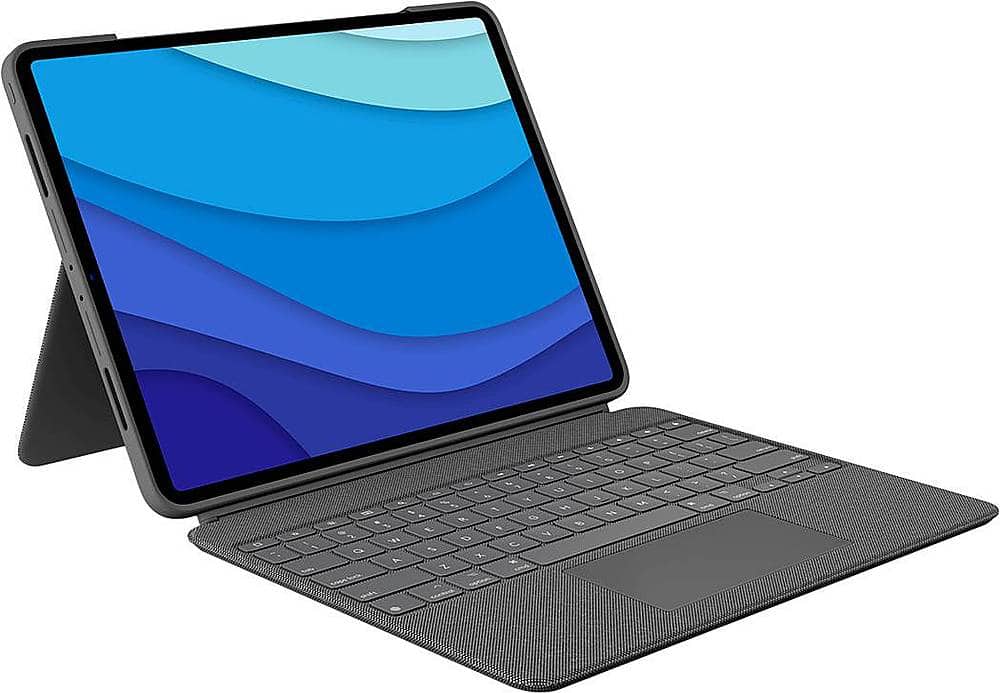
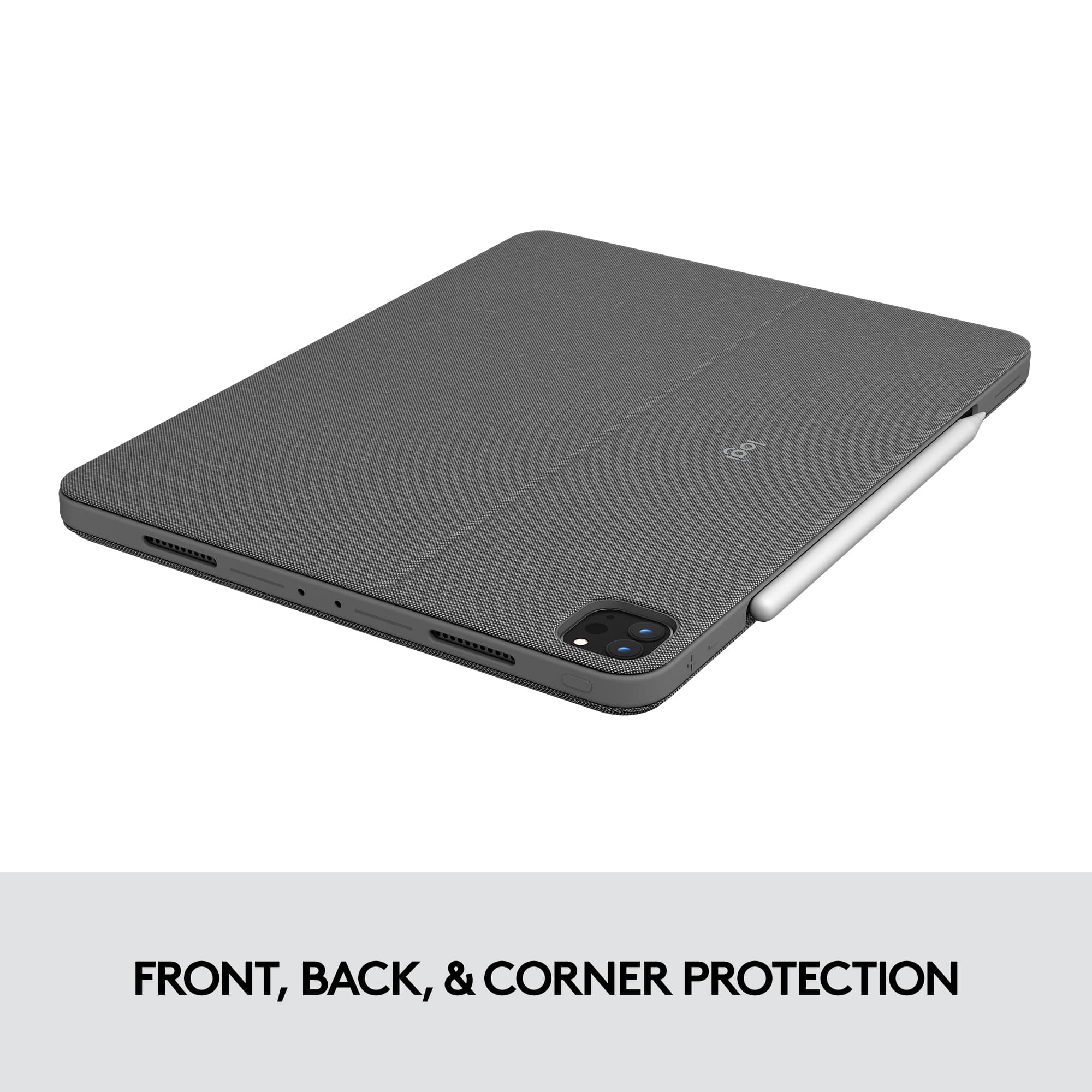
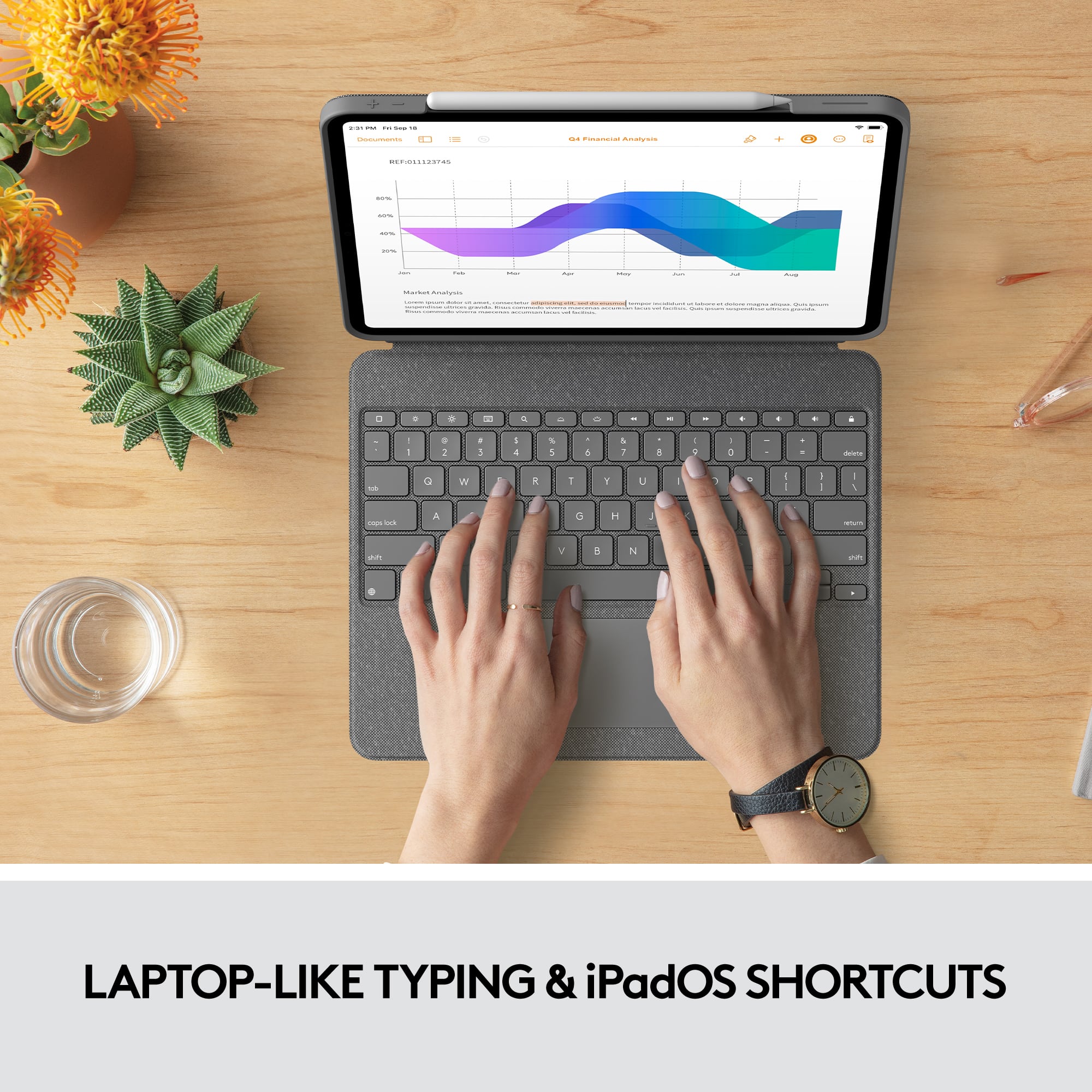
Customers admire the Combo Touch Keyboard Folio for its excellent keyboard quality, ease of use, and protective design. The stand and kickstand are also well-received, along with the perfect fit for the iPad. Some customers note the added weight and express concerns about battery life.
This summary was generated by AI based on customer reviews.
Great Keyboard (but limited for use on lap)
||Posted . Owned for 2 weeks when reviewed.This reviewer received promo considerations or sweepstakes entry for writing a review.The Logitech Combo Touch Keyboard Case is absolutely great 80% of the time (or more or less depending on your primary use). The 20% of the time it does not work great for me is when trying to use it on my lap, when sitting on the couch or in bed. I use my iPad Pro as essentially a third monitor for work activities, so I have it set up in "keyboard mode" a good portion of the time, with the remaining work time spent marking up PDF files with the keyboard detached. When using it outside of work, I largely use it while sitting on the couch or in bed. Having the ability to remove the keyboard, while retaining the protection of the case is, in my view, one of the best features of this keyboard relative to the Magic Keyboard. Depending on how you use your iPad, perhaps the lack of a protective case when detaching the iPad from the MK is not a deal breaker for you. But, as someone that often detaches the keyboard, it is comforting knowing that the iPad is still protected with the Combo Touch case, which is not something the MK offers. Regarding the typing and trackpad experience, I have never owned a MK so I cannot speak specifically as to the typing or trackpad experience on the Combo Touch versus the MK. But, what I can say is that the typing and trackpad experience on the Combo Touch is absolutely great -- I have read and seen reviews that the MK offers the better experience in those regards, but, not having ever used the MK, I cannot say that the Combo Touch offers an inferior experience. And, if you are in a similar position as I was in -- picking between the two without any prior experience -- if you were to select the Combo Touch without going into a store to compare the typing and trackpad experience, I can confidently say that you will not be disappointed with the typing and trackpad of the Combo Touch (sometimes ignorance is bliss). In addition to the Combo Touch offering a great typing and trackpad experience, the other major keyboard advantage the Combo Touch has over the MK is the function row. The counterargument by those beholden to Apple products is that it's easy enough to simply swipe down with your finger and access the control center. While that is undoubtedly true -- it is not "difficult" to access the control center without the function row -- it just seems counterintuitive to the concept of utilizing a keyboard to be forced to not use the keyboard in order accomplish very common tasks (e.g., changing the screen brightness, volume, etc.). I think the two most likely reasons Apple did not add a function row are (i) the function row would essentially need to be "behind" the bottom of the iPad, due to the way the MK suspends the iPad, and (ii) given the way the MK suspends the iPad, if using the MK, the iPad itself is slightly closer to your hands when typing, and thus it is easier to use your finger to access the control center than doing so on the Combo Touch. That said, in my view, the function row seems like something Apple should nonetheless implement on the MK, and, ultimately, if some consumers decide not to utilize it (and instead use their finger to access the control center), so be it, but I am sure some consumers would utilize it. I am sure there are plenty of features in the various Apple products that not all consumers utilize, so the addition of a function row would be no different. Another advantage that the Combo Touch has over the MK is the material. As noted, I have never owned nor used a MK, so I cannot say this with first-hand knowledge, but, based on the reviews I have read and seen, the MK seems to get dirty/greasy due to the material it is made of, whereas the Combo Touch's jean-like material does not. And perhaps the most obvious advantage of the Combo Touch is the price. Apple products are generally expensive, and the newest iPad Pro model easily exceeds $1,000 for the 12.9" with the lowest memory capacity (and, as you increase memory capacity (and also if you select the model with cellular) can approach $2,000). Add another $100+ for the Apple Pencil (which, regardless of your primary uses for the iPad, is a must have), and many consumers are approaching $1,500 in total costs, which could get you a pretty nice laptop/computer. So for those looking to save over $100 on a keyboard, the Combo Touch may be a good choice. Of course the counter is that, if you've already dropped $1,500, what's another $100. And to those people I respond with, "please feel free to Venmo me $100 if that's nothing to you." The above are many of the great things about the Combo Touch compared to the MK. But of course there are cons. To reiterate, I have never owned nor used a MK, but I can confidently say that the experience of using the MK on your lap, while sitting on the couch or lying in bed, must be better than the Combo Touch, as doing so on the Combo Touch is PRETTY bad, almost to the point where it's not even possible to do so with any sort of comfort. When I am using the Combo Touch on my lap, the keyboard feels a bit flimsy, and it is abundantly clear that the suspension and sturdiness of the MK would be much better for this type of use. A couple of other differences that I think the MK likely has a leg up on the Combo Touch (at least based on reviews I have seen and read): (i) the suspension and angle of the MK brings the iPad screen slightly closer to you, which could offer a better viewing experience (this may be more relevant for those with the 10.9" iPad, as the Combo Touch works just fine for my 12.9" and I have never thought "oh, I wish this the iPad was closer to my face"); and (ii) the MK offers the extra USB-C charging port, which is useful for charging or utilizing other devices (for me, this isn't a huge advantage, as I don't use any external accessories such as a hyperdrive, though the spare USB-C port could also be used for charging your phone (but, that's not really an issue I often experience and need to solve for, particularly given the availability of iPhone chargers and outlets)). All things considered, the Combo Touch works great for me -- it offers a great typing and trackpad experience (and if you have never used the MK, you certainly will not feel as if you are missing out on anything), a detachable keyboard that provides protection for your very expensive iPad that the MK does not, a function row that you will absolutely use very often whereas the MK does not, it will likely remain cleaner than the MK due to the difference in materials, and, the most obvious, it is $100+ cheaper. While the MK would undoubtedly be better for use of your iPad on your lap IF YOU ARE USING A KEYBOARD (otherwise, there is no difference), I do not often find myself wanting to utilize the keyboard while sitting on my couch or in bed. I use the keyboard primarily when working at a desk, so this "negative" about the Combo Touch was not significant enough to sway me over to the MK (though I appreciate that may be very important to others, and in an effort to give a good, unbiased review that is applicable across the board (and not just specific to me), this difference is the sole reason I am giving the Combo Touch four stars instead of the five stars I would give if reviewing it purely as it relates to my personal use of my iPad/keyboard). The last thing I will add that I think may be underappreciated is that, while the Combo Touch itself is $100+ cheaper than the MK, purchasing the Combo Touch could also save you an additional amount. As noted above, the MK is one piece, and when detaching your iPad from the MK, your iPad is not protected, whereas when removing your iPad from the Combo Touch keyboard, your iPad remains protected with a solid case. If you are someone that is likely to make a lot of use of your iPad when it is detached from a keyboard, if you are like me and were to purchase the MK, you will absolutely either want (i) a separate non-keyboard case for those situations, that you could quickly toss on your iPad when removing it from your MK, or (ii) AppleCare for your iPad. And perhaps you would purchase AppleCare either way (after all, $150 for 2 years of coverage for such an expensive device isn't terrible). But, with the protection the Combo Touch offers when detached from the keyboard (especially if you also utilize a tempered glass screen protection that you can buy for $10), I personally have decided NOT to opt for AppleCare. So, in addition to saving $100+ on the Combo Touch itself, I have also saved an additional $150 that I likely would have spent for ease of mind if purchasing the MK (thus making it a $500 keyboard).
I would recommend this to a friendReally nice kbd/case
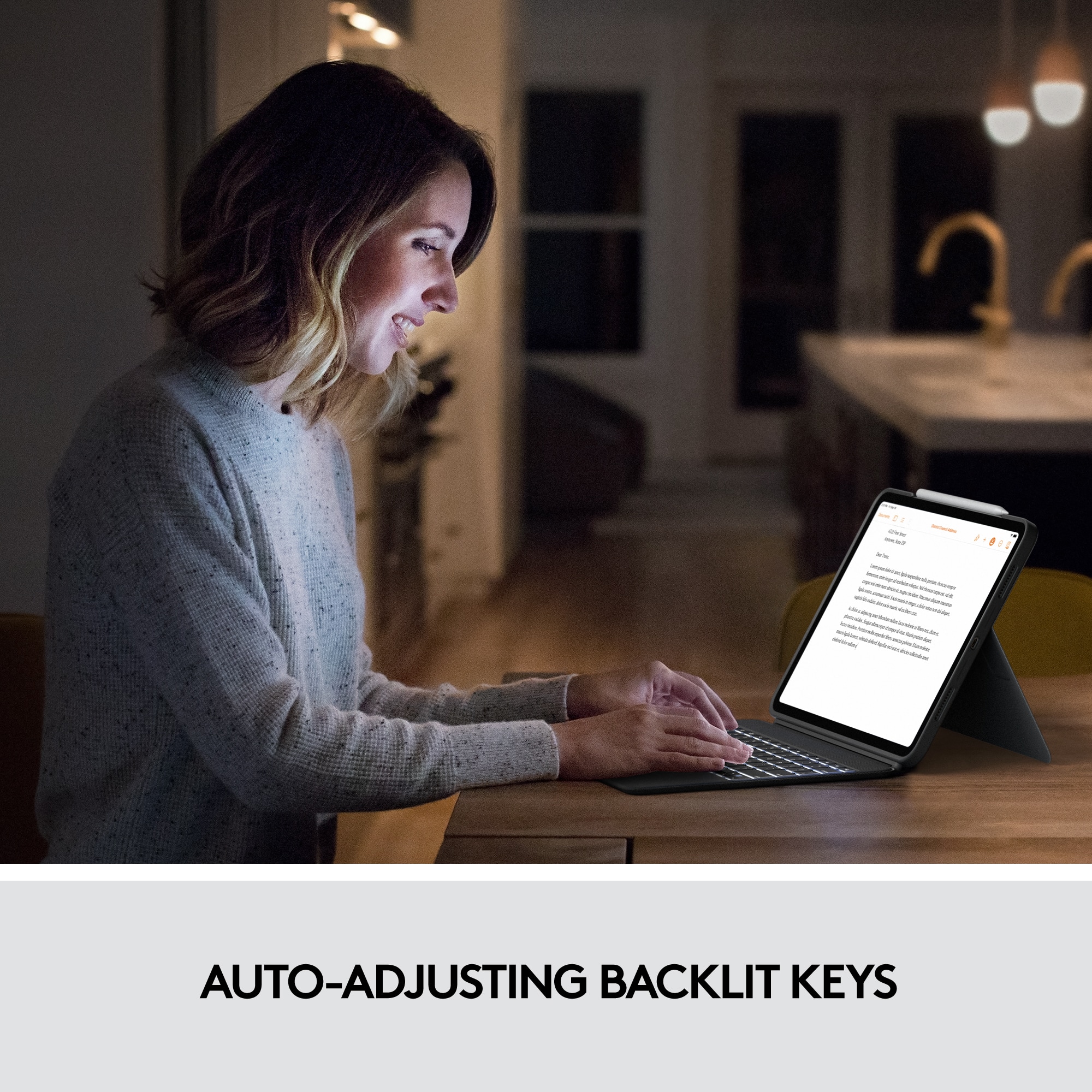
||Posted . Owned for 1 week when reviewed.This reviewer received promo considerations or sweepstakes entry for writing a review.I bought this instead of paying twice as much for an Apple OEM kbd and case - which was WAY too expensive. I would have preferred no trackpad - and a kbd that was positioned at the front edge. But this was the best I could find for a reasonable price. What's good? - The fit is perfect - The quality is very high. MUCH better than the material Apple uses - it is backlit! Love that. - the easel stand works well - and stays where you place it offering multiple positions. - Case and kbd are integrated in a single unit What's not so good: - I did not need the trackpad. Though the trackpad works really well. - I wish the kbd was located on the front edge - instead of having a trackpad - I wish the case had a pencil holder - instead of relying on the iPad magnet. (I am always knocking it off)
I would recommend this to a friend4.75 Stars - Best All Around Option
||Posted . Owned for less than 1 week when reviewed.This reviewer received promo considerations or sweepstakes entry for writing a review.This is the one! I have been searching for a functional case that offered the option of a laptop-like experience for my iPad and I have finally settled on this one. To make this review as useful as possible, I will give a brief comparison against Apple’s Magic Keyboard, as well as a pros and cons list for the Logitech Combo Touch. After trying both, the magic keyboard offers a slightly better key feel and typing response, but that isn’t to say that the Logitech’s is terrible. The Logitech just has keys that feel more plastic-y and bottom out in a decidedly more mushy manner than those found in the Apple offering. The trackpad on the Logitech is superb however, as is the magic keyboard’s, and the Logi’s is ever so slightly larger but essentially the same size. The Apple offering leaves the iPad naked while not in “laptop mode,” rendering it difficult to hold/support and prone to accidental damage, while the Logitech offering allows the iPad to always remain in its case at all times. As someone who uses the iPad for art/design this one is huge. I like to rest my iPad on whatever and not worry about it. The Apple option takes up less space on a desk, and offers an almost laptop-stable lap typing experience. The Logitech option does not officially offer a lap typing option, though I am in fact typing this review on my Logitech Combo Touch with the kickstand resting on my knees. It isn’t as solid as the magic keyboard for lap typing but it is far from incapable, I actually don’t mind it for stretched out typing on the couch, and the moment I begin to feel at all foolish I remember how much money I saved by going with this case! Finally, the pressed fabric/plastic material used for this case feels much more durable than that of the magic keyboard case. Personally, I think it is a nicer look than the magic keyboard case. My partner actually laughed at me when he saw the more expensive option in use for the first time. Both cases are heavy and add significant weight to the iPad. Logitech Combo Touch Pros: -Significant device protection -Reasonably priced -Solid construction -Durable, premium material -Great trackpad with full gesture support -Backlit keys with function row -Good typing experience -Smart-connector system with easy to use magnetic connections -Feels nice to hold in all configurations despite added weight -Thoughtfully designed with all needed cutouts, etc. Cons: -Added weight, like the magic keyboard case, this isn’t a light case at all -Questionable lap-typing experience. I don’t mind it, but I think I’ll be the exception here -Somewhat large desk footprint -Stand is not sturdy enough for most drawing/Apple Pencil use -No strap to secure Apple pencil Ultimately, this case isn’t perfect, but its the closest to exactly what I need, so it is the one I am keeping, I have enjoyed typing my review on the case’s keyboard, and my accuracy while typing on my lap is more or less the same as it is on my windows laptop now that I have had this review to practice. If you are on the fence about this one, I would definitely recommend giving it a try!!
I would recommend this to a friendBrand response from Logitech
Posted .Hi James, we're glad to see you're overall liking the Combo Touch for iPad 12.9 5th Gen! If you're looking for protection of your iPad while also being able to work on the go, this case is the best bang for your money! The Backlit keys and shortcut buttons make it that much easier to get around the device without even touching the screen! Continue to enjoy!
Works with 2018 12.9" iPP too! Way better value!
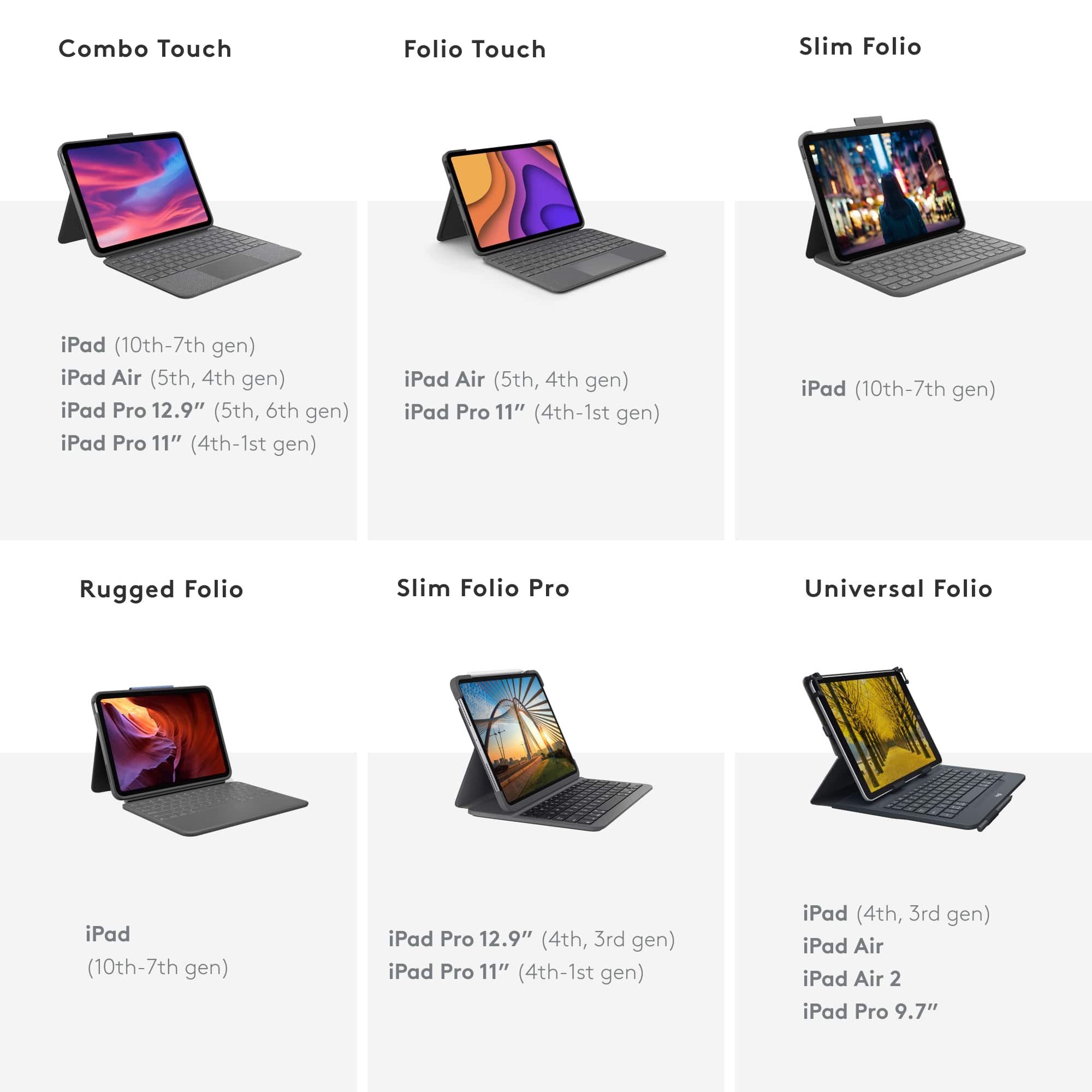
||Posted . Owned for 1 week when reviewed.This reviewer received promo considerations or sweepstakes entry for writing a review.Coming from Apple's Magic Keyboard case for my iPad Pro 12.9", I can wholeheartedly say that the Combo Touch is better. Sure, the build quality isn't on the same level as Apple's Magic Keyboard case, but the Combo Touch has way more functionality and overall value. For about $100 less than the Apple Magic Keyboard case, the Combo Touch will always protect my iPad Pro no matter what I'm doing with it. I can type, write, or draw, and I never have to take my iPad out of the case. The stand is very adjustable for both typing and writing. Similar to Apple's case, the typing experience on the Combo T. is on par with current gen MacBooks. The trackpad is great too! Although this is only advertised for being compatible with the 2021 12.9" iPad Pro, I have confirmed it absolutely fits a 2018 12.9" iPad Pro. It's very snug and I haven't had a single issue with this case. All keyboard and trackpad functionality works 100% once you install Logitech's App.
I would recommend this to a friendGood since I already have it.
||Posted . Owned for 1 year when reviewed.This reviewer received promo considerations or sweepstakes entry for writing a review.The case and keyboard are good. The keyboard typing quality is quite nice. On par with what you'd expect out of a Logitech keyboard of this size. They know how to do keyboards well! The trackpad is medium to large for a device in this class but doesn't compare to one on a good laptop. The trackpad is a bit mushy but has an excellent tracking feel. In no way is the mushiness a dealbreaker for me. Major frustration surrounds the slots in the case portion for the speaker grills. Within the first month of owning and using this, they started to warp, so they no longer snuggly fit the case. They aren't stretched out to catch on anything, but it's very frustrating at this price point to have such immediate wear show on the device. I was torn between this device and Apple's own Magic Keyboard. I love that Logitech's Folio has a case on the iPad, that can separate from the keyboard, plus a very effective kickstand to prop at any angle you desire. Apples option has a sligtly better keybaord and can still use another compatible case but that still an addition. I'm not convinced I'd buy this again unless Logitech corrected the wear issues mentioned. I do find that its a bit heavy and I certainly increase the wear dramatically by removing the iPad from the case completely quite often.
I would recommend this to a friend
Truly blurs the lines
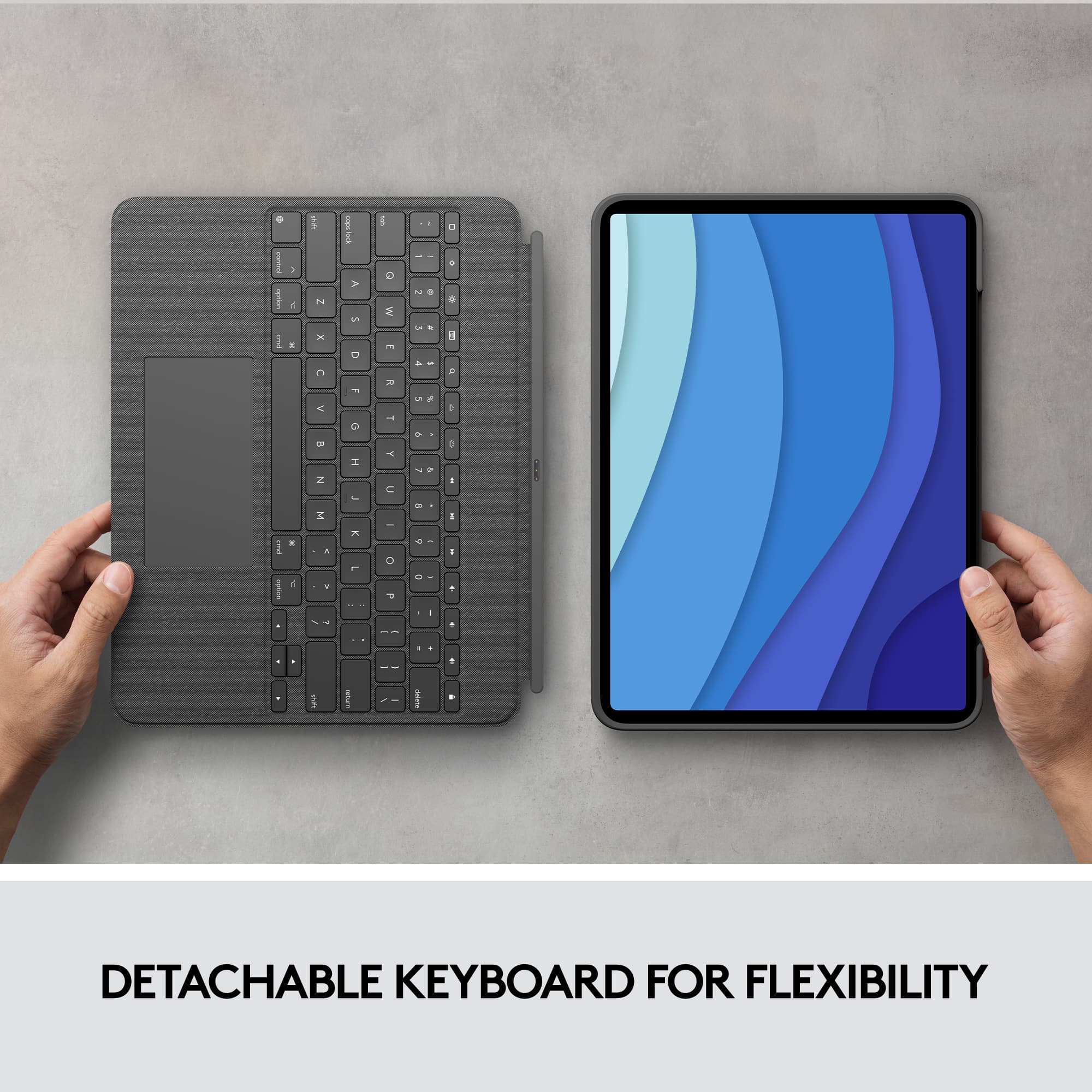
|Posted .This reviewer received promo considerations or sweepstakes entry for writing a review.This is the first case for my iPad that I see the true value that it adds, it truly blurs the lines between a laptop and tablet. The functionality when using iOS with this case like a laptop surprised me. The fluidity of everything is super smooth from scrolling, moving the cursor, to the rubber band effect built into iOS when you come to the top or bottom of the page .This may be more attributed to iOS than the functionality of the case, but it is still impressive none the less. The track pad, though not the biggest, feels excellent to use. The keyboard is backlit and adjustable, you also can control the volume and brightness of the tablet from the keyboard. The body of the case has a nice textured feel that appears like it will hold up well. The built in adjustable kickstand keeps the tablet firmly in place. The case does add a decent amount of bulk to the iPad, but being able to remove the keyboard makes noticeable difference. The keyboard is magnetic and easily pops on and off when you want use it as tablet. The ability to remove the keyboard is one of my favorite features, I love having the functionality it adds, but I like being able to remove it when I just want to use a tablet. The Combo Touch gives you the best of both worlds, a case that can turn your tablet into a laptop or a case that adds protection and versatility to your tablet.
I would recommend this to a friendExcellent and affordable alternative to AMK.
||Posted . Owned for 3 months when reviewed.This reviewer received promo considerations or sweepstakes entry for writing a review.This is an excellent alternative to the company branded alternatives. It can be used in several different ways and protects the iPad completely. The keyboard is great (it’s a Logitech) and it can be removed or attached backwards for the times when you want to use your iPad as a slab with the Apple Pencil 2. It is considerably less expensive than its counterparts as well. All in all, it’s probably the best option out there for the current generations of the iPad Pro.
I would recommend this to a friendBrand response from Logitech
Posted .Thank you for your excellent review of the Logitech Combo Touch Keyboard. We appreciate you highlighting its multi-mode functionality, comprehensive iPad protection, and affordability.
Great Value With Better Features
||Posted . Owned for 1 month when reviewed.This reviewer received promo considerations or sweepstakes entry for writing a review.Best iPad Pro keyboard around. The case protects the iPad well while not adding too much bulk and the added function keys (volume, screen brightness, etc.) are a big improvement over the Magic Keyboard from Apple. Also worth noting is that the material used is much more durable than Apple’s keyboards and resists looking stained/greasy like the Magic Keyboard. The ability to remove the keys and stand up the iPad for watching content is a nice feature that comes in hand at times. Overall, this is a great value and highly recommended.
I would recommend this to a friendAmazing Case
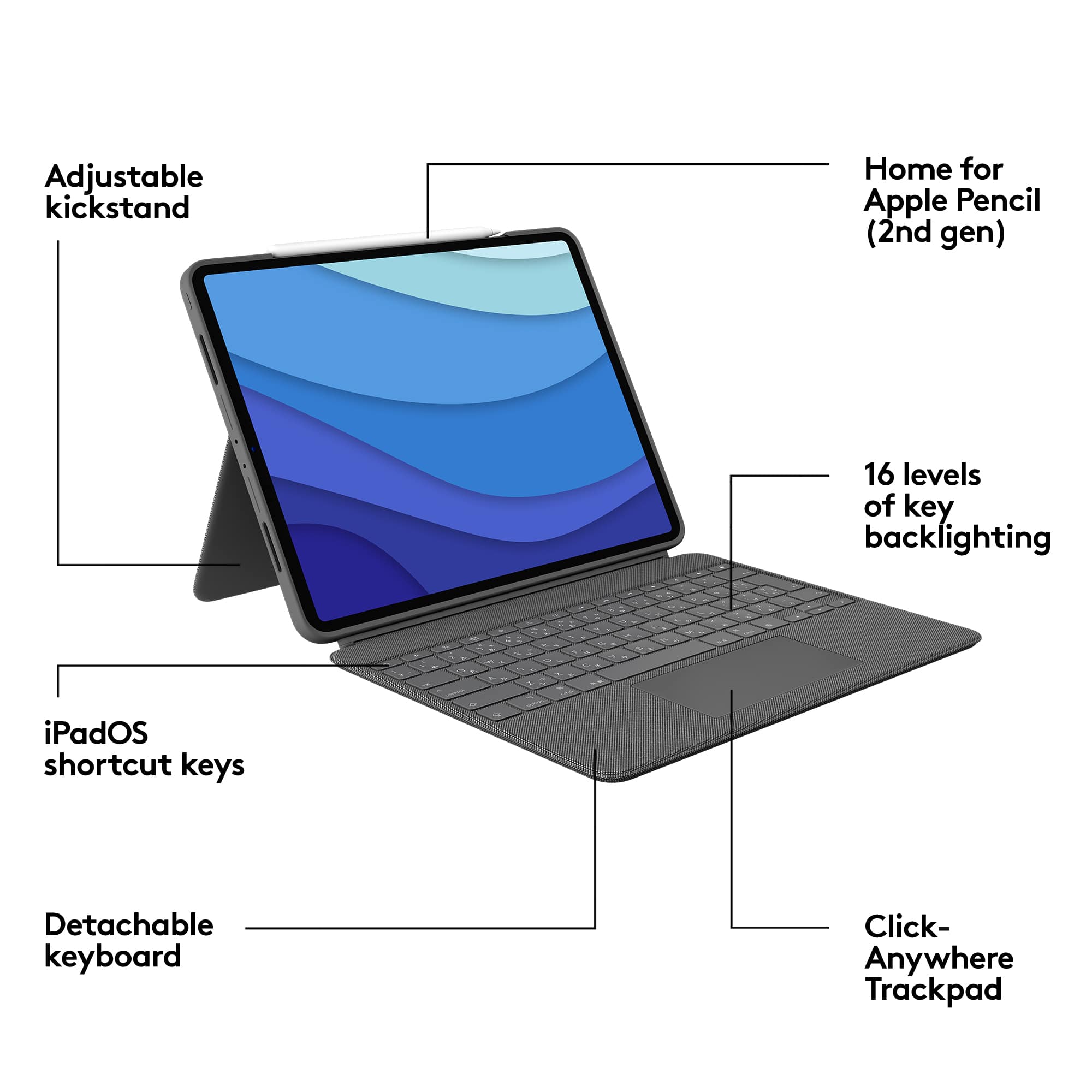
|Posted .This reviewer received promo considerations or sweepstakes entry for writing a review.This case is fantastic, I’m a current owner of the Apple magic keyboard and I do love the floating looks, but the iPad is not as protected as in this case. It is very slim, sleek, elegant, and the fabric touch feels very nice. This cover looks more durable than the other ones I have. I always buy Logitech as a 3rd party accessories manufacturer for Apple products. The backlight keyboard is very bright I would say better than the apple one. You can set this case in 4 different ways and the detachable keyboard is a winner. Logitech did pay some attention to detail when designing this case. On the top edge of the case there's an exact opening for the Apple pencil that allows you to attach your pencil nicely. The anywhere trackpad is fast and accurate. It feels like using a laptop instead of a tablet, and typing on the keyboard feels amazing. I tested this product for a few hours and I didn't have to charge the keyboard at all, I love that. If you want extra protection for your IPad don’t look any further. This case is way much better than the original and it also looks amazing.
I would recommend this to a friendSolid Functionality
||Posted . Owned for 3 weeks when reviewed.This reviewer received promo considerations or sweepstakes entry for writing a review.Very nice, compact keyboard with great functionality and trackpad. It fits snuggly on the ipad pro and the keyboard is reversible to go on the back of the ipad. The kick out back support works well and is stable. Overall it does add some weight and if using the ipad without the keyboard, I detach and set the keyboard aside. It would be nice if there was a more secure way to contain the Apple Pencil than just the magnetic area. It is nice to have the cutout on the case that allows for secure magnetic retention while in use, but it isn't good for carrying the case with the pencil in place. A strap, elastic loop on some other better retention would be nice.
I would recommend this to a friendI Really Wanted to Like This, But
||Posted . Owned for 3 weeks when reviewed.This reviewer received promo considerations or sweepstakes entry for writing a review.I was drawn to the Combo Touch after comparing it to the other non-Apple competition. My first thought was to get the Apple option, but that cost is just too much. Now I wonder if I made a mistake. The unit adds some weight, but that is not a major concern for me. I started with laptops when they were more luggable than portable. My concerns relate more to the reliability and functionality of the device. As a laptop replacement, it is fine as long as you don’t want to actually use it in your lap. I’m tall and it won’t fit in my lap. Unless I have my legs extended (sitting in floor or a recliner), there is no way to use the kickstand effectively. You will lose your Apple Pencil using this case. I understand that the iPad alone doesn’t offer much security, but a good case could easily provide better security that what this design has. I drop the pencil frequently when using this case. Finally, the functionality is questionable. I frequently find apps where the track pad freaks out in various areas of the screen. For example, when using the Amazon app, the track pad won’t allow me to move the touch point into the menu at the bottom of the screen. In several apps that have have checkboxes (task managers) the track pad won’t work to click in a checkbox. Sometimes the trackpad seems to go out of calibration with the screen and I have to disconnect it and reattach it to fix the issue. Periodically the keyboard either lags behind my typing or just quits responding. This seems especially prevalent with the function keys. Hopefully, some of this can be fixed with updates to the app that is required for the unit to work. The build of the device feels solid, but the quirks are rapidly making me regret the purchase.
No, I would not recommend this to a friendA great keyboard case
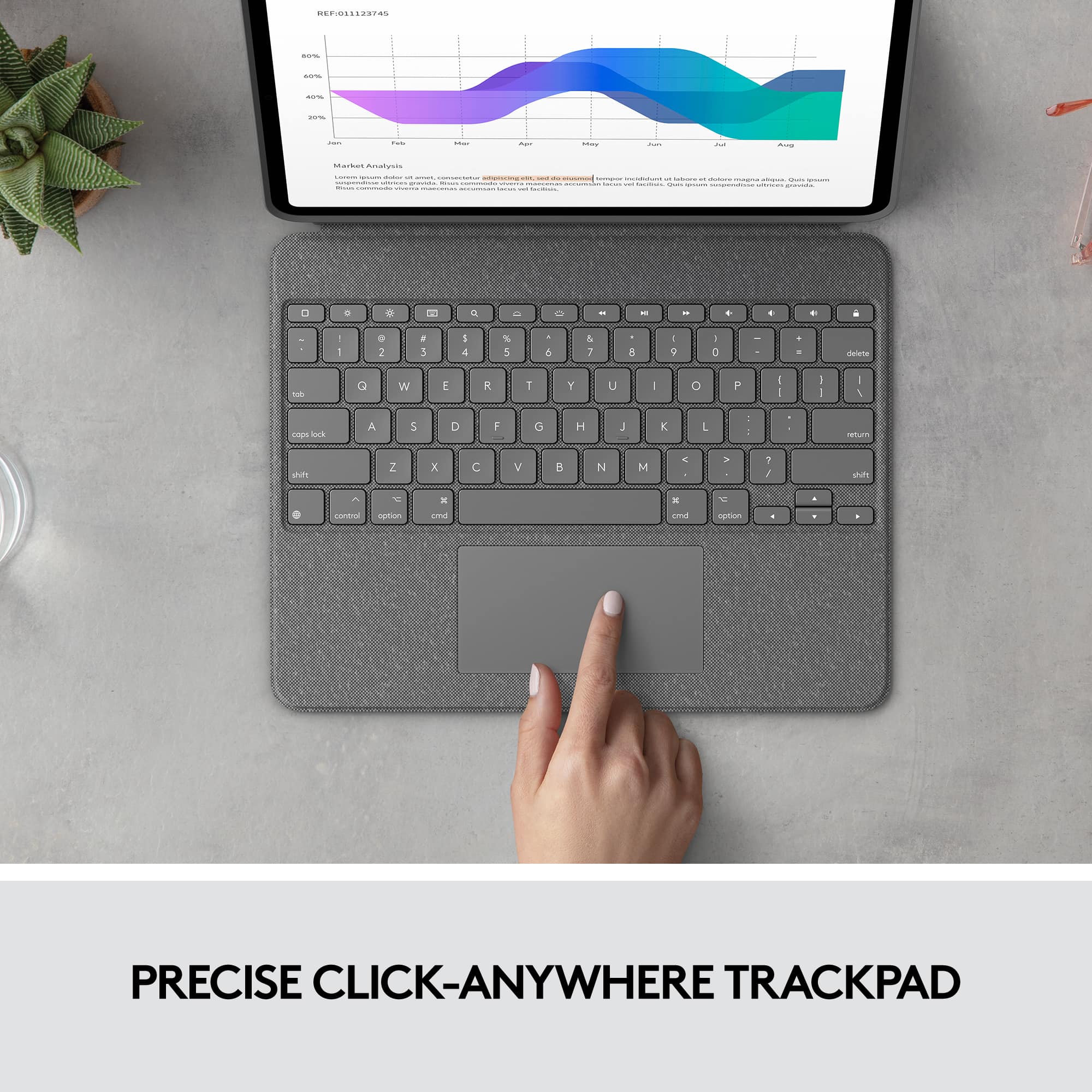
||Posted . Owned for 1 month when reviewed.This reviewer received promo considerations or sweepstakes entry for writing a review.I have Apple’s expensive keyboard for my 2021 12.9” iPad Pro. It’s nice, has an extra charging port, and makes the experience feel premium. But it takes up a large footprint, is heavier than the iPad itself, and costs a lot for something that’s missing a row of function keys. I didn’t want to always carry around a $350 keyboard case just to watch movies. I picked up the Logitech Folio Touch and have been happy with it. They keyboard is solid, has an adjustable backlight system, features a row of function keys, they keyboard can be quickly (and easily) disconnected, and the case has a built-in kickstand. I enjoy propping my iPad up wherever to watch a movie or surf the net. The experience reminds me of another product series and that was one of their main selling points. The fabric feels sturdy, I don’t think it’s going to come apart in the first year or two of ownership. I do with Logitech offered different colors and made a non-fabric model so I could sticker bomb it. The keyboard offers a solid typing experience that’s more reminiscent of premium notebooks and the trackpad also feels premium. It’s larger than Apple’s and it lets you click anywhere. All of iPadOS’s gestures are fully supported and the function keys offer a notebook-like experience. The kickstand isn’t as strong as I would like but it holds the iPad up without issues and stays in place. It can be adjusted to any angle as well. I highly recommend this case for anyone wanting a kickstand, premium keyboard, and something that can be disassembled so you can carry just the iPad around. I was hesitant because of the lower price but this is an all around nice case that’s thinner and lighter than Apple’s more expensive keyboard case.
I would recommend this to a friendExcellent product
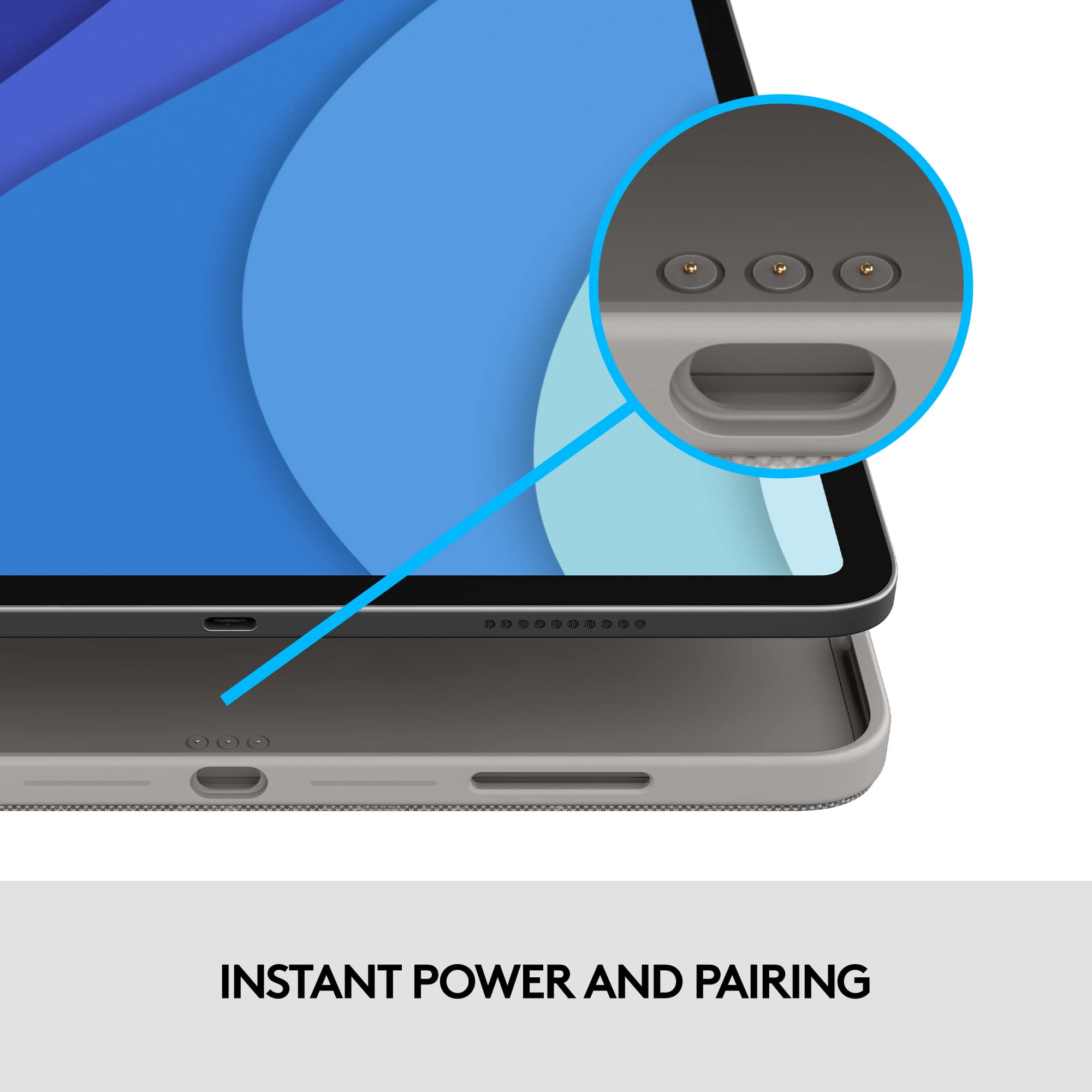
||Posted . Owned for 1.5 years when reviewed.This reviewer received promo considerations or sweepstakes entry for writing a review.It is an excellent product and has very new feature of charging
I would recommend this to a friendBrand response from Logitech
Posted .It’s fantastic to hear that you’re satisfied with your Logitech product. We strive to deliver quality and reliability, and your feedback reassures us that we’re on the right path. Thanks for your continued support—we’re lucky to have you with us.

Keyboard
||Posted . Owned for 1 month when reviewed.This reviewer received promo considerations or sweepstakes entry for writing a review.Works great with my ipad.Easy to use.Looks good too.
I would recommend this to a friendBrand response from Logitech
Posted .We appreciate your feedback and are glad to hear the product is working smoothly. Thanks for being part of the Logitech family.
Better than the magic keyboard
||Posted . Owned for 3 months when reviewed.This reviewer received promo considerations or sweepstakes entry for writing a review.Got this over the apple magic keyboard because it provides better overall protection as it actually covers the ipad unlike the magic keyboard that only snaps magnetically on the back. Keyboard is just as good! Love that the keyboard can be detachable when not using the keyboard! Better than the magic keyboard imo! And for a better price!
I would recommend this to a friendGreat keyboard and touchpad
||Posted . Owned for 3 months when reviewed.This reviewer received promo considerations or sweepstakes entry for writing a review.Love this case. It is kinda heavy, but I do use it as my daily case. When I am using the iPad in my classroom, I feel secure with it in this case. The touchpad is perfect and the keyboard works well. No issues.
I would recommend this to a friendFrom voiceover user,
||Posted . Owned for 3 weeks when reviewed.This reviewer received promo considerations or sweepstakes entry for writing a review.The keyboard itself is excellent however when you leave your keyboard attached to the iPad considering voice over users, the battery drains rather an alarming rate, it keeps repeating the date and time in a very annoying way with strains the battery in an hour or so! Detaching the keyboard from the case it's OK however we need the screen covered like the previous ones, beside the backflip to keep the iPad standing is not a practical one, we wish we have another way of stand like a back of a photoframe for example I repeat in itself it's really good Keyboard and this is my second second one my first it was for Air pad two which was excellent literally excellent, thanks my Accessability people :-)
I would recommend this to a friendGreat keyboard case combo
||Posted . Owned for 1 month when reviewed.This reviewer received promo considerations or sweepstakes entry for writing a review.This case makes the iPad Pro even more of a laptop killer. I used to own a Microsoft Surface Pro 4. This case is like the good ol' days of having a Surface Pro 4, but of course with Apple's efficiency and integration with other Apple products. I love the fact that you do not need to charge the case separately and the fact that the keyboard can magnetically detach from the case so you can just have your case. The keyboard of course adds heft to an already heavier iPad, but for those laptop type functions, it is worth the price of heft. If you have no place to put your keyboard but you want to just hold onto your iPad to read or write, no problem! Just snap the cover on "backwards" and it will hang onto the back of your iPad cover. The built in kickstand is really helpful in keeping the iPad upright when using it as a laptop, but it can also be really helpful if you just want to watch something or have a recipe up while you are cooking sans keyboard. While this is not as pretty looking as the Magic Keyboard, this is an actual case with a very good keyboard and touchpad. It will protect your iPad and you will not have to worry about the safety of your iPad.
I would recommend this to a friendWorth it
||Posted . Owned for 1 month when reviewed.This reviewer received promo considerations or sweepstakes entry for writing a review.This checked almost all of my boxes for a case and keyboard however the size of it made it unusable for lap typing. Something I do from the couch frequently and I didn't want to buy a lap cushion to make this work. It takes up a lot of space when typing in your lap, however at a table this keyboard is great. While not as amazing of a typing experience as the magic keyboard this keyboard is still truly only of the best. the keys are great to use and the glass back for the iPad mouse works phenomenal, including gestures. The case is very high quality. Its not too terrible heavy...however you will likely get tired of holding it after some time. If you just need the iPad the keyboard detaches and the back part of the case can be used as a stand with multiple viewing angles..the further angle down is good for drawing but its not 100% sturdy so I think professional artist might have a hit or miss as it will move when you draw, but its not terrible. If your looking for a combo case at a good price, this is truly a high quality case/keyboard
I would recommend this to a friendLogitech ipad keyboard good features
||Posted .This reviewer received promo considerations or sweepstakes entry for writing a review.I found this to be the best keyboard for the ipad, it has function keys, kick stand, keyboard and touchpad responds well. Most of all i appreciate that the Ipad key detaches magnetically from the keypad which allows you to use the ipad as you normally would. The cover does not show finger prints or dust.
I would recommend this to a friend