Customer Ratings & Reviews




- Model:
- 920-010097
- SKU:
- 6461997
Rating by feature
- Value
Rating 4.4 out of 5 stars
- Quality
Rating 4.6 out of 5 stars
- Ease of Use
Rating 4.6 out of 5 stars
Customers are saying
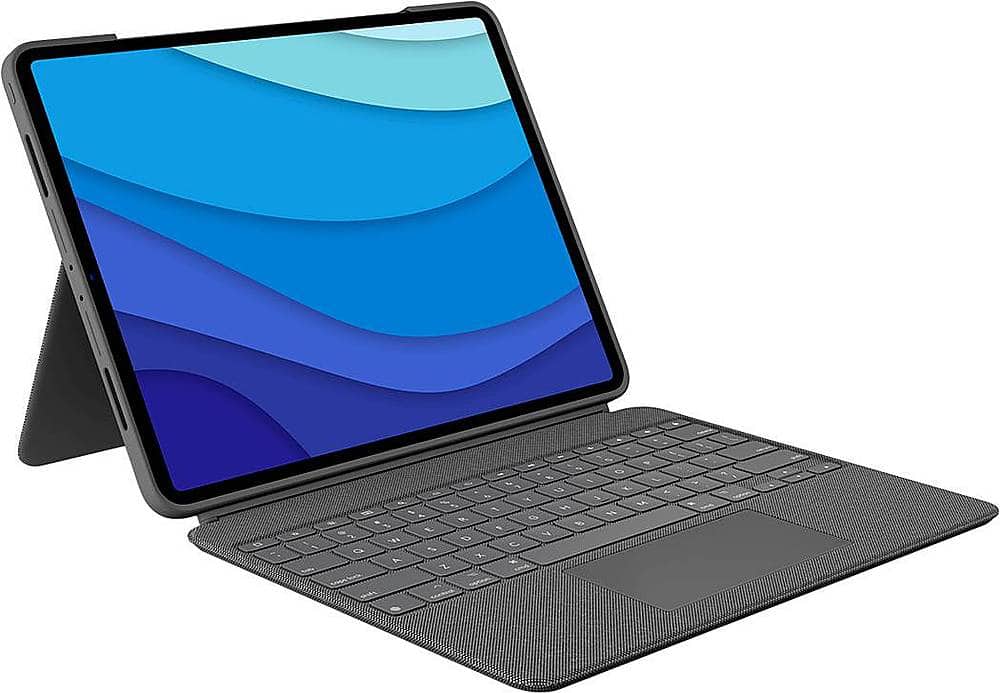
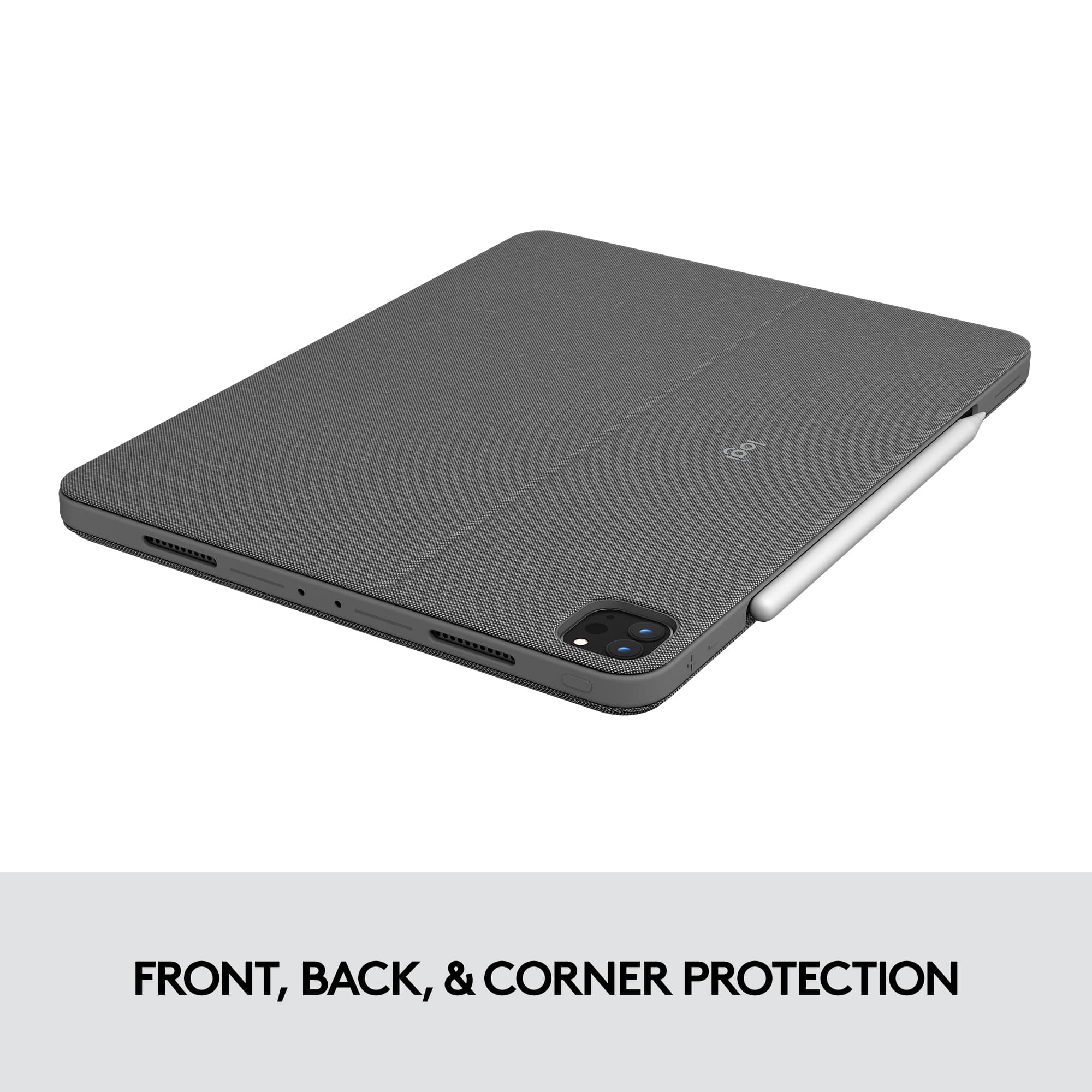
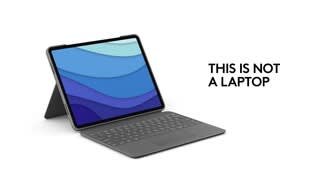
Customers admire the Combo Touch Keyboard Folio for its excellent keyboard quality, ease of use, and protective design. The stand and kickstand are also well-received, along with the perfect fit for the iPad. Some customers note the added weight and express concerns about battery life.
This summary was generated by AI based on customer reviews.
Great
||Posted . Owned for 3 weeks when reviewed.This reviewer received promo considerations or sweepstakes entry for writing a review.I love my iPad it’s so nice I have another iPad but I love this one.
I would recommend this to a friendNot a good keyboard and stand
||Posted . Owned for 3 weeks when reviewed.This reviewer received promo considerations or sweepstakes entry for writing a review.While this keyboard and cover seemed okay I ended up returning it 3 days later, with the screen attached the screen kept falling over there was not enough of an angle and the slightest movement it closed on you, definitely does not have that angle it shows above.
No, I would not recommend this to a friendBrand response from Logitech
Posted .Hello, Crystal! I'm sorry to hear about your experience with the Combo Touch for iPad Pro 12.9". Thank you so much for the feedback on the design of the case! I will be passing this along. - Maggie from Logitech
THE keyboard to use!
||Posted . Owned for 1 year when reviewed.This reviewer received promo considerations or sweepstakes entry for writing a review.Great alternative to Apple’s natural ecosystem which just works.
I would recommend this to a friend- Pros mentioned:Keyboard quality, ProtectionCons mentioned:Weight

Really nice case-keyboard, finally detachable!
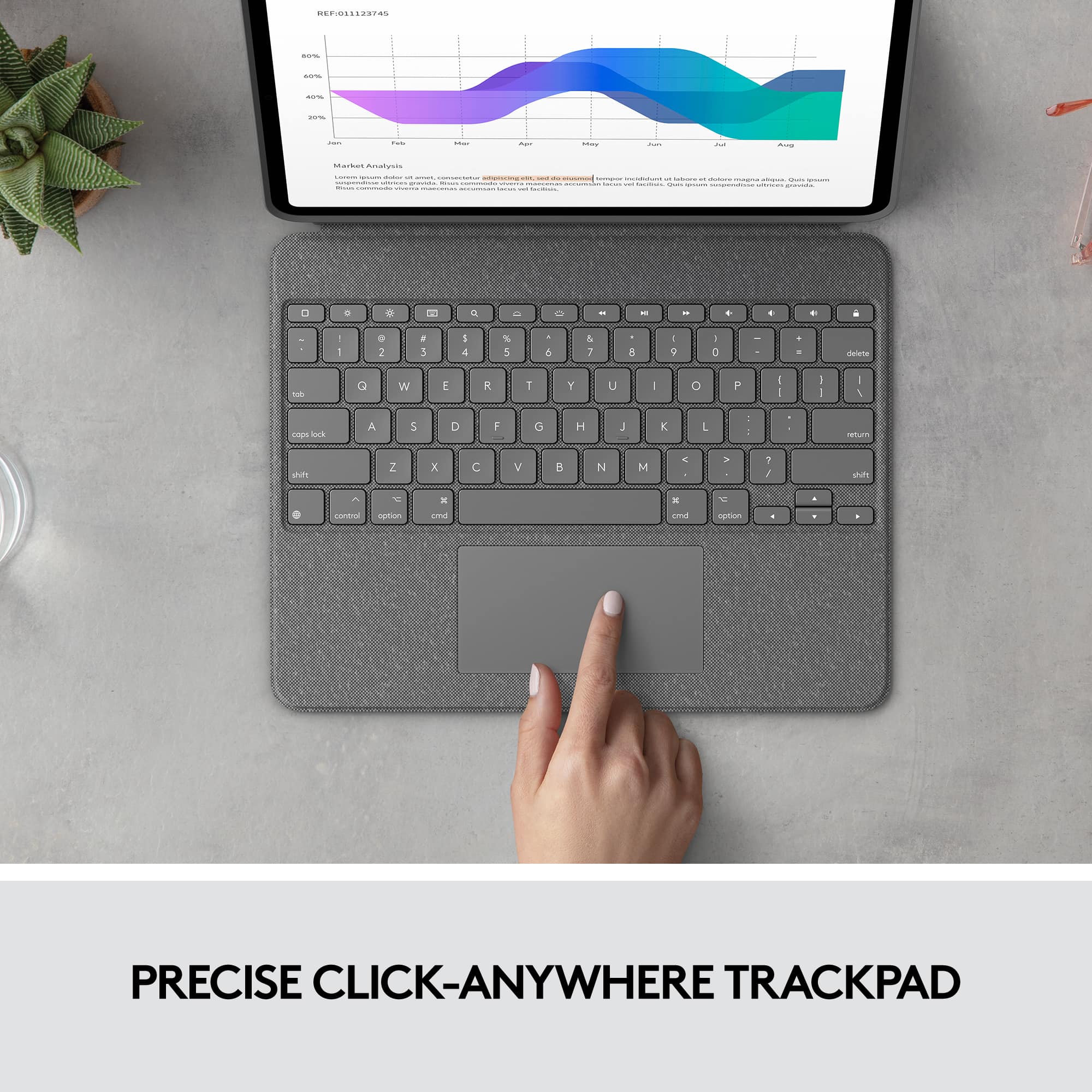
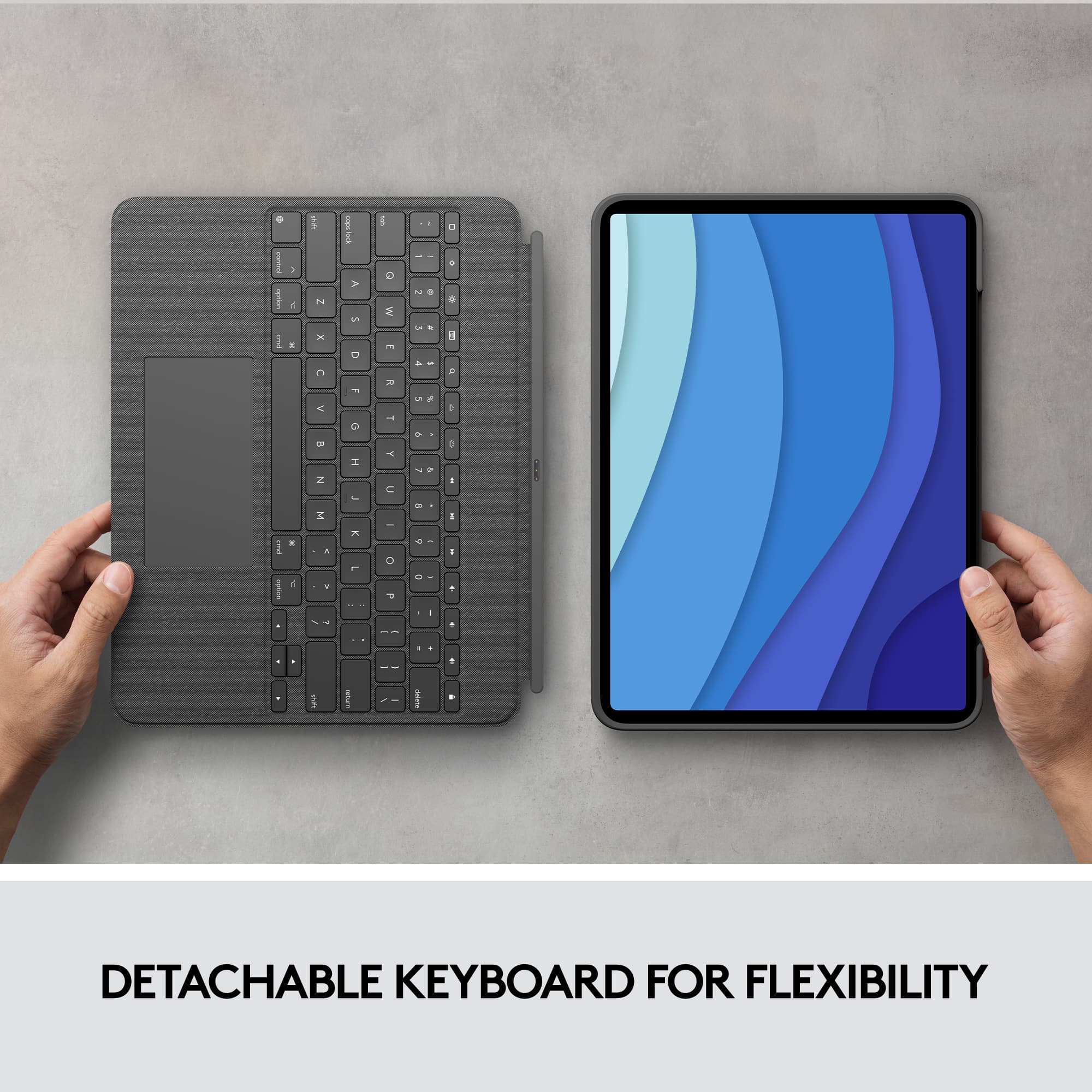
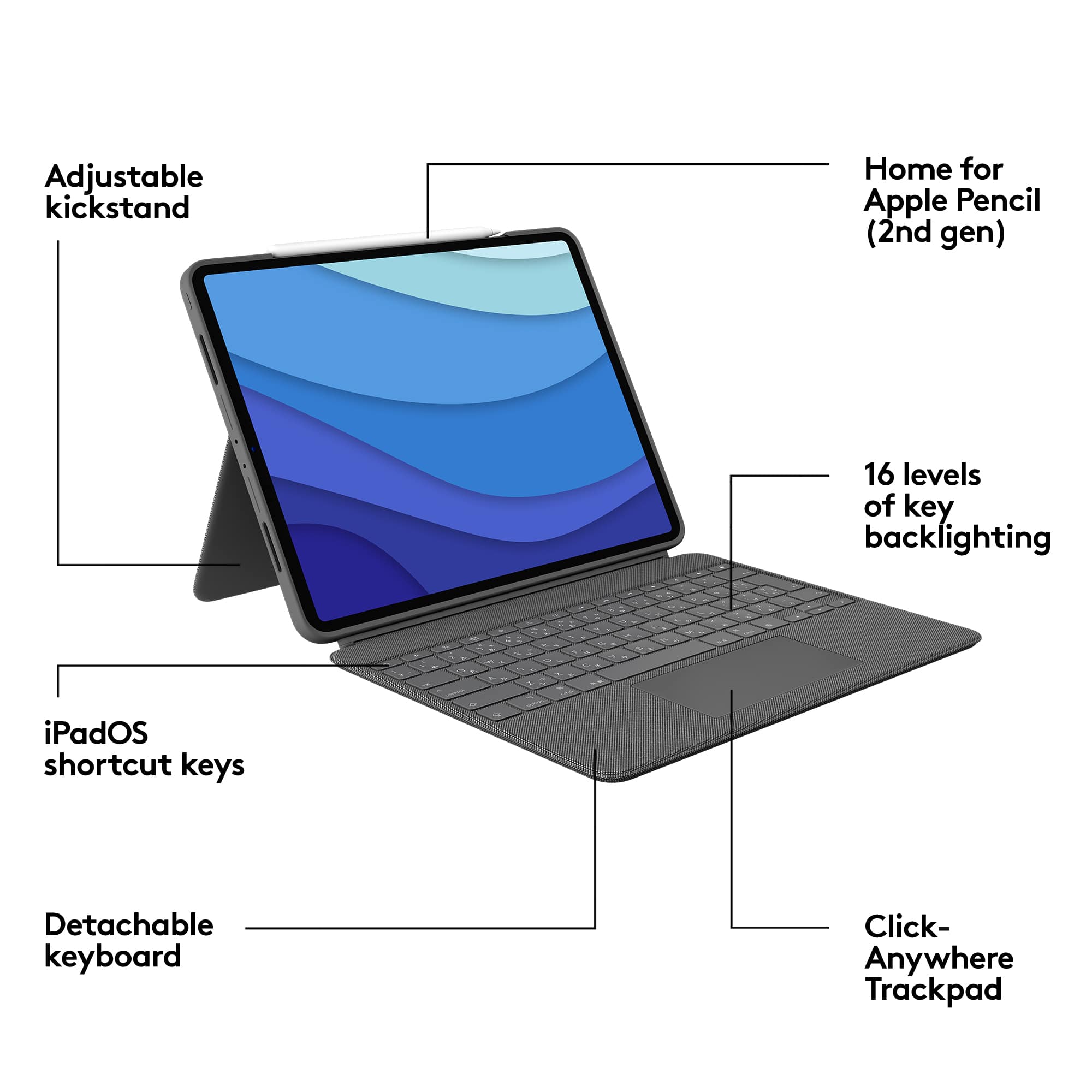
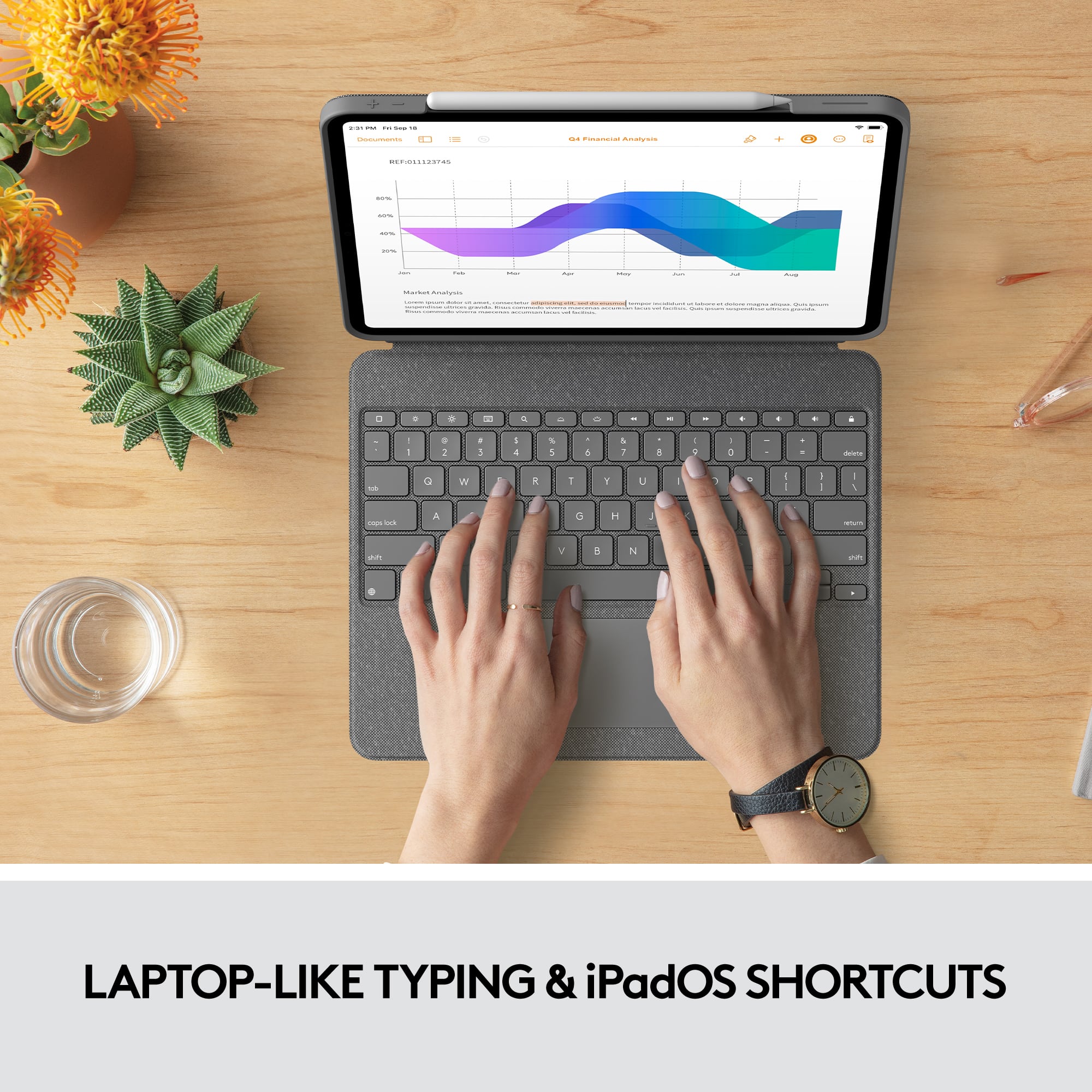
|Posted .This reviewer received promo considerations or sweepstakes entry for writing a review.I have had the opportunity to test the previous models and it's been a pleasant experience and this time it is no the exception. One of the things that I found very pleasant is the fabric with which the case-keyboard is covered, which feels very resistant and at the same time elegant, despite being a little heavy, the case completely protects the entire iPad since it protects the corners, the back and the front, it seems to me that in relation to the protection it is more than enough to avoid damage if the iPad is accidentally drop. In this model, very interesting things are added, for example the backlit that allows you to see all the keys illuminated while writing, the intensity of the brightness can be increased or decreased depending on the needs of each person, a trackpad that by clicking on any part from this area it will execute the desired action on the iPad which is great, it has shortcut keys that allow you to execute different actions quickly and easily. The keyboard is detachable which makes the experience of use even more pleasant, if the iPad is used to view multimedia content, just remove the keyboard and that's it, it's something that was missing and Logitech did it thanks for that. If you use apple pencil, there is a home for it on top of the case and it is really nice and helpful. The only thing I don't like, even in the previous version, is the lock screen button which is above of delete key that some times I pressed by mistake and locks the screen, but it is maybe me, besides that I think is one of the best option if yuo don't want to spend a lot of money on apple's keyboard, I can definitely recommend this case-keyboard.
I would recommend this to a friend Best keyboard for iPad
||Posted . Owned for 1 month when reviewed.This reviewer received promo considerations or sweepstakes entry for writing a review.Best purchase every for iPad the usability is perfect
I would recommend this to a friend- Pros mentioned:Keyboard qualityCons mentioned:Kickstand, Weight
Excellent, but not without flaws
Posted .This reviewer received promo considerations or sweepstakes entry for writing a review.Trying to find a case/keyboard combo that uses the smart connector on the iPad Pro is pretty much impossible if you're not using the Apple Magic Keyboard. This is an excellent alternative if you're not willing to shell out the $350+ USD for Apple's product. The Combo Touch Keyboard Case from Logitech feels like a very solid product! Key spacing is good. You actually get the function key row! Backlighting of the keys! Fully functional trackpad! Very durable case! The ability to remove the keyboard and lie the iPad down flat or use the kickstand to write or draw is a great plus! That being said, there are some slight cons to this wonderful keyboard case. The amount of weight it does add to the iPad overall is a bit much at times. Because I do IT work in a manufacturing plant, I need to be a bit mobile to troubleshoot and take notes/document issues. While at times I'll leave the keyboard at my desk and just take my Apple Pencil with me, it's still pretty heavy to hold and write at the same time. While at the desk with the keyboard, use with the kickstand does take up a considerable amount of space. Because of the amount of space it takes up, you can almost forget about trying to use this to type while it's sitting on your lap. It's just too big and floppy to try and balance properly. Overall, a fantastic product and alternative to Apple's offering, especially coming in about $120 USD cheaper.
I would recommend this to a friend Returned the product.
||Posted . Owned for 1 month when reviewed.This reviewer received promo considerations or sweepstakes entry for writing a review.Returned the product. Overpriced and did not provide the needed protection. Difficult to use and easy to drop while mobile. No hand strap or other means to prevent drops. A keyboard already in hand that works. Purchased a case with hand strap and connections for a shoulder strap.
No, I would not recommend this to a friendBrand response from Logitech
Posted .Hello, we truly appreciate your honest feedback! We are so grateful for your review. At Logitech, it is our goal to ensure you are completely satisfied with your Logitech purchase. We take pride in the products and services we offer, and want our customers to enjoy them just as much as we do. Thanks for being part of the Logitech family, have a great day. -Ricky | Logitech
- Pros mentioned:Keyboard qualityCons mentioned:Battery life
It protects and let's you do what you need to do
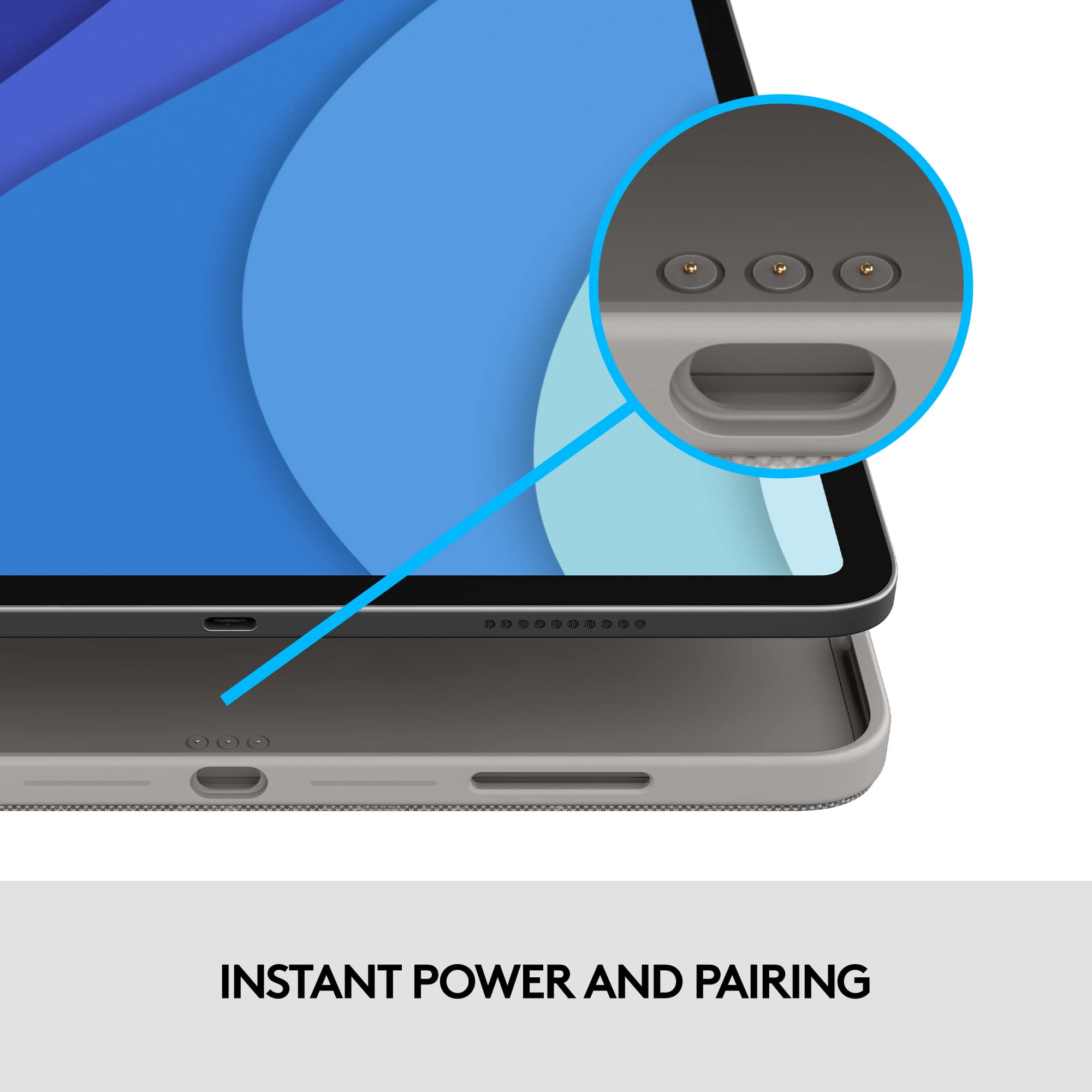
|Posted .This reviewer received promo considerations or sweepstakes entry for writing a review.It is compatible with iPad Pro 12.9-inch 5th generation only... ONLY? Well not so fast. It will fit the 4th generation width and length wise but depth is where it differs. The M1 iPad Pro is a bit thicker by 0.5mm. I didn’t see any issues using this with my older 4th Gen iPad Pro as the cutouts and buttons were all positioned properly. This is made out of Oxford Grey woven fabric on the top and bottom of the keyboard and on the backside of the iPad case. There’s no rubber on the bottom so it does slide easily on smooth surfaces. Depending on your working surface, I can see the fabric wearing off, tearing and getting dirty. Same for the top of the keyboard where your hands are constantly on it and that will eventually get dirty, worn and discolored. But most likely though, I will probably have a different iPad before that happens, LOL. I think just plastic there on the top of the keyboard would have been better and easier to keep clean. It looks nice though for now. The silicone where it surrounds the four speakers is pretty flimsy. I found myself using that area for my thumb when I wanted to adjust the viewing angle. The cutouts for the speakers, camera and ports align perfectly. The camera is well protected. The buttons are fully covered and work fine. The only sizable area of the iPad that is not covered is the cutout for the Pencil. Opening it is very awkward. There’s not enough lip on either the keyboard or the iPad case to easily separate the two with your fingers. You can’t open it like you would a laptop. It uses magnets to keep it closed and it is pretty strong. What I end up doing is I stand the iPad on its side and it makes it easier for me to pry them apart. There’s a cutout at the top for charging an Apple Pencil but even with that, there is still no lip to use. Once you get it open, the iPad wakes and effortlessly connects to the keyboard. I’ve been using a Brydge keyboard and that was good for typing and it made the iPad look more like a laptop but if I wanted to just use my Pencil and draw, I would have to separate it from the keyboard. Just like this Logitech but it is so much simpler with this Combo Touch to go back and forth from typing to viewing, reading or drawing and the adjustable kickstand makes it easier to find the right angle. You get a full row of shortcut keys at the top. The keys are backlit and has 16 levels of brightness but after the first eight or so I could not really tell the difference anymore. The backlight turns off automatically after 30 seconds of inactivity. There’s no onscreen level indicator for the brightness of the keyboard backlight like for the display brightness. The keys are comfortable to type with but doesn’t have much key travel and the keys just barely stick out, almost flush with the surface. Large, click-anywhere trackpad is wide, almost as wide as the 2020 MacBook Air. Not much space vertically so highlighting multiple paragraphs was a task. It is responsive and pretty accurate and it supports Multi-Touch gestures like pinch, swipe, tap and more. It draws power directly from the iPad using the Smart Connector so it does not need batteries and makes connecting to the iPad easy and effortless. However, the drawback to that is it definitely drains the iPad battery much faster. The Combo Touch is very comfortable to type on. It is very versatile and offers protection against bumps. The only thing I really wanted the Apple Magic Keyboard for is that it lifts the iPad higher off the surface for better posture. This is well suited for my use and needs.
I would recommend this to a friendBrand response from Logitech
Posted .Hello neio11! I'm happy to hear that, overall, you're enjoying the Combo Touch for iPad Pro 12.9". Feel free to reach out to our support team here https://support.logi.com/hc/en-us/requests/new?ticket_form_id=360000621393 if you ever need any assistance or if something happens in the 1-year limited hardware warranty. Thank you so much for the feedback on the case design! I will be passing that along. - Maggie from Logitech
Sold open box item as new at two different BB
||Posted .This reviewer received promo considerations or sweepstakes entry for writing a review.Went to Best buy in Alexandria, VA YESTERDAY AND GOT THIS AS OPEN BOX SOLD AS NEW. Needed it for travel so I thought “that’s okay, I’ll just pick it up in Florida.” NOPE! ANOTHER open box item I just immediately returned…. What gives?
No, I would not recommend this to a friendNot a good choice
||Posted . Owned for 10 months when reviewed.This reviewer received promo considerations or sweepstakes entry for writing a review.Save your money. Key caps fall off. Used very little.
No, I would not recommend this to a friendBrand response from Logitech
Posted .We apologize for the inconvenience caused by the detached keycaps on your Logitech Combo Touch Keyboard Folio. In order to help you effectively, please provide your information to our support team via email at socialcare@logitech.com with your
- Name:
- Email Address:
- Country:
- Product Name:
- Brief description of issue:
Feels like a toy keyboard.
||Posted . Owned for 3 weeks when reviewed.This reviewer received promo considerations or sweepstakes entry for writing a review.Super expensive for the type of quality. Just spend a little more and get the apple one. Not worth it. Feels like a toy keyboard.
No, I would not recommend this to a friendBrand response from Logitech
Posted .Thank you for the feedback! This is not the experience we want you to have. We'll make sure to share it with the right team. Thanks for bringing it to our notice.
I don't recommend at all
||Posted . Owned for 2 months when reviewed.This reviewer received promo considerations or sweepstakes entry for writing a review.It lasted a month and the space bar no longer works. a disaster
No, I would not recommend this to a friendBrand response from Logitech
Posted .That sounds like an issue. In order to help you effectively, please provide your information to our support team by emailing socialcare@logitech.com. Name – Email address – Country – Product name – Brief description of the issue –
- Pros mentioned:Keyboard quality, Protection
Get this not Apple’s. Surface Pro setup clone
|Posted .This reviewer received promo considerations or sweepstakes entry for writing a review.Logitech has been known to closely work with Apple on great accessories. It has never been more evident than in their collaboration with the Crayon, and earlier keyboard cases for the iPad. While Apple does their own thing, it’s almost like they look to Logitech to create the broader appeal accessories that might obscure the pure “Apple experience” on presentation. In other words, Logitech makes the every man accessories that offer the functionality but perhaps don’t look quite as elegant. The Combo Touch keyboard case is an epitome of that approach. Open the box, and you’ll be presented with the world’s best copy of a Microsoft Surface without including a display. Not that they’re outright copying the design; in fact the fabric in use is very different, and the kickstand is not nearly as solid feeling as the magnesium based shell of the Surface. But let’s be honest, the kickstand, the magnetic detachable backlit keyboard; this is the world’s best way to transform your brand stinking new M1 iPad into a surface killer and it’s fabulous. Beyond the direct comparisons with a Surface, basically the case offers good protection, flexible viewing angles, and versatility you won’t find in any other case that I’m aware of. The case itself snaps in well, and is backed by a fabric that feels quite durable. The edges are given about a mm of clearance over the screen which is a nice amount of protection. The edges are flexible and feel TPUish. No hard plastics to crack here. The viewing angles are afforded by the kickstand design, which offers a large range of motion, matching the newer surface devices. Also, since it’s a full length stand, it’s quite stable. The ability to simply push on the top of the screen to angle it back further is a great feature for people who really do use their Apple Pencils a lot. Speaking of the Pencil, there is a cut out on the case to ensure you can wirelessly charge and attach the Pencil. If you don’t use or have a Pencil, it also offers a convenient place to grab to open the keyboard portion of the case. Speaking of the keyboard, it’s excellent. My normal average is about 75-85 WPM, and I consistently hit 80 WPM on this keyboard. This is on par with the Apple Keyboard - which I loved, but this keyboard has a secret weapon: it’s not afraid to spread out. When you pull the keyboard down you’re presented with a mirror of area of the iPad screen. This means not only do you get identical key sizes of Apple’s offering, but you get an additional row of function buttons and an even larger trackpad. The function row allows for adjusting backlight brightness of the screen, and keyboard, as well as volume and media keys. I cannot tell you how many times I wanted to adjust brightness or volume with Apple’s offering, but couldn’t without digging into the control center. Having dedicated function buttons is a huge win over what Apple offers. This spread out nature also adds to the feeling that you’re using a laptop - for good or bad. I appreciated the expanded capabilities, stability, and better trackpad of Logitech’s offering. Being able to simply detach the keyboard by pulling is the same party trick that Surface Pro’s offer, and it’s just as awesome here. It sticks solid with magnets but is easily removable with a pull. Once off you have a very nice media consumption setup with no keyboard in the way. Reattaching the keyboard is quite satisfying as it just clicks right into place. iPadOS does a great job of detecting the attach/detach and everything feels first party here. What really drives the first party feel here is the use of Apple’s POGO pin setup for accessories. Unlike many keyboard cases you see on the market, this is no Bluetooth affair - this is a keyboard that gets its power and data connection from pins found on the back of the iPad. What that means is that there is 0 lag with the keyboard, creating a fluid typing experience that if you’re using the iPad as a creative device, you really want. You never have to worry about what you’re typing. That extends to the trackpad, which is super responsive and supports all the same gestures as Apple’s offering while being larger! The keyboard closes over the iPad screen automatically deactivating the screen and is magnetically held in place. The case feels firm and secure, just like you want from a case. Overall the bulk added here is definitely more than Apple’s case, but Logitech offers a lot more protection and frankly keyboard. On the 12.9” iPad this is less noticeable than I would assume the 11” is, but either way it is more, and consequently the iPad feels like a 13” device, whereas the Apple keyboard case seems to keep it feeling smaller than it actually is. Overall it’s hard to lob much criticism at this case. When I got my first 12.9” iPad Pro I sought out cases that offered a kickstand like my old Surface Pro. There were a few, but none that offered a keyboard and I ended up just going with Apple’s keyboard. Finally I have my new 5th gen iPad and the perfect case to compliment it - essentially exactly what I wanted: a copy of the Surface kickstand and keyboard. This case is brilliant - and if you’re primarily typing on your iPad: a writer, developer, or knowledge worker: this is your setup. Don’t even waste time on Apple’s keyboard, this is cheaper, and better in almost every way. This is just as transformative to the iPad and letting the keyboard and trackpad stretch their legs a bit adds a ton of value. I highly recommend this case (used the keyboard to write this review)!
I would recommend this to a friend Keyboard Case
||Posted . Owned for 1 month when reviewed.This reviewer received promo considerations or sweepstakes entry for writing a review.I really don't like it. The top of the case attaches magnetically and if you move the ipad at all the case cover falls off
No, I would not recommend this to a friendBrand response from Logitech
Posted .Hi case,
I am sorry that the Combo Touch Folio was not what you expected. Feel free to check out the rest of the Logitech iPad accessory collection for a model with the features that fit your needs.
- Leo from Logitech
very poor product
||Posted . Owned for 1 month when reviewed.This reviewer received promo considerations or sweepstakes entry for writing a review.I made a mistake choosing this. inconvenient to use, bad design overall. Wish I had spent for the Apple product!
No, I would not recommend this to a friendBrand response from Logitech
Posted .Hello Rowan,
I am sorry that the Combo Touch Keyboard Folio is not meeting your expectations. I will record your product insight and pass it along. Logitech appreciates your product review. - Leo from Logitech
Keyboard failure
||Posted .This reviewer received promo considerations or sweepstakes entry for writing a review.Key broke off after typing and know idea how to fix waiste of almost 250$
I would recommend this to a friendGood but breakable
||Posted . Owned for less than 1 week when reviewed.This reviewer received promo considerations or sweepstakes entry for writing a review.Looked and felt great at first, but quality degraded fast and needed to be replaced.
No, I would not recommend this to a friendBrand response from Logitech
Posted .Hello Will,
I am sorry about your Combo Touch keyboard, and the cover didn't last you as long as you expected. Remember that your device comes with a 1-Year Limited Hardware Warranty, so feel free to contact Logitech's support team for a replacement. Logitech appreciates your product insight. https://support.logi.com/hc/en-us/requests/new?ticket_form_id=360000621393&mID=13602 - Leo from Logitech
- Pros mentioned:Keyboard quality, Stand
Wonderful Keyboard Case, just a tad bulky
|Posted .This reviewer received promo considerations or sweepstakes entry for writing a review.This is a great keyboard case, which adds just a little bit too much bulk for my taste. That's really the only negative thing I can really say about it though. Other than that, it is a fantastic case. All of the materials have a premium, high quality feel to them. The keyboard itself is very nice to type on. It is the "chiclet" style keys of many notebooks, so if you've ever use one of those, you know what to expect. The touch pad is a nice ... touch, but I did find myself just using the touchscreen most of the time. So I feel like they could've left that off and I wouldn't have missed it. I love that it just uses the ipad's smart connector, so you don't have to worry about charging a battery or anything. Just to circle back to the bulkiness, I would just like to note that one really great feature is that the keyboard is actually detachable, so you can just use the case by itself without the keyboard. This kind of alleviates some of the bulk, although it does leave the screen unprotected. It's nice that the option is there though. Lastly, there is a stand built into the back of the case, which is nice, and necessary of course to be able to type on, but also nice when you just want to prop up the ipad to watch a movie or something. Overall, just a really great keyboard case. It adds a significant amount of bulk to the iPad, but that can be somewhat alleviated by the fact that the keyboard itself is removable. I would definitely recommend if you are in the market for a keyboard case.
I would recommend this to a friendBrand response from Logitech
Posted .Hello David! I'm happy to hear that, overall, you're enjoying the Combo Touch for iPad Pro 12.9 inch. Feel free to reach out to our support team here https://support.logi.com/hc/en-us/requests/new?ticket_form_id=360000621393 if you ever need any assistance or if something happens in the 1-year limited hardware warranty. Thank you so much for the review and for shopping Logitech! - Maggie from Logitech
- Pros mentioned:Keyboard quality
A great lower cost alternative
|Posted .This reviewer received promo considerations or sweepstakes entry for writing a review.I really like this case and keyboard combo. It provides me with what I've been looking for with an iPad, the Surface Pro style of usage. So this is a 2 piece set consisting of the main case for the body of the iPad and a magnetically attaching keyboard. First thing i noticed is whiule it does add weight its also quite a lot lighter than the KB from Apple. The weight is further reduced when using with the KB detached. Might sound trivial, but this is a big bonus for many. The fact the keyboard does detach is also a major win for me as i can use this in bed without having to balance the keyboard on my chest. It can be used how you would use a regular tablet. The case is nice, its like a woven material that hides fingerprints and such. the edges are a rubber material and offer great coverage to protect the edges of your iPad in case of mishaps. the Case also has the Surface Pro Style kickstand. this is a great way to do this, I don't understand why case manufacturers don't offer this style when making cases. Props to Logi. The keyboard deck is made of the same woven material and again keeps fingerprints at bay. On the keyboard, you get a click anywhere extra large trackpad that's great for navigating around the iPad. it also allows gestures like pich to zoom and such. One thing I will say is that it isn't super precise and I'm thinking that's more to do with the mouse pointer built into iPad OS. The keyboard is also backlit. It has the auto backlighting feature with 16 levels of brightness so you don't need to worry about having to change that so you can see better. It takes care of that by itself and works really well. The kickstand is nice and does allow for you to lay teh ipad down at a slight angle to make it easier to draw and write.You do get a little bit of wobble but nothing that will ruin your experience. It connects via the Smart Connector so its just plug and play. no Bluetooth pairing needed which is another neat feature. Overall I prefer this keyboard for its multi-purpose use cases and the bonus is that it's $120 less than the Magic KB. it offers more versatility and you dont have to carry around the keyboard. Overall this is a W for Logi
I would recommend this to a friend - Pros mentioned:Keyboard quality, Protection
Convenience
Posted .This reviewer received promo considerations or sweepstakes entry for writing a review.I have purchased and have returned this item. When returning the item it was to try the Apple Magic Keyboard. Although I preferred the style of the Magic Keyboard due to the lap-ability of the product, I found that I was not using the iPad Pro on my lap as much I was using the item on a flat surface. Also, I missed the convenience of the multiple uses of the Combo touch compared to the Magic Keyboard. 1. You can detach the keyboard on the Combo Touch. When the keyboard is detached from the Combo Touch, the iPad itself is still protected and allows the user to carry the iPad around like a tablet. 2. Function Row. I quickly discovered the shortcut keys on the Magic Keyboard for Control center, but it is so much more convenient to have a dedicated function row on the keyboard itself, so the user does not have to go through an extra step to turn down the volume on the iPad, or increase or decrease the brightness of the iPad, or lastly pause a video you are watching on the iPad. 3. Price. The Combo Touch is $100 cheaper than the Magic Keyboard allowing the user to put that money towards an Apple Pencil, dongle, Magic Mouse or etc…. Overall the Combo Touch just offers more value without sacrificing quality or productivity of your iPad Pro.
I would recommend this to a friend