Customer Ratings & Reviews





- Model:
- 920-008484
- SKU:
- 6080503
Rating by feature
- Value
Rating 3.9 out of 5 stars
- Quality
Rating 4.7 out of 5 stars
- Ease of Use
Rating 4.4 out of 5 stars
Customers are saying
Customers are delighted by the Craft Wireless Keyboard's excellent build quality, superb key feel, and ease of use. Many appreciate its sleek design and compatibility with multiple operating systems. However, some users find the battery life could be improved, and the price point is a concern for some. A few also noted that the functionality of the dial could be enhanced.
This summary was generated by AI based on customer reviews.
- Pros mentioned:Key feel

Premium Keyboard with Great Software Support
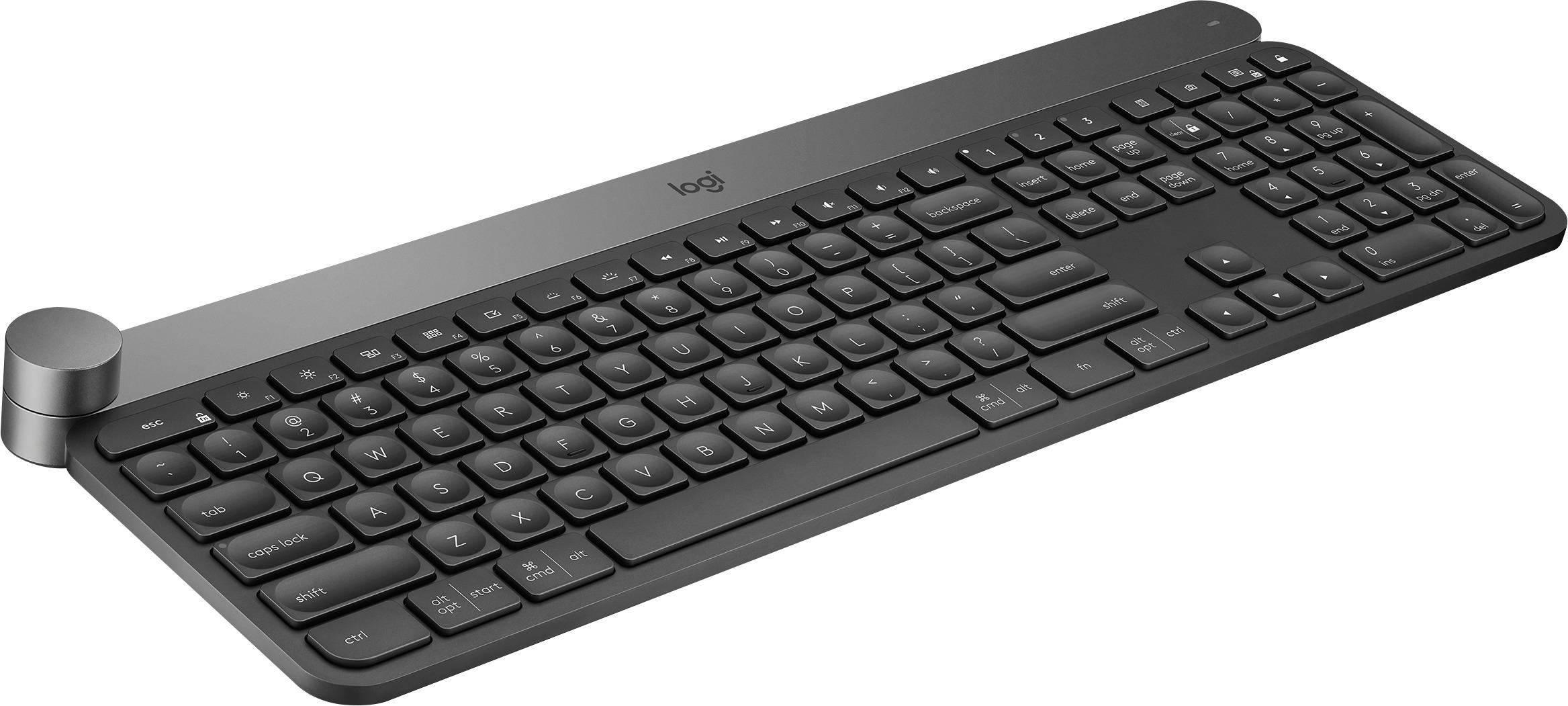
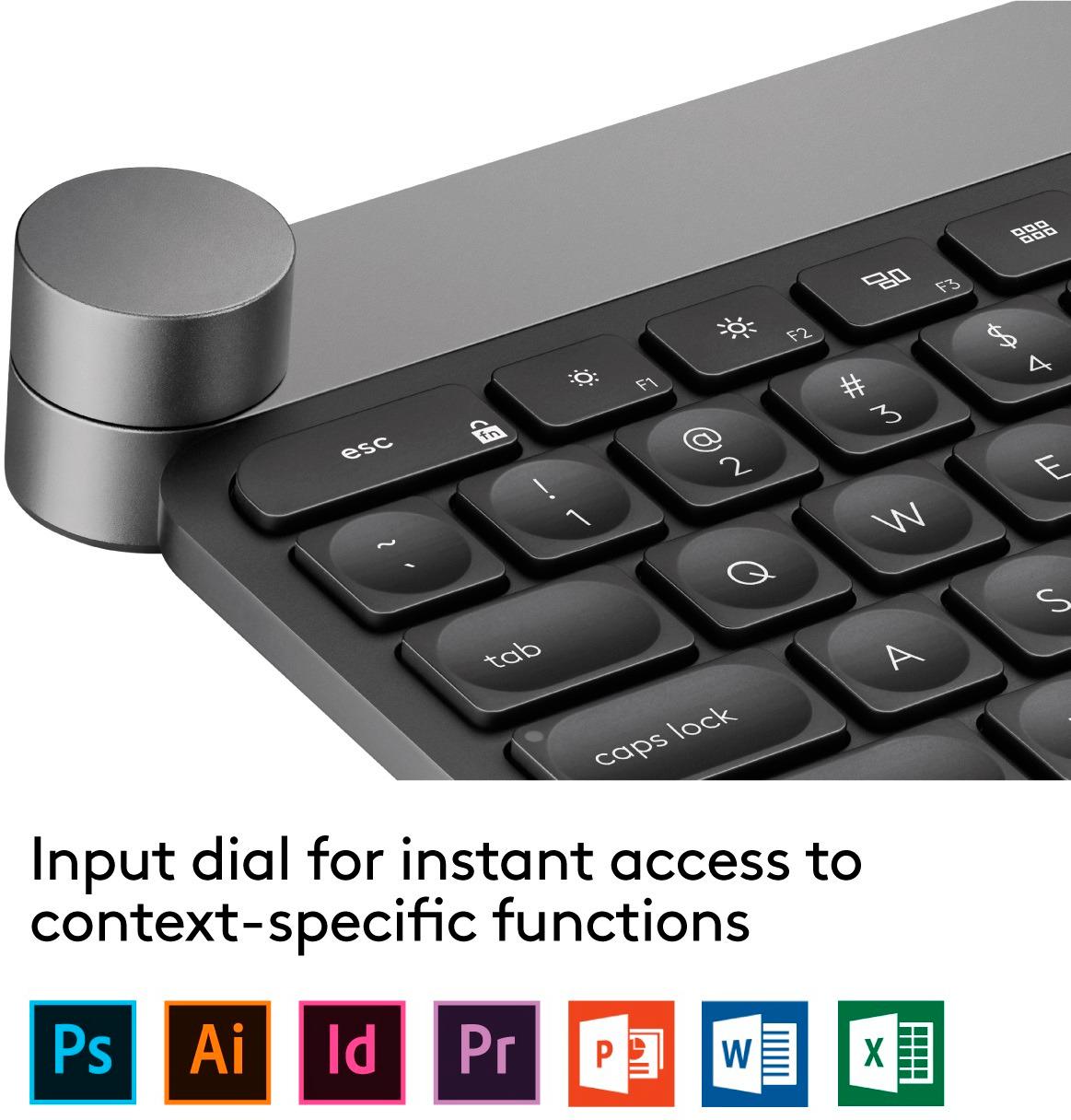
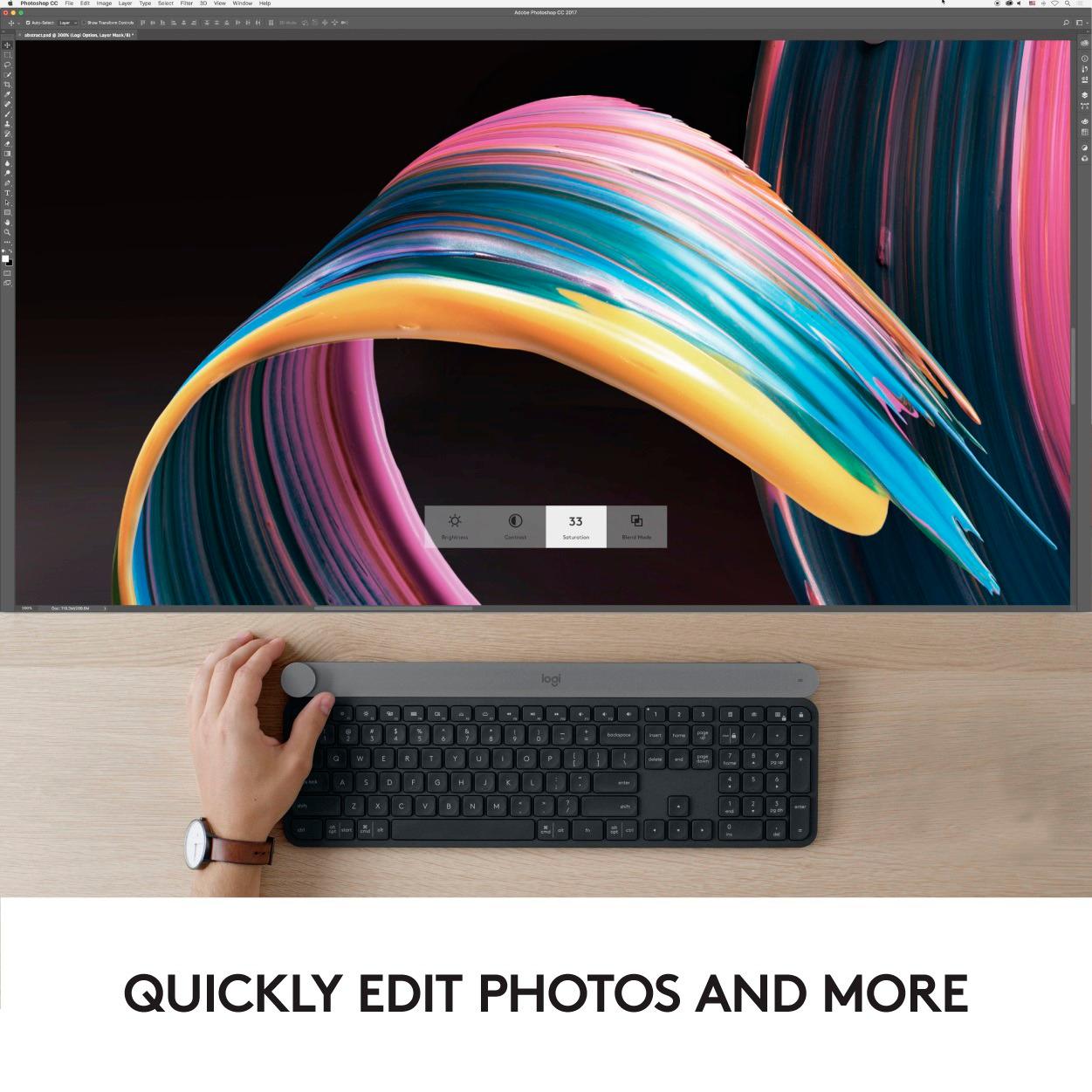
|Posted .This reviewer received promo considerations or sweepstakes entry for writing a review.Overall: Logitech has released this keyboard with creative professionals in mind, but I found it to be very good for non-creative use. It comes with low-travel keys similar to those seen on Apple keyboards, and I found typing to be easy, quiet and responsive. As a software developer, I spend a lot of time at the computer typing, so I appreciate a good keyboard. The keys are backlit as well, and the keyboard has sensors to turn off the lights when there is light or when your hands are away and to turn the backlight back on when your hands return to the keys. The one hardware feature that stands out the most is the input dial at the top left of the device, also known as the crown. You can interact with it in a few ways, rotating, clicking, and doing a press and turn. It's touch sensitive, so as soon as you touch it, a dialog will appear with the selected option. Finally, being a wireless keyboard, battery life is an important consideration. I found the battery life to be great, assuming you switch off power to the keyboard when not in use. On the initial charge out of the box, I was able to use the keyboard for well over 40 hours before the red light showed up indicating low battery. Assuming you use this near a computer with a USB port, you can plug it in occassionally when not in use to keep it charged. Setup: This keyboard comes with two setup options: Bluetooth 4.0 for newer devices or a USB adapter to use with Logitech's Unifying connection protocol. Either way, they want you to install some extra software, the Logitech Options application, ahead of time to take full advantage of the customization available on this keyboard. It supports pairing with multiple devices easily with 3 numbered buttons to choose the device. I was able to pair to an older MacBook Pro with the Unifying adapter as well as to a Windows 10 laptop over Bluetooth. Choosing which device you want to connect to is as easy as pressing a button. Software: The Options application is a nice addition to this keyboard. It allows you to customize the behavior of the input dial for all applications as well as to install custom profiles for certain applications. The Adobe creative suite, Office and web browsers currently have profiles with custom actions that work with the dial. Other customizations available are the function keys and the keys above the number pad. You can choose whether they function as standard function keys or perform other custom actions. Toggling that setting means you have to press the FN key to operate the secondary feature. The function keys have icons printed on them to perform operations similar to an Apple keyboard, but you can further customize the specific actions through the Options app. The software also allows for screen overlays when using any of the lock buttons (CAPS lock, NUM lock, etc.) or toggling volume settings. Also, the look and feel is consistent between macOS and Windows 10. In summary, this is a very good keyboard that is both portable and powerful.
I would recommend this to a friend - Pros mentioned:Keyboard quality
I love it!
|Posted .This reviewer received promo considerations or sweepstakes entry for writing a review.I replaced my first Logitech keyboard, one from the $30 range, with this keyboard and I am honestly so impressed with this product. At my work station I have my custom desktop for photo editing, and two laptops off to the side. I figured after dropping a pretty penny to have my desktop built, it deserved a just as nice keyboard to use with it. There is so much to love about this particular keyboard though. What sold me what the option to pair it with multiple computers and with the simple click of a button, I can switch between computers. It is so easy to go from editing on my main computer, pressing the #2 button and bouncing over to my laptop to do an internet search. Gone are the days of having to reach to multiple keyboards. At first I thought the big dial on the upper left corner was strange, but once I started using it, I can't believe I went through life without it! Right now its control volume on whichever computer you are working with, the note from Logitech from the box claims you can change what the dial controls but I haven't figured that out yet. From what I can tell the battery life is good, it has not asked me to charge it yet and I have used it for a total of almost 8 hours now. I also love that this keyboard lights up, again that was never something I thought I needed till my most recent laptop purchase had it and I loved it. This keyboard takes that a step further and it lights up anytime your hand goes near it, which is even cooler. I use an apple keyboard on the macs at school and I hate them, I always find that some keys just don't always work even though I know I hit them, or they lag, for example when I hit the caps lock button on an apple keyboard it does not initiate until I am nearly 3 letters ahead of the letter I needed capitalized, I and so glad this keyboard and Logitech keyboards in general have never given me that problem. My one complaint is that the directions are nearly nonexistent. Sure it came with a booklet that had the 4 steps to connect to computer, but that is it. Nothing about how long a charge should last, nothing about how to change the function of the dial, I don't think it would have hurt to include another page or 2 about that, my package happened to have a brief letter from Logitech, but most people would not get that, therefore they would have even less information than I received. I'd also like to note the overall quality of this product, it feels nice and sturdy, not cheap at all, the keys are comfortable to use for hours at a time, and they are so quiet! Overall I absolutely love this keyboard, its perfect for my use, always working on multiple devices at once, including photo editing where I am always using keyboard shortcuts and the arrow keys. If you are looking at this for gaming, I would probably say keep looking, but if you spend a lot of time at a computer, or several computers, this is a must.
I would recommend this to a friend 3 months and dies~
||Posted .This reviewer received promo considerations or sweepstakes entry for writing a review.Hoping Best buy is going help! this is bad and cost$$$$$
No, I would not recommend this to a friend- Pros mentioned:Key feel, Keyboard quality
Awesome keyboard!!!
|Posted .This reviewer received promo considerations or sweepstakes entry for writing a review.This is by far one of the best keyboard I've used! The simplicity of the style, has a great weight and feel, and I really like the slight indentations to each key for better sense of touch. In addition, I can pair this up to three separate systems and switch with a toggle. This keyboard has backlit lighting for ease of use in the dark. Last but not least, the toggle (they call it the Crown) give me the ability to bring up context menus and operate my graphic apps easily. It also acts as volume control, etc.
I would recommend this to a friend Pretty Darn Fancy Keyboard For "Creators"
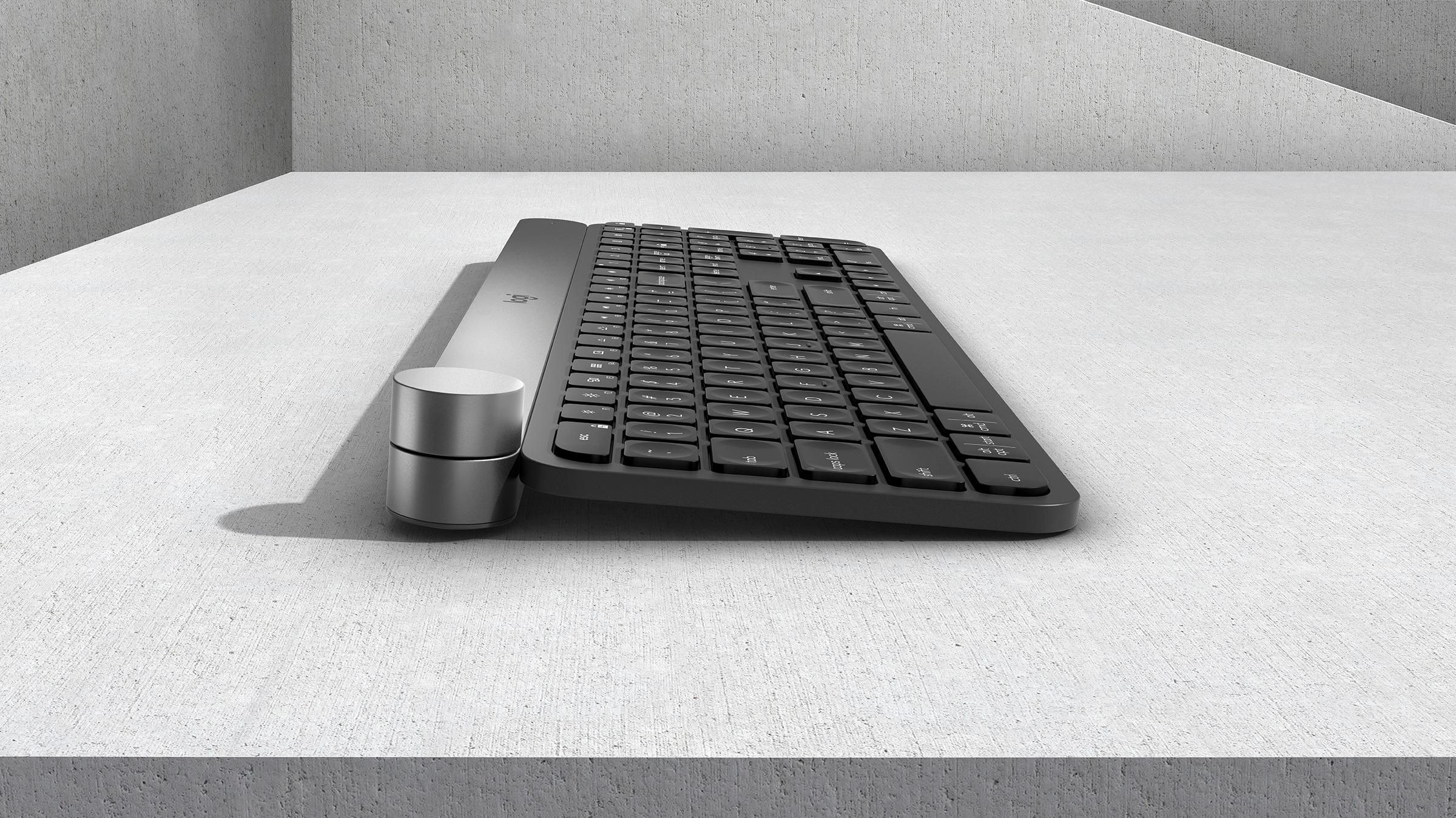
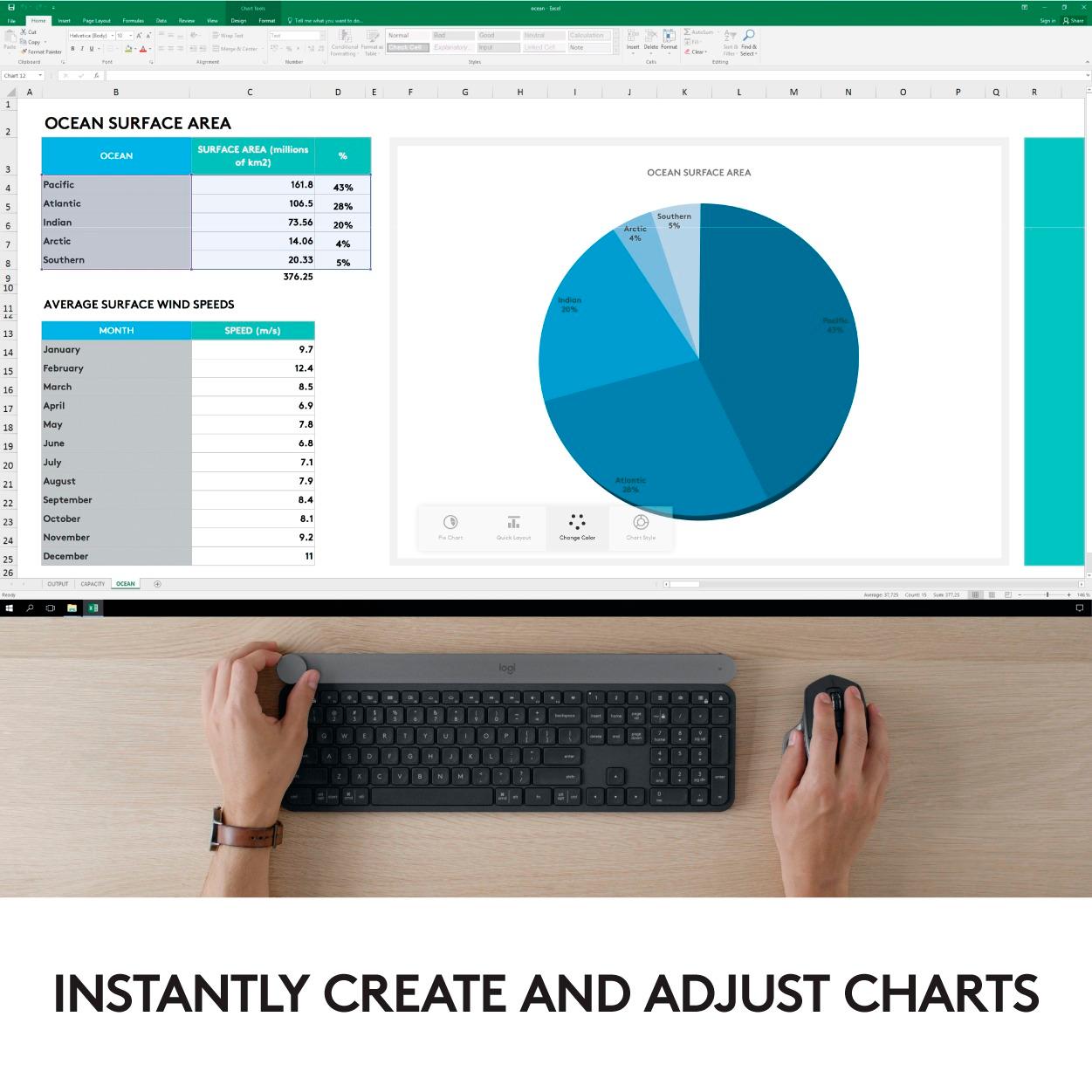
|Posted .This reviewer received promo considerations or sweepstakes entry for writing a review.This keyboard is HEAVY and wireless. It also has no angle adjustment. It has keys with dimpled surfaces, takes a bit to get use to but the typing on this keyboard is very smooth and responsive. Need to use Logitech Options software to setup custom options for the dial control (Called the CROWN) and the advanced functions of the F keys and some special keys above the numpad. The Crown is very easy to use with your left hand. You can press, turn, or turn and press to execute selected commands. And these can differ by profiles which are tied to the current app/program that is being used. Default is to use the turn function of the crown to change tabs in web browsers for instance, but you can change the functionality as you wish by app/program. Very nice. It has a rechargeable battery, comes with a USB-C cable (the one you can't plug in wrong) to charge it. When keyboard is plugged into charge cable, the backlight stays on 100 percent of the time. Can connect via Bluetooth or Logitech Unifying Receiver, worked well either way. Can setup for quick use with 3 devices, works well. Press 1,2,3 special keys to select your device you want to use it with. The keyboard backlight comes on when your hands get NEAR the keys. Yes, it comes on before you actually touch the keyboard. Presumably this is to save battery power on this wireless keyboard. Very cool and unique feature which along with the Crown dial will really set this keyboard apart from the crowd. This has quickly become my favorite computer keyboard, hands down.
I would recommend this to a friendCreative Pro's Dream Keyboard MUST BUY!
|Posted .This reviewer received promo considerations or sweepstakes entry for writing a review.First Impressions MAN this is a heavy box. The keyboard came presented in a nice box. When you open it you know you have quality. It is beautifully colored to match the MX Master S2 mouse. They go perfect together. It just looks beautiful. The keys feel like a laptop keyboard more than a standard keyboard. If you have used their Solar Keyboard, it feels a lot like that. The more I use it, the more I like it. I just need time to adjust to the keyboard layout. I will break down what I like and don't for those who like bulleted lists, you will be happy. ++Pros++ +Build Quality - This is built like a tank! There is hardly any flex in the keyboard. For something this thin, its amazing. It has aluminum at the top to provide an elegant luxurious feel. I only worry about when things get under the keys since they are really close and low to the board itself. +Backlit Keys - I love backlit keys. This is also a draw on battery power so also a draw. Currently there is no way to turn this feature off. +Dial - I love the dial. It is almost like having a Surface Dial built in. It switched automatically from clicky wheel to a smooth jog wheel depending on the open application. +Customizability - You can program things the way you like them. You can assign function keys to your liking. I hope more customizability is unlocked with future updates. You can change brightness on the backlighting, control volume, and there is a plethora of already set keys for everyday functions. +Software and Pairing - This works well with your Logitech ecosystem. If you are already a Logitech wireless setup, setup is a breeze. +Connectivity (Bluetooth or RF) - You can use this as a Bluetooth keyboard or use the USB dongle provided by Logitech. +Quick Setup - I had this thing up and running in less than 30 seconds since I already had the software loaded from my previous Logitech Options software setup. +Mac/Win Labels - The keyboard is labeled with both OS so Mac and Windows users can use this easily. Some users will find this confusing though. +Future proof - This keyboard offers USB C charging which is great since our cell phones have started moving towards this. The cord provided feels of top shelf quality. I wish it would have come in a braided material though. --Cons-- -Keys - I am coming from a mechanical gaming keyboard so it will take me some time to adjust. It feels nice to type with, but keys are very low profile. They feel like a stiff mushy key switch. It uses a scissor style key that feel nice to the touch and require little effort to engage. -Backlight- There is no option to turn this off. A schedule option would be nice. -Battery Life - It is rated to last a week. For $200 you would expect better battery life. In my opinion, one week isn't very good to me for a wireless keyboard. Monthly is something I would like to see between charge times. -Lack of Tilt - There are no feet to adjust the angle of this keyboard. If you find it too low to your desk or like a keyboard raised, this may not be for you. -Lack of Wrist Rest - There is no wrist rest or place to "get comfortable". For something geared towards creatives who spend a lot of time at the keyboard, this would have been a nice plus. -Application Profiles - There is a lack of functionality for Premiere Pro, for example. Some applications in the Adobe suite are currently not available. This could be coming in future updates though. -Key Spacing - This is just preference, but to me these keys are really close. I find myself hitting two keys at times. If you have "fat fingers" it will take time to adjust or maybe you will not like it at all. -Dial is Extra Sensitive - I find myself activating the multiple options switch when just trying to turn the wheel. Again just probably need time to adjust. -Price - This keyboard is definitely priced a little high for the combination of battery life and functionality. I would have liked to see the ability to customize every single key and maybe a row of macro keys. -=Verdict=- This is a go for sure. Since this the first release of a keyboard like this, Logitech is in a way pioneering so you will have early adopter growing pains. There aren't any glitches in the software, it is just basic right now. If you have the budget and want to build the ultimate setup for your workflow, get this and the Logitech MX Master S2 mouse. The software is in its infancy so I am sure functionality will be improved, but overall this is a VERY nice keyboard with lots of potential. It is a niche keyboard so this eliminates a lot of the customers out there who are not productivity buffs. BUY!
I would recommend this to a friend- Pros mentioned:Keyboard quality
Love this keyboard
|Posted .This reviewer received promo considerations or sweepstakes entry for writing a review.I've been using a Logitech K800 keyboard recently after replacing a previous Logitech wireless keyboard. This came in a nice, sleek box with the usb-c cable, instruction booklet and usb dongle for your PC/MAC. This keyboard is definitely made of quality materials. I plugged in the dongle, turned on the keyboard and I was up in running in a couple of minutes. I downloaded the option software that the booklet mentions that allowed me to customize the keyboard for specific programs that I use. Such as scrolling in Excel, changing fonts in Word and adjusting the volume of my speakers. One of the features that I really like is the way the backlight on the keys automatically cuts on when it senses my hands above it and then automatically adjusts itself based on the lighting in the room. This will definitely help save the battery life. Ive used mine for about 2 or 3 days and just plugged it in before i left my office for the weekend, so i'm not sure how much life I will get per charge. If i had one complaint, it would be that I wish the overall keyboard was a little bit bigger for a full-size keyboard. Not a deal breaker for me. The keys are pretty quiet to the touch, very responsive and I have yet to notice any lag when typing. Overall, this is a great keyboard, with plenty of customization and great build quality. I would definitely recommend this keyboard
I would recommend this to a friend - Pros mentioned:Keyboard qualityCons mentioned:Dial
Great potential, deeply flawed implementation.
Posted .This reviewer received promo considerations or sweepstakes entry for writing a review.The reason I considered paying such a high premium for this keyboard was the input dial, which is the main advertised feature as a productivity booster. However as soon as I tried implementing this into my workflow mainly with Adobe apps, I found some significant implementations issues. To understand the design flaw, you have to understand the dial has 3 input methods: 1. Rotation (can be smooth, or have steps, there is a physical mechanism that switches between the two depending on the context) 2. Taping (this is very sensitive, it feels like capacitive touch of a smartphone) 3. Pressing (when you press and put some force on the dial, you hear a subtle click) The problem arises with the taping input method, it’s extremely easy to accidentally tap and switch modes. For example in Photoshop when you select the brush tool and then tap the dial, you’ll see 4 options: size, hardness, opacity and flow. Suppose you select size, and then continue working with your mouse and keyboard. If you then try to grab the dial again to rotate size, you might accidentally trigger the mode change and it’ll change modes to hardness for example. This happens all the time, so you have to constantly cycle through all the modes to get to the one you want. In general I found most modes and use cases lacked polish and refinement, for example In Illustrator, I was looking forward to adjusting stroke size of a line, however Logitech implemented this to increment by 1, and this is too large, I need increments by 0.25, and to have the dial rotate in steps, not smooth. Another issue I found was with the way Logitech implements undo history both in Photoshop and Illustrator. To give an example: usually Illustrator doesn’t mark history until you are finished with the operation (ie you can move around an object all day, but until you drop it on the screen, that’s the action marked in history). With Logitech’s implementation, each intermediary step is marked in history even if you didn’t intend them to be, for example adjusting stroke size from 1 to 500, you would rotate dial until you reach 500 and release. I expected to have just size 500 in history, but Logitech makes it so that each number from 1 to 500 is logged in history. So if you want to undo the size 500, you have to press undo 500 times. Firefox: the dial changes tabs, I didn’t find this useful at all and immediately changed dial to default to volume. In terms of hardware, the keyboard is beautiful, I really like it, it has a good feel, however I did find the space bar to sound too squishy, I don’t know if my product was defective or not. Backlight was ok, but it did bother me that you could see light come through around the edges of the key, because the edges are more lit than the letters themselves. Suggestions to Logitech for improving the product via software: 1. To fix accidental mode switching, don’t use tapping, use button press to switch modes 2. Let me use modifier keys to trigger different functions of the dial, for example while pressing control key and using dial it could always change volume, regardless of context. Pressing command and dial it could always adjust brightness regardless of context. And so on. 3. Let me change increment size (so that I can increment in steps of 0.25, not 1) in Illustrator when adjusting stroke size and make the dial in steps, not smooth 4. Work with Adobe to integrate the functionality better, to improve responsiveness and solve the issue with the undo history. The challenge here is, does Logitech have the vision to truly make this work? I hope so. Until then I will be returning this product.
No, I would not recommend this to a friend - Pros mentioned:Keyboard quality
Just say Quality EVERYTHING!
|Posted .This reviewer received promo considerations or sweepstakes entry for writing a review.Simple Review: Yes just yes, this keyboard might be the best keyboard I've ever typed on and since I have to type A LOT for work I appreciate it. Long Review: Starting off with the unboxing experience it's pretty simple and straight forward. Plastic covering the keyboard like a brand new phone. Its a nice experience but my only gripe starting us off is the fact that a nice carrying case would be something I'd appreciate especially for the cost to value figure in my head. Once you get to the performance of this keyboard that is where is shines. Premium quality built with that cold aluminum feel and when you power it on the whole thing lights up making sure your aware it's backlit. The typing experience is flawless plenty of traction and spacing and even a number pad which adds so much convenience. The dial in the corner of the keyboard is unique and different. Once you give it a chance Logitech Options app makes easy to program what it can do from something as simple as turning the volume up or switching between webpages on Microsoft Edge. I'm not an artist so it's not what I use it for but even playing around with the features it definetly made the little things I used it for more immersive. Long story short I do recommend this keyboard and for the value it simply is the best keyboard experience you can buy.
I would recommend this to a friend - Pros mentioned:Keyboard quality
$200 for a Keyboard, Better be made of Gold
|Posted .This reviewer received promo considerations or sweepstakes entry for writing a review.I like typing on this keyboard. I use a low profile iMac keyboard at the office and the thing is just too small for someone who types all day. That one is also too low of an angle to type comfortably. The Logitech Craft Wireless Keyboard is much different than the other one. First off is its size. Its a full-size keyboard with a keypad. You're not keeping your hands and fingers all crunched together. One thing I don't understand about the keyboard is why it weighs so much. Sure it has Bluetooth and this funky scrollbar button in it but the keyboard works well for someone typing all day. The weight keeps the unit in place so it doesn't fly around. The knob I'm still getting used to. I like to not have to move my hands over to the mouse,knowing all the keyboarding shortcuts.Now moving to the knob gives you another reason for them to move off their home spot You do need to install a 'driver' type bit of software to get past the first line of defenses. Now you have help from a very sturdy keyboard. You won't be disappointed except with what comes out of your wallet as it is pricey.
I would recommend this to a friend - Pros mentioned:Keyboard quality
What a great idea, this is excellent!
|Posted .This reviewer received promo considerations or sweepstakes entry for writing a review.This keyboard is fantastic. What this does is give you a dial, a lot like the dial you can get for a specific device except this works on any device. And it's a welcome addition to my set up. So over all the looks are sleek the backlit keys are great as in they sense when you are about to type and illuminate. They Keyboard has some heft to it which is great when using the dial and the form is fantastic too. Cosmetically this keyboard looks fantastic when in use or not in use. Let's talk about that dial, it works excellent with Adobe products. You can also use it with the MS Office suite. The dial is also pretty smart as in it's not just a dial. The top of the dial is a touchpad that can open contextual menus and such withing your programs making it easy and faster to go through your options available. It also works on things like volume, tab selection and things like that. This keyboard allows you to do things fast with precision. I highly recommend this. It's a fantastic keyboard and nothing out there comes close
I would recommend this to a friend - Pros mentioned:Keyboard quality
High End Keyboard
|Posted .This reviewer received promo considerations or sweepstakes entry for writing a review.I have always been a basic keyboard guy, opting for the budget option when shopping around. This was my first experience with a high end keyboard. It's certainly not designed for a guy like me, but I can see the appeal with the features it provides. - It's a "futuristic" design that will draw eyeballs to it. I never thought a keyboard could double as a conversation piece! - I loved the back-lighting that activates off of sensors when you are near. If the room is very dark, the back-lighting will adjust accordingly and be even brighter. - The biggest talking point is the dial in the upper left hand corner, allowing you to program multiple functions for it (volume, brightness, and numerous other advanced options). - I am used to keyboards with deeper presses, but I'm sure that I will get used to the shorter presses. The keys were still comfortable. Overall, this is a high end keyboard that will please those that take pride in a high end PC set-up and love versatility and style. Good stuff!
I would recommend this to a friend - Cons mentioned:Battery life
Solid performer
|Posted .This reviewer received promo considerations or sweepstakes entry for writing a review.This keyboard is substantial in its weight and in its performance. Since my previous keyboard is a Logitech wireless unit with the exact same key layout, there was no real adjustment to this new keyboard. The Logi keyboard has significant mass which keeps it steady on the desktop and which also makes it seem very durable. I really like the low profile keys, including how quiet the key clicks are. The only thing that I've noticed is the space bar 'squeaks' when I press it. I hope that this goes away after a bit more usage. I was used to charging my previous keyboard every 3 to 4 weeks of daily business use, but imagine that I'll be charging this unit more frequently with the lighted keys. The dial is definitely more accurate for zooming than is the wheel on my mouse. This took a small adjustment to get used to -- but was a worthwhile adjustment. Finally, the unit looks great. It is a high end keyboard with a high end look that is a welcome addition to my business day...
I would recommend this to a friend This keyboard is my type
|Posted .This reviewer received promo considerations or sweepstakes entry for writing a review.Logitech Craft Intro This Craft keyboard looks and feels awesome! The best keyboard I have ever used and have ever seen. It is solidly built, a bit on the heavy side though, and so beautifully crafted. The keys are backlit, 15 steps from off to the brightest setting. You can also disable the backlight in the Options app. Proximity sensors detect your hands, illuminating the keyboard the moment your fingers approach. The backlit keys then fade off when you leave or when you’re just surfing the internet with your mouse. You can set all the F keys as standard function keys then use the FN key to toggle to the special function. There are four shortcut keys on the upper row of the numeric pad for calculator, screenshot, context menu/look up(Mac)/scroll lock(Windows)/log out. Special function keys for adjusting display brightness, show desktop, [launchpad and mission control on Mac] [taskview and action center on Windows], media and audio controls. The keys are spaced more tightly than my 13” Samsung Notebook 9 Pro and my 15” MacBook Pro but it was still comfortable to type on. You can pair Craft with up to three devices and easily switch between them at the touch of a button and it’s dual layout is designed for both Mac and Windows. The only thing I didn’t like is that the indicator dot on the button does not stay on to indicate which device it is currently connected to. I am using it on an Apple MacBook Pro and a Samsung Notebook 9 Pro and the layout works for both. Control, option/alt, command keys for Mac and the CTRL, start and alt for Windows are properly placed. The crown is something I’ve never seen before on a keyboard. Much like the crown on the Apple Watch. Twist it to control the volume for instance, push it to play or pause your music, push and twist for brightness of the screen. Depending on the function, the crown spins fluidly or like a ratchet. It’s customizable through the Options app that you can download for both Windows and OSX. You can install profiles for Adobe and Microsoft programs like Photoshop, Illustrator, Word, Excel and PowerPoint so it can adapt to how you’re using those programs. Pros - Solidly built. Beautifully crafted - Connect with bluetooth LE or Logitech Unifying 2.4GHz wireless technology (USB unifying receiver included) - Easily pairs and switches between 3 devices. - Convenient log out button - Creative input dial Cons - ** Having issues logging in on a MacBook Pro with High Sierra installed over bluetooth connection. I was unable to use the keyboard to enter password. Works perfectly after the log on process. Did not have this issue with my Windows laptop or Mac Mini with Sierra (10.12). I’ve talked to Logitech tech support and I was told they don’t full support of OSX High Sierra (10.13) just yet. ** ** Will update this review once it has been resolved Outro This is an awesome keyboard that offers simple convenience for users with multiple computers like myself. Battery life is good. I’ve been using it 2-4 hours a day for 4 days and it hasn’t even removed a bar from the battery indicator. Comes with a unifying receiver, charging cable (USB to USB type-C). Charger not included but you can use a phone charger to charge it. It’s the best keyboard I’ve ever owned and I would definitely recommend it.
I would recommend this to a friendThe Rolls Royce of keyboards
|Posted .This reviewer received promo considerations or sweepstakes entry for writing a review.Keyboards have been around since the very first PCs but I've never seen anything quite like Logitech's Craft Advanced Keyboard. That's because aside from being one of the heaviest and most solid keyboards I have ever typed on, it includes a unique feature. A round knob in the upper left corner that Logitech calls a "crown." It looks like a volume control knob and in fact serves just that purpose if you are running no other software. Like the rest of the board, the metal knob is very solid and nicely balanced and has an added push/click function. It does more if you are using special Logitech profiles that support the board. In Chrome, Firefox and Edge,for example, the knob can be used to switch between tabs. In Office, it can perform a variety of tasks from changing styles to font sizes. For each piece of software, you must download the appropriate profile from Logitech, via its Options software. The list is not very long now but one assumes it will expand in time. Another unique feature Craft Advanced Keyboard is its ability to pair with up to three different devices at the same time. You can switch back and forth using dedicated keys -- helpfully labeled 1,2 and 3 -- next to the function keys. These are all sort of niche features, which most people probably won't care much about. What's really important is the overall functionality of the keyboard itself. And on that score, this thing is a real winner. The first big plus is that it is backlit, a rarity among wireless keyboards. Even more surprising, the backlight is well implemented, something that is not always the case even in wired keyboards. The downside to this is the built in battery (charges in three hours via included USB C cord) will only last about week if you keep the backlight on. That's versus several months with no backlight. Bummer. Speaking of the backlight, there is this one other feature that is very cool. It somehow senses when your hands are nearby and automatically turns on before you even touch a key. And then goes off it you are not using it. Nice touch. But what I really like about this keyboard is how solid it is. It is very heavy and has the look and feel of a hand-built automobile (hence the hefty price tag) . Typing is surprisingly silent, no key clatter at all, and very comfortable with good key feel and resistance. It is full sized and designed to work with both both Windows and iOS. It is still a chiclet keyboard, which have never liked as much as the traditional keyboards of olden days. But it is the best chiclet keyboard I have ever used. There are a few extra keys above the numeric keyboard that are handy. One launches an onscreen calculator, another can be used to take quick screen shots and another allows you to quickly lock the screen. I've only got a couple of gripes. First, for this price, Logitech should have thrown in a matching wireless mouse. It did not. Second, the keyboard has no fold out feet that are normally built in to allow users to add more tilt to the keyboard. If you don't like the low tilt, too bad. One size fits all. Seems kinda dumb. In the end, not everyone is going to want to spend this much money on just a keyboard. But if you can handle the price, you are likely to be pleased with this Rolls Royce of keyboards.
I would recommend this to a friendA thing of beauty
|Posted .This reviewer received promo considerations or sweepstakes entry for writing a review.If a keyboard could be called elegant, this is the one that fits the description. It's absolutely gorgeous. As soon as I opened the lid of the box, I knew this was something special. I installed it as bluetooth seamlessly but it also comes with a USB receiver and a charging cable. Battery life seems pretty good and charges quickly. Cable is not quite long enough from where I sit to the PC so I have to move it closer to charge it once a week or so. The keys feel perfect while typing and the weight of this keyboard along with the rubber feet assures it will stay put on your desk. Unfortunately, there no way to adjust the angle of the keyboard so it sits a little too flat. I like it enough to look into making something to fix this issue though. There's no wrist pad so it will take a bit of getting used to if you depend on one. I love the idea of the back lit keys but a bit too much light comes out from in between them. Unless you have it almost straight down, there's just too much light escaping. It really depends on the angle you have it sitting at but for me, it's a bit bothersome. Your mileage may vary. I'd say about 2 out of every 10 times my hands go near it, the sensors don't pick up my hands and the lights don't come on until I press a key. Since I use my PC at night a lot in a darkened room, I can't even see it when that happens. Just a small annoyance but it did happen pretty consistently. The dial is such an amazing idea. I really hope more software for it becomes available. I do use Photoshop and it's really cool how you can just tap and turn to adjust and "dial" things in. By default, for me, it adjusts the audio volume when not in one of the programs it's made for. While installing, Chrome offered some type of addon for it but failed when installing so I'm not even sure what that was. I'll have to retry that again at some point. Definitely not a gaming keyboard but not advertised as one so I'm still keeping 2 keyboards going here for the meantime. But the fact that it's wireless lets me just lift it up and move it out of the way when I'm playing a game. I highly recommend this and hope more stuff comes out to support the dial. A+++ Logitech!!
I would recommend this to a friend- Pros mentioned:Keyboard quality
Love this keyboard so far
Posted .This reviewer received promo considerations or sweepstakes entry for writing a review.After trying several different types of mechanical keyboards that, while great and comfortable, ended up being far too noisy to use in an office setting, I tried this out of desperation. Glad I did. Very comfortable, back lighting is best I have ever used, quiet, turn knob comes in handy, rock solid build and has serious weight so it won't budge on your desk. Only complaint is the keyboard sits very flat ans there are no built in lifts. I am using a paperweight right now for mine until I can find something better
I would recommend this to a friend Great for many uses
|Posted .This reviewer received promo considerations or sweepstakes entry for writing a review.A very sturdy built keyboard that works with both Mac & PC (Windows) computers, smartphones or tablets. To use it for it's main intentions (besides just as a keyboard) you will have to D/L the Logitech Options software which is quick. For each device you pair it with, there are 3 keys labeled 1, 2 and 3, Simple and straight forward. It also comes with 1 "Unifying Receiver" that you can plug into your device (USB) to connect that way instead of bluetooth. After pairing, you can use the keyboard to alternate between the 3 by simply pushing the 1, 2 or 3 keys. Very simple and convenient for workflow solutions for sure! It has a dial that provides many functions, that operate differently for different apps that you are using at the time and is also touch sensitive. When lightly touched, it briefly opens a small onscreen window that shows what function mode it controls. You can not only rotate and click, but also click (and hold down) and rotate for other functions. By using the D/L options software, you will be able to customize all of the available settings with this dial. This also has a proximity sensor in the keyboard itself that when your hands get close to it, it lights up the backlit keys and lights appropriately according to the light (or no light) in the room. I imagine that this feature puts a drain on the battery but is very convenient in certain situations but you can also turn this off in the settings! Overall I'd say it is a good keyboard especially for workflow solutions between 1-3 devices but probably not the best for some uses that some of you probably expect from a high end keyboard. Surely excellent for businesses though and moving information
I would recommend this to a friend- Pros mentioned:Keyboard qualityCons mentioned:Price
Good but expensive
Posted .This reviewer received promo considerations or sweepstakes entry for writing a review.Good keyboard but it's on the expensive side. My 2 biggest complaints would be that: 1. There are no legs or risers. I think that should be standard issue at this price point. 2. Drivers. The driver software is easy to use but I got it for work and IT Departments policies vary so you may not be able to get the maximum out of this. I also have the MX Mouse which uses the same software but has onboard memory so I can program it at home. Still trying to figure out if that works with this. Even if it does, it's still a pain to need another computer to program. I'm not a software or hardware engineer but would think an online Logitech account could provide program-ability. Especially because the products do work with no drivers and only the unifying receiver, you just can't program on the spot...
I would recommend this to a friend - Pros mentioned:Key feelCons mentioned:Battery life
Great Keyboard for Creative Works
Posted .This reviewer received promo considerations or sweepstakes entry for writing a review.Overall, I like my experience with the Logitech Craft Keyboard. The dial really helps me with creative works and switching task efficiently. Another great feature in the keyboard is the easy switch. I use multiple computers for my occupation so it comes in handy to switch between them within a few seconds. The keys are very soft to touch and they type with ease. The only complaint I have about the keyboard is the battery life, it dies after a week or so on medium brightness. If you are a creative professional with money to spend, I highly suggest purchasing the keyboard.
I would recommend this to a friend