Customer Ratings & Reviews


- Model:
- 920-010074
- SKU:
- 6455866
Rating by feature
- Value
Rating 4.5 out of 5 stars
- Quality
Rating 4.7 out of 5 stars
- Ease of Use
Rating 4.8 out of 5 stars
to a friend
Customers are saying
Customers are enthusiastic about the product's exceptional keyboard quality, customizable RGB backlighting, and ideal size, along with its ease of use, appealing design, and unmatched response time. However, some customers find the product to be overpriced. Other concerns include the key feel potentially becoming tiresome, subpar software, and a noticeable noise level.
This summary was generated by AI based on customer reviews.
its small , its cheep, its clunky
||Posted . Owned for 1 week when reviewed.This reviewer received promo considerations or sweepstakes entry for writing a review.considering the amount of money I spent I felt well ripped off. Yep first time ever I gotten a logitech product I hated. I had no choice I was keyboard down and bestbuy did not have any g1910's in stock.
No, I would not recommend this to a friendBrand response from Logitech
Posted .Hello madrat,
I am sorry that the G PRO TKL gaming keyboard did not meet your expectations. I will record your product insight and pass it on for further investigation. Logitech appreciates your product review. - Leo from Logitech

Great performance and compact for travel
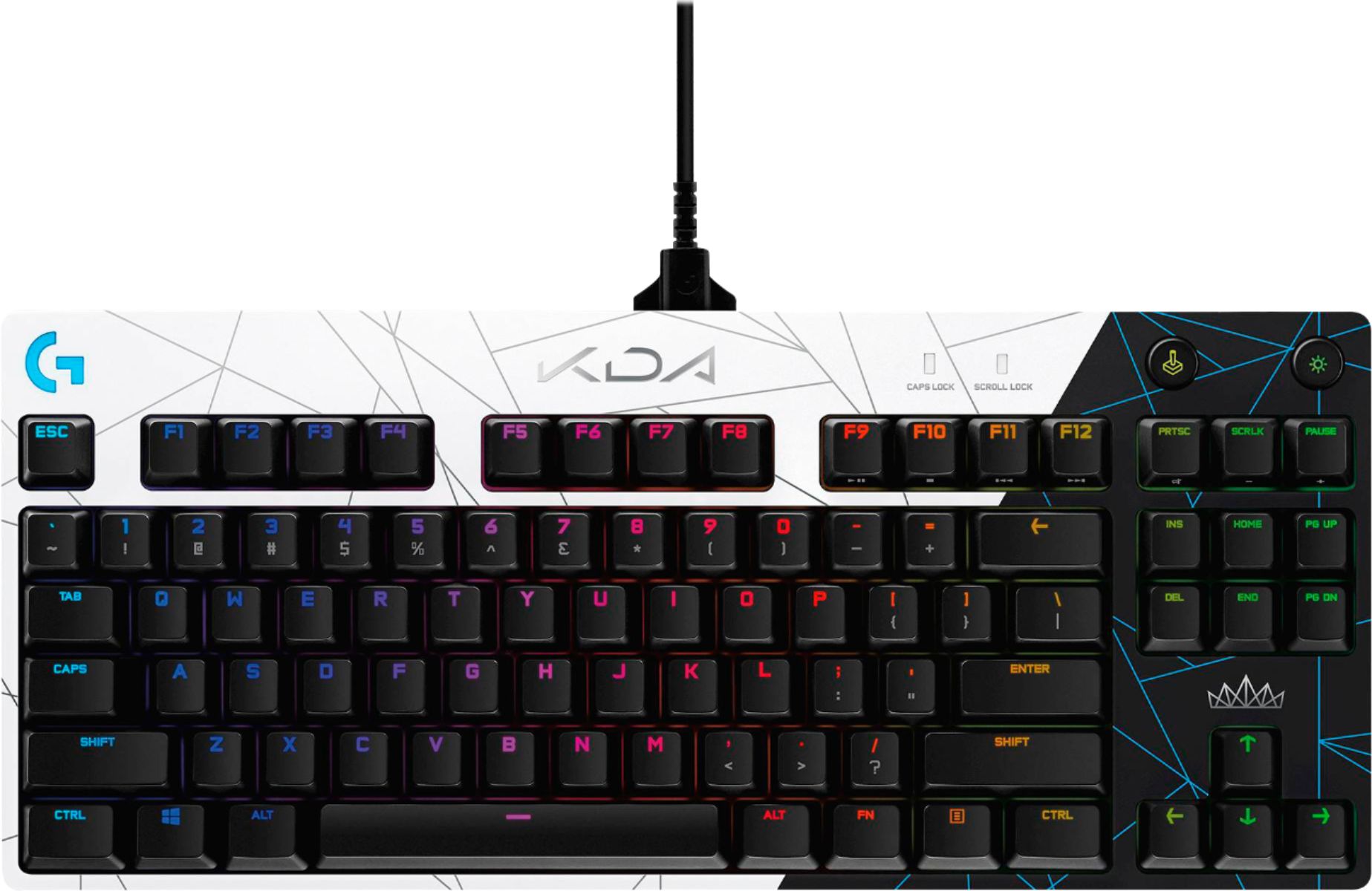
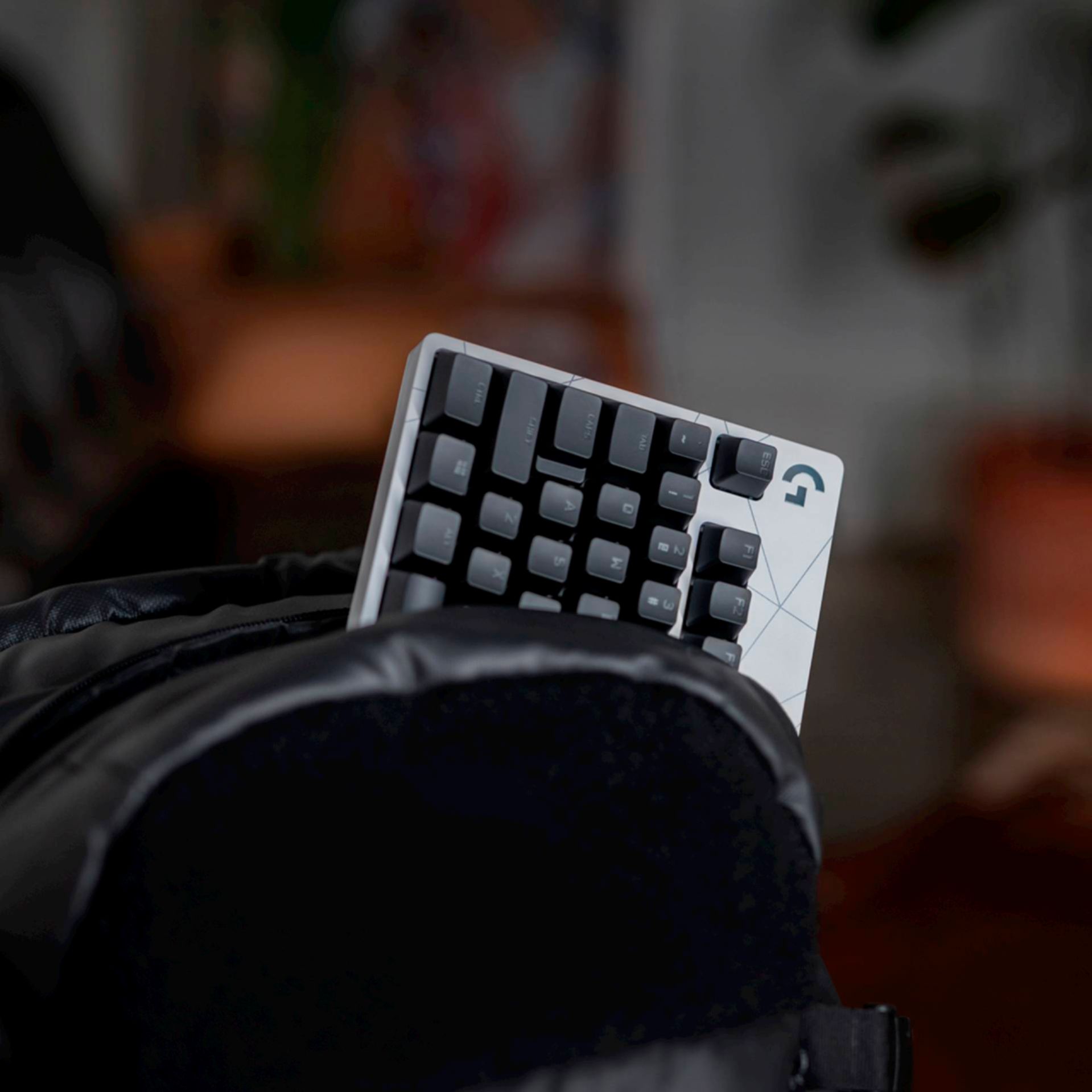
|Posted .This reviewer received promo considerations or sweepstakes entry for writing a review.I’m a lifelong gamer, but a relative newcomer to the PC gaming world. I rely on a relatively budget gaming computer (Acer Nitro) and while the keyboard on it serves its purpose, I wanted something a little better. Especially since I used a mechanical keyboard at work, and once you use a mechanical keyboard you won’t want to go back (most of the time). This Logitech keyboard hits all the right notes: sturdy, high quality, compact size, terrific performance and looks great. I highly recommend it for those who travel (and want to take a keyboard) or those looking for a good keyboard. My only qualm with it in terms of being home desktop replacement is the lack of the numerical keypad. I’m okay with not having it since I travel with my keyboard, but if I were looking to replace my home/work desktop keyboard, it is an essential feature to have that this particular model doesn’t have. PACKAGING Like generally all Logitech products nowadays, they are thoughtfully packaged. Included in the box is the keyboard and a braided micro USB cable (note that this keyboard is NOT wireless). The micro USB part of the cable has a funky end (I can’t explain it, it looks like a trident) that, my guess, is used to help prevent damage to the metal connector in the event it is jerked out on accident. As a plus, for those that own a new USB gaming mouse, it is the same connector so they are interchangeable. But the best part of the packaging is that you can use the box it came with to pack and travel with the keyboard. Some of you may not travel with keyboards, but for us that do, this is a nice convenience. SETUP AND GHUB This keyboard is obviously plug in play. You simply plug it into your computer via USB and voila. You will need to, however, download the G Hub software to take advantage of features such as lighting controls and changing hotkeys, etc. The software is easy to find and download. PERFORMANCE AND USE Before getting into G Hub, I just want to comment briefly on the typing experience as a whole. Most PCs nowadays come up cheap flimsy keyboards. But there is something absolutely satisfying when typing on a mechanical keyboard. It has a satisfying click and it’s super responsive. It really is hard to put into words, but if you spend any amount of time typing (or gaming, which I presume is why you’re even reading this) it provides an amazing experience. I’m primarily a FPS shooter player, or 3rd person action game player. When playing third person games (i.e. Ghost Recon) I generally use an Xbox controller. But when playing FPS games (like Far Cry 5) I use the keyboard. The keyboard is fantastic for FPS. The keys are responsive and have a relatively short travel. I don’t know the exact terminology for it, but it doesn’t take much pressure to register a keystroke. When using the WASD letters to move my character, I find it much easier to be precise than the standard Acer Nitro laptop keyboard I’m using. Again, I’m not well versed on the proper terminology, but as an inexperienced PC gamer I can tell you the difference matters and it makes the playing experience more enjoyable. G HUB Since I’m new to the PC gaming scene, I’m used to just using whatever controller defaults the game developer creates. So I have little experience and knowledge in macro commands or mapping new keys. Sure, I can use the intuitive software in G Hub to change keystrokes and commands, but I personally don’t find a need to do so. That’s simply because I guess I don’t know what I’m missing or maybe I’m too lazy to test different layouts. Having said that, I did navigate the G Hub software to see what it offers and it’s extremely intuitive. You can create different profiles depending on the game you’re playing. And what’s nice is that the keyboard can “turn off” keys while you’re playing so you don’t accidentally hit them. The Windows key between CTRL and ALT is a great example. When playing a game this key is turned off so you don’t accidentally hit it. You can also deactivate other keys should you want to. Like I said, when playing games I don’t generally mess around with the different keystroke layouts, but what I did appreciate is assigning different control profiles for various games to F-key functions so I can switch on the fly without having to open up G Hub. The lighting is also pretty cool. Backlighting on a keyboard is an obvious must (to me). Not all keyboards have them, but they’re essential when playing games at night. What’s even cooler, albeit unnecessary, is having different lighting zones or effects. I’m really fond of the cycle animations. Again it doesn’t improve the performance and I don’t notice it too much when I’m playing, but it’s cool to see nonetheless. You can also assign specific colors to certain keys. I do this for my FPS games, especially for WASD. I make them a different color (as well as other keys I hit frequently) so if my hand gets lost I can look down briefly and see which keys I need to use. Again, a small and unnecessary thing, but it’s a nice touch and a nice feature to have. Plus it adds to the quality of this keyboard. CONCLUSION All in all, this is a fantastic keyboard. I think Logitech hit it out of the park. This is a high quality, heavy in a good way keyboard that’s built to take a pounding. Even if you don’t use the macro commands or change the layouts much like I do using G Hub, it’s still worth having for the typing and playing experience. It really makes the work aspect of my job a little bit better (using nice equipment) and it does improve gaming experiences. Plus, it’s compact and easy to travel with in the packaging it comes in.
I would recommend this to a friendI missed the return period by one day
||Posted .This reviewer received promo considerations or sweepstakes entry for writing a review.As the title states, i missed it. When i asked if there was a way to fix it, the staff were all very mean even though i missed it by one day. Im very displeased with how unprofessional best buy was.
No, I would not recommend this to a friendBrand response from Logitech
Posted .Hi Cisco! Sorry to see that you missed the return period for the G Pro keyboard. If you're having any difficulty with the setup or functionality, check out the Logitech support page.
Keyboard isn't fully backlit
||Posted . Owned for less than 1 week when reviewed.This reviewer received promo considerations or sweepstakes entry for writing a review.It is a great keyboard,, but it only gets 3 stars because the keyboard is NOT fully backlit. The symbols when using the shift key are only written, so they are invisible when it is dark. Their other keyboards with backlighting light all the letters, numbers, and symbols. I almost returned it, but there wasn't anything else in stock and I needed it for work.
No, I would not recommend this to a friendVery Solid, Compact and Precise
|Posted .This reviewer received promo considerations or sweepstakes entry for writing a review.You’ll first notice the physical characteristics of this keyboard, and they are impressive. There is a nice weight to it; but not too heavy, which gives it a very solid feel. This solid feel is also due of course to the steel backplate. There are five rubber pads on the bottom which grip the surface aggressively. You have 3 height levels due to a very well-designed set of feet that change your keyboard angle. You do not have a wrist rest but I have found these rests move too much on other gaming keyboards so I don’t like them anyway. The power plug (USB Micro) is designed such that it has a surrounding shroud/prongs that ensures it stays plugged in even if you grab the keyboard or move it with quick key striking. The lights on the keys are fantastic and you’ll have many ways to configure them – more on that later. You should understand this is a ‘tenkeyless’ mechanical keyboard. You won’t have a ‘numberpad’ on the right – this makes the keyboard more compact and I felt this is better for gaming situations and in fact even if you are doing other types of usage. It will make your distance to the mouse smaller of course and this is often a desired feature. The lighting of the letters and numbers on the keys is very sharp looking. Logitech has created the GX Blue switches for the keys and these switches are smooth with a very nice sounding audible click. I compared the feel and sound with another brand gaming keyboard and I did prefer the lower tone on this Logitech G Pro which others may also like. The feel of the keys as you strike them is beautiful and the contour of each key is just perfect I think, but this is subjective. You do need to download the Logitech G Hub software. This gives you lots of options including the light patterns and setting up macros. You can use standard light patterns, create your own and also download and upload patterns from a community library. I tried lots of downloaded patterns and it was a lot of fun to see the animated lighting and colors. You can disable some keys, there are defaults and you can easily add others as you wish; the selected keys are disabled when you press the game mode button which looks like a little joystick – cute. Disabling some keys is helpful to keep me from accidently hitting keys on the lower row as I am a little clumsy when I’m in games or even just doing something like a word document. I definitely recommend this keyboard: it is precise, solid and a lot of fun to use.
I would recommend this to a frienddefective
||Posted . Owned for 1 month when reviewed.This reviewer received promo considerations or sweepstakes entry for writing a review.wire is defective. Keyboard keeps turning on and off even though the wire is secured.
No, I would not recommend this to a friendGreat TKL Keyboard, Missing a Couple Features
|Posted .This reviewer received promo considerations or sweepstakes entry for writing a review.For a while, I've been searching for a tenkeyless keyboard to replace my Logitech G513 Carbon keyboard, and was excited when the G Pro was released. Performance-wise, this one is easily on par with the G513 in terms of gaming performance, and feels even better for general day-to-day typing. There are a few things here missing, however, keeping this from being the top choice. Build quality is generally on par with what you'd expect; decent heft, premium feel, and sturdy stance. It's made of a premium feeling plastic, so it's not quite as premium as the G513 Carbon, made of aluminum/metal, but it's good all the same. This particular board uses blue "clicky" switches, but it seems to be of a slightly different variant than my previous board, as the buttons aren't quite as high pitched clicky, and are actually more pleasant to type on. Additionally, this one comes with a removable USB cable, which is a great feature for anyone that needs to pack this thing up and move it. Gaming performance is exactly what you'd expect; top notch, lag-free, and pro-grade. Running this through a battery of FPS style games, not once did I get a sense of lag or unregistered/misfired keys. This thing is a real gamer's keyboard. It's also a great keyboard to type on. Being a developer by trade, I need a keyboard to be comfortable to type on for long stretches of time, and the G Pro is very comfortable. For having blue keys, it's not unbearably loud like some, but also has the assured click feedback and key travel that makes it very easy to type on. Overall, this board is serving both my gaming and typing needs perfectly while very comfortably fitting on my desk space. As a bonus for those that like total control over key lighting, the G Hub software allows you the granularity to individually light any key on the board (and the G logo in the upper right), which allows this board to fit into virtually any LED lighting scheme you may have. Now, the issues. First, no included wrist rest. No idea why they saw fit to not include this, but it's quite a disappointment to open an expensive keyboard like this and not find a wrist rest in the box. Next, no integrated USB port. This was a feature I grew quite accustomed to after using the G513 and was disappointed to see the G Pro doesn't have this. Not a deal breaker by any means, but would've been nice to have. Additionally, the lighting setup could be better. Not only do the secondary key functions (the media buttons and all secondary shift+press buttons) not light up at all, you can't switch lighting profiles at all using the lighting button (you can only switch between whatever is loaded currently and turning it off). Also related, my lighting profiles don't consistently sync when plugging in between computers. In my setup, I daily use both a Mac for work and a Windows desktop for gaming. I plug both my keyboard and mouse into my monitor (which has a 4 port USB hub integrated), and just swap the single USB cable coming from the monitor between the two computers. The G Hub software never has an issue loading up/recognizing my mouse, but it frequently doesn't fully recognize my keyboard, meaning it reverts back to the standard (and annoying) light strobe lighting profile. The only way to fix this is to completely unplug the keyboard and plug it back in. This happens on both the Mac and the Windows machine. It feels like Logitech just missed the mark for making this THE TKL keyboard for gamers, but build quality and supreme performance make this a great option none the less.
I would recommend this to a friendCompact Keyboard with many Features
|Posted .This reviewer received promo considerations or sweepstakes entry for writing a review.So I am pretty big on mechanical keyboards, I have always loved the feel of them and are privy to Cherry blues. This keyboard has a similar feel to Cherry blues with the Blue Clicky switches. They are not as loud as Cherry blues (which my coworkers appreciate) but still extremely responsive and have 0 lag. The keyboard feels good on the fingers, the response is fast, the compact nature makes it easy to put anywhere on any desk. I have a Corsair Hyper-X (10 key) and I admit, I like the compact nature of this keyboard better because it does allow me to move my mouse around with ease and not have to worry about bumping my keyboard. The features on this keyboard are quite impressive, but only possible through the GHub application which you have to download and install on your computer in order to take advantage of. This is where the keyboard really shines is when you pair it with the GHub app. The amount of macros you can create is insane, and even better, you can download custom macro sets that people have created for various games and applications. I played around with these macros in gaming and in just everyday use and I am very impressed how easy it is to set them up and use them. The customization of colors is endless on this keyboard with the GHub app! I know it sounds gimmicky, but it definitely is a cool feature on a RGB keyboard to have custom light sequences and you can save them to the keyboard itself so when you travel or move the keyboard around, it will remember those settings without having to have the app installed. You can also download custom sequences from other users. All in all, this is a great mechanical keyboard for gaming, everyday use, to impress your friends with cool light sequences and crazy macros to achieve domination in gaming and in life. Definitely going to be switching to this as my primary keyboard!
I would recommend this to a friendPoor USB connector.
||Posted .This reviewer received promo considerations or sweepstakes entry for writing a review.The USB connector is not connected securely and constantly disconnecting.
No, I would not recommend this to a friendBrand response from Logitech
Posted .Hello Oleg. I'm sorry you're experiencing issues with your G Pro TKL keyboard. The USB cable should have the wings on it to help secure it in the keyboard. While you can use any Micro USB cable, the one with the wings will give you the most secure connection. Another problem may be that the USB port might be dirty with dust or other small debris. You can try using a safety pin or even an earring to scrape out around inside the port very carefully and then use a can of compressed air to blow out anything that the pin may have scraped loose. The cable should fit much more securely after cleaning out the port.
-Charlton at Logitech
Very Versatile Keyboard
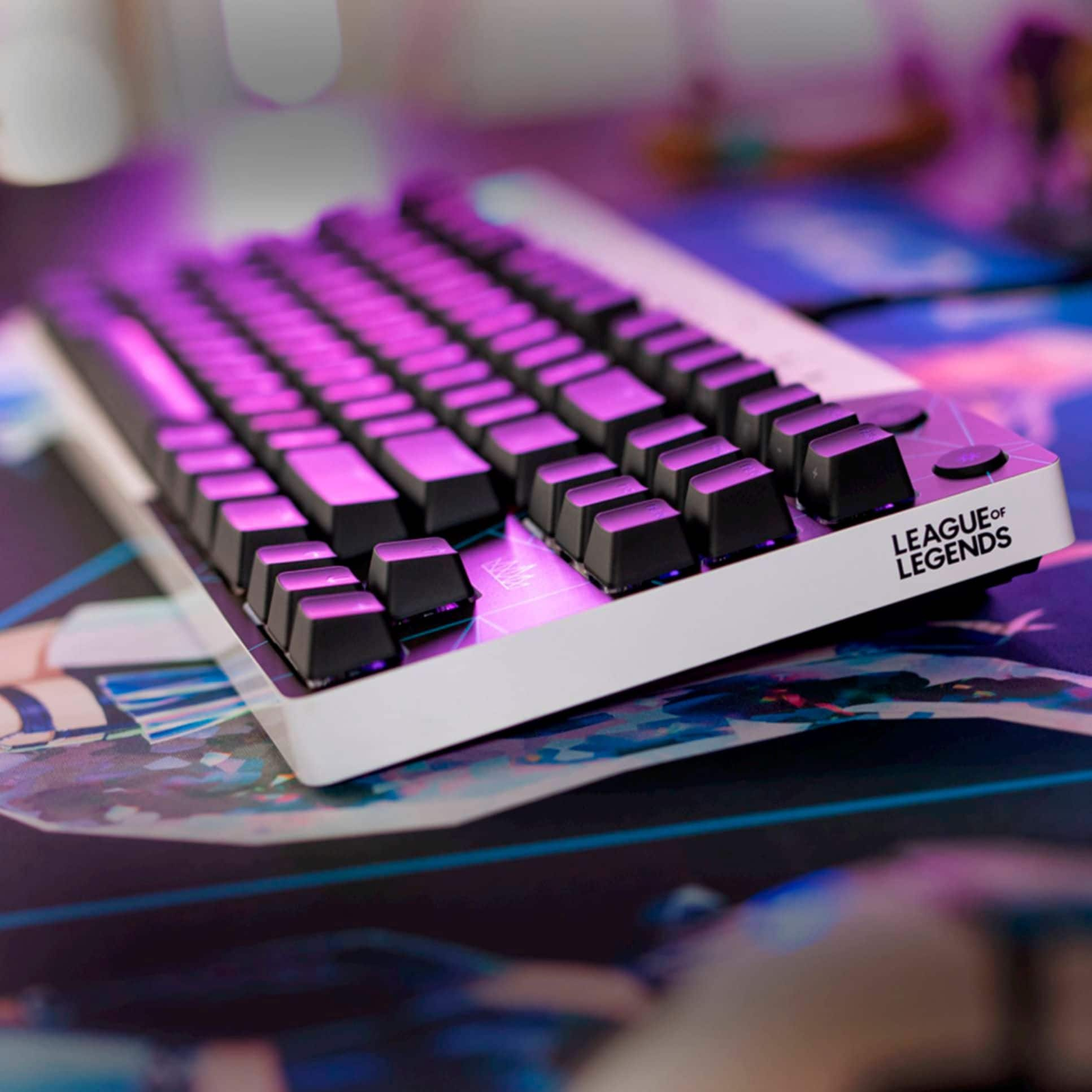
|Posted .This reviewer received promo considerations or sweepstakes entry for writing a review.The Logitech G Pro keyboard is what every PC gamer needs in his arsenal. The compact design is great. (They dropped the number key pad) The feel is not cheap but a nicely constructed keyboard. The item weighs a little over 2 lbs. with a size of 14 X 6. This thing can be beat on for hours and not give an inch. The 3 level rubber elevated feet help keep it from moving. The GX Clicky switches are loud (too loud if you plan on using this in a cubicle farm at work) but perfect for home use. The feel is precise, so miss typed keys are not a factor anymore. The clicky keys themselves are swappable with Linear or tactile. You know when a key is pressed. Downloading the GHUB app will let you select many different, lighting presets. The RGB lighting can also be set to change colors, patterns and speed. I found this to be great in a dimly lit gaming area. With the keys lit. My timing and accuracy improved. Especially by setting up lighting on the keys I use most. Once you have configured everything the options are saved via on board memory. This is especially helpful when playing COD where you really need command and actions to be lightning fast. Customizing the F keys to do operations is easy, there are a ton of presets or you can create your own. The keyboard comes with a 3 pronged USB Micro USB cable for a secure, snug, safe fit. This can be removed for safe transport. I plan on using mine for my Retro arcade cabinet. The changing colors match my RGB buttons. I would recommend this to any and all gamers.
I would recommend this to a friendMust have gaming keyboard!!
|Posted .This reviewer received promo considerations or sweepstakes entry for writing a review.I regularly play games on my PC and have found that this keyboard is my favourite one for games so far! It features some of the same tech that the larger one has but it's compact, which for me, is preferred for all of the games and things that I do on my PC. If you haven't tried a true mechanical keyboard, you should. You'll find that those that are high quality like this one not only feels very responsive but is also very responsive. The keys on this one, though mechanical, are actually very quiet to type on compared to other mechanical keyboards that I have (like the Corsair and the Razer). I'll say that in contrast to those other two I mentioned, this one feels superior in every aspect of how it's built - it just feels expensive and solid! Lighting works great and the one thing I absolutely love about the new GX Blue Clicky keys is that there is very little/no light bleed for each key. I think it looks cleaner and just sharper all around. The cable for this keyboard is definitely long enough for most situations and is a nice cable. Seriously love this keyboard and will be getting one for the office as I love typing on it in addition to it being a superb gaming keyboard that is sure to give you an edge in game with it's ultrafast processing and responsiveness. I'd definitely recommend this keyboard if you're looking for one that's compact and features a good set of mechanical keys.
I would recommend this to a friendNot functioning space key
||Posted . Owned for 1 week when reviewed.This reviewer received promo considerations or sweepstakes entry for writing a review.awful experience, left side of space key is broken.
No, I would not recommend this to a friendBrand response from Logitech
Posted .Hello Ming,
I am sorry that the PRO TKL Keyboard is not meeting your expectations. It is not a common issue for the spacebar to brake out of the blue. However, contact Logitech customer support to claim your device's 2-Year Limited Hardware Warranty if this is the case. Logitech appreciates your product review. - Leo from Logitech
A Gamer's Dream Keyboard!!!
|Posted .This reviewer received promo considerations or sweepstakes entry for writing a review.First off, I never knew I would enjoy clicky-clack on this magnitude! I love the response of the keys on this keyboard as they feel so natural to my hands and it types with so much accuracy and precision. In keyboards, I really need and want a numeric key pad; however, this unit does not have one and I can roll without it! That is how much I love this keyboard as I’ve made it my main driver. When Logitech described this Keyboard as PRO, they were 100% accurate in every sense of the word as this keyboard has been robust and deliver in every category from connections, feel, and the light sync wave that waves across the keyboard with the array of beautiful colors is just breath-taking and makes a joyful typing and/or gaming experience. While this is a wired keyboard, but I truly have not noticed it until I see the connection to the unit, but the overall performance and handling have trumped that for me as well. This is my first mechanical keyboard. I have heard some great things about mechanical keyboards in so much how they afford gamers a great gaming experience and their precision with regards to accuracy and depth. Suffice to say, I am a believer who is FULLY convinced as this is by far the best keyboard, I have ever owned!!
I would recommend this to a friendExcellent gaming keyboard!
|Posted .This reviewer received promo considerations or sweepstakes entry for writing a review.Logitech definitely joins a long list of keyboard manufacturers who are making "click" keyboards for (mainly) gamers, but also the rest of us who really enjoy the tactile touch of these keyboards. The Logitech G Pro Mechanical keyboard doesn't disappoint. Aside from the fact that the keyboard can be programmed in terms of how it lights up (pretty much a mainstay in this "genre" of keyboarding), it also transfers touch to the OS without latency, making game-playing a breeze, allowing you to really one-up the competition (who might not be in possession of keyboard greatness!). Beyond gaming, as mentioned, this style of keyboard is also great for everyday computing needs, especially if you're into "click" keyboards as much as my family and I are. With its solid construction and the ability to light up, the Logitech G Pro Mechanical keyboard will hold up to gaming and professional tasks without issue -- though you might have to get a white-noise maker if you're in a quiet professional environment! This is a definite keyboard to consider :)
I would recommend this to a friendDON'T BUY !!
||Posted . Owned for 5 months when reviewed.This reviewer received promo considerations or sweepstakes entry for writing a review.ITS STOP WORKING AFTER 5 MONTH !!!!!!!!!!!!!!!!!!!
No, I would not recommend this to a friendBrand response from Logitech
Posted .Hello LIAT. I'm sorry to hear about your experience with the G Pro keyboard. Thank you for shopping Logitech. - Maggie from Logitech
Great keyboard, but a few thoughts on quality...
Posted .This reviewer received promo considerations or sweepstakes entry for writing a review.I'm writing this review four years after purchasing this keyboard to give a fair assessment of the G Pro Keyboard. It's been a great keyboard, but a few things to note: I bought this keyboard in-store during the Pandemic to be used as a gaming keyboard and as a "work from home" keyboard to replace my G513 Silver. I've always liked the clicky switches, so the sound never really bothered me. About six months into ownership, the spacebar began giving some trouble with double spacing. Logitech support was able to replace the keyboard, but one with the red switches. At this point, the switch doesn't matter and the overall typing experience on both is superb. The RGB lighting is great, helps me see in early morning and late night gaming sessions, and has a nice visual on the desk. One thing I'll note... some of the RGB lighting on my keys has been failing. When going through the appropriate troubleshooting, the keyboard still seems to experience the problem. As a result, depending upon what color is active on the key, it will not light up or will display a different color than what is expected. This does not effect the performance of the keyboard. However, this is a big part of the review. I've noticed this on my G513 Silver and G710 keyboards. At some point in their life, the lighting on specific switches just gives up. All of them seem to be happening at different points in their lives, as well. Unfortunately, all have happened outside of the warranty window. Would I buy another one of these? Absolutely, but for the right price. It's a great keyboard for multiple use cases, but keep in mind if RGB is a big part of your purchase reason, you may see some issues down the road.
I would recommend this to a friendBrand response from Logitech
Posted .Thank you for your in-depth review of the Logitech G PRO TKL Wired keyboard. We appreciate your honesty about both the positive aspects and the areas where you've encountered issues. We're glad to hear that you've been overall satisfied with the keyboard's performance and that you've found it useful for both gaming and work. We'll take your feedback on the RGB lighting and durability into consideration for future product improvements.
Best gaming keyboard!
|Posted .This reviewer received promo considerations or sweepstakes entry for writing a review.I love this Logitech G Pro gaming keyboard. I already had a Logitech gaming keyboard from a couple of years ago and boy have they made some major improvements. Let's start with the size of the keyboard, it is compact which facilitates taking this keyboard anywhere you want. It comes with a detachable micro usb cable which prevents your wire from getting damaged if you have to transport your board. Second, I love the clicky switches. You can really hear and feel the feedback from the keys. I also enjoy the ability to customize the lighting when you download the the GHub software. If you are serious gamer then you will love the programmable f keys for the more complex moves which can be executed with the stroke of a single key. This board will seriously give you an advantage over your competition.
I would recommend this to a friendWILL BE BUYING AGAIN
Posted .This reviewer received promo considerations or sweepstakes entry for writing a review.Personally didn’t like the idea it was wired but I have settled because of the constant charging of a wireless one. The sound is amazing and it is very comfortable and compact!
I would recommend this to a friendBrand response from Logitech
Posted .Appreciate you taking the time to share! It’s awesome to know our product is working well for you. Thanks for choosing Logitech.

Good Keyboard, but Some Instability in Keys
|Posted .This reviewer received promo considerations or sweepstakes entry for writing a review.The GX Pro keyboard is a pro gamer level keyboard that comes in a 10-keyless form factor with everyone’s favorite “clicky” key, what Logitech calls their “GX Blue Clicky”. These are being compared to the Razer Green switches, if you’re looking for a comparison. The keys feature individual LEDs for each key, giving you a lot of flexibility in lighting options with the downloaded control suite software. Lighting is fairly bright, enough for playing in any room, even well-lit rooms. The switches are fairly responsive and are a pleasure to type with, but do feature a little bit of instability in their design, giving more movement than I would like to see when trying to actuate the key during gameplay. And with the design, it does not appear that you can install stabilizers under the keys to cut down on that movement. I feel like for a “pro level” gaming keyboard, it would be understood that just a couple of millimeters of movement can make a huge difference in performance. The keyboard is wired and features a standard micro-USB connector on the back of the keyboard, but with a proprietary “wing” that sits around the USB connector to hold it in & keep it stable during use. While you can use a standard cable without the wing, it definitely doesn’t hold in place as well. What I do think is a huge addition is the 3-level keyboard stands, giving you flat or 2 levels of height adjustment for the keyboard on your desk depending on your preferred style of play, or using it differently between gaming and day-to-day typing. A very inexpensive but important addition to any keyboard. The absence of the “NUM” pad (so-called “tenkeyless”) makes this ideal to carry in a bag with a laptop, but wouldn’t recommend it if you’re solely using this for typing on and not gaming. In the end, I liked the keyboard, but the disappointment of the slight movement in the switches without a better stability drops this from a 5-star to a 4-star for me. With the number of mechanical switches now available on the market, and the newest generations featuring better & better response and stability, I feel like this was an under-engineered keyboard that has a lot of potential but also some room for improvement. Key Switch Specs from Logitech’s Website: 2.0-mm actuation distance 50-gram actuation force 3.7-mm travel distance 1-ms response rate
I would recommend this to a friendLogitech - G Pro
|Posted .This reviewer received promo considerations or sweepstakes entry for writing a review.This is one of the best keyboards I've used. The lights on the keyboard make it simple to see the keys in a darker room. The mechanical keys work very well and feel great. The software makes it easy to customize the key colors to stand out when required for specific games. One of the things I really like is how easy it is to turn off the key lights when you're done without having to go into the software or shutting down your computer... one button in the top right of the keyboard.
I would recommend this to a friend