Customer Ratings & Reviews






- Model:
- 910-006628
- SKU:
- 11067013
Rating by feature
- Value
Rating 4.5 out of 5 stars
- Quality
Rating 4.8 out of 5 stars
- Ease of Use
Rating 4.9 out of 5 stars
Cursor jumping firmware issue
||Posted . Owned for 1 month when reviewed.This reviewer received promo considerations or sweepstakes entry for writing a review.Do not PURCHASE THIS. They have made a faulty firmware update and the cursor keeps randomly jumping! Google it. It hasn't been fixed for 3 months now.
No, I would not recommend this to a friendBrand response from Logitech
Posted .We understand you're experiencing a cursor jumping issue with your Logitech G PRO X SUPERLIGHT 2, likely due to a firmware update, and that this issue has persisted for several months. We sincerely apologize for the inconvenience and frustration this has caused. To address this issue, we recommend reaching out to our social care team via email at socialcare@logitech.com with your
- Name:
- Email Address:
- Country:
- Product Name:
- Brief description of issue:
- Pros mentioned:Battery lifeCons mentioned:Dpi

Great lightweight mouse
|Posted .This reviewer received promo considerations or sweepstakes entry for writing a review.nice super lightweight mouse. For me, I would have liked to have seen a couple things. 2 more buttons at least under the mouse wheel that you could use. This could be used default to cycle thru DPI settings or profiles. Then allow to customize those buttons within the software to do what you want. Like myself, I just keep it with a single DPI setting and then just bind those to keyboard keys that I use in games. I would have also liked to have seen a way to maybe add a little bit of weight. But overall, I have replaced my laptop mouse with this mouse. I like that it is wireless, lightweight, and it tracks great. The provided cord is also plenty long so if I do run out of battery life, I can charge it and still use it. I just make sure that I take the USB piece and place it in the mouse, so I don't lose it. Or just leave it in the dongle piece and just place it someplace safe. The software had a great future that I loved as well. You can mimic the DPI from another mouse to be close. I use 550 DPI for instance and when I chose to copy that DPI over, it said the DPI was 519. I am not quite sure though how this works as this still has me set the DPI, so I set to 550. Not sure if that auto adjust the mouse then to the 519. One annoying thing for me is whenever I turn off the mouse and then back on, it starts out at the default 800 DPI for a second then switches to the DPI I set it too. This is with me having the onboard memory turned off. Overall, I have enjoyed using this mouse. I had to get used to not having at least the 2 extra buttons as I usually bind those to - and = and then set things up in game for those like using meds, shields, score streaks etc. If you are looking for a great tracking mouse that is lightweight and simple, then this mouse is for you.
I would recommend this to a friendBrand response from Logitech
Posted .We're so glad to hear about your splendid experience with the PRO X SUPERLIGHT 2 and we are grateful that you took the time out to leave us a review pointing out all the amazing features that'll surely help others. At Logitech, our goal is to make sure that our customers enjoy the products as much as we do. Thanks so much!
- Pros mentioned:Weight
A flyweight mouse with heavyweight performance
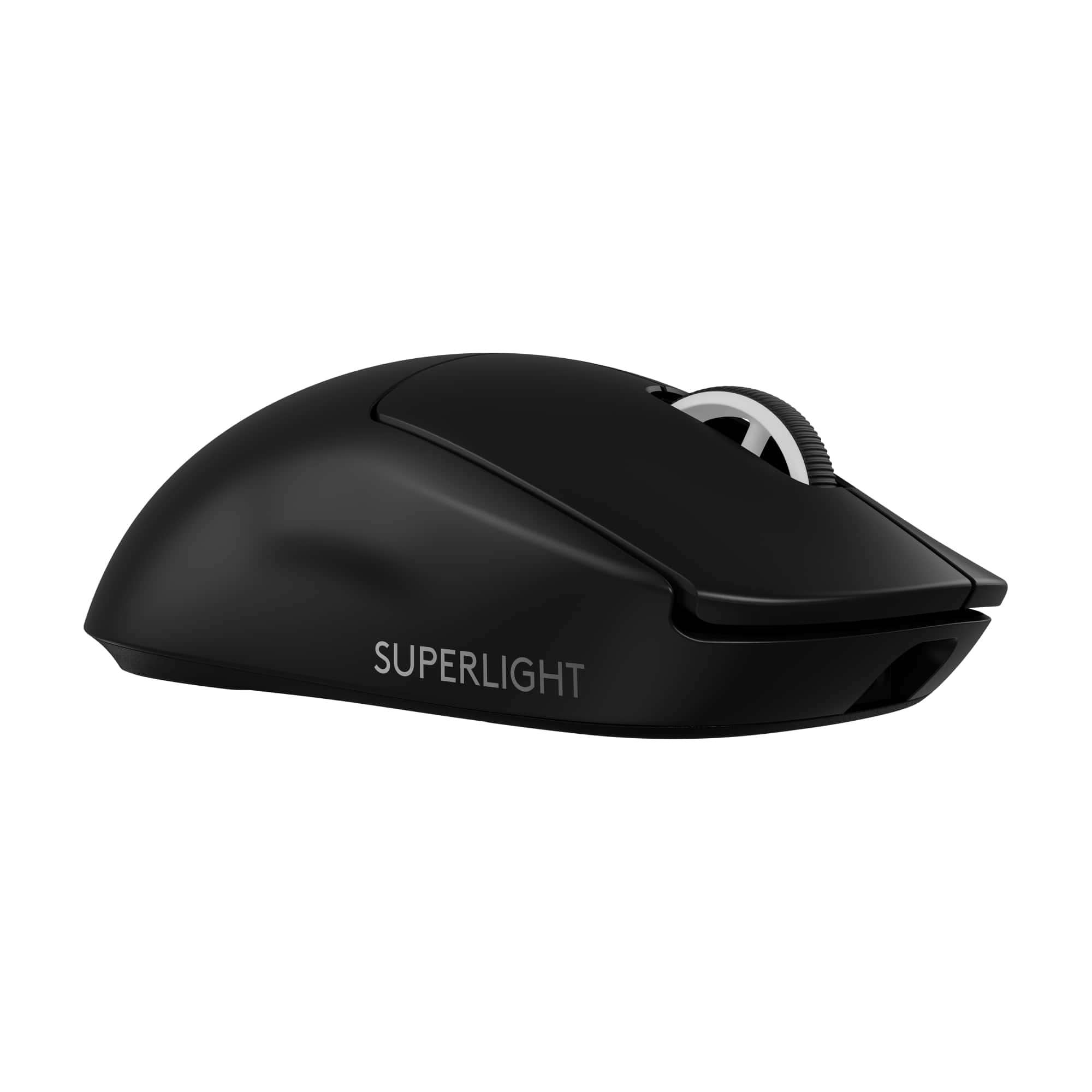
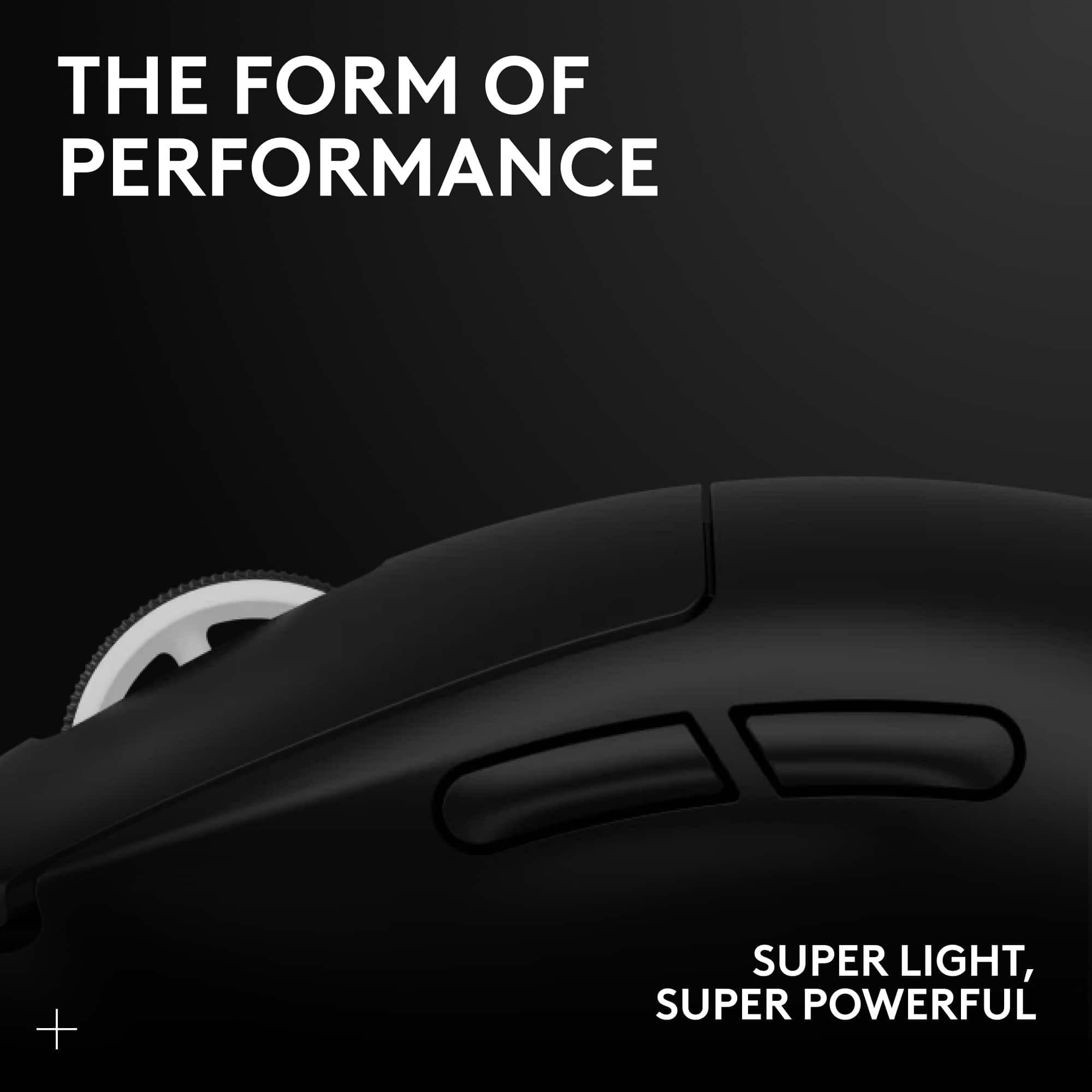
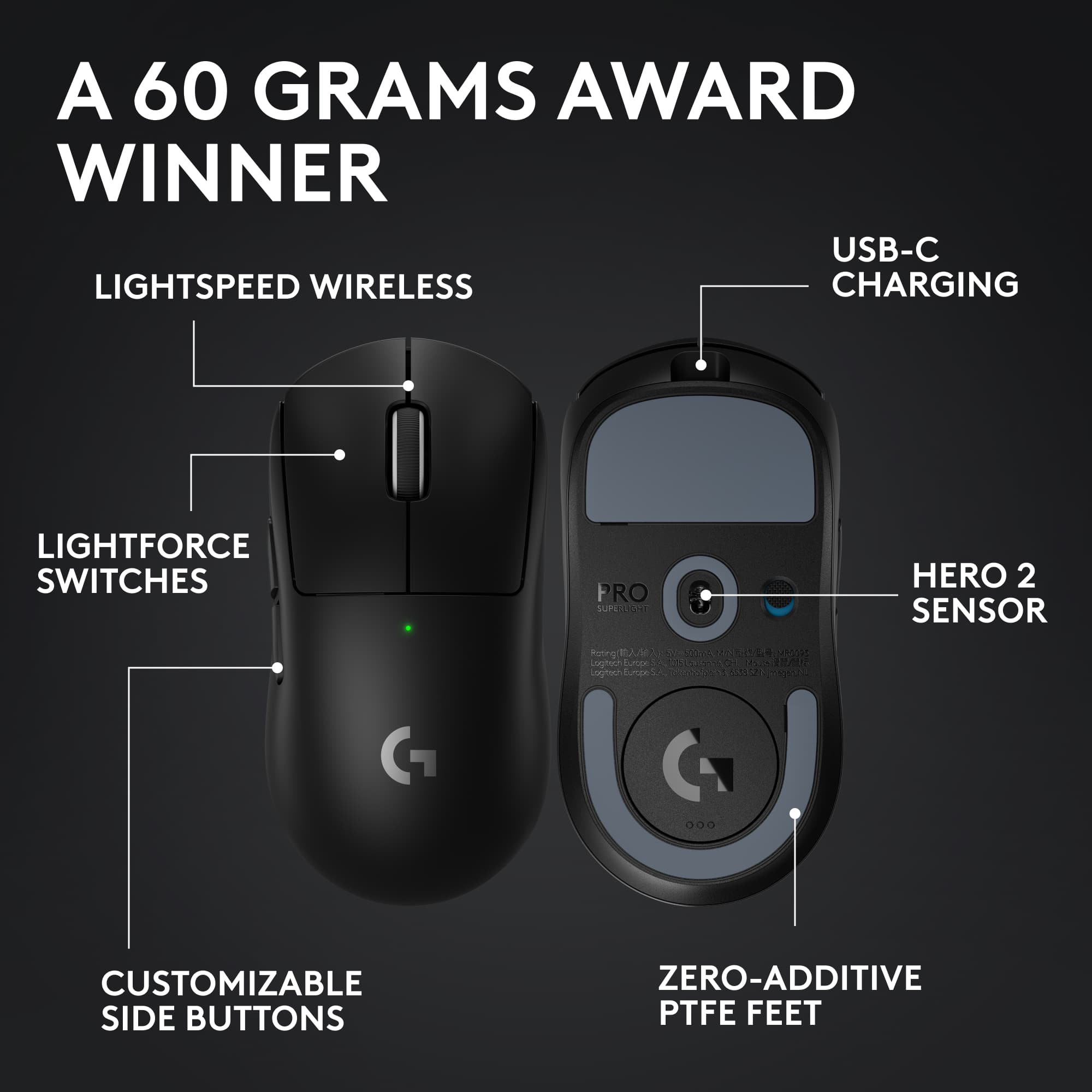
|Posted .This reviewer received promo considerations or sweepstakes entry for writing a review.The new Logitech G PRO X SUPERLIGHT 2 lives up to its name at a scant 60 grams, yet it fills my hand well and has the usual superb Logitech build quality. I felt no sacrifices were made in quality or feel due to its weight. There are two buttons on the left side, they need less pressure than my other Logitech mice do but they work as expected. No buttons on the right. On the top there are the usual left/right buttons which have a solid click and feel. Last is the combination button/scroll wheel. The scroll wheel when pushed down is a firm button requiring more pressure than the other buttons. No doubt this to ensure its not clicked by accident when scrolling with the wheel. The scroll wheel itself scrolls very well with a detent for each line as I set it. I found its resistance dialed in perfectly, I never scrolled too far. The mouse setup was easy. Charge it fully, power it on, then plug in the wireless USB adapter it came with, which stores inside the mouse behind the bottom round cover. It was recognized and worked as a generic mouse by Windows 11. The older version of the GHub software I had did not recognize this new mouse. Once I updated GHub to the latest version, all the options were available to tweak and make this mouse work as desired. The GHub app has really become a well featured and polished bit of software over the past few years. More so in the past few months. Next, I tried it with the Logitech G Powerplay Wireless Charging System. First, I replaced the round cover on the bottom with the POWERPLAY Charging Coin so it can charge wirelessly while the mouse is on the pad. Then I paired the SUPERLIGHT 2 with the receiver in the mouse pad. I had to remove my G903 first. It seems only one mouse can be paired to the PowerPlay at a time. Once done, everything worked perfectly. I am glad to see that Logitech is continuing to support the Logitech G Powerplay Wireless Charging System as it costs as much as a premium mouse does. No regrets, it works great, no more dead mice at the wrong time and always a fast connection with the receiver built in. Highly recommended. Before trying the SUPERLIGHT 2, I was using the Logitech G903 mouse, which is nearly double the weight at 117 grams with its optional 10-gram weight. The SUPERLIGHT 2 also sports a 32K sensor vs the 24k on my G903 mouse. After using the G903 and other heavy mice over the years, this is a change and took a bit of getting used to. Now that I have and I’m not going off the edge of the pad, I do feel my reactions are faster, which makes sense not having to move so much extra weight around. Amazing what 57 grams can do. And I can be more precise with the higher resolution. Both are important in first person shooter games. This is my new gaming mouse. I do plan to keep using the G903 around. The G903 has extra buttons I use that the SUPERLIGHT 2 does not. And though heavy, it’s no slouch and can serve well as a backup mouse for gaming if needed. There may be some games where the extra weight is welcome. If you’re thinking about getting this one, go ahead and get it. Try it out for a week and if you don’t feel the same way, I’ll be surprised, but you can return it to BestBuy easy enough. You have nothing to lose but the trip and much to gain.
I would recommend this to a friend - Pros mentioned:Battery life, Overall performanceCons mentioned:Price
Great but so expensive
|Posted .This reviewer received promo considerations or sweepstakes entry for writing a review.I recently received the Logitech G PRO X Superlight 2 Wireless Gaming Mouse. I didn’t not have the Superlight 1 but I was using the Logitech G Pro Wireless prior to receiving this. In terms of performance, the new mouse is undoubtedly top-notch, but I must admit, I'm not entirely sold on the trend of ultralight mice. While this model is indeed lighter, it hasn't significantly impacted my gaming experience. The most notable improvement for me was the switch to USB-C for charging, which is a welcomed change. The RGB is okay but requires the Logitech G Hub software which has been hit or miss for me on other products. It’s classic palm of the hand RGB which only looks good when you’re not using the mouse. On the bright side, the battery life is outstanding, and it charges up quickly. However, considering the $160 price tag, it might not be an easy recommendation unless you're a dedicated Logitech enthusiast with a bit of extra cash to spare. In my honest assessment, the upgrade from my $100 mouse isn't glaringly noticeable. Overall, I'd rate the Logitech G PRO X Superlight 2 a 4/5. It's a solid choice, but I'd advise against any hype. It's a quality product, but perhaps not a game-changer for all.
I would recommend this to a friend - Pros mentioned:Weight
Nice gaming mouse
|Posted .This reviewer received promo considerations or sweepstakes entry for writing a review.I got this mouse for a newer system of mine to game with. This only uses a standard USB dongle, so I ended up having to switch it over to my older system and use a newer mouse with a usb c dongle on the one i inteded to use it on, and moved this to my other system. This one wasn't connecting right to the usbc with a converter, and wired it worked fine, but defeats the purpose of a wireless mouse. That isn't this mouse's fault, so no stars deducted. This is not a Bluetooth mouse, so you need a USB 2.0 port. You can download the logitec g hub (which I had for another mouse already) and this sets up quickly to program buttons ans such. The feel on this is good, ergonomic, click is soft, audible, and a bit firmer than some of my other mice (actual mechanical springs vs rubber pads). The glide is smooth, and the dongle storage cover can be swapped out with a slick smooth glide cover for reduced friction. There are optional stickers for the buttons, but I did not choose to use those. It is very light, and you can adjust the sensitivity up to 32000dpi fir extreme sensitivity. Buttons program easy enough, I played with it a bit, but ended up going back to default setting with the buttons. Overall, nothing bad to say about this. I do wish it had blutooth so i could flex it to more computers easier, but I'm sire that kept the weight down in this, and realistically, but not discouraging to me because I usually do dongle most of the time. I can't find fault with any design so I give it 5 stars and do recommend this item. It does what it says. As for it making my game any better…that's more on me than any equipment, but having this, no one will belive it's the mouse's fault anymore. It works well.
I would recommend this to a friendBrand response from Logitech
Posted .That's truly awesome! We're super glad to hear about your amazing experience with the PRO X SUPERLIGHT 2 and we’re really grateful and appreciate you taking the time to share your feedback with us. At Logitech, our goal is to ensure that our customers enjoy our products as much as we do. Thanks so much!
- Pros mentioned:WeightCons mentioned:Dpi
Lightest mouse I’ve ever used
|Posted .This reviewer received promo considerations or sweepstakes entry for writing a review.When it comes to PC gaming, there is nothing more important then a good mouse. The Logitech G Pro X Superlight 2 is a simple, classic gaming mouse with high precision and accuracy. Out of the box, set-up was fast and easy. Since I have the Logitech PowerPlay mousepad, I was able to use the wireless charging puck in the Pro X, as well as not needing to use the USB dongle since it’s built into the mousepad. To change any settings or make updates, you need to use Logitech G Hub. There are some mixed reviews with the software, but I’ve never faced any problems with it. With the software, you are able to change the DPI, create Macros, and change the key commands. With the Pro X, there are even more granular settings, such as precise sensor calibration with many options. While playing games, you don’t even notice the mouse. It is extremely light and slides smooth with the PTFE feet. Clicking is satisfying and the programmable side buttons are easy to use. Coming from a Logitech G502, something that I miss is the DPI buttons directly on the mouse. I like to change my DPI for different games, so with the Pro X, I have to first open G Hub and manually change the DPI before playing. But other than that, the Pro X performs amazingly. The Logitech G Pro X Superlight 2 is a simple, easy to use gaming mouse. This mouse is geared towards not only gamers, but can easily be used everyday thanks to its simple design and light weight material.
I would recommend this to a friendBrand response from Logitech
Posted .That's truly awesome! We're super glad to hear about your amazing experience with the PRO X SUPERLIGHT 2 and we’re really grateful and appreciate you taking the time to share your feedback with us. At Logitech, our goal is to ensure that our customers enjoy our products as much as we do. Thanks so much!
- Pros mentioned:Polling rateCons mentioned:Button layout
Best light gaming mouse on the market.
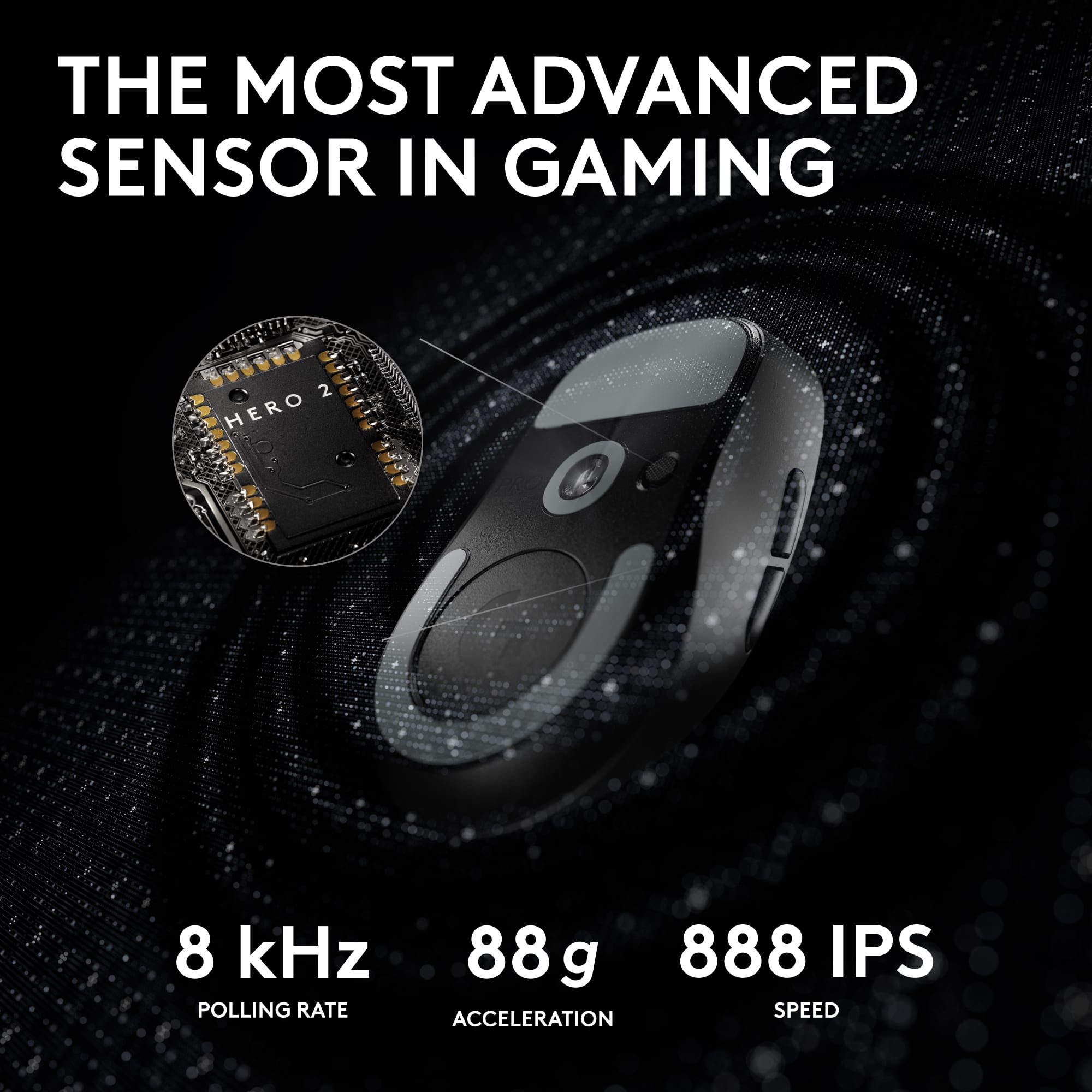
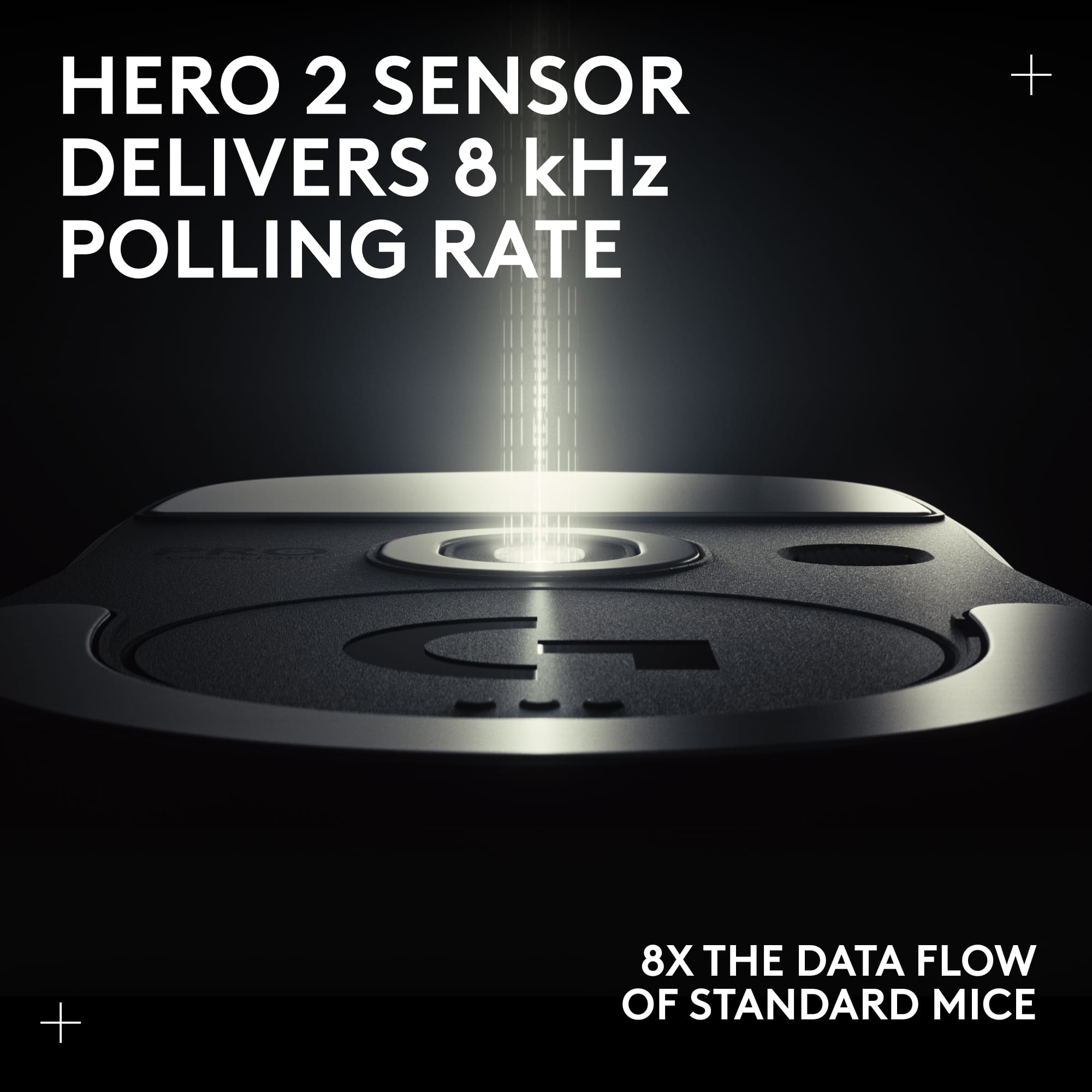
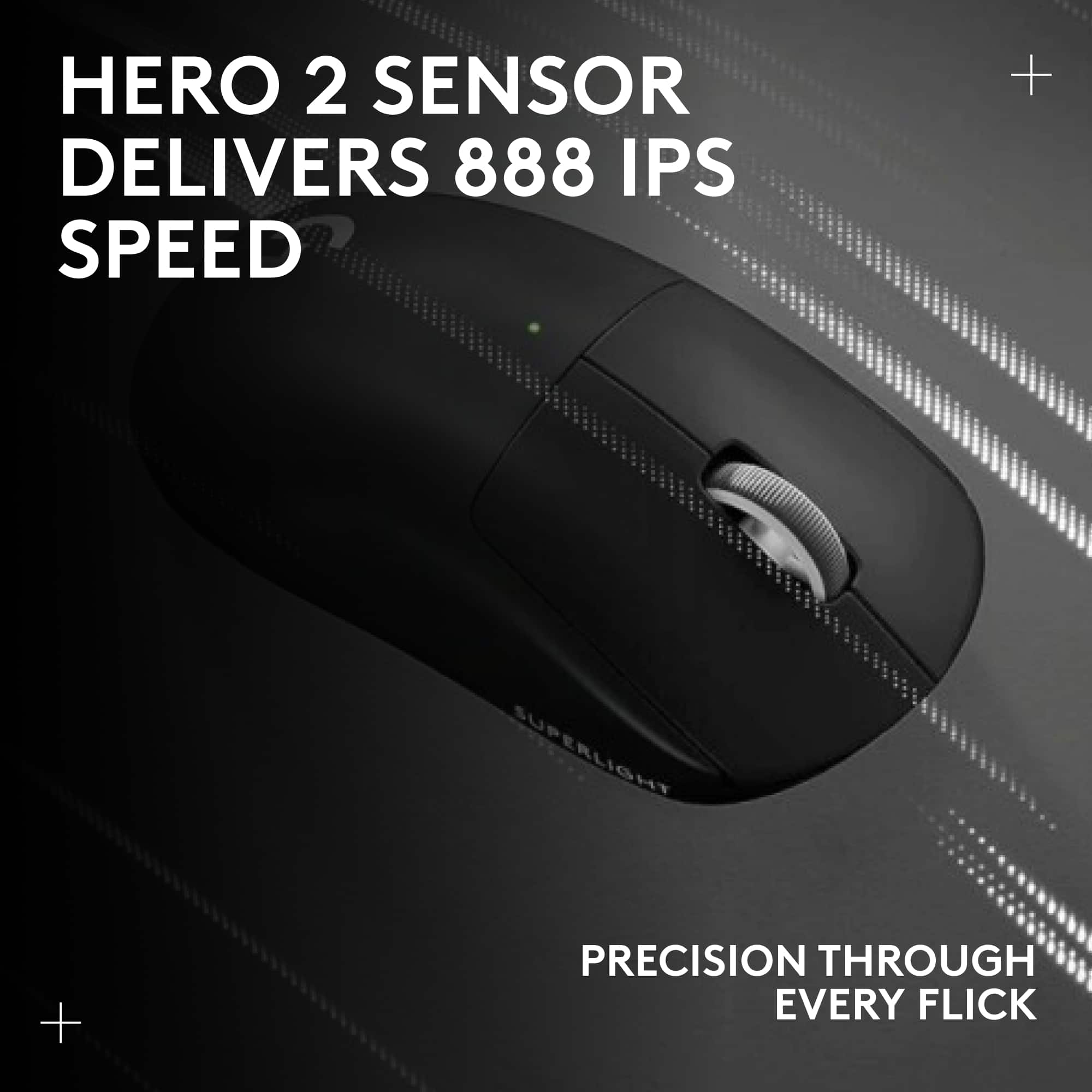
|Posted .This reviewer received promo considerations or sweepstakes entry for writing a review.The Logitech G Pro X Superlight is a outstanding mouse and we have tried nearly all of them. Right out of the box the GPX2 looks like a simple ergonomic form factor, overside left and right buttons, nice scroll wheel and two side buttons. Personally I prefer my side buttons a little larger and while it's not the lightest mouse we own, it is extremely light. It also comes with optional grip stickers which we found very helpful. The GPX2 supports drag clicking when you need max clicks-per-second something that not all mice can do. It's wireless but comes with a new feature to install the receiver at the end of the usb-c cable where you can position it near-by ensuring no interruption in the communication high speed report rate. That's the main feature of this mouse. Perfect tracker every time. Greater than 500 inches per second, greater than 50g acceleration, 2000 mhz polling, and up to 32,000 dpi. The GPX2 its paired with G Hub app where you can adjust DPI, button functions per game. Out of the vast collection of mice we own this is definitely the best gaming mouse we have tried.
Brand response from Logitech
Posted .We're so glad to hear about your splendid experience with the PRO X SUPERLIGHT 2 and we are grateful that you took the time out to leave us a review pointing out all the amazing features that'll surely help others. At Logitech, our goal is to make sure that our customers enjoy the products as much as we do. Thanks so much!
- Pros mentioned:Battery life, Weight
Featherlike and precise!
|Posted .This reviewer received promo considerations or sweepstakes entry for writing a review.I have never really thought about the weight of the mice I use, it is literally something that never even crossed my mind. When I read about the Superlight series I was intrigued, but after using the Logitech Pro X Superlight 2 I am a believer! The precision I have gained playing my favorite First Person Shooter games is definitely a measurable increase. The ease of moving my cursor around the screen in MMORPG games has been amazing as well, overall the lighter the mouse the easier to move it. The customization on this gaming mouse is also insane! You can actually set custom DPI settings for the vertical and horizontal axis, and do it independently from each other! That is a first for me and helps me to align my movements to a level of buttery smoothness that I never thought possible! Battery life is something I have struggled with on previous mice and that is not an issue now, this thing has lasted me for so long and I only charged it once! If you are in the market to upgrade your mouse, do not hesitate to pick this one up. It will take your gaming to the next level!
I would recommend this to a friendBrand response from Logitech
Posted .We're thrilled to hear about your wonderful PRO X SUPERLIGHT 2 experience, and we appreciate you taking the time to mention every great feature that will undoubtedly benefit others. Our aim at Logitech is to ensure that customers appreciate our products as much as we do. Thanks a lot!
- Pros mentioned:Comfort, Overall performance
Mouse
Posted .This reviewer received promo considerations or sweepstakes entry for writing a review.I purchased this for my grandson as a gift.And he loves it , he says it's nice and fast
I would recommend this to a friendBrand response from Logitech
Posted .Thank you for sharing your feedback! We’re so glad to hear your grandson loves the Logitech G PRO X SUPERLIGHT 2 and finds it fast—it’s wonderful to know it made a great gift.
- Pros mentioned:Battery lifeCons mentioned:Price
An “okay” upgrade from the first super light.
Posted .This reviewer received promo considerations or sweepstakes entry for writing a review.I’ve owned the first gen version and now this one, and the main difference out of the box is just the USBC charging, which is awesome BTW. Logitech did the smart thing, and kept the design and features practically identical, with the addition of a faster sensor. For the price, I’d recommend holding off until a sale if you have the super light generation 1. I upgraded from a HyperX pulse fire haste and the difference is worth it.
I would recommend this to a friend - Pros mentioned:Battery life, Weight
This is the one
|Posted .This reviewer received promo considerations or sweepstakes entry for writing a review.The Logitech G PRO X Superlight 2 lightspeed wireless gaming mouse is a superb mouse! I have used several mouse variations over the years. I personally found that I prefer a heavier mouse. That has changed because of this mouse, and this mouse is now my daily driver for all my gaming and personal computing needs. The mouse feels like an extension of your hand and the included slip resistant grip tapes make the ergonomic design really stand out. Out of the box, the unit is light; it feels like the slightest infraction would break it. So, I tested that. I do not recommend this, but I dropped it onto the tile floor from desktop height. To my amazement, it bounced and gave me the slightest moment of maybe I should not have done that. The mouse was excellent, and despite being lighter than the average key fob, it is very well crafted. Again, I do not encourage this kind of test. The mouse has cutting edge features and is completely programmable. The Lightforce Hybrid switches are a revelation. They offer ultra-fast clicks you usually would not find in a wireless mouse. The insane Hero2 sensor offers 32,000 DPI, which is honestly way too much for me but surprisingly simply perfect for my teenage daughter. This mouse offers USB-C charging, and thus far, I have only charged it once, and we still have plenty of juice even after extensive use. In conclusion, the Logitech G PRO X SUPERLIGHT 2 LIGHTSPEED Wireless gaming mouse is a mouse that is worth the hype. The only thing I would have liked to see was the inclusion of RGB. For my gaming experience, this is the mouse with which I am playing.
I would recommend this to a friend Left mouse button already quit on me.
||Posted . Owned for 1 month when reviewed.This reviewer received promo considerations or sweepstakes entry for writing a review.As soon as i hit 30 days the left mouse button started acting up and going off on its own. 140$ for it to jist give out like this. Very dissapointed
No, I would not recommend this to a friendBrand response from Logitech
Posted .That's unexpected. For us to assist you effectively, please provide your information to our support team by emailing socialcare@logitech.com. Name – Email address – Country – Product name – Brief description of the issue –
Input lag after 4 days
||Posted . Owned for less than 1 week when reviewed.This reviewer received promo considerations or sweepstakes entry for writing a review.Was working great for 4 days until i started getting bad input lag. wireless. Unplayable.
No, I would not recommend this to a friendBrand response from Logitech
Posted .Hey, We're sorry to hear about the input lag you're experiencing with your Logitech G PRO X SUPERLIGHT 2 wireless mouse after just 4 days of use. That must be really frustrating, especially since it was working well initially. We apologize for the inconvenience this is causing your gameplay. In order to help you effectively, please provide your information to our support team via email at socialcare@logitech.com with your
- Name:
- Email Address:
- Country:
- Product Name:
- Brief description of issue:
Weird shape imo
||Posted . Owned for 1 week when reviewed.This reviewer received promo considerations or sweepstakes entry for writing a review.Odd shape, pinky doesn’t fit, not good for those who palm grip… I got the deathadder curse
No, I would not recommend this to a friendBrand response from Logitech
Posted .Thanks for your feedback. We regret to know that the product did not meet your expectations. We'll make sure to share it with the right team so they can look into it.
- Pros mentioned:Weight
Wow! Lightweight Indeed!
|Posted .This reviewer received promo considerations or sweepstakes entry for writing a review.Wow! The Logitech G PRO X SUPERLIGHT 2 LIGHTSPEED Wireless Gaming Mouse is indeed that... SUPERLIGHT! In the box you'll find the mouse, USB reciever, USB extension adaptor, USB C cable, surface prep cloth and optional grip tape. For my use and needs, the default configuration is fine. On the bottom of the mouse is a storge area for the USB reciever. Set up was as exoected, simple. I loaded the Logitech G Hub SW, plugged in the mouse, paired it, loaded latest SW and was up and running. The Logitech G Hub SW allows you to customize most everything about the mouse... X Axis, Y Axis, Lit Off Speed, refresh rate (for both wired and wireless) as well as multiple options for the buttons. As mentioned previously, the default setup is fine for me as I am a casual gamer. My 21-year-old son is a US Navy Nuclear Electricians Mate and is by default, a techno-geek and a hevy gamer. After him using it and customezing it for a couple days, he was quite impressed. For the casual user, this is great, for the heavy gamer, it's awesome. Overall feel of the mouse is great. Nice quality, great tactile feedback, responsive and LIGHTWEIGHT! End of the day, this is a great mouse for every day use and an even better mouse for the hardcore gamer!
I would recommend this to a friendBrand response from Logitech
Posted .We appreciate your feedback and are delighted to know you enjoyed our product as much as we do. Your satisfaction is our top priority. Thanks so much for taking your time and leaving us a wonderful review. Keep Playing!
- Pros mentioned:Battery life
The hype is real
Posted .This reviewer received promo considerations or sweepstakes entry for writing a review.Top tier gaming mouse. Nothing negative to say. Battery life is great. If you have a finger tip or claw grip, this is definitely the mouse you want. I switch from a semi palm grip on an ergo mouse to this, and my aim didnt suffer a bit during the transition. It actually improved immediately, which is wild. The mouse without griptape, out of the box, was too slippery for me, so I did apply the supplied grip tape to the sides of the mouse. The supplied grip tape is perfect. The balance point of the mouse is centered directly between the side buttons... very nice. There are some contenders to this mouse. The lamzu atlantis, razer deathadder v3 pro, and a few even higher priced mice... but overall, this is the GOAT mouse atm. Very consistent in quality, high performance, and easy to find.
I would recommend this to a friend - Pros mentioned:Battery life
Great, super light mouse
|Posted .This reviewer received promo considerations or sweepstakes entry for writing a review.I really like this mouse. It works well, set up was a breeze and it has a nice simplistic design. One thing I really liked was that it worked perfectly before I set up the software to run it. I couldn’t get all the fine tuning before I had the software, but I’ve had a mouse or two where the buttons didn’t even click right until the software was installed. That means this is a great mouse to take on the go or swap between computers if you need to. You know if it’s only a temporary use, at least it will just work. Response time is quick and smooth with no issues in the basic functionality and the buttons work well and don’t seem to get stuck if I press them quickly. I feel like I get all my clicks and nothing is missed because the button didn’t pop back quick enough. Button programing was easy enough and worked well. Nothing revolutionary there in my mind, but it’s a feature I have to have. I do like the relatively simplistic design. Some mice just go too far overboard and they start interfering with the functionality in order to get the style. No over the top light shows either which is good to keep the battery life higher. On that note, there is a rechargeable battery in it so you don’t need to find a AA, and you can also plug it in to use it while it’s charging. That’s a real plus for me since I’ll always have a cable that can work with it in my bag or at my house, but I don’t always have a spare battery. I’d rather have it go wired for a few hours to charge but still get to use it, than be out of luck as I try to find a battery or two that have enough power. I don’t have the powerplay wireless charging system, but this is making me seriously consider it though. I think that will be a game changer as far as keeping my mouse charged and never worrying about a battery. It has a magnetically connected cover for the usb dongle which is kind of neat, but I don’t love. It just seems to hard to get out when I’m trying to, but weirdly enough I get nervous it may come out by itself when I don’t want it to. Although I have to admit is hasn’t ever actually come off on its own. It is pretty slick though and I know I won’t have to worry about a plastic tab breaking and having the cover forever missing or covered in tape to hold it in place. So overall, I still think is probably a step up over the old way of doing things. The weirdest thing in my opinion about this mouse is how light it is. I know it says superlight, but they really mean it. I really thought that with a built-in rechargeable battery it would be a little heavier than it is. This is really more of a preference thing, but I think it may be a little too light for me. Not enough to be a problem, but it’s kind of surprising. If having a heavier mouse is a big deal to you and you’re thinking “how light can it really be? It should be fine.” I’d try it out first to make sure. You’ll probably be surprised how light they were able to make it. Overall a really great mouse.
I would recommend this to a friend - Pros mentioned:Battery life
Best lightweight mouse I have used
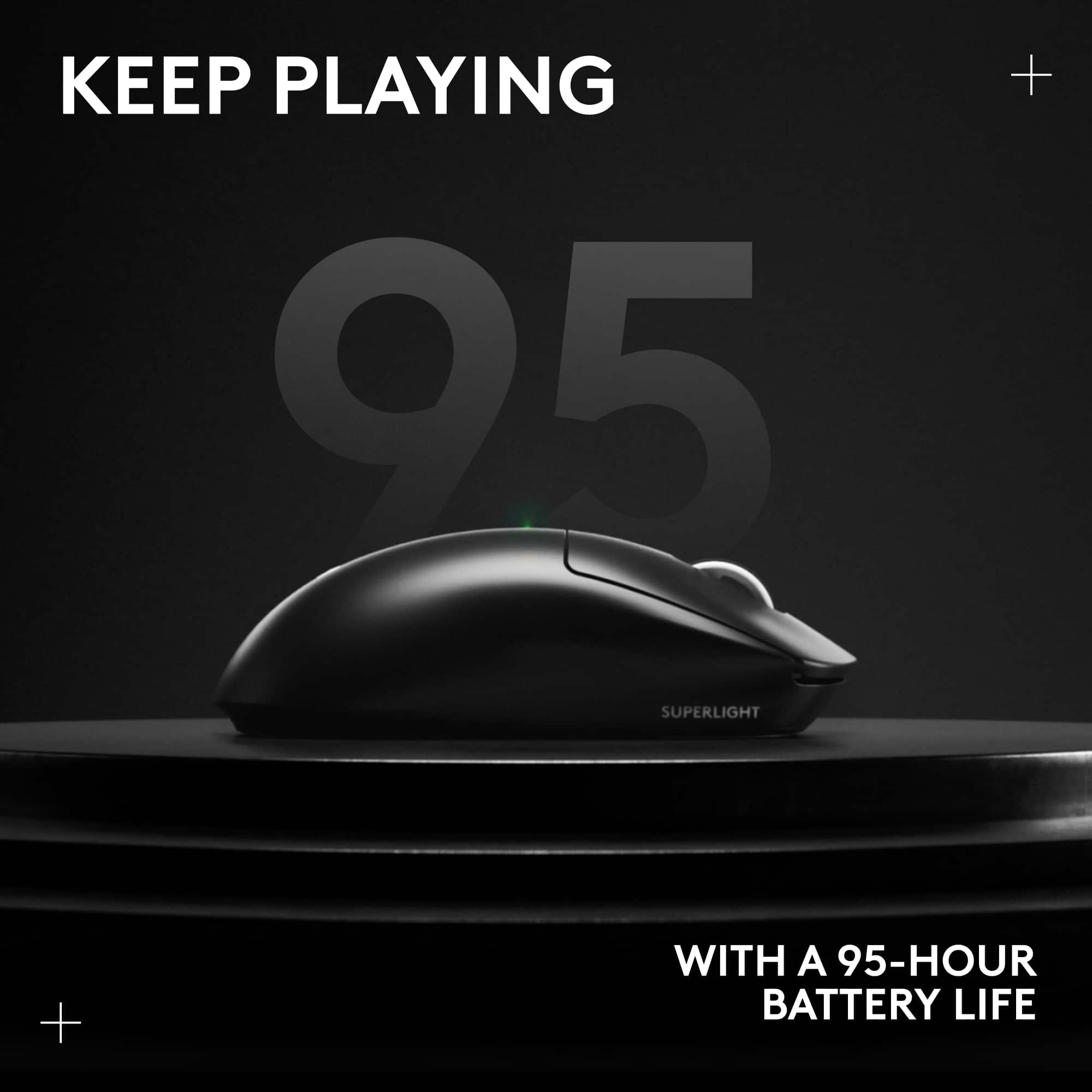
|Posted .This reviewer received promo considerations or sweepstakes entry for writing a review.I have used many mice from several manufacturers over the years. Sometimes, I like a lightweight mouse, sometimes i prefer something with more heft. For a lightweight mouse, this is excellent, perhaps as good as it gets. Packaging is good, I found there was minimal plastic which was nice. The mouse comes with some optional grip tape for the sides which I did not use and a USB A-C cable. The build quality is excellent. This is an area logitech mice consistently excel, and this Superlight is no different. There is zero creaking and virtually zero flex to the mouse. Really nice for a lightweight mouse. The handling is also good. The sides are not overly slippery but also not overly grippy. It feels like it will hold up well over time. The scroll wheel also feels fine. My left and right clicks are a tiny bit different from each other, but are still fairly consistent. The click feel is very clicky and it almost feels like you have to click harder than some mice, but in the heat of a game, I think it can be a good thing. The tracking feels excellent as well. The liftoff distance feels perfectly low like it should and the sensor seems just how it should for shooting games. I played several games of call of duty and counter strike and it feels great. Logitech software is another strong point. Frequently game accessory software is unnecessarily bloated but Logitech G Hub is simple and functional. You can adjust DPI settings and even calibrate the sensor and view estimated battery life. At a 75% change, I had over 70hrs left. It is great to have USB-C charging finally with Logitech gaming mice. Overall an excellent mouse that I expect to use for quite awhile.
I would recommend this to a friendBrand response from Logitech
Posted .That's truly awesome! We're super glad to hear about your amazing experience with the PRO X SUPERLIGHT 2 and we’re really grateful and appreciate you taking the time to share your feedback with us. At Logitech, our goal is to ensure that our customers enjoy our products as much as we do. Thanks so much!
- Pros mentioned:Weight
Best gaming mouse!
|Posted .This reviewer received promo considerations or sweepstakes entry for writing a review.The Logitech G PRO X SUPERLIGHT 2 LIGHTSPEED is one of my favorite mice to use for gaming. It is very light-weight and so smooth. The build quality is really good and what you would expect from Logitech. They make great stuff. It is amazing how light they can make these things these days. This mouse is very smooth and snappy. I have been playing mainly Overwatch and Starfield and it has performed very well. One of my favorite things about the Superlight 2 is the adhesive grips they include. They give you unbelievable grip and are easy to install. The mouse becomes and extension of your hand and feels so good! The G-Hub software works great. There was an update that installed with ease and I was up and running in just a couple of minutes. I appreciate the simplistic nature of this mouse. No RGB to mess with... just a quality gaming mouse that does its job very well! The buttons and clicks feel really good and I really couldn't be happier with this gaming mouse. I used mainly SteelSeries mice and I have to say I really prefer the Superlight 2 over any other mouse I have used. If you are looking for a simple, high-quality gaming mouse, I highly recommend the Logitech Superlight 2!
I would recommend this to a friendBrand response from Logitech
Posted .We're super glad to hear about your positive experience with the PRO X SUPERLIGHT 2 and we are grateful that you took the time out to leave us a review. We appreciate all the insights that you have shared. At Logitech, our goal is to make sure that our customers enjoy the products as much as we do. Thanks so much!
- Pros mentioned:Weight
mouse
Posted .This reviewer received promo considerations or sweepstakes entry for writing a review.its pretty good its light weight and i like the feel it runs a little small for someone with fairly big hands but it depends how you grip the mouse.
I would recommend this to a friendBrand response from Logitech
Posted .Thank you for your feedback! We’re glad the Logitech G PRO X SUPERLIGHT 2 delivers a lightweight, comfortable feel, with performance that adapts to different grip styles.