Skip to contentGo to Product SearchGo to Footer
Main Content

Customer Ratings & Reviews
Your price for this item is $179.99

Customer reviews

Rating 4.8 out of 5 stars with 650 reviews

Rating Filter

Rating by feature

  • Value

    Rating 4.5 out of 5 stars

  • Quality

    Rating 4.8 out of 5 stars

  • Ease of Use

    Rating 4.9 out of 5 stars

Pros mentioned filter

Cons mentioned filter

96%would recommend to a friend

Customers are saying

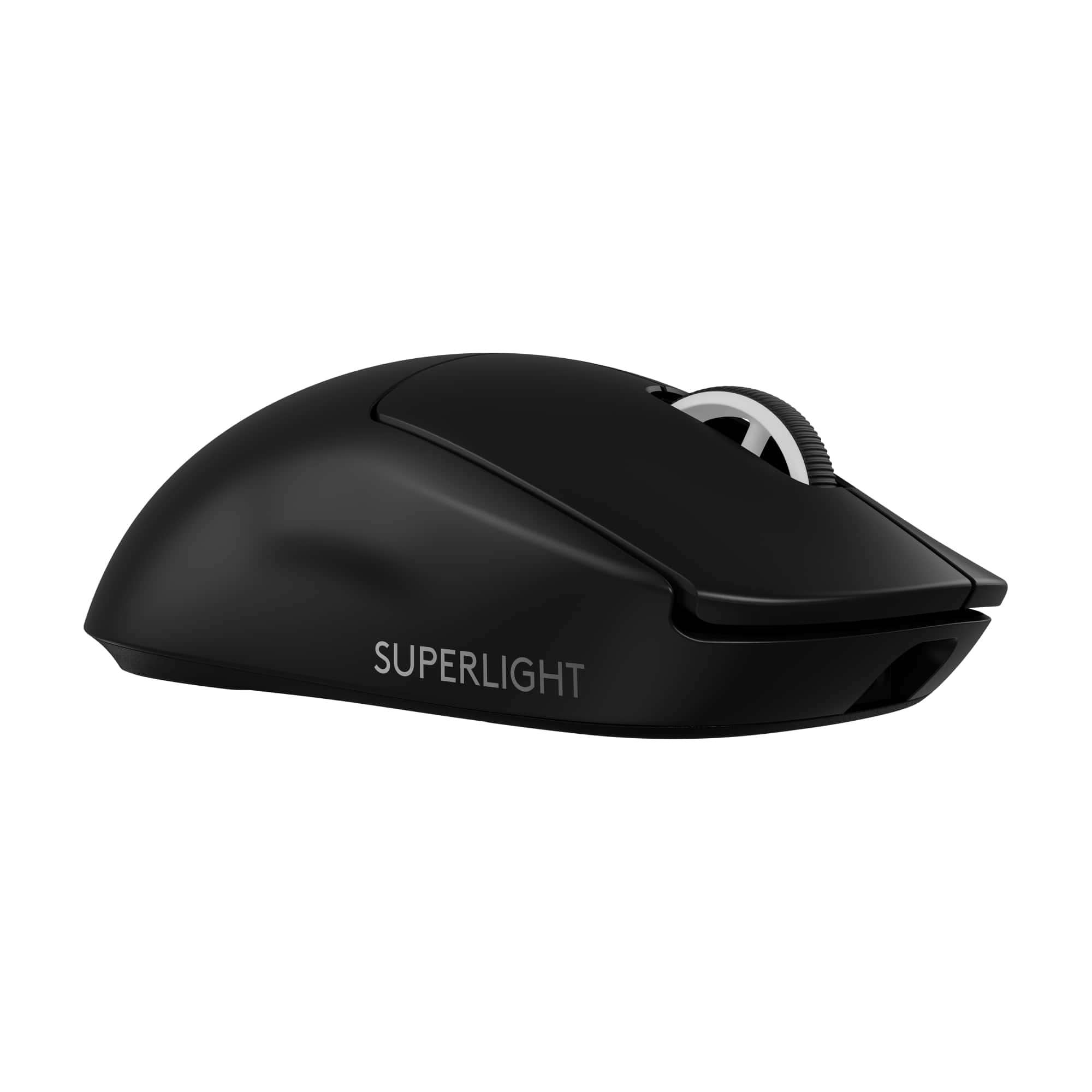
Customers are satisfied with the G PRO X SUPERLIGHT 2 LIGHTSPEED mouse, particularly its lightweight design, overall performance, and impressive battery life. Users also appreciate the smooth glide and reliable connectivity. Some find the button layout and size less ideal, and there are complaints about the software.

This summary was generated by AI based on customer reviews.

The vast majority of our reviews come from verified purchases. Reviews from customers may include My Best Buy members, employees, and Tech Insider Network members (as tagged). Select reviewers may receive discounted products, promotional considerations or entries into drawings for honest, helpful reviews.
Page 31 Showing 601-620 of 650 reviews
  • Rated 1 out of 5 stars

    Spinouts and sensor not tracking on mousepad

    |
    |
    Posted . Owned for 2 months when reviewed.
    This reviewer received promo considerations or sweepstakes entry for writing a review.

    This mouse doesn’t track and spins out on my Artisan Shidenkai xSoft, I have tried turning off gaming surface off and adjusting LOD, re installing GHub etc. I suspect it has something to do with the new sensor on this mouse as my g pro super light v1 has no sensor issues. For now I am returning and sticking to my v1. Also 160$ usd for only a new sensor and optical clicks is a bit out rageous.

    No, I would not recommend this to a friend
    • Brand response from Logitech
      Posted .

      Apologize about the experience and it's surely not what we expect to deliver. We understand your displeasure and we will forward it along to the right team so they can look into it. Thanks for bringing this to our attention.

  • Rated 3 out of 5 stars

    Great Product. Horrible Value

    |
    |
    Posted . Owned for 3 weeks when reviewed.
    This reviewer received promo considerations or sweepstakes entry for writing a review.

    Has super good performace for the mouse. Hardware is top tier. Cant justify the 159.99 price though. Should be 99 most. Buy a used GPX 1 and save your money

    No, I would not recommend this to a friend
    • Brand response from Logitech
      Posted .

      Thanks for sharing your thoughts on the G PRO X SUPERLIGHT 2. It's great to hear about its top-tier hardware and performance. While the price point might seem high, it's important to consider the premium build quality, advanced features, and the overall gaming experience it offers.

  • Rated 1 out of 5 stars

    Stay far away unless you get it for $100 off

    |
    |
    Posted . Owned for 5 months when reviewed.
    This reviewer received promo considerations or sweepstakes entry for writing a review.

    I've had nothing but problems with this mouse since around 30-40 days of ownership. When using it wireless, it will occasionally glitch out with the tracking either being delayed or bouncing around the screen. Stuttering, if you will. It will also randomly lose connection, making me have to reattach the usb adapter. Sometimes i have to reconnect the mouse with the wire several times to get it to 'wake up' after its been idle for a bit. Sometimes there's error messages saying the 'device isnt recognized' and i have to unplug it and then plug it back in a few more times for it to be re-recognized. When the mouse DOES work, its great. But it should be a $30 mouse at best with the headache it comes with. This is not a $150 mouse.

    No, I would not recommend this to a friend
    • Brand response from Logitech
      Posted .

      We apologize for the issues you're experiencing with the Logitech G PRO X SUPERLIGHT 2. To get that issue resolved, we recommend reaching out to our social care team via email at socialcare@logitech.com with your
      - Name:
      - Email Address:
      - Country:
      - Product Name:
      - Brief description of issue:

  • Rated 2 out of 5 stars

    Never again

    |
    |
    Posted .
    This reviewer received promo considerations or sweepstakes entry for writing a review.

    Mouse wheel grip didn’t last 2 months of playing :(

    No, I would not recommend this to a friend
    • Brand response from Logitech
      Posted .

      Thanks for your feedback on the Logitech G PRO X SUPERLIGHT 2. We're really sorry to hear that the mouse wheel grip didn't last longer than two months for you. To address this issue, we recommend reaching out to our social care team via email at socialcare@logitech.com with your
      - Name:
      - Email Address:
      - Country:
      - Product Name:
      - Brief description of issue: Logitech

  • Rated 2 out of 5 stars

    Got a bad copy

    |
    |
    Posted . Owned for 1 week when reviewed.
    This reviewer received promo considerations or sweepstakes entry for writing a review.

    The mouse itself is the same shape as the original Superlight. The updated coating and switches feel great. Unfortunately, my copy developed very bad side flex and creaking on the sides of the shell. I will be returning it for a new copy. I would recommend waiting and not buying the first production batch.

    No, I would not recommend this to a friend
    • Brand response from Logitech
      Posted .

      We sincerely regret if our product provided you with a subpar experience. We understand your displeasure and apologize for any issues that arise. We value your input, therefore we will forward it along to the appropriate team so they can look into it.

  • Rated 1 out of 5 stars

    Worst mouse I’ve used

    |
    |
    Posted . Owned for 2 months when reviewed.
    This reviewer received promo considerations or sweepstakes entry for writing a review.

    I got my mouse as a gift from my family for my birthday. 3 months later after gaming with it, all of sudden the right click is super hard to press. I contacted customer support which was horrible. I waited a couple of days and never got message from customer support.

    No, I would not recommend this to a friend
    • Brand response from Logitech
      Posted .

      We apologize for the inconvenience caused by the right click issue on your Logitech G PRO X SUPERLIGHT 2. To address this issue, we recommend reaching out to our social care team via email at socialcare@logitech.com with your
      - Name:
      - Email Address:
      - Country:
      - Product Name:
      - Brief description of issue:

  • Pros mentioned:
    Battery life

    Rated 5 out of 5 stars

    An “okay” upgrade from the first super light.

    Posted .
    This reviewer received promo considerations or sweepstakes entry for writing a review.

    I’ve owned the first gen version and now this one, and the main difference out of the box is just the USBC charging, which is awesome BTW. Logitech did the smart thing, and kept the design and features practically identical, with the addition of a faster sensor. For the price, I’d recommend holding off until a sale if you have the super light generation 1. I upgraded from a HyperX pulse fire haste and the difference is worth it.

    I would recommend this to a friend
  • Rated 1 out of 5 stars

    Input lag after 4 days

    |
    |
    Posted . Owned for less than 1 week when reviewed.
    This reviewer received promo considerations or sweepstakes entry for writing a review.

    Was working great for 4 days until i started getting bad input lag. wireless. Unplayable.

    No, I would not recommend this to a friend
    • Brand response from Logitech
      Posted .

      Hey, We're sorry to hear about the input lag you're experiencing with your Logitech G PRO X SUPERLIGHT 2 wireless mouse after just 4 days of use. That must be really frustrating, especially since it was working well initially. We apologize for the inconvenience this is causing your gameplay. In order to help you effectively, please provide your information to our support team via email at socialcare@logitech.com with your
      - Name:
      - Email Address:
      - Country:
      - Product Name:
      - Brief description of issue:

  • Rated 1 out of 5 stars

    Weird shape imo

    |
    |
    Posted . Owned for 1 week when reviewed.
    This reviewer received promo considerations or sweepstakes entry for writing a review.

    Odd shape, pinky doesn’t fit, not good for those who palm grip… I got the deathadder curse

    No, I would not recommend this to a friend
    • Brand response from Logitech
      Posted .

      Thanks for your feedback. We regret to know that the product did not meet your expectations. We'll make sure to share it with the right team so they can look into it.

  • Tech Insider Network Member

    Rated 5 out of 5 stars

    Wow! Lightweight Indeed!

    |
    Tech Insider Network Member
    Posted .
    This reviewer received promo considerations or sweepstakes entry for writing a review.

    Wow! The Logitech G PRO X SUPERLIGHT 2 LIGHTSPEED Wireless Gaming Mouse is indeed that... SUPERLIGHT! In the box you'll find the mouse, USB reciever, USB extension adaptor, USB C cable, surface prep cloth and optional grip tape. For my use and needs, the default configuration is fine. On the bottom of the mouse is a storge area for the USB reciever. Set up was as exoected, simple. I loaded the Logitech G Hub SW, plugged in the mouse, paired it, loaded latest SW and was up and running. The Logitech G Hub SW allows you to customize most everything about the mouse... X Axis, Y Axis, Lit Off Speed, refresh rate (for both wired and wireless) as well as multiple options for the buttons. As mentioned previously, the default setup is fine for me as I am a casual gamer. My 21-year-old son is a US Navy Nuclear Electricians Mate and is by default, a techno-geek and a hevy gamer. After him using it and customezing it for a couple days, he was quite impressed. For the casual user, this is great, for the heavy gamer, it's awesome. Overall feel of the mouse is great. Nice quality, great tactile feedback, responsive and LIGHTWEIGHT! End of the day, this is a great mouse for every day use and an even better mouse for the hardcore gamer!

    I would recommend this to a friend
    • Brand response from Logitech
      Posted .

      We appreciate your feedback and are delighted to know you enjoyed our product as much as we do. Your satisfaction is our top priority. Thanks so much for taking your time and leaving us a wonderful review. Keep Playing!

  • Tech Insider Network Member

    Rated 5 out of 5 stars

    The FPS King Gets Some Upgrades.

    |
    Tech Insider Network Member
    Posted .
    This reviewer received promo considerations or sweepstakes entry for writing a review.

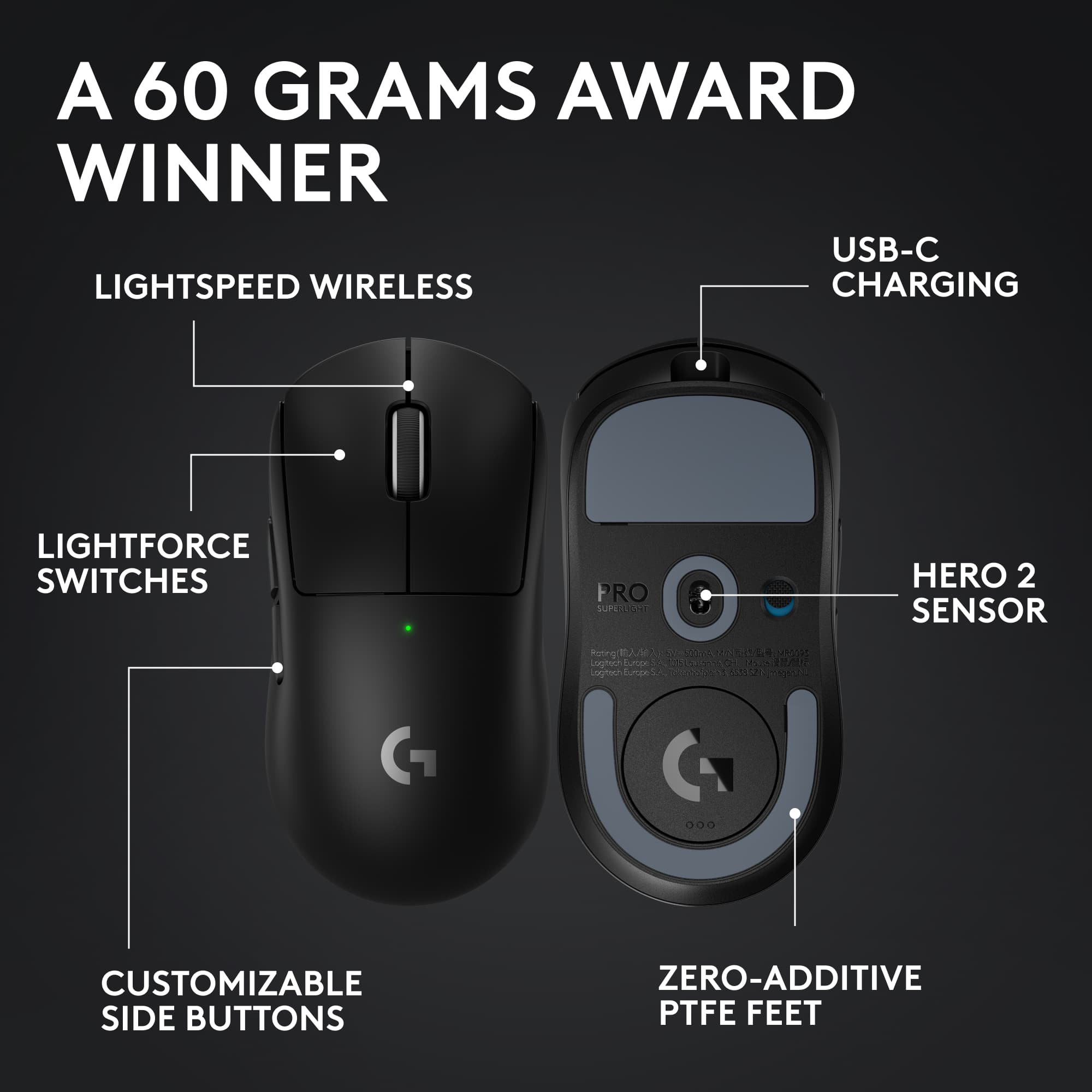
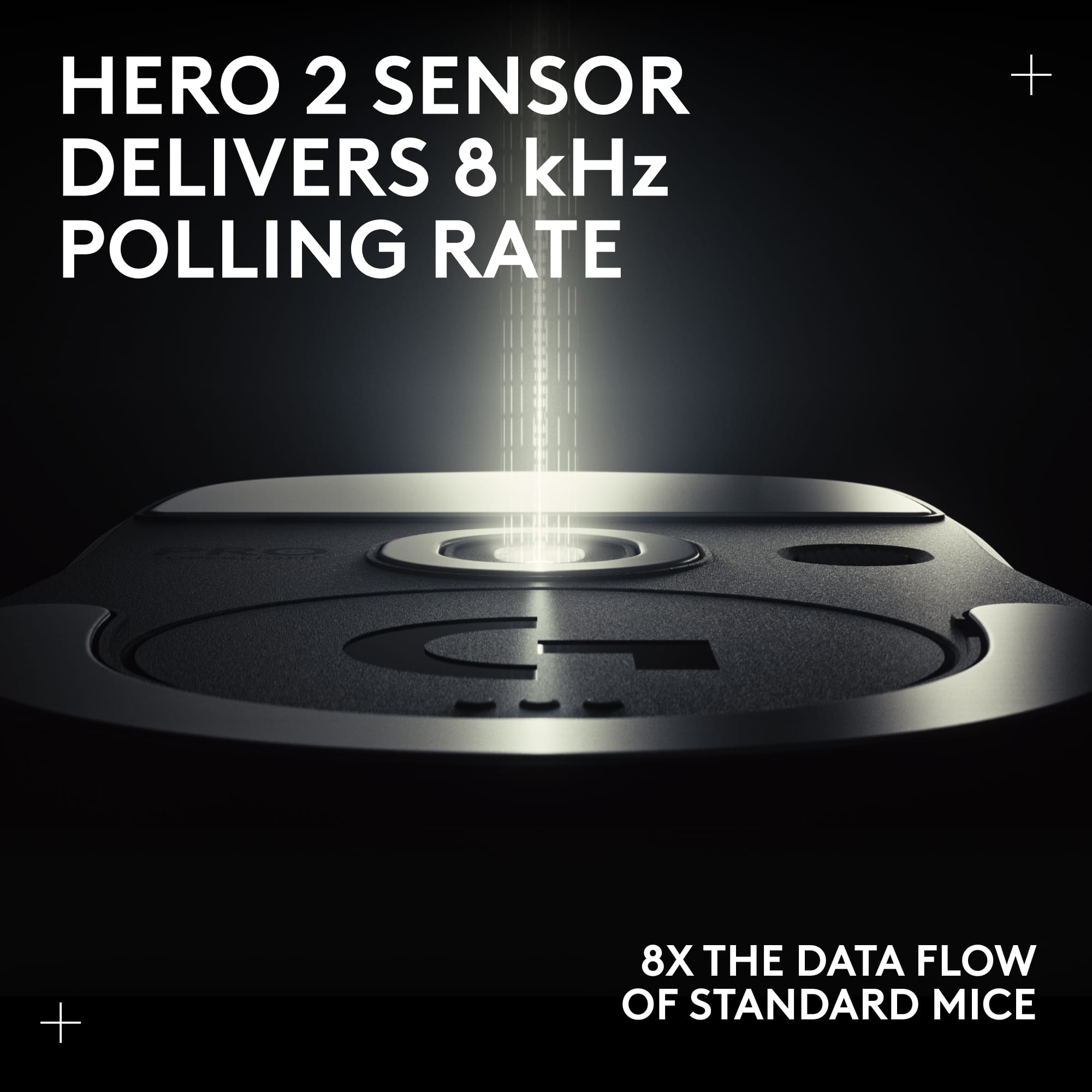
    If you're considering this mouse you are more than likely aware of its' heritage. Though this iteration is very similar to the last, there are a couple upgrades that are worth your consideration. If you're new to this model it is a very safe ambidextrous shape attached to a fantastic sensor and the absolute best in lag-free wireless connectivity. Often lovingly referred to as the potato, the shape and size is the best for comfort and accuracy for my hand size and grip style. The material is a very smooth plastic. If you have very dry hands you may find it to be a bit slippery, but that can be remedied by applying the included grips. I definitely appreciate the ability to tailor it to your liking without having purchase extra accessories. Performance wise the new Hero 2 sensor works as well as you would expect it to. So far my experience with it has been flawless. One of the main changes includes the new higher polling rate that can now be set to 2000Hz. This halves the latency, but is it really noticeable? For me, not really. As other manufacturers are pushing to 4000Hz, if you're looking for every little advantage, this is a step in the right direction. When it comes to the buttons, the mouse 1 and 2 are solid with a very tactile click. They may be slightly on the heavier side but I haven't noticed any issues with double presses. The side buttons are a different story, they continue to be very mushy with a fair amount of pre-travel. It's not a deal breaker, but would be nice if a mouse in this price range had better side buttons. Other things to note is it now features a usb-c charging port which is long overdue. The skates are pretty typical, kind of slow and scratchy. Overall it's a great mouse for those wanting to play competitively. The shape and sensor are top tier and guarantee your mouse won't be the thing holding you back.

    I would recommend this to a friend
    • Brand response from Logitech
      Posted .

      We value your amazing input and are pleased that you appreciated our product as much as we do. Our main objective is your satisfaction. Thank you so much for taking the time to provide us such a positive review. Keep Playing!

  • Tech Insider Network Member

    Rated 5 out of 5 stars

    Logitech G Pro X - putting my gamers hat on

    |
    Tech Insider Network Member
    Posted .
    This reviewer received promo considerations or sweepstakes entry for writing a review.

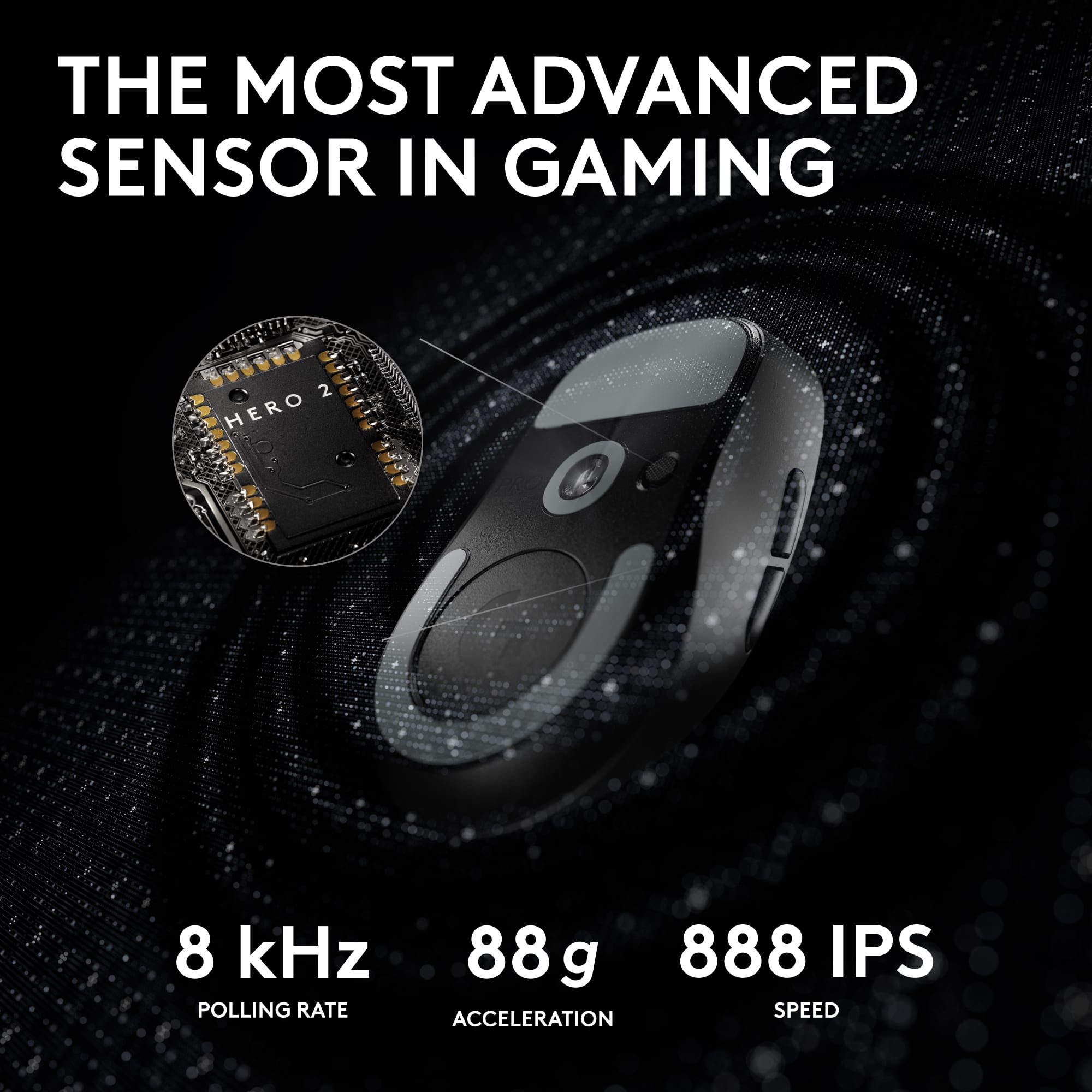
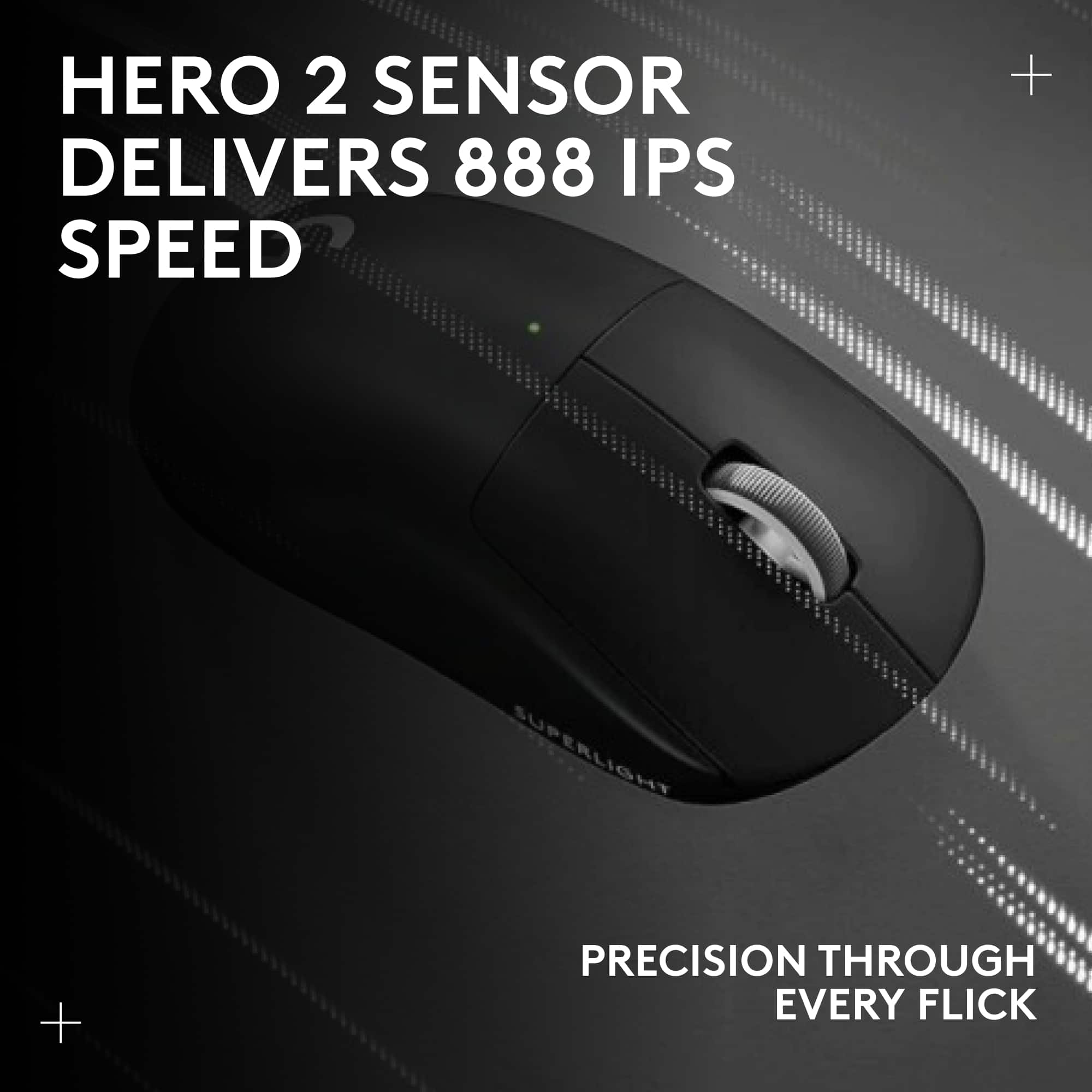
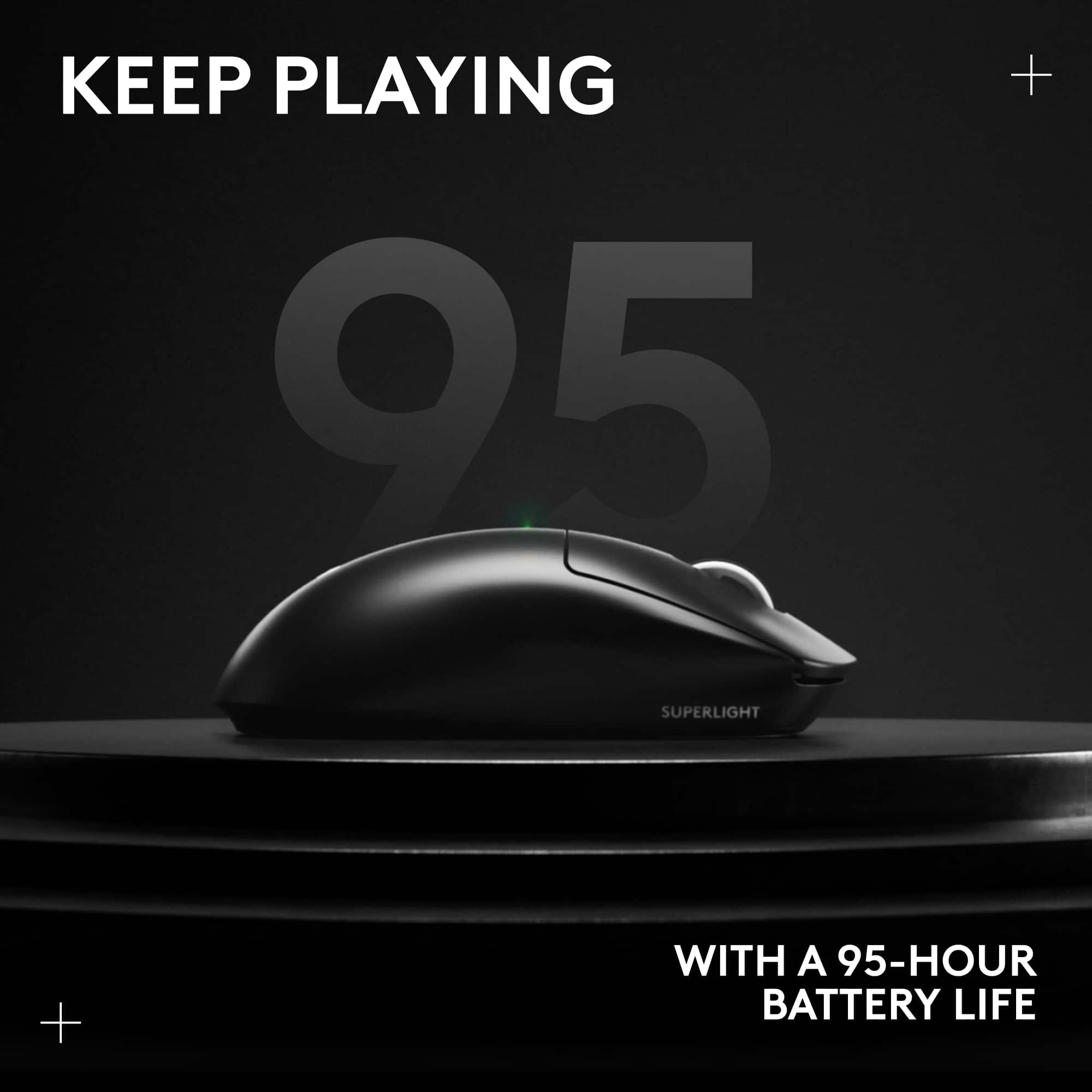
    Logitech, over the years, has been synonymous with innovation in the gaming peripherals market. The brand has been constantly refining and improving its product lineup, and the Logitech G Pro X Superlight 2 Lightspeed Mouse stands as a shining testament to this. It's hailed as the next evolution of their championship-winning mouse, and after extensive testing, I can vouch for its superiority in both gaming and everyday use. **1. Faster and More Precise Gaming Experience** From the get-go, the claim that this mouse was designed in collaboration with some of the world's leading esports professionals stands out. As a gamer, this isn't just a marketing phrase; it's an assurance. Every time the mouse glides across the mat, there's an unmistakable sense of control and accuracy. The game response feels organic, making it clear that this device was engineered with winning in mind. **2. Pro-Grade Precision with LIGHTFORCE Hybrid Optical-Mechanical Switches** Most gaming mice tout precision, but the G Pro X Superlight 2 differentiates itself with the LIGHTFORCE hybrid optical-mechanical switches. There's a tangible benefit to this feature: the ultralow latency optical actuation combined with a tactile click ensures that every action is both prompt and satisfying. It's the kind of precision that doesn't just benefit pro-gamers in high stakes tournaments but elevates the gameplay experience for every user. **3. Unmatched Sensor Calibration with HERO2** Diving deeper into its specifications, the HERO2 sensor is a marvel. With tracking capabilities that exceed 500 IPS and can reach up to 32,000 DPI, this mouse promises—and delivers—laser-focused accuracy. It’s also worth noting the zero smoothing, acceleration, or filtering. This translates to raw, unaltered performance which is crucial for games where every millisecond counts. **4. Performance and Battery Life** Beyond precision, the G Pro X Superlight 2 impresses with its performance metrics. 2K polling ensures that the mouse is always in sync with your movements, capturing every nuance. The inclusion of USB-C charging is a contemporary touch, and a full charge promises a whopping 95 hours of gaming. This, in a package that weighs a mere 60 grams, is extraordinary. This light weight does take some getting used to, at least for me…but now I love it. It's a mouse that promises endurance without the bulk. The Powerplay compatibility is an added bonus. For those unfamiliar, Powerplay is Logitech's wireless mat / mousepad charging system, which means that with the right setup, your mouse can remain charged indefinitely, a definite game changer. **5. Glide and Connection** The Zer additive PTFE mouse feet promise and provide a seamless glide. This feature ensures that whether you're in the heat of an intense gaming session or merely browsing the web, the mouse movement remains consistently smooth. It's these subtle touches that reinforce the mouse's premium nature. **Everyday Use and Ergonomics** As much as it's built for gaming, I found the G Pro X Superlight 2 to be a versatile companion for everyday tasks. Its lightweight design does not compromise its feel. Despite weighing just 60 grams, it has a substantial feel in the hands, striking a perfect balance between comfort and utility. This is a mouse that won't tire your hand after hours of use, whether you're battling enemies in a virtual world or navigating through spreadsheets. **Packaging and Compatibility** Upon unboxing, it's evident that Logitech paid attention to the presentation. The mouse is packaged securely, ensuring it arrives in pristine condition. A high-quality charging cable is included in the box, reinforcing the premium experience. For those wondering about compatibility, the G Pro X Superlight 2 works seamlessly with Windows 10 and later versions, ensuring that most users can plug in and start gaming without a hitch. **Conclusion** In conclusion, the Logitech G Pro X Superlight 2 Lightspeed Mouse is more than just an incremental upgrade. It's a culmination of feedback, engineering, and design prowess. It caters to both the gaming community and everyday users, ensuring top-tier performance in every task. The combination of precision, battery life, ergonomics, and quality make it a worthy addition to any gamer's arsenal. If you're on the hunt for a mouse that does it all, the G Pro X Superlight 2 is a compelling choice.

    I would recommend this to a friend
  • Tech Insider Network Member

    Rated 5 out of 5 stars

    Great lightweight mouse

    |
    Tech Insider Network Member
    Posted .
    This reviewer received promo considerations or sweepstakes entry for writing a review.

    nice super lightweight mouse. For me, I would have liked to have seen a couple things. 2 more buttons at least under the mouse wheel that you could use. This could be used default to cycle thru DPI settings or profiles. Then allow to customize those buttons within the software to do what you want. Like myself, I just keep it with a single DPI setting and then just bind those to keyboard keys that I use in games. I would have also liked to have seen a way to maybe add a little bit of weight. But overall, I have replaced my laptop mouse with this mouse. I like that it is wireless, lightweight, and it tracks great. The provided cord is also plenty long so if I do run out of battery life, I can charge it and still use it. I just make sure that I take the USB piece and place it in the mouse, so I don't lose it. Or just leave it in the dongle piece and just place it someplace safe. The software had a great future that I loved as well. You can mimic the DPI from another mouse to be close. I use 550 DPI for instance and when I chose to copy that DPI over, it said the DPI was 519. I am not quite sure though how this works as this still has me set the DPI, so I set to 550. Not sure if that auto adjust the mouse then to the 519. One annoying thing for me is whenever I turn off the mouse and then back on, it starts out at the default 800 DPI for a second then switches to the DPI I set it too. This is with me having the onboard memory turned off. Overall, I have enjoyed using this mouse. I had to get used to not having at least the 2 extra buttons as I usually bind those to - and = and then set things up in game for those like using meds, shields, score streaks etc. If you are looking for a great tracking mouse that is lightweight and simple, then this mouse is for you.

    I would recommend this to a friend
    • Brand response from Logitech
      Posted .

      We're so glad to hear about your splendid experience with the PRO X SUPERLIGHT 2 and we are grateful that you took the time out to leave us a review pointing out all the amazing features that'll surely help others. At Logitech, our goal is to make sure that our customers enjoy the products as much as we do. Thanks so much!

  • Tech Insider Network Member

    Rated 5 out of 5 stars

    A flyweight mouse with heavyweight performance

    |
    Tech Insider Network Member
    Posted .
    This reviewer received promo considerations or sweepstakes entry for writing a review.

    The new Logitech G PRO X SUPERLIGHT 2 lives up to its name at a scant 60 grams, yet it fills my hand well and has the usual superb Logitech build quality. I felt no sacrifices were made in quality or feel due to its weight. There are two buttons on the left side, they need less pressure than my other Logitech mice do but they work as expected. No buttons on the right. On the top there are the usual left/right buttons which have a solid click and feel. Last is the combination button/scroll wheel. The scroll wheel when pushed down is a firm button requiring more pressure than the other buttons. No doubt this to ensure its not clicked by accident when scrolling with the wheel. The scroll wheel itself scrolls very well with a detent for each line as I set it. I found its resistance dialed in perfectly, I never scrolled too far. The mouse setup was easy. Charge it fully, power it on, then plug in the wireless USB adapter it came with, which stores inside the mouse behind the bottom round cover. It was recognized and worked as a generic mouse by Windows 11. The older version of the GHub software I had did not recognize this new mouse. Once I updated GHub to the latest version, all the options were available to tweak and make this mouse work as desired. The GHub app has really become a well featured and polished bit of software over the past few years. More so in the past few months. Next, I tried it with the Logitech G Powerplay Wireless Charging System. First, I replaced the round cover on the bottom with the POWERPLAY Charging Coin so it can charge wirelessly while the mouse is on the pad. Then I paired the SUPERLIGHT 2 with the receiver in the mouse pad. I had to remove my G903 first. It seems only one mouse can be paired to the PowerPlay at a time. Once done, everything worked perfectly. I am glad to see that Logitech is continuing to support the Logitech G Powerplay Wireless Charging System as it costs as much as a premium mouse does. No regrets, it works great, no more dead mice at the wrong time and always a fast connection with the receiver built in. Highly recommended. Before trying the SUPERLIGHT 2, I was using the Logitech G903 mouse, which is nearly double the weight at 117 grams with its optional 10-gram weight. The SUPERLIGHT 2 also sports a 32K sensor vs the 24k on my G903 mouse. After using the G903 and other heavy mice over the years, this is a change and took a bit of getting used to. Now that I have and I’m not going off the edge of the pad, I do feel my reactions are faster, which makes sense not having to move so much extra weight around. Amazing what 57 grams can do. And I can be more precise with the higher resolution. Both are important in first person shooter games. This is my new gaming mouse. I do plan to keep using the G903 around. The G903 has extra buttons I use that the SUPERLIGHT 2 does not. And though heavy, it’s no slouch and can serve well as a backup mouse for gaming if needed. There may be some games where the extra weight is welcome. If you’re thinking about getting this one, go ahead and get it. Try it out for a week and if you don’t feel the same way, I’ll be surprised, but you can return it to BestBuy easy enough. You have nothing to lose but the trip and much to gain.

    I would recommend this to a friend
  • Tech Insider Network Member

    Rated 5 out of 5 stars

    Great, super light mouse

    |
    Tech Insider Network Member
    Posted .
    This reviewer received promo considerations or sweepstakes entry for writing a review.

    I really like this mouse. It works well, set up was a breeze and it has a nice simplistic design. One thing I really liked was that it worked perfectly before I set up the software to run it. I couldn’t get all the fine tuning before I had the software, but I’ve had a mouse or two where the buttons didn’t even click right until the software was installed. That means this is a great mouse to take on the go or swap between computers if you need to. You know if it’s only a temporary use, at least it will just work. Response time is quick and smooth with no issues in the basic functionality and the buttons work well and don’t seem to get stuck if I press them quickly. I feel like I get all my clicks and nothing is missed because the button didn’t pop back quick enough. Button programing was easy enough and worked well. Nothing revolutionary there in my mind, but it’s a feature I have to have. I do like the relatively simplistic design. Some mice just go too far overboard and they start interfering with the functionality in order to get the style. No over the top light shows either which is good to keep the battery life higher. On that note, there is a rechargeable battery in it so you don’t need to find a AA, and you can also plug it in to use it while it’s charging. That’s a real plus for me since I’ll always have a cable that can work with it in my bag or at my house, but I don’t always have a spare battery. I’d rather have it go wired for a few hours to charge but still get to use it, than be out of luck as I try to find a battery or two that have enough power. I don’t have the powerplay wireless charging system, but this is making me seriously consider it though. I think that will be a game changer as far as keeping my mouse charged and never worrying about a battery. It has a magnetically connected cover for the usb dongle which is kind of neat, but I don’t love. It just seems to hard to get out when I’m trying to, but weirdly enough I get nervous it may come out by itself when I don’t want it to. Although I have to admit is hasn’t ever actually come off on its own. It is pretty slick though and I know I won’t have to worry about a plastic tab breaking and having the cover forever missing or covered in tape to hold it in place. So overall, I still think is probably a step up over the old way of doing things. The weirdest thing in my opinion about this mouse is how light it is. I know it says superlight, but they really mean it. I really thought that with a built-in rechargeable battery it would be a little heavier than it is. This is really more of a preference thing, but I think it may be a little too light for me. Not enough to be a problem, but it’s kind of surprising. If having a heavier mouse is a big deal to you and you’re thinking “how light can it really be? It should be fine.” I’d try it out first to make sure. You’ll probably be surprised how light they were able to make it. Overall a really great mouse.

    I would recommend this to a friend
  • Tech Insider Network Member

    Rated 5 out of 5 stars

    THE KING - All flaws fixed and USB-C finally!

    |
    Tech Insider Network Member
    Posted .
    This reviewer received promo considerations or sweepstakes entry for writing a review.

    The king has returned for another chapter to dominate the competitive mouse scene. This is everything that we have been waiting for since the original G pro wireless. Optical light force switches that don’t double click, USB-C charging, lighter weight, amazing battery life, higher polling rate at 2k hz, better skates, better click feeling, better scroll wheel encoder the list goes on. Basically put if you’ve had a g pro super light you know what the shape is all about, if you haven’t, then your missing out and should trust that its the best ambi shape out there on the market. One of the main complaints of the original g pro wireless was the double clicking of the switches. The original super light took care of those issues still using mechanical switches that were better at a more normal voltage to run them at to avoid this problem. That said This version FINALLY gets Logitech’s optical lightforce switches which were first seen in the G502X lineup earlier this year. This makes it impossible to double click, ever. It also reduces click latency and the new hybrid switch design makes them feel more tactile as well. Win win. Side buttons- are they changed or are they still mush. I can confidently say they are no longer mush as they previously were. FINALLY. Scroll encoder- They finally updated the scroll wheel encoder as well which was a big failure point in the past as well. All the flaws were solved with this thing and it’s easily the best wireless competitive mouse on the market just as the models that came before it were even with the stiff competition being put up by competitors. Even at full price i highly recommend this mouse as there is no substitute out there that can do what this can at this price. A+ 5 Stars absolutely amazing!

    I would recommend this to a friend
    • Brand response from Logitech
      Posted .

      That's truly awesome! We're super glad to hear about your amazing experience with the PRO X SUPERLIGHT 2 and we’re really grateful and appreciate you taking the time to share your feedback with us. At Logitech, our goal is to ensure that our customers enjoy our products as much as we do. Thanks so much!

  • Tech Insider Network Member

    Rated 5 out of 5 stars

    Nice gaming mouse

    |
    Tech Insider Network Member
    Posted .
    This reviewer received promo considerations or sweepstakes entry for writing a review.

    I got this mouse for a newer system of mine to game with. This only uses a standard USB dongle, so I ended up having to switch it over to my older system and use a newer mouse with a usb c dongle on the one i inteded to use it on, and moved this to my other system. This one wasn't connecting right to the usbc with a converter, and wired it worked fine, but defeats the purpose of a wireless mouse. That isn't this mouse's fault, so no stars deducted. This is not a Bluetooth mouse, so you need a USB 2.0 port. You can download the logitec g hub (which I had for another mouse already) and this sets up quickly to program buttons ans such. The feel on this is good, ergonomic, click is soft, audible, and a bit firmer than some of my other mice (actual mechanical springs vs rubber pads). The glide is smooth, and the dongle storage cover can be swapped out with a slick smooth glide cover for reduced friction. There are optional stickers for the buttons, but I did not choose to use those. It is very light, and you can adjust the sensitivity up to 32000dpi fir extreme sensitivity. Buttons program easy enough, I played with it a bit, but ended up going back to default setting with the buttons. Overall, nothing bad to say about this. I do wish it had blutooth so i could flex it to more computers easier, but I'm sire that kept the weight down in this, and realistically, but not discouraging to me because I usually do dongle most of the time. I can't find fault with any design so I give it 5 stars and do recommend this item. It does what it says. As for it making my game any better…that's more on me than any equipment, but having this, no one will belive it's the mouse's fault anymore. It works well.

    I would recommend this to a friend
    • Brand response from Logitech
      Posted .

      That's truly awesome! We're super glad to hear about your amazing experience with the PRO X SUPERLIGHT 2 and we’re really grateful and appreciate you taking the time to share your feedback with us. At Logitech, our goal is to ensure that our customers enjoy our products as much as we do. Thanks so much!

  • Tech Insider Network Member

    Rated 5 out of 5 stars

    Best lightweight mouse I have used

    |
    Tech Insider Network Member
    Posted .
    This reviewer received promo considerations or sweepstakes entry for writing a review.

    I have used many mice from several manufacturers over the years. Sometimes, I like a lightweight mouse, sometimes i prefer something with more heft. For a lightweight mouse, this is excellent, perhaps as good as it gets. Packaging is good, I found there was minimal plastic which was nice. The mouse comes with some optional grip tape for the sides which I did not use and a USB A-C cable. The build quality is excellent. This is an area logitech mice consistently excel, and this Superlight is no different. There is zero creaking and virtually zero flex to the mouse. Really nice for a lightweight mouse. The handling is also good. The sides are not overly slippery but also not overly grippy. It feels like it will hold up well over time. The scroll wheel also feels fine. My left and right clicks are a tiny bit different from each other, but are still fairly consistent. The click feel is very clicky and it almost feels like you have to click harder than some mice, but in the heat of a game, I think it can be a good thing. The tracking feels excellent as well. The liftoff distance feels perfectly low like it should and the sensor seems just how it should for shooting games. I played several games of call of duty and counter strike and it feels great. Logitech software is another strong point. Frequently game accessory software is unnecessarily bloated but Logitech G Hub is simple and functional. You can adjust DPI settings and even calibrate the sensor and view estimated battery life. At a 75% change, I had over 70hrs left. It is great to have USB-C charging finally with Logitech gaming mice. Overall an excellent mouse that I expect to use for quite awhile.

    I would recommend this to a friend
    • Brand response from Logitech
      Posted .

      That's truly awesome! We're super glad to hear about your amazing experience with the PRO X SUPERLIGHT 2 and we’re really grateful and appreciate you taking the time to share your feedback with us. At Logitech, our goal is to ensure that our customers enjoy our products as much as we do. Thanks so much!

  • Rated 3 out of 5 stars

    Medicore Clicks, Minimal Upgrades

    Posted .
    This reviewer received promo considerations or sweepstakes entry for writing a review.

    My last review was deleted, so here it is again. Logitech played it very safe with this mouse. They slightly upgraded the sensor, slightly lowered the weight, and upgraded the polling rate to 2000. While they technically upgraded the clicks to optical, I see this as a downgrade, since they are harder to click then they should be. While anyone can still click them with ease, its the type of thing where lighter clicks would allow you to click faster and apply less down force on the mouse, which effects your tracking (more friction). This mouse would have made alot more sense if they lowered the weight more, or kept the same weight and added a bigger battery. If you already have GPX superlight, just keep it. Other mice have better everything for less money.

    No, I would not recommend this to a friend
  • Tech Insider Network Member

    Rated 5 out of 5 stars

    Lightest mouse I’ve ever used

    |
    Tech Insider Network Member
    Posted .
    This reviewer received promo considerations or sweepstakes entry for writing a review.

    When it comes to PC gaming, there is nothing more important then a good mouse. The Logitech G Pro X Superlight 2 is a simple, classic gaming mouse with high precision and accuracy. Out of the box, set-up was fast and easy. Since I have the Logitech PowerPlay mousepad, I was able to use the wireless charging puck in the Pro X, as well as not needing to use the USB dongle since it’s built into the mousepad. To change any settings or make updates, you need to use Logitech G Hub. There are some mixed reviews with the software, but I’ve never faced any problems with it. With the software, you are able to change the DPI, create Macros, and change the key commands. With the Pro X, there are even more granular settings, such as precise sensor calibration with many options. While playing games, you don’t even notice the mouse. It is extremely light and slides smooth with the PTFE feet. Clicking is satisfying and the programmable side buttons are easy to use. Coming from a Logitech G502, something that I miss is the DPI buttons directly on the mouse. I like to change my DPI for different games, so with the Pro X, I have to first open G Hub and manually change the DPI before playing. But other than that, the Pro X performs amazingly. The Logitech G Pro X Superlight 2 is a simple, easy to use gaming mouse. This mouse is geared towards not only gamers, but can easily be used everyday thanks to its simple design and light weight material.

    I would recommend this to a friend
    • Brand response from Logitech
      Posted .

      That's truly awesome! We're super glad to hear about your amazing experience with the PRO X SUPERLIGHT 2 and we’re really grateful and appreciate you taking the time to share your feedback with us. At Logitech, our goal is to ensure that our customers enjoy our products as much as we do. Thanks so much!