Skip to contentGo to Product Search
Main Content

Customer Ratings & Reviews

$171.99
Save $8
Comp. Value: $179.99

Customer reviews

Rating 4.5 out of 5 stars with 2440 reviews

Rating Filter

Rating by feature

  • Value

    Rating 4.3 out of 5 stars

  • Quality

    Rating 4.6 out of 5 stars

  • Ease of Use

    Rating 4.7 out of 5 stars

88%
would recommend
to a friend
The vast majority of our reviews come from verified purchases. Reviews from customers may include My Best Buy members, employees, and Tech Insider Network members (as tagged). Select reviewers may receive discounted products, promotional considerations or entries into drawings for honest, helpful reviews.
Page 115 Showing 2,281-2,300 of 2,440 reviews
  • Rated 2 out of 5 stars

    Uncomfortable ear cups and constant crackling nois

    |
    |
    Posted . Owned for 1 month when reviewed.
    This reviewer received promo considerations or sweepstakes entry for writing a review.

    This headset constantly makes a crackling noise when no audio is being played. Also, the ear cups are terribly uncomfortable and almost require aftermarket replacement.

    No, I would not recommend this to a friend
    • Brand response from Logitech
      Posted .

      Hey there Collin, I'm sorry to hear that you had some issues with your headset. It sounds like you're having a minor connectivity issue. I would recommend making sure the USB dongle is fully inserted into the computer, or possibly try a different USB port. If you're still having issues after that, I would recommend contacting our support site to see if you can get a replacement dongle.

  • Best Buy Employee

    Rated 2 out of 5 stars

    Don’t recommend

    |
    Best Buy Employee
    Posted . Owned for 3 weeks when reviewed.
    This reviewer received promo considerations or sweepstakes entry for writing a review.

    The volume controls don’t activate and the sound is very flat

    No, I would not recommend this to a friend
    • Brand response from Logitech
      Posted .

      Truly sorry to hear about your displeasing experience with the PRO X Wireless Gaming Headset. Your satisfaction is our priority. Sending your details to socialcare@logitech.com will help us expedite the resolution process. Name – Email address – Country – Product name – Brief description of the issue –

  • Rated 1 out of 5 stars

    Don't Do it

    |
    |
    Posted . Owned for 2 months when reviewed.
    This reviewer received promo considerations or sweepstakes entry for writing a review.

    After 3 months of using the headset it started making a clicking noise every ten minutes. After reinstalling the ghub software multiple times and switching the usb ports multiple times i am still left with a $200 pair a headphones that i cant return. Also the logitech support system is just as garbage as the headphones. I have used their gaming products for years without issues but this is the first expensive item i have purchased from them and will most likely be the last due to the lack of customer support.

    No, I would not recommend this to a friend
    • Brand response from Logitech
      Posted .

      Hello, we are so sorry to hear that the G Pro X wireless headset is not working properly for you. At the end of this message, I have attached a link for you to check out some FAQ's that could help solve the issue. If it still persists, please submit a warranty claim on our support page. We appreciate your patience, as we get back to you as soon as we can during these hard times. We appreciate the feedback. Thanks for being part of the Logitech family. Have a great day. -Ricky | Logitech. https://support.logi.com/hc/en-us/articles/360052152374-FAQ-Stub-Pro-X-Wireless

  • Tech Insider Network Member

    Rated 5 out of 5 stars

    Wireless freedom and upgrade from G432

    |
    Tech Insider Network Member
    Posted .
    This reviewer received promo considerations or sweepstakes entry for writing a review.

    I recently bought a Logitech G432 Wired 7.1 Gaming headset to replace a Jabra headset that broke at the band. Unfortunately the G432 headset proved to be a disappointment in a few regards. Hoping to reverse the disappointment, I decided to give the G Pro X Wireless Headset a try. Comfort and Design: -I'm pleased that the G Pro X Wireless has lighter tension than the G432. The G432 just felt like they were squeezing my head too much. -The G Pro X Wireless faux leather cushions are more plush than the G432. It also comes with a pair of fabric cushions. -The faux leather and stitching make the G Pro X Wireless feel like a more premium product. -I have an above-average sized head and when fully extended, the G Pro X just large enough for a good fit. I noticed the G432 can extend a little further. -The G Pro X cups are held to the band with metal forks with up to 1" in clearance. Unfortunately, on more than one occasion, I've picked up the headphones incorrectly to get my fingers pinched between the fork and the cups. -The G Pro X cups are designed to swivel vertically, but not horizontally. Horizontal swiveling is nice on the G432 to aid in comfort, but it also caused the headphones to slip off my head occasionally. -Controls are very convenient with a sliding on/off switch coupled with a on/off status tone, self-locking push button switch for mute and a volume wheel. -The volume wheel on the G Pro X is interesting because it is not limited. Most simple volume wheels are tied to a variable resistor. The G Pro X's volume wheel is simply a control wheel that tells Windows to increase/decrease the master volume for the system. -The microphone is removable, which I appreciated. -Power is supplied via a USB-C port. Charging seemed a little slow, but after running several hours, I'm only down to 83% -Connection to the computer is made via a USB dongle. This means that the headphones are not connecting via BlueTooth but a proprietary wireless signal. This results in a very low latency connection. Sound Quality: -Sound quality is very decent, sound is clear, but the headset seems to struggle with directionality. I actually think the G432 outperforms the G Pro X Wireless when it comes to directionality. -The microphone is adequate for most uses. However, enabling BlueVoice feature really improves the microphone's ability. Without BlueVoice, it seemed like I was a little distant from the microphone pickup. With BlueVoice, it sounded like I was right up close to the microphone. -Sound performance in games has been very good. Logitech G Hub software: In order to maximize the usefulness of this headset, you are dependent on the Logitech G Hub software. It transforms the headset from simple stereo to 7.1 and offers many levels of adjustment. However, I've struggled in the past with the G Hub software with my G432 headset and while it's been improved by the time I got the G Pro X Wireless headset, it is still a bit buggy. Unfortunately, it's also the only place I can get a status of the battery charge. Wireless Range: As I mentioned before, wireless is achieved via a specific USB dongle. This limits the usage of these headphones to PC gaming. The range is just shy of BlueTooth range. It's still plenty of range for my 8x8 office, I can get to within arm's reach of my front door (direct line of sight) or to my kitchen (through two walls) without signal dropping out. As far as wireless headsets go, I enjoy the G Pro X Wireless headset a lot more than my G432. It offers greater comfort better controls with just a minor sacrifice in sound directionality. It has become my daily use headset.

    I would recommend this to a friend
  • Rated 1 out of 5 stars

    Very bad

    |
    |
    Posted . Owned for 3 months when reviewed.
    This reviewer received promo considerations or sweepstakes entry for writing a review.

    very bad headset, the charging process is weird takes a day to fully charge and I use it 2 hours a day and shut it off and it still asks to be charged again, the cable to charge never works keeps disconnecting from my PC would highly recommend buying a different wireless headset.

    No, I would not recommend this to a friend
    • Brand response from Logitech
      Posted .

      That's disappointing to hear and it's surely not what we expect to deliver. In order to help you effectively, please provide your information to our support team by emailing socialcare@logitech.com. Name – Email address – Country – Product name – Brief description of the issue –

  • Rated 2 out of 5 stars

    Nice looking headsets

    |
    |
    Posted . Owned for 3 weeks when reviewed.
    This reviewer received promo considerations or sweepstakes entry for writing a review.

    Was working for a week .but then the mic volume started going down ween I was talking a bug on the headset . Looks good but my boy was scared to try one again

    No, I would not recommend this to a friend
    • Brand response from Logitech
      Posted .

      Hey there, I'm sorry to hear that you had some issues with the microphone on your G PRO X Wireless headset. If you haven't done so already, you might want to consider downloading our G Hub software, which should allow you to modify not only the microphone but the headphones as well. Enabling Blue Voice might also help, as this should automatically equalize the microphone to sound optimally.

  • Rated 2 out of 5 stars

    Logitech G Pro X overpriced and underdelivered

    |
    |
    Posted . Owned for 2 months when reviewed.
    This reviewer received promo considerations or sweepstakes entry for writing a review.

    for the price, the build and sound quality are "eh"

    No, I would not recommend this to a friend
    • Brand response from Logitech
      Posted .

      Thanks for your feedback and we'll make sure to share it with the right team. Try downloading audio preset from G Hub community within the G Hub software. If the issue still persists, please contact Logi Support and the team will provide you with a solution.

  • Tech Insider Network Member

    Rated 5 out of 5 stars

    Sound quality. Battery-life. Comfort.

    |
    Tech Insider Network Member
    Posted .
    This reviewer received promo considerations or sweepstakes entry for writing a review.

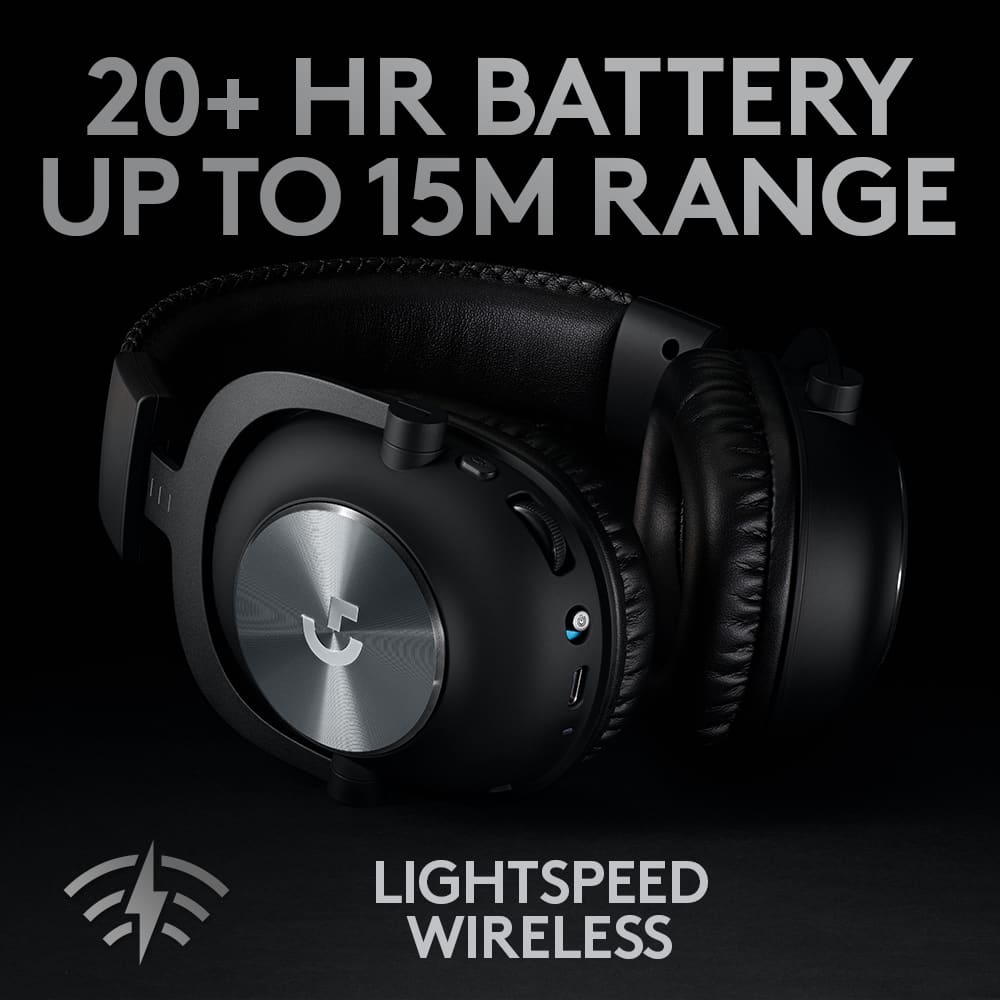
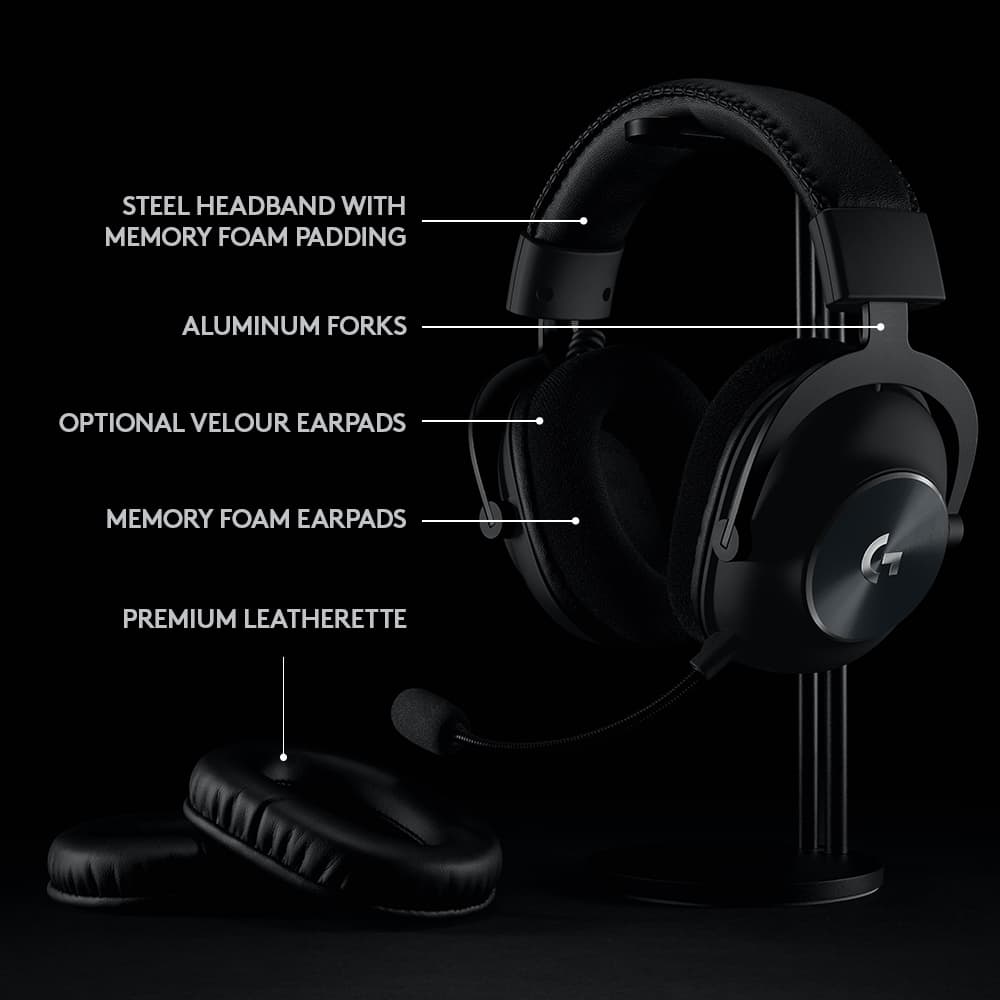
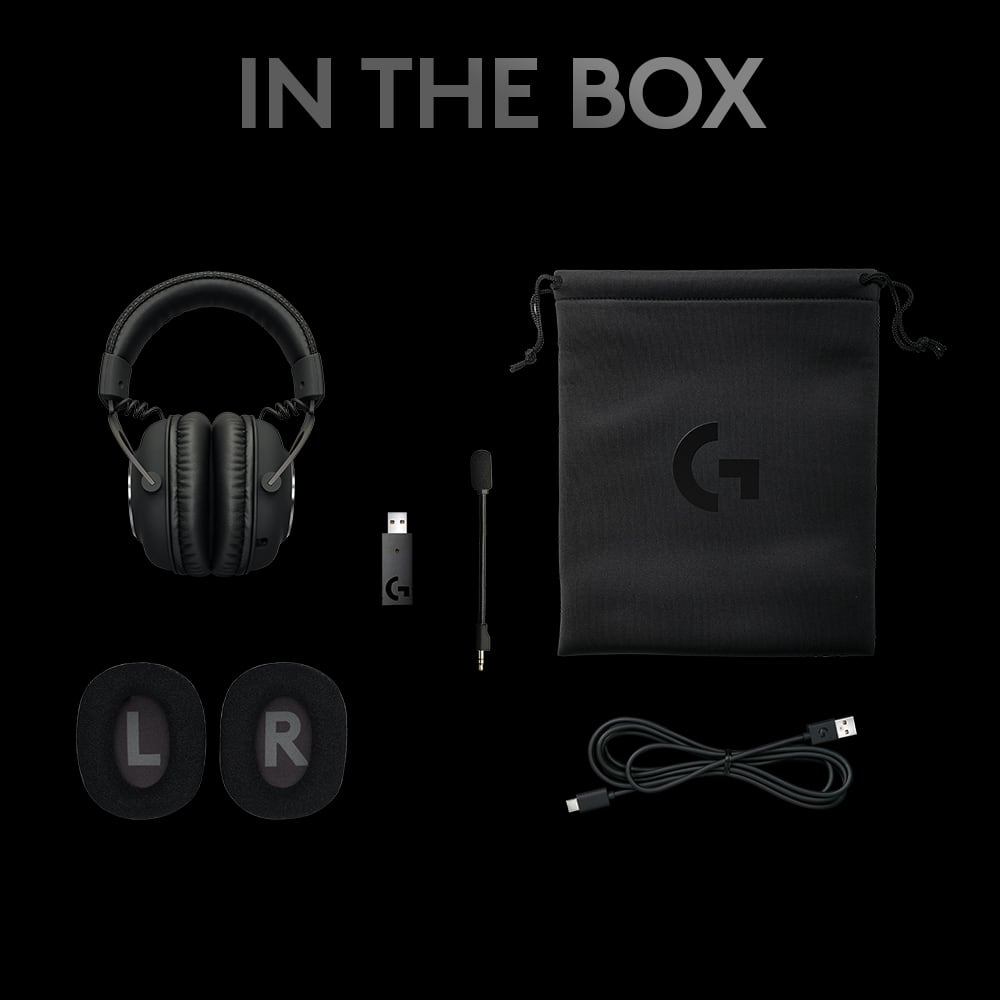
    To start, as someone who has spent time with the wired variant of these headphones, I can say that Logitech brought just about everything from those here, but you gain a wireless experience. To sum it up, that is a good thing. You get a nice collection of pieces with your purchase. The cans themselves, with faux-leather earpads pre-attached, an extra set of velour cloth earpads, the USB wireless adapter, the detachable mic, a USB A to USB C charging cable (hallelujah for that, we are getting close to universal connectors), and a nice carrying/storage pouch. It is pretty much all you would expect. Once again, the design and build are great. Mostly everything is a muted matte black with silver brushed metal on the sides of the earcups themselves. The G logos have shine to them. This is just about a perfect look for me. Sleek, clean, and simple. Perhaps not a “gamer-looking” pair of headphones, but I think they look great. The build is much of the same. Well-built with a “feels good in the hand” feel. Sturdy, but not heavy, and a nice mix of materials. They are flexible, adjustable, and padded where you would expect. Further, they are not so tight on my head. All of this makes them extremely comfortable. Extremely. Even after some long sessions, I more or less forget about them. That is what I am looking for. Out of the box, the sound quality is fantastic. Games have clean, crisp, and natural stereo sound. The seal from the cans gives some nice isolation. From there, when you install the G Hub Software, you have near-endless customization and tweaking options to play with. Equalizer profiles, presets…etc…the list is long. You can absolutely get things to sound the way you prefer them. Again, I think they sound great as is, but it is definitely worth your time to spend some time here. When it comes to the mic, the performance is good, but perhaps a tic below that of the wired version. I think that is fully just due to wireless aspect of the cans. It is absolutely on par if not better than any other wireless headsets I have used, but just something to keep in mind. That said, as with the sound, here you can use the Blue Voice software to tinker and dial them in to your preferences. Again, I think it is worth putting some time in here. Logitech is using their LightSpeed tech for the wireless on these headphones, and all you really need to know is that it works. They are rated for a little over 40 feet in range, and I have found that accurate and a complete non-issue. I have had no connectivity or latency issues of any kind so far and I don’t really expect to have any. As for battery-life, they are rated for 20 hours, and I think that is accurate or perhaps even a bit conservative as it “seems” they may push a little further. I will need more time to know for sure, but that is what it looks like so far. Again, I want to give the USB-C connector some love. Just nice to see. I just want to add, that yes, these are “gaming headphones,” and that is where they excel, but I think they are just a great, solid, good looking, multipurpose set of cans. You could easily use them for listening to some music, podcasts, or whatever, and also be fine using them and the mic for zoom calls with the family or co-workers. Ultimately, I really like this pair of headphones. They look good, are well-built, have good battery-life, are very comfortable, and sound great. The value is there.

    I would recommend this to a friend
  • Tech Insider Network Member

    Rated 4 out of 5 stars

    Mostly Really Great

    |
    Tech Insider Network Member
    Posted .
    This reviewer received promo considerations or sweepstakes entry for writing a review.

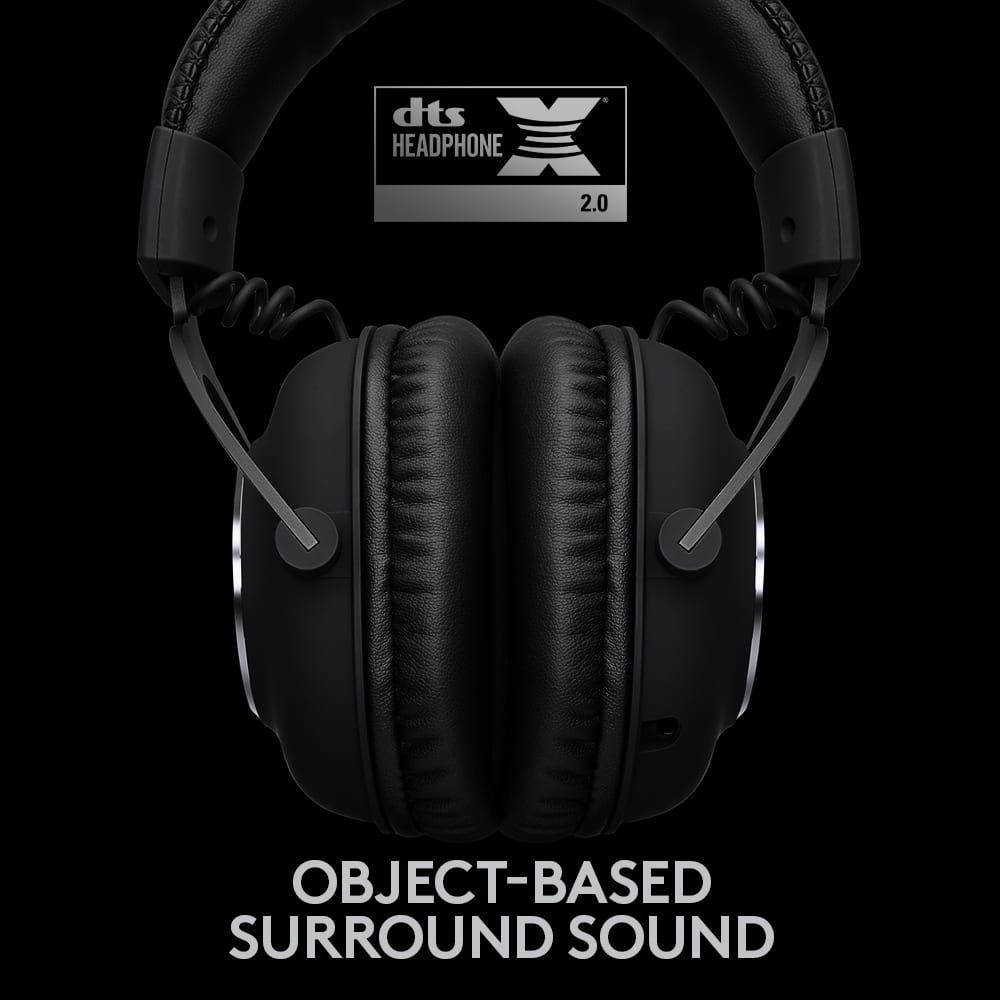
    After using the wired GPro X gaming headset for the last year, I was pretty excited to try the new Logitech GPro X Wireless gaming headset. Logitech had essentially just replaced the wired connection with a high speed proprietary wireless one, keeping in place the 7.1 surround sound and all the audio controls. After trying them side by side, the same great listening quality and crystal clear mic with no discernible lag has transitioned nicely. The GPRo X Wireless come with both leatherette and velour earpads, and while I prefer the leatherette it's really nice to have the option. They also come with a carrying case, detachable mic, and usb-c charging cable. They charge quickly (and after leaving them on overnight, I can say the battery lasts a long time). After charging, attach and position the mic, plug in the wireless dongle and go. Take the time to download the Logi GHub app, it really offers tremendous control over the characteristics of the headset. They are very comfortable, wearing them for a couple of hours wasn't an issue. Surprisingly, adding a long life battery doesn't seem to have affected the weight much, which was a pleasant surprise. Sound quality is excellent. While the default sound is stereo, switch to surround sound with the GHub app. The directional sound is really incredible. You can actually use that to detect direction, particularly useful when someone is running up behind you. You can hear them and the direction from which they are coming! Streaming videos with DTS surround sound also maintain the illusion of directional positioning really well. One really nice feature is that the headset controls are well differentiated; none of this nonsense with identical buttons and rocker switches. The power button is a slide switch, the mute button is a press button, and the volume is a rotary. Yay! The 'Blue Voice' technology behind the microphone translated to wireless well. It does a very good job of providing clear and very distinct voice quality while suppressing background noise. There are a couple of issues that make the GPro X Wireless Headset less than perfect. There is no wired option, either audio cable or USB; it would have been really nice to have some sort of wired option as a backup, or for use on a non-Windows computer. The wireless is a proprietary protocol and it isn't clear how the dongle binds to the headset. I don't know how it will do when multiple headsets are in range. There is no connection setup as with Bluetooth. It would have been nice to be able to use Bluetooth wireless as a backup wireless protocol as well. Finally, and this is a minor nit, the dongle sticks out from the usb connector about two inches, and I've already managed to send it flying once; it would have been really nice if it was smaller. In conclusion, despite the nits, this is an excellent gaming headset and it's really nice not to have that cable flopping around in game. Comfortable enough for a long gaming session and versatile enough to use as a general listening headset. Highly recommended!

    I would recommend this to a friend
  • Rated 1 out of 5 stars

    constant static noise

    |
    |
    Posted .
    This reviewer received promo considerations or sweepstakes entry for writing a review.

    Highly do not recommend this headset. I have done a lot of research before buying this, but I still encountered issues that were unexpected. If you are unlucky, you can get a headset with a constant static noise. This is even without connecting to the PC. As long as you turn on the headset, you will notice it immediately. After messing around for like 2 hours and researching, I found no solution to fix this white noise. Second, if you have a big head, the headset may not be big enough for you.

    No, I would not recommend this to a friend
    • Brand response from Logitech
      Posted .

      Hello Valery! Sorry to hear you're having issues with your G PRO X Wireless DTS Headphone:X 2.0 Gaming Headset. If you haven't done so already, make sure to download the free G Hub Software https://support.logi.com/hc/en-us/articles/360025298133 that will allow you to update the firmware of your headset (and correct any potential problems with it), allow you to customize your sound and features to your liking, and enable the Blue Voice feature for the microphone too. If you're still getting static noise after doing this, know that the G PRO X Wireless headset has a 2-year warranty from Logitech, so click the Support link on the product page https://www.logitechg.com/en-us/products/gaming-audio/pro-x-wireless-headset.981-000906.html where it says "Support" should you need to. - Mathieu from Logitech

  • Rated 2 out of 5 stars

    Too Small For Big Heads

    |
    |
    Posted .
    This reviewer received promo considerations or sweepstakes entry for writing a review.

    As the title says, it's too small for Large Heads. Even at the longest setting, the ear cups do not fit over my ears and sit on top of the bottom of my ears

    I would recommend this to a friend
    • Brand response from Logitech
      Posted .

      Hi there, sorry to hear that you are unsatisfied with your G PRO X Wireless Headphone. We are always looking for ways to improve our products, so we appreciate your review. Comfort is very personal and preference based, so I can understand where you are coming from. Your headset does come with two types of ear pads so you can choose whichever you find to be more comfortable, have you tried both types? As well it comes with a metal headband and springy wires that keep everything in place.These headsets have been tested on all shapes and sizes. I hope this information is helpful. If you ever have additional feedback or questions regarding Logitech products, feel free to visit https://support.logi.com/hc/en-us Thanks, -Logitech

  • Rated 2 out of 5 stars

    Poor mic

    |
    |
    Posted . Owned for 3 weeks when reviewed.
    This reviewer received promo considerations or sweepstakes entry for writing a review.

    Microphone was statically, rest was about average.

    No, I would not recommend this to a friend
    • Brand response from Logitech
      Posted .

      Thanks for you feedback. Your feedback is important to us, and we'll make sure to share it with the right team.

  • Rated 2 out of 5 stars

    Wouldn't Buy Even On Sale

    |
    |
    Posted . Owned for 1 week when reviewed.
    This reviewer received promo considerations or sweepstakes entry for writing a review.

    Decent headset but not worth the price at all. Headphone on the left ear also felt loose but the sound that you are paying for is ABSOLUTELY NOT worth the price.

    No, I would not recommend this to a friend
  • Rated 2 out of 5 stars

    Don't buy

    |
    |
    Posted . Owned for 3 months when reviewed.
    This reviewer received promo considerations or sweepstakes entry for writing a review.

    I've had them since January it is now April and they have this constant cracking sound.

    No, I would not recommend this to a friend
    • Brand response from Logitech
      Posted .

      That's unfortunate and we apologize for the inconvenience. We'd recommend to get in touch with the Logi G Support Team in this case and the team will definitely walk you through all the available options, next steps, and best possible solution.

  • Tech Insider Network Member

    Rated 5 out of 5 stars

    Awesome sound, I don't want to take them off

    |
    Tech Insider Network Member
    Posted .
    This reviewer received promo considerations or sweepstakes entry for writing a review.

    My 1st pair of gaming headset was a corded, had a mic, that you sounded like you were in a tunnel, you could hear gaming noise, but could not really hear tell where anything was. Now comes the Logitech Pro X Wireless Lightspeed Gaming Headset, what a difference! This headset is set up to do it all, music, TV, Phone Calls and of course Gaming. Phone calls are crystal clear, and the Blue Voice mic reduces background to a minimum, we tested it while driving and you could not pick up on the road noise. Watching a movie in surround sound is amazing. But Using them for Gaming is where it’s at. The headset comes with 7.1 Surround Sound, this is a must when playing Pub G and location detection is the key between life and getting one between the eyes. With the 7.1 you can differentiate locations to the smallest degree, making it easier to know exactly where someone is trying to out flank you. From firing a gun to running up the street, you can hear every minute detail in real time. With the Lightspeed technology there is no noticeable delay. We test this while watching a movie, by starting and stopping, and we never missed a word or a sound. I could go on for days and give you millions of examples of how great this headset is, but you will have to try them for yourself. The headset is extremely comfortable to wear, you could play in them for hours. I am an audiophile and have started taking them to work, so I can listen to my digital music and really enjoy the experience. To top it all off this headset works with the Logitech G Hub, an app that lets you modify all of your Logitech G Pro devices. This includes the Mic with Blue voice and other modifications, an Equalizer to set the format for the different types of uses your using the headset for, and Acoustics where the sound control is everything, room type, surround sound, volume controls for every position. Just a word on the battery life, I have not had any issues, but I always charge them when I go to sleep, so they are ready for whatever comes our way the next day.

    I would recommend this to a friend
    • Brand response from Logitech
      Posted .

      Hi UnkinB,
      Thank you for your five-star review! It is greatly appreciated. Continue to enjoy your device. If you ever need assistance, please contact Logitech Support on the website.
      LaShonda from Logitech

  • Rated 1 out of 5 stars

    Not bluetooth or wifi and only work on pc smh

    |
    |
    Posted . Owned for 1 month when reviewed.
    This reviewer received promo considerations or sweepstakes entry for writing a review.

    Item was very misleading, does not clearly state that it will not work without adapter. Like seriously. What is the point of wireless headphones if I still need a second piece of hardware to use them.

    No, I would not recommend this to a friend
    • Brand response from Logitech
      Posted .

      Hey! We hear you, and we apologize for the frustration with the Logitech G PRO X Wireless Gaming Headset. You're right, the product information should clearly state the need for a separate adapter for wireless functionality. We appreciate your feedback and we'll take it into account to improve the product description and customer experience.

  • Rated 2 out of 5 stars

    headset

    |
    |
    Posted . Owned for 1 year when reviewed.
    This reviewer received promo considerations or sweepstakes entry for writing a review.

    the sound was very low even when turning everything up. not comfortable to wear

    No, I would not recommend this to a friend
  • Rated 5 out of 5 stars

    Great headphones!

    |
    |
    Posted . Owned for 1 month when reviewed.
    This reviewer received promo considerations or sweepstakes entry for writing a review.

    Exactly what I needed. They fit great and my ears to get hot using the fabric ear pads.

    I would recommend this to a friend
  • Rated 1 out of 5 stars

    Delayed shipments

    |
    |
    Posted . Owned for 8 months when reviewed.
    This reviewer received promo considerations or sweepstakes entry for writing a review.

    Shipment delayed and says it will get a refund if not received by Sept 6? Why did you let me order something if you can’t ship it. Typical Best Buy.

    No, I would not recommend this to a friend
    • Brand response from Logitech
      Posted .

      We apologize for the delayed shipment of your Logitech G PRO X Wireless Gaming Headset. We understand the frustration caused by shipping delays. Please contact Best Buy directly for an update on your order and to inquire about the refund or shipment process.

  • Rated 1 out of 5 stars

    Bad sound

    |
    |
    Posted . Owned for 3 weeks when reviewed.
    This reviewer received promo considerations or sweepstakes entry for writing a review.

    Horrible sound great mic wasnt please with how the quality of the sound was for the price

    No, I would not recommend this to a friend
    • Brand response from Logitech
      Posted .

      Hi Nitsud,
      Thank you for your feedback. Sorry for the inconvenience you're having with you device. Be sure to download the software for your device. Also download our G Hub Software to access and control the features. Last but not least
      Microphone mute toggle
      • Microphone is active when red is not visible. Microphone is muted when red is visible.
      Volume wheel
      • Rotate up to increase OS volume.
      Rotate down to decrease OS volume.
      Power switch
      • Power is on when cyan is visible. Power is off when red is visible. Headset will power down
      automatically after 30 minutes of no audio to save battery life. To resume use, turn the power off,
      then back on again. Timeout value can be adjusted in G HUB.
      USB C charging port
      • Use provided USB A to USB C charging cable to charge headset by plugging into USB port on PC.
      Cable is for charging and firmware update only – audio will not play over wired connection.
      Microphone
      • For optimal voice pickup, place foam ball approximately two fingers’ width from the corner
      of your mouth. Blue VO!CE functionality can be enabled using G HUB software. If you need further assistance, please contact Logitech Support on the website. LaShonda from Logitech