Customer Ratings & Reviews
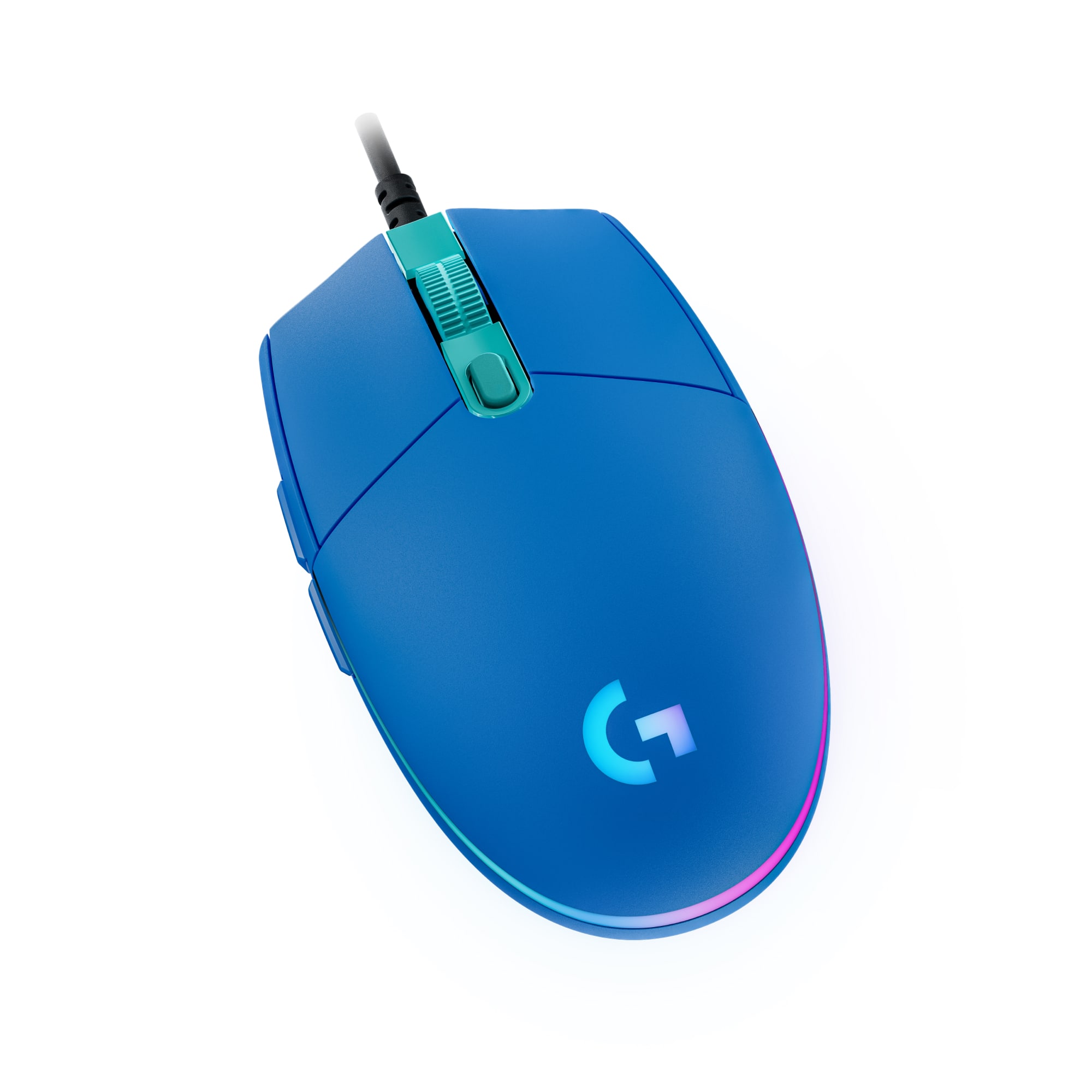





- Model:
- 910-005792
- SKU:
- 6420867
Rating by feature
- Value
Rating 4.8 out of 5 stars
- Quality
Rating 4.7 out of 5 stars
- Ease of Use
Rating 4.8 out of 5 stars
Customers are saying
Customers consistently note the product's appealing RGB lighting, excellent value, and ease of use. Its lightweight design, customizable DPI, and responsive performance are also frequently praised. On the other hand, some users have encountered issues with the software and found the left click to be overly sensitive. A few customers also expressed a preference for a wireless option and a higher quality cord.
This summary was generated by AI based on customer reviews.
Worst mouse ever
||Posted .This reviewer received promo considerations or sweepstakes entry for writing a review.Not working with Apple products. Logitech G series software is horrible.
No, I would not recommend this to a friendBrand response from Logitech
Posted .Thank you for sharing your experience with the Logitech G203 LIGHTSYNC Wired Optical Gaming Mouse. We apologize that it's not working with your Apple products and that you've found the Logitech G series software to be unsatisfactory.

Pretty good gaming mouse for a reasonable price.
||Posted . Owned for 3 weeks when reviewed.This reviewer received promo considerations or sweepstakes entry for writing a review.Pretty good gaming mouse for a reasonable price. Good precision .
I would recommend this to a friend- Cons mentioned:Software
Logitech - G203 LIGHTSYNC Wired Optical Gaming Mou
||Posted . Owned for less than 1 week when reviewed.This reviewer received promo considerations or sweepstakes entry for writing a review.Cannot download software from Logitech and no response from customer service.
No, I would not recommend this to a friendBrand response from Logitech
Posted .Hi, the G203 will work the Logitech's G Hub. You can download the software from the website: https://www.logitechg.com/en-us/innovation/g-hub.html If you continue to have issues with the download you can visit support.logi.com for additional help. Kristi from Logitech.
- Pros mentioned:Dpi, Rgb lightingCons mentioned:Software

Feature packed for the price.
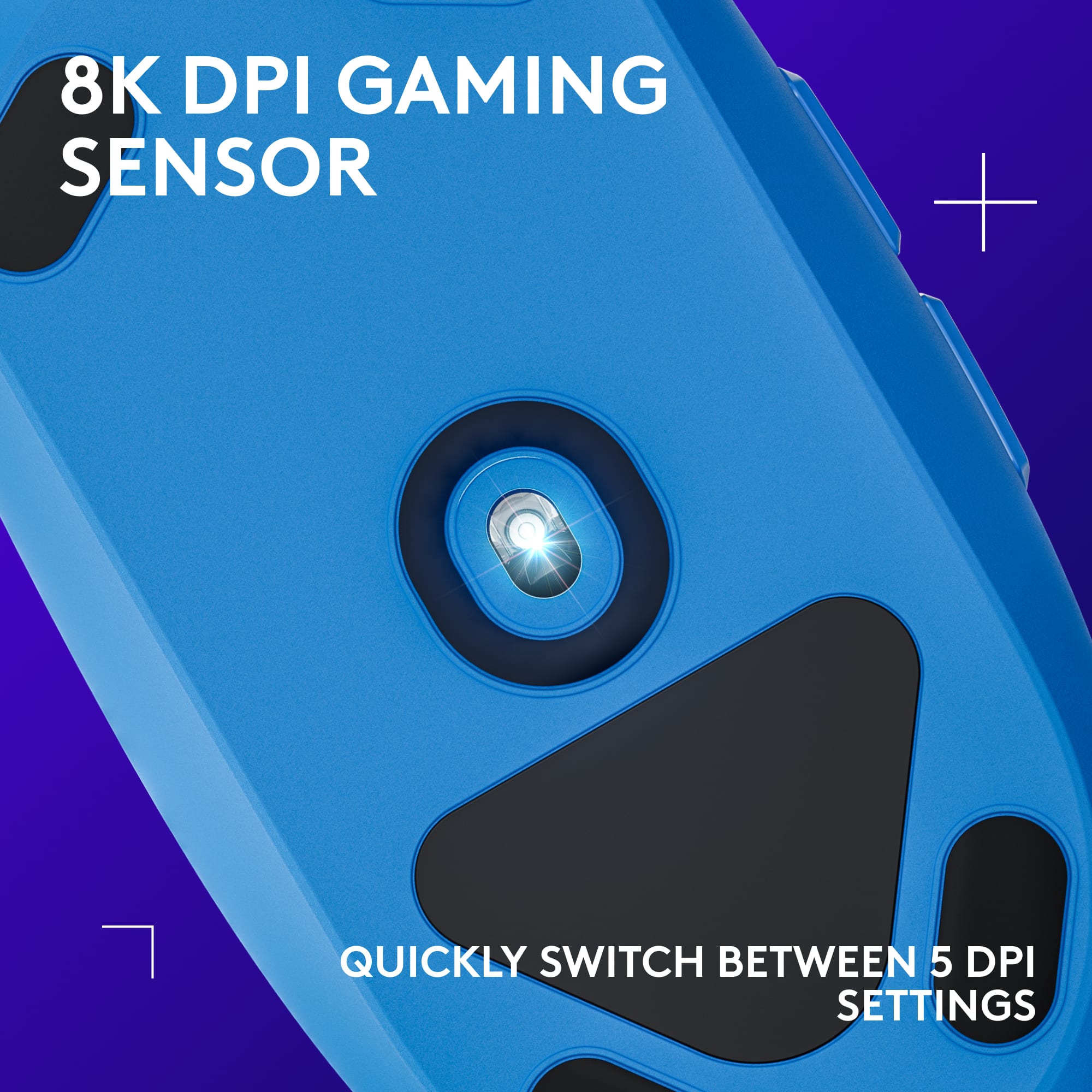
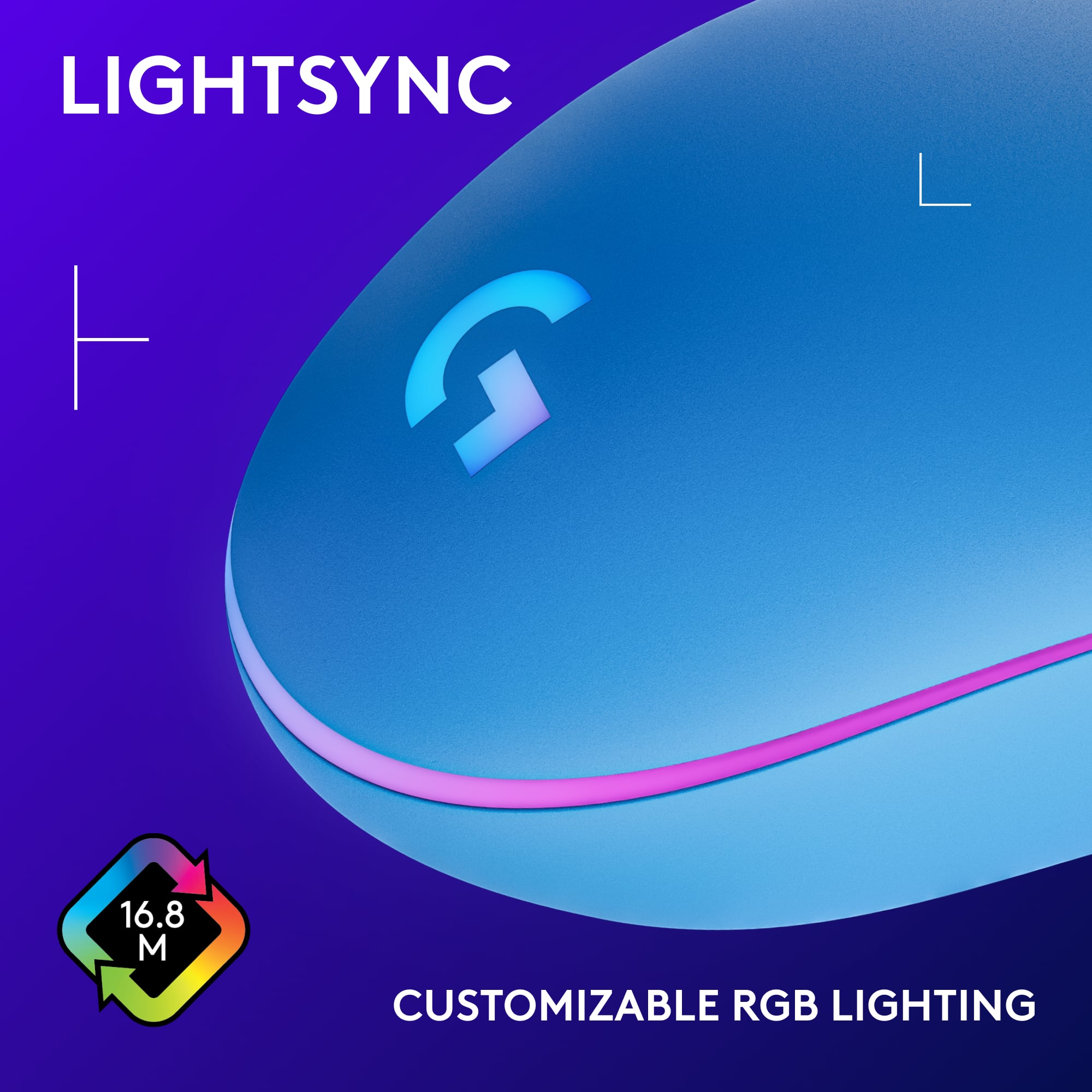
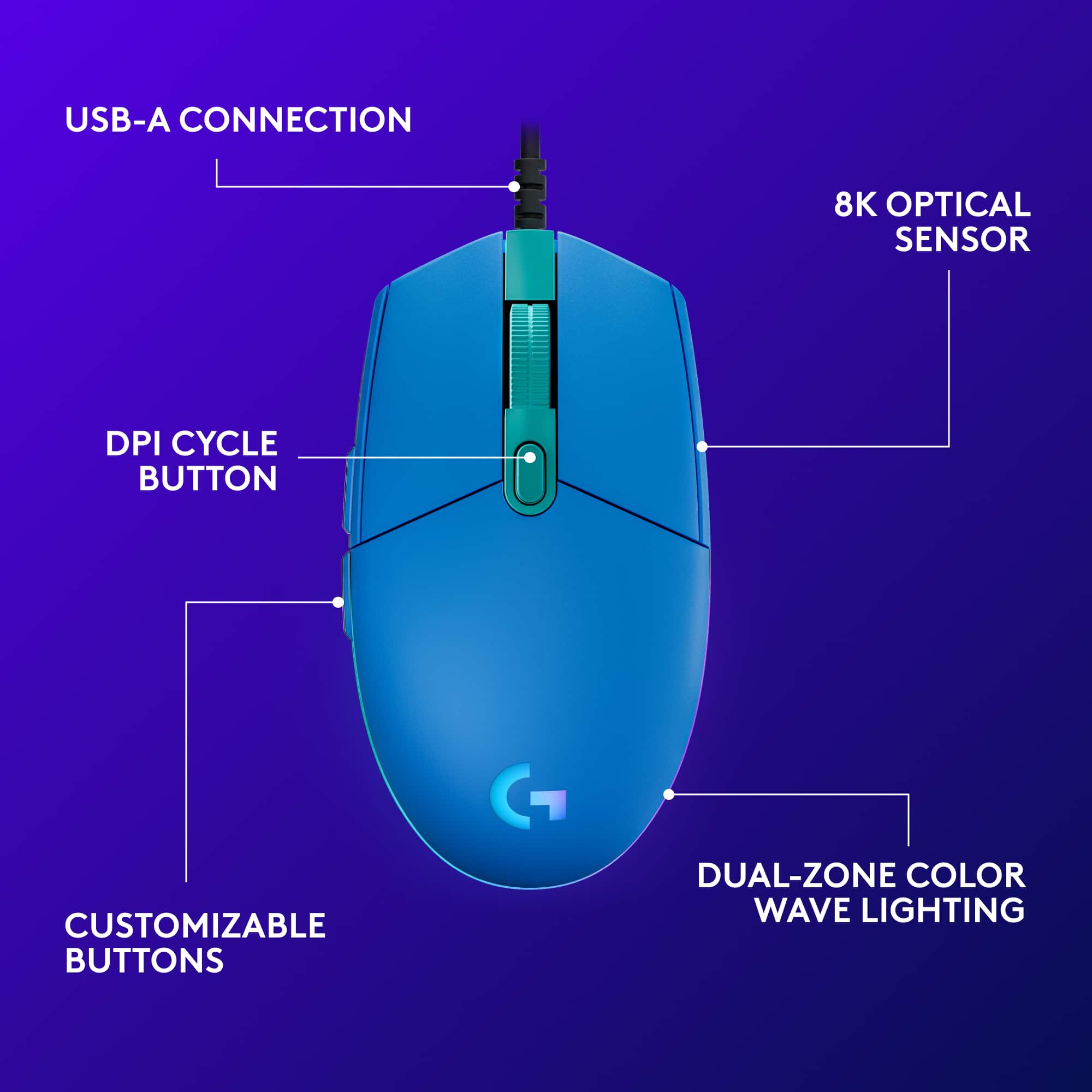
|Posted .This reviewer received promo considerations or sweepstakes entry for writing a review.The Logitech G203 is a great entry level gaming mouse. It's responsive with adjustable on-the-fly dpi settings, from 200 up to 8000 dpi. Makes quick and easy work of cycling through the gaming-grade sensor settings with the touch of a button, right behind the scroll wheel. The scroll wheel is a large, rubber coated and has straight edged profile. Not fantastically comfortable, but easily usable due to it's surface area against your finger. It's has defined impressions, steps if you will, when scrolling. It is not free flowing, like the G903SE for example. I've used it on multiple surfaces, and haven't had a issue with motion tracking. There are 6 programmable buttons on this mouse, for simplicity, they are however geared towards a right handed person, as there are two buttons on the left side of the mouse, but not on the right. The button feel is strong and authoritative, slightly hollow, as this is not a weighted mouse, and does not have the option to add weights. I have an RGB Logitech G513 keyboard, and this G203 RGB mouse compliments it really well. The full spectrum LED lighting is customizable using the Logitech G-Hub, a free, downloadable app for Windows or Mac OS, that allows you to adjust the color display on your mouse, to match your game profile (there are preloaded game profiles from other users in the G-Hub software), create your own profiles or use preset profiles by Logitech. You have full customization options, with 16.8 million colors. I did try this mouse out on my Mac as well, and had some issues with the G-Hub software launching, but on my PC, the software is flawless, and works really well. Overall, this is a great, feature packed, entry level gaming mouse that will stand up to the abuse of the gaming world, but is also a comfortable 'every day' mouse for you to use, if you just want to brighten up your desk with a little color.
I would recommend this to a friend - Pros mentioned:Dpi
Affordable and flexible - very good value
|Posted .This reviewer received promo considerations or sweepstakes entry for writing a review.I’m a casual gamer -- my PC is for work during the day and gaming after hours and weekends. So when I pick devices I try to find devices that are comfortable and integrate well into both worlds; the updated Logitech G203 is just such a device. During the day, it’s classic shape and lightweight design help me get the work done that pays the bills and buys the upgrades; its 3-LED cycling colors are a constant reminder that it’s ready to ditch the spreadsheet to lay down suppressing fire as soon as I’m done. Right off, to enjoy the full capabilities and customizations, you’ll want to download and install the “Logitech G Hub software”. This becomes your one-stop-shop for controlling your G device settings -- Lights, DPI, macros, etc. One of the highlights of the G203 is “DPI on-the-fly”, the ability to set DPI points (as many as 5) -- from as low as 200 to as high as 8000 -- that can be quickly cycled at the touch of a button. Some players swear by it, others think it messes with their consistency, but the fact it’s there at all means the choice is up to you -- use it or lose it as fits your style. I personally found it quickly useful for both work and gaming to have 2 on-the-fly settings -- 200 DPI for moments that demand precision, and 1000 DPI for standard operations. After using the G203 for just a few days I find myself naturally toggling the two, as fits the situation, without even thinking about it. Another nice feature of this and other Logitech gaming mice is the ability to program custom macros. In my brief experience this is a bit of an art albeit an immediately useful one once you get the hang of it. A simple example is programming one of the buttons to be a simple left-button toggle. Tap it once and the left-button “holds down” until you tap the button again, useful for times when you might otherwise need to hold the mouse button manually for extended times -- digging, firing, sprinting, crawling, crouching, etc. But more than mouse clicks, your macros can also store and combine keystrokes. A little imagination and practice and you’ll be able to record macros that do predictable complex actions in a single-click. And of course, there’s the lights. One of the reasons we get devices like this is simply the lights, and the environment they help create. This model of the G203 lets you program the arc of light around the back of the mouse in 3 sections -- left, center, and right. You can set them all the same, to a pre-programmed cycle, or even easily setup your own color cycles. And if you have multiple Logitech Lightsync devices you can often “sync” the light settings to the other devices so they are coherent. One note on that -- I have both this G203 mouse and a G512 keyboard, and the mouse is, relatively, much brighter than the keyboard. Generally I found that, to maintain visual continuity, I have to keep the G203 at about 50% relative to the G512. This is not a knock necessarily, it’d just be nice if the LEDs were calibrated across their Lightsync devices for consistency. It’s an extremely minor but, I think, valid observation for a line of devices specifically designed and named for how they “sync” with each other. Bottom line: This is an affordable and flexible gaming-capable mouse, that works for work too, and I’d definitely recommend it.
I would recommend this to a friendBrand response from Logitech
Posted .Hi StephenS! I am ecstatic to read that you're really enjoying and have noticed the improvements made to the new G203 Lightsync gaming mouse! I'm also glad to know you have realized the huge potential that the Logitech G peripherals have to be used for both work and play! Please continue to enjoy!
Mr
||Posted . Owned for 1 week when reviewed.This reviewer received promo considerations or sweepstakes entry for writing a review.Very good, informed assistance and very good service.
I would recommend this to a friendAverage Joe
||Posted .This reviewer received promo considerations or sweepstakes entry for writing a review.It went on sale for half of what I paid the day after. Life sucks. Mouse is average.
I would recommend this to a friendBrand response from Logitech
Posted .Sorry to see the price went down after your purchase of the G203 Lightspeed mouse. Best Buy does offer a price match guarantee that you can ask about to get the difference returned to you. But if you have any question, check out the Logitech support page at https://support.logi.com/hc/en-us/articles/360052803734. Hope that helps!
too small, strains your hands
||Posted . Owned for 3 weeks when reviewed.This reviewer received promo considerations or sweepstakes entry for writing a review.Too light and small for my hand. This is significant if you are playing a game or prefer to have your thumb and pinky touching the mouse while in use... My hands are not huge, but i'd only buy this if you have small hands.
No, I would not recommend this to a friendBrand response from Logitech
Posted .Hello, I am sorry if there was any confusion regarding the size of the mouse. I hope you were able to find something that felt better for your hand. Thank you for taking the time to write this review, we appreciate the feedback.
Sensor is broken
||Posted . Owned for less than 1 week when reviewed.This reviewer received promo considerations or sweepstakes entry for writing a review.Didnt work sensor is broken. Logitech support provided no assistance
No, I would not recommend this to a friendBrand response from Logitech
Posted .Hello Mattou22,
Thank you for choosing Logitech. I am sorry that you have experienced an issue with your G203 LIGHTSYNC mouse, I would like to help. I have attached a link to the “Getting Started” support page for the G203 where we can further assist. I apologize for this inconvenience.
Best regards,
John at Logitech
https://support.logi.com/hc/en-us/articles/360052803734
- Pros mentioned:Dpi
Light and Light and Perfect for a Laptop
|Posted .This reviewer received promo considerations or sweepstakes entry for writing a review.So we all know that if you want to game or truly be productive on a laptop, you need an external mouse. This is a SOLID option for anyone. First let's go over the appearance. It isn't an overly complex looking mouse, you immediately know what is going on when you have it in your hand. The configurable options for the colors is nice, not something I will pretty much change or do anything special with. Using the Logitech software, you can change the colors to what you want... and you can customize each of the buttons to different functions. If you are not going to change one of those buttons to your favorite combo, or quick action... you can use it for something else... or just leave it unprogrammed. Being corded is still a valuable option. In my work environment, there are so many cordless devices, that sometimes you just have connectivity issues with mice and keyboards. Having this corded is great, you know it is going to work and connect. The Optical sensor has the same flaws as any other devices, it is just physics. On shiny smooth non-distinctive tops, you have to put something down. A good old mouse pad, or even a piece of paper with text... something so the optics have something to reference. The detail movement is very fine, the DPI is high and good for detail moves in most fast paced games. And the weight of the mouse, and it's overall size.. makes it perfect for the gaming laptop. Put it in your bag and take it with you. The added benefit to corded, is that it is REALLY hard to leave behind. Good solid mouse, will give the average and even above average gamer an advantage. But can also be used as a standard production worthy mouse that you can use in the spreadsheet or searching on the internet
I would recommend this to a friend Not my tea
||Posted . Owned for 1 week when reviewed.This reviewer received promo considerations or sweepstakes entry for writing a review.I really don't have anything bad to say about it . It just was not my cup of tea. I don't want to spoil it for someone who make enjoy it.
I would recommend this to a friendBrand response from Logitech
Posted .Hello we are sorry to hear that you don't enjoy the G203. We hope that you were able to find another product in the Logi family that suited your needs.If you ever have any feature/settings questions, please visit us for support at https://support.logi.com/hc/en-us
- Pros mentioned:Ease of use
Great for Gaming, Great for All Applications
|Posted .This reviewer received promo considerations or sweepstakes entry for writing a review.The Logitech G203 Wired Gaming mouse really gets it right. I love using this mouse. While I wanted it for gaming, it handles so much more. Out of the box, it easily connects to your platform. I have used this on a Windows 7, Windows 10, and Mac machines. For all of them, the connection was effortless. I just plugged in the USB and I was off an running. The G203 looks awesome. It has a preset wave color pattern which looks amazing. Even the Logitech logo lights up. If you don't like that animation, you can choose different setting from millions of colors to give you just the look or effect that you want. Once you put your hands on the mouse, it is quite comfortable. The mouse comes with 6 programmable buttons. This make it great for gaming. The left and right buttons give positive feedback so you can tell when it is depressed or not. As well the center mouse wheel is notched so you can easily tell when rotating. In addition to one other center button, the mouse has two side thumb buttons. These are easy to distinguish and swap between. It is great to game with. The other part of this mouse that I really like is the precision. The optical sensor for detecting movements worked great on any surface I tried. It worked on glass, granite counter tops, carpets, and hardwood desks. Everything I tried, the movement was the same. I didn't detect any lag with the movements. I loved it. As a result, I use this for business applications as well as gaming. It does it all. In the end, I really found nothing to complain about. I guess if you really only want a wireless mouse, then this wouldn't work. But for gaming, you probably want wired. So it looks great and the performance is even better. I recommend the G203 for anyone wanting a gaming mouse or anyone looking for a great mouse all together.
I would recommend this to a friend - Pros mentioned:Dpi, Weight
decent mouse at a good price
|Posted .This reviewer received promo considerations or sweepstakes entry for writing a review.I love to play games, Steam and online. I have had several computer mice over the years. I do not normally buy a new one till one dies, so I do not get a new one very often. With updated technology, some things stay the same. No more red laser to track mouse movement, but still worked fine on my black mouse pad is a nice change. This 5 button mouse (not sure where you get 6 button unless you count the wheel) is programmable. One the left side the toggle buttons by default page forward and back thru web pages. The dpi can be set to SUPER sensitive, not for me. For my hands this mouse was too small, nothing wrong with the mouse i just prefer a larger/wider mouse. My hand gets tired. I liked the weight, its nice to have a lighter mouse compared to my previous mouse. You do have to watch out, if you are coming from a larger heavier gaming mouse, the mouse itself moves easier. I have knocked this across my desk. I only have the gaming mouse. The new G HUB software that you can get with the G203 can work with mice, keyboard, speakers, and headphones. You can create custom game profiles with macro keys for each game. Pretty cool addition, if I ever get the chance to try G HUB products, that would be cool. Overall I liked this. I personally would not buy it. It is too small for my hands. If I was trying this out in a Best Buy store I would pass for one of the larger gaming mice. It is only a personal preference and I wont take away from other people who prefer a smaller mouse. I may use this as a travel mouse more than my home computer gaming mouse. Still recommend you try it for yourself and see how it feels in your own hand.
I would recommend this to a friend Wrong apt
||Posted . Owned for 3 weeks when reviewed.This reviewer received promo considerations or sweepstakes entry for writing a review.Wrong apartment the apartment was 2102 not 1948 . 1948 was the gate code
No, I would not recommend this to a friend- Pros mentioned:Dpi
RGB gaming mouse at a reasonable price...
|Posted .This reviewer received promo considerations or sweepstakes entry for writing a review.Logitech is hard to beat for keyboards and mice, and they made a good move here by updating their “old reliable” 2017 model “Prodigy” model 203 gaming mouse and releasing this updated version of “LightSync” model 203. Combine this sanely-priced RGB mouse with an RGB keyboard using the GHUB software, and you will complete a nice desktop display that is synchronized and fully customizable. As said, this pretty much looks the same as the older Prodigy model, with improved performance on the DPI and some improvements on the lighting (seems brighter and smoother – maybe). 6 buttons which are entirely programmable with the GHUB software – set them up to do anything you would like and quickly switch gaming profiles for customized button functions/macros. Nothing is missing from this nicely priced mouse and a good one to “pack and go” without having to worry about misplacing or “evaporating” your gamer mouse. If you missed out on the Prodigy model and are looking for a nice gaming mouse with customizable RGB that doesn’t strain the wallet – this is a good choice. Maybe a nice “surprise gift” for the younger gamer that is getting a little bored with the isolation from social distancing and would appreciate a little pick-me-up with a new mouse to fiddle around with. Keyboards and Mice come and go – Logitech is almost always the better choice and no question they are here to stay and doing the work to improve their products over time.
I would recommend this to a friend Just dont use bestbuy at all
||Posted .This reviewer received promo considerations or sweepstakes entry for writing a review.i brought it but it was canceled by best buy and i never got my money back
No, I would not recommend this to a friend- Pros mentioned:Dpi, Price
Solid entry level gaming mouse
|Posted .This reviewer received promo considerations or sweepstakes entry for writing a review.A good entry level gaming mouse. It's on the smaller side from many of Logitech's gaming mice if you have a smaller hand it might feel better. It's simple, two main l/r buttons, middle scroll with button, and forward/backward on the left side. About 2m of cord length. A button above the scroll wheel will adjust the DPI for you by default. The mouse glides easily and tracks smoothly on surfaces. Feels good in your hand, the surface isn't completely smooth, so there is some feel so the surface. With the G-Hub software installed, you get to customize the mouse a lot more. You can customize the function of every mouse button (including macros), and change the DPI settings. For lighting you can alter the colors through the full color range. The led lighting has three zones. Left, right, and middle with the G logo. In the software you can go through all of the color combinations and effects you want. It's easy to follow and setup. It does 8000 DPI, and it’s, so if you need to move quickly the mouse will cover you. It comes in at a good price for an entry level mouse and has plenty of functionality with the software installed. A large range of DPI will allow you to use it in any game or desktop application.
I would recommend this to a friend I am irritated I can't change the name on this
||Posted .This reviewer received promo considerations or sweepstakes entry for writing a review.I can use my Phone and email but can't change my name but you don't have a problem taking my money.
No, I would not recommend this to a friendDidn’t work
||Posted . Owned for 3 weeks when reviewed.This reviewer received promo considerations or sweepstakes entry for writing a review.It did not work as intended, I installed the software, and still had trouble with it working.
No, I would not recommend this to a friendBrand response from Logitech
Posted .Hi TeeTee, Very sorry to hear about the G203 LIGHTSYNC Wired Optical Gaming Mouse not working as intended. When you opened the software and went into the settings for the G203, was a firmware update needed? If you've already done that or if there wasn't a firmware update available, it does sound like you may have a hardware defect which could be covered by the 2 year limited hardware warranty. Here's a link to File a Warranty Claim https://support.logi.com/hc/en-us/articles/360024924814-Warranty-G203. Hope that this helped and that it finds you doing well. - Richard from Logitech
heart of eyes
||Posted .This reviewer received promo considerations or sweepstakes entry for writing a review.good nice cool amazing comfortable cheap billy gachi
I would recommend this to a friendBrand response from Logitech
Posted .Hello, KBDfan! I'm happy to hear you're enjoying the G203 mouse! Feel free to reach out to our support team here https://support.logi.com/hc/en-us/requests/new?ticket_form_id=360000621393 if you ever need any assistance or if something happens in the 2-year limited hardware warranty. Thank you for shopping Logitech G! - Maggie from Logitech G